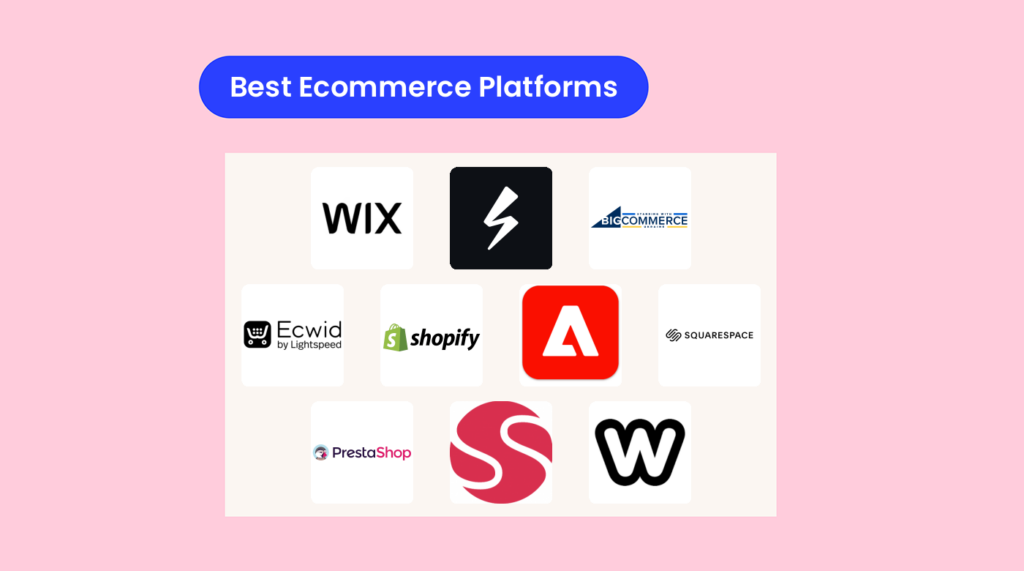
La mejor plataforma de comercio electrónico es la que realmente te facilita las cosas y te permite gestionar tu tienda: sin dramas, sin ataques de pánico por tener que programar y sin tarifas misteriosas ocultas en la letra pequeña.
Hay demasiadas plataformas ahí fuera y, sinceramente, la mayoría te prometen la luna para luego entregarte un decorado de cartón.
Necesitas algo flexible, fiable y seguro que no te haga arrepentirte de tus decisiones vitales a las 2 de la madrugada. Debe gestionar todos los aspectos básicos —productos, inventario, pedidos y compradores móviles— sin obligarte a aprender un idioma nuevo.
He pasado más tiempo del que debería cualquier persona sensata trasteando con estas plataformas.
Esta es la realidad sobre cuáles merecen realmente tu tiempo y esfuerzo, para quién son más adecuadas y en qué destaca cada una —o dónde falla estrepitosamente.
Sigue leyendo para conocer la lista, los detalles que realmente importan y algunas cosas que probablemente no escucharás en ningún otro sitio. Al final, sabrás exactamente por dónde empezar a buscar y qué evitar como si fuera una filtración de datos.
Por qué confiar en nuestras recomendaciones de software
6,700+
Reviews
20
Industry experts
16+
Evaluation factors
14
Years
Nuestro equipo lleva probando y evaluando software desde 2012. Como líderes del sector retail, sabemos lo difícil —y lo importante— que es elegir el software adecuado.
Para esta guía, evaluamos las herramientas mediante pruebas prácticas e investigación independiente, puntuando las herramientas según nuestros criterios de selección.
Nuestras reseñas reflejan nuestro criterio independiente, no un discurso de ventas.
Tabla comparativa de las plataformas de comercio electrónico del mercado
Esta tabla comparativa resume los detalles de precios de mi selección de las principales plataformas de comercio electrónico del mercado:
| Tool | Best For | Trial Info | Price | ||
|---|---|---|---|---|---|
| 1 | Ideal para modelos de ecommerce basados en suscripción | Prueba gratuita de 14 días | Desde $34.50/mes | Website | |
| 2 | La mejor para marketing omnicanal | Prueba gratuita de 15 días disponible | Desde $29/mes (facturado anualmente) | Website | |
| 3 | Ideal para vender en redes sociales | Cuenta gratuita disponible | Desde $5/mes (facturado anualmente) | Website | |
| 4 | Mejor para un rango de integraciones | Prueba gratuita de 3 días disponible | Desde $37/mes (facturado anualmente) | Website | |
| 5 | Ideal para empresas orientadas a los datos | Demostración gratuita disponible | Precios bajo solicitud | Website | |
| 6 | Lo mejor para gestionar tiendas online | Prueba gratuita de 14 días disponible | Desde $16/mes (facturado anualmente) | Website | |
| 7 | Ideal para tiendas online personalizables | Prueba gratis de 14 días | Gratis en código abierto/alojado desde $34/mes | Website | |
| 8 | Mejor plataforma de comercio electrónico para ventas B2B | Demostración gratuita disponible | Precios bajo solicitud | Website | |
| 9 | La mejor opción para opciones de diseño personalizables | Plan gratuito disponible | Desde $13/mes (facturado anualmente) | Website | |
| 10 | Ideal para usuarios sin conocimientos técnicos | Plan gratuito disponible | Desde $17/mes | Website |


Las mejores plataformas de comercio electrónico para hacer crecer tu tienda, analizadas
A continuación encontrarás análisis breves que destacan en qué es mejor cada plataforma, sus principales funciones, ventajas e inconvenientes, y capturas de pantalla de la herramienta en acción.
 Ideal para modelos de ecommerce basados en suscripción
- Prueba gratuita de 14 días
- Desde $34.50/mes
Visit WebsiteCustomer Rating:4.8/5
Actualiza el estilo visual de tu carrito para que coincida con tu marca. Subbly ayuda a las marcas enfocadas en suscripciones a vender más con menos complicaciones — la facturación recurrente, el proceso de pago personalizable y el autoservicio del cliente viven en un solo lugar.
Si vendes cajas, membresías o productos de reposición, te gustarán las ventas adicionales integradas y la gestión de cobros fallidos, que protegen tus márgenes sin tener que añadir múltiples plugins.
Por qué elegí Subbly
Elegí Subbly porque ofrece controles de pago orientados a la suscripción: campos personalizados, reglas de compra y dominios, para que puedas adaptar el proceso a tus productos y reducir el abandono.
Obtienes facturación recurrente automatizada con gestión de cobros fallidos y lógica de reintentos de tarjetas, lo que realmente recupera ingresos en lugar de solo reportar cancelaciones. Si ya tienes un sitio, puedes incrustar el proceso de pago y el portal de clientes de Subbly, permitiendo que tu equipo añada suscripciones sin reconstruir todo.
Las encuestas y los embudos te permiten captar preferencias y mostrar ventas adicionales dirigidas, por lo que el valor promedio de orden sube porque la función literalmente hace mejores preguntas. El seguimiento del inventario y la lógica de productos agotados mantienen las renovaciones realistas: tu equipo de operaciones no promete lo que el almacén no puede enviar.
Funciones clave de Subbly
Además del proceso de pago y la facturación centrados en la suscripción, aquí tienes herramientas útiles que realmente usarás.
- Paquetes y kits configurables: Vende sets seleccionados o permite que los compradores configuren cajas manteniendo el cumplimiento organizado.
- Encuestas y flujos de registro: Captura las preferencias del cliente desde el principio para personalizar productos y ventas adicionales.
- Programa de referidos: Impulsa la adquisición de clientes a bajo costo con enlaces de referencia y recompensas integradas.
- Soporte multilenguaje: Localiza la tienda y el proceso de pago para expandirte a nuevos mercados.
Integraciones de Subbly
Las integraciones incluyen Klaviyo, Intercom, Twilio, ShipStation, Pirate Ship, Mailchimp, Zendesk, Postmark, TaxJar y Hotjar.
Pros and Cons
Pros:
- La integración con Klaviyo envía todos los eventos y valores del ciclo de vida de la suscripción.
- Integraciones nativas de envío reducen la exportación de CSV para etiquetas y seguimiento.
- La caja embebible añade suscripciones fácilmente a un sitio existente.
Cons:
- El plan Lite carece de automatizaciones y multiidioma; se requieren actualizaciones.
- Los límites de SKU según el plan restringen catálogos grandes sin subir de nivel.
Learn more about Subbly: La mejor para marketing omnicanal
- Prueba gratuita de 15 días disponible
- Desde $29/mes (facturado anualmente)
Visit WebsiteCustomer Rating:5/5
El creador de sitios web de BigCommerce tiene extensas funciones de edición para personalizar la apariencia de tu sitio y mejorar el marketing de productos en página. Para minoristas en crecimiento que buscan expandirse en múltiples canales, BigCommerce te ayuda a aumentar los ingresos sin tener que unir cinco herramientas diferentes.
Obtienes funciones de múltiples escaparates, ventas en marketplaces y redes sociales, y sólidas opciones de comercialización, diseñadas para equipos que gestionan altos volúmenes de SKU y tráfico real.
Muzammil Sayed, cofundador de NYC Leather Jackets, explicó cómo el cambio transformó sus operaciones:
“Antes estábamos atascados con una plataforma torpe, pero después de movernos a BigCommerce, la velocidad de carga de las páginas mejoró, los carritos abandonados se redujeron a la mitad y la gestión del inventario en todos los canales se volvió fluida. Configurar certificados SSL y distintivos de seguridad también fue más sencillo, lo que nos ayudó a generar más confianza con los clientes. Además, sus controles SEO e integraciones API nos dan flexibilidad sin requerir soporte constante de desarrolladores.”
Por qué elegí BigCommerce
Elegí BigCommerce por su alcance omnicanal: puedes listar productos en Amazon, Walmart, TikTok Shop y Meta Shops mientras mantienes un solo catálogo, lo que acelera el tiempo hasta ingresar ingresos gracias a las conexiones nativas de Channel Manager.
Obtienes comercialización más rápida porque las opciones de producto, reglas y campos personalizados te permiten lanzar variantes complejas sin código personalizado. Tu equipo protege los márgenes con cupones nativos, listas de precios y grupos de clientes, funciones que realmente permiten promociones segmentadas, no solo descuentos de adorno.
El proceso de pago tampoco se queda atrás: puedes habilitar el pago en una sola página y monederos digitales como Apple Pay y Google Pay para incrementar la conversión. Para catálogos extensos, la búsqueda facetada incorporada y los controles SEO ayudan a los compradores a encontrar productos y a que tus páginas de producto se posicionen mejor.
Funciones clave de BigCommerce
Estas funciones complementan el enfoque multicanal y ayudan a los equipos a vender más rápido en el día a día.
- Múltiples escaparates: Administra varias marcas o regiones desde un solo backend con inventario compartido.
- Reglas y opciones de catálogo: Configura variantes, SKU y precios complejos sin código personalizado.
- Grupos de clientes y listas de precios: Ofrece precios segmentados y condiciones B2B para distintos compradores.
- Pago en una página y monederos: Reduce la fricción con métodos de pago acelerados en el checkout.
Integraciones de BigCommerce
Las integraciones incluyen Amazon Pay, PayPal, Stripe, Mailchimp, QuickBooks Online, ShipStation, Yotpo, Google Analytics, Meta Shops y TikTok Shop.
Pros and Cons
Pros:
- Las publicaciones multicanal con inventario unificado reducen la sobresventa y actualizaciones manuales.
- La búsqueda facetada y los controles SEO integrados mejoran el descubrimiento de productos.
- Los grupos de clientes y listas de precios permiten verdadera tarificación B2B y VIP.
Cons:
- Los umbrales de ventas anuales en línea pueden requerir actualizaciones obligatorias del plan.
- Los cambios avanzados de tema suelen requerir desarrolladores o aplicaciones de pago.
Learn more about BigCommerce: Ideal para vender en redes sociales
- Cuenta gratuita disponible
- Desde $5/mes (facturado anualmente)
Visit WebsiteCustomer Rating:4.6/5
Ecwid crea automáticamente cuentas de clientes después de cada compra, facilitando mucho la gestión de las relaciones con los clientes. Para los comerciantes enfocados en la venta a través de redes sociales, Ecwid te permite sincronizar tu catálogo con Facebook, Instagram y TikTok, para que las publicaciones que ya generan atención también puedan generar pedidos.
Es una forma sencilla de añadir comercio electrónico a tu sitio web existente o a tu enlace en la bio, con un plan gratuito para que pruebes antes de comprometerte.
Por qué elegí Ecwid
Elegí Ecwid porque te permite convertir la atención en redes sociales en actividad en el carrito: tu catálogo se sincroniza con Facebook e Instagram, así puedes etiquetar productos y llevar a los compradores directamente a la compra.
También obtienes la conexión con TikTok for Business desde el panel de administración de Ecwid, para lanzar anuncios de productos sin tener que exportar hojas de cálculo. Si vendes en persona, puedes vincular tu tienda online con Lightspeed Retail, Square o Clover, manteniendo inventarios y pedidos en un solo lugar.
Para el cumplimiento, las etiquetas de envío con descuento de USPS de Ecwid reducen los costes en pequeños paquetes desde el primer día. Puedes incrustar una tienda o un simple botón “Comprar ahora” en cualquier sitio, lo que lo convierte en una opción sólida para creadores, boutiques y minoristas locales que quieren ventas inmediatas, no una reconstrucción que demore seis semanas.
Características clave de Ecwid
Además de la sincronización con canales sociales, aquí tienes algunas herramientas que realmente usarás para mantener las ventas en movimiento.
- Botón Comprar ahora: Inserta un botón de producto o carrito en cualquier página, blog o enlace en la bio.
- Seguimiento de pedidos con Apple Wallet: Permite a los clientes seguir sus pedidos a través de notificaciones push de Wallet después de la compra.
- Sincronización con TPV: Conecta Lightspeed, Square o Clover para unificar el inventario y las ventas online y en tienda física.
- Etiquetas de envío con descuento para USPS: Imprime etiquetas con descuentos integrados de USPS para proteger los márgenes.
Integraciones de Ecwid
Las integraciones incluyen Facebook by Meta, Instagram Shopping, TikTok for Business, Google Shopping, Lightspeed Retail POS, Square POS, Clover POS, Printful, Pinterest y Snapchat.
Pros and Cons
Pros:
- La sincronización social del catálogo convierte publicaciones en etiquetas de producto comprables rápidamente.
- Las integraciones con TPV mantienen el inventario exacto entre ventas online y en tienda física.
- Los descuentos integrados en etiquetas USPS reducen los costos de envío de paquetes pequeños.
Cons:
- Las ventas en marketplaces (como Amazon, eBay) dependen de apps de terceros.
- La venta en TikTok Shop requiere un conector de App Market, no es nativa.
 Mejor para un rango de integraciones
- Prueba gratuita de 3 días disponible
- Desde $37/mes (facturado anualmente)
Visit WebsiteCustomer Rating:4.5/5
Shopify te presenta datos en tiempo real sobre el rendimiento de tu tienda online. Shopify es para equipos que quieren lanzar rápido, vender en todas partes y mantener las operaciones organizadas sin estar pendientes de las integraciones.
Obtienes un checkout comprobado, envíos y devoluciones integrados, y un ecosistema de apps que te permite añadir solo lo que necesitas—ideal para PYMES y marcas medianas que están creciendo hacia el multicanal.
Como lo expresa Justin Christopher, Gerente de Ecommerce y Marketing en Klatch Coffee:
“En julio de 2024, migramos de un sistema de ecommerce propio a Shopify. Antes de lanzar, nuestras páginas obtenían puntuaciones bajas en los 80s en Google Lighthouse; después de migrar, esas mismas páginas pasaron a estar por encima de 90, una mejora significativa en el rendimiento. Tras la migración, Core Web Vitals muestra que el 0% de nuestras páginas están en ‘bajo rendimiento’ o ‘requieren mejora’, un cambio drástico hacia un mejor desempeño móvil.”
Por qué elegí Shopify
Elegí Shopify porque puedes aumentar las ventas sin cargar desarrollo personalizado—tu equipo obtiene beneficios reales de funciones que realmente generan ingresos. Mejoras la conversión con el checkout acelerado de Shop Pay y el flujo de una sola página, no con ilusiones.
Reduces tareas repetitivas usando la automatización de Flow para el etiquetado de pedidos, banderas de fraude y traspasos administrativos que tu equipo puede ver y auditar. Mantienes la logística en movimiento con devoluciones de autoservicio, etiquetas de envío con descuento y herramientas de inventario nativas en la app móvil.
Cuando expandes canales, los conectores nativos de ventas y marketing permiten que no pases semanas conectando anuncios y catálogos antes de recibir el primer pedido.
Funciones clave de Shopify
Estas son algunas herramientas prácticas que usarás día a día a medida que creces.
- Editor de Temas Online Store 2.0: Las secciones de arrastrar y soltar y los bloques de apps te permiten hacer cambios en el sitio sin tickets para ingeniería.
- Markets (Transfronterizo): Localiza moneda, impuestos y dominios para que los compradores internacionales vean los costos totales reales.
- Shop Pay a plazos: Ofrece pagos a plazos en el checkout para aumentar el ticket promedio con aprobación instantánea.
- POS para Omnicanal: Sincroniza inventario, clientes y pedidos entre tienda física y online para que el personal pueda gestionar entregas, cambios y consultar historial.
Integraciones de Shopify
Las integraciones incluyen Facebook & Instagram, Google & YouTube, TikTok, Pinterest, Google Analytics, Amazon (a través de Shopify Marketplace Connect), eBay (a través de Shopify Marketplace Connect), Walmart (a través de Shopify Marketplace Connect) y Etsy (a través de Shopify Marketplace Connect).
Pros and Cons
Pros:
- El checkout y las carteras Shop Pay mejoran la conversión en dispositivos móviles.
- La automatización Flow gestiona el etiquetado, enrutamiento y flujos de trabajo repetitivos.
- Las etiquetas de envío y devoluciones integradas reducen tickets WISMO y costos.
Cons:
- Se aplican tarifas extra si no utilizas Shopify Payments.
- Algunas funciones para B2B y múltiples ubicaciones requieren planes superiores.
 Ideal para empresas orientadas a los datos
- Demostración gratuita disponible
- Precios bajo solicitud
Visit WebsiteCustomer Rating:4.5/5
Los informes avanzados de Adobe Commerce comparten datos sobre reembolsos, impuestos, envíos, pedidos e ingresos. Para equipos empresariales que ya utilizan Adobe, Adobe Commerce integra tu tienda, merchandising y análisis en un solo sistema, para que puedas actuar sobre el comportamiento del cliente sin tener que unir herramientas de forma improvisada.
Es ideal para minoristas orientados a los datos y vendedores B2B que desean descubrimiento impulsado por IA, pagos nativos y una integración estrecha con el conjunto de marketing de Adobe.
Por qué elegí Adobe Commerce
Elegí Adobe Commerce porque puedes aumentar los ingresos con el descubrimiento impulsado por IA: Live Search y Product Recommendations utilizan Adobe Sensei para mostrar productos de alta intención basados en el comportamiento real de los compradores.
Obtienes un merchandising más rápido gracias a las herramientas de contenido de arrastrar y soltar de Page Builder, para que tu equipo lance campañas sin eternos tickets de desarrollo. Tus análisis se vuelven más precisos al conectar los datos de pedidos con Adobe Analytics y Commerce Intelligence, dándote una atribución del recorrido hasta el pedido en la que tu equipo financiero realmente confía.
Si vendes B2B, las cuentas de empresa, catálogos compartidos, cotizaciones y listas de requisición te permiten gestionar precios complejos y aprobaciones sin hojas de cálculo. Los pagos también son más sencillos: Adobe Payment Services reúne la autorización, conciliación y datos de disputas en un solo panel.
Características clave de Adobe Commerce
Además de los motivos anteriores, aquí tienes características prácticas que los equipos usan a diario.
- Page Builder: CMS de arrastrar y soltar para páginas de destino, bloques y programación de contenido.
- PWA Studio: Herramientas para construir tiendas rápidas y similares a apps que mejoran la conversión móvil.
- Inventario multi-origen: Gestiona el stock en almacenes y tiendas con reglas de selección de origen.
- Segmentación de clientes: Dirige banners, promociones y contenido según el comportamiento, la ubicación o los atributos.
Integraciones de Adobe Commerce
Las integraciones incluyen Adobe Analytics, Adobe Customer Journey Analytics, Adobe Real-Time CDP, Adobe Journey Optimizer, Adobe Target, Adobe Marketo Engage, Adobe Experience Platform y Adobe Commerce Intelligence.
Pros and Cons
Pros:
- La búsqueda y recomendaciones con IA aumentan el valor medio de pedido a través de señales de comportamiento en tiempo real.
- Las integraciones nativas con Adobe unifican los datos de marketing y pedidos para la atribución.
- La suite B2B permite cotizaciones, catálogos compartidos, órdenes de compra y aprobaciones a gran escala.
Cons:
- Las personalizaciones complejas suelen requerir desarrolladores experimentados en Adobe Commerce.
- Los costes de licencia e implementación pueden ser altos para equipos pequeños.
Learn more about Adobe Commerce: Lo mejor para gestionar tiendas online
- Prueba gratuita de 14 días disponible
- Desde $16/mes (facturado anualmente)
Visit WebsiteCustomer Rating:4.6/5
Squarespace ofrece herramientas para crear una tienda online profesional. Squarespace es ideal para marcas centradas en el diseño que necesitan comercio electrónico integrado—plantillas limpias, un proceso de compra ágil y operaciones sencillas sin depender de decenas de complementos.
Si tu problema es “mi tienda se ve desordenada y me lleva una eternidad mantenerla”, te encantará cómo mantiene tu imagen coherente mientras se encarga de lo esencial de las ventas por ti.
Por qué elegí Squarespace
Elegí Squarespace porque puedes lanzar una tienda atractiva rápidamente—las plantillas optimizadas para móviles y el editor Fluid Engine mantienen las páginas consistentes sin complicaciones de diseño.
Obtienes procesos de pago más ágiles a través de Apple Pay, Stripe y PayPal, lo que reduce la fricción durante la compra. La recuperación de ingresos está incluida mediante correos de carrito abandonado, para que puedas recuperar automáticamente a los compradores que no finalizaron la compra.
El inventario y las variantes son fáciles de gestionar, y las listas de espera para productos te permiten captar la demanda cuando los artículos están agotados.
Si vendes en redes sociales, la sincronización de productos con Facebook/Instagram coloca tu catálogo en publicaciones y tiendas, para que tus campañas realmente conecten con el inventario.
Características clave de Squarespace
Aquí tienes algunas herramientas prácticas, más allá de lo básico, que realmente utilizarás.
- Envíos calculados por transportista: Muestra tarifas en tiempo real de UPS/USPS/FedEx según la dirección del cliente y los datos del producto.
- Squarespace POS (EE. UU.): Acepta pagos en persona con un lector de Square y mantiene sincronizado tu inventario online.
- Suscripciones y Áreas para Miembros: Vende productos recurrentes o contenido exclusivo para crear ingresos recurrentes.
- Analítica y embudo de compra: Controla ventas, productos destacados y carritos abandonados desde un único panel.
Integraciones de Squarespace
Las integraciones incluyen Stripe, PayPal, Apple Pay, Afterpay/Clearpay, FedEx, UPS, USPS, Tiendas de Facebook e Instagram, Google Analytics y Mailchimp.
Pros and Cons
Pros:
- Apple Pay, Stripe y PayPal permiten un pago más rápido y mayor conversión.
- Los correos de recuperación de carritos abandonados recuperan ingresos sin aplicaciones adicionales.
- La sincronización de productos con Facebook/Instagram impulsa publicaciones comprables y anuncios de catálogo.
Cons:
- El POS está limitado a EE. UU. y Square—no hay soporte más amplio para hardware.
- Menos integraciones de terceros que mercados de aplicaciones abiertos.
Learn more about Squarespace: Ideal para tiendas online personalizables
- Prueba gratis de 14 días
- Gratis en código abierto/alojado desde $34/mes
Visit WebsiteCustomer Rating:4.3/5
El panel de control de PrestaShop proporciona una visión completa de los indicadores de rendimiento de tu tienda. PrestaShop ayuda a equipos que desean control—sobre el código, los costos y el crecimiento país por país—a lanzar tiendas personalizables sin tarifas por venta en la plataforma.
Es ideal para operadores con recursos técnicos que necesitan catálogos multilingües, gestión multi-tienda y un gran mercado de módulos para personalizar pagos, ventas y marketing.
Por qué elegí PrestaShop
Elegí PrestaShop porque mantienes costos predecibles gracias a un núcleo de código abierto: tu equipo puede alojar donde quiera y agregar solo los módulos de pago que necesite.
Apoyas el crecimiento internacional a través de herramientas integradas de multi-tienda y multilingüe, de modo que puedes gestionar catálogos, monedas y reglas fiscales diferentes desde un solo back office. Mejoras la conversión con opciones de pago propias como PrestaShop Checkout y un módulo Stripe que permite tarjetas y métodos de pago locales desde una sola configuración.
Obtienes controles SEO prácticos—URLs editables, metadatos y mapas de sitio—para que las páginas de producto generen resultados sin acumular plugins.
Cuando necesites ampliar, el marketplace oficial cubre automatización de marketing, marketplaces y logística, dándote flexibilidad sin reescribir tu pila tecnológica.
Funciones clave de PrestaShop
Además del control de costos y las herramientas internacionales, aquí tienes algunas funciones que los equipos minoristas realmente usan día a día.
- Gestión avanzada de catálogos: Administra variantes, atributos, packs y reglas de precios en una o varias tiendas.
- Permisos y flujos de trabajo: Crea perfiles de empleados y limita el acceso por rol para mantener las operaciones ordenadas y auditables.
- Sistema de temas y editor: Comienza con temas modernos y personaliza plantillas y CSS sin tocar los archivos principales.
- Herramientas de pedidos y cumplimiento: Gestiona envíos parciales, devoluciones y reglas de transportistas desde un panel central.
Integraciones de PrestaShop
Las integraciones incluyen PrestaShop Checkout, Stripe, Klaviyo, Mailchimp, PrestaShop Marketing con Google, Google Merchant Center, PrestaShop Social con Facebook & Instagram, Amazon Marketplace, Nexi Checkout y Authorize.Net.
Pros and Cons
Pros:
- El gran mercado de módulos cubre marketing, marketplaces y envíos.
- Las funciones multi-tienda y multilingüe permiten operaciones internacionales reales.
- El núcleo de código abierto evita tarifas por transacción.
Cons:
- La configuración y el mantenimiento requieren tiempo de desarrollador y conocimientos de servidores.
- Muchas funciones avanzadas requieren módulos de pago para cubrir los vacíos.
Learn more about PrestaShop: Mejor plataforma de comercio electrónico para ventas B2B
- Demostración gratuita disponible
- Precios bajo solicitud
Visit WebsiteCustomer Rating:4.4/5
Sana Commerce Cloud proporciona estadísticas de ventas detalladas desglosadas por cliente, lo que la hace ideal para análisis de productos B2B. Sana Commerce Cloud ayuda a las marcas B2B a convertir los datos del ERP en transacciones: tus compradores ven precios en tiempo real, stock preciso y sus condiciones negociadas cada vez que compran.
Es ideal para fabricantes, distribuidores y mayoristas del mercado medio que ya utilizan Microsoft Dynamics o SAP y que necesitan compras por cuenta, pedidos rápidos y menos actualizaciones manuales.
Por qué elegí Sana Commerce Cloud
Elegí Sana Commerce Cloud porque se conecta directamente con los ERPs de Microsoft Dynamics y SAP, por lo que obtienes precios, inventario y datos de clientes en tiempo real sin trabajos de sincronización de middleware.
Tu equipo recupera horas porque los compradores habituales pueden volver a pedir desde listas guardadas y plantillas de pedidos, mientras mantienes tus márgenes gracias a precios y mínimos específicos por cliente.
Los equipos globales obtienen la experiencia correcta gracias al soporte multilingüe y multimoneda vinculado a los datos del ERP, no a un catálogo separado. Las cuentas con enfoques de compras intensivos pueden pagar mediante PunchOut, reduciendo la ida y vuelta de cotizaciones fuera de línea al enviar los pedidos directamente a tu ERP.
También capturas más flujo de caja B2B porque los clientes pueden pagar las facturas en línea usando proveedores de pago compatibles vinculados a su cuenta.
Características clave de Sana Commerce Cloud
Aquí tienes algunos extras que combinan perfectamente con el enfoque ERP-first.
- Conectores ERP: Conectores preconfigurados para Microsoft Dynamics y SAP sincronizan productos, precios y clientes en tiempo real.
- Compra basada en cuentas: Catálogos, presupuestos y permisos específicos por cliente que reflejan las reglas de cuentas del ERP.
- PunchOut y E-Procurement: PunchOut OCI/cXML para enviar pedidos aprobados directamente a los flujos de compra del ERP.
- Multi-tienda y localización: Tiendas específicas por región con idioma, moneda y reglas fiscales tomadas del ERP.
Integraciones de Sana Commerce Cloud
Las integraciones incluyen Microsoft Dynamics 365 Finance & Supply Chain, Microsoft Dynamics 365 Business Central, SAP S/4HANA, SAP ECC, SAP Business One, Mailchimp, dotdigital, Adyen, PayPal y FedEx.
Pros and Cons
Pros:
- El soporte PunchOut reduce cotizaciones fuera de línea y acelera las aprobaciones de compras.
- Potentes herramientas de reorden para B2B que generan compras repetidas más grandes y rápidas.
- Conexión directa al ERP: precios, stock y condiciones en tiempo real sin middleware.
Cons:
- Los informes nativos son básicos: para análisis más profundos puede requerirse BI externo.
- La variedad de temas es modesta en comparación con plataformas de ecommerce centradas en el diseño.
Learn more about Sana Commerce Cloud: La mejor opción para opciones de diseño personalizables
- Plan gratuito disponible
- Desde $13/mes (facturado anualmente)
Visit WebsiteCustomer Rating:4.3/5
Gestiona artículos, precios y stock en la biblioteca de productos de Weebly. Weebly ofrece a los pequeños minoristas una vía rápida para vender en línea y en persona, sin tener que unir una docena de herramientas diferentes.
Si deseas pagos con Square, productos ilimitados (incluso en la versión gratuita), etiquetas de envío integradas y tarjetas de regalo, es una manera sencilla de lanzar y mantener las operaciones organizadas.
Por qué elegí Weebly
Elegí Weebly porque obtienes pagos unificados de online a la tienda física a través de Square, así que tu equipo solo debe conciliar un flujo de pagos y puede utilizar el mismo hardware en persona.
También tienes una gestión práctica de la tienda: seguimiento de inventario con indicadores de poco stock, para que no sobrevendas y debas pedir disculpas. Las tarifas de envío en tiempo real y la impresión de etiquetas desde el panel (a través de Shippo) reducen el tiempo de empaquetado cuando aumentan los pedidos.
Las tarjetas de regalo son nativas, lo que te ayuda a capturar efectivo por adelantado e impulsar compras repetidas. La app móvil te permite añadir productos, gestionar pedidos y revisar ventas desde cualquier lugar, lo cual es crucial para equipos reducidos.
Funciones clave de Weebly
Más allá de pagos e inventario, aquí tienes algunas herramientas que los comerciantes realmente usan día a día.
- Calculadora automática de impuestos: Calcula el impuesto a las ventas en el carrito de acuerdo con la ubicación del cliente.
- Recogida en tienda: Ofrece recogida local con opciones de programación para reducir costos de envío.
- Reseñas de productos: Recoge opiniones de productos para mejorar la conversión y las decisiones de exhibición.
- Emails de carrito abandonado: Recupera ingresos perdidos con recordatorios automáticos en los planes elegibles.
Integraciones de Weebly
Las integraciones incluyen Square, PayPal, Shippo, ShipStation, Printful, Instagram Feed, Event Calendar, Google Maps, YouTube Gallery y Setmore Appointment Booking.
Pros and Cons
Pros:
- Productos ilimitados, incluso en el plan gratuito.
- Impresión de etiquetas integrada y descuentos en envíos mediante Shippo.
- Pagos unificados con Square en línea y en POS simplifican la conciliación.
Cons:
- El pago con PayPal requiere el plan de nivel superior.
- La flexibilidad de las plantillas y la personalización avanzada son limitadas.
Learn more about Weebly: 10Ideal para usuarios sin conocimientos técnicos
Wix
- Plan gratuito disponible
- Desde $17/mes
Visit WebsiteCustomer Rating:4.4/5
Las funciones de gestión de pedidos disponibles en la plataforma de comercio electrónico Wix te permiten gestionar eficazmente los pedidos de los clientes y hacer seguimiento del estado de los pedidos. Wix ayuda a los vendedores pequeños y medianos a poner en marcha rápidamente una tienda pulida, sin tener que rogarle a un desarrollador por cada cambio.
Obtienes una configuración rápida, sólidas opciones de pago y un amplio mercado de aplicaciones para complementos de envíos y marketing; es ideal si tu catálogo no es enorme y prefieres la rapidez de puesta en marcha antes que una personalización profunda.
Por qué elegí Wix
Elegí Wix porque puedes lanzar tu tienda rápidamente y cubrir los aspectos esenciales: creas tu escaparate en minutos con el creador de sitios con AI y luego lo ajustas con un editor visual.
Tu equipo acelera la conversión en el proceso de pago mediante opciones de pago nativas, como Apple Pay, Google Pay, PayPal y procesadores de tarjetas, directamente en las páginas de productos y del carrito.
El inventario se mantiene preciso gracias al seguimiento de existencias a nivel de variante, de modo que no se vendan de más las tallas ni los colores. Amplías tu alcance sincronizando los productos con Meta Shops mediante una aplicación asociada nativa, mientras los pedidos regresan a tu panel de control.
Para las operaciones, imprimes etiquetas y haces seguimiento de las entregas mediante aplicaciones de envíos que se conectan directamente con Wix, para que el cumplimiento de pedidos no se convierta en una segunda profesión.
Características principales de Wix
Estas son herramientas prácticas que complementan el enfoque de creación rápida descrito anteriormente.
- Recuperación de carritos abandonados: Envía recordatorios automáticos a los compradores que dejan artículos atrás para recuperar ingresos.
- Tarjetas regalo y cupones: Impulsa las compras recurrentes con crédito de tienda y códigos de descuento específicos.
- Wix POS (Venta presencial): Vende en la tienda física y en línea con un catálogo y un inventario unificados.
- Herramientas SEO integradas: Edita los metadatos, los segmentos de URL y los datos estructurados para mejorar la visibilidad de los productos.
Integraciones de Wix
Entre las integraciones se incluyen Klaviyo, Mailchimp, AfterShip, Shippo, Facebook Shops by GoDataFeed, Google Analytics, Google Shopping, Eventbrite, JivoChat y 123FormBuilder.
Pros and Cons
Pros:
- El creador de sitios con AI y el editor visual aceleran el lanzamiento y las actualizaciones.
- El inventario y el control de SKU a nivel de variante reducen el riesgo de vender más existencias de las disponibles.
- Las aplicaciones nativas y asociadas cubren las etiquetas de envío, el seguimiento y las devoluciones.
Cons:
- Las tarifas de transportistas en tiempo real durante el proceso de pago normalmente requieren aplicaciones de terceros.
- Cambiar de plantilla más adelante requiere un rediseño; no existe un cambio con un solo clic.
Learn more about Wix:
Otras plataformas de comercio electrónico
Aquí tienes algunas herramientas adicionales que considero excelentes; también merece la pena echarles un vistazo.
- 11Shift4ShopIdeal para acceder a la biblioteca de plantillas gratuitas
- 12VolusionIdeal para atención al cliente
- 13Oracle CommerceMejor para eficiencia de ventas impulsada por IA
- 14NetSuite SuiteCommerceIdeal para integración con ERP
- 15Big CartelLa mejor para diseños de tiendas creativos y personalizados
- 16MivaIdeal para una comercialización dinámica
- 17WooCommerceMejor plugin de comercio electrónico para Wordpress
- 18Elastic Path Commerce CloudMejor para organizaciones empresariales
- 19ShopWiredIdeal para compras con opción de compra ahora y paga después
- 20Square OnlineLa mejor relación calidad-precio
Software de comercio electrónico relacionado
Si todavía no has encontrado aquí lo que buscas, echa un vistazo a estas herramientas relacionadas con el comercio electrónico que hemos probado y evaluado.
- Software de gestión de inventario
- Software de procesamiento de pagos
- Soluciones de carrito de compra
- Sistemas de gestión de pedidos
- Software de gestión de almacenes
- Alternativas a Squarespace
- Alternativas a Shopify
Cómo Evalué las Plataformas de Comercio Electrónico
Las plataformas de comercio electrónico resultan fundamentales cuando se toman decisiones como abandonar WooCommerce en favor de una solución alojada, expandirse de una sola tienda a múltiples canales de venta o lograr que el punto de venta (POS), el marketplace y la tienda online de una marca funcionen en conjunto. Al evaluar opciones para una lista como esta, trabajo en dos niveles: primero existe un mínimo indispensable que toda plataforma debe cumplir para ser considerada y, luego, aspectos diferenciadores que distinguen una recomendación de otra.
Funcionalidades Básicas (Indispensables para esta Lista)
Para las plataformas de comercio electrónico, las funcionalidades básicas que analizo y comparo son:
- Constructor de escaparate: Revisé si los temas son adaptables a móviles por defecto y cuánta flexibilidad ofrecen sin necesidad de modificar el código. Por ejemplo, Shopify y Squarespace lo manejan de forma distinta, pero ambas cumplen el criterio.
- Gestión del catálogo de productos: El manejo de variantes es clave aquí—por ejemplo, cómo gestionar una camiseta en cinco colores y seis tallas—junto con el seguimiento de SKU, productos digitales y la organización por colecciones.
- Carrito de compras y proceso de pago: Evalué la fluidez del checkout, el soporte para pago como invitado y si los correos de recuperación de carritos abandonados están disponibles, incluso en los planes más básicos.
- Procesamiento de pagos: El soporte para pasarelas de pago principales es esencial, pero también revisé opciones integradas, estructura de tarifas por transacción y soporte para billeteras digitales como Apple Pay y Google Pay.
- Gestión de pedidos y envíos: Desde la generación de etiquetas hasta el cálculo de tarifas de transportistas y flujos de devolución, revisé cuánto de esto gestiona la plataforma de forma nativa sin depender de aplicaciones externas como ShipStation.
- Cumplimiento fiscal: Busco cálculo automático de impuestos según la ubicación del cliente, ya sea integrado o por medio de servicios conectados como Avalara o TaxJar.
- Seguridad y cumplimiento PCI: Toda plataforma debe contar con cifrado SSL y cumplir con PCI-DSS. Confirmo si esto está gestionado por la propia plataforma o si recae en el comerciante.
- Informes y analítica: Los paneles de ventas, datos de conversión e historial de compras del cliente deben poder consultarse sin herramientas externas, aunque los análisis avanzados pueden requerir la conexión a Google Analytics.
La herramienta debe ofrecer la mayoría de estas funciones para estar en la lista. A partir de allí, considero lo que diferencia a cada plataforma.
Funciones Destacadas (Lo que Distingue a las Seleccionadas)
Busco características avanzadas para ventas omnicanal, como conectores integrados a marketplaces o integraciones POS que unifican las ventas online y físicas. La gestión de múltiples escaparates destaca, especialmente si una plataforma permite administrar varias marcas o vistas de tienda desde un único panel. También presto especial atención al soporte para B2B—por ejemplo, con contratos de precios personalizados o cuentas estructuradas para empresas mayoristas.
Qué Valoro Más Allá de las Funcionalidades
El coste total de propiedad va mucho más allá de la suscripción mensual; evalúo tarifas por transacción, costes adicionales por apps y si la plataforma cobra cargos extra por usar pasarelas de pago de terceros. La arquitectura de la plataforma influye en todo, ya que elegir entre SaaS alojada y open source autogestionada afecta desde el tiempo de lanzamiento hasta el mantenimiento continuo. Además, considero la profundidad del ecosistema de integraciones, en particular las conexiones con herramientas como Klaviyo, QuickBooks y ShipStation, de las que muchos equipos de comercio electrónico ya dependen.
¿Qué es una plataforma de comercio electrónico?
Una plataforma de comercio electrónico es el software integral que gestiona toda tu tienda online.
Mantiene tus productos organizados, gestiona tu inventario, procesa los pagos y tramita los pedidos; básicamente, hace todo el trabajo pesado para que tú no tengas que hacerlo.
Tanto si estás emprendiendo como actividad secundaria como si diriges un imperio minorista, una plataforma de comercio electrónico te proporciona las herramientas para lanzar, gestionar y (crucemos los dedos) hacer crecer realmente tu negocio sin necesidad de tener un doctorado en programación.
Si quieres vender en línea, esta es tu sede central: todo lo que necesitas, justo donde lo necesitas y sin quebraderos de cabeza tecnológicos.
Cómo elegir una plataforma de comercio electrónico
Encontrar tu plataforma de comercio electrónico no debería parecer un examen tipo test para el que no has estudiado. Si eliges mal, perderás tiempo, dinero y demasiadas noches refunfuñando frente al portátil.
Este es el atajo: céntrate en lo que realmente importa para tu negocio, no en cualquier novedad llamativa que sea tendencia en LinkedIn.
Utiliza esta lista de comprobación para centrarte en una plataforma que se adapte a tus necesidades actuales y que no te abandone mañana.
| Paso | Qué hacer | Por qué importa |
|---|---|---|
| PasoPlanifica el crecimiento | Qué hacerElige una plataforma que pueda gestionar más productos, picos de tráfico y funciones adicionales a medida que creces | Por qué importaNo querrás cambiar de plataforma cada vez que tus ventas se dupliquen |
| PasoMantenlo sencillo | Qué hacerPrueba la interfaz: si resulta torpe o confusa, sigue buscando | Por qué importaTu tiempo es demasiado valioso para desperdiciarlo en una mala experiencia de usuario |
| PasoPresume de marca | Qué hacerOpta por un control de diseño real con plantillas atrevidas o editores de arrastrar y soltar | Por qué importaTu tienda debería parecerse a ti, no a cualquier otra tienda |
| PasoConoce tus opciones de pago | Qué hacerRevisa las opciones de pasarelas de pago y todas las comisiones de la letra pequeña | Por qué importaLos cargos sorpresa solo son divertidos el día de tu cumpleaños, no en tu contabilidad |
| PasoConecta tus herramientas | Qué hacerAsegúrate de que se integra fácilmente con el software imprescindible para ti | Por qué importaMenos trabajo manual significa más tiempo para todo lo demás |
| PasoImpulsa tu marketing | Qué hacerComprueba que incluya funciones integradas de blog, correo electrónico y SEO para mantener el tráfico | Por qué importaQuieres nuevos clientes y compradores habituales, no solo clics fugaces |
| PasoBlíndala | Qué hacerExige una seguridad sólida y un servicio de asistencia que responda de verdad | Por qué importaDormirás mejor sabiendo que tus datos y tu tranquilidad están a salvo |
Tendencias en las plataformas de comercio electrónico para 2026
Para que estés al día, estas son las tendencias más destacadas en las plataformas de comercio electrónico para 2026, centradas en las funciones que evolucionan más rápidamente, las nuevas funcionalidades y los cambios en la demanda:
- Personalización impulsada por IA. La IA está impulsando experiencias de comercio electrónico más inteligentes al adaptar las recomendaciones de productos, automatizar la atención al cliente y ajustar los precios en tiempo real. Esta personalización aumenta la interacción y eleva las tasas de conversión.
- Compras con realidad aumentada (AR). La AR permite a los clientes probar virtualmente los productos antes de comprarlos, lo que aumenta su confianza y reduce las devoluciones. A medida que la AR se convierte en una función estándar, las empresas que la aprovechen podrán diferenciarse y mejorar la experiencia de usuario.
- Comercio por voz. A medida que más consumidores utilizan altavoces inteligentes, se prevé que las compras por voz se disparen. Para seguir siendo competitivas, las marcas deben optimizar las descripciones de sus productos para las búsquedas por voz y captar este mercado en crecimiento.
- Sostenibilidad. Los consumidores buscan cada vez más marcas respetuosas con el medio ambiente, lo que impulsa a las plataformas a ofrecer funciones como calculadoras de la huella de carbono y opciones de envío sostenibles. Las empresas que prioricen la sostenibilidad crearán vínculos más sólidos con los consumidores concienciados.
- Integración omnicanal. Conectar sin interrupciones las experiencias en línea y fuera de línea es fundamental. Las plataformas ofrecen ahora herramientas para combinar estas interacciones, como integraciones con el comercio en redes sociales y sistemas de punto de venta, por lo que las estrategias omnicanal son esenciales para fidelizar a los clientes.
- Compras en directo. Los eventos de compras en directo están ganando popularidad y permiten a las marcas mostrar productos en tiempo real, interactuar con los clientes mediante preguntas y respuestas y fomentar compras inmediatas. Es de esperar que más plataformas admitan esta experiencia de compra interactiva.
- Automatización y bots conversacionales. Como los bots conversacionales gestionan la mayoría de las interacciones con los clientes, la automatización se está volviendo esencial para ofrecer una asistencia eficiente y personalizada. Las empresas que utilizan bots conversacionales basados en IA agilizan sus operaciones y mejoran al mismo tiempo la experiencia del cliente.
- Opciones de entrega rápida. La entrega el mismo día y al día siguiente se está convirtiendo en una expectativa habitual. Las plataformas están mejorando su logística para ofrecer entregas el mismo día o al día siguiente, con Amazon marcando el ritmo. Esta tendencia pone de relieve la necesidad de contar con procesos de preparación de pedidos eficientes para satisfacer la demanda de los consumidores de recibir sus compras rápidamente.
Funciones esenciales de las plataformas de comercio electrónico
No todas las plataformas de comercio electrónico son iguales, y las funciones que ofrecen pueden hacer triunfar o fracasar tu negocio en línea. Esto es lo que deberías esperar de las mejores:
- Diseño enfocado primero en dispositivos móviles. Ahora todo el mundo compra desde el móvil, y tu tienda debe verse y funcionar perfectamente en estos dispositivos. Las mejores plataformas de comercio electrónico para móviles están diseñadas pensando en la optimización móvil, lo que significa que tu sitio funcionará a la perfección en cualquier tamaño de pantalla.
- Todo es personalizable. Tu tienda debe gritar tu identidad, no parecer una plantilla genérica. Las mejores plataformas te permiten ajustar el diseño, la distribución y la funcionalidad, tanto si eres de los que prefieren arrastrar y soltar como si tienes un desarrollador que puede dar rienda suelta al código.
- Múltiples pasarelas de pago. Tarjetas de crédito, PayPal, Stripe, Apple Pay, quizá incluso alguna criptomoneda de vez en cuando: cuantas más opciones ofrezcas, más clientes completarán sus compras. Además, nadie quiere llevarse la sorpresa de unas comisiones de transacción elevadas, por lo que la transparencia en este aspecto es imprescindible.
- Seguridad de primer nivel. Estamos en 2026 y las filtraciones de datos no son ninguna broma. Asegúrate de que tu plataforma incluya SSL, cumplimiento de la normativa PCI y protección contra el fraude para mantener a salvo a tus clientes y proteger tu reputación.
- Herramientas de SEO y marketing integradas. Aparecer en Internet no es magia: es SEO. Las mejores plataformas incluyen herramientas de SEO que te ayudan a obtener una mejor posición en los resultados de búsqueda. Además, las herramientas de marketing integradas para campañas de correo electrónico, redes sociales y promociones te dan ventaja para conseguir que los clientes vuelvan.
- Gestión de inventario y pedidos. Tanto si vendes cinco productos como si vendes cinco mil, necesitas una plataforma que te ayude a controlar los niveles de existencias, gestionar las variantes y tramitar los pedidos sin complicaciones. Y si se sincroniza con tu TPV, aún mejor.
- Opciones de envío flexibles. Ofrecer distintas opciones de envío, tarifas en tiempo real y una integración sencilla con los transportistas es fundamental para mantener satisfechos a los clientes y responder a su creciente demanda de entregas rápidas (¡o gratuitas!).
Ventajas de las plataformas de comercio electrónico
¿Por qué deberías apostar por una plataforma de comercio electrónico? Porque sus ventajas son difíciles de ignorar:
- Vende mientras duermes. Tu tienda online nunca cierra: está abierta las 24 horas del día, los 7 días de la semana. Los clientes pueden navegar y comprar en cualquier momento, y tú puedes despertarte con una nueva pila de pedidos esperando a ser preparados.
- Llega a clientes de todo el mundo. Con una plataforma de comercio electrónico, todo el mundo se convierte en tu posible base de clientes. Di adiós a las limitaciones geográficas y da la bienvenida a las ventas internacionales sin necesidad de pasaporte ni de pagar alquileres adicionales.
- Automatiza las tareas aburridas. Procesamiento de pedidos, actualizaciones de inventario, correos electrónicos a clientes: deja que la automatización haga el trabajo pesado. Podrás dedicar menos tiempo a las tareas rutinarias y más a planificar tu próximo gran paso.
- Los datos son tu arma secreta. Haz un seguimiento de todo, desde los productos que se agotan rápidamente hasta las campañas de marketing que están funcionando de maravilla. Con análisis integrados, tendrás la información necesaria para tomar decisiones más inteligentes y rápidas.
- Reduce los costes operativos. Sin alquiler, sin suministros y con menos personal del que preocuparte. Además, las plataformas de comercio electrónico suelen incluir servicios como alojamiento y seguridad, por lo que obtienes mucho más por tu dinero.
- Crece sin los problemas del crecimiento. Ampliar el negocio es muy sencillo cuando tu plataforma puede gestionarlo. Tanto si añades más productos como si entras en nuevos mercados, las plataformas de comercio electrónico están diseñadas para crecer contigo.
- La comodidad del cliente es lo primero. A los compradores les encanta tener la libertad de navegar y comprar a su propio ritmo. Y con múltiples opciones de pago y envío, les ofreces exactamente lo que quieren: una experiencia de compra sencilla y sin complicaciones.
- Construye relaciones duraderas. Gracias a las herramientas de marketing integradas, puedes enviar correos electrónicos personalizados, crear promociones segmentadas y conseguir que los clientes vuelvan. Es como generar fidelidad en piloto automático.
Coste y precios de las plataformas de comercio electrónico
Encontrarás plataformas de comercio electrónico con precios muy diferentes, cada una diseñada para atender a empresas de distintos tamaños, necesidades y presupuestos.
Hay muchos factores que influyen en el precio de las plataformas de comercio electrónico, entre ellos:
- Opciones de personalización
- Número de productos
- Herramientas de marketing integradas
- Alojamiento incluido
- Funciones de seguridad
- Capacidades de venta internacional
- Escalabilidad
- Opciones de asistencia
- Comisiones de transacción
Las pequeñas empresas no necesitarán ciertas funciones y pueden encontrar un nivel de precios inferior que se adapte a sus necesidades. Las empresas grandes necesitarán muchas más funciones y obtendrán un buen retorno de la inversión con un precio más elevado.
Lo mejor es que muchas plataformas de comercio electrónico ofrecen varios niveles que permiten escalar a medida que creces.
A continuación, se desglosan las opciones de planes más habituales y sus precios en el mercado de las plataformas de comercio electrónico. Verás para qué tipo de empresa suele ser más adecuado cada plan, pero siempre tendrás que evaluar tus propias necesidades.
Tabla comparativa de planes para plataformas de comercio electrónico
| Tipo de plan | Precio medio | Funciones habituales incluidas | Ideal para |
|---|---|---|---|
| Tipo de planGratuito | Precio medio$0 | Funciones habituales incluidasListados de productos limitados, plantillas básicas, herramientas básicas de SEO, comisiones por transacción en las ventas. | Ideal paraAficionados, emprendedores individuales |
| Tipo de planBásico | Precio medio$20 - $30/mes | Funciones habituales incluidasAlojamiento del sitio web, plantillas básicas, listados de productos, herramientas básicas de SEO, análisis sencillos. | Ideal paraPequeñas empresas, empresas emergentes |
| Tipo de planProfesional | Precio medio$50 - $100/mes | Funciones habituales incluidasTodas las funciones del plan Básico, plantillas adicionales, herramientas de marketing, capacidades de SEO mejoradas, análisis avanzados. | Ideal paraEmpresas en crecimiento, pymes |
| Tipo de planAvanzado | Precio medio$150 - $300/mes | Funciones habituales incluidasTodas las funciones del plan Profesional, análisis avanzados, segmentación de clientes, recuperación de carritos abandonados, asistencia prioritaria. | Ideal paraMedianas y grandes empresas |
| Tipo de planEmpresarial | Precio medio$500+/mes | Funciones habituales incluidasTodas las funciones del plan Avanzado, integraciones personalizadas, personalización completa, asistencia exclusiva, formación, seguridad de nivel empresarial. | Ideal paraGrandes empresas |
Al considerar una plataforma de comercio electrónico, los compradores de software deben sopesar las necesidades actuales de su empresa frente a sus planes de crecimiento futuro, especialmente al evaluar las opciones de plataformas de comercio electrónico D2C.
En última instancia, la elección del plan de una plataforma de comercio electrónico debe ajustarse a los objetivos de su empresa, su presupuesto y el nivel de control y personalización que necesita, por lo que explorar las mejores alternativas a Magento puede resultar valioso.
Preguntas frecuentes sobre plataformas de comercio electrónico
Si eres nuevo en el mundo de las soluciones de comercio electrónico SaaS, probablemente tengas muchas preguntas sobre cómo y por qué ofrecer una experiencia de compra en línea a tus clientes. Veamos algunas preguntas frecuentes para aclarar algunas dudas:
¿Cómo saber realmente qué plataforma de comercio electrónico es la más fácil de usar?
Empieza por tu equipo, no por la presentación comercial. La plataforma de comercio electrónico más fácil de usar es aquella que tu personal puede gestionar sin un manual de 100 páginas ni una semana de formación inicial.
Busca paneles de control claros, una configuración sencilla y un servicio de asistencia que responda al teléfono. Prueba las versiones gratuitas, solicita varias demostraciones y observa cómo trabaja tu equipo. Si alguien empieza a quejarse, es una señal de alarma. La facilidad de uso no depende del marketing, sino de tu día a día.
¿Cuáles son los principales tipos de plataformas de comercio electrónico y por qué debería importarme?
Encontrarás tres tipos: totalmente alojadas (como Shopify), de código abierto (por ejemplo, WooCommerce) y sin interfaz (para quienes tienen conocimientos técnicos y quieren un control total).
Las plataformas alojadas son ideales para quienes quieren una solución lista para usar sin complicaciones. Las de código abierto permiten ajustar hasta el más mínimo detalle, pero tendrás que asumir un mayor mantenimiento. Las plataformas sin interfaz ofrecen la máxima libertad, con una complejidad equivalente.
Tu elección depende menos del estilo y más de cuántos problemas estás dispuesto a prevenir o solucionar.
¿Cuál es la mejor plataforma de comercio electrónico para alguien que está empezando?
Si quieres lanzar tu tienda rápidamente y no tienes un equipo técnico a tu disposición, Shopify o BigCommerce son opciones sólidas. Reducen el tiempo de configuración y se encargan de los aspectos complicados (seguridad, actualizaciones), para que puedas centrarte en las ventas.
Pero si te gusta trastear o tienes conocimientos de ingeniería, una opción de código abierto como WooCommerce podría adaptarse mejor a tu forma de trabajar. No existe una única opción «mejor», sino la que se ajuste a tu tolerancia al riesgo y a tu paciencia.
¿Cómo gestionan la seguridad las plataformas de comercio electrónico y qué debería comprobar?
La mayoría de las principales plataformas de comercio electrónico incorporan medidas de seguridad: SSL, cumplimiento de la normativa PCI, alertas de fraude y mucho más. Pero no bajes la guardia demasiado pronto.
Pregunta a tu proveedor cómo actualiza el software, cómo gestiona las brechas de seguridad y dónde se almacenan tus datos. Ninguna plataforma puede hacerte completamente invulnerable, así que forma a tu equipo, establece contraseñas seguras y no ignores esos correos electrónicos sobre «actualizaciones de seguridad».
La seguridad es mitad tecnología y mitad sentido común.
¿Se pueden migrar los datos de una tienda existente a una plataforma nueva?
Sí, pero solo si te preparas. Todas las plataformas principales ofrecen herramientas de migración, pero querrás hacer una copia de seguridad de todo y probar las importaciones antes del lanzamiento. Algunas tiendas contratan a profesionales de migración de datos para resolver los problemas, especialmente cuando están involucrados los historiales de clientes y los registros de pedidos.
Piénsalo como una mudanza: etiqueta las cajas y comprueba dos veces que nada se «pierda por el camino». Reserva tiempo para el control de calidad.
¿Existen plataformas de comercio electrónico realmente gratuitas o de código abierto?
Sí: Magento (ahora Adobe Commerce), WooCommerce y OpenCart son plataformas de código abierto, lo que significa que no hay que pagar una cuota mensual para empezar.
Pero no te dejes engañar por la palabra «gratis». Tendrás gastos de alojamiento, costes de complementos y tareas de mantenimiento. A veces, lo «gratis» te cuesta más tiempo y quebraderos de cabeza, así que tenlo en cuenta al calcular los costes reales.
¿Qué costes ocultos hay que vigilar en las plataformas de comercio electrónico?
Suelen aparecer sin avisar: comisiones por transacción, temas de pago, complementos de terceros, límites de almacenamiento e incluso asistencia por correo electrónico. Normalmente hay un precio mensual visible, pero la letra pequeña puede hacer que los costes se acumulen.
Pide siempre a los proveedores una estimación del coste total basada en tu tráfico, tus funciones y tus integraciones. Si creces rápidamente, presta atención a los saltos repentinos entre niveles de precios. Puede que pagues más por tener éxito.
¿Hasta qué punto es fácil personalizar una plataforma de comercio electrónico para que refleje realmente mi marca?
Las plataformas alojadas quedan muy bien con temas y gráficos, pero tarde o temprano encontrarás límites. ¿Quieres modificar los procesos de pago o añadir integraciones específicas? Las plataformas de código abierto o sin interfaz te ofrecen más libertad, si cuentas con talento técnico.
Si vas a desarrollar una solución personalizada, anota tus requisitos imprescindibles y pide ejemplos reales (no solo promesas). «Totalmente personalizable» nunca significa lo mismo que «fácil».
Reseñas adicionales de plataformas de comercio electrónico
Creo que estas listas adicionales de reseñas complementarán tu investigación, especialmente si buscas algo muy específico para tu tienda. He analizado plataformas de comercio electrónico para impresión bajo demanda, así como plataformas para distintos tipos de empresas y diferentes tipos de plataformas.
Plataformas de comercio electrónico por tipo de empresa
- Plataformas de comercio electrónico SaaS
- Plataformas de comercio electrónico B2B
- Plataformas de comercio electrónico tipo marketplace
- Plataformas de comercio electrónico por suscripción
- Plataformas de comercio electrónico para pequeñas empresas
Plataformas de comercio electrónico según la necesidad
- Plataformas de comercio electrónico sin interfaz
- Plataformas de comercio electrónico más fáciles de usar
- Plataformas de comercio omnicanal
- Plataformas de comercio electrónico para empresas
- Plataformas de comercio electrónico gratuitas
- Plataformas de comercio electrónico de código abierto
- Plataformas de comercio social
- Plataformas de comercio electrónico económicas
- Plataformas de comercio electrónico alojadas