

Sana Commerce Cloud Review: Pros, Cons, Features and Pricing
If you’re after seamless ERP integration and crave real B2B flexibility, Sana Commerce Cloud shows why it’s more than just another ecommerce platform—here’s what sets it apart.

We review tools independently, and commissions help fund our testing. See our transparency policy, our methodology, or suggest a tool.
Sana Commerce Cloud is a b2b ecommerce platform built around native ERP integration. It's a strong fit for manufacturers, distributors, and wholesalers running SAP or Microsoft Dynamics as their system of record. When your ERP holds your pricing, inventory, and account data, Sana keeps that in sync with your storefront automatically. I'd consider it over OroCommerce if ERP connectivity matters more to you than customization flexibility. Sana Commerce Cloud trades some configurability for a tighter sync between your back-end systems and your buyer-facing storefront.
Sana Commerce Cloud Evaluation Summary
4.4/5
- Pricing upon request
- Free demo available
Why Trust Our Software Recommendations
6,700+
Reviews
20
Industry experts
16+
Evaluation factors
14
Years
Our team has been testing and reviewing software since 2012. As retail leaders ourselves, we know how difficult—and important—it is to choose the right software.
For this guide, we evaluated tools using hands-on testing and independent research, scoring tools using our selection criteria.
Our reviews reflect our independent judgment—not a sales pitch.
Sana Commerce Cloud Overview
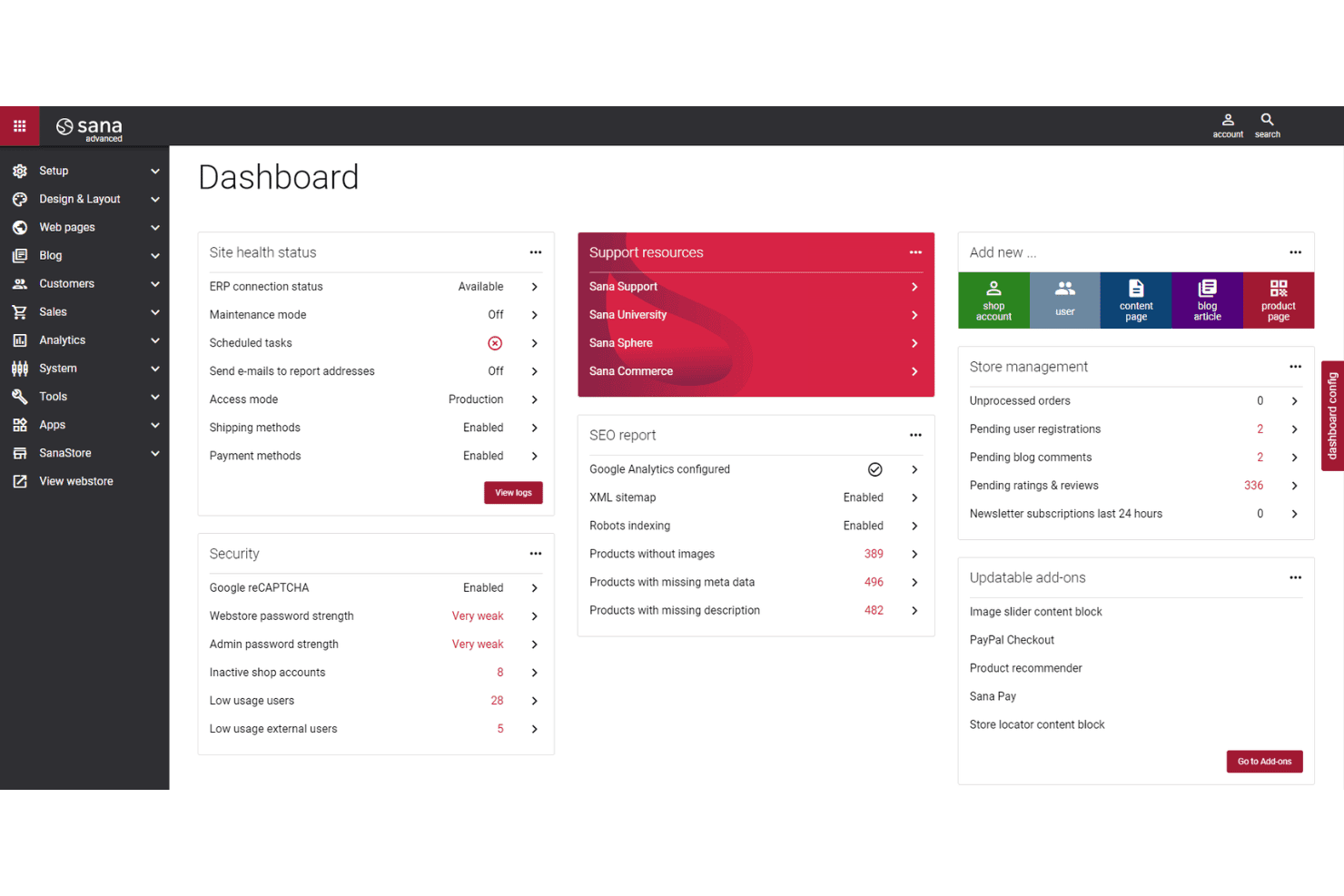
In my view, Sana Commerce Cloud stands out for ERP-driven automation and its deep order management features, though its pricing may feel steep if you’re running smaller catalogs. I judge its onboarding and support as above average, while its interface offers the clarity you’d want—especially when handling complex B2B transactions.
I recommend it most when tight ERP integration and real-time data matter more than fancy front-end tools. If your team depends on up-to-date inventory or contract pricing straight from your ERP, Sana Commerce Cloud is hard to beat.
Pros
- Real-time ERP synchronization minimizes manual entry errors.
- Advanced customer-specific pricing and catalog options.
- Strong multi-store management for complex B2B structures.
Cons
- Limited out-of-the-box analytics and reporting features.
- Fewer third-party plugins than some competitors.
- Initial setup can require significant involvement from IT.
Is Sana Commerce Cloud Right For Your Needs?
Who Would be a Good Fit for Sana Commerce Cloud?
Sana Commerce Cloud is a strong choice for businesses with complex B2B needs, especially those relying on ERP-driven workflows, multiple customer segments, and tailored catalogs. Manufacturers, distributors, and wholesalers who need to automate contract pricing, handle bulk ordering, and run several branded storefronts will find its real-time ERP integrations add unique value.
Teams that require granular customer control or integration with SAP or Microsoft Dynamics will appreciate the platform’s depth and reliability.
- Industrial ManufacturingComplex product catalogs and configurable assemblies benefit from ERP-driven order rules and dynamic bill of materials.
- Electrical DistributorsMultiple price lists, customer contracts, and fast bulk entry tools suit the demanding purchase cycles in this sector.
- Mid-Large EnterprisesSupports thousands of users, custom pricing agreements, and intricate workflows that require deep ERP synchronization.
- Multi-Brand RetailersCentralized backend allows operation of many storefronts for separate regions or brands without duplicating data.
- Automotive WholesaleHandles large, frequent repeat orders with real-time inventory checks and self-service order management.
- Procurement TeamsBenefit from accurate live pricing, account status, and purchase approval flows straight from the ERP.
Who Would be a Bad Fit for Sana Commerce Cloud?
Sana Commerce Cloud isn’t best for small, price-sensitive companies or retailers with simple catalogs and workflows. Businesses that don’t use Microsoft Dynamics or SAP, have minimal digital requirements, or focus on B2C will find the platform’s advanced ERP features excessive and setup efforts too high. High custom development needs or focus on rapid, low-touch onboarding may also pose challenges.
- Small StartupsSetup, cost, and complexity outweigh the platform’s benefits for businesses with limited products and smaller budgets.
- Simple B2C RetailLacks built-in tools and templates designed for direct-to-consumer ecommerce and rapid catalog changes.
- Non-ERP UsersValue is lost without integrations to supported ERPs like Microsoft Dynamics or SAP as manual management isn’t a fit.
- Digital AgenciesNo-code customization is limited, so agencies seeking design freedom or heavy custom storefronts will run into barriers.
- Specialty Food ShopsReal-time bulk ordering and contract pricing may be overkill for simple, product-driven storefronts.
- Fast Fashion BrandsThe B2B workflow focus doesn’t fit teams who prioritize visual merchandising and rapid seasonal product turnover.
Our Review Methodology
How We Test & Score Tools
We’ve spent years building, refining, and improving our software testing and scoring system. The rubric is designed to capture the nuances of software selection and what makes a tool effective, focusing on critical aspects of the decision-making process.
Below, you can see exactly how our testing and scoring works across seven criteria. It allows us to provide an unbiased evaluation of the software based on core functionality, standout features, ease of use, onboarding, customer support, integrations, customer reviews, and value for money.
Core Functionality (25% of final scoring)
The starting point of our evaluation is always the core functionality of the tool. Does it have the basic features and functions that a user would expect to see? Are any of those core features locked to higher-tiered pricing plans? At its core, we expect a tool to stand up against the baseline capabilities of its competitors.
Standout Features (25% of final scoring)
Next, we evaluate uncommon standout features that go above and beyond the core functionality typically found in tools of its kind. A high score reflects specialized or unique features that make the product faster, more efficient, or offer additional value to the user.
We also evaluate how easy it is to integrate with other tools typically found in the tech stack to expand the functionality and utility of the software. Tools offering plentiful native integrations, 3rd party connections, and API access to build custom integrations score best.
Ease of Use (10% of final scoring)
We consider how quick and easy it is to execute the tasks defined in the core functionality using the tool. High scoring software is well designed, intuitive to use, offers mobile apps, provides templates, and makes relatively complex tasks seem simple.
Onboarding (10% of final scoring)
We know how important rapid team adoption is for a new platform, so we evaluate how easy it is to learn and use a tool with minimal training. We evaluate how quickly a team member can get set up and start using the tool with no experience. High scoring solutions indicate little or no support is required.
Customer Support (10% of final scoring)
We review how quick and easy it is to get unstuck and find help by phone, live chat, or knowledge base. Tools and companies that provide real-time support score best, while chatbots score worst.
Customer Reviews (10% of final scoring)
Beyond our own testing and evaluation, we consider the net promoter score from current and past customers. We review their likelihood, given the option, to choose the tool again for the core functionality. A high scoring software reflects a high net promoter score from current or past customers.
Value for Money (10% of final scoring)
Lastly, in consideration of all the other criteria, we review the average price of entry level plans against the core features and consider the value of the other evaluation criteria. Software that delivers more, for less, will score higher.
Core Features
Real-Time ERP Integration
Sync your ecommerce site directly with ERP data for instant product, pricing, and inventory updates. This enables complex ordering, accurate contract pricing, and live account details.
Customer-Specific Catalogs and Pricing
Set personalized product assortments and custom pricing for each account. Users can provide negotiated rates and unique product access for every business partner.
Advanced Order Management
Automate quote-to-order and repeat ordering processes with rules tied directly to ERP workflows. Buyers can place, edit, or reorder complex bulk orders in minutes.
Multi-Store Management
Operate multiple branded storefronts from a single backend. Manage region, channel, or brand-specific stores without duplicating core data or processes.
Quick Order Entry and Bulk Purchasing
Support customers who already know product codes and quantities with fast input grids. This feature saves time and fits industrial or wholesale buying workflows.
B2B Self-Service Portal
Give buyers access to order history, invoices, returns, and shipment tracking. Your customers get full visibility into all transactions and live account status.
Ease of Use
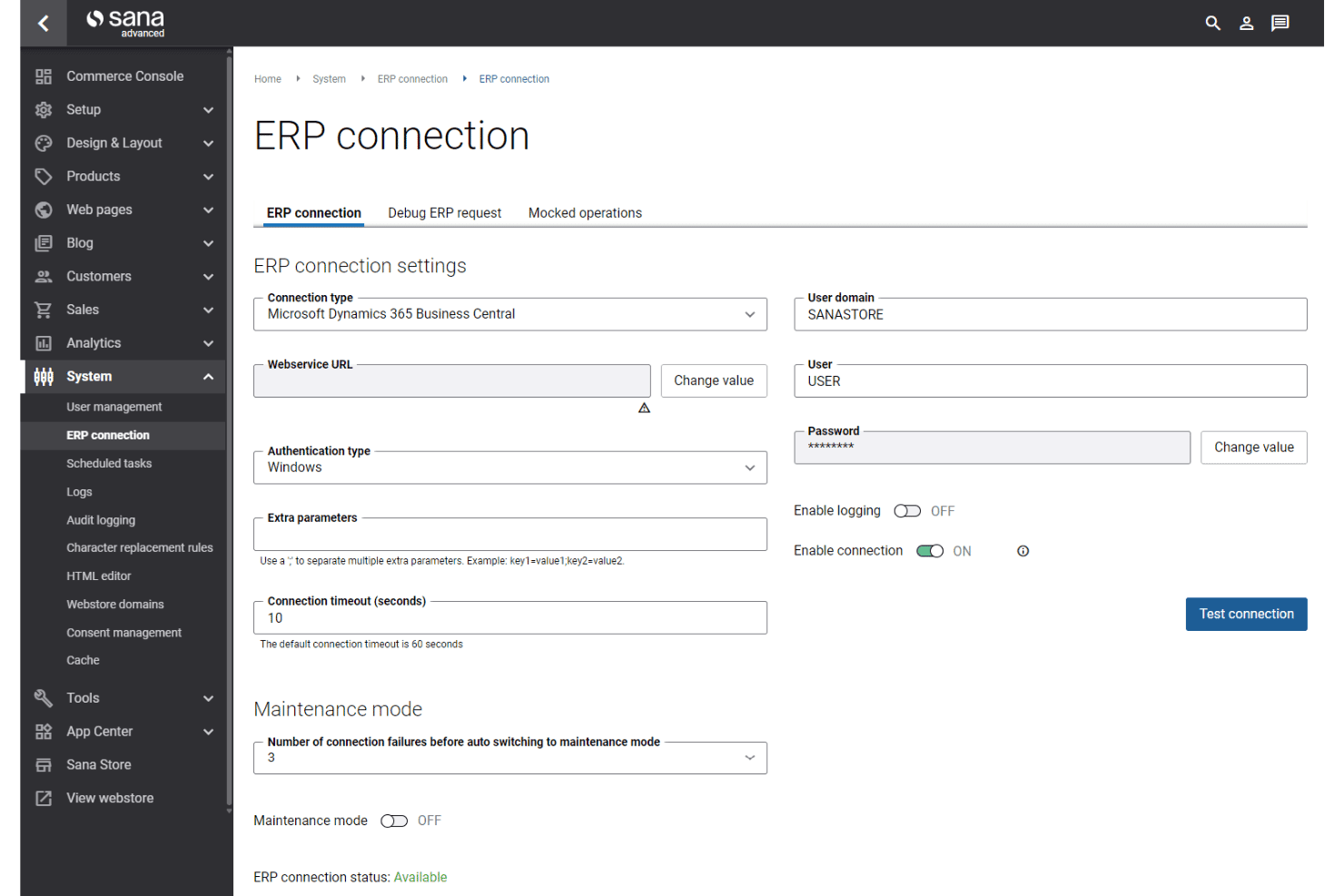
Sana Commerce Cloud delivers a user experience tailored for B2B complexity—navigation is crisp, and all key actions are anchored in real-time ERP logic, so users access accurate inventory, pricing, and order status with minimal clicks.
I’ve seen praise for its customer-specific storefronts and self-service dashboards, which help teams avoid confusion and speed up large, repeat orders.
Integrations
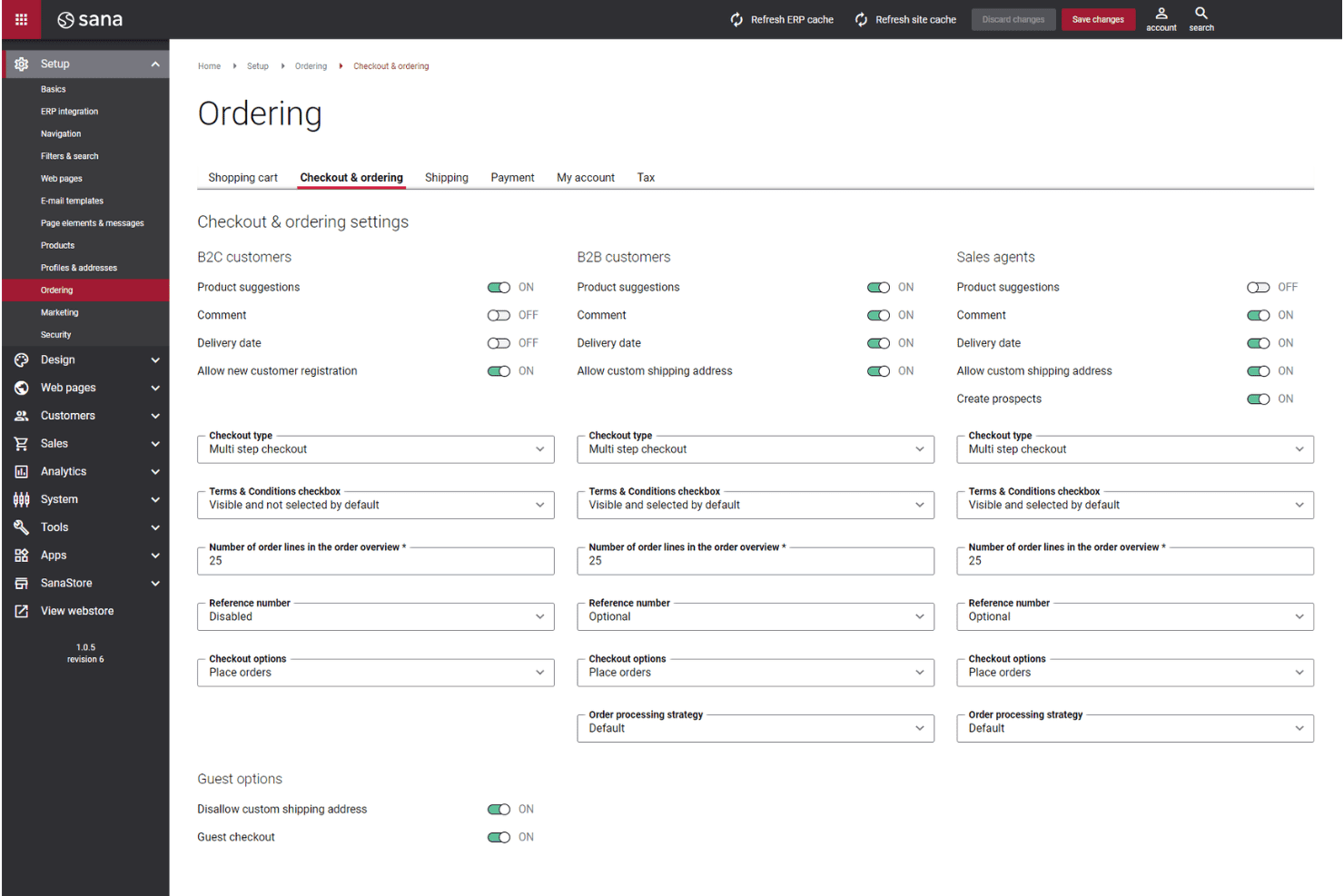
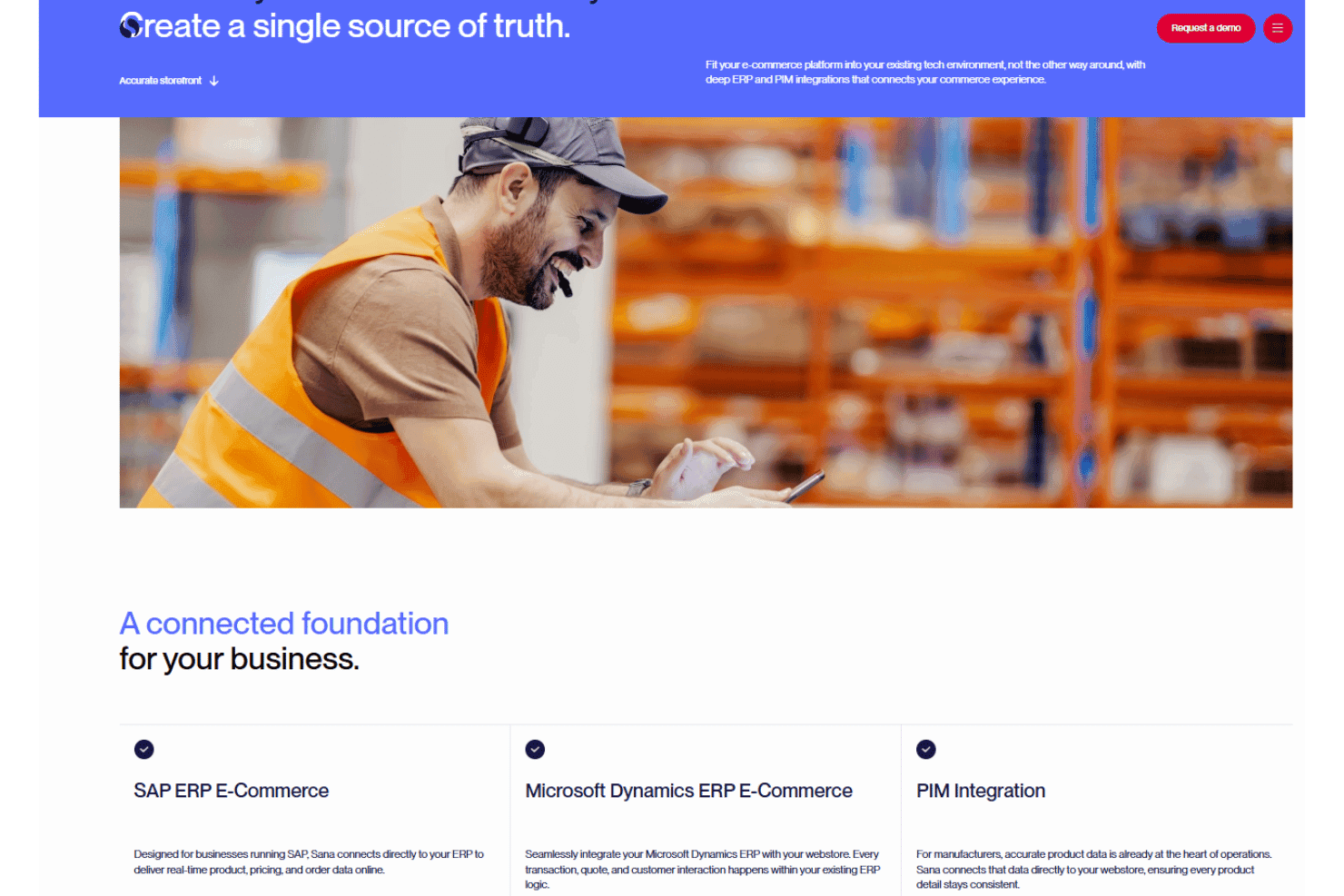
Sana Commerce Cloud integrates with Microsoft Dynamics 365 Finance & Operations, Microsoft Dynamics 365 Business Central, Microsoft Dynamics AX, Microsoft Dynamics NAV, SAP ECC, SAP S/4HANA, SAP Business One, FedEx, UPS, and Avalara, among others.
Sana Commerce Cloud also offers a robust API and supports connections with various third-party tools.
Sana Commerce Cloud Specs
- 2-Factor Authentication: Yes
- A/B Testing: No
- Analytics: Yes
- API: Yes
- BitCoin: No
- Conversion Tracking: Yes
- Dashboard: Yes
- Data Export: Yes
- Data Import: Yes
- Data Visualization: Yes
- Design Templates: Yes
- External Integrations: Yes
- Inventory Tracking: Yes
- Keyword Tracking: No
- Marketing Automation: Yes
- Multi-User: Yes
- Notifications: Yes
- Order Management: Yes
- Payment Gateway Integration: Yes
- Payment Processor: Yes
- PayPal: Yes
- Product Catalog: Yes
- Review Monitoring: No
- SAP Integration: Yes
- Scheduling: No
- Stripe: No
- Third-Party Plugins/Add-Ons: Yes


