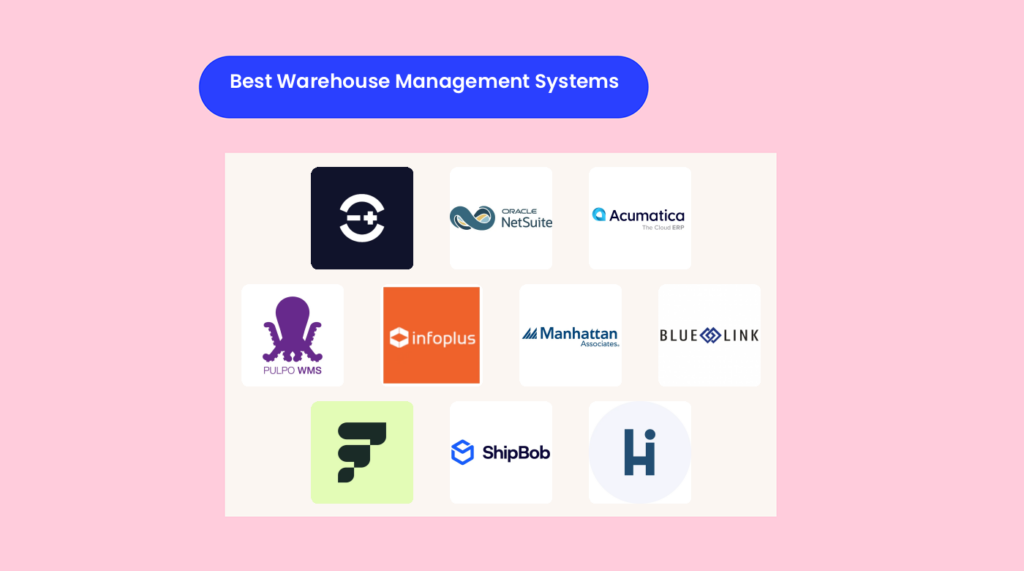
El software de gestión de almacenes automatiza la preparación, el embalaje y el envío de tus pedidos, proporcionándote un control del inventario en tiempo real desde un único muelle de carga hasta una red global.
Gracias a la escalabilidad basada en la nube, las previsiones impulsadas por IA, los sensores IoT, la robótica y la preparación de pedidos mediante voz en escáneres móviles, el WMS adecuado reduce los errores, acelera el rendimiento y se adapta a cualquier sector.
Después de más de 10 años gestionando almacenes, depósitos y logística internacional, he puntuado cada plataforma según su automatización, alcance global, módulos específicos para cada sector y funciones preparadas para el futuro, para que puedas elegir la que realmente funciona.
¿Listo para transformar el caos en un crecimiento constante? Empecemos.
Por qué confiar en nuestras recomendaciones de software
6,700+
Reviews
20
Industry experts
16+
Evaluation factors
14
Years
Nuestro equipo lleva probando y evaluando software desde 2012. Como líderes del sector retail, sabemos lo difícil —y lo importante— que es elegir el software adecuado.
Para esta guía, evaluamos las herramientas mediante pruebas prácticas e investigación independiente, puntuando las herramientas según nuestros criterios de selección.
Nuestras reseñas reflejan nuestro criterio independiente, no un discurso de ventas.
Tabla comparativa de sistemas de software de gestión de almacenes
Esta tabla comparativa resume los detalles de precios de mi selección de los mejores sistemas de software de gestión de almacenes:
| Tool | Best For | Trial Info | Price | ||
|---|---|---|---|---|---|
| 1 | Ideal para previsión de stock multicanal | Demo gratuita disponible | Desde $449/mes (precio según volumen) | Website | |
| 2 | Ideal para herramientas integradas de marketing de comercio electrónico | Demo gratis disponible | Precios bajo solicitud | Website | |
| 3 | Ideal para optimizar y automatizar operaciones | Demostración gratuita disponible | Precios a consultar | Website | |
| 4 | Mejor para auditorías completas de procesos de la cadena de suministro | Demo gratuita disponible | Desde $590/usuario/mes (facturación anual) | Website | |
| 5 | Mejor para enrutamiento automatizado | Demostración gratuita disponible | Precio a consultar | Website | |
| 6 | Ideal para gestión de la cadena de suministro impulsada por IA | Demo gratuita disponible | Precios disponibles bajo solicitud | Website | |
| 7 | Mejor opción para mayoristas y distribuidores | Demo gratuita disponible | Precios disponibles a solicitud | Website | |
| 8 | Ideal para operaciones de almacén impulsadas por IA | Demo gratuita disponible | Precios a consultar | Website | |
| 9 | Ideal para delegar el cumplimiento logístico y comparar tarifas de envío | Demo gratuita disponible | Precio a consultar | Website | |
| 10 | Ideal para gestionar todo el ciclo de vida del cumplimiento de pedidos | Demo gratuita disponible | Precio a consultar | Website |


Los mejores sistemas de software de gestión de almacenes, analizados
Ahora viene lo interesante. A continuación encontrarás reseñas breves de nuestras mejores opciones de WMS, con los motivos por los que las elegimos, sus principales funciones y capturas de la herramienta en acción.
 Ideal para previsión de stock multicanal
- Demo gratuita disponible
- Desde $449/mes (precio según volumen)
Visit WebsiteCustomer Rating:4.2/5
Linnworks proporciona una ubicación central para que las empresas gestionen los niveles de inventario, supervisen el movimiento del stock dentro de su almacén y gestionen pedidos y envíos. Para los minoristas multicanal de rápido crecimiento, Linnworks te ayuda a mantener los niveles de stock 'justos' en todos los almacenes y canales de venta—sin depender de hojas de cálculo.
Es especialmente útil si gestionas pedidos de marketplaces, picos estacionales y espacio limitado de almacén, y necesitas previsiones que realmente estén vinculadas a los flujos de trabajo reales del almacén.
Por Qué Elegí Linnworks
Elegí Linnworks porque te da previsiones a nivel de SKU directamente vinculadas a tus datos de inventario y pedidos en tiempo real, por lo que tus decisiones de reposición se basan en lo que realmente se mueve, no en suposiciones.
Puedes prever necesidades de stock a partir de ventas históricas y estacionalidad, y luego convertir esas previsiones en órdenes de compra y tareas de transferencia dentro del mismo sistema.
Tu equipo tiene un único lugar para ver el stock en múltiples almacenes y canales, con actualizaciones automáticas cada vez que se prepara, empaqueta o envía un pedido. También me gusta que puedas crear reglas para enrutar pedidos por canal, región o almacén, asegurando que el stock esté en el lugar correcto para los clientes correctos.
Para minoristas multicanal que buscan evitar tanto las roturas de stock como los palés olvidados, Linnworks ofrece previsión, enrutamiento y control del almacén en un solo flujo de trabajo conectado.
Características Clave de Linnworks
Además de sus herramientas de previsión, Linnworks aporta funciones muy prácticas para minoristas que gestionan grandes volúmenes.
- Listas de Preparación Digitales: Genera listas de preparación digitales que agrupan pedidos lógicamente, ayudando a los preparadores a caminar menos y reducir los errores.
- Escaneo de Códigos de Barras: Utiliza escaneo de códigos de barras en recepción, ubicación, preparación y empaquetado para mantener los recuentos precisos de inventario y reducir errores de picking.
- Transferencias entre Almacenes: Haz seguimiento de las transferencias entre almacenes para equilibrar el stock entre ubicaciones según la demanda y no solo la intuición.
- Add-On Avanzado de Almacén: Añade configuración avanzada de ubicaciones, zonas y flujos de trabajo cuando superes los niveles básicos de gestión y necesites mayor control detallado.
Integraciones de Linnworks
Las integraciones incluyen Amazon, eBay, Shopify, BigCommerce, Walmart, TikTok Shop, WooCommerce, Magento, QuickBooks y Gorgias.
Pros and Cons
Pros:
- La sólida previsión a nivel de SKU ayuda a ajustar la reposición de stock multicanal.
- El motor de reglas automatiza el enrutamiento de pedidos por canal, almacén y región.
- Las listas de preparación digitales y el escaneo reducen errores en almacenes con mucha actividad.
Cons:
- El precio se basa en cotización, por lo que el análisis de costes requiere trabajo previo adicional.
- La automatización avanzada y las funciones de almacén presentan una curva de aprendizaje notable.
 Ideal para herramientas integradas de marketing de comercio electrónico
- Demo gratis disponible
- Precios bajo solicitud
Visit WebsiteCustomer Rating:4/5
NetSuite te ofrece análisis y paneles de control donde puedes monitorear las operaciones de tu almacén. NetSuite WMS está diseñado para minoristas, distribuidores y fabricantes que ya utilizan NetSuite y desean que la gestión del almacén se realice en el mismo sistema que los pedidos, el inventario y las finanzas.
Obtienes visibilidad en tiempo real sobre el stock, ubicaciones y tareas, por lo que tu equipo no tiene que perseguir listas de recogida en papel ni actualizar hojas de cálculo después de cada movimiento.
Por qué elegí NetSuite
Elegí NetSuite porque funciona como un módulo WMS nativo dentro de NetSuite ERP, lo que permite que tu equipo de almacén utilice la misma información de artículos, ubicaciones y pedidos que utilizan finanzas y ventas.
Logras una mayor precisión de inventario mediante funciones como la recepción con códigos de barras RF, transferencias entre ubicaciones y actualizaciones de reposición en tiempo real conectadas directamente a los registros de cada artículo.
Tu equipo puede reducir errores de selección y tiempos de desplazamiento utilizando estrategias de almacenamiento y recogida basadas en reglas que deciden dónde almacenar y recoger cada artículo por pedido. La gestión de tareas y los planes de inventario cíclico te dan una forma estructurada de asignar trabajo, priorizar las zonas más activas y mantener la precisión sin tener que detener las operaciones para realizar inventarios físicos completos.
Para operaciones en crecimiento, esa combinación de datos compartidos y flujos de trabajo específicos de almacén lo convierte en una solución ideal cuando tu negocio ya superó herramientas de inventario básicas, pero deseas permanecer en el ecosistema NetSuite.
Características clave de NetSuite
Además de su estrecha integración con el ERP, NetSuite WMS incluye herramientas específicas para almacenes que te ayudan a gestionar grandes volúmenes de pedidos y configuraciones más complejas.
- App móvil para almacenes: Guía a los usuarios durante la recepción, almacenamiento, recogida y embalaje desde dispositivos portátiles para operar directamente desde el piso de almacén.
- Recogida por oleadas y por lotes: Agrupa los pedidos en oleadas eficientes para que los recolectores trabajen por zonas en lugar de ir tras pedidos individuales.
- Cartonización y reglas de envío: Sugiere configuraciones de embalaje y se conecta a sistemas de paquetería para imprimir etiquetas y documentación precisa.
- Gestión de ubicaciones y cajas: Permite administrar ubicaciones con múltiples cajas, definir zonas y aplicar reglas de reposición para que los productos más demandados estén donde el personal los encuentre fácilmente.
Integraciones de NetSuite
Las integraciones incluyen NetSuite CRM, Oracle, JD Edwards EnterpriseOne, Sage Business Cloud, Affirm, Lightyear, ZoneBilling, Neuron ESB y Pacejet.
Pros and Cons
Pros:
- Nativo de NetSuite ERP, compartiendo en tiempo real datos de artículos, ubicaciones y pedidos.
- La app móvil WMS permite recibir productos, almacenarlos, recoger y empacar desde dispositivos portátiles.
- Las herramientas de tareas, oleadas y conteos cíclicos reducen el trabajo manual de planificación.
Cons:
- Requiere suscripción a NetSuite ERP, lo que limita su uso a quienes no utilizan NetSuite.
- La configuración de ubicaciones, flujos de trabajo y procesos móviles puede ser compleja.
Learn more about NetSuite: Ideal para optimizar y automatizar operaciones
- Demostración gratuita disponible
- Precios a consultar
Visit WebsiteCustomer Rating:4.4/5
Accede a tu ERP en cualquier momento desde cualquier dispositivo, escala recursos fácilmente y elige la opción de implementación que prefieras. El sistema de gestión de almacenes de Acumatica ofrece a distribuidores en crecimiento y minoristas omnicanal un control automatizado por códigos de barras sobre las operaciones de recepción, ubicación, picking, empaquetado y envío directamente desde su ERP.
Obtienes escaneo móvil, rutas de picking dirigidas y paneles de control basados en roles que ayudan a tu equipo a reducir errores de selección, acortar los ciclos de cumplimiento y mantener la precisión del inventario en múltiples ubicaciones.
Por qué elegí Acumatica
Elegí Acumatica porque permite que tu equipo de almacén trabaje completamente desde teléfonos o dispositivos portátiles resistentes, utilizando el escaneo de códigos de barras para gestionar cada transacción clave, desde la recepción de órdenes de compra hasta el picking, empaque y envío.
Puedes guiar a los trabajadores con rutas de picking sin papel dirigidas, para que sigan recorridos optimizados y escaneen cada artículo, lo que reduce envíos excesivos o insuficientes y mantiene alta la precisión en la selección de productos.
Me gusta que los datos del almacén estén en el mismo ERP en la nube que los pedidos, el inventario y las finanzas, por lo que no necesitas conciliar un sistema WMS separado al final del día. Los paneles de control basados en roles para gerentes de almacén, receptores y despachadores te brindan vistas en tiempo real de retrasos, excepciones y diferencias de inventario, en lugar de esperar los reportes al final de la jornada.
Para minoristas y distribuidores que ya usan Acumatica, esta es la manera lógica de añadir una automatización avanzada de almacén sin sumar otro sistema independiente.
Características clave de Acumatica
Junto con el escaneo móvil central y el picking dirigido, aquí algunos módulos de almacén que realmente marcan la diferencia.
- Picking por lotes y oleadas: Agrupa pedidos en lotes u oleadas eficientes para que los selectores manejen más líneas por viaje y aún así escaneen cada artículo para asegurar la precisión.
- Seguimiento de lotes y series: Captura y verifica números de lote y serie durante el picking y empaque, para respaldar retiradas, cumplimiento y trazabilidad detallada del inventario.
- Conteo cíclico y físico: Realiza recuentos cíclicos por código de barras durante el horario habitual y conteos físicos completos cuando sea necesario, reduciendo tiempos de parada y errores de conteo.
- Automatización de empaquetado y envío: Genera albaranes, etiquetas y confirmaciones de envío desde el mismo flujo de trabajo, usando datos escaneados en lugar de introducirlos manualmente.
Integraciones de Acumatica
Las integraciones incluyen Shopify, ShipStation, Avalara, HubSpot, Pacejet Shipping, EazyStock, Workforce Go y Adobe Sign.
Pros and Cons
Pros:
- La app móvil y los lectores permiten una experiencia completamente gestionada por códigos de barras para picking, empaquetado y envío.
- Los paneles de control basados en roles identifican cuellos de botella y excepciones a través de varios almacenes.
- El conector nativo para Shopify es ideal para comerciantes que sincronizan pedidos en línea con el cumplimiento centralizado.
Cons:
- Configuraciones avanzadas en múltiples almacenes suelen requerir un socio o consultor para su configuración.
- El conjunto completo de funciones WMS requiere inversión en Acumatica ERP y en la Edición de Distribución.
Learn more about Acumatica: Mejor para auditorías completas de procesos de la cadena de suministro
- Demo gratuita disponible
- Desde $590/usuario/mes (facturación anual)
Visit WebsiteCustomer Rating:4.8/5
Personaliza tus flujos de trabajo de almacén para ecommerce y los permisos de usuario según las necesidades únicas de tu negocio. PULPO WMS está diseñado para minoristas de comercio electrónico y omnicanal que necesitan ver exactamente lo que ocurre en cada pasillo, casillero y flujo de trabajo, no solo los conteos de inventario.
Obtienes visibilidad en tiempo real de los movimientos de stock y la eficiencia de los procesos, para que puedas auditar toda tu cadena de cumplimiento y solucionar cuellos de botella con datos reales, no con suposiciones.
Por qué elegí PULPO WMS
Elegí PULPO WMS porque te brinda visibilidad de extremo a extremo a través de un gemelo digital de tu almacén y un centro de control en vivo que muestra ubicaciones, tareas y el estado de los pedidos en un solo lugar.
Eso es importante para las auditorías, ya que puedes rastrear cada SKU y movimiento utilizando mapeo de ubicaciones e historiales detallados de actividades, en lugar de armar hojas de cálculo.
Tu equipo de piso trabaja a través de una app nativa de Android que combina escaneo de códigos de barras, rutas de picking guiadas y flujos de embalaje, por lo que tus auditorías de procesos se basan en datos operativos reales, no en notas manuales.
Para el comercio electrónico, me gusta que los pedidos, el inventario y los datos de envíos se sincronicen con plataformas como Shopify, WooCommerce, Magento y Sendcloud, para que puedas comparar lo que se promete en línea con lo que realmente ocurre en el almacén.
Los informes y análisis cierran el ciclo al mostrar KPIs como tasas de error, rendimiento y precisión del stock, dando a tu equipo directivo un punto de partida sólido para una mejora continua.
Funciones Principales de PULPO WMS
Además de la visibilidad y la conectividad con ecommerce, hay algunas funciones que son especialmente útiles si realmente te interesa auditar y mejorar el desempeño del almacén.
- Gestión de Devoluciones: Gestiona devoluciones con códigos de motivo y actualizaciones en tiempo real, lo que te permite analizar por qué regresan los artículos y ajustar los procesos aguas arriba.
- Reglas de Reabastecimiento: Permite configurar tareas automáticas de reabastecimiento para ubicaciones de picking y de almacenamiento, brindando lógica rastreable detrás de los movimientos de stock.
- Rastreo de Series y Lotes: Rastrea números de serie, lotes y fechas de caducidad, lo cual es crucial cuando auditas trazabilidad o cumplimiento normativo.
- Informes y Analítica de Almacén: Ofrece paneles específicos del almacén sobre productividad, errores y tiempos de ciclo de pedidos, haciendo que las revisiones operativas sean mucho más orientadas por datos.
Integraciones de PULPO WMS
Las integraciones incluyen Shopify, Shopify Plus, WooCommerce, Magento, Sendcloud, SAP, Microsoft Dynamics 365, QuickBooks y Odoo.
Pros and Cons
Pros:
- El gemelo digital y el centro de control ofrecen trazabilidad total para auditorías de procesos.
- La app de almacén para Android y el escaneo de códigos de barras reducen los errores en el piso.
- Fuertes integraciones con ecommerce y envíos mantienen sincronizados los stocks y pedidos.
Cons:
- La tarifa es bajo presupuesto a medida, por lo que los costos no son visibles al inicio.
- La experiencia móvil está enfocada en dispositivos Android, no en iOS nativo.
Learn more about PULPO WMS: Mejor para enrutamiento automatizado
- Demostración gratuita disponible
- Precio a consultar
Visit WebsiteCustomer Rating:4.4/5
Las consultas de artículos se pueden utilizar para consultas de gestión de inventario, como cantidad y código de unidad. Infoplus está diseñado para operadores logísticos 3PL y almacenes de alto volumen de comercio electrónico que necesitan un control más estricto sobre el enrutamiento, el inventario y los acuerdos de nivel de servicio de los clientes, y no solo ubicaciones básicas de estantería.
Obtienes una lógica de almacén que se ajusta a tus flujos reales, desde la entrada hasta el envío, con herramientas para el enrutamiento, controles de inventario y reglas por cliente que te ayudan a evitar errores costosos en la preparación de pedidos y retrasos.
Por qué elegí Infoplus
Elegí Infoplus porque puedes diseñar reglas detalladas de enrutamiento que envían la preparación de pedidos por las rutas más eficientes, reduciendo los tiempos de desplazamiento en instalaciones ocupadas.
También obtienes controles de inventario flexibles, como alertas de bajo stock, reglas de reabastecimiento y seguimiento del estado a nivel de artículo, para que tu equipo pueda actuar antes de que la falta o exceso de inventario afecte tus márgenes.
Los flujos de trabajo de gestión por excepción te permiten señalar solo los pedidos o cargas problemáticos, para que tus supervisores no pierdan tiempo revisando cada transacción. Me gusta que puedas añadir módulos de manufactura ligera y de operaciones centralizadas, integrando el WMS, finanzas y contabilidad cuando quieras escalar.
Para los 3PL, la posibilidad de definir reglas, reportes y portales independientes para cada cliente facilita mantener la satisfacción sin tener que construirlo todo desde cero cada vez.
Funciones clave de Infoplus
Además de esas capacidades de enrutamiento y control, Infoplus también incluye herramientas que te ayudan a manejar las operaciones diarias de manera más eficiente.
- Aplicaciones móviles para el piso: Permiten al personal recibir, preparar, empacar y mover inventario usando lectores de código de barras.
- Conteo cíclico y fotografía del inventario: Soportan conteos continuos y visibilidad sobre cantidades, ubicaciones y recepciones de artículos.
- Filtros inteligentes e informes de usuario: Permiten segmentar los datos del almacén, guardar vistas personalizadas y compartir informes de usuario.
- Facturación 3PL y seguimiento de valor agregado: Capturan tiempos, transacciones y actividades de valor agregado para generar facturas detalladas para los clientes.
Integraciones de Infoplus
Incluye integraciones con Shopify, BigCommerce, WooCommerce, Magento, Amazon Seller Central, Etsy, Cratejoy, HSN, Walmart Marketplace y ChannelAdvisor.
Pros and Cons
Pros:
- Las reglas de enrutamiento automatizadas reducen el tiempo de desplazamiento de los preparadores en almacenes complejos.
- Las reglas y reportes específicos por cliente se adaptan a 3PLs con necesidades diversas.
- Las aplicaciones móviles permiten recibir, preparar, empacar y mover inventario con códigos de barras.
Cons:
- La profundidad en los informes y la configuración puede abrumar a equipos sin experiencia fuerte en operaciones.
- No hay precios públicos; debes solicitar una cotización personalizada.
Learn more about Infoplus: Ideal para gestión de la cadena de suministro impulsada por IA
- Demo gratuita disponible
- Precios disponibles bajo solicitud
Visit WebsiteCustomer Rating:4.5/5
Registra y envía artículos de inventario utilizando las completas pantallas de base de datos WMS mostradas arriba. Manhattan Active Order Management está diseñado para minoristas empresariales que necesitan coordinar el cumplimiento de alto volumen y multinodo sin perder de vista el inventario o los acuerdos de nivel de servicio (SLA).
Obtienes una capa de WMS nativa en la nube que une mano de obra, automatización y orquestación de pedidos, de modo que tus almacenes puedan responder a los picos de comercio electrónico, la reposición de tiendas y promesas complejas de nivel de servicio.
Por qué elegí Manhattan Active Order Management
Elegí Manhattan Active Order Management porque te brinda una orquestación de pedidos impulsada por IA respaldada por un motor de almacén que comprende flujos de trabajo tanto en oleadas como sin oleadas, para que puedas priorizar los pedidos correctos en lugar de simplemente mover cajas.
Tu equipo obtiene una plataforma única que combina WMS, gestión de mano de obra, slotting y un sistema de ejecución de almacén, lo que te ayuda a coordinar personas, robots y transportadores desde un solo lugar.
También me gusta que sea nativo en la nube y “evergreen”, lo que significa que recibes actualizaciones continuas sin dolorosos proyectos de migración y aún puedes ampliar el sistema con tu propia lógica.
La experiencia de usuario móvil y las herramientas gamificadas de gestión laboral ayudan a los supervisores a impulsar la productividad con metas objetivas y retroalimentación en tiempo real, en lugar de estándares genéricos. En definitiva, es una opción sólida para redes grandes y complejas que necesitan lógica de cumplimiento escalable más que un simple rastreador de inventario.
Características clave de Manhattan Active Order Management
Más allá de su motor de orquestación, hay algunas capacidades prácticas en las que líderes de almacén y cadena de suministro pueden apoyarse día a día.
- Optimización de slotting: Utiliza la demanda, velocidad y restricciones para reubicar constantemente el inventario a fin de acelerar las recogidas y reducir los recorridos.
- Gestión laboral integrada: Supervisa el desempeño, incentivos y estándares en el mismo sistema de tareas para alinear el gasto laboral con la carga de trabajo real.
- Orquestación de ejecución de almacén: Coordina automatización, robótica y tareas manuales en una sola cola, así cada pedido fluye hacia el recurso mejor disponible.
- Visibilidad de inventario en tiempo real: Mantiene una vista única del inventario en todas las ubicaciones, permitiendo promesas precisas y menos envíos divididos.
Integraciones de Manhattan Active Order Management
Las integraciones incluyen Manhattan Active Warehouse Management, Manhattan Active Transportation Management, Manhattan Active Omni, SAP S/4HANA, Shopify, ProShip, Takt y los principales sistemas ERP.
Pros and Cons
Pros:
- Unifica WMS, mano de obra y WES para respaldar sitios complejos y de alto rendimiento.
- La arquitectura nativa en la nube y siempre actual reduce los proyectos de actualización y la deuda técnica.
- Muy adecuado para minoristas omnicanal que necesitan lógica sofisticada de enrutamiento de pedidos.
Cons:
- Implementación de nivel empresarial y requisitos de gestión del cambio.
- La tarificación es bajo presupuesto, sin niveles públicos transparentes para evaluación.
Learn more about Manhattan Active Order Management: Mejor opción para mayoristas y distribuidores
- Demo gratuita disponible
- Precios disponibles a solicitud
Visit WebsiteCustomer Rating:4.2/5
Una herramienta de consulta de inventario te permite verificar códigos, descripciones, variaciones de costo y más. Blue Link ERP ofrece a los mayoristas y distribuidores un sistema único para inventario, contabilidad y operaciones de almacén, para que no tengas que estar vigilando hojas de cálculo o complementos todo el día.
Obtienes herramientas de almacén integradas más una opción avanzada WMS Lite para gestionar el escaneo, picking y envíos en entornos más complejos.
Por qué elegí Blue Link ERP
Elegí Blue Link ERP porque integra tu almacén, inventario y contabilidad en una sola base de datos, de modo que cada preparación, empaque y envío se refleja automáticamente en los informes financieros en los que puedes confiar.
Ofrece beneficios concretos en el almacén—como picking inalámbrico con dispositivos portátiles y verificación de códigos de barras en las estaciones de empaque—a través de dispositivos móviles que reducen errores de picking y aceleran las operaciones en piso.
La gestión de múltiples ubicaciones de almacén y el seguimiento a nivel de estantería significa que puedes dirigir los pedidos al sitio correcto y guiar al personal al estante adecuado, en vez de perder tiempo buscando SKUs. Las funciones de embalaje a contenedor y rastreo maestro de envíos ayudan a tu equipo a manejar envíos grandes y mixtos, manteniendo alineados el contenido de las cajas y los documentos de envío.
También valoro que la implementación, capacitación y soporte sean gestionados por el propio equipo interno del proveedor, lo que te da un solo socio que comprende los procesos de distribución mayorista en vez de depender de una red aleatoria de revendedores.
Características clave de Blue Link ERP
Más allá de las herramientas básicas de WMS, aquí algunas funciones centradas en almacén que tu equipo de operaciones realmente utilizará.
- Gestión automática de reposiciones: Utiliza reglas de compra y señales de demanda para generar automáticamente órdenes de compra, de modo que repongas los SKUs de alta rotación antes de que se conviertan en pedidos pendientes.
- Seguimiento del costo total: Asigna fletes, aranceles y otros costos de importación al inventario, para que los informes de margen reflejen el costo real por artículo y no estimaciones en una hoja de cálculo.
- Gestión de inventario en múltiples almacenes: Permite manejar varias ubicaciones, estanterías y flujos de transferencia, para que puedas equilibrar inventario entre sitios sin perder visibilidad de lo disponible para prometer a tus clientes.
- Envíos y recepciones integrados: Conecta el picking, empaque, impresión de etiquetas y confirmación de envío, para que el personal pase de la hoja de picking al envío final sin tener que volver a escribir datos en las herramientas del transportista.
Integraciones de Blue Link ERP
Las integraciones incluyen Magento, Shopify, BigCommerce, XCart, Volusion, Shopatron, Amazon, eBay, FedEx y Purolator.
Pros and Cons
Pros:
- ERP y WMS todo-en-uno reduce la dependencia de herramientas de inventario separadas.
- Los flujos móviles con códigos de barras reducen errores de picking en entornos mayoristas de alta rotación.
- La sincronización bidireccional con ecommerce y marketplaces mantiene los niveles de inventario actualizados en todos los canales.
Cons:
- El precio es solo bajo cotización, por lo que debes contactar al área de ventas para obtener cifras.
- Más adecuado para distribuidores pequeños y medianos; puede ser excesivo para micro vendedores.
Learn more about Blue Link ERP: Ideal para operaciones de almacén impulsadas por IA
- Demo gratuita disponible
- Precios a consultar
Visit WebsiteCustomer Rating:4.1/5
El panel de Fulfil para almacenes ofrece visibilidad en tiempo real sobre inventario y cumplimiento de pedidos. Fulfil está diseñado para marcas de ecommerce y venta al por mayor que han superado las aplicaciones de inventario básicas y necesitan un control real sobre operaciones multi-almacén.
Centralizas pedidos, inventario y envíos a través de ubicaciones propias, 3PLs y Amazon MCF, manteniendo Shopify como tu front end.
Es una excelente opción si manejas altos volúmenes de pedidos y quieres que la lógica de almacén —no las hojas de cálculo— decida qué sucede a continuación.
Por Qué Elegí Fulfil
Elegí Fulfil porque te permite gestionar las operaciones de almacén desde un solo cerebro en lugar de herramientas dispersas—tus pedidos, inventario y reglas de cumplimiento viven todos en un solo sistema.
Puedes establecer reglas de automatización que enruten pedidos al almacén o 3PL óptimo según inventario, destino o nivel de servicio, para que tu equipo dedique menos tiempo a decisiones improvisadas.
Los flujos inteligentes de envío te permiten comparar las tarifas de transportistas como FedEx, UPS, USPS y DHL dentro del proceso de preparación, protegiendo el margen sin ralentizar el trabajo.
También me gusta que Amazon Multi-Channel Fulfillment no sea un añadido secundario: puedes enviar pedidos que no sean de Amazon a MCF y sincronizar el seguimiento automáticamente en todos los canales.
Para las marcas Shopify Plus en rápido crecimiento, el enfoque de precio fijo y la implementación guiada ayudan a obtener control tipo ERP sobre el almacén sin un proyecto interminable de consultoría.
Funciones Clave de Fulfil
Más allá de la automatización que usarás a diario, Fulfil incorpora funciones de planificación y control que evitan que un entorno de almacén complejo se convierta en una adivinanza.
- Planificación y Reabastecimiento de Inventario: Usa previsión de demanda, órdenes de compra entrantes y fechas de reposición para mantener SKUs de alta rotación disponibles en todas las ubicaciones.
- Soporte a Escala para Shopify: Supera los límites de Shopify con variantes ilimitadas, cientos de ubicaciones y bundles complejos gestionados directamente en el ERP.
- Fabricación y Kitting: Vincula bundles basados en BOM, manufactura ligera y órdenes de trabajo de kitting directamente al stock disponible y cantidades listas para la venta.
- Reconocimiento de Ingresos y Contabilidad: Aplica normas ASC 606, cronogramas de ingresos diferidos y conciliación de pagos para que la actividad del almacén y la contabilidad estén siempre alineadas.
Integraciones de Fulfil
Las integraciones incluyen Shopify, Amazon, Amazon Multi-Channel Fulfillment, FedEx, UPS, USPS, DHL, Avalara y Klarna.
Pros and Cons
Pros:
- Las reglas de automatización de almacén eliminan decisiones manuales de enrutamiento y empaque a gran escala.
- La integración nativa con Shopify admite grandes catálogos, muchas ubicaciones y bundles.
- El soporte para múltiples almacenes y 3PL unifica el cumplimiento interno y externalizado.
Cons:
- Es ideal para marcas centradas en Shopify; menos relevante para stacks no basados en Shopify.
- El proyecto de implementación a nivel ERP requiere cambios de procesos y un responsable interno dedicado.
Learn more about Fulfil: Ideal para delegar el cumplimiento logístico y comparar tarifas de envío
- Demo gratuita disponible
- Precio a consultar
Visit WebsiteCustomer Rating:3.6/5
La herramienta de distribución de inventario de ShipBob facilita la asignación de inventario a canales de venta específicos, permitiendo una estrategia de distribución más especializada. ShipBob ofrece a las marcas de ecommerce en crecimiento una manera de delegar la gestión diaria de cumplimiento de pedidos mientras mantienen un control total sobre el inventario, los pedidos y las operaciones del almacén.
Puedes gestionar tu propia instalación con el WMS de ShipBob o conectarte a su red global de centros logísticos, y luego comparar opciones de transportistas y ubicaciones para mantener envíos rápidos y márgenes razonables.
Es una excelente opción para marcas multicanal que quieren tanto una entrega rápida al cliente como entender los costos logísticos al detalle.
Por qué elegí ShipBob
Elegí ShipBob porque permite que tu equipo gestione inventario, pedidos y almacenes en un solo lugar, y además da acceso a una amplia red de centros logísticos cuando no quieres encargarte de todo personalmente.
Obtienes sincronización en tiempo real de inventario y pedidos en todos tus canales de venta, respaldado por un WMS que rastrea los artículos hasta su ubicación en el estante y que admite selección de pedidos con código de barras para reducir errores de preparación.
Puedes usar la red de almacenes de ShipBob para ubicar el stock más cerca de tus clientes y luego comparar niveles de servicio y opciones de transportistas, así que no tendrás que adivinar sobre los compromisos de envío. También me gusta que la misma plataforma sea compatible tanto para marcas con su propio almacén como para las que lo tercerizan en ShipBob, facilitando el crecimiento a un modelo híbrido.
Para los equipos de almacén, la gestión de tareas y las herramientas de visibilidad integradas ayudan a que los turnos sean más eficientes, sin depender de hojas de cálculo o conversaciones de pasillo.
Funciones clave de ShipBob
Más allá del WMS principal y las herramientas de cumplimiento, hay algunas funciones especialmente útiles para quienes gestionan almacenes.
- MiniBob App móvil: Da al personal de piso una interfaz móvil para recibir, seleccionar y empacar, de modo que los escaneos y actualizaciones se hagan en el momento en lugar de en un escritorio.
- Consola de operaciones ToolBob: Permite a los supervisores asignar tareas, monitorear el rendimiento y gestionar los flujos de trabajo diarios desde un solo panel de control, en vez de armar reportes dispersos.
- Herramienta de Analítica y Reportes: Muestra informes de pedidos, inventario y envíos para detectar problemas como stock envejecido, SKUs lentos o rutas de envío costosas antes de que se conviertan en un dolor de cabeza.
- Tienda de apps y API abierta: Ofrece aplicaciones preinstaladas y una API para extender el WMS, conectar herramientas adicionales o dar soporte a casos específicos de tus procesos de almacén.
Integraciones de ShipBob
Incluye integraciones con Shopify, Shopify Plus, BigCommerce, WooCommerce, Squarespace, Wix, Amazon, Walmart, eBay y Square.
Pros and Cons
Pros:
- La red de almacenes distribuidos te ayuda a ofrecer entregas más rápidas optimizadas regionalmente.
- La sincronización de inventario en tiempo real reduce la sobreventa en varios canales de ecommerce.
- El WMS te permite gestionar tu propio almacén en la misma plataforma tecnológica.
Cons:
- La fijación de precios personalizada y las tarifas adicionales requieren un buen análisis de costos.
- El gasto mínimo mensual la hace menos adecuada para marcas con muy poco volumen.
Learn more about ShipBob: 10Ideal para gestionar todo el ciclo de vida del cumplimiento de pedidos
Hopstack
- Demo gratuita disponible
- Precio a consultar
Visit WebsiteCustomer Rating:4.5/5
Con Hopstack, puedes gestionar fácilmente los niveles de inventario, rastrear envíos y generar informes tanto para interesados internos como externos. Hopstack ayuda a los operadores logísticos 3PL y a las marcas de comercio electrónico en rápido crecimiento a mantener el control de la complejidad y la gestión omnicanal de los pedidos, sin perder la trazabilidad de las órdenes, los acuerdos de nivel de servicio (SLA) o la precisión del inventario.
Está diseñado para equipos que gestionan múltiples clientes, canales y almacenes, y que necesitan un mayor control sobre la mano de obra, el espacio disponible y la rentabilidad por pedido.
Por qué elegí Hopstack
Elegí Hopstack porque ofrece a los operadores 3PL y a los equipos de comercio electrónico de alto volumen el tipo de control que normalmente solo se obtiene con las robustas plataformas empresariales de gestión de almacenes (WMS); pero sin la sobrecarga engorrosa.
Obtienes mayor precisión gracias a funciones como la asignación de tareas basada en reglas y flujos de trabajo guiados por escáneres que mantienen al personal sincronizado en tiempo real. Además, me gusta que puedes gestionar múltiples clientes, acuerdos de nivel de servicio (SLA) y almacenes desde un solo panel, lo que es vital para los operadores que deben manejar el cumplimiento en múltiples ubicaciones.
Su motor integrado de facturación 3PL convierte cada tarea—recolección, colocación, almacenamiento, servicios de valor añadido—en ingresos rastreables, ayudando a cobrar a los clientes de forma precisa.
Si buscas mayor visibilidad operativa y un seguimiento más claro del margen por pedido, Hopstack te ofrece las herramientas para operar un almacén más eficiente y rentable.
Características clave de Hopstack
Hopstack te da los controles de almacén que esperarías de una WMS empresarial, con un enfoque en la velocidad y precisión del proceso del pedido al envío para 3PL y marcas omnicanal.
- Enrutamiento de pedidos distribuido: Envía automáticamente los pedidos al almacén más adecuado según inventario, proximidad y reglas personalizadas.
- Gestión de devoluciones: Maneja RMA, inspecciones y reglas de reabastecimiento para que tu equipo procese devoluciones rápidamente y mantenga los datos de inventario actualizados.
- Facturación y contratos para 3PL: Permite eventos de facturación a nivel de cliente (como almacenamiento, recolección y servicios de valor añadido), lo que facilita cobrar de manera precisa por el trabajo realizado.
- Integraciones de hardware: Se conecta a escáneres, impresoras y otros dispositivos de almacén para apoyar un picking y embalaje rápidos y sin errores.
Integraciones de Hopstack
Las integraciones incluyen Shopify, Amazon, eBay, Etsy, BigCommerce, DHL, FedEx, UPS, SAP, NetSuite y Salesforce.
Pros and Cons
Pros:
- Fuertes integraciones con marketplaces y transportistas para el cumplimiento omnicanal de múltiples clientes.
- Las reglas inteligentes de picking y enrutamiento ayudan a reducir el tiempo de desplazamiento y el retrabajo.
- Los informes en tiempo real destacan cuellos de botella en recepción, almacenamiento y tareas de salida.
Cons:
- No hay precios publicados; necesitas contactar a ventas para obtener una cotización.
- Puede resultar demasiado robusto para pequeños comercios con un solo almacén y flujos de trabajo simples.
Learn more about Hopstack:
Otros programas de gestión de almacenes
Estas son las demás opciones que he seleccionado entre los mejores programas de gestión de almacenes.
- 11Odoo InventoryMejor software de gestión de almacenes de código abierto
- 12SphereWMSIdeal para el seguimiento de inventario en almacenes
- 13Cadence WMSIdeal para el seguimiento de datos del almacén en tiempo real
- 14mobe3 WMSIdeal para optimizar el diseño de almacén y las rutas de picking
- 15HighjumpIdeal para automatización de almacenes
- 16IptorLa mejor opción para despliegues flexibles
- 17IRMS360Ideal para paneles configurables
- 18Cin7 CoreLa mejor gestión de inventario y almacén en uno solo
- 19SoftengineMejor opción para operaciones móviles de almacén
Reseñas relacionadas de software de comercio electrónico
Si todavía no has encontrado aquí lo que buscas, echa un vistazo a estas herramientas relacionadas con el software de gestión de almacenes que hemos probado y evaluado.
- Plataformas de comercio electrónico
- Software de gestión de inventario
- Software de procesamiento de pagos
- Soluciones de carrito de compra
- Sistemas de gestión de pedidos
Cómo evalúo el software gratuito de gestión de almacenes
Evalúo las herramientas gratuitas de WMS en dos niveles: lo imprescindible—recepción, flujos de picking, escaneo de códigos de barras, un nivel gratuito real—y los diferenciadores que hacen que una herramienta encaje mejor que otra.
Funcionalidad principal (Requisitos imprescindibles para esta lista)
Cuando selecciono herramientas para mi lista, califico cada una en una escala del 0 (no ofrece la funcionalidad) al 5 (sobresale en esta área) para cada funcionalidad principal que se muestra a continuación. Después, convierto la puntuación total de la herramienta en un porcentaje. Cada herramienta debe lograr una puntuación mínima total del 65% para ser considerada para su inclusión.
- Seguimiento de inventario: Verifico si la herramienta rastrea cantidades de stock y ubicaciones de contenedores en tiempo real, para que los equipos puedan localizar un SKU específico entre zonas sin recorrer el almacén.
- Recepción y almacenaje: Cada herramienta debe admitir flujos de trabajo de recepción como la conciliación de pedidos de compra y almacenaje guiado—no solo un ajuste manual de stock después de colocar los productos en el estante.
- Picking de pedidos y cumplimiento: Busco flujos de trabajo estructurados para recoger, empacar y enviar que se conecten con pedidos reales en vez de requerir que el personal revise una hoja de cálculo y recoja artículos manualmente.
- Gestión de códigos de barras y SKUs: El soporte para escaneo es importante aquí—ya sea a través de la cámara de un móvil o un lector dedicado, la herramienta debe permitir procesar movimientos de inventario mediante escaneo, no a mano.
- Nivel gratuito real: Evalúo si el proveedor ofrece un plan verdaderamente gratuito con acceso continuo, y no solo una prueba de 14 días que te bloquea antes de terminar de cargar tu catálogo.
- Integraciones con retail y ecommerce: La herramienta debe conectarse con las plataformas que tu equipo ya usa—sistemas POS, tiendas online o transportistas—para que los datos del almacén fluyan hacia tu infraestructura comercial más amplia.
Una vez tengo una lista de herramientas que cumplen con este criterio, considero qué distingue a cada plataforma.
Factores diferenciadores (Lo que distingue a los proveedores)
Así es como comparo y contraste diferentes proveedores:
Características destacadas
La sincronización multicanal es clave—busco herramientas que actualicen el inventario en todos los canales de venta en tiempo real, para que una recolección en almacén en una plataforma no deje stock fantasma en otra. También es importante la gestión de devoluciones, sobre todo para los equipos minoristas que procesan grandes volúmenes de RMAs que deben volver a inventario vendible. Evalúo si el plan gratuito incluye una app móvil, ya que el personal del almacén necesita escanear y confirmar recogidas desde un dispositivo portátil, no una computadora de escritorio en la otra punta del almacén.
Más allá de las funciones
Pongo especial atención a los límites del nivel gratuito—restricciones sobre usuarios, SKUs o pedidos mensuales determinan si una herramienta realmente se ajusta a tu operación o solo sirve para empezar. El esfuerzo de implementación es otro factor clave, ya que muchos equipos minoristas no cuentan con personal IT dedicado y necesitan una configuración guiada o documentación de autoservicio para estar en marcha rápidamente. También reviso el modelo de despliegue, porque algunos equipos prefieren SaaS en la nube mientras otros quieren el control de una instalación open source autohospedada.
¿Qué es el software de gestión de almacenes?
El software de gestión de almacenes es un sistema basado en la nube que coordina el inventario, el procesamiento de pedidos y los informes en una única ubicación o en toda una red global.
Utiliza previsiones impulsadas por IA, sensores IoT, robótica y preparación de pedidos mediante voz en escáneres móviles para automatizar la recepción, la preparación, el embalaje y el envío con una precisión milimétrica.
Los minoristas, fabricantes y proveedores 3PL utilizan sistemas modernos de gestión de pedidos de almacén para gestionar flujos de trabajo específicos del sector, ya se trate del cumplimiento de la cadena de frío, del comercio electrónico de gran volumen o de la producción por lotes personalizada, de modo que puedas crecer de forma eficiente sin los quebraderos de cabeza del trabajo manual.
Cómo elegir un software de gestión de almacenes
Elegir el WMS adecuado no tiene por qué parecer una serie de citas a ciegas con una docena de proveedores. Define tus requisitos imprescindibles, pon a prueba el software y asegúrate de que se adapta a tu realidad, y no al revés.
Utiliza esta hoja de ruta para convertir tu proceso de compra en una decisión sencilla y sin rodeos.
| Paso | Qué evaluar | Consejo profesional |
|---|---|---|
| Paso1. Define tus puntos débiles | Qué evaluarEnumera tus mayores problemas (roturas de stock, errores de preparación, crecimiento lento, SKU globales) y ordénalos por prioridad. | Consejo profesionalSé implacable: si la visibilidad en tiempo real no es un obstáculo, no te preocupes por las funciones vinculadas a ella. |
| Paso2. Traza el mapa de tu ecosistema tecnológico | Qué evaluarComprueba las integraciones con tu ERP, plataforma de comercio electrónico, TMS, CRM, además de los dispositivos de preparación por voz y los sensores del IoT. | Consejo profesionalUn WMS excelente sin conexiones API es solo una interfaz bonita. Exige una conectividad abierta. |
| Paso3. Prueba la preparación por voz y el uso móvil | Qué evaluarRealiza procesos de preparación, recuentos cíclicos y ubicación utilizando escáneres reales o aplicaciones móviles. | Consejo profesionalSi tus preparadores no pueden responder al sistema con las manos libres, perderás más tiempo del que ahorres. |
| Paso4. Evalúa la nube y el alcance global | Qué evaluarVerifica la ubicación de los centros de datos, los acuerdos de nivel de servicio de disponibilidad, la gestión de múltiples centros y el cumplimiento normativo local (GDPR, CCPA, aduanas). | Consejo profesionalLa “nube” sin redundancia geográfica no es más que una sofisticada situación de secuestro de datos. |
| Paso5. Comprueba los módulos específicos del sector | Qué evaluarBusca funciones diseñadas para tu nicho: cadena de frío, seguimiento de lotes, preparación de kits, cumplimiento normativo farmacéutico y facturación de operadores logísticos 3PL. | Consejo profesionalGenérico no significa bueno. Las particularidades de tu sector merecen flujos de trabajo específicos. |
| Paso6. Preparado para el futuro o fracaso futuro | Qué evaluarPregunta por las hojas de ruta de IA/ML, la integración de robótica, las actualizaciones de la preparación por voz y las ampliaciones del IoT. | Consejo profesionalSi su “canal de innovación” lleva dos años en silencio absoluto, sigue buscando. |
Siguiente paso: Utiliza esta tabla como guía rápida para evaluar proveedores: puntúa cada demostración según estas dimensiones y elige el sistema que cumpla más criterios (y que aún consiga sacarte una sonrisa).
Tendencias del software de gestión de almacenes para 2025
La gestión de almacenes se precipita hacia el futuro, pero no todas las funciones llamativas ofrecen el ROI que prometen. Esto es lo que realmente importa en 2025 y aquello a lo que puedes llamar humo:
- Automatización inteligente: IA, robótica e IoT. Céntrate en las previsiones de demanda impulsadas por IA y en las alertas de sensores del IoT que realmente reduzcan las roturas de stock y las mermas, no solo en las que sirvan para adornar la presentación trimestral ante los inversores.
- SaaS basado en la nube y escalabilidad. Exige redundancia geográfica, escalado flexible para los picos estacionales y precios de suscripción previsibles, porque la “nube” en un único centro de datos no es más que una sofisticada interrupción del servicio a punto de ocurrir.
- Preparación por voz y operaciones centradas en el móvil. Si tu equipo aún combina portapapeles y escáneres, no has entendido el concepto; la preparación guiada por voz en dispositivos resistentes reduce los errores hasta un 35 % y mantiene libres las manos y la capacidad operativa.
- Alcance global y gestión de múltiples centros. Tu WMS debería gestionar normativas locales (GDPR, aduanas), múltiples divisas y particularidades de las zonas horarias; de lo contrario, estarás construyendo una estructura monstruosa de herramientas regionales.
- Módulos específicos del sector. Cumplimiento de la cadena de frío, trazabilidad de lotes farmacéuticos o motores de facturación para operadores logísticos 3PL: elige una plataforma diseñada para tu sector, no una adaptada posteriormente a tus pesadillas.
- Mantenimiento predictivo y hojas de ruta de ML. Pide a los proveedores un calendario de funciones para 12 meses: alertas predictivas de equipos, ubicación basada en aprendizaje automático y actualizaciones de tecnología de voz en desarrollo, no promesas vacías de “quizá algún día”.
Funciones del software de gestión de almacenes
Esto es lo que ofrecen las plataformas WMS modernas: nada de relleno, solo funciones imprescindibles:
- Seguimiento del inventario en tiempo real. Utiliza códigos de barras, RFID y sensores del IoT para saber exactamente qué hay en tus estanterías en todos los centros; se acabó el “stock fantasma”.
- Procesamiento automatizado de pedidos. Desde la preparación hasta el embalaje y el envío, los flujos de trabajo se activan según las reglas que establezcas, reduciendo los pasos manuales y los errores.
- Previsión impulsada por IA. Los modelos de aprendizaje automático analizan la estacionalidad, la velocidad de ventas y las devoluciones para predecir la demanda, de modo que puedas abastecerte de forma más inteligente, no más intensa.
- Preparación por voz y escaneos móviles. La preparación con manos libres en dispositivos resistentes acelera los recuentos cíclicos y el montaje de pedidos, liberando a tu equipo de los portapapeles y las suposiciones.
- Integración de robótica. Conecta robots transportadores, lanzaderas AS/RS o AMR para encargarse de los transportes repetitivos; tu personal se centra en gestionar excepciones, no en mover palés.
- Escalabilidad y redundancia en la nube. El SaaS distribuido geográficamente mantiene tus datos activos en todo el mundo, escala bajo demanda durante las temporadas altas y reduce los quebraderos de cabeza informáticos.
- Visibilidad global de múltiples centros. Gestiona almacenes en Nueva York, Londres o Tokio desde una única interfaz, con múltiples divisas, gestión aduanera y cumplimiento del GDPR.
- Flujos de trabajo específicos del sector. Módulos integrados para la cadena de frío, el seguimiento de lotes farmacéuticos, el cumplimiento de normas para productos alimentarios o la facturación de operadores logísticos 3PL, para que no tengas que forzar funciones genéricas.
- Informes y análisis avanzados. Los paneles, los KPI personalizables y los desgloses detallados revelan los cuellos de botella, desde el rendimiento de los preparadores hasta los tiempos desde el pedido hasta el envío, para que puedas resolver los problemas rápidamente.
- Integraciones fluidas. Las API abiertas y los conectores prediseñados se sincronizan con ERP, comercio electrónico, TMS, CRM y sistemas de voz, porque un WMS aislado está condenado al fracaso desde el principio.
Ventajas del software de gestión de almacenes
Esto es lo que realmente obtienes al activar un WMS moderno:
- Mayor precisión del inventario. El seguimiento en tiempo real mediante IoT y RFID reduce drásticamente las roturas de stock y el inventario fantasma, para que dejes de pedir en exceso y entregar menos de lo prometido.
- Preparación de pedidos más rápida. Los flujos de trabajo automatizados de recogida y empaquetado, la preparación guiada por voz y la integración con robótica aceleran el rendimiento y cumplen los SLA.
- Mejor aprovechamiento del espacio. Las recomendaciones de ubicación impulsadas por IA optimizan la distribución del almacenamiento: menos pasillos desaprovechados y más recogidas por metro cuadrado.
- Operaciones globales escalables. El SaaS nativo de la nube con redundancia geográfica y paneles multisitio te permite iniciar operaciones en nuevas regiones sin colapsos informáticos.
- Cumplimiento normativo adaptado al sector. Desde registros de temperatura de la cadena de frío hasta el seguimiento de lotes farmacéuticos y la facturación de operadores logísticos 3PL, los módulos integrados te mantienen preparado para las auditorías.
- Toma de decisiones basada en datos. Los paneles personalizados y los análisis basados en ML revelan cuellos de botella ocultos, lo que te permite reaccionar antes de que los pequeños problemas se agraven.
- Reducción de los costes laborales. La preparación de pedidos por voz y los escaneos móviles dejan libres las manos y la mente, reduciendo los errores de los operarios hasta un 35 % y disminuyendo las horas extra.
- Flexibilidad preparada para el futuro. Las actualizaciones periódicas en la nube incorporan nuevas funciones de IA, voz y robótica, sin necesidad de actualizar las carretillas elevadoras.
Coste y precios del software de gestión de almacenes
Al igual que ocurre con otros programas de comercio electrónico, los proveedores de WMS ofrecen una variedad de planes para empresas de distintos tamaños, necesidades y presupuestos.
Incluso hay planes gratuitos para muchas herramientas, que son ideales para las marcas que están empezando o para las marcas más grandes que quieren probar un WMS.
A medida que subes de nivel en los planes, obtienes funciones más avanzadas de gestión de inventario y pedidos, integraciones personalizadas, un mejor servicio de atención al cliente, funciones de automatización e IA y potentes capacidades de generación de informes.
En la siguiente tabla comparativa puedes ver cómo se distribuyen las funciones en cada tipo general de plan y qué tipos de empresas reciben un mejor servicio con cada uno.
Tabla comparativa de planes de software de gestión de almacenes
| Tipo de plan | Precio medio | Funciones habituales incluidas | Ideal para |
|---|---|---|---|
| Tipo de planGratuito | Precio medio$0 | Funciones habituales incluidas- Seguimiento básico del inventario - Número limitado de pedidos al mes - Soporte de la comunidad o del foro - Acceso únicamente a las funciones básicas | Ideal paraPequeñas empresas emergentes o aficionados |
| Tipo de planInicial | Precio medio$50 - $200/mes | Funciones habituales incluidas- Seguimiento básico del inventario - Introducción manual de pedidos - Informes básicos - Soporte por correo electrónico | Ideal paraPequeñas y medianas empresas |
| Tipo de planProfesional | Precio medio$200 - $800/mes | Funciones habituales incluidas- Gestión avanzada del inventario - Escaneo de códigos de barras - Gestión de pedidos - Integraciones básicas (plataformas de comercio electrónico) - Soporte telefónico y por correo electrónico | Ideal paraEmpresas en crecimiento |
| Tipo de planEmpresarial | Precio medio$800 - $2500+/mes | Funciones habituales incluidas- Gestión integral del inventario y los pedidos - Informes y análisis avanzados - Integraciones personalizadas (por ejemplo, ERP, CRM) - Capacidades de automatización e IA - Gestor de cuenta dedicado - Soporte 24/7 | Ideal paraGrandes empresas y corporaciones |
| Tipo de planPersonalizado | Precio medioPrecios personalizados | Funciones habituales incluidas- Funciones adaptadas a las necesidades de la empresa - Opciones de escalabilidad - Automatización e IA avanzadas - Integraciones personalizadas de alto nivel - Soporte y consultoría prémium | Ideal paraCorporaciones con necesidades específicas |
Elijas el plan que elijas, conviene que conozcas los niveles anteriores para poder adaptarte al crecimiento futuro. Necesitas una solución que crezca contigo.
Preguntas frecuentes sobre el software de gestión de almacenes
Estas son las respuestas a algunas preguntas frecuentes sobre la gestión de almacenes, el software de almacenamiento y las mejores prácticas de almacenamiento.
¿Cuánto se tarda en implementar un WMS y qué implica?
La mayoría de las implementaciones tardan entre seis y dieciséis semanas, más o menos dolores de cabeza, sorpresas y dependiendo de cuántas hojas de cálculo hayas estado acumulando.
Tendrás que planificar, configurar, limpiar datos antiguos, formar a tu equipo y poner a prueba cada escáner de códigos de barras en un almacén real. Elige un proveedor que ofrezca un verdadero proceso de incorporación, no solo un PDF atractivo. Los buenos reducen el tiempo —y los juramentos— a la mitad.
¿Cómo sé si mi empresa está preparada para pasar de las hojas de cálculo a un WMS?
Si estás buscando inventario que debería haber llegado la semana pasada, ahogándote en recuentos manuales o perdiendo el sueño por envíos incorrectos, ha llegado el momento.
Cuando tus errores te cuestan más que el software, o gestionas más SKU de los que puedes recordar tú o tu equipo, es hora de avanzar. Un WMS amplía lo que funciona y elimina lo que falla, mucho más rápido que cualquier hoja de cálculo con códigos de colores.
¿Qué integraciones debería priorizar al elegir un software de gestión de almacenes?
No te dejes deslumbrar por las funciones adicionales. Concéntrate en lo que mantiene el flujo de productos y datos: integraciones fiables con el ERP, la plataforma de comercio electrónico, el transportista y la herramienta de contabilidad.
¿Quieres adelantarte a los problemas? Tómate en serio el EDI, las conexiones con proveedores y tu TPV, o acabarás introduciendo los pedidos dos veces a las 2 de la madrugada. Haz que tu WMS funcione bien con la tecnología que utilizas todo el día, no solo con la que queda bien en las diapositivas de una demostración.
¿Qué nivel de seguridad y cumplimiento ofrecen las soluciones WMS basadas en la nube?
La mayoría de las principales opciones de WMS en la nube están protegidas con certificaciones SOC 2 o ISO 27001, centros de datos regionales sólidos y herramientas integradas para cumplir con el RGPD o la CCPA.
Obtienes una seguridad real sin tener que ocuparte de los servidores. Aun así, no te fíes solo de su palabra: pregunta por las garantías de disponibilidad y por dónde se almacenan realmente tus datos. Confía, pero verifica. Dormirás mejor.
¿Cómo puede un WMS ayudar a reducir los errores de preparación y envío?
Los buenos sistemas WMS eliminan los errores de “pensé que eso ya había salido”. Guían a los preparadores con instrucciones en tiempo real, escaneos de códigos de barras y comprobaciones a prueba de errores. Se acabaron las suposiciones y habrá muchos menos paquetes mal preparados.
Además, registran cada movimiento, para que sepas quién cogió qué, cuándo y dónde. Si se producen errores, los corriges rápidamente y evitas que los clientes tengan que llamarte para que arregles tus propios problemas.
¿Cuáles son los errores más habituales durante la implementación de un WMS y cómo puedo evitarlos?
Así es como la mayoría de los equipos lo hacen mal: subestiman la limpieza de datos, se saltan la formación práctica, ignoran las particularidades de las integraciones e intentan implementarlo todo de una vez. ¿La solución? Sé implacable con las pruebas, incorpora pronto a tu equipo al sistema y mantén el alcance bajo control. Un lanzamiento por fases funciona mejor y nadie renuncia enfadado.
¿Puede un solo WMS gestionar almacenes en varios países?
Por supuesto, pero solo si está diseñado para ello. Un sistema verdaderamente global gestionará pedidos en varias divisas, normativas fiscales locales y documentación aduanera, y ofrecerá interfaces de usuario localizadas o paquetes de idiomas. Si tu demostración parece una herramienta estadounidense adaptada a la fuerza para otros mercados, acabarás incorporando complementos regionales y costes adicionales.
Reseñas adicionales de software de gestión de almacenes
Existen diferentes tipos de software de gestión de almacenes. Aquí tienes reseñas adicionales de software por si alguna de ellas se adapta mejor a tu sector.
- Sistemas de gestión de almacenes de código abierto
- Los mejores servicios de logística de pedidos (para externalizar el almacenamiento)
- Sistemas de gestión de inventario
- Software de preparación y empaquetado de pedidos