
ShipBob Review: Pros, Cons, Features, and Pricing
ShipBob brings ecommerce fulfillment into one platform, from inventory storage and order processing to shipping, tracking, and warehouse management for online businesses.

We review tools independently, and commissions help fund our testing. See our transparency policy, our methodology, or suggest a tool.
ShipBob is an order fulfillment software for ecommerce brands that want to outsource warehousing, picking, packing, and shipping without building their own logistics infrastructure. I'd consider it over ShipMonk if your brand is scaling and needs access to a broader network of fulfillment centers across multiple regions—ShipBob's footprint makes it easier to reduce shipping zones and get orders to customers faster without managing multiple 3PL relationships.
ShipBob Evaluation Summary
3.6/5
- Pricing upon request
- Free demo available
Why Trust Our Software Recommendations
6,700+
Reviews
20
Industry experts
16+
Evaluation factors
14
Years
Our team has been testing and reviewing software since 2012. As retail leaders ourselves, we know how difficult—and important—it is to choose the right software.
For this guide, we evaluated tools using hands-on testing and independent research, scoring tools using our selection criteria.
Our reviews reflect our independent judgment—not a sales pitch.
ShipBob Overview
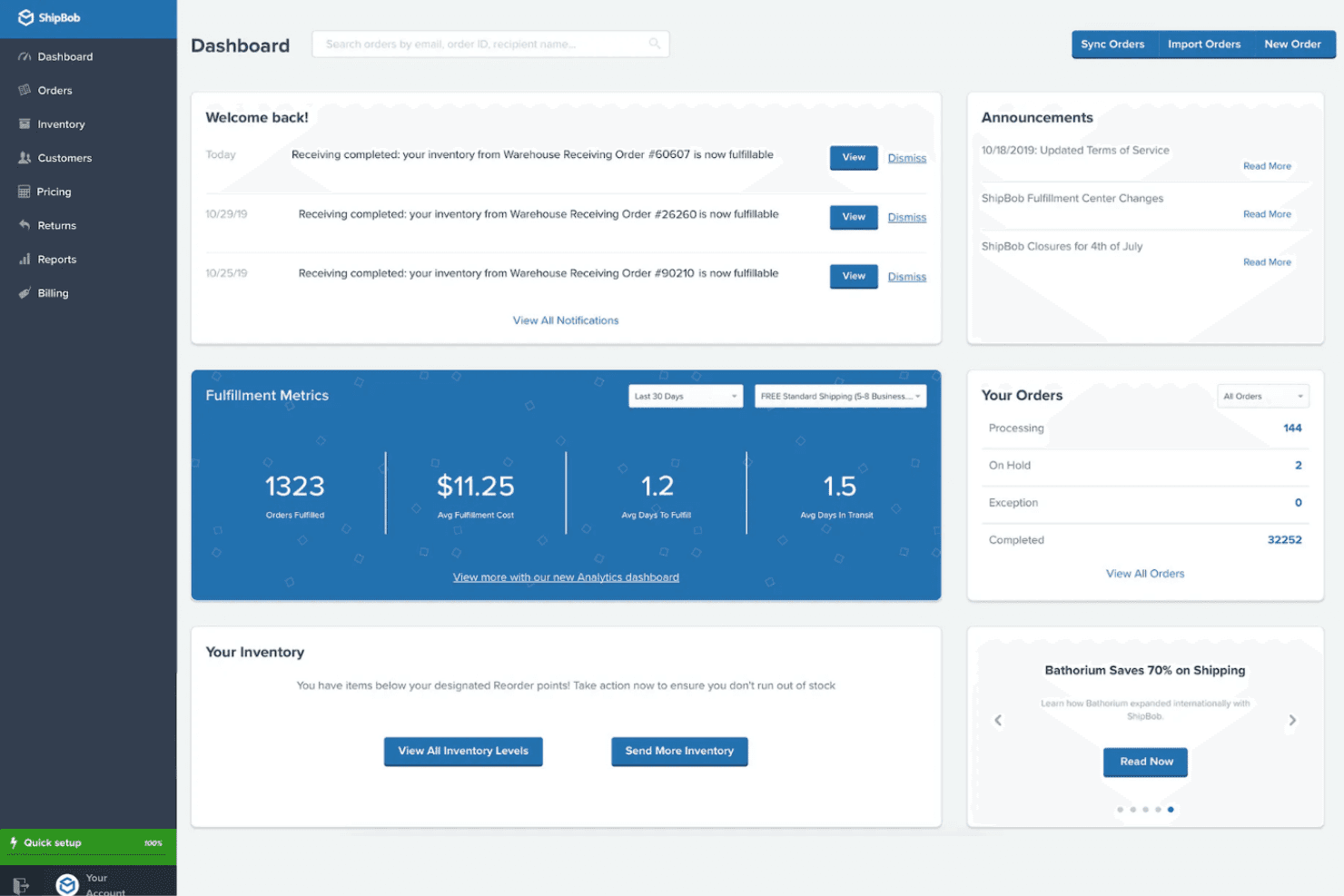
If you’re judging ShipBob against other order fulfillment software, I think its real strengths are fast onboarding, a clean dashboard, and deep integrations with major ecommerce platforms. Pricing is transparent, and support is responsive, which isn’t always the case elsewhere. I’ve found its analytics and inventory tracking more intuitive than most, though customization options can feel limited.
ShipBob is best for brands scaling quickly or managing multi-channel sales, especially if you want hands-off fulfillment without building your own warehouse network. If you need highly specialized workflows, you might find some constraints.
Pros
- You can rely on ShipBob's strong customer support to assist your team when needed.
- Its user-friendly interface makes managing your inventory and shipping straightforward.
- ShipBob simplifies your supply chain, freeing up your time to focus on business growth.
Cons
- Some users find the onboarding process a bit lengthy.
- There can be occasional delays in updating inventory data.
- The platform might lack advanced customization options for complex needs.
Is ShipBob Right For Your Needs?
Who Would be a Good Fit for ShipBob?
Small to medium-sized ecommerce businesses that need efficient logistics solutions are a great fit for ShipBob. If your team manages a fashion boutique or tech gadget store, ShipBob’s user-friendly interface and reliable customer support can simplify your shipping and inventory tasks. This software suits businesses looking to streamline operations without the need for complex customization, giving you more time to focus on sales and customer engagement.
- Ecommerce StartupsShipBob helps you focus on growth by handling logistics efficiently.
- Fashion RetailersIts intuitive platform simplifies inventory management for your team.
- Tech Product SellersShipBob’s reliable shipping ensures your gadgets get to customers quickly.
- Subscription Box CompaniesYou can easily manage recurring shipments with ShipBob’s features.
- Health and Wellness BrandsShipBob’s strong support aids in maintaining your product flow smoothly.
- Boutique StoresIts straightforward interface makes handling orders a breeze for your small team.
Who Would be a Bad Fit for ShipBob?
Large enterprises with highly complex logistics needs might find ShipBob lacking in advanced customization options. If your team requires intricate supply chain management or specialized integrations, ShipBob's straightforward approach might not meet your expectations. Businesses with unique operational requirements or those needing extensive customization might struggle to adapt ShipBob's features to their specific needs.
- Enterprise CorporationsShipBob’s limited customization won’t suit your complex logistics demands.
- Highly Specialized IndustriesIt lacks the specific integrations your niche operations require.
- Large Scale ManufacturingThe platform’s straightforward approach doesn’t handle intricate supply chains well.
- Custom Product MakersShipBob doesn’t offer the level of customization you need.
- Corporate Logistics TeamsYour team might find the system too simplistic for detailed management.
- Global Distribution NetworksShipBob may not support the extensive reach your operations demand.
Our Review Methodology
How We Test & Score Tools
We’ve spent years building, refining, and improving our software testing and scoring system. The rubric is designed to capture the nuances of software selection and what makes a tool effective, focusing on critical aspects of the decision-making process.
Below, you can see exactly how our testing and scoring works across seven criteria. It allows us to provide an unbiased evaluation of the software based on core functionality, standout features, ease of use, onboarding, customer support, integrations, customer reviews, and value for money.
Core Functionality (25% of final scoring)
The starting point of our evaluation is always the core functionality of the tool. Does it have the basic features and functions that a user would expect to see? Are any of those core features locked to higher-tiered pricing plans? At its core, we expect a tool to stand up against the baseline capabilities of its competitors.
Standout Features (25% of final scoring)
Next, we evaluate uncommon standout features that go above and beyond the core functionality typically found in tools of its kind. A high score reflects specialized or unique features that make the product faster, more efficient, or offer additional value to the user.
We also evaluate how easy it is to integrate with other tools typically found in the tech stack to expand the functionality and utility of the software. Tools offering plentiful native integrations, 3rd party connections, and API access to build custom integrations score best.
Ease of Use (10% of final scoring)
We consider how quick and easy it is to execute the tasks defined in the core functionality using the tool. High scoring software is well designed, intuitive to use, offers mobile apps, provides templates, and makes relatively complex tasks seem simple.
Onboarding (10% of final scoring)
We know how important rapid team adoption is for a new platform, so we evaluate how easy it is to learn and use a tool with minimal training. We evaluate how quickly a team member can get set up and start using the tool with no experience. High scoring solutions indicate little or no support is required.
Customer Support (10% of final scoring)
We review how quick and easy it is to get unstuck and find help by phone, live chat, or knowledge base. Tools and companies that provide real-time support score best, while chatbots score worst.
Customer Reviews (10% of final scoring)
Beyond our own testing and evaluation, we consider the net promoter score from current and past customers. We review their likelihood, given the option, to choose the tool again for the core functionality. A high scoring software reflects a high net promoter score from current or past customers.
Value for Money (10% of final scoring)
Lastly, in consideration of all the other criteria, we review the average price of entry level plans against the core features and consider the value of the other evaluation criteria. Software that delivers more, for less, will score higher.
Core Features
Distributed Warehouse Network
Store inventory in 60+ global fulfillment centers to reduce shipping times and costs. ShipBob automatically routes orders to the closest warehouse for faster delivery.
2-Day Shipping
Offer 2-day shipping across the continental US for all sales channels. This helps brands meet rising customer expectations for speed.
Real-Time Inventory Tracking
Monitor inventory levels across all warehouses with live updates and automated reorder alerts. This reduces stockouts and overstock issues.
Automated Order Fulfillment
ShipBob handles picking, packing, shipping, and returns from start to finish. Orders are processed with a 99.97% accuracy rate.
Customizable Unboxing Experience
Brands can add custom packaging and inserts for a branded delivery. This feature supports unique unboxing experiences that boost customer loyalty.
International Shipping
Ship to over 250 destinations with standard and expedited options, including DDP. ShipBob helps brands expand globally without managing international logistics themselves.
Ease of Use
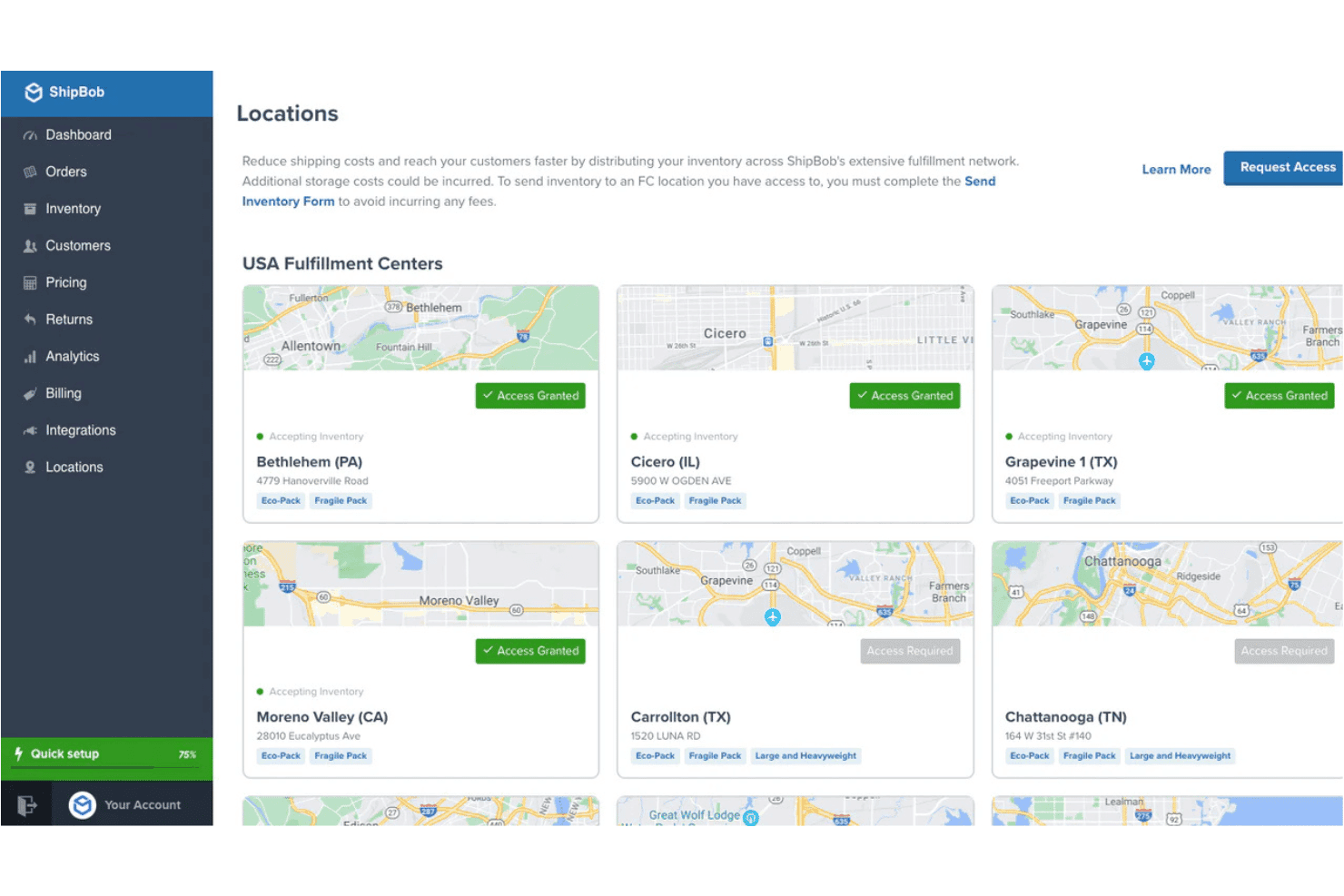
ShipBob stands out for its clean, intuitive dashboard and straightforward onboarding process. Most users say setup is quick, with guided steps for connecting sales channels and importing products. The platform’s real-time inventory visibility and automated order processing reduce manual work, making it easy for teams to manage fulfillment without a steep learning curve.
I think the clear navigation and responsive support make ShipBob accessible, even for teams new to outsourced fulfillment.
Integrations
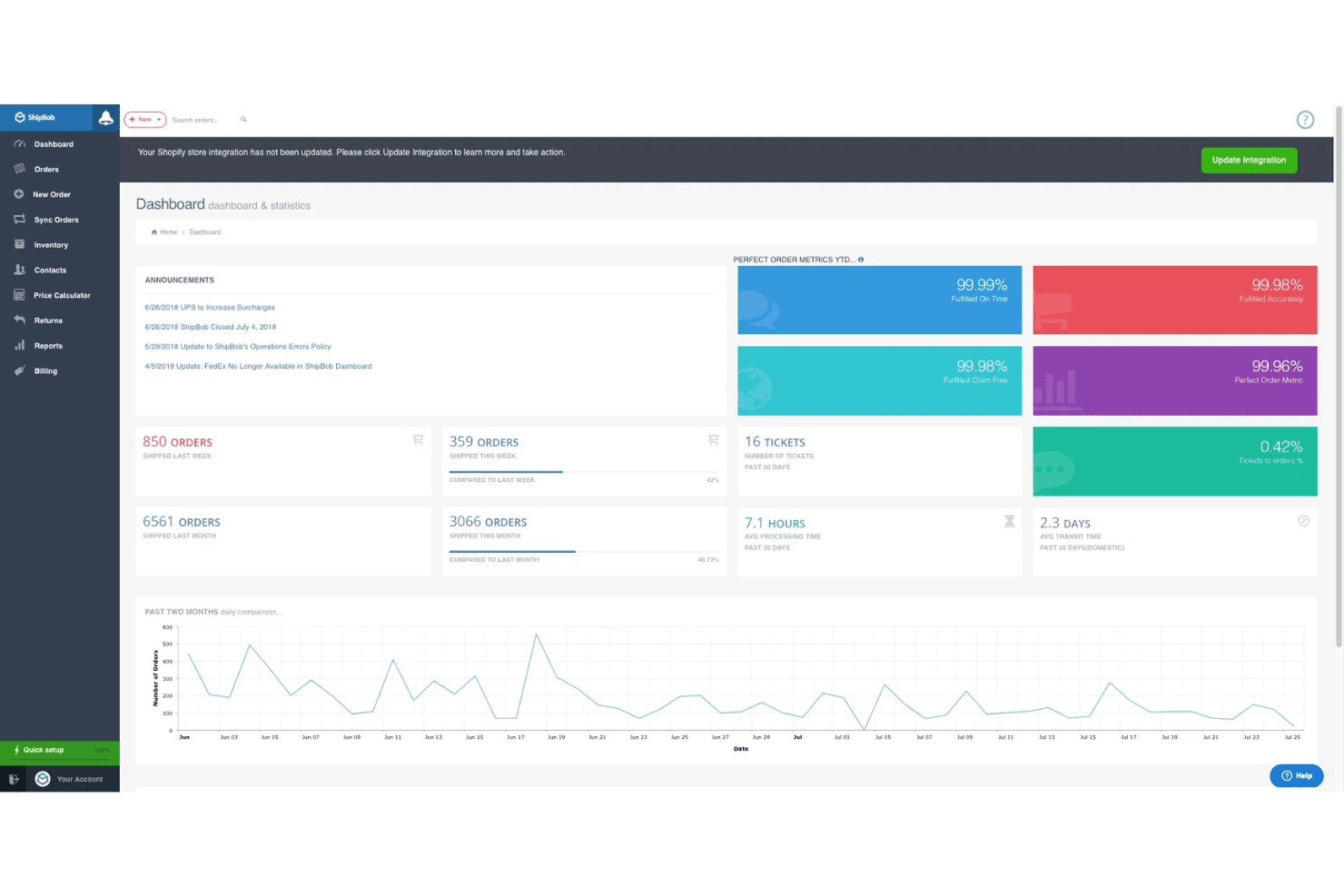
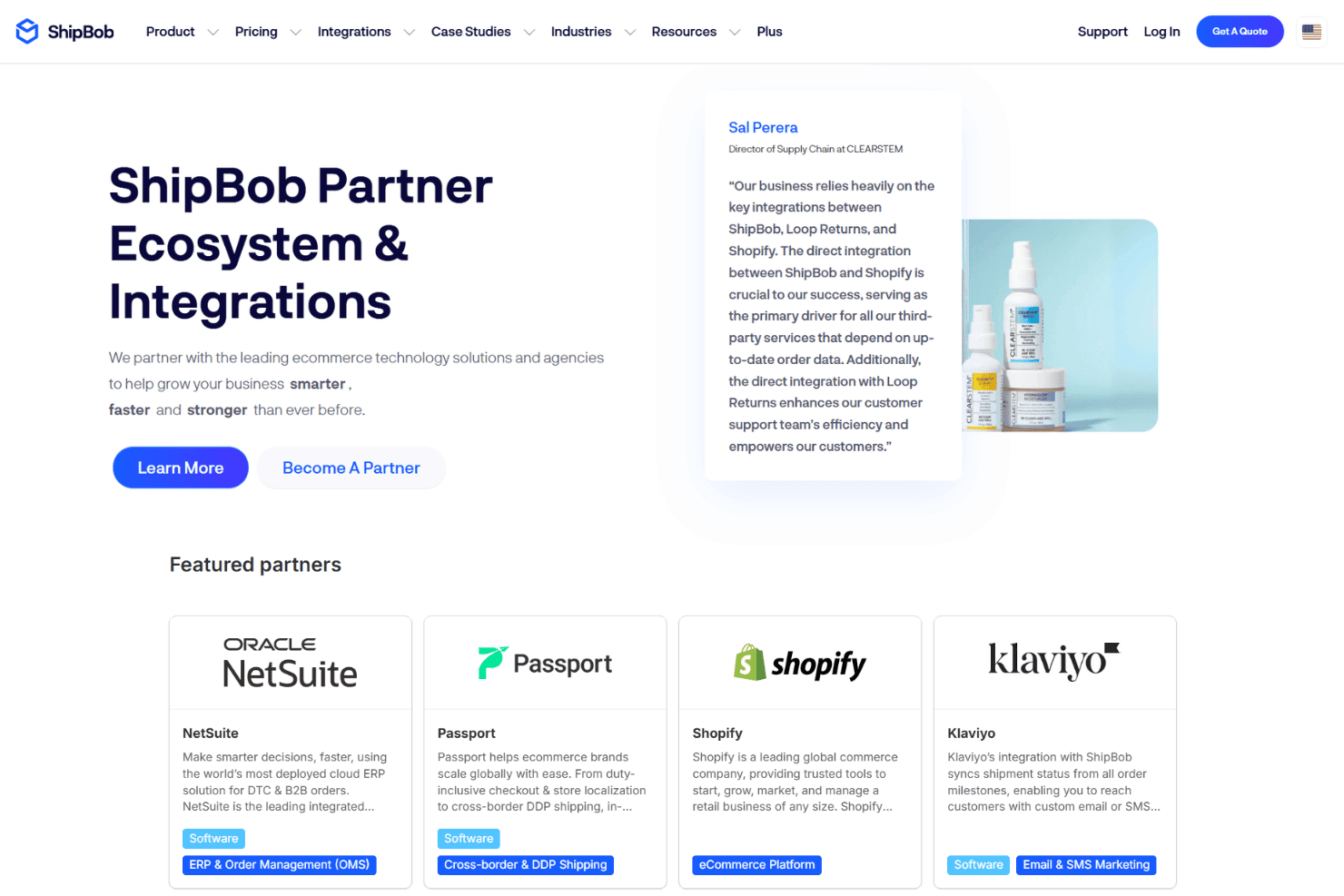
ShipBob integrates with Shopify, BigCommerce, WooCommerce, Amazon, eBay, NetSuite, Klaviyo, AfterShip, Brightpearl, and ChannelEngine, among others.
ShipBob also offers a robust API and connects with third-party integration tools for custom workflows and additional platform connections.
ShipBob Specs
- API: Yes
- Calendar Management: No
- Customer Management: No
- Dashboard: Yes
- Data Export: Yes
- Data Import: Yes
- Data Visualization: Yes
- External Integrations: Yes
- Inventory Tracking: Yes
- Multi-User: Yes
- Notifications: Yes
- Order Management: Yes
- Product Catalog: Yes
- Route Optimization: No
- Scheduling: No
- Shipping Management: Yes


