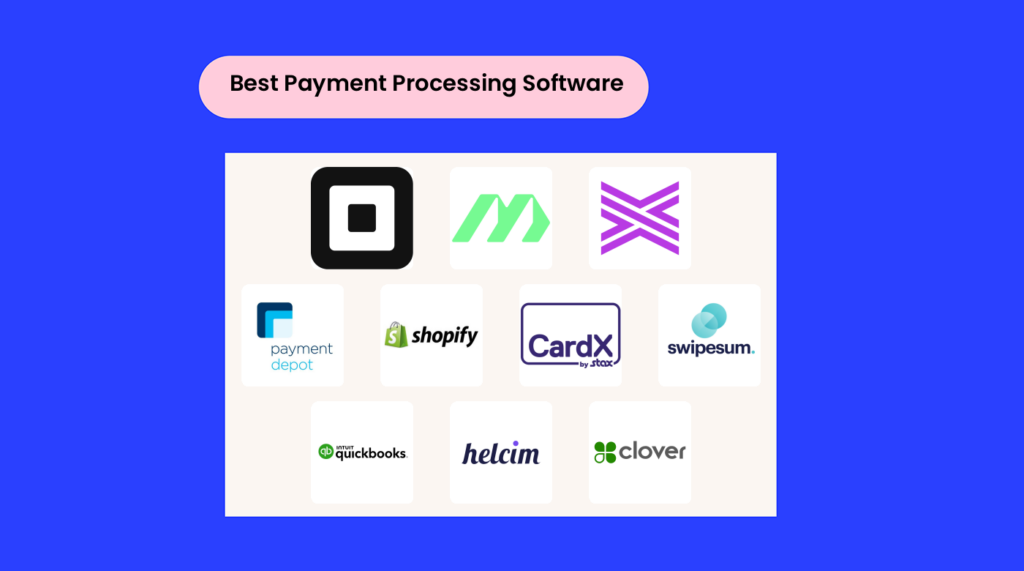
El software de procesamiento de pagos te permite aceptar pagos, combatir el fraude y ofrecer procesos de pago fluidos y rápidos, todo ello mientras reduces las comisiones, las devoluciones de cargos y las complicaciones manuales.
La herramienta adecuada se integra fácilmente con tu conjunto tecnológico, automatiza tareas como los reembolsos y las suscripciones, y mantiene protegido tu flujo de caja sin añadir complicaciones.
Con más de una década de experiencia en el comercio minorista y el comercio electrónico, sé que las dificultades en el proceso de pago acaban con las ventas. En este artículo, te ayudaré a encontrar un software de procesamiento de pagos que haga que vender (y recibir pagos) sea sencillo.
Por qué confiar en nuestras recomendaciones de software
6,700+
Reviews
20
Industry experts
16+
Evaluation factors
14
Years
Nuestro equipo lleva probando y evaluando software desde 2012. Como líderes del sector retail, sabemos lo difícil —y lo importante— que es elegir el software adecuado.
Para esta guía, evaluamos las herramientas mediante pruebas prácticas e investigación independiente, puntuando las herramientas según nuestros criterios de selección.
Nuestras reseñas reflejan nuestro criterio independiente, no un discurso de ventas.
Tabla comparativa de software de procesamiento de pagos para comercio electrónico
Esta tabla comparativa resume los detalles de precios de mis principales selecciones de software de procesamiento de pagos para comercio electrónico.
| Tool | Best For | Trial Info | Price | ||
|---|---|---|---|---|---|
| 1 | El mejor para la codificación automática de facturas | Prueba gratuita de 21 días disponible | Desde $99/mes | Website | |
| 2 | Ideal para una aceptación de pagos flexible | Plan gratuito disponible | Desde $35/mes | Website | |
| 3 | Ideal para transacciones de alto volumen | Prueba gratuita de 3 meses | Desde $79/mes | Website | |
| 4 | Ideal para reducir pagos atrasados | Cotización gratuita disponible | Precio según solicitud | Website | |
| 5 | Ideal para cumplimiento automatizado | Desde $29/mes | Website | ||
| 6 | La mejor opción para transacciones omnicanal | Prueba gratuita de 3 días | Desde $29/mes (facturado anualmente) | Website | |
| 7 | Ideal para soluciones de pago personalizadas | Plan gratuito disponible | Desde $50/hora | Website | |
| 8 | La mejor opción para pagos de facturas rápidos | Prueba gratuita de 30 días | Desde $19/mes | Website | |
| 9 | Mejor para configuración sencilla de comercio electrónico | Demo gratuita disponible | Desde Interchange + 0.40% + 8¢ (varía según el volumen) | Website | |
| 10 | La mejor para sistemas POS personalizables | Demo gratuita disponible | Desde $135/mes | Website |


El mejor software de procesamiento de pagos para comercio electrónico, analizado
Esta es la parte que estabas esperando. A continuación, encontrarás reseñas breves de cada empresa de procesamiento de pagos, en las que se explica por qué la elegimos, sus principales funciones, integraciones y capturas de pantalla de las herramientas en acción.
 El mejor para la codificación automática de facturas
- Prueba gratuita de 21 días disponible
- Desde $99/mes
Visit WebsiteCustomer Rating:4.9/5
El intuitivo panel de MakersHub agiliza todo el proceso de cuentas por pagar, desde la captura de facturas hasta el pago. Si buscas una forma de simplificar y optimizar tu procesamiento de pagos, MakersHub podría ser la solución ideal. Diseñado para industrias como la construcción, la manufactura y la contratación industrial, elimina la entrada manual de datos y ofrece visibilidad en tiempo real de las facturas.
Al integrarse con software contable como QuickBooks, MakersHub automatiza las tareas de cuentas por pagar, reduciendo el tiempo de procesamiento y mejorando la precisión y el control.
Por qué elegí MakersHub
Elegí MakersHub por su capacidad de automatizar y simplificar el procesamiento de pagos, algo fundamental para las empresas que buscan mejorar sus operaciones financieras. Sus flujos de autorización personalizables aseguran que los pagos sean aprobados según criterios específicos, como proveedor o monto, aumentando el control sobre el gasto.
La función de seguimiento del estado de pago en tiempo real ofrece actualizaciones inmediatas tanto a ti como a tus proveedores, reduciendo la incertidumbre sobre los plazos de pago. Además, su integración con QuickBooks simplifica la conciliación al crear automáticamente registros contables alineados con tus estados bancarios, ahorrando tiempo y reduciendo errores.
Características clave de MakersHub
Además de las características que ya destaqué, MakersHub ofrece varias otras funcionalidades que pueden mejorar tu experiencia de procesamiento de pagos.
- Gestión de proveedores: Optimiza la interacción con tus proveedores centralizando la información de contacto e historial de transacciones en un solo lugar accesible.
- Conciliación automática de facturas: Hace coincidir automáticamente las facturas con órdenes de compra y recibos de entrega para asegurar consistencia y precisión en tus registros.
- Informes personalizados: Genera informes adaptados a tus necesidades específicas, proporcionando perspectivas sobre patrones de gasto y el desempeño financiero.
- Acceso móvil: Administra tus tareas de procesamiento de pagos desde cualquier lugar con una interfaz móvil fácil de usar, asegurando que te mantengas conectado y en control estés donde estés.
Integraciones de MakersHub
Las integraciones incluyen Sage Intacct y QuickBooks.
Pros and Cons
Pros:
- Los usuarios reportan un ahorro de tiempo significativo, típicamente 38 horas al mes.
- Automatiza los procesos de cuentas por pagar, reduciendo la carga de trabajo manual.
- Ofrece flujos de aprobación personalizables para adaptarse a las necesidades de la empresa.
Cons:
- Integraciones nativas limitadas más allá de QuickBooks y Sage Intacct.
- Puede haber una curva de aprendizaje para quienes no están familiarizados con herramientas de automatización.
Learn more about MakersHub: Ideal para una aceptación de pagos flexible
- Plan gratuito disponible
- Desde $35/mes
Visit WebsiteCustomer Rating:4.7/5
Square ofrece una interfaz de pago sencilla que luce profesional y a la vez simplista. Para las empresas que buscan una solución versátil para gestionar transacciones, Square ofrece una herramienta integral de procesamiento de pagos. Ya sea que administres una cafetería acogedora o una cadena minorista concurrida, Square proporciona hardware y software fáciles de usar que se adaptan a diversos sectores, incluyendo venta al por menor, alimentos y bebidas, y servicios.
Te permite aceptar pagos en línea, en la tienda o en movimiento, y también proporciona herramientas esenciales para la gestión de pedidos y el seguimiento de inventario, mejorando tu flujo de caja y la fidelidad de los clientes.
Por qué elegí Square
Elegí Square porque sobresale al brindar soluciones de procesamiento de pagos versátiles que atienden tanto a transacciones en línea como presenciales. Con funciones como el procesamiento de pagos sin conexión y transferencias rápidas de fondos, tu negocio puede seguir operando sin problemas incluso sin acceso a internet y obtener acceso rápido a los ingresos de ventas.
Valoro las características de seguridad integradas de Square, incluyendo la protección contra fraudes y el cumplimiento con PCI, que garantizan que las transacciones sean seguras. Además, la amplia gama de opciones de hardware de Square, desde dispositivos portátiles hasta terminales, mejora la experiencia de pago, convirtiéndose en la mejor opción para negocios que buscan optimizar sus procesos de cobro.
Características clave de Square
Además de sus soluciones de pago versátiles, Square ofrece varias otras funcionalidades que pueden potenciar las operaciones de tu negocio:
- Terminal virtual: Esta función te permite aceptar pagos desde tu computadora, lo que resulta conveniente para pedidos telefónicos o facturación remota.
- Directorio de clientes: Con esta función, puedes almacenar y gestionar la información de tus clientes, lo que te ayuda a crear relaciones y personalizar tus campañas de marketing.
- Recibos digitales: Envía automáticamente recibos digitales a tus clientes por correo electrónico o SMS, proporcionando una forma sencilla y ecológica de confirmar las transacciones.
- Sistema de punto de venta (POS) personalizable: Personaliza la interfaz del POS para adaptarla a las necesidades específicas de tu negocio, ya sea un restaurante, tienda minorista o un servicio.
Integraciones de Square
Las integraciones incluyen QuickBooks, Xero, WooCommerce, Wix, BigCommerce, Mailchimp, Google Calendar, Acuity Scheduling, IFTTT y Zapier. Square también ofrece una API para integraciones personalizadas.
Pros and Cons
Pros:
- Sus funciones versátiles atienden diversos tipos de negocios, como tiendas minoristas y servicios de alimentación.
- Las herramientas de informes integrales ayudan a rastrear ventas y crecimiento de manera eficiente.
- Ofrece una gama de dispositivos para adaptarse a diferentes necesidades de transacción.
Cons:
- Algunos usuarios experimentan demoras en las transferencias de fondos, lo que afecta el flujo de caja.
- Problemas técnicos ocasionales pueden interrumpir el procesamiento de pagos.
 Ideal para transacciones de alto volumen
- Prueba gratuita de 3 meses
- Desde $79/mes
Visit WebsiteCustomer Rating:4.7/5
Payment Depot destaca como una opción atractiva para las empresas de comercio electrónico que buscan un proveedor confiable de pasarela de pagos. Para las empresas que buscan una solución de procesamiento de pagos que se adapte a sus estrategias financieras, Payment Depot ofrece una opción atractiva. Este software es especialmente ventajoso para pequeñas y medianas empresas con volúmenes importantes de transacciones, proporcionando precios transparentes y predecibles a través de su modelo de membresía.
Al eliminar las tarifas ocultas y ofrecer un proceso de incorporación sencillo, resuelve las frustraciones comunes asociadas a los servicios tradicionales de procesamiento, permitiendo a las empresas centrarse en el crecimiento en lugar de en las cargas administrativas.
Por qué elegí Payment Depot
Elegí Payment Depot por su enfoque único en el procesamiento de pagos que se adapta especialmente bien a empresas con un alto volumen de transacciones. Una característica destacada es su modelo de precios transparente basado en membresía, que elimina tarifas ocultas y ofrece a las empresas costos mensuales predecibles. Este enfoque, combinado con la estructura de precios 'intercambio más', permite acceder a tarifas mayoristas reales, lo que lo convierte en una opción rentable para tu negocio.
Además, la integración con sistemas POS de terceros y la disponibilidad de un terminal virtual para pagos telefónicos amplían su funcionalidad, asegurando que tengas una solución de procesamiento de pagos versátil y confiable.
Características clave de Payment Depot
Además de su modelo de precios transparente, Payment Depot ofrece varias funciones que se adaptan a diferentes necesidades empresariales.
- Variedad de opciones de pago: La plataforma admite múltiples métodos de pago, incluidas tarjetas de crédito y pagos móviles, adaptándose a las diversas preferencias de los clientes.
- Terminal virtual y herramientas POS: Payment Depot ofrece un terminal virtual para pagos telefónicos y se asocia con sistemas POS de terceros como Clover y Vital Select para una gestión integral de ventas.
- Opciones de pago móvil: A través de la aplicación SwipeSimple, puedes habilitar pagos móviles y gestionar productos en movimiento.
- Soporte al cliente dedicado: Cada usuario cuenta con un representante de cuenta dedicado, además de soporte telefónico 24/7, asegurando que la ayuda esté disponible siempre que la necesites.
Integraciones de Payment Depot
Actualmente, Payment Depot no lista integraciones nativas.
Pros and Cons
Pros:
- La estructura de tarifas transparente elimina cargos ocultos.
- Incluye un terminal virtual gratis para pagos telefónicos.
- Ofrece representantes de cuenta dedicados para un soporte personalizado.
Cons:
- Limitado a comerciantes de EE.UU., excluyendo empresas internacionales.
- Algunos usuarios han reportado tarifas inesperadas.
Learn more about Payment Depot: 4Ideal para reducir pagos atrasados
Stax
- Cotización gratuita disponible
- Precio según solicitud
Visit WebsiteCustomer Rating:4.2/5
Visualice todas las transacciones, facturas recurrentes y más en dispositivos de escritorio y móviles. Para las empresas que buscan simplificar sus procesos de pago, Stax Pay ofrece una solución personalizada para mejorar la eficiencia y la rentabilidad.
Diseñado para cubrir las necesidades de empresas de todos los tamaños, desde pequeñas empresas hasta grandes plataformas de software, Stax Pay simplifica el procesamiento de pagos con un enfoque en precios transparentes y soporte dedicado. Al aprovechar esta herramienta, puedes ahorrar tiempo valioso, reducir la incidencia de fallos de pago y, en última instancia, mejorar tus resultados financieros.
Por qué elegí Stax Pay
Elegí Stax Pay porque destaca al proporcionar una plataforma integral que simplifica los procesos de pago para las empresas. Gracias a su integración fluida de diversos métodos de pago, incluidos los pagos móviles y en línea, Stax Pay garantiza flexibilidad y comodidad para tus clientes.
Adicionalmente, su modelo de precios transparente y la analítica de datos en tiempo real te brindan la información necesaria para optimizar la gestión financiera y la toma de decisiones. Al centrarse en estas funciones, Stax Pay aborda los desafíos comunes que enfrentan las empresas en el procesamiento de pagos, lo que lo convierte en una elección ideal para mejorar la eficiencia operativa.
Funciones clave de Stax Pay
Además de las características que inicialmente llamaron mi atención, Stax Pay ofrece otras funcionalidades clave que aumentan su valor como solución de procesamiento de pagos.
- Facturación digital: Puedes utilizar opciones de SMS/Text2Pay y configurar cobros recurrentes, facilitando la gestión de suscripciones y recordatorios de pago.
- Panel centralizado: Esta función te permite realizar un seguimiento de las ventas, gestionar datos de clientes y generar informes en tiempo real, proporcionando una visión integral de las operaciones de tu negocio.
- Compatibilidad con hardware: Stax Pay funciona sin problemas con diversos dispositivos de terceros, lo que permite reprogramar equipos existentes y evitar costes adicionales de hardware.
- Cumplimiento de seguridad: Como proveedor de servicios PCI Nivel 1, Stax Pay garantiza que tus transacciones cumplan con los altos estándares de seguridad de datos, ofreciéndote tranquilidad al proteger la información del cliente.
Integraciones de Stax Pay
Actualmente, Stax Pay no enumera integraciones nativas.
Pros and Cons
Pros:
- Diversas opciones de pago admiten transacciones en tienda, ecommerce y pagos móviles.
- La financiación al día siguiente garantiza el financiamiento rápido de las transacciones, con opciones para el mismo día disponibles.
- La función de reprogramación de equipos te permite usar dispositivos de pago existentes sin coste adicional.
Cons:
- La estructura de tarifas compleja dificulta a los usuarios comprender y comparar totalmente.
- La financiación el mismo día implica costes adicionales, lo cual puede no convenir a todas las empresas.
Learn more about Stax:

Procesa transacciones de clientes de manera eficiente y sin costo. Para las empresas que buscan gestionar el procesamiento de pagos, CardX by Stax ofrece una solución atractiva que te ayuda a retener el valor total de tus ventas con tarjeta de crédito mientras gestionas los costos de transacción.
Esta plataforma es ideal para industrias donde el cumplimiento de normativas sobre recargos es esencial, asegurando la adhesión automática a todas las regulaciones pertinentes. Al ofrecer a los clientes la opción entre transacciones con tarjeta de crédito con recargo y opciones de débito sin comisión, CardX by Stax fomenta una experiencia de pago transparente y amigable para el cliente.
Por qué elegí CardX by Stax
Elegí CardX by Stax porque destaca en conformidad con los recargos, permitiéndote eliminar las tarifas de procesamiento de tarjetas de crédito y así conservar el valor total de tus ventas. La funcionalidad de transacción de crédito sin coste asegura que solo pagues por las transacciones con débito, ofreciendo una solución rentable para tu negocio.
Con la adhesión automática a todas las normativas relevantes, CardX by Stax reduce la carga de cumplimiento para tu equipo. Además, permite a tus clientes escoger opciones de débito sin tarifas, mejorando su experiencia de pago.
Características clave de CardX by Stax
Además de las funciones de recargo y cumplimiento, hay varios otros aspectos de CardX by Stax que lo convierten en una excelente opción para el procesamiento de pagos.
- Flexibilidad de pago: La plataforma admite varios métodos de pago, incluyendo transacciones en línea, introducidas manualmente y con deslizamiento, todas con cumplimiento PCI Nivel 1, asegurando opciones de pago seguras y versátiles.
- Precios transparentes: CardX by Stax comunica claramente las comisiones a los clientes en el momento de la compra, proporcionando opciones de método de pago sin comisiones que incrementan la confianza y satisfacción del cliente.
- Integraciones avanzadas: Conexiones fluidas con plataformas de comercio electrónico y sistemas POS permiten integrar la solución de pago sin esfuerzo en tu infraestructura existente.
- Soporte dedicado: Con un compromiso con la satisfacción del cliente, CardX by Stax ofrece orientación y apoyo experto para garantizar operaciones fluidas y resolver cualquier inconveniente que puedas encontrar.
Integraciones de CardX by Stax
Actualmente, CardX by Stax no menciona integraciones nativas.
Pros and Cons
Pros:
- Admite múltiples métodos de pago, incluyendo móvil.
- Software en línea fácil de usar con amplias funciones de informes.
- Ahorro significativo en tarifas de comerciante para negocios de alto volumen.
Cons:
- Capacidades limitadas en punto de venta (POS) en comparación con la competencia.
- Ocasionales desconexiones entre la gestión de cuentas y los equipos de soporte.
Learn more about CardX by Stax: La mejor opción para transacciones omnicanal
- Prueba gratuita de 3 días
- Desde $29/mes (facturado anualmente)
Visit WebsiteCustomer Rating:4.4/5
La flexibilidad y eficiencia de Shopify POS lo convierten en una herramienta invaluable para empresas que buscan expandir sus canales de venta con el mínimo esfuerzo. Para quienes buscan una solución de procesamiento de pagos que integre transacciones tanto en línea como en tienda física, Shopify POS destaca como una opción atractiva. Esta herramienta resulta especialmente interesante para negocios minoristas de todos los tamaños, ofreciendo la comodidad de aceptar diversos métodos de pago como toque, chip y deslizamiento.
Con su estructura de precios transparente y características como opciones de pago flexibles y reportes financieros en tiempo real, Shopify POS responde a la necesidad de procesos de pago simplificados mientras mejora la gestión general de las ventas.
Por qué elegí Shopify POS
Elegí Shopify POS porque destaca al brindar una experiencia unificada de procesamiento de pagos, permitiéndote gestionar las ventas tanto en tienda física como en línea sin complicaciones. Gracias a su amplia capacidad para aceptar pagos, como toque, chip, deslizamiento y monederos digitales sin contacto, tus transacciones se vuelven más rápidas y flexibles.
Además, la función de monitoreo financiero en tiempo real asegura que puedas seguir las transacciones y cobros al instante, facilitando una gestión eficiente del flujo de caja. Estas características, junto con precios transparentes e informes exhaustivos, convierten a Shopify POS en una opción ideal para empresas que desean mejorar sus operaciones de procesamiento de pagos.
Funciones clave de Shopify POS
Además de sus capacidades para procesar pagos, Shopify POS ofrece otras funciones que pueden potenciar las operaciones de tu negocio:
- Gestión de inventario: Supervisa tus niveles de stock en tiempo real, asegurando que nunca te quedes sin tus productos más vendidos.
- Perfiles de clientes: Construye una base de datos integral de tus clientes, lo que te permite personalizar tus esfuerzos de marketing y mejorar la atención al cliente.
- Venta multicanal: Vende productos sin inconvenientes a través de diferentes plataformas, incluyendo tu tienda en línea, redes sociales y ubicaciones físicas.
- Recibos personalizables: Ofrece recibos personalizados que pueden incluir tu marca, mensajes promocionales o políticas de devolución, brindando una experiencia coherente al cliente.
Integraciones de Shopify POS
Las integraciones incluyen QuickBooks, Xero, Mailchimp, Google Sheets, HubSpot, Facebook, Instagram, Pinterest, Amazon y eBay.
Pros and Cons
Pros:
- La integración sin problemas con la plataforma de comercio electrónico de Shopify mejora la gestión de inventario.
- Admite diversos métodos de pago, incluyendo toque, chip y deslizamiento.
- Ofrece una plataforma unificada para ventas en línea y en tienda física.
Cons:
- La escalabilidad limitada podría restringir a marcas en crecimiento.
- Algunas funciones avanzadas pueden resultar confusas inicialmente.
Learn more about Shopify POS: Ideal para soluciones de pago personalizadas
- Plan gratuito disponible
- Desde $50/hora
Visit WebsiteCustomer Rating:4.8/5
Swipesum ofrece servicios de consultoría y una plataforma independiente del back-end que te da acceso a los principales procesadores de pago. Para las empresas que enfrentan las complejidades del procesamiento de pagos, Swipesum ofrece una solución personalizada que se adapta a las necesidades específicas de los sectores de comercio electrónico, retail y B2B.
Al centrarse en la optimización de los sistemas de pago, Swipesum ayuda a mejorar la eficiencia y aumentar la satisfacción del cliente. Su software patentado audita los servicios de los comercios para ayudarte a evitar comisiones innecesarias, convirtiendo a Swipesum en un socio confiable para simplificar los procesos de pago y reducir costos.
Por qué elegí Swipesum
Elegí Swipesum porque ofrece soluciones especializadas de procesamiento de pagos adaptadas a las necesidades únicas de industrias como comercio electrónico, SaaS y retail. Su software patentado, Staitment, realiza auditorías detalladas de los estados de cuenta de los comercios para detectar comisiones innecesarias, ayudándote a optimizar tu procesamiento de pagos y reducir costos.
Además, los sistemas de pago integrados de Swipesum mejoran la eficiencia y precisión de las transacciones, garantizando experiencias de cliente más fluidas y una mayor fiabilidad de los datos. Con una red de más de 70 proveedores de pago, Swipesum ofrece opciones de precios competitivas diseñadas para ahorrarte dinero mientras se alinean con los objetivos de tu negocio.
Características clave de Swipesum
Además de las soluciones personalizadas y las auditorías para el ahorro de costos que valoro, Swipesum ofrece varias otras características clave que mejoran su utilidad para el procesamiento de pagos.
- Procesamiento de pagos ACH: Esta función permite aceptar transferencias electrónicas de banco a banco mediante la red Automated Clearing House (ACH), facilitando transacciones más seguras y ágiles.
- Procesamiento de criptomonedas: Con la capacidad de aceptar y procesar transacciones con criptomonedas como Bitcoin, Swipesum mantiene a tu empresa a la vanguardia de las tecnologías de pago modernas, atendiendo a una base de clientes más amplia.
- Gestión de contracargos: Swipesum ofrece herramientas para gestionar y mitigar los contracargos, protegiendo tu negocio de posibles pérdidas financieras derivadas de transacciones disputadas.
- Evaluación de proveedores: Al ayudar en la evaluación y selección de los proveedores óptimos de procesamiento de tarjetas de crédito, Swipesum garantiza que recibas el mejor servicio y precios acorde a las necesidades de tu negocio.
Integraciones de Swipesum
Actualmente, Swipesum no indica integraciones nativas.
Pros and Cons
Pros:
- Los usuarios se benefician de auditorías detalladas de estados de cuenta para identificar ahorros.
- El procesamiento de pagos ACH está disponible para transferencias seguras de banco a banco.
- La plataforma ofrece consultoría personalizada para procesamiento de pagos.
Cons:
- Algunos usuarios pueden encontrar la estructura de comisiones de la plataforma poco clara a veces.
- Según se informa, la comunicación posterior a la consultoría es insuficiente.
Learn more about Swipesum: La mejor opción para pagos de facturas rápidos
- Prueba gratuita de 30 días
- Desde $19/mes
Visit WebsiteCustomer Rating:4/5
Gestiona todas las finanzas de tu pequeña empresa mediante la plataforma segura en la nube. Para quienes buscan una solución confiable de procesamiento de pagos, QuickBooks Online ofrece una completa gama de funciones diseñadas para pequeñas empresas y emprendedores. Al permitirte aceptar pagos a través de diversos canales como tarjetas de crédito, ACH y billeteras móviles como Apple Pay y PayPal, simplifica el panorama de pagos, permitiéndote centrarte en el crecimiento de tu negocio.
Su registro automático de pagos y seguimiento en tiempo real implica que dediques menos tiempo a la contabilidad y más a actividades estratégicas, mientras que sus tarifas competitivas y la ausencia de comisiones ocultas garantizan transparencia en la gestión financiera.
Por qué elegí QuickBooks Online
Elegí QuickBooks Online por sus versátiles capacidades de procesamiento de pagos que se adaptan a una amplia variedad de necesidades empresariales. Al poder aceptar pagos mediante tarjetas de crédito, ACH, Apple Pay, PayPal y Venmo, ofrece flexibilidad y comodidad tanto para ti como para tus clientes. El registro automático de transacciones directamente en tu sistema contable simplifica la contabilidad y garantiza precisión en los registros financieros.
Además, funciones como el seguimiento de pagos en tiempo real y la protección contra contracargos aumentan la transparencia y seguridad financiera, convirtiéndolo en una opción óptima para empresas que desean optimizar sus procesos de pago y mantener el control y la supervisión.
Funciones clave de QuickBooks Online
Además de sus opciones flexibles de pago y seguimiento en tiempo real, que hacen de QuickBooks Online una excelente opción para el procesamiento de pagos, existen otras características que potencian su funcionalidad para las necesidades de tu empresa.
- Pagos recurrentes: Configura recibos de venta recurrentes de manera automática, permitiéndote cobrar pagos sin tener que recordar a los clientes, asegurando así un flujo de efectivo constante.
- Pagos móviles: Acepta pagos sobre la marcha utilizando la aplicación móvil de QuickBooks, ideal para negocios que operan fuera de una oficina tradicional.
- Contabilidad automatizada: Cuando gestionas transacciones, la información de pago se ingresa automáticamente en tu archivo de empresa de QuickBooks Online, ahorrándote tiempo en la entrada manual de datos.
- Protección contra contracargos: QuickBooks Online proporciona herramientas para ayudar a gestionar y protegerte contra contracargos, aportando tranquilidad ante disputas de pago.
Integraciones de QuickBooks Online
Las integraciones incluyen Compras de Amazon Business, Conector de PayPal por QuickBooks, Conector de Square por QuickBooks, Conector de Etsy por QuickBooks, Conector de Amazon Seller por QuickBooks, Conector de eBay por QuickBooks, Conector de Shopify por QuickBooks, SOS Inventory, QuickBooks Time y Gusto.
Pros and Cons
Pros:
- Admite integración con más de 750 aplicaciones, ofreciendo flexibilidad.
- El seguimiento de pagos en tiempo real mejora la transparencia financiera.
- La facturación personalizable y las amplias opciones de informes mejoran el control del usuario.
Cons:
- La interfaz de usuario compleja puede causar dificultades de navegación.
- Soporte al cliente inadecuado según lo reportado por los usuarios.
Learn more about QuickBooks Online: Mejor para configuración sencilla de comercio electrónico
- Demo gratuita disponible
- Desde Interchange + 0.40% + 8¢ (varía según el volumen)
Visit WebsiteCustomer Rating:4.4/5
Helcim facilita la gestión de tus suscripciones recurrentes con una visión clara del número de suscripciones y la cantidad generada. Helcim ofrece una solución de procesamiento de pagos transparente y fácil de usar, adaptada para pequeñas empresas que valoran la asequibilidad y la simplicidad. Con su modelo de precios claro y sin cuotas mensuales, puedes gestionar tus transacciones sin preocuparte por costos ocultos.
Ya sea que necesites pagos en línea, facturación o funciones de punto de venta, Helcim proporciona herramientas versátiles para apoyar eficazmente las operaciones financieras de tu negocio.
Por qué elegí Helcim
Elegí Helcim por su capacidad única para ofrecer una solución transparente y versátil para el procesamiento de pagos, dirigida a empresas pequeñas y medianas. El modelo de precios de tipo 'interchange-plus' de Helcim asegura que te beneficies de tarifas justas por transacción sin cargos mensuales, facilitando la gestión de costos.
Además, el Helcim Smart Terminal ofrece una experiencia de punto de venta robusta, permitiéndote manejar varios métodos de pago y gestionar inventario sin problemas. Con sus aplicaciones intuitivas para móvil y escritorio, Helcim te permite procesar pagos y gestionar relaciones con clientes de manera eficiente, adaptándose muy bien a los negocios que valoran herramientas financieras completas y sencillas a la vez.
Características clave de Helcim
Además de su precio transparente y sus sólidas capacidades de punto de venta, Helcim ofrece otras funciones que enriquecen su software de procesamiento de pagos.
- Procesamiento ACH: Puedes gestionar transferencias bancarias de manera fluida, permitiendo pagos directos entre cuentas sin necesidad de tarjetas de crédito.
- Terminal virtual: Esta función te permite aceptar pagos con tarjeta de crédito de forma segura en línea usando cualquier dispositivo con conexión a internet, ideal para transacciones remotas.
- Protección contra fraude: Helcim proporciona herramientas para resguardar tus transacciones, ayudando a proteger tu negocio de posibles actividades fraudulentas.
- Soluciones de comercio electrónico integradas: Con capacidades de integración, Helcim respalda las operaciones de tiendas en línea, permitiéndote gestionar ventas y pagos fácilmente a través de tu sitio web.
Integraciones de Helcim
Las integraciones incluyen QuickBooks Online, Xero, WooCommerce y Helcim ofrece una API para integraciones personalizadas.
Pros and Cons
Pros:
- El sólido soporte al cliente mejora la experiencia y la satisfacción de los usuarios.
- Los descuentos por volumen benefician a los negocios con alto volumen de transacciones que buscan ahorrar en costos.
- El sólido soporte al cliente mejora la experiencia y la satisfacción de los usuarios.
Cons:
- No incluye hardware gratuito, lo que requiere compras adicionales a proveedores externos.
- Funciones limitadas para empresas más grandes que necesitan capacidades POS avanzadas.
Learn more about Helcim: 10La mejor para sistemas POS personalizables
Clover
- Demo gratuita disponible
- Desde $135/mes
Visit WebsiteCustomer Rating:3.9/5
Clover ofrece varias opciones de hardware para POS, como terminales de mostrador, dispositivos móviles y lectores de tarjetas sin contacto. Clover ofrece una solución versátil para pequeñas empresas en los sectores minorista y de restauración, integrando el procesamiento de pagos con la gestión de inventario y herramientas para el compromiso del cliente.
Su sistema de punto de venta todo en uno te ayuda a gestionar transacciones y mejorar la experiencia del cliente con facilidad. La interfaz fácil de usar y la flexibilidad en los precios hacen de Clover una opción atractiva para quienes buscan una solución de pago completa y confiable.
Por qué elegí Clover
Elegí Clover por su capacidad para procesar transacciones rápidamente, brindando una experiencia fluida tanto para ti como para tus clientes. Su sistema con certificación PCI garantiza una fuerte encriptación y protección contra fraudes, siendo así una opción confiable para resguardar información sensible de pagos.
También valoro la capacidad de Clover para procesar pagos sin conexión, lo que significa que puedes seguir operando incluso sin una conexión WiFi estable. Estas características responden a la necesidad de un procesamiento de pagos seguro e ininterrumpido, haciendo de Clover un recurso valioso para cualquier negocio.
Características clave de Clover
Además de su sólida seguridad y funcionalidades offline, Clover ofrece una variedad de características que aumentan su atractivo como solución de procesamiento de pagos:
- Gestión de inventario: Clover te permite monitorear los niveles de stock en tiempo real, ayudándote a mantener un inventario óptimo y agilizar el despacho de pedidos.
- Recibos personalizables: Puedes personalizar los recibos con tu logotipo y mensajes, fortaleciendo la visibilidad de tu marca y el compromiso con el cliente.
- Gestión multiubicación: Si operas en varios locales, Clover permite la gestión centralizada, facilitando la supervisión de operaciones desde una sola plataforma.
- Gestión de empleados: Con funciones como programación y registro de horarios, Clover te ayuda a gestionar de manera eficiente los turnos y la productividad de tu equipo.
Integraciones de Clover
Las integraciones incluyen QuickBooks, Xero, Shopify, WooCommerce, BigCommerce, Ecwid, Mailchimp, eHopper, Homebase y Gusto.
Pros and Cons
Pros:
- Admite múltiples tipos de pago incluyendo NFC, EMV y banda magnética.
- Incluye una plataforma de ventas integral con funciones esenciales de POS.
- Ofrece una variedad de opciones de hardware adecuadas para diferentes necesidades empresariales.
Cons:
- Requiere una cuenta de comerciante de First Data, lo que complica la configuración inicial.
- Se han reportado dificultades al cancelar el servicio y resolver problemas de facturación.
Learn more about Clover:
Otros programas de procesamiento de pagos
Estos son algunos más que no entraron en la lista principal, pero que aún merece la pena considerar si necesitas más opciones.
- 11Merchant OneMejor para sistemas de punto de venta versátiles
- 12StripeMejor para métodos de pago globales
- 13EBizChargeIdeal para la prevención de fraudes
- 14ChargebeeMejor para integración fluida de pasarelas de pago
- 15AirwallexIdeal para cuentas multidivisa
- 16FiservIdeal para transacciones seguras
- 17AdyenIdeal para soluciones de pago integradas
- 18Venmo for BusinessIdeal para una gestión de pagos versátil
- 19ElavonIdeal para reportes personalizados
- 20Payline DataIdeal para facturación automática de suscripciones
- 21HopscotchLa mejor para pagos instantáneos
- 22FTNIIdeal para supervisión y reportes en tiempo real
- 23KIS PaymentsIdeal para opciones de pago flexibles
Reseñas relacionadas de software de comercio electrónico
Si todavía no has encontrado aquí lo que buscas, consulta estas herramientas relacionadas con el comercio electrónico que hemos probado y evaluado.
- Plataformas de comercio electrónico
- Software de gestión de inventario
- Soluciones de carrito de compra
- Procesadores de pagos de código abierto
- Sistemas de gestión de pedidos
- Software de procesamiento de tarjetas de crédito
Cómo Evalúo el Software de Procesamiento de Pagos
Divido mi evaluación en dos capas: criterios básicos que toda herramienta debe cumplir—como la aceptación multicanal y el cumplimiento PCI—y diferenciadores que separan a las opciones destacadas del resto.
Funcionalidad Básica (Requisitos Esenciales para esta Lista)
Cuando selecciono herramientas para mi lista, califico cada una en una escala del 0 (no ofrece la funcionalidad) al 5 (sobresale en esta área) para cada funcionalidad básica listada a continuación. Luego, calculo la puntuación total de la herramienta en porcentaje. Cada herramienta debe lograr una puntuación mínima total del 65% para ser considerada en la selección.
- Aceptación de Pagos Multicanal: Verifico si la plataforma puede procesar transacciones en tiendas físicas, en línea y por dispositivos móviles desde una sola cuenta de comerciante.
- Soporte para Tarjetas y Carteras Digitales: Cada herramienta debe aceptar las principales redes de tarjetas junto con Apple Pay, Google Pay y pagos sin contacto (NFC) en el terminal.
- Cumplimiento PCI y Seguridad: Busco certificación PCI-DSS, cifrado de extremo a extremo y tokenización para asegurar que los datos de los tarjetahabientes permanezcan protegidos en todo momento.
- Integración con POS y Sistemas de Retail: Es importante que se conecte con tu POS, inventario y sistemas contables existentes, por lo que evalúo las integraciones disponibles y el acceso vía API.
- Detección de Fraudes y Gestión de Contracargos: Herramientas como el filtrado automático de fraudes y los flujos de trabajo para disputar contracargos ayudan a los minoristas a reducir pérdidas por transacciones rechazadas o en disputa.
- Reportes de Transacciones y Conciliación: Evalúo si los tableros en tiempo real, el seguimiento de liquidaciones y los reportes exportables proporcionan a los equipos financieros lo que necesitan para cerrar el ciclo contable.
Una vez que tengo una lista de herramientas que cumplen con estos criterios, considero qué distingue a cada plataforma.
Factores Diferenciadores (Qué Distingue a los Proveedores)
Así es como comparo y contrasto a los diferentes proveedores:
Funciones Destacadas
El modo de pago offline es clave para tiendas físicas. Cuando tu conexión a internet falla durante el cobro, el terminal debe poner en cola las transacciones de forma segura hasta que se recupere la conectividad. También evalúo la velocidad de los depósitos, ya que los depósitos inmediatos o al día siguiente ayudan a los minoristas a manejar ciclos de flujo de caja ajustados entre nómina y reposición de stock. Las herramientas de recargo y descuento por pago en efectivo también merecen atención, ya que permiten compensar los costes de intercambio o incentivar pagos en efectivo sin modificar manualmente los precios en la caja.
Más Allá de las Funciones
La transparencia en los precios es lo primero que reviso. Analizo si los modelos de tarifa por intercambio, tarifa fija o escalonada están claramente explicados y si hay contratos a largo plazo o penalizaciones por terminación anticipada. La compatibilidad de hardware también es fundamental—los minoristas no deberían tener que sustituir terminales, lectores o impresoras de recibos sólo para cambiar de procesador. Para minoristas con varias ubicaciones o en crecimiento, evalúo si la plataforma puede escalar a nuevas tiendas y gestionar altos volúmenes de transacciones en temporadas pico sin necesidad de cambiar la infraestructura.
¿Qué es el software de procesamiento de pagos?
El software de procesamiento de pagos es lo que permite a las empresas de comercio electrónico y comercio minorista aceptar, dirigir y proteger pagos electrónicos: tarjetas de crédito, ACH, monederos digitales y cualquier método que aparezca en el futuro.
Conecta tu tienda con los bancos y las redes de pago, manteniendo el dinero en movimiento de forma segura y rápida para que realmente recibas el pago.
La plataforma adecuada se encarga de todo lo que ocurre entre bastidores: proteger los datos de los clientes, detener el fraude antes de que se produzca, gestionar los reembolsos, automatizar los informes y garantizar que la experiencia de pago sea fluida.
Se acabaron las conciliaciones manuales y la confusión de los clientes: solo ventas liquidadas.
Si quieres pagos rápidos, menos complicaciones y una operación más fluida, el software de procesamiento de pagos es imprescindible.
Cómo elegir un software de procesamiento de pagos
Elegir un software de procesamiento de pagos puede parecer otra complicación más en un negocio lleno de ellas. Pero la elección adecuada se traduce en menos procesos de pago abandonados, menos trabajo rutinario y un día a día más fluido para ti y tu equipo.
Así es como los profesionales con experiencia evalúan sus opciones.
| Qué hay que concretar | Por qué importa | Qué debes tener en cuenta |
|---|---|---|
| Qué hay que concretarDefine tus necesidades | Por qué importaIdentifica tus mayores problemas de pago: ¿procesos de pago lentos, comisiones elevadas, informes complicados? | Qué debes tener en cuentaBusca herramientas que aborden directamente esos problemas, en lugar de añadir funciones innecesarias. |
| Qué hay que concretarFacilidad de uso | Por qué importaSi tu equipo no sabe utilizarlo, perderás tiempo y dinero en formación (y en quejas). | Qué debes tener en cuentaInterfaces sencillas, incorporación rápida y flujos de trabajo claros. |
| Qué hay que concretarPotencia administrativa | Por qué importaSimplifica las tareas rutinarias: la conciliación automatizada, el registro y los permisos son más importantes de lo que crees. | Qué debes tener en cuentaFunciones que realmente reduzcan el caos administrativo, no que solo resulten atractivas en una demostración. |
| Qué hay que concretarIntegraciones fluidas | Por qué importaLos pagos deben funcionar con tu conjunto de herramientas actual, no enfrentarse a él en cada paso. | Qué debes tener en cuentaConexiones prediseñadas, API sólidas y mínimos quebraderos de cabeza para el departamento de TI. |
| Qué hay que concretarEscalabilidad | Por qué importaLo último que necesitas es cambiar de proveedor cuando las ventas despeguen o te expandas internacionalmente. | Qué debes tener en cuentaMultidivisa, suscripciones y herramientas avanzadas contra el fraude: asegúrate de que pueda seguir el ritmo. |
| Qué hay que concretarSeguridad y cumplimiento normativo | Por qué importaSi no puedes garantizar pagos seguros, te arriesgas a perder ventas y confianza. | Qué debes tener en cuentaPCI DSS, cifrado, protección real contra el fraude y actualizaciones continuas visibles. |
| Qué hay que concretarAsistencia accesible | Por qué importaLos problemas de pago suelen aparecer a las 2 de la madrugada; asegúrate de que haya ayuda disponible de verdad. | Qué debes tener en cuentaAsistencia rápida y humana por chat, teléfono o correo electrónico, sin tickets que caigan en un agujero negro. |
| Qué hay que concretarPrecios transparentes | Por qué importaLas comisiones ocultas se acumulan rápidamente y reducen los márgenes. | Qué debes tener en cuentaPrecios claros desde el principio, tarifas transparentes por transacción y ningún «recargo sorpresa» oculto. |
Tendencias del software de procesamiento de pagos
El mundo de los pagos cambia constantemente, con nuevas y sofisticadas formas de pagar todo el tiempo. ¡La gente paga con sus relojes! ¡Estamos en el futuro!
Mantenerse al día es esencial para seguir siendo competitivo, y comprender los métodos de pago emergentes, como las opciones de compra ahora y paga después, es crucial para saber qué marcará tendencia en 2025:
- Pagos sin contacto y móviles. La tecnología NFC y los monederos móviles son ahora la norma, ya que los consumidores eligen cada vez más opciones de pago sin contacto por su comodidad y rapidez.
- Cadena de bloques y criptomonedas. La cadena de bloques ofrece transacciones seguras y transparentes, y las criptomonedas están cada vez más extendidas, ya que ofrecen comisiones bajas y pagos internacionales rápidos.
- Seguridad mejorada. Ante el aumento de las ciberamenazas, los procesadores de pagos están reforzando la seguridad mediante tokenización, verificación biométrica y detección del fraude basada en IA.
- Pagos en tiempo real. Las transferencias instantáneas de fondos están creciendo, lo que permite a las empresas acceder antes a sus ingresos y agiliza el flujo de caja.
- IA y aprendizaje automático. La IA optimiza la detección del fraude, automatiza tareas y personaliza las experiencias de los clientes, mejorando la precisión y la eficiencia.
- Banca abierta. Al utilizar API para compartir datos financieros, la banca abierta permite crear productos y servicios financieros innovadores y conectados.
- Compra ahora y paga después (BNPL). El modelo BNPL está creciendo rápidamente, especialmente entre los compradores más jóvenes, ya que aumenta la flexibilidad e impulsa las ventas en las plataformas de comercio electrónico.
- Pagos del comercio social. Los pagos integrados en aplicaciones de redes sociales como Instagram y TikTok están convirtiendo estas plataformas en centros de compras y simplificando el proceso de compra.
- Pagos biométricos. Los pagos mediante huellas dactilares o reconocimiento facial están ganando popularidad, añadiendo seguridad y eliminando la necesidad de PIN o contraseñas tradicionales.
Mantenerse al día con estas tendencias garantiza que tus soluciones de procesamiento de pagos sigan estando a la vanguardia y sean adaptables, preparadas para satisfacer las expectativas cambiantes de los clientes y los avances tecnológicos.
Funciones clave de las soluciones de procesamiento de pagos
El software moderno de procesamiento de pagos es un conjunto de herramientas potente para mantener un flujo de caja fluido y seguro, con funciones diseñadas para agilizar las transacciones, proteger los datos y simplificar la gestión de la facturación de suscripciones.
Estas son las capacidades clave que debes tener en cuenta:
- Compatibilidad con múltiples métodos de pago. Un procesador de pagos sólido debe cubrir todas las opciones: tarjetas de crédito, tarjetas de débito, monederos digitales, transferencias ACH e incluso criptomonedas. ACH resulta especialmente útil para pagos recurrentes, como nóminas o servicios de suscripción, ya que ofrece comisiones más bajas que las transacciones con tarjeta de crédito.
- Seguridad avanzada y prevención del fraude. Las mejores plataformas ofrecen una defensa sólida: cifrado de extremo a extremo, tokenización y cumplimiento de la normativa PCI DSS. Herramientas como la detección de fraude basada en IA vigilan la actividad sospechosa, mientras que la autenticación de dos factores añade una capa adicional de seguridad y reduce el riesgo de devoluciones de cargo.
- Procesamiento eficiente de transacciones. Desde la autorización y la captura hasta la liquidación de pagos, tu software debe hacer que estos pasos sean rápidos y fluidos. ¡Nada descarrila una venta más rápido que una transacción lenta!
- Funciones administrativas para agilizar las operaciones. Con registros de actividad integrados, permisos para equipos y conciliación automatizada, estas herramientas reducen los quebraderos de cabeza administrativos y permiten que tu equipo se concentre en el crecimiento.
- Integración con pasarelas de pago. Busca un software que funcione bien con una variedad de pasarelas de pago y entidades financieras. Esta flexibilidad te permite elegir tus proveedores preferidos sin preocuparte por problemas de compatibilidad.
- Pagos móviles. La compatibilidad con dispositivos móviles es imprescindible en el comercio actual, tanto para las ventas sobre la marcha como para atender a los clientes que prefieren pagar con el teléfono.
- Facturación recurrente y suscripciones. Automatiza tus pagos recurrentes, membresías o cuotas de suscripción, ahorrando tiempo y garantizando un flujo de ingresos fiable.
- Pagos multidivisa e internacionales. Si estás pensando en expandirte a nivel global, necesitas compatibilidad con múltiples divisas para aceptar transacciones internacionales fácilmente. ¡Se acabaron los obstáculos para tus clientes internacionales!
- Informes y análisis. Los datos exhaustivos sobre el volumen de transacciones, las tendencias de ventas y el comportamiento de los clientes convierten la información en estrategia. Estas herramientas te ayudan a tomar decisiones inteligentes basadas en datos, sin necesidad de tener un doctorado en análisis.
- Interfaz fácil de usar. El mejor software de pagos no requiere un título en tecnología. Una plataforma clara e intuitiva facilita a todo el mundo la gestión de transacciones, reembolsos y datos de clientes.
- Gestión de clientes. Agiliza las interacciones con los clientes organizando sus preferencias de pago, historial de transacciones y otra información esencial, lo que te ayudará a construir relaciones a largo plazo.
Para las plataformas de comercio electrónico que prestan servicio a organizaciones sin ánimo de lucro, estos procesadores de pagos para organizaciones sin ánimo de lucro se integran a la perfección para respaldar tu misión.
Principales ventajas del software de procesamiento de pagos
Tanto si gestionas una tienda online, un establecimiento físico o ambos, el software de procesamiento de pagos ofrece numerosas ventajas que pueden transformar las operaciones de tu negocio. Estas son seis de las principales:
- Gestión optimizada de las transacciones. El software de procesamiento de pagos elimina las complicaciones de las transacciones al automatizar cada paso, desde el inicio hasta la liquidación, ahorrándote tiempo y reduciendo los errores manuales. Ya sean tarjetas de crédito, monederos móviles o transferencias ACH, gestiona los pagos sin problemas para que tú no tengas que hacerlo.
- Mayor seguridad y prevención del fraude. La seguridad no es negociable, y el software de pagos ofrece cifrado avanzado, detección de fraude en tiempo real y cumplimiento de la normativa PCI DSS para mantener a salvo los datos confidenciales. Esto es fundamental para ganarse la confianza de los clientes y minimizar el riesgo financiero.
- Mayor flexibilidad de pago. Ofrecer diversas opciones de pago, desde tarjetas de crédito y débito hasta monederos digitales y transferencias ACH, facilita las transacciones a los clientes. Para los sistemas de pagos recurrentes, ACH es una opción fiable y económica que las empresas pueden utilizar sin que unas comisiones elevadas reduzcan sus beneficios.
- Acceso a análisis en tiempo real. Las herramientas de generación de informes integradas proporcionan información valiosa sobre el volumen de transacciones, las tendencias de ventas y el comportamiento de los clientes. Con estos datos, puedes tomar decisiones estratégicas fundamentadas que ajusten tu enfoque e impulsen el crecimiento.
- Acceso al mercado global. Gracias a la compatibilidad con múltiples divisas y las funciones de pago internacionales, expandirse a otros países es muy sencillo. Tanto si vendes online como si gestionas transacciones transfronterizas, podrás atender a clientes de cualquier lugar sin limitaciones.
- Mejora de la experiencia del cliente. Una experiencia de pago fluida mantiene satisfechos a los clientes y hace que vuelvan. Las opciones de pago flexibles, los rápidos tiempos de procesamiento y las transacciones fiables garantizan que tus clientes disfruten de una experiencia de compra impecable en todo momento.
Elegir el software de procesamiento de pagos adecuado va más allá de gestionar transacciones; es una inversión estratégica en tu crecimiento que te ayuda a generar confianza con los clientes y prepara a tu empresa para prosperar en la economía actual, centrada en lo digital.
Coste y precios del software de procesamiento de pagos
Comprender las distintas estructuras de precios y funciones del software de procesamiento de pagos es fundamental para seleccionar una solución que se ajuste a sus objetivos empresariales y presupuesto.
A continuación se ofrece un desglose completo de las opciones de planes más comunes, sus precios medios, las funciones incluidas y los tipos de empresas a los que mejor sirven.
Tabla comparativa de planes de software de procesamiento de pagos
| Tipo de plan | Precio medio | Funciones habituales incluidas | Ideal para |
|---|---|---|---|
| Tipo de planGratuito | Precio medio$0 | Funciones habituales incluidasProcesamiento básico de transacciones, funciones de seguridad estándar, compatibilidad con las principales tarjetas de crédito, informes básicos, volumen mensual de transacciones limitado y asistencia de la comunidad. | Ideal paraEmpresas emergentes, aficionados y empresas muy pequeñas |
| Tipo de planInicial | Precio medio$15 - $30/mes | Funciones habituales incluidasTodas las funciones del plan Gratuito, medidas de seguridad mejoradas, compatibilidad básica con varias divisas, pagos móviles, asistencia por correo electrónico y gestión básica del inventario. | Ideal paraPequeñas empresas y nuevas tiendas en línea |
| Tipo de planPequeña empresa | Precio medio$50 - $100/mes | Funciones habituales incluidasTodas las funciones del plan Inicial, informes avanzados, compatibilidad completa con varias divisas, integración con plataformas de comercio electrónico populares, asistencia al cliente las 24 horas, todos los días, facturación de suscripciones y proceso de pago personalizable. | Ideal paraPYMES en crecimiento y minoristas en línea consolidados |
| Tipo de planProfesional | Precio medio$100 - $200/mes | Funciones habituales incluidasTodas las funciones del plan Pequeña empresa, análisis avanzados, acceso a la API, herramientas de protección contra el fraude, varias cuentas de usuario, gestión avanzada del inventario e integraciones con mercados digitales. | Ideal paraGrandes empresas y minoristas multicanal |
| Tipo de planEmpresarial | Precio medioPrecios personalizados | Funciones habituales incluidasTodas las funciones del plan Profesional, gestor de cuenta exclusivo, informes y análisis personalizados, protocolos de seguridad avanzados, soluciones de marca blanca, integraciones personalizadas y asistencia prioritaria. | Ideal paraComerciantes con gran volumen y empresas multinacionales |
Al seleccionar un plan de software de procesamiento de pagos, tenga en cuenta no solo sus necesidades actuales, sino también el crecimiento futuro y una posible expansión.
Entre los factores clave que debe evaluar se incluyen:
- Volumen de transacciones: Asegúrese de que el plan pueda gestionar el número de transacciones previsto sin incurrir en comisiones excesivas.
- Tipos de pago: Compruebe que el plan sea compatible con todos los métodos de pago que utilizan sus clientes, incluidas opciones emergentes como las carteras digitales o las criptomonedas.
- Capacidades de integración: Compruebe si el software se integra perfectamente con sus sistemas actuales (por ejemplo, software de contabilidad, CRM y gestión del inventario).
- Escalabilidad: Busque planes que ofrezcan actualizaciones sencillas a medida que crezca su empresa.
- Capacidades internacionales: Si tiene previsto vender a escala internacional, asegúrese de que el plan sea compatible con varias divisas y cumpla la normativa internacional.
- Nivel de asistencia: Considere el nivel de asistencia al cliente que necesitará, especialmente durante los periodos de ventas críticos.
- Funciones de seguridad: Evalúe las medidas de seguridad proporcionadas y asegúrese de que cumplen los estándares del sector y los requisitos de su empresa.
Al evaluar detenidamente estos factores y compararlos con las funciones y los precios de los planes disponibles, podrá seleccionar entre las mejores empresas de procesamiento de tarjetas de crédito una solución que no solo satisfaga sus necesidades actuales, sino que también respalde su empresa a medida que evoluciona y se expande.
Para muchas opciones, puede comenzar con un plan gratuito de procesamiento de pagos y ampliarlo según sus necesidades.
Preguntas frecuentes sobre software de procesamiento de pagos
Para hacer aún más completa esta lista de los mejores software de procesamiento de pagos para empresas de comercio electrónico, quería abordar algunas de las preguntas más frecuentes sobre el tema.
¿Qué procesadores de pagos se integran mejor con Shopify, WooCommerce o BigCommerce?
Los mejores procesadores de pagos para las principales plataformas de comercio electrónico, como Shopify, WooCommerce y BigCommerce, son aquellos que ofrecen integraciones nativas y una incorporación rápida, como Stripe, PayPal y Authorize.net.
Estos proveedores ofrecen plugins directos o ajustes integrados, lo que te ahorra tiempo en la configuración y el mantenimiento. Para la mayoría de los sitios de comercio electrónico, elegir un procesador recomendado por tu plataforma garantiza la experiencia de pago más fluida para tus clientes.
¿Con qué rapidez puedo acceder a los fondos después de una transacción con un procesador de pagos?
La mayoría de los procesadores de pagos depositan los fondos en tu cuenta en un plazo de uno a tres días laborables, aunque los tiempos pueden variar. Stripe y PayPal suelen ofrecer pagos rápidos, a veces incluso al día siguiente, mientras que otros pueden tardar más en el caso de cuentas nuevas o ventas internacionales.
Para acelerar el acceso, confirma los datos de tu cuenta con antelación y comprueba si existen opciones como las transferencias instantáneas o en el mismo día, que algunos procesadores ofrecen por una pequeña comisión.
¿Puedo ofrecer opciones de Compra ahora, paga después (BNPL) a través de mi procesador de pagos?
Sí, muchos de los principales procesadores de pagos, incluidos Stripe, PayPal y Square, te permiten ofrecer Compra ahora, paga después a tus clientes. Normalmente, puedes activar BNPL desde los ajustes del proceso de pago o añadir una aplicación o integración compatible.
BNPL puede aumentar las conversiones y atraer a los compradores que desean opciones de pago más flexibles, por lo que es una función inteligente para la mayoría de las tiendas de comercio electrónico.
¿Qué medidas de seguridad tienen los procesadores de pagos?
La mayoría de los procesadores de pagos utilizan el cumplimiento de la norma PCI DSS, el cifrado de extremo a extremo y la tokenización para proteger los datos de pago de tus clientes. Esto ayuda a prevenir el fraude y reduce tu riesgo como operador de comercio electrónico.
Asegúrate de que tu proveedor ofrezca autenticación de dos factores, supervisión en tiempo real y actualizaciones de seguridad periódicas como parte de su servicio.
¿Es fácil cambiar de procesador de pagos si es necesario?
Sí, es posible cambiar de procesador de pagos, aunque requiere cierta planificación. Haz una copia de seguridad de los datos de tus transacciones, revisa las condiciones del contrato para comprobar si existen comisiones por cancelación y prueba la integración de tu nuevo proveedor en un entorno de pruebas antes de ponerla en marcha.
Informa a tus clientes si van a cambiar los procesos de pago. El cambio es más sencillo si utilizas plataformas de comercio electrónico ampliamente compatibles y pasarelas de pago populares.
¿Cómo gestionan las plataformas de procesamiento de pagos las devoluciones de cargos?
Los procesadores de pagos ayudan a gestionar las devoluciones de cargos avisándote rápidamente, proporcionando herramientas de resolución de disputas y, en ocasiones, representándote en las reclamaciones.
Tendrás que presentar pruebas, como números de seguimiento o confirmaciones de pedidos. Muchos procesadores orientados al comercio electrónico también ofrecen detección automatizada del fraude, que señala los pedidos de riesgo para ayudarte a evitar las devoluciones de cargos antes de que se produzcan.
¿Pueden los procesadores de pagos gestionar varias divisas para las ventas internacionales?
Sí, la mayoría de los principales procesadores de pagos te permiten aceptar pagos en distintas divisas y gestionar las conversiones automáticas. Esta función te ayuda a vender a escala global y ofrece una experiencia localizada a los compradores internacionales. Comprueba dos veces las comisiones y los tipos de cambio para que no haya sorpresas para ti ni para tus clientes.
¿Cómo admiten los procesadores de pagos la facturación recurrente de las suscripciones?
Los mejores procesadores de pagos cuentan con herramientas integradas para la facturación recurrente, lo que te permite automatizar los cargos de las suscripciones y enviar a los clientes recordatorios sobre los próximos pagos.
Stripe, Recurly y PayPal admiten planes de suscripción flexibles, pruebas gratuitas y facturación automática, lo que facilita la gestión de los ingresos continuos de tu tienda.