

Adobe Commerce Review: Pros, Cons, Features, and Pricing Explained
Adobe Commerce stands out for its deep customization and scalability, making it ideal for complex, growing businesses—but it may be too robust for smaller stores seeking simplicity.

We review tools independently, and commissions help fund our testing. See our transparency policy, our methodology, or suggest a tool.
Adobe Commerce is an ecommerce platform built for mid-market and enterprise retailers that run complex catalogs, multi-site storefronts, or B2B sales channels. I'd consider it if your business has grown past what Shopify Plus can handle natively—especially if you need granular control over pricing rules, product configurations, and customer segmentation without piecing together third-party apps to fill the gaps.
Adobe Commerce Evaluation Summary
4.5/5
- Pricing upon request
- Free demo available
Why Trust Our Software Recommendations
6,700+
Reviews
20
Industry experts
16+
Evaluation factors
14
Years
Our team has been testing and reviewing software since 2012. As retail leaders ourselves, we know how difficult—and important—it is to choose the right software.
For this guide, we evaluated tools using hands-on testing and independent research, scoring tools using our selection criteria.
Our reviews reflect our independent judgment—not a sales pitch.
Adobe Commerce Overview
If you’re judging ecommerce platforms on customization, scalability, and integration options, Adobe Commerce is a top contender. I think its flexible architecture and deep feature set make it a strong choice for retailers with complex needs or multi-store operations. The interface can feel overwhelming at first, and pricing is on the higher end, but the ability to tailor workflows and connect with third-party systems is unmatched.
I’d suggest it’s best for teams with technical resources who want full control over their online experience, rather than those seeking a plug-and-play solution.
Pros
- You can customize your store to fit unique business needs.
- The platform scales well for growing businesses.
- It offers strong security features to protect your data.
Cons
- Your team might find the learning curve steep.
- It's not the most intuitive platform for beginners.
- You might need technical support for complex customizations.
Is Adobe Commerce Right For Your Needs?
Who Would be a Good Fit for Adobe Commerce?
Large enterprises and B2B sectors are well-suited for Adobe Commerce due to its scalability and customization options. If your business needs to handle complex catalogs or requires unique shopping experiences, Adobe Commerce’s robust features will support your vision. Industries like fashion and electronics, where customer experience and security are vital, will find it especially beneficial.
- Large RetailersYour team can manage vast product catalogs with Adobe Commerce’s scalability and flexibility.
- B2B CompaniesYou can customize pricing and catalogs for different clients, enhancing your business relationships.
- Fashion BrandsYour work will benefit from tailored shopping experiences, showcasing your products in unique ways.
- Electronics SellersYou can ensure secure transactions and manage complex product specifications easily.
- Tech DepartmentsYour tech team can utilize Adobe Commerce’s extensive customization options for tailored solutions.
- International BusinessesYou can manage multiple stores across regions with Adobe Commerce’s multi-site capabilities.
Who Would be a Bad Fit for Adobe Commerce?
Small businesses or startups with limited budgets and resources might not be the best fit for Adobe Commerce. Its complexity and the need for technical expertise can be overwhelming if your team lacks the necessary skills. If you’re looking for a quick and easy setup without extensive customization, Adobe Commerce’s robust features could feel excessive.
- Small StartupsYou might find the platform too complex and resource-intensive for your needs.
- Non-Tech TeamsYour team could struggle with Adobe Commerce’s technical demands and customization options.
- Budget-Conscious CompaniesYou might find the costs associated with Adobe Commerce’s implementation and maintenance too high.
- Simple RetailIf your business requires a straightforward, no-frills online store, Adobe Commerce might be overkill.
- Quick Launch ProjectsYou might need a faster setup than Adobe Commerce offers due to its comprehensive feature set.
- FreelancersYou might not need the extensive functionalities that Adobe Commerce provides for larger operations.
Our Review Methodology
How We Test & Score Tools
We’ve spent years building, refining, and improving our software testing and scoring system. The rubric is designed to capture the nuances of software selection and what makes a tool effective, focusing on critical aspects of the decision-making process.
Below, you can see exactly how our testing and scoring works across seven criteria. It allows us to provide an unbiased evaluation of the software based on core functionality, standout features, ease of use, onboarding, customer support, integrations, customer reviews, and value for money.
Core Functionality (25% of final scoring)
The starting point of our evaluation is always the core functionality of the tool. Does it have the basic features and functions that a user would expect to see? Are any of those core features locked to higher-tiered pricing plans? At its core, we expect a tool to stand up against the baseline capabilities of its competitors.
Standout Features (25% of final scoring)
Next, we evaluate uncommon standout features that go above and beyond the core functionality typically found in tools of its kind. A high score reflects specialized or unique features that make the product faster, more efficient, or offer additional value to the user.
We also evaluate how easy it is to integrate with other tools typically found in the tech stack to expand the functionality and utility of the software. Tools offering plentiful native integrations, 3rd party connections, and API access to build custom integrations score best.
Ease of Use (10% of final scoring)
We consider how quick and easy it is to execute the tasks defined in the core functionality using the tool. High scoring software is well designed, intuitive to use, offers mobile apps, provides templates, and makes relatively complex tasks seem simple.
Onboarding (10% of final scoring)
We know how important rapid team adoption is for a new platform, so we evaluate how easy it is to learn and use a tool with minimal training. We evaluate how quickly a team member can get set up and start using the tool with no experience. High scoring solutions indicate little or no support is required.
Customer Support (10% of final scoring)
We review how quick and easy it is to get unstuck and find help by phone, live chat, or knowledge base. Tools and companies that provide real-time support score best, while chatbots score worst.
Customer Reviews (10% of final scoring)
Beyond our own testing and evaluation, we consider the net promoter score from current and past customers. We review their likelihood, given the option, to choose the tool again for the core functionality. A high scoring software reflects a high net promoter score from current or past customers.
Value for Money (10% of final scoring)
Lastly, in consideration of all the other criteria, we review the average price of entry level plans against the core features and consider the value of the other evaluation criteria. Software that delivers more, for less, will score higher.
Core Features
Digital Storefronts
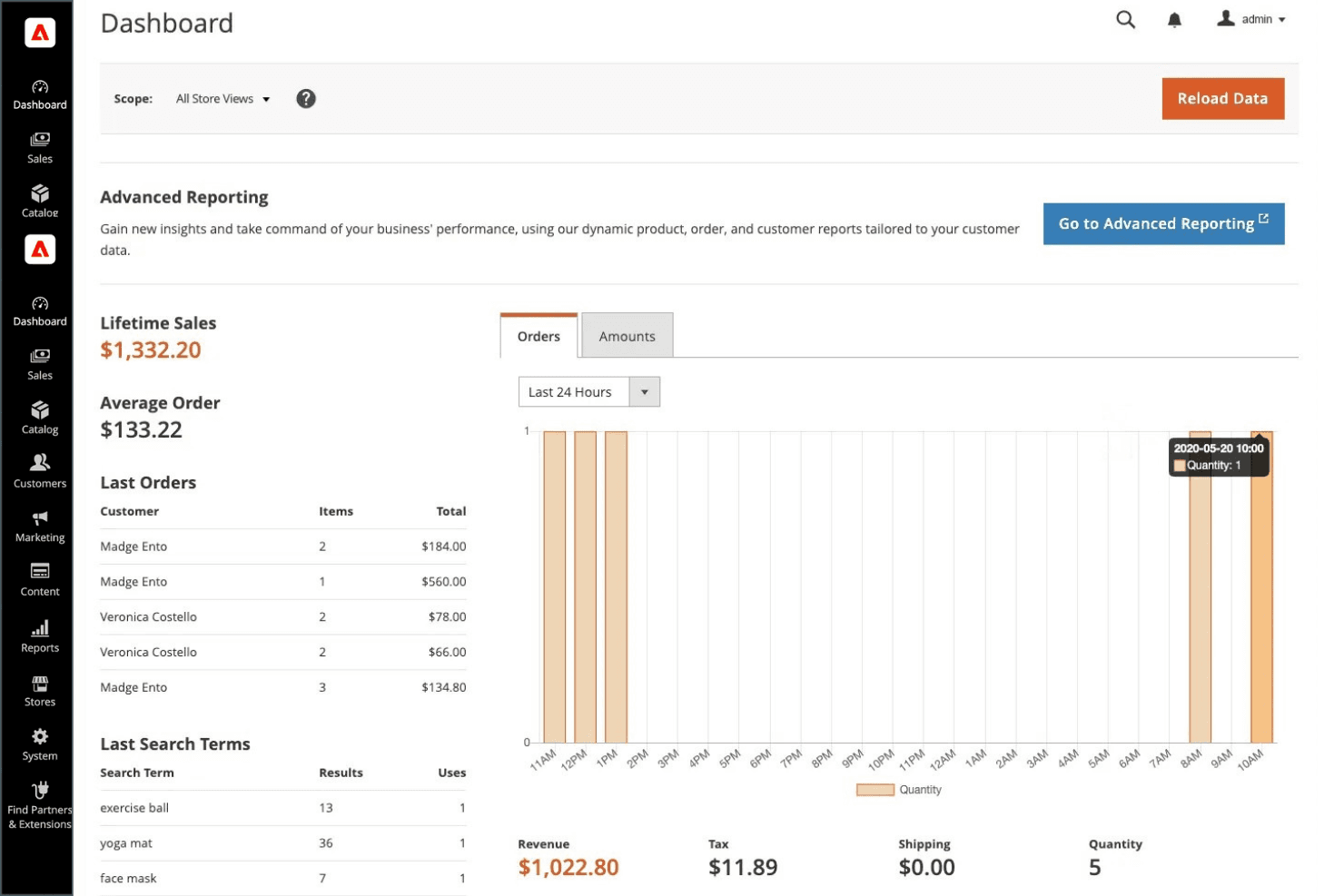
Create high-performing online stores with prebuilt templates, visual editors, and AI-powered content tools.
Personalized Commerce
Deliver AI-driven product recommendations, search, and merchandising tailored to each shopper’s behavior.
Composable Platform
Use an API-first architecture that lets you add, extend, or update features without disrupting your store.
Scalable Operations
Handle millions of SKUs, thousands of prices per SKU, and over 200,000 orders per hour with auto-scaling infrastructure.
B2B Commerce Suite
Support company accounts, custom catalogs, quoting, and self-service portals for complex B2B sales.
Multi-Site Management
Run multiple brands, storefronts, and regions from a single admin interface with built-in localization and catalog sharing.
Ease of Use
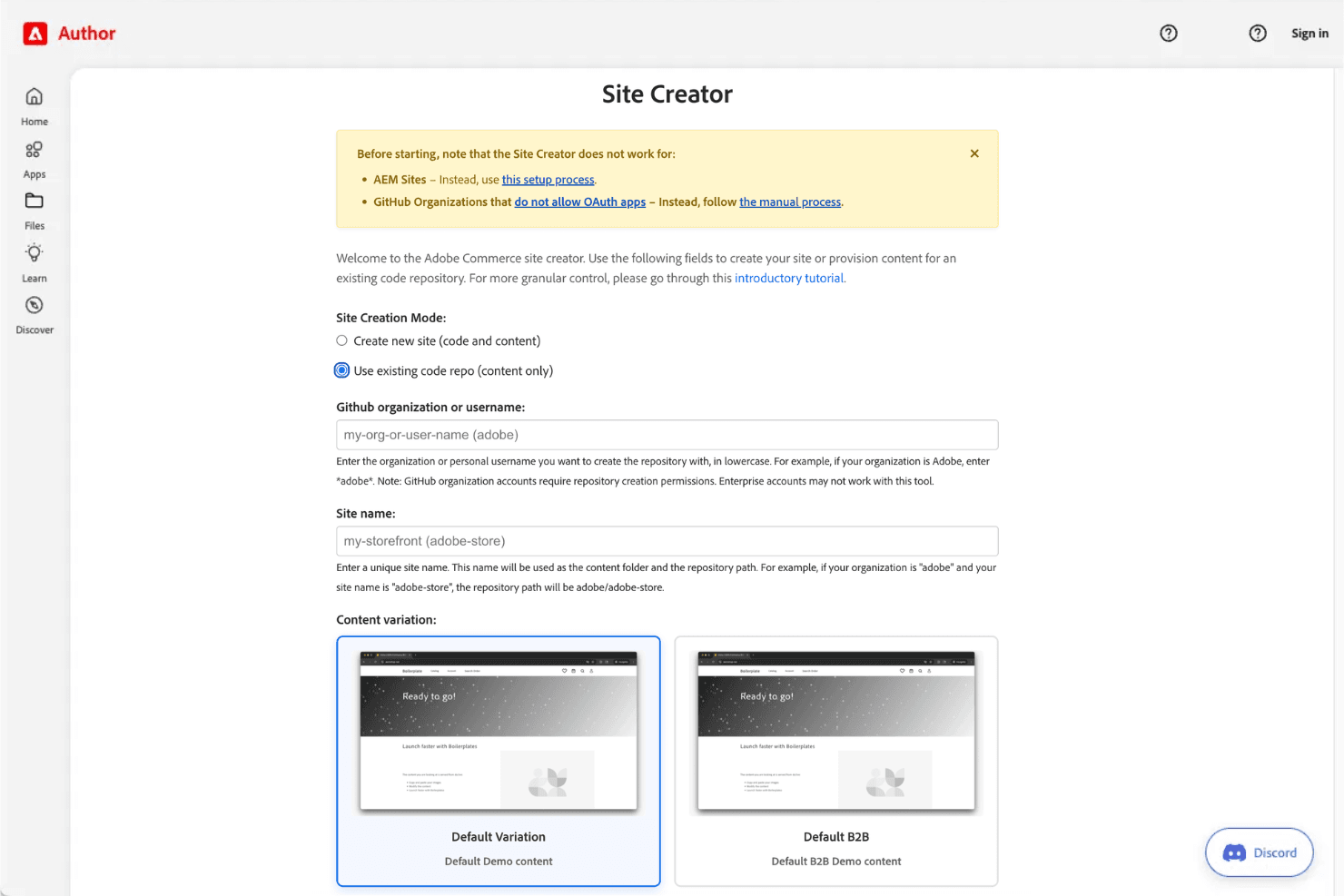
Adobe Commerce isn’t the most user-friendly ecommerce platform, especially for teams without technical expertise. The admin interface is powerful but can feel overwhelming due to the sheer number of options and settings. Many users mention that setup, customization, and ongoing management require developer support.
However, for businesses with in-house IT or agency partners, the flexibility and control offered by Adobe Commerce can outweigh the steeper learning curve.
Integrations
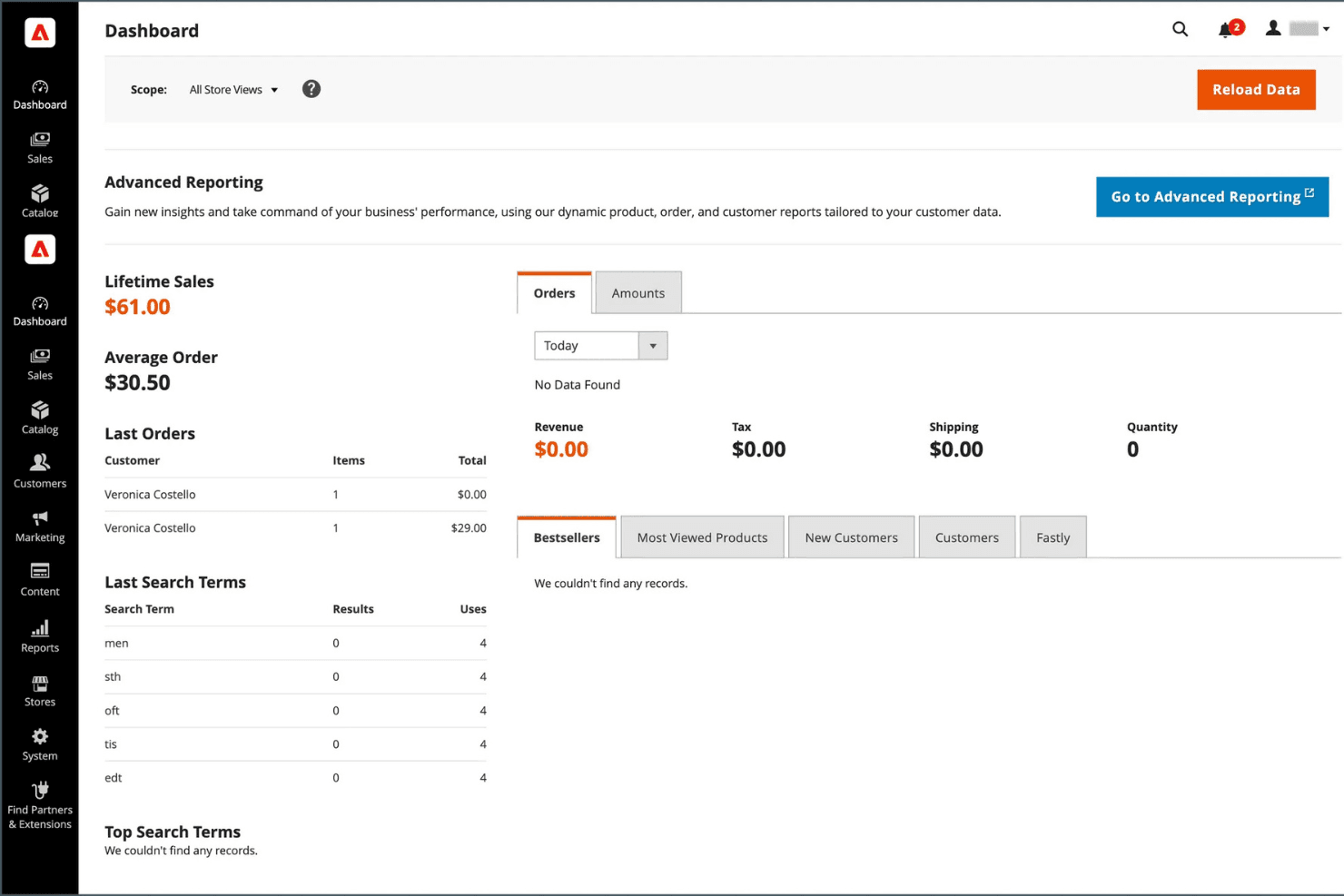
Adobe Commerce integrates with Adobe Analytics, Adobe Real-Time CDP, Adobe Journey Optimizer, Marketo Engage, Microsoft Dynamics 365 ERP, SAP S4/HANA ERP, IBM Sterling Order Management, Adobe Experience Manager, Adobe Workfront, and Adobe Creative Cloud, among others.
Adobe Commerce also offers a comprehensive API and connects with third-party integration tools for custom workflows and system connections.
Adobe Commerce Specs
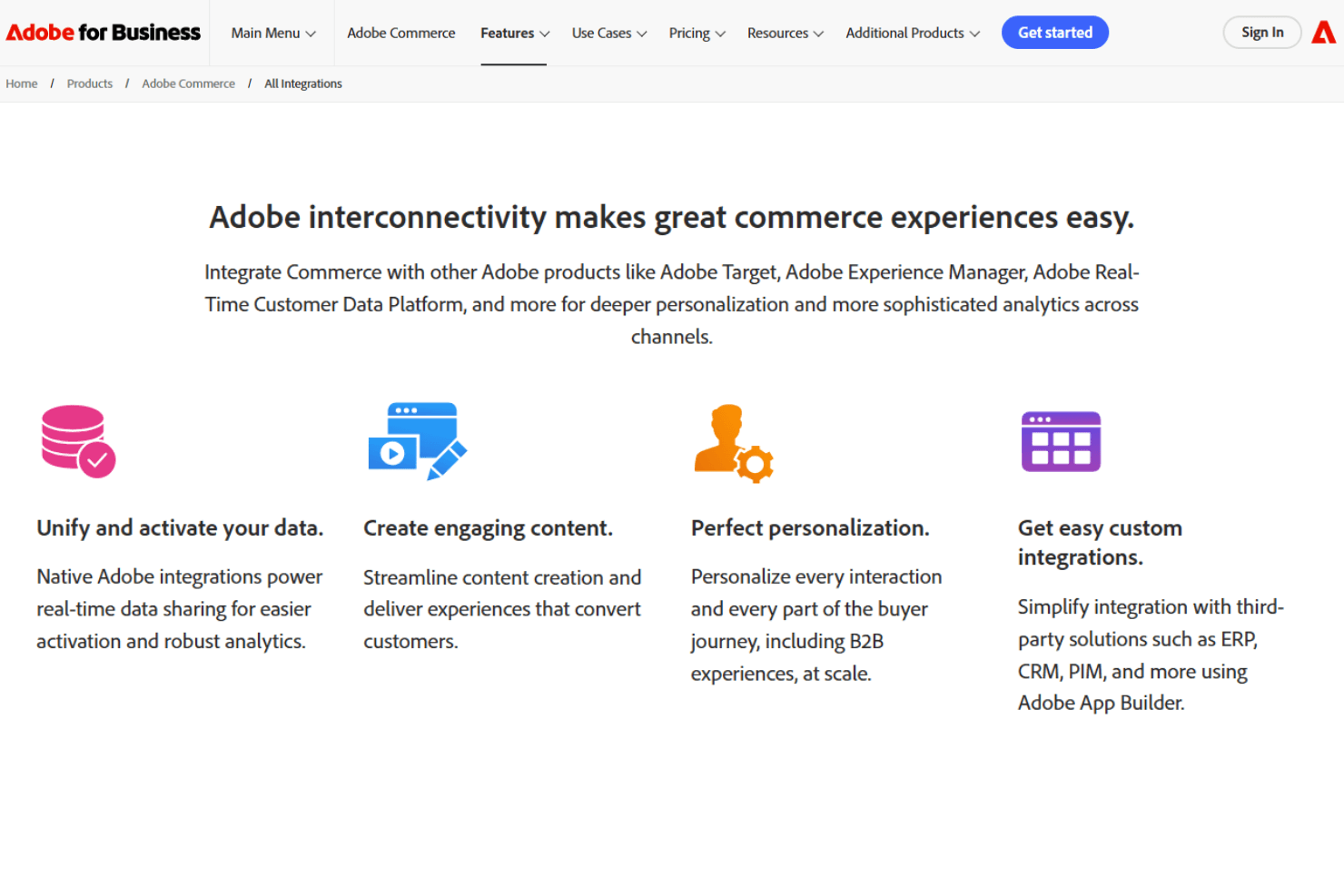
- 2-Factor Authentication: No
- A/B Testing: No
- Analytics: Yes
- API: Yes
- BitCoin: No
- Conversion Tracking: Yes
- Dashboard: Yes
- Data Export: Yes
- Data Import: Yes
- Data Visualization: No
- Design Templates: Yes
- External Integrations: Yes
- Inventory Tracking: Yes
- Keyword Tracking: Yes
- Marketing Automation: Yes
- Multi-User: No
- Notifications: Yes
- Order Management: Yes
- Payment Gateway Integration: Yes
- Payment Processor: Yes
- PayPal: Yes
- Product Catalog: Yes
- Review Monitoring: Yes
- SAP Integration: No
- Scheduling: No
- Stripe: No
- Third-Party Plugins/Add-Ons: Yes


