
21 Best Square Alternatives for Payment Processing in 2026

The Top 10 Square Alternatives You Should Consider
Here’s my curated shortlist of Square alternatives built for real retail, ecommerce, and in-person business needs.


If you’re looking for Square alternatives, you’ll find plenty of POS systems and payment processors that offer lower fees, more flexible pricing, and advanced inventory tools to fit your business needs.
I’ve managed logistics and retail operations for years, so I know what actually works for small businesses and sellers trying to manage multiple sales channels.
In this article, I’ll break down the best Square alternatives, highlighting each one’s strengths and weaknesses so you can quickly find a payment solution that actually fits your business.
Why Trust Our Software Reviews
Comparing the Best Square Alternatives, Side-by-Side
Get a clear snapshot of the top Square competitors—compare key pricing, trial offers, and best-fit use cases at a glance. Find a payment processor or POS system that fits your business and budget, without the usual guesswork.
| Tool | Best For | Trial Info | Price | ||
|---|---|---|---|---|---|
| 1 | Best for predictable processing costs | Free quote available | From $99/month | Website | |
| 2 | Best for affordable subscription pricing | 3-month free trial | From $79/month | Website | |
| 3 | Best for integrated ecommerce and payment processing | 3-day free trial available | From $19/month (billed annually) | Website | |
| 4 | Best for developer-friendly payment integration | 30-day free trial available | From 2.9% + 30¢ per transaction | Website | |
| 5 | Best for international transactions and digital wallet services | Not available | From 2.29% + $0.09 per transaction | Website | |
| 6 | Best for low-cost mobile payment solutions | Free demo available | From 3.25% plus $0.15 per transaction | Website | |
| 7 | Best for large-scale Canadian businesses | Free demo available | Pricing available upon request | Website | |
| 8 | Best for global payment processing solutions | Free demo available | Pricing available upon request | Website | |
| 9 | Best all-in-one business platform with subscription pricing | Free demo available | From $99/month (billed annually) | Website | |
| 10 | Best for scalable and flexible pricing models | Trial information not available | From $15/user/month (billed annually) | Website |
The 10 Best Square Alternatives, Reviewed
Here’s my no-nonsense breakdown of each top Square alternative. I dig into real features, pros and cons, integrations, and who each provider is actually built for—so you’re not stuck with marketing hype.


Stax Pay offers a tailored payment processing solution that caters to businesses of all sizes, making it an appealing choice for those exploring alternatives to Square. Whether you're a growing retail business or a service provider, Stax Pay's transparent pricing and dedicated support can help you address the complexities of handling payments efficiently. By focusing on reducing processing costs and enhancing cash flow, Stax Pay empowers your business to focus on growth and customer satisfaction.
Why I Picked Stax Pay
I picked Stax Pay because it breaks away from traditional percentage-based transaction fees by using a subscription-based model paired with interchange-plus pricing, which, for businesses processing moderate to high monthly volume, can lead to noticeably lower costs over time. Its invoicing, recurring billing, and custom branded invoices give you flexible payment workflows that fit businesses beyond retail — including services, subscriptions, and B2B clients. Also, you get centralized reporting and reconciliation tools, helping you track sales, deposits, and cash flow across all payment types in one place.
Stax Pay Key Features
Aside from its pricing model and billing flexibility, Stax Pay offers these useful capabilities:
- Automated Surcharge Compliance: Helps merchants offset processing costs by automating compliance with surcharging regulations.
- White-Label Technology: Offers customization options for businesses to brand their payment processing solutions.
- Mobile and online payment support: Accept card-present payments (mobile or terminal), as well as online, manually keyed, or ACH payments — useful if your business mixes in-person and remote transactions.
- Payment links, shopping cart & e-commerce tools: Pre-built shopping cart templates, payment links, and hosted payment pages let you accept online sales or services with minimal setup.
Stax Pay Integrations
Integrations include QuickBooks, Salesforce, WooCommerce, Shopify, BigCommerce, Magento, Xero, NetSuite, FreshBooks, and Zapier. An API is also available for custom integrations.
Pros and Cons
Pros:
- Ability to pass processing fees to customers where surcharge laws allow.
- Supports various payment methods, including mobile processing.
- Transparent subscription-plus-interchange pricing gives predictable costs.
Cons:
- Subscription fee may outweigh savings for low-volume merchants.
- Next-day funding isn’t guaranteed and sometimes comes with extra cost.
New Product Updates from Stax Pay
Stax Processing: New End-to-End Payments Platform
Stax Payments introduces Stax Processing, an end-to-end payments platform offering an integrated transaction lifecycle and direct card network access. For more information, visit Stax Pay's official site.
 .
.

Payment Depot is a payment processing solution designed for tiered subscription plans based on processing volume. Higher-tier plans unlock lower per-transaction fees. Ideal for businesses with lower or mid-level processing volumes that don’t mind slightly variable costs.
Why Payment Depot is a Good Square Alternative: Payment Depot is a good option for those who already have a POS system they like but who are looking for a different payment processor for better rates or are focused on simple subscription pricing on their transactions. Payment Depot provides wholesale rates on credit card transactions, giving your business transparent pricing. It uses a subscription-based pricing model with no percentage markups, which can help you save money as your transaction volume grows. It includes free equipment for some plans if you do need it and it offers 24/7 customer support to help you resolve issues quickly. This makes it a strong choice for businesses looking for affordable and predictable payment processing.
Standout Features & Integrations:
Features include next-day funding, which helps you get paid faster. It offers secure payment processing with PCI compliance included in all plans. You can also access detailed reporting to track sales and payment data easily.
Integrations include QuickBooks, Clover, Authorize.Net, Shopify, WooCommerce, Adobe Commerce, BigCommerce, Stripe, PayPal, and Square.
Pros and Cons
Pros:
- No long-term contracts are required for accounts
- Ideal for businesses with lower or mid-level processing volumes
- Volume-based transaction discounts
Cons:
- Not as many built-in tools as some all-in-one solutions
- Processing fees can be slightly variable with wholesale rates

Shopify is an ecommerce platform that helps businesses build and manage online stores. It offers a suite of tools for payment processing, order management, and marketing, all in one platform.
Why Shopify is a Good Square Alternative: Shopify allows you to handle both ecommerce and payment processing in one place. You can set up an online store quickly and start selling right away. It offers integrated payment solutions that work smoothly with your store. Plus, Shopify provides customizable features, so you can customize your store to fit your needs.
Standout Features & Integrations:
Features include a customizable online store builder that lets you create a shop to match your brand. Shopify also offers built-in tools for inventory management, so you can track stock levels across multiple sales channels. With its flexible payment options, you can accept payments in many ways, making it easy for your customers.
Integrations include QuickBooks, Mailchimp, Xero, PayPal, Amazon, Google Analytics, Facebook, Instagram, Zapier and Google Ads.
Pros and Cons
Pros:
- Customizable themes and designs
- Wide range of payment methods
- Easy setup and store creation
Cons:
- Slight learning curve for new users
- Can get expensive with add-ons


Stripe is a payment processing platform designed for online businesses, developers, and startups. It offers a quick and user-friendly online checkout and various tools to accept payments, manage subscriptions, and handle complex transactions with its API-first approach.
Why Stripe is a Good Square Alternative: Stripe has long been considered a Square competitor because it gives developers a more flexible, customizable payment solution than Square, especially for those with technical expertise. Its APIs allow for deep integration into your website or app, letting you customize the payment experience for accepting credit card payments and processing online ordering. Unlike Square, Stripe supports a wider range of advanced features like recurring billing, a customer loyalty program, and subscription management. If your business requires unique payment workflows or automation, Stripe offers more control and scalability.
Standout Features & Integrations:
Features include flexible payment gateway options, a suite of tools such as recurring billing, payment links, and invoicing, and an extensive reporting dashboard. You can easily customize your payment forms. Stripe also supports international transactions, making it a great option if you run a global business.
Integrations include PayPal, QuickBooks, Xero, Shopify, WooCommerce, BigCommerce, Adobe Commerce, Salesforce, and Zapier.
Pros and Cons
Pros:
- Comprehensive API documentation
- Easy integration with custom applications
- Supports international payments
Cons:
- Complex setup for non-developers
- Not beginner-friendly


PayPal is an online payment platform used by businesses and consumers worldwide for secure transactions. It offers digital wallet services, allowing users to send, receive, and store money in various currencies.
Why PayPal is a Good Square Alternative: PayPal is ideal for businesses that need to process international payments. It supports over 100 currencies, making it easy for you to reach customers across the globe. You can also use PayPal as a digital wallet, letting customers store funds and make purchases directly from their account. With its extensive buyer protection and secure payment systems, it’s a trusted choice for both merchants and consumers. If you run a physical store or need a POS system that integrates with your PayPal account for in-person sales then PayPal Zettle (previously known as iZettle) may also be a good solution for you.
Standout features & integrations:
Features include support for international transactions, allowing you to accept payments in over 100 currencies. PayPal also offers recurring billing, which helps your team manage subscription-based services easily. You can link your bank accounts and cards for quick transfers for easy fund management directly from your PayPal account.
Integrations include Shopify, WooCommerce, BigCommerce, Wix, Square, and Adobe Commerce.
Pros and Cons
Pros:
- Offers buyer and seller protection
- Easily integrates with ecommerce platforms
- Supports over 100 currencies
Cons:
- Limited customer service support
- Transaction fees can add up


SumUp is a mobile payment solution designed for small businesses and entrepreneurs who need an affordable way to accept payments on the go. It helps you process credit card transactions with a simple, low-cost setup.
Why SumUp is a Good Square Alternative: SumUp offers a straightforward pricing model with no monthly fees or admin fees, making it an ideal option for businesses looking to minimize their payment processing costs. You can accept payments with a mobile card reader that connects to your smartphone. The device is compact and easy to use, so you don’t need any special equipment. SumUp also provides a user-friendly app that lets you track sales and manage payments on the go.
Standout Features & Integrations:
Features include a simple, transparent pricing model with no monthly fees, allowing you to only pay for what you use. They also offer subscription plans with volume-based discounts for businesses processing over $3400 a month. The card reader works with both chip and contactless payments, offering flexibility for different customer preferences. SumUp also supports quick access to transaction history and payment tracking through its easy-to-use mobile app.
Integrations include QuickBooks, Xero, Shopify, WooCommerce, and Square.
Pros and Cons
Pros:
- Works with any smartphone
- No monthly subscription or long-term contracts
- Low transaction fees
Cons:
- Doesn’t integrate with all POS systems
- Doesn’t support recurring billing


Moneris is a payment processing solution designed for businesses in Canada, offering services that handle online, in-person, and mobile payments. It serves a wide range of industries, with a focus on providing enterprise-level solutions.
Why Moneris is a Good Square Alternative: Heartland operates as a traditional payment processor with a strong focus on personalized customer service and advanced security. It’s tailored for small to medium-sized businesses in the U.S., offering competitive pricing, robust fraud protection, and support for various industries. Heartland stands out with its fluid integrations, payroll services, and focus on PCI compliance, making it an excellent choice for growing businesses that need more than just basic payment solutions.
Standout Features & Integrations:
Features include flexible payment processing for in-person, online, and mobile transactions. Heartland offers advanced fraud protection, real-time sales reporting, and tools for managing payroll and employee benefits.
Integrations include QuickBooks, Clover, Lightspeed, WooCommerce, and more.
Pros and Cons
Pros:
- Integration with payroll and benefits tools
- Advanced fraud protection and PCI compliance
- Tailored solutions for SMBs
Cons:
- May have additional fees for some features
- Not as cost-effective for very small businesses

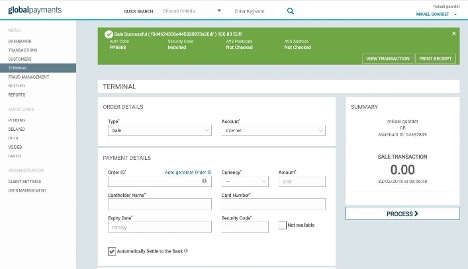
Global Payments is a payment processing platform designed for businesses of all sizes. It enables merchants to accept payments through multiple channels, including online, in-store, and mobile.
Why Global Payments is a Good Square Alternative: Global Payments offers a diverse range of international payment solutions, making it ideal for businesses operating across borders. You can easily process payments in multiple currencies. The platform also supports various payment methods, including credit cards, ACH, and digital wallets. This flexibility ensures that you can meet the needs of customers worldwide and save on transaction fees through inexpensive payment methods such as ACH.
Standout Features & Integrations:
Features include easy international payment processing, multiple currency support, and mobile payment options. With Global Payments, you can accept payments from around the world, which is perfect for businesses expanding globally. You’ll also get access to fraud protection tools and customizable payment solutions, making it easier to meet your unique needs.
Integrations include QuickBooks, Xero, Shopify, Adobe Commerce, WooCommerce, BigCommerce, Square, Stripe, and PayPal.
Pros and Cons
Pros:
- Fraud protection tools
- Multiple currency options
- Global payment support
Cons:
- Not ideal for very small businesses
- Higher fees for certain transactions
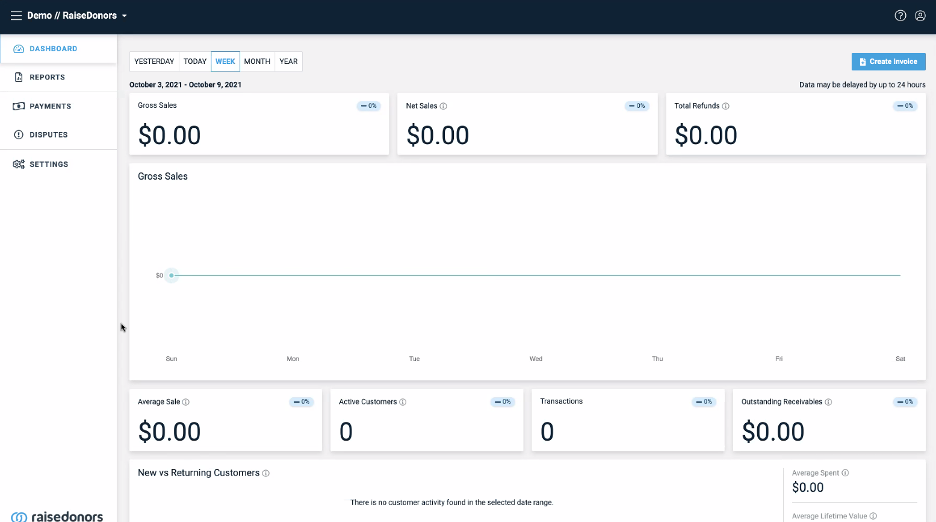
Stax Payments is a payment processing platform designed for businesses of all sizes, especially those focused on subscription-based models. It offers transparent pricing and simplifies payment acceptance for both online and in-person transactions.
Why Stax Payments is a Good Square Alternative: With Stax Payments, you get clear, subscription-based pricing with no hidden fees, making it easy to manage your costs. Flat-rate, scalable, and tool-rich, it is great for businesses that prioritize predictable costs and comprehensive features. It includes features like customizable invoicing and recurring billing. You’ll also find advanced reporting tools that help you track payments and optimize revenue. This focus on subscription pricing sets Stax Payments apart from Square by offering more all-in-one tools and consistent savings as you scale.
Standout Features & Integrations:
Features include subscription-based pricing with no hidden fees, customizable invoicing options, and flexible recurring billing management. You can easily set up automatic payments for your customers, saving you time and effort. The platform also offers detailed reporting to track transactions and analyze payment patterns.
Integrations include QuickBooks, Xero, Zapier, Stripe, and PayPal.
Pros and Cons
Pros:
- Customizable invoicing options
- Flexible recurring billing management
- Subscription-based pricing with no hidden fees
Cons:
- Less suited to businesses processing under $100k/year
- Pricing may be high for small businesses


Clearly Payments is a payment processing solution focused on providing transparent, straightforward pricing for businesses. It primarily serves small and medium-sized businesses looking for clear, no-surprise processing fees.
Why Clearly Payments is a Good Square Alternative: Clearly Payments offers a fully transparent pricing model, so you know exactly what you're paying with no hidden fees. Clearly Payments differentiates itself through its pricing model by not just offering both subscription and interchange pricing models but tailoring them specifically to a business's needs. While many providers may support either cost-plus or subscription pricing, they often lack the flexibility to offer both seamlessly or optimize the choice based on business size, volume, or operational goals.
Standout Features & Integrations:
Features include flexible pricing models, various payment methods and tools for both online and in-person payments, a local Canadian focus, and support for high-risk industries such as cannabis. With quick fund deposits into your merchant account and freedom from long-term contracts, this payment processor stands out from many other payment processors. They also provide detailed transaction reports and access to 24/7 customer support, ensuring transparency and help when you need it.
Integrations include QuickBooks, Xero, Shopify, WooCommerce, Stripe, PayPal, and BigCommerce.
Pros and Cons
Pros:
- Supports multiple payment methods
- Easy-to-understand transaction reports
- Transparent pricing with no hidden fees
Cons:
- Lacks some niche integrations
- Limited advanced features for large businesses
Other Square Alternatives
Here are some additional Square alternatives that didn’t make it onto my shortlist, but are still worth checking out:
- Rotessa
For recurring billing management
- Clover
For customizable point-of-sale systems
- Helcim
For volume-based discounts on interchange plus pricing
- Elavon
For reliable payment processing with a strong global presence
- Adyen
For advanced fraud protection tools
- Paystand
For blockchain payments
- Finix
For payment infrastructure
- QuickBooks Payments
For QuickBooks users
- Fiserve Merchant Services
For scalable enterprise solutions
- Chase Payments
For large enterprises
- Costco
For exclusive pricing for Costco members


Related POS Software Roundups
POS systems aren’t all the same, so you might want to consider the various types of platforms and software out there. Luckily, we’ve thought about that.
- Mobile POS Systems
- Retail POS Systems
- Small Business POS Software
- Integrated POS Systems
- Hardware Store POS Systems
- Shopify POS Alternatives
Our Selection Criteria For Square Alternatives
If you’ve been burned by fine print, sky-high transaction fees, or clunky POS hardware, you’ll appreciate how ruthless we are about what makes the cut.
We didn’t just skim marketing pages—we dug into each provider’s pricing, real-world features, and how well they actually solve day-to-day business pains for retail, ecommerce, and in-person sales.
Core functionality (25% of total score)
If a payment solution can’t handle the basics, I don’t care what the marketing says. Here’s what every contender had to do to make the cut:
- Process payments across in-person and online channels. Accept all major payment types, from credit cards to digital wallets—no exceptions.
- Track sales and inventory with real-time data. Your POS system should give you instant visibility, not a headache.
- Generate actionable sales and performance reports. If you can’t measure it, you can’t fix it.
- Support a range of payment methods and hardware. Need both a card reader and a QR code option? That’s table stakes.
Additional standout features (25% of total score)
The real value shows up in what a POS or payment processor does beyond the basics. Here’s what stood out:
- Advanced analytics and insights. Look for platforms that surface the trends and metrics that actually help you run your business, not just raw data dumps.
- Customizable interface and user roles. You should be able to tweak the workflow and control who can do what, especially for growing teams.
- Loyalty programs and CRM tools. Retaining customers beats chasing new ones—bonus points if it’s built in.
- Offline and multi-location capabilities. If your system crashes during a Wi-Fi hiccup or can’t handle more than one store, it’s out.
Usability (10% of total score)
If your team can’t figure it out in under an hour, it’s not making this list. Here’s what mattered:
- Intuitive design and simple setup. The platform should make sense out of the box—no endless onboarding calls.
- Responsive layout across devices. POS software should look and work just as well on your phone as on the counter.
- Clear instructions and helpful support content. You shouldn’t need a consultant just to run a refund.
Onboarding (10% of total score)
Getting started shouldn’t mean pulling teeth. Here’s what I look for:
- Access to real onboarding tools. Good onboarding is more than an FAQ—give me templates, videos, and live help.
- Guided product tours or chatbots. Show, don’t just tell, how to use the system.
- Reasonable learning curve. I want platforms my team can actually adopt in a week, not a semester.
Customer support (10% of total score)
Support matters most when things hit the fan. Here’s what separated the decent from the duds:
- 24/7 live support and multiple contact options. If I have a problem on Saturday night, I need help—period.
- Fast, knowledgeable responses. Don’t bounce me between teams or bots forever.
- Rich knowledge base and real troubleshooting guides. Don’t just point me to a blog post.
Value for money (10% of total score)
Flashy features don’t mean much if you’re bled dry by fees. I focused on:
- Transparent pricing and clear fee structure. No hidden charges, no surprise monthly fees—ever.
- Strong base plan features. You shouldn’t need to buy every add-on to get the basics.
- Discounts or savings for scale. The bigger your business, the more you should keep.
Customer reviews (10% of total score)
Other business owners’ pain is your gain. I combed through real-world reviews to get the honest story:
- Consistent satisfaction ratings. I pay attention to more than just the five stars.
- Common complaints and deal-breakers. Frequent gripes about reliability or support are red flags.
- Feedback on ease of use and actual business impact. Does the tool make life easier, or just look good in a demo?
What is Square?
Square is a payment processor and point-of-sale (POS) platform built for small businesses, retail shops, and ecommerce sellers who need a simple way to accept in-person and online payments.
It bundles credit card processing, inventory management, and a mobile app into one system with transparent, flat-rate pricing—no long-term contracts or complex merchant accounts.
Square makes it easy to get started with contactless payments and card readers, which is why it’s popular with new business owners.
But while it’s accessible and cost-effective for many, Square isn’t always flexible enough for growing operations or teams with advanced needs. Some users run into limits with inventory, integrations, or transaction fees as they scale.
Why Look for a Square Alternative?
Even the most popular tools have their breaking points, and Square is no exception.
Here’s why business owners and operators like you end up searching for better POS systems and payment processors:
- You need advanced inventory management. Square’s basic tools won’t cut it if you’re managing multiple channels or locations.
- Your team requires real, round-the-clock customer support. Support can be spotty when you need help most.
- You’re in a high-risk industry or have complex payment needs. Square doesn’t play well with every business type, especially if you process unusual transaction volumes or need custom integrations.
- You want lower payment processing fees or more pricing flexibility. Flat-rate fees can sting as you scale or diversify your payment methods.
- You need better software integrations. If you run QuickBooks, Lightspeed, or other specific platforms, Square might not connect cleanly.
- You need more control over refunds, chargebacks, or customer loyalty programs. Square can feel limited compared to specialist providers.
If you see yourself on that list, the rest of this guide is built for you.
If you’re looking for Stripe alternatives as well, check out our comprehensive guide to the best Stripe alternatives for retailers, so you can cross-check all options between these two lists.
Features to Look for in a Square Alternative
Don’t settle for a generic POS just because it’s easy to set up. The right Square competitor should actually solve your pain points and fit your payment, ecommerce, and operational needs—whether you’re running a retail floor, selling online, or handling complex invoicing.
- Versatile payment processing for in-person and online sales. Make sure your system can handle every payment type, from credit cards to contactless and QR code transactions.
- Reliable credit card reader hardware. Look for solutions with top-rated credit card readers for Android and iOS—don’t trust your checkout to a bargain bin dongle.
- Competitive credit card processing rates. Transparent, cost-effective fees matter more than slick marketing—read the fine print before signing up.
- Seamless ecommerce integration. Choose a platform that syncs with your storefront and leading credit card processors for ecommerce so you never have to juggle inventory across platforms.
- Advanced inventory management. Real-time stock tracking, automated low-stock alerts, and multi-location support save you hours and avoid stockouts.
- Integrated recurring billing and invoicing. If you run subscriptions, make sure your solution supports automated payments and branded invoices—consider options from our best recurring payment systems guide.
- Robust customer loyalty and gift card tools. Built-in programs make it easy to keep shoppers coming back—skip platforms that treat loyalty as an afterthought.
- Comprehensive CRM and sales reporting. You want actionable insights, not just data dumps—look for dashboards you’ll actually use.
- Employee management tools. Permissions, time tracking, and role-based access are essential if you’ve got a team.
- Offline payment capabilities. Make sure sales don’t freeze when the Wi-Fi goes out—offline transactions should sync automatically when you’re back online.
- Streamlined payment reconciliation. Save your sanity at month’s end by choosing a solution that integrates with leading ecommerce payment reconciliation software.
- Fast, reliable customer support. Don’t gamble with your business—choose providers with 24/7 help and a solid support track record.
Get these features right, and you’ll save time, cut costs, and actually enjoy running your POS—no regrets.
Square Alternatives FAQs
Nobody has time to call support just to get basic answers about switching from Square. Here are the most common questions business owners ask me when weighing Square competitors.
How hard is it to switch from Square to a new POS system?
Switching from Square to a new POS system isn’t difficult, but it does require planning. Most Square alternatives let you import your products and customer data. Clean up your inventory and sales records before moving.
Run both systems side by side for a week to avoid checkout issues—preparation helps your staff and customers adjust smoothly.
Do I need new hardware, or will my existing card readers work?
No, most card readers built for Square won’t work with other POS systems. Some alternatives, like Clover or Shopify POS, require their specific hardware. Check compatibility with your provider before buying, or ask for a compatibility list in writing to avoid roll-out disruptions.
Can Square alternatives handle multiple locations or franchises?
Yes, many Square competitors support multi-location and franchise operations. Look for cloud-based POS providers with inventory sync and centralized reporting. Make sure the platform scales with your growth, so you don’t end up creating manual workarounds later.
Are Square competitors more secure for payment processing and PCI compliance?
Most reputable alternatives are PCI-DSS certified and use up-to-date encryption and security practices. Be sure to choose a provider that takes payment compliance seriously, as this protects your business and customers.
Will switching impact my existing ecommerce integrations?
Top POS systems are built to work with major ecommerce platforms. However, always double-check that your new provider natively supports your specific integrations before switching.
Can I transfer my customer and sales data from Square to a new system?
Most leading alternatives offer tools and guides for importing customers, products, and sales records. Ask your new provider for migration support to keep your data accurate and minimize disruption.
Are there Square alternatives better suited for high-risk industries?
Yes, some providers specifically support high-risk industries with tailored payment processing and compliance services. If your business falls into a high-risk category, confirm eligibility and industry-fit before switching.
Will switching from Square affect my payment processing speed or settlement times?
Processing and settlement speeds can vary between providers. Ask each alternative about their average payment processing times, next-day deposit options, and any potential holds to ensure fast access to your funds.
Time to Square Up Your Options
There’s no prize for sticking with a POS that doesn’t fit your business.
Whether you need better pricing, real inventory tools, or just a smoother checkout, these Square alternatives are built to keep your operations—and your sanity—intact.
Retail never stands still—and neither should you. Subscribe to our newsletter for the latest insights, strategies, and career resources from top retail leaders shaping the industry.