

The 10 Best Retail POS Systems, Ranked & Reviewed for 2026

The Top Retail POS Systems to Consider


Retail POS systems should make your life easier, not add to your list of headaches. If you’re tired of inventory numbers that never match, loyalty points that vanish, or checkout lines that move at a glacial pace, you’re in the right place.
After more than a decade in retail and ecommerce, I’ve learned what separates a system that runs your business from one that runs you ragged.
In this guide, I’ve cut through the noise to review the best retail POS systems on the market. You’ll see how each stacks up on real-time sales tracking, inventory management, loyalty tools, and hardware compatibility—barcode scanners, cash drawers, iPads, the works.
We’ll break down the standout features, pricing models, and integrations you actually need—think accounting, ecommerce, gift cards, and more.
And because every store is different, I’ll lay out the criteria that matter, so you can match the right system to your setup, whether you’re running a weekend pop-up or managing a multi-location operation.
Let’s get your retail operations running smarter, faster, and with fewer surprises.
Why Trust Our Software Recommendations
Our team has been testing and reviewing software since 2012. As retail leaders ourselves, we know how difficult—and important—it is to choose the right software.
For this guide, we evaluated tools using hands-on testing and independent research, scoring tools using our selection criteria.
Our reviews reflect our independent judgment—not a sales pitch.
Retail POS Systems Comparison Table
This comparison table highlights monthly pricing, free-trial or demo options, and the key strengths of each retail POS system to help you compare choices quickly.
| Tool | Best For | Trial Info | Price | ||
|---|---|---|---|---|---|
| 1 | Best omnichannel POS | Free quote available | Pricing upon request | Website | |
| 2 | Best for real-time inventory tracking | Free trial + free demo available | From $59/month | Website | |
| 3 | Best for high-volume ecommerce, mobile, and physical transactions | 3-month free trial | From $79/month | Website | |
| 4 | Best for omnichannel sales | 3-day free trial | From $89/month | Website | |
| 5 | Best for scalability | Not available | Pricing upon request | Website | |
| 6 | Best for small business savings | Free demo available | From Interchange + 0.40% + 8¢ (varies by volume) | Website | |
| 7 | Best for a variety of hardware options | 90-day free trial | From $16/month | Website | |
| 8 | Best for retail swipe transactions | Free quote available | Pricing upon request | Website | |
| 9 | Best retail POS system with no commitment | Free plan available | From $29 | Website | |
| 10 | Best for cash discounting and credit card surcharging | Free plan + free demo available | From $10/month (billed annually) | Website |

The Best Retail POS Systems, Reviewed
Below, you’ll find in-depth analyses of each platform. We break down real-time functionality—inventory tracking, checkout flows, and customer loyalty features—then pair that with hardware compatibility, key integrations, and the pros and cons that matter when you’re running a shop, not just clicking through a whitepaper.

Stax
Best omnichannel POS

For retailers doing serious volume across in-store, mobile, and online channels, Stax Pay gives you subscription-style pricing and card-present hardware without forcing you into a full POS walled garden.
It’s best for growing US merchants that want transparent processing costs, smart terminals, and strong omnichannel payment tools while keeping their existing retail or ecommerce stack.
Why I Picked Stax Pay
I picked Stax Pay for high-volume retailers because the subscription-style, transparent pricing can lower your effective processing costs by swapping percentage markups for a predictable monthly fee.
You also get true omnichannel coverage—your team can take cards on smart terminals, via mobile readers, and through online checkout links—so you can run payments in-store, at events, or through your ecommerce site without juggling separate providers.
I like that your finance team gets real value from the platform’s built-in reporting, since you can track deposits, card and ACH activity, and sales trends in one dashboard instead of stitching together spreadsheets.
For recurring and invoice-heavy workflows, your staff can send branded invoices by email or text and schedule recurring billing inside Stax, which helps you pull more retail-adjacent revenue (like services, memberships, or B2B orders) into the same payment environment.
Stax Pay Key Features
Beyond pricing and omnichannel coverage, Stax Pay includes a few tools that matter in day-to-day retail operations.
- Smart Terminals And Readers: Use EMV-ready terminals and mobile readers to accept swipe, dip, tap, Apple Pay, and Google Pay at the counter or on the floor.
- Hosted Payment Pages And Links: Spin up no-code hosted checkout pages, payment buttons, and QR codes so you can collect deposits, special orders, or invoices without custom development.
- Data And Analytics Dashboard: Monitor sales trends, deposits, refunds, and customer payment history from a single view to support staffing, promotions, and merchandising decisions.
- Recurring Billing And Invoicing: Build customer profiles, schedule recurring charges, and automate invoice reminders for memberships, subscriptions, or wholesale accounts.
Stax Pay Integrations
Integrations include Shopify, Salesforce, Mailchimp, WordPress, QuickBooks Online, Lightspeed Retail, Authorize.Net, and Oracle MICROS POS.
Pros and Cons
Pros:
- Built-in surcharging tools can offset credit card fees where allowed.
- Omnichannel support covers in-store, mobile, and online payment scenarios.
- Transparent subscription pricing favors higher-volume retailers with steady card sales.
Cons:
- Requires a separate retail POS or inventory system for stock control.
- Primarily suited to US-based merchants; international coverage is more limited.

Best for real-time inventory tracking

Inventory-heavy retailers who are sick of guessing what’s on the shelf use KORONA POS to keep stock accurate in real time across registers and locations.
It’s a better fit for liquor, convenience, and specialty retailers that care more about precise inventory and compliance than flashy front-end design.
Why I Picked KORONA POS
I picked KORONA POS because its real-time inventory engine lets you track stock at the SKU level and set automated reorder points, so your team gets alerts before shelves go empty.
For multi-location retailers, you can manage stock across stores from one back office, including transfers and location-specific pricing, which makes chain-level inventory decisions much less painful.
I also like that you get detailed sales and inventory reports with configurable KPIs, helping you tie replenishment to actual demand instead of gut feel. Age-restricted controls and audit trails are built in, which is especially useful if you’re running liquor, vape, or other regulated categories.
KORONA POS Key Features
Beyond the inventory tools, KORONA POS includes operations features that help retailers tighten controls and run cleaner stores day to day.
- Loss Prevention Tools: Monitor voids, refunds, and cash movements to flag suspicious activity and reduce shrink.
- Employee Permissions And Roles: Assign granular access rights so only the right staff can discount, void, or access sensitive reports.
- Ticketing And Event Support: Sell timed tickets, memberships, and passes alongside retail items on the same system.
- CRM And Loyalty: Capture customer profiles at checkout and run simple loyalty programs directly from the POS.
KORONA POS Integrations
Integrations include QuickBooks, WooCommerce, Shopify, Magento, BigCommerce, Mailchimp, PayPal, Stripe, Worldpay, and Authorize.Net.
Pros and Cons
Pros:
- Age-restricted controls and reporting help liquor and tobacco retailers comply.
- Multi-location inventory tools support transfers, franchise rollups, and shared catalogs.
- Real-time inventory with automated reorder points reduces stockouts and overstock.
Cons:
- No full-featured mobile management app for remote back-office work.
- Requires third-party payment processors; no native in-house processing option.
New Product Updates from KORONA POS

KORONA POS Inventory Updates: CSV Import, Multi-OU, Filters & API
KORONA POS adds Stock Receipt imports, multi-location stock order sourcing, warehouse stock verification for inventory transfers, and External Reference fields for stock orders to improve inventory operations and tracking. For more information, visit KORONA POS's official site.

Best for high-volume ecommerce, mobile, and physical transactions

For midsize and larger retailers processing serious volume, Payment Depot’s membership pricing can help you escape bloated markups and unpredictable bills.
It’s best for US-based merchants with an existing POS or ecommerce stack who care more about lowering processing costs than getting yet another all-in-one system.
Why I Picked Payment Depot
I picked Payment Depot because the membership-based interchange-plus model lets you trade junk fees for a flat monthly subscription and low per-transaction costs, which matters when you’re running high ticket averages or steady daily volume.
You can pair that pricing with retail-ready POS options like Clover or Vital Select, so your stores get modern hardware and features without locking into a proprietary processor.
If you already have terminals in place, Payment Depot can often reprogram existing devices, which helps you switch processors without a big hardware refresh.
You also get online and mobile coverage—using tools like SwipeSimple plus a gateway such as Authorize.Net—so you can support in-store, curbside, and ecommerce payments from the same processor.
Payment Depot Key Features
Here are a few useful capabilities on top of its pricing model.
- Rate Protection And Monitoring: Helps shield you from surprise markup increases by keeping your pricing tied to interchange instead of opaque tiered plans.
- Next-Day Funding Options: Moves card deposits into your bank quickly so you’re not waiting days for weekend or holiday sales to clear.
- Free Equipment Reprogramming: Lets you reuse many compatible terminals, limiting the cost and disruption of switching processors.
- Included Gateway And Virtual Terminal: Provides online checkout and keyed-entry tools without tacking on a separate gateway subscription.
Payment Depot Integrations
Integrations include Clover, Vital Select, SwipeSimple, Dejavoo terminals, Ingenico terminals, WooCommerce, BigCommerce, OpenCart, and Authorize.Net.
Pros and Cons
Pros:
- Can reprogram many existing terminals, reducing upfront hardware replacement costs.
- Works with Clover and Vital Select POS for in-store retail.
- Membership pricing can lower effective rates for high-volume retail transactions.
Cons:
- Available only to US-based, low-risk businesses at this time.
- Monthly membership fees rarely pay off for low-volume merchants.

Best for omnichannel sales

Shopify POS helps retailers connect their online and in-store operations so inventory, pricing, and customer profiles stay in sync across every location.
It’s best for omnichannel brands already on Shopify that want tighter control over stock, staff, and in-person checkout without bolting on a separate POS platform.
Why I Picked Shopify POS
I picked Shopify POS for omnichannel retailers who want one system to manage products, inventory, and customers across both ecommerce and physical stores, instead of juggling separate tools.
You get that benefit through a shared database with your Shopify store, so every sale—online or in-person—updates stock levels, customer profiles, and order history in real time.
I also like that you can layer on POS Pro when you’re ready for more advanced retail operations, adding features like multi-location inventory tools, staff roles, and more detailed reporting, rather than paying for everything from day one.
For growing retailers, the combination of Shopify hardware, Shopify Payments, and a flexible pricing setup means you can start small at events or pop-ups, then scale into full brick-and-mortar locations without switching systems.
Shopify POS Key Features
Beyond the unified online–offline setup, Shopify POS offers a set of retail-focused tools that matter once you’re managing real volume across locations.
- Unified Product Catalog: Manage products, variants, and pricing from a single backend so online and in-store assortments stay aligned.
- Customer Profiles: Build centralized profiles that capture purchase history, preferences, and contact details from both ecommerce and POS transactions.
- Retail Analytics And Reports: Track sales by channel, staff, and location, and review inventory and finance reports to catch stock or margin issues early.
- Mobile POS App: Use iOS or Android devices on the shop floor for assisted selling, line-busting, and pop-up events without separate systems.
Shopify POS Integrations
Integrations include QuickBooks Online, Xero, Mailchimp, Klaviyo, ShipStation, Easyship, Google Analytics, and Zendesk.
Pros and Cons
Pros:
- Centralized customer profiles support better marketing, loyalty, and service decisions.
- POS Lite included on all plans, with POS Pro for advanced retail.
- Unified online and in-store inventory reduces stockouts and overselling across channels.
Cons:
- Card payments and real-time syncing are limited when operating in offline mode.
- Advanced inventory, staff controls, and reporting require a paid POS Pro add-on.
New Product Updates from Shopify POS
Shopify POS Adds Local Delivery at Checkout
Shopify POS now lets staff create local delivery orders during checkout using existing delivery zones and rates, adding delivery details to carts and receipts. For more information, visit Shopify POS's official site.
 .
.
ePOS
Best for scalability

For fast-growing retailers, Epos Now helps you keep stores, stock, and sales synced across locations—without feeling like you’re duct-taping systems together.
It’s built for brick-and-mortar brands that sell in-store and online, and need real-time visibility into inventory, performance, and staff activity as they scale.
Why I Picked Epos Now
I picked Epos Now because it gives multi-location retailers clear control over stock and sales through real-time inventory tracking and detailed reporting, so you can see exactly what’s selling where before you reorder.
You also get retail-focused workflows—like barcode-based item setup, size/color matrices, and promotions—that make it easier for your team to manage complex assortments on busy shop floors.
I like that you can connect it directly to ecommerce platforms like Shopify and WooCommerce, so your in-store and online orders share the same product and inventory data instead of living in separate systems.
As you add stores, the Multi-Site Manager tools let you centralize pricing, product ranges, and location-level rules, which keeps expansion from turning into a spreadsheet circus.
Epos Now Key Features
Here are a few Epos Now features that matter most for retail operators managing multiple channels and locations.
- Customer Loyalty Tools: Run points-based programs and promotions from the POS to encourage repeat visits and higher basket sizes.
- Multi-Site Manager: Group locations, set location-specific pricing and product ranges, and report by region or store cluster from one back office.
- Advanced Reporting: Monitor bestsellers, non-movers, peak trading times, and staff performance so you can adjust buying, staffing, and promos with data rather than gut feel.
- Delivery and Order Aggregation: Pull orders from third-party delivery platforms into the POS to keep stock and reporting aligned across channels.
Epos Now Integrations
Integrations include Shopify, WooCommerce, BigCommerce, Magento, QuickBooks, Xero, Mailchimp, Deputy, Worldpay, and Zapier.
Pros and Cons
Pros:
- Strong native integrations with ecommerce, accounting, marketing, and workforce tools.
- Multi-Site Manager supports scalable pricing, product, and promo control.
- Centralized reporting and inventory visibility across in-store and online channels.
Cons:
- Occasional performance slowdown reported on older hardware during peak periods.
- Some advanced apps and multi-location features require paid add-ons.

Helcim
Best for small business savings

Helcim is built for small and midsize retailers that care about card fees as much as they care about line length at the register.
You get interchange-plus pricing with no monthly fee and tools that tie in-person, online, and invoice payments into one POS and payments hub.
Why I Picked Helcim
I picked Helcim because its interchange-plus pricing with no monthly fee helps cost-conscious retailers keep processing margins under control as volume grows.
You can push those savings further with Helcim Fee Saver, which lets you pass credit card fees to customers while giving them lower-cost options like ACH or debit when they’d rather avoid the surcharge.
For day-to-day operations, your team works from a single system that connects in-store, online, and invoice payments to shared inventory and customer profiles, so counts and purchase history stay aligned across channels.
I also like that the same payments backbone can support a simple single-location shop today and more complex workflows later, so you’re not ripping out your processor the moment you add channels or SKUs.
Helcim Key Features
In addition to the pricing perks, Helcim includes a few practical tools retailers can actually put to work.
- Invoicing And Payment Links: Create invoices, payment pages, and one-off payment requests from the same platform you use in-store, so you can bill for special orders, wholesale accounts, or services without adding another tool.
- Recurring And Card-On-File Billing: Store customer cards securely and set up recurring charges for memberships, service plans, or subscription products tied to your retail business.
- Reporting And Analytics: Track sales, processing fees, deposits, and tax in one dashboard to understand performance by location, staff member, or sales channel.
- Built-In Fraud And Security Tools: Rely on PCI Level 1 infrastructure, tokenization, and Helcim Fraud Defender to flag risky transactions and cut down on chargebacks.
Helcim Integrations
Integrations include QuickBooks Online, Xero, WooCommerce, and Foxy.io.
Pros and Cons
Pros:
- Unified POS and payments platform connects in-store, online, and invoice sales.
- Fee Saver tools help you offset card fees by encouraging ACH and debit.
- Interchange-plus pricing with no monthly fee favors growing retail volume.
Cons:
- Feature depth may feel light for very complex, multi-location retail chains.
- Available only to merchants in the US and Canada at this time.

Clover
Best for a variety of hardware options

Clover is a good fit for retailers who want more control over their in-store setup, with multiple terminals, handhelds, and mobile card readers you can mix and match by lane or location.
It’s best for growing brick-and-mortar or omnichannel merchants who care about inventory accuracy, fast checkout, and tying in loyalty or ecommerce without rebuilding their whole stack.
Why I Picked Clover
I picked Clover because you can build your hardware stack around how your store actually runs—using Station Duo at the counter, Mini at a secondary till, and Flex or Go for aisle or curbside transactions.
That flexibility means you can design the checkout flow first, then plug in the right devices instead of forcing every scenario through one terminal.
Your team also gets retail-focused tools like barcode-based item catalogs, size/color variants, and inventory alerts, which help keep shelves stocked and cut down on manual counts. Those benefits come from Clover’s built-in inventory workflows that live on the same screens as your sales apps, so staff aren’t bouncing between systems.
For payment reliability, Clover supports offline card acceptance on Mini and Flex, letting you keep taking payments during short internet outages and syncing them once you’re back online.
That’s driven by the Offline Payments setting on Clover devices, where you can cap ticket sizes and total offline volume to control risk.
Finally, I like that you can extend the core POS with targeted add-ons from Clover’s app market—things like time tracking, loyalty, and ecommerce connectors—so you can add only what you’ll actually use instead of paying for a bloated all-in-one bundle.
Clover Key Features
Here are a few other Clover features that matter for modern retail operations.
- Customer Profiles And Loyalty: Capture customer data at checkout and connect it to loyalty and rewards apps, so repeat buyers actually see perks tied to their purchase history.
- Employee Management And Time Tracking: Use apps like Homebase on Clover devices for clock-ins, scheduling visibility, and labor vs. sales insights, which makes staffing decisions less guesswork and more data-backed.
- Virtual Terminal And Remote Payments: Take keyed or remote card payments from a browser-based virtual terminal, so you can handle phone orders, deposits, or back-office billing without a physical reader.
- Analytics And Reporting: Pull sales, product, and staff performance reports from a single dashboard, turning line-item transaction data into category and location views you can actually use for buying and staffing.
Clover Integrations
Integrations include QuickBooks, Xero, Shopify, BigCommerce, WooCommerce, Homebase, Mailchimp, Loyalzoo, and bLoyal.
Pros and Cons
Pros:
- Large app marketplace connects POS to ecommerce, loyalty, and staffing tools.
- Offline card mode lets you keep transacting during brief network outages.
- Multiple Clover devices support counter, mobile, and kiosk-style retail setups.
Cons:
- Proprietary hardware is hard to repurpose if you switch POS providers later.
- Hardware and processing costs can run higher than budget POS options.

Best for retail swipe transactions

Merchant One focuses on helping brick-and-mortar retailers run fast, card-present checkouts while still supporting online and mobile sales.
It’s a good fit if you process a high volume of swipe, dip, and tap transactions and want direct access to a dedicated account manager instead of going through a reseller.
Why I Picked Merchant One
I picked Merchant One because its retail/swipe POS package is built for speed at the counter, pairing a 14" touchscreen terminal with support for swipe, chip, and contactless payments so lines move faster when your store is busy.
You also get next-day funding on card transactions, which helps your cash flow when you’re buying inventory frequently, backed by direct processing instead of a middleman.
For mixed retail setups, I like that you can add online payments and virtual terminal capabilities through established gateways, so your team can take payments in-store, over the phone, and via ecommerce without stitching together multiple providers.
Finally, the dedicated account manager plus 24/7 support matters in the real world—you’re not opening a ticket and hoping, you’re calling someone who knows your setup when a terminal goes down on a Saturday.
Merchant One Key Features
Beyond the core swipe-first POS setup, Merchant One includes extra tools that help retail teams keep customers coming back and payments flowing smoothly.
- Gift Card And Loyalty Programs: Issue branded gift cards and run points-based loyalty programs to encourage repeat in-store visits.
- Recurring Billing And Invoicing: Set up recurring charges and send invoices for services or memberships alongside your retail sales.
- ACH And Check Processing: Accept ACH and electronic check payments for larger tickets or B2B-style orders without relying only on cards.
- Payment Analytics And Reporting: Track sales trends, refunds, and deposit activity from a single dashboard.
Merchant One Integrations
Integrations include Authorize.net, Payeezy Gateway, Payflow Pro, Paytrace Gateway, USAePay, Aloha, Micros, and Maitre’D.
Pros and Cons
Pros:
- Retail/swipe POS package handles fast chip, tap, and swipe.
- Dedicated account manager plus 24/7 support simplifies issue resolution.
- Next-day funding on card sales supports tight retail cash flow.
Cons:
- Pricing and monthly fees can feel opaque for newcomers.
- Standard contracts often run three years with termination fees.

Best retail POS system with no commitment

For small retailers, market sellers, and pop-up shops that just need to take cards without getting tangled in long contracts, PayPal POS offers a low-commitment way to start in-person payments.
You get a free app, simple hardware, and direct access to PayPal’s ecosystem, so you can keep costs predictable while you test or grow a physical retail presence.
Why I Picked PayPal POS
I picked PayPal POS for retailers who want to start taking in-person payments fast, because the software has no monthly fee and uses flat-rate transaction pricing you can actually plan around.
You download the app, pair a compact card reader or terminal, and you’re ready to accept chip, tap, digital wallets, and QR code payments at the counter or on the go.
If you already rely on PayPal for online payments, your in-store sales land in the same PayPal Business account, which helps you see ecommerce and in-person revenue together instead of juggling multiple processors.
Inventory tools let you build a basic product catalog and track stock levels as you sell, which is enough for boutiques, pop-ups, and specialty shops that don’t need a heavy-duty retail ERP behind the scenes.
PayPal POS Key Features
Beyond the quick setup and pricing model, a few features make PayPal POS practical for everyday retail operations.
- Sales Reporting Dashboard: View daily sales, refunds, and average ticket size in one dashboard.
- Low Stock Alerts: Get notified when items are running low so you can reorder before shelves are empty.
- Gift Card Support: Sell and redeem gift cards directly through the POS app to drive repeat visits.
- Basic Staff Tracking: Add team members with individual logins so you can see who rang which sales.
PayPal POS Integrations
Integrations include QuickBooks Online, Xero, BigCommerce, Shopify, Shopware, WooCommerce, PrestaShop, and NearSt.
Pros and Cons
Pros:
- Syncs with major ecommerce and accounting tools to unify sales data.
- Mobile-first hardware works well for pop-ups, market stalls, and small shops.
- No monthly software fees; pay only per transaction processed.
Cons:
- Feature set is basic for multi-store retailers needing advanced POS functions.
- No offline mode, so you can’t run card payments without internet.

eHopper
Best for cash discounting and credit card surcharging
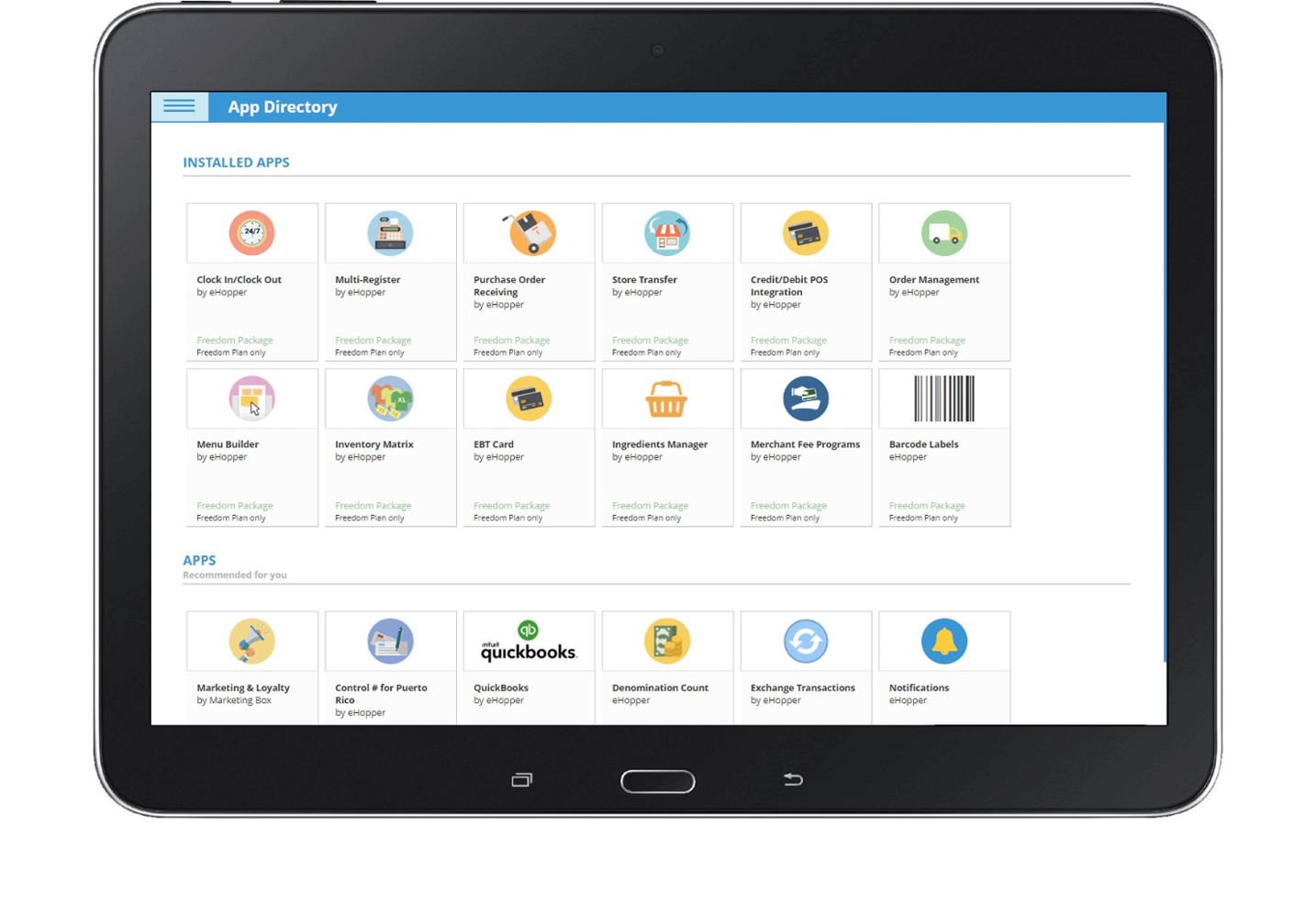
eHopper is built for retailers who are tired of watching card fees chew through already-thin margins.
It’s a fit for small grocery, convenience, and specialty retailers that want dual pricing, basic inventory tools, and a free-entry path into POS and processing.
Why I Picked eHopper
I picked eHopper because its built-in cash discounting and surcharge tools let you offset card fees directly in the POS, instead of eating those costs.
You can configure dual pricing rules in the back office so the system automatically applies the correct card price or cash discount at checkout, with receipts reflecting the logic for cleaner compliance and fewer awkward conversations at the counter.
I also like that you can start on a $0 Essential plan with eHopper’s own processing, so very small retailers can get a real POS and terminal without a big upfront spend.
As you grow, paid tiers add more registers and features while still keeping the core advantage—your ability to pass processing costs on in a controlled, system-driven way rather than improvising at the till.
eHopper Key Features
Beyond the pricing logic, eHopper gives you practical tools tuned for small retail and specialty markets.
- Retail Inventory Controls: Track stock levels, manage adjustments and transfers, and get low-stock alerts so you’re not guessing what needs to be reordered.
- EBT And Specialty Item Support: Accept EBT and sell items by weight or with perishable tracking, which is especially useful for small groceries and specialty food shops.
- QuickBooks Integration: Sync sales, taxes, tips, and expenses into QuickBooks to cut down on manual bookkeeping and end-of-month reconciliation.
- Delivery Order Integrations: Pull online orders from Uber Eats, DoorDash, and Grubhub into the POS so staff work one ticket queue instead of three tablets.
eHopper Integrations
Integrations include QuickBooks, WooCommerce, Uber Eats, DoorDash, Grubhub, and Mailchimp.
Pros and Cons
Pros:
- Supports EBT and item-by-weight tracking for grocery operators.
- Free Essential plan with POS and processing for budget-limited retailers.
- Automatic surcharge and cash discount tools reduce effective card fees.
Cons:
- Works only on Android, Windows, and proprietary hardware; no iPad app.
- Limited third-party integrations and ecommerce tools compared with rivals.
Other Options
While they didn’t quite make my shortlist during my research process, I found some additional tools that are worth checking out.
- Revel Systems
For offline payment processing
- ProMerchant
For clear pricing & support
- Total by NCR Silver
For multi-location retailers
- TouchBistro
For table management efficiency
- Rain POS
For website and marketing integration
- Payline Data
For enhancing customer loyalty
- STAX
For high transaction volumes
- Square
All-in-one solution
- Odoo ERP
Integrated business management software
- Brilliant POS
For advanced inventory management


How I Evaluate Retail POS Systems
I look at every retail POS in two layers: baseline features—checkout, inventory, payments—a system must have to make the list, and the differentiators that match a tool to a specific retail operation.
Core Functionality (Table Stakes For This List)
When I'm selecting tools for my list, I rank each one on a scale from 0 (does not offer the functionality) to 5 (excels in this area) for each core functionality listed below. Then, I calculate the tool's total score into a percentage. Each tool needs to achieve a minimum total score of 65% to be considered for inclusion.
- Sales Transaction Processing: I check whether the register handles mixed-tender payments, discount stacking, and returns without workarounds—things a cashier needs during a busy weekend rush.
- Inventory Management: Real-time stock tracking with barcode/SKU support matters, but I also look for low-stock alerts, variant handling for items like sized apparel, and purchase order tools.
- Payment Processing Integration: I evaluate whether the system supports EMV chip, contactless, and mobile wallet payments, and whether it locks you into one processor or lets you choose.
- Retail Reporting & Analytics: Standard sales reports are a given, but I look for retail-specific KPIs like sell-through rate, margins by category, and best-selling SKUs across locations.
- Customer Management & Loyalty: Beyond basic customer profiles, I look at how the system handles loyalty programs, gift cards, and store credit—features that drive repeat visits in physical retail.
- Multi-Channel & Hardware Support: I evaluate compatibility with barcode scanners, receipt printers, and cash drawers, plus whether the system syncs inventory and orders with an online storefront.
Once I have a list of tools that meet this criteria, I consider what sets each platform apart.
Differentiating Factors (What Sets Vendors Apart)
Here's how I compare and contrast different vendors:
Standout Features
Mobile POS capability is a big differentiator—I look at whether associates can check out customers and look up stock from a tablet on the sales floor, which matters during peak traffic and pop-up events. Offline mode pairs well here, since a dropped internet connection shouldn't halt transactions mid-sale. I also evaluate built-in eCommerce sync to see if the system keeps online and in-store inventory aligned in real time without manual CSV imports or third-party middleware.
Beyond Features
Total cost of ownership is where I spend a lot of evaluation time—some vendors charge per register, others per location, and hidden payment processing fees can quietly erode margins. Retail vertical fit matters too, since a jewelry store tracking serialized items has very different needs than a grocer selling by weight. I also check how well each system connects with accounting tools like QuickBooks or Xero, because manual sales data entry at month-end is a problem most retailers want to avoid.
What is a Retail POS System?
A retail POS system is the central tool that helps you process in-store transactions, manage inventory, and track sales in real time.
By combining hardware like barcode scanners and receipt printers with smart software, a retail POS system streamlines checkouts, returns, and payment processing.
Many retailers also connect their POS with retail management software and retail analytics software to keep inventory accurate and get instant sales reports. In short, a retail POS system keeps your store running smoothly and saves you from manual headaches.
How to Choose a Retail POS System
Picking a POS system isn’t about shiny dashboards—it’s about fixing the daily headaches that slow your team down. Follow these steps to zero in on the right fit for your retail business.
| Step | What to evaluate | Why it matters |
|---|---|---|
| 1. Define your store’s must-haves | List core functions you need—checkout speed, real-time sales reporting, customer loyalty | Prevents paying for bells and whistles you’ll never use |
| 2. Test the checkout flow | Run a live transaction on your hardware (iPad, touchscreen, barcode scanner) | Ensures staff learn it fast and customers sail through checkout |
| 3. Validate integrations | Connect to your ecommerce platform, accounting software, and CRM | Keeps data synced and cuts reconciliation headaches |
| 4. Vet onboarding & support | Schedule a setup call and ask about training resources and SLAs | Minimizes downtime when issues hit peak hours |
| 5. Compare total cost of ownership | Tally monthly fees, hardware costs, and payment processing rates | Protects margins and avoids surprise fees down the line |
Let this roadmap guide you from demo to deployment—so you can get back to running your store, not wrestling your software.
Top Features of Retail POS Systems
Not all POS platforms are created equal. The right feature set turns your point of sale from a cash register into a command center for checkout, inventory tracking, and customer loyalty.
- Real-time inventory management. Instant stock updates across in-store and online channels so you never oversell or underorder.
- Omnichannel checkout. Unified point of sale system for in-person, mobile, and online ordering—no more manual data imports.
- Customer loyalty programs. Built-in rewards, gift cards, and tiered incentives to drive repeat visits and boost average order value.
- Robust reporting dashboard. Actionable sales reports, margins, and daily operations metrics at your fingertips—no Excel gymnastics required.
- Integrated payment processing. Support for credit card, debit card, contactless, and mobile wallets with PCI-compliant security baked in.
- Hardware compatibility. Plug-and-play support for barcode scanners, receipt printers, cash drawers, touchscreen tablets, and iPad stands.
- CRM and accounting integrations. Seamless data sync with ecommerce platforms, accounting software, and customer-data tools to cut reconciliation work in half.
- Employee management tools. User permissions, shift scheduling, and time-clock features that help you tame turnover and keep staffing costs under control.
- Offline mode. Keep ringing up sales when the Wi-Fi drops, then auto-sync transactions when you’re back online.
- Cloud-based back office. Access your dashboard and reports from any device—whether you’re at home, on the shop floor, or running pop-ups.
Key Benefits of Retail POS Systems
A POS system isn’t just a fancy cash register—it’s a linchpin that streamlines daily operations, safeguards your margins, and elevates the customer experience.
- Faster checkouts. Quicker scans and pre-configured tax rules mean fewer lines, happier customers, and less cashier burnout.
- Accurate sales reporting. Real-time dashboards replace end-of-day reconciliations, so you see trends and red flags as they happen.
- Reduced stockouts and overstocks. Automated reorder points and purchase-order tools keep inventory levels optimized without constant manual checks.
- Improved customer experience. Integrated loyalty features and customer-data syncing let you personalize promotions and speed up returns.
- Lower processing fees. Transparent pricing models and interchange-plus options help small businesses protect margins on every transaction.
- Scalable pricing tiers. Plans that grow with your store—whether you’re a one-man coffee cart or a multi-location clothing chain.
- Simplified back-office tasks. Automated accounting exports and ecommerce platform integrations mean less busywork and more time on the shop floor.
- Enhanced security and compliance. PCI-certified payment processing, permissions controls, and data backups safeguard you against fraud and downtime.
- Remote management. Cloud-based dashboards and mobile POS apps let you monitor sales, manage staff, and adjust settings from anywhere.
- Consistent customer support. Access to dedicated reps and knowledge bases ensures downtime stays brief when you need help.
Cost and Pricing of Retail POS Systems
Retail POS pricing can range from free entry-level plans to custom enterprise tiers. Your choice should balance monthly fees, hardware costs, and transaction rates against the features you actually need.
| Plan type | Average monthly fee | Common features | Best for |
|---|---|---|---|
| Free tier | $0 | Basic checkout, standard payment processing, reporting | Solo sellers and pop-ups |
| Basic plan | $29–$79 | Inventory tracking, receipt printer support, basic integrations | Small retail stores |
| Pro plan | $79–$199 | Loyalty programs, multi-location support, advanced analytics | Growing shops and boutiques |
| Enterprise tier | Custom pricing | API access, dedicated account manager, advanced security | Multi-location chains and franchises |
Additional cost considerations
- Hardware investments. POS terminals, cash drawers, barcode scanners, and receipt printers can add hundreds—or thousands—to your upfront costs.
- Transaction fees. Even “free” plans charge processing fees (typically 1.6%–2.9% + $0.10–$0.30 per swipe). Factor in average ticket sizes and sales volume.
- Add-ons and modules. Features like ecommerce connectors, advanced loyalty, or employee management often carry extra monthly or per-user fees.
- Support and service tiers. 24/7 phone support or dedicated onboarding specialists may cost more, but can save hours during setup and peak seasons.
- Contract length and termination fees. Watch for annual commitments or early-termination penalties that can offset any initial “free” or discounted rates.
Retail POS FAQs
Still have questions? Here are the answers to some of the most frequently asked questions about retail POS systems.
What hardware do I need to get started with a retail POS system?
At minimum, you’ll need a tablet or terminal, a cash drawer, a receipt printer, and a barcode scanner. If you accept cards, add a PCI-compliant card reader or contactless tap-and-go device. Wi-Fi or Ethernet connectivity and a reliable router keep data flowing. Optional extras include scales for weighed items and a second display for customer-facing prompts.
Can a POS system work when the internet goes down?
Most modern cloud-based systems offer offline mode. You’ll still scan items and take payments; transactions queue locally and sync automatically when you’re back online. Always verify offline functionality and sync behavior during your demo—nothing worse than a data black hole when connectivity dips.
How do I choose the right pricing plan for my store?
Start by listing your must-have features: loyalty programs, multi-location support, advanced reporting. Compare that against each plan’s monthly fee, hardware bundle, and transaction rates.
Calculate your average ticket size and sales volume to estimate processing fees. If you’re a solo pop-up, a free or basic plan may suffice; growing chains will want pro or enterprise tiers.
Will my POS integrate with my ecommerce platform and accounting software?
Yes—top systems sync in real time with Shopify, WooCommerce, BigCommerce, QuickBooks, Xero, and more. Check for native connectors first; if you rely on a niche tool, confirm there’s an API or Zapier support. Integration keeps your books tidy and stock levels accurate without manual exports.
How long does onboarding take, and what support can I expect?
Onboarding varies: simple setups take a day or two, enterprise rollouts can stretch weeks. Look for providers offering dedicated project managers, data-migration services, and live training sessions.
Always ask for an onboarding SLA and check reviews for actual support response times.
How secure are my payments and customer data?
Retail POS systems should be PCI-certified and offer end-to-end encryption or tokenization. Granular user permissions protect your back-office settings, and daily automated backups guard against data loss. During your demo, request a security whitepaper or audit report to confirm compliance.