


eHopper POS Review: Pros, Cons, Features, and Pricing Guide



eHopper is a POS system built for small businesses in retail and food service that need an affordable, cross-platform setup. It runs on Android, iPad, Windows, and Poynt terminals, which gives you more hardware flexibility than Square, whose ecosystem nudges you toward its own proprietary devices. I'd consider eHopper if your team wants a low-cost POS that works across the devices you already own—without locking you into a single hardware brand.
eHopper Evaluation Summary
- From $10/month (billed annually)
- Free plan + free demo available
Why Trust Our Software Recommendations
Our team has been testing and reviewing software since 2012. As retail leaders ourselves, we know how difficult—and important—it is to choose the right software.
For this guide, we evaluated tools using hands-on testing and independent research, scoring tools using our selection criteria.
Our reviews reflect our independent judgment—not a sales pitch.
eHopper Overview
When judging eHopper POS against other options, I think its low pricing, simple interface, and quick onboarding make it a smart pick for small shops, cafes, and food trucks. You get core features like inventory tracking, multi-register support, and basic reporting, but you won’t find advanced analytics or deep integrations.
If you’re selecting a POS for straightforward sales and want responsive support, eHopper POS delivers. However, if you need complex loyalty programs or custom integrations, you may find that it underperforms. For most budget-conscious, single-location businesses, it’s a practical, easy-to-learn choice.
pros
-
You can easily manage sales and inventory with its intuitive interface.
-
It offers effective order management that enhances customer satisfaction.
-
Its multi-language support helps you serve a diverse clientele.
cons
-
You might find the reporting features limited compared to other options.
-
The software can occasionally experience lag during high-volume transactions.
-
Some users have noted that the customization options are somewhat restricted.
Is eHopper Right For Your Needs?
Who Would be a Good Fit for eHopper?
Small retail businesses, cafes, and restaurants would find eHopper a great fit due to its straightforward sales and inventory management. If you’re a business owner looking for a system that supports multiple languages and handles order management efficiently, eHopper can meet your needs. Its user-friendly interface ensures that your team can quickly adapt and start using it effectively, making it ideal for businesses with limited technical resources.
-
Small Retail Stores
eHopper’s inventory management and sales tracking make it perfect for small retailers needing efficient point of sale solutions.
-
Cafes and Coffee Shops
Its order management capabilities ensure quick service, which is crucial for busy cafes.
-
Food Trucks
With its mobile-friendly design, eHopper suits food trucks that need flexibility and reliability on the go.
-
Boutique Shops
The software’s multi-language support helps boutique shops serve diverse customers effectively.
-
Pop-Up Shops
eHopper’s easy setup and portability are ideal for temporary retail spaces like pop-up shops.
-
Local Restaurants
Simple order and payment processing make it a great choice for local restaurants focusing on customer satisfaction.
Who Would be a Bad Fit for eHopper?
Large enterprises and businesses requiring advanced reporting and extensive customization might not find eHopper suitable. Its reporting features are limited, which could hinder teams needing in-depth analytics. If your business demands highly tailored solutions or handles a huge volume of transactions, you might struggle with eHopper’s restrictions and occasional lags.
-
Large Retail Chains
eHopper’s limited reporting and customization options don’t meet the needs of large-scale operations.
-
Corporate Restaurants
Major chains with complex systems might find eHopper’s features too basic for their requirements.
-
High-Volume Retailers
Retailers with heavy transaction loads might experience performance lags that affect efficiency.
-
Custom Solution Seekers
Businesses needing highly customized POS systems will find eHopper’s options too limited.
-
Data-Driven Companies
Organizations relying on detailed analytics won’t get the depth they need from eHopper’s reports.
-
Tech-Savvy Teams
Teams looking for advanced technological features might find eHopper lacking in innovation and flexibility.
Our Review Methodology
How We Test & Score Tools
We’ve spent years building, refining, and improving our software testing and scoring system. The rubric is designed to capture the nuances of software selection and what makes a tool effective, focusing on critical aspects of the decision-making process.
Below, you can see exactly how our testing and scoring works across seven criteria. It allows us to provide an unbiased evaluation of the software based on core functionality, standout features, ease of use, onboarding, customer support, integrations, customer reviews, and value for money.
Core Functionality (25% of final scoring)
The starting point of our evaluation is always the core functionality of the tool. Does it have the basic features and functions that a user would expect to see? Are any of those core features locked to higher-tiered pricing plans? At its core, we expect a tool to stand up against the baseline capabilities of its competitors.
Standout Features (25% of final scoring)
Next, we evaluate uncommon standout features that go above and beyond the core functionality typically found in tools of its kind. A high score reflects specialized or unique features that make the product faster, more efficient, or offer additional value to the user.
We also evaluate how easy it is to integrate with other tools typically found in the tech stack to expand the functionality and utility of the software. Tools offering plentiful native integrations, 3rd party connections, and API access to build custom integrations score best.
Ease of Use (10% of final scoring)
We consider how quick and easy it is to execute the tasks defined in the core functionality using the tool. High scoring software is well designed, intuitive to use, offers mobile apps, provides templates, and makes relatively complex tasks seem simple.
Onboarding (10% of final scoring)
We know how important rapid team adoption is for a new platform, so we evaluate how easy it is to learn and use a tool with minimal training. We evaluate how quickly a team member can get set up and start using the tool with no experience. High scoring solutions indicate little or no support is required.
Customer Support (10% of final scoring)
We review how quick and easy it is to get unstuck and find help by phone, live chat, or knowledge base. Tools and companies that provide real-time support score best, while chatbots score worst.
Customer Reviews (10% of final scoring)
Beyond our own testing and evaluation, we consider the net promoter score from current and past customers. We review their likelihood, given the option, to choose the tool again for the core functionality. A high scoring software reflects a high net promoter score from current or past customers.
Value for Money (10% of final scoring)
Lastly, in consideration of all the other criteria, we review the average price of entry level plans against the core features and consider the value of the other evaluation criteria. Software that delivers more, for less, will score higher.
Core Features
Inventory Management
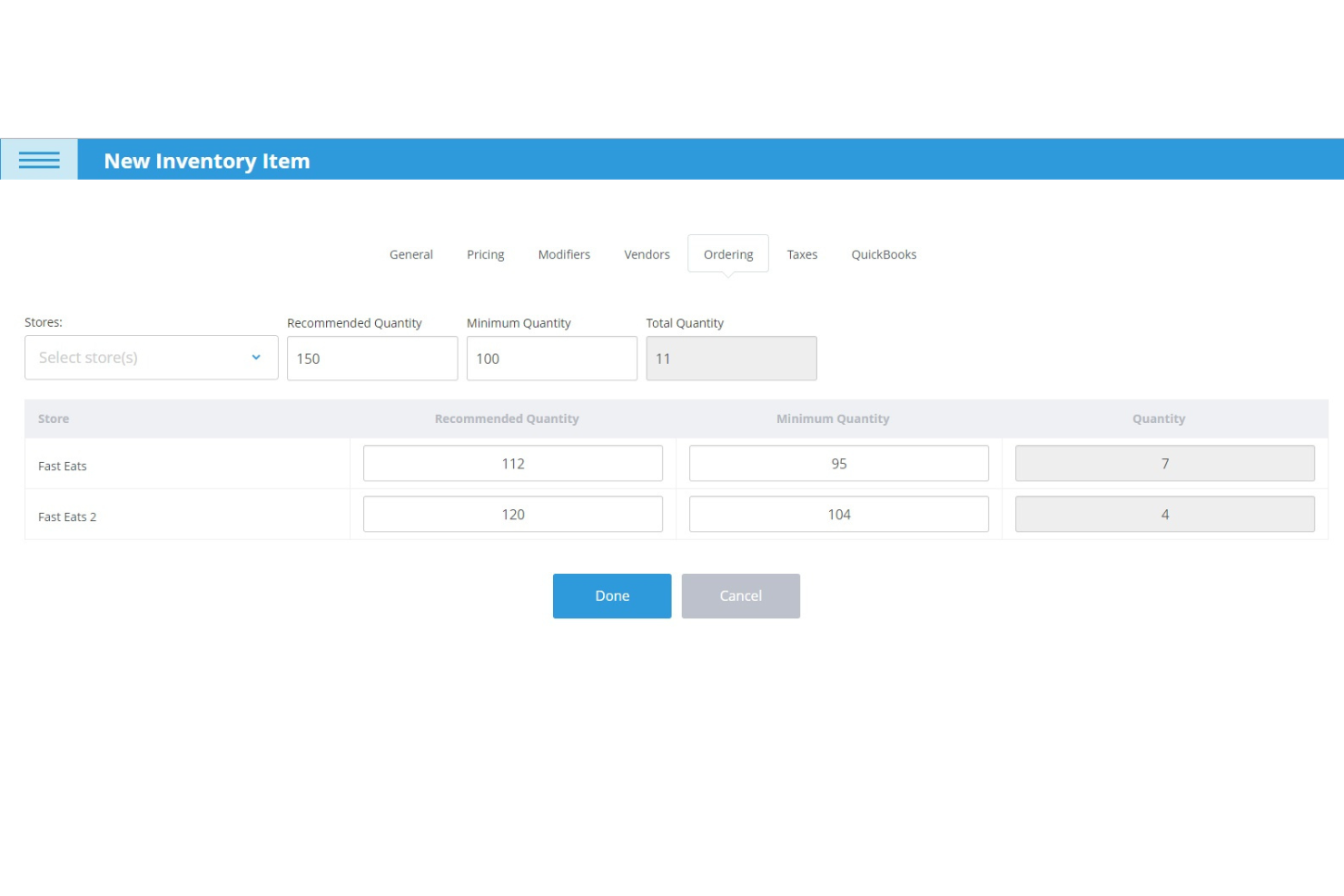
Track stock levels, receive low inventory alerts, and manage products in real time. This helps you avoid stockouts and keep your catalog up to date.
Customer Management
Save customer profiles and purchase history for faster checkout and targeted marketing. You can easily access customer data during transactions.
Loyalty Program
Offer rewards through physical cards or mobile numbers directly from the POS. This feature is fully integrated and helps boost repeat business.
Multi-Device Compatibility
Use eHopper POS on Android tablets, Windows PCs, and mobile terminals. This flexibility lets you run sales anywhere in your store or on the go.
Order Management
Monitor orders from creation to fulfillment, including dine-in, takeout, and delivery. Add special notes for custom requests and track order status easily.
Free Card Processing
Accept credit and debit payments with 0% card fees for US customers. This can significantly reduce your payment processing costs.
Standout Features
Offline Mode
eHopper POS lets you process sales and print receipts even when the internet goes down. This ensures your business keeps running smoothly during network outages.
Tip Management
You can prompt customers for tips on-screen and track tips by employee. This is especially useful for cafes and service businesses that rely on gratuities.
Ease of Use
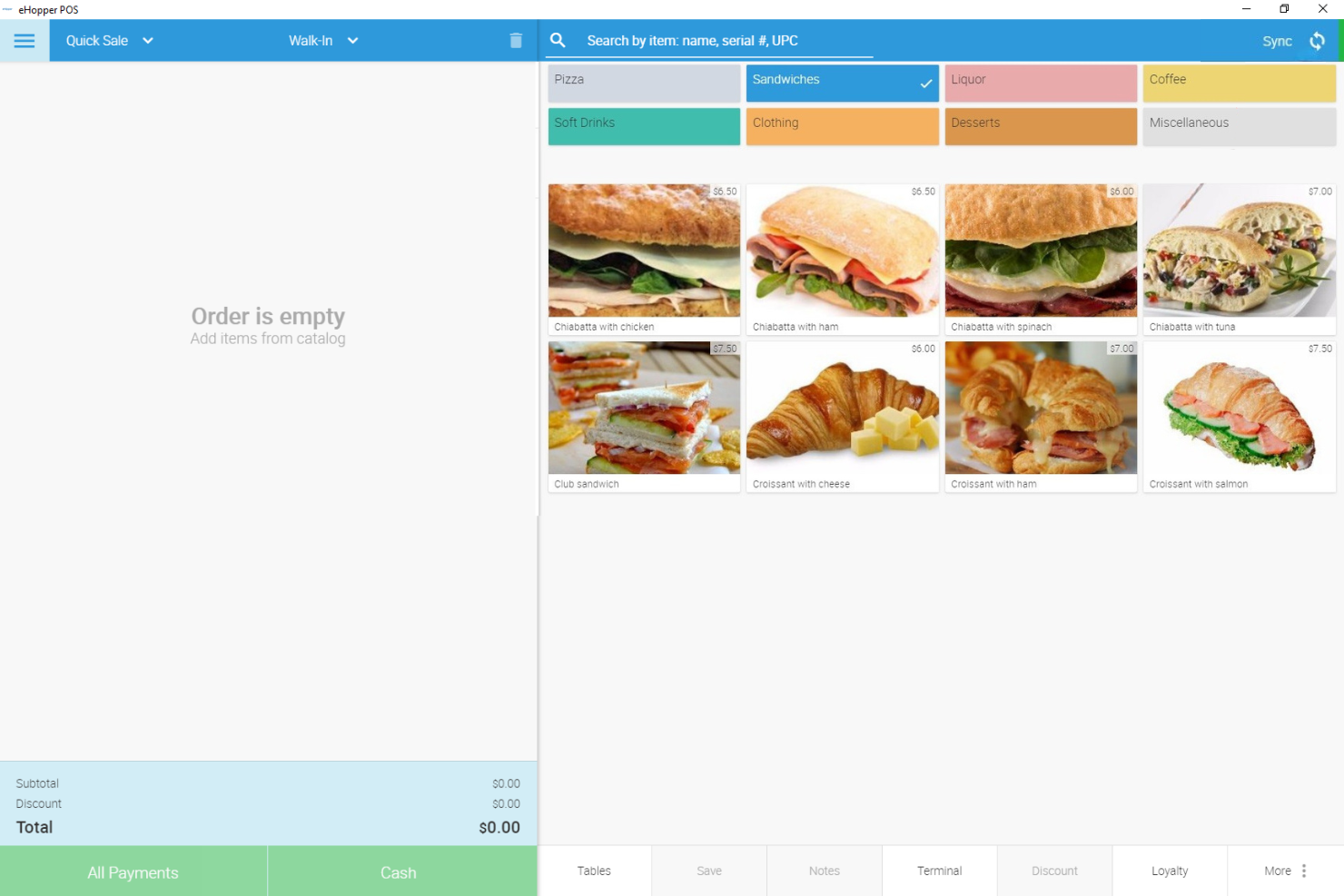
eHopper POS is refreshingly straightforward, with a clean interface that makes checkout, inventory, and customer management easy to learn and use. Most users say setup takes minutes, not hours, and the touchscreen layout is intuitive for staff with little training.
The system’s guided onboarding and simple navigation help small teams get up and running fast, though some users wish for more advanced options as their business grows.
Onboarding
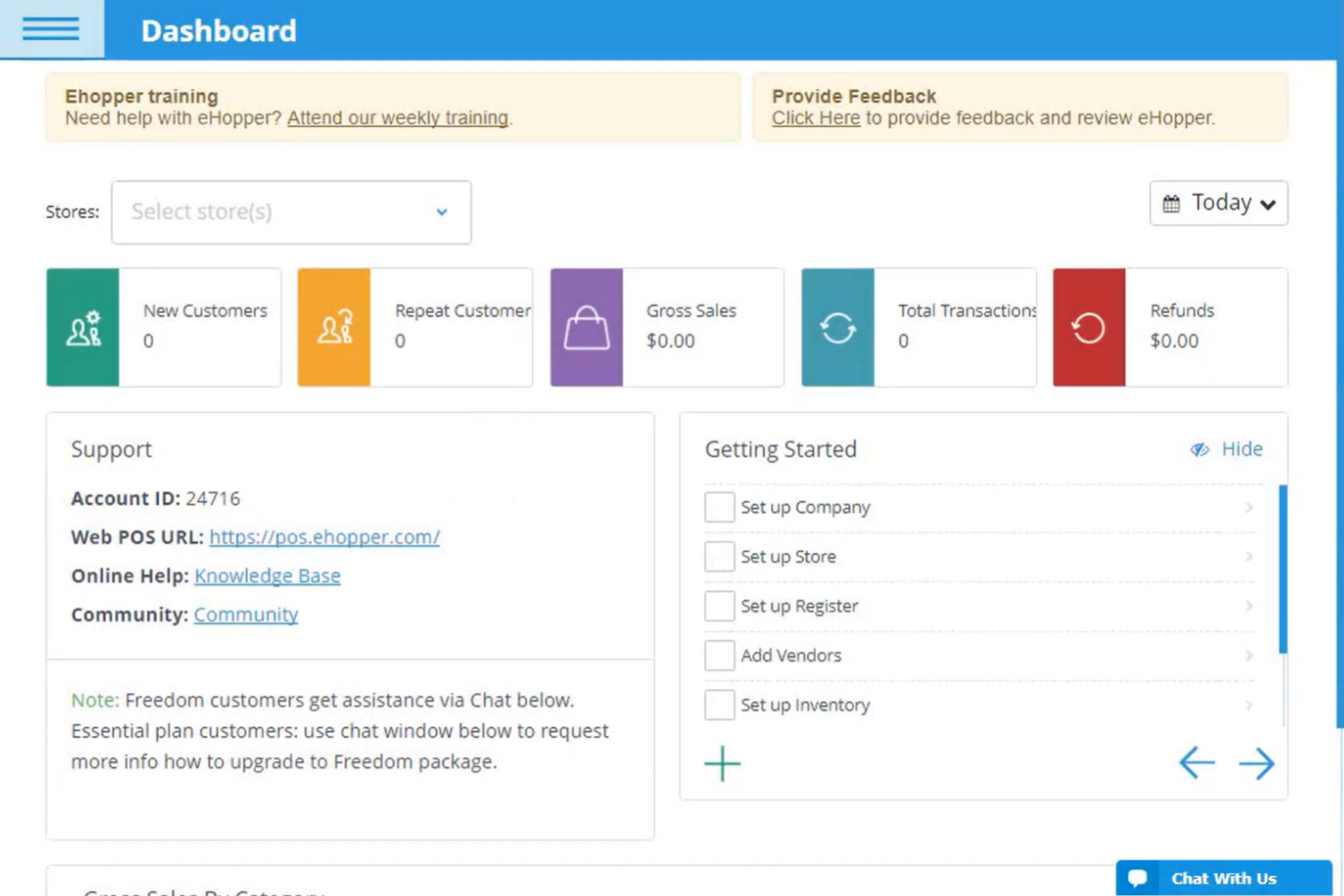
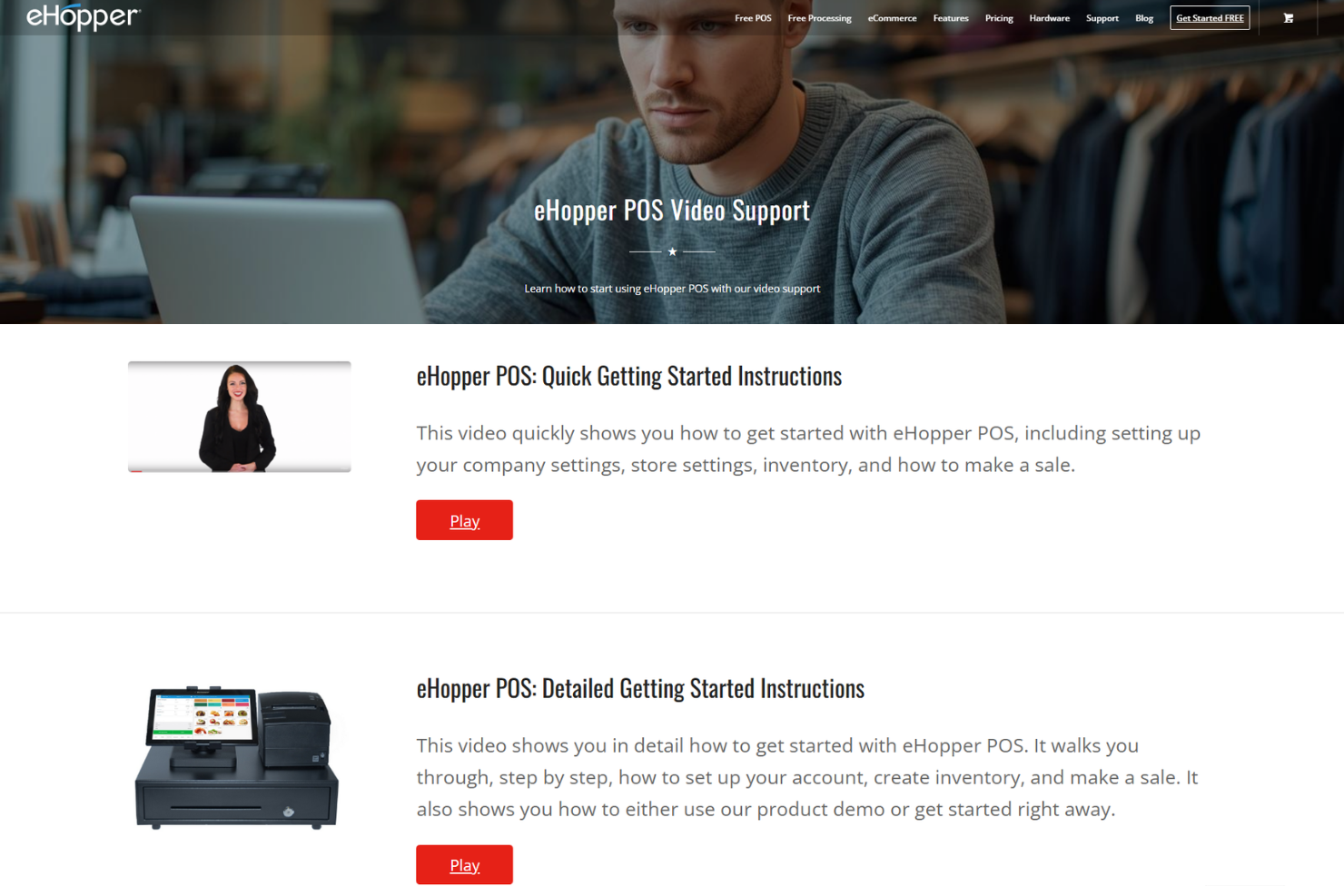
eHopper POS offers a quick onboarding process, with most users able to set up their system and start selling within the same day. The platform provides step-by-step guides, video tutorials, and a knowledge base, making it easy for new users to get answers fast.
While live chat and email support are available, some users mention occasional delays in response times, but overall, the onboarding experience is smooth and beginner-friendly.
Customer Support
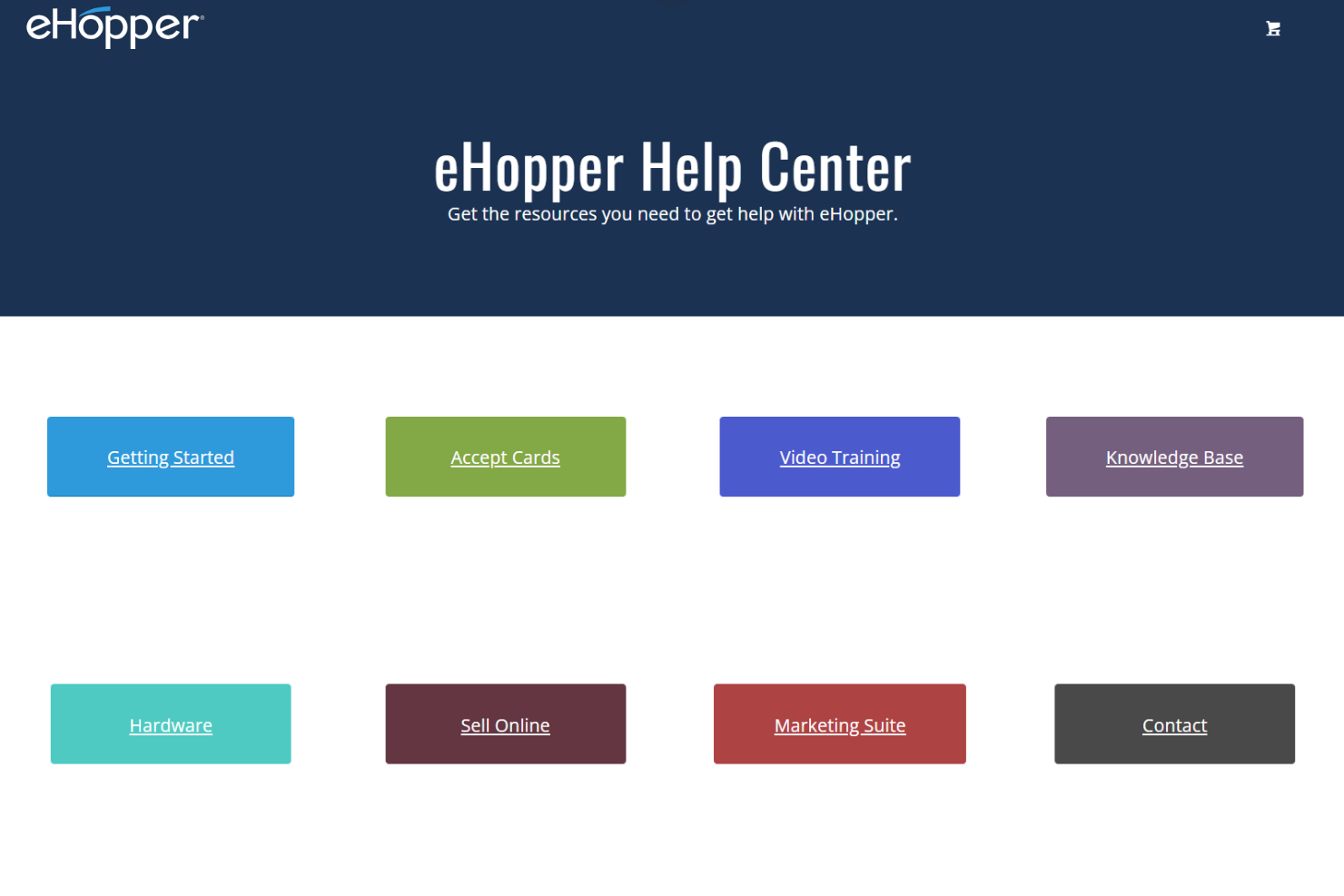
eHopper POS offers support through live chat, email, and a detailed help center, which covers most common issues. Many users appreciate the helpfulness of the support team, but some report slow response times during peak hours.
The knowledge base and video tutorials are useful for troubleshooting, though businesses needing immediate, hands-on assistance may find the wait frustrating. Overall, support is solid for basic needs but can lag when urgent help is required.
Integrations
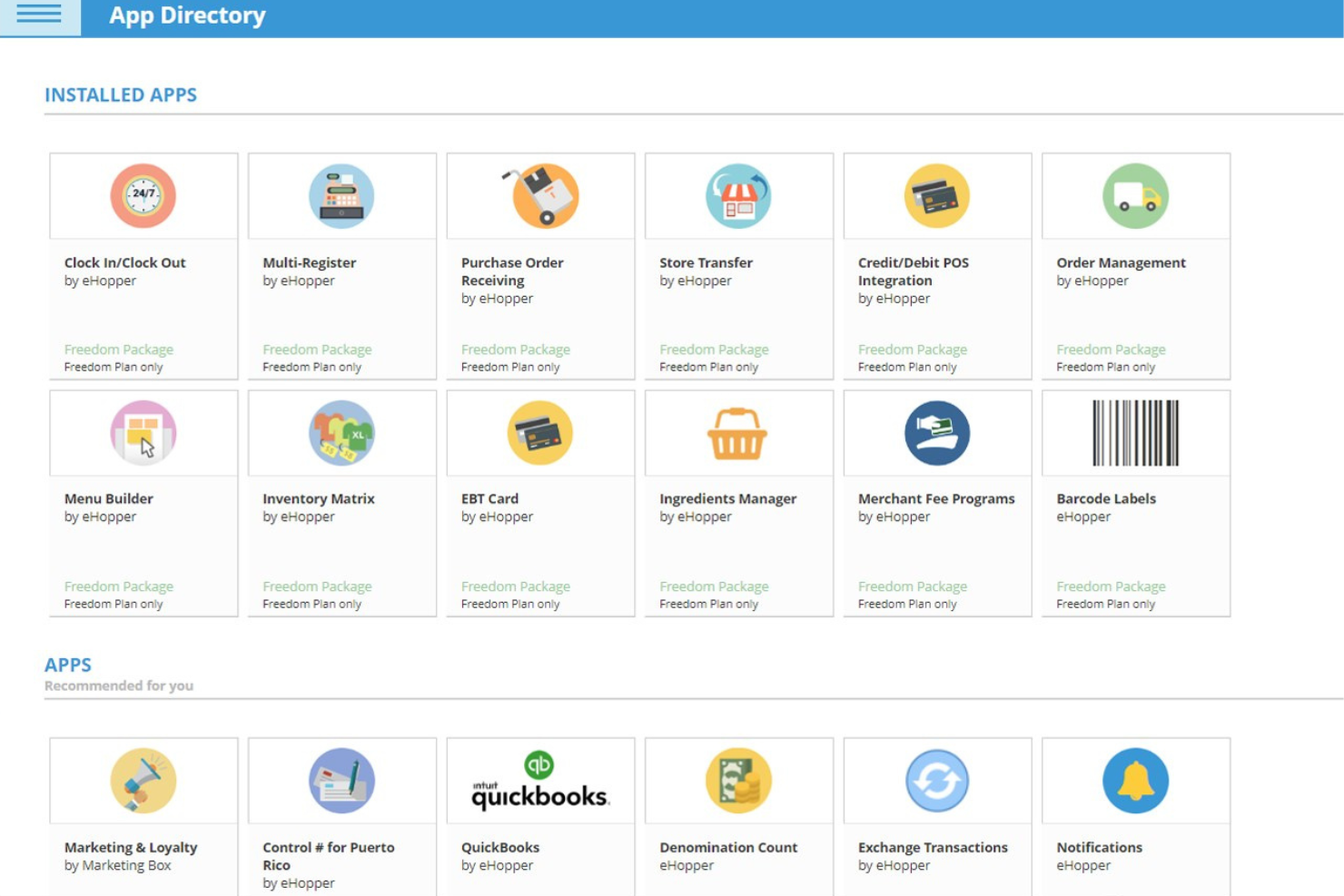
eHopper POS integrates with QuickBooks Online, Poynt smart terminals, Pax payment terminals, Valor POS hardware, self-service kiosks, kitchen display systems, eHopper eCommerce, digital signage, cash discount programs, and surcharges.
eHopper POS also offers an API and supports additional apps through its app directory for expanded functionality.
Value for Money
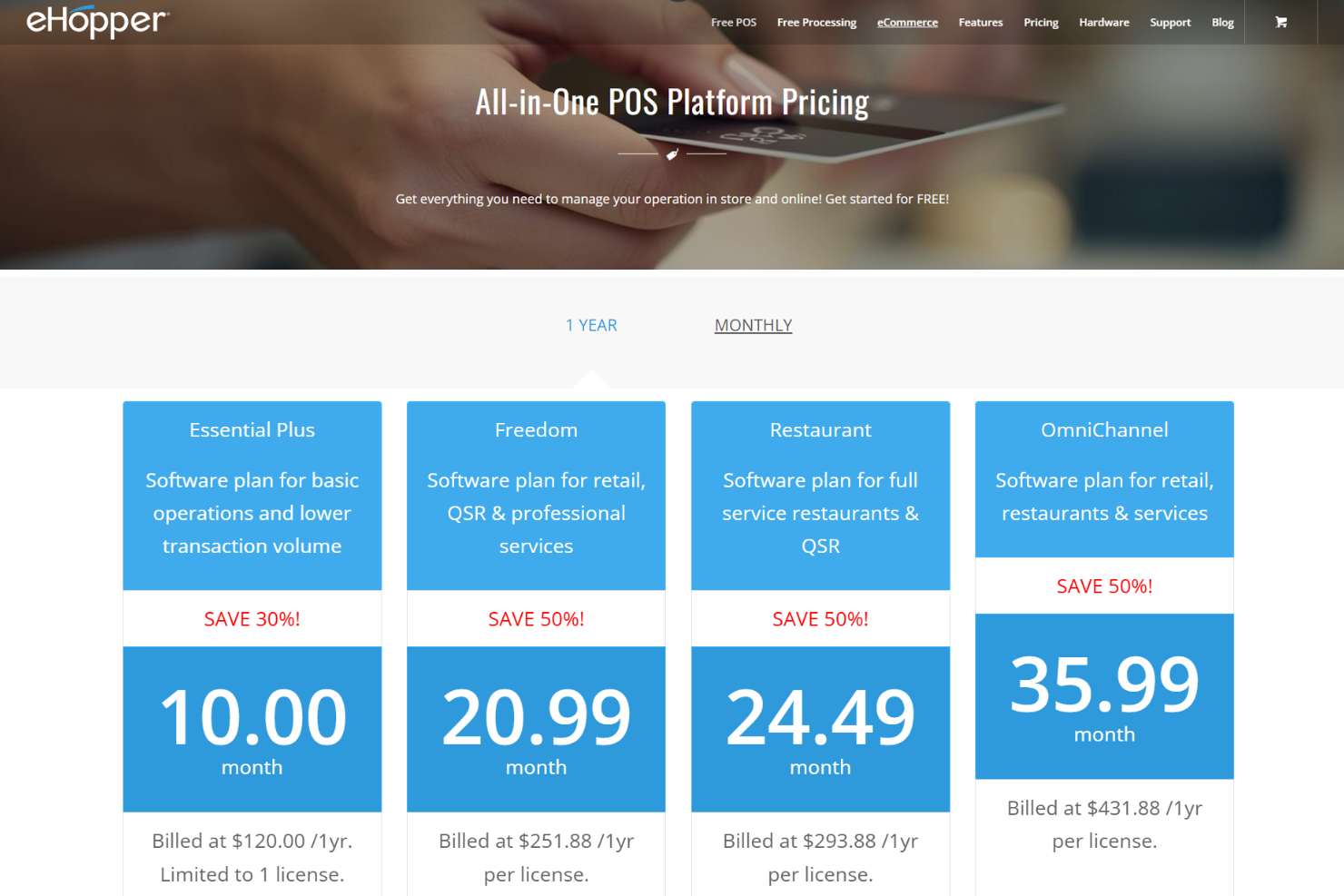
eHopper POS offers solid value for small businesses that want low-cost POS software with flexible scaling. Its entry plan is affordable for basic operations, while higher tiers add restaurant, retail, and omnichannel tools without steep pricing jumps. User sentiment generally highlights strong value for smaller merchants, especially given the included inventory and payment features.
- Essential Plus: Includes 1 license, 1,000 products, 1,000 transactions per month, inventory management, customer management, basic reporting, and payment processing support.
- Freedom: Adds unlimited products and transactions, loyalty, surcharges, menu builder, clock in/out, QuickBooks integration, inventory tools, and implementation/training.
- Restaurant: Adds table management and Kitchen Display System (KDS) for full-service restaurants on top of Freedom’s features.
- OmniChannel: Adds online ordering website, omnichannel selling tools, phone support, and the platform’s full feature set.
eHopper Specs
- 2-Factor Authentication
- A/B Testing
- Analytics
- API
- BitCoin
- Conversion Tracking
- Dashboard
- Data Export
- Data Import
- Data Visualization
- Design Templates
- External Integrations
- Inventory Tracking
- Keyword Tracking
- Marketing Automation
- Multi-User
- Notifications
- Order Management
- Payment Gateway Integration
- Payment Processor
- PayPal
- Product Catalog
- Review Monitoring
- SAP Integration
- Scheduling
- Stripe
- Third-Party Plugins/Add-Ons
eHopper FAQs
How easy is it to switch to eHopper from another POS system?
Does eHopper support offline transactions?
What kind of hardware is compatible with eHopper?
Is eHopper suitable for multi-location businesses?
How customizable is eHopper for different business types?
How does eHopper handle data security and compliance?
What support options are available for eHopper users?
Can eHopper handle loyalty programs or customer rewards?
eHopper Company Overview & History
eHopper is a New York–based software company that develops cloud-based point-of-sale and payment solutions for retail, restaurant, and service businesses. The company offers an all-in-one platform that includes POS software, payment processing, self-service kiosks, ecommerce tools, and business management features. eHopper is known for positioning itself as an affordable POS provider, including free card processing options for eligible U.S. customers.
eHopper POS Major Milestones
- 2016: eHopper POS was founded and launched its cloud-based POS platform.
- 2017: Introduced free POS software and payment processing for US customers.
- 2020: Expanded product line to include self-serve kiosks and ecommerce solutions.
- 2024: Recognized as a top POS system and business software provider.