

10 Best POS Systems To Manage Cash Flow For 2026

The Top POS Systems You Should Be Considering


You’re here because you need a POS system that actually improves retail operations—not just one that processes payments.
This guide ranks the best POS platforms based on what matters most to operators: real-time inventory accuracy, unified sales across channels, actionable reporting, and integrations that work without a tech headache.
We break down which systems solve real problems—whether you’re managing multiple stores, running ecommerce, or just want your team to stop wrestling with outdated hardware.
No sales fluff—just clear answers to help you pick the right tool for how you actually work.
Why Trust Our Software Recommendations
Our team has been testing and reviewing software since 2012. As retail leaders ourselves, we know how difficult—and important—it is to choose the right software.
For this guide, we evaluated tools using hands-on testing and independent research, scoring tools using our selection criteria.
Our reviews reflect our independent judgment—not a sales pitch.
Comparing the Best POS Systems, Side-by-Side
Real quick before we go on into the reviews, let’s see each POS tool in a handy chart to compare pricing and trial info.
| Tool | Best For | Trial Info | Price | ||
|---|---|---|---|---|---|
| 1 | Best for ease of set up and use | Free plan available; 30-day free trial on paid tiers | From $49/month | Website | |
| 2 | Best for B2B sellers | Free quote available | Pricing upon request | Website | |
| 3 | Best for high-volume businesses in various industries | 3-month free trial | From $79/month | Website | |
| 4 | Best for real-time inventory management | Free trial + free demo available | From $59/month | Website | |
| 5 | Best for ecommerce businesses | 3-day free trial | From $89/month | Website | |
| 6 | Best for customization | Free demo available | Pricing upon request | Website | |
| 7 | Best for hardware bundles | Not available | Pricing upon request | Website | |
| 8 | Best for high-volume businesses | Free demo available | From Interchange + 0.40% + 8¢ (varies by volume) | Website | |
| 9 | Best all-in-one system for small businesses | 90-day free trial | From $16/month | Website | |
| 10 | Best for direct credit card processing | Free quote available | Pricing upon request | Website |

The Best POS Systems, Reviewed
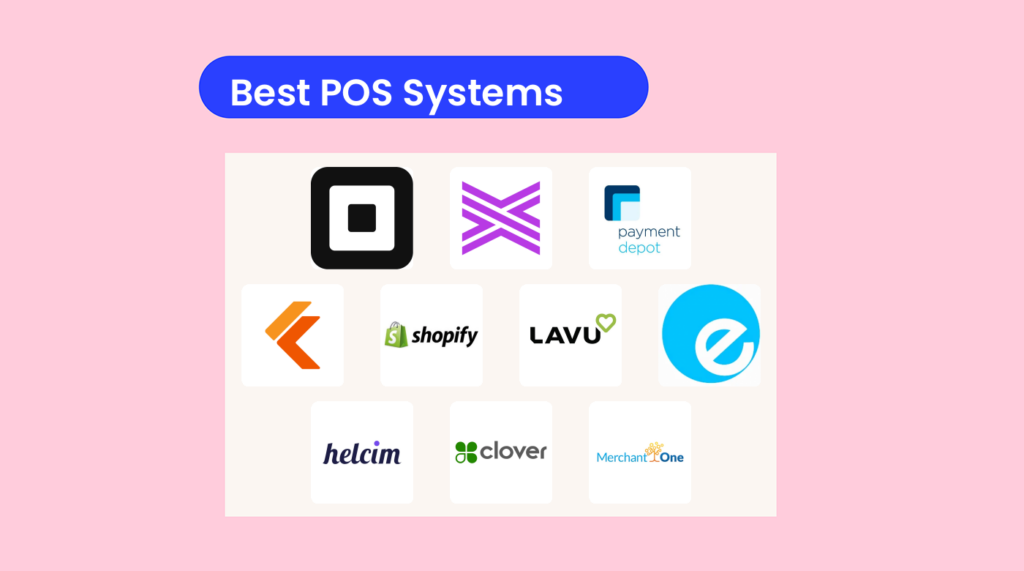
Here’s my list of the top 10 POS software systems for 2025.
I’ve summarized the main selling points of each tool and covered their features and supported integrations, to make sure your tech stack can support the POS system.
In case you want to compare POS systems and are more of a scanner than a reader, I’ve made a quick pros & cons list as well.

Square
Best for ease of set up and use

Square gives small and midsize retailers an easy way to start taking in-person payments, manage stock, and grow into true omnichannel selling without a big upfront software bill.
You can launch with a free plan on a phone or tablet, then layer in retail-specific features—like barcodes, purchase orders, and multi-location stock control—as your store gets busier.
It’s especially useful if you want one system to cover in-store checkout, basic ecommerce, and simple reporting from day one.
Why I Picked Square
I picked Square because you can go from zero to working POS in an afternoon using just a card reader and your existing iOS or Android device—no custom hardware required.
You get a free entry-level plan with flat-rate processing, so you know your costs up front while you test new locations, pop-ups, or product lines. For growing retailers, Square for Retail adds barcode-based checkout, purchase order management, and vendor tracking, so you can keep shelves stocked and reduce manual stock counts.
Your online store, in-person sales, and social selling all feed the same catalog and customer profiles, which helps you avoid double-selling and messy spreadsheets.
On top of that, built-in options for loyalty, email and SMS marketing, and Square Banking mean you can keep payments, customer engagement, and cash flow inside one ecosystem instead of juggling five different tools.
Square Key Features
Beyond the quick setup, Square includes retail-focused tools that help you keep operations tidy as you scale.
- Retail Inventory Management: Track stock across locations, receive purchase orders, and use barcode labels to speed up counts and prevent out-of-stock surprises.
- Omnichannel Order Management: Sync in-store, online, and pickup orders in one dashboard so staff can see what needs packing, shipping, or holding at the counter.
- Retail Reporting And Analytics: View sales by location, category, or item, monitor margins, and use inventory reports to spot slow movers and bestsellers.
- Retail Hardware Options: Combine handhelds, registers, and terminals with scanners, printers, and cash drawers to build a checkout setup that fits your store layout.
Square Integrations
Integrations include QuickBooks Online, Xero, WooCommerce, Wix, Zapier, Linktree, Bookkeep, and Uber Eats.
Pros and Cons
Pros:
- Built-in ecommerce and social selling help unify online and in-store sales.
- Free entry-level plan keeps fixed POS software costs low.
- Flat-rate processing simplifies forecasting for small and seasonal retailers.
Cons:
- Flat-rate fees can cost more than interchange-plus at high volume.
- Advanced inventory tools require Plus or Premium retail subscriptions.
New Product Updates from Square
Square Expands Sales Reporting With Revenue Centers
Square introduces revenue centers for grouping sales data and aligns sales report definitions between Point of Sale and the Dashboard to give you clear, consistent metrics. For more information, visit Square’s official site.
 .
.
Stax
Best for B2B sellers

Stax Pay is best suited for B2B sellers that invoice clients, run larger tickets, and want one place to handle card, ACH, and recurring payments across in-person and online channels.
You get subscription-style pricing, hardware flexibility, and tools built for longer sales cycles rather than quick retail taps.
Why I Picked Stax Pay
I picked Stax Pay because it matches how B2B revenue actually flows—quotes, invoices, recurring contracts, and bigger invoices instead of small walk-up sales.
You can send branded invoices, collect card or ACH payments, and set up recurring schedules from the same dashboard, so your AR team spends less time chasing checks and keying transactions. Level 2/3 data support helps you lower interchange on corporate and purchasing card payments, which matters when you’re running high-ticket invoices every month.
Subscription-based pricing gives you more predictable processing costs as volume grows, instead of rising percentage markups eating your margins.
On top of that, Stax is largely hardware-agnostic and offers omni-channel support, so you can keep existing terminals where it makes sense while still giving sales reps and finance a single view of cash coming in.
Stax Pay Key Features
In addition to pricing and B2B-focused billing tools, there are a few POS features that matter for finance and ops leaders.
- Customer Profiles And Card-On-File: Store payment methods securely, set preferred payment types, and reuse them across invoices and recurring schedules.
- Text2Pay And Payment Links: Send payment requests via SMS or hosted links so buyers can pay remotely without sharing card details over email.
- Inventory And Item-Level Reporting: Track items and categories through the dashboard to see which products, bundles, or SKUs drive the most revenue.
- Multi-Location And Channel Dashboard: View in-person, online, and invoiced payments together so you can reconcile by location, channel, or sales rep.
Stax Pay Integrations
Integrations include QuickBooks Online, Xero, Shopify, WooCommerce, BigCommerce, Magento, Salesforce, Keap, Shift4Shop, and WordPress.
Pros and Cons
Pros:
- Subscription pricing favors B2B sellers with high volume or ticket sizes.
- Level 2/3 data optimization can reduce fees on corporate card payments.
- Invoicing, Text2Pay, and ACH support long B2B quote-to-cash cycles.
Cons:
- Subscription fees may feel steep for lower-volume or seasonal merchants.
- Primarily focused on North American merchants; limited global acquiring options.

Best for high-volume businesses in various industries

Payment Depot uses a membership-style pricing model to help high-volume retailers rein in processing costs—especially if you’re tired of percentage markups eating into already thin margins.
It’s a strong fit for US-based merchants that want predictable card fees and the flexibility to pair processing with Clover, Vital Select, or existing POS hardware.
Why I Picked Payment Depot
I picked Payment Depot because the membership-based interchange-plus pricing gives you more predictable costs by swapping padded markups for a flat monthly fee plus low per-transaction charges.
You get that savings through wholesale interchange rates passed directly to you, which is especially useful if your average ticket size is high or you run a busy multi-lane store.
For in-store operations, you can use Clover or Vital Select POS systems that add inventory tracking, employee management, and reporting, so your payments and daily operations live in the same place.
If you’re already running compatible terminals, Payment Depot can often reprogram that hardware, letting you cut fees without ripping out your current setup. Month-to-month terms and no long contracts give you room to switch if the numbers ever stop working in your favor.
Payment Depot Key Features
Beyond pricing and POS flexibility, Payment Depot includes a few practical tools retailers will lean on day-to-day.
- ACH And eCheck Acceptance: Add lower-cost bank payment options for B2B customers and large invoices.
- Reporting And Deposits Dashboard: Monitor batches, deposits, and chargebacks from a single portal to simplify reconciliation.
- Recurring Billing And Invoicing: Support automatic recurring charges and invoice-based payments through connected gateways for memberships and service plans.
- Equipment Catalog And Reprogramming: Access a wide range of compatible terminals and card readers, or have many existing devices reprogrammed to work with Payment Depot.
Payment Depot Integrations
Integrations include Clover POS, SwipeSimple, Vital Select, Authorize.Net, Shopify, WooCommerce, BigCommerce, PrestaShop, OpenCart, and Revel Systems.
Pros and Cons
Pros:
- Mobile app via SwipeSimple enables curbside, field, and pop-up sales.
- Supports Clover and Vital POS with inventory and employee management tools.
- Membership pricing can lower effective rates for higher-volume retailers.
Cons:
- Pricing becomes less attractive for businesses with low monthly volume.
- Limited to US-based, non-high-risk merchants for processing.

Best for real-time inventory management

KORONA POS is built for retailers and venues that live and die by inventory accuracy—multi-location shops, liquor stores, museums, amusement parks, and other high-volume operators.
You get real-time stock control, ticketing, and a configurable checkout that can keep up with long lines, franchise rules, and staff who don’t have time to fight their POS.
Why I Picked KORONA POS
I picked KORONA POS because it gives you real-time inventory across multiple locations, backed by tools like automated reordering, stock thresholds, and detailed product reporting so you can actually trust your on-hand counts.
You can sell tickets, passes, and admissions directly through the same POS, using built-in ticketing and access controls to handle timed entries and events without a separate system.
Your team can work faster at the register with barcode scanning, customizable layouts, and offline mode that keeps transactions flowing even if the internet drops. I also like that you can set granular user permissions and role-based access, so managers get full reporting while cashiers see only what they need to do their jobs.
Pricing starts at a flat rate per terminal with an unlimited free trial, which makes it approachable for growing retailers who want enterprise-style inventory tools without a bespoke IT build.
KORONA POS Key Features
Beyond the core inventory tools, there are a few features that make KORONA POS especially useful for complex retail and ticketing environments.
- Franchise Management: Control pricing, products, and settings centrally while still allowing location-level overrides where it makes sense.
- Vendor Management: Create purchase orders, receive stock, and track vendor costs so your replenishment process isn’t stuck in spreadsheets.
- Hardware Flexibility: Run the system on standard POS terminals, tablets, scanners, receipt printers, and cash drawers instead of being locked into proprietary gear.
- Loss Prevention Tools: Use cashier permissions, void/refund controls, and audit logs to keep an eye on risky behavior and tighten shrink.
KORONA POS Integrations
Integrations include WooCommerce, QuickBooks Online, bLoyal, CMS Max, City Hive, TimeForge, mapAds, NearSt, and Octopus Bridge.
Pros and Cons
Pros:
- Barcode scanning, role-based permissions, and offline mode make high-volume environments way less chaotic.
- Perfect for museums, amusement parks, tours, and any retailer with events.
- Stock thresholds, auto-reorders, and detailed product reporting help keep shelves full.
Cons:
- It’s functional and fast, but not the slickest POS UI on the market.
- You get useful data, but analysts who want to slice and dice everything may hit limits.
New Product Updates from KORONA POS

KORONA POS Inventory Updates: CSV Import, Multi-OU, Filters & API
KORONA POS adds Stock Receipt imports, multi-location stock order sourcing, warehouse stock verification for inventory transfers, and External Reference fields for stock orders to improve inventory operations and tracking. For more information, visit KORONA POS's official site.

Best for ecommerce businesses

Shopify POS is built for ecommerce brands that want their in-store checkout, inventory, and customer data to live in the same system as their online shop.
You can sell at permanent locations, pop-ups, and events while keeping one product catalog, one order history, and one view of each customer.
It’s best for Shopify merchants who see physical retail as an extension of their online brand, not a separate channel.
Why I Picked Shopify POS
I picked Shopify POS because it gives you a single back end for both online and in-person sales, so your team doesn’t have to reconcile inventory or customer records across multiple systems.
You can offer omnichannel perks—like buy online, pick up in store or ship-from-store—through built-in workflows that tie directly into your Shopify orders and locations.
Store staff get role-based permissions and PIN logins, so you can protect refunds, discounts, and sensitive settings while still moving quickly at the counter.
I also like that Shopify POS runs on iOS and dedicated hardware, giving you a flexible setup for everything from mall kiosks to multi-location flagships. For ecommerce-first retailers, that combination of unified data plus flexible hardware makes it a natural upgrade path when you move offline.
Shopify POS Key Features
In addition to the unified back end, there are a few POS-specific tools that help ecommerce brands make brick-and-mortar actually work.
- Customer Profiles And Loyalty: Build unified profiles from in-store and online orders, then use purchase history and preferences to power targeted marketing and loyalty perks.
- Local Pickup And Delivery: Offer local pickup, ship-from-store, and local delivery options that pull from real-time store inventory instead of a separate warehouse system.
- Retail Analytics And Reports: Track store, staff, and product performance with location-based dashboards, helping you adjust staffing, merchandising, and promotions with live data.
- App Store Extensions: Tap into the Shopify App Store for retail-focused add-ons—like staff scheduling, loyalty programs, and clienteling—without replacing your core POS.
Shopify POS Integrations
Integrations include Mailchimp, Klaviyo, QuickBooks Online, Xero, ShipStation, Etsy, SKU IQ, ShipHero, and HubSpot.
Pros and Cons
Pros:
- Mobile POS hardware supports pop-ups, events, and queue-busting in busy stores.
- Unified online and in-store catalog keeps stock levels accurate in real time.
- Omnichannel workflows connect POS with buy online, pickup, and shipping.
Cons:
- POS Pro add-on pricing increases costs per physical location.
- Requires Shopify Payments; limited options for alternative payment processors.
New Product Updates from Shopify POS
Shopify POS Adds Local Delivery at Checkout
Shopify POS now lets staff create local delivery orders during checkout using existing delivery zones and rates, adding delivery details to carts and receipts. For more information, visit Shopify POS's official site.
 .
.
Lavu
Best for customization

For restaurant owners who want a POS that actually fits how their kitchen and front-of-house run, Lavu gives you a lot of control over menus, modifiers, and pricing.
It’s built for full-service and quick-service restaurants that care about things like recipe costing, server performance, and card fees—not just ringing in tickets.
Lavu is best for operators who are willing to invest a bit more in exchange for customization and deeper control over their numbers.
Why I Picked Lavu
I picked Lavu because you can mold it around your concept instead of forcing your concept into a rigid POS template. You can customize menus, modifiers, and service types, so your team can handle things like split checks, coursing, and complex item builds without workarounds.
Lavu’s open API and menu of add-ons—like online ordering, loyalty, and back-office tools—let you plug it into the rest of your stack as you grow.
You also get detailed sales and labor reporting tied to items, categories, and staff, which helps you debug margins and staffing instead of guessing.
On the payments side, the cash discount and dual pricing programs give you a concrete way to offset card fees, which can be a big deal for high-volume restaurants with tight margins.
Lavu Key Features
Beyond customization, there are a few core tools that make Lavu practical for day-to-day restaurant work.
- Tableside Ordering And Payments: Let servers fire orders and take payments right at the table using iPads or mobile devices.
- Floor Plan Management: Build digital floor plans that match your actual layout so staff can track open tickets, table turns, and sections in real time.
- Customer Loyalty And Gift Cards: Run in-house loyalty programs and time-bound gift cards without a separate system, keeping rewards data tied to checks.
- Delivery And Takeout Management: Manage in-house delivery, takeout, and online orders from the same POS so you can track off-premise revenue alongside dine-in.
Lavu Integrations
Integrations include OpenTable, DoorDash, Restaurant365, QuickBooks, Xero, Gusto, ADP, 7shifts, BentoBox, and Shogo.
Pros and Cons
Pros:
- Highly customizable menus and modifiers for complex restaurant concepts.
- Built-in inventory and recipe costing help control food and pour costs.
- Cash discount and dual pricing tools reduce card fees significantly.
Cons:
- No free plan; pricing can be high for small cafes.
- Steeper learning curve for multi-location setups and advanced configurations.

ePOS
Best for hardware bundles

Epos Now is built for busy retailers and hospitality operators who want an all-in-one POS and hardware stack they don’t have to cobble together piece by piece.
You get preconfigured bundles for tills, printers, scanners, and card readers, plus cloud-based software that tracks inventory, sales, and staff activity across locations.
It’s a strong fit if you want plug-and-play hardware with enough flexibility to add apps and delivery channels as you grow.
Why I Picked Epos Now
I picked Epos Now because its hardware bundles give you a ready-made checkout—touchscreen terminals, receipt printers, barcode scanners, and card readers are spec’d to work together from day one, so you’re not guessing about compatibility.
For inventory control, you get real-time stock tracking, purchase ordering, and low-stock alerts across locations, which helps you avoid walkouts due to stockouts.
Your team can access detailed sales and profit reports from any device, so you can spot bestsellers, slow movers, and margin issues without exporting spreadsheets. I also like that you can use Epos Now’s own payment service or plug in supported third-party processors, letting you optimize for rate structure or existing banking relationships.
Finally, its app store and delivery integrations let you connect accounting, ecommerce, loyalty, and food delivery platforms, so your POS actually matches the way you sell.
Epos Now Key Features
On top of the hardware bundles and core POS tools, Epos Now adds a few quality-of-life features your team will actually notice during a shift.
- Training Mode For Staff: Lets new team members practice real transactions in a sandbox environment, so they can learn workflows without messing up live data.
- Multi-Location Dashboards: Consolidates sales, inventory, and staff performance across sites into one view, helping you compare stores and reallocate stock or labor.
- Staff Management And Permissions: Assigns granular roles and login restrictions, so you can protect discounts, refunds, and reports while still moving queues quickly.
- Customer Loyalty And Promotions: Tracks purchase history and points while running targeted promos and discounts directly from the POS, instead of juggling separate loyalty tools.
Epos Now Integrations
Integrations include QuickBooks Online, Xero, Sage 50, Shopify, WooCommerce, BigCommerce, Mailchimp, Loyalzoo, Uber Eats, and Deliveroo.
Pros and Cons
Pros:
- Real-time inventory and reporting help you manage multi-location stock accurately.
- Integrates with 100+ apps for accounting, ecommerce, loyalty, and delivery.
- Hardware bundles pair POS terminals with printers, scanners, and card readers.
Cons:
- Support beyond basics and some payment options may add fees.
- Long-term contracts and upfront hardware costs can squeeze smaller operators.

Helcim
Best for high-volume businesses

Helcim is built for retailers and service businesses that care about every basis point of processing cost.
You get free POS software, transparent interchange-plus pricing with automatic volume discounts, and tools that keep in-person, online, and invoice payments under one roof—especially attractive once your monthly card volume starts to climb.
Why I Picked Helcim
I picked Helcim because its interchange-plus pricing with built-in volume discounts lets you keep a bigger share of each sale as your card volume grows.
You avoid monthly software fees because the POS, virtual terminal, invoicing, and online checkout tools are included with your merchant account, so your fixed costs stay low.
Your team can sell in-store with the Smart Terminal, on mobile with the POS app or Tap to Pay, and online through payment pages or checkout links, while everything syncs back into one dashboard.
I also like that you can configure user permissions, so cashiers, supervisors, and managers only see the parts of the system they actually need. For high-volume merchants that want transparent pricing plus serious flexibility in how they take payments, Helcim hits the sweet spot.
Helcim Key Features
Beyond pricing and basic POS, Helcim includes tools that support multi-location retailers and growing service businesses.
- Inventory And Product Management: Track stock levels, variants, and catalog updates across locations from a single back office.
- Customer Profiles And CRM: Store customer details, cards on file, and purchase history to speed up repeat sales and invoicing.
- Employee Permissions: Configure role-based access so staff can take payments while managers control discounts, refunds, and reports.
- Recurring Billing And Payment Plans: Set up subscriptions or scheduled invoices for retainers, memberships, or large-ticket payment plans.
Helcim Integrations
Integrations include QuickBooks Online, Xero, WooCommerce, Magento, Foxy.io, and Great Exposure.
Pros and Cons
Pros:
- Omnichannel support covers smart terminal, mobile app, invoices, and payment links.
- Free POS software and payment tools cut out recurring monthly fees.
- Interchange-plus pricing with volume discounts lowers effective POS transaction costs.
Cons:
- Limited restaurant-specific features compared with POS built solely for hospitality.
- No same-day funding; deposits typically land next business day.

Clover
Best all-in-one system for small businesses

Clover is built for small retailers and restaurants that want one vendor for payments, hardware, and day-to-day operations—not a Franken-stack of disconnected tools.
You get countertop and handheld devices, a built-in payments gateway, and an app marketplace that lets you plug in inventory, payroll, and marketing tools as you grow.
Why I Picked Clover
I picked Clover because it gives you an all-in-one POS, payments, and hardware stack that’s actually designed for busy small businesses, not IT departments.
You can mix and match devices—like Station Solo at the counter plus Flex on the floor—so your team takes payments wherever the customer is. Your deposits hit quickly via next-day funding or Rapid Deposit, which helps when you’re covering payroll or supplier invoices from card sales.
You also get built-in tools for staff roles and permissions, so cashiers, managers, and owners each see only what they need.
Finally, the Clover App Market lets you bolt on things like advanced inventory, payroll, or accounting, so your POS can grow alongside your store without a painful system swap.
Clover Key Features
On top of the core POS and payments stack, Clover adds a few very practical tools for small retailers and food-and-beverage operators.
- Inventory Management Tools: Track stock by item and variant, set low-stock alerts, and keep counts synced across devices and locations.
- Clover Online Store And Ordering: Spin up a basic online store or ordering page that connects directly to your Clover catalog and POS.
- Customer Loyalty And Promotions: Run points, punch-card style rewards, and targeted offers tied to customer profiles and purchase history.
- Reporting And Dashboards: Monitor real-time sales, taxes, and employee performance from the Clover web dashboard or mobile app.
Clover Integrations
Integrations include Time Clock by Homebase, Thrive Inventory, stockIt, Easy Labels, QuickBooks via Commerce Sync, Payroll by Gusto, Paychex Flex, and Kitchen Display by 4LeafLabs.
Pros and Cons
Pros:
- Large app marketplace lets you tailor POS to your vertical.
- Rapid Deposit and next-day funding help smooth small-business cash flow.
- Integrated hardware and payments simplify rollout for new or growing locations.
Cons:
- Customer support and billing experiences vary widely between sales partners.
- Pricing and contracts can be confusing across providers and resellers.

Merchant One
Best for direct credit card processing

Merchant One is a good fit if you want direct credit card processing tied closely to your POS hardware, rather than going through an aggregator.
You get countertop terminals, Clover-based POS systems, and mobile readers under one merchant account, so you can keep in-person payments, online sales, and back-office reporting in the same ecosystem.
It’s best for small and midsize US businesses that care about fast funding and hands-on onboarding support.
Why I Picked Merchant One
I picked Merchant One because it gives you a true merchant account with next-day funding options, so card sales hit your bank faster through its direct acquiring relationships.
You can run traditional terminals, all-in-one Clover stations, and mobile readers, which helps your team cover fixed counters, line-busting, and off-site events without juggling different providers. Your account comes with tools like inventory and employee management through compatible POS systems, so you can track stock and staff performance directly from the register instead of wrestling with spreadsheets.
I also like that you can accept a wide range of payment types—EMV chip, tap-to-pay wallets, gift cards, and checks—on the same platform, backed by encryption, tokenization, and PCI-compliant processing.
For merchants with less-than-perfect credit or slightly higher risk profiles, Merchant One is more flexible on approvals than many big-bank processors, which opens the door for businesses that would otherwise be stuck on cash or clunky workarounds.
Merchant One Key Features
In addition to the direct processing relationship, Merchant One includes several day-to-day tools your team will actually use at the POS.
- Virtual Terminal: Run keyed-in, phone, or invoice payments from any browser-based workstation.
- Recurring Billing: Set up subscriptions or installment plans so repeat charges run automatically and predictably.
- Detailed Reporting: Monitor deposits, charge volume, refunds, and card types in a central dashboard for easier reconciliation.
- Chargeback Management Tools: Get alerts and supporting documentation options that help you respond to disputes more effectively.
Merchant One Integrations
Integrations include Authorize.net, Payeezy Gateway, Payflow Pro, Paytrace Gateway, USAePay, Aloha, Micros, and Maitre’D.
Pros and Cons
Pros:
- Approves some lower-credit or higher-risk merchants other processors decline.
- Next-day funding available to keep card sales cash flowing.
- Clover-powered POS hardware options for countertop, handheld, and mobile use.
Cons:
- Rates and fees can be opaque unless you negotiate details.
- Standard three-year contract with early termination fee for cancellation.
Other POS System Options
Along with my recommendations above, here are a few more POS options that are worth considering:
- PayPal Zettle
For PayPal users
- Toast
For small restaurants
- eHopper
Low-cost option for retail
- talech
For order management
- Revel Systems
For customer loyalty programs
- ProMerchant
For a highly customizable POS solution
- Aloha Cloud
For complex menus and inventory
- TouchBistro
All-in-one system for restaurants
- Payline Data
For customer loyalty programs
- GoDaddy
For ecommerce features
- CardConnect
For integrations and customization
- IT Retail
For grocery stores


Related POS Software Roundups
POS systems aren't all the same, so you might want to consider the various types of platforms and software out there. For specific industry needs like beauty businesses, you might also want to explore specialized salon management software. Luckily, we've thought about that.
- Mobile POS Systems
- Retail POS Systems
- Small Business POS Software
- Integrated POS Systems
- Hardware Store POS Systems
How I Evaluate POS Systems
I split my evaluation into must-have capabilities—like real-time inventory tracking and multi-tender payment processing—and differentiating factors that set the strongest options apart.
Core Functionality (Table Stakes For This List)
When I'm selecting tools for my list, I rank each one on a scale from 0 (does not offer the functionality) to 5 (excels in this area) for each core functionality listed below. Then, I calculate the tool's total score into a percentage. Each tool needs to achieve a minimum total score of 65% to be considered for inclusion.
- Payment Processing: I evaluate which payment methods are supported out of the box—credit, debit, contactless, mobile wallets, gift cards—and whether split tenders and refunds work smoothly.
- Inventory Management: Real-time stock tracking across SKUs and product variants matters here, along with low-stock alerts and automatic deductions as items sell.
- Sales Reporting & Analytics: I look for reports that let you filter by product, employee, time period, and location so you can spot trends like weekend sales spikes or underperforming categories.
- Customer Management & Loyalty: Each tool should capture customer profiles and purchase history at checkout, with support for loyalty programs or promotional pricing tied to customer segments.
- Multi-Location & Omnichannel Support: For retailers running more than one store or selling online, I check whether inventory, orders, and customer data stay synced across every channel.
- Hardware Compatibility: Barcode scanners, receipt printers, cash drawers, and card readers from major manufacturers should connect without requiring proprietary-only equipment.
Once I have a list of tools that meet this criteria, I consider what sets each platform apart.
Differentiating Factors (What Sets Vendors Apart)
Here's how I compare and contrast different vendors:
Standout Features
Offline mode is a big one—I look for systems that keep processing sales during an internet outage and sync transactions once connectivity returns, which matters for pop-up shops or areas with unreliable Wi-Fi. Built-in employee management also separates strong options from the rest, especially shift scheduling and role-based permissions that let you restrict discount authority to managers only. I check how each tool handles returns and exchanges too, since a clunky return workflow slows down the checkout line and frustrates both staff and customers.
Beyond Features
Total cost of ownership deserves close attention—I evaluate whether transaction fees, hardware costs, and per-register charges stack up fairly as a retailer adds locations. The integration ecosystem matters just as much, since most stores need their POS data flowing into accounting tools like QuickBooks or Xero without manual exports. I also consider scalability: a system that fits a single boutique today should support a second or third location without forcing a full migration to a different platform or pricing tier.
Our Selection Criteria for POS Systems
When we evaluate POS systems, we don’t just look at who has the shiniest touchscreen or the lowest transaction rate. We’re looking for the tools that make real retail life easier—from frontline speed to back-office sanity.
Here’s how we broke down the scoring across seven key categories:
Core POS system functionality (25% of total score)
This is the non-negotiable stuff. A POS should do the job well—and not break under pressure.
- Handle transactions smoothly. Tap, chip, swipe, split payments—your POS needs to move as fast as your customers do.
- Keep inventory synced in real time. No more awkward “let me check the back” moments when your online store already sold it.
- Support multichannel selling. In-store, online, mobile, curbside—your POS should keep it all in sync.
- Offer clear, useful reporting. Daily sales, product trends, and staff performance should be one click away, not buried in a spreadsheet.
- Work even when the Wi-Fi doesn’t. Offline mode isn’t optional—your store can’t go down with your internet.
Additional standout features (25% of total score)
These are the power tools that make a POS system more than just a glorified calculator.
- Built-in CRM and loyalty tools. Track customer habits and reward them for sticking around—without duct-taping tools together.
- Employee management capabilities. Manage schedules, sales tracking, and role permissions from the same dashboard.
- Mobile and kiosk-ready. Your POS should go where your customers are—not keep them tied to a counter.
- Ecommerce and accounting integrations. Plays nice with Shopify, WooCommerce, QuickBooks, and your existing stack.
- Data security you can trust. End-to-end encryption, PCI compliance, and tokenized payments shouldn’t be “nice-to-haves.”
Usability (10% of total score)
Because your frontline team isn’t trying to solve a puzzle every time they ring up a sale.
- Intuitive design and layout. A new hire should be able to learn it during lunch.
- Fast system performance. Lags at checkout kill sales—and patience.
- Role-based user access. Managers need different views than cashiers. Your POS should get that.
- Minimal training required. If it takes a manual to figure out how to do a return, that’s a red flag.
Onboarding and support resources (10% of total score)
What happens after you buy matters just as much as what’s in the demo.
- Setup guides that don’t suck. Step-by-step instructions, videos, or interactive walkthroughs make rollout smoother.
- Migration help. Moving your data shouldn’t require an in-house IT wizard.
- Ongoing training materials. Give staff resources they can actually use—not just a PDF from 2014.
- Helpful live support. You want real humans when things break, not an endless loop of chatbot replies.
Customer support (10% of total score)
Because you will run into issues. The question is: will someone actually help?
- Multichannel availability. Phone, email, live chat—you shouldn’t have to send a carrier pigeon.
- 24/7 access. Retail hours don’t end at 5 p.m., and neither should your support.
- Competent reps. Not just someone reading off a script—someone who can solve the actual problem.
- Reliable documentation. Good support starts with a searchable knowledge base that actually answers your questions.
Value for money (10% of total score)
POS systems are an investment—but you shouldn’t feel like you need a finance degree to understand the pricing.
- Clear, honest pricing. No buried fees, mystery surcharges, or required upgrades just to access basic features.
- Scalable for growth. Whether you’ve got one store or ten, your POS should keep up without doubling your costs.
- Features that justify the spend. Are you saving time, reducing errors, or increasing sales? If not, why are you paying for it?
- Hardware flexibility. Use your own devices, lease from the vendor, or buy a bundle—it should work your way.
Customer reviews (10% of total score)
You don’t need thousands of five-stars—you need the right kind of feedback from retailers like you.
- Consistent user satisfaction. We look for recurring praise or pain points across platforms, not just cherry-picked testimonials.
- Detailed use cases. The best reviews mention what kind of business they run—and what the tool actually helped with.
- Indications of vendor responsiveness. Do they fix issues and update features, or ghost their customers post-sale?
- Feedback from your industry. A rave review from a café owner might not help a fashion retailer. We look for relevance.
What is a POS System?
A POS system is the hardware and software that lets you process sales, manage inventory, and keep your retail operation running—whether you’re at the counter, online, or anywhere in between.
Today's POS does far more than take payments: it tracks stock in real time, connects your online and in-store sales, manages staff access, and gives you the data to make better decisions with retail management software.
If your POS can’t keep up, you’re not just losing efficiency—you’re leaving money on the table.
How to Choose a POS System
Choosing a POS system is about more than ticking boxes—it’s about making sure your next tool actually makes your life easier. Here’s how experienced operators approach the decision, step by step:
| What to do | Why it matters |
|---|---|
| Identify your pain points | Pin down exactly what’s broken—slow checkouts, inventory headaches, disconnected online and in-store sales—so you can focus on solutions, not shiny distractions. |
| Map out your users | Decide who will use the system and what they need to accomplish. This will keep you from overpaying for features your team will never touch. |
| List required integrations | Your POS has to play nice with your accounting, loyalty, inventory, and ecommerce tools. If it doesn’t connect, it’s just another silo. |
| Define success metrics | Know what “better” looks like for you—faster transactions, fewer errors, tighter stock control—so you can measure if the system actually delivers. |
| Test with real workflows | Don’t fall for the demo. Run your own sales, returns, and daily closeouts on the system before you sign anything. |
| Dig into the pricing | Look past the sticker price for hidden fees, hardware lock-ins, or onboarding costs. A cheap POS that nickels-and-dimes you isn’t a bargain. |
| Talk to real users | Reach out to other operators—real-world feedback will flag issues and surface strengths you won’t find in a marketing deck. |
Pick the system that fits the way you actually work—not the way a vendor hopes you’ll work.
The Top POS System Trends to Watch
The days of treating your POS like a fancy cash register are long gone. In 2026, it’s expected to run point on operations, customer engagement, and even marketing.
Here’s what’s shaping the next generation of POS systems—and why it matters.
- AI is getting personal. Smart POS systems are tapping into AI to recommend products, flag customer buying patterns, and even suggest upsells in real time—no creepy robots required.
- Cloud-based is the new default. Forget clunky legacy installs. Retailers are choosing cloud-based POS for anytime access, simpler updates, and way easier scaling across locations.
- Contactless isn’t optional anymore. Tap-to-pay, digital wallets, and mobile payments are table stakes. Customers expect frictionless checkout—especially the ones in a rush.
- Omnichannel isn’t a buzzword—it’s baseline. Leading POS systems are syncing in-store and online inventory, orders, and customer data so you can actually deliver on that “shop anywhere” promise.
- Security is stepping up. Biometric logins, encryption, and tokenized payments are becoming standard—because one breach can do serious brand damage.
- POS is going green. Digital receipts, paperless reporting, and low-power hardware are trending, and not just for the planet. Customers like to shop with businesses that share their values.
- Self-checkout is going mainstream. Whether it’s a kiosk, tablet, or mobile checkout option, retailers are finding that DIY checkout cuts lines and boosts throughput.
- Social selling is built in. POS tools are starting to link up with social platforms like Instagram and TikTok so you can move inventory straight from the feed.
- Data is finally driving decisions. Smart retailers are using POS analytics to track everything from product performance to staff productivity—and tweak strategies fast.
- Voice is creeping in. It’s still early days, but voice-enabled POS features (like reordering or accessing quick stats) are showing up in more tools, especially for fast-paced environments.
POS systems are no longer just a tool—they're the connective tissue of your retail operation. The best ones are evolving into the operating system for your entire business.
Key Features of POS Systems
POS software isn't one-size-fits-all—but there are a few must-haves that separate a smart, scalable system from one that just slows your team down. These are the core features we look for when evaluating whether a POS is built for modern retail.
- Real-time inventory tracking. Keeps stock levels updated across every channel—so what sells online is instantly reflected in-store (and vice versa).
- Integrated payment processing. Supports all the usual suspects—credit, debit, mobile wallets, contactless—without needing a third-party workaround.
- Omnichannel order management. Lets you fulfill, refund, and track orders across physical stores, ecommerce platforms, and marketplaces, all from one dashboard.
- Customer profiles and purchase history. Automatically builds a database of who’s buying what, making loyalty programs and targeted offers way easier.
- Promotions, discounts, and loyalty tools. Run deals without duct tape—support BOGOs, auto-applied discounts, and points-based rewards directly from the POS.
- Multi-location management. Manage pricing, stock, sales, and staffing across multiple stores without logging into five different systems.
- Mobile and tablet support. Run transactions on the sales floor, at events, or curbside—wherever your team needs to be.
- Role-based staff permissions. Give team members access to what they need—and nothing they don’t.
- Offline mode. Keeps the register running even if the Wi-Fi takes a break (because of course it goes down on the busiest day of the week).
- Built-in reporting and analytics. Surface useful insights, not just dashboards for show—track top-sellers, margins, employee performance, and more.
If your POS doesn't have at least most of these features, it might be time to start shopping for the best POS terminals.
Benefits of POS Systems
A good POS system isn’t just a checkout tool—it’s a growth engine. The right one can improve everything from sales velocity to inventory visibility to the way your team works.
Here’s what the best POS systems help retailers pull off:
- Faster, smoother checkouts. Reduce wait times and keep customers moving with quicker transactions and fewer tech hiccups.
- Improved inventory accuracy. Know exactly what you have, where it is, and when to reorder—no more guessing or overstocking deadweight items.
- Stronger customer retention. Use built-in CRM and loyalty tools to keep customers coming back (and spending more when they do).
- More informed decisions. Get real-time sales data, product performance reports, and staff metrics to guide smarter choices—not gut feelings.
- Omnichannel consistency. Sync inventory, pricing, and orders across every sales channel so customers get a unified experience, no matter where they shop.
- Operational efficiency. Save time by automating manual tasks like end-of-day reports, stock transfers, and discount rules.
- Better team management. Track staff performance, set permissions, and streamline scheduling from one place—without micromanaging.
- Higher profit margins. Combine tighter inventory control, smarter sales data, and faster workflows to boost revenue and reduce waste.
The best POS systems do more than process payments—they give you control, visibility, and leverage to grow faster (without growing pains).
Costs & Pricing for POS Systems
POS pricing can be all over the place. Some tools are “free” until you need to print a receipt, while others cost more than your lease. The key is knowing what you’re actually paying for—and what sneaky add-ons might show up later.
Here’s a breakdown of the typical pricing tiers you’ll see:
| Plan type | Average monthly cost (per location) | Common features | Best for |
|---|---|---|---|
| Free | $0 | Basic sales processing, limited inventory, minimal reporting | Pop-ups, food trucks, side hustles |
| Basic | $29–$59 | Expanded inventory, basic CRM, support for digital payments | Small shops and new ecommerce brands |
| Standard | $60–$129 | Advanced reporting, real-time sync, mobile POS, better analytics | Growing brands with multiple sales channels |
| Premium | $130–$249 | Loyalty integrations, predictive insights, robust user permissions | Multi-location retailers, high-volume stores |
| Enterprise | Custom pricing | API access, custom workflows, dedicated support, complex integration support | Large retailers with custom needs |
Additional cost considerations
POS vendors love to keep the fine print… well, fine. Here’s what else might show up on your invoice:
- Hardware costs. Tablets, barcode scanners, receipt printers, cash drawers—it adds up fast. Expect $300–$2,000+ depending on your setup.
- Payment processing fees. Most POS systems charge between 2.0%–3.5% per transaction. And yes, those decimals matter when you’re doing volume.
- Implementation and onboarding. Some systems offer DIY onboarding; others charge for setup, training, or custom configuration.
- Add-ons and integrations. Want loyalty tools, advanced analytics, or seamless ecommerce sync? That might mean tier upgrades or à la carte pricing.
- Contract terms. Month-to-month pricing is flexible, but long-term contracts often come with better rates—and early termination fees.
- Support tiers. Basic chat support is usually free. If you want 24/7 phone support or a dedicated account rep, expect to pay more.
Pro tip: Don’t just compare sticker prices—compare what’s included at each level. A $79/month POS might actually be cheaper than a “free” one once you factor in processing fees and feature gaps.
Point of Sale System FAQs
Still have questions about POS systems? Here are answers to some of the most frequently asked questions.
What kind of hardware do I need for a POS system?
You’ll need a tablet or touchscreen terminal and a card reader at minimum—anything else depends on how you run the shop.
Got a counter? Add a receipt printer and cash drawer. Running tableside or a pop-up? Slim it down to a phone and a mobile card swiper.
Most POS companies want to sell you shiny new gear, but plenty work with hardware you already have. Always double-check before shelling out.
What’s the difference between a POS system and a payment processor?
A POS system rings up sales, tracks inventory, and arms you with reports that make your bookkeeper smile. A payment processor is just there to move the money from your customer’s card into your bank account.
You need both—but don’t always have to buy them together. Sometimes bundling means simpler fees and fewer logins, sometimes it’s a trap. Always read the fine print.
How hard is it to switch POS systems?
If you’re organized, not as bad as you’d think. The big hurdles: moving customer and inventory data cleanly, retraining staff who’ve used the old system since dial-up, and making sure you can still run a shift if things go sideways.
Tip: Do your migration when you’re slowest (never right before Black Friday), and keep the old system running in parallel till you’re sure everything works.
Do I need a POS if I’m already using ecommerce software?
Yes, if you run any in-person sales. Ecommerce platforms are great at online, but most can’t handle receipts, cash drawers, or split payments in a store.
A good omnichannel POS syncs inventory and customers across both, so what you sell online and offline is always in lockstep.
Can I use the same POS across multiple locations?
Most modern POS systems can handle multiple stores—just don’t assume it’s plug-and-play. You’ll usually pay a little extra per location. The best systems let you watch sales by store, shift inventory between shops, and keep your whole messy operation under one login. Ask for details before you choose; small print here can cost you down the line.
How do POS systems handle offline mode or internet outages?
The right POS won’t leave you stranded if the Wi-Fi dies mid-sale. Look for systems that process offline—storing transactions locally until the connection’s back, then batching things up.
You’ll lose live reporting and card verification in the moment, so use some extra care with big-ticket sales and always run a daily reconciliation once you’re back online.
What integrations should my POS system support for retail?
Start with the must-haves: accounting software (QuickBooks, Xero), ecommerce platforms (Shopify, WooCommerce), and your loyalty or CRM tools. Then check if it plays nice with email marketing, employee scheduling, and your favorite inventory app.
If you’re stuck exporting spreadsheets, you’re wasting time. Go for systems with robust integrations—your bandwidth will thank you.
Can I use my own hardware with a POS system?
Sometimes you can, sometimes you can’t—it all depends on the vendor’s fine print and which features you want running. Tablets and printers you already own often work if the software supports them; payment terminals are trickier, since card networks can be picky.
If keeping old gear matters, ask the vendor upfront and avoid expensive surprises on install day.
Point of Sale, On Point.
If your current POS system makes your team want to scream into a barcode scanner, it might be time for a breakup.
Whether you're running a general retail store or need specialized features like those found in salon POS systems or cafe POS systems, the right solution should enhance operations, not hinder them.
The good news is that you've got options—and not just the "we promise this is revolutionary" kind.
Real tools that are built for real businesses, with the features, pricing, and flexibility to keep things moving (and margins intact). We've ranked and reviewed top Square alternatives to help you find the perfect fit.
Whether you’re slinging sneakers, selling lattes, or shipping candles from your garage, there’s a setup that won’t make you cry during inventory counts.
So go forth. Choose boldly. And may your receipts always print straight the first time.
Retail never stands still—and neither should you. Subscribe to our newsletter for the latest insights, strategies, and career resources from top retail leaders shaping the industry.