


Stripe vs. Square: Comparison and Expert Reviews for 2026

We review tools independently, and commissions help fund our testing. See our transparency policy, our methodology, or suggest a tool.
Stripe gives you advanced online payment flexibility, while Square delivers an all-in-one solution for in-person and online sales, so choosing the right payment processing software depends on how and where you serve your customers. If you’re weighing Stripe vs. Square, you’re likely balancing the need for seamless digital transactions with the realities of running a physical store or pop-up.
In this guide, you’ll get a side-by-side look at features, pricing, and real-world performance, so you can confidently pick the payment partner that fits your business model and growth plans.
Stripe
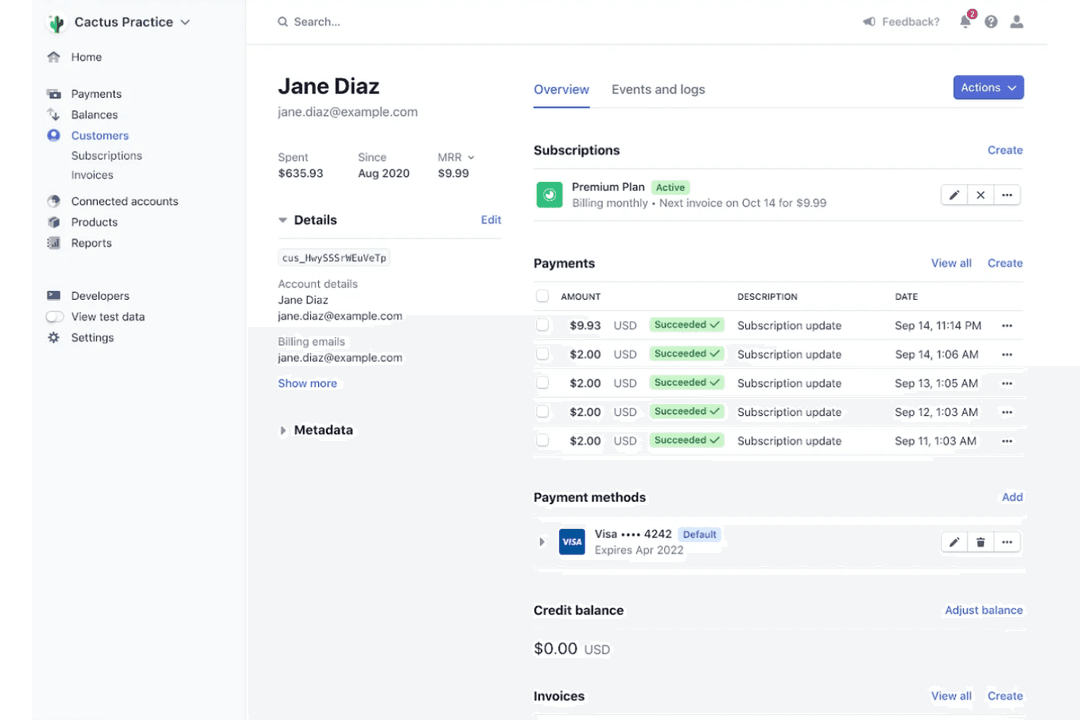
4.6/5
- Not available
- From $620/month
Square
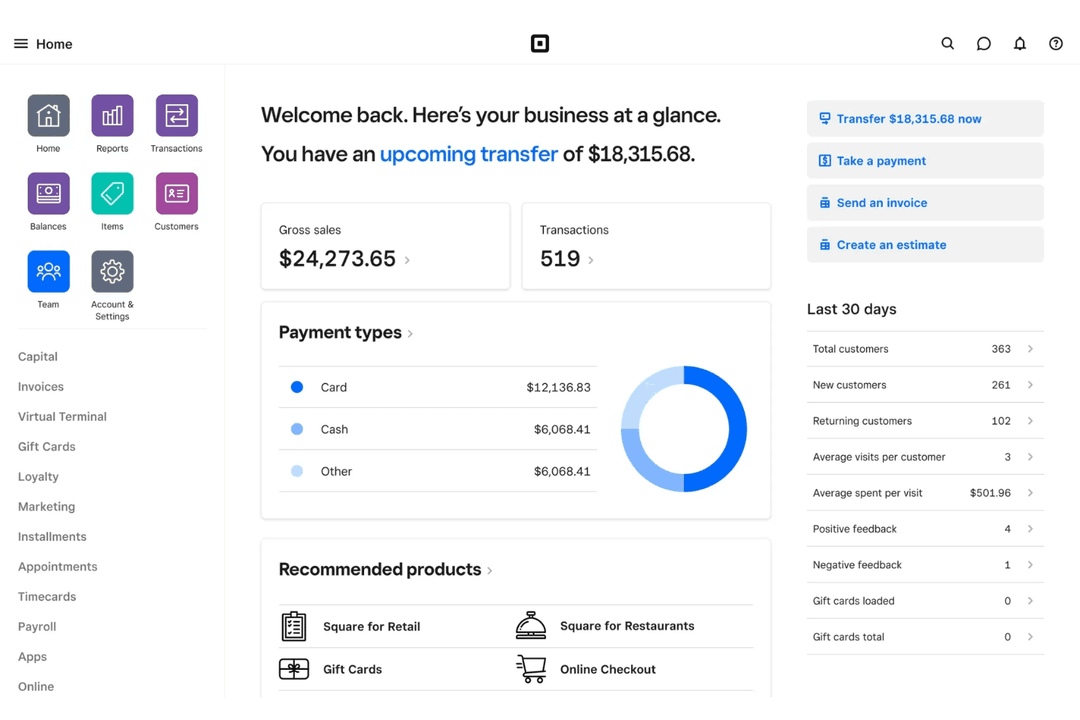
4.7/5
- Free plan available; 30-day free trial on paid tiers
- From $49/month
Why Trust Our Software Recommendations
6,700+
Reviews
20
Industry experts
16+
Evaluation factors
14
Years
Our team has been testing and reviewing software since 2012. As retail leaders ourselves, we know how difficult—and important—it is to choose the right software.
For this guide, we evaluated tools using hands-on testing and independent research, scoring tools using our selection criteria.
Our reviews reflect our independent judgment—not a sales pitch.
| Stripe | Square | |
|---|---|---|
| Free Trial | Not available | Free plan available; 30-day free trial on paid tiers |
| Pricing | From $620/month | From $49/month |
Stripe vs. Square Pricing & Hidden Costs
Stripe offers a pay-as-you-go pricing model for credit card processing, with no setup or monthly fees on its standard plan. It charges a flat rate per-transaction fee for online payments, with additional costs for things like manually entered cards, international transactions, and currency conversion. Stripe also offers a wide range of add-on products—such as billing, invoicing, and tax automation—which can introduce extra costs depending on how extensively you use them.
Square charges on a pay-as-you-go model with no monthly fee for its basic plan, bundling payment processing with free point-of-sale (POS) software. Its transaction fees vary depending on how payments are accepted (for example, in person, online, or manually entered), as well as the use of different payment types like credit and debit cards. While many core tools are included, additional costs can arise if you upgrade to advanced POS plans or use services like payroll, marketing, or instant transfers.
To choose the right payment platform provider, map out your typical transaction types (in-person vs. online), payment methods, and any required features like subscriptions or international payments. Then estimate your monthly costs based on your actual sales mix to understand which would be the most cost-effective payment solution. Keep in mind that Stripe’s modular pricing can increase as you add more products, while Square’s ecosystem may introduce new costs as you adopt more advanced tools or services.
Stripe’s customizable APIs and seamless international payment functionality help you automate online transactions and manage global sales with ease. Square’s POS tools and fast setup let you quickly accept payments in-store or on the go, making daily operations simple for businesses with physical locations.
| Stripe | Square | |
|---|---|---|
| 2-Factor Authentication | Yes | Yes |
| API | Yes | Yes |
| BitCoin | No | No |
| Budgeting | No | No |
| Contact Management | Yes | Yes |
| Customer Management | Yes | Yes |
| Dashboard | Yes | Yes |
| Data Export | Yes | Yes |
| Data Import | Yes | Yes |
| Data Visualization | Yes | Yes |
| External Integrations | Yes | Yes |
| Forecasting | No | No |
| Inventory Tracking | No | Yes |
| Multi-Currency | Yes | No |
| Multi-User | Yes | Yes |
| Notifications | Yes | No |
| Payment Processor | Yes | Yes |
| PayPal | No | No |
| Stripe | No | No |
| Supplier Management | No | No |
| Tax Management | Yes | Yes |
| Integration | Stripe | Square |
| Shopify | ✅ | ✅ |
| WooCommerce | ✅ | ✅ |
| QuickBooks | ✅ | ✅ |
| Xero | ✅ | ✅ |
| Salesforce | ✅ | ❌ |
| Wix | ✅ | ✅ |
| Magento | ✅ | ❌ |
| Mailchimp | ✅ | ✅ |
| BigCommerce | ✅ | ❌ |
| Toast POS | ❌ | ✅ |
| API | ✅ | ✅ |
| Zapier | ✅ | ✅ |
Stripe and Square both cover the most popular ecommerce, accounting, and marketing integrations, but Stripe stands out with more options for advanced ecommerce and CRM platforms. Both offer API and Zapier connections, so you can connect to almost any tool, but Stripe’s broader integration library gives you more flexibility if your business relies on specialized software.
| Factor | Stripe | Square |
| PCI Compliance | Automatically maintains PCI DSS Level 1 compliance for all transactions. | Handles PCI compliance for users and encrypts credit card data at every stage. |
| Data Encryption | Uses end-to-end encryption and tokenization for all payment data. | Encrypts payment data in transit and at rest using industry standards. |
| Fraud Prevention | Offers advanced machine learning fraud detection with Stripe Radar. | Includes built-in fraud detection and chargeback protection tools. |
| Uptime & Reliability | Guarantees high uptime with global redundancy and real-time monitoring. | Delivers reliable service with robust infrastructure and status updates. |
| Regulatory Support | Supports global compliance, including GDPR and PSD2, with built-in tools. | Meets US and international regulations, including GDPR and PCI DSS. |
Both Stripe and Square deliver strong security and compliance, but Stripe’s advanced fraud detection and global regulatory support give it an edge for businesses with complex needs. Stripe excels in proactive fraud prevention and international compliance, while Square’s strength lies in its user-friendly approach to PCI compliance and reliable infrastructure for everyday transactions.
| Factor | Stripe | Square |
| User Interface | Offers a clean dashboard but requires some technical know-how to navigate advanced features. | Features an intuitive, beginner-friendly interface designed for quick access to key tools. |
| Onboarding | Provides detailed documentation and developer resources for setup. | Guides users through a simple, step-by-step onboarding process. |
| Setup Process | Setup is flexible but can be complex for non-technical users. | Setup is fast and straightforward, especially for in-person payments. |
| Customer Support | Offers email and chat support, with extensive online resources. | Provides live phone, chat, and email support, plus in-person assistance at retail locations. |
| Mobile Experience | The Mobile app is robust but geared toward developers and online sales. | The Mobile app is easy to use for both in-person and mobile payment methods. |
Square is the clear winner for ease of use, especially for teams that want to get up and running quickly without technical hurdles. Stripe’s flexibility and developer tools are powerful, but Square’s simple setup and intuitive interface make it a favorite for businesses focused on speed and simplicity.
Stripe
- Supports 135+ currencies and global payment methods.
- Clear and detailed billing statements for easy expense tracking.
- Flexible APIs for custom checkout and billing flows.
- Customer support can be slow or unhelpful.
- Requires technical expertise for advanced setup.
- Higher transaction fees for some international payments.
Square
- All-in-one platform combining POS, payments, and business tools.
- Free core POS with fast, simple setup process.
- Flexible hardware options for mobile, countertop, and retail use.
- Must use Square Payments, limiting processor choice and negotiation flexibility.
- Flat-rate processing fees can become expensive at higher volumes.
- Not ideal for complex or enterprise-level business operations.
Stripe
- SaaS StartupsStripe’s subscription billing and API tools support rapid product iteration.
- Global EcommerceMulti-currency support and local payment methods help reach international customers.
- Marketplaces StripeConnect enables split payments and onboarding for multiple sellers.
- Digital AgenciesCustomizable payment flows and invoicing fit client-specific needs.
- NonprofitsDonation tools and recurring giving options are built in.
- Mobile App DevelopersStripe’s SDKs make in-app payments and subscriptions easy to implement.
Square
- Food TrucksMobile POS, offline mode, and tap-to-pay make selling anywhere fast and reliable.
- Pop-Up ShopsQuick setup and no contracts make it ideal for short-term or seasonal retail.
- Service ProvidersBuilt-in scheduling, invoicing, and client management simplify operations for service-based businesses.
- Small to Mid-Sized Retail (Omnichannel Sellers)Syncs in-store and online sales with inventory, orders, and customer data in real time.
- Quick-Service Restaurants & CafésSupports fast-paced ordering, tipping, and menu management for quick-service food environments.
- New & First-Time Business OwnersFree POS (plus transaction rates) and simple setup make it easy to start selling quickly.
| Stripe | Square | |
|---|---|---|
| Automation | Stripe Advanced automation for billing, subscriptions, and marketplace payouts. | Square Basic automation, mainly for inventory and sales reporting. |
| Customization | Stripe Highly customizable with developer tools and flexible integrations. | Square Limited customization, focused on out-of-the-box simplicity. |
| In-Person Payments | Stripe Requires third-party hardware for POS and limited native hardware options for in-person sales. | Square Square offers integrated POS system hardware and seamless in-person payment tools. |
| Online Payment Focus | Stripe Built for online businesses with advanced APIs and global support. | Square Supports online payments but is optimized for in-person transactions. |
| User Interface | Stripe Clean but technical dashboard, best for experienced users. | Square Intuitive, beginner-friendly interface for quick setup and daily use. |
| Integration Options | Each offers a wide range of integrations with eCommerce, accounting, and marketing platforms, plus API and Zapier support for custom connections. |
|---|---|
| Mobile Payments | Stripe and Square both support mobile payments, letting you accept transactions on smartphones and tablets with dedicated apps, improving the payment experience. |
| Reporting Tools | Each payment system provides real-time sales analytics and reporting dashboards to help you track performance and make informed decisions. |
| Transaction Security | Both use end-to-end encryption and maintain PCI compliance, protecting high-volume customer payment data at every step. |
| Transparent Pricing | Both use a pay-as-you-go pricing model with clear transaction fees and no long-term contracts or hidden monthly charges. |