

The best ecommerce website builders help you launch an online store that doesn’t just look good—it sells.
These tools combine sleek storefront design with built-in features for payments, inventory, shipping, and even basic marketing, so you don’t have to duct-tape your tech stack together.
Whether you're building your first store or leveling up from a janky setup, the right builder makes it faster to go live, easier to manage products, and way less stressful to scale.
The problem? There are a lot of them. That’s where we come in.
We’ve tested the top ecommerce website builders using our custom scoring system (and a decade-plus of real-world retail and ecommerce experience). Here are the best platforms worth your time—and your checkout traffic.
Why Trust Our Software Recommendations
6,700+
Reviews
20
Industry experts
16+
Evaluation factors
14
Years
Our team has been testing and reviewing software since 2012. As retail leaders ourselves, we know how difficult—and important—it is to choose the right software.
For this guide, we evaluated tools using hands-on testing and independent research, scoring tools using our selection criteria.
Our reviews reflect our independent judgment—not a sales pitch.
Comparing the Top Website Builders for Online Stores
Comparison is everything when you are whittling down your options. Here, you’ll see the pricing and feature comparisons for our top ecommerce website builders.
| Tool | Best For | Trial Info | Price | ||
|---|---|---|---|---|---|
| 1 | Best for adding ecommerce functionality to established websites | Free account available | From $5/month (billed annually) | Website | |
| 2 | Best for managing large amounts of inventory | 3-day free trial | From $29/month (billed annually) | Website | |
| 3 | Best for multi-storefront management | Free demo available | Pricing upon request | Website | |
| 4 | Best for building visually appealing storefronts | 14-day free trial | From $19/month (billed annually) | Website | |
| 5 | Best for mobile-friendly design | Free plan available | From $12.80/month | Website | |
| 6 | Best for high customization needs | 14-day free trial | From €24/month | Website | |
| 7 | Best for unlimited product management | Free plan available | Free plan available | Website | |
| 8 | Best for subscription-based businesses | Free plan available | From $13/month (billed annually) | Website | |
| 9 | Best for customizable ecommerce templates | Free plan available | From $17/month (billed annually) | Website | |
| 10 | Best for ecommerce marketing | 7-day free trial available | From $9.99/month (billed annually) | Website |


The Best Ecommerce Website Builders, Reviewed For You
Now, let’s get to the real stuff. Below, I’ve included reviews of each top ecommerce website builder, including why we picked it, its top features, pros and cons, and screenshots.
 Best for adding ecommerce functionality to established websites
- Free account available
- From $5/month (billed annually)
Visit WebsiteCustomer Rating:4.6/5
Manage all customer orders, including making mass updates and exporting the details to a spreadsheet. Ecwid is built for merchants who already have a site with traffic and just need ecommerce bolted on without wrecking the current design.
You can drop a store widget into WordPress, Wix, Weebly, or a custom site, then manage products, orders, and payments from a single dashboard instead of juggling multiple tools.
It’s a strong fit for smaller and midsize brands that want to add online selling to an existing presence, not rebuild from scratch.
Why I Picked Ecwid
I picked Ecwid because you can turn an existing site into a store by pasting one widget that adds catalog, cart, and checkout in one shot—no theme rebuild or replatforming required.
You keep your current look and navigation because Ecwid embeds into your pages and lets you adjust storefront colors, layout, and product grids to match your brand. Your team gets one backend where they can update prices, manage stock, and process orders, instead of logging into separate tools for website edits and ecommerce.
I also like that you can start with a small catalog and upgrade plans as you grow, so your costs track with your order volume instead of forcing a big upfront commitment.
For retailers testing ecommerce for the first time, it’s a practical way to monetize traffic on a site you already have.
Ecwid Key Features
Beyond the “paste-a-widget” approach, Ecwid gives you practical tools for actually running your online store day to day.
- Instant Site Builder: Spin up a simple one-page storefront that you can use as a primary shop or share alongside your existing website.
- Multichannel Sales: Sync one product catalog to sell on your website, Facebook, Instagram, and other channels while keeping inventory and orders in one admin.
- Automated Tax And Shipping Rules: Configure tax logic and connect shipping carriers so customers see correct rates and charges at checkout without manual updates.
- Mobile Management App: Use iOS and Android apps to check orders, tweak product details, and adjust inventory when you’re away from your desk.
Ecwid Integrations
Integrations include WordPress, Wix, Weebly, Joomla, Mailchimp, AfterShip, FreshBooks, Yotpo, Square POS, and 2Checkout.
Pros and Cons
Pros:
- Charges no extra platform transaction fees on top of processors.
- Supports website, social, and marketplace selling from a single catalog.
- Embeds a storefront into existing sites without forcing full replatforming.
Cons:
- Entry-tier plans limit product count, nudging growing stores to upgrade.
- Some merchandising and recovery tools unlock only on higher-priced plans.
 Best for managing large amounts of inventory
- 3-day free trial
- From $29/month (billed annually)
Visit WebsiteCustomer Rating:4.5/5
See how your store performs as soon as you log in to your account. Shopify is built for ecommerce teams that need to manage a lot of SKUs across multiple channels without hiring a full-time developer.
You get an easy-to-handle storefront, scalable inventory tools, and a checkout that’s already optimized for online shoppers and retail-style promotions.
It’s a good fit for brands that plan to grow beyond a simple “starter” catalog into serious volume.
Why I Picked Shopify
I picked Shopify because it lets you scale from a small catalog to tens of thousands of products without changing platforms—your product, variant, and collection structure can grow as your assortment expands.
You can keep inventory accurate across warehouses, retail stores, and fulfillment partners using centralized stock tracking and multi-location settings, so you’re not guessing what’s actually available. Your team can push products out to marketplaces and social channels from the same admin, which saves time and keeps pricing and availability consistent everywhere customers shop.
I also like that non-technical users can handle day-to-day tasks like merchandising, discounts, and basic theme changes through a visual interface, while developers still get access to Liquid templates and APIs when you need custom work.
For larger operations, built-in tools like Shopify Payments, tax handling, and performance monitoring reduce the number of separate systems you have to babysit.
Shopify Key Features
Beyond inventory capacity, Shopify gives you practical tools to build, merchandise, and run your online store day to day.
- Theme Editor And Templates: Use mobile-ready, ecommerce-focused themes and a drag-and-drop editor to launch or refresh your storefront without relying on a developer for every tweak.
- Multi-Location Inventory: Track stock levels across warehouses, stores, and 3PLs so online availability, safety stock, and store allocations stay accurate.
- Sales Channels Management: Sync your catalog to POS, social commerce, and buy buttons from one place, helping you maintain consistent pricing and product data across channels.
- Shopify Markets And Localization: Sell internationally with built-in tools for currencies, duties, and localized storefronts, so global expansion doesn’t turn into a manual spreadsheet project.
Shopify Integrations
Integrations include PayPal, Mailchimp, QuickBooks, Constant Contact, Sendinblue, Privy, Birdeye, Zapier, and Meta for Business.
Pros and Cons
Pros:
- Extensive app store adds niche tools for merchandising, marketing, and fulfillment.
- Supports unlimited products and variants, ideal for high-SKU catalogs.
- Native POS and sales channels link online store with retail locations.
Cons:
- Advanced features often require paid apps, increasing total monthly spend.
- Extra transaction fees apply when you use gateways beyond Shopify Payments.
 Best for multi-storefront management
- Free demo available
- Pricing upon request
Visit WebsiteCustomer Rating:4.5/5
Adobe Commerce centralizes multi-storefront operations and personalization Adobe Commerce is built for retailers and brands running multiple storefronts, catalogs, and customer types on one platform.
You get enterprise-grade tooling for B2C and B2B commerce—covering high-volume catalogs, complex pricing, and global expansion—without bolting together a patchwork of point solutions.
It’s best for mid-market and enterprise teams that need multi-storefront control and deep personalization more than quick-and-easy setup.
Why I Picked Adobe Commerce
I picked Adobe Commerce because it gives you multi-storefront control from a single admin, so your team can run multiple brands, regions, and catalogs without managing separate systems.
You can handle serious volume thanks to a cloud-native architecture that auto-scales for peak events and supports hundreds of thousands of orders per hour while maintaining PCI Level 1 compliance. AI-driven product discovery—powered by Adobe’s merchandising and recommendation engines—helps your customers find the right products using behavioral data, popularity signals, and visual similarity.
I also like the composable, API-first architecture and Adobe App Builder, which let your developers plug in ERP, PIM, and other services while Adobe manages the underlying cloud infrastructure.
Built-in localization for currencies, languages, and tax rules makes it easier to launch new markets without rebuilding your store each time.
Adobe Commerce Key Features
Beyond the core multi-storefront engine, Adobe Commerce offers tools that support complex, high-scale retail operations.
- Page Builder Content Management: Drag-and-drop layouts, content staging, and preview tools let your merchandising and marketing teams update storefronts without engineering tickets.
- B2B Account Management: Company accounts, custom catalogs, negotiated pricing, and quote workflows support wholesale and contract-based selling alongside DTC.
- Catalog Service At Scale: SaaS-based catalog services handle millions of SKUs, fast price updates, and high-traffic category or search pages without choking performance.
- Edge Delivery Storefront: A modern, high-performance storefront layer supports experimentation, personalization, and fast page loads for content-heavy retail experiences.
Adobe Commerce Integrations
Integrations include Adobe Analytics, Adobe Target, Adobe Experience Manager, Adobe Real-Time CDP, Adobe Journey Optimizer, Adobe Campaign, Adobe Customer Journey Analytics, Adobe Marketo Engage, and Adobe Experience Platform.
Pros and Cons
Pros:
- Strong B2B feature set supports quotes, company accounts, and custom pricing.
- AI merchandising and search improve discovery for large, complex product catalogs.
- Multi-storefront admin simplifies managing brands, regions, and catalogs centrally.
Cons:
- Requires experienced partners or in-house developers for advanced customizations.
- Licensing and implementation costs fit better for mid-market and enterprise.
Learn more about Adobe Commerce: Best for building visually appealing storefronts
- 14-day free trial
- From $19/month (billed annually)
Visit WebsiteCustomer Rating:4.6/5
Change the aesthetics of your site to ensure every page fits your brand. Squarespace is a good fit if you care a lot about how your store looks but don’t want to wrestle with code or plugins all weekend.
It suits solo founders and small teams who want polished product pages, simple inventory controls, and built-in marketing tools rather than a sprawling tech stack.
Why I Picked Squarespace
I picked Squarespace because you can design a genuinely on-brand storefront with its grid-based editor and designer-made templates, without hiring a developer.
You control product detail pages, galleries, and landing pages through drag-and-drop sections, so you can tweak layouts, typography, and imagery to match your brand identity.
For ecommerce, you get essential features like product variants, basic inventory tracking, and checkout customization, so your store doesn’t feel bolted onto a “regular” website.
Built-in SEO controls—like editable page titles, descriptions, and clean URLs—help you give each product page a fighting chance in search. If you’re already stretched thin, the all-in-one approach (site, blog, store, and basic email) keeps your ops stack cleaner and easier to manage.
Squarespace Key Features
In addition to the website builder, Squarespace gives retail brands a focused set of commerce tools that cover the essentials without over-complicating your day-to-day.
- Product Merchandising Tools: Create galleries, quick views, related products, and rich product descriptions to showcase visual SKUs like apparel, beauty, or home goods.
- Subscriptions And Digital Products: Sell memberships, recurring boxes, or digital downloads alongside physical items from the same storefront.
- Built-In Email Campaigns: Run simple promotional and lifecycle campaigns directly from Squarespace, using your store data to target recent purchasers or subscribers.
- Abandoned Cart Recovery: Capture otherwise-lost revenue with automated cart reminder emails triggered by unfinished checkouts.
Squarespace Integrations
Integrations include Mailchimp, ShipStation, ShipBob, Xero (via Amaka), QuickBooks, Instagram Shopping, Facebook Pixel, Google Analytics, Google Tag Manager, and Square.
Pros and Cons
Pros:
- Commerce plans charge 0% Squarespace transaction fees on orders.
- Visual templates make product storytelling easy for design-first brands.
- Built-in email campaigns and cart recovery reduce reliance on extra tools.
Cons:
- Inventory tools are basic for multi-location or highly complex catalogs.
- Fewer payment and shipping options than specialist ecommerce platforms.
Learn more about Squarespace: Best for mobile-friendly design
- Free plan available
- From $12.80/month
Visit WebsiteCustomer Rating:4.4/5
SITE123 centralizes orders, payments, and fulfillment tracking. SITE123 is built for small retailers who want to launch a mobile-friendly store fast without wrangling code, plugins, or developers.
You get hosted ecommerce tools for selling physical or digital products, managing orders, and handling payments and shipping in one place, which is ideal if you’re running a lean operation and just need a clean, functional storefront that works on every device.
Why I Picked SITE123
I picked SITE123 for merchants who care more about getting a usable store live quickly than obsessing over pixel-perfect design. You can spin up a responsive storefront with guided setup, pre-built ecommerce layouts, and an editor that keeps decisions simple, so you’re not stuck configuring a hundred theme settings before you can sell anything.
Your team can manage products, orders, shipping zones, and tax rules from a straightforward dashboard instead of hopping between separate tools. You also get always-on live chat support, which makes a huge difference when you’re launching your first store and something breaks at 10PM.
And when you’re ready to level up, the built-in app market lets you bolt on chat, analytics, and marketing tools without hiring a developer.
SITE123 Key Features
Here are a few ecommerce-focused features that matter most for growing retailers.
- Multicurrency And Localization: Support multiple currencies and languages so you can sell to international shoppers without rebuilding your store for each region.
- Coupons And Promotions: Create discount codes, sale pricing, and free-shipping offers to move seasonal inventory and reward loyal customers.
- Abandoned Cart Recovery: Automatically email shoppers who leave items in their carts, giving you a low-effort way to win back lost sales.
- Bookings And Reservations: Combine product sales with appointments, events, or restaurant reservations in the same system if your business mixes services and retail.
SITE123 Integrations
Integrations include Google Analytics 4, Facebook Pixel, Google Tag Manager, LiveChat, Tidio Chat, Hotjar, JotForm, 123FormBuilder, Stripe, and PayPal.
Pros and Cons
Pros:
- App market plugins add chat, analytics, and marketing without custom code.
- Built-in ecommerce tools cover inventory, shipping, and taxes for small catalogs.
- Mobile-responsive templates keep storefronts usable on phones and tablets.
Cons:
- Scaling very large catalogs or complex variants can become challenging.
- Design flexibility is limited if you want highly customized layouts.
Learn more about SITE123:

Multi-store-ready order workflow with capture and refund controls. PrestaShop is an open-source ecommerce website builder for retailers that want tight control over their storefronts, data, and scaling path.
It’s best for teams with development resources that need advanced customization, multi-store setups, and international selling without being boxed into a single SaaS pricing model.
Why I Picked PrestaShop
I picked PrestaShop for merchants who want your ecommerce stack to match your business, not the other way around—its open-source core lets your team customize themes, checkout flows, and modules at the code level when you outgrow vanilla templates.
You can run multiple storefronts from a single back office, so you manage regional sites, brands, or B2B/B2C experiences while reusing core catalog and ops workflows.
PrestaShop Checkout centralizes major payment methods in one module, so you improve authorization rates and conversion while still supporting local payment preferences. PrestaShop Marketing with Google connects your catalog to Google Shopping and Performance Max campaigns, turning your product data into performance marketing fuel instead of yet another manual export.
You can also choose between Classic (self-hosted), Hosted, and Enterprise plans, so IT can balance control, compliance, and budget as you scale.
PrestaShop Key Features
Beyond the customization and payment options, PrestaShop includes a deep feature set for serious retail operations.
- Advanced Catalog Management: Support complex catalogs with variants, attributes, bundles, and category-specific rules.
- Multi-Currency And Tax Rules: Configure region-specific currencies, VAT/sales tax rules, and rounding so each market stays compliant.
- PrestaShop Metrics And Reporting: Track orders, revenue, and marketing performance from integrated dashboards for better merchandising calls.
- Built-In SEO And URL Tools: Control URLs, metadata, and indexing settings to keep category and product pages search-friendly at scale.
PrestaShop Integrations
Integrations include Google Shopping, QuickBooks, Mailchimp, Amazon, ShipStation, HubSpot, Facebook, and Zendesk.
Pros and Cons
Pros:
- Large module marketplace adds niche features without rebuilding your stack.
- Multi-store and multi-language support for complex, international retail brands.
- Open-source codebase gives full control over storefront behavior and design.
Cons:
- Requires in-house developers or an agency partner to get full value.
- Costs can rise as you add paid modules and custom development.
Learn more about PrestaShop: Best for unlimited product management
- Free plan available
- Free plan available
Visit WebsiteCustomer Rating:4.3/5
Admin settings panel for SEO, themes, and multi-store layout. OpenCart is a free, open-source ecommerce website builder that gives you serious control over big, complex catalogs without locking you into monthly platform fees.
It’s best for merchants who expect their product count and storefronts to keep growing, and who are comfortable owning their own hosting, extensions, and technical stack over time.
Why I Picked OpenCart
I picked OpenCart because it lets you scale product volume without worrying about artificial limits—its catalog engine supports unlimited products and categories while keeping product creation straightforward from the admin.
You get multi-store control from a single dashboard, so you can spin up new storefronts for different regions or brands without maintaining separate systems. Your team can customize templates and themes to match each store’s look, while built-in tools help you manage SEO-friendly URLs, meta data, and sitemaps so your products stay discoverable.
The extension marketplace is deep, so you can add payment gateways, shipping options, and marketing tools as your needs evolve instead of overpaying from day one.
The trade-off is that you’ll want a developer or technical partner to harden performance and security as traffic, extensions, and catalog size grow.
OpenCart Key Features
Beyond the basics of catalog and store management, OpenCart includes a few practical features that help you run daily operations from one place.
- Mobile-Friendly Admin Dashboard: Monitor sales, update products, and manage orders from phones and tablets, so you’re not tied to a desktop login.
- Granular User Permissions: Set role-based access so staff, agencies, and contractors only see the menus and data they actually need to do their jobs.
- Product Options And Attributes: Configure variants for size, color, materials, and more, keeping each SKU clean while still reflecting real-world complexity.
- Affiliate And Discount Tools: Run affiliate programs and coupon-based promos from the core platform, instead of wiring up separate promo systems.
OpenCart Integrations
Integrations include PayPal Checkout, eBay Marketplace, Etsy Marketplace, ShipStation, MailChimp, Google Tag Manager, Authorize.Net, and QuickBooks Desktop Sync.
Pros and Cons
Pros:
- Free, open-source platform so you avoid monthly licensing fees.
- Handles unlimited products and categories for large, fast-growing catalogs.
- Multi-store admin lets you run multiple branded storefronts from one backend.
Cons:
- Many advanced ecommerce features require paid marketplace extensions or custom development.
- Performance can suffer on large catalogs without caching and hosting optimization.
Learn more about OpenCart: Best for subscription-based businesses
- Free plan available
- From $13/month (billed annually)
Visit WebsiteCustomer Rating:4.3/5
Choose a responsive theme to get your store started immediately. Weebly is a good fit if you want to launch a small subscription-focused store without hiring a developer or wrestling with code.
You get a drag-and-drop builder, Square-powered checkout, and baked-in tools for coupons, inventory, and digital products, so you can spin up a simple membership or subscription business on a tight budget.
Why I Picked Weebly
I picked Weebly because it lets you sell subscriptions and memberships through a builder that non-technical teams can actually use—no custom development needed.
You can set up members-only areas and recurring billing so customers can pay for ongoing access to content, services, or product clubs from the same place you manage the rest of your site.
Square handles your online payments and supports card and digital wallet checkout, so you don’t have to piece together gateways and cart apps. You can sell physical, digital, and service-based products in the same catalog, which works nicely for subscription boxes, digital courses, or retainers.
Pricing is straightforward, with a free tier and low-cost paid plans that unlock more ecommerce features without forcing you into enterprise-level spend.
Weebly Key Features
Beyond the basic builder and subscription tools, there are a few features that matter for retail and ecommerce teams.
- Abandoned Cart Recovery: Send automatic reminder emails when shoppers leave items in their cart, helping you recover recurring subscription signups or first-time purchases.
- Branded Digital Gift Cards: Sell digital gift cards that customers can redeem online, giving you a simple way to drive repeat orders and referrals.
- Product Merchandising Tools: Use galleries, slideshows, and product videos to present subscription bundles, kits, or add-ons in a way that actually encourages browsing.
- Built-In SEO Tools: Edit page titles, meta descriptions, and URLs so your store and subscription landing pages have a better shot at ranking in search.
Weebly Integrations
Integrations include AWeber, Jotform, PayPal, Privy, Constant Contact, Easyship, Shore, ShipStation, Schedulista, Eventbrite, Appy Pie, Donorbox, and Booqable.
Pros and Cons
Pros:
- Square integration lets you connect in-store and online subscription revenue.
- Membership areas and recurring billing support subscription products and communities.
- Affordable paid tiers include core ecommerce, even for small catalogs.
Cons:
- Theme library smaller and less flexible than Wix or Shopify.
- Advanced customization lags behind developer-focused builders like Webflow or WooCommerce.
Learn more about Weebly: 9Best for customizable ecommerce templates
Wix
- Free plan available
- From $17/month (billed annually)
Visit WebsiteCustomer Rating:4.4/5
Wix lets you manage and track orders, payments, and shipping from a single dashboard. Wix is a good fit if you want a visual-first store that still gives you serious control over inventory, shipping, and taxes.
It’s best for small to midsize retailers who care about branded templates, quick setup with AI tools, and managing orders, payments, and fulfillment from one place.
Why I Picked Wix
I picked Wix because you can go from idea to live store fast using its drag-and-drop editor, 500+ ecommerce-ready templates, and AI site builder that assembles a layout around your products.
You get built-in inventory tools so you can track stock levels, variants, and back-in-stock status without bolting on a separate system. Your team can manage orders, payments, shipping labels, and returns from a single dashboard, which reduces the day-to-day chaos of running an online store.
Wix also supports automated sales tax calculations, so you stay compliant while the platform handles the math in the background.
For growing brands, multichannel selling and POS options help you keep online and in-person inventory in sync as you add new sales channels.
Wix Key Features
Alongside the page builder and inventory tools, Wix gives retailers a practical ecommerce toolkit you’ll actually use.
- Multichannel Selling: Sync products to social channels and marketplaces so you can sell from one catalog instead of updating every channel manually.
- Wix POS: Connect in-store hardware with your online store to share inventory, order history, and customer profiles across both.
- Automated Sales Tax: Apply location-based tax rates at checkout, reducing errors when you sell into multiple states or regions.
- Wix Owner App: Run your store from your phone—add products, fulfill orders, and respond to customers on the go.
Wix Integrations
Integrations include Klaviyo, Easyship, AfterShip, Privy, Mailchimp, Dropbox, Google Drive, 123FormBuilder, JivoChat, and Eventbrite.
Pros and Cons
Pros:
- Shipping apps unlock label printing, discounted rates, and real-time quotes.
- AI site and product tools speed up store launches and catalog setup.
- Built-in inventory tools handle variants, stock counts, and back-in-stock status.
Cons:
- Using third-party payment providers can add extra transaction fees.
- You can’t freely swap templates once a site is live.
Learn more about Wix: 10Best for ecommerce marketing
GoDaddy
- 7-day free trial available
- From $9.99/month (billed annually)
Visit WebsiteCustomer Rating:4.2/5
Build, preview, and publish your new website straight from the user interface. For small-to-mid-sized ecommerce brands ready to sell now instead of later, GoDaddy Website Builder helps you launch a storefront and start marketing in minutes—without needing advanced tech skills.
It’s optimized for teams that want to manage products, payments and online marketing from one dashboard.
Why I Picked GoDaddy Website Builder
I picked GoDaddy Website Builder because it combines straightforward store setup with built-in marketing tools so your team doesn’t juggle multiple platforms.
You can add products, set up shipping and take payments within the same interface so you’re live fast. I like that the platform includes data-driven insights and SEO prompts so you’re not flying blind after launch.
The drag-and-drop editor and pre-designed templates mean you can tailor your storefront without needing a developer.
And because the marketing dashboard ties in email, social and your store analytics you can track results from a single place.
GoDaddy Website Builder Key Features
Here are some of the tools that make it worth considering:
- Drag-And-Drop Editor: position text, images and buttons easily without code.
- Built-In Ecommerce Dashboard: manage products, inventory, orders and payments all in one place.
- Marketing And SEO Tools: get recommendations, track search ranking and send email campaigns from your site.
- Multichannel Sales Support: list products on Facebook, Instagram or Google directly from the builder.
GoDaddy Website Builder Integrations
Integrations include Stripe, PayPal, Apple Pay / Google Pay (via GoDaddy Payments), Facebook, Instagram, Google Business Profile, ShipEngine (for shipping labels), and Microsoft 365.
Pros and Cons
Pros:
- Quick-launch setup lets you go live in hours, not days.
- Central dashboard for products + marketing gives you one control point.
- Accepts major payments including Apple Pay & Google Pay out of the box.
Cons:
- Customization options are limited compared with advanced builders.
- At higher tiers you pay more for “premium” marketing or ecommerce features.
Learn more about GoDaddy:
Other Options
Here are a few more of the best website builder options that didn’t make the best ecommerce website builders list:
- 113dcartBest for dropshipping
- 12Bitrix24Best for team collaboration
- 13WebadorBest for smaller, local businesses
- 14StrikinglyBest for managing customer engagement
- 15BranchbobBest for automatic invoice generation
- 16Webflow eCommerceBest for unique store designs
- 17OdooBest for enterprise resource planning
- 18WooCommerceBest ecommerce plug-in for WordPress
- 19Square OnlineBest for versatile payment processing
- 20BigCommerceBest for growing ecommerce stores
- 21ZyroBest for simplifying ecommerce operations
- 22Web.comBest for quick AI site building
- 23VolusionBest for business tools and professional services
- 24SellfyBest for plug‑and‑sell creator commerce
- 25Big CartelBest shopping cart platform for artists
- 26Shift4ShopBest for payments-integrated selling
- 27ShopFactoryBest for building stores on the cloud
- 28Cafe24Best for starting a store in minutes
- 29SelzBest for marketing and tracking sales
How I Evaluate Ecommerce Website Builders
I split my evaluation into two layers: the baseline must-haves—like catalog management and checkout—and the differentiators, like POS sync or B2B pricing, that set the right tool apart.
Core Functionality (Table Stakes For This List)
When I'm selecting tools for my list, I rank each one on a scale from 0 (does not offer the functionality) to 5 (excels in this area) for each core functionality listed below. Then, I calculate the tool's total score into a percentage. Each tool needs to achieve a minimum total score of 75% to be considered for inclusion.
- Storefront Design & Customization: I evaluate whether each builder offers a visual editor or drag-and-drop tools that let you design a branded storefront—like a seasonal landing page—without writing code.
- Product Catalog Management: A strong catalog handles variants, categories, bulk uploads, and media. I check how each tool manages complex listings like apparel with multiple sizes and colors.
- Shopping Cart & Checkout: I look at how many payment gateways are supported, whether tax and shipping rules are configurable, and if the checkout includes features like abandoned cart recovery.
- Inventory & Order Management: Real-time stock tracking across locations matters when you sell both online and in-store. I evaluate how each platform handles order fulfillment workflows and stock syncing.
- Mobile-Responsive Themes: Every theme should render and function well on mobile by default. I look at each builder's theme library and check for mobile-specific editing or preview tools.
- Built-In Marketing & SEO: Tools like editable meta tags, URL slugs, discount engines, and email capture forms help drive traffic post-launch. I evaluate how much marketing functionality ships natively versus requiring add-ons.
Once I have a list of tools that meet this criteria, I consider what sets each platform apart.
Differentiating Factors (What Sets Vendors Apart)
Here's how I compare and contrast different vendors:
Standout Features
Multi-channel selling is a big one—I check whether a platform lets you list products on Amazon, TikTok Shop, or Instagram from a single dashboard without duplicating catalog work. POS integration matters just as much for retailers who also sell in-store, since syncing transactions and inventory across channels in real time prevents overselling. I also look at whether a builder supports B2B workflows like customer-specific pricing and gated wholesale storefronts, which opens up an entirely different revenue stream.
Beyond Features
Total cost of ownership goes beyond the subscription price. I evaluate transaction fees, app costs, and theme expenses because they add up fast as order volume grows. Scalability is closely tied—I check whether a platform can handle traffic surges during peak sales events without degraded page speeds or downtime. The integration ecosystem also carries a lot of weight. A builder that connects natively to your ERP, shipping providers, and marketing tools saves you from stitching together workarounds or paying for middleware down the road.
How to Choose an Ecommerce Website Builder
Picking the right ecommerce website builder is like choosing the perfect pair of shoes—fit matters, and the wrong choice will leave you limping.
Here’s how to make sure your platform supports your stride:
- Clarify your goals. Are you launching a side hustle that needs to be live yesterday, or building a scalable powerhouse to dominate your niche? Quick launchers might prioritize simplicity (hello, Wix), while growth-focused brands need advanced features like those in Shopify or BigCommerce.
- Know your tech limits. Be honest about your comfort level. If the thought of HTML gives you hives, go for intuitive drag-and-drop options. If you (or someone on your team) loves tinkering under the hood, platforms like WooCommerce or Shopify can deliver more customization.
- Prioritize design freedom. Your website is your digital storefront, so make it stunning—or at least functional. For pixel-perfect aesthetics, check out Squarespace. If you’re less concerned about winning design awards and more focused on functionality, Shopify or BigCommerce might be your speed.
- Plan for growth. Think beyond today’s needs. If you’re aiming for global domination (or just a really busy holiday season), choose a platform that can scale without breaking a sweat. Shopify and BigCommerce handle high traffic and large inventories with ease.
- Look for integrations. Your website builder shouldn’t live in a bubble. Ensure it syncs seamlessly with your email marketing, CRM, and payment gateways. Bonus points for platforms that offer app marketplaces or native integrations with tools you already love.
- Budget smartly. Pricing plans aren’t always as straightforward as they seem. Watch for hidden costs like transaction fees, premium plugins, or paid themes. A $23 plan might seem great—until you realize you’re paying extra for every feature you actually need.
Understanding how to choose correctly will do you a bunch of good going into these reviews. Your eyes are now honed for what to look for. You've already got a shortlist here, so now find the right one of these top 10.
Trends in Ecommerce Website Builders for 2026
Ecommerce is constantly evolving, and website builders are no exception. Now, platforms are racing to keep up with changing consumer expectations, new technologies, and the demand for seamless online experiences.
Here’s what’s shaping the future of ecommerce website builders:
- AI taking the lead. From AI-generated product descriptions to dynamic pricing models and personalized shopping experiences, artificial intelligence is becoming a must-have. Even free AI ecommerce website builders are starting to bring some of these capabilities to businesses that want to experiment without a large upfront investment.
- Headless commerce on the rise. Headless architecture—where the backend (managing products, orders, etc.) is decoupled from the frontend (your site design)—is gaining traction. It allows businesses to build highly customized storefronts while still leveraging the power of ecommerce platforms.
- Focus on global selling. With cross-border ecommerce booming, platforms are stepping up their game with multilingual support, region-specific payment options, and tools to simplify international shipping. The world is your market, and website builders are making it easier to tap into.
- Sustainability features. Consumers are demanding transparency about sustainability. Platforms are rolling out tools to help merchants showcase eco-friendly practices, calculate carbon footprints, and highlight green shipping options.
- Enhanced mobile experiences. Mobile-first is no longer a trend; it’s the standard. Builders are optimizing for mobile even further, ensuring fast loading times, better UX, and seamless checkouts designed for small screens.
- Integration with new sales channels. From TikTok shops to augmented reality (AR) integrations, website builders are finding new ways to help you sell wherever your customers hang out. Multi-channel selling has never been easier or more essential.
- Performance and scalability upgrades. With ecommerce traffic surging during peak events like Black Friday or Singles’ Day, platforms are investing in cloud infrastructure to ensure your site stays up and running—even when thousands of people hit “Add to Cart” at once.
- Customer-centric tools. Builders are incorporating features like loyalty programs, advanced CRM integrations, and post-purchase communication tools to improve the customer experience and boost retention.
- Advanced analytics. Data is king, and ecommerce platforms are enhancing their reporting tools to give you deeper insights into customer behavior, sales trends, and performance metrics—without needing a degree in data science.
What is an Ecommerce Website Builder?
An ecommerce website builder is a platform that lets you create and run an online store without writing code.
It bundles everything you need—storefront design, product listings, payment processing, and shipping tools—into one user-friendly package.
These platforms are built for speed, scale, and sales, whether you're spinning up a side hustle or launching your next DTC empire. Shopify vs Squarespace is one of the most common comparisons businesses face when choosing their platform. No dev team required.
Key Features of Ecommerce Website Builders
Not all ecommerce website builders are created equal. The best ones don’t just help you build a website—they arm you with the tools to sell, scale, and stay ahead of the competition.
Here’s what to look for:
- Drag-and-drop simplicity. You’re busy running a business, not a web design firm. A good builder lets you set up a polished store in hours, not days, with intuitive tools anyone can master.
- Mobile responsiveness. Over half of online shoppers are on their phones. Your website should look flawless whether viewed on a desktop, tablet, or that weirdly cracked iPhone 7 your cousin still uses.
- Multilingual and multicurrency support. Planning to go global? Look for platforms that can translate your site and adjust prices based on where your customers are shopping. Shopify, BigCommerce, and WooCommerce are pros at this.
- AI-powered personalization. The future is here, and it’s powered by AI. Features like dynamic product recommendations, automated upsells, and even AI-generated product descriptions can boost sales without breaking a sweat.
- SEO and marketing tools. Even the best site is useless if no one can find it. Platforms with built-in SEO optimization, email marketing tools, and social media integration will help you drive traffic and stay top of mind.
- Performance and scalability. Fast-loading pages and the ability to handle traffic spikes (like Black Friday madness) aren’t negotiable. Look for platforms that invest in scalable, cloud-based infrastructure.
- Top-tier security. You need SSL encryption, PCI DSS compliance, and fraud detection baked in. Customers won’t stick around if their credit card data ends up on the dark web.
- Third-party integrations. From accounting tools to CRMs and shipping software, the right platform will play well with others. Bonus points if it has an app marketplace for easy plug-and-play functionality.
- Inventory and order management. Whether you’re shipping a dozen handmade candles or managing thousands of SKUs, a solid inventory system saves you from overselling (and the awkward emails that follow).
- Customer support. Because when something breaks at 2 a.m., you need answers now. Platforms with 24/7 support via chat, email, or phone are the real MVPs.
When evaluating ecommerce website builders, think of these features as your checklist. The more boxes a platform ticks, the less you’ll stress—and the more you’ll sell.
Benefits of Using an Ecommerce Website Builder
Running an online store doesn’t have to be a nightmare of code and costly developers. Ecommerce website builders make it easier, faster, and more efficient to turn your products into profit.
Here’s why they’re the secret weapon for modern businesses:
- Quick setup, faster sales. Skip the months-long web development process. With pre-designed templates and intuitive tools, you can go from idea to live site in a weekend—sometimes faster.
- Cost-effective. Hiring a developer to build a custom site can cost tens of thousands of dollars. An ecommerce builder gives you professional results at a fraction of the cost (and without those awkward invoice surprises).
- AI-powered efficiency. Many platforms now come with built-in AI tools for product recommendations, customer segmentation, and even content creation. That’s less time spent micromanaging and more time spent growing.
- Global reach. With multilingual options, currency converters, and international shipping integrations, selling across borders is no longer a logistical headache.
- Scalability. Whether you’re starting small or bracing for a tidal wave of orders, top platforms like Shopify and BigCommerce are built to grow with you. Handle high traffic, add unlimited products, and keep things running smoothly.
- Optimized for all devices. Your customers are everywhere—on desktops, phones, and tablets. Ecommerce builders ensure your site looks sharp and works perfectly, no matter the screen size.
- Built-in marketing tools. Email campaigns, abandoned cart recovery, SEO optimization—these platforms include tools to attract customers and keep them coming back.
- Ironclad security. Rest easy knowing your site is protected with SSL encryption, PCI DSS compliance, and fraud prevention. Trust is non-negotiable in ecommerce.
- Simplified inventory management. Automatically track stock levels, update products, and sync across channels, so you’re not scrambling to reconcile orders manually.
- Professional support when you need it. From 24/7 customer support to expert services for customizations, you’re never left hanging when challenges arise.
Ecommerce website builders give you everything you need to succeed in one neat package. They’re efficient, affordable, and adaptable—so you can focus on growing your business, not fixing your website.
Ecommerce Website Builders: Customer Support Showdown
When you're diving into ecommerce, having a support system that actually shows up when you need it is pure gold.
I’ve whipped up this concise table to give you the lowdown on each platform’s support options—covering everything from live chat and phone support to self-help resources and the inevitable pros and cons.
Check out which builder not only looks great and sells like hotcakes but also has your back when the going gets tough. Enjoy the read!
| Platform | Support details | Self-help & resources | Key pros/cons |
|---|---|---|---|
| PlatformEcwid by Lightspeed | Support detailsLive chat (24/7 on paid plans), email, forum; prompt for premium users | Self-help & resourcesKnowledge base, video tutorials, blog | Key pros/cons+ Fast responses for premium users – Limited free plan support |
| PlatformShopify | Support details24/7 live chat, email, phone; always-on support | Self-help & resourcesComprehensive help center, tutorials, guides, KB | Key pros/cons+ Multiple channels – Phone support quality can vary |
| PlatformSquarespace | Support detailsEmail and live chat (business hours) | Self-help & resourcesDetailed KB, video tutorials, community forums | Key pros/cons+ Excellent self-help – Limited live chat on weekends |
| Platform3dcart | Support detailsPhone, email, live chat; 24/7 on many plans (response times vary) | Self-help & resourcesRobust KB and video library | Key pros/cons+ Multiple contact options – Dated interface, inconsistent responses |
| PlatformWeebly | Support detailsEmail; live chat on higher-tier plans; limited phone support | Self-help & resourcesComprehensive help center, FAQs, step-by-step guides | Key pros/cons+ User-friendly support center – Live chat not available on all plans |
| PlatformGoDaddy Website Builder | Support details24/7 phone, live chat (peak hours), email | Self-help & resourcesExtensive KB, video guides, community forums | Key pros/cons+ 24/7 phone support – Live chat responses can be hit-or-miss |
| PlatformBitrix24 | Support detailsEmail, phone, ticket system, forum; business hours for free users, extended for premium | Self-help & resourcesDetailed manuals, tutorials, active forum | Key pros/cons+ Rich documentation – Free plan may see slower responses |
| PlatformOdoo | Support detailsEmail, phone (enterprise), ticketing; standard business hours (priority for enterprise users) | Self-help & resourcesIn-depth documentation, community forums, video tutorials | Key pros/cons+ Extensive docs and community – Support quality varies by plan |
| PlatformWooCommerce | Support detailsCommunity forums; email for licensed users; third-party developer channels | Self-help & resourcesVast documentation, tutorials, developer guides | Key pros/cons+ Excellent community backing – Inconsistent direct support |
| PlatformWebador | Support detailsEmail and live chat (business hours; responses within 24 hours) | Self-help & resourcesBasic KB, FAQs, helpful blog articles | Key pros/cons+ Intuitive for local businesses – Limited channels outside business hours |
| PlatformBigCommerce | Support detailsPhone, email, live chat, forum, social media; 24/7 support | Self-help & resourcesExtensive KB, video tutorials, community forums, blog | Key pros/cons+ Reliable 24/7 support – Occasional long hold times on phone |
| PlatformWix | Support detailsEmail support, callback service, tickets; phone support on premium plans | Self-help & resourcesComprehensive KB, video tutorials, Wix Forum | Key pros/cons+ Great self-help resources – Limited phone support availability |
Cost & Pricing of Ecommerce Website Builders
When selecting an ecommerce website builder, you'll encounter a variety of price points, each tailored to serve businesses of different sizes, needs, and budgets.
Several factors influence the pricing of ecommerce website builders, such as:
- Customization options
- Number of products
- Built-in marketing tools
- Hosting included
- Security features
- International selling capabilities
- Scalability
- Support options
- Transaction fees
Small businesses may not need all available features, allowing them to choose a lower pricing tier that meets their needs. Conversely, enterprise businesses often require a comprehensive feature set, making higher-priced plans more cost-effective.
Fortunately, many ecommerce website builders offer multiple tiers, enabling scalability as your business grows.
Here's a breakdown of the common plan options and their pricing in the ecommerce website builder market. This overview highlights which type of business each plan is generally best for, though you should always evaluate your specific needs.
Plan comparison table for ecommerce website builders
| Plan Type | Average Price | Common Features Included | Best For |
|---|---|---|---|
| Plan TypeFree | Average Price$0 | Common Features IncludedLimited product listings, basic templates, basic SEO tools, transaction fees on sales, branded domain. | Best ForHobbyists, solopreneurs |
| Plan TypeBasic | Average Price$10 - $30/month | Common Features IncludedCustom domain, website hosting, basic templates, product listings, basic SEO tools, simple analytics, email support. | Best ForSmall businesses, startups |
| Plan TypeProfessional | Average Price$40 - $70/month | Common Features IncludedAll Basic features, premium templates, marketing tools, improved SEO capabilities, advanced analytics, chat support. | Best ForGrowing businesses, SMEs |
| Plan TypeAdvanced | Average Price$100 - $200/month | Common Features IncludedAll Professional features, advanced analytics, customer segmentation, abandoned cart recovery, priority support. | Best ForMedium to large businesses |
| Plan TypeEnterprise | Average Price$300+/month | Common Features IncludedAll Advanced features, custom integrations, full customization, dedicated support, training, enterprise-grade security. | Best ForLarge enterprises |
When considering an ecommerce website builder, software buyers should weigh their current business needs against their future growth plans.
Ultimately, the choice of an ecommerce website builder plan should align with your business goals, budget, and the level of control and customization you require. For businesses requiring extensive customization beyond what standard builders offer, working with specialized ecommerce development companies may be the better path forward.
Ecommerce Website Builders FAQs
You’ve got questions still, I’m sure. We’re curious animals, it’s only natural. We guessed at the questions you have, then answered them. Hope we’re right!
Which ecommerce website builder offers the best value for money?
Shopify usually tops the charts for value, but don’t sleep on Square Online or Wix if you’ve got a tighter budget or niche setup.
Here’s the catch: “best value” isn’t always about the lowest price—it’s about how well the features, support, and growth potential line up with what you actually need. Run the numbers, factor in any extras you’ll actually use, and watch out for hidden costs that’ll eat into your margins down the line.
Are there any hidden fees or long-term costs with ecommerce website builders?
Yes, most builders have fine print that can surprise you—think transaction fees, higher rates when you use a non-preferred payment gateway, charges for premium themes, or higher costs to unlock advanced shipping or reporting.
Read the pricing page like you’d read a lease agreement. If something smells off, ask their sales team point-blank. Most reputable brands will lay it out if you push for clarity.
How much can these platforms scale before I outgrow them?
The good news? Nearly every top-shelf ecommerce website builder can handle high traffic and sales spikes out of the box. Shopify and BigCommerce are built for scale; Wix and Squarespace are best for brands that don’t plan to be the next Nike.
Remember: real bottlenecks tend to come from backend processes—inventory, fulfillment, integrations—not just your site’s traffic limits.
What integrations do ecommerce website builders typically offer?
You’ll want easy hookups to your payment processors (Stripe, PayPal, and friends), accounting (like QuickBooks), shipping (UPS, FedEx), and marketing tools (Mailchimp, Klaviyo).
Start a list of the tools your business relies on now—and the ones you want to add. Then look at which platforms play nice with them out-of-the-box versus which leave you hacking things together at midnight.
Can I really build an ecommerce website for free—or is there always a catch?
Yes, you can launch a basic storefront for free on Wix, Square Online, or Big Cartel. Here’s the honest truth: “free” means limited features, platform-branded URLs, and hard caps on product numbers or payment options.
Free is fine for kicking the tires or testing your product idea, but any serious growth plan will have you reaching for your wallet pretty quick.
What should I actually look for when choosing an ecommerce builder for my brand?
Don’t get distracted by glossy marketing or home-page reviews. Make a checklist of must-haves—think: robust product catalog management, mobile-friendly templates, real support (chat or phone), seamless integrations, and fees that don’t gnaw at profits.
Try the builder’s free trial and see if it clicks. Fast or slow to load? Intuitive or a hair-puller? Trust your gut.
Can I switch ecommerce website builders down the line—or am I locked in for life?
You can switch, but it’s never as painless as the sales reps promise. Sometimes you can import your products and customer data, but design? That’s usually a do-over. It’ll cost time and sometimes money. The upside: you aren’t locked in forever, and if your business outgrows your current builder, migration is doable with planning (and, let’s be honest, a lot of coffee).
Other Ecommerce Website Tool Reviews
An ecommerce website is a great starting point but obviously that won’t be the be-all-end-all of your ecommerce software toolkit.
If you are just starting out (which I assume to be true, since you’re in the website design phase), you will also want to consider:
- Ecommerce Platforms
- Free Ecommerce Website Builders
- Squarespace Alternatives
- Landing Page Builders
- Shopify Alternatives & Competitors
- Headless Ecommerce Platforms
- B2B Ecommerce Platforms
- Easiest Ecommerce Platforms
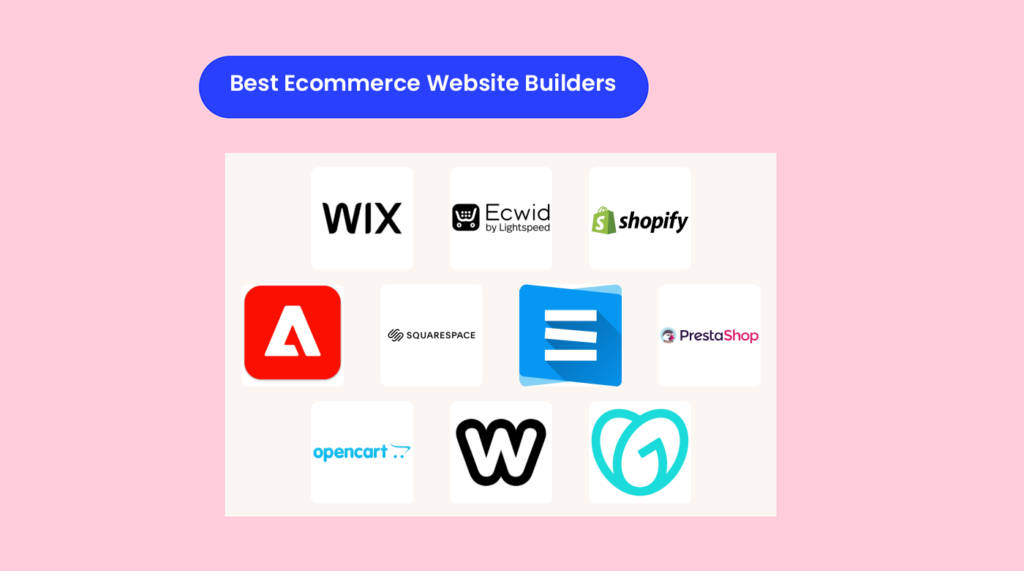
Build An Ecommerce Website That Works
Don't chance it on your ecommerce store's design and operations. The very success of your brand can depend on what website builder you choose to throw your lot in with. For complex projects requiring custom functionality, consider working with specialized ecommerce development companies.
Whether a technical newbie or a developer at heart, there's a website builder that will allow you to make your ecommerce store rival your absolute faves.
It’s predicted that by 2040, 95% of all purchases will be through ecommerce. So, it would make sense to build an effective website design that potential customers will love and keep coming back to.
Retail never stands still—and neither should you. Subscribe to our newsletter for the latest insights, strategies, and career resources from top retail leaders shaping the industry.