

WooCommerce Review: Pros, Cons, Features, and Pricing
WooCommerce brings ecommerce management into WordPress, from product listings and payments to inventory, shipping, and store customization for online businesses.

We review tools independently, and commissions help fund our testing. See our transparency policy, our methodology, or suggest a tool.
WooCommerce is an open-source ecommerce platform built as a WordPress plugin, giving you full control over your store's code, design, and data. It's worth considering if you're already running WordPress and want to add ecommerce without switching to an entirely new platform. I'd choose WooCommerce over Shopify when customization depth and ownership of your tech stack matter more to you than a fully managed, hosted setup.
WooCommerce Evaluation Summary
4.4/5
- From $0 platform fee; extensions from $29/year
- Free plan available
Why Trust Our Software Recommendations
6,700+
Reviews
20
Industry experts
16+
Evaluation factors
14
Years
Our team has been testing and reviewing software since 2012. As retail leaders ourselves, we know how difficult—and important—it is to choose the right software.
For this guide, we evaluated tools using hands-on testing and independent research, scoring tools using our selection criteria.
Our reviews reflect our independent judgment—not a sales pitch.
WooCommerce Overview
If you’re judging open-source ecommerce platforms on flexibility and cost, WooCommerce is tough to beat. You get deep customization, a huge plugin library, and no monthly fees—just pay for what you use. The interface feels familiar if you know WordPress, but onboarding can be tricky for non-technical teams. Support is mostly community-driven, so you’ll need to be comfortable troubleshooting.
I think WooCommerce is best for retailers who want to control every aspect of their store and don’t mind rolling up their sleeves, especially if you’re already invested in the WordPress ecosystem.
Pros
- WooCommerce provides extensive customization capabilities.
- The platform allows for a rich variety of plugins.
- WooCommerce benefits from strong community support and resources.
Cons
- Technical knowledge is needed for setup and customization.
- Extensive plugins and high traffic can affect site speed and performance.
- There's a lack of advanced SEO features.
Is WooCommerce Right For Your Needs?
Who Would be a Good Fit for WooCommerce?
WooCommerce is a strong choice for businesses that want full control over their online store, especially if they already use WordPress or need deep customization. I think it’s best for teams with technical resources, niche retailers, and those who want to avoid monthly platform fees. Its plugin ecosystem and open-source flexibility make it ideal for unique product types, content-driven brands, and companies that want to own their data and customer experience.
- In-House DevelopersOpen-source codebase allows developers to build custom features and workflows.
- International SellersMulti-currency and multilingual plugins help reach global customers.
- NonprofitsCustom donation and fundraising plugins make WooCommerce a fit for nonprofits.
- Content CreatorsSeamless WordPress integration lets bloggers and publishers sell products directly.
- Subscription Box BrandsBuilt-in and third-party plugins support recurring billing and membership models.
- Small RetailersWooCommerce’s low upfront costs and flexibility suit small shops with limited budgets.
Who Would be a Bad Fit for WooCommerce?
WooCommerce isn’t the best choice for teams that need hands-off management, rapid scaling, or enterprise-level support. If you want a platform that handles hosting, security, and updates for you, or if you’re running a high-volume operation with complex inventory needs, you’ll likely run into limitations. WooCommerce also isn’t ideal for teams without technical skills or those who need guaranteed, fast support.
- Large EnterprisesScaling WooCommerce for thousands of SKUs can strain performance and resources.
- High-Growth StartupsFast-scaling brands may outgrow WooCommerce’s hosting and support model.
- B2B WholesalersComplex pricing, quoting, and account management features are limited.
- Non-Technical TeamsOngoing maintenance and troubleshooting require technical skills and WordPress knowledge.
- Regulated IndustriesWooCommerce lacks built-in compliance tools for industries like healthcare or finance.
- Drop Shipping AggregatorsManaging multiple suppliers and automated fulfillment is less streamlined than with some alternatives.
Our Review Methodology
How We Test & Score Tools
We’ve spent years building, refining, and improving our software testing and scoring system. The rubric is designed to capture the nuances of software selection and what makes a tool effective, focusing on critical aspects of the decision-making process.
Below, you can see exactly how our testing and scoring works across seven criteria. It allows us to provide an unbiased evaluation of the software based on core functionality, standout features, ease of use, onboarding, customer support, integrations, customer reviews, and value for money.
Core Functionality (25% of final scoring)
The starting point of our evaluation is always the core functionality of the tool. Does it have the basic features and functions that a user would expect to see? Are any of those core features locked to higher-tiered pricing plans? At its core, we expect a tool to stand up against the baseline capabilities of its competitors.
Standout Features (25% of final scoring)
Next, we evaluate uncommon standout features that go above and beyond the core functionality typically found in tools of its kind. A high score reflects specialized or unique features that make the product faster, more efficient, or offer additional value to the user.
We also evaluate how easy it is to integrate with other tools typically found in the tech stack to expand the functionality and utility of the software. Tools offering plentiful native integrations, 3rd party connections, and API access to build custom integrations score best.
Ease of Use (10% of final scoring)
We consider how quick and easy it is to execute the tasks defined in the core functionality using the tool. High scoring software is well designed, intuitive to use, offers mobile apps, provides templates, and makes relatively complex tasks seem simple.
Onboarding (10% of final scoring)
We know how important rapid team adoption is for a new platform, so we evaluate how easy it is to learn and use a tool with minimal training. We evaluate how quickly a team member can get set up and start using the tool with no experience. High scoring solutions indicate little or no support is required.
Customer Support (10% of final scoring)
We review how quick and easy it is to get unstuck and find help by phone, live chat, or knowledge base. Tools and companies that provide real-time support score best, while chatbots score worst.
Customer Reviews (10% of final scoring)
Beyond our own testing and evaluation, we consider the net promoter score from current and past customers. We review their likelihood, given the option, to choose the tool again for the core functionality. A high scoring software reflects a high net promoter score from current or past customers.
Value for Money (10% of final scoring)
Lastly, in consideration of all the other criteria, we review the average price of entry level plans against the core features and consider the value of the other evaluation criteria. Software that delivers more, for less, will score higher.
Core Features
Product Management
Add, edit, and organize unlimited products with custom attributes and categories. Bulk editing and inventory tracking help you stay on top of stock.
Flexible Checkout
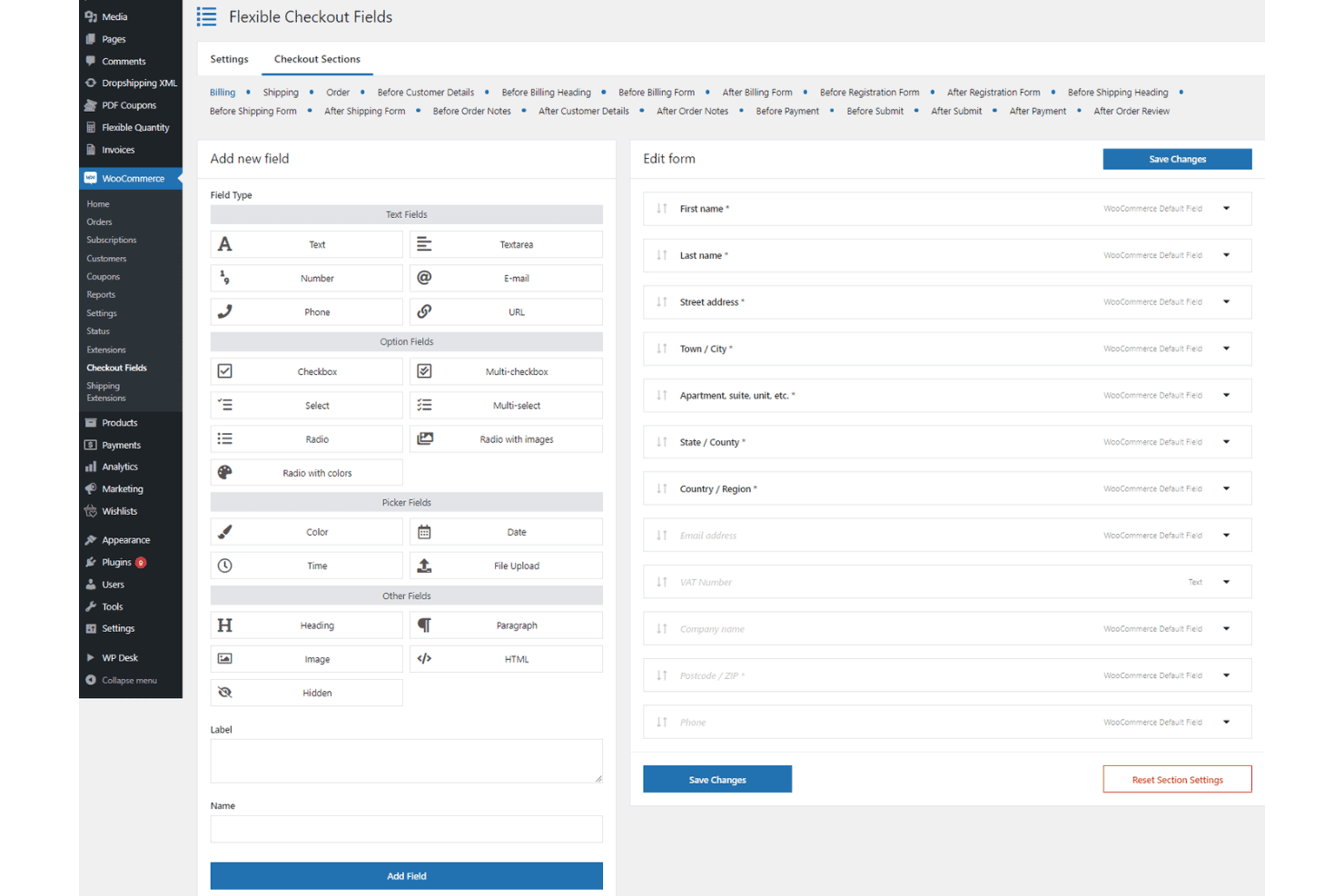
Customize checkout fields, enable guest checkout, and offer multiple payment options. Built-in support for coupons and discounts drives conversions.
Order and Customer Management
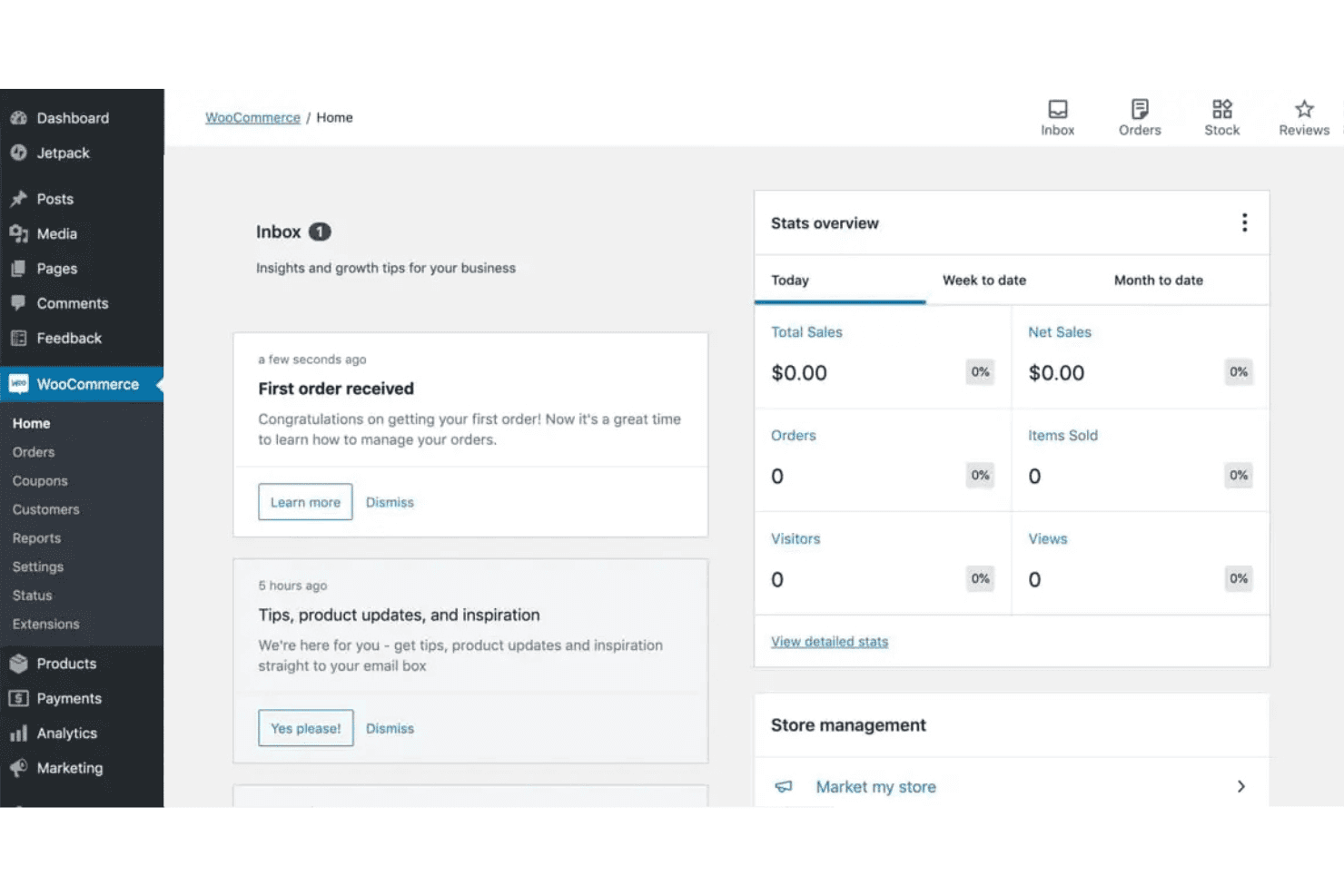
View, update, and manage orders from a central dashboard. Track customer details, order history, and communication in one place.
Shipping Options
Set flat rates, free shipping, or real-time carrier rates for different zones. Automate shipping calculations based on location and product weight.
Reporting and Analytics
Access sales, customer, and inventory reports from your dashboard. Export data or connect to analytics plugins for deeper insights.
Mobile-Friendly Storefronts
All themes are responsive, so your store looks great on any device. Customers can browse and buy from smartphones or tablets without issues.
Ease of Use
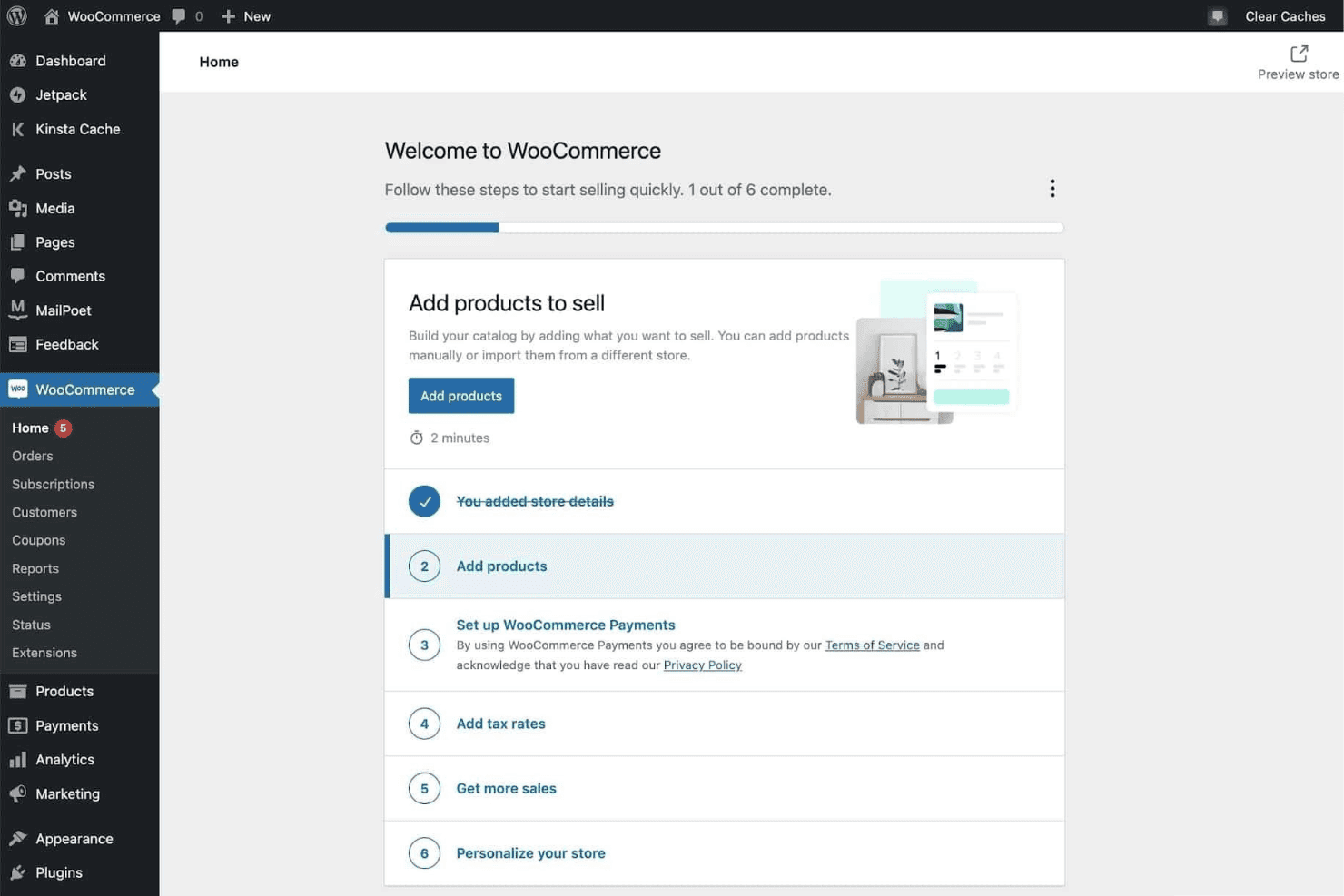
WooCommerce feels intuitive if you’re already comfortable with WordPress, but it’s less beginner-friendly than some open-source ecommerce options. Setting up products, payments, and shipping takes time, and you’ll often need to configure plugins for advanced features.
Many users say the dashboard is clear, but troubleshooting and updates require technical know-how. I think WooCommerce is best for teams with some web experience who want control over every detail.
Integrations
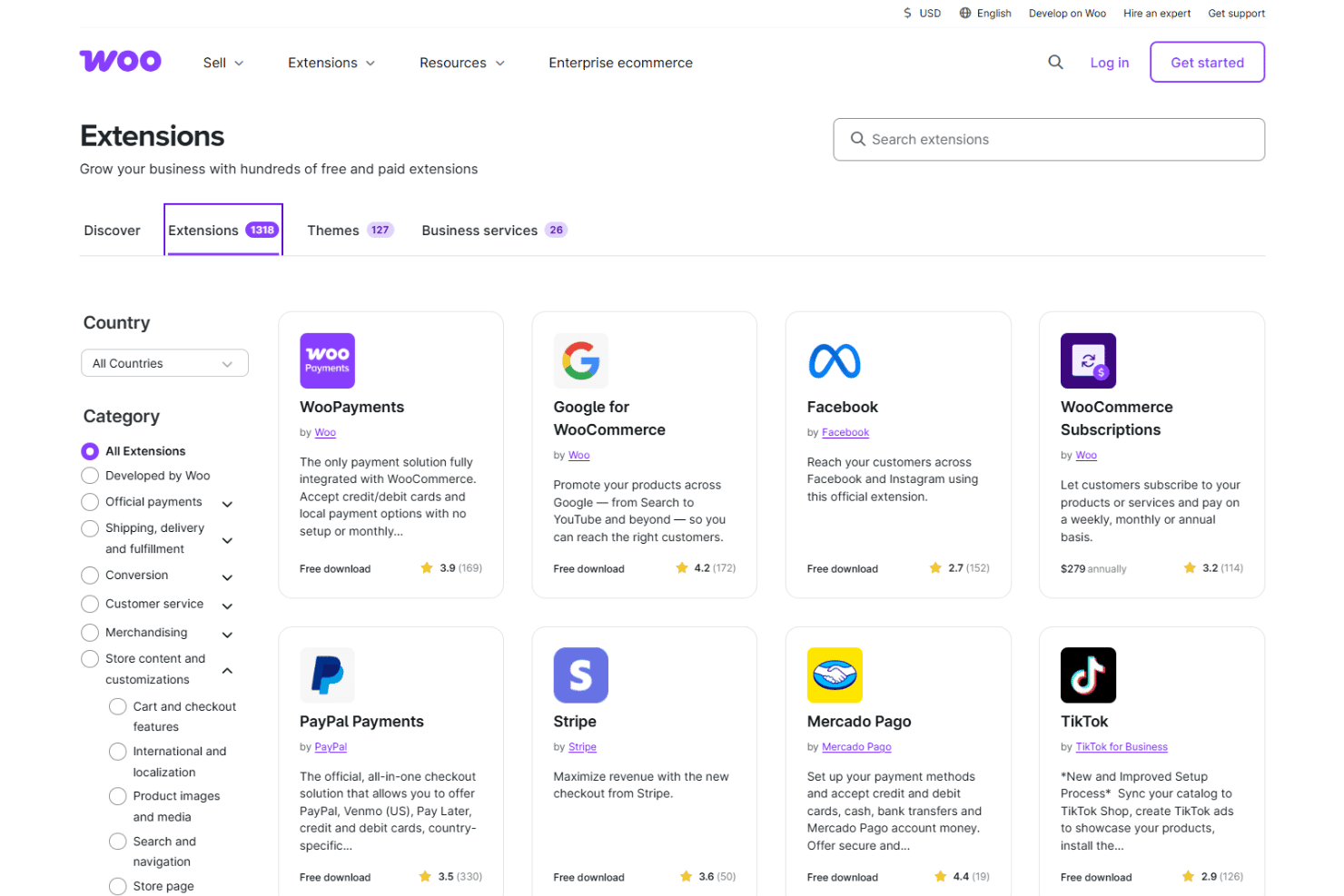
WooCommerce integrates with WooPayments, Stripe, PayPal, Mailchimp, Google Analytics, Facebook, ShipStation, USPS, Zapier, and QuickBooks, among others.
WooCommerce also offers a REST API and connects with third-party integration tools for custom workflows and automation.
WooCommerce Specs
- 2-Factor Authentication: Yes
- A/B Testing: No
- Analytics: Yes
- API: Yes
- BitCoin: No
- Conversion Tracking: Yes
- Dashboard: Yes
- Data Export: Yes
- Data Import: Yes
- Data Visualization: Yes
- Design Templates: Yes
- External Integrations: Yes
- Inventory Tracking: Yes
- Keyword Tracking: No
- Marketing Automation: Yes
- Multi-User: Yes
- Notifications: Yes
- Order Management: Yes
- Payment Gateway Integration: Yes
- Payment Processor: No
- PayPal: Yes
- Product Catalog: Yes
- Review Monitoring: No
- SAP Integration: No
- Scheduling: Yes
- Stripe: Yes
- Third-Party Plugins/Add-Ons: Yes


