
12 Retail Payment Solutions Picked for 2026

Best Retail Payment Solutions Shortlist
Here's my pick of the 10 best software from the 12 tools reviewed.


Retail payment solutions are systems and platforms that let your business accept and process customer payments across in-store, online, and mobile channels. If you’re searching for the best retail payment solutions, you’re likely focused on finding tools that handle transactions reliably, support your sales channels, and keep customer data secure. With so many options and evolving payment trends, choosing the right system can impact everything from checkout speed to your ability to manage inventory and prevent fraud. This list will help you compare leading retail payment solutions for 2026, so you can select the right fit for your business’s needs and growth plans.
Why Trust Our Software Reviews
Best Retail Payment Solutions Summary
This comparison chart summarizes pricing details for my top retail payment solutions selections to help you find the best one for your budget and business needs.
| Tool | Best For | Trial Info | Price | ||
|---|---|---|---|---|---|
| 1 | Best for unified online and in-store transactions | 30-day free trial available | From 2.9% + 30¢ per transaction | Website | |
| 2 | Best for multi-location retail management | 14-day free trial + free demo available | From $89/month (billed annually) | Website | |
| 3 | Best for accepting digital wallets at checkout | Not available | From 2.29% + $0.09 per transaction | Website | |
| 4 | Best for seamless ecommerce integration | 3-day free trial available | From $19/month (billed annually) | Website | |
| 5 | Best for custom gateway integrations | Free consultation available | Pricing upon request | Website | |
| 6 | Best for integrated hardware and software options | Free demo available | Pricing upon request | Website | |
| 7 | Best for extensive fraud detection tools | Free demo available | From $25/month | Website | |
| 8 | Best for enterprise-grade payment infrastructure | Free demo available | Pricing upon request | Website | |
| 9 | Best for quick setup in physical locations | Free plan available (only pay when you take a payment) + 30-day free trial | From $49/per location/month | Website | |
| 10 | Best for transparent interchange-plus pricing | Free demo available | From Interchange + 0.40% + 8¢ (varies by volume) | Website |
Retail Payment Solutions Reviews
Below are my detailed summaries of the retail payment solutions that made it onto my shortlist. My reviews offer a detailed look at the features, integrations, and best use cases of each platform to help you find the best one for your business.

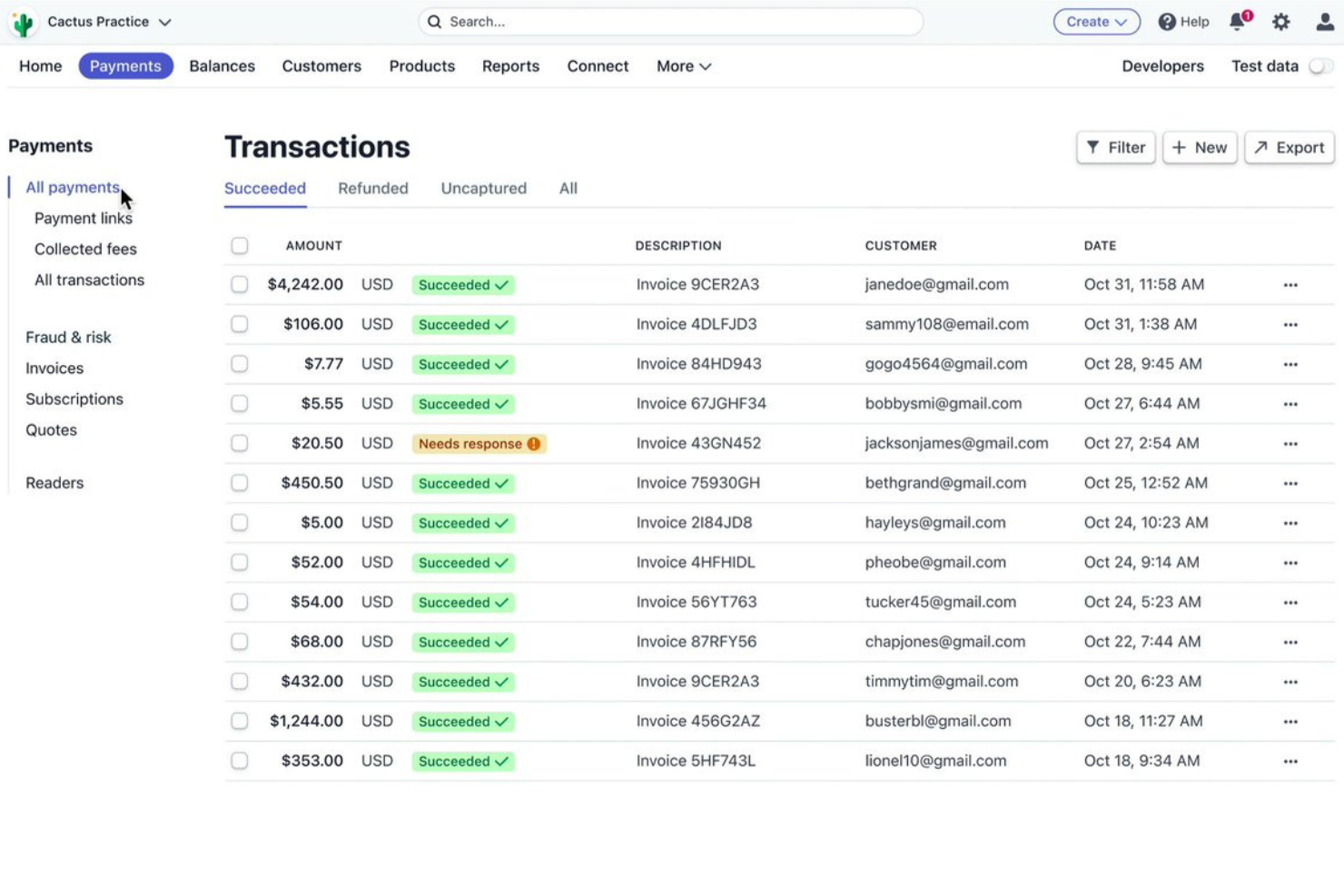
Stripe offers a unified payment platform for retailers who want to manage both online and in-person transactions from a single system. It’s a strong fit for businesses that need flexible payment acceptance across multiple channels and want to simplify reconciliation. Stripe helps retailers handle complex payment flows, including omnichannel sales and integrated reporting.
Why I Picked Stripe
I chose Stripe for its ability to unify online and in-store transactions within a single payment platform. Stripe’s terminal hardware connects directly to its cloud-based system, so you can manage ecommerce and point-of-sale payments together. I find its centralized dashboard especially useful for tracking sales and reconciling payments across channels. The platform also supports advanced payment flows, like buy online, pick up in store, which is important for omnichannel retail operations.
Stripe Key Features
Some other features in Stripe that are useful for retail payment management include:
- Subscription Billing: Set up and manage recurring payments for retail memberships or subscription products.
- Customizable Checkout: Tailor the checkout experience with branding, payment methods, and localized options.
- Integrated Fraud Prevention: Use Stripe Radar to automatically detect and block suspicious transactions.
- Multi-Currency Support: Accept payments in over 135 currencies to serve international customers.
Stripe Integrations
Integrations include Shopify, WooCommerce, BigCommerce, Salesforce, NetSuite, Xero, QuickBooks, HubSpot, Magento, and Lightspeed.
Pros and Cons
Pros:
- Accepts a wide range of payment methods
- Offers advanced fraud detection tools
- Supports unified reporting for online and in-store sales
Cons:
- Dispute resolution process can be slow
- In-person hardware options are limited

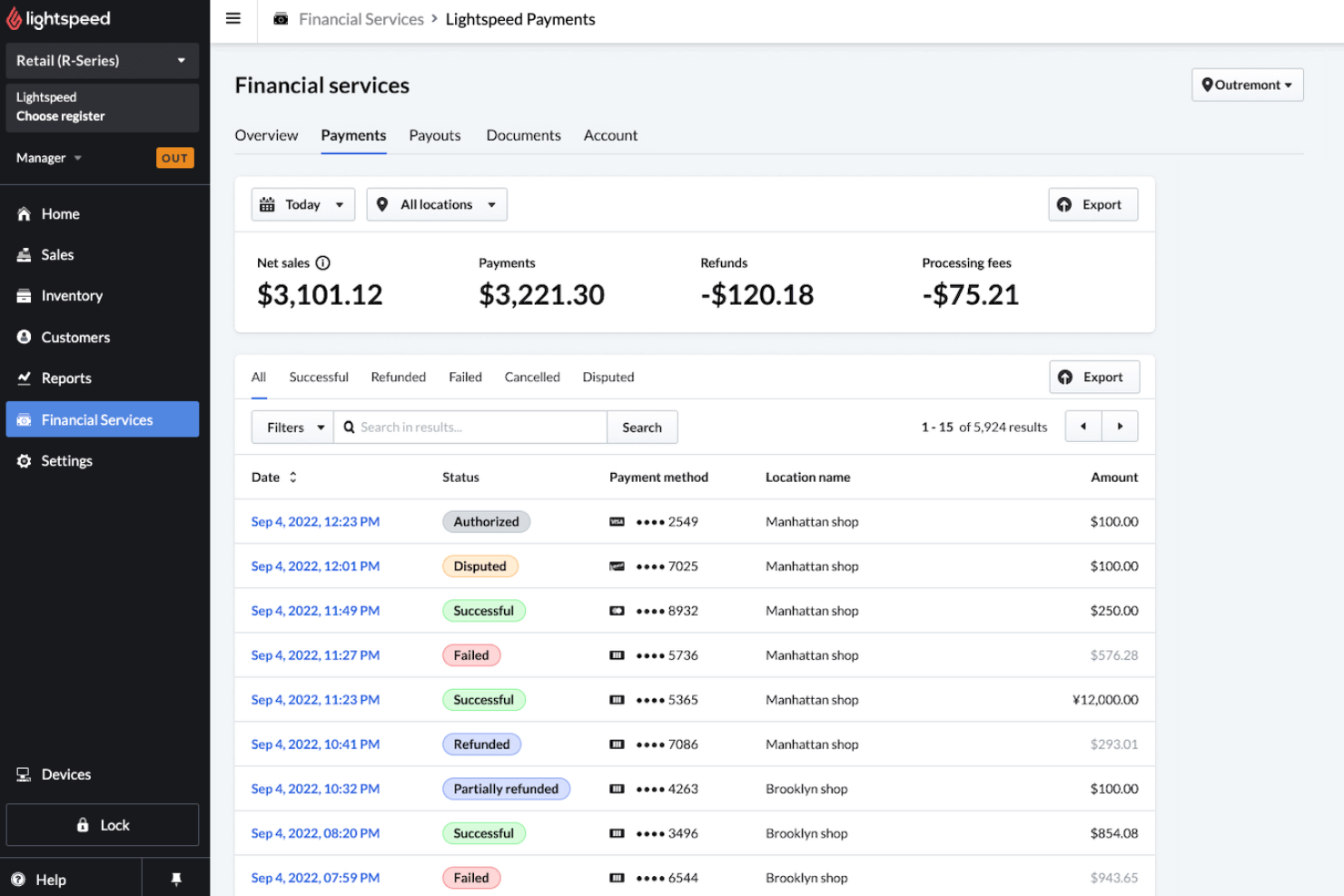
Lightspeed is built for retailers who need to manage multiple locations from a single platform. It’s especially useful for businesses juggling inventory, sales, and reporting across several stores or channels. With Lightspeed, you can centralize operations, standardize processes, and keep a close eye on performance at every site.
Why I Picked Lightspeed
Managing payments across several retail locations can get complicated, which is why I picked Lightspeed for multi-location retail management. Lightspeed lets you track inventory, sales, and customer data in real time across all your stores from a single dashboard. You can set up location-specific tax rules and payment workflows, making it easier to stay compliant and consistent. This centralized approach helps retailers maintain control and visibility, even as their business grows to new sites.
Lightspeed Key Features
Some other features that caught my attention include:
- Integrated Payment Processing: Accepts credit, debit, and contactless payments directly through the POS.
- Customizable Receipts: Lets you tailor printed or digital receipts with your branding and messaging.
- Employee Permissions: Allows you to set user roles and control access to sensitive payment functions.
- Gift Card Management: Issues, tracks, and redeems gift cards across all store locations.
Lightspeed Integrations
Integrations include QuickBooks, Xero, Shopify, BigCommerce, Mailchimp, Klaviyo, Deputy, 7shifts, WooCommerce, and Local Inventory on Google.
Pros and Cons
Pros:
- Provides customizable receipt options
- Integrates with major ecommerce platforms
- Offers built-in gift card management
Cons:
- Payment processing requires Lightspeed Payments
- Hardware compatibility can be restrictive

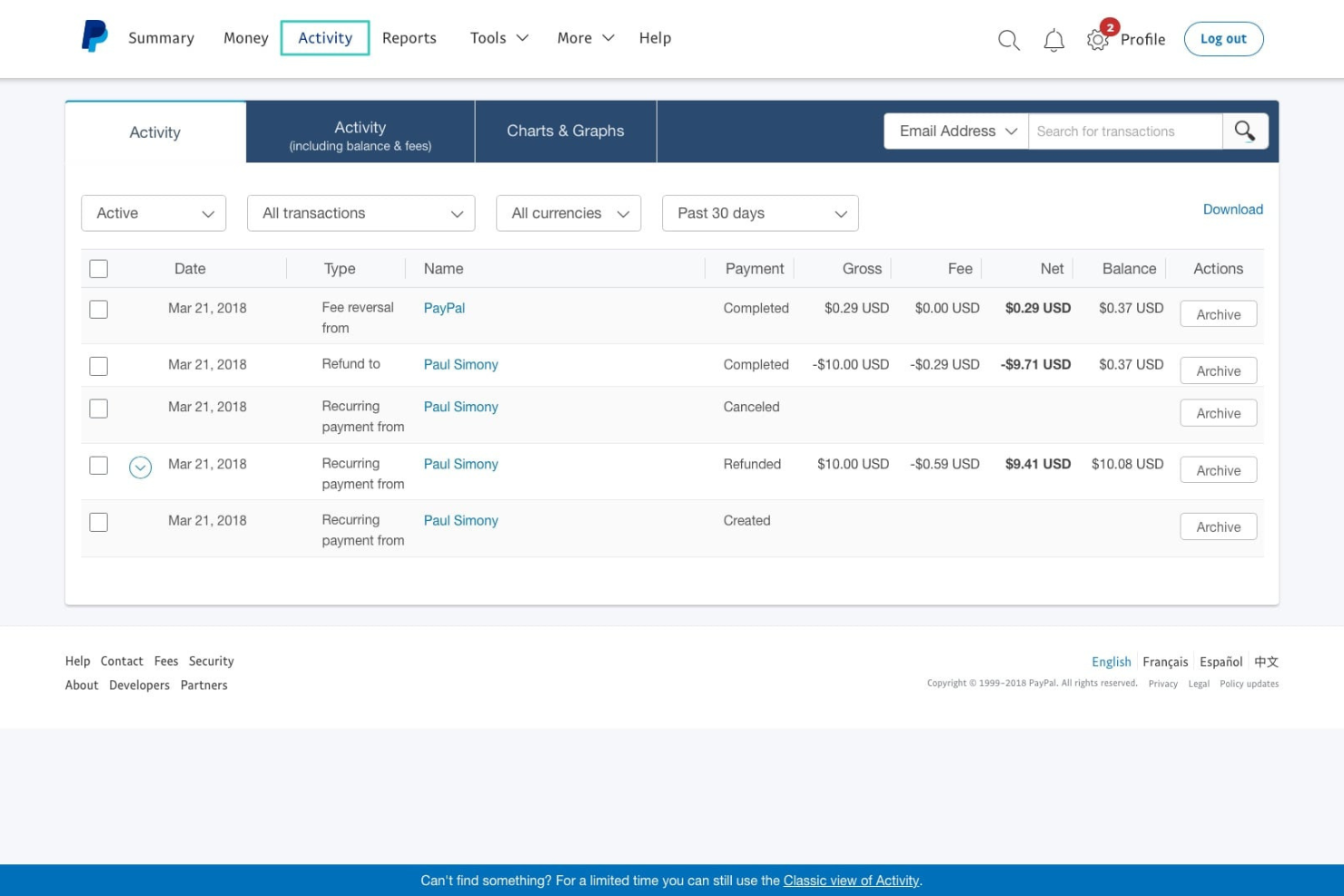
If your business wants to offer customers more ways to pay at checkout, PayPal’s POS system is designed for you. This solution is especially useful for retailers who want to accept digital wallets, contactless payments, and PayPal QR codes in-store. PayPal helps teams capture sales from shoppers who prefer mobile and digital payment methods over traditional cards or cash.
Why I Picked PayPal
PayPal stands out for retailers who want to prioritize digital wallet acceptance at checkout. I picked PayPal because it lets businesses accept a wide range of payment types, including PayPal, Venmo, Apple Pay, Google Pay, and contactless cards, all through one POS system. The platform also supports QR code payments, which can speed up in-person transactions and appeal to mobile-first shoppers. For retailers looking to capture sales from customers who prefer digital and mobile payments, PayPal offers a flexible and widely recognized solution.
PayPal Key Features
Some other features that make PayPal a strong option for retail payment solutions include:
- Multi-User Access: Allows multiple staff members to use the POS system with individual logins.
- Inventory Tracking: Lets you monitor stock levels and update inventory in real time.
- Sales Reporting Dashboard: Provides detailed sales analytics and transaction history within the platform.
- Integration With PayPal Working Capital: Offers access to business financing directly through your PayPal account.
PayPal Integrations
Integrations include QuickBooks, Shopify, WooCommerce, BigCommerce, Lightspeed, Xero, Revel Systems, Vend, Adobe Commerce, and Wix.
Pros and Cons
Pros:
- Integrates with major ecommerce and accounting platforms
- Includes built-in inventory management tools
- Offers instant access to received funds
Cons:
- Limited advanced POS hardware options available
- Chargeback process can favor buyers over sellers

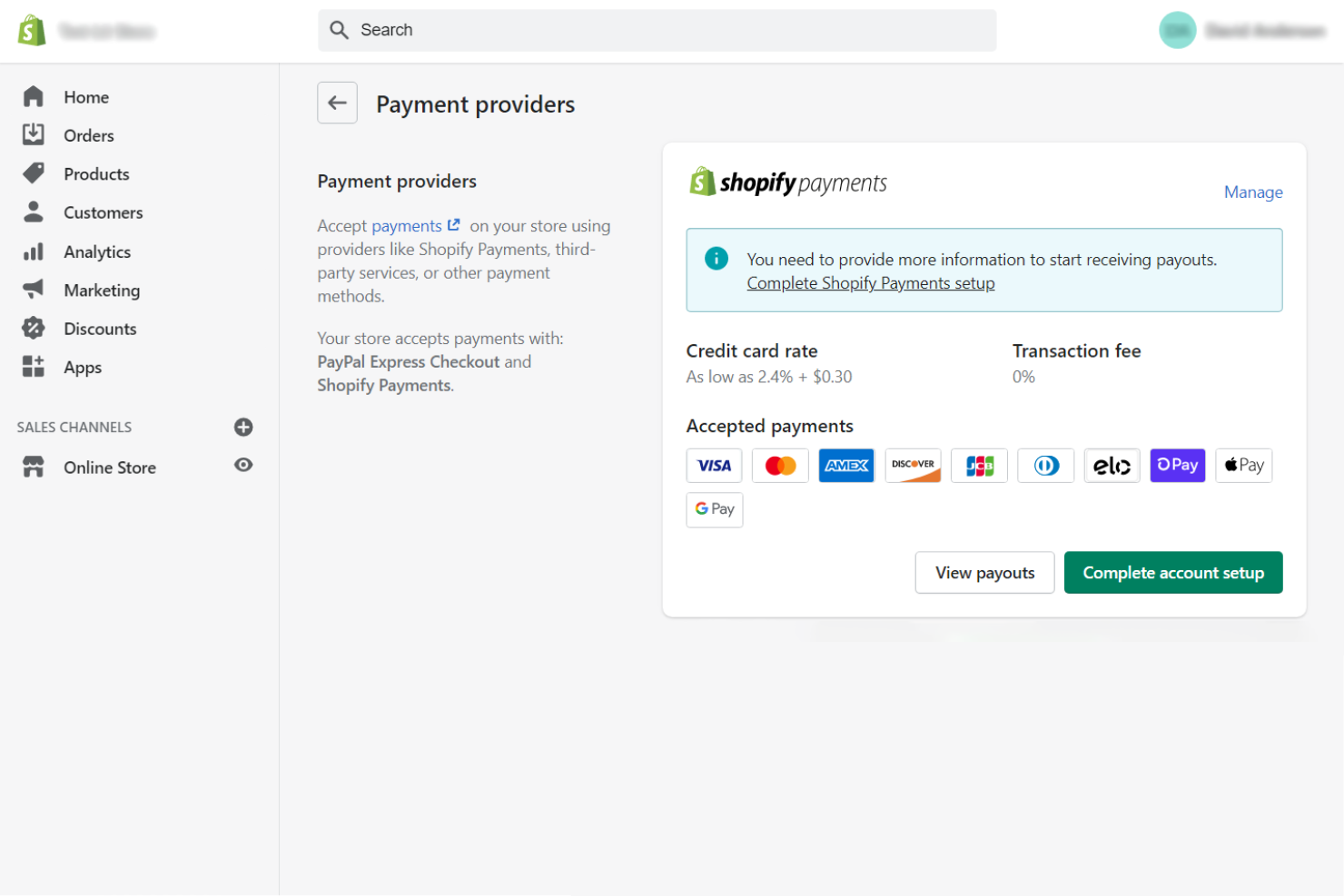
Shopify Payments is built directly into the Shopify platform, making it a natural choice for ecommerce retailers who want to manage payments and storefronts in one place. This solution appeals to teams looking to reduce friction between their online store and payment processing. With Shopify Payments, you can avoid third-party gateways and keep all transaction data within your Shopify dashboard.
Why I Picked Shopify Payments
Shopify Payments stands out for retailers who want payment processing that’s fully embedded within their ecommerce platform. I picked Shopify Payments because it eliminates the need for third-party gateways, so you can manage orders, payments, and refunds directly from your Shopify admin. The system automatically syncs transaction data with your store’s sales and inventory, which helps reduce manual reconciliation. For businesses focused on online sales, this level of integration keeps operations simple and minimizes the risk of errors between systems.
Shopify Payments Key Features
Some other features worth noting include:
- Chargeback Management: Provides built-in tools to track, respond to, and manage chargebacks directly from your Shopify dashboard.
- Multi-Currency Support: Lets you accept payments in multiple currencies, displaying prices and processing transactions in your customer’s local currency.
- Integrated Fraud Analysis: Uses automated risk assessment tools to flag suspicious orders before you capture payment.
- Instant Payouts: Offers the option to receive funds from sales within minutes using eligible bank accounts.
Shopify Payments Integrations
Integrations include Shop Pay, Shopify POS, Shopify Fulfillment Network, Shopify Flow, Shopify Inbox, Shopify Email, Shopify Shipping, Shopify Plus, Shopify App Store, and Shop.
Pros and Cons
Pros:
- Integrated fraud analysis on every transaction
- Multi-currency support for global selling
- Instant payouts available for eligible accounts
Cons:
- Cannot be used on non-Shopify websites
- Account holds can occur without warning
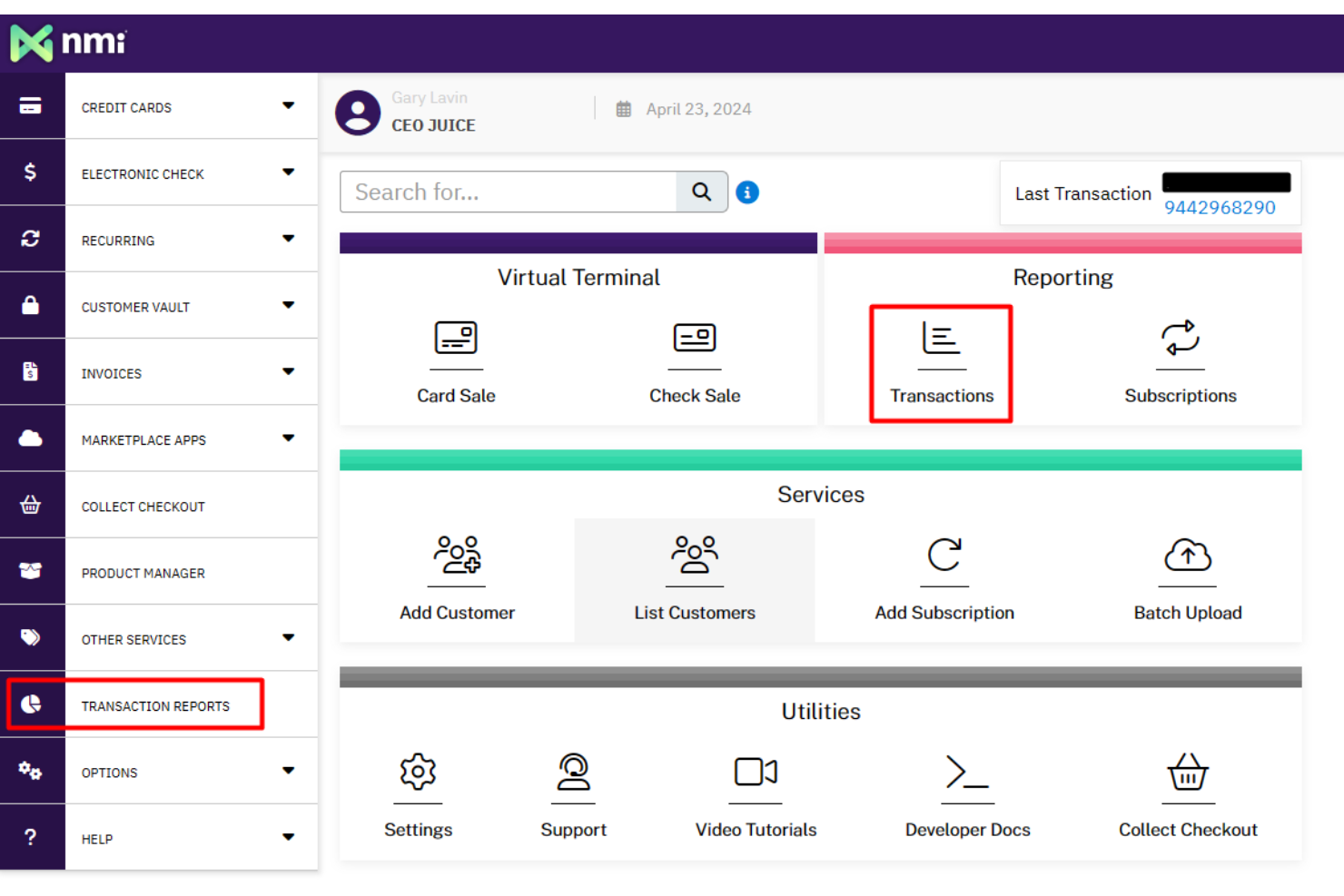
NMI is designed for retailers and technology providers who need flexible, custom payment gateway integrations. It’s a strong fit for businesses with complex payment environments or those looking to unify in-store, online, and mobile transactions under one platform. With NMI, you can connect to a wide range of processors and hardware, making it easier to tailor payment workflows to your specific needs.
Why I Picked NMI
When retailers need to connect multiple payment processors or hardware devices, NMI stands out for its custom gateway integrations. I picked NMI because it lets you build tailored payment experiences by supporting a wide range of terminals, shopping carts, and processor connections. The platform also offers advanced developer tools and APIs, so you can create unique checkout flows or embed payments into your own applications. This flexibility is especially valuable for businesses with complex or evolving payment requirements.
NMI Key Features
Some other features worth noting include:
- Tokenization and Vaulting: Secures customer payment data for recurring transactions and future purchases.
- Omnichannel Payment Support: Accepts payments across in-store, online, and mobile channels.
- Fraud Prevention Tools: Includes customizable rules and monitoring to help detect and prevent fraudulent transactions.
- White-Label Capabilities: Lets you brand the payment experience with your own logo and colors.
NMI Integrations
Native integrations are not currently listed. An API is available for custom integrations.
Pros and Cons
Pros:
- Omnichannel support for unified payments
- Advanced fraud detection and security tools
- White-labeling for branded payment experiences
Cons:
- Requires technical resources for full setup
- Native integrations are not clearly listed


If your retail business needs payment solutions that combine both hardware and software, NCR Voyix is built for you. This platform is a strong fit for retailers looking to unify their point-of-sale devices, payment processing, and back-end management under one provider. NCR Voyix helps teams simplify operations by offering integrated systems that support everything from checkout to reporting.
Why I Picked NCR Voyix
What sets NCR Voyix apart is its ability to deliver both hardware and software as a unified payment solution for retailers. I picked NCR Voyix because it offers integrated point-of-sale terminals and payment processing software, which helps retailers manage transactions and in-store operations from a single provider. The platform also supports a range of payment types, including contactless and mobile payments, making it adaptable for modern retail environments. This combination of hardware and software integration is especially valuable for businesses that want to streamline their checkout experience and reduce vendor complexity.
NCR Voyix Key Features
Some other features that make NCR Voyix appealing for retail payment solutions include:
- EMV and PCI Compliance: Supports secure payment processing with EMV chip and PCI standards.
- Gift Card and Loyalty Program Support: Enables retailers to issue and manage branded gift cards and loyalty rewards.
- Remote Device Management: Lets IT teams monitor and update payment terminals from a central dashboard.
- Integrated Reporting Tools: Provides detailed sales and transaction analytics within the platform.
NCR Voyix Integrations
Native integrations are not currently listed.
Pros and Cons
Pros:
- Provides detailed transaction and sales reporting
- Built-in gift card and loyalty program support
- Includes remote device management capabilities
Cons:
- Customer support quality varies by region
- Hardware setup may require on-site installation

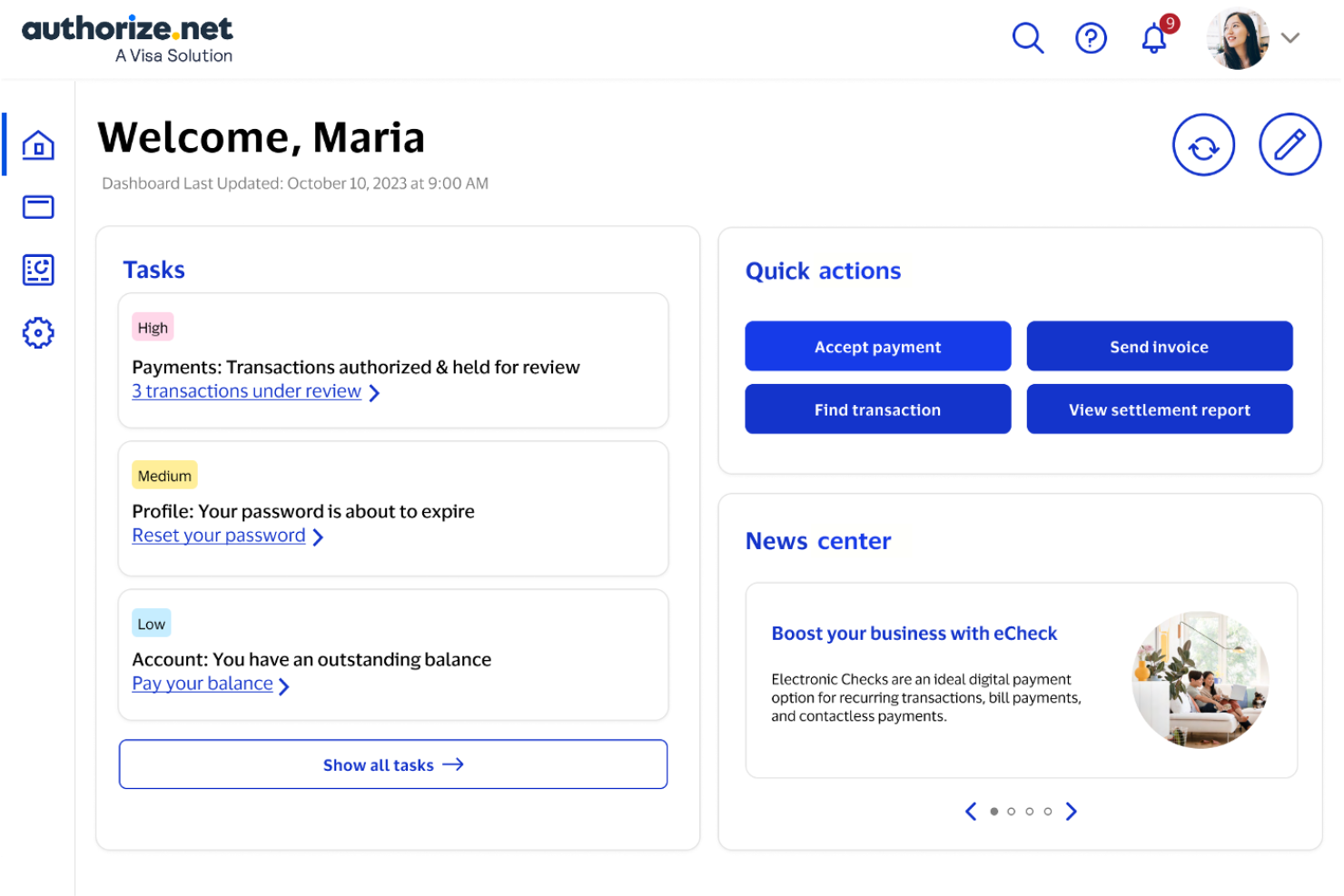
Retailers looking to minimize payment fraud often turn to Authorize.net for its advanced fraud detection capabilities. This payment gateway is a strong fit for businesses that need to process transactions securely across online, in-store, and mobile channels. Authorize.net helps teams reduce chargebacks and suspicious activity with customizable fraud filters and real-time monitoring.
Why I Picked Authorize.net
For retailers who need to prioritize fraud prevention, Authorize.net offers some of the most advanced tools in the payment space. I picked Authorize.net because its customizable Advanced Fraud Detection Suite lets you set rules for transaction monitoring, velocity filters, and IP address blocking. The platform also provides real-time alerts for suspicious activity, helping teams respond quickly to potential threats. If your business handles a high volume of transactions or operates in a high-risk category, these fraud controls can make a significant difference in protecting your revenue.
Authorize.net Key Features
In addition to its fraud detection capabilities, Authorize.net offers several other features that support retail payment operations:
- Recurring Billing: Lets you set up and manage automatic payment schedules for repeat customers.
- Virtual Terminal: Allows you to process payments manually from any internet-connected device.
- Customer Information Manager: Stores customer profiles securely for faster future transactions.
- Mobile Point of Sale App: Enables payment acceptance on smartphones and tablets for in-person sales.
Authorize.net Integrations
Integrations include Shopify, WooCommerce, Adobe Commerce, BigCommerce, Salesforce, NetSuite, Fishbowl, QuickBooks, X-Cart, and Volusion.
Pros and Cons
Pros:
- PCI DSS compliance tools are included
- Accepts ACH and eCheck payments natively
- Virtual terminal enables remote payment processing
Cons:
- International card acceptance is limited
- No built-in hardware for in-person payments

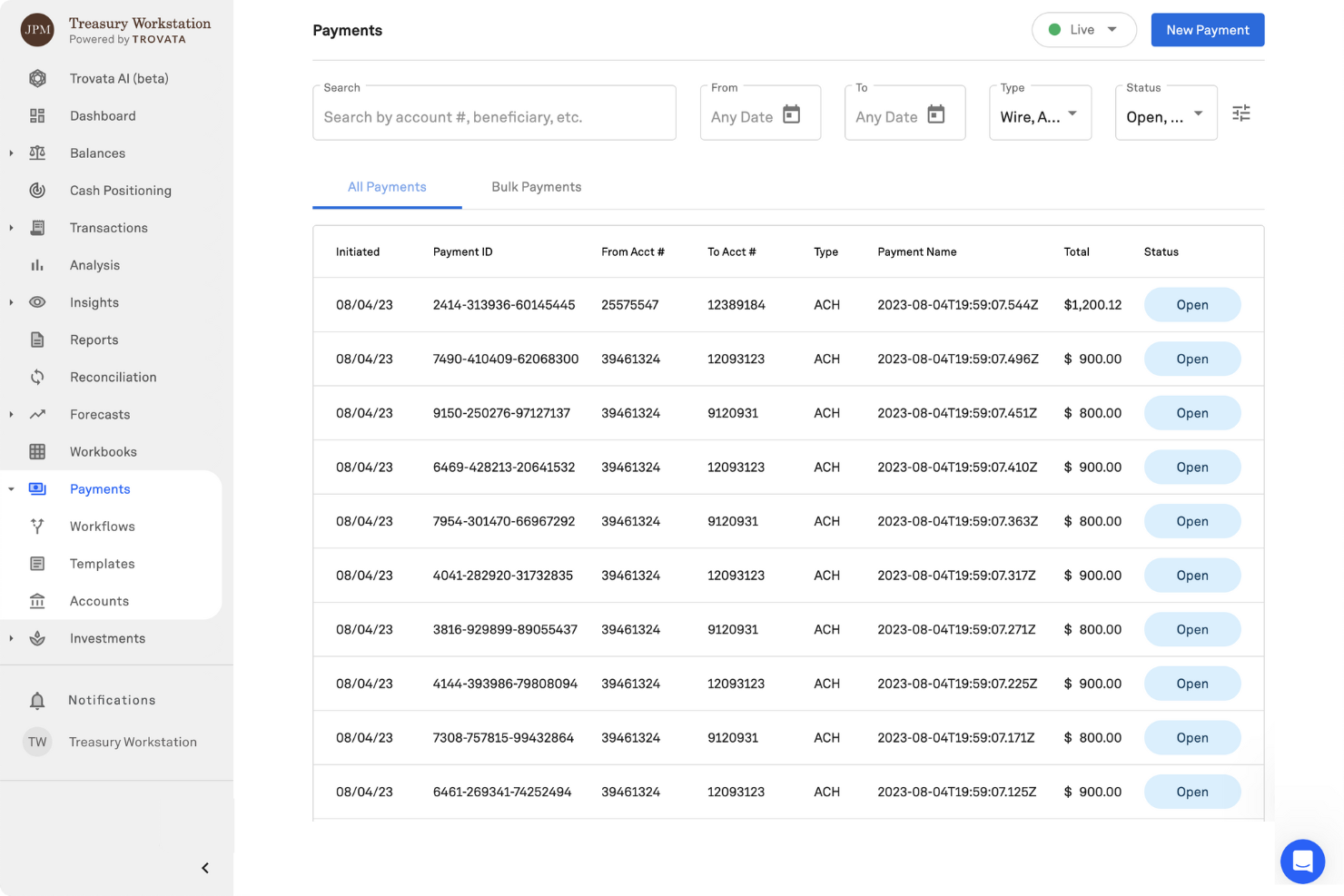
For retailers managing high transaction volumes and complex global operations, J.P. Morgan offers enterprise-grade payment infrastructure built for scale and security. This solution is designed for large retailers and omnichannel businesses that need advanced fraud protection, multi-currency support, and integration with existing financial systems. J.P. Morgan helps enterprise teams centralize payment processing and gain deeper visibility into payment data across regions and channels.
Why I Picked J.P. Morgan
When enterprise retailers need payment infrastructure that can handle scale, complexity, and security, J.P. Morgan is a clear choice. I picked J.P. Morgan because it offers advanced fraud detection tools and multi-currency processing, which are essential for global retail operations. The platform also provides centralized payment management, allowing finance and operations teams to monitor and control transactions across multiple channels and regions. These features make J.P. Morgan especially well-suited for large retailers with demanding payment requirements.
J.P. Morgan Key Features
Some other features in J.P. Morgan that are valuable for retail payment solutions include:
- Omnichannel Payment Acceptance: Accept payments across in-store, online, and mobile channels with unified reporting.
- Tokenization Services: Replace sensitive payment data with secure tokens to reduce PCI scope.
- Real-Time Payment Tracking: Monitor payment status and settlement in real time through a centralized dashboard.
- Customizable Reporting Tools: Generate detailed, configurable reports for transaction analysis and reconciliation.
J.P. Morgan Integrations
Native integrations are not currently listed.
Pros and Cons
Pros:
- Customizable reporting for transaction-level insights
- PCI-compliant tokenization for sensitive data protection
- Real-time payment tracking and settlement visibility
Cons:
- Not suitable for small or mid-sized retailers
- Limited information on native third-party integrations

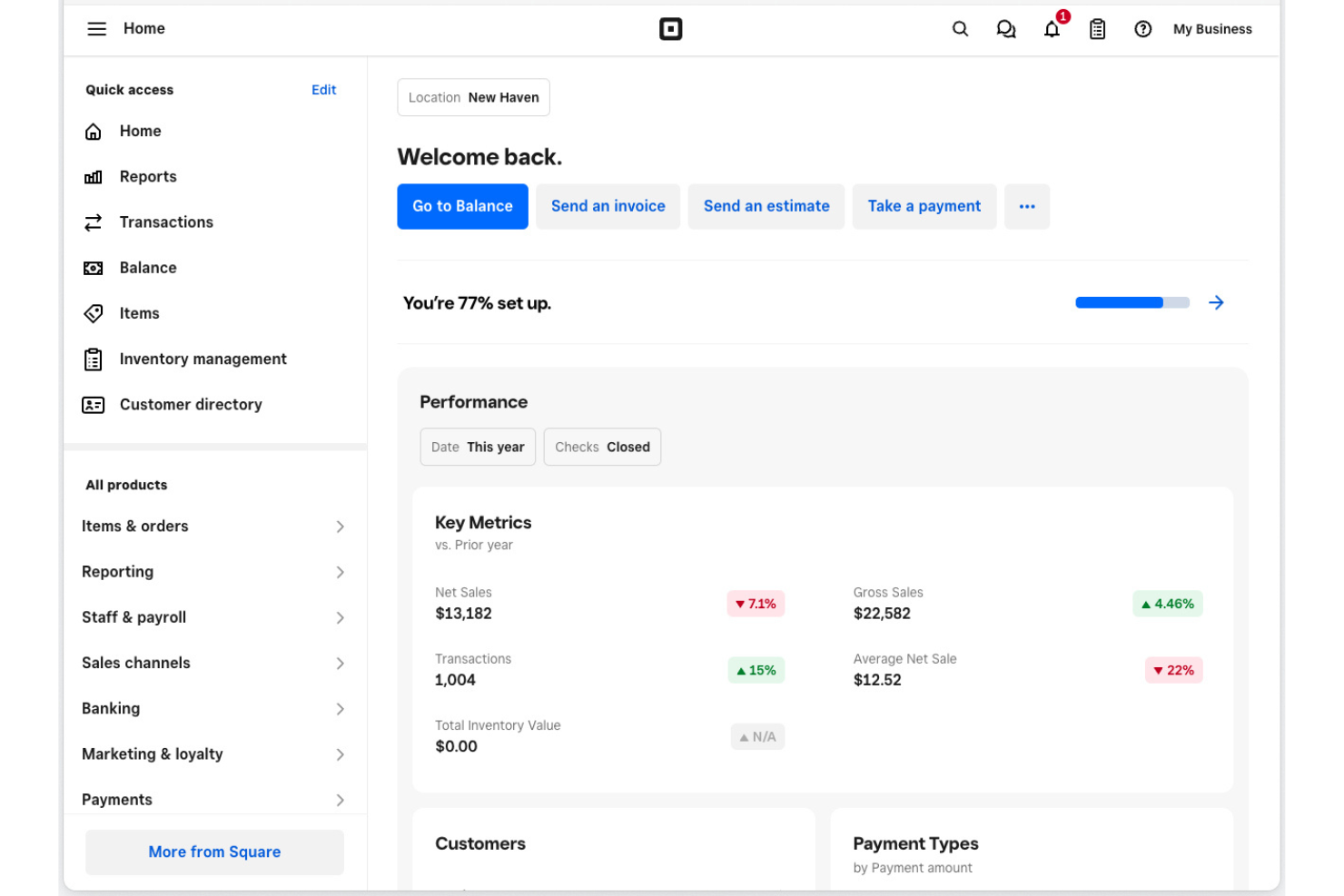
If you need to start accepting payments in a physical retail space quickly, Square offers a straightforward solution. It’s especially useful for small businesses and pop-up shops that want to get up and running with minimal hardware and setup. Square helps retailers handle in-person transactions, inventory, and receipts without complex onboarding or technical requirements.
Why I Picked Square
For retailers who need to get up and running fast in a physical location, Square stands out for its plug-and-play hardware and instant account activation. I picked Square because you can start accepting card payments with just a mobile device and a card reader, without waiting for lengthy approvals or complicated installations. The system also includes built-in inventory tracking and digital receipt options, which help small retailers manage daily operations from day one. This makes Square a practical choice for pop-ups, seasonal shops, and new storefronts that want to launch quickly.
Square Key Features
Some other features in Square that are useful for retail payment solutions include:
- Employee Management: Track employee hours, permissions, and sales performance directly from the Square dashboard.
- Gift Card Support: Sell and redeem physical or digital gift cards through your Square system.
- Customer Directory: Build and manage a customer database for marketing and loyalty programs.
- Sales Analytics: Access real-time sales reports and insights to monitor business performance.
Square Integrations
Integrations include QuickBooks, Xero, Wix, WooCommerce, BigCommerce, Ecwid, FreshBooks, Mailchimp, Homebase, and Zoho Books.
Pros and Cons
Pros:
- Built-in gift card and loyalty program features
- Supports offline payments for unreliable connections
- Free POS app included with hardware purchase
Cons:
- International payment acceptance is not supported
- Hardware compatibility is restricted to Square devices
New Product Updates from Square
Square Introduces Neighborhoods on Cash App
Square launches Neighborhoods on Cash App, offering businesses access to over 57 million active accounts, direct marketing, neighborhood rewards, and a 1% processing fee. For more information, visit Square's official site.
 .
.
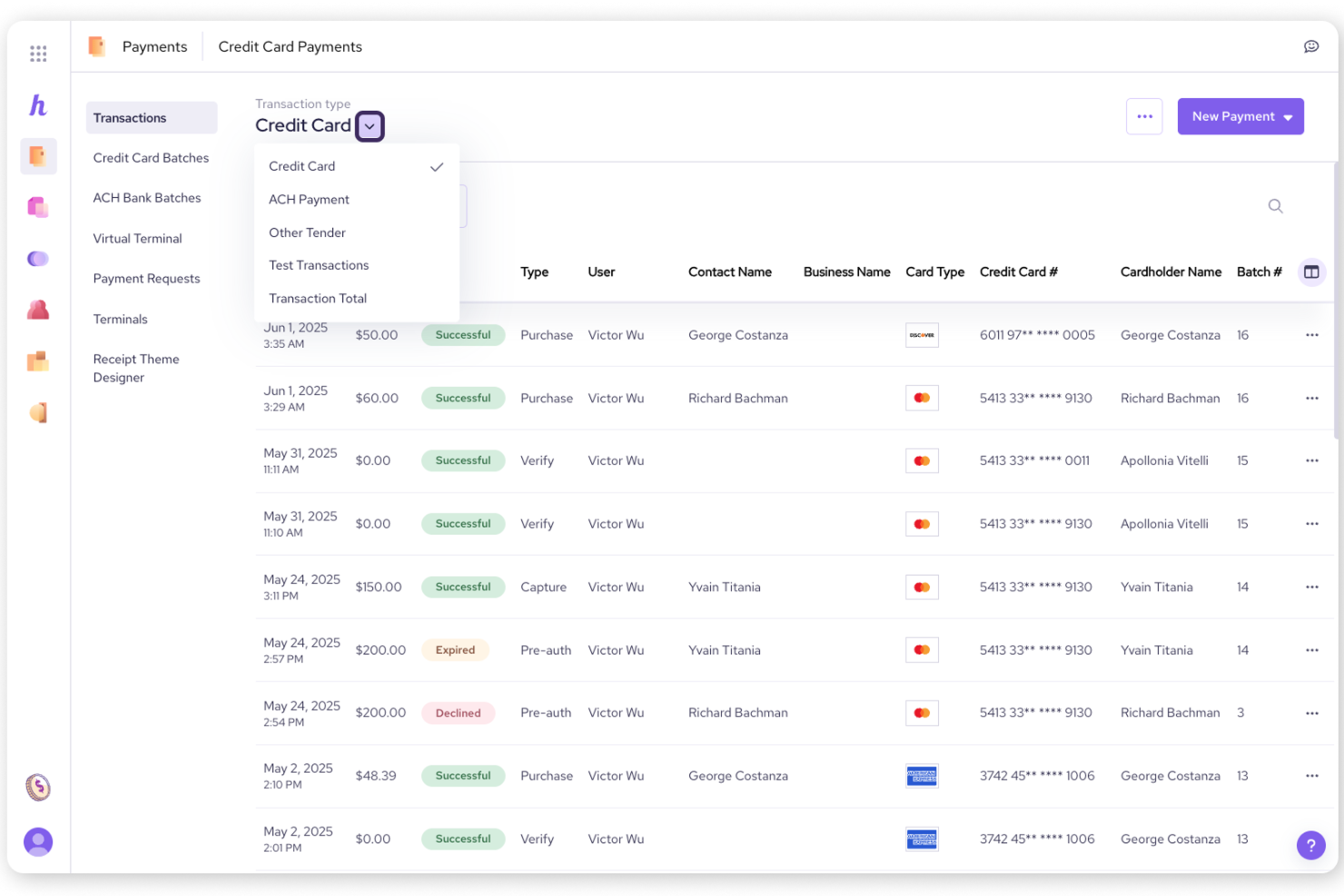
Helcim offers retail businesses a payment solution with transparent interchange-plus pricing and no monthly fees. This approach appeals to merchants who want clear, predictable costs and need to process both in-person and online payments. With Helcim, you can access features like automatic volume discounts and integrated invoicing without worrying about hidden charges.
Why I Picked Helcim
For retailers who want to avoid hidden fees and unpredictable costs, Helcim’s transparent interchange-plus pricing model is a clear advantage. I picked Helcim because it publishes its rates openly and automatically applies volume discounts as your sales grow. The platform also provides detailed fee breakdowns for every transaction, so you always know exactly what you’re paying. This level of transparency helps retail teams manage margins and make informed decisions about payment processing.
Helcim Key Features
Some other features worth highlighting include:
- Hosted Payment Pages: Lets you create secure, customizable checkout pages for online sales.
- Integrated Invoicing: Allows you to send invoices and accept payments directly through the platform.
- Customer Management Tools: Stores customer profiles and payment details for recurring billing or future purchases.
- Mobile Card Reader: Supports in-person payments with a wireless card reader that connects to your phone or tablet.
Helcim Integrations
Integrations include QuickBooks Online and Xero. An API is available for custom integrations.
Pros and Cons
Pros:
- Supports both in-person and online payments
- Integrated invoicing and recurring billing tools
- Free virtual terminal for phone orders
Cons:
- Pricing structure can be complex
- Transaction fees can be pricey for certain business types


Retail Payment Solutions Selection Criteria
When selecting the best retail payment solutions to include in this list, I considered common buyer needs and pain points like managing multi-location payments and integrating with ecommerce platforms. I also used the following framework to keep my evaluation structured and fair:
Core Functionality (25% of total score)
To be considered for inclusion in this list, each solution had to fulfill these common use cases:
- Accept in-person and online payments
- Process credit and debit card transactions
- Generate sales and payment reports
- Manage refunds and returns
- Support multiple payment methods
Additional Standout Features (25% of total score)
To help further narrow down the competition, I also looked for unique features, such as:
- Omnichannel payment synchronization
- Built-in gift card management
- Advanced fraud detection tools
- Customizable receipt options
- Integrated loyalty program support
Usability (10% of total score)
To get a sense of the usability of each system, I considered the following:
- Simple and intuitive interface
- Fast transaction processing
- Easy access to payment history
- Clear navigation for staff
- Mobile device compatibility
Onboarding (10% of total score)
To evaluate the onboarding experience for each platform, I considered the following:
- Step-by-step setup guides
- Availability of training videos
- Interactive product tours
- Access to onboarding webinars
- In-app chat or chatbot support
Customer Support (10% of total score)
To assess each software provider’s customer support services, I considered the following:
- 24/7 support availability
- Multiple support channels
- Fast response times
- Access to a knowledge base
- Dedicated account management
Value For Money (10% of total score)
To evaluate the value for money of each platform, I considered the following:
- Transparent pricing structure
- No hidden transaction fees
- Flexible contract terms
- Discounts for annual billing
- Features included at each price tier
Customer Reviews (10% of total score)
To get a sense of overall customer satisfaction, I considered the following when reading customer reviews:
- Consistency of positive feedback
- Reports of payment reliability
- Feedback on customer support quality
- Comments on integration experience
- User sentiment about feature updates
How to Choose Retail Payment Solutions
It’s easy to get bogged down in long feature lists and complex pricing structures. To help you stay focused as you work through your unique software selection process, here’s a checklist of factors to keep in mind:
| Factor | What to Consider |
|---|---|
| Scalability | Will the solution support your growth to new locations, channels, or higher transaction volumes without major upgrades? |
| Integrations | Does the tool connect natively with your POS, ecommerce, accounting, and inventory systems? Check for compatibility with your tech stack. |
| Customizability | Can you tailor workflows, receipts, and payment options to match your brand and operational needs? |
| Ease of use | Will your staff learn the system quickly? Look for intuitive layouts and minimal training requirements, especially for high-turnover teams. |
| Implementation and onboarding | How long will setup take, and what resources are required? Ask about migration support, training, and any downtime during rollout. |
| Cost | Are all fees transparent, including transaction, hardware, and integration costs? Compare monthly minimums and contract terms. |
| Security safeguards | Does the solution meet PCI compliance and offer fraud prevention tools? Ask about encryption, tokenization, and breach response. |
| Support availability | What support channels are offered, and during what hours? Consider if you need 24/7 help or dedicated account management. |
What Are Retail Payment Solutions?
Retail payment solutions are software and hardware systems that enable businesses to accept, process, and manage customer payments in-store and online. These solutions handle transactions across various payment methods, including credit cards, mobile wallets, and contactless options. They often include tools for tracking sales, managing refunds, and ensuring payment security, helping retailers deliver a consistent and reliable checkout experience across all channels.
Features
When selecting retail payment solutions, keep an eye out for the following key features:
- Multi-channel payment acceptance: Supports in-store, online, and mobile transactions so you can serve customers wherever they shop.
- Integrated payment processing: Connects directly with payment processors to handle credit, debit, and contactless payments without manual intervention.
- Sales and transaction reporting: Provides real-time and historical reports on sales, payment types, and transaction volumes to help you monitor business performance.
- Refund and return management: Allows you to process refunds and returns efficiently, ensuring accurate records and a smooth customer experience.
- Inventory synchronization: Updates inventory levels automatically as sales are made, reducing errors and helping prevent stockouts or overselling.
- Customizable receipts: Lets you tailor printed or digital receipts with your branding, return policies, and promotional messages.
- Employee permissions: Enables you to set user roles and restrict access to sensitive payment functions, improving security and accountability.
- Gift card and loyalty program support: Issues, tracks, and redeems gift cards and loyalty rewards, encouraging repeat business and customer retention.
- PCI compliance and security tools: Ensures all transactions meet industry security standards, with features like encryption and fraud detection to protect customer data.
Benefits
Implementing retail payment solutions provides several benefits for your team and your business. Here are a few you can look forward to:
- Faster checkout experiences: Integrated payment processing and multi-channel acceptance help reduce wait times and keep lines moving.
- Improved sales visibility: Real-time sales and transaction reporting give you a clear view of business performance across all locations and channels.
- Enhanced payment security: PCI compliance, encryption, and fraud detection tools help protect sensitive customer data and reduce risk.
- Simplified refund and return handling: Built-in refund and return management features make it easier to resolve customer issues and maintain accurate records.
- Better inventory control: Automatic inventory synchronization ensures stock levels are always up to date, minimizing errors and overselling.
- Stronger customer loyalty: Gift card and loyalty program support encourage repeat visits and help you build lasting customer relationships.
- Greater operational control: Employee permissions and customizable receipts let you manage access and tailor the checkout experience to your brand’s needs.
Costs & Pricing
Selecting retail payment solutions requires an understanding of the various pricing models and plans available. Costs vary based on features, team size, add-ons, and more. The table below summarizes common plans, their average prices, and typical features included in retail payment solutions solutions:
Plan Comparison Table for Retail Payment Solutions
| Plan Type | Average Price | Common Features |
| Free Plan | $0 | Accepts basic payments, provides limited reporting, supports a single user, and offers basic support. |
| Personal Plan | $20-$40/user/month | Includes multi-channel payment acceptance, basic inventory tracking, customizable receipts, and standard support. |
| Business Plan | $60-$120/user/month | Adds advanced reporting, employee permissions, integrations with ecommerce and accounting, and loyalty program support. |
| Enterprise Plan | $150-$300+/user/month | Offers custom integrations, dedicated account management, advanced security tools, priority support, and multi-location management. |
Retail Payment Solutions FAQs
Here are some answers to common questions about retail payment solutions:
Can retail payment solutions handle both in-store and online transactions?
Yes, most retail payment solutions support both in-store and online transactions. This allows you to manage payments across physical locations and ecommerce channels from a single system, making it easier to track sales and inventory.
What types of payment methods do retail payment solutions support?
Retail payment solutions typically support credit cards, debit cards, mobile wallets, contactless payments, and sometimes gift cards. Some systems also allow for split payments or custom payment types, depending on your business needs.
How do retail payment solutions help with security and compliance?
Retail payment solutions use encryption, tokenization, and PCI compliance standards to protect sensitive payment data. Many also include fraud detection tools and regular security updates to help reduce the risk of data breaches.
Are integrations with other business systems available?
Yes, most retail payment solutions offer integrations with ecommerce platforms, accounting software, inventory management tools, and CRM systems. This helps you centralize data and automate workflows across your business.
What should I consider when choosing a retail payment solution for multiple locations?
Look for solutions that offer centralized reporting, multi-location management, and user permissions. These features help you monitor performance, control access, and maintain consistency across all your stores.