
25 Best Recurring Payment Systems Ranked for 2026

The Top 10 Recurring Payment Systems to Simplify Subscriptions
Let’s start this thing with a lovely top 10 list of recurring payment systems that rock, with their ideal use cases:


Subscription billing should be simple—set it, forget it, get paid. But in practice? It’s a minefield of failed payments, confused customers, and hours wasted untangling invoice issues.
If your billing system doesn’t talk to your CRM, skips retries, or can’t handle multiple currencies, you’re not just losing money—you’re losing time you don’t have.
That’s where recurring payment systems come in.
The right platform automates billing, manages subscriptions, and keeps your cash flow predictable without the late-night spreadsheet sessions. Whether you’re running a SaaS platform, ecommerce store, or subscription box service, this guide breaks down the best tools for the job.
I’ve reviewed and ranked the top recurring payment systems for 2026 so you can find the one that fits your billing model, tech stack, and team. Let’s cut the noise and get you a system that just works.
Why Trust Our Software Reviews
We’ve been testing and reviewing retail software since 2021.
As retail experts ourselves, we know how critical and difficult it is to make the right decision when selecting software. We invest in deep research to help our audience make better software purchasing decisions.
We’ve tested more than 2,000 tools for different retail management use cases and written over 1,000 comprehensive software reviews. Learn how we stay transparent & check out our software review methodology.
Comparing the Best Recurring Payment Systems, Side-by-Side
Need the fast facts? This table gives you a side-by-side look at pricing and use cases to help you quickly compare the best recurring payment systems. Whether you’re bootstrapping or enterprise-scale, it’s an easy way to shortlist your top contenders.
| Tool | Best For | Trial Info | Price | ||
|---|---|---|---|---|---|
| 1 | Best for secure scheduled vendor payments | 21-day free trial available | From $99/month | Website | |
| 2 | Best for adjustable billing intervals | Free plan available (only pay when you take a payment) + 30-day free trial | From $49/month + transaction fees | Website | |
| 3 | Best for virtual account management | Free plan available | From $25/month | Website | |
| 4 | Best for Automated Invoicing | Free demo + Free trial available | From $229/month | Website | |
| 5 | Best for Digital Products | Free demo available | Pricing upon request | Website | |
| 6 | Best for Developer Integration | 30-day free trial available | From 2.9% + 30¢ per transaction | Website | |
| 7 | Best for Financial Analytics | 30-day free trial + free demo available | From $599/month | Website | |
| 8 | Best for Freelancers | Free plan available | From $19/month | Website | |
| 9 | Best for Small Businesses | Free demo available | From $59/month | Website | |
| 10 | Best for Subscription Management | Free demo available | Pricing upon request | Website |
The 10 Best Recurring Payment Systems, Reviewed
Below, you’ll find my detailed breakdown of the best recurring billing tools out there. I’ve focused on real functionality—how well they automate payments, reduce churn, and support different business models. These aren’t just pretty dashboards; they’re workhorses built to scale with you.

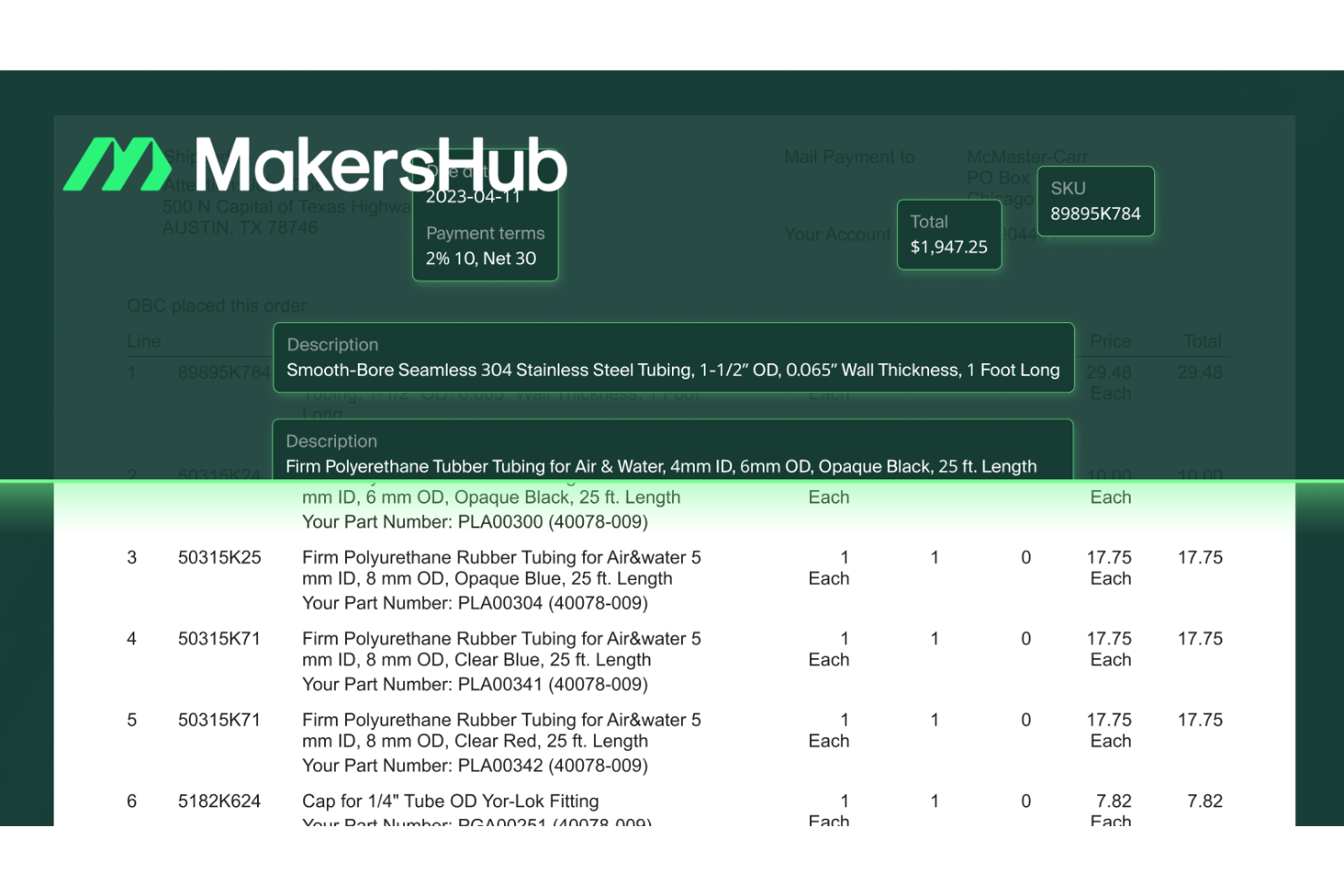
MakersHub is an accounts payable automation platform designed to help businesses manage and process vendor payments efficiently. It offers scheduling, approval workflows, and real-time payment tracking, making it a strong choice for businesses handling recurring transactions.
Why I picked MakersHub: I chose MakersHub for its ability to schedule payments by due date, which helps you maintain timely and consistent transactions without manual oversight. The customizable multi-approver authorization flows add an extra layer of security, ensuring payments are reviewed before being processed. I also appreciate the platform’s real-time payment status tracking, which lets you monitor scheduled transactions at a glance—especially useful for recurring payment cycles.
Standout features & integrations:
Features include automated bill processing, which reduces manual data entry and improves accuracy, along with fraud prevention measures to help minimize unauthorized transactions. The platform also provides cash flow visibility, giving you up-to-date insights into your current financial position for better planning.
Integrations include QuickBooks Online and QuickBooks Desktop.
Pros and Cons
Pros:
- Real-time payment tracking for better visibility
- Customizable multi-approver workflows for compliance and security
- Supports payment scheduling to avoid late fees
Cons:
- AI-driven features may require refinement
- Limited integrations beyond QuickBooks

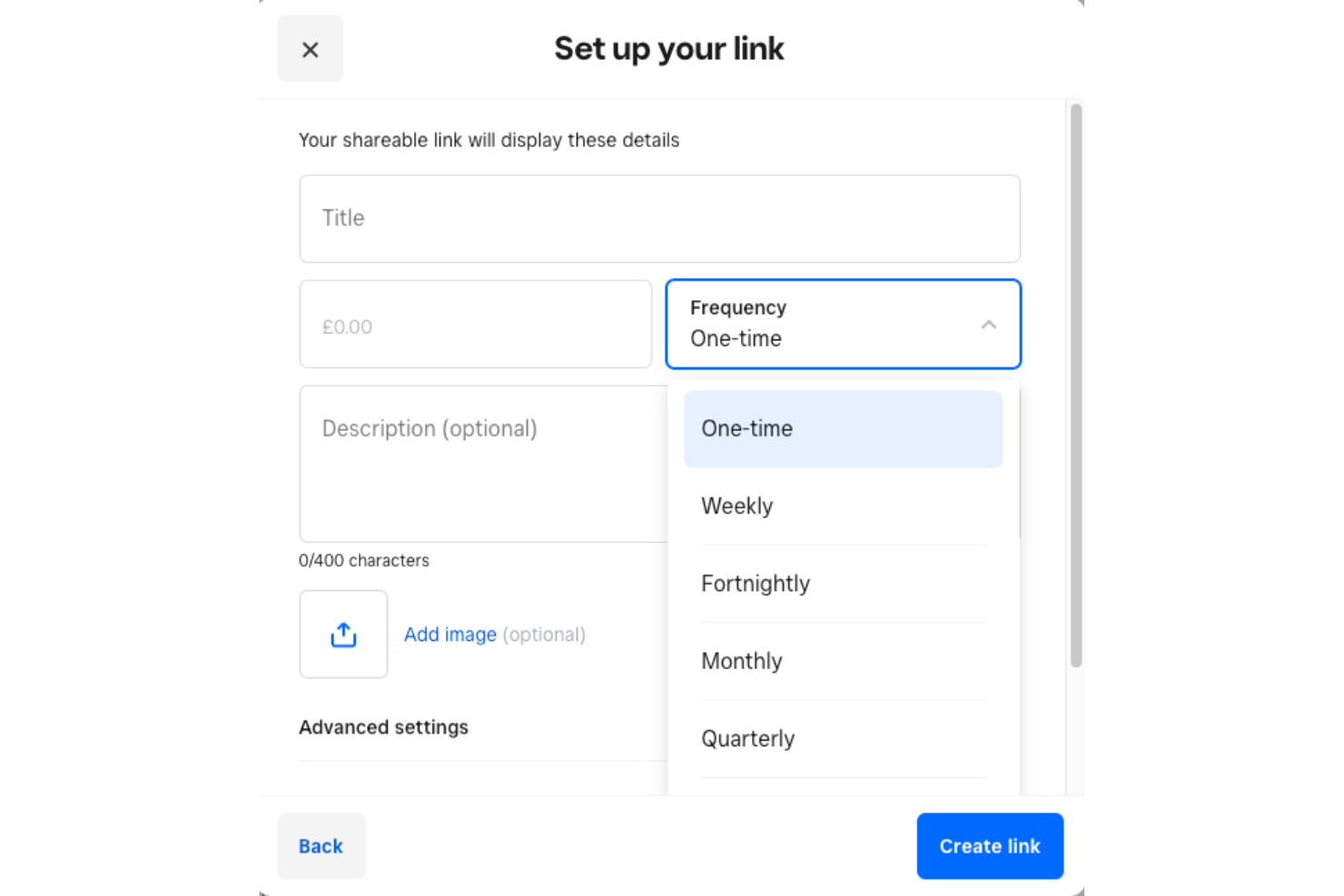
Square is a flexible payment platform that helps businesses of all sizes manage transactions, send invoices, and collect recurring payments with ease. From cafes and salons to online stores, its straightforward design and free-to-start pricing make it a go-to option for small businesses wanting reliable automated billing.
Why I picked Square: I picked Square because it simplifies recurring billing setup so you can start automating payments in minutes. Through the Square Dashboard or POS app, you can create recurring invoices, store customer card details securely, and schedule payments daily, weekly, monthly, or annually. It’s ideal if you want consistent cash flow without dealing with manual follow-ups. I also like that there are no monthly fees, just a per-transaction charge, so you only pay when you get paid.
Square standout features & integrations:
Features include recurring invoices with automated scheduling, stored payment methods for automatic charges, and alerts for declined or expired cards to help you stay informed. The system supports customer consent management and provides notifications for transaction issues to keep billing transparent and compliant.
Integrations include QuickBooks Online, Xero, WooCommerce, BigCommerce, Weebly, GoDaddy, ShipStation, Stitch Labs, Homebase, Fresh KDS, and MarketMan.
Pros and Cons
Pros:
- Secure automatic payments with notifications
- Supports major ecommerce and accounting integrations
- Automated recurring invoices ensure consistency
Cons:
- Limited live customer support availability
- Payment holds cause transaction delays
New Product Updates from Square
Square Introduces Neighborhoods on Cash App
Square launches Neighborhoods on Cash App, offering businesses access to over 57 million active accounts, direct marketing, neighborhood rewards, and a 1% processing fee. For more information, visit Square's official site.
 .
.
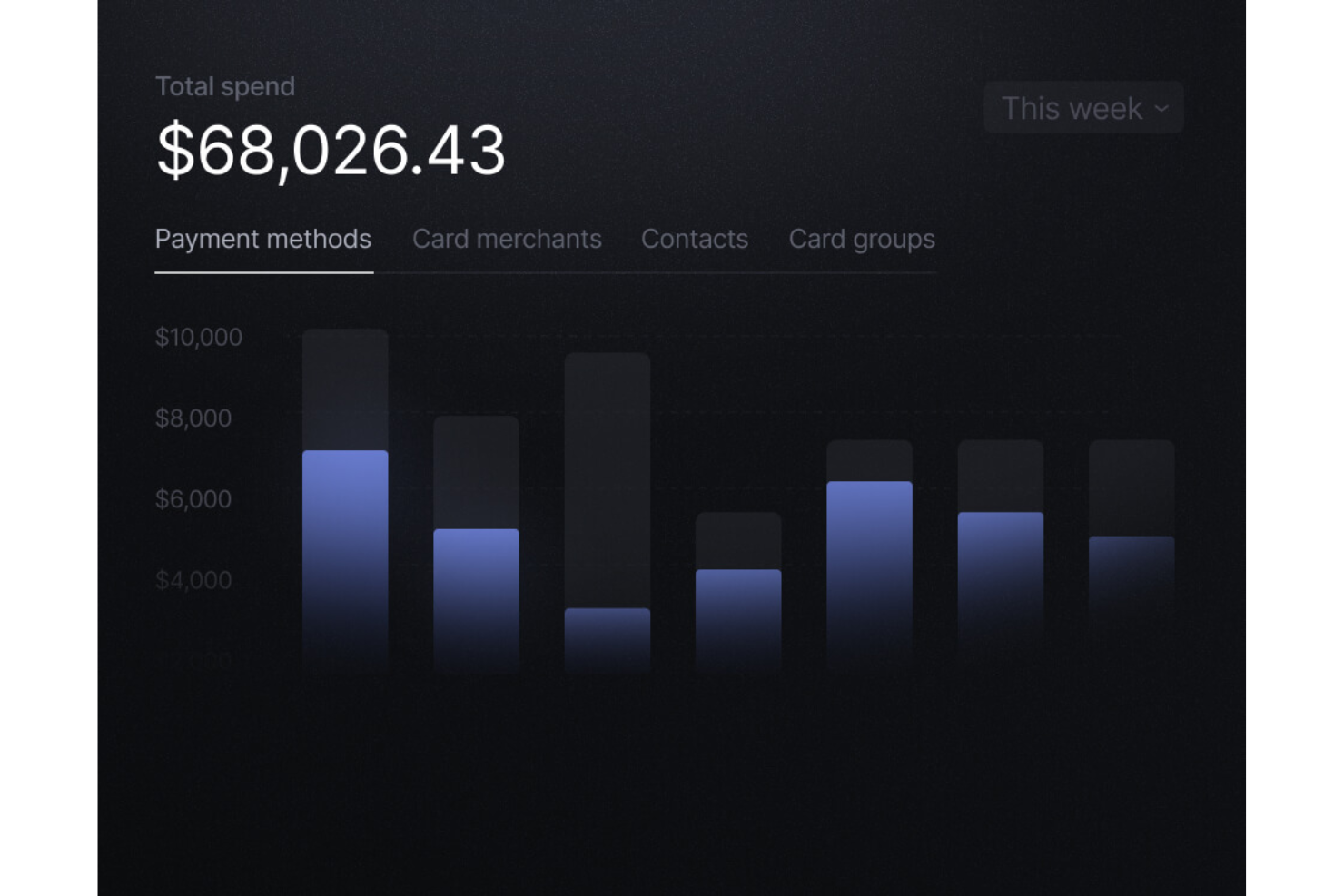
Slash is a financial technology platform designed to assist businesses with banking and expense management. It offers a range of features, including corporate cards and high-yield checking accounts, to provide a tailored financial experience.
Why I Picked Slash: I picked Slash as a good recurring payment system because it offers virtual accounts for managing recurring payments. You can track transactions and set up automated payments, simplifying financial management. Real-time analytics provide insights into spending patterns, aiding informed decision-making. Another reason is its strong focus on security and compliance, with features like enhanced FDIC coverage and advanced authentication methods. Custom user controls ensure secure and compliant financial activities, offering peace of mind when handling recurring transactions.
Standout features & integrations:
Features include developer-friendly APIs for integration with other business tools, multi-entity management for businesses with multiple locations, and seamless fiat and crypto conversions. These features help manage financial operations, allowing you to focus on other important business aspects.
Integrations include Quickbooks, Zoho, NetSuite, Xero, Google Sheets, Notion, Airtable, Email, Webhook, Amplitude, Zapier, and Slack.
Pros and Cons
Pros:
- Generous cashback & card benefits
- Flexible multi-rail money movement
- Built-in recurring & scheduled transfers
Cons:
- Fully digital, no physical branches
- Advanced features require paid plan

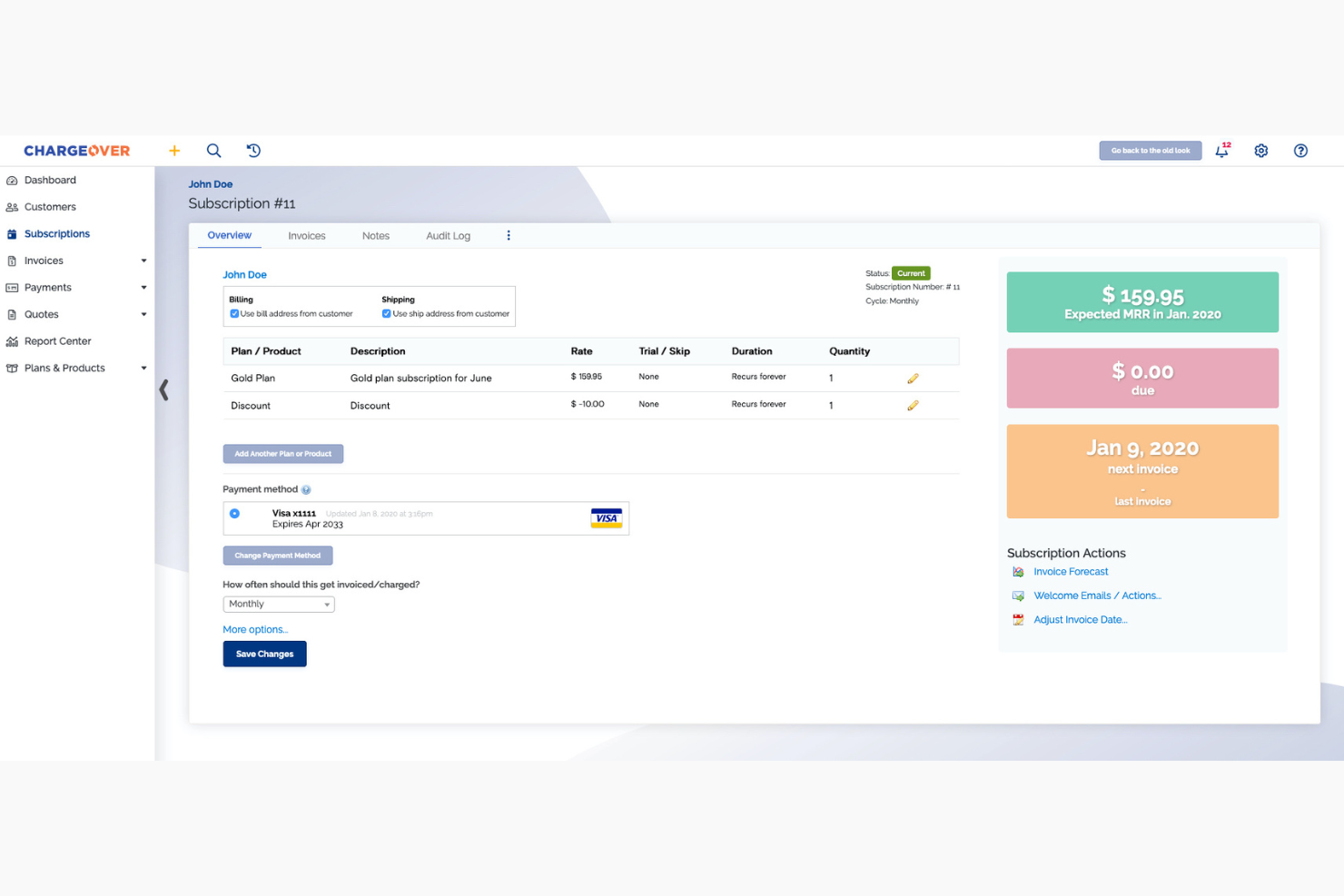
ChargeOver is a recurring billing management tool aimed at businesses that need efficient invoicing solutions. It automates billing processes and handles customer payments to streamline financial operations.
Why I picked ChargeOver: It specializes in automated invoicing, offering features like recurring billing and customizable invoices. Automated payment reminders help you reduce late payments and improve cash flow. ChargeOver also supports multiple payment methods, providing flexibility for your customers. The platform’s reporting tools give insights into your billing activities, aligning with its USP of being best for automated invoicing.
Standout features & integrations:
Features include automated billing, which reduces manual invoicing tasks. The platform's payment reminders help decrease late payments and maintain steady cash flow. ChargeOver also offers detailed reporting tools to give you insights into your billing operations.
Integrations include QuickBooks, Xero, Salesforce, Avalara, Authorize.Net, PayPal, Stripe, Braintree, Mailchimp, and Zendesk.
Pros and Cons
Pros:
- Detailed reporting capabilities
- Supports multiple payment methods
- Automated payment reminders
- Customizable invoice templates
Cons:
- Occasional integration issues
- May need customization
- Limited advanced features


FastSpring is an ecommerce platform tailored for businesses selling digital products globally. It simplifies the process of managing subscriptions, payments, and customer relationships.
Why I picked FastSpring: It’s designed for digital product vendors, offering features like global payment processing and localized checkout experiences. FastSpring handles taxes and compliance, making international sales easier for you. The platform’s subscription management tools cater to businesses with recurring billing needs. Its detailed analytics provide insights into sales performance, aligning with its USP of being best for digital products.
Standout features & integrations:
Features include global payment processing, which allows you to sell in multiple currencies. The platform’s localized checkout experiences help you reach customers worldwide. FastSpring also provides tax management and compliance support, reducing the hassle of international sales.
Integrations include Salesforce, QuickBooks, Xero, Mailchimp, Google Analytics, WordPress, Shopify, Zapier, HubSpot, and Slack.
Pros and Cons
Pros:
- Handles international compliance
- Detailed sales analytics
- Supports multiple currencies
- Localized checkout experiences
Cons:
- May need additional support
- Requires technical setup
- Limited customization options

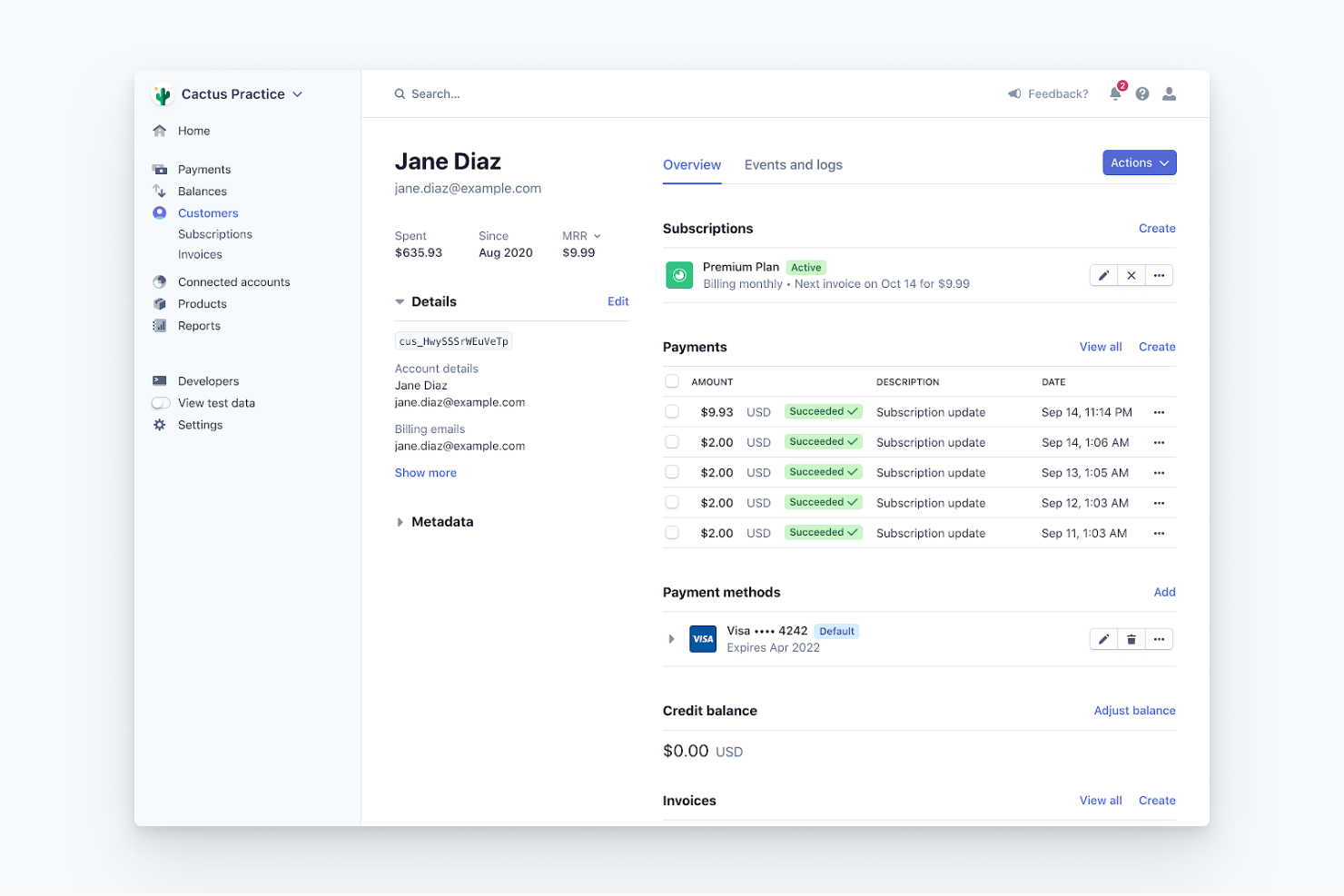
Stripe is a payment processing platform designed for online businesses and developers. It offers tools to manage payments, subscriptions, and billing for ecommerce operations.
Why I picked Stripe: It provides flexible integration options, making it ideal for developers looking for customizable payment solutions. Stripe supports a wide range of payment methods, giving your customers multiple options. Its API is well-documented, allowing for smooth integration into your existing systems. The platform also offers advanced security features to protect your transactions, aligning with its USP of being best for developer integration.
Standout features & integrations:
Features include advanced security features that protect your transactions. Stripe's API allows for easy customization, making it adaptable to your specific needs. The platform also supports a wide range of payment methods, offering flexibility for your customers.
Integrations include Shopify, WooCommerce, Magento, BigCommerce, Squarespace, WordPress, Xero, QuickBooks, Salesforce, and NetSuite.
Pros and Cons
Pros:
- Detailed documentation for developers
- Global reach with multi-currency support
- Supports multiple payment methods
- Flexible API for customization
Cons:
- Occasional updates require adaptation
- May need additional coding
- Limited customer support

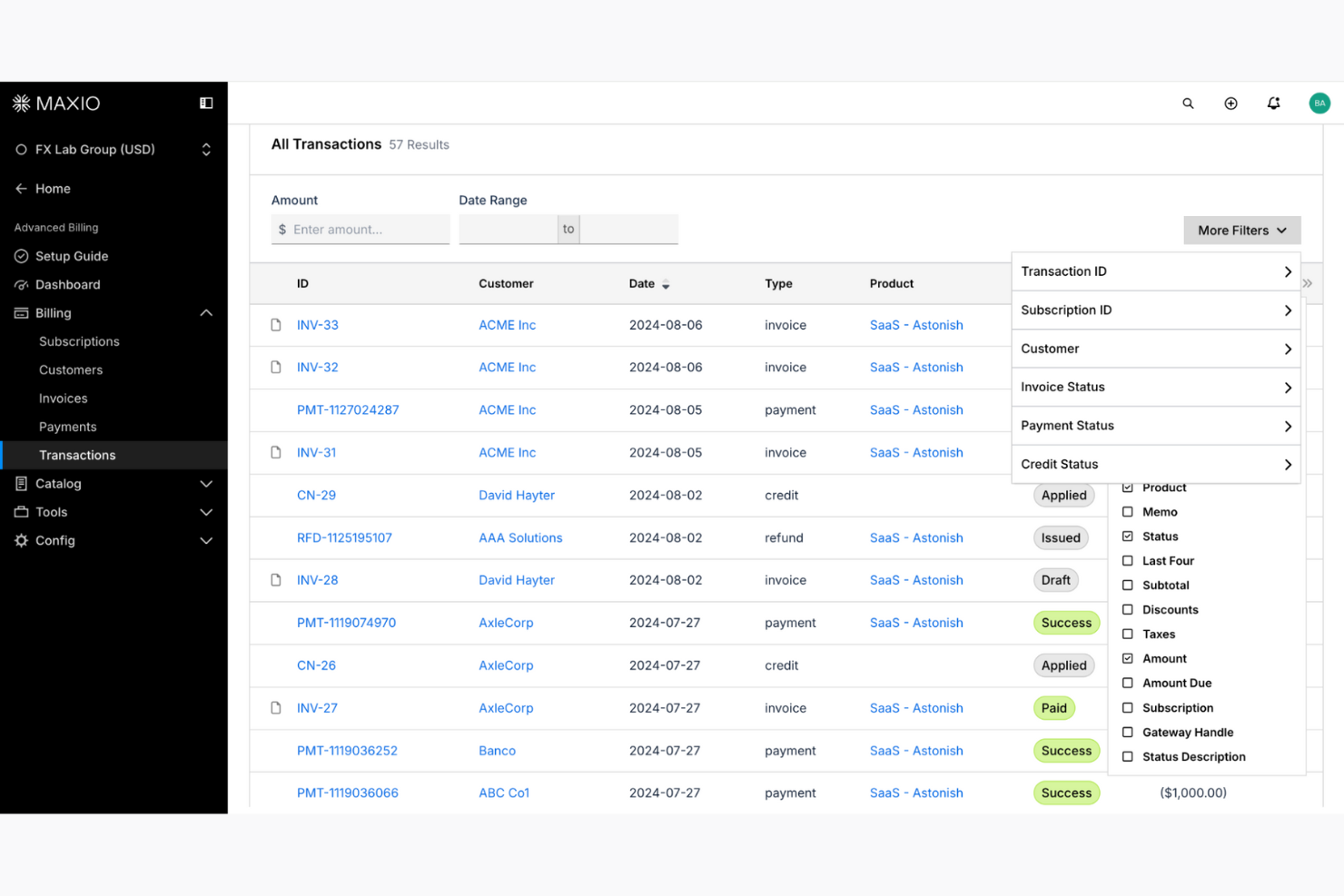
Maxio is a subscription management platform designed for B2B SaaS companies. It helps businesses manage billing, revenue recognition, and financial analytics to improve financial operations.
Why I picked Maxio: It provides detailed financial analytics with features like revenue recognition and custom dashboards. The platform supports multi-currency transactions, making it suitable for global operations. Maxio’s contract term support helps manage complex billing scenarios, aligning with its USP of being best for financial analytics. It also offers local support in the EU and NA, which enhances its appeal to international users.
Standout features & integrations:
Features include revenue recognition, which helps you track and manage your earnings accurately. Maxio's custom dashboards provide insights into your financial data, allowing you to make informed decisions. The platform also offers milestone-based billing, which is useful for project-based billing needs.
Integrations include QuickBooks, Xero, NetSuite, Salesforce, HubSpot, Pipedrive, Stripe, PayPal, Braintree, and Authorize.Net.
Pros and Cons
Pros:
- Supports multi-currency transactions
- Local support in the EU and NA
- Customizable dashboards
- Detailed financial analytics
Cons:
- Requires financial expertise
- Limited to B2B SaaS companies
- Complex setup process

Wave Accounting is an integrated financial management platform tailored for small businesses and freelancers. It offers invoicing, accounting, and payment processing to help manage your finances efficiently.
Why I picked Wave Accounting: It’s particularly suited for freelancers, providing features like easy invoicing and expense tracking. You can set up recurring invoices, which simplifies billing for ongoing projects. Its payment processing allows you to accept credit card and bank payments, ensuring you get paid faster. The platform also offers customizable templates, aligning with its USP of being best for freelancers.
Standout features & integrations:
Features include easy invoicing, which allows you to create and send invoices quickly. The platform offers expense tracking to help you keep tabs on your spending. Wave Accounting also provides customizable templates, enabling you to maintain a professional appearance in your client communications.
Integrations include PayPal, Shoeboxed, Etsy, Zapier, Stripe, Google Sheets, QuickBooks, FreshBooks, HubSpot, and Mailchimp.
Pros and Cons
Pros:
- Integrated expense tracking
- Customizable invoice templates
- Accepts credit card payments
- Easy recurring invoice setup
Cons:
- May require manual adjustments
- Basic reporting capabilities
- Limited advanced features
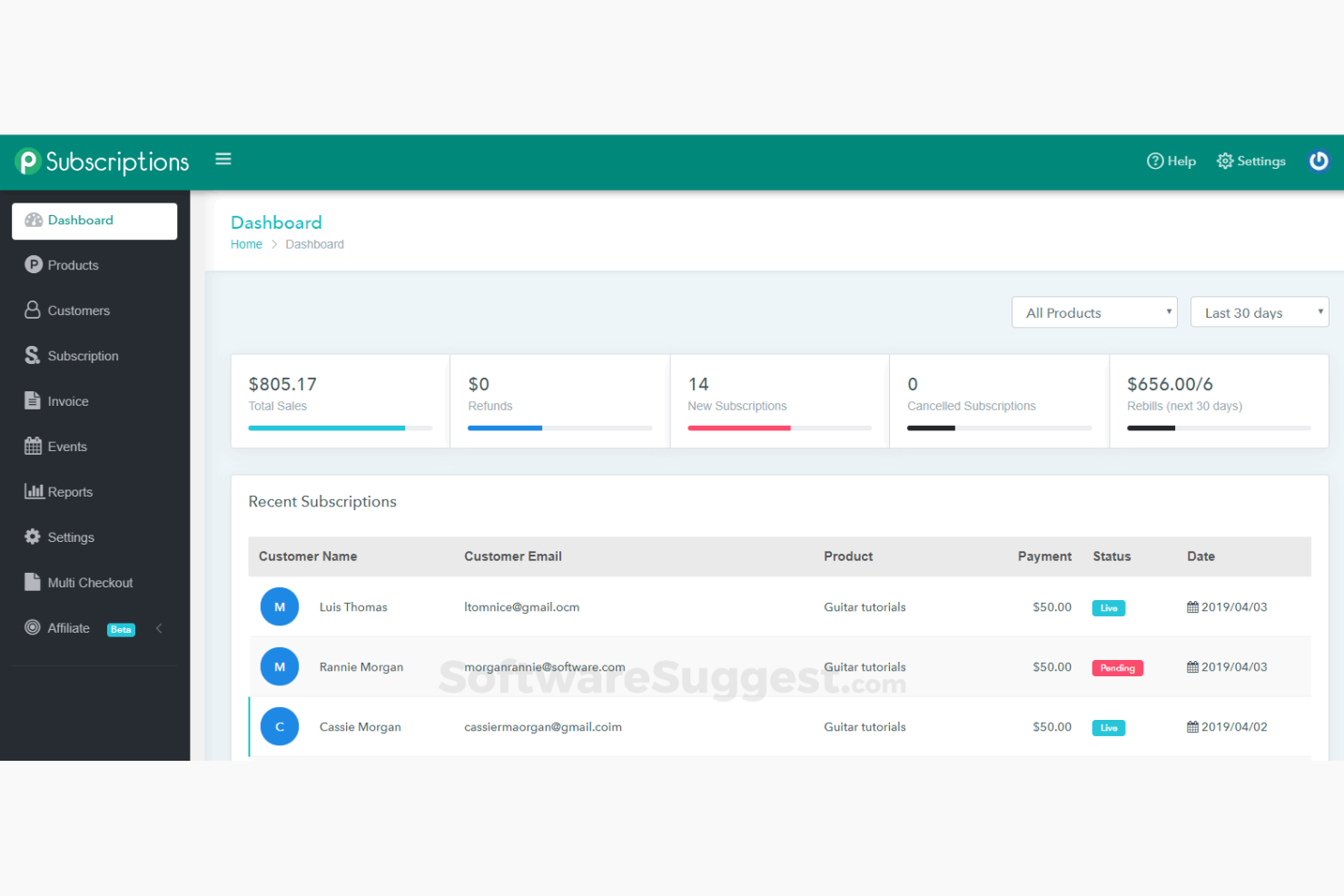
Pabbly Subscriptions is a billing and subscription management tool tailored for small businesses. It offers automated billing, payment collection, and customer management to simplify recurring payments.
Why I picked Pabbly Subscriptions: It’s ideal for small businesses with features like unlimited revenue generation and no transaction fees. Automated invoicing and dunning management help you maintain consistent cash flow. The platform's customizable checkout pages support your brand's identity, aligning with its USP of being best for small businesses. Pabbly also provides analytics to help you understand your revenue trends.
Standout features & integrations:
Features include automated billing, which removes the hassle of manual invoicing. It's dunning management ensures you recover failed payments efficiently. Additionally, Pabbly's analytics provide insights into your revenue and customer behavior.
Integrations include PayPal, Stripe, Razorpay, Mollie, Authorize.Net, Mailchimp, Google Sheets, Pabbly Connect, ActiveCampaign, and Salesforce.
Pros and Cons
Pros:
- Detailed revenue analytics
- Automated dunning management
- Customizable checkout pages
- Unlimited revenue generation
Cons:
- Requires initial setup time
- Basic reporting tools
- Limited advanced features

Recurly is a subscription management platform designed for businesses that need efficient billing solutions. It caters to companies looking to automate billing processes and manage subscriptions effectively.
Why I picked Recurly: It excels in subscription management with features like automated invoicing and intelligent retries for failed payments. The platform supports various pricing models, making it adaptable to different business needs. Its customizable billing communications enhance user experience, aligning with its USP of being best for subscription management. Recurly's AI tool, Recurly Compass, provides valuable insights to help you optimize your billing strategies.
Standout features & integrations:
Features include automated invoicing, intelligent retries for failed payments, and customizable billing communications. Recurly also offers trial management to help you attract new subscribers and supports multiple currencies to cater to a global audience. Its AI-driven insights provide valuable data for optimizing your subscription strategies.
Integrations include Salesforce, Xero, QuickBooks, NetSuite, Avalara, Mailchimp, Slack, Zendesk, and PayPal.
Pros and Cons
Pros:
- Global compliance
- Detailed analytics
- Multiple currency support
- Advanced payment retries
Cons:
- Requires technical knowledge
- Limited customization options
- Complexity for new users
Other Recurring Payment System
Here are some additional recurring payment system options that didn’t make it onto my shortlist, but are still worth checking out:
- Zuora
For Enterprise Solutions
- Payrexx
For Global Reach
- PayPal
For Wide User Base
- GoCardless
For Direct Debit
- Adyen
For Global Payments
- Airwallex
For global transactions
- Helcim
For transparent pricing
- Chargebee
For SaaS companies
- Xero
For accounting integration
- Stax Pay
For flat-rate pricing
- Clover
For small retail businesses
- EBizCharge
For ERP integration
- Merchant One
For 24/7 support
- Payment Depot
For wholesale processing
- Payline Data
For flexible payment options


Our Selection Criteria for Recurring Payment Systems
When it comes to managing subscription billing, failed payments, and keeping revenue predictable, the stakes are high. So I evaluated each tool through a practical, operations-focused lens—not just who had the flashiest UI. Here’s how I scored them:
Core functionality (25% of total score)
First things first: does it actually do the job?
- Handles subscription billing and recurring payments, with minimal babysitting.
- Automates invoicing and payment collection—no manual follow-ups.
- Supports a mix of payment methods: credit cards, ACH, digital wallets, and more.
- Offers tools for retrying failed payments and reducing churn.
Additional standout features (25% of total score)
Beyond the basics, what makes this tool worth your time?
- Advanced reporting to actually understand your billing performance.
- Support for variable billing models and payment plan flexibility.
- API access and integrations to plug into your existing stack.
- Multi-currency and localization options for global operations.
- Built-in fraud detection and compliance features (hello, PCI DSS).
Usability (10% of total score)
If your team can’t figure it out, it won’t get used.
- Clean, intuitive interface with no buried settings.
- Responsive design for managing billing on the go.
- Easy for both tech teams and non-technical users to operate.
Onboarding (10% of total score)
Getting started shouldn’t feel like a root canal.
- Access to setup wizards, templates, and migration tools.
- Training content like how-to videos and guided tours.
- Clear documentation and onboarding support when you hit a wall.
Customer support (10% of total score)
Because when payments fail, you can’t afford to wait days for a reply.
- Fast response times across multiple channels (chat, email, phone).
- 24/7 availability or close to it—especially if you're global.
- Deep knowledge base to solve issues without logging a ticket.
Value for money (10% of total score)
You shouldn't need an enterprise budget for dependable billing.
- Transparent pricing without surprise add-ons.
- Fair plans that scale with your business, not just your transaction volume.
- Useful features included in mid-tier plans—not just locked in enterprise.
Customer reviews (10% of total score)
Nothing beats real-world feedback.
- High ratings across multiple review sites, not just the vendor's website.
- Consistent praise (or complaints) about usability and support.
- Indicators of real adoption: longevity, case studies, industry use.
What is a Recurring Payment System?
A recurring payment system automates the billing process so you can stop chasing invoices and start focusing on growth.
Whether you're managing monthly SaaS plans, gym memberships, or subscription boxes, these tools handle the heavy lifting—collecting payments, sending invoices, retrying failed transactions, and keeping customer payment info up to date.
Good systems support multiple payment methods (credit card, ACH, PayPal), work across currencies, and plug into your existing CRM or ecommerce setup. Check out our guide to the best subscription management software for detailed reviews and rankings.
In short: they keep revenue flowing while reducing errors and manual work. If you’re looking to stabilize cash flow, reduce churn, and ditch the billing spreadsheets, this is the tech you want.
If you're managing recurring donations, consider these nonprofit payment processors that handle the heavy lifting.
How to Choose a Recurring Payment System
It’s easy to get buried in feature lists and pricing tiers. Use this checklist to cut through the noise and zero in on what really matters for your business:
| Factor | What to consider |
|---|---|
| Scalability | Can it grow with you? Choose a system that won’t choke when you add new products, users, or transaction volume. No one wants to rip out billing mid-scale. |
| Integrations | Does it fit into your stack? Make sure it syncs cleanly with your CRM, ecommerce platform, and accounting tools—no duct tape required. |
| Customizability | Can you shape it to your model? Look for flexible billing cycles, payment terms, retry rules, and branded comms. One-size-fits-all won’t cut it. |
| Ease of use | Will your team actually use it? Prioritize a clean interface, simple workflows, and self-serve options for less tech-savvy staff. |
| Implementation | How fast can you launch? Tools with clear onboarding, templates, and migration support help you go live without hiring a consultant. |
| Cost | Can you forecast it? Review per-user fees, transaction charges, and tiered pricing carefully. Watch for API limits or “optional” must-haves. |
| Security safeguards | Is your data safe? Ensure it’s PCI DSS compliant, supports tokenization, and includes fraud detection. Your customers (and accountant) will thank you. |
| Support availability | Can you get help when you need it? Choose vendors with solid docs, fast response times, and multiple support channels—especially for payment failures. |
Features of the Recurring Payment System
These are the features that matter when you’re running a subscription-based business—or any model where billing happens more than once.
- Automated invoicing and subscription payments. Set billing frequency and let the system send invoices and charge customer accounts automatically.
- Flexible payment models and billing schedules. Support fixed, usage-based, and tiered subscriptions with custom payment terms and billing intervals.
- Multiple payment methods supported. Accept credit cards, debit cards, ACH transfers, and digital wallets so customers can pay however they prefer.
- Detailed payment information management. Store, update, and secure customer payment details—critical for reducing failed payments and churn.
- Subscription management for all plan types. Easily adjust billing frequency, pause subscriptions, or offer one-time purchases alongside recurring revenue streams.
- Secure payment processing and fraud detection. Meet PCI DSS standards, protect customer data, and flag suspicious activity before it becomes a problem.
- Real-time notifications and customer account tracking. Get alerts for failed payments and track payment history directly within each customer’s account.
- Customizable workflows and templates. Adapt payment reminders, retry logic, and invoice layouts to fit your brand and operational needs.
- Integration with ecommerce, CRM, and accounting tools. Centralize billing workflows across your stack—from checkout to reconciliation.
- Scalable infrastructure. Designed to grow with you, handling more customers, complex subscriptions, and international payments without slowing you down.
Benefits of a Recurring Payment System
When it works right, you shouldn’t have to think about your billing system. These are the big wins that come from setting it and forgetting it (mostly).
- Predictable recurring revenue. Lock in a steady stream of income with automated subscription payments and clearer forecasting.
- Less admin, more output. Automating your workflows means fewer billing errors, less customer service friction, and more time for growth.
- Improved customer experience. With flexible billing options and seamless payment processes, customers stay subscribed longer—boosting retention.
- Better visibility into cash flow. Real-time reporting shows how revenue is trending, where churn is happening, and what payment models work best.
- More secure payment handling. Centralized payment details and fraud controls protect your business and every customer’s account.
- Supports a range of subscription businesses. From gym memberships to SaaS, these systems handle both simple and complex plans at scale.
- Smooth onboarding and scaling. With all-in-one tools and customizable features, you can grow without rebuilding your billing process.
- Stronger customer trust. Accurate charges, transparent payment info, and fewer hiccups mean fewer chargebacks and more loyalty.
Costs & Pricing of Recurring Payment Systems
Recurring payment software pricing can vary wildly—from free plans with the basics to enterprise-grade systems with advanced billing automation, analytics, and support. Here’s a breakdown of typical pricing models so you know what to expect before you swipe your card (or connect your merchant account).
| Plan type | Average price | Common features | Best for |
|---|---|---|---|
| Free plan | $0 | Basic invoicing, limited payment methods, no support or minimal support. | Freelancers or pre-revenue startups |
| Personal plan | $5–$25/user/month | Recurring billing, credit card support, basic analytics, and customizable invoices. | Solopreneurs and small ecommerce shops |
| Business plan | $50–$100/user/month | Subscription management, payment retries, API access, multi-currency, fraud protection. | Growing SaaS, subscription businesses |
| Enterprise plan | $150–$300+/user/month | Advanced analytics, custom billing models, priority support, integrations, and SLAs. | Large-scale operations or global commerce |
Additional cost considerations
- Per-transaction fees: Many platforms charge a percentage (e.g., 2.9% + $0.30) per transaction—especially for credit card or PayPal payments. This adds up fast at scale.
- Add-ons and integrations: Some platforms charge extra for CRM, tax software, or ecommerce integrations. Double-check what’s included before you commit.
- Onboarding and setup: Enterprise platforms may require paid onboarding or implementation support. Ask if it's included or an extra line item.
- API usage caps: Watch out for limits on API calls or user seats. Some “mid-tier” plans throttle functionality unless you upgrade.
Recurring Payment System FAQs
Here are some answers to common questions about recurring payment systems:
How do recurring payment systems improve cash flow?
By automating charges at regular intervals, they eliminate missed invoices and late payments. They also help forecast revenue by locking in a predictable billing schedule—critical for planning and growth.
What’s the best way to handle failed payments?
Look for tools with automated retries, dunning workflows, and smart alerts. Some even update expired cards automatically. This reduces churn and keeps your revenue stream running without manual follow-up.
Can I offer both subscriptions and one-time purchases?
Yes. Most platforms support hybrid models, letting you bill customers once for a product or service, while still offering ongoing subscriptions. This flexibility is key for ecommerce and services with multiple offerings.
What should I look for in a payment processor?
You want more than just a way to take money. Look for PCI-compliant platforms that support multiple payment methods (credit cards, ACH, etc.), integrate with your tech stack, and offer clear reporting on billing and revenue.
Is it worth switching if I’m already using manual invoicing?
Almost always, yes. Manual systems are error-prone, time-consuming, and scale poorly. A recurring billing platform streamlines workflows, improves the customer experience, and frees up your team to focus on growth—not admin.
Bill It and They Will Come
Manual billing is the silent killer of your team’s time and your customer’s patience. Typos, missed invoices, failed charges—it all adds up to churn, confusion, and lost revenue.
But with the right recurring payment system, billing becomes a background process that just works.
Whether you're scaling a SaaS platform, running a subscription box empire, or managing gym memberships with a revolving door of debit cards, there's a tool on this list that can automate your payment workflows, protect your cash flow, and keep your revenue predictable. Don't forget to explore free subscription management options to maximize your operational efficiency without breaking the budget.
You’ve seen what’s out there. Now it’s time to pick the platform that fits your business model—and finally stop fighting your billing system.
Retail never stands still—and neither should you. Subscribe to our newsletter for the latest insights, strategies, and career resources from top retail leaders shaping the industry.