

10 Best Merchant Account Services for Ecommerce in 2026

10 Best Merchant Account Services for Ecommerce in 2026 Shortlist


You don’t need me to tell you payment processing can be a headache. Reconciling transactions. Managing chargebacks. Dealing with fees you didn’t even know existed. It’s enough to make you question why you started this in the first place.
I’ve spent enough years in the thick of retail operations to know the pain of clunky credit card processing and bad merchant account providers. When it’s wrong, you bleed money and time. When it’s right, you can focus on growing.
This guide breaks down the best merchant account services. Real options for real businesses that need to take credit card payments in-store or online without getting gouged on transaction fees or stuck in shady contracts.
Let’s help you choose the payment processing partner that actually works for your business.
Why Trust Our Software Recommendations
Our team has been testing and reviewing software since 2012. As retail leaders ourselves, we know how difficult—and important—it is to choose the right software.
For this guide, we evaluated tools using hands-on testing and independent research, scoring tools using our selection criteria.
Our reviews reflect our independent judgment—not a sales pitch.
Best Merchant Account Services for Ecommerce in 2026 Comparison Table
This comparison table summarizes pricing details for my top merchant account services for ecommerce selections:
| Tool | Best For | Trial Info | Price | ||
|---|---|---|---|---|---|
| 1 | Best for global accounts | Free plan available | Pricing upon request | Website | |
| 2 | Best for transparent payment processing | Free quote available | Pricing upon request | Website | |
| 3 | Best for 0% cost credit card processing | Not available | From $29/month | Website | |
| 4 | Best for taking credit card payments | 3-month free trial | From $79/month | Website | |
| 5 | Best for access to various merchant types | Free plan available | From $50/hour | Website | |
| 6 | Best budget-friendly option | Free demo available | From Interchange + 0.40% + 8¢ (varies by volume) | Website | |
| 7 | Best for custom solutions | Free quote available | Pricing upon request | Website | |
| 8 | Best for digital businesses | Not available | From $620/month | Website | |
| 9 | Best for B2B businesses | Free demo available | From $15/month | Website | |
| 10 | Best for non-technical business owners | Free plan + free demo available | From $0.30/transaction | Website |
Best Merchant Account Services Reviews
Below are my detailed summaries of the best merchant account services that made it onto my shortlist. My reviews offer a detailed look at the features, best use cases, and integrations of each software to help you find the best one for you.

Payouts
Best for global accounts

Payouts is a financial technology platform designed for businesses to automate and manage vendor payouts, particularly in industries such as affiliate marketing, influencer marketing, and gaming.
Why I picked Payouts: It offers a global accounts feature that allows your business to hold and manage funds in multiple currencies, making international transactions simpler and reducing the costs associated with currency conversions. Another benefit is Payouts.com's payout automation. This feature automates the process of sending payments to vendors and partners, reducing manual work and the chance of errors.
Payouts Standout Features and Integrations
Features include a vendor relationship suite that streamlines onboarding, verification, and compliance through a unified platform. The site also emphasizes flexible payout methods, supporting various payment methods such as eWallets, bank transfers, and cryptocurrencies.
Integrations include Everflow, CJ Affiliate, Awin, PayPal, Venmo, Payoneer, NetSuite, Priority, Workday, Skrill, and Tune.
Pros and Cons
Pros:
- Multiple payout methods
- Comprehensive automation of accounts payable processes
- Supports scaling operations
Cons:
- Doesn't offer credit card processing
- Potential challenges integrating with existing systems

Stax
Best for transparent payment processing
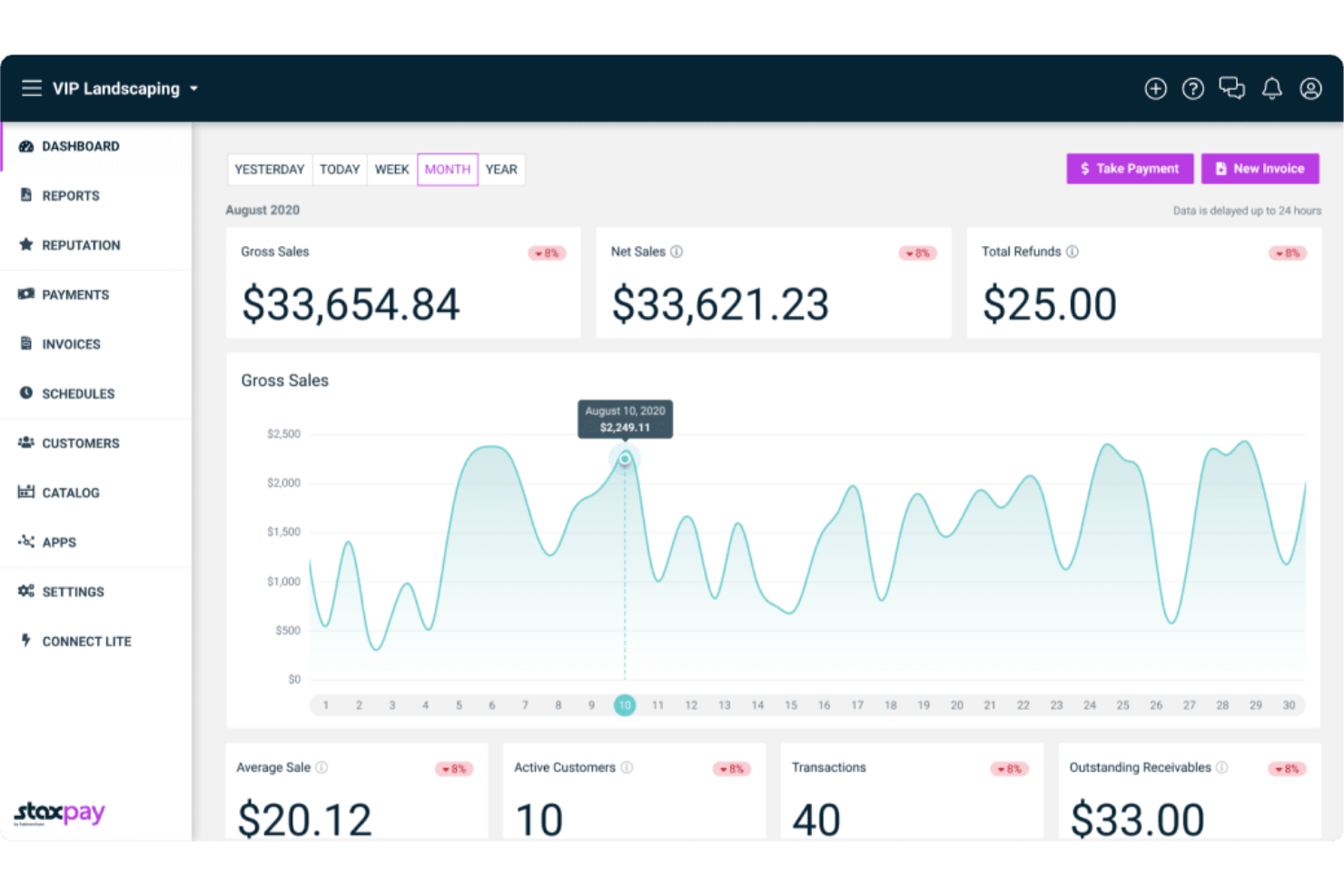
Stax Pay is a valuable payment processing platform designed to support businesses and SaaS platforms with cost-effective payment solutions. It features automated subscription billing to help manage recurring payments and reduce late or failed transactions. Additionally, Stax Pay supports compliant surcharging, allowing businesses to pass on credit card processing fees to customers while adhering to industry standards.
Why I chose Stax Pay: Stax Pay is an all-in-one platform that not only simplifies payment processing but also provides a range of capabilities such as surcharging, equipment, lending, mobile payments, and e-commerce solutions. This breadth of services, combined with a commitment to transparency and customer support, positions Stax Pay as a versatile and reliable partner for businesses seeking merchant account services.
Stax Pay also offers up to 40% savings on payment processing fees to assist businesses in managing their transactions efficiently.
Stax Pay Standout Features and Integrations
Features include payment processing, invoicing, inventory management, recurring billing, customer management, financial reporting, multi-location support, and customizable digital receipts. The platform also provides advanced security features, integration capabilities with various business tools, and real-time transaction monitoring.
Integrations include Slack, Zapier, Microsoft Office, Google Suite, and CRMs. Additionally, Stax Pay allows for easy integration of payment processing capabilities into software and mobile apps with comprehensive mobile software development kits in Javascript and Python, and a language-agnostic RESTful API.
Pros and Cons
Pros:
- Flat-rate subscription pricing
- Easy integration across multiple systems
- Advanced security features
Cons:
- Higher cost for lower-volume merchants
- Limited international support


CardX by Stax is a payment processing tool that allows businesses to accept credit card payments at 0% cost, ensuring compliance with surcharging regulations. It offers online, in-office, and in-person payment processing solutions, enabling businesses to keep 100% of their credit card sales while automatically adhering to all rules and regulations.
Why I picked CardX by Stax: CardX by Stax stands out for its seamless surcharging compliance and automated compliance, making it easy for businesses to accept credit cards at 0% cost. This makes it the best choice for businesses looking for a payment processing solution that is fully compliant and allows them to keep all of their sales revenue.
Additionally, CardX by Stax provides secure payment options for online, in-office, and in-person transactions, and ensure compliance with all rules and regulations. Their automated compliance and cost-saving features make them a leader in surcharge compliance for businesses and government and educational institutions.
CardX by Stax Standout Features and Integrations
Features include transparent pricing, no hidden fees, compliance with surcharging regulations, easy integration, enhanced convenience, efficiency for businesses, customer support, real-time reporting, secure transactions, and fraud prevention tools.
Integrations include Stax Pay, Stax Connect, Stax Bill, Stax Processing, and Click to Pay.
Pros and Cons
Pros:
- Integrations with several POS systems
- Advanced reporting tools for transaction insights
- Customizable surcharge rules
Cons:
- Potential integration challenges with less common payment systems
- Limited international support

Best for taking credit card payments
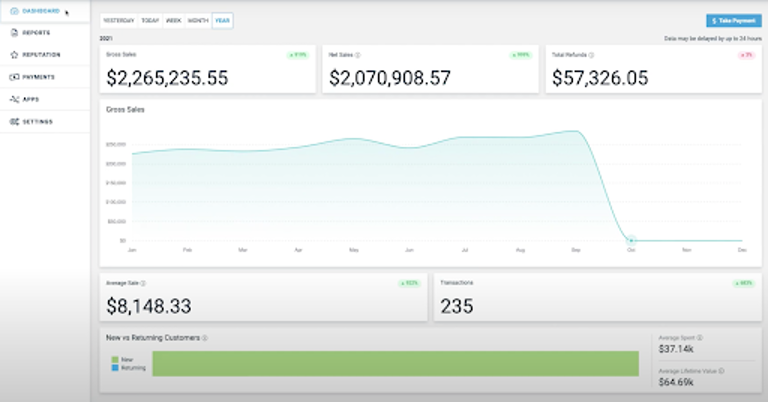
Payment Depot is a highly-rated merchant account provider, owned by Stax. Its membership-style offering helps customers save on fees, but its credit card processing capabilities are where I think the company really shines.
Why I picked Payment Depot: If you’re a B2B business that processes a lot of credit card payments, I think you’ll love Payment Depot’s offering. It uses a payment gateway called PayTrace, which automatically fills data fields required to get level II and level III rates on business cards. Combine this with Payment Depot’s flat membership fee, and it’s a solid offering. As long as you don’t want a load of cutting-edge features, I think you’ll find Payment Depot hard to beat.
Payment Depot Standout Features and Integrations
Features aren’t quite as bountiful with Payment Depot as other providers in this list, if I’m honest. What you see is what you get. One feature I think brick-and-mortar merchants might love, however, is the wide range of POS equipment, courtesy of Clover, that Payment Depot provides.
Integrations include most major e-commerce platforms like Shopify and Magento, as well as Quickbooks, Revel, NCR, and Authorize.net.
Pros and Cons
Pros:
- No cancellation fees
- Great customer service
- No hidden fees
Cons:
- Not cost-effective at low volumes
- No additional payment services like invoices

Swipesum
Best for access to various merchant types
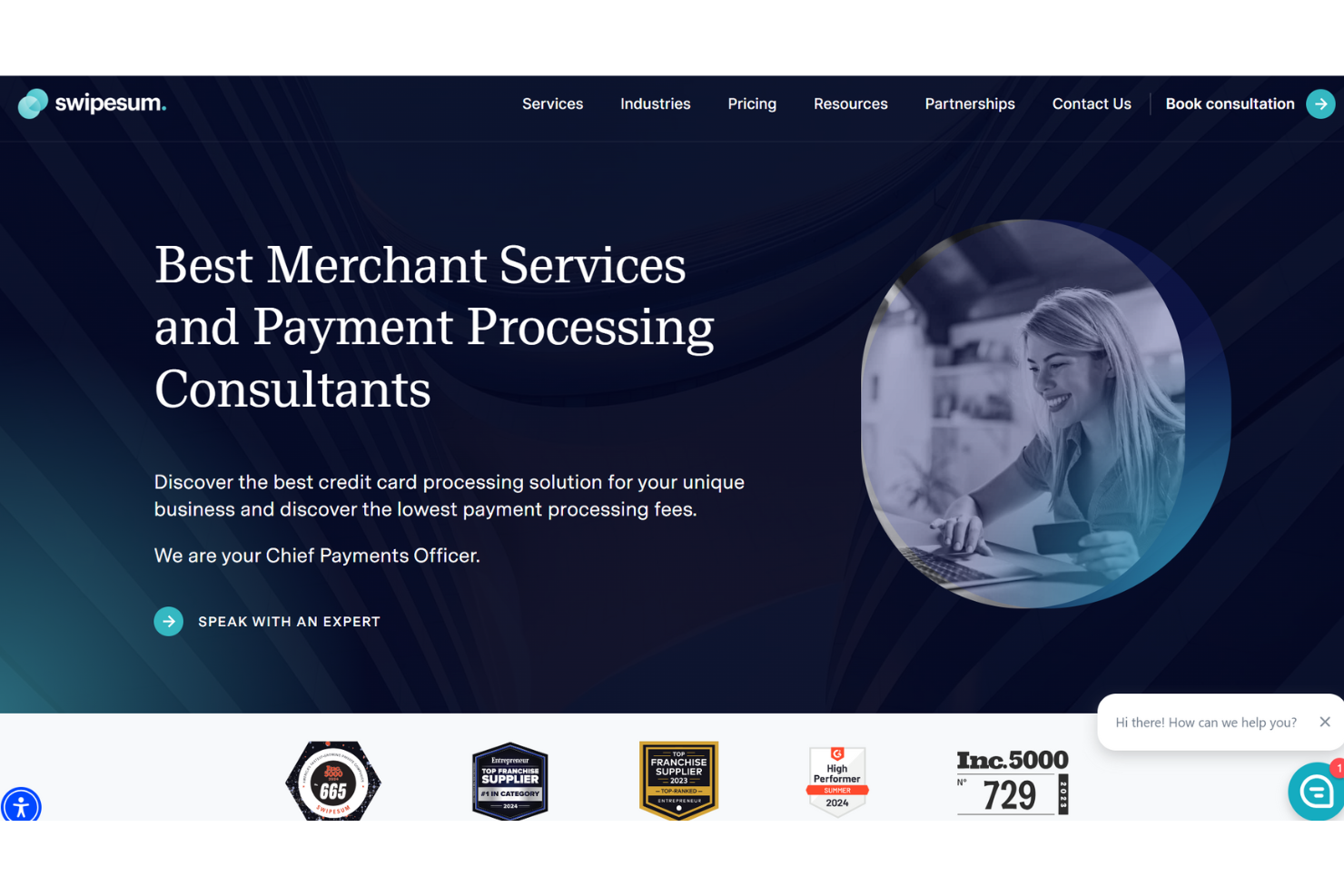
Swipesum is a payment processing service that combines consulting with a wide range of back-end payment solutions, making it a flexible option for businesses of all sizes. Acting as an advisor, Swipesum provides tailored payment solutions by assessing a business's needs and matching them with the best options available, all without locking users into a single provider.
Why I picked Swipesum: Swipesum’s merchant account services stand out for businesses seeking versatility and optimization in their payment processing. It operates independently of specific processors, offering companies the flexibility to connect with the best-suited payment solutions for their needs—all from Swipesum's platform. Beyond simply processing transactions, Swipesum audits merchant statements and manages rate negotiation, helping businesses lower transaction fees over time.
Swipesum Standout Features and Integrations
Features include a powerful AI-based feature that scans and audits transaction statements, detecting and addressing hidden fees and potential savings. Additionally, their service includes chargeback management, helping reduce fraud-related costs by tackling disputes early. Finally, Swipesum’s dedicated account management provides direct, accessible support.
Integrations include Shopify, NetSuite, Stripe, Square, WooCommerce, Magento, BigCommerce, QuickBooks, Sage, Oracle, Salesforce, and Zoho.
Pros and Cons
Pros:
- Supports chargeback management and fraud prevention
- AI-driven statement analysis for transparent fee management
- Processor-agnostic approach allows flexible provider options
Cons:
- Not ideal for businesses preferring a self-service setup
- Customized solutions can take longer to set up

Helcim
Best budget-friendly option
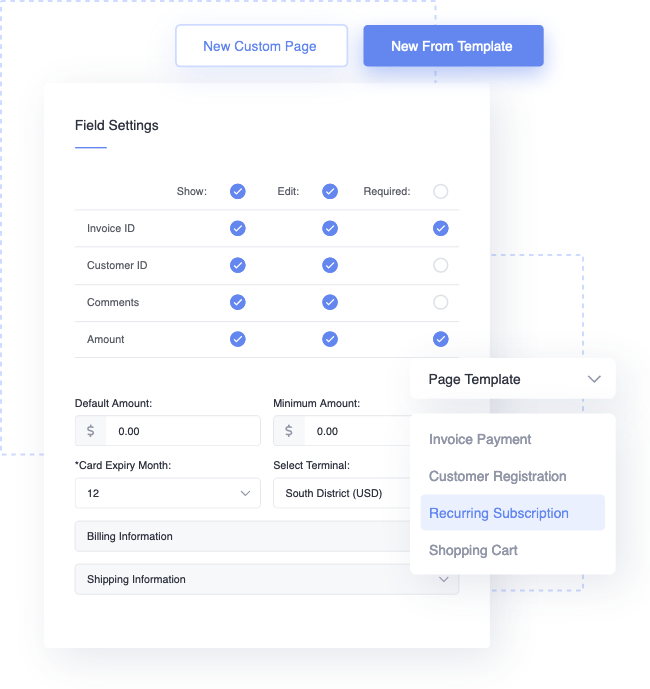
Helcim is a suite of payment solutions that help businesses take payments online and in-store. They offer many of the same features as other merchant account services on this list, but what sets Helcim apart is their pricing. There are no monthly fees and you get the lowest interchange rate for every transaction.
Why I picked Helcim: I think the company offers exceptional value for money, plain and simple. Helcim uses an “interchange plus” pricing model, which means the cost for each transaction fluctuates based on the underlying interchange rate. So when payments are processed at a lower interchange rate, your business gets the savings, not Helcim. I also think businesses will appreciate the fact that the company decreases its margin the more payments you process with them.
Helcim’s pricing structure also means you don’t have to pay a monthly subscription to access the platform. I like that point-of-sale software, online checkouts, and virtual terminals are all available for free.
Helcim Standout Features and Integrations
Features like an online checkout, card reader, and virtual terminal are just a small part of Helcim’s appeal in my view. I think what really sets the company apart from other businesses in my list is its pricing, as discussed above, and its customer service—who you can contact by phone, email, or social media.
Integrations let you connect Helcim with a range of third-party tools. These are split into three groups: accounting services (like QuickBooks), shopping carts (like Magento), and billing systems (like Great Exposure).
Pros and Cons
Pros:
- All-inclusive platform
- No monthly fees
- Very low transaction rates
Cons:
- Not suitable for high-risk businesses
- Forecasting costs can be difficult
New Product Updates from Helcim
HelcimPay.js Adds French Language Support
HelcimPay.js adds French-language payment modals, browser language detection, and an in-modal language switcher. These updates help merchants provide localized checkout experiences without managing translations themselves. For more information, visit Helcim’s official site.
 .
.
Best for custom solutions
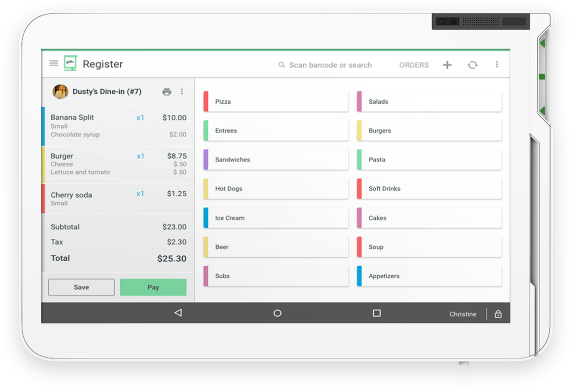
Merchant One is a full-service credit card processing provider with a focus on custom solutions. The company provides a range of payment solutions, but every package is tailored to merchants.
Why I picked Merchant One: I think the company’s flexibility is unrivaled. You don’t need to buy specific hardware to use Merchant One’s payment gateway service, for instance. That’s because the company provides a range of advanced API and SDK-based features that allow you to deploy Merchant One’s software on your existing terminals. I like that you aren’t left to figure this out on your own, either. The company provides integration examples, an integration guide, and API documentation.
Merchant One Standout Features and Integrations
Features include the merchant gateway service I have described above for card not present and online transactions. I think merchants will also appreciate that Merchant One provides several credit card terminals, as well as a range of Clover products, all pre-loaded with its software. iPhone and Android card readers are also available.
Integrations are possible through Merchant One’s API, meaning you can connect the company’s software to any existing POS hardware.
Pros and Cons
Pros:
- Excellent customer support
- No setup fee
- Highly customizable solution
Cons:
- Can be expensive
- Long-term contract

Stripe
Best for digital businesses

Stripe is a global payments platform that provides software and APIs to help businesses take payments. Like Stax, it offers a range of additional features such as invoicing terminal solutions, but it's particularly geared towards online businesses.
Why I picked Stripe: Speed and simplicity. That’s the two words that come to mind when I think of Stripe Checkout. It’s probably the easiest tool in my list to use to create a hosted checkout page, integrate it with your website platform, and start taking payments. I love that you don’t need to know how to code to get started, either. But if you are more technically minded, then you can use Stripe Elements to design your own payment flow. It’s basically got something for everyone.
It’s pretty common for online businesses to serve a global audience, which is another reason to choose Stripe. The platform supports over 135 currencies, as well as localized options like Alipay.
Stripe Standout Features and Integrations
Features that I think set Stripe apart from other tools in my list include its suite of pre-built payment products. This includes a checkout page, recurring billing functionality, and payment links, as well as payment processing. If you’re a developer, then you’ll love that Stripe makes it easy to build your own payment tools with access to APIs and low-code solutions.
Integrations are available with dozens of business tools, including e-commerce platforms like BigCommerce, bookkeeping software like Bench Accounting, and data platforms like Databox.
Pros and Cons
Pros:
- Secure transactions
- Flexibility to build custom systems
- Huge range of payment tools
Cons:
- Expensive processing rates
- User Interface can be confusing

Best for B2B businesses

EBizCharge is a merchant account service that helps B2B businesses accept credit card and eCheck payments across multiple sales channels—online, in person, over the phone, and on mobile. It integrates directly into ERP, CRM, accounting, and ecommerce platforms to manage payments where you're already working.
Why I picked EBizCharge: I picked EBizCharge because it gives you full control over your merchant account services without needing extra tools. You have the flexibility to collect payments through email links, virtual terminals, hosted checkouts, or in person using EMV machines. It also supports saved cards, recurring billing, and auto payments, which help reduce manual work. Invoices and payments sync automatically into your accounting system, cutting down on errors.
EBizCharge Standout Features and Integrations
Features include a customer portal where clients can log in to view and pay open invoices at their convenience. The reporting tools let you sort, filter, and export payment data based on over 50 criteria, giving you visibility into everything from late payments to processing trends. For security, the platform uses tokenization, encryption, and customizable fraud modules.
Integrations include Acumatica, QuickBooks Desktop, QuickBooks Online, NetSuite, Microsoft Dynamics, Magento, BigCommerce, Salesforce, Zoho CRM, WooCommerce, Volusion, and Shopify.
Pros and Cons
Pros:
- Secure card data storage with tokenization
- Easy invoice payment for customers via portals
- Integrates well with accounting platforms
Cons:
- Limited language support
- Initial setup can be time-consuming

PayPal
Best for non-technical business owners

PayPal is probably the best-known online payment platform. It gives businesses the ability to take payments online and in person and offers built-in integrations for almost every e-commerce platform and CMS.
Why I picked PayPal: You’ve probably already used PayPal to buy something online or send money to a friend. Using it for your business isn’t very different, which is why I think it’s perfect for the non-technical founder. I don’t think it’s a bad thing that customers expect to see a PayPal option at checkout, either.
I like the fact that PayPal also has native integrations with every major e-commerce platform, including Shopify, BigCommerce, and WooCommerce. You can even use its POS offering, Zettle, to accept payments in person.
PayPal Standout Features and Integrations
Features include the full range of payment solutions — the minimum I’d expect from a big brand like PayPal. Functionality-wise, it doesn’t disappoint, however. You can add PayPal to your existing store or create a new checkout page with the platform. In-store payments are available through Zettle card readers, and reporting dashboards make it easy to keep track of everything.
Integrations come as standard for most major e-commerce platforms like Shopify and BigCommerce. PayPal also integrates with bookkeeping tools like Xero and marketing tools like Keap.
Pros and Cons
Pros:
- Intuitive platform
- Very easy to integrate with websites and other applications
- Widely known and trusted
Cons:
- Poor customer service
- Expensive fees
Other Merchant Account Services for Ecommerce
Here are some additional merchant account service software options that didn’t make it onto my shortlist, but are still worth checking out:
- Fiserv
For versatile payment acceptance
- Chase Payment Solutions
For businesses looking to improve cash flow
- Paysafe
For diverse payment methods
- PaymentCloud
For customizable payment gateways
- Skyflow
For privacy-focused organizations
- Payline Data
For high-risk merchants
- Dharma Merchant Services
For teams that take mostly credit card payments
- Flagship Merchant Services
For first-time retailers
- STAX
For most small and medium-sized businesses
- Square
For brick-and-mortar stores


Other Payments Software Roundups
If you want to look at other options in the payments space, we've done roundups for many use cases:
- Credit Card Processing Software
- Open Source Payment Processing Software
- Subscription Billing Software
- Recurring Payments Systems
- Cheapest Credit Card Processing Services
Our Selection Criteria For Merchant Account Services
When I ranked these merchant account services, I didn’t just skim features pages. I looked at what actually matters if you’re on the hook for daily transactions, chargebacks, and keeping customers happy at checkout. Here’s the framework I used to score them.
Core services (25% of total score)
If you can’t rely on the basics, nothing else matters. I made sure each provider delivered these essentials.
- Payment processing. Handle credit card payments, mobile payments, and online transactions reliably.
- Fraud detection. Stop fraudulent charges before they cost you.
- Reporting and analytics. Track sales, fees, and chargebacks without needing a spreadsheet degree.
- Customer management. Store and manage customer payment info securely.
- Secure transactions. PCI compliance and encryption that actually protects you.
Additional standout services (25% of total score)
Beyond the basics, I looked for providers that offer real advantages worth paying for.
- Multi-currency support. Take payments from customers anywhere.
- Mobile payment solutions. Accept Apple Pay, Google Pay, and NFC.
- Loyalty program integration. Make repeat business easy.
- Customizable payment solutions. APIs and integrations for your real workflows.
- Advanced fraud prevention tools. Stay ahead of chargebacks and scams.
Industry experience (10% of total score)
I’m not here to recommend startups with no track record. I checked their credibility.
- Years in business. Are they built to last?
- Industries served. Do they understand retail, ecommerce, and brick-and-mortar?
- Reputation in the market. What do other businesses say?
- Partnerships with major financial institutions. Legit payment processing muscle.
- Track record of technological innovation. Are they keeping up with new payment methods?
Onboarding (10% of total score)
I don’t have time for a two-month setup, and you probably don’t either.
- Speed of account setup. Get processing fast.
- Availability of onboarding support. Help that actually shows up.
- Clarity of setup instructions. No mystery steps.
- Flexibility of initial configurations. Adaptable to your store or online platform.
- Training resources provided. So staff doesn’t get lost at checkout.
Customer support (10% of total score)
When things break at 5 PM on a Friday, you need a real person, not a chatbot.
- Availability of 24/7 support. Around when you are.
- Multiple support channels. Phone, email, chat.
- Response time to inquiries. Quick answers.
- Quality of support resources. Docs that don’t assume you’re a developer.
- Customer satisfaction ratings. Real feedback from real merchants.
Value for price (10% of total score)
No one wants to get hosed on fees. I looked for transparency and fair pricing.
- Competitive pricing structures. Not the cheapest, but the best value.
- Transparency of fees. No mystery line items.
- Bundled service discounts. Better deals for scaling up.
- Return on investment potential. Justify the cost.
- Customer testimonials on pricing value. What merchants really think.
Customer reviews (10% of total score)
Because marketing copy is one thing. Real reviews are another.
- Overall satisfaction ratings. Are businesses actually happy?
- Commonly mentioned strengths. Consistent wins.
- Feedback on service reliability. Works when you need it.
- Insights into customer service experiences. Not just “we care” slogans.
- Comparisons to competitors. Where they shine and where they fall short.
What Are Merchant Account Services?
Merchant account services let your business accept electronic payments securely.
They set up your merchant account, handle credit card processing, and move customer payments into your bank account.
This keeps transactions smooth, secure, and organized—so you can accept credit cards, debit cards, mobile payments, and more without headaches.
How to Choose a Merchant Account Services Provider
Choosing a merchant account service isn’t about picking the flashiest sales pitch. You’re signing up to process payments every day—so you need a provider that won’t nickel-and-dime you, drop support when things go sideways, or leave you guessing about fees. Use these factors to size them up before you commit.
| Factor | What to consider |
|---|---|
| Business objectives | Nail down your sales channels and growth plans. Make sure the provider can handle your online, in-store, and mobile transactions. |
| Service scope and SLAs | Look for clear promises on uptime and support. Don’t settle for vague guarantees—get real SLAs you can hold them to. |
| Support availability | Check if you can reach someone when you actually need them. 24/7 support isn’t optional when your POS is down. |
| Costs and pricing structure | Dig into setup fees, transaction rates, and hidden costs. Compare pricing models like interchange-plus, flat-rate, and subscription. Know exactly what you’ll pay. |
| Communication and reporting | Make sure you can actually understand their reports. You want real-time insights without a PhD in spreadsheets. |
| Security measures | Confirm they’re PCI compliant and have serious fraud prevention. Don’t risk your business on weak security. |
| Integration capabilities | See if it works with your existing systems—ecommerce platforms, POS systems, accounting software. No one wants a Frankenstein setup. |
| Reputation and reviews | Read real merchant reviews. Watch for consistent complaints about fees, contracts, or support. Trust other owners who’ve been burned before. |
Key Merchant Account Services
You don’t need every bell and whistle, but you do need the right core services to keep payments running smooth, your merchant account in good standing, and your fees predictable.
Watch for providers that are transparent about pricing structures, processing fees, and the support you’ll actually get when things go wrong. Here’s what to look for—and don’t be afraid to get picky.
- Payment processing. Accept credit cards, debit cards, mobile payments, and online transactions without headaches.
- Fraud detection. Catch suspicious activity early and reduce chargeback fees.
- Chargeback management. Handle disputes quickly to protect your revenue.
- PCI compliance. Meet security standards so you don’t end up on the hook for breaches.
- Multi-currency support. Make sure you can sell to anyone, anywhere.
- Reporting and analytics. Get clear, real-time visibility into your transactions and fees.
- Recurring billing. Recurring billing automates payments for subscriptions or repeat customers so cash flow stays predictable.
- Customer support. 24/7 help that actually solves problems instead of blaming you.
- Integration capabilities. Plug into your existing ecommerce platform, POS systems, and accounting software without duct tape.
Benefits of Merchant Account Services
If you’re serious about selling, you can’t wing payments. The right merchant account service keeps you paid, protected, and sane. Here’s what you really get out of it.
- Increased sales opportunities. Accept more payment types—from credit cards to mobile payments—so no one walks away at checkout.
- Improved cash flow. Get funds into your business bank account faster without waiting days for payouts.
- Enhanced security measures. Rely on serious fraud prevention, PCI compliance, and chargeback management to avoid ugly surprises.
- Comprehensive reporting. See real-time transaction data so you can track fees, volume, and trends without the guesswork.
- Customer convenience. Let people pay how they want—online, in-store, mobile—keeping them loyal and happy.
- Scalability. Handle high-volume seasons and multiple locations without a meltdown in your payment system.
- Reliable support. Access real help when you’re fighting with terminals or chasing down a chargeback.
Costs and Pricing Structures of Merchant Account Services
Even if a provider looks cheap upfront, you’ll want to understand every fee before you sign. Merchant account pricing isn’t one-size-fits-all—it depends on your transaction volume, payment types, and how transparent they are about fees.
Here are the main pricing models you’ll see.
| Pricing model | How it works | Pros | Watch out for |
|---|---|---|---|
| Tiered pricing | Buckets transactions into “qualified,” “mid-qualified,” or “non-qualified” with different rates. | Easy to explain. | Often hides real costs. Lots of surprise markups. |
| Interchange-plus pricing | Actual interchange fee plus a fixed markup from the processor. | Transparent. See exactly where fees go. | Rates fluctuate with card type. Can be complex. |
| Flat-rate pricing | Same rate for every transaction regardless of card type. | Predictable. Simple billing. | May cost more if you process lots of low-fee debit. |
| Subscription pricing | Monthly fee plus small per-transaction costs for wholesale rates. | Great for high-volume merchants. Predictable costs. | Monthly fees can be steep if sales are low. |
| Volume-based pricing | Discounted rates for higher monthly sales volume. | Rewards big sellers. Can scale with you. | Lower rates may not kick in if you don’t hit targets. |
Key factors that influence merchant account services pricing
Beyond the pricing model itself, these factors will impact what you really pay. Don’t skip asking about them before you get locked into a long-term contract.
- Transaction volume. Higher sales often unlock better pricing. Low-volume merchants may get worse rates or pay more per transaction.
- Type of business. High-risk industries (CBD, adult, travel) usually face higher processing fees or extra requirements.
- Transaction size. Large average tickets can change your effective rate, so match your pricing model to what you actually sell.
- Security requirements. PCI compliance, fraud protection, and chargeback management all cost money but save you more in the long run.
- Chargeback ratio. Too many disputes can spike your fees or get you dropped by a processor.
- Payment methods. Accepting things like ACH payments, NFC/contactless, or multi-currency can add costs.
- Contract length. Longer contracts sometimes mean lower rates—but early termination fees can kill you if you need to switch.
Merchant Account Services FAQs
Still have questions about finding the best merchant services for your business? My frequently asked questions section below may help.
How long does it take to set up a merchant account?
Most providers can get you live in a few days if you have all your business info ready. But watch for onboarding bottlenecks—some high-risk businesses need extra underwriting and paperwork. Always ask upfront about timelines so you’re not guessing when it’s time to start taking payments.
What fees should I watch out for?
Beyond the obvious transaction fees, keep an eye on setup fees, monthly minimums, PCI compliance fees, chargeback fees, and early termination penalties. Some processors hide costs in tiered pricing models, so get a clear, full fee schedule before you sign anything.
Can I negotiate rates with providers?
Absolutely. Especially if you have solid volume or you’re willing to commit to a contract. Don’t accept the first quote. Ask about interchange-plus vs. flat-rate pricing, volume discounts, and waiving setup fees. Processors expect to negotiate with serious businesses.
Do I need a separate payment gateway?
Some providers bundle the gateway and merchant account into one. Others make you choose your own. Bundles are easier to set up but can limit your options. If you already have an ecommerce platform or POS system you like, make sure the payment gateway integrates cleanly so you’re not patching things together later.
What happens if my business is considered high risk?
High-risk businesses (like CBD, adult, travel, supplements) will face stricter underwriting, higher fees, and more chargeback monitoring. But you still have good options. Choose processors that specialize in high-risk merchant accounts so you don’t get dropped the first time a chargeback pops up.
Don’t Get Nickeled and Dimed on Payments
Finding the right merchant account service isn’t glamorous, but it’s the difference between smooth sales and daily headaches.
Get the wrong one and you’re paying hidden fees, fighting chargebacks, and watching support ghost you when you need them most.
This guide gives you the real deal on payment processing providers that actually work for retail, ecommerce, and small business owners. Pick the partner that helps you take payments your way—so you can focus on growing, not just surviving.
Retail never stands still—and neither should you. Subscribe to our newsletter for the latest insights, strategies, and career resources from top retail leaders shaping the industry.