

Toast-Bewertung: Vorteile, Nachteile, Funktionen und Preise erklärt
Toast zeichnet sich durch seine auf Restaurants ausgerichteten Funktionen und robuste Hardware aus, aber die Preise und Vertragsbedingungen sind möglicherweise nicht für jedes Unternehmen geeignet. Ideal für wachstumsorientierte Gastronomiebetriebe, die eine All-in-one-Kassensystemlösung suchen.

Wir bewerten Tools unabhängig und Provisionen helfen, unsere Tests zu finanzieren. Siehe unsere transparente Richtlinie, unsere Methodik oder schlagen Sie ein Tool vor.
Toast is a restaurant POS system built for food service operations, from quick-service counters to full-service dining rooms. Consider it if your team needs one platform to handle tableside ordering, kitchen display systems, online ordering, and payroll. If you're weighing it against Square, Toast goes much deeper on restaurant-specific workflows. Square works fine for simple setups, but Toast is the better fit for operators who need more than basic payment processing.
Toast Evaluation Summary
4.2/5
- From $69/month
- Free demo available
Warum Sie unseren Software-Empfehlungen vertrauen können
6,700+
Reviews
20
Industry experts
16+
Evaluation factors
14
Years
Unser Team testet und bewertet Software seit 2012. Als Führungskräfte im Einzelhandel selbst wissen wir, wie schwierig – und wichtig – es ist, die richtige Software auszuwählen.
Für diesen Leitfaden haben wir Tools mithilfe von praktischen Tests und unabhängiger Recherche bewertet und dabei die Tools anhand unserer Bewertungskriterien bewertet.
Unsere Bewertungen spiegeln unser unabhängiges Urteilsvermögen wider – keine Verkaufsstrategie.
Toast Overview
If you’re judging Toast against other POS systems, I think its restaurant-first design, built-in online ordering, and handheld hardware set it apart. The interface is intuitive for staff, and onboarding is smoother than most. Pricing can be higher, especially with add-ons, and some integrations are limited. Support is responsive, but you’ll want to review contract terms closely.
I’d suggest Toast is best for fast-casual, quick service, or multi-location restaurants that want a unified system for front and back of house. For cafes or food trucks, the mobile hardware is a real advantage.
Pros
- Toast's interface is intuitive, making it easy for your team to use.
- The system's reporting tools give you valuable insights into your restaurant's performance.
- Toast's mobile ordering feature speeds up service and enhances customer satisfaction.
Cons
- The hardware options can be limited compared to other systems.
- Some users find the customization options lacking for specific needs.
- The system might require frequent updates, which can disrupt operations.
Is Toast Right For Your Needs?
Who Would be a Good Fit for Toast?
Small to medium-sized restaurants, cafes, and bars are a great fit for Toast. If you run a busy diner or a local bistro, Toast’s intuitive interface and efficient mobile ordering can transform your service speed and customer satisfaction. Its robust reporting tools help you manage inventory and analyze sales trends, making it easier to run your business smoothly. For teams that need a reliable, straightforward system, Toast provides the functionalities to handle daily operations without a hitch.
- Local CafesToast’s user-friendly interface helps your team process orders quickly, keeping your morning rush smooth.
- Busy DinersIts mobile ordering feature speeds up service, ensuring your customers get their meals promptly.
- Family RestaurantsThe reporting tools offer insights into your operations, helping you manage inventory and staff efficiently.
- Bars and PubsToast’s quick transaction capabilities keep your bar running efficiently during peak hours.
- Food TrucksThe compact hardware options make it easy to set up and operate in tight spaces.
- Quick Service RestaurantsToast’s fast processing and easy-to-use system enhance customer service during high-volume times.
Who Would be a Bad Fit for Toast?
Large chain restaurants or businesses with complex customization needs might find Toast lacking. If your operations require extensive hardware options or highly specialized features, Toast’s limited customization and hardware might not meet your expectations. Enterprises needing intricate integration with multiple third-party systems may struggle with Toast’s offerings, as it focuses more on straightforward, core functionalities rather than extensive tailor-made solutions.
- Large ChainsIf you manage a large chain, Toast’s limited hardware options might not scale well with your needs.
- Highly Customized MenusFor businesses with complex menu customizations, Toast’s capabilities might not provide the flexibility you need.
- Enterprise-Level OperationsEnterprises requiring extensive integrations might find Toast’s core-focused system too limiting.
- Multi-Location FranchisesFranchises with numerous locations might struggle with Toast’s hardware limitations and need for frequent updates.
- Specialty RestaurantsRestaurants needing highly specialized features might find Toast’s functionalities too basic.
- Tech-Savvy TeamsTeams looking for advanced tech features might find Toast’s straightforward approach too simplistic.
Unsere Bewertungsmethodik
Wie Wir Tools Testen & Bewerten
Wir haben über Jahre hinweg unser System zur Softwarebewertung und -testung entwickelt, verfeinert und verbessert. Die Bewertungsmatrix ist darauf ausgelegt, die Feinheiten der Softwareauswahl und die Effektivität eines Tools einzufangen, wobei der Fokus auf entscheidende Aspekte des Auswahlprozesses liegt. Nachfolgend sehen Sie genau, wie unser Test- und Bewertungssystem anhand von sieben Kriterien funktioniert. Dies ermöglicht uns, eine unvoreingenommene Bewertung der Software basierend auf Kernfunktionen, besonderen Merkmalen, Benutzerfreundlichkeit, Einarbeitung, Kundensupport, Integrationen, Kundenrezensionen und Preis-Leistungs-Verhältnis anzubieten.
Kernfunktionen (25% der Gesamtnote)
Der Ausgangspunkt unserer Bewertung ist immer die Kernfunktionalität des Tools. Verfügt es über die grundlegenden Funktionen, die ein Nutzer erwarten würde? Sind wichtige Kernfunktionen eventuell nur in höherpreisigen Tarifen enthalten? Ein Tool sollte im Kern mindestens mit den Basisfunktionen der Wettbewerber mithalten können.
Besondere Funktionen (25% der Gesamtnote)
Anschließend bewerten wir außergewöhnliche Funktionen, die über die normalen Kernfunktionen vergleichbarer Tools hinausgehen. Ein hoher Score spiegelt spezialisierte oder einzigartige Funktionen wider, die das Produkt schneller, effizienter oder wertvoller für die Nutzer machen. Wir bewerten außerdem, wie einfach sich das Tool mit anderen Programmen, die typischerweise zum Technologie-Stack gehören, integrieren lässt, um dessen Funktionalität und Nutzwert zu erweitern. Tools mit zahlreichen nativen Integrationen, Drittanbieteranbindungen und API-Zugang für eigene Entwicklungen schneiden hier am besten ab.
Benutzerfreundlichkeit (10% der Gesamtnote)
Wir betrachten, wie schnell und einfach es ist, die Kernaufgaben mit dem Tool zu erledigen. Software, die gut gestaltet und intuitiv zu bedienen ist, mobile Apps bietet, Vorlagen zur Verfügung stellt und komplexe Aufgaben einfach erscheinen lässt, erzielt die besten Werte.
Einarbeitung (10% der Gesamtnote)
Wir wissen, wie wichtig die schnelle Einführung eines neuen Tools im Team ist. Daher evaluieren wir, wie einfach es mit minimalem Training ist, das Tool kennenzulernen. Wir ermitteln, wie schnell ein Teammitglied ohne Vorerfahrung startklar ist. Lösungen, die kaum oder gar keine Unterstützung benötigen, erhalten die höchste Punktzahl.
Kundensupport (10% der Gesamtnote)
Wir überprüfen, wie schnell und einfach man Hilfe per Telefon, Live-Chat oder Wissensdatenbank erhält. Tools und Anbieter, die Echtzeit-Support bieten, schneiden am besten ab; Chatbots liegen am unteren Ende.
Kundenrezensionen (10% der Gesamtnote)
Zusätzlich zu unseren eigenen Tests ziehen wir den Net-Promoter-Score bestehender und früherer Kunden heran. Wir überprüfen, wie wahrscheinlich sie das Tool erneut für die Kernfunktionen wählen würden. Ein hoher Score spiegelt einen hohen Net-Promoter-Score wider.
Preis-Leistungs-Verhältnis (10% der Gesamtnote)
Schließlich bewerten wir im Kontext aller anderen Kriterien den Durchschnittspreis von Einstiegsplänen im Verhältnis zu den Kernfunktionen und betrachten den Wert der übrigen Kriterien. Software, die mehr zu geringeren Kosten bietet, schneidet hier besser ab.
Core Features
Tableside Ordering
Staff use handheld devices to take orders and process payments right at the table. This speeds up service and reduces errors.
Online Ordering
Customers place orders directly through a branded online portal that syncs with the POS. Orders flow straight to the kitchen without manual entry.
Menu Management
Easily update menus, prices, and modifiers across all devices and locations. Changes sync instantly, so staff always see the latest options.
Kitchen Display System
Digital screens in the kitchen show real-time order tickets and status updates. This helps kitchen staff prioritize and track orders efficiently.
Inventory Tracking
Monitor ingredient levels and receive alerts when stock runs low. The system automatically deducts inventory as items are sold.
Employee Management
Schedule shifts, track hours, and manage payroll from the POS dashboard. Built-in tools help reduce scheduling conflicts and labor costs.
Ease of Use
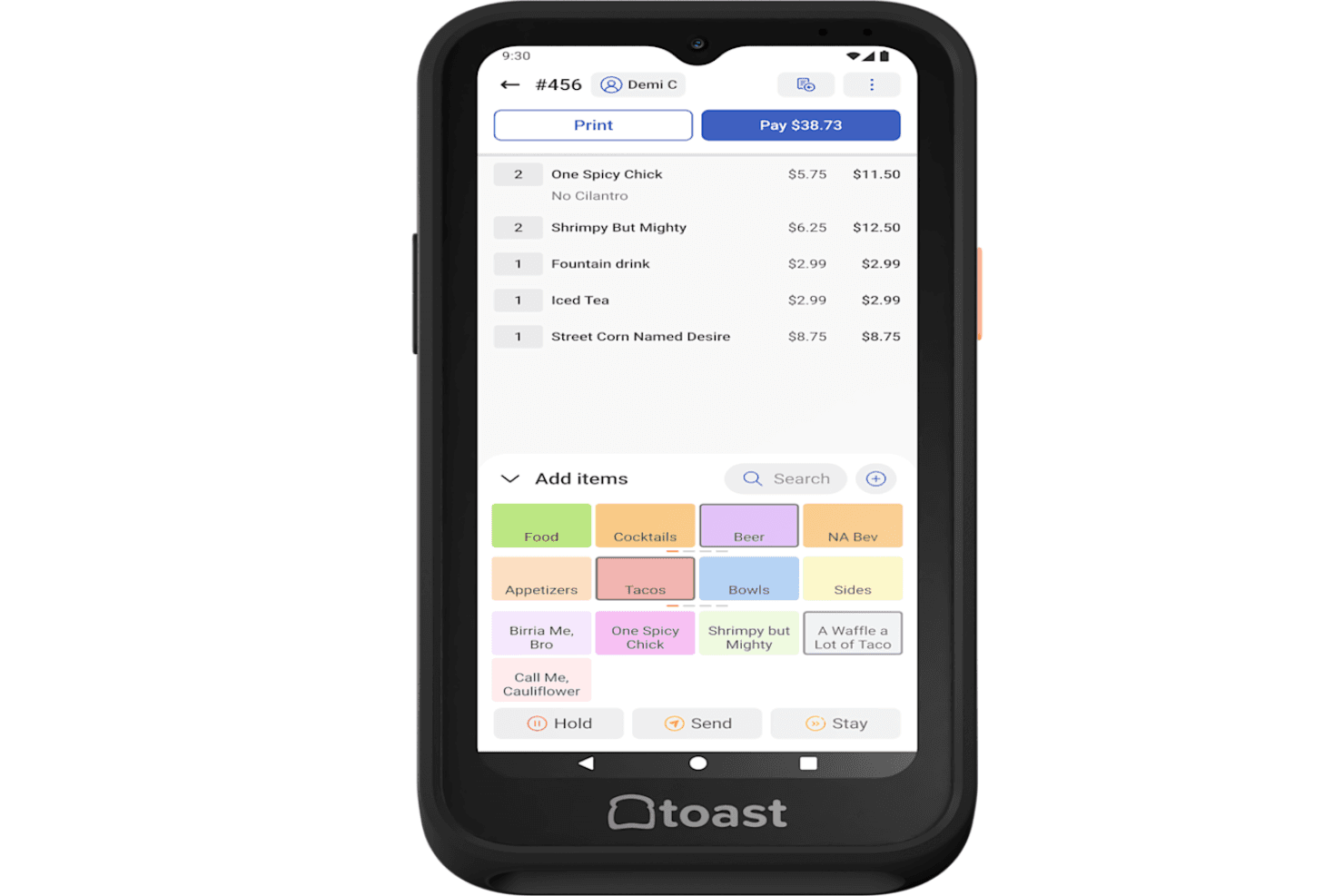
Toast is user-friendly, with a clean touchscreen interface that staff pick up quickly—even during busy shifts. The menu layout, order flow, and payment screens are intuitive, which helps reduce training time.
Many users mention that onboarding new employees is faster than with other systems. The handheld devices and kitchen display screens are easy to navigate, and real-time updates keep everyone on the same page. Overall, Toast’s design fits the fast pace of restaurant work.
Integrations
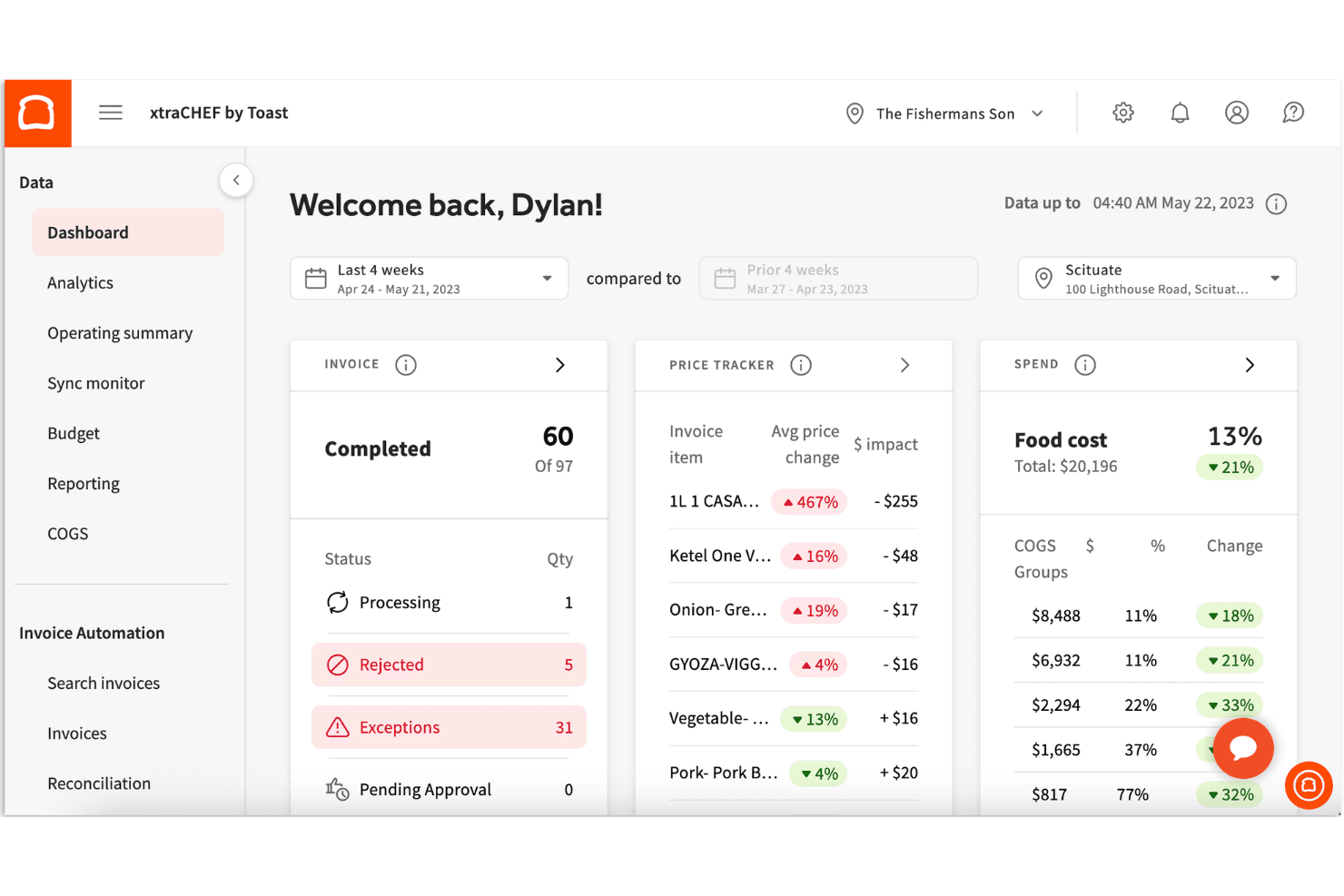
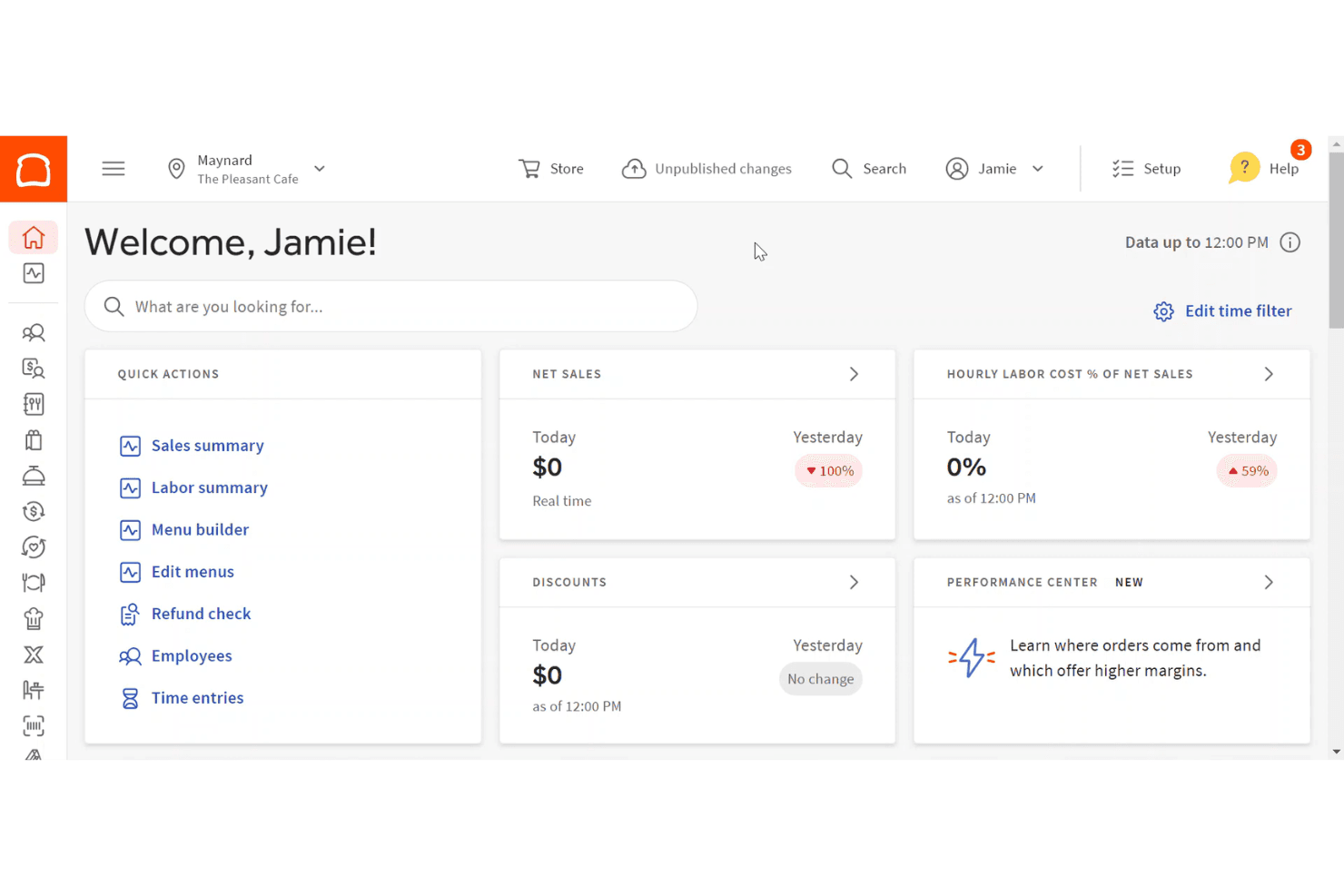
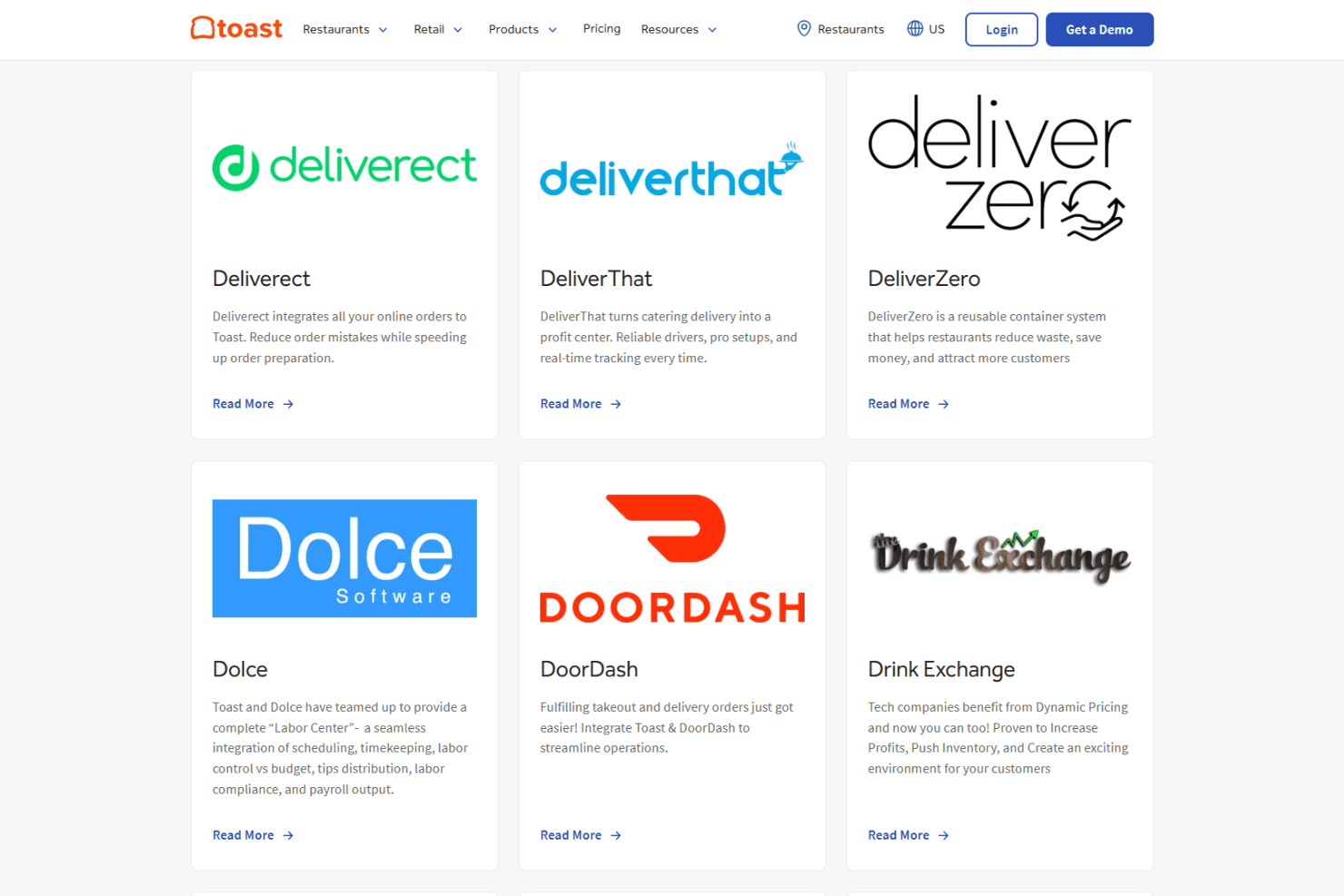
Toast integrates with 7shifts, Grubhub, DoorDash, MarketMan, xtraCHEF, Homebase, OpenTable, Restaurant365, QuickBooks, and Uber Eats, among others.
Toast also offers an API and connects with a wide range of third-party integration partners.
Toast Specs
- 2-Factor Authentication: Yes
- API: Yes
- Budgeting: No
- Contact Management: Yes
- Customer Management: Yes
- Dashboard: Yes
- Data Export: Yes
- Data Import: Yes
- Data Visualization: Yes
- Expense Tracking: Yes
- External Integrations: Yes
- Forecasting: No
- Inventory Tracking: Yes
- Multi-Currency: No
- Multi-User: Yes
- Notifications: Yes
- Payment Processor: Yes
- Supplier Management: Yes
- Tax Management: Yes
- Third-Party Plugins/Add-Ons: Yes


