
13 Wix Alternatives for 2026

Wix Alternatives Shortlist
Here's my pick of the 10 best software from the 13 tools reviewed.


A strong Wix alternative gives you flexible design options, reliable site performance, and the right mix of ecommerce, marketing, and customization features for your business. If you’re searching for alternatives to Wix, you’re likely weighing how other website builders stack up on ease of use, customization options, and support for your growth goals. Many platforms cater to beginners with user-friendly interfaces, while also offering automation, inventory management, and scalability for growing businesses. Some also function as a full content management system, helping improve site performance and search rankings. This guide compares the top Wix alternatives for 2026, so you can quickly see which platforms offer the tools, integrations, and workflows that fit your needs—whether you’re building a portfolio, launching an online store, or managing multiple sites.
What is Wix?
Wix is a website builder that lets you create, customize, and publish websites using a drag-and-drop interface. It’s a software-as-a-service (SaaS) platform designed for users who want website building without coding. Wix offers a wide range of templates, ecommerce tools, and integrations, along with SEO features and an AI website builder to simplify setup. It’s especially popular with small businesses, entrepreneurs, and creatives thanks to its beginner-friendly design and options like a free domain, making it an accessible way to get online quickly.
Wix Alternatives Summary
This comparison chart summarizes pricing details for my top Wix alternative selections to help you find the best one for your budget and business needs.
| Tool | Best For | Trial Info | Price | ||
|---|---|---|---|---|---|
| 1 | Best for Client Management Capabilities | 14-day free trial available | From $19/month (billed annually) | Website | |
| 2 | Best for Integrated Online Store Management | 3-day free trial available | From $29/month (billed annually) | Website | |
| 3 | Best for visually rich template designs | Free trial available | From $16/month (billed annually) | Website | |
| 4 | Best for Guided Step-By-Step Site Creation | Free plan available | From $12.80/month | Website | |
| 5 | Best for Multi-Channel Sales Support | Free demo available | Pricing upon request | Website | |
| 6 | Best for Advanced Design Customization | Free plan available | From $14/month (billed annually) | Website | |
| 7 | Best for Fast Website Launch Setup | 30-day money-back guarantee available | From $2.99/month (billed annually) | Website | |
| 8 | Best for Extensive Plugin Ecosystem | Free plan available | From $4/month (billed annually) | Website | |
| 9 | Best for Built-In Marketing Tools | Free plan available | From $6/month | Website | |
| 10 | Best for interactive prototyping features | Free plan available | From $10/editor/month (billed annually) | Website |
Why Trust Our Software Reviews
We’ve been testing and reviewing retail and ecommerce software and services since 2021.
As retail experts ourselves, we know how critical and difficult it is to make the right decision when selecting software. We invest in deep research to help our audience make better software purchasing decisions.
We’ve tested more than 2,000 tools for different finance and accounting use cases and written over 1,000 comprehensive software reviews. Learn how we stay transparent and our review methodology.
Wix Alternatives Reviews
Below are my detailed summaries of the Wix alternatives that made it onto my shortlist. My reviews offer a detailed look at the features, best use cases, and integrations of each platform to help you find the best one for you.

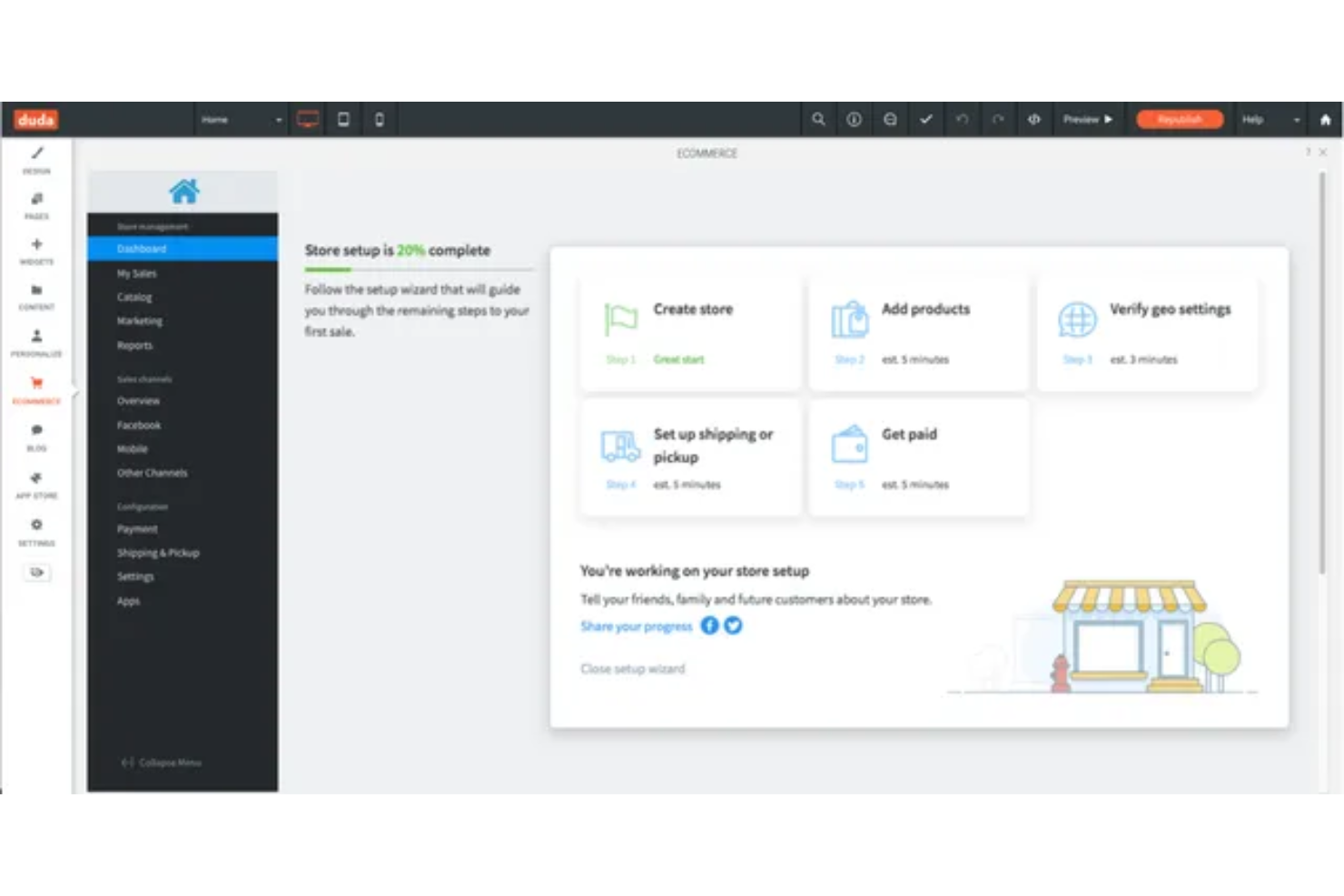
Agencies and web professionals who manage multiple client sites often turn to Duda for its built-in client management tools. The platform is designed to help you handle permissions, approvals, and client communications all in one place. Unlike Wix, Duda simplifies collaboration and site delivery for teams working with a portfolio of clients.
Why Duda Is a Good Wix Alternative
If you’re managing websites for multiple clients, Duda offers client management capabilities that go far beyond what Wix provides. You can set granular user permissions, invite clients to review and approve site changes, and use built-in client communication tools directly within the platform. I like that Duda also lets you white-label the dashboard and reports, so your agency’s brand stays front and center. These features make Duda a strong fit for agencies and freelancers who need to simplify client collaboration and project delivery.
Duda Key Features
Some other Duda features can help you build and manage sites more efficiently:
- Drag-and-Drop Editor: Create and customize site layouts visually without coding.
- Responsive Design Tools: Preview and adjust how your site looks on desktop, tablet, and mobile devices.
- Widget Builder: Develop custom widgets to add unique functionality to your sites.
- Site Export Functionality: Download and export site files for backup or migration purposes.
Duda Integrations
Integrations include Site Search 360, Paperform, vcita, and more.
Pros and Cons
Pros:
- Site export feature allows offline backups
- Built-in client feedback and approval tools
- White-label dashboard supports agency branding
Cons:
- Some integrations require third-party connectors
- Advanced SEO settings require manual setup

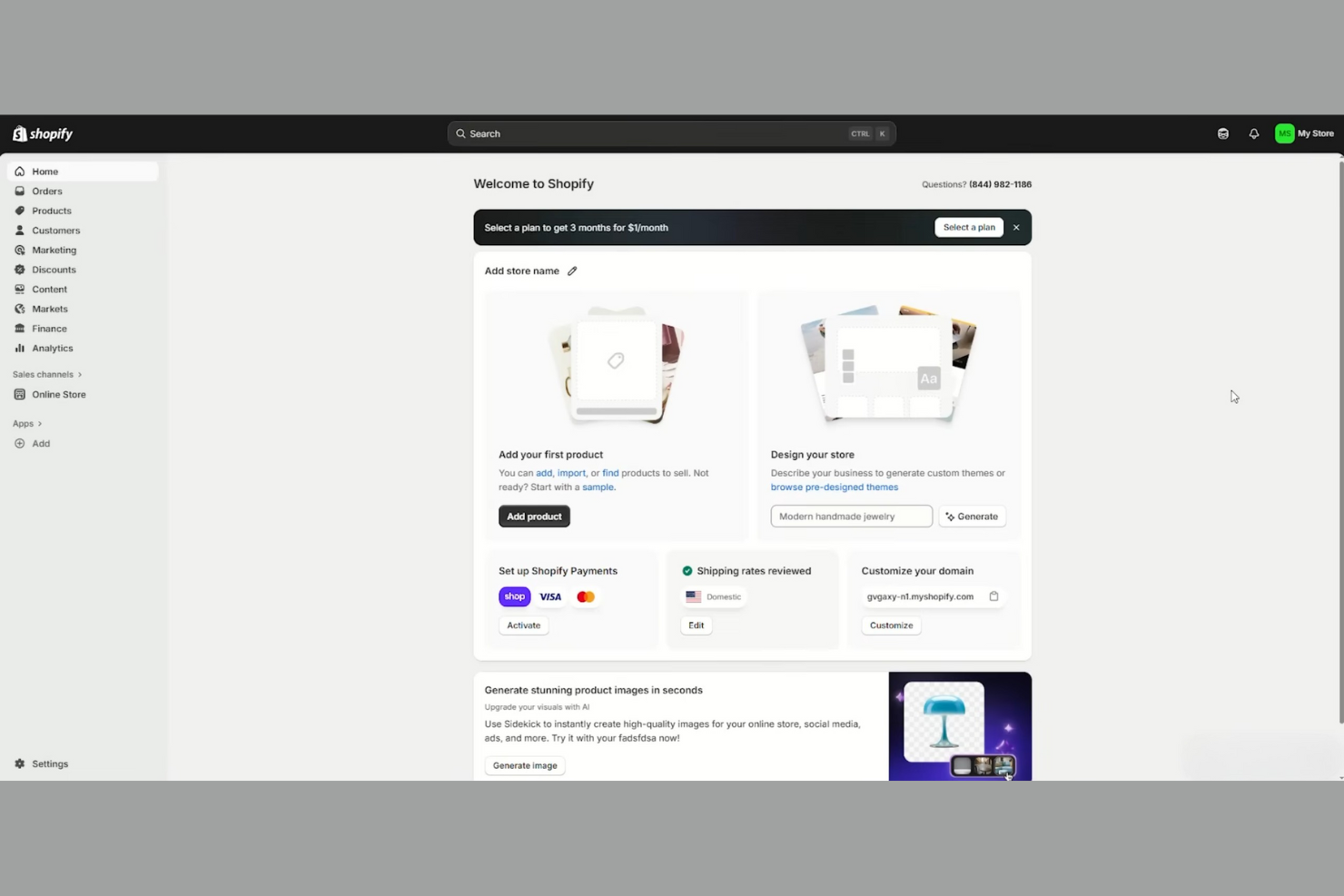
For retailers and brands focused on ecommerce, Shopify offers a dedicated platform for building and managing online stores. It’s especially useful for ecommerce businesses that need integrated inventory, order, and payment management in one place. Shopify also includes built-in web hosting and flexible website design tools to support professional storefronts. Unlike Wix, Shopify is purpose-built for selling products online and handling the operational details of ecommerce at scale, though it is not typically positioned as a free website solution.
Why Shopify Is a Good Wix Alternative
Shopify stands out for its integrated approach to online store management, which is something Wix doesn’t match at the same depth. You can manage products, inventory, orders, and payments all from a single dashboard. I like that Shopify includes built-in tools for shipping, tax calculation, and multi-channel selling, so you don’t have to rely on third-party add-ons for core ecommerce operations. This makes Shopify a strong choice if your main goal is to run a full-featured online store with everything managed in one place.
Shopify Key Features
Some other Shopify features can help you customize and grow your online store:
- Theme Store: Choose from a wide range of professionally designed themes for different industries and styles.
- App Marketplace: Extend your store’s functionality with thousands of apps for marketing, shipping, accounting, and more.
- Abandoned Cart Recovery: Automatically send reminders to customers who leave items in their cart without checking out.
- Gift Cards: Offer digital gift cards that customers can purchase and redeem online.
Shopify Integrations
Integrations include Facebook & Instagram, Google, Amazon, TikTok, Pinterest, Klaviyo, ShipStation, Faire, Printful, and more.
Pros and Cons
Pros:
- Extensive app marketplace for added functionality
- Multi-currency support for global selling
- Built-in POS system for in-person sales
Cons:
- Blog features are basic and less customizable
- Transaction fees apply without Shopify Payments

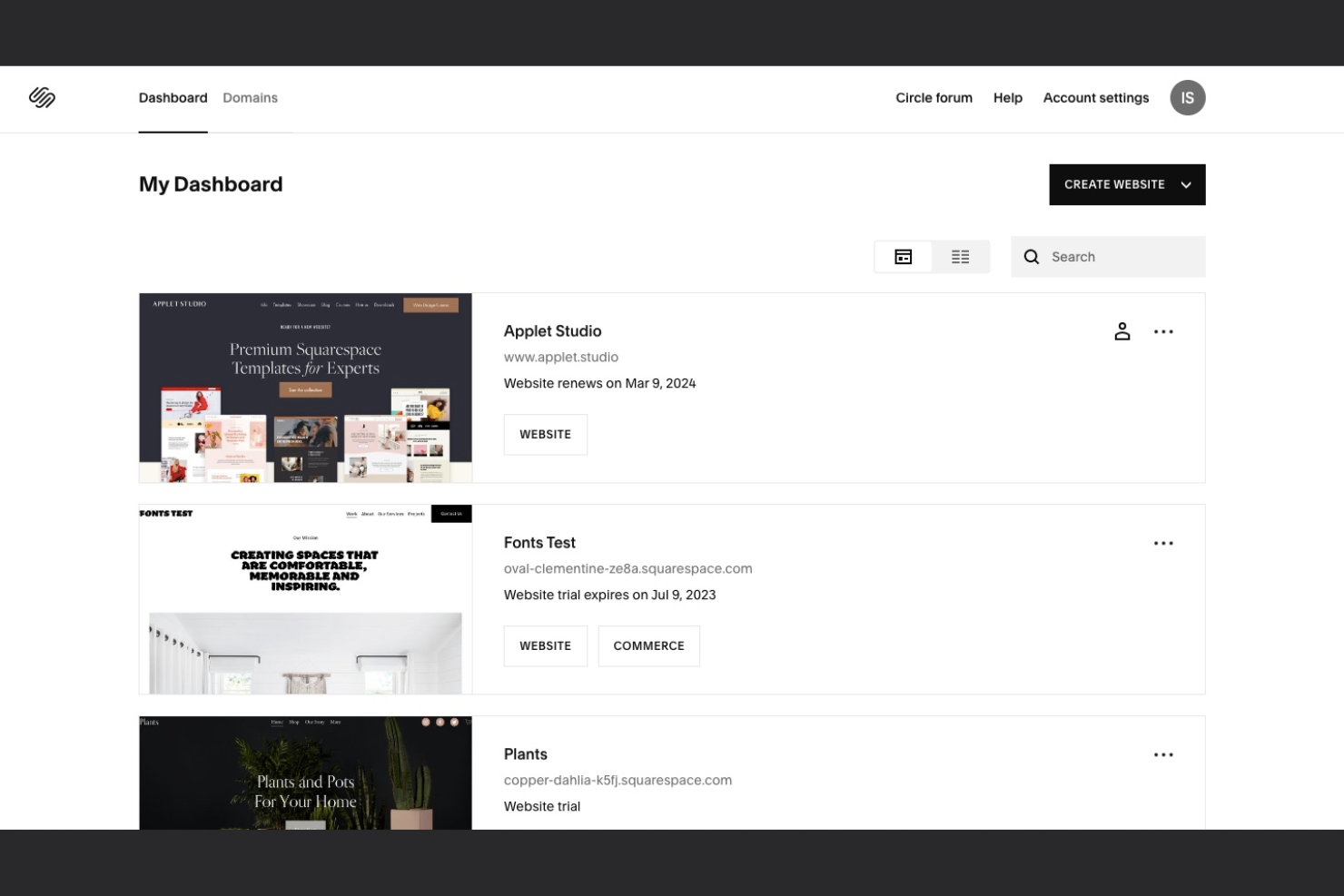
Squarespace stands out for users who want visually polished websites without hiring a designer. Its template library is especially appealing to creative professionals, boutique retailers, and service businesses that need strong visual branding. As an ecommerce platform, it helps businesses build a strong online presence with a focus on design and user experience. If you want a website builder that prioritizes design quality and easy customization, Squarespace offers a distinct edge over Wix, though it may come with a slightly higher learning curve for new users.
Why Squarespace Is a Good Wix Alternative
Squarespace is a strong choice if you want your website to stand out visually. Its templates offer a level of design sophistication and polish that’s hard to match, especially for portfolios, restaurants, and boutique shops. I appreciate the built-in style editor, which lets you fine-tune fonts, colors, and layouts without needing design experience. The platform also supports high-resolution image galleries and video backgrounds, making it easy to create a visually immersive site.
Squarespace Key Features
Some other features in Squarespace can help you manage and grow your site:
- Built-in Blogging Tools: Create, schedule, and manage blog posts with tagging, categories, and comment moderation.
- Ecommerce Capabilities: Add product listings, manage inventory, and process payments directly through your site.
- SEO Settings: Edit page titles, meta descriptions, and URLs to improve your site’s visibility in search engines.
- Analytics Dashboard: Track site traffic, visitor behavior, and sales data from a centralized dashboard.
Squarespace Integrations
Integrations include Mailchimp, Weglot, Printful, Stripe, PayPal, Square, LinkedIn, Instagram, Facebook, and more.
Pros and Cons
Pros:
- Blogging tools include scheduling and comment moderation
- Built-in ecommerce supports physical and digital sales
- Templates offer advanced visual design options
Cons:
- Advanced SEO settings require manual configuration
- Limited flexibility for custom layouts

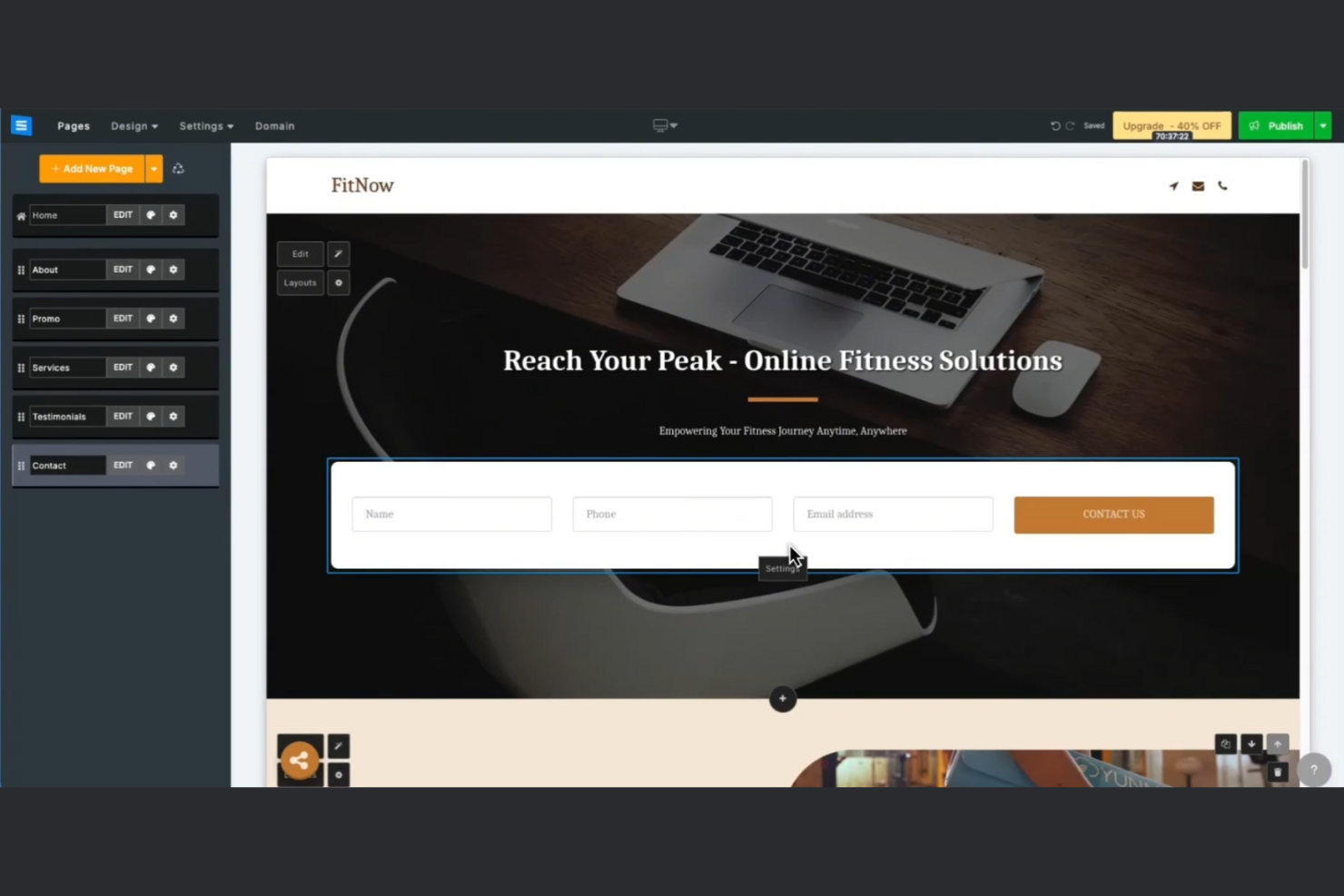
Getting started with SITE123 is simple if you want a website builder that guides you step by step. SITE123 appeals to small business owners, freelancers, and anyone who prefers a structured, no-fuss setup process. Unlike Wix, SITE123 walks you through each stage of building your site, making it easier to launch quickly without design experience.
Why SITE123 Is a Good Wix Alternative
If you want a website builder that takes you through each step, SITE123 is a strong choice. The platform uses a guided setup wizard that asks you questions and builds your site structure based on your answers. I like that you can select from pre-configured layouts and content blocks, so you don’t have to make design decisions from scratch. For anyone who feels overwhelmed by too many options, SITE123’s step-by-step approach offers a more structured path than Wix.
SITE123 Key Features
Some other SITE123 features can help you customize and manage your website:
- Multilingual Website Support: Create and manage websites in multiple languages from a single dashboard.
- Built-In Form Builder: Add and customize contact forms, surveys, and feedback forms without coding.
- Free SSL Certificate: Secure your website with SSL encryption included at no extra cost.
- SEO Tools: Access built-in tools for editing meta tags, sitemaps, and other SEO essentials.
SITE123 Integrations
Native integrations are not currently listed.
Pros and Cons
Pros:
- Free SSL certificate included with all plans
- Multilingual support for over 20 languages
- Guided setup wizard simplifies initial site creation
Cons:
- Limited ecommerce features for larger stores
- No drag-and-drop editor for layouts

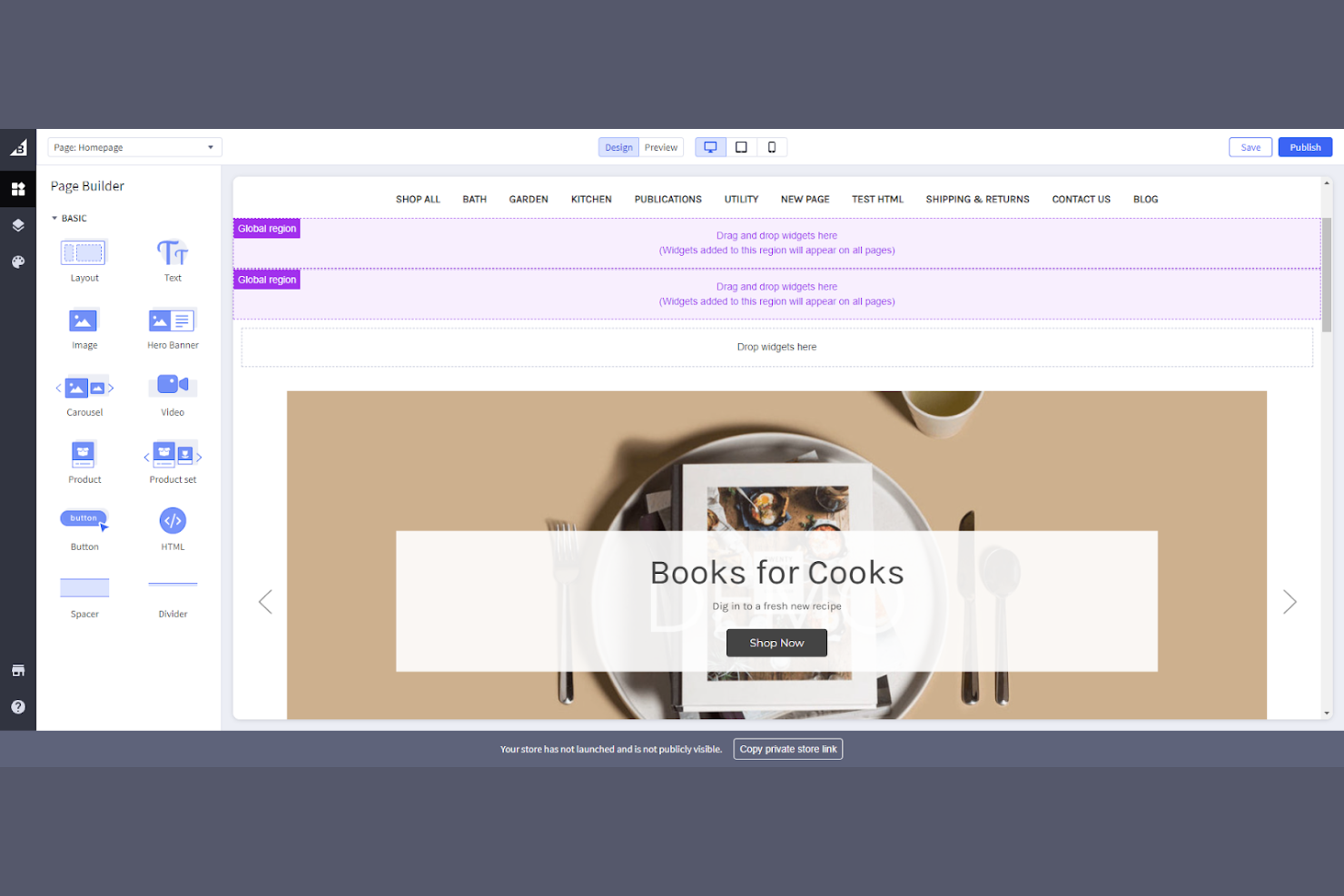
If you’re looking to manage sales across multiple channels from one platform, BigCommerce is built for that need. It’s a strong fit for retailers and brands that want to connect their online store with marketplaces like Amazon, eBay, and social platforms. Unlike Wix, BigCommerce is designed to centralize product listings, inventory, and order management across all your sales channels.
Why BigCommerce Is a Good Wix Alternative
BigCommerce is purpose-built for businesses that want to sell across multiple channels without juggling separate systems. You can sync your product catalog and inventory with marketplaces like Amazon and eBay, as well as social platforms such as Facebook and Instagram. I appreciate that BigCommerce lets you manage orders and fulfillment from all these channels in one dashboard, which is something Wix doesn’t offer natively. This makes it a strong choice if your sales strategy relies on reaching customers wherever they shop online.
BigCommerce Key Features
Some other BigCommerce features can help you tailor your store and operations:
- Drag-and-Drop Page Builder: Design and customize pages without coding using a visual editor.
- Customer Groups and Segmentation: Create custom pricing, promotions, and experiences for different customer segments.
- Built-In Blog: Publish content and manage posts directly within your store’s dashboard.
- Staging Environment: Test changes and updates in a separate environment before pushing them live.
BigCommerce Integrations
Integrations include Amazon, eBay, Facebook, Instagram, Google, Walmart, QuickBooks, Mailchimp, ShipStation, and more.
Pros and Cons
Pros:
- Built-in staging environment for site testing
- Unlimited staff accounts for team access
- No transaction fees on any plan
Cons:
- Built-in blog lacks advanced SEO tools
- Annual sales limits on each plan

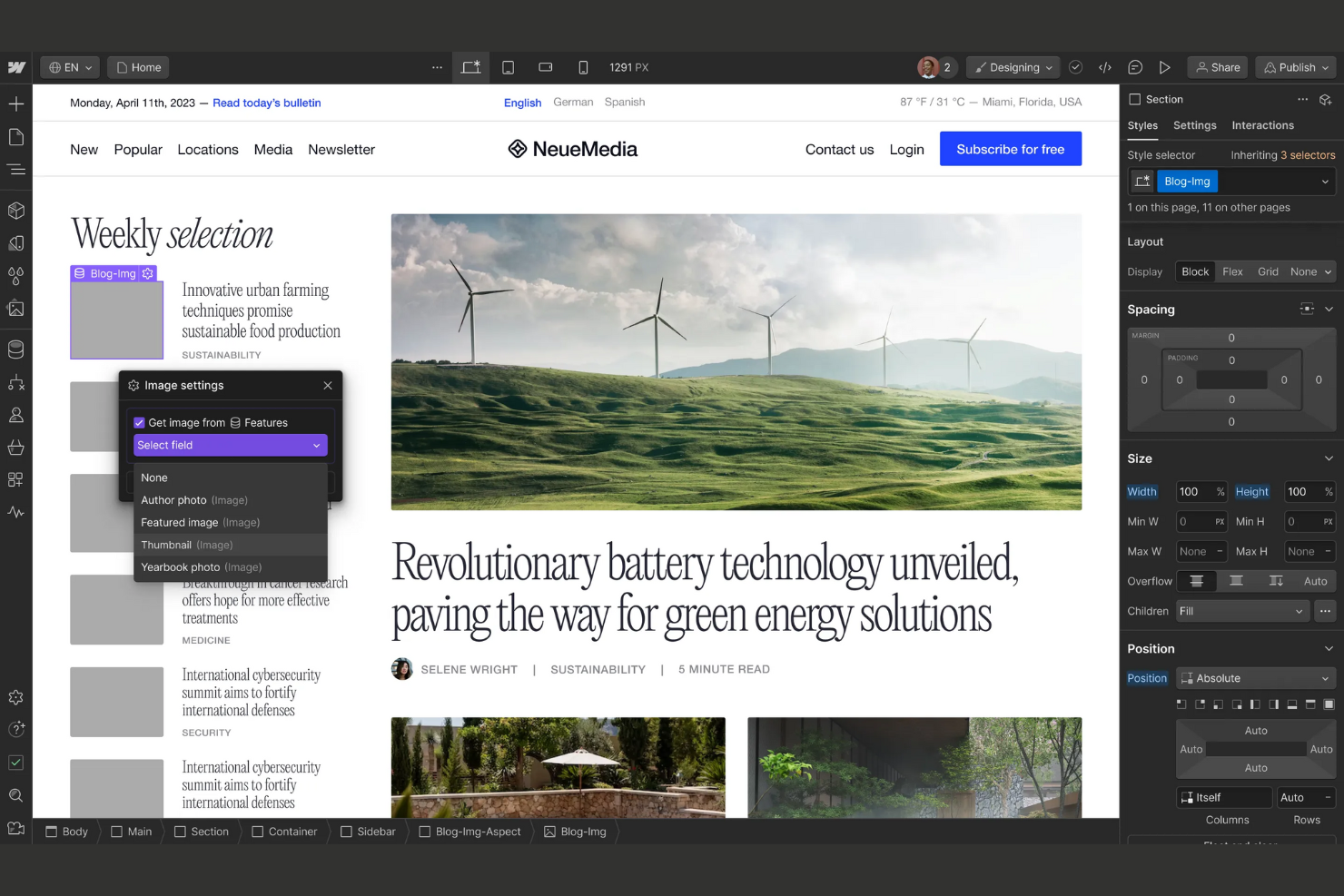
Webflow is a website builder designed for users who want full creative control over their site’s design and interactions. It’s especially well-suited for agencies, designers, and ecommerce teams that need pixel-level customization without relying on code. If you’re looking for a Wix alternative that lets you build complex layouts and animations, Webflow gives you advanced design freedom.
Why Webflow Is a Good Wix Alternative
For teams that want to push design boundaries, Webflow offers advanced customization tools that go far beyond standard templates. You can create fully custom layouts, animations, and interactions using a visual designer that mimics the flexibility of front-end code. I like that Webflow’s Designer lets you control every element’s styling, positioning, and behavior without writing CSS or JavaScript. This makes it a strong choice if you need a website builder that supports unique branding and complex visual experiences.
Webflow Key Features
Some other features in Webflow can help you manage and launch your site with confidence:
- CMS Collections: Structure and manage dynamic content like blogs, portfolios, or product listings without plugins.
- Ecommerce Functionality: Add product catalogs, customize checkout flows, and manage orders directly in the platform.
- Site Backups and Versioning: Restore previous versions of your site with one click if you need to undo changes.
- Built-In Hosting: Publish your site on fast, secure hosting with SSL and global CDN included.
Webflow Integrations
Integrations include Xano, Google Docs, ChatGPT, Zapier, Shopify, and more.
Pros and Cons
Pros:
- CMS handles dynamic content without plugins
- Custom animations and interactions are built in
- Visual designer supports advanced CSS controls
Cons:
- Site search requires a paid plan
- No built-in email marketing tools


Launching a website quickly is simple with Hostinger Website Builder. This tool is a strong fit for small businesses, freelancers, and anyone who needs to get online fast without technical setup. Unlike Wix, Hostinger’s website builder combines AI-powered design tools and hosting in a single package, so you can go from idea to live site in minutes.
Why Hostinger Website Builder Is a Good Wix Alternative
If you need to get a website live as quickly as possible, Hostinger Website Builder is built for speed. The AI website generator creates a ready-to-edit site in minutes, so you can skip manual setup and design. I like that you can launch with built-in hosting and SSL, which means you don’t have to manage separate services or technical details. This makes Hostinger a strong alternative to Wix for anyone who wants a fast, all-in-one launch experience.
Hostinger Website Builder Key Features
Some other Hostinger Website Builder features can help you customize and manage your site:
- Mobile Editing Mode: Adjust and preview your website’s appearance specifically for mobile devices.
- Ecommerce Functionality: Add product listings, manage inventory, and accept payments directly from your site.
- SEO Toolkit: Access built-in tools for meta tags, alt text, and sitemaps to help optimize your site for search engines.
- Multilingual Support: Create and manage websites in multiple languages from a single dashboard.
Hostinger Website Builder Integrations
Integrations include Google Analytics, Google Ads, Meta Pixel, WhatsApp, Hotjar, Hostinger Reach, Printful, Google Workspace, Apple Pay, and more.
Pros and Cons
Pros:
- Mobile editing mode for responsive design
- Built-in hosting and SSL included
- AI website generator creates sites in minutes
Cons:
- Blog functionality lacks advanced scheduling options
- No built-in appointment booking tools

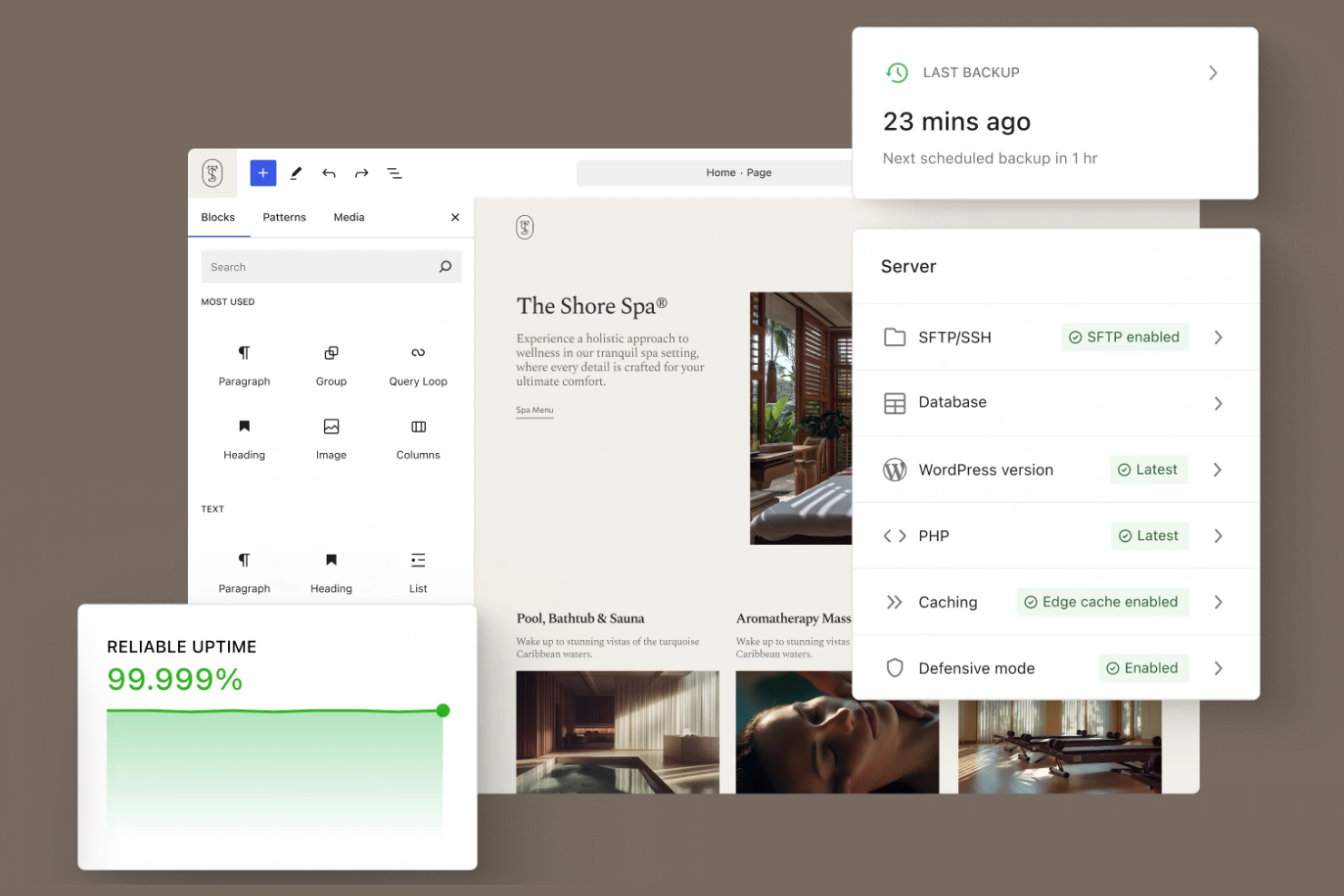
If you want a website builder with unmatched flexibility, WordPress stands out for its massive plugin ecosystem. This platform is a strong fit for content creators, publishers, and businesses that need advanced features or custom functionality. Unlike Wix, WordPress lets you extend your site with thousands of plugins for everything from ecommerce to SEO and membership management.
Why WordPress Is a Good Wix Alternative
For anyone who needs more than basic site-building tools, WordPress offers a plugin ecosystem that’s hard to match. You can add advanced features like custom forms, ecommerce, SEO optimization, and membership systems by installing plugins directly from the WordPress directory. I appreciate that you’re not limited to what’s built into the core platform—there’s a plugin for almost any functionality you can imagine. This makes WordPress a strong choice if you want to tailor your site far beyond what Wix’s built-in features allow.
WordPress Key Features
Some other WordPress features can help you manage and grow your site:
- Block-Based Editor: Build pages and posts using a visual, drag-and-drop block editor.
- Built-In Media Library: Store, organize, and reuse images, videos, and documents across your site.
- Custom Domain Support: Connect your own domain name directly through the platform.
- Automatic Backups: Your site content is automatically backed up and can be restored if needed.
WordPress Integrations
Integrations include WooCommerce, Jetpack, Elementor, Yoast SEO, Google Site Kit, MailPoet, HubSpot, Gravity Forms, Akismet, and more.
Pros and Cons
Pros:
- Built-in blogging tools for content creators
- Full control over site SEO settings
- Thousands of plugins extend site functionality
Cons:
- Migration to other platforms can be complex
- Plugin updates can cause compatibility issues

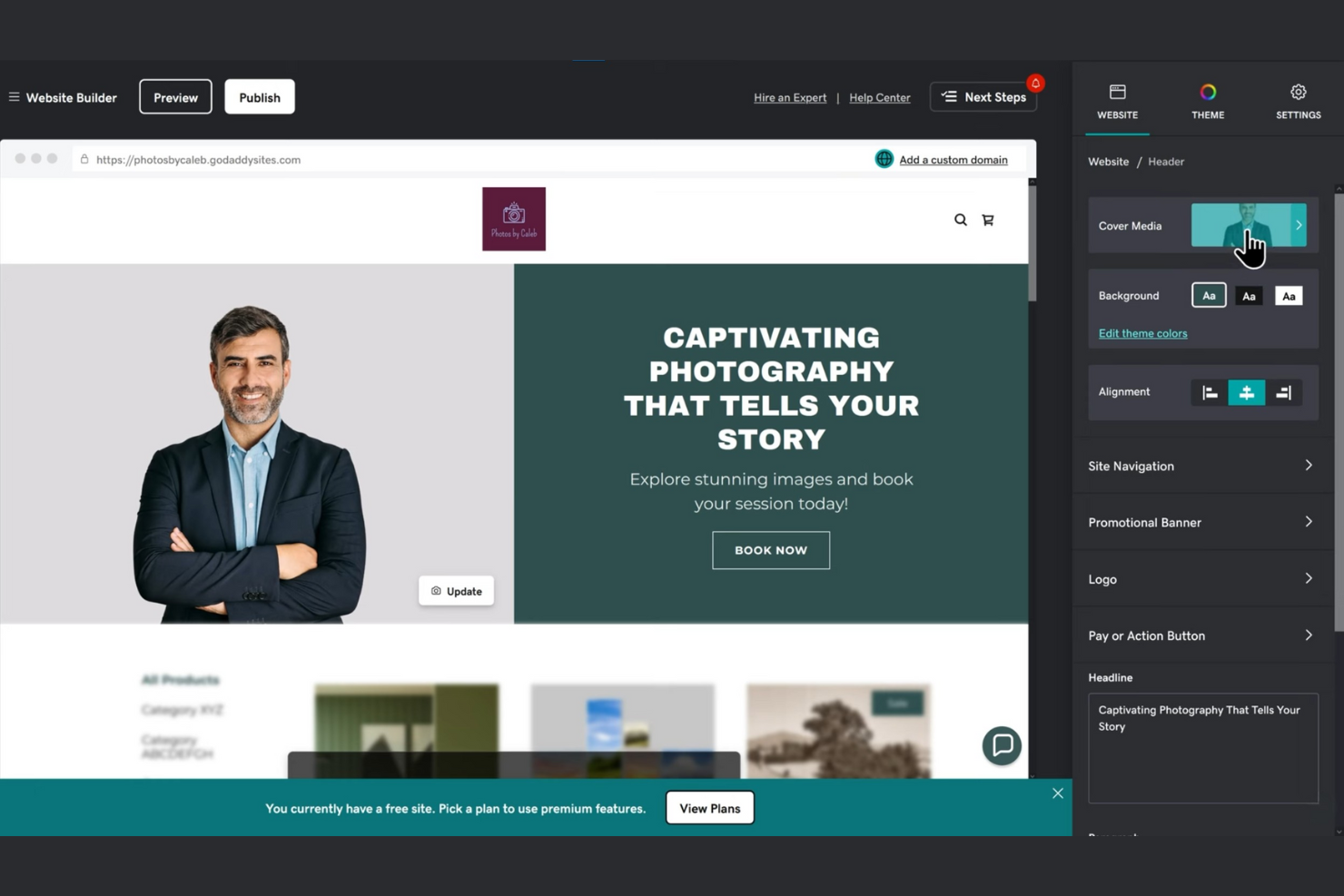
If you want a website builder with built-in marketing tools, GoDaddy Website Builder is worth a look. It’s designed for small businesses, retailers, and service providers who want to manage their website and marketing from one place. Unlike Wix, GoDaddy offers integrated email marketing, social media management, and appointment booking alongside its site builder.
Why GoDaddy Website Builder Is a Good Wix Alternative
GoDaddy Website Builder stands out for its built-in marketing tools that go beyond what you’ll find in most website builders. You can launch email campaigns, manage social media posts, and track marketing performance directly from your dashboard. I appreciate that appointment booking and customer messaging are also included, making it easier to connect with customers without extra plugins. For anyone looking to combine website management and marketing in one place, GoDaddy offers a practical alternative to Wix.
GoDaddy Website Builder Key Features
Some other GoDaddy Website Builder features can help you customize and grow your site:
- AI-Powered Website Creation: Generate a personalized website layout and content suggestions using built-in AI tools.
- Online Storefront: Add product listings, manage inventory, and accept payments for ecommerce.
- Mobile App Access: Edit your website, view analytics, and respond to customer inquiries from a mobile device.
- SSL Certificate Included: Secure your website with an SSL certificate at no extra cost.
GoDaddy Website Builder Integrations
Native integrations are not currently listed. However, an API is available for custom integrations
Pros and Cons
Pros:
- Appointment booking integrated with site builder
- AI-powered website and content generation
- Built-in email marketing and social posting tools
Cons:
- Site export or migration options are unavailable
- Blog features lack advanced formatting options


If you want to build websites with advanced interactive elements, Framer is built for that purpose. It’s a strong fit for designers, agencies, and digital teams who need to prototype and launch sites with rich animations and real-time previews. Unlike Wix, Framer lets you create and publish highly interactive sites without switching between design and development tools.
Why Framer Is a Good Wix Alternative
Unlike most website builders, Framer puts interactive prototyping at the center of its platform. You can design and publish sites with advanced animations, transitions, and micro-interactions directly in the editor. I appreciate that Framer’s canvas lets you preview and tweak interactive elements in real time, so you see exactly how your site will behave. This makes Framer a strong choice if you want to create websites that feel dynamic and engaging right from the start.
Framer Key Features
Some other features in Framer can help you manage and launch your site with flexibility:
- Component Library: Access a library of reusable components to speed up your design process.
- Custom Code Embeds: Add HTML, CSS, or JavaScript directly to your site for extra functionality.
- SEO Settings: Adjust meta tags, alt text, and other SEO elements within the editor.
- Collaboration Tools: Invite team members to co-edit and comment on projects in real time.
Framer Integrations
Integrations include Google Sheets, HubSpot, Notion, LottieFiles, Unsplash, and more.
Pros and Cons
Pros:
- Direct publishing from design to live site
- Built-in support for Lottie and Rive animations
- Real-time preview of interactive site elements
Cons:
- Limited built-in blogging and CMS features
- Ecommerce functionality is not natively supported
Other Wix Alternatives
Here are some additional Wix alternatives that didn’t make it onto my shortlist, but are still worth checking out:
- Carrd
For single-page site simplicity
- Jimdo
For AI-powered site creation
- WordPress.org
With open-source customization


Wix Alternatives Selection Criteria
When selecting the best Wix alternatives to include in this list, I considered common buyer needs and pain points related to Website Builder (SaaS) products, like needing more advanced client management tools or greater flexibility in site customization. I also used the following framework to keep my evaluation structured and fair:
Core Functionality (25% of total score)
To be considered for inclusion in this list, each solution had to fulfill these common use cases:
- Build and publish websites
- Customize site layouts and themes
- Add and manage site content
- Enable mobile-responsive design
- Connect custom domains
Additional Standout Features (25% of total score)
To help further narrow down the competition, I also looked for unique features, such as:
- Built-in client management tools
- White-labeling and agency branding options
- Advanced multilingual site support
- Custom widget or app builders
- Integrated site export functionality
Usability (10% of total score)
To get a sense of the usability of each system, I considered the following:
- Intuitive drag-and-drop editing
- Clear navigation and menu structure
- Minimal clicks to complete common tasks
- Modern and visually appealing interface
- Accessibility of help resources within the platform
Onboarding (10% of total score)
To evaluate the onboarding experience for each platform, I considered the following:
- Availability of step-by-step tutorials
- Access to pre-built templates and themes
- Interactive product tours or walkthroughs
- In-app chatbots or guided setup
- Webinars or live training sessions
Customer Support (10% of total score)
To assess each software provider’s customer support services, I considered the following:
- Multiple support channels like chat, email, and phone
- Fast response times to inquiries
- Access to a searchable knowledge base
- Availability of community forums or user groups
- Quality of troubleshooting and escalation processes
Value For Money (10% of total score)
To evaluate the value for money of each platform, I considered the following:
- Transparent and predictable pricing
- Range of features included at each tier
- Flexibility of monthly or annual billing
- Free trial or demo availability
- No hidden fees or surprise charges
Customer Reviews (10% of total score)
To get a sense of overall customer satisfaction, I considered the following when reading customer reviews:
- Consistency of positive feedback across platforms
- Frequency of reported technical issues
- Quality of support and onboarding experiences
- User sentiment about feature updates
- Reported ease of switching from other platforms
Why Look For a Wix Alternative?
While Wix is a good choice of Website Builder (SaaS), there are a number of reasons why some users seek out alternative solutions. You might be looking for a Wix alternative because…
- You need more advanced client management tools
- You want greater control over site code and customization
- You require built-in multilingual site support
- You need white-labeling for agency or client work
- You want to export your site for backup or migration
- You need more flexible ecommerce capabilities
If any of these sound like you, you’ve come to the right place. My list contains several Website Builder (SaaS) options that are better suited for teams facing these challenges with Wix and looking for alternative solutions.
Wix Key Features
Here are some of the key features of Wix, to help you contrast and compare what alternative solutions offer:
- Drag-and-drop visual site editor
- Hundreds of customizable website templates
- Built-in ecommerce and online store tools
- App Market for adding extra functionality
- Integrated blogging platform
- Mobile-responsive design controls
- SEO management and optimization tools
- Booking and appointment scheduling features
- Media galleries for images and videos
- Built-in analytics and reporting dashboard