
23 Best Payment Processors for Nonprofits in 2026

The Top 10 Payment Processor for Nonprofits
The best of the best, folks! Here are the top 10 nonprofit payment processors to consider.


Managing donations shouldn’t feel like a second job. But between clunky tools, high fees, and limited insights, too many nonprofits end up wasting hours just trying to reconcile the books.
You deserve a payment processor that works as hard as you do—automating receipts, handling recurring gifts, and giving you clean data without charging half your donations in fees.
I’ve reviewed the best nonprofit payment processors out there to help you find the right fit.
Whether you're optimizing for live events, global reach, or donor management, this guide breaks down the top picks, standout features, and pricing you actually need to know.
Let’s help you pick a processor that frees up your time—and funds your mission.
Why Trust Our Software Reviews
We’ve been testing and reviewing retail and ecommerce software since 2021.
As retail experts ourselves, we know how critical and difficult it is to make the right decision when selecting software. We invest in deep research to help our audience make better software purchasing decisions.
We’ve tested more than 2,000 tools for different retail management use cases and written over 1,000 comprehensive software reviews. Learn how we stay transparent & check out our software review methodology.
Comparing the Best Payment Processor for Nonprofits Side-by-Side
This table gives you the need-to-know breakdown: price points and what each processor does best. If you’re scanning for a fast shortlist, start here.
| Tool | Best For | Trial Info | Price | ||
|---|---|---|---|---|---|
| 1 | Best for structured AP automation | 21-day free trial available | From $99/month | Website | |
| 2 | Best for flexible donation tools | Free plan available (only pay when you take a payment) + 30-day free trial | From $49/per location/month | Website | |
| 3 | Best for developer tools | 30-day free trial available | From 2.9% + 30¢ per transaction | Website | |
| 4 | Best for registration payments | Free demo available | From $125/month | Website | |
| 5 | Best for wide user base | Not available | From 2.29% + $0.09 per transaction | Website | |
| 6 | Best for zero transaction fees | Free-forever plan available | Free to use | Website | |
| 7 | Best for live fundraising events | Free plan + free demo available | From $29/month | Website | |
| 8 | Best for global transactions | Not available | Pricing upon request | Website | |
| 9 | Best for donor management | Free demo available | Pricing upon request | Website | |
| 10 | Best for data analytics | Free demo available | From $134/month | Website |
Best Payment Processor for Nonprofits Review
Here’s where we dig deeper. Each review covers why the tool made the cut, what it’s best at, and the standout features that matter most for nonprofits—so you can find the one that fits your fundraising strategy and budget.


MakersHub is an accounts payable (AP) automation platform that can support nonprofits by handling invoice capture, payment approvals, and vendor disbursements. It’s designed for organizations that want to reduce manual AP work while maintaining control and accuracy over financial operations.
Why I picked MakersHub: I chose MakersHub for nonprofits because it automates the AP lifecycle—from bill capture to payment—so you can focus more on your mission and less on manual data entry. For nonprofits managing multiple funding sources, its approval workflows help ensure every payment is verified and authorized, which supports both compliance and donor trust. The automation also reduces the risk of human error in invoice processing, so funds are allocated accurately and efficiently.
Standout features & integrations:
Features include approval flows for structured payment authorization, bill automation to capture and code invoices without manual entry, and payment automation to disburse funds via ACH, check, or wire transfer. You can also manage vendor payments in one place, ensuring accuracy and timeliness.
Integrations include QuickBooks Online and QuickBooks Desktop.
Pros and Cons
Pros:
- Multiple payment options (ACH, check, wire) for vendor flexibility
- Approval flows help maintain financial control and compliance
- Best for structured AP automation in nonprofits
Cons:
- ACH payment fees may apply for rejected transactions
- Users are responsible for handling chargebacks and data accuracy

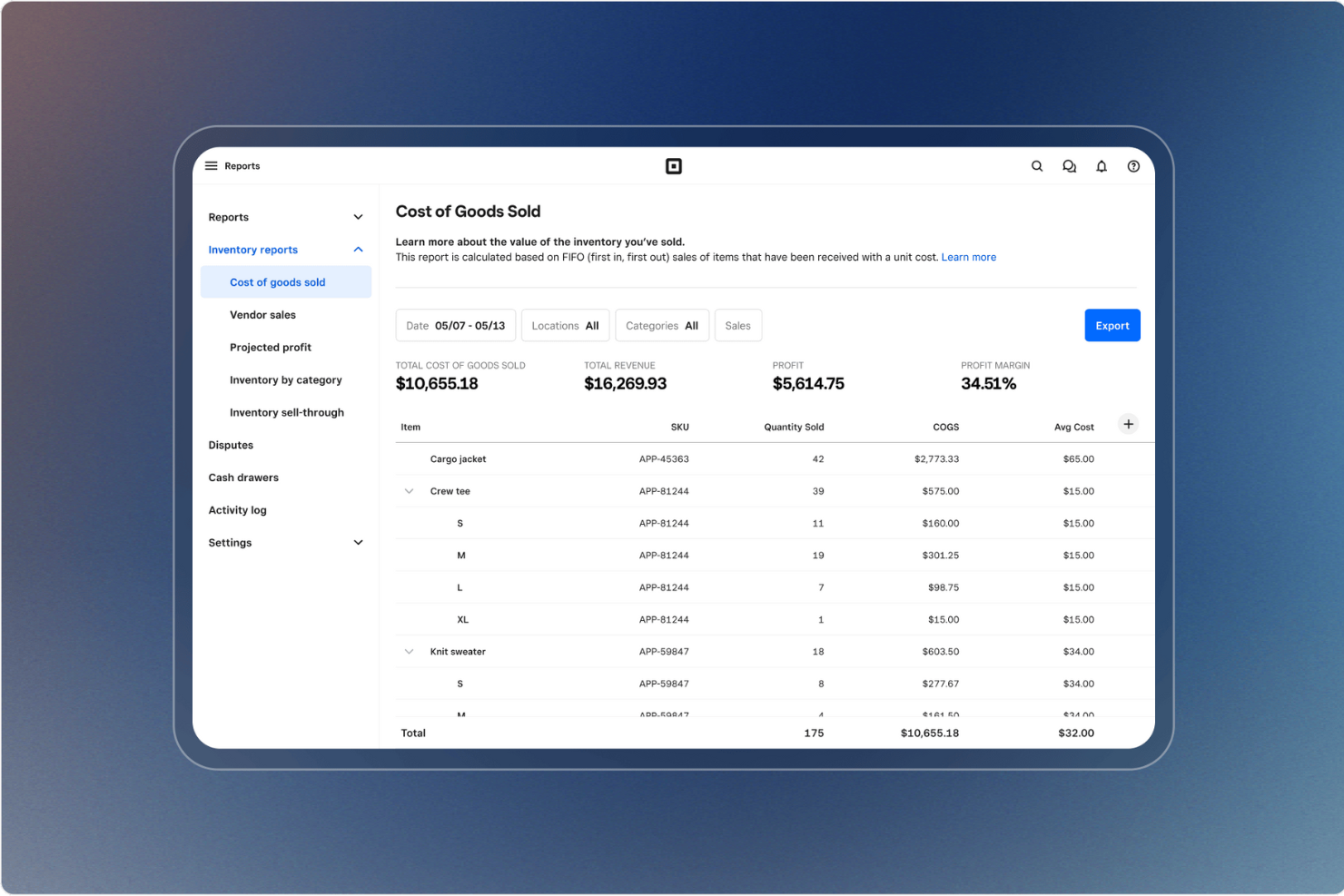
Square is a payment processor that helps nonprofits accept donations online, in person, and through mobile wallets. It combines transaction processing with financial tools, making it easier to manage funds and stay connected with supporters.
Why I picked Square: I chose Square for nonprofits because of its flexibility in how you can accept donations. Whether it’s credit cards, Apple Pay, Google Pay, or cash, Square gives donors options, which typically leads to higher contribution rates. I also liked that Square provides point-of-sale hardware, which makes it useful for on-site fundraising events. And with its built-in cash flow management tools, you can keep better track of your budget without relying on separate software.
Standout features & integrations:
Features include donor engagement tools for relationship management, real-time analytics to monitor fundraising progress, and team management functions for coordinating staff or volunteers.
Integrations include WooCommerce, Wix, GoDaddy, Ecwid, BigCommerce, WordPress.com, CommerceSync, Zoho Books, JotForm, Mailchimp, Homebase, and IFTTT.
Pros and Cons
Pros:
- Analytics track fundraising progress
- Hardware supports event fundraising
- Multiple donation payment options
Cons:
- Limited nonprofit-specific discounts
- Transaction fees can add up
New Product Updates from Square
Square Introduces Neighborhoods on Cash App
Square launches Neighborhoods on Cash App, offering businesses access to over 57 million active accounts, direct marketing, neighborhood rewards, and a 1% processing fee. For more information, visit Square's official site.
 .
.
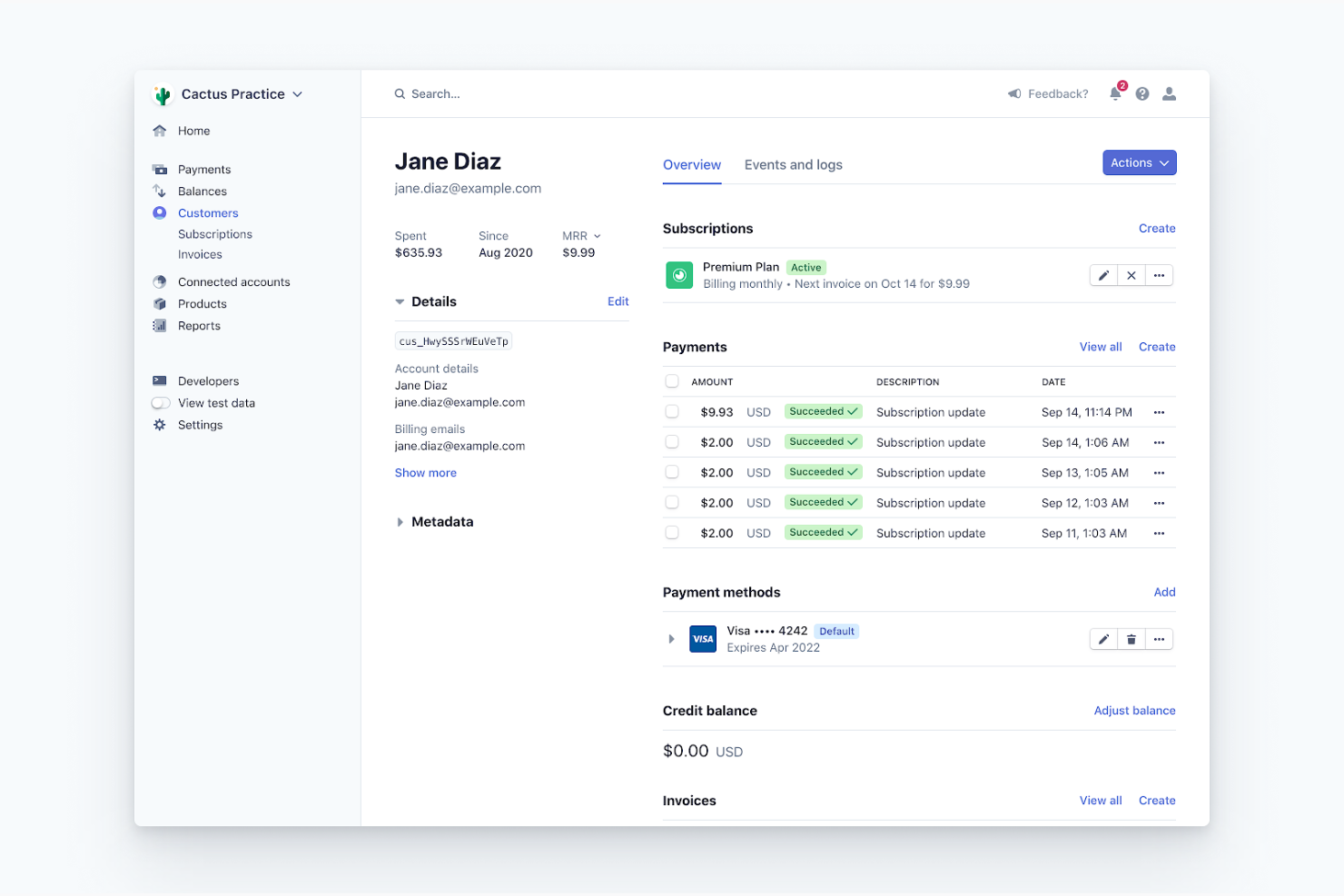
Stripe is a versatile payment processing platform designed for businesses and nonprofits to manage online payments with ease. It serves organizations that need customizable payment solutions and developer-friendly tools to integrate payments seamlessly into their platforms.
Why I picked Stripe: It provides an extensive suite of developer tools that allow you to customize the payment process to your specific needs. The platform offers detailed documentation and APIs for easy integration. You can also manage subscriptions and recurring billing, which is crucial for nonprofits with regular donors. Additionally, Stripe offers advanced security features to protect payment data.
Standout features & integrations:
Features include a customizable checkout experience that enhances the user journey. The platform offers real-time reporting and analytics to help you track your financial performance. Stripe also supports a wide range of currencies, allowing you to process payments globally with ease.
Integrations include Shopify, WooCommerce, QuickBooks, Xero, Magento, Squarespace, PrestaShop, BigCommerce, Salesforce, and Wix.
Pros and Cons
Pros:
- Advanced security features
- Supports global currencies
- Detailed API documentation
- Extensive developer tools
Cons:
- Limited customer support options
- Steep learning curve
- Limited offline functionality

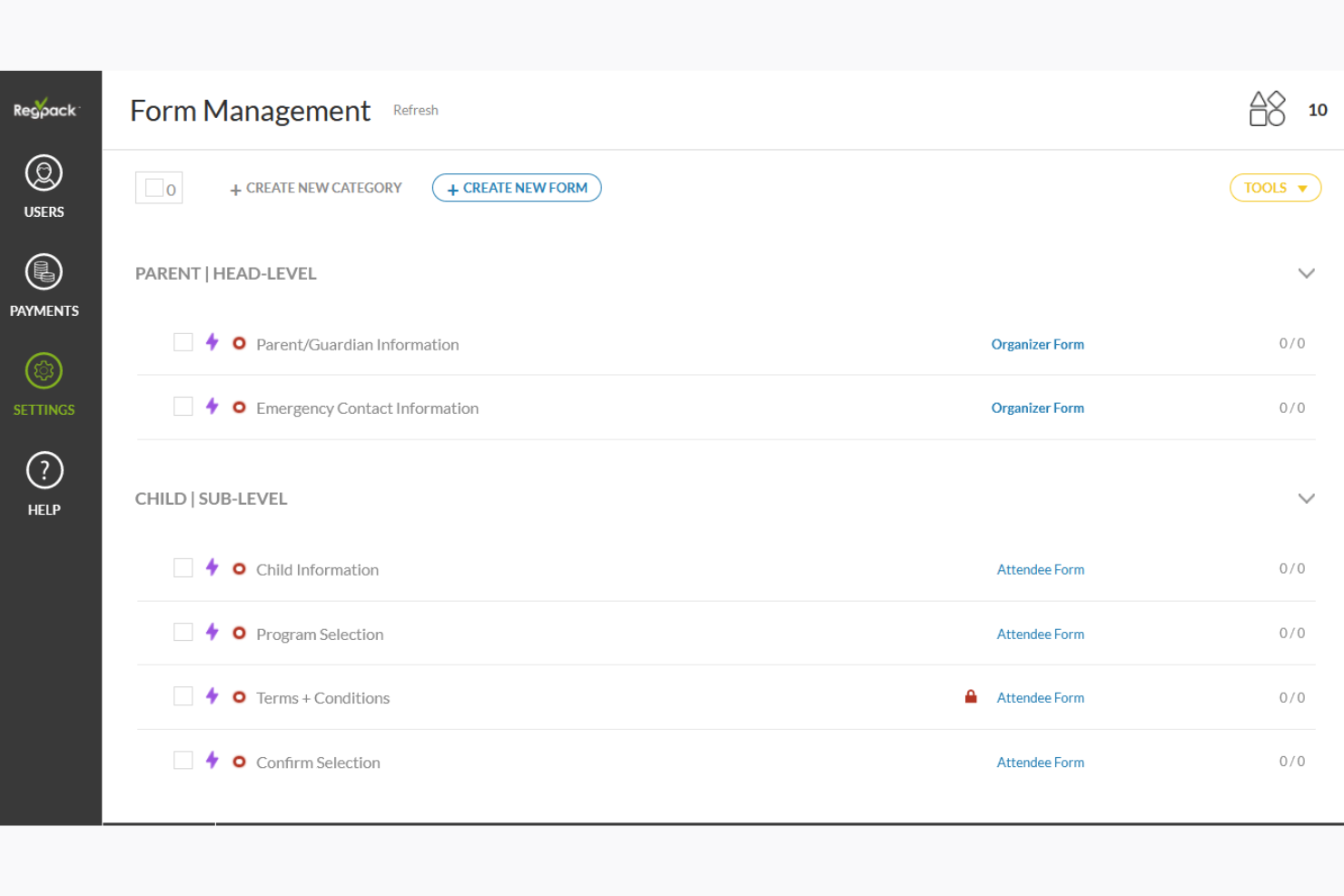
Regpack is an online payment and registration software tailored for organizations needing to manage event registrations and payments efficiently. It caters to nonprofits and businesses that frequently handle registrations and require a streamlined payment process.
Why I picked Regpack: It offers a comprehensive registration payment solution with customizable forms and automated billing. The platform allows you to create dynamic registration processes that adapt to your participants' responses. You can also set up automated payment plans, making it easier for your team to manage recurring payments. Additionally, Regpack provides detailed analytics to track registration trends and payment statuses.
Standout features & integrations:
Features include a built-in communication tool that lets you send personalized emails to your participants. The platform offers advanced reporting capabilities, allowing you to generate insights into your registration and payment activities. Additionally, Regpack supports multilingual forms, enabling you to cater to a diverse audience.
Integrations include QuickBooks, Salesforce, Mailchimp, Google Analytics, Stripe, PayPal, Authorize.Net, Zapier, Slack, and HubSpot.
Pros and Cons
Pros:
- Advanced reporting capabilities
- Built-in communication tools
- Supports multilingual forms
- Customizable registration forms
Cons:
- Basic mobile app features
- Requires consistent internet access
- Complexity in setup


PayPal is a widely used payment platform designed for businesses and nonprofits to handle online transactions efficiently. It caters to organizations looking for a reliable solution with a broad reach and trusted brand recognition.
Why I picked PayPal: It offers a familiar interface that many donors recognize and trust, increasing the likelihood of completed transactions. The platform supports multiple currencies, making it ideal for international donations. You can also set up recurring donations, which is crucial for sustaining long-term donor relationships. Additionally, PayPal provides robust security features to protect your transactions.
Standout features & integrations:
Features include customizable donation buttons that you can easily add to your website. The platform offers detailed transaction reports to help you track your donations. PayPal also provides fraud protection features to keep your transactions secure.
Integrations include Shopify, WooCommerce, BigCommerce, Magento, Squarespace, Wix, Xero, QuickBooks, Salesforce, and PrestaShop
Pros and Cons
Pros:
- Strong fraud protection
- Detailed transaction reports
- Customizable donation buttons
- Widely recognized and trusted
Cons:
- Limited customization of donation pages
- Potential for donor funds to be redirected
- Requires internet for full functionality


Zeffy is a free fundraising platform designed specifically for nonprofits. It helps organizations manage donations, ticket sales, and donor interactions without incurring any transaction fees.
Why I picked Zeffy: Zeffy stands out because it lets your organization keep every dollar raised. Key features include customizable donation forms and peer-to-peer campaigns. Its ability to handle ticketing and donor management without fees makes it a strong choice for nonprofits. You can also accept in-person payments via mobile devices, further enhancing its flexibility.
Standout features & integrations:
Features include customizable donation forms that allow you to tailor the giving experience to your supporters. You can manage memberships and automate renewal processes, saving you time. Zeffy also supports raffle ticket sales and auction hosting, which can diversify your fundraising efforts.
Integrations include Salesforce, QuickBooks, Mailchimp, Google Analytics, Stripe, PayPal, Eventbrite, Shopify, Slack, and HubSpot.
Pros and Cons
Pros:
- Automates membership renewals
- Supports peer-to-peer campaigns
- Accepts in-person payments
- Customizable donation forms
Cons:
- No mobile app
- Basic reporting features
- Limited international support

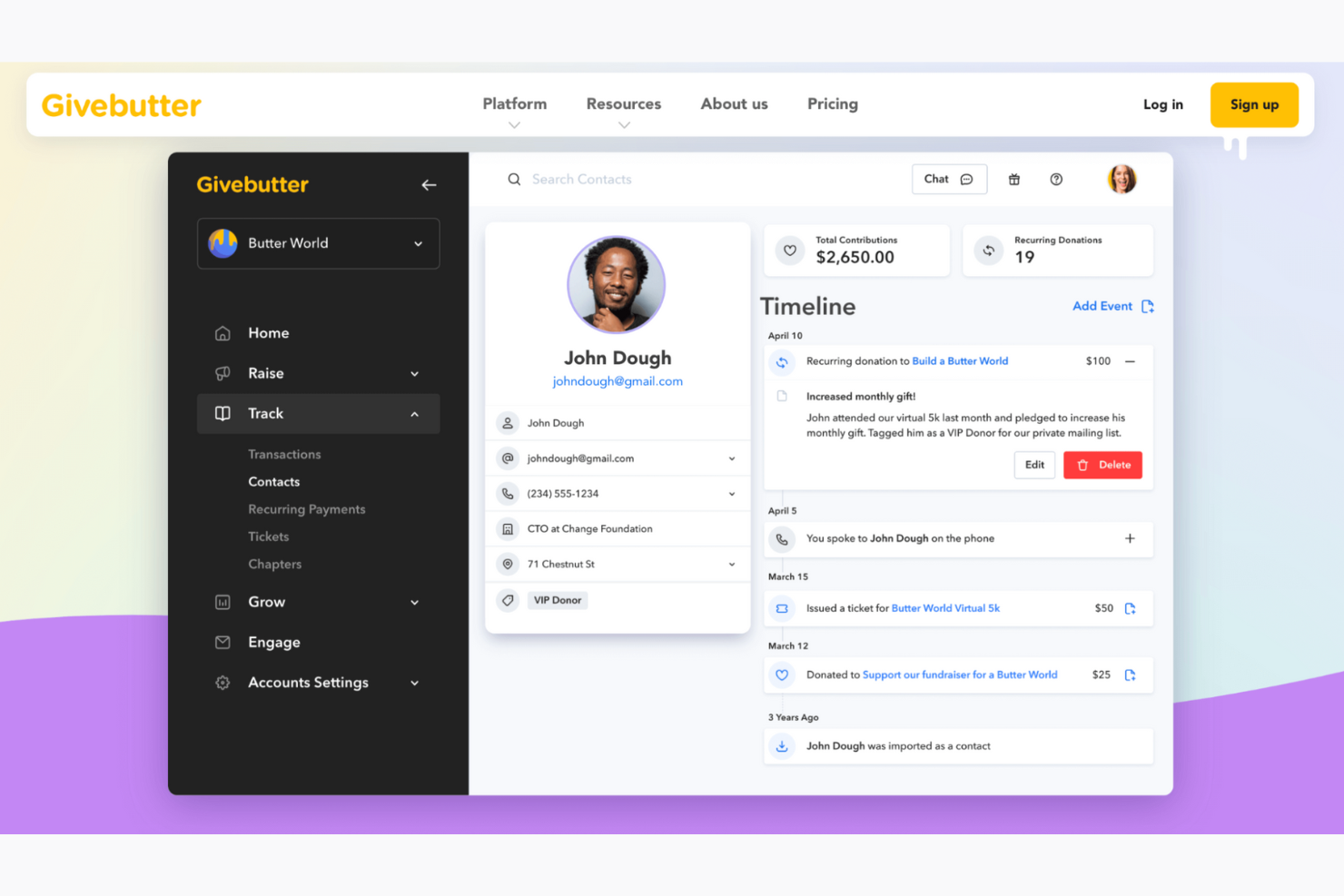
Givebutter is a fundraising platform designed for nonprofits to enhance their live event fundraising capabilities. It caters to organizations looking for tools to engage with donors through live events and campaigns.
Why I picked Givebutter: It offers features like live streaming and real-time donor interaction, which are perfect for hosting engaging fundraising events. The platform provides customizable campaign pages that let you tailor your fundraising efforts. You can also use the built-in ticketing system to manage event attendance. Additionally, Givebutter supports team fundraising, encouraging collaboration among your supporters.
Standout features & integrations:
Features include a mobile-friendly interface that ensures donors can contribute from any device. The platform offers a social sharing feature to amplify your campaigns across different channels. You can also track campaign performance with detailed analytics to refine your strategies.
Integrations include Salesforce, Zoom, Mailchimp, Slack, PayPal, Stripe, Venmo, Google Analytics, Zapier, and Eventbrite.
Pros and Cons
Pros:
- Mobile-friendly interface
- Built-in ticketing system
- Offers real-time donor interaction
- Supports team fundraising
Cons:
- Requires consistent internet access
- Basic reporting features
- Limited offline functionality

Adyen is a payment platform designed for businesses and nonprofits to manage transactions across multiple regions and currencies. It serves organizations that need a reliable solution for handling global payments and enhancing their international operations.
Why I picked Adyen: It offers extensive support for multiple currencies and payment methods, making it ideal for global transactions. The platform provides real-time insights into payment data, helping you make informed decisions. You can also customize your payment setup to match your business needs. Additionally, Adyen's risk management tools help protect against fraud and ensure secure transactions.
Standout features & integrations:
Features include a unified commerce solution that allows you to manage payments from different sales channels in one place. The platform offers a scalable infrastructure that grows with your business. Adyen also provides a detailed reporting system to track your payment performance and analyze trends.
Integrations include Shopify, Magento, WooCommerce, Salesforce, BigCommerce, Xero, QuickBooks, PrestaShop, Squarespace, and Wix.
Pros and Cons
Pros:
- Scalable infrastructure
- Risk management tools included
- Customizable payment setup
- Real-time payment insights
Cons:
- Basic mobile app features
- Limited offline capabilities
- Requires technical expertise
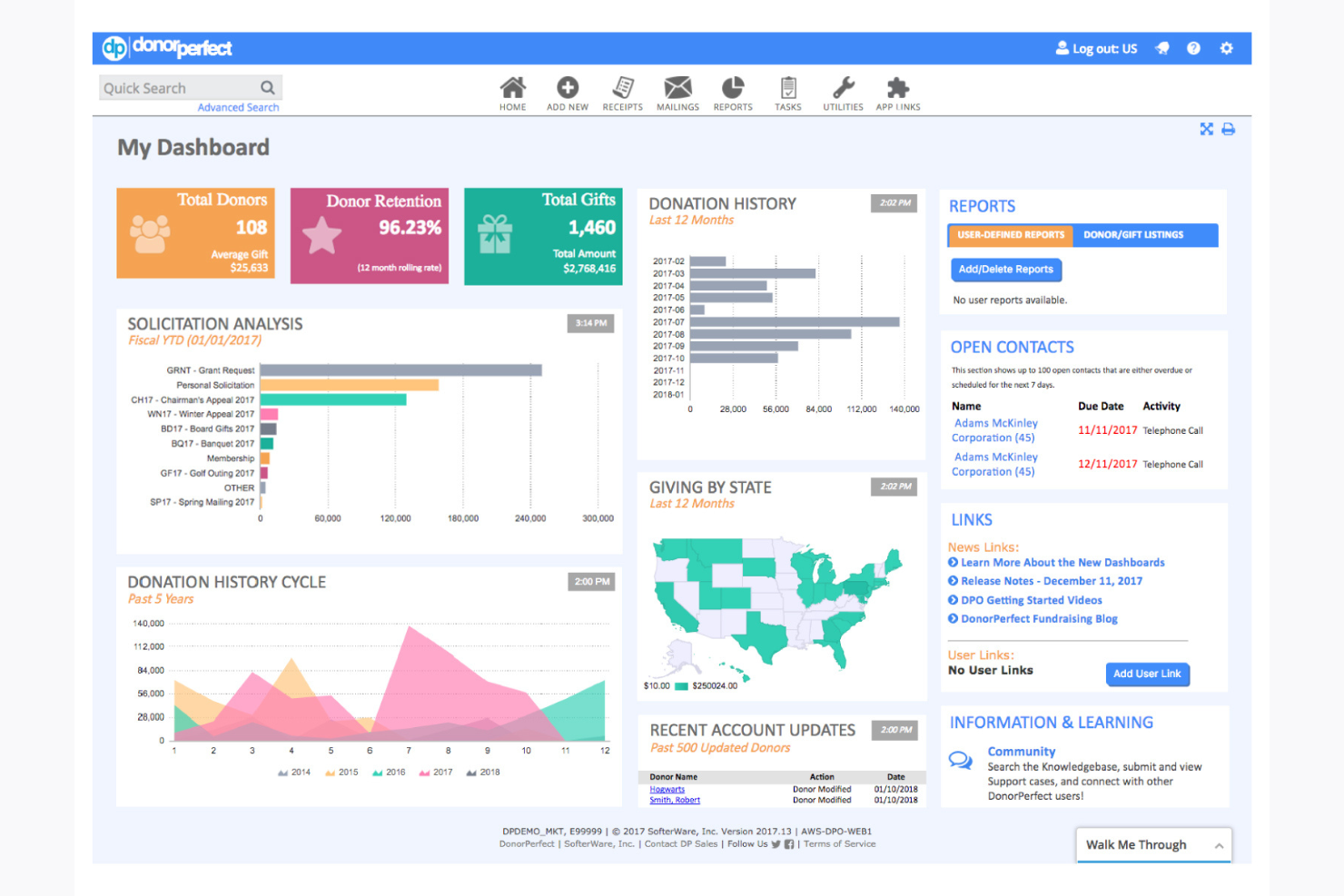
DonorPerfect is a comprehensive fundraising software designed for nonprofits to manage their donor relationships and fundraising efforts. It is ideal for organizations that need an all-in-one solution to track donations, manage contacts, and plan fundraising campaigns.
Why I picked DonorPerfect: It offers extensive donor management features that help you maintain detailed donor profiles and interactions. The platform includes automated thank-you notes and receipts, which save time and ensure consistent donor communication. You can also segment your donors for targeted outreach, enhancing your fundraising strategies. Additionally, DonorPerfect provides robust reporting tools to help you analyze your fundraising performance.
Standout features & integrations:
Features include customizable dashboards that let you tailor the interface to fit your workflow. The platform also supports mobile access, allowing you to manage your fundraising efforts on the go. Furthermore, DonorPerfect offers event management tools to help you organize and track your fundraising events.
Integrations include QuickBooks, Constant Contact, Mailchimp, PayPal, Zapier, Salesforce, Google Analytics, WealthEngine, Double the Donation, and Eventbrite.
Pros and Cons
Pros:
- Offers event management tools
- Customizable dashboards
- Automated thank-you notes and receipts
- Extensive donor management features
Cons:
- Limited customization options
- Basic mobile app features
- Limited offline capabilities
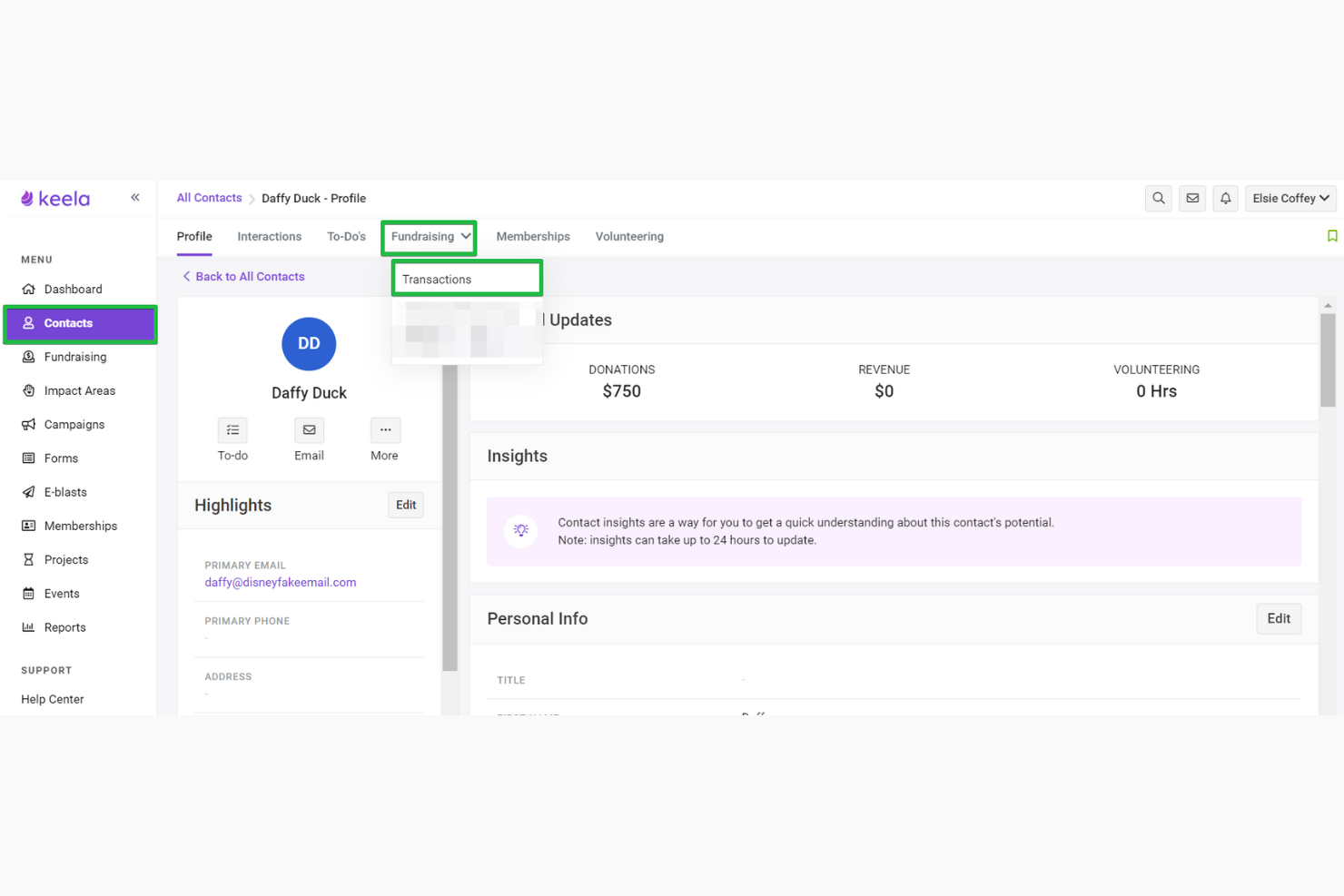
Keela Pay is a payment processing solution tailored for nonprofits to manage their fundraising and donation activities. It serves organizations looking to enhance their data analytics capabilities to improve decision-making.
Why I picked Keela Pay: Its data analytics features provide insights into donor behavior and fundraising trends. You can create detailed reports to track your fundraising progress over time. The platform also offers customizable dashboards, allowing you to visualize key metrics that matter most to your team. Additionally, Keela Pay supports automated workflows, which can save your team time and effort.
Standout features & integrations:
Features include donor management tools that help you maintain comprehensive donor profiles. The platform offers email marketing capabilities to engage with your supporters effectively. Keela Pay also provides project management features to coordinate your fundraising efforts.
Integrations include Salesforce, QuickBooks, Mailchimp, Google Analytics, Stripe, PayPal, Eventbrite, Zapier, Slack, and HubSpot.
Pros and Cons
Pros:
- Includes project management tools
- Comprehensive donor management
- Supports automated workflows
- Strong data analytics features
Cons:
- Limited customer support options
- Steep learning curve
- Basic mobile app features
Other Payment Processors for Nonprofits
Here are some additional payment processor for nonprofits options that didn’t make it onto my shortlist, but are still worth checking out:
- Authorize.net
For fraud protection
- Charity Engine
For CRM integration
- WePay
For platform integration
- Donorbox
For recurring donations
- Helcim
For transparent pricing
- Qgiv
For auction capabilities
- GoCardless
For direct debit payments
- iATS Payments
For nonprofit-specific solutions
- Snowball Fundraising
For text-to-give options
- Payline Data
For risk management tools
- Bloomerang Payments
For donor retention features
- Personify Payments
For event registration
- Liberapay
For recurring micro-donations


Other Payments Software Roundups
If you want to look at other options in the payments space, we've done roundups for many use cases:
- Credit Card Processing Software
- Open Source Payment Processing Software
- Subscription Billing Software
- Recurring Payments Systems
Our Selection Criteria For Nonprofit Payment Processing Software
Finding the right payment system for your nonprofit isn’t just about low fees—it’s about fit. Here’s how I evaluated each platform to surface only the ones that truly serve nonprofit teams.
Core functionality (25% of total score)
At the heart of any nonprofit payment processor is its ability to reliably handle donations—securely, efficiently, and at scale.
- Must process online donations and support both one-time and recurring giving.
- Includes essentials like donation forms, secure transactions, and donor record management.
- Accepts all major credit cards, debit cards, and ACH payments.
Additional standout features (25% of total score)
Beyond the basics, I looked for extras that give your fundraising efforts an edge.
- Tools like text-to-give, branded donation pages, and real-time reporting stood out.
- Integrations with CRMs, event platforms, or accounting software added serious value.
- Flexibility for mobile, online, and in-person donations helped platforms rise above.
Usability (10% of total score)
Great features mean nothing if your team can’t figure them out. I looked for platforms that just make sense.
- Interfaces that are clean, intuitive, and require little to no training.
- Designed for nonprofits—so even lean teams can navigate and launch campaigns with ease.
- Mobile-friendly layouts that work across devices.
Onboarding (10% of total score)
Getting started shouldn’t be a headache. I checked how fast you can go from sign-up to first donation.
- Guided setup, live support, and starter templates were major pluses.
- Tools with easy data import and system integrations ranked higher.
- Clear documentation and onboarding resources mattered more than sales fluff.
Customer support (10% of total score)
When something goes wrong, you need fast, competent help. I tested for support that shows up.
- Responsive live chat, email, or phone support were all factors.
- Platforms with solid help centers and real nonprofit experience got bonus points.
- Easy escalation and troubleshooting were non-negotiables.
Value for money (10% of total score)
I focused on what you actually get for the price—not just sticker tags, but real fundraising functionality.
- Transparent pricing with no surprise fees or confusing fine print.
- Free plans or nonprofit discounts made a difference.
- Strong feature sets even at lower tiers earned high marks.
Customer reviews (10% of total score)
The real-world experience matters. I read the reviews so you don’t have to.
- Looked for consistently high satisfaction scores and few major issues.
- Praise for usability, donor experience, and support carried weight.
- Repeated complaints—especially about support or billing—hurt rankings.
What Are Payment Processors for Nonprofits?
Nonprofit payment processing software is a digital tool that manages online donations and financial transactions for nonprofit organizations.
It’s used to process credit card payments, recurring donations, and ACH transfers securely while storing donor information and generating tax receipts.
These platforms help fundraising teams streamline donation collection, automate admin tasks, and ensure PCI-compliant handling of sensitive data.
Most tools also integrate with CRMs, email marketing systems, and accounting software to support donor engagement and reporting.
How to Choose a Payment Processor for Nonprofits
Picking a payment processor can feel overwhelming fast—pricing tiers, hidden fees, and vague feature lists don’t help. This checklist breaks down what actually matters, so you can choose a system that supports your fundraising goals without the guesswork.
| Factor | What to consider |
|---|---|
| Scalability | Can the platform handle growing donation volume, recurring gifts, and more users over time? |
| Integration | Does it connect with your CRM, accounting system, and fundraising tools to avoid data silos? |
| Ease of use | Is the dashboard intuitive? Your team shouldn’t need tech support just to update a donation form. |
| Payment options | Does it support credit cards, ACH, and digital wallets like Apple Pay, Google Pay, and Venmo? |
| Security | Look for PCI-compliant systems with fraud protection and secure donor data handling. |
| Pricing structure | Are transaction fees, monthly costs, and add-ons clearly explained—with nonprofit discounts available? |
| Onboarding | Will setup be smooth? Check for import tools, live support, and clear how-to resources. |
| In-person support | If you fundraise at events, make sure card reader or mobile app features are reliable. |
Features of Payment Processors for Nonprofits
The best nonprofit payment processing tools don’t just move money—they streamline your fundraising operations, protect donor data, and help you grow relationships over time. Here’s what to look for:
- Recurring donation support. Let donors set up automatic giving via credit card, ACH, or digital wallets like Apple Pay and Google Pay.
- Customizable online donation forms. Match your nonprofit’s branding, collect key donor information, and optimize the donation process.
- Built-in donor management. Track giving history, notes, and interactions in one place—no separate CRM required.
- PCI-compliant security. Meet industry standards and protect every transaction with fraud detection and encryption.
- Multiple payment methods. Accept Visa, Mastercard, American Express, debit cards, bank account transfers, and mobile payments.
- Text-to-give options. Capture spontaneous donations during events or campaigns with simple SMS-based giving.
- Real-time analytics. Spot trends in donor behavior and fundraising performance without waiting for end-of-month reports.
- CRM and accounting integrations. Connect with tools like Salesforce, QuickBooks, and Mailchimp to avoid double entry.
- Automated tax receipts and thank-you emails. Save your team time while giving donors a consistent, professional experience.
- Mobile app access. Accept in-person donations or manage donor records from anywhere—whether at a gala or on the road.
Benefits of a Payment Processor for Nonprofits
Good payment processing tools do more than just run transactions—they simplify operations, improve donor relationships, and help stretch every dollar further.
- Streamlined donation workflows. Automate recurring billing, receipts, and reporting to reduce admin overhead and keep fundraising moving.
- Better donor engagement. Branded donation pages, personalized emails, and one-click payment options improve the giving experience.
- Improved financial transparency. Real-time reporting and clear transaction data help with audits, board reporting, and trust-building.
- Global reach and flexibility. Accept credit card payments, ACH transfers, and digital wallets across borders and devices.
- Secure, compliant processing. Meet PCI compliance standards and protect donor payment information with encrypted transactions.
- Lower fundraising costs. Cut down on manual tasks and high processing fees by using nonprofit-specific pricing and features.
- More reliable donor data. With integrated donor management, you get clean, centralized records that sync with your nonprofit CRM.
- Support for all donation types. From one-time gifts to event ticketing and in-person swipe donations, manage everything in one platform.
Costs and Pricing of Payment Processors for Nonprofits
Pricing models vary widely across platforms, especially when it comes to monthly fees, transaction rates, and feature access. Some tools charge flat rates, others work on a per-transaction basis, and many offer nonprofit discounts—but always read the fine print.
Use this table to get a realistic sense of what you might pay depending on your needs and donation volume:
| Plan type | Average price | Common features | Best for |
|---|---|---|---|
| Free plan | $0 | Basic online donation forms, limited CRM features, standard credit card processing. | Small teams or trial runs |
| Personal plan | $5–$25/user/month | Recurring donations, ACH support, secure payment processing, basic analytics. | Solo fundraisers or startup nonprofits |
| Business plan | $50–$100/user/month | CRM integration, customizable donation pages, text-to-give, in-person payments. | Growing nonprofits with multi-channel needs |
| Enterprise plan | $150–$300/user/month | Advanced reporting, custom workflows, API access, dedicated account support. | Large organizations or complex fundraising |
Note: Many platforms charge separate transaction fees—often around 2.2% to 3.5% plus $0.30 per donation—depending on the card type (Visa, Mastercard, American Express) and payment method (credit, debit, ACH).
Payment Processor for Nonprofits FAQs
Here are some answers to common questions about a payment processor for nonprofits:
Do we still pay transaction fees with a “free” nonprofit payment processor?
Usually, yes—but it depends. Some platforms (like Zeffy) absorb the credit card processing fees entirely, letting 100% of the donation reach you. Others promote a free base plan but still pass along standard transaction fees from Visa, Mastercard, or PayPal.
Always check for the actual fee structure, especially if you’re handling large donation volumes.
Can we accept in-person donations with these tools?
Many nonprofit payment processors support in-person giving through mobile apps or card readers. If you fundraise at events, make sure the platform offers reliable in-person payment options that sync with your backend—so donations don’t get siloed from your online fundraising data.
How do we integrate a payment processor with our nonprofit CRM?
Look for tools that offer native integrations with CRMs like Salesforce, Bloomerang, or DonorPerfect. Some also support Zapier or have open APIs for custom setups. Seamless integration saves time, avoids duplicate data entry, and ensures your donor engagement stays on point.
Is our donor data safe on these platforms?
Yes, as long as you’re using a PCI-compliant processor. These platforms encrypt all sensitive payment information, use tokenization to avoid storing credit card data, and include built-in fraud protection.
Still, it’s smart to confirm what security standards each platform meets—especially if you handle international donations.
What’s the best processor for recurring donations?
Donorbox and Stripe are both strong here. They make it easy for donors to set up automatic contributions and for your team to manage them.
Features like flexible schedules, auto-receipts, and donor self-service portals make recurring gifts a lot less hands-on.
Can we switch processors later without losing donor info?
Usually, yes—but there’s a process. Most platforms let you export donor data, but you may need to reauthorize recurring payments if your new provider can’t port over billing credentials. Look for providers that support data portability and will help guide you through migration.
Stop Letting Payment Processing Slow Down Your Mission
You’ve got fundraising goals to hit, donors to engage, and impact to make.
The right nonprofit payment processor won’t just save you money on transaction fees—it’ll save you time, streamline your backend, and give donors a better experience every step of the way.
Whether you’re focused on in-person giving, global reach, or deep CRM integration, the tools on this list are built to help nonprofit organizations grow—without the technical headaches or bloated pricing.
Make this the year your payment system stops being a blocker and starts being a driver. Choose a processor that fits your mission, your budget, and your team.
Retail never stands still—and neither should you. Subscribe to our newsletter for the latest insights, strategies, and career resources from top retail leaders shaping the industry.