

10 Best Mobile Ecommerce Software Platforms in 2026

The Top Mobile Ecommerce Software to Consider


Mobile ecommerce software powers online shopping from any device, giving retailers the tools to manage their store, connect with customers, and boost sales—no matter where shoppers are browsing.
With more people shopping on smartphones than ever, optimizing your store for mobile is now table stakes.
The right software helps you streamline order management, automate marketing, and deliver a seamless mobile checkout.
It can turn a basic storefront into a high-converting, multichannel sales machine—saving time, reducing headaches, and growing your customer base along the way.
Choosing mobile ecommerce software isn’t about picking the shiniest app. It’s about matching features, integrations, and support to your team’s real needs—whether you’re selling direct, launching a new brand, or scaling up your online business.
This guide breaks down the best mobile ecommerce platforms for every use case.
You’ll get a clear shortlist, side-by-side comparisons, and expert insights to help you make the right call for your store.
Why Trust Our Software Recommendations
Our team has been testing and reviewing software since 2012. As retail leaders ourselves, we know how difficult—and important—it is to choose the right software.
For this guide, we evaluated tools using hands-on testing and independent research, scoring tools using our selection criteria.
Our reviews reflect our independent judgment—not a sales pitch.
Mobile Ecommerce Software Comparison table
This comparison table summarizes pricing details for my top mobile ecommerce software selections:
| Tool | Best For | Trial Info | Price | ||
|---|---|---|---|---|---|
| 1 | Best for ease of use | 3-day free trial | From $29/month (billed annually) | Website | |
| 2 | Best for WordPress integration | Free plan available | From $0 platform fee; extensions from $29/year | Website | |
| 3 | Best for Magento/ Adobe Commerce stores | Free demo available | $49/month | Website | |
| 4 | Best for omnichannel retail | Free demo available | Pricing upon request | Website | |
| 5 | Best for enterprise solutions | Free demo available | From $2,628 | Website | |
| 6 | Best for API-first commerce | 60-day free trial | Pricing upon request | Website | |
| 7 | Best for headless commerce | Free trial available | From $49,500/year (billed annually) | Website | |
| 8 | Best for Asian markets | Free demo available | From $29/month | Website | |
| 9 | Best for Shopify users | Free demo available | From $250/month | Website | |
| 10 | Best for app customization | Free demo available | From $99/month | Website |
The Best Mobile Ecommerce Software, Reviewed
Below, you’ll find detailed reviews of each top mobile ecommerce platform—highlighting key features, ideal use cases, and exactly what sets each tool apart.
Shopify
Best for ease of use

Shopify is an ecommerce platform designed for businesses looking to create and manage online stores with ease. It serves a wide range of users, from small startups to large enterprises, providing tools to handle sales, inventory, and customer interactions.
Why I picked Shopify: It offers an intuitive interface, making it accessible to users without technical expertise. Shopify provides a variety of customizable templates, allowing you to create a store that matches your brand's identity. The platform's built-in payment processing simplifies transactions for you and your customers. Its extensive app store offers additional features to enhance your store's functionality, making it ideal for businesses seeking simplicity and efficiency.
Standout features & integrations:
Features include a point-of-sale system that integrates with your online store for seamless inventory management. The platform supports multichannel selling, allowing you to reach customers on social media and marketplaces. Additionally, Shopify offers abandoned cart recovery to help you capture lost sales.
Integrations include Facebook, Instagram, Google Analytics, Mailchimp, QuickBooks, Xero, ShipStation, Oberlo, Amazon, and eBay.
Pros and Cons
Pros:
- Supports multichannel selling
- Extensive app store
- IBuilt-in payment processing
Cons:
- Limited reporting capabilities
- Requires app purchases for features

Best for WordPress integration
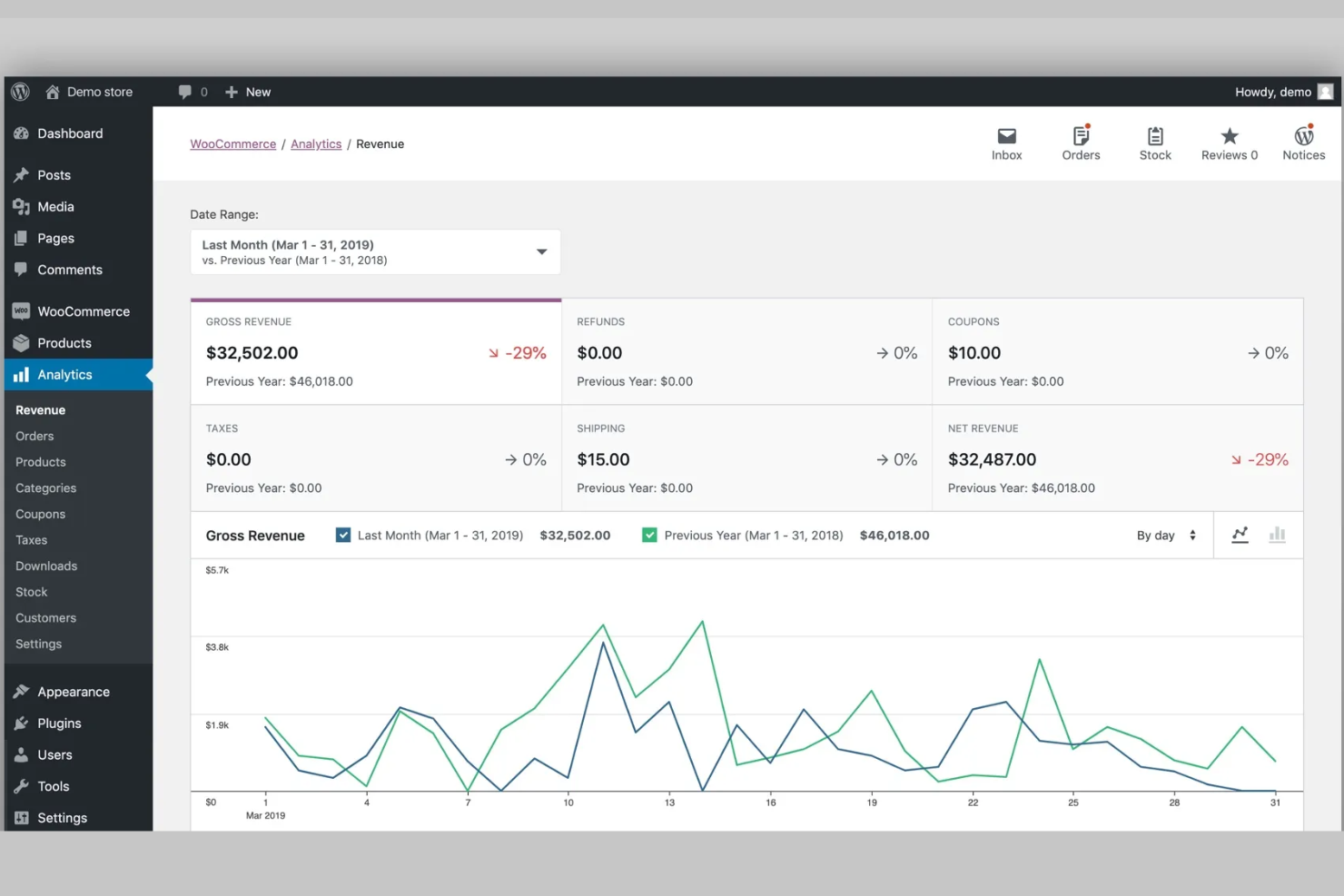
WooCommerce is a flexible ecommerce plugin for WordPress, aimed at businesses looking to build and manage online stores directly from their WordPress sites. It serves small to medium-sized businesses, offering tools for sales, inventory, and customer management.
Why I picked WooCommerce: It integrates seamlessly with WordPress, providing a smooth experience for users familiar with the platform. WooCommerce offers extensive customization options, allowing you to tailor your store to your specific needs. Its open-source nature provides flexibility, enabling developers to extend functionality as needed. The platform's large community and wide range of plugins make it a versatile choice for WordPress users.
Standout features & integrations:
Features include a built-in product management system that lets you organize and showcase your products effectively. The platform supports various payment methods, giving your customers multiple options at checkout. Additionally, WooCommerce offers detailed reporting tools to help you track sales and analyze store performance.
Integrations include PayPal, Stripe, Mailchimp, Square, Google Analytics, Facebook, ShipStation, QuickBooks, WooCommerce Subscriptions, and WooCommerce Bookings.
Pros and Cons
Pros:
- Wide range of plugins
- Large community support
- Seamless WordPress integration
Cons:
- Can be resource-intensive
- Limited out-of-the-box features

Best for Magento/ Adobe Commerce stores

MageNative is a mobile app builder tailored for businesses using Adobe Commerce (formerly Magento), offering tools to create custom mobile shopping experiences. It serves Adobe Commerce store owners who want to expand their reach through mobile apps and improve customer engagement.
Why I picked MageNative: It specializes in Adobe Commerce integration, making it a go-to for those platforms. MageNative provides a drag-and-drop app builder, allowing you to design mobile apps without coding. Its real-time sync with your store ensures that your app reflects the latest updates and inventory changes. The platform's focus on customization helps you create a unique shopping experience for your customers.
Standout features & integrations:
Features include a push notification system to engage customers with updates and promotions. The app builder offers customizable templates to fit your brand's look and feel. Real-time analytics give you insights into customer behavior and app performance.
Integrations include Adobe Commerce, Google Analytics, Firebase, PayPal, Stripe, Mailchimp, Yotpo, Zendesk, Shopify, and WooCommerce.
Pros and Cons
Pros:
- Real-time store sync
- Drag-and-drop app builder
- Specializes in Adobe Commerce integration
Cons:
- May need technical support
- Limited design flexibility


VTEX is an ecommerce platform designed for businesses looking to integrate online and offline sales channels. It primarily serves retailers and brands aiming to enhance their omnichannel capabilities and customer experiences.
Why I picked VTEX: It offers a unified commerce solution that supports both online and in-store sales, making it ideal for omnichannel retail needs. VTEX provides features like order management and inventory synchronization across channels, ensuring your team can manage sales efficiently. Its ability to handle complex scenarios like multi-brand and multi-country operations adds to its versatility. The platform's focus on enhancing customer experience through integrated commerce solutions sets it apart.
Standout features & integrations:
Features include advanced order management that lets you track and fulfill orders from multiple channels. Inventory synchronization ensures you have real-time stock visibility across all sales points. The platform also offers a customizable checkout process to enhance customer satisfaction.
Integrations include Salesforce, SAP, Microsoft Dynamics, Oracle, Shopify, Magento, Amazon, Google Analytics, PayPal, and Stripe.
Pros and Cons
Pros:
- Enhances customer experience
- Customizable checkout process
- Strong inventory synchronization
Cons:
- Requires technical expertise
- High initial cost


SAP Commerce Cloud is a comprehensive ecommerce platform designed for large enterprises seeking to manage complex digital commerce operations. It serves businesses that require robust tools for handling sales, customer interactions, and inventory across multiple channels.
Why I picked SAP Commerce Cloud: It offers extensive capabilities tailored for enterprise-level needs, making it a suitable choice for large organizations. The platform supports complex B2B and B2C scenarios, allowing you to manage diverse customer interactions. Its scalability ensures you can handle high volumes of transactions and data. SAP Commerce Cloud's focus on providing a unified commerce experience differentiates it as a top choice for enterprises.
Standout features & integrations:
Features include advanced order management that helps your team streamline fulfillment across multiple channels. The platform's personalization tools allow you to tailor experiences for different customer segments. Additionally, SAP Commerce Cloud offers powerful analytics to provide insights into sales performance and customer behavior.
Integrations include SAP S/4HANA, SAP ERP, Microsoft Dynamics 365, Salesforce, Adobe Experience Manager, Google Analytics, PayPal, Stripe, Amazon, and eBay.
Pros and Cons
Pros:
- Unified commerce experience
- Scales for high transaction volumes
- Supports complex B2B scenarios
Cons:
- Limited for smaller-scale operations
- Steep learning curve


commercetools is a cloud-based platform designed for businesses looking to embrace headless commerce architecture. It caters to developers and enterprises seeking flexibility and customization in their ecommerce solutions.
Why I picked commercetools: It excels in providing an API-first approach, allowing your team to build custom commerce experiences. The platform's microservices architecture supports scalability and adaptability, crucial for businesses with unique needs. commercetools offers a wide range of APIs that facilitate integration with various channels and devices. Its focus on headless commerce empowers you to innovate without being tied to a specific frontend.
Standout features & integrations:
Features include a flexible pricing engine that lets you create complex pricing models. The product information management system helps you organize and manage product data efficiently. The promotion engine allows you to craft targeted marketing campaigns to boost sales.
Integrations include SAP, Adobe Experience Manager, Salesforce, Microsoft Dynamics, Shopify, Magento, WooCommerce, BigCommerce, Contentful, and Algolia.
Pros and Cons
Pros:
- Strong API support
- Supports headless architecture
- Highly customizable platform
Cons:
- Requires developer resources
- Steep learning curve


Elastic Path is a headless commerce platform designed for businesses seeking flexibility and customization in their ecommerce solutions. It primarily serves enterprises and developers focused on creating unique digital commerce experiences.
Why I picked Elastic Path: It emphasizes headless commerce, allowing your team to decouple the frontend and backend for more creative freedom. Elastic Path offers a rich set of APIs that enable you to build personalized customer experiences across various touchpoints. Its modular architecture supports scalability and adaptability, essential for businesses with complex requirements. The platform's emphasis on API-driven commerce makes it a strong choice for those looking to innovate without traditional constraints.
Standout features & integrations:
Features include a flexible pricing engine that lets you create tailored pricing strategies. The catalog management system helps you organize products efficiently across multiple channels. The promotion engine allows you to design specific campaigns to boost engagement.
Integrations include Adobe Experience Manager, Salesforce, SAP, Microsoft Dynamics, Contentful, Algolia, PayPal, Stripe, Google Analytics, and AWS.
Pros and Cons
Pros:
- Modular and adaptable design
- Highly customizable API architecture
- Supports complex commerce scenarios
Cons:
- Requires technical expertise
- High cost of entry


SHOPLINE is an ecommerce platform tailored for businesses targeting Asian markets, offering tools for online store creation and management. It primarily serves small to medium-sized businesses looking to expand their reach in Asia, providing localized solutions for various business needs.
Why I picked SHOPLINE: It caters specifically to Asian markets, providing localized support and features. SHOPLINE offers multi-currency and multi-language options, essential for businesses targeting diverse regions. Its marketing tools, including social media integration and analytics, help you connect with your audience effectively. The platform's focus on localization and regional support makes it a strong choice for businesses in Asia.
Standout features & integrations:
Features include a built-in marketing suite that helps you run promotions and campaigns. The platform supports mobile responsiveness, ensuring your store looks great on any device. Additionally, SHOPLINE provides a dashboard with analytics to track sales and customer behavior.
Integrations include Facebook, Instagram, Google Analytics, PayPal, Stripe, WhatsApp, Line, WeChat, Alipay, and Shopify.
Pros and Cons
Pros:
- Effective marketing tools
- Multi-currency options
- Strong localization support
Cons:
- Requires regional expertise
- Limited global reach


Tapcart is a mobile app platform designed specifically for Shopify brands, focusing on enhancing customer engagement and driving sales. It offers a user-friendly app builder and tools for creating custom mobile storefronts.
Why I picked Tapcart: It stands out for its specialization in Shopify user needs. Tapcart offers a drag-and-drop app builder, making it easy for your team to design and launch apps without needing extensive technical skills. The platform's push notifications and analytics tools allow you to engage customers effectively, especially during peak shopping events. Its focus on Shopify integration ensures a seamless experience for users of that platform.
Standout features & integrations:
Features include a customizable app builder that lets you design your app without coding. Push notifications are available to keep your customers engaged and informed. The analytics tools provide insights into customer behavior, helping you make data-driven decisions.
Integrations include Shopify, Mailchimp, Klaviyo, Recharge, Yotpo, Gorgias, Loox, Smile.io, Zendesk, and Attentive.
Pros and Cons
Pros:
- Detailed analytics tools
- Effective push notifications
- Easy app customization
Cons:
- Customization constraints
- Limited to Shopify users


Appbrew is a mobile app builder that caters to businesses looking to create customized ecommerce apps. It primarily serves ecommerce brands and developers focused on delivering unique mobile shopping experiences.
Why I picked Appbrew: It offers extensive customization options, allowing your team to tailor apps to your brand's specific needs. Appbrew provides a user-friendly drag-and-drop interface, making it accessible even for those without technical expertise. The platform's real-time updates ensure that your app always reflects the latest products and promotions. Its focus on customization and flexibility makes it a great choice for brands wanting to stand out in the mobile ecommerce space.
Standout features & integrations:
Features include a dynamic content management system that allows you to update app content on the fly. The analytics dashboard provides insights into user behavior and app performance. Additionally, the platform supports multi-language and multi-currency options to cater to a global audience.
Integrations include Shopify, WooCommerce, Magento, Google Analytics, Firebase, Mailchimp, Stripe, PayPal, Salesforce, and Zendesk.
Pros and Cons
Pros:
- Real-time app updates
- User-friendly interface
- Extensive customization options
Cons:
- Requires regular content updates
- Limited third-party integrations
Other Mobile Ecommerce Software
Here are some additional mobile ecommerce software options that didn’t make it onto my shortlist, but are still worth checking out:
- Apptile
For app marketing
- Wix eCommerce
For beginners
- Squarespace
For design-focused stores
- Adobe Commerce
For B2B solutions
- MobiLoud
For WordPress sites
- Salesforce Commerce Cloud
For customer experience
- appmaker.xyz
For Shopify extensions
- Shopgate
For omnichannel sales
- GoodBarber
For app publishing
- Shopney
For theme customization
- Vajro
For live video selling
- JMango360
For mobile-first design
- Shop2App
For Shopify integration
- Poq
For app analytics
- Mowico
For AR features
- Shoutem
For drag-and-drop builder


How I Evaluate Mobile Ecommerce Software
I split my evaluation into two layers: the baseline capabilities a tool must have to qualify, and the differentiators that set the best options apart for specific use cases.
Core Functionality (Table Stakes for This List)
These core capabilities serve as the acceptance criteria for inclusion on my list of mobile e-commerce software:
- Mobile Storefront Builder: I check whether each platform supports native iOS, Android, and PWA storefronts with catalog sync, not just a mobile-responsive web wrapper.
- Mobile Checkout & Payments: Apple Pay, Google Pay, and one-tap purchasing are table stakes—I evaluate wallet support, saved payment methods, and in-app flow quality.
- Push Notifications & Engagement: I look for segmented push, abandoned cart triggers, and back-in-stock alerts, since broadcast-only messaging won't move the needle on retention.
- Ecommerce Platform Integration: Real-time sync of products, inventory, customers, and orders with backends like Shopify, BigCommerce, or Magento is what I evaluate here.
- Mobile Analytics & Attribution: Funnel conversion, cohort retention, and campaign-level revenue attribution matter—I check whether reporting goes beyond basic install counts.
- App Personalization & Merchandising: Dynamic product recommendations and segmented content blocks tailored to mobile behavior are what separate a storefront from a static catalog.
I rank each vendor on a scale from 0 (does not offer the functionality) to 5 (excels in this area) for each criterion.
Vendors need to achieve a minimum average score to be considered for inclusion on my list. From there, I consider what sets each platform apart.
Differentiating Factors (What Sets Vendors Apart)
Once I've curated my list, here's how I contrast and compare different vendors in the mobile e-commerce software space:
Standout Features
A visual app builder lets non-technical teams design and update apps without developer support, which is ideal for fast-paced brands. I also pay close attention to native live shopping or video commerce features, since those can drive higher engagement in fashion and beauty. Augmented reality product visualization stands out for categories like furniture or eyewear, while AI-powered search and discovery support personalized self-serve shopping, especially for stores with huge catalogs.
Beyond Features
Pricing model matters here—I evaluate whether a vendor charges flat SaaS fees or takes a revenue share, since GMV-based pricing can eat into margins during peak seasons. Time-to-launch is another big one; brands running a product drop or seasonal campaign need to go from signup to a live App Store listing fast. I also look at ecosystem depth, specifically integrations with MMPs like AppsFlyer or Branch and connectivity to CDPs, review platforms, and helpdesk tools that most DTC teams already rely on.
What is Mobile Ecommerce Software?
Mobile ecommerce software is a set of tools that lets you run your online store, process orders, and manage sales directly from smartphones and tablets.
It’s built for retailers, brands, and entrepreneurs who need to reach customers wherever they are—especially those who shop on their phones.
With mobile ecommerce software, you can create a seamless shopping experience, from browsing to checkout, all optimized for smaller screens and on-the-go shoppers.
These platforms solve common headaches like slow load times, clunky checkouts, and inventory sync issues, helping you boost conversions and keep your store competitive in a mobile-first world with the best ecommerce apps.
How to Choose Mobile Ecommerce Software
Picking the right mobile ecommerce software isn’t about grabbing the biggest name or trendiest app. It’s about finding a platform that fits your online store’s needs, budget, and sales goals—without slowing you down. Focus on what matters for your business, and don’t get distracted by endless features or confusing plans.
| Step | What to look for |
|---|---|
| Identify must-have features | List your essentials: mobile checkout, real-time analytics, integrations, and payment options. |
| Set your budget | Consider monthly fees, add-on costs, and scalability for your ecommerce business. |
| Check integrations | Make sure the platform connects with your current tools—like inventory, marketing, and payment gateways. |
| Test user experience | Demo the dashboard, storefront, and checkout on real devices for true ease of use. |
| Assess support and security | Look for responsive customer support, security safeguards, and clear SLAs. |
| Plan for growth | Choose a scalable platform that grows with your sales channels and customer base. |
Features
Choosing the right mobile ecommerce software comes down to the features that keep your online store running smoothly and growing fast.
Here’s what you should look for to build a modern, user-friendly, and high-converting shopping experience.
- Mobile-optimized storefronts. Deliver a seamless shopping experience for customers using smartphones and tablets.
- Integrated payment gateways. Accept credit cards, PayPal, digital wallets, and more—no third-party headaches.
- Real-time inventory management. Sync product availability across your online store and sales channels.
- Customizable templates and themes. Design your ecommerce site to match your brand—no coding required.
- Push notifications and messaging. Engage shoppers with updates, promos, and order alerts right on their devices.
- Analytics dashboard. Monitor sales, track customer behavior, and optimize your mobile app or website for better results.
- Multichannel selling. List and manage products on marketplaces, social media, and your own ecommerce platform.
- SEO tools. Improve your search engine ranking and drive organic traffic to your ecommerce website.
- Secure mobile checkout. Protect customer data with SSL certificates and PCI-compliant payment processing.
- App store integrations. Expand functionality with third-party apps, plugins, and advanced features.
Benefits
Mobile ecommerce software isn’t just about running your store from a phone—it’s about unlocking real advantages that drive sales, save time, and keep your business ahead of the competition.
Here’s what you stand to gain:
- Increase sales from mobile shoppers. Reach more customers where they spend their time—on smartphones.
- Streamline operations. Manage orders, inventory, and marketing from one dashboard, saving time and reducing errors.
- Boost conversion rates. Offer fast, user-friendly checkout experiences that reduce abandoned carts.
- Enhance customer engagement. Use push notifications, loyalty programs, and social media tools to keep shoppers coming back.
- Scale your online business. Grow your ecommerce store without outgrowing your software, thanks to scalable plans and integrations.
- Strengthen your brand presence. Customize your storefront and mobile app for a consistent, professional look across channels.
- Protect customer data. Rely on built-in security features to keep payment information and customer records safe.
- Gain actionable insights. Use analytics to track performance, spot trends, and make smarter marketing and product decisions.
Costs & Pricing
Pricing for mobile ecommerce software varies widely depending on your online store’s size, the features you need, and the platform’s capabilities.
Expect monthly fees, transaction costs, and possible add-ons for advanced features or integrations. Always read the fine print—hidden fees can pop up fast if you scale quickly or want extra functionality.
| Plan | Average price | Common features | Best for |
|---|---|---|---|
| Free Plan | $0 | Basic product listings, limited payment options, basic support | New entrepreneurs, testing |
| Personal Plan | $5–$25/month | Customizable templates, basic analytics, email support | Small stores, simple needs |
| Business Plan | $30–$100/month | Advanced analytics, multichannel selling, payment processing | Growing online businesses |
| Enterprise Plan | $150–$500+/month | Dedicated account management, advanced security, full customization | Large brands, complex operations |
A few things to keep in mind:
- Transaction fees can add up fast. Some platforms charge per sale or gateway, on top of monthly fees.
- Add-ons and third-party apps often cost extra. Factor these into your total cost of ownership.
- Not all features are available at every plan level. Advanced tools may require a pricey upgrade.
- Annual billing usually brings discounts, but less flexibility.
Mobile Ecommerce Software FAQs
Here are some answers to common questions about mobile ecommerce software:
How do I know if my online store actually needs mobile ecommerce software?
If you’re seeing more traffic from mobile devices, but conversion rates lag behind desktop—or if your checkout and navigation feel clunky on a phone—you’re overdue for a real mobile ecommerce platform. Modern shoppers expect fast, frictionless mobile experiences.
If your competitors are already there, you’re likely losing sales. Upgrading to proper mobile ecommerce software future-proofs your store and meets customers where they are.
Can I migrate my existing products and data to a new platform?
Most top mobile ecommerce software offers migration tools or step-by-step guides for importing product catalogs, customer data, and even order history. Look for platforms with robust import/export features or built-in integrations for your current ecommerce website.
It’s rarely 100% push-button simple, but you shouldn’t have to start from scratch—or lose key data.
How does mobile ecommerce software improve customer experience?
It streamlines every part of the mobile shopping journey—from quick load times and intuitive product pages to simplified checkouts and instant notifications.
Add in features like saved payment methods and one-tap reordering, and you create a shopping environment that makes it easy for customers to buy again and again.
What should I look for in mobile payment processing?
You want secure, flexible options that include credit cards, digital wallets, and regional favorites like PayPal or Apple Pay. Check that your platform uses PCI-compliant gateways and offers fraud protection.
Bonus points for fast payouts and low transaction fees. A clunky or limited payment process will kill sales faster than you think.
Will switching to new mobile ecommerce software disrupt my business?
A well-managed migration shouldn’t grind your online business to a halt. Plan for some setup time, and test everything before launch—especially integrations and checkout flows.
Choose software with strong onboarding, live support, and clear migration paths. Most businesses see a short learning curve, then a noticeable boost in efficiency and sales.
How can I get the most out of my mobile ecommerce platform after launch?
Keep testing and optimizing. Use analytics dashboards to watch sales trends and customer behavior.
Try A/B testing on templates, update product listings, and make use of push notifications or built-in marketing tools. The best results come from regular tweaks—don’t just “set and forget” your online store.