


WooCommerce vs. Squarespace: Detailed Comparison and Expert Reviews for 2026

We review tools independently, and commissions help fund our testing. See our transparency policy, our methodology, or suggest a tool.
If you’re weighing WooCommerce vs. Squarespace, you’re likely searching for the right ecommerce website builder for unique store features against the desire for easy setup and beautiful design. WooCommerce gives you full control and flexibility as an ecommerce website builder, while Squarespace offers a streamlined, all-in-one approach, so choosing between them depends on whether you want deep customization or effortless simplicity. Your decision shapes everything from how quickly you launch to how much you can tailor your customer experience.
In this guide, you’ll get a side-by-side look at both platforms, expert insights, and practical advice to help you pick the ecommerce website builder that fits your goals, resources, and growth plans.
WooCommerce
4.4/5
- Free plan available
- From $0 platform fee; extensions from $29/year
Squarespace

4.6/5
- 14-day free trial
- From $19/month (billed annually)
Why Trust Our Software Recommendations
6,700+
Reviews
20
Industry experts
16+
Evaluation factors
14
Years
Our team has been testing and reviewing software since 2012. As retail leaders ourselves, we know how difficult—and important—it is to choose the right software.
For this guide, we evaluated tools using hands-on testing and independent research, scoring tools using our selection criteria.
Our reviews reflect our independent judgment—not a sales pitch.
| WooCommerce | Squarespace | |
|---|---|---|
| Free Trial | Free plan available | 14-day free trial |
| Pricing | From $0 platform fee; extensions from $29/year | From $19/month (billed annually) |
WooCommerce vs. Squarespace Pricing & Hidden Costs
WooCommerce uses a modular pricing model; you’ll pay for hosting, domain registration, and any premium plugins or themes you add. While the core plugin is free, costs can add up as you customize your store or add advanced features. Squarespace, on the other hand, offers tiered subscription plans that bundle hosting, security, and basic ecommerce features into a single monthly fee. However, you may still encounter extra charges for certain integrations, transaction fees, or premium extensions.
To choose the right pricing model, map out your must-have features and estimate the total cost of ownership over time, including add-ons, payment processing, and potential upgrades. Consider how much flexibility you need, how often you expect to scale or change your store, and whether you prefer predictable monthly billing or the freedom to pay only for what you use.
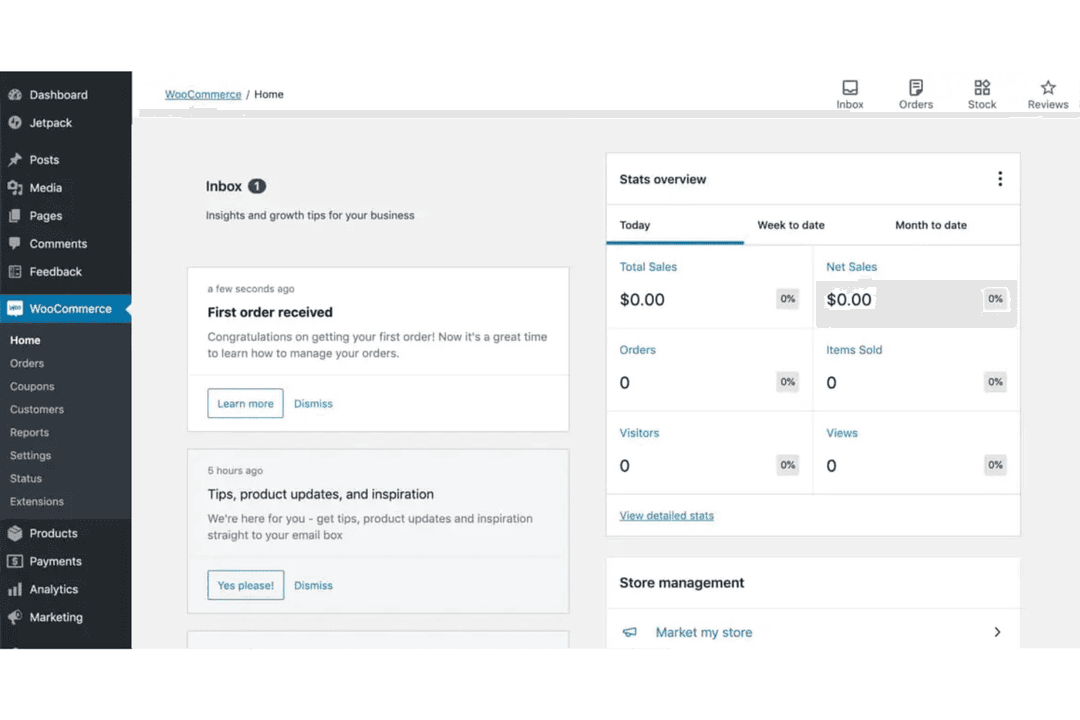
WooCommerce is an open-source ecommerce platform designed for your WordPress site. It gives you granular control over product variations, inventory, and checkout customization, making it a favorite for users who want to fine-tune every aspect of their store. Squarespace stands out for its all-in-one approach to website building and hosting. It has an intuitive drag-and-drop editor and built-in design templates, helping users quickly launch visually polished storefronts without technical hassle.
| WooCommerce | Squarespace | |
|---|---|---|
| A/B Testing | No | No |
| API | Yes | Yes |
| Data Export | Yes | Yes |
| Data Import | Yes | Yes |
| External Integrations | Yes | Yes |
| Multi-User | Yes | Yes |
| Third-Party Plugins/Add-Ons | Yes | Yes |
| Integration | WooCommerce | Squarespace |
|---|---|---|
| IntegrationMailchimp | WooCommerce✅ | Squarespace✅ |
| IntegrationStripe | WooCommerce✅ | Squarespace✅ |
| IntegrationPayPal | WooCommerce✅ | Squarespace✅ |
| IntegrationQuickBooks | WooCommerce✅ | Squarespace❌ |
| IntegrationShipStation | WooCommerce✅ | Squarespace✅ |
| IntegrationGoogle Analytics | WooCommerce✅ | Squarespace✅ |
| IntegrationShopify | WooCommerce❌ | Squarespace❌ |
| IntegrationPrintful | WooCommerce✅ | Squarespace✅ |
| IntegrationAPI | WooCommerce✅ | Squarespace✅ |
| IntegrationZapier | WooCommerce✅ | Squarespace✅ |
WooCommerce offers a wider range of direct integrations, especially with accounting and advanced marketing tools, while Squarespace covers the essentials but has fewer options for specialized workflows. Both platforms offer API and Zapier connections, so you can extend functionality, but WooCommerce’s broader integration library gives you more flexibility out of the box as your business and ecommerce site grows.
| Factor | WooCommerce | Squarespace |
|---|---|---|
| FactorSSL Encryption | WooCommerceRequires SSL to be enabled through your hosting provider or hosting control panel. Many hosts provide free SSL (e.g., Let’s Encrypt), but configuration is your responsibility. | SquarespaceSSL is included automatically for all domains and enabled by default on every Squarespace site. |
| FactorPCI Compliance | WooCommerceWooCommerce itself is not PCI compliant by default. Compliance depends on your hosting environment, site configuration, and payment gateway (e.g., Stripe, PayPal). Store owners share responsibility for meeting PCI requirements. | SquarespaceSquarespace simplifies PCI compliance because payment data is handled by integrated payment processors. Built-in payment integrations are PCI-DSS compliant and sensitive credit card data is not stored on Squarespace servers. |
| FactorData Privacy | WooCommerceStore owners control data storage and must ensure compliance with regulations like GDPR or other privacy laws through plugins, policies, and hosting practices. | SquarespaceSquarespace provides built-in privacy tools (e.g., cookie banners) and infrastructure designed to support compliance with global privacy regulations such as GDPR, though site owners still must configure policies appropriately. |
| FactorUptime & Backups | WooCommerceUptime and backups depend on your hosting provider and chosen plugins. | SquarespaceSquarespace manages uptime and automatic backups for all sites. |
| FactorSecurity Updates | WooCommerceYou must manually update WooCommerce and plugins to stay secure. | SquarespaceSquarespace handles all security updates and patches automatically. |
Squarespace provides a more hands-off approach to security and infrastructure because it is a fully hosted platform that manages SSL certificates, infrastructure security, and system updates automatically.
WooCommerce, by contrast, follows a shared-responsibility model: the platform itself is secure, but the site owner must manage hosting security, updates, backups, and compliance requirements. This makes WooCommerce highly flexible and customizable for businesses that want control over their security stack, while Squarespace is often preferred by users who want a simpler, managed solution with fewer technical responsibilities.
| Factor | WooCommerce | Squarespace |
|---|---|---|
| FactorInitial Setup | WooCommerceRequires installing WordPress, configuring plugins, and choosing hosting. | SquarespaceOffers a guided setup with built-in hosting and ready-made templates. |
| FactorUser Interface | WooCommerceDashboard is powerful but can feel cluttered and technical for beginners. | SquarespaceClean, intuitive interface with drag-and-drop editing for easy changes. |
| FactorOnboarding | WooCommerceMinimal onboarding; relies on community guides and documentation. | SquarespaceStep-by-step tutorials walk you through building your store. |
| FactorOngoing Updates | WooCommerceManual updates needed for plugins and themes. | SquarespaceAutomatic updates keep your site current without extra effort. |
| FactorCustomer Support | WooCommerceSupport varies by plugin and hosting provider; community forums are active. | SquarespaceCentralized support team and live chat available for all users. |
Squarespace is user-friendly for beginners and busy teams, while WooCommerce rewards users who want to invest time in customization and control. WooCommerce shines for those who enjoy tinkering and building unique workflows, but Squarespace’s streamlined experience makes launching and managing a store feel effortless.
WooCommerce
- WooCommerce provides extensive customization capabilities.
- The platform allows for a rich variety of plugins.
- WooCommerce benefits from strong community support and resources.
- Technical knowledge is needed for setup and customization.
- Extensive plugins and high traffic can affect site speed and performance.
- There's a lack of advanced SEO features.
Squarespace
- You can create stunning websites with its beautiful design templates.
- It's easy to use, even if you're not tech-savvy.
- The drag-and-drop interface makes site customization simple.
- Your site customization options are limited compared to some competitors.
- The customer support can be slow and less responsive.
- You might find the onboarding process a bit challenging if you're new to ecommerce.
WooCommerce
- In-House DevelopersOpen-source codebase allows developers to build custom features and workflows.
- International SellersMulti-currency and multilingual plugins help reach global customers.
- NonprofitsCustom donation and fundraising plugins make WooCommerce a fit for nonprofits.
- Content CreatorsSeamless WordPress integration lets bloggers and publishers sell products directly.
- Subscription Box BrandsBuilt-in and third-party plugins support recurring billing and membership models.
- Small RetailersWooCommerce’s low upfront costs and flexibility suit small shops with limited budgets.
Squarespace
- Creative professionalsShow portfolios with visually appealing templates.
- Small business ownersSet up an online store quickly with user-friendly tools.
- PhotographersPresent work beautifully using built-in gallery options.
- ArtistsCreate a sleek online gallery to sell artwork.
- DesignersBuild a professional site with modern, clean aesthetics.
- BloggersEasily craft and manage content with built-in blogging features.
Who Should Use WooCommerce, and Who Should Use Squarespace?
WooCommerce is best for teams with an online business that want total control, advanced customization, and the ability to scale or integrate with specialized tools. Think: established retailers, tech-savvy entrepreneurs, or businesses with unique workflows. Squarespace is ideal for small businesses, creative professionals, or anyone who values beautiful design and a quick, hassle-free launch over deep customization. If you want to experiment, tweak, and build a store that’s truly your own, WooCommerce is your playground. If you want to get online fast with minimal fuss and reliable support, Squarespace is the clear winner.
| WooCommerce | Squarespace | |
|---|---|---|
| Automation Options | WooCommerce Supports advanced automation via plugins and integrations. | Squarespace Basic automation is built in, fewer options for complex workflows. |
| Customization Level | WooCommerce More customization options with plugins, themes, and code access. | Squarespace Limited customization in comparison, focused on preset templates and settings. |
| Hosting & Security | WooCommerce You choose and manage your own hosting and security. | Squarespace Hosting and security are fully managed by Squarespace. |
| Pricing Plans | WooCommerce Modular costs for hosting, plugins, and add-ons. | Squarespace All-in-one monthly subscription with bundled features. |
| User Interface | WooCommerce Technical dashboard with many options and settings. | Squarespace Simple, visual editor with drag-and-drop functionality. |
| Analytics Access | Both platforms offer sales analytics and reporting dashboards to help you track performance and trends. |
|---|---|
| Ecommerce Functionality | Both let you sell physical and digital products, handle inventory management, and process payments securely. |
| Marketing Tools | Both provide built-in marketing features like discount codes, email marketing integrations, social media marketing extensions, and SEO features. |
| Mobile Responsiveness | Both offer mobile-friendly storefronts and admin dashboards, so you can manage your store on the go. |
| Third-Party Integrations | Both support integrations with popular tools like Mailchimp, Stripe, and Zapier for extended functionality. |