
The 21 Best Ecommerce Platforms for Canada in 2026

The Top Canadian-Friendly Ecommerce Platforms to Consider
Here's my pick of the 10 best software from the 21 tools reviewed.


The best ecommerce platforms for Canada make it easy to sell online by supporting Canadian currency, local regulations, local shipping carriers, and French or English language options, so you can run your store smoothly from coast to coast.
With over a decade of experience in ecommerce and retail—covering everything from logistics and marketing to page design—I know what it takes to build a successful online store in Canada and beyond.
In this article, I’ll share the top platforms tailored for Canadian merchants—helping you pick the right fit for your business and your customers.
Why Trust Our Software Reviews
Comparing the Best Ecommerce Platforms for Canada, Side-by-Side
Let’s see how these platforms stack up on pricing, trial info, and use cases before getting into the reviews.
| Tool | Best For | Trial Info | Price | ||
|---|---|---|---|---|---|
| 1 | Best for built-in SEO tools | Free plan available | From $17/month | Website | |
| 2 | Best for embeddable storefronts | Free plan available | From $14.08/month (billed annually) | Website | |
| 3 | Best for omnichannel selling | 3-day free trial available | From $19/month (billed annually) | Website | |
| 4 | Best for integrating with WordPress websites | Free plan available | From $10/month | Website | |
| 5 | Best for multilingual and multicurrency support | 14-day free trial | Free for open source/hosted from $34/month | Website | |
| 6 | Best lightweight and fast ecommerce platform | Free plan available | OpenCart is free to use | Website | |
| 7 | Best headless commerce tool | Free demo | Pricing upon request | Website | |
| 8 | Best for creating ecommerce marketplaces | Free demo available | From $499/month | Website | |
| 9 | Best for a built-in CRM | 14-day free trial | From $35/month | Website | |
| 10 | Best artist-friendly ecommerce platform | Free plan available | From $0/month | Website |
The Best Ecommerce Platforms In Canada, Reviewed
Now for our reviews. Here, we’ll dig into why I picked the platform, key features and integrations, as well as pros and cons, so you can find the best Canadian-friendly option for your brand.

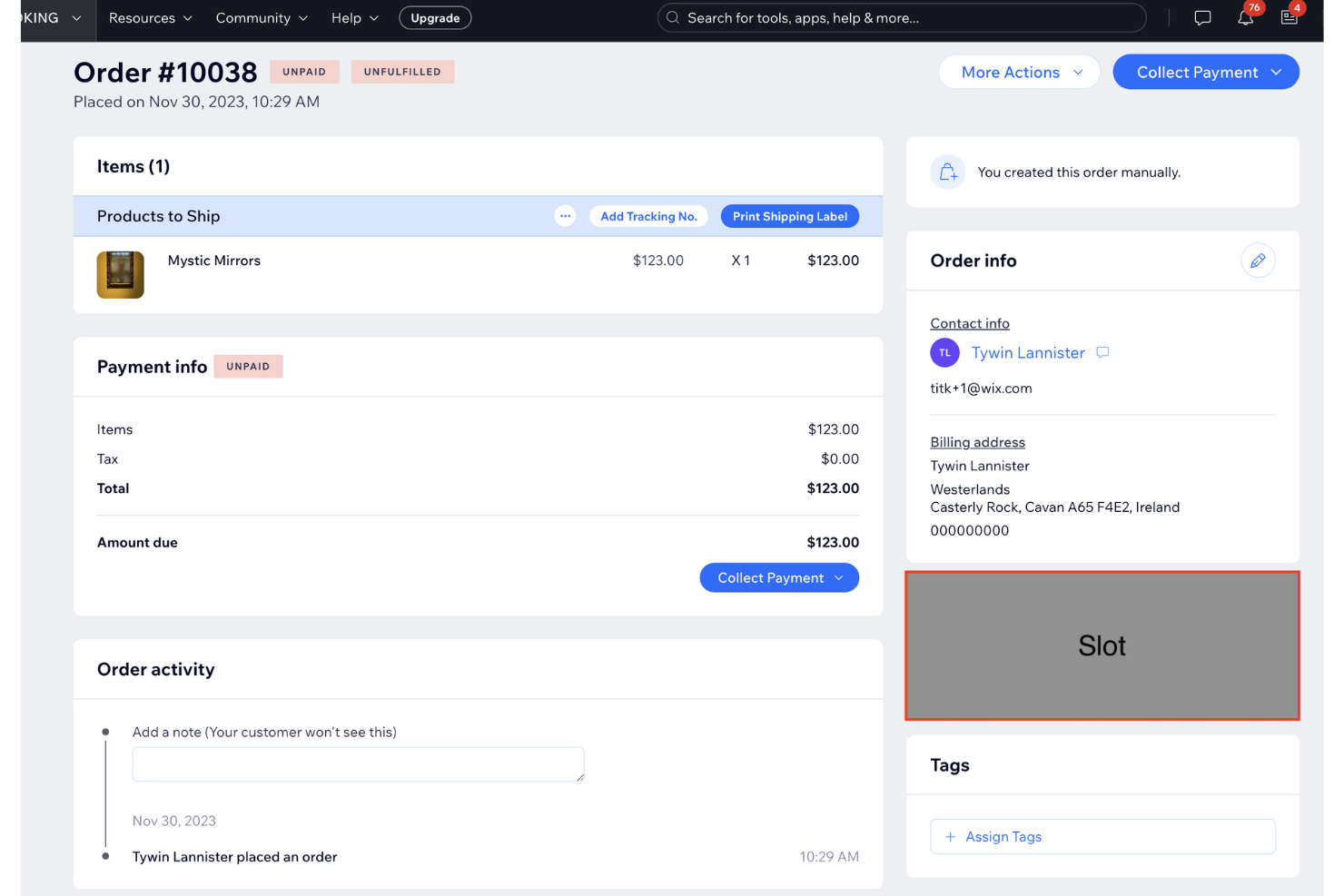
Wix is a versatile website builder that enables you to create a fully customizable online store, whether you're selling physical products, digital goods, or services. With its user-friendly platform, you can design a professional ecommerce website tailored to your brand's unique identity.
Why I picked Wix: I like Wix's multichannel inventory management, which allows you to manage and sync your entire inventory across all sales channels from a single dashboard. This ensures accurate stock levels and prevents overselling, making it easier to track top products and manage out-of-stock items. Additionally, Wix offers built-in SEO tools to boost your store's visibility, providing an actionable SEO setup plan and quick indexing on Google to drive organic traffic to your site.
Wix Standout Features and Integrations
Standout features include product organization, allowing you to arrange items by category, style, or sale, making it easy for customers to browse your store. You can also import and export products using CSV files or dedicated apps. Additionally, Wix enables you to offer store pickup options, giving local customers the flexibility to collect orders in person.
Integrations include Shippo, ShipStation, Easyship, HubSpot, Omnisend, Google Analytics, Meta Pixel, Mailchimp, Google Ads, Privy, VWO, Crazy Egg, Hotjar, and Google Tag Manager.
Pros and Cons
Pros:
- Drag-and-drop website builder
- Built-in SEO tools
- Supports both physical and digital products
Cons:
- Most plans have storage limits
- Once a site is published, switching templates requires starting from scratch

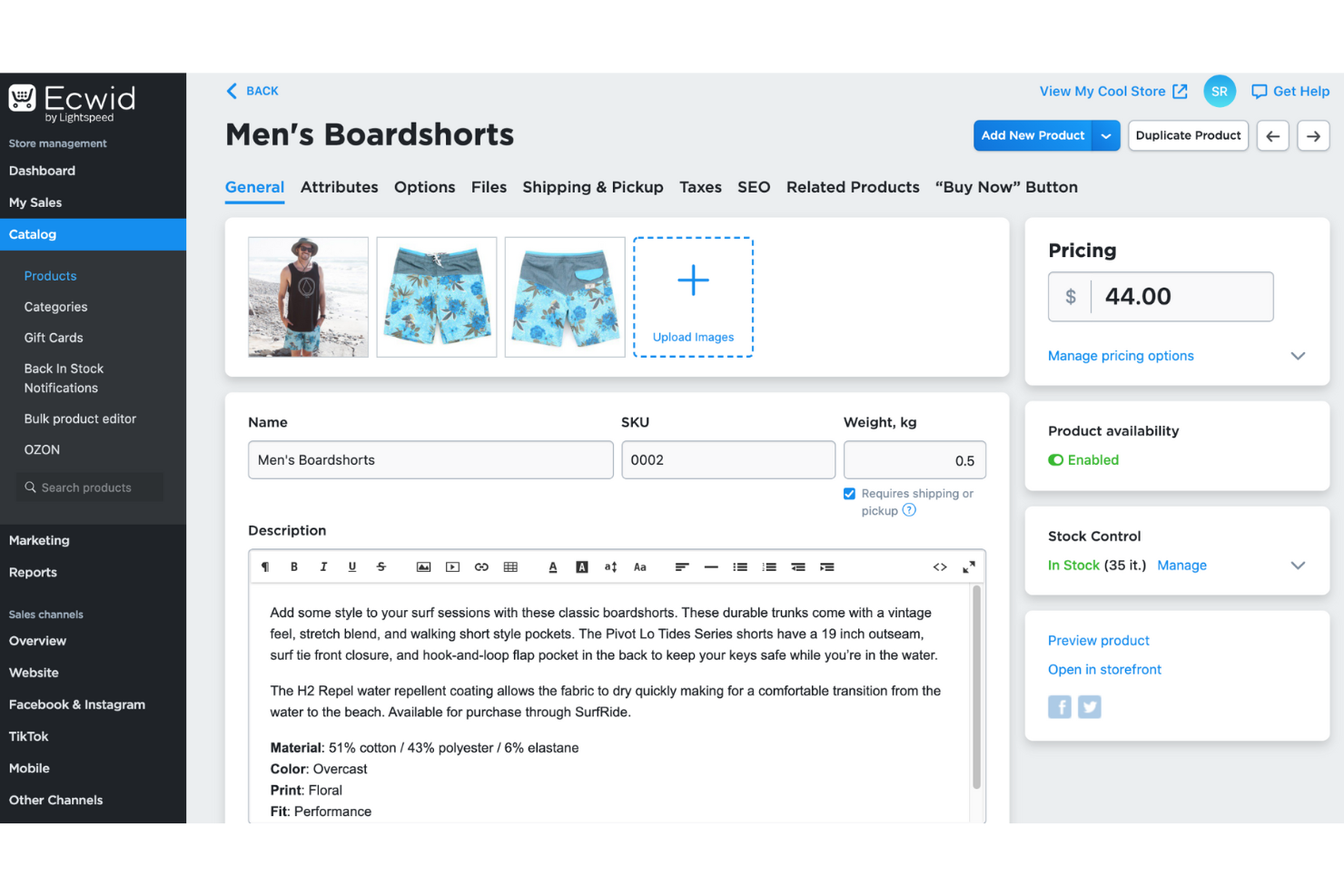
Ecwid allows businesses to embed an ecommerce store directly into existing websites, social media pages, or blogs. This is an ideal option for those looking to add ecommerce capabilities to their current online presence without the need to create a separate website.
Why I picked Ecwid: The name Ecwid might sound a bit unusual for an ecommerce platform, but it stands for ecommerce widget. The name is fitting because Ecwid is meant for existing websites, such as a company page, WordPress blog, or social media profile. If you have a good grasp of HTML, you can embed Ecwid’s code on your website and implement a fully functional ecommerce storefront to show your products without creating an entirely new site.
Ecwid Standout Features and Integrations
Standout features include PCI DSS Level 1 Service Provider security, the highest international payment info exchange security for online stores, and protecting everyone involved in the online selling process. Ecwid also offers an automated tax calculation tool that helps you accurately charge tax rates wherever you sell products online.
Integrations include over 170 native integrations with popular business tools such as Formstack, Google Analytics, LiveChat, Mailchimp, Printful, QuickBooks Online, ShipFusion, Shippo, Tookan, Xero, and other software options. If you need custom connections between Ecwid and your current systems, you can use a paid Zapier account or the platform’s API.
Pros and Cons
Pros:
- Easy to use
- Quick store embedding
- Timely customer support
Cons:
- Finding page elements can be challenging
- No bulk uploading capabilities

Shopify allows online brands to quickly sell products on their online store and various platforms such as Facebook, Instagram, and Pinterest, allowing users to manage multiple sales channels from a single dashboard.
Why I picked Shopify: The platform works best for online ecommerce businesses that sell products across various sales channels. Shopify empowers your brand to showcase its best products on your website and across several channels and marketplaces. Shopify enables you to connect products with platforms such as Amazon, Facebook, Instagram, Etsy, eBay, and Pinterest.
Shopify Standout Features and Integrations
Standout features include all the capabilities ecommerce businesses need to effectively manage their online store, such as an inventory system that simplifies adding, organizing, and editing products - even if you have an extensive product catalog. The backend of your Shopify store will offer many essential capabilities, such as custom order confirmation emails, privacy policy updating, and abandoned cart recovery tools.
Integrations include connections with over 2,600 systems and third-party applications, such as Drip, EasyShip, Gorgias, Klaviyo, Look, Mailchimp, Privy, QuickBooks Online, ShipBob, ShipStation, and other software solutions. You can also create custom integrations between Shopify and your tool stack using Shopify’s API or a paid Zapier account.
Pros and Cons
Pros:
- User-friendly interface
- Many customizable templates
- Straightforward setup process
Cons:
- Steep learning curve for newcomers
- Transaction fees can accumulate


WooCommerce is a WordPress plugin that allows users to turn a WordPress website into a functional ecommerce store. It leverages WordPress’s content management functionality while providing extensive ecommerce capabilities.
Why I picked WooCommerce: If you’re already using WordPress to manage your content and create a website, you can use the WooCommerce plugin to transform your site into an online store. WooCommerce offers extensive product management capabilities, enabling you to sell anything from physical items to digital downloads and subscriptions, all on your WordPress site. The plugin is open-sourced, which means it’s a good fit for businesses of any size.
WooCommerce Standout Features and Integrations
Standout features include the ability to add essential ecommerce components such as tax and inventory management, secure payments, and shipping information. WooCommerce also offers a highly customizable checkout process that will help you increase conversions.
Integrations include connections with over 6,000 third-party applications to help you create an ecommerce store that fits your needs, such as ClickSend, Fishbowl, Google Analytics, Help Scout, Klaviyo, LiveChat, Mailchimp, monday.com, QuickBooks, ShipBob, and other software options.
Pros and Cons
Pros:
- Extensive extension library
- Highly customizable
- Excellent for WordPress users
Cons:
- Advanced features come at an additional cost
- Steep learning curve

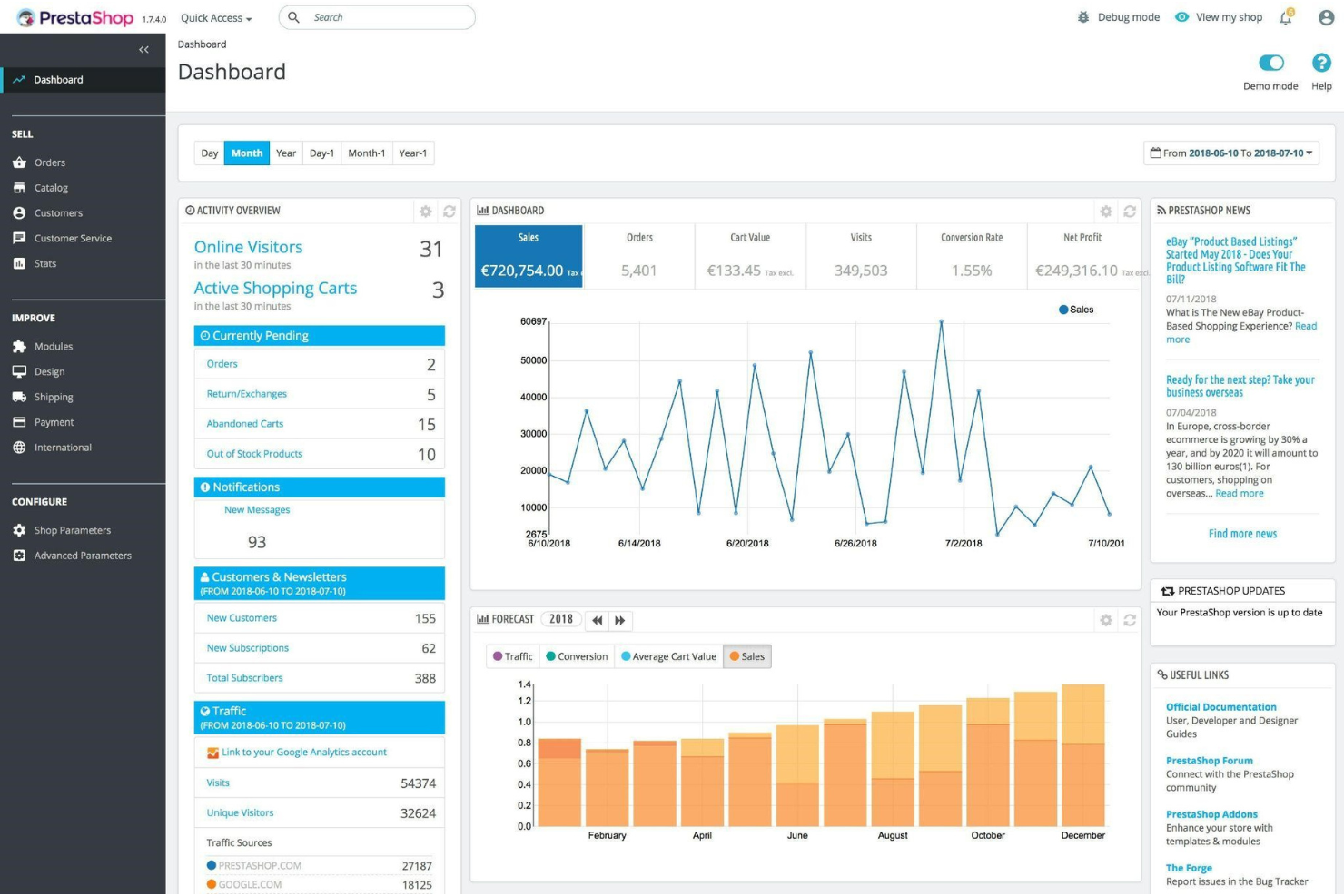
PrestaShop specializes in providing multilingual and multicurrency support for ecommerce brands. It’s an excellent option for Canadian ecommerce businesses looking to sell internationally and cater to a more diverse audience.
Why I picked PrestaShop: I added PrestaShop to this article because it can help you sell products internationally and widen your customer base. With PrestaShop’s multilingual capabilities, you can easily create a multilingual online store that translates your content into more than 65 languages. The platform’s multicurrency solution empowers your business to allow your customers to shop using their local currency.
PrestaShop Standout Features and Integrations
Standout features include tools that give you ownership of your entire store, allowing you to get the data you need when needed. PrestaShop also offers thousands of themes and modules that will help you convert visitors into customers.
Integrations include connections with various third-party applications to add more functionality to your business, such as Hubspot, Icecat Catalog Management, Looker Studio, Odoo, PipeDrive, QuickBooks, Salesforce, SimplBooks, Xero, Zoho CRM, and other software options. You can also use the PrestaShop API or a paid Zapier account if you need to make custom integrations with your tools.
Pros and Cons
Pros:
- Easy to set up
- Supports international sales
- Allows for customization
Cons:
- Many integrations are paid
- Support needs work

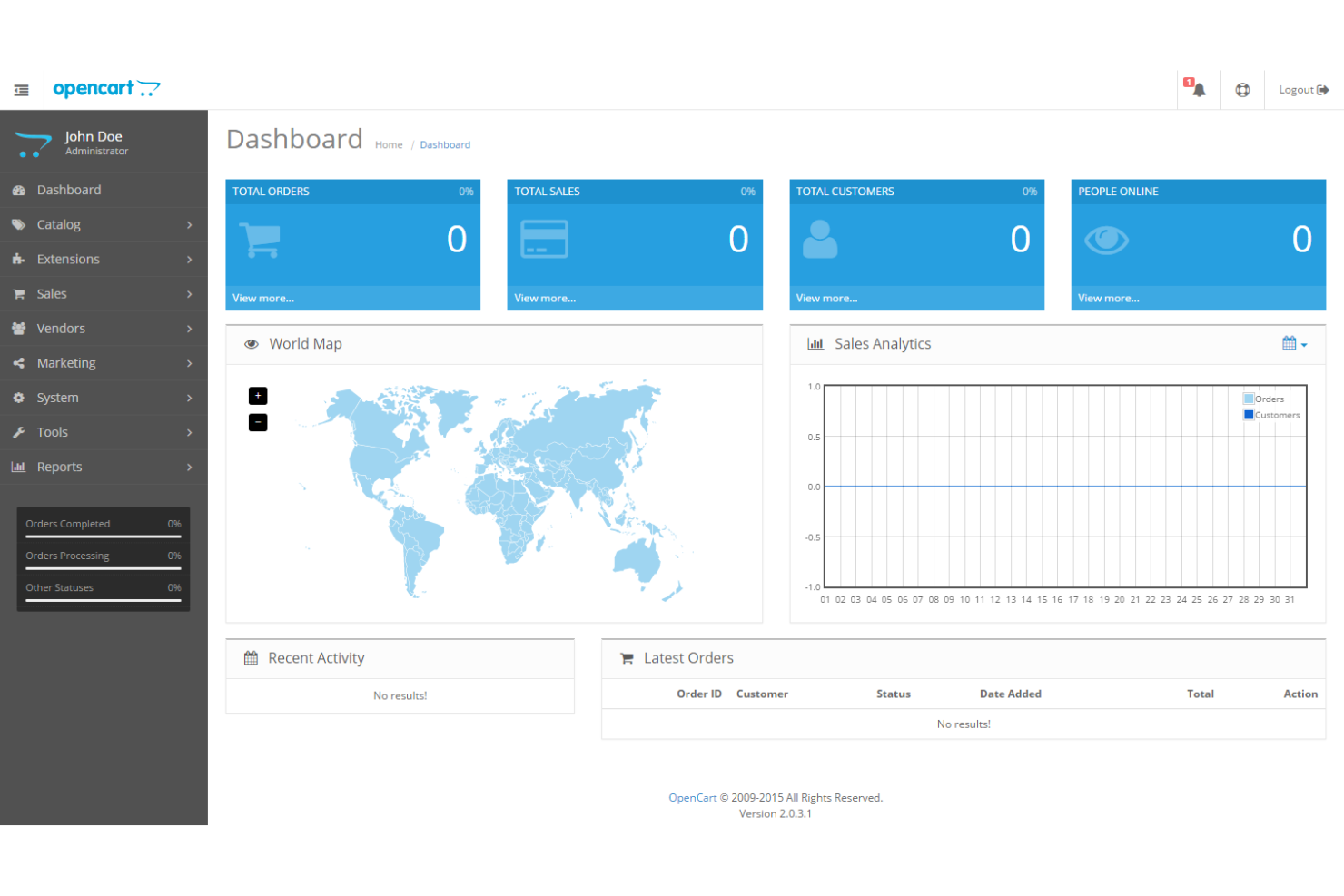
OpenCart is well-known among ecommerce brands for its lightweight and fast site load times. It’s an excellent option for businesses needing a fast, responsive online store without the bulk found in more extensive platforms.
Why I picked OpenCart: The platform is a lightweight and fast open-sourced ecommerce platform that makes it easy for brands to build an online storefront. To use OpenCart, you’ll need some quality web hosting before building your store, which should allow you to get good performance suitable for an ecommerce business. Hosting can play a significant role in your site’s speed and performance when using OpenCart, but because the solution is very lightweight, you can efficiently run the software on a shared hosting environment and get the performance you expect.
OpenCart Standout Features and Integrations
Standout features include simple order management tools that allow you to print packing slips or invoices from the order dashboard. When using OpenCart, you can also add an unlimited number of categories, subcategories, and products.
Integrations include connections with over 13,000 extensions to increase performance, such as Flagship Shipping, Freshchat, HubSpot, Infusionsoft, IntercomChat, Mailchimp, QuickBooks Online, XeroCart, Zendesk, Zoho, and other software options. If you need custom integrations, you can use a paid Zapier account or use the platform’s API.
Pros and Cons
Pros:
- Low continuous development costs
- Thousands of integrations
- Open-sourced and lightweight
Cons:
- Interface needs work
- Self-hosting requires additional maintenance

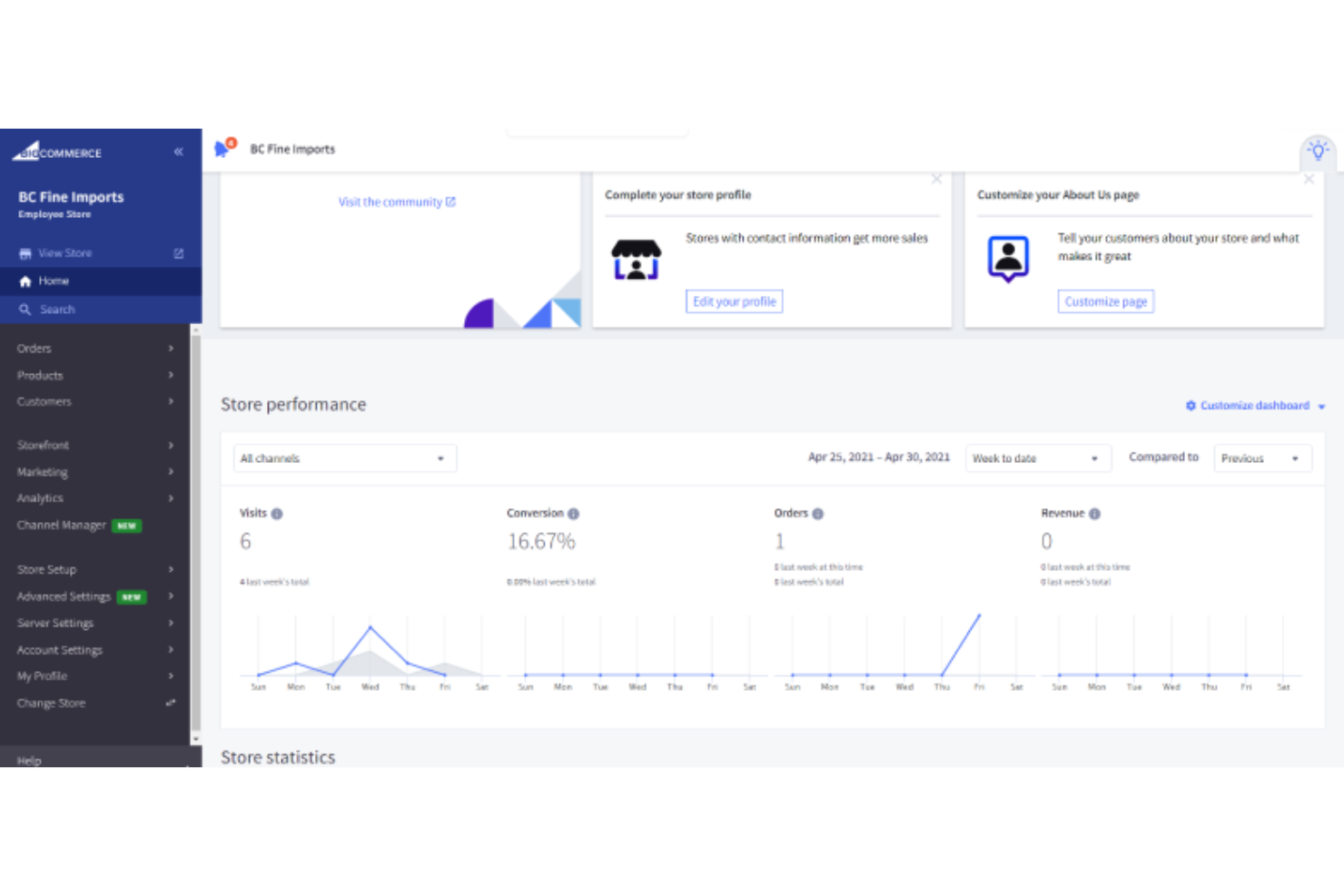
BigCommerce provides businesses with a headless ecommerce solution to separate their front end from their back end. This flexibility helps users create custom, unique online stores while using the platform's extensive ecommerce backend.
Why I picked BigCommerce: Many large enterprise-size ecommerce organizations utilize BigCommerce’s headless capabilities to connect the platforms with multiple frontends, such as a website or mobile site. BigCommerce allows you to use API endpoints to create custom functionality based on your store requirements, including product management, billing, payments, search, and content tools. For example, you can use BigCommerce for administrative and customer data, Drupal to manage content, and Fluent Commerce for order management, all connected through APIs.
BigCommerce Standout Features and Integrations
Standout features include multi-store management tools that empower you to manage all online stores from a single, convenient space. BigCommerce also offers search engine optimization tools that help you get more traffic to your online store.
Integrations include connections with various third-party tools, such as ActiveCampaign, AfterShip Tracking, Brightpearl, Feedonomics, Gorgias, LiveChat, Mailchimp, QuickBooks Online, ShipStation, Twilio Segment, and other software options. You can also create custom integrations with BigCommerce’s API or a paid Zapier account.
Pros and Cons
Pros:
- User-friendly interface
- Good multi-store capabilities
- Excellent search engine optimization tools
Cons:
- Requires coding expertise
- Customer support needs work


X-Cart specializes in helping businesses create multi-vendor ecommerce marketplaces, allowing users to add multiple sellers to list their products on a single platform.
Why I picked X-Cart: If your ecommerce goal is to create a marketplace like Amazon or eBay, using X-Cart will be beneficial. With X-Cart, you can launch a comprehensive marketplace and fine-tune your site to meet your needs, no matter how many vendors, products, or visitors you have. The platform allows you to customize your marketplace however you want by implementing extensions or custom coding.
X-Cart Standout Features and Integrations
Standout features include many built-in capabilities, such as multicurrency support and tax calculations based on location. You can also take advantage of the platform’s customer group management tool to help you create various prices for different groups.
Integrations include connections with various third-party tools to help you reach more buyers and efficiently manage operations, such as Feedonomics, Heap, Hubspot, Kissmetrics, Klaviyo, LiveChat, Mailchimp, Moosend, Oracle Eloqua, Salesforce, and other software options. You can also create custom integrations by using X-Cart’s API or a paid Zapier account.
Pros and Cons
Pros:
- Native multi-vendor capabilities
- Highly customizable
- No transaction fees
Cons:
- Navigation can be challenging
- Not suitable for small businesses

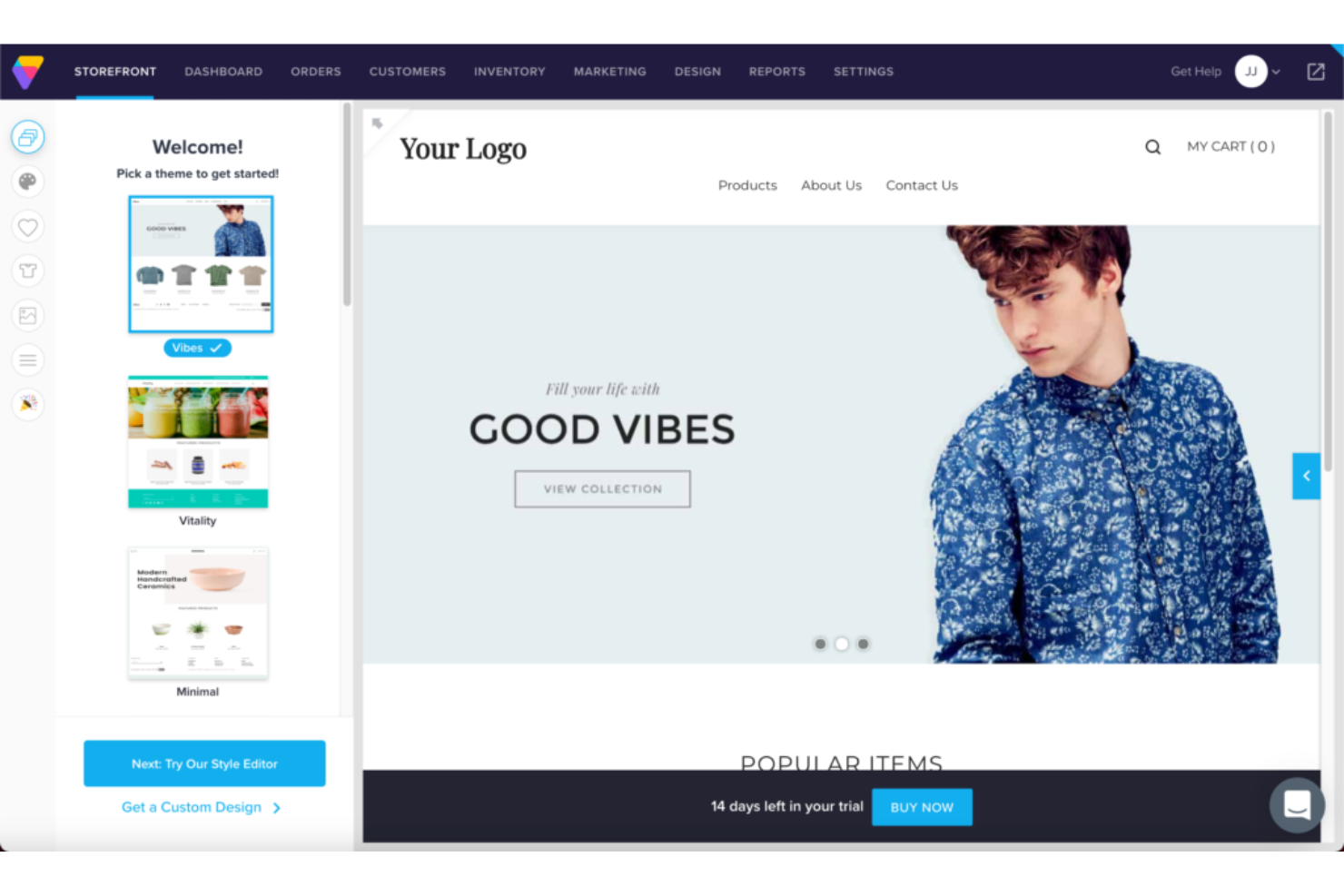
Volusion provides ecommerce businesses with a built-in CRM system, which helps manage and track customer interactions so they can provide more personalized experiences and support.
Why I picked Volusion: I added Volusion for consideration because it offers a customer relationship management system to help you communicate with customers, get an overview of order histories, and track support inquiries. With Volusion, using their CRM allows you to manage customer interactions, track buying histories, and collect customer behavior data. The built-in CRM will help you get comprehensive insights into customers, create targeted marketing campaigns, improve support, and tailor future product offerings.
Volusion Standout Features and Integrations
Standout features include customizable website layouts that enable you to create an online store that allows customers to shop on your store from their desktop or mobile devices. Volusion also provides cross-selling functionality that helps you sell products across other channels and manage all orders from a single dashboard.
Integrations include connections with over 80 business systems, such as AccessiBe, Answerbase, DataFeedWatch, LiveChat, Mailchimp, POWR Comments, Privy, QuickBooks Online, Rejoiner, Shipwire, and other software options. You can also use Volusion’s API or a paid Zapier account if you need custom integrations with your tool stack.
Pros and Cons
Pros:
- Easy to use
- Advanced built-in CRM
- Simple setup for beginners
Cons:
- Can be glitchy
- Support needs work


Big Cartel is a unique ecommerce platform because it has the ability to empower artists and creative entrepreneurs.
Why I picked Big Cartel: Designed specifically for artists and makers, Big Cartel is an excellent option if you’re operating a creative business. It provides a simple way for you to market and sell your work of art without the challenges you’d typically face with more complicated ecommerce solutions. Big Cartel allows you to quickly set up your online store, customize it to match your brand, and handle payments.
Big Cartel Standout Features and Integrations
Standout features include several customizable, mobile-friendly store themes you can edit using the simple visual editor without coding expertise. Big Cartel also offers an intuitively designed dashboard that simplifies processes such as adding products, creating discounts, and managing customer orders.
Integrations include a few native third-party connections to help you manage your store efficiently, such as Dext, Google Analytics, LiveChat, Lucky Orange, Mailchimp, Printful, Pulley, ShipRobot, ShipStation, Stripe, and other software options. You can also create custom integrations with the platform’s API or a paid Zapier account.
Pros and Cons
Pros:
- Allows quick store edits
- Simple store setup
- Created for artists and creatives
Cons:
- Restricts the number of payment gateways
- Fewer built-in features compared to other options
Other Ecommerce Platform Options for Canadians
Because many ecommerce platforms will help you build your online store, it’s worth adding more options for your consideration. Here, you’ll find additional ecommerce platforms you can use when operating your business in Canada.
- Magento Commerce
For scalability and customization
- Square Online
For integrated payment processing
- Weebly
Drag-and-drop store builder
- Squarespace
For stunning design templates.
- 1ShoppingCart
For comprehensive marketing tools.
- LemonStand
For mobile device experiences.
- PinnacleCart
For search engine optimization capabilities.
- Miva
For built-in merchant services.
- CS-Cart
For creating mobile commerce applications.
- ZenCart
Open-source ecommerce platform.
- UltraCart
For subscription management.


Our Selection Criteria For Ecommerce Platforms for Canada
When I review ecommerce platforms for Canadian business owners, I zero in on the features and factors that actually move the needle—especially for those selling north of the border. Here’s how I weigh what matters most:
Core functionality (40% of total score)
If a platform can’t handle these basics, it’s out.
- Easy website and storefront creation, no headaches.
- Solid product catalog management with images, variants, and real-time pricing.
- Canadian essentials: .ca domain support, CAD pricing, bilingual options, tax and privacy compliance.
Key features and flexibility (25% of total score)
I look for tools that help you sell more, automate busywork, and stay nimble.
- Customizable templates, drag-and-drop builders, mobile optimization.
- Built-in SEO and marketing tools, social media selling, abandoned cart recovery.
- Real-time inventory tracking, returns management, local shipping integrations.
Integrations and scalability (15% of total score)
No store is an island—everything needs to work together and grow with you.
- Out-of-the-box integrations with accounting, POS, shipping, and marketing apps.
- Support for Canadian payment methods—credit card, Interac, PayPal.
- Multichannel selling and API access for when you’re ready to level up.
Support and usability (10% of total score)
I want you up and running fast, with help when you need it.
- No-code setup that doesn’t require a developer on speed dial.
- Responsive customer support by chat, email, or phone, with Canada-relevant documentation.
Pricing and transparency (10% of total score)
No surprises, no gotchas—just the numbers, please.
- Clear, published pricing and honest transaction fee disclosures.
- Free trials or demos so you can kick the tires before you buy.
What is a Canadian Ecommerce Platform?
Ecommerce platforms for Canada are online tools that let you set up and run a store tailored to Canadian shoppers.
Retailers, small business owners, and entrepreneurs use these to list products, accept payments in Canadian dollars, follow local tax rules, and ship within Canada.
It makes selling online in Canada easy, whether you’re just starting or managing an established business.
One notable example is Shopify, a Canadian-born platform that has become a global leader in ecommerce solutions, reflecting the strength and potential of Canadian ecommerce technology.
That said, they don't need to be from Canada to be great picks for Canadian merchants.
How to Choose an Ecommerce Platform for Canada
Picking the right ecommerce platform for your Canadian business doesn’t have to be complicated—but it pays to be methodical.
Here’s a no-nonsense decision framework to help you choose a solution that fits your needs, budget, and growth plans.
| Step | What to do | Pro tip |
|---|---|---|
| 1. Define your needs | List your must-have features—think CAD pricing, bilingual support, inventory size, and integration with Canadian payment gateways. | Prioritize what actually drives sales and saves time for your team. |
| 2. Set your budget | Consider not just monthly fees but transaction costs, add-ons, and payment processing rates. | Free trials are your friend—test-drive platforms before committing. |
| 3. Evaluate usability | Try the setup process, drag-and-drop tools, and storefront templates. | If you can’t launch a basic store in under an hour, move on. |
| 4. Check local compliance | Make sure the platform supports Canadian tax rules, shipping carriers, and privacy requirements. | Ask vendors about real-world examples with other Canadian merchants. |
| 5. Plan for growth | Look for multichannel selling, easy integrations, and scalable plans. | Pick a platform that can handle in-person, online, and mobile sales as your business expands. |
Key Features of the Best Ecommerce Platforms for Canada
Here’s what I look for in a platform built for serious Canadian ecommerce—not just generic bells and whistles, but features that make a real difference for online retailers here.
- CAD pricing and local tax support. Accept payments in Canadian dollars and automate GST/HST/PST calculations for compliance and customer trust.
- Bilingual store capabilities. Support for English and French storefronts so you can reach all Canadian shoppers and stay competitive.
- Canadian payment and shipping integrations. Seamless connections to Interac, PayPal, Stripe, and top carriers like Canada Post, Purolator, and FedEx.
- Mobile-optimized storefronts. Your online store and checkout must look and work great on every device Canadians actually use.
- Drag-and-drop website builder. Build and launch a professional ecommerce site—no code, no developers, just results.
- Robust inventory and order management. Real-time product tracking, automated stock alerts, and easy order processing for in-store, curbside, or online fulfillment.
- SEO and marketing tools built in. Control meta tags, sitemaps, Google Analytics, social media selling, and more—so new customers find your store.
- Multichannel and omnichannel selling. Sell on your site, Amazon, eBay, Facebook, Instagram, and in-person—all from a single dashboard.
- Customizable templates and branding. Launch with stunning, mobile-friendly templates you can truly make your own.
- Secure checkout and data protection. PCI compliance, SSL certificates, and privacy controls to keep customer info safe and your business reputable.
Top Benefits of Using a Canadian Ecommerce Platform
Choosing the right ecommerce platform isn’t just about ticking boxes—it’s about making your life as a business owner easier and helping your store thrive.
Here’s what the best platforms deliver for Canadian retailers:
- Seamless Canadian transactions. Accept CAD, automate taxes, and integrate with Canadian banks and payment gateways—no extra steps or confusion for you or your customers.
- Reach more shoppers. Bilingual capabilities and local shipping options let you sell to everyone, coast to coast, in both official languages.
- Lower operational costs. Eliminate expensive custom builds and manual workarounds with built-in tools for order management, shipping, and compliance.
- Grow without limits. Easily scale up to multichannel, in-person, and cross-border sales—without switching platforms as you expand.
- Boosted visibility and traffic. Built-in SEO and marketing integrations help you get found in search, social, and local online shopping channels.
- Simple, fast store launches. No-code site builders and customizable templates mean you can get selling—often in hours, not weeks.
- Reliable support, Canadian style. Get real answers from teams that understand the Canadian ecommerce landscape and the realities of running a business here.
- Better data for smarter decisions. Real-time analytics and reporting let you optimize products, pricing, and promotions based on what works.
Pricing & Cost Breakdown for Canadian Ecommerce Platforms
Pricing for ecommerce platforms in Canada runs the gamut, but it’s not just about the sticker price. What you pay depends on your store’s needs, the features you require, and how much you plan to grow.
Here’s a breakdown of the main pricing tiers you’ll find on the market.
| Plan type | Average price (CAD) | Common features included | Best for |
|---|---|---|---|
| Free | $0/month | Limited products, basic templates, core SEO, transaction fees apply | Hobbyists, side hustlers |
| Basic | $20–$40/month | Website builder, basic themes, product catalog, core analytics, SSL | Small businesses, startups |
| Professional | $50–$120/month | Advanced templates, marketing tools, more integrations, better SEO | Growing retailers, SMBs |
| Advanced | $150–$400/month | Priority support, advanced analytics, abandoned cart, multichannel, APIs | Larger brands, multi-store |
| Enterprise | $500–$2,000+/month | Custom integrations, dedicated support, full custom features, scalability | High-volume or complex stores |
Additional cost considerations
Don’t get blindsided by hidden expenses—here’s what to factor in beyond the monthly plan:
- Transaction fees. Many platforms charge per sale, especially if you don’t use their preferred payment processor.
- Payment processing. Fees from PayPal, Stripe, or credit card providers can add up quickly.
- Add-ons and integrations. Need a special shipping plugin or advanced reporting? Expect to pay extra for apps and integrations.
- Custom themes and development. Going beyond default templates or hiring a developer? Budget for design or customization work.
- Hosting and domain registration. Some platforms include these, but open-source or self-hosted solutions require separate hosting and a domain name.
- Scaling costs. As you grow, expect to move up tiers or pay for additional staff accounts, higher order volumes, or storage.
Bottom line: Get a full picture of your total monthly (and annual) costs before you commit—so your “great deal” doesn’t turn into a budget-buster later.
Canadian Ecommerce Platforms FAQs
People typically have a few questions that need answering before making a final decision on which platform to choose. So, I answered the most frequently asked questions other people have when looking for ecommerce platforms in Canada.
Can I migrate my existing ecommerce store to a new platform easily?
Most major platforms offer migration tools or partner services to help move your products, customer data, and order history. It’s rarely fully “one click”—expect some manual cleanup, especially for custom features, but most vendors want to make your switch as smooth as possible.
How do I handle returns and refunds on Canadian ecommerce platforms?
Look for built-in return management: automated return labels, RMA numbers, and customer communication tools. Some platforms offer customizable return windows and policies—always double-check that they align with Canadian consumer protection laws.
What level of tech support should I expect as a Canadian business?
Support varies. Some platforms offer true 24/7 live chat or phone help; others rely on email and knowledge bases. If after-hours support matters, confirm actual hours—and make sure there’s no extra cost for priority service.
How can I improve site speed and performance for Canadian shoppers?
Pick a platform with Canadian data centers or fast CDN (content delivery network) coverage. Optimize images, use mobile-friendly themes, and avoid overloaded plugins. Faster load times mean more sales and happier local customers.
Are there any legal or privacy issues unique to selling online in Canada?
Yes—Canadian law requires compliance with PIPEDA (federal privacy), clear disclosure of total pricing, and French language requirements for Quebec customers. Look for platforms with built-in tools to handle these, or risk fines and headaches.
Can I connect my ecommerce platform to my accounting or ERP system?
Most leading platforms offer integrations for QuickBooks, Xero, and other accounting or ERP tools, either natively or via third-party apps. Automating this workflow saves time and reduces costly errors—ask vendors about plug-and-play vs. custom options.
Other Ecommerce Platform Reviews
When operating an ecommerce business, you’ll need other tools to help manage several aspects of your organization. The following are other ecommerce software you can use in your company to run your brand efficiently.
Ecommerce Platforms by Business Type
- SaaS Ecommerce Platforms
- B2B Ecommerce Platforms
- Ecommerce Marketplace Platforms
- Subscription Ecommerce Platforms
- Ecommerce Platforms For Small Businesses
Ecommerce Platforms by Need
- Headless Ecommerce Platforms
- Easiest Ecommerce Platforms
- Omnichannel Commerce Platforms
- Enterprise Ecommerce Platforms
- Free Ecommerce Platforms
- Open Source Ecommerce Platforms
- Social Commerce Platforms
- Cheap Ecommerce Platforms
- Hosted Ecommerce Platforms
Maple Store, Major Score: Your Next Move
Choosing the right ecommerce platform in Canada doesn’t have to feel like panning for gold.
Match your must-haves to the features, keep an eye on total costs, and make sure your store speaks the right languages—digital and literal. Whether you’re selling in Moose Jaw or Montreal, the right tech clears the way for growth.
Ready to take the next step? Check out each platform, run a trial, and start building your Canadian ecommerce success story.
Retail never stands still—and neither should you. Subscribe to our newsletter for the latest insights, strategies, and career resources from top retail leaders shaping the industry.