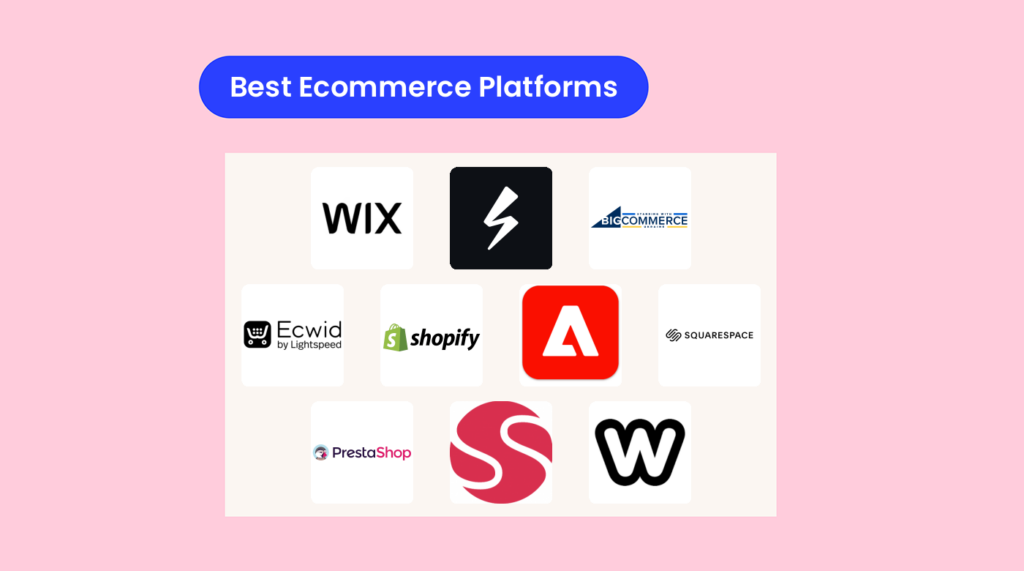
La migliore piattaforma di e-commerce è quella che non ostacola il tuo lavoro e ti permette di gestire il tuo negozio: niente drammi, niente attacchi di panico per la programmazione e nessun costo misterioso nascosto nelle clausole scritte in piccolo.
Ci sono fin troppe piattaforme in circolazione e, sinceramente, la maggior parte di loro promette la luna, per poi consegnarti una sagoma di cartone.
Ti serve qualcosa di flessibile, affidabile e sicuro, che non ti faccia rimpiangere le tue scelte di vita alle 2 di notte. Deve gestire tutte le funzioni di base, come la gestione dei prodotti, l'inventario, gli ordini e gli acquirenti da dispositivi mobili, senza costringerti a imparare una nuova lingua.
Ho passato più tempo del ragionevole a esplorare queste piattaforme.
Ecco la verità su quali valgono davvero il tuo tempo e le tue energie, per chi sono più adatte e in cosa ciascuna eccelle, oppure fallisce clamorosamente.
Continua a leggere per scoprire l'elenco ristretto, i dettagli che contano davvero e alcune cose che probabilmente non sentirai altrove. Alla fine saprai esattamente da dove iniziare a cercare e cosa evitare come una violazione dei dati.
Perché fidarsi dei nostri consigli sui software
6,700+
Reviews
20
Industry experts
16+
Evaluation factors
14
Years
Il nostro team testa e recensisce software dal 2012. In quanto leader del retail noi stessi, sappiamo quanto sia difficile — e importante — scegliere il software giusto.
Per questa guida, abbiamo valutato gli strumenti attraverso test pratici e ricerche indipendenti, assegnando un punteggio agli strumenti in base ai nostri criteri di selezione.
Le nostre recensioni riflettono il nostro giudizio indipendente, non un discorso di vendita.
Tabella comparativa delle piattaforme di e-commerce sul mercato
Questa tabella comparativa riassume i dettagli dei prezzi delle mie selezioni delle migliori piattaforme di e-commerce sul mercato:
| Tool | Best For | Trial Info | Price | ||
|---|---|---|---|---|---|
| 1 | Ideale per modelli ecommerce basati su abbonamento | Prova gratuita di 14 giorni | A partire da $34.50/mese | Website | |
| 2 | Ideale per marketing omnicanale | Prova gratuita di 15 giorni disponibile | Da $29/mese (fatturazione annuale) | Website | |
| 3 | Ideale per la vendita sui social media | Account gratuito disponibile | Da $5/mese (fatturato annualmente) | Website | |
| 4 | Ideale per una vasta gamma di integrazioni | Prova gratuita di 3 giorni disponibile | A partire da $37/mese (fatturato annualmente) | Website | |
| 5 | Ideale per aziende orientate ai dati | Demo gratuita disponibile | Prezzo su richiesta | Website | |
| 6 | Ideale per la gestione di negozi online | Prova gratuita di 14 giorni disponibile | A partire da $16/mese (fatturato annualmente) | Website | |
| 7 | Ideale per negozi online personalizzabili | Prova gratuita di 14 giorni | Gratuito per la versione open source/hosted a partire da $34/mese | Website | |
| 8 | Migliore piattaforma ecommerce per le vendite B2B | Demo gratuita disponibile | Prezzo su richiesta | Website | |
| 9 | Ideale per opzioni di design personalizzabili | Piano gratuito disponibile | Da $13/mese (fatturato annualmente) | Website | |
| 10 | Ideale per utenti non tecnici | Piano gratuito disponibile | A partire da $17/mese | Website |


Le migliori piattaforme di e-commerce per far crescere il tuo negozio, analizzate
Di seguito troverai brevi recensioni che evidenziano per cosa è più adatta ciascuna piattaforma, le sue funzionalità principali, i pro e i contro e schermate dello strumento in azione.
 Ideale per modelli ecommerce basati su abbonamento
- Prova gratuita di 14 giorni
- A partire da $34.50/mese
Visit WebsiteCustomer Rating:4.8/5
Aggiorna lo stile visivo del tuo carrello in modo che corrisponda al tuo brand. Subbly aiuta i brand orientati agli abbonamenti a vendere di più con meno soluzioni improvvisate: fatturazione ricorrente, checkout personalizzabile e self-service per i clienti, tutto in un unico posto.
Se gestisci box, membership o rifornimenti, apprezzerai le funzionalità integrate di upsell e recupero crediti che proteggono il margine senza dover aggiungere quattro plugin.
Perché ho scelto Subbly
Ho scelto Subbly perché offre controlli di checkout progettati per gli abbonamenti: campi personalizzati, regole di acquisto e domini, così puoi adattare il processo ai tuoi prodotti e ridurre l’abbandono.
Ricevi un sistema di fatturazione ricorrente automatizzato con recupero crediti e logica di ri-tentativo sulle carte, che realmente salva il fatturato invece di limitarsi a segnalare il churn. Se hai già un sito, puoi incorporare il checkout e l’area clienti di Subbly, permettendo al tuo team di aggiungere abbonamenti senza dover rifare tutto da capo.
Sondaggi e funnel ti permettono di raccogliere le preferenze dei clienti e proporre upsell mirati, così il valore medio dell’ordine aumenta perché la funzione fa domande più intelligenti. Il tracking dell’inventario e la logica prodotti esauriti mantengono realistiche le riattivazioni: il team operativo non promette ciò che il magazzino non può spedire.
Funzionalità principali di Subbly
Oltre al checkout e fatturazione centrati sull’abbonamento, ecco strumenti utili che userai davvero.
- Bundle & Kit configurabili: Vendi set curati o lascia che i clienti configurino le box mantenendo la logistica organizzata.
- Sondaggi & Flussi di iscrizione: Raccogli le preferenze dei clienti subito per personalizzare prodotti e upsell.
- Programma 'Invita un amico': Acquisisci nuovi clienti a basso costo con link referral e premi integrati.
- Supporto multi-lingua: Localizza il negozio e il checkout per espanderti su nuovi mercati.
Integrazioni Subbly
Le integrazioni includono Klaviyo, Intercom, Twilio, ShipStation, Pirate Ship, Mailchimp, Zendesk, Postmark, TaxJar e Hotjar.
Pros and Cons
Pros:
- L’integrazione con Klaviyo invia tutti gli eventi e i valori del ciclo di vita dell’abbonamento.
- Integrazioni native per spedizioni riducono l’esportazione CSV per etichette e tracking.
- Il checkout integrabile aggiunge rapidamente gli abbonamenti a un sito esistente.
Cons:
- Il piano Lite non offre automazioni o multi-lingua; sono necessari upgrade.
- I limiti SKU per piano riducono la possibilità di avere cataloghi grandi senza passare a piani superiori.
Learn more about Subbly: Ideale per marketing omnicanale
- Prova gratuita di 15 giorni disponibile
- Da $29/mese (fatturazione annuale)
Visit WebsiteCustomer Rating:5/5
Il website builder di BigCommerce offre ampie funzionalità di modifica per personalizzare l'aspetto del tuo sito e migliorare il marketing dei prodotti sulla pagina. Per i rivenditori in crescita che si espandono su più canali, BigCommerce ti aiuta ad aumentare le entrate senza dover integrare cinque strumenti diversi.
Ottieni vetrine multiple, vendite su marketplace e social, e solide opzioni di merchandising—progettate per team che gestiscono molti SKU e veri volumi di traffico.
Muzammil Sayed, co-fondatore di NYC Leather Jackets, ha spiegato come il cambiamento abbia trasformato le loro operazioni:
“Prima eravamo bloccati con una piattaforma ingombrante, ma dopo il passaggio a BigCommerce la velocità di caricamento delle pagine è migliorata, i carrelli abbandonati si sono dimezzati e la gestione dell’inventario tra i canali è diventata fluida. Anche configurare i certificati SSL e i badge di sicurezza è stato più semplice, il che ci ha aiutato a creare maggiore fiducia con i clienti. In più, i controlli SEO e le integrazioni API ci danno flessibilità senza aver bisogno di costante supporto da parte degli sviluppatori.”
Perché ho scelto BigCommerce
Ho scelto BigCommerce per la sua portata omnicanale: puoi elencare i prodotti su Amazon, Walmart, TikTok Shop e Meta Shops mantenendo un unico catalogo, accelerando i tempi di vendita grazie alle connessioni native di Channel Manager.
Ottieni un merchandising più rapido poiché opzioni prodotto, regole e campi personalizzati ti consentono di lanciare varianti complesse senza codice personalizzato. Il tuo team protegge i margini con coupon nativi, listini prezzi e gruppi cliente—funzionalità che permettono veramente promozioni mirate, non solo sconti superficiali.
Anche il checkout non è solo un dettaglio: puoi abilitare il checkout su una singola pagina e portafogli digitali come Apple Pay e Google Pay per aumentare le conversioni. Per cataloghi ampi, la ricerca sfaccettata integrata e i controlli SEO aiutano i clienti a trovare i prodotti e a migliorare il posizionamento delle pagine dei prodotti.
Caratteristiche principali di BigCommerce
Queste valorizzano l’approccio multicanale e aiutano i team a vendere più velocemente ogni giorno.
- Multi-vetrina: Gestisci più brand o aree geografiche da un unico backend con inventario centralizzato.
- Regole e opzioni di catalogo: Configura varianti complesse, SKU e prezzi senza codice personalizzato.
- Gruppi cliente e listini prezzi: Offri prezzi segmentati e condizioni B2B per diversi acquirenti.
- Checkout su una pagina e portafogli: Riduci gli ostacoli con metodi di pagamento rapidi al checkout.
Integrazioni di BigCommerce
Le integrazioni includono Amazon Pay, PayPal, Stripe, Mailchimp, QuickBooks Online, ShipStation, Yotpo, Google Analytics, Meta Shops e TikTok Shop.
Pros and Cons
Pros:
- Inserzioni multicanale con inventario unificato riducono overselling e aggiornamenti manuali.
- Ricerca sfaccettata integrata e controlli SEO migliorano la scoperta dei prodotti.
- Gruppi cliente e listini prezzi permettono vere tariffe B2B e VIP.
Cons:
- Le soglie di vendite annue online possono richiedere l'aggiornamento obbligatorio del piano.
- Modifiche avanzate al tema richiedono spesso l'intervento di uno sviluppatore o app a pagamento.
Learn more about BigCommerce: Ideale per la vendita sui social media
- Account gratuito disponibile
- Da $5/mese (fatturato annualmente)
Visit WebsiteCustomer Rating:4.6/5
Ecwid crea automaticamente account cliente dopo ogni acquisto, rendendo la gestione della relazione con i clienti molto più semplice. Per i commercianti che puntano molto sulla vendita sui social, Ecwid ti permette di sincronizzare il tuo catalogo con Facebook, Instagram e TikTok—così i post che già attirano l’attenzione possono generare ordini.
È un modo a basso attrito per aggiungere l’ecommerce al tuo sito esistente o al link-in-bio, con un piano gratuito per provare prima di impegnarti.
Perché ho scelto Ecwid
Ho scelto Ecwid perché ti consente di trasformare l’attenzione sui social in attività nel carrello—il tuo catalogo si sincronizza con Facebook e Instagram, così puoi taggare i prodotti e inviare gli acquirenti direttamente al checkout.
Ottieni anche la connessione con TikTok for Business direttamente dall’amministrazione Ecwid, così puoi lanciare annunci prodotto senza esportare fogli di calcolo. Se vendi di persona, puoi abbinare il tuo store online a Lightspeed Retail, Square o Clover, mantenendo inventario e ordini in un unico posto.
Per la spedizione, le etichette USPS scontate di Ecwid riducono i costi dei piccoli pacchi sin dal primo giorno. Puoi incorporare un negozio o un singolo pulsante “Acquista ora” in qualsiasi sito, rendendolo ideale per creator, boutique e commercianti locali che vogliono vendere subito, senza un rifacimento di sei settimane.
Funzionalità principali di Ecwid
Oltre alla sincronizzazione dei canali social, ecco alcuni strumenti che userai davvero per mantenere le vendite attive.
- Pulsante Acquista Ora: Inserisci un prodotto o un pulsante carrello su qualsiasi pagina, blog o link-in-bio.
- Tracciamento Ordini con Apple Wallet: Permetti ai clienti di tracciare gli ordini tramite notifiche push di Wallet dopo l’acquisto.
- Sincronizzazione POS: Collega Lightspeed, Square o Clover per unificare stock e vendite online e in negozio.
- Etichette di spedizione USPS scontate: Stampa etichette con sconti USPS integrati per proteggere i margini.
Integrazioni di Ecwid
Le integrazioni includono Facebook by Meta, Instagram Shopping, TikTok for Business, Google Shopping, Lightspeed Retail POS, Square POS, Clover POS, Printful, Pinterest e Snapchat.
Pros and Cons
Pros:
- La sincronizzazione del catalogo social trasforma rapidamente i post in tag prodotto acquistabili.
- Le integrazioni POS mantengono accurati inventario e ordini tra online e negozio fisico.
- Gli sconti integrati sulle etichette USPS riducono i costi di spedizione dei piccoli pacchi.
Cons:
- Le vendite su marketplace (es. Amazon, eBay) si appoggiano ad app di terze parti.
- La vendita tramite TikTok Shop richiede un connettore App Market, non è nativa.
 Ideale per una vasta gamma di integrazioni
- Prova gratuita di 3 giorni disponibile
- A partire da $37/mese (fatturato annualmente)
Visit WebsiteCustomer Rating:4.5/5
Shopify ti presenta dati in tempo reale sulle prestazioni del tuo negozio ecommerce. Shopify è pensato per i team che vogliono lanciare rapidamente, vendere ovunque e mantenere le operazioni ordinate senza dover supervisionare continuamente le integrazioni.
Ottieni un checkout collaudato, spedizioni e resi integrati e un ecosistema di app che ti permette di aggiungere solo ciò di cui hai bisogno—ideale per PMI e brand di medie dimensioni che vogliono espandersi nel multi-canale.
Come afferma Justin Christopher, Manager Ecommerce e Marketing di Klatch Coffee:
“Nel luglio 2024 siamo passati da un sistema ecommerce proprietario a Shopify. Prima del lancio, le nostre pagine ottenevano punteggi intorno agli 80 bassi su Lighthouse di Google; dopo la migrazione, quelle stesse pagine sono passate ai 90 alti—un notevole miglioramento delle prestazioni. Dopo la migrazione, Core Web Vitals mostra che lo 0% delle nostre pagine è ‘scarso’ o ‘da migliorare’, un drammatico cambiamento verso una migliore performance mobile.”
Perché ho scelto Shopify
Ho scelto Shopify perché puoi far crescere le vendite senza accumulare sviluppo su misura—il tuo team ottiene vantaggi concreti da funzionalità che generano realmente entrate. Migliori la conversione grazie al checkout rapido di Shop Pay e al flusso in una sola pagina, non con semplici speranze.
Riduci le attività ripetitive utilizzando Flow automation per il tagging degli ordini, bandiere anti-frode e passaggi interni che il tuo team operativo può vedere e verificare. Mantieni l’evasione efficiente con resi self-service, etichette vettore scontate e strumenti nativi di inventario tramite l’app mobile.
Quando espandi i canali, i connettori di vendita e marketing integrati ti permettono di non perdere settimane a collegare annunci e cataloghi prima che arrivi il primo ordine.
Funzionalità principali di Shopify
Ecco alcuni strumenti pratici che utilizzerai nel quotidiano mentre cresci.
- Editor temi Online Store 2.0: Sezioni drag-and-drop e blocchi app che ti permettono di pubblicare modifiche al sito senza ticket per lo sviluppo.
- Markets (Cross-Border): Localizza valuta, dazi e domini così gli acquirenti internazionali vedono i veri costi finali.
- Shop Pay Installments: Offri pagamento rateale al checkout per aumentare il valore medio ordine con approvazione istantanea.
- POS per l’omnicanalità: Sincronizza inventario, clienti e ordini tra negozi fisici e online affinché lo staff possa evadere, cambiare o consultare la cronologia acquisti.
Integrazioni Shopify
Le integrazioni includono Facebook & Instagram, Google & YouTube, TikTok, Pinterest, Google Analytics, Amazon (tramite Shopify Marketplace Connect), eBay (tramite Shopify Marketplace Connect), Walmart (tramite Shopify Marketplace Connect) ed Etsy (tramite Shopify Marketplace Connect).
Pros and Cons
Pros:
- Checkout Shop Pay e wallet aumentano la conversione da mobile.
- Flow automation gestisce tagging, assegnazione e workflow ripetitivi.
- Etichette di spedizione e resi integrati riducono ticket WISMO e costi.
Cons:
- Sono previsti costi extra se non utilizzi Shopify Payments.
- Alcune funzionalità B2B e multi-sede richiedono piani di livello superiore.
 Ideale per aziende orientate ai dati
- Demo gratuita disponibile
- Prezzo su richiesta
Visit WebsiteCustomer Rating:4.5/5
La reportistica avanzata di Adobe Commerce offre dati su rimborsi, tasse, spedizioni, ordini e ricavi. Per i team aziendali che hanno già investito in Adobe, Adobe Commerce unisce il tuo punto vendita, la gestione dei prodotti e l'analisi in un unico sistema—così puoi agire in base al comportamento dei clienti senza dover rattoppare strumenti diversi.
È l’ideale per rivenditori orientati ai dati e venditori B2B che desiderano scoperta guidata dall’AI, pagamenti nativi e integrazione stretta con la suite di marketing Adobe.
Perché ho scelto Adobe Commerce
Ho scelto Adobe Commerce perché puoi aumentare i ricavi grazie alla scoperta potenziata dall’AI—Live Search e Product Recommendations usano Adobe Sensei per mettere in evidenza i prodotti di maggiore interesse in base al comportamento reale degli acquirenti.
Hai una gestione più rapida dei prodotti grazie agli strumenti drag-and-drop di Page Builder, così il tuo team può lanciare campagne senza interminabili ticket di sviluppo. Le tue analisi diventano più precise collegando i dati degli ordini ad Adobe Analytics e Commerce Intelligence, offrendoti un’attribuzione tracciabile dall’inizio alla fine che anche il tuo team finanziario troverà affidabile.
Se vendi B2B, account aziendali, cataloghi condivisi, preventivi e liste di approvvigionamento ti permettono di gestire prezzi complessi e approvazioni senza bisogno di fogli di calcolo. Anche i pagamenti sono più semplici—Adobe Payment Services integra autorizzazioni, riconciliazioni e dati sulle controversie in un’unica dashboard.
Funzionalità chiave di Adobe Commerce
Oltre alle motivazioni già citate, ecco alcune funzionalità pratiche che i team utilizzano quotidianamente.
- Page Builder: CMS drag-and-drop per landing page, blocchi e pianificazione dei contenuti.
- PWA Studio: Strumenti per costruire vetrine veloci, simili ad app, che aumentano le conversioni da mobile.
- Multi-Source Inventory: Gestione delle scorte tra magazzini e negozi con regole di selezione della fonte.
- Segmentazione Clienti: Targeting di banner, promozioni e contenuti in base a comportamento, posizione o attributi.
Integrazioni di Adobe Commerce
Le integrazioni includono Adobe Analytics, Adobe Customer Journey Analytics, Adobe Real-Time CDP, Adobe Journey Optimizer, Adobe Target, Adobe Marketo Engage, Adobe Experience Platform e Adobe Commerce Intelligence.
Pros and Cons
Pros:
- Ricerca e raccomandazioni AI aumentano il valore medio dell’ordine grazie a segnali comportamentali in tempo reale.
- Le integrazioni nativamente Adobe unificano dati marketing e commerciali per una corretta attribuzione.
- La suite B2B supporta preventivi, cataloghi condivisi, ordini di acquisto e approvazioni su larga scala.
Cons:
- Personalizzazioni complesse spesso richiedono sviluppatori esperti di Adobe Commerce.
- I costi di licenza e implementazione possono essere elevati per i team più piccoli.
Learn more about Adobe Commerce: Ideale per la gestione di negozi online
- Prova gratuita di 14 giorni disponibile
- A partire da $16/mese (fatturato annualmente)
Visit WebsiteCustomer Rating:4.6/5
Squarespace offre strumenti per creare un negozio online professionale. Squarespace è pensato per brand orientati al design che vogliono l'ecommerce integrato: template puliti, checkout veloce e gestione semplice senza un ammasso di plugin.
Se il tuo problema è 'il mio negozio sembra disordinato e mantenerlo richiede troppo tempo', apprezzerai come Squarespace mantiene il branding uniforme occupandosi delle basi della vendita per te.
Perché ho scelto Squarespace
Ho scelto Squarespace perché puoi lanciare un negozio dall’aspetto professionale in poco tempo: i template ottimizzati per mobile e l'editor Fluid Engine mantengono le pagine coerenti senza debiti di design.
Il checkout è più rapido grazie a Apple Pay, Stripe e PayPal, riducendo gli ostacoli al momento dell’acquisto. Il recupero delle vendite è integrato tramite email di carrello abbandonato, così puoi riconquistare automaticamente i clienti indecisi.
Gestire inventario e varianti è semplice, e le liste d'attesa ti permettono di intercettare la domanda quando un prodotto è esaurito.
Se vendi sui social, la sincronizzazione dei prodotti su Facebook/Instagram inserisce il tuo catalogo nei post e nei negozi, facendo sì che le tue campagne siano davvero collegate alle scorte.
Funzionalità principali di Squarespace
Oltre alle basi, ecco alcuni strumenti pratici che userai davvero.
- Spedizione calcolata dal corriere: Mostra tariffe UPS/USPS/FedEx in tempo reale in base all'indirizzo del cliente e ai dati del prodotto.
- Squarespace POS (USA): Accetta pagamenti di persona con un lettore Square e mantieni l'inventario online aggiornato.
- Abbonamenti & aree membri: Vendi prodotti ricorrenti o contenuti riservati per creare entrate continuative.
- Analisi & funnel di acquisto: Monitora vendite, prodotti più venduti e checkout abbandonati da un unico pannello.
Integrazioni di Squarespace
Tra le integrazioni ci sono Stripe, PayPal, Apple Pay, Afterpay/Clearpay, FedEx, UPS, USPS, Facebook e Instagram Shops, Google Analytics e Mailchimp.
Pros and Cons
Pros:
- Apple Pay, Stripe e PayPal permettono checkout rapidi e più conversioni.
- Le email di recupero dei carrelli abbandonati recuperano entrate senza app aggiuntive.
- La sincronizzazione dei prodotti con Facebook/Instagram potenzia post acquistabili e annunci di catalogo.
Cons:
- POS disponibile solo negli USA e con Square—supporto hardware limitato.
- Meno integrazioni di terze parti rispetto ai marketplace di app aperti.
Learn more about Squarespace: Ideale per negozi online personalizzabili
- Prova gratuita di 14 giorni
- Gratuito per la versione open source/hosted a partire da $34/mese
Visit WebsiteCustomer Rating:4.3/5
La dashboard di PrestaShop offre una panoramica completa delle metriche delle performance del tuo negozio. PrestaShop aiuta i team che desiderano controllo—sul codice, sui costi e sulla crescita su base paese per paese—a lanciare negozi personalizzabili senza commissioni sulla piattaforma per ogni vendita.
È una soluzione adatta per gli operatori con risorse tecniche che hanno bisogno di cataloghi multilingue, gestione multi-negozio e un ampio marketplace di moduli per adattare pagamenti, merchandising e marketing.
Perché ho scelto PrestaShop
Ho scelto PrestaShop perché consente di mantenere costi prevedibili grazie a un core open source: il tuo team può ospitare dove desidera ed aggiungere solo i moduli a pagamento necessari.
Sostieni la crescita internazionale grazie agli strumenti integrati per multi-negozio e multilingua, così puoi gestire cataloghi separati, valute e regole fiscali da un'unica area amministrativa. Migliori la conversione con opzioni di checkout proprietarie come PrestaShop Checkout e un modulo Stripe che permettono carte e pagamenti locali con un'unica configurazione.
Hai a disposizione controlli SEO pratici—URL modificabili, meta dati e sitemap—così le pagine prodotto possono performare al meglio senza un sovraccarico di plugin.
Quando serve estendere le funzionalità, il marketplace ufficiale copre automazione marketing, marketplace e spedizioni, offrendoti flessibilità senza dover riscrivere l'infrastruttura.
Funzionalità principali di PrestaShop
Oltre al controllo dei costi e agli strumenti internazionali, ecco alcune funzionalità che i team retail utilizzano effettivamente ogni giorno.
- Gestione avanzata del catalogo: Gestisci varianti, attributi, bundle e regole di prezzo su uno o più negozi.
- Permessi e flussi di lavoro: Crea profili dipendente e limita l'accesso per ruolo per mantenere le operazioni ordinate e tracciabili.
- Sistema e editor di temi: Inizia con temi moderni e personalizza template e CSS senza toccare i file core.
- Strumenti per ordini e logistica: Gestisci spedizioni parziali, resi e regole corrieri da una dashboard centrale.
Integrazioni PrestaShop
Le integrazioni includono PrestaShop Checkout, Stripe, Klaviyo, Mailchimp, PrestaShop Marketing con Google, Google Merchant Center, PrestaShop Social con Facebook & Instagram, Amazon Marketplace, Nexi Checkout e Authorize.Net.
Pros and Cons
Pros:
- L'ampio marketplace di moduli copre marketing, marketplace e spedizioni.
- Le funzionalità multi-negozio e multilingua supportano veramente operazioni internazionali.
- Il core open source elimina le commissioni della piattaforma su ogni transazione.
Cons:
- La configurazione e la manutenzione richiedono tempo sviluppatore e competenze server.
- Molte funzionalità avanzate richiedono moduli a pagamento per colmare le lacune.
Learn more about PrestaShop: Migliore piattaforma ecommerce per le vendite B2B
- Demo gratuita disponibile
- Prezzo su richiesta
Visit WebsiteCustomer Rating:4.4/5
Sana Commerce Cloud fornisce statistiche di vendita dettagliate suddivise per cliente, rendendolo perfetto per l’analisi dei prodotti B2B. Sana Commerce Cloud aiuta i marchi B2B a trasformare i dati ERP in transazioni: i tuoi clienti vedono prezzi aggiornati in tempo reale, disponibilità precisa e condizioni contrattuali ogni volta che acquistano.
È ideale per produttori, distributori e grossisti di fascia media già utenti di Microsoft Dynamics o SAP, che necessitano di acquisti basati sull’account, riordini rapidi e meno aggiornamenti manuali.
Perché ho scelto Sana Commerce Cloud
Ho scelto Sana Commerce Cloud perché si collega direttamente agli ERP Microsoft Dynamics e SAP, così ottieni prezzi, inventario e dati cliente in tempo reale senza bisogno di sincronizzazioni tramite intermediari.
Il tuo team risparmia ore perché i clienti abituali possono riordinare da liste e modelli di ordine salvati, mentre tu mantieni i margini grazie a prezzi e minimi specifici per cliente.
I team globali ottengono l’esperienza appropriata grazie al supporto multilingue e multivaluta collegato ai dati ERP, non a un catalogo separato. Gli account con processi d’acquisto complessi possono effettuare ordini tramite PunchOut, riducendo le richieste di preventivo offline inviando direttamente gli ordini all’ERP.
Aumenti anche i flussi di cassa B2B perché i clienti possono pagare le fatture online utilizzando i provider di pagamento associati al loro account.
Funzionalità principali di Sana Commerce Cloud
Ecco alcune funzionalità che si integrano perfettamente con l’approccio ERP-first.
- Connettori ERP: Connettori preconfigurati per Microsoft Dynamics e SAP che sincronizzano prodotti, prezzi e clienti in tempo reale.
- Acquisti Basati su Account: Cataloghi, budget e permessi specifici per cliente che rispecchiano le regole dell’account ERP.
- PunchOut & E-Procurement: PunchOut OCI/cXML per indirizzare gli ordini approvati nei flussi d’acquisto ERP.
- Multi-negozio e Localizzazione: Negozi specifici per regione con lingua, valuta e regole fiscali mappate dall’ERP.
Integrazioni di Sana Commerce Cloud
Le integrazioni includono Microsoft Dynamics 365 Finance & Supply Chain, Microsoft Dynamics 365 Business Central, SAP S/4HANA, SAP ECC, SAP Business One, Mailchimp, dotdigital, Adyen, PayPal e FedEx.
Pros and Cons
Pros:
- Il supporto PunchOut riduce i preventivi offline e accelera le approvazioni degli acquisti.
- Solidi strumenti di riordino B2B che portano ad acquisti ripetuti più grandi e veloci.
- Connessione diretta all’ERP: prezzi, stock e condizioni in tempo reale senza intermediari.
Cons:
- La reportistica nativa è basilare: per analisi più approfondite può servire un BI esterno.
- La varietà di temi è modesta rispetto alle piattaforme ecommerce focalizzate sul design.
Learn more about Sana Commerce Cloud: Ideale per opzioni di design personalizzabili
- Piano gratuito disponibile
- Da $13/mese (fatturato annualmente)
Visit WebsiteCustomer Rating:4.3/5
Gestisci articoli, prezzi e scorte nella libreria articoli di Weebly. Weebly offre ai piccoli rivenditori un modo rapido per vendere online e di persona—senza dover integrare una dozzina di strumenti.
Se desideri pagamenti Square, prodotti illimitati (anche sul piano gratuito), etichette di spedizione integrate e carte regalo, è un modo semplice per avviare e mantenere le operazioni in ordine.
Perché ho scelto Weebly
Ho scelto Weebly perché offre pagamenti unificati online e in negozio tramite Square, così il tuo team gestisce un solo flusso di pagamenti e può usare lo stesso hardware di persona.
Hai anche funzioni pratiche per la gestione del negozio—tracciamento inventario con indicatori di scorte basse—così non rischi di vendere troppo e dover chiedere scusa. Le tariffe di spedizione in tempo reale e la stampa di etichette direttamente dalla dashboard (tramite Shippo) riducono i tempi di imballaggio quando gli ordini aumentano.
Le carte regalo sono integrate, il che ti aiuta a incassare subito e favorire acquisti ripetuti. L’app mobile ti permette di aggiungere prodotti, evadere ordini e controllare le vendite ovunque ti trovi, ideale per team snelli.
Funzionalità principali di Weebly
Oltre a pagamenti e inventario, ecco alcuni strumenti che i commercianti utilizzano davvero ogni giorno.
- Calcolatore automatico delle tasse: Calcola l’IVA al checkout in base alla posizione del cliente.
- Ritiro in negozio: Offri il ritiro locale con opzioni di prenotazione per ridurre i costi di spedizione.
- Recensioni degli articoli: Raccogli recensioni sui prodotti per migliorare la conversione e le decisioni di merchandising.
- Email carrelli abbandonati: Recupera le vendite perse con promemoria automatici nei piani idonei.
Integrazioni Weebly
Le integrazioni includono Square, PayPal, Shippo, ShipStation, Printful, Instagram Feed, Event Calendar, Google Maps, YouTube Gallery e Setmore Appointment Booking.
Pros and Cons
Pros:
- Prodotti illimitati—anche sul piano gratuito.
- Stampa etichette integrata e sconti sui vettori tramite Shippo.
- Pagamenti unificati Square online e POS semplificano la riconciliazione.
Cons:
- Il checkout con PayPal richiede il piano di livello superiore.
- La flessibilità dei template e la personalizzazione avanzata sono limitate.
Learn more about Weebly: 10Ideale per utenti non tecnici
Wix
- Piano gratuito disponibile
- A partire da $17/mese
Visit WebsiteCustomer Rating:4.4/5
Le funzionalità di gestione degli ordini disponibili nella piattaforma di e-commerce Wix consentono di gestire in modo efficiente gli ordini dei clienti e monitorarne lo stato. Wix aiuta i venditori piccoli e medi a mettere online rapidamente un negozio dall'aspetto professionale, senza dover chiedere l'intervento di uno sviluppatore per ogni modifica.
Ottieni una configurazione rapida, solide opzioni per il pagamento e un ampio mercato di app per aggiungere strumenti di spedizione e marketing: è la scelta migliore se il tuo catalogo non è enorme e preferisci la velocità di pubblicazione a una personalizzazione avanzata.
Perché ho scelto Wix
Ho scelto Wix perché puoi lanciare rapidamente il tuo negozio coprendo comunque tutti gli aspetti essenziali: crei la vetrina in pochi minuti con il creatore di siti basato sull'IA, quindi la perfezioni con un editor visuale.
Il tuo team aumenta il tasso di conversione della procedura di pagamento utilizzando opzioni di pagamento native, tra cui Apple Pay, Google Pay, PayPal e i processori di carte, direttamente nelle pagine dei prodotti e del carrello.
Le scorte rimangono precise grazie al monitoraggio dell'inventario a livello di variante, evitando di vendere più articoli del disponibile per taglie e colori. Estendi la tua portata sincronizzando i prodotti con Meta Shops tramite un'app partner nativa, mantenendo gli ordini nel tuo pannello di controllo.
Per la gestione operativa, stampi le etichette e monitori le consegne tramite app di spedizione che si integrano direttamente con Wix, così l'evasione degli ordini non diventa un secondo lavoro.
Funzionalità principali di Wix
Questi sono strumenti pratici che completano l'approccio di creazione rapida descritto sopra.
- Recupero dei carrelli abbandonati: Invia promemoria automatici agli acquirenti che lasciano articoli nel carrello per recuperare le vendite.
- Carte regalo e coupon: Incentiva gli acquisti ripetuti con credito del negozio e codici sconto mirati.
- Wix POS (vendita di persona): Vendi in negozio e online con catalogo e inventario unificati.
- Strumenti SEO integrati: Modifica i metadati, le parti finali degli URL e i dati strutturati per migliorare la reperibilità dei prodotti.
Integrazioni di Wix
Le integrazioni includono Klaviyo, Mailchimp, AfterShip, Shippo, Facebook Shops by GoDataFeed, Google Analytics, Google Shopping, Eventbrite, JivoChat e 123FormBuilder.
Pros and Cons
Pros:
- Il creatore di siti basato sull'IA e l'editor visuale accelerano il lancio e gli aggiornamenti.
- La gestione dell'inventario e degli SKU a livello di variante riduce il rischio di vendere più articoli del disponibile.
- Le app native e partner coprono etichette di spedizione, monitoraggio e resi.
Cons:
- Per le tariffe dei corrieri in tempo reale durante la procedura di pagamento sono generalmente necessarie app di terze parti.
- Cambiare modello in un secondo momento richiede una riprogettazione: non è possibile sostituirlo con un clic.
Learn more about Wix:
Altre piattaforme di e-commerce
Ecco alcuni altri strumenti che ritengo validi: vale la pena dare un’occhiata anche a questi.
- 11Shift4ShopIdeale per l’accesso a una libreria di template gratuiti
- 12VolusionIl migliore per il servizio clienti
- 13Oracle CommerceIdeale per l'efficienza delle vendite guidata dall'IA
- 14NetSuite SuiteCommerceIdeale per l'integrazione con ERP
- 15Big CartelIdeale per design creativi di negozi personalizzati
- 16MivaIdeale per una gestione dinamica dell'assortimento
- 17WooCommerceIl miglior plugin e-commerce per Wordpress
- 18Elastic Path Commerce CloudIdeale per organizzazioni aziendali
- 19ShopWiredIdeale per acquisti con opzione compra ora, paga dopo
- 20Square OnlineMiglior rapporto qualità-prezzo
Software di e-commerce correlati
Se non hai ancora trovato ciò che cerchi, dai un'occhiata a questi strumenti per l'e-commerce che abbiamo testato e valutato.
- Software per la gestione dell'inventario
- Software per l'elaborazione dei pagamenti
- Soluzioni per il carrello degli acquisti
- Sistemi di gestione degli ordini
- Software per la gestione del magazzino
- Alternative a Squarespace
- Alternative a Shopify
Come Valuto le Piattaforme Ecommerce per Accelerare le Vendite
Che si tratti di un marchio DTC che costruisce il suo primo negozio online o di un rivenditore che unifica POS e vendite online, valuto ciascuno in base a requisiti fondamentali prima di considerare ciò che lo distingue dagli altri.
Funzionalità di Base (Requisiti Minimi di Questa Lista)
Quando seleziono gli strumenti per la mia lista, classifico ciascuno su una scala da 0 (non offre la funzionalità) a 5 (eccelle in quest'area) per ogni funzionalità di base elencata di seguito. Successivamente, calcolo il punteggio totale dello strumento in percentuale. Ogni strumento deve raggiungere un punteggio minimo totale del 75% per essere considerato per l'inclusione.
- Costruttore di Vetrine e Cataloghi: Esamino quanto controllo hai su temi, layout delle pagine e struttura del catalogo prodotti—come la gestione delle varianti, l'ordinamento delle collezioni e le landing page personalizzate.
- Checkout e Gestione dei Pagamenti: Il flusso di checkout di una piattaforma incide sulla conversione, quindi valuto i gateway di pagamento supportati, le opzioni di checkout rapido e le capacità multivaluta.
- Gestione di Inventario e Ordini: Qui controllo il tracciamento stock in tempo reale tra le varie sedi, l’instradamento degli ordini e i flussi di lavoro di evasione—soprattutto per i rivenditori che gestiscono inventari sia in magazzino che in negozio.
- Vendita Multicanale: Valuto se puoi vendere su marketplace come Amazon ed eBay, sui canali social e sui sistemi POS da un unico catalogo prodotti e dashboard ordini.
- Strumenti per Accelerare le Vendite: Promozioni, recupero carrelli abbandonati, funzioni di upsell e cross-sell, e motori di raccomandazione prodotti influiscono tutti su quanto bene una piattaforma stimola la crescita del fatturato.
- Marketing e Analisi: Controlli SEO integrati, strumenti per campagne e-mail e dashboard per la reportistica delle vendite mi aiutano a valutare se la piattaforma offre dati utili insieme a funzionalità che generano traffico.
Una volta che ho una lista di strumenti che soddisfano i criteri, considero ciò che distingue ciascuna piattaforma.
Fattori Differenzianti (Cosa Distingue i Fornitori)
Ecco come confronto e differenzio i vari fornitori:
Funzionalità Distintive
La personalizzazione guidata dall’intelligenza artificiale è un importante elemento differenziante. Valuto se una piattaforma può offrire raccomandazioni personalizzate sui prodotti e contenuti dinamici in base alla cronologia di navigazione e acquisto, fattore che incide direttamente sulle conversioni e sul valore medio d’ordine. L’architettura headless è rilevante per i brand che vogliono pieno controllo sulla propria interfaccia frontend su web, app mobili e chioschi in negozio. Analizzo anche i pacchetti di strumenti per la vendita globale, poiché i rivenditori che si espandono a livello internazionale necessitano di checkout localizzati con prezzi multivaluta e calcolo automatico dei dazi integrato.
Oltre le Funzionalità
Valuto l’ecosistema di app di ciascuna piattaforma e la profondità delle integrazioni, in particolare i collegamenti con gli ERP, i corrieri spedizionieri e gli strumenti di marketing già utilizzati dai team. Un altro fattore chiave è la scalabilità—verifico se una piattaforma può gestire picchi di traffico durante eventi di vendita intensi senza peggiorare la velocità delle pagine o l’affidabilità del checkout. Anche il costo totale di proprietà incide sulla mia valutazione. Fee di transazione, costi per i temi e dipendenze da app a pagamento possono accumularsi rapidamente, quindi osservo come i prezzi si evolvano insieme alla crescita del negozio, e non solo in base all’abbonamento base.
Che cos'è una piattaforma di e-commerce?
Una piattaforma di e-commerce è il software completo che alimenta il tuo intero negozio online.
Organizza i tuoi prodotti, gestisce il tuo inventario, elabora i pagamenti e gestisce gli ordini: in pratica, svolge tutto il lavoro pesante al posto tuo.
Che tu stia avviando un'attività secondaria o gestendo un impero della vendita al dettaglio, una piattaforma di e-commerce ti offre gli strumenti per lanciare, gestire e, incrociando le dita, far crescere davvero la tua attività senza dover conseguire un dottorato in programmazione.
Se vuoi vendere online, questa è la tua sede centrale: tutto ciò di cui hai bisogno, proprio dove ti serve, senza gli inconvenienti tecnici.
Come scegliere una piattaforma di commercio elettronico
Trovare la tua piattaforma di commercio elettronico non dovrebbe sembrare un test a scelta multipla per cui non hai studiato. Scegli quella sbagliata e sprecherai tempo, denaro e troppe notti a borbottare contro il tuo portatile.
Ecco la scorciatoia: concentrati su ciò che conta davvero per la tua attività, non su qualunque novità scintillante sia di tendenza su LinkedIn.
Usa questa lista di controllo per individuare una piattaforma adatta alle tue esigenze di oggi e che non ti abbandoni domani.
| Passaggio | Cosa fare | Perché è importante |
|---|---|---|
| PassaggioPrevedi la crescita | Cosa fareScegli una piattaforma in grado di gestire più prodotti, picchi di traffico e funzionalità aggiuntive man mano che cresci | Perché è importanteNon vorrai cambiare piattaforma ogni volta che le tue vendite raddoppiano |
| PassaggioMantieni la semplicità | Cosa fareProva l'interfaccia: se appare macchinosa o confusa, passa oltre | Perché è importanteIl tuo tempo è troppo prezioso per sprecarlo con un'esperienza utente scadente |
| PassaggioMetti in mostra il tuo marchio | Cosa fareScegli un vero controllo del design con modelli audaci o strumenti di creazione con trascinamento | Perché è importanteIl tuo negozio dovrebbe assomigliare a te, non a tutti gli altri negozi |
| PassaggioConosci i tuoi pagamenti | Cosa fareEsamina le opzioni dei gateway di pagamento e tutte le commissioni riportate nelle clausole scritte in piccolo | Perché è importanteLe spese a sorpresa sono divertenti solo il giorno del tuo compleanno, non nella tua contabilità |
| PassaggioCollega i tuoi strumenti | Cosa fareAssicurati che si integri facilmente con i software indispensabili per te | Perché è importanteMeno lavoro manuale significa più tempo per tutto il resto |
| PassaggioPotenzia il tuo marketing | Cosa fareVerifica la presenza di funzionalità integrate per blog, email e SEO, così da mantenere il traffico costante | Perché è importanteVuoi nuovi clienti e acquirenti abituali, non soltanto clic fugaci |
| PassaggioProteggi tutto | Cosa farePretendi una sicurezza solida e un'assistenza che risponda davvero | Perché è importanteDormi meglio sapendo che i tuoi dati e la tua serenità sono al sicuro |
Tendenze nelle piattaforme di commercio elettronico per 2026
Per tenerti aggiornato, ecco le tendenze più interessanti nelle piattaforme di commercio elettronico per 2026, con particolare attenzione alle funzionalità in più rapida evoluzione, alle nuove funzioni e ai cambiamenti nella domanda:
- Personalizzazione basata sull'intelligenza artificiale. L'intelligenza artificiale sta rendendo più intelligenti le esperienze di commercio elettronico, personalizzando i consigli sui prodotti, automatizzando il servizio clienti e adeguando i prezzi in tempo reale. Questa personalizzazione aumenta il coinvolgimento e favorisce tassi di conversione più elevati.
- Acquisti in realtà aumentata (AR). La realtà aumentata consente ai clienti di provare virtualmente i prodotti prima dell'acquisto, aumentando la fiducia e riducendo i resi. Con la realtà aumentata che diventa una funzionalità standard, le aziende che la adottano possono distinguersi e migliorare l'esperienza utente.
- Commercio tramite comandi vocali. Poiché sempre più consumatori utilizzano gli altoparlanti intelligenti, si prevede un'impennata degli acquisti vocali. Per rimanere competitive, le marche devono ottimizzare le descrizioni dei prodotti per la ricerca vocale, così da intercettare questo mercato in crescita.
- Sostenibilità. I consumatori cercano sempre più spesso marche ecocompatibili, spingendo le piattaforme a offrire funzionalità come calcolatori dell'impronta di carbonio e opzioni di spedizione sostenibili. Le aziende che danno priorità alla sostenibilità costruiranno relazioni più solide con i consumatori consapevoli.
- Integrazione omnicanale. Collegare perfettamente le esperienze online e offline è fondamentale. Oggi le piattaforme offrono strumenti per combinare queste interazioni, come le integrazioni per il commercio sui social e i sistemi POS, rendendo le strategie omnicanale essenziali per fidelizzare i clienti.
- Acquisti in streaming. Gli eventi di acquisto in diretta stanno guadagnando popolarità, consentendo alle marche di presentare i prodotti in tempo reale, coinvolgere i clienti tramite domande e risposte e stimolare acquisti immediati. È prevedibile che un numero sempre maggiore di piattaforme supporti questa esperienza di acquisto interattiva.
- Automazione e chatbot. Poiché i chatbot gestiscono la maggior parte delle interazioni con i clienti, l'automazione sta diventando fondamentale per fornire un'assistenza efficiente e personalizzata. Le aziende che utilizzano chatbot basati sull'intelligenza artificiale stanno semplificando le operazioni e migliorando al contempo l'esperienza del cliente.
- Opzioni di consegna rapida. La consegna in giornata e il giorno successivo stanno diventando un'aspettativa standard. Le piattaforme stanno potenziando la logistica per offrire consegne in giornata o il giorno successivo, con Amazon a dettare il ritmo. Questa tendenza sottolinea la necessità di processi efficienti di evasione degli ordini per soddisfare le richieste dei consumatori di consegne rapide.
Funzionalità essenziali delle piattaforme di commercio elettronico
Non tutte le piattaforme di commercio elettronico sono uguali e le funzionalità che offrono possono determinare il successo o il fallimento della tua attività online. Ecco cosa dovresti aspettarti dalle migliori:
- Design pensato prima di tutto per i dispositivi mobili. Ormai tutti fanno acquisti dal telefono, quindi il tuo negozio deve avere un aspetto impeccabile e funzionare perfettamente sui dispositivi mobili. Le migliori piattaforme di commercio elettronico per dispositivi mobili sono progettate pensando all'ottimizzazione per i dispositivi mobili, il che significa che il tuo sito sarà fluido come l'olio su schermi di qualsiasi dimensione.
- Ogni aspetto personalizzabile. Il tuo negozio dovrebbe parlare di te, non sembrare un modello standardizzato. Le migliori piattaforme ti permettono di modificare design, layout e funzionalità, che tu preferisca il sistema trascina-e-rilascia o disponga di uno sviluppatore pronto a sbizzarrirsi con il codice.
- Diversi gateway di pagamento. Carte di credito, PayPal, Stripe, Apple Pay, magari anche qualche criptovaluta: più opzioni offri, più clienti completeranno l'acquisto. Inoltre, nessuno vuole ritrovarsi sorpreso da commissioni di transazione elevate, quindi la trasparenza è fondamentale.
- Sicurezza di prim'ordine. È il 2026 e le violazioni dei dati non sono affatto uno scherzo. Assicurati che la tua piattaforma includa SSL, conformità PCI e protezione dalle frodi per mantenere al sicuro i tuoi clienti e solida la tua reputazione.
- Strumenti SEO e di marketing integrati. Essere trovati online non è magia: è SEO. Le migliori piattaforme includono strumenti SEO che ti aiutano a ottenere un posizionamento migliore nei risultati di ricerca. Inoltre, gli strumenti di marketing integrati per campagne email, social media e promozioni ti danno un vantaggio nel riportare i clienti a fare nuovi acquisti.
- Gestione dell'inventario e degli ordini. Che tu venda cinque prodotti o cinquemila, hai bisogno di una piattaforma che ti aiuti a monitorare i livelli delle scorte, gestire le varianti ed elaborare gli ordini senza intoppi. E se si sincronizza con il tuo POS? Ancora meglio.
- Opzioni di spedizione flessibili. Offrire diverse modalità di spedizione, tariffe in tempo reale e una facile integrazione con i corrieri è fondamentale per mantenere soddisfatti i clienti e rispondere alla loro crescente richiesta di consegne rapide (o gratuite!).
Vantaggi delle piattaforme di commercio elettronico
Perché dovresti adottare una piattaforma di commercio elettronico? Perché i vantaggi sono difficili da ignorare:
- Vendi anche mentre dormi. Il tuo negozio online non chiude mai: è aperto 24 ore su 24, 7 giorni su 7. I clienti possono visitarlo e acquistare in qualsiasi momento, mentre tu puoi svegliarti e trovare una nuova serie di ordini pronti per essere evasi.
- Raggiungi clienti in tutto il mondo. Con una piattaforma di commercio elettronico, il mondo intero diventa la tua potenziale base clienti. Di' addio ai limiti geografici e dai il benvenuto alle vendite globali senza bisogno di passaporto o di pagare ulteriori affitti.
- Automatizza le attività noiose. Elaborazione degli ordini, aggiornamenti dell'inventario, email ai clienti: lascia che l'automazione faccia il lavoro pesante. Potrai dedicare meno tempo alle attività di routine e più tempo a pianificare la tua prossima grande mossa.
- I dati sono la tua arma segreta. Tieni traccia di tutto, dai prodotti che vanno a ruba alle campagne di marketing che ottengono i risultati migliori. Grazie all'analisi integrata, avrai le informazioni necessarie per prendere decisioni più intelligenti e rapide.
- Riduci i costi operativi. Niente affitto, niente utenze e meno personale di cui preoccuparti. Inoltre, le piattaforme di commercio elettronico spesso includono servizi come hosting e sicurezza, permettendoti di ottenere più valore dal tuo investimento.
- Cresci senza difficoltà. Espandersi è semplice quando la tua piattaforma è in grado di gestire la crescita. Che tu stia aggiungendo nuovi prodotti o entrando in nuovi mercati, le piattaforme di commercio elettronico sono progettate per crescere insieme a te.
- La comodità del cliente è sovrana. Gli acquirenti apprezzano la libertà di visitare il negozio e acquistare secondo i propri ritmi. E con diverse opzioni di pagamento e spedizione, offri loro esattamente ciò che desiderano: un'esperienza di acquisto semplice e senza complicazioni.
- Costruisci relazioni durature. Grazie agli strumenti di marketing integrati, puoi inviare email personalizzate, realizzare promozioni mirate e invogliare i clienti a tornare per nuovi acquisti. È come costruire la fidelizzazione con il pilota automatico.
Costi e prezzi delle piattaforme di commercio elettronico
Troverai piattaforme di commercio elettronico con prezzi molto diversi, ciascuna progettata per soddisfare le esigenze di aziende di dimensioni, necessità e budget differenti.
Sono numerosi i fattori che influenzano i prezzi delle piattaforme di commercio elettronico, tra cui:
- Opzioni di personalizzazione
- Numero di prodotti
- Strumenti di marketing integrati
- Hosting incluso
- Funzionalità di sicurezza
- Possibilità di vendere a livello internazionale
- Scalabilità
- Opzioni di assistenza
- Commissioni di transazione
Le piccole imprese non avranno bisogno di determinate funzionalità e potranno scegliere un piano tariffario più economico adatto alle loro esigenze. Le grandi aziende avranno bisogno di molte più funzionalità e otterranno un buon ritorno sull'investimento a fronte di un prezzo più elevato.
Il bello è che molte piattaforme di commercio elettronico offrono diversi piani che consentono di crescere man mano che la tua attività si espande.
Ecco una panoramica delle opzioni di piano più comuni e dei relativi prezzi nel mercato delle piattaforme di commercio elettronico. Vedrai per quale tipo di azienda è generalmente più adatto ciascun piano, ma dovrai sempre valutare le tue esigenze specifiche.
Tabella di confronto dei piani per piattaforme di commercio elettronico
| Tipo di piano | Prezzo medio | Funzionalità comuni incluse | Ideale per |
|---|---|---|---|
| Tipo di pianoGratuito | Prezzo medio$0 | Funzionalità comuni incluseElenco di prodotti limitato, modelli di base, strumenti SEO di base, commissioni sulle transazioni. | Ideale perHobbisti, imprenditori individuali |
| Tipo di pianoBase | Prezzo medio$20 - $30/mese | Funzionalità comuni incluseHosting del sito web, modelli di base, elenchi di prodotti, strumenti SEO di base, analisi semplici. | Ideale perPiccole imprese, startup |
| Tipo di pianoProfessionale | Prezzo medio$50 - $100/mese | Funzionalità comuni incluseTutte le funzionalità del piano Base, modelli aggiuntivi, strumenti di marketing, funzionalità SEO migliorate, analisi avanzate. | Ideale perImprese in crescita, PMI |
| Tipo di pianoAvanzato | Prezzo medio$150 - $300/mese | Funzionalità comuni incluseTutte le funzionalità del piano Professionale, analisi avanzate, segmentazione dei clienti, recupero dei carrelli abbandonati, assistenza prioritaria. | Ideale perMedie e grandi imprese |
| Tipo di pianoAziendale | Prezzo medio$500+/mese | Funzionalità comuni incluseTutte le funzionalità del piano Avanzato, integrazioni personalizzate, personalizzazione completa, assistenza dedicata, formazione, sicurezza di livello aziendale. | Ideale perGrandi aziende |
Quando valutano una piattaforma di commercio elettronico, gli acquirenti di software dovrebbero ponderare le esigenze attuali dell'azienda rispetto ai piani di crescita futuri, soprattutto quando valutano le opzioni di piattaforme di commercio elettronico D2C.
In definitiva, la scelta del piano di una piattaforma di commercio elettronico dovrebbe essere in linea con gli obiettivi aziendali, il budget e il livello di controllo e personalizzazione richiesto: per questo può essere utile esplorare le migliori alternative a Magento.
FAQ sulle piattaforme e-commerce
Se non hai familiarità con il mondo delle soluzioni e-commerce SaaS, probabilmente hai molte domande su come e perché configurare un’esperienza di acquisto online per i tuoi clienti. Esaminiamo alcune FAQ per fare chiarezza:
Come si fa davvero a sapere quale piattaforma e-commerce è più facile da usare?
Inizia dal tuo team, non dalla presentazione commerciale. La piattaforma e-commerce più facile da usare è quella che il tuo personale riesce a gestire senza un manuale di 100 pagine o una settimana di formazione.
Cerca dashboard ordinate, configurazioni chiare e un’assistenza che risponda al telefono. Prova le versioni gratuite, fai molte demo e osserva il tuo team al lavoro. Se qualcuno brontola, è un campanello d’allarme. La facilità d’uso non riguarda il marketing, ma la gestione quotidiana.
Quali sono i principali tipi di piattaforme e-commerce e perché dovrei interessarmene?
Ne vedrai di tre tipi: completamente ospitate (come Shopify), open source (pensa a WooCommerce) e headless (per gli esperti di tecnologia che vogliono il controllo totale).
Le piattaforme ospitate sono ottime per chi desidera una soluzione pronta all’uso senza complicazioni. L’open source ti permette di modificare ogni minimo dettaglio, ma richiede più manutenzione. Le piattaforme headless offrono la massima libertà, insieme a una complessità equivalente.
La scelta dipende meno dallo stile e più dal numero di grattacapi che sei disposto a prevenire o risolvere.
\u003c!– /wp:list-item –\u003e
Qual è la migliore piattaforma e-commerce per chi è agli inizi?
Se vuoi lanciare rapidamente il tuo negozio e non hai un team tecnico a disposizione, Shopify o BigCommerce sono scelte affidabili. Riducono i tempi di configurazione e gestiscono gli aspetti più complessi (sicurezza, aggiornamenti), così puoi concentrarti sulle vendite.
Ma se ti piace sperimentare o hai competenze di sviluppo, un’opzione open source come WooCommerce potrebbe adattarsi meglio al tuo modo di lavorare. Non esiste una singola soluzione “migliore”: conta quella più adatta alla tua tolleranza al rischio e alla tua pazienza.
In che modo le piattaforme e-commerce gestiscono la sicurezza e cosa dovrei verificare?
La maggior parte delle principali piattaforme e-commerce integra funzioni di sicurezza: SSL, conformità PCI, avvisi sulle frodi e molto altro. Ma non è il caso di mettersi sulla difensiva troppo presto.
Chiedi al tuo fornitore come aggiorna il software, gestisce le violazioni e dove vengono archiviati i tuoi dati. Nessuna piattaforma può renderti invulnerabile al 100%, quindi forma il tuo team, imposta password sicure e non ignorare le email relative agli “aggiornamenti di sicurezza”.
La sicurezza è metà tecnologia e metà buon senso.
È possibile trasferire i dati di un negozio esistente su una nuova piattaforma?
Sì, ma solo se ti prepari adeguatamente. Ogni piattaforma leader offre strumenti di migrazione, ma dovrai eseguire il backup di tutto e testare le importazioni prima del lancio. Alcuni negozi si affidano a professionisti della migrazione dei dati per risolvere i problemi, soprattutto quando sono coinvolti gli storici dei clienti e i record degli ordini.
Pensala come a un trasloco: etichetta le scatole e verifica attentamente che nulla vada “perso durante il trasporto”. Prevedi tempo per il controllo qualità.
Esistono piattaforme e-commerce davvero gratuite o open source?
Sì: Magento (ora Adobe Commerce), WooCommerce e OpenCart sono tutte open source, il che significa che non è previsto alcun canone mensile per iniziare.
Ma non lasciarti ingannare dalla parola “gratuito”. Dovrai sostenere costi di hosting, spese per i plugin e attività di manutenzione. A volte il “gratuito” costa più tempo e pazienza, quindi tienine conto quando calcoli i costi effettivi.
Quali sono i costi nascosti a cui prestare attenzione con le piattaforme e-commerce?
Tendono a comparire all’improvviso: commissioni sulle transazioni, temi a pagamento, plugin di terze parti, limiti di archiviazione e persino l’assistenza via email. Di solito c’è un prezzo mensile ben visibile, ma i costi indicati nelle clausole scritte in piccolo si sommano.
Chiedi sempre ai fornitori una stima del costo totale basata sul tuo traffico, sulle funzionalità e sulle integrazioni. Se cresci rapidamente, fai attenzione ai salti improvvisi tra i livelli di prezzo. Il successo potrebbe costarti di più.
Quanto è facile personalizzare una piattaforma e-commerce perché rispecchi davvero il mio marchio?
Le piattaforme ospitate si presentano bene con temi e grafiche, ma prima o poi incontrerai dei limiti. Vuoi modificare il flusso di pagamento o aggiungere integrazioni specifiche? Le piattaforme open source o headless offrono maggiore libertà, se disponi delle competenze tecniche necessarie.
Se scegli una soluzione personalizzata, metti per iscritto i tuoi requisiti imprescindibili e chiedi esempi concreti (non solo promesse). “Completamente personalizzabile” non significa mai “facile”.
Ulteriori recensioni sulle piattaforme e-commerce
Credo che questi ulteriori elenchi di recensioni completeranno la tua ricerca, soprattutto se stai cercando qualcosa di molto specifico per il tuo negozio. Ho recensito piattaforme e-commerce per la stampa su richiesta e diverse tipologie di attività e piattaforme.
Piattaforme e-commerce per tipologia di attività
- Piattaforme e-commerce SaaS
- Piattaforme e-commerce B2B
- Piattaforme marketplace per l'e-commerce
- Piattaforme e-commerce in abbonamento
- Piattaforme e-commerce per piccole imprese
Piattaforme e-commerce in base alle esigenze
- Piattaforme e-commerce senza interfaccia
- Piattaforme e-commerce più semplici
- Piattaforme per il commercio omnicanale
- Piattaforme e-commerce per aziende
- Piattaforme e-commerce gratuite
- Piattaforme e-commerce a codice sorgente aperto
- Piattaforme per il commercio sui social
- Piattaforme e-commerce economiche
- Piattaforme e-commerce ospitate