

Reseña de Linnworks: ventajas, desventajas, características y precios
Linnworks ayuda a las empresas de comercio electrónico a gestionar el inventario, los pedidos, los envíos y las ventas multicanal con herramientas de automatización diseñadas para ampliar las operaciones minoristas.

Revisamos las herramientas de forma independiente y las comisiones ayudan a financiar nuestras pruebas. Consulta nuestra política de transparencia, nuestra metodología o sugiere una herramienta.
Linnworks is an inventory management software for ecommerce businesses that need to centralize inventory, orders, and listings across multiple sales channels. If you're selling on Amazon, eBay, Shopify, and your own storefront simultaneously, Linnworks keeps stock levels and order routing in sync across all of them. I'd consider it over something like Cin7 if your operation is primarily ecommerce-driven—Linnworks is built around channel selling rather than manufacturing or wholesale workflows, so the fit tends to be cleaner for online retailers.
Linnworks Evaluation Summary
4.2/5
- From $449/month (volume-based pricing)
- Free demo available
Por qué confiar en nuestras recomendaciones de software
6,700+
Reviews
20
Industry experts
16+
Evaluation factors
14
Years
Nuestro equipo lleva probando y evaluando software desde 2012. Como líderes del sector retail, sabemos lo difícil —y lo importante— que es elegir el software adecuado.
Para esta guía, evaluamos las herramientas mediante pruebas prácticas e investigación independiente, puntuando las herramientas según nuestros criterios de selección.
Nuestras reseñas reflejan nuestro criterio independiente, no un discurso de ventas.
Linnworks Overview
If you’re judging by deep marketplace integrations and real-time stock syncing, I think Linnworks is hard to beat, especially for high-volume sellers. Its automation reduces manual errors, and onboarding is smoother than most, though the interface could feel dense for some teams.
I’d select Linnworks for businesses juggling multichannel sales, but if transparent pricing or flexible analytics are your main guides, you might find some limits. The support team responds quickly in my experience, which makes Linnworks an easy pick for operators scaling complexity fast.
Pros
- Automates order and inventory syncing across key channels
- Custom reporting supports granular inventory analysis
- Scalable workflows for complex or growing product catalogs
Cons
- No offline or native mobile app functionality
- Pricing tiers can be unclear before sales contact
- Interface can feel cluttered with advanced settings
Is Linnworks Right For Your Needs?
Who Would be a Good Fit for Linnworks?
Ecommerce businesses, particularly in retail sectors like fashion and electronics, would find Linnworks valuable due to its ability to manage multi-channel sales efficiently. If your team needs to streamline inventory processes and automate repetitive tasks, Linnworks’s robust reporting tools can help you make informed decisions. It’s especially beneficial for operations that require centralized control over diverse sales channels, helping your team focus on growth rather than logistics.
- Ecommerce RetailersLinnworks offers centralized control for managing multiple sales channels efficiently.
- Small BusinessesYour team can automate routine tasks, freeing up time for strategic planning.
- Inventory ManagersLinnworks’s robust reporting tools help you make data-driven decisions.
- Multi-Channel SellersYou can manage all your sales channels from one platform seamlessly.
- Operations TeamsStreamline complex inventory processes to focus on operational efficiency.
- Fashion IndustryLinnworks supports diverse inventory needs, perfect for fast-moving fashion products.
Who Would be a Bad Fit for Linnworks?
Businesses that rely heavily on highly customized workflows may find Linnworks limiting due to its constrained customization options. If your team needs a highly intuitive interface, you might struggle with Linnworks’s user interface, which some find less intuitive. Additionally, organizations with minimal inventory management needs may not fully benefit from Linnworks’s comprehensive feature set, making it more than what’s necessary for your operations.
- Small Crafts SellersYour minimal inventory needs might not justify Linnworks’s full capabilities.
- Highly Custom WorkflowsLinnworks’s limited customization may not accommodate your specific requirements.
- Tech-Savvy TeamsYou might find the interface less intuitive compared to other solutions.
- Single-Channel SellersManaging only one sales channel doesn’t require Linnworks’s multi-channel capabilities.
- Basic Inventory NeedsLinnworks’s advanced features could be overkill for your simple inventory needs.
- Freelancers or Sole TradersYour operations might not need Linnworks’s extensive tools and functionalities.
Nuestra Metodología de Revisión
Cómo Probamos y Puntamos Herramientas
Hemos pasado años construyendo, perfeccionando y mejorando nuestro sistema de pruebas y puntuación de software. La rúbrica está diseñada para captar los matices de la selección de software y lo que hace que una herramienta sea eficaz, enfocándose en los aspectos críticos del proceso de toma de decisiones. A continuación, puedes ver exactamente cómo funcionan nuestras pruebas y puntuaciones en siete criterios. Esto nos permite brindar una evaluación imparcial del software según la funcionalidad principal, características destacadas, facilidad de uso, incorporación, soporte al cliente, integraciones, reseñas de usuarios y relación calidad-precio.
Funcionalidad Principal (25% de la puntuación final)
El punto de partida de nuestra evaluación siempre es la funcionalidad principal de la herramienta. ¿Cuenta con las características y funciones básicas que un usuario esperaría ver? ¿Alguna de esas funcionalidades está limitada a planes de precios superiores? En esencia, esperamos que una herramienta se compare favorablemente con las capacidades básicas de sus competidores.
Características Destacadas (25% de la puntuación final)
A continuación, evaluamos las características sobresalientes poco comunes que van más allá de la funcionalidad principal que normalmente se encuentra en herramientas similares. Una alta puntuación refleja funcionalidades especializadas o únicas que hacen que el producto sea más rápido, eficiente o aporte un valor extra al usuario. También evaluamos qué tan fácil es integrar la herramienta con otras comúnmente usadas en el entorno tecnológico para ampliar la funcionalidad y utilidad del software. Las herramientas que ofrecen numerosas integraciones nativas, conexiones de terceros y acceso a API para crear integraciones personalizadas obtienen la mejor puntuación.
Facilidad de Uso (10% de la puntuación final)
Consideramos qué tan rápido y fácil es realizar las tareas definidas en la funcionalidad principal usando la herramienta. El software de alta puntuación está bien diseñado, es intuitivo, ofrece aplicaciones móviles, proporciona plantillas y hace que tareas relativamente complejas parezcan simples.
Incorporación (10% de la puntuación final)
Sabemos lo importante que es que un equipo adopte rápidamente una nueva plataforma, así que evaluamos qué tan fácil es aprender y usar la herramienta con mínima capacitación. Analizamos cuánto tiempo tarda un miembro del equipo en prepararse y comenzar a usar la herramienta sin experiencia previa. Las soluciones con alta puntuación requieren poco o ningún soporte.
Soporte al Cliente (10% de la puntuación final)
Revisamos qué tan rápido y fácil es obtener ayuda por teléfono, chat en vivo o base de conocimientos. Las herramientas y empresas que ofrecen soporte en tiempo real obtienen la mejor puntuación, mientras que los chatbots obtienen la peor.
Reseñas de Clientes (10% de la puntuación final)
Además de nuestras pruebas y evaluaciones, consideramos el puntaje neto de promotores de clientes actuales y pasados. Revisamos la probabilidad de que elijan de nuevo la herramienta para la funcionalidad principal. Un software con alta puntuación refleja un alto NPS de clientes actuales o pasados.
Relación Calidad-Precio (10% de la puntuación final)
Por último, considerando todos los demás criterios, revisamos el precio promedio de los planes de nivel básico frente a las características principales y consideramos el valor de los otros criterios de evaluación. El software que ofrece más por menos, tendrá una puntuación más alta.
Core Features
Automated Order Management
Automatically imports and processes orders from every connected channel. Reduces manual entry and helps prevent fulfillment delays.
Real-Time Inventory Tracking
Syncs stock levels instantly across all sales platforms. Helps avoid overselling with up-to-date, accurate inventory data.
Bulk Product Listing Tools
Create, update, or end product listings for multiple channels from one dashboard. Saves time when managing a large product catalog.
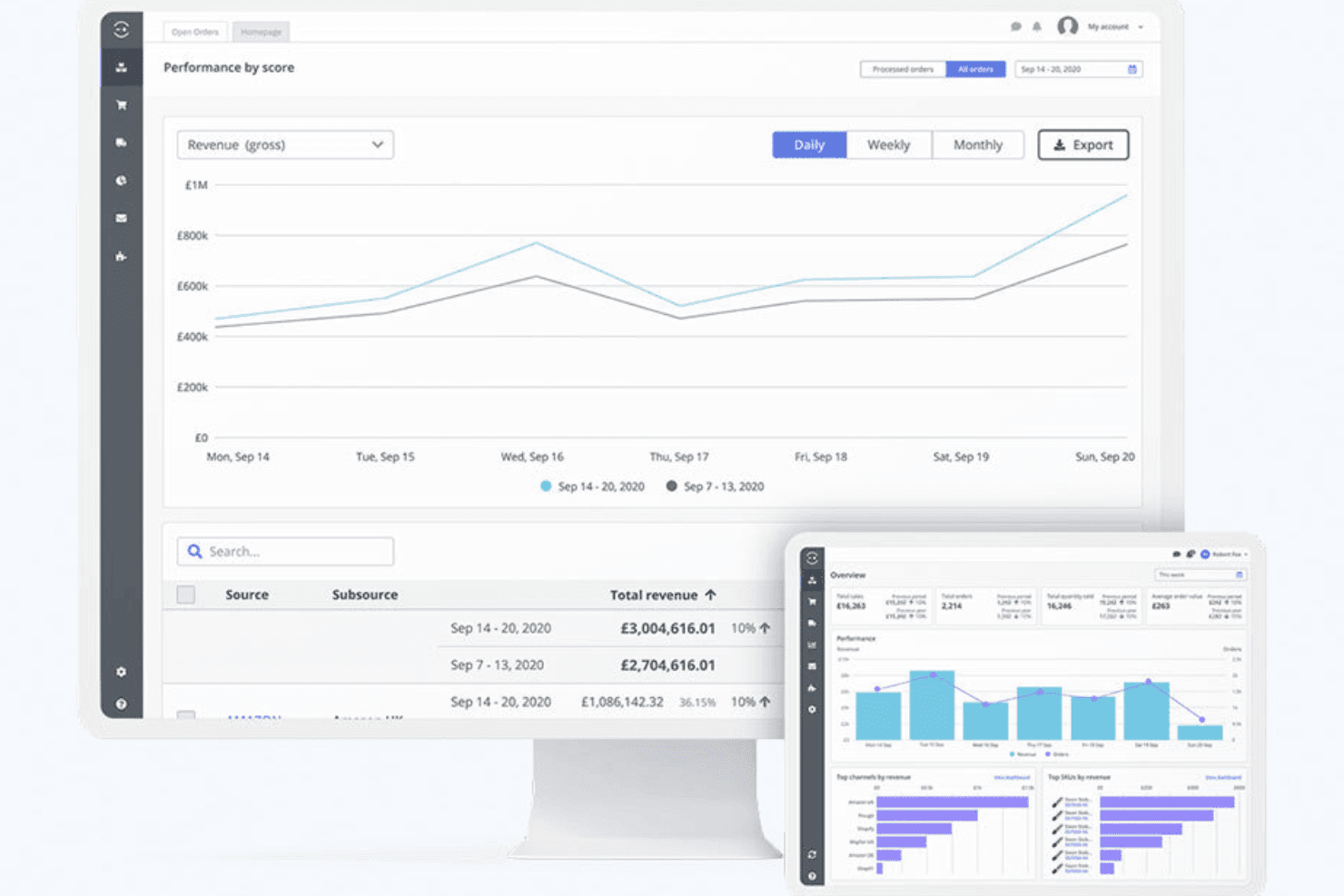
Customizable Reporting and Dashboards
Tracks inventory performance, sales trends, and operational metrics with tailored reports. Lets users spot issues or growth opportunities fast.
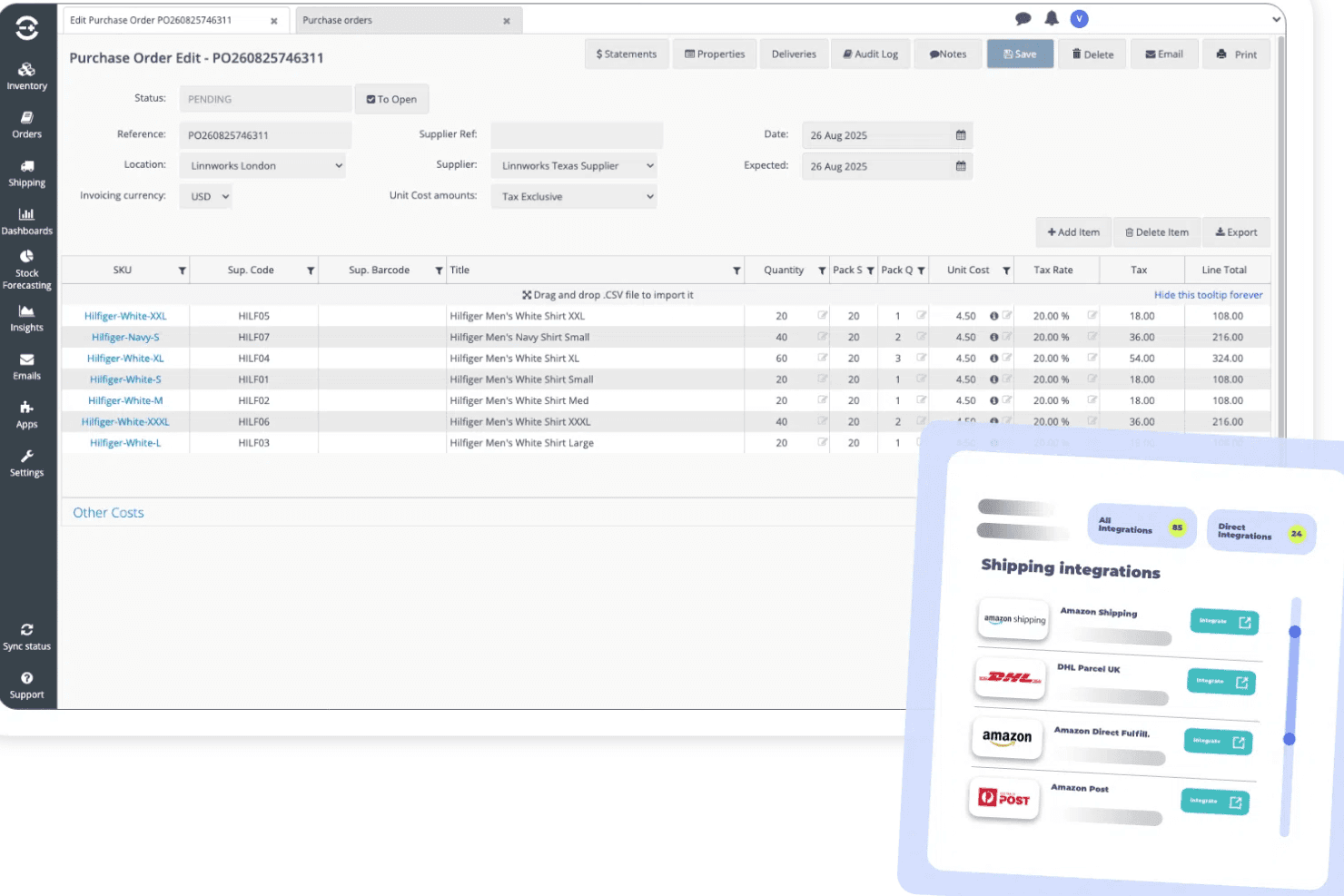
Purchase Order Management
Generates, sends, and tracks purchase orders to suppliers directly within the platform. Keeps restock workflows organized as demand changes.
Returns and Refunds Processing
Manages item returns and refunds from all sales channels in one place. Streamlines workflows and reduces manual tracking errors.
Ease of Use
Linnworks packs a wide range of advanced features but leans toward the complex side, especially when you’re first setting up workflows and reporting.
I think teams with technical know-how will find its dashboard and bulk actions empowering, but newcomers often say menus feel busy and support documentation is essential for onboarding.
Integrations
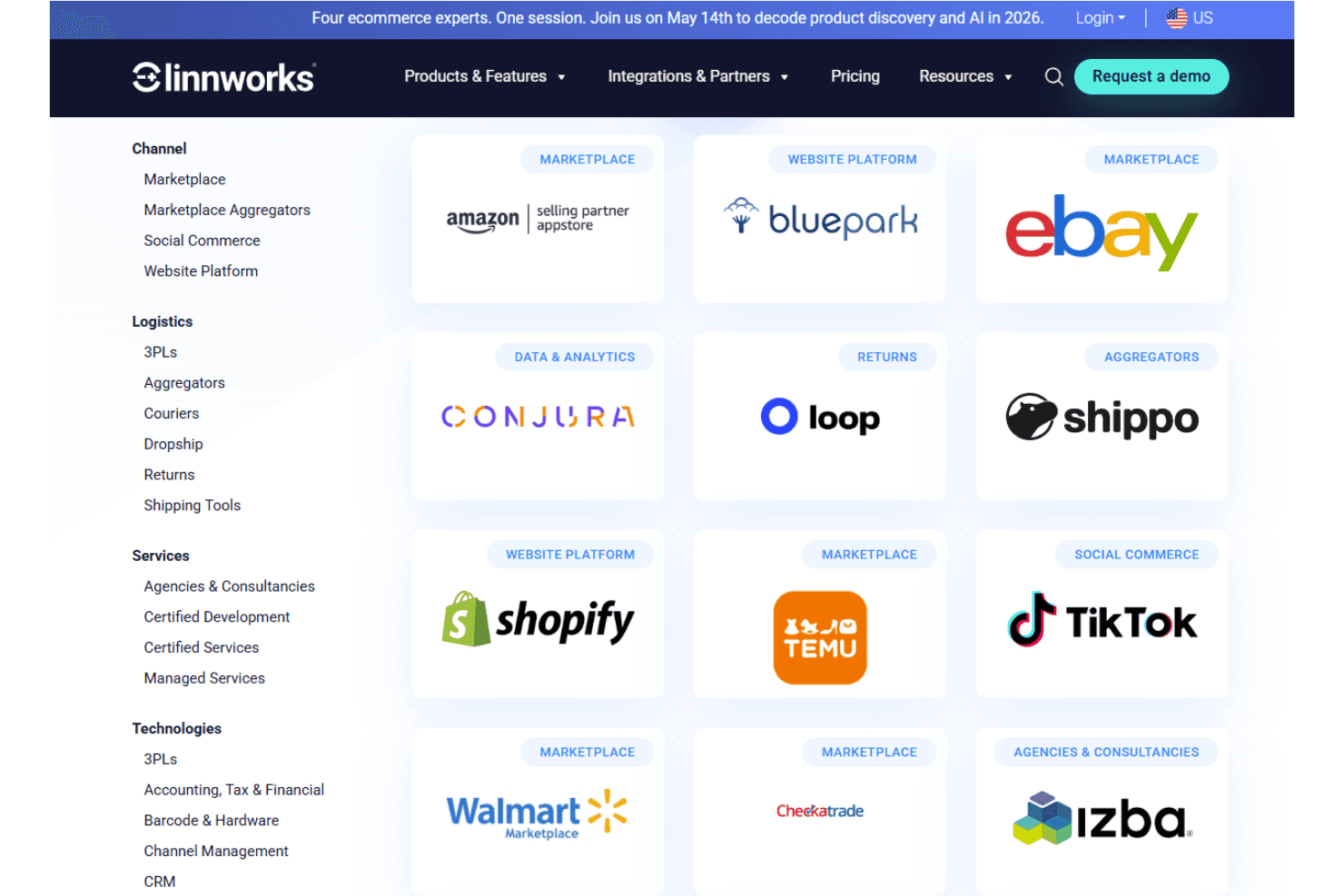
Linnworks integrates with Amazon, eBay, Shopify, Walmart, BigCommerce, Magento, WooCommerce, Royal Mail, FedEx, and DHL, among others.
Linnworks also provides an open API for custom integrations and supports connections with third-party integration tools.
Linnworks Specs
- API: Yes
- Barcode Scanning: No
- Budgeting: No
- Calendar Management: No
- Customer Management: No
- Dashboard: Yes
- Data Export: Yes
- Data Import: Yes
- Data Visualization: Yes
- External Integrations: Yes
- Forecasting: Yes
- Inventory Tracking: Yes
- Multi-User: Yes
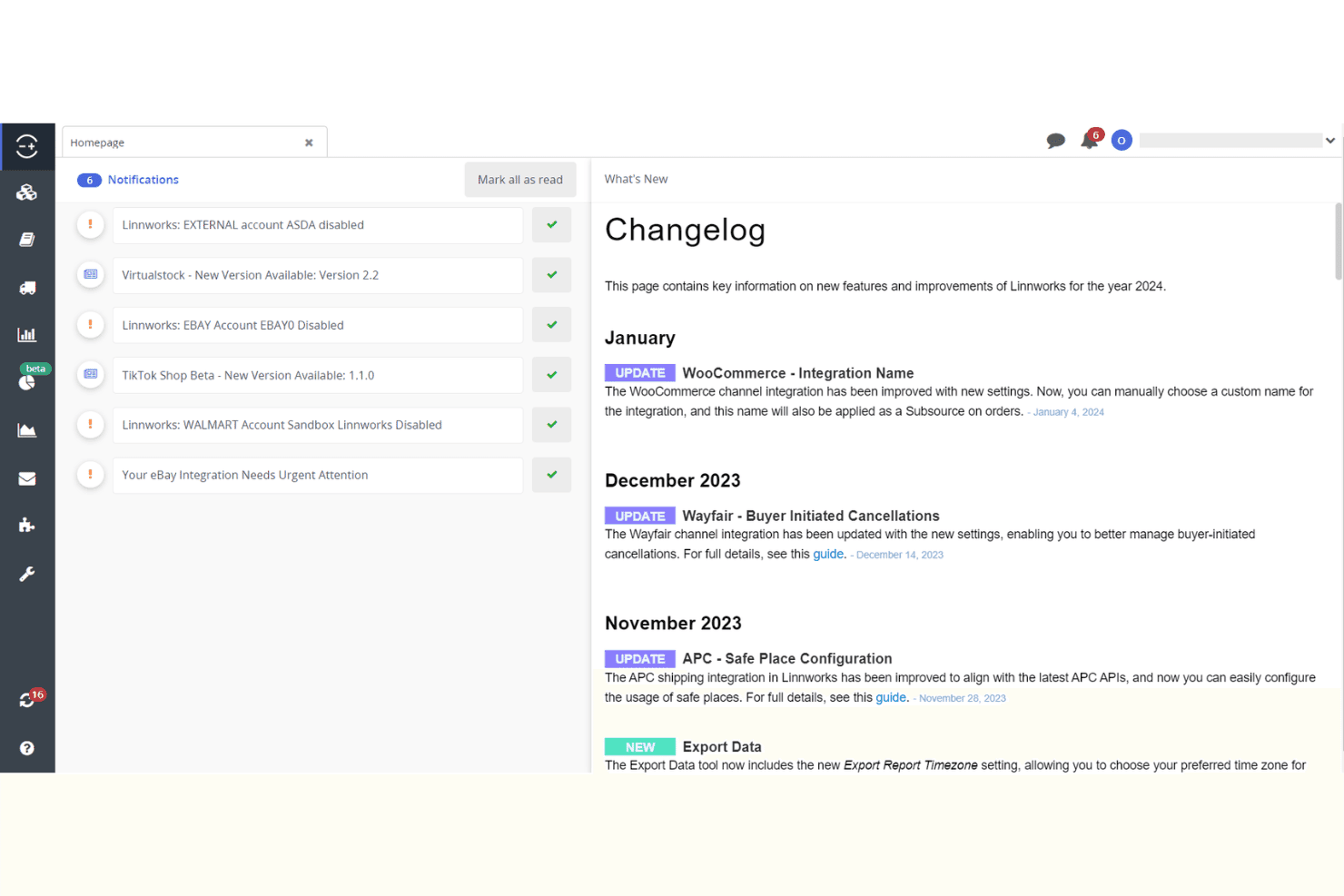
- Notifications: Yes
- Order Management: Yes
- POS Integration: No
- Product Catalog: Yes
- Purchase Orders: No
- Reorder Automation: No
- SAP Integration: No
- Scheduling: No
- Shipping Management: Yes
- Status Notifications: Yes
- Stock Level Monitoring: No
- Supplier Management: Yes
- Third-Party Plugins/Add-Ons: No
- Warehouse Management: Yes


