

Automatiza el procesamiento de tus pedidos para dejar de ahogarte en hojas de cálculo y empezar a gestionar los envíos de forma más inteligente.
Necesitas un sistema de procesamiento de pedidos que ofrezca actualizaciones de inventario en tiempo real, automatice los flujos de trabajo y mantenga sincronizados todos tus canales de venta: en línea, en tienda o al por mayor.
He gestionado operaciones de almacén, supervisado envíos internacionales y equilibrado el control de inventario en varias plataformas, así que sé exactamente qué hace falta para evitar la falta de existencias y acelerar el procesamiento de pedidos.
En esta guía, encontrarás comparaciones lado a lado de soluciones que se integran con tu ERP, CRM y POS, agilizan la facturación y realizan un seguimiento de los SKU en Shopify, Amazon y tus tiendas físicas.
Obtendrás información clara sobre las funciones, los precios y los paneles y notificaciones que necesitas para optimizar el ciclo de vida de tus pedidos.
Por qué confiar en nuestras recomendaciones de software
6,700+
Reviews
20
Industry experts
16+
Evaluation factors
14
Years
Nuestro equipo lleva probando y evaluando software desde 2012. Como líderes del sector retail, sabemos lo difícil —y lo importante— que es elegir el software adecuado.
Para esta guía, evaluamos las herramientas mediante pruebas prácticas e investigación independiente, puntuando las herramientas según nuestros criterios de selección.
Nuestras reseñas reflejan nuestro criterio independiente, no un discurso de ventas.
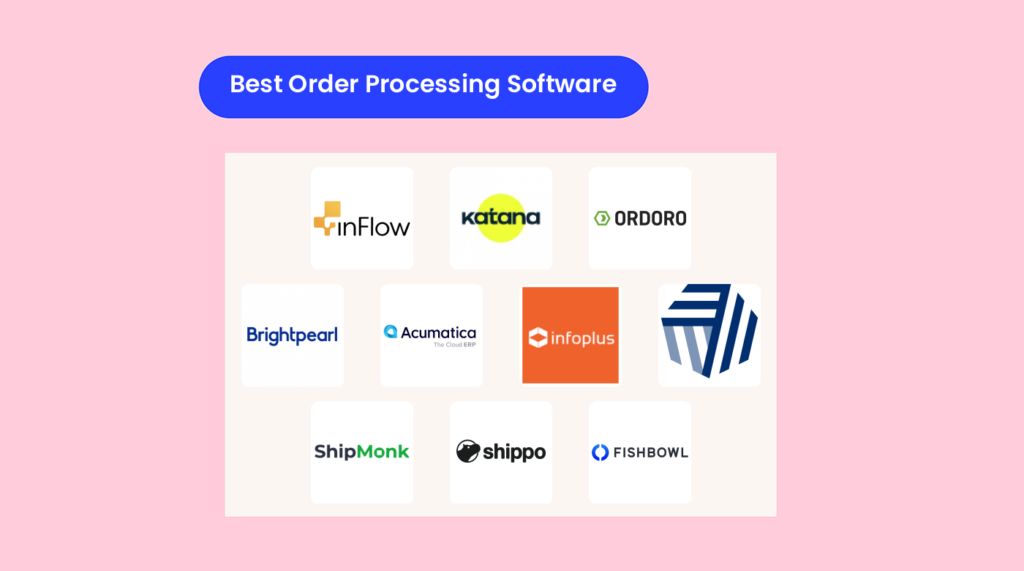
Comparación lado a lado de los mejores programas de procesamiento de pedidos
\u003cspan style=\u0022font-weight: 400\u0022\u003eEsta tabla compara los precios, los detalles de las pruebas y el aspecto en el que destaca cada opción, para que puedas ver de un vistazo qué solución de procesamiento de pedidos se adapta a tu presupuesto y a tus flujos de trabajo.\u003c/span\u003e
| Tool | Best For | Trial Info | Price | ||
|---|---|---|---|---|---|
| 1 | Mejor para el seguimiento de inventario | Prueba gratuita de 14 días + demo gratuita disponible | Desde $129/mes (facturado anualmente) | Website | |
| 2 | Ideal para gestionar múltiples canales de venta | Plan gratuito disponible | Desde $299/mes | Website | |
| 3 | El mejor para dropshipping | Prueba gratuita de 15 días + plan gratuito + demo gratuita disponible | Desde $349/mes | Website | |
| 4 | La mejor por sus capacidades de automatización | Demo gratuita disponible | Precios bajo solicitud | Website | |
| 5 | Mejor para implementar precios complejos | Demo gratuita disponible | Precios bajo solicitud | Website | |
| 6 | Ideal para la gestión de almacenes | Demostración gratuita disponible | Precio bajo consulta | Website | |
| 7 | Ideal para integraciones extensas de plataformas | Prueba gratuita de 14 días | Desde $349/mes | Website | |
| 8 | Mejor para cajas de suscripción | Demostración gratuita | Precios a consultar | Website | |
| 9 | Mejor para descuentos en envíos | Plan gratuito disponible | Desde $19/mes | Website | |
| 10 | Mejor para integración con QuickBooks | Demo gratuita disponible | Desde $229/mes (facturado anualmente) | Website |


Los mejores programas de procesamiento de pedidos, analizados
Ahora veremos en qué destaca cada sistema, para quién está diseñado y qué aspectos debes tener en cuenta. Considera esto como una guía rápida de funciones, integraciones y rendimiento en el mundo real para que puedas elegir la opción perfecta para el ciclo de vida de tus pedidos.
 Mejor para el seguimiento de inventario
- Prueba gratuita de 14 días + demo gratuita disponible
- Desde $129/mes (facturado anualmente)
Visit WebsiteCustomer Rating:4.6/5
inFlow Inventory rastrea inventario, ventas y pedidos para empresas en crecimiento. inFlow Inventory es una solución de gestión de inventario diseñada para pequeñas y medianas empresas que necesitan un seguimiento preciso del inventario y la gestión de pedidos. Ayuda a las empresas ofreciendo herramientas para controlar los niveles de stock, las ventas y las compras.
Por qué elegí inFlow Inventory: Está diseñado para negocios que requieren un seguimiento detallado del inventario. El software proporciona actualizaciones de stock en tiempo real y permite gestionar los pedidos desde una plataforma centralizada. Puedes automatizar los puntos de reorden para asegurarte de no quedarte sin stock. Sus funciones de generación de informes te ayudan a analizar las tendencias de ventas y tomar decisiones informadas.
Características destacadas e integraciones:
Las características incluyen generación de códigos de barras, lo que simplifica el proceso de catalogación y gestión del inventario. Puedes utilizar la aplicación móvil para acceder a los datos del inventario estés donde estés. El software también ofrece facturas personalizables para que coincidan con la identidad de tu marca.
Las integraciones incluyen QuickBooks, Shopify, WooCommerce, Amazon, Squarespace, Xero, Zapier, Salesforce, eBay y Etsy.
Pros and Cons
Pros:
- Actualizaciones de stock en tiempo real
- Gestión centralizada de pedidos
- Automatiza puntos de reorden
Cons:
- Opciones de personalización limitadas
- Problemas ocasionales de sincronización
Learn more about inFlow Inventory: Ideal para gestionar múltiples canales de venta
- Plan gratuito disponible
- Desde $299/mes
Visit WebsiteCustomer Rating:4.6/5
Katana asigna pedidos a materiales y capacidad en tiempo real. Katana MRP es una plataforma de procesamiento de pedidos e inventario orientada a la fabricación que centraliza las ventas, la producción y las compras para pequeños y medianos fabricantes.
Conecta tiendas en línea, marketplaces y herramientas de contabilidad, ayudando a los equipos a evitar faltantes de stock, mantener la visibilidad de los trabajos en proceso y cumplir con los despachos a tiempo.
Por qué elegí Katana:
Para fabricantes que venden a través de múltiples canales, Katana mantiene los pedidos de ventas, la producción y las necesidades de materia prima en una sola vista en tiempo real. Gestiona ensamblajes e ingredientes con listas de materiales, admite el seguimiento por lotes y resalta la capacidad y disponibilidad, para que los planificadores puedan programar con confianza.
El flujo de trabajo—desde el pedido de ventas hasta la compra/producción y el cumplimiento—se siente diseñado específicamente para talleres de producción bajo inventario o bajo pedido. Aspectos a considerar: algunas funciones avanzadas (seguimiento por lotes, operadores de planta) están en planes superiores, y los límites de usuarios pueden ser restrictivos para equipos grandes.
Funciones y conexiones destacadas:
Funciones incluyen inventario en tiempo real en todas las ubicaciones, sincronización de pedidos de ventas multicanal, planificación de materiales a nivel de lista de materiales, soporte para lotes/códigos de barras, gestión de devoluciones, kits/paquetes, cumplimiento parcial y tareas móviles.
Integraciones incluyen Shopify, BigCommerce, WooCommerce, Amazon, eBay, QuickBooks Online, Xero, HubSpot, Salesforce, Pipedrive, Prospect CRM, ShipStation, Shippo, 2Ship y Zapier.
Pros and Cons
Pros:
- Seguimiento de inventario en tiempo real en varias ubicaciones.
- Interfaz fácil de usar y aprender.
- Control de stock preciso para ensamblajes e ingredientes.
Cons:
- Los planes de menor nivel carecen de seguimiento por lotes y funciones de operador de planta.
- Los límites de usuarios con acceso total pueden ser restrictivos.
Learn more about Katana: El mejor para dropshipping
- Prueba gratuita de 15 días + plan gratuito + demo gratuita disponible
- Desde $349/mes
Visit WebsiteCustomer Rating:4.7/5
Ordoro simplifica el dropshipping y centraliza la gestión de inventario. Ordoro es un software de procesamiento de pedidos diseñado para empresas que se centran en el dropshipping y la gestión de inventario. Ayuda a los minoristas a optimizar sus procesos de envío y gestionar su inventario desde una sola plataforma.
Por qué elegí Ordoro: Es perfecto para empresas que dependen en gran medida del dropshipping y necesitan una gestión eficiente del inventario. Funciones como la sincronización automática de inventario y la gestión de pedidos multicanal son ideales para el dropshipping. Tu equipo también puede beneficiarse de la generación automática de etiquetas de envío. El software simplifica el proceso de gestión de proveedores y seguimiento de envíos.
Funciones y integraciones destacadas:
Funciones incluyen creación de kits, que te permite agrupar productos para la venta. Puedes utilizar el escaneo de códigos de barras para agilizar el procesamiento de los pedidos. El software también ofrece análisis avanzados para ayudarte a tomar decisiones basadas en datos.
Integraciones incluyen Shopify, Amazon, eBay, WooCommerce, BigCommerce, Magento, Etsy, Squarespace, Xero y QuickBooks.
Pros and Cons
Pros:
- Gestión eficiente de dropshipping
- Sincronización automática de inventario
- Gestión de pedidos multicanal
Cons:
- Opciones de personalización limitadas
- Puede ser complejo para principiantes
Learn more about Ordoro: La mejor por sus capacidades de automatización
- Demo gratuita disponible
- Precios bajo solicitud
Visit WebsiteCustomer Rating:4.4/5
Brightpearl centraliza pedidos, inventario y contabilidad. Brightpearl es un sistema operativo para minoristas que centraliza el procesamiento de pedidos, inventario, cumplimiento, CRM y contabilidad para minoristas multicanal y marcas.
Automatiza los flujos de trabajo rutinarios—desde la compra hasta el envío, facturación y devoluciones—para que los equipos gestionen los pedidos más rápido, con menos errores y una visión clara y en tiempo real del inventario a través de los diferentes canales.
Por qué elegí Brightpearl:
Esta plataforma está diseñada para minoristas que escalan a través de mercados y tiendas en línea que necesitan una automatización confiable y un control unificado del back-office. Reduce las intervenciones manuales en la gestión de pedidos, asigna inventario en tiempo real y mantiene las finanzas sincronizadas con las operaciones, lo que acorta los ciclos de cumplimiento y agiliza la conciliación de caja.
Los informes y la previsión dan a los gerentes respuestas diarias—qué comprar, dónde almacenar y qué corre riesgo de retraso—mientras que la implementación guiada por expertos ayuda a los equipos grandes a operar sin soluciones improvisadas.
Funciones destacadas e integraciones:
Funciones incluyen gestión de pedidos multicanal, reglas de automatización para asignación y cumplimiento, flujos de trabajo para pedidos pendientes y devoluciones, gestión de almacenes, creación de etiquetas de envío, CRM, análisis para retail y contabilidad en tiempo real.
Integraciones incluyen Shopify, Magento, BigCommerce, Amazon, eBay, Lightspeed, Dotdigital, Klaviyo, Stripe, Square, Xero, QuickBooks, Sage Intacct, Royal Mail, USPS, DPD, FedEx y ShipStation.
Pros and Cons
Pros:
- Eficiente en la gestión de inventario y ventas para optimizar los procesos.
- La automatización reduce significativamente las tareas manuales y errores en los flujos de pedidos.
- El soporte técnico es frecuentemente elogiado por su asistencia rápida y útil.
Cons:
- El precio es considerado elevado para negocios pequeños.
- El sistema puede parecer complejo, siendo la implementación y la capacitación un reto.
Learn more about Brightpearl: Mejor para implementar precios complejos
- Demo gratuita disponible
- Precios bajo solicitud
Visit WebsiteCustomer Rating:4.4/5
Acumatica muestra en tiempo real efectivo, cuentas por cobrar y el estado de los pedidos. Acumatica Cloud ERP es una plataforma de procesamiento de pedidos y operaciones basada en la nube que centraliza la captura de pedidos, el cumplimiento y las finanzas para empresas omnicanal.
Automatiza los flujos de trabajo en ventas, inventario, CRM y finanzas, ayudando a los equipos a reducir los ciclos de pedido a cobro, disminuir errores y obtener visibilidad en tiempo real de efectivo, cuentas por cobrar y estado de cumplimiento.
Por qué elegí Acumatica:
Es una excelente opción para minoristas, distribuidores y fabricantes que necesitan visibilidad de inventario en tiempo real, precios complejos y transacciones entre empresas sin tener que unir múltiples sistemas. Los paneles basados en roles y las aprobaciones automatizadas de la plataforma reducen las tareas manuales, mientras que el CRM nativo mantiene el contexto del cliente ligado a cada pedido.
También obtienes licencias flexibles—pagas solo por lo que usas—y un ecosistema de aplicaciones del marketplace validadas, lo que te permite extender capacidades sin grandes desarrollos personalizados. La implementación puede ser compleja, pero el beneficio es tener datos unificados y menos problemas de conciliación.
Características e integraciones destacadas:
Características incluyen gestión de pedidos desde la captura hasta el cumplimiento, seguimiento de inventario en tiempo real, reglas de precios y descuentos, gestión de devoluciones, transacciones entre empresas, flujos de trabajo automatizados y paneles según rol.
Integraciones incluyen Salesforce, Shopify, BigCommerce, Celigo/Integrator.io, Velixo Reports, Netstock IBP, Workforce Go! HCM, DataSelf, Inventory Optimization Solution, Quality Management Suite (QMS), SPS Commerce, AcuRental, Pacejet, CADLink, Traild, Procore, AvidXchange, Avalara, Power BI, Adobe Sign, DocuSign, Smartsheet, Amazon Marketplace, Magento y WooCommerce.
Pros and Cons
Pros:
- Interfaz fácil de usar y navegar.
- Altamente personalizable para adaptarse a flujos de trabajo de pedidos únicos.
- Visibilidad de datos en tiempo real para tomar decisiones más rápidas y mejores.
Cons:
- La implementación puede ser compleja y llevar mucho tiempo.
- El costo total puede aumentar a medida que se añaden funciones y usuarios.
Learn more about Acumatica: Ideal para la gestión de almacenes
- Demostración gratuita disponible
- Precio bajo consulta
Visit WebsiteCustomer Rating:4.4/5
Infoplus aumenta la eficiencia con un control detallado de almacén e inventario. Infoplus es un software de gestión de almacenes diseñado para empresas que necesitan un control detallado sobre su inventario y procesos de pedidos. Atiende a compañías que buscan optimizar sus operaciones en el almacén y mejorar la eficiencia.
Por qué elegí Infoplus: Está adaptado para negocios que requieren sólidas capacidades de gestión de almacenes. Funciones como el seguimiento de inventario en tiempo real y los informes avanzados te ayudan a mantener un control estricto sobre tus niveles de existencias. Tu equipo puede automatizar tareas rutinarias, reduciendo el trabajo manual y los errores. Las opciones de personalización del software te permiten adaptarlo a las necesidades específicas de tu almacén.
Características destacadas & integraciones:
Características incluyen tableros personalizables que te dan una visión clara de tus operaciones. Puedes utilizar alertas automáticas para mantenerte informado sobre cambios clave en el inventario. El software también admite el escaneo de códigos de barras para una gestión de inventario rápida y precisa.
Integraciones incluyen Shopify, Magento, BigCommerce, WooCommerce, Amazon, eBay, QuickBooks, Xero, ShipStation y Salesforce.
Pros and Cons
Pros:
- Potentes funciones de gestión de almacenes
- Seguimiento de inventario en tiempo real
- Capacidades avanzadas de informes
Cons:
- Curva de aprendizaje pronunciada
- Requiere configuración técnica
Learn more about Infoplus: Ideal para integraciones extensas de plataformas
- Prueba gratuita de 14 días
- Desde $349/mes
Visit WebsiteCustomer Rating:4.3/5
Cin7 Omni centraliza las operaciones de POS, comercio electrónico y ventas al por mayor. Cin7 Omni es una plataforma de gestión de inventario y pedidos que centraliza el stock, las compras y el cumplimiento para minoristas omnicanal, mayoristas y pequeños fabricantes.
Cubre flujos de trabajo de punto de venta (POS), comercio electrónico, B2B y 3PL, ayudando a los equipos a reducir faltantes de stock, acelerar el procesamiento de pedidos y conciliar ventas y costes más rápidamente.
Por qué elegí Cin7 Omni:
Esta plataforma es ideal para operadores que gestionan múltiples canales, socios EDI y necesidades básicas de ensamblaje/BOM, y que desean un solo sistema de registro para pedidos e inventario. La visibilidad en tiempo real del stock, el enrutamiento robusto de pedidos y los informes sólidos respaldan asignaciones más limpias y menos ajustes manuales.
También ofrece una amplia cobertura de integraciones para mantener la contabilidad, los marketplaces y los envíos sincronizados. Entre los inconvenientes se incluyen una curva de aprendizaje considerable y precios más altos en comparación con herramientas más ligeras para pequeñas empresas, pero el control operativo suele compensar esto para equipos en crecimiento.
Funciones e integraciones destacadas:
Funciones incluyen gestión de pedidos y devoluciones, POS, reconocimiento inteligente de documentos, ensamblaje/BOM para fabricación ligera, EDI, conexiones 3PL, pronóstico y compras, y reportes configurables.
Integraciones incluyen QuickBooks, Xero, Shopify, Amazon, Walmart, eBay, BigCommerce, WooCommerce, ShipStation, Fulfillment by Amazon, SPS Commerce, Pipe17 y Avalara.
Pros and Cons
Pros:
- El seguimiento en tiempo real actualiza los niveles de stock al instante, minimizando riesgos de sobreventa.
- La gestión centralizada de productos agiliza el control de inventario a través de múltiples canales.
- Las integraciones avanzadas conectan las principales plataformas de comercio electrónico, contabilidad y envíos.
Cons:
- Curva de aprendizaje pronunciada debido a la extensa gama de funciones del software.
- Precios más elevados que las alternativas más ligeras.
Learn more about Cin7 Omni: Mejor para cajas de suscripción
- Demostración gratuita
- Precios a consultar
Visit WebsiteCustomer Rating:4.1/5
ShipMonk gestiona el cumplimiento para cajas de suscripción con logística inteligente. ShipMonk es un software de procesamiento de pedidos y gestión de cumplimiento diseñado para empresas que ofrecen cajas de suscripción y necesitan una gestión logística eficiente. Atiende a minoristas en línea que requieren soluciones de gestión de inventario, procesamiento de pedidos y envíos.
Por qué elegí ShipMonk: Es perfecto para negocios de cajas de suscripción que necesitan un socio confiable de cumplimiento. El software proporciona seguimiento de inventario en tiempo real y te permite gestionar los pedidos de forma eficiente. Puedes personalizar las opciones de empaque y envío para adaptarlas a las necesidades de tu marca. La capacidad de ShipMonk para manejar pedidos de alto volumen es una ventaja para los servicios de suscripción en crecimiento.
Características y integraciones destacadas:
Características incluyen la gestión de pedidos, que simplifica el proceso de seguimiento y cumplimiento de los pedidos de los clientes. También puedes aprovechar las opciones de empaque personalizables para mejorar la presentación de tu marca. El software ofrece análisis detallados para ayudarte a comprender el rendimiento de tu negocio y tomar decisiones informadas.
Integraciones incluyen Shopify, WooCommerce, BigCommerce, Magento, Amazon, Etsy, eBay, Squarespace, Walmart y ShipStation.
Pros and Cons
Pros:
- Eficiente para pedidos de alto volumen
- Seguimiento de inventario en tiempo real
- Socio confiable de cumplimiento
Cons:
- Proceso de configuración complejo
- Precio inicial elevado
Learn more about ShipMonk: Mejor para descuentos en envíos
- Plan gratuito disponible
- Desde $19/mes
Visit WebsiteCustomer Rating:4.2/5
Shippo ofrece tarifas con descuento y agiliza los envíos para PYMEs. Shippo es una solución de envíos diseñada para empresas que buscan ahorrar en costos de envío y mejorar su logística. Está orientada a pequeñas y medianas empresas que necesitan acceso a tarifas de envío con descuento y procesos de envío eficientes.
Por qué elegí Shippo: Es ideal para negocios que priorizan el ahorro en el envío. Con características como acceso a tarifas con descuento de USPS y UPS, puedes reducir los gastos de envío. Tu equipo también puede beneficiarse de la creación automática de etiquetas, lo que simplifica el proceso de envío. La capacidad de rastrear envíos en tiempo real ayuda a mejorar la satisfacción del cliente.
Funciones e & integraciones destacadas:
Funciones incluye la creación de etiquetas por lote, que permite procesar varios envíos a la vez. Puedes personalizar las etiquetas de envío para que coincidan con tu marca. El software también ofrece creación de etiquetas de devolución, facilitando a tus clientes la devolución de artículos.
Integraciones incluye Shopify, WooCommerce, BigCommerce, Magento, Amazon, eBay, Etsy, Squarespace, Weebly y Wix.
Pros and Cons
Pros:
- Acceso a tarifas de envío con descuento
- Creación automática de etiquetas
- Seguimiento de envíos en tiempo real
Cons:
- Funciones avanzadas limitadas
- Discrepancias ocasionales en el seguimiento
Learn more about Shippo: Mejor para integración con QuickBooks
- Demo gratuita disponible
- Desde $229/mes (facturado anualmente)
Visit WebsiteCustomer Rating:4/5
Fishbowl automatiza tareas de inventario, pedidos y fabricación. Fishbowl es un software de gestión de inventario dirigido a pequeñas y medianas empresas que necesitan un seguimiento eficiente del inventario y la gestión de pedidos. Ayuda a las empresas a gestionar el inventario, automatizar los procesos de pedido y optimizar la fabricación.
Por qué elegí Fishbowl: Es ideal para empresas que utilizan QuickBooks para contabilidad y necesitan una integración perfecta. El software ofrece funciones avanzadas de seguimiento de inventario y gestión de pedidos que complementan QuickBooks. Puedes automatizar tu proceso de reabastecimiento, asegurando que nunca te quedes sin stock. Fishbowl también proporciona herramientas de fabricación para ayudarte a gestionar la producción y el ensamblaje.
Características y integraciones destacadas:
Características incluyen escaneo de códigos de barras, lo que agiliza las tareas de gestión de inventario. Puedes configurar el seguimiento multimoneda para manejar transacciones internacionales. El software también ofrece informes personalizables para brindarte información sobre las operaciones de tu negocio.
Integraciones incluyen QuickBooks, Shopify, WooCommerce, Magento, Xero, Salesforce, Amazon, eBay, BigCommerce y ShipStation.
Pros and Cons
Pros:
- Fuerte integración con QuickBooks
- Seguimiento avanzado de inventario
- Automatiza el proceso de reabastecimiento
Cons:
- Alto costo inicial
- Curva de aprendizaje pronunciada
Learn more about Fishbowl Inventory:
Otros programas de procesamiento de pedidos
Estas son algunas opciones adicionales de software de procesamiento de pedidos que no llegaron a mi lista de selección, pero que aún merece la pena revisar:
- 11FulfilIdeal para enrutamiento de pedidos basado en reglas
- 12Manhattan ActiveIdeal para interacciones personalizadas con el cliente
- 13ShipHeroMejor para el cumplimiento de pedidos en comercio electrónico
- 14RadialMejor para minoristas omnicanal
- 15ShippingEasyIdeal para pequeños minoristas
- 16ShipWiseIdeal para pedidos B2B
- 17Kibo CommerceMejor para escalabilidad
- 18ShipStationIdeal para la automatización de flujos de trabajo
- 19MRPeasyMejor para una planificación de producción precisa
- 20VeeqoMejor para vendedores multicanal
Cómo evalúo el software de procesamiento de pedidos
Evalúo el software de procesamiento de pedidos en dos niveles: el nivel básico que una herramienta debe cumplir—como la sincronización de pedidos multicanal y el enrutamiento de cumplimiento—y los diferenciadores que hacen destacar las mejores opciones.
Funcionalidad principal (Requisitos básicos para esta lista)
Cuando selecciono herramientas para mi lista, clasifico cada una en una escala del 0 (no ofrece la funcionalidad) al 5 (destaca en esta área) para cada una de las funciones principales que se citan a continuación. Luego, calculo la puntuación total de la herramienta y la convierto en un porcentaje. Cada herramienta necesita alcanzar una puntuación mínima total del 65% para ser considerada para su inclusión.
- Agregación de pedidos multicanal: Verifico si los pedidos de tu tienda en línea, marketplaces como Amazon o eBay y sistemas POS, todos fluyen hacia una cola de pedidos unificada.
- Sincronización de inventario en tiempo real: Los conteos de stock deben actualizarse en cada canal y almacén conectado a medida que entran los pedidos, para que tu equipo evite vender en exceso un SKU popular.
- Enrutamiento y cumplimiento de pedidos: Evalúo cómo la herramienta asigna los pedidos al almacén, tienda o 3PL correctos—especialmente si admite envíos divididos y lógica basada en reglas.
- Integración con envíos y transportistas: Aquí importan la comparación de tarifas de múltiples transportistas, la generación de etiquetas y las actualizaciones de seguimiento. Reviso la variedad de transportistas soportados y las opciones de envío en lote.
- Gestión de devoluciones y reembolsos: Gestionar una devolución debe activar automáticamente la reposición del inventario y el procesamiento del reembolso en un solo flujo de trabajo, en lugar de obligar a tu equipo a actualizar múltiples sistemas manualmente.
- Informes y analítica de pedidos: Busco paneles que desglosen la velocidad de cumplimiento, el volumen de pedidos por canal y el rendimiento a nivel de SKU, en vez de solo listas de pedidos básicas.
Una vez que tengo una lista de herramientas que cumplen estos criterios, considero qué diferencia a cada plataforma.
Factores diferenciadores (Qué distingue a los proveedores)
Así es como comparo y contrasto los diferentes proveedores:
Funciones destacadas
Un generador de automatizaciones de flujo de trabajo sin código es una de las primeras cosas que busco. Poder etiquetar automáticamente pedidos de alto valor, retener envíos marcados o dividir pedidos por almacén sin ayuda de desarrolladores ahorra a tu equipo de operaciones horas cada semana. El control de fraude también es importante: las herramientas que puntúan pedidos por riesgo antes del cumplimiento ayudan a reducir retrocesos en transacciones sospechosas. Además, evalúo la gestión de pedidos en reserva y anticipados, ya que los minoristas que manejan retrasos de suministro necesitan lógica automatizada de reservas y notificaciones integradas al flujo de pedidos.
Más allá de las características
La profundidad de las integraciones es uno de los mayores diferenciadores que evalúo. Una herramienta puede cumplir con todos los requisitos de funcionalidad, pero si no puede sincronizarse correctamente con tu tienda Shopify, tu instancia de QuickBooks o el WMS de tu 3PL, tu equipo terminará haciendo trabajos manuales para solucionarlo. También reviso cómo escala el precio con el crecimiento: algunos proveedores cobran por pedido, otros por usuario, y la brecha en el costo total se amplía rápidamente a medida que aumenta el volumen. Esto también se vincula a la escalabilidad. Verifico si agregar nuevos almacenes, canales o miembros del equipo requiere actualizar el plan o una reimplementación completa.
¿Qué es el software de procesamiento de pedidos?
El software de procesamiento de pedidos es un sistema basado en la nube que automatiza todo el ciclo de vida de un pedido, desde la entrada del pedido hasta la facturación y el cumplimiento.
Los minoristas, los responsables de almacén y los equipos de comercio electrónico lo utilizan para realizar un seguimiento de los SKU, gestionar los niveles de inventario en tiempo real y agilizar los flujos de trabajo en todos los canales de venta.
Elimina la introducción manual de pedidos y los problemas relacionados con los niveles de existencias, reduce los errores y los pedidos pendientes, y acelera el proceso de preparación de pedidos para que entregues los productos correctos a tiempo.
Cómo elegir un software de procesamiento de pedidos
Elegir la solución de gestión de pedidos equivocada puede costarte tiempo, dinero y muchos quebraderos de cabeza.
Empieza por identificar los puntos problemáticos actuales del ciclo de vida de tus pedidos y, después, utiliza esta lista de comprobación para encontrar un sistema que se adapte a tus flujos de trabajo, crezca con tu volumen y no te deje tirado cuando aumenten los pedidos.
| Paso | Qué hacer | Por qué es importante |
|---|---|---|
| PasoEvalúa tus flujos de trabajo | Qué hacerDocumenta cada etapa: entrada de pedidos, actualizaciones de inventario, facturación, envíos y devoluciones. | Por qué es importanteDestaca los cuellos de botella manuales y establece tus objetivos de automatización. |
| PasoDefine las funciones imprescindibles | Qué hacerPrioriza el inventario en tiempo real, las integraciones multicanal, el enrutamiento automatizado y las necesidades de generación de informes. | Por qué es importanteGarantiza que cualquier herramienta que preselecciones cubra el ciclo de vida principal de tus pedidos. |
| PasoRealiza una prueba piloto | Qué hacerPrueba los flujos de trabajo críticos: crea un pedido en tu plataforma de comercio electrónico, sincroniza el inventario e imprime una etiqueta. | Por qué es importanteVerifica que el sistema funcione en tu entorno y descubre posibles deficiencias. |
| PasoCompara el coste total | Qué hacerCalcula las tarifas de suscripción, los cargos por pedido o por usuario, los costes de configuración y migración, y las tarifas de asistencia. | Por qué es importanteEvita gastos inesperados y te permite elaborar un presupuesto para el crecimiento. |
| PasoComprueba la asistencia y la formación | Qué hacerConfirma la disponibilidad de asistencia especializada en el comercio minorista, recursos de incorporación y garantías de SLA de respuesta. | Por qué es importanteMantiene a tu equipo en movimiento cuando los pedidos —y las preguntas— comienzan a acumularse. |
Funciones del software de procesamiento de pedidos
Al seleccionar un software de procesamiento de pedidos, presta atención a las siguientes funciones clave:
- Seguimiento del inventario en tiempo real. Supervisa al instante los niveles de existencias en las plataformas de comercio electrónico, los POS y los almacenes para evitar la falta de existencias y la sobreventa.
- Flujos de trabajo automatizados. Automatiza la entrada de pedidos, la creación de etiquetas de envío y la facturación para que tu equipo dedique menos tiempo a los procesos manuales y más al crecimiento.
- Integración multicanal. Sincroniza los pedidos y el inventario en Shopify, Amazon, los POS de las tiendas y tu ERP o CRM para un proceso unificado de gestión de pedidos.
- Enrutamiento inteligente de pedidos. Dirige automáticamente los pedidos de venta al centro de preparación de pedidos o transportista óptimo según la ubicación, el coste y la disponibilidad del inventario.
- Paneles personalizables. Crea paneles en tiempo real que muestren en un solo lugar el estado de los pedidos, las órdenes de compra, los pedidos pendientes y las métricas de rentabilidad.
- Escaneo de códigos de barras y procesamiento por lotes. Acelera la gestión del almacén con preparación, embalaje y recuentos cíclicos basados en códigos de barras.
- Generación de informes y previsiones. Genera informes personalizados sobre SKU, canales de venta y rendimiento de la cadena de suministro, y pronostica los puntos de reposición para optimizar el control del inventario.
Ventajas del software de procesamiento de pedidos
La implementación de un software de procesamiento de pedidos proporciona varias ventajas para tu equipo y tu empresa. Estas son algunas de las que puedes esperar:
- Preparación de pedidos optimizada. Automatiza las tareas repetitivas y elimina las transferencias manuales para que los pedidos se envíen más rápido y con menos errores.
- Mayor satisfacción del cliente. Proporciona actualizaciones precisas sobre el estado de los pedidos y reduce los pedidos pendientes para ofrecer una experiencia del cliente más fluida.
- Mayor rentabilidad. Utiliza la comparación de tarifas y el análisis de costes para encontrar las opciones de envío más rentables y aumentar los márgenes.
- Flujos de trabajo escalables. Amplía los canales de venta y el volumen de pedidos sin aumentar la plantilla: tu sistema basado en la nube crece contigo.
- Mayor visibilidad. Obtén una visión completa del ciclo de vida de los pedidos, desde la creación de la orden de compra hasta la entrega y las devoluciones.
- Menos errores manuales. Reduce los errores de introducción de datos con la entrada automatizada de pedidos, el escaneo de códigos de barras y las actualizaciones del inventario en tiempo real.
- Toma de decisiones basada en datos. Aprovecha los informes integrados y las previsiones para optimizar el momento de reposición, minimizar los niveles de existencias y aumentar la rotación.
Costes y precios del software de procesamiento de pedidos
El precio del software de gestión de pedidos varía considerablemente según las funciones, el número de usuarios y el volumen de pedidos.
En la tabla siguiente, verás los niveles de planes habituales —desde pruebas gratuitas para pequeñas empresas hasta paquetes empresariales con acceso completo a la API— para que puedas evaluar rápidamente qué solución de gestión de pedidos se ajusta a tu presupuesto y a tus flujos de trabajo.
| Tipo de plan | Precio promedio | Características comunes | Ideal para |
|---|---|---|---|
| Tipo de planPlan gratuito | Precio promedio$0/usuario/mes | Características comunesSeguimiento básico de pedidos, integraciones limitadas, paneles esenciales | Ideal paraPequeñas empresas que prueban flujos de trabajo |
| Tipo de planPlan personal | Precio promedio$10–$30/usuario/mes | Características comunesActualizaciones de inventario en tiempo real, asistencia por correo electrónico, integración con un solo canal | Ideal paraOperadores individuales y startups |
| Tipo de planPlan empresarial | Precio promedio$50–$100/usuario/mes | Características comunesIntegraciones multicanal, flujos de trabajo automatizados, informes personalizables | Ideal paraEmpresas de comercio electrónico en crecimiento y minoristas omnicanal |
| Tipo de planPlan corporativo | Precio promedio$200–$500/usuario/mes | Características comunesAcceso completo a la API, enrutamiento avanzado de pedidos, asistencia dedicada y SLA | Ideal paraOperaciones de gran volumen y grandes empresas |
Consideraciones adicionales sobre los costos
Más allá de la suscripción base, la gestión de pedidos en el mundo real suele conllevar tarifas adicionales—como cargos por transacción por pedido, recargos por multiubicación y servicios de implementación.
Esta lista de comprobación te ayudará a detectar costos ocultos antes de que sorprendan a tu cuenta de pérdidas y ganancias.
- Tarifas por pedido o por transacción. Algunos proveedores añaden cargos por cada etiqueta de envío o pedido procesado—tenlo en cuenta en tu presupuesto.
- Niveles de uso y cargos por exceso. Presta atención a los precios escalonados para el volumen de pedidos, las llamadas a la API o el almacenamiento—superar los límites puede generar cargos adicionales considerables.
- Tarifas por varias ubicaciones. Si administras varios almacenes o tiendas, comprueba si cada ubicación genera costos adicionales.
- Costos de implementación y migración. Reserva un presupuesto para los servicios de configuración, la limpieza de datos y cualquier integración personalizada que necesites.
- Complementos de asistencia y capacitación. Los paquetes de asistencia premium o la gestión de cuentas dedicada suelen tener un costo adicional.
Términos del contrato y descuentos. Los compromisos anuales suelen ofrecer tarifas más bajas, pero lee la letra pequeña sobre las penalizaciones por cancelación.
Preguntas frecuentes sobre el software de procesamiento de pedidos
Estas son algunas respuestas a preguntas frecuentes sobre el software de procesamiento de pedidos:
¿Cuánto tiempo lleva implementar un software de procesamiento de pedidos?
La implementación suele tardar entre cuatro y 12 semanas, según la complejidad. Una solución basada en la nube con conectores integrados para Shopify o QuickBooks puede estar operativa en aproximadamente un mes.
Si vas a sincronizar varios almacenes, migrar décadas de datos de un ERP heredado o crear integraciones de API personalizadas, calcula cerca de tres meses e incluye tiempo para la capacitación, de modo que tu equipo no tenga que aprender sobre la marcha durante la temporada alta.
¿Qué funciones ofrecen las mayores mejoras de eficiencia?
El seguimiento del inventario en tiempo real y los flujos de trabajo automatizados son los verdaderos pilares. La sincronización en directo de los niveles de existencias entre canales elimina la sobreventa, mientras que las reglas de enrutamiento automático eliminan las transferencias manuales. Añade preparación y empaquetado basados en códigos de barras y reducirás las horas de trabajo en el almacén cada semana.
Puntos extra si tu sistema genera automáticamente etiquetas de envío, facturas y documentos de devolución sin un solo clic adicional: esos pequeños ahorros de tiempo se acumulan rápidamente.
¿Puede el software de procesamiento de pedidos integrarse con sistemas ERP, CRM y POS?
Sí: las principales plataformas ofrecen conectores prediseñados para Shopify, Amazon, QuickBooks, Salesforce, Microsoft Dynamics y los principales sistemas POS.
Pero que esté “integrado” no siempre significa que funcione “en tiempo real”. Confirma siempre si las actualizaciones se envían al instante o por lotes cada hora. Si necesitas conexiones personalizadas con tu ERP o CRM, busca API abiertas y comprueba si existen cargos adicionales por las integraciones personalizadas.
¿El software de procesamiento de pedidos admite BOPIS y el envío desde la tienda?
Por supuesto. Los mejores sistemas de gestión de pedidos permiten dirigir los pedidos al punto de preparación más cercano, ya sea una estantería de tienda o un almacén regional, según los niveles de inventario y las preferencias del cliente.
Las verdaderas herramientas omnicanal incluso sincronizan tu POS en tienda en tiempo real, para que el personal de ventas sepa exactamente qué está disponible para recoger y evite incómodas conversaciones de “lo sentimos, se nos ha agotado”.
¿Qué costes ocultos conlleva el software de procesamiento de pedidos?
Además de la suscripción básica, presta atención a las tarifas por pedido o por etiqueta, los recargos por varias ubicaciones y los cargos por exceso en las llamadas a la API o el volumen de pedidos.
Los servicios de implementación —migración de datos, conectores personalizados y capacitación— suelen aparecer en tu cuenta de pérdidas y ganancias como facturas únicas independientes. Los niveles de soporte premium y la gestión de cuentas dedicada suelen conllevar tarifas adicionales, así que inclúyelas en el coste total de propiedad.
¿Cómo puedo medir el ROI después de implementar un software de procesamiento de pedidos?
Haz un seguimiento de las métricas clave durante los primeros 90 días: reducción de las horas de trabajo manual, disminución de los errores en los pedidos y menos roturas de stock. Compara el tiempo medio de procesamiento de pedidos y el coste de envío por pedido antes y después del lanzamiento. Supervisa la satisfacción del cliente relacionada con la precisión de los pedidos y las entregas puntuales.
Si reduces el tiempo de procesamiento entre un 20 y un 30 % y recortas el gasto de envío comparando tarifas, probablemente recuperarás tu inversión en un plazo de seis meses.
Pon orden en tus procesos
Has visto cómo el software de gestión de pedidos adecuado puede transformar tus flujos de trabajo: actualizaciones del inventario en tiempo real que eliminan las roturas de stock, enrutamiento automatizado que reduce las transferencias manuales y una integración multicanal que mantiene el comercio electrónico, el POS y el ERP perfectamente sincronizados.
Ahora te corresponde elegir el sistema que se ajuste a tu presupuesto, crezca contigo y mantenga a los clientes satisfechos con entregas precisas y puntuales.
Si estás investigando software de procesamiento de pedidos, ponte en contacto con un asesor de SoftwareSelect para recibir recomendaciones gratuitas.
Rellenarás un formulario y mantendrás una breve conversación en la que conocerán los detalles específicos de tus necesidades. Después recibirás una lista seleccionada de programas para revisar. También te apoyarán durante todo el proceso de compra, incluidas las negociaciones de precios.
El comercio minorista nunca se detiene, y tú tampoco deberías hacerlo. Suscríbete a nuestro boletín para conocer las últimas ideas, estrategias y recursos profesionales de los principales líderes del comercio minorista que están dando forma al sector.