

Ordoro vs. ShipStation: 2026 Comparison and Expert Reviews for Ecommerce

We review tools independently, and commissions help fund our testing. See our transparency policy, our methodology, or suggest a tool.
Choosing between Ordoro and ShipStation means weighing advanced inventory controls against streamlined shipping automation—two distinct approaches to order processing software that can make or break your fulfillment workflow. If you’re struggling to decide which platform will help your team process orders faster, reduce errors, and keep customers happy, you’re not alone. This guide breaks down how each tool tackles order management, shipping, and integrations, so you can confidently pick the solution that fits your business goals and operational realities.
Ordoro
4.7/5
- 15-day free trial + free plan available
- From $349/month
ShipStation
4.6/5
- 30-day free trial
- From $14.99/month
Why Trust Our Software Recommendations
6,700+
Reviews
20
Industry experts
16+
Evaluation factors
14
Years
Our team has been testing and reviewing software since 2012. As retail leaders ourselves, we know how difficult—and important—it is to choose the right software.
For this guide, we evaluated tools using hands-on testing and independent research, scoring tools using our selection criteria.
Our reviews reflect our independent judgment—not a sales pitch.
| Ordoro | ShipStation | |
|---|---|---|
| Free Trial | 15-day free trial + free plan available | 30-day free trial |
| Pricing | From $349/month | From $14.99/month |
Ordoro vs. ShipStation Pricing & Hidden Costs
Ordoro’s pricing is separated by its three apps: Shipping, Inventory (with warehouse management), and Dropshipping, with each using a tiered subscription model based on features and volume. You may encounter extra charges for integrations, premium support, or onboarding services. ShipStation also offers tiered plans, but its pricing is primarily based on shipment volume and user seats, with potential add-ons increasing the cost. Both platforms may charge additional fees for exceeding order or shipment limits.
To choose the right pricing model, start by mapping your current and projected order volumes, the number of users who need access, and any must-have integrations. Look beyond the base subscription—factor in onboarding, support, and any features you might need as your business grows. Ask each vendor for a detailed breakdown of all possible costs, including overage fees and integration charges, so you can compare the true total cost of ownership before making a decision.
Ordoro’s multi-channel inventory management and automated dropshipping help you keep stock levels accurate and streamline supplier coordination, making daily order fulfillment less stressful. ShipStation’s batch label printing and automated shipping rules let you process high volumes of shipments quickly, saving time and reducing manual errors for busy teams.
Overall, Ordoro and ShipStation offer core shipping and order management functionality that supports day-to-day operations. Each platform integrates with major sales channels, centralizes orders in one dashboard, and provides shipping management tools like label generation, tracking, and returns management, with support for carriers such as DHL and FedEx. They also both offer automation, barcode scanning, and even basic kitting capabilities.
| Ordoro | ShipStation | |
|---|---|---|
| 2-Factor Authentication | No | No |
| A/B Testing | No | Yes |
| Analytics | Yes | No |
| API | Yes | Yes |
| BitCoin | No | No |
| Conversion Tracking | No | Yes |
| Dashboard | Yes | Yes |
| Data Export | Yes | Yes |
| Data Import | No | Yes |
| Data Visualization | No | Yes |
| Design Templates | No | No |
| External Integrations | No | Yes |
| Inventory Tracking | No | Yes |
| Keyword Tracking | No | No |
| Marketing Automation | No | Yes |
| Multi-User | No | Yes |
| Notifications | No | Yes |
| Order Management | No | Yes |
| Payment Gateway Integration | No | No |
| Payment Processor | No | No |
| PayPal | No | Yes |
| Product Catalog | No | Yes |
| Review Monitoring | No | No |
| SAP Integration | No | No |
| Scheduling | No | Yes |
| Stripe | No | Yes |
| Third-Party Plugins/Add-Ons | No | Yes |
| Integration | Ordoro | ShipStation |
| Shopify | ✅ | ✅ |
| Amazon | ✅ | ✅ |
| eBay | ✅ | ✅ |
| WooCommerce | ✅ | ✅ |
| BigCommerce | ✅ | ✅ |
| Walmart Marketplace | ✅ | ✅ |
| Etsy | ✅ | ✅ |
| QuickBooks Online | ✅ | ✅ |
| Squarespace | ✅ | ✅ |
| API | ✅ | ✅ |
| Zapier | ✅ | ✅ |
Both Ordoro and ShipStation integrate with the major ecommerce platforms, marketplaces, and accounting tools that most online retailers rely on. While their overall integration coverage is very similar, ShipStation offers a larger ecosystem of native and partner integrations, giving it a slight edge in flexibility. That said, both platforms provide API access and support middleware tools like Zapier, making it easy to connect with additional apps as needed. For most businesses, either solution will fit comfortably within a modern ecommerce tech stack.
| Factor | Ordoro | ShipStation |
| Data Privacy | Uses secure cloud infrastructure and protects sensitive order and customer data. | Encrypts data in transit and at rest and protects sensitive customer and order data. |
| Regulatory Compliance | Supports common data protection standards (e.g., GDPR) with data handling controls. | Offers GDPR-aligned features and tools to manage customer data responsibly. |
| Uptime & Reliability | Maintains high uptime with cloud-based infrastructure and system monitoring. | Maintains high uptime and provides a public status page for service transparency. |
| Access Controls | Provides user roles and permissions to control access across teams. | Offers user roles, permissions, and optional two-factor authentication for added security. |
| Data Backup | Uses cloud hosting with standard backup and recovery practices. | Uses cloud infrastructure with backup and recovery mechanisms to protect data. |
Ordoro and ShipStation both provide solid security and reliability through modern cloud infrastructure, role-based access controls, and data protection practices. While their core capabilities are broadly similar, ShipStation has a slight edge in account security and transparency, with features like optional two-factor authentication and a public status page. Ordoro, on the other hand, delivers dependable access controls and data protection without added complexity. For most businesses, both platforms meet standard ecommerce security requirements, with differences being incremental rather than decisive.
| Factor | Ordoro | ShipStation |
| User Interface | Ordoro offers a clean dashboard with logical navigation, but some advanced features require extra clicks. | Intuitive layout with drag-and-drop workflows and quick access to shipping tools. |
| Onboarding | Personalized onboarding and setup assistance for new users. | Guided setup wizard and extensive self-serve resources. |
| Learning Curve | Moderate—easy for basic tasks, but advanced inventory tools take time to master. | Low—most users can process orders and print labels right away. |
| Customer Support | Responsive support team with live chat and email options. | 24/7 support for higher-tier plans and a large knowledge base. |
| Customization | Flexible workflows and custom rules for order routing. | Highly customizable shipping rules and branded packing slips. |
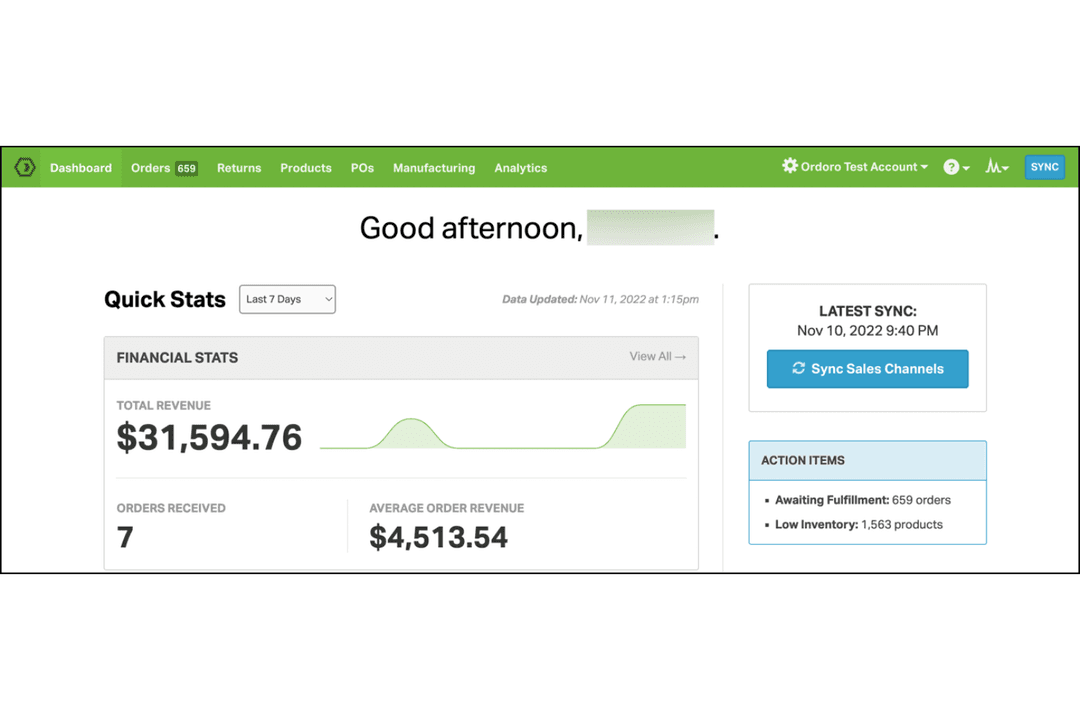
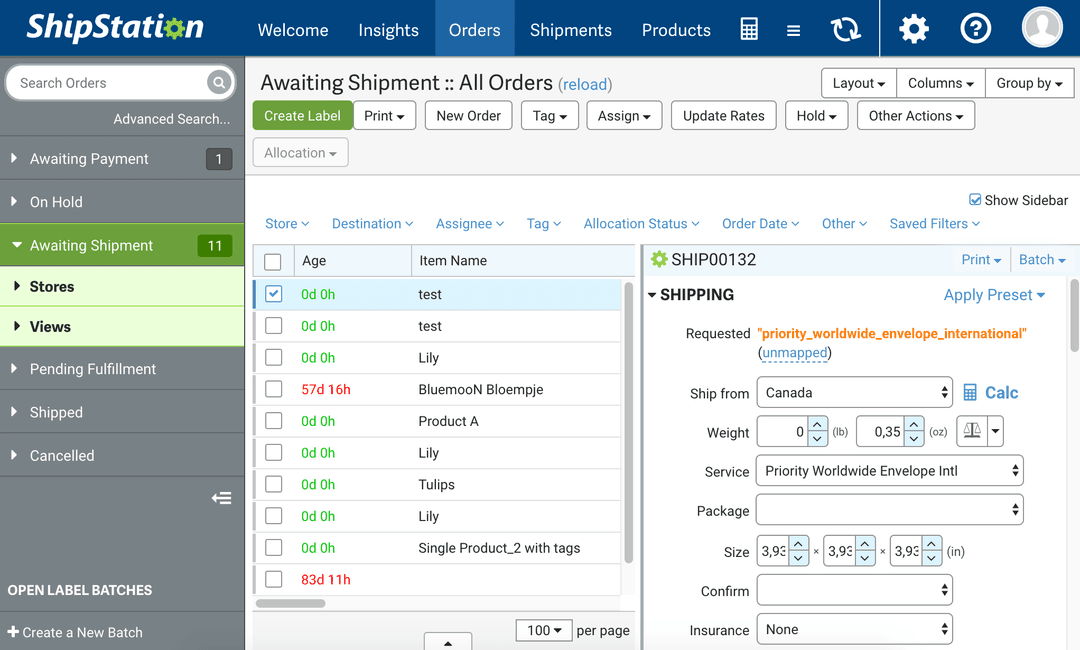
ShipStation is generally more user-friendly for beginners and non-technical users, while Ordoro’s interface and onboarding shine for teams that want more hands-on guidance and workflow flexibility. Ordoro’s strength is in its personalized support and adaptable workflows, while ShipStation stands out for its intuitive design and fast learning curve.
Ordoro
- Streamlines multichannel order management. Keeps all your sales channels organized without manual gymnastics.
- Efficient shipping label generation. Cuts down on busywork and reduces shipping mistakes.
- Real-time inventory tracking. Helps avoid costly stockouts and double-selling headaches.
- User interface feels dated. Not exactly a visual treat—and it shows.
- Onboarding can be rough. New users may need extra patience (and maybe a drink).
- Support isn’t always quick. Help arrives, but rarely at lightning speed.
ShipStation
- Smooth integrations. Works seamlessly with platforms like Shopify, Amazon, eBay, and Etsy so you can manage all orders in one place.
- Time-saving automation. Cuts down repetitive shipping tasks, letting you focus on fulfillment instead of button-clicking.
- Solid tracking and reporting. Gives you visibility into shipments and performance without pulling manual spreadsheets.
- Clunky interface. The navigation isn’t intuitive, which can slow down teams until they get comfortable.
- Slow onboarding. Setup and training take longer than they should, especially for less technical users.
- Inconsistent support. Help is available, but responses can be delayed when you’re under pressure.
Ordoro
- Ecommerce retailersOrdoro helps your online store manage orders and inventory across multiple sales channels like Shopify, Amazon, eBay, and BigCommerce with less manual effort.
- Small businesses needing shipping automationAutomatically generate shipping labels and tracking numbers for USPS, FedEx, and UPS, saving time on every order.
- Online clothing storesEfficiently track stock and fulfill orders, ensuring customers receive accurate shipments—no more overselling or lost items.
- Specialty product sellersReal-time inventory tracking keeps unique or limited-stock items up to date across all marketplaces, reducing costly errors.
- Warehouse teamsStreamline operations with a centralized dashboard for order processing, inventory management, and barcode scanning.
- Multichannel sellersManage all your sales channels and inventory levels in one cloud-based platform, reducing overselling and fulfillment headaches.
ShipStation
- Small retailersManage fulfillment without needing a large back-office team.
- Online boutiquesTrack and report on shipments to keep customers informed.
- Electronics storesHandle high-volume orders thanks to strong platform integrations.
- Home goods sellersStreamline complex product ranges with comprehensive shipping tools.
- Logistics teamsAutomate repetitive tasks so staff can focus on higher-value work.
- Customer service departmentsShare accurate shipping updates to improve the customer experience.
Who Should Use Ordoro and Who Should Use ShipStation?
Ordoro is the best fit for retailers and ecommerce businesses that need advanced inventory management, dropshipping, and multi-channel coordination—especially if you’re juggling complex supply chains or want hands-on onboarding. ShipStation is ideal for those bedding a high-volume shipping platform that can handle fast order processing and simple, intuitive workflows, making it a favorite for small businesses, startups, and brands scaling up fulfillment. If your top priority is inventory control and supplier management, go with Ordoro; if you want to ship quickly and easily across multiple carriers, ShipStation is your champion. Both tools serve omnichannel sellers, but your operational focus will tip the scales.
| Ordoro | ShipStation | |
|---|---|---|
| Carrier Features | Ordoro Strong core carriers, fewer advanced options. | ShipStation More carrier options and rate-shopping features. |
| Core Focus | Ordoro All-in-one operations (inventory + shipping + suppliers). | ShipStation Shipping-first platform optimized for fulfillment efficiency. |
| Dropshipping Support | Ordoro Native dropshipping with supplier routing and automation. | ShipStation Limited native support; typically handled via integrations. |
| Inventory Management | Ordoro Advanced multi-channel inventory and supplier management. | ShipStation Basic inventory tracking focused on shipping workflows. |
| Reporting & Analytics | Ordoro Basic reporting focused on operations. | ShipStation More advanced shipping and performance analytics. |
| Automation Rules | Both offer automation for order routing, shipping, and notifications, reducing manual work and errors. |
|---|---|
| Cloud-Based Access | Both are cloud-based, so your team can access order and shipping data securely from anywhere, with real-time updates and no local installs. |
| Integration Options | Ordoro and ShipStation integrate with popular tools like QuickBooks, WooCommerce, and Zapier, supporting flexible workflows and data sync. |
| Multi-Channel Support | Both connect to major ecommerce platforms like Shopify, Amazon, and eBay, letting you manage orders from multiple sales channels in one dashboard. |
| Shipping Label Printing | Each platform lets you print shipping labels in bulk and automate carrier selection to speed up fulfillment. |