
24 Best POS Software For Small Business In 2026

The Top 10 POS Software for Small Businesses
Let’s see our top picks for small biz POS software and what each is best at:


Here’s the truth: The best POS system for your small business is the one that gets out of your way and lets you sell—fast, reliably, and without draining your bank account.
After more than a decade in retail ops—fixing POS terminals mid-lunch rush, training new hires on the fly, and yes, haggling with landlords—I've seen what works and what's just shiny packaging.
This list isn’t about hype; it’s about the POS solutions that actually move the needle for small businesses, right now. Let’s get you set up with tools that earn their keep.
Why Trust Our Software Reviews
Comparing the Best POS Software for Small Businesses, Side-by-Side
Let’s compare these top POS software for small businesses on pricing, trial details, and use case.
| Tool | Best For | Trial Info | Price | ||
|---|---|---|---|---|---|
| 1 | Best for integrating payment management with analytics | Free quote available | From $99/month | Website | |
| 2 | Best for advanced inventory tracking | Free trial + free demo available | From $59/month | Website | |
| 3 | Best omnichannel POS system | 3-day free trial | From $29/month (billed annually) | Website | |
| 4 | Best for ecommerce, mobile, and physical payment terminals | 3-month free trial | From $79/month | Website | |
| 5 | Best for iPad-driven restaurant POS systems | Free demo available | From $59/month + payment processing | Website | |
| 6 | Best for scalability | Not available | Pricing upon request | Website | |
| 7 | Best for small businesses saving on fees | Free demo available | From 1.83% + 8¢ | Website | |
| 8 | Best for direct, low-cost processing | Free quote available | Pricing upon request | Website | |
| 9 | Best for hardware options | Free demo available | From $135/month | Website | |
| 10 | Best POS software for restaurants with multiple locations | Free plan + free demo available | From $69/month | Website |
The 10 Best POS Software for Small Businesses, Reviewed
Below, you’ll find overviews of the best POS for small businesses. Each overview contains a summary of standout features, integrations, available pricing details, and some notable pros and cons.


Stax Pay is a payment processing platform that provides businesses with integrated solutions, including payment acceptance, automated billing, and compliant surcharging. Its all-in-one POS and business management software allows for secure in-person and online payment processing, as well as the integration of necessary tools, like accounting software, within a single dashboard
Why I picked Stax Pay: I selected Stax Pay because it offers a unified business management platform that supports both in-person and online credit card payment processing. This all-in-one approach is ideal for small businesses looking to consolidate functions like invoicing, scheduling of recurring billing, payment tracking, and financial management. I also like that the platform offers robust analytics and reporting capabilities to monitor trends, refunds, and transaction history.
Stax Pay Standout Features and Integrations
Standout features include scheduled and automated payments, synchronized in-person and online transaction information, and integrated business tools. The platform also offers a compliant surcharging feature that allows businesses to pass on credit card processing fees to customers.
Additionally, Stax Pay offers a suite of POS capabilities for different payment scenarios, including SaaS platform integration, ACH payments, online and mobile payments, and in-person transactions.
Integrations include Slack, Zapier, Microsoft Office, Google Suite, and CRMs. You can also integrate payment processing capabilities into software and mobile apps with comprehensive mobile software development kits in Javascript and Python.
Pros and Cons
Pros:
- All-in-one tools and point-of-sale solution
- Recurring billing and invoicing tools
- Cost-effective with potential savings on processing fees
Cons:
- Potential additional costs
- May not be best suited to low-volume businesses
New Product Updates from Stax Pay
Stax Processing: New End-to-End Payments Platform
Stax Payments introduces Stax Processing, an end-to-end payments platform offering an integrated transaction lifecycle and direct card network access. For more information, visit Stax Pay's official site.
 .
.

KORONA POS is a cloud-based point-of-sale system designed to cater to a wide range of business types, including retail stores, wineries, event spaces, and more. Known for its versatility and robust feature set, Korona POS offers an intuitive interface that simplifies the sales process for both employees and managers.
Why I picked KORONA POS: One of the key reasons Korona POS stands out for small businesses is its scalability and ease of use. The system is designed to grow with your business, offering seamless integration with various hardware and software tools. Additionally, Korona POS offers robust inventory management features that help small business owners keep track of stock levels in real time, reducing the risk of overstocking or stockouts. The system's customer relationship management (CRM) tools also enable businesses to maintain strong customer relationships.
KORONA POS Standout Features and Integrations
Standout features include detailed and customizable reporting tools, allowing businesses to generate comprehensive reports on sales, inventory, and customer behavior. Furthermore, its integrated payment processing supports a variety of payment methods, including credit cards, mobile payments, and contactless transactions.
Integrations include QuickBooks, WooCommerce, Shopify, Magento, BigCommerce, Mailchimp, and various payment processors such as PayPal, Stripe, Worldpay, Authorize.Net, and CardConnect.
Pros and Cons
Pros:
- Provides robust inventory management tools
- The system is highly customizable
- Supports multiple business locations
Cons:
- Lacks on-location installation support
- Each terminal incurs a separate cost
New Product Updates from KORONA POS

KORONA POS Enhances Reporting Tools for Better Tracking
KORONA POS has updated its reporting tools with new grouping, columns, and time-tracking features to improve data visibility across discounts, stock, and cancellations. For more information, visit KORONA POS's official site.
 .
.

Shopify POS is software that helps streamline business operations by unifying sales channels. By focusing on omnichannel solutions, Shopify helps deliver a more consistent customer experience.
Why I picked Shopify POS: I selected Shopify POS because it’s specially designed for omnichannel retailers. Customers and employees will have a predictable experience and workflow whether the order is an online, in-store, or ship-to-home order.
Standout features include real-time inventory monitoring so companies with multiple sales channels can ensure their most up-to-date inventory numbers are syncing across channels, helping avoid canceled transactions and surprise out-of-stock alerts.
I also like how Shopify’s real-time syncing also applies to customer data. It used to be difficult to analyze customer behavior when dealing with multiple sales channels—but Shopify makes it simpler by unifying customer data records across channels and automatically tagging transactions to a specific customer account based on factors like the credit card used.
Integrations include PayPal, Stripe, Authorize.Net, Square, QuickBooks, Xero, FreshBooks, Mailchimp, Klaviyo, Zendesk, Google Analytics, Metrilo, ShipStation, and Easyship.
Pros and Cons
Pros:
- Competitive payment processing rates for high-volume businesses
- Customer relationship management and data-tracking features
- Precise inventory management and tracking (with omnichannel syncing)
Cons:
- Many features require two paid subscriptions: Shopify + POS Pro, which starts at $89/month
- No free tier ($39/month + processing fees is the cheapest option)

Best for ecommerce, mobile, and physical payment terminals
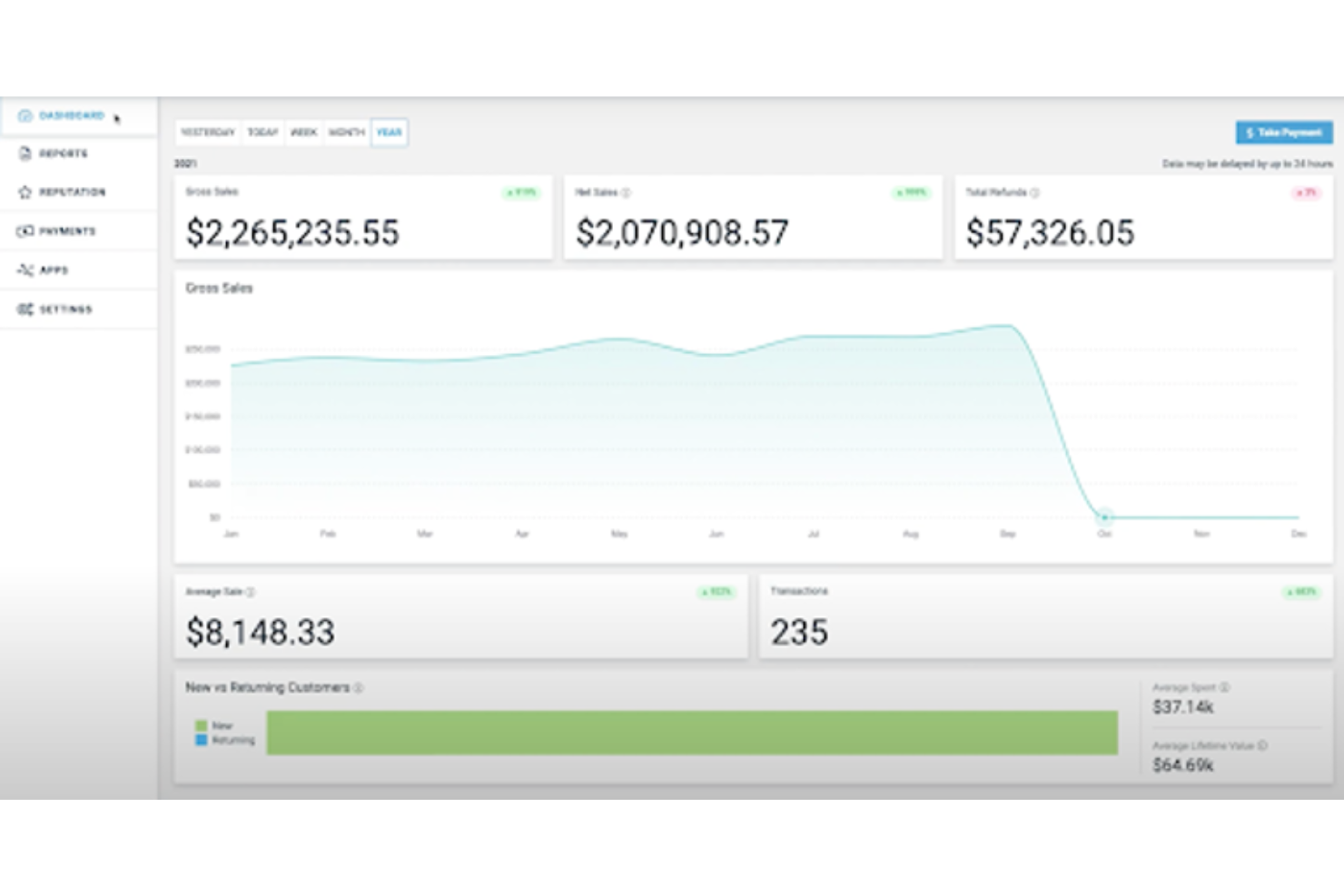
Payment Depot is a merchant solutions provider that offers a POS system for ecommerce, mobile, and physical payment terminals. By focusing on transparent interchange pricing, it helps companies reduce the amount they spend on merchant service fees, making it a cost-saving solution for small and medium-sized businesses.
Why I picked Payment Depot: I selected Payment Depot because of its flexibility, which makes it a good option for businesses of different sizes and industries. It's suitable for small businesses in retail, services, restaurants and bars, healthcare, and more. A free payment gateway is available as well as virtual terminal capabilities provided through partnerships like SwipeSimple. These allow merchants to process payments online, via mobile, and over the phone without incurring additional gateway fees.
Payment Depot Standout Features and Integrations
Standout features include the membership-based pricing model for credit card processing, which offers tailored interchange+ pricing. The company is also recognized for its commitment to customer care, and has garnered positive feedback from clients who have experienced cost savings.
Integrations include Shopify, WooCommerce, BigCommerce, PrestaShop, and OpenCart. It also integrates with payment systems such as authorize.net and business management systems like Revel Systems.
Pros and Cons
Pros:
- Cost-effective for businesses with high transaction volumes
- User interface is straightforward and intuitive
- Comprehensive equipment offerings
Cons:
- Limited to US-based, non-high-risk merchants
- Not ideal for low-volume businesses


Lavu is a POS system designed specifically for restaurants, bars, and other food and beverage establishments. As a cloud-based solution, Lavu offers a comprehensive suite of tools that centralize various aspects of restaurant management, from order processing and inventory management to employee scheduling and CRM.
Why I picked Lavu: I particularly like Lavu's iPad POS system, which offers a seamless and user-friendly experience, allowing staff to take orders, process payments, and manage tables with ease. This mobility and flexibility are crucial for small businesses that need to maximize space and efficiency. Additionally, the iPad POS system supports multiple payment methods, ensures quick transactions, and integrates smoothly with other Lavu features, making it a powerful tool for any small restaurant or bar.
Lavu Standout Features and Integrations
Standout features include the order management system, allowing businesses to tailor menus and ordering processes. The inventory management feature helps track stock levels in real-time, and the employee management tools, such as scheduling and time tracking, help optimize staff productivity and monitor performance.
Integrations include Digital Pour, Marketman, CheddarSuite, Up'n Go, CheckPlease, OpenTable, Pepper, LoyaltyMatch, Restaurant365, Shogo, Quickbooks, Xero, ADP, DoorDash, Uber Eats, Grubhub, and more.
Pros and Cons
Pros:
- Inventory management tools
- Reporting and analytics features
- Custom-built POS for restaurants
Cons:
- Not suitable for businesses outside the food and beverage industry
- Limited offline functionality


Epos Now is a provider of POS software designed to meet the of various business sizes, including small businesses. Offering a range of both hardware and software solutions, Epos Now aims to centralize operations for organizations in the retail and hospitality industries. The system is known for its user-friendly interface, extensive features, and cloud-based functionality.
Why I picked Epos Now: As a small business POS software, Epos Now stands out for its scalability, cloud-based nature, and feature-rich platform. The cloud-based system allows business owners to access real-time data from anywhere. This flexibility ensures that the software can grow alongside the business, adapting to increased demands. Other features that support small businesses include the ability to manage multiple locations, detailed sales and inventory reporting, and customizable user permissions.
Epos Now Standout Features and Integrations
Standout features include its customer relationship management (CRM) tools for tracking customer purchase histories and preferences, and its inventory management system for users to track stock levels, set up automatic reorder alerts, and manage suppliers efficiently. Additionally, Epos Now offers detailed analytics, providing insights into sales trends, employee schedules, and overall business health.
Integrations include WooCommerce, BigCommerce, Magento, PayPal, Stripe, Sage, Zapier, Google Analytics, Workforce.com, APO, Deputy, Deliveroo, Mr Yum, Hopt, QuickBooks, Xero, Mailchimp, Shopify, Appointedd, simpleERB, Worldpay, and more.
Pros and Cons
Pros:
- Flexible and customizable software
- Good reporting features
- User-friendly interface
Cons:
- Initial setup can take time
- Occasional slow system performance


Helcim's POS software for small businesses is designed to facilitate the acceptance of payments through various channels, including in-store, online, and mobile transactions.
Why I picked Helcim: I selected Helcim because it emphasizes transparent pricing without long-term contracts or hidden fees. It also provides a secure environment for processing payments, adhering to industry-standard security protocols.
Helcim Standout Features and Integrations
Standout features include an integrated system that allows businesses to manage sales, track inventory, and process payments using a single platform. It includes invoicing, customer management, and reporting tools to help business owners keep track of their sales and customer interactions.
I also like how Helcim offers a suite of services such as merchant accounts, POS systems, card readers, and an online payment gateway, which are designed to support the transactional needs of businesses across different industries.
Integrations include Xero Payments, QuickBooks, Great Exposure, Foxy.io, and WooCommerce.
Pros and Cons
Pros:
- Terminals and printers can be connected via USB or Bluetooth
- Excellent value for money
- Quick and easy application and approval processes
Cons:
- Lacks a manual or instructions
- Card terminal can be clunky for clients


Merchant One is a payment processing service that offers businesses the ability to accept and manage credit card transactions.
Why I picked Merchant One: I selected Merchant One because it offers various tools designed to assist small business owners in managing day-to-day sales activities, tracking inventory levels, and understanding customer purchasing patterns. Merchant One's POS software is also part of a broader suite of services that includes merchant accounts and payment processing, aiming to provide a comprehensive system for small businesses to handle their financial transactions.
Merchant One Standout Features and Integrations
Standout features include competitive pricing structures, including interchange-plus pricing, which can provide businesses with transparency and potentially lower processing costs. This pricing model separates the interchange fees charged by card networks from the markup charged by the payment processor, allowing businesses to see the exact costs involved.
I also like how Merchant One supports a wide range of payment methods, including credit and debit cards, electronic checks, and mobile payments.
Integrations include First Data Corporation, Fifth Third Bank N.A., Maitre'D, Micros, Paytrace Gateway, Payeezy Gateway, Payflow Pro, Authorize.net, Aloha, and USAePay.
Pros and Cons
Pros:
- Offers a variety of hardware options
- User-friendly interface
- Provides a mobile app for on-the-go payments
Cons:
- May not be suitable for low-volume businesses
- Limited transparency in contract terms


Clover offers POS and small business management systems for all types of businesses—whether you need a countertop POS or a handheld device.
Why I Picked Clover: I selected Clover because of its high-quality hardware options. Clover has handheld, mobile, and countertop POS hardware, and multiple terminals and devices that you can easily link together to customize your system.
Clover Standout Features and Integrations:
Standout features include the ability to accept multiple payment options (all major credit cards, mobile payments, cash, and even check scanning). This makes it easy for customers and ensures you don’t miss any sales.
I also like that Clover has team management and scheduling features built into the POS software.
Integrations include QuickBooks by Commerce Sync, Thrive Inventory, Digital Loyalty, Time Clock, and Skipcart Delivery.
Pros and Cons
Pros:
- 24/7 phone support
- Offline functionality
- Countertop, portable, and mobile POS devices
Cons:
- Expensive
- No free hardware

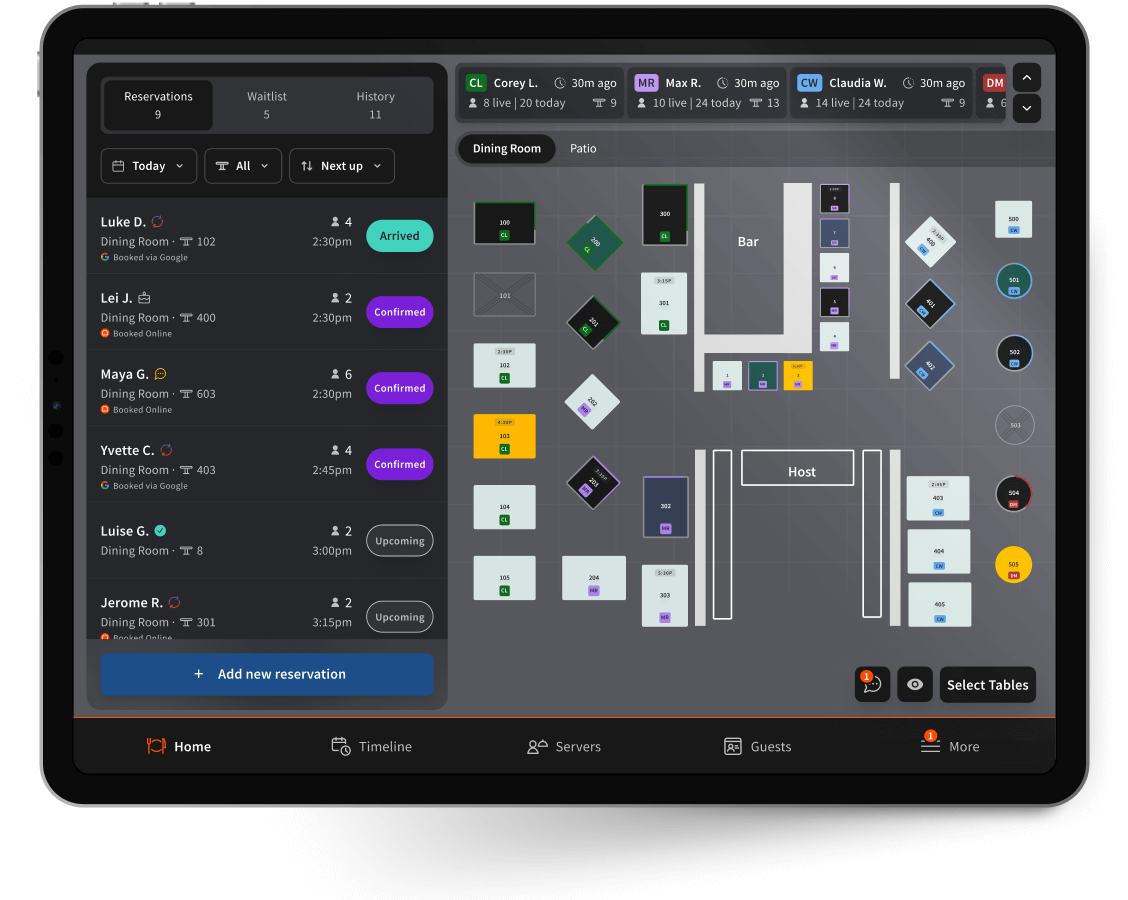
Toast is a POS software with a focus on restaurants, hospitality, and restaurant chains. It’s designed to centralize operations across multiple locations so you can more easily manage sales, product orders, and staff.
Why I picked Toast: I selected Toast because it has restaurant-specific features like digital ordering and portable, handheld POS systems so your servers can take orders and accept payments at the table.
Standout features include time-specific pricing (for 2-for-1 happy hours or seasonal specials) and integrated front-of-house and back-of-house workflows that can make it easier to manage restaurant chains or a multi-location retail business more efficiently.
I also really like Toast’s restaurant-ready hardware. Their handheld tablets are waterproof and drop-resistant.
Integrations include Axial Shift, Craftable, Marketing Vitals, Recipe Costing, Backbar, ChowNow, DeliverZero, WineView, MarginEdge, Lunchbox, and Tenzo.
Pros and Cons
Pros:
- Waterproof, durable POS hardware and handheld devices
- Integrates with most popular restaurant software
- Free version available for single location
Cons:
- Slow performance during peak hours
- Payment processing fees are less transparent and vary by card issuer
Other POS Software Options
There were some more tools I shortlisted during my research. They didn’t quite make the cut for my main list, but might still be worth investigating further.
- Revel Systems
For delivery services and take-out restaurants
- PayPal POS
For no commitment
- ProMerchant
For transparent pricing and personalized support
- NCR Silver
For remote teams
- TouchBistro
For restaurant management
- Payline Data
For enhancing customer loyalty
- eHopper
For value
- STAX
For high transaction volumes
- Square
Most versatile POS software
- Agiliron
For omnichannel businesses
- Rain POS
For specialty retail stores
- Stripe Terminal
For integration of online payments
- Odoo ERP
For integrated business management software
- Brilliant POS
For advanced inventory management


Our Selection Criteria For POS Software For Small Business
When we evaluate POS software for small business, we don’t just chase the lowest fees or the flashiest features. We’re looking at how well these systems hold up in the real world—day after day, with real staff and real customers.
Here’s how we broke down the scoring across seven key categories:
Core POS system functionality (25% of total score)
This is the non-negotiable layer. A POS should handle the basics with speed and reliability.
- Process transactions seamlessly—tap, chip, swipe, split, and mobile payments should be painless.
- Keep inventory in sync across locations and sales channels so you’re not selling what you don’t have.
- Support omnichannel selling, whether it’s in-store, online, or mobile.
- Deliver straightforward reporting on daily sales, product performance, and staffing.
- Stay operational offline, so an internet outage doesn’t shut down sales.
Additional standout features (25% of total score)
The extra tools that move a POS system from useful to indispensable.
- Customer management and loyalty features to keep buyers coming back.
- Employee management for roles, schedules, and sales tracking.
- Mobile, kiosk, or tablet options to meet customers where they are.
- Integrations with ecommerce platforms and accounting software to simplify operations.
- Solid security measures like PCI compliance, tokenization, and end-to-end encryption.
Usability (10% of total score)
A POS should be easy for staff to learn and use without babysitting.
- Simple, intuitive layouts that make onboarding fast.
- Smooth performance that avoids lag at checkout.
- Role-based access so managers and cashiers see only what they need.
- Minimal training required for everyday tasks like returns and discounts.
Onboarding and support resources (10% of total score)
Getting started should be smooth, not a six-week headache.
- Clear setup guides and step-by-step walkthroughs.
- Migration tools or support for moving data from old systems.
- Ongoing training resources that don’t feel outdated.
- Accessible live support during rollout and beyond.
Customer support (10% of total score)
Because when something breaks, you need a lifeline that actually helps.
- Multiple support channels like phone, email, and chat.
- 24/7 availability that matches real retail hours.
- Knowledgeable reps who can solve problems quickly.
- A searchable, reliable knowledge base for quick answers.
Value for money (10% of total score)
The system has to earn its keep without wrecking your margins.
- Transparent, upfront pricing without hidden fees.
- Scalability that lets you add locations or users without a big cost jump.
- Features that clearly save time, reduce errors, or boost revenue.
- Flexibility with hardware—bring your own, buy, or lease.
Customer reviews (10% of total score)
We balance the vendor’s promises with what real users say.
- Consistent satisfaction across verified reviews and platforms.
- Real use cases that show how it performs in different industries.
- Signs the vendor listens—fixing issues and adding features over time.
- Feedback that matches your business type, not just generic praise.
What is POS Software For Small Business?
POS software for small business is a tool that processes sales, tracks inventory, and ties payments to your back office.
It replaces the old cash register with a system that handles cards, mobile wallets, and cash, while updating stock counts automatically.
For small operators, a good POS cuts down on errors, speeds up checkout, and produces clear sales reports without late-night spreadsheets.
Many also include extras like employee scheduling, customer loyalty programs, and integrations with ecommerce platforms or accounting software.
The result: less time wrangling transactions, more time running the business.
How to Choose POS Software For Small Business
Choosing from the best retail POS systems isn't about chasing the most features—it's about matching the software to your business model, staff, and customers.
The right pick should speed up transactions, keep inventory tight, and deliver reports you’ll actually use, without blowing your margins.
| Step | What to do | Pro tip |
|---|---|---|
| 1. Define must-haves | List your non-negotiables: payment types, inventory tracking, offline mode. | Rank them by impact—what keeps the store running if nothing else works? |
| 2. Check integration fit | Make sure the POS connects to accounting, ecommerce, payroll, or CRM you already use. | Switching platforms later is costly—choose one that plays well with your stack. |
| 3. Compare true costs | Look at software fees, hardware, and processing rates—not just the monthly price. | Ask vendors for sample invoices to uncover hidden fees. |
| 4. Test usability | Run a free trial and have frontline staff process real transactions. | If a new hire can’t ring up a sale in 10 minutes, move on. |
| 5. Assess scalability | Ensure the POS can grow with extra locations, users, or sales channels. | Pick software that scales up without doubling costs. |
| 6. Verify support | Confirm support hours and response times before you sign. | Call their line during off-hours—see how long it takes to reach a human. |
Top Features of POS Software For Small Business
The right small business POS stacks practical capabilities—nothing ornamental. Here are the features that matter at the counter and in the back office.
- Deposits and disputes. Funding schedule visibility, basic chargeback tools, and statements that map fees to transactions.
- Integrated payments. Supports tap, chip, swipe, gift cards, mobile wallets, split tenders, and compliant surcharging.
- Tax engine. Applies state, local, and special rates with item-level rules, exemptions, and automatic updates.
- Inventory and catalog. Handles variants, bundles/composites, barcodes, purchase orders, low-stock alerts, and batch updates.
- Omnichannel sync. Keeps in-store, ecommerce, and mobile orders aligned—one inventory, one product catalog, one customer record.
- Checkout workflows. Custom buttons, discounts, holds/layaways, quotes, tips/tabs, and digital or printed receipts.
- Customer profiles and loyalty. Stores purchase history, tags segments, issues points or credit, and supports promotions or gift cards.
- Staff management and permissions. Role-based access, time tracking, shift reporting, and manager approvals for sensitive actions.
- Reporting and exports. Sales by item, channel, cashier, or daypart with custom filters, CSV exports, and BI connectors.
- Hardware and peripherals. iPad, Android, or proprietary terminals—plus certified readers, printers, scanners, cash drawers, and scales.
- Offline mode. Continues card-present sales during outages and syncs transactions and inventory on reconnection.
- Integrations and API. Native links for ecommerce, accounting, CRM, and payroll—plus REST APIs and webhooks for custom flows.
- Security and compliance. PCI-DSS, point-to-point encryption, tokenization, user audit logs, and device management.
- Cash management. Till assignments, blind drops, safe drops, and cash-up with variance tracking.
Top Benefits of POS Software For Small Business
Features are the mechanics—benefits are the outcomes that matter when you’re juggling staff, stock, and customers. Here’s what small businesses gain from the right POS:
- Faster checkout, fewer errors. Integrated payments and intuitive workflows speed up lines, reduce mistakes, and keep customers happy.
- Tighter inventory control. Real-time stock tracking means no surprise sellouts or awkward “we’re out” moments—it saves sales and trust.
- Clear financial visibility. Built-in reporting turns daily sales into actionable insights, helping owners make sharper purchasing and staffing decisions.
- Stronger customer retention. Loyalty tools and customer profiles make it easy to reward repeat shoppers and build lasting relationships.
- Lower labor friction. Employee scheduling, permissions, and time tracking cut down on admin overhead and keep accountability clear.
- Seamless growth across channels. One system managing online, mobile, and in-store sales means expansion without chaos.
- Business continuity. Offline mode keeps transactions running even when the internet doesn’t—protecting revenue and reputation.
- Confidence in compliance. PCI security and encrypted payments reduce the risk of breaches and fines, giving peace of mind.
The bottom line: a modern POS system frees up time, trims hidden costs, and helps small businesses compete with bigger players without adding overhead.
Pricing & Cost Breakdown of POS Software For Small Business
POS pricing isn’t just the sticker on the software—it’s a mix of monthly fees, hardware, and processing costs. Here’s a quick snapshot of what to expect:
| Plan | Average price | Common features | Best for |
|---|---|---|---|
| Entry-level | $0–$30/month + 2.5–3.5% per transaction | Basic checkout, card reader support, limited reporting | Solopreneurs, pop-ups, very small shops |
| Standard | $30–$100/month + 2.0–3.0% per transaction | Full checkout workflows, inventory sync, staff logins, sales reports | Small retailers, cafés, quick-serve restaurants |
| Advanced | $100–$300/month + 1.8–2.9% per transaction | Loyalty programs, employee management, ecommerce integrations | Growing businesses, multi-location operations |
| Enterprise | $300+/month + custom processing rates | Custom workflows, dedicated support, hardware bundles | High-volume retailers, franchises, restaurants with multiple sites |
Most vendors quote low monthly fees but make their money on payment processing. Hardware—like terminals, receipt printers, or iPads—can add hundreds upfront or be rolled into leases. If you're looking to compare different providers, exploring Square alternatives can help you find better pricing structures.
Caveats to keep in mind:
- Some “free” plans come with higher processing fees.
- Discounts may apply to high-volume businesses, but require negotiation.
- Proprietary hardware can lock you into one ecosystem.
- Hidden costs (chargeback fees, statement fees, support tiers) add up—always ask for a sample invoice.
Small Business POS Software FAQs
Let’s answer the top questions you may have still, at the end of this informative post.
What’s the biggest hidden cost in POS systems?
Processing fees. Vendors lure you with low monthly rates, but every swipe carries a cost. Some bundle hardware or software “free” while charging 3%+ per transaction. Over time, that dwarfs the subscription.
Also watch for chargeback fees, statement fees, and add-on costs for features you assumed were included. Always ask for a sample invoice and run the math against your sales volume—it’s the fastest way to see the real cost.
Do I need proprietary hardware, or can I use my own?
It depends on the vendor. Some systems are hardware-agnostic, letting you run on an iPad with a card reader. Others require branded terminals and printers, which adds cost but can mean tighter reliability.
For small businesses, flexibility matters—being able to start with existing devices and scale into more specialized hardware later keeps costs manageable. If you do buy proprietary gear, confirm whether it’s leased, financed, or owned outright.
How secure are POS systems for handling customer payments?
Good systems meet PCI-DSS standards, encrypt every transaction, and tokenize card data so sensitive info never touches your servers. That keeps you compliant and lowers your liability if there’s a breach.
You’ll also want role-based permissions, so employees only see what they need, and automatic updates that patch security flaws. Small businesses are common fraud targets, so choosing a system with strong compliance built in is non-negotiable.
Can a POS system actually help me grow sales, or just track them?
A modern POS can be a growth engine. Loyalty programs, targeted promotions, and customer profiles all drive repeat business. Analytics show what products move fastest and when, helping you stock smarter.
Integrations with ecommerce expand your reach beyond foot traffic. Even small features like digital receipts build long-term customer relationships. The best systems don’t just record sales—they give you tools to increase them.
How long does it take to set up a POS system?
Setup time varies, but most cloud POS systems can be live in a day if you’re importing a small catalog and using existing devices. Migration from an old system, multi-location setups, or integrating with ecommerce can stretch to a week or more.
The key is data prep: clean product lists and customer info before you start. Ask vendors what onboarding resources they provide—good ones offer step-by-step guides, migration tools, and live support.
What happens if my internet goes down during business hours?
That’s where offline mode matters. A proper POS lets you keep swiping cards and logging cash sales while the internet’s out, then syncs transactions once you’re back online.
Some vendors limit what you can do offline, so test it before you commit. For small businesses, this isn’t a nice-to-have—it’s the difference between keeping the register open and losing a day’s revenue.
What's Next?
If you're in the process of researching POS softwares, connect with a SoftwareSelect advisor for free recommendations.
You fill out a form and have a quick chat where they get into the specifics of your needs. Then you'll get a shortlist of software to review. They'll even support you through the entire buying process, including price negotiations.