

Toast Review: Pros, Cons, Features, and Pricing Explained
Toast stands out for its restaurant-focused features and robust hardware, but its pricing and contract terms may not suit every business. Ideal for growth-minded eateries seeking an all-in-one POS.

We review tools independently, and commissions help fund our testing. See our transparency policy, our methodology, or suggest a tool.
Toast is a restaurant POS system built for food service operations, from quick-service counters to full-service dining rooms. Consider it if your team needs one platform to handle tableside ordering, kitchen display systems, online ordering, and payroll. If you're weighing it against Square, Toast goes much deeper on restaurant-specific workflows. Square works fine for simple setups, but Toast is the better fit for operators who need more than basic payment processing.
Toast Evaluation Summary
4.2/5
- From $69/month
- Free demo available
Why Trust Our Software Recommendations
6,700+
Reviews
20
Industry experts
16+
Evaluation factors
14
Years
Our team has been testing and reviewing software since 2012. As retail leaders ourselves, we know how difficult—and important—it is to choose the right software.
For this guide, we evaluated tools using hands-on testing and independent research, scoring tools using our selection criteria.
Our reviews reflect our independent judgment—not a sales pitch.
Toast Overview
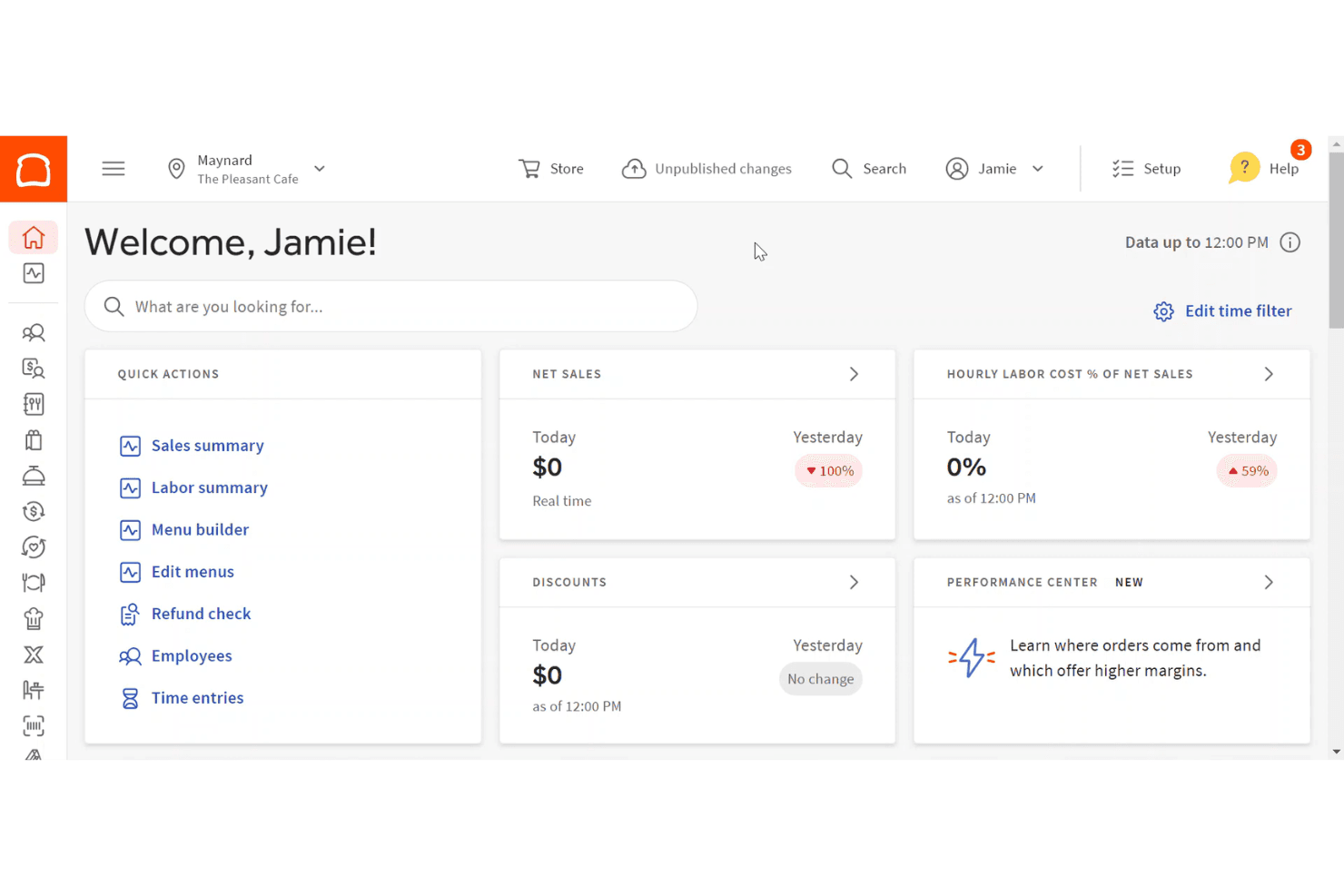
If you’re judging Toast against other POS systems, I think its restaurant-first design, built-in online ordering, and handheld hardware set it apart. The interface is intuitive for staff, and onboarding is smoother than most. Pricing can be higher, especially with add-ons, and some integrations are limited. Support is responsive, but you’ll want to review contract terms closely.
I’d suggest Toast is best for fast-casual, quick service, or multi-location restaurants that want a unified system for front and back of house. For cafes or food trucks, the mobile hardware is a real advantage.
Pros
- Toast's interface is intuitive, making it easy for your team to use.
- The system's reporting tools give you valuable insights into your restaurant's performance.
- Toast's mobile ordering feature speeds up service and enhances customer satisfaction.
Cons
- The hardware options can be limited compared to other systems.
- Some users find the customization options lacking for specific needs.
- The system might require frequent updates, which can disrupt operations.
Is Toast Right For Your Needs?
Who Would be a Good Fit for Toast?
Small to medium-sized restaurants, cafes, and bars are a great fit for Toast. If you run a busy diner or a local bistro, Toast’s intuitive interface and efficient mobile ordering can transform your service speed and customer satisfaction. Its robust reporting tools help you manage inventory and analyze sales trends, making it easier to run your business smoothly. For teams that need a reliable, straightforward system, Toast provides the functionalities to handle daily operations without a hitch.
- Local CafesToast’s user-friendly interface helps your team process orders quickly, keeping your morning rush smooth.
- Busy DinersIts mobile ordering feature speeds up service, ensuring your customers get their meals promptly.
- Family RestaurantsThe reporting tools offer insights into your operations, helping you manage inventory and staff efficiently.
- Bars and PubsToast’s quick transaction capabilities keep your bar running efficiently during peak hours.
- Food TrucksThe compact hardware options make it easy to set up and operate in tight spaces.
- Quick Service RestaurantsToast’s fast processing and easy-to-use system enhance customer service during high-volume times.
Who Would be a Bad Fit for Toast?
Large chain restaurants or businesses with complex customization needs might find Toast lacking. If your operations require extensive hardware options or highly specialized features, Toast’s limited customization and hardware might not meet your expectations. Enterprises needing intricate integration with multiple third-party systems may struggle with Toast’s offerings, as it focuses more on straightforward, core functionalities rather than extensive tailor-made solutions.
- Large ChainsIf you manage a large chain, Toast’s limited hardware options might not scale well with your needs.
- Highly Customized MenusFor businesses with complex menu customizations, Toast’s capabilities might not provide the flexibility you need.
- Enterprise-Level OperationsEnterprises requiring extensive integrations might find Toast’s core-focused system too limiting.
- Multi-Location FranchisesFranchises with numerous locations might struggle with Toast’s hardware limitations and need for frequent updates.
- Specialty RestaurantsRestaurants needing highly specialized features might find Toast’s functionalities too basic.
- Tech-Savvy TeamsTeams looking for advanced tech features might find Toast’s straightforward approach too simplistic.
Our Review Methodology
How We Test & Score Tools
We’ve spent years building, refining, and improving our software testing and scoring system. The rubric is designed to capture the nuances of software selection and what makes a tool effective, focusing on critical aspects of the decision-making process.
Below, you can see exactly how our testing and scoring works across seven criteria. It allows us to provide an unbiased evaluation of the software based on core functionality, standout features, ease of use, onboarding, customer support, integrations, customer reviews, and value for money.
Core Functionality (25% of final scoring)
The starting point of our evaluation is always the core functionality of the tool. Does it have the basic features and functions that a user would expect to see? Are any of those core features locked to higher-tiered pricing plans? At its core, we expect a tool to stand up against the baseline capabilities of its competitors.
Standout Features (25% of final scoring)
Next, we evaluate uncommon standout features that go above and beyond the core functionality typically found in tools of its kind. A high score reflects specialized or unique features that make the product faster, more efficient, or offer additional value to the user.
We also evaluate how easy it is to integrate with other tools typically found in the tech stack to expand the functionality and utility of the software. Tools offering plentiful native integrations, 3rd party connections, and API access to build custom integrations score best.
Ease of Use (10% of final scoring)
We consider how quick and easy it is to execute the tasks defined in the core functionality using the tool. High scoring software is well designed, intuitive to use, offers mobile apps, provides templates, and makes relatively complex tasks seem simple.
Onboarding (10% of final scoring)
We know how important rapid team adoption is for a new platform, so we evaluate how easy it is to learn and use a tool with minimal training. We evaluate how quickly a team member can get set up and start using the tool with no experience. High scoring solutions indicate little or no support is required.
Customer Support (10% of final scoring)
We review how quick and easy it is to get unstuck and find help by phone, live chat, or knowledge base. Tools and companies that provide real-time support score best, while chatbots score worst.
Customer Reviews (10% of final scoring)
Beyond our own testing and evaluation, we consider the net promoter score from current and past customers. We review their likelihood, given the option, to choose the tool again for the core functionality. A high scoring software reflects a high net promoter score from current or past customers.
Value for Money (10% of final scoring)
Lastly, in consideration of all the other criteria, we review the average price of entry level plans against the core features and consider the value of the other evaluation criteria. Software that delivers more, for less, will score higher.
Core Features
Tableside Ordering
Staff use handheld devices to take orders and process payments right at the table. This speeds up service and reduces errors.
Online Ordering
Customers place orders directly through a branded online portal that syncs with the POS. Orders flow straight to the kitchen without manual entry.
Menu Management
Easily update menus, prices, and modifiers across all devices and locations. Changes sync instantly, so staff always see the latest options.
Kitchen Display System
Digital screens in the kitchen show real-time order tickets and status updates. This helps kitchen staff prioritize and track orders efficiently.
Inventory Tracking
Monitor ingredient levels and receive alerts when stock runs low. The system automatically deducts inventory as items are sold.
Employee Management
Schedule shifts, track hours, and manage payroll from the POS dashboard. Built-in tools help reduce scheduling conflicts and labor costs.
Ease of Use
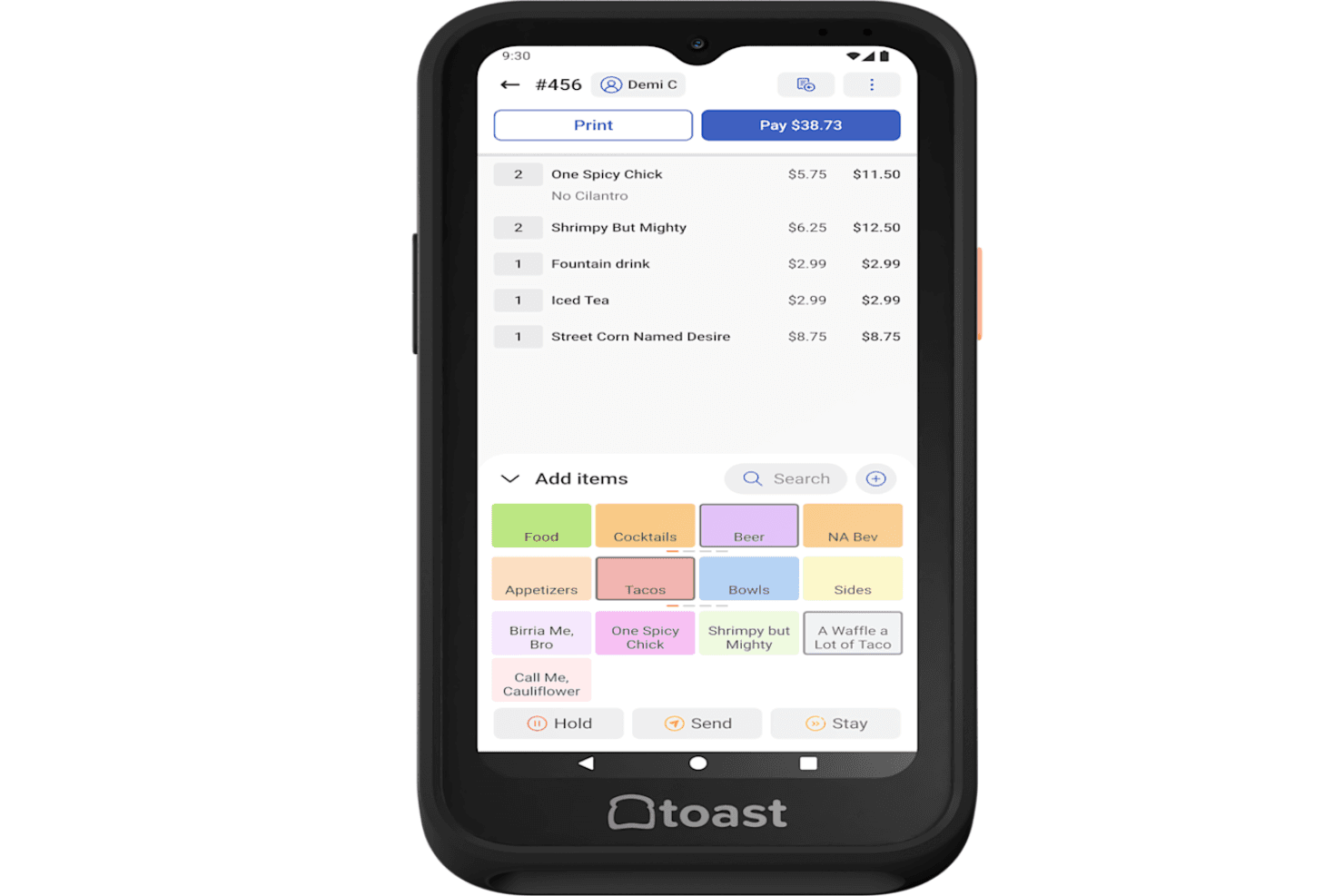
Toast is user-friendly, with a clean touchscreen interface that staff pick up quickly—even during busy shifts. The menu layout, order flow, and payment screens are intuitive, which helps reduce training time.
Many users mention that onboarding new employees is faster than with other systems. The handheld devices and kitchen display screens are easy to navigate, and real-time updates keep everyone on the same page. Overall, Toast’s design fits the fast pace of restaurant work.
Integrations
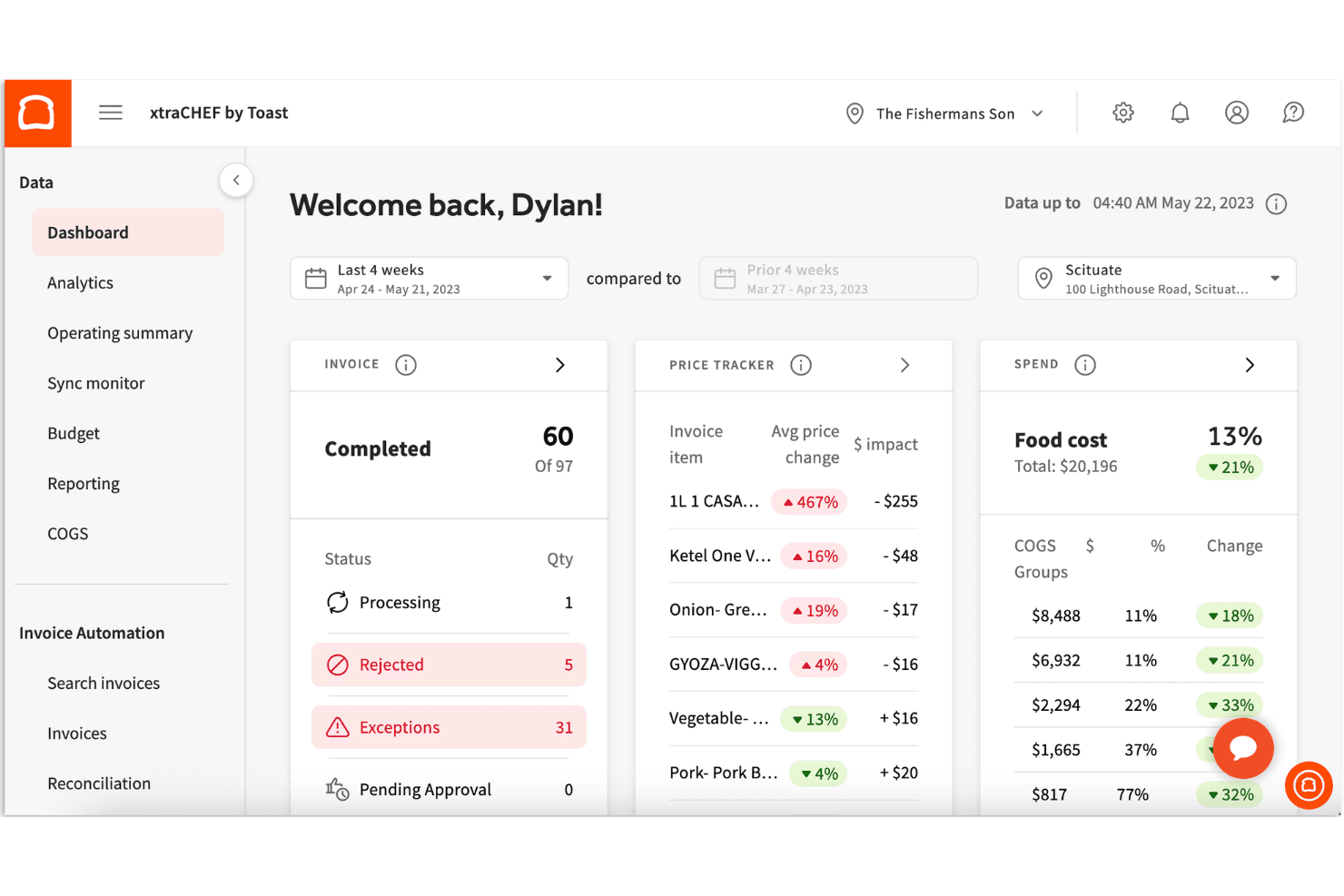
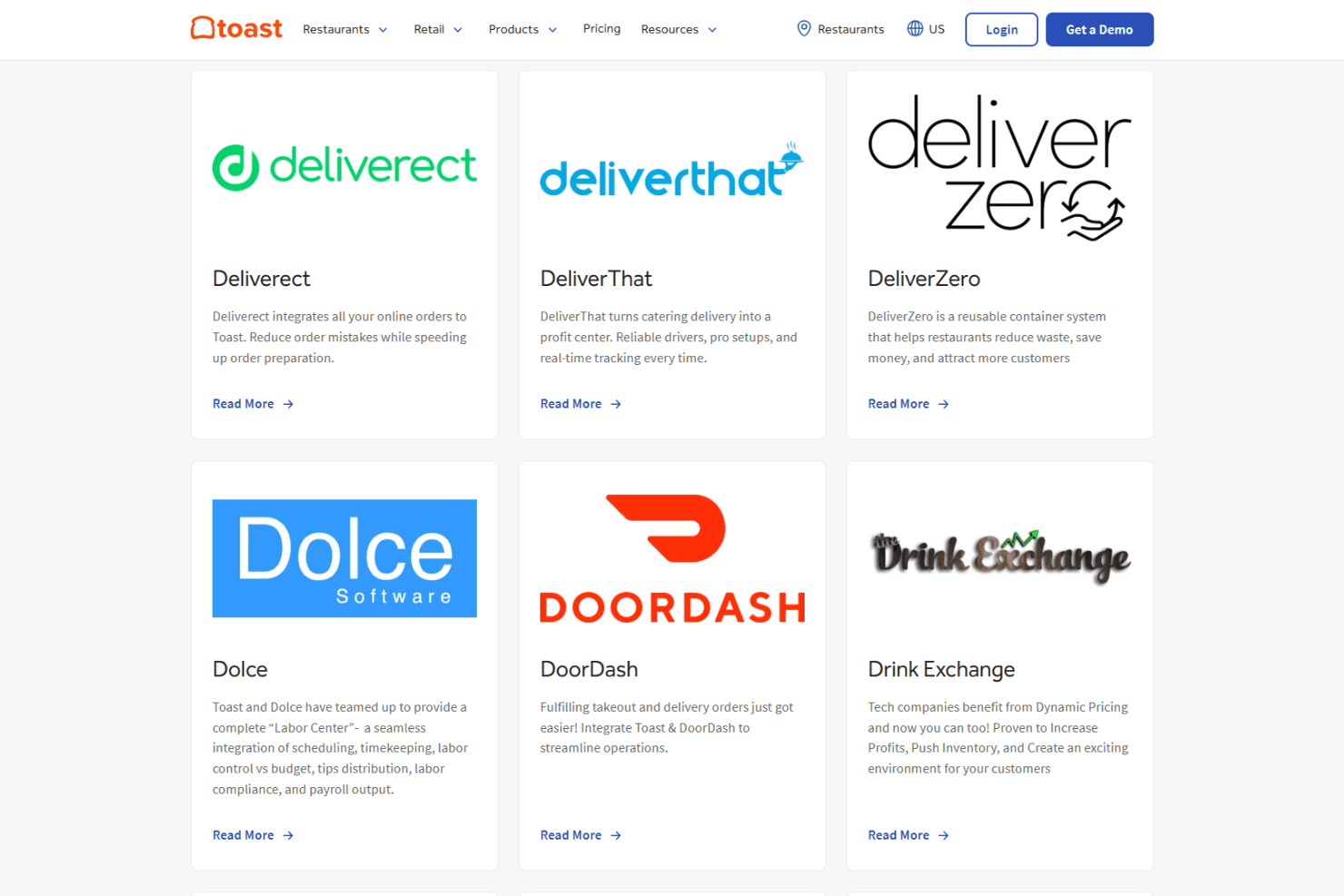
Toast integrates with 7shifts, Grubhub, DoorDash, MarketMan, xtraCHEF, Homebase, OpenTable, Restaurant365, QuickBooks, and Uber Eats, among others.
Toast also offers an API and connects with a wide range of third-party integration partners.
Toast Specs
- 2-Factor Authentication: Yes
- API: Yes
- Budgeting: No
- Contact Management: Yes
- Customer Management: Yes
- Dashboard: Yes
- Data Export: Yes
- Data Import: Yes
- Data Visualization: Yes
- Expense Tracking: Yes
- External Integrations: Yes
- Forecasting: No
- Inventory Tracking: Yes
- Multi-Currency: No
- Multi-User: Yes
- Notifications: Yes
- Payment Processor: Yes
- Supplier Management: Yes
- Tax Management: Yes
- Third-Party Plugins/Add-Ons: Yes


