
19 Best Online POS Software Picked for 2026

Best Online POS Software Shortlist
Here's my pick of the 10 best software from the 19 tools reviewed.


Why Trust Our Software Reviews
Online POS software is a cloud-based point-of-sale system that lets your team process sales, manage inventory, and track customer data from any device with internet access. If you’re searching for the best online POS software, you’re likely looking to improve checkout speed, keep inventory accurate, and connect sales across your physical and digital channels. This guide will help you compare top options for 2026, so you can find a solution that fits your business model, supports your growth, and keeps your operations running smoothly.
Best Online POS Software Summary
This comparison chart summarizes pricing details for my top online POS software selections to help you find the best one for your budget and business needs.
| Tool | Best For | Trial Info | Price | ||
|---|---|---|---|---|---|
| 1 | Best for restaurant order management | Free demo + free plan available | From $69/month | Website | |
| 2 | Best for advanced retail analytics | 14-day free trial + free demo available | Pricing upon request | Website | |
| 3 | Best for rapid staff training tools | Free demo available | Pricing upon request | Website | |
| 4 | Best for tableside ordering features | Free demo available | From $69/month | Website | |
| 5 | Best for free starter plan availability | Free demo available | From $10/month | Website | |
| 6 | Best for simple setup and onboarding | Free plan available | From $30/month | Website | |
| 7 | Best for multi-location inventory tracking | 30-day free trial | From $4/employee/month | Website | |
| 8 | Best for real-time sales monitoring | Free demo available | From $39/month | Website | |
| 9 | Best for independent convenience stores | Free demo available | From $19.95/month | Website | |
| 10 | Best for integrating with online stores | 3-day free trial | From $29/month (billed annually) | Website |
Best Online POS Software Reviews
Below are my detailed summaries of the best online POS software that made it onto my shortlist. My reviews offer a detailed look at the features, best use cases, and integrations of each platform to help you find the best one for you.

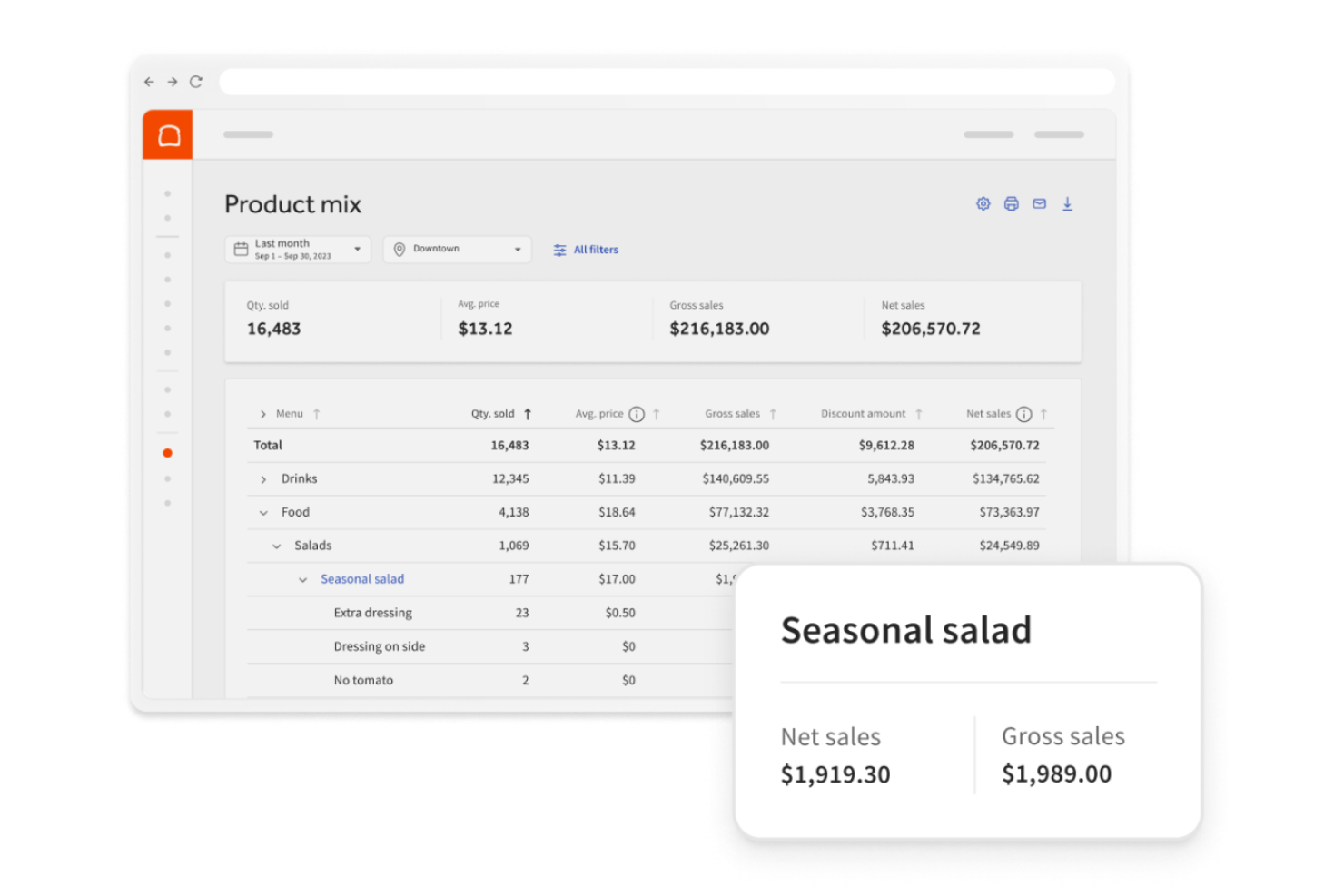
Toast is designed for restaurants that need to manage orders, payments, and kitchen workflows in one system. The platform supports tableside ordering, menu management, and real-time sales tracking, making it a fit for busy dining environments. Toast helps restaurant teams handle high order volumes and coordinate front- and back-of-house operations.
Why I Picked Toast
For restaurants that need to manage complex order flows, Toast offers tools built specifically for order management from the front of house to the kitchen. The platform’s tableside ordering feature lets servers send orders directly to the kitchen, reducing errors and speeding up service. I appreciate how Toast’s kitchen display system keeps prep staff updated in real time, which helps teams handle high-volume periods smoothly. These features make Toast a strong choice for restaurants that need to coordinate orders and service across multiple touchpoints.
Toast Key Features
Some other features that make Toast useful for restaurant teams include:
- Online Ordering Integration: Accept and manage online orders directly through the POS system.
- Menu Engineering Tools: Adjust menu items, pricing, and modifiers in real time from a central dashboard.
- Employee Scheduling: Create and manage staff schedules within the platform.
- Loyalty Program Management: Set up and track customer rewards and promotions through the POS.
Toast Integrations
Integrations include 7shifts, Grubhub, DoorDash, Uber Eats, OpenTable, xtraCHEF, MarketMan, Homebase, Restaurant365, and Resy.
Pros and Cons
Pros:
- Kitchen display and online ordering tools
- Tableside ordering with handheld devices
- Restaurant POS built for order management
Cons:
- Gift card processing only works with Toast cards
- Menu setup process can be time-consuming


Lightspeed is built for retailers who want deep insight into sales, inventory, and customer trends. The platform offers advanced analytics and reporting tools that help multi-location stores and specialty retailers make data-driven decisions. Lightspeed is a fit for teams that need to track performance across channels and optimize inventory with detailed, actionable data.
Why I Picked Lightspeed
What sets Lightspeed apart from other online POS software is its focus on advanced retail analytics that help retailers dig into their data. The platform’s built-in reporting suite lets you analyze sales by product, employee, or location, so you can spot trends and make informed decisions.
I like that Lightspeed also offers inventory analytics, which help you track stock movement and identify bestsellers or slow movers. These analytics tools make Lightspeed a strong choice for retailers who want to use data to drive growth and optimize operations.
Lightspeed Key Features
Some other features that make Lightspeed appealing for retail teams include:
- Omnichannel Sales Management: Manage in-store and online sales from a single platform.
- Customer Profiles and CRM: Store customer information and purchase history for targeted marketing.
- Supplier Management: Track purchase orders and manage supplier relationships within the system.
- Customizable Receipts: Design and edit digital or printed receipts to match your brand.
Lightspeed Integrations
Integrations include QuickBooks, Xero, Mailchimp, BigCommerce, Shopify, WooCommerce, Homebase, Planday, Unleashed, and Brightpearl.
Pros and Cons
Pros:
- Integrated CRM for customer purchase history
- Multi-location management with supplier tracking
- Advanced retail analytics for sales and inventory
Cons:
- Hardware compatibility limited to approved devices
- Some integrations require added monthly fees


Epos Now is built for retailers and hospitality businesses that need to get new staff up to speed quickly. Its guided onboarding and intuitive interface help teams learn the system in minutes, not days. This makes it a strong choice for businesses with high staff turnover or seasonal hiring needs.
Why I Picked Epos Now
When you need to train new staff quickly, Epos Now offers built-in tools that help teams get started with minimal downtime. The system includes guided walkthroughs and on-screen prompts that walk users through key tasks, making it easier for new hires to learn order entry and payment processing.
I like that managers can set up user permissions and training modes, so staff can practice without affecting live sales data. These features make Epos Now a practical choice for businesses where rapid onboarding is a priority.
Epos Now Key Features
In addition to its training-focused tools, Epos Now offers several other features that support retail and hospitality operations:
- Real-Time Inventory Management: Track stock levels, set reorder alerts, and manage inventory across multiple locations.
- Customer Loyalty Programs: Create and manage loyalty schemes to reward repeat customers and encourage return visits.
- Integrated Payment Processing: Accept a wide range of payment types, including contactless and mobile payments, directly through the POS.
- Customizable Receipts: Design and print branded receipts with custom messages, promotions, or QR codes.
Epos Now Integrations
Integrations include Shopify, QuickBooks, Sage, Mailchimp, Loyalzoo, Deputy, OpenTable, Epos Now Delivery, Epos Now Order & Pay, and Kitchen Display System (KDS).
Pros and Cons
Pros:
- Customer loyalty and branded receipt tools
- Real-time inventory across locations
- Rapid staff training with guided onboarding
Cons:
- Limited offline functionality during internet outages
- Hardware bundles can be expensive upfront

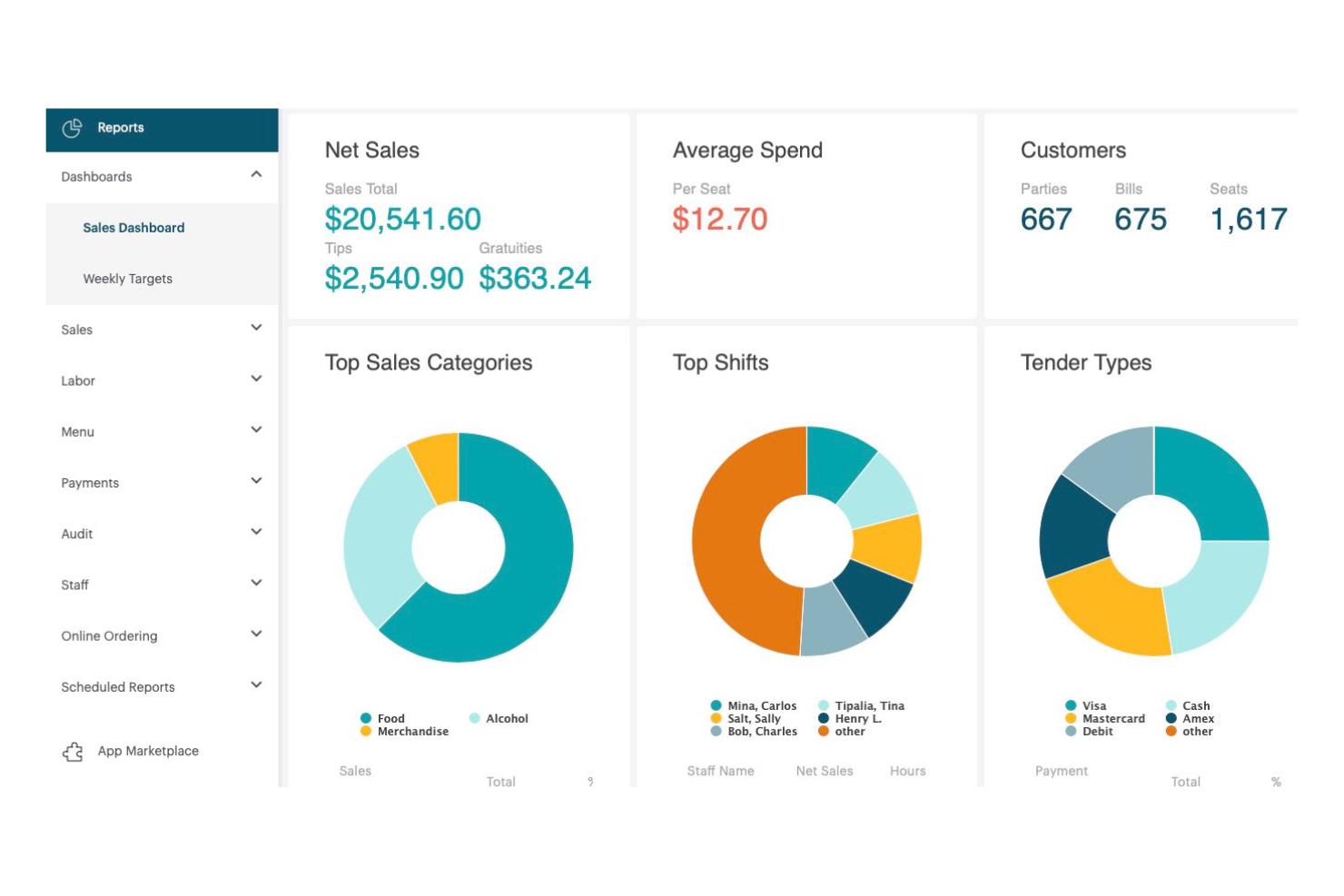
TouchBistro is designed for restaurants that want to speed up service and improve order accuracy with tableside ordering. Servers can take orders and process payments right at the table using iPads, reducing wait times and minimizing errors. This setup is especially useful for busy dining rooms that need to keep orders moving smoothly from guests to the kitchen.
Why I Picked TouchBistro
For restaurants that want to bring ordering and payment directly to the table, TouchBistro stands out with its dedicated tableside ordering features. Staff can use iPads to take orders, send them instantly to the kitchen, and process payments without leaving the guest’s side.
I appreciate how this setup helps reduce order errors and keeps service moving quickly, especially during busy shifts. TouchBistro’s tableside tools are a strong fit for full-service restaurants that want to modernize their workflow and improve the guest experience.
TouchBistro Key Features
Some other features that make TouchBistro appealing for restaurant teams include:
- Menu Management: Update menu items, prices, and modifiers in real time across all devices.
- Inventory Tracking: Monitor ingredient levels and receive alerts when stock is low.
- Staff Management: Schedule shifts, track hours, and manage staff permissions from the POS.
- Reporting and Analytics: Access sales, labor, and menu performance reports from a centralized dashboard.
TouchBistro Integrations
Integrations include MarginEdge, Restaurant365, Barclaycard, Worldpay, Moneris, 7shifts, Avero, Shogo, Deliverect, and OpenTable.
Pros and Cons
Pros:
- Restaurant reporting for sales and labor tracking
- Offline mode for continued payment processing
- Tableside ordering for faster restaurant service
Cons:
- Works best within Apple device setups
- Online ordering integrations are more limited than competitors

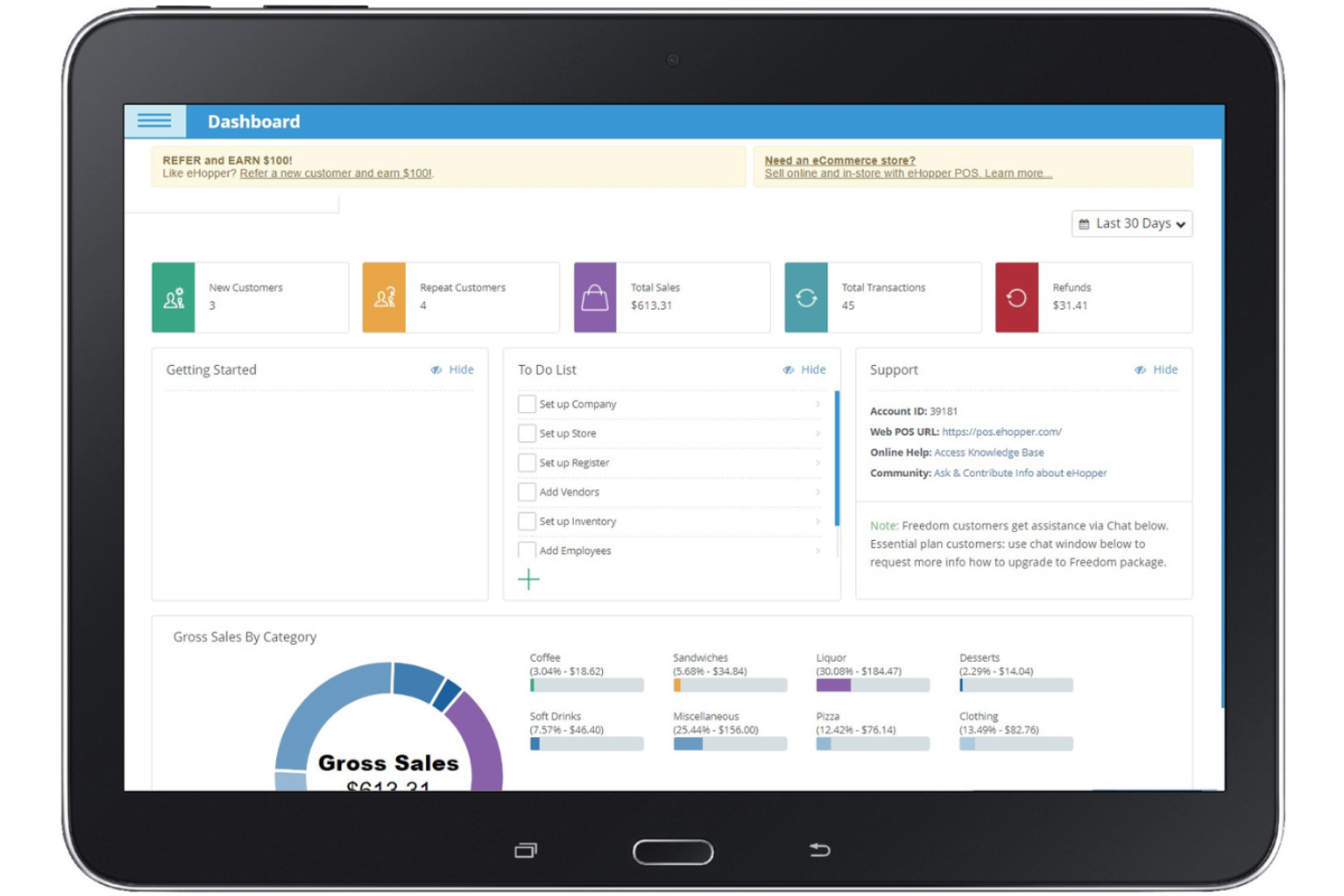
If you’re looking for a no-cost way to get started with online POS software, eHopper offers a free starter plan that covers essential sales and inventory needs. This solution is a fit for small retailers, quick-service restaurants, and cafes that want to manage transactions and track stock without upfront investment. Its free plan helps new or budget-conscious businesses access core POS features while keeping costs low.
Why I Picked eHopper
For businesses that want to try online POS software without a financial commitment, eHopper stands out with its free starter plan. The plan includes core features like sales processing, inventory management, and basic reporting, which are essential for small retailers and food service businesses just getting started. I appreciate that eHopper’s free plan also supports multi-channel sales, so you can handle both in-store and online transactions from one system. This makes it a practical entry point for businesses that need foundational POS capabilities without upfront costs.
eHopper Key Features
Some other features that make eHopper useful for retail and food service teams include:
- Tip Management: Allow customers to add tips directly at checkout and track tips for staff.
- Employee Time Clock: Track staff hours and manage clock-ins and clock-outs within the POS.
- Order Notes: Add custom notes to orders for special instructions or requests.
- Multi-Language Support: Switch the POS interface between several languages to accommodate diverse teams.
eHopper Integrations
Integrations include QuickBooks, Mailchimp, WooCommerce, BigCommerce, Shopify, Adobe Commerce, Ecwid, Xero, Stripe, and PayPal.
Pros and Cons
Pros:
- Built-in tip management and employee time clock
- Runs on Android tablets and Windows PCs
- Free starter plan with unlimited transactions
Cons:
- No built-in ecommerce store integration
- Reporting on free plan is fairly basic

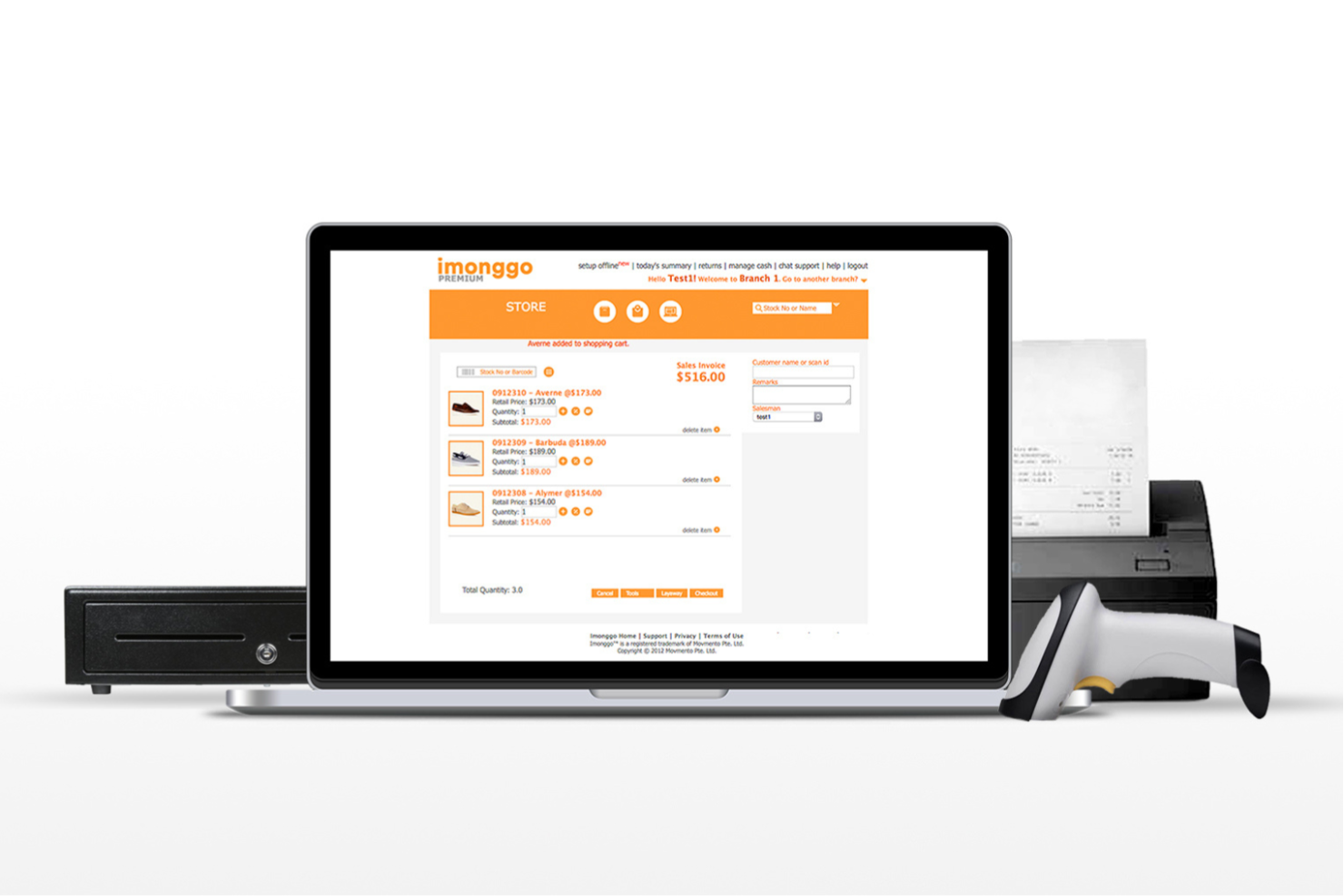
If you’re looking for an online POS system that’s quick to launch and easy to learn, Imonggo is worth a look. This platform is designed for small retailers and pop-up shops that want to get started without a complicated setup process. Imonggo’s straightforward onboarding and intuitive interface help new users start selling with minimal training or technical support.
Why I Picked Imonggo
What drew me to Imonggo is how quickly you can get up and running, even if you’ve never used a POS system before. The guided onboarding walks you through setup steps like adding products, configuring taxes, and setting up users, so you don’t have to guess what comes next.
I also appreciate that Imonggo provides a simple product import tool, which helps new users migrate inventory without hassle. For retailers who want to start selling right away, Imonggo’s focus on a frictionless setup process makes it a practical choice.
Imonggo Key Features
Some other features in Imonggo help round out its POS capabilities:
- Sales Analytics Dashboard: View real-time sales data and trends directly from your dashboard.
- Customer Management: Store customer profiles and track purchase history for repeat business.
- Multi-Store Support: Manage inventory and sales across several store locations from one account.
- Integrated Payment Processing: Accept credit card payments through supported payment gateways.
Imonggo Integrations
Integrations include Shopify, Xero, Stripe, WorldPay, and Dymo Label Printer.
Pros and Cons
Pros:
- Multi-store inventory and sales management
- Free POS plan for budget-conscious businesses
- Simple setup for small retail teams
Cons:
- Employee permissions only cover basic access needs
- Advanced reporting limited for growing businesses

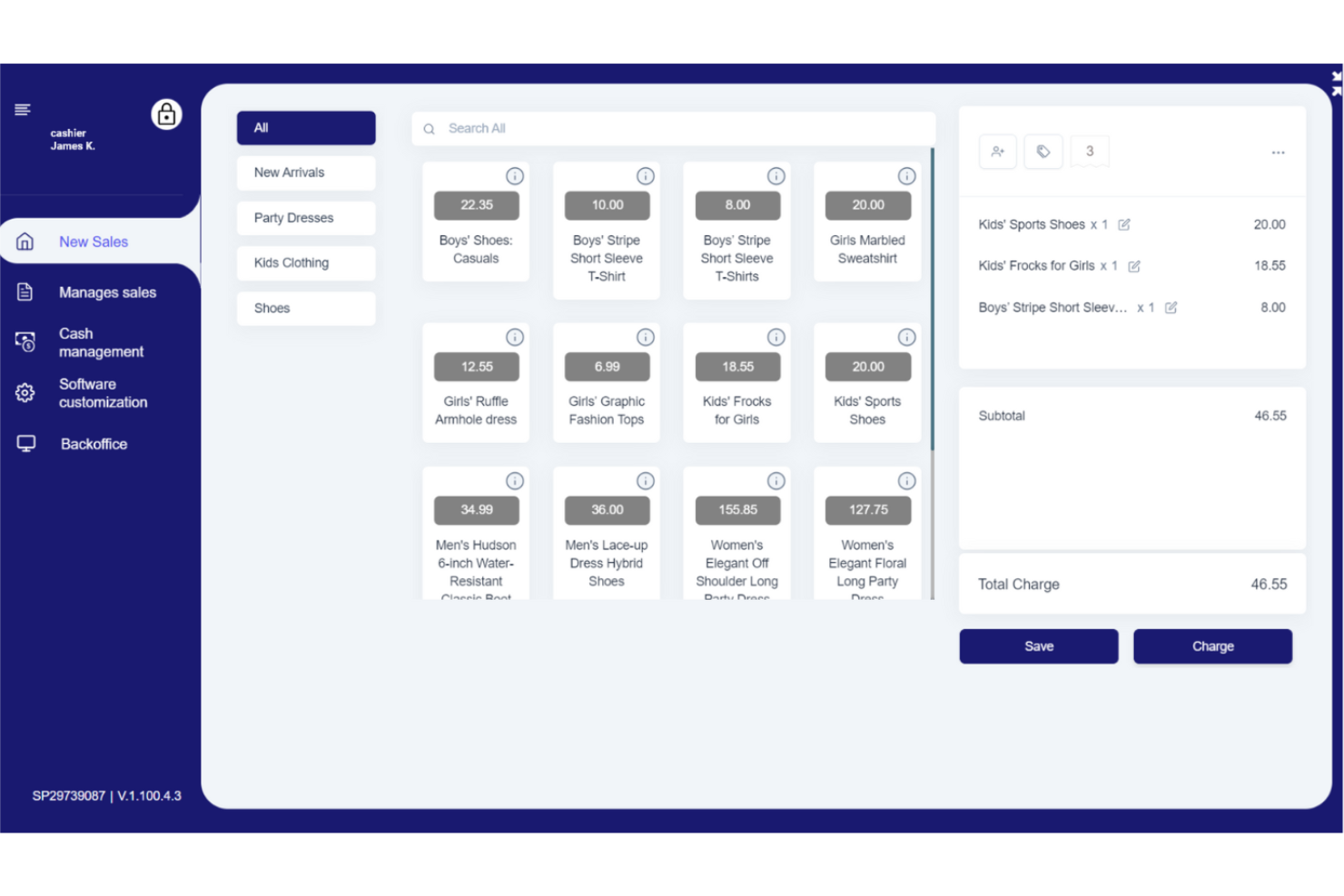
SalesPlay is designed for retailers and franchises that need to manage inventory across multiple locations from a single dashboard. This platform helps you keep stock levels accurate, transfer items between stores, and monitor sales in real time. If you’re juggling inventory at several sites, SalesPlay offers tools to simplify tracking and reduce manual errors.
Why I Picked SalesPlay
SalesPlay stands out for businesses that need to track inventory across several locations without losing visibility or control. I picked it because its centralized inventory dashboard lets you view stock levels, sales, and transfers for each store in real time. The platform also supports barcode scanning and automated stock adjustments, which help reduce manual entry errors. These features make SalesPlay a strong choice for retailers and franchises managing complex, multi-site operations.
SalesPlay Key Features
Some other features in SalesPlay make it a flexible option for different retail environments:
- Customer Database: Store and manage customer profiles, purchase history, and contact details for personalized service.
- Discount and Promotion Management: Set up and apply discounts, offers, and loyalty rewards directly from the POS interface.
- Multi-Payment Support: Accept a variety of payment methods, including cash, credit cards, and mobile payments.
- Sales Reporting: Generate detailed sales reports by product, category, or location to help with business analysis.
SalesPlay Integrations
Integrations include Google Sheets, QuickBooks, Xero, WooCommerce, Shopify, Tally, and an API is available for custom integrations.
Pros and Cons
Pros:
- Built-in loyalty and promotion tools
- Offline sales support during internet outages
- Multi-location inventory tracking from one dashboard
Cons:
- Mobile POS app feels dated on some devices
- Advanced analytics less detailed than larger POS systems

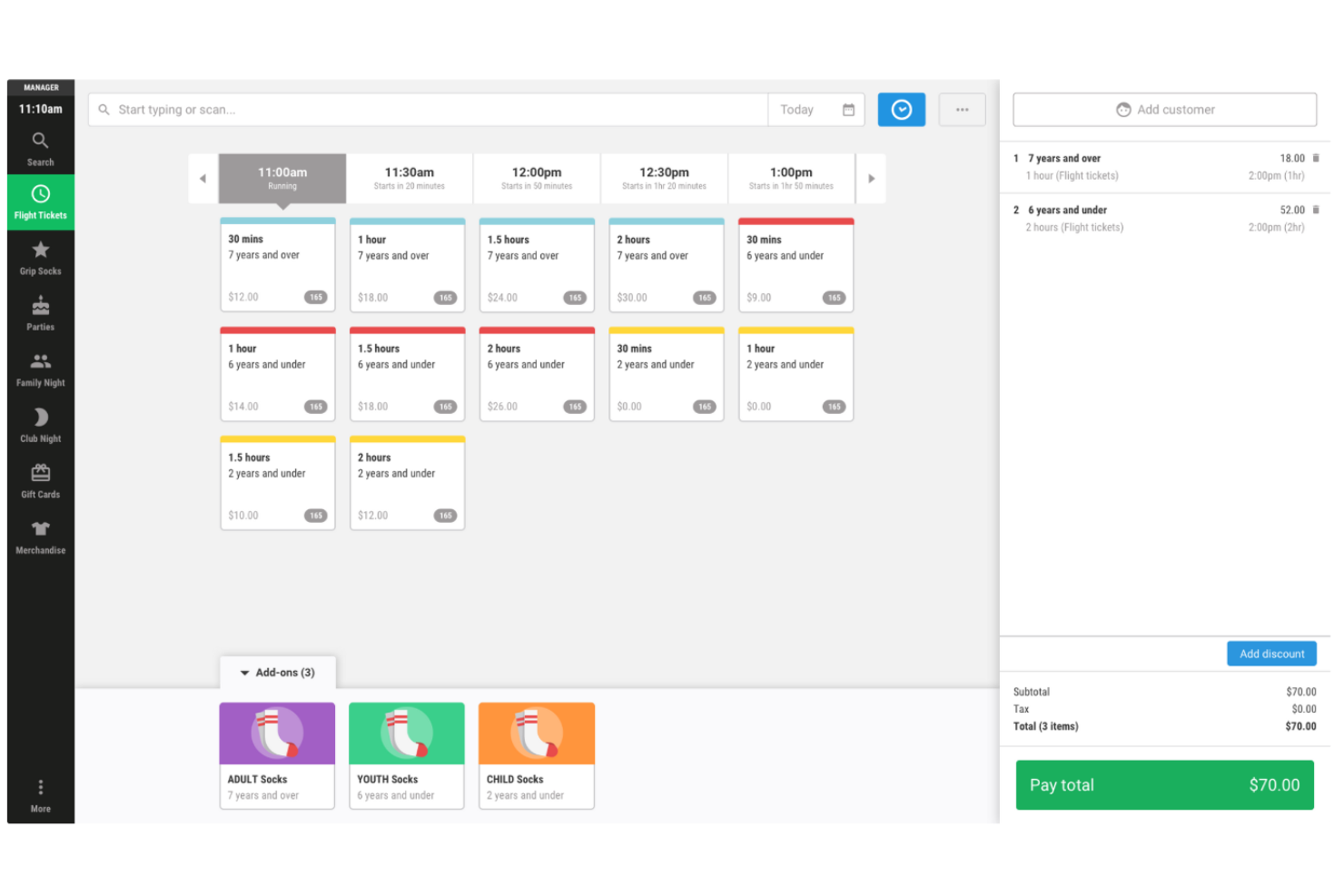
Cloud POS gives retailers and hospitality businesses a way to track sales activity in real time from any device. The platform is built for teams that need instant visibility into transactions, inventory, and staff performance across multiple locations. With its focus on live data and remote access, Cloud POS helps managers make quick decisions and respond to trends as they happen.
Why I Picked Cloud POS
What drew me to Cloud POS is its focus on real-time sales monitoring, which is essential for businesses that need up-to-the-minute insights. The system displays live sales data and inventory updates, so you can track performance as transactions happen across all locations. I like that managers can access dashboards remotely, making it easier to respond quickly to sales trends or operational issues. These features make Cloud POS a strong fit for retailers and hospitality teams who need instant visibility and control.
Cloud POS Key Features
Some other features that make Cloud POS useful for retailers and hospitality teams include:
- Multi-Location Management: Oversee sales, inventory, and staff across several stores from a single account.
- Role-Based Access Controls: Assign permissions and restrict access based on staff roles.
- Customizable Receipts: Design and print receipts with your branding and required details.
- Offline Transaction Support: Continue processing sales even when the internet connection drops.
Cloud POS Integrations
Native integrations are not currently listed.
Pros and Cons
Pros:
- Multi-location dashboard with role-based access
- Offline transaction processing for business continuity
- Real-time sales monitoring from any device
Cons:
- Pricing transparency limited for buyers
- No built-in loyalty program tools

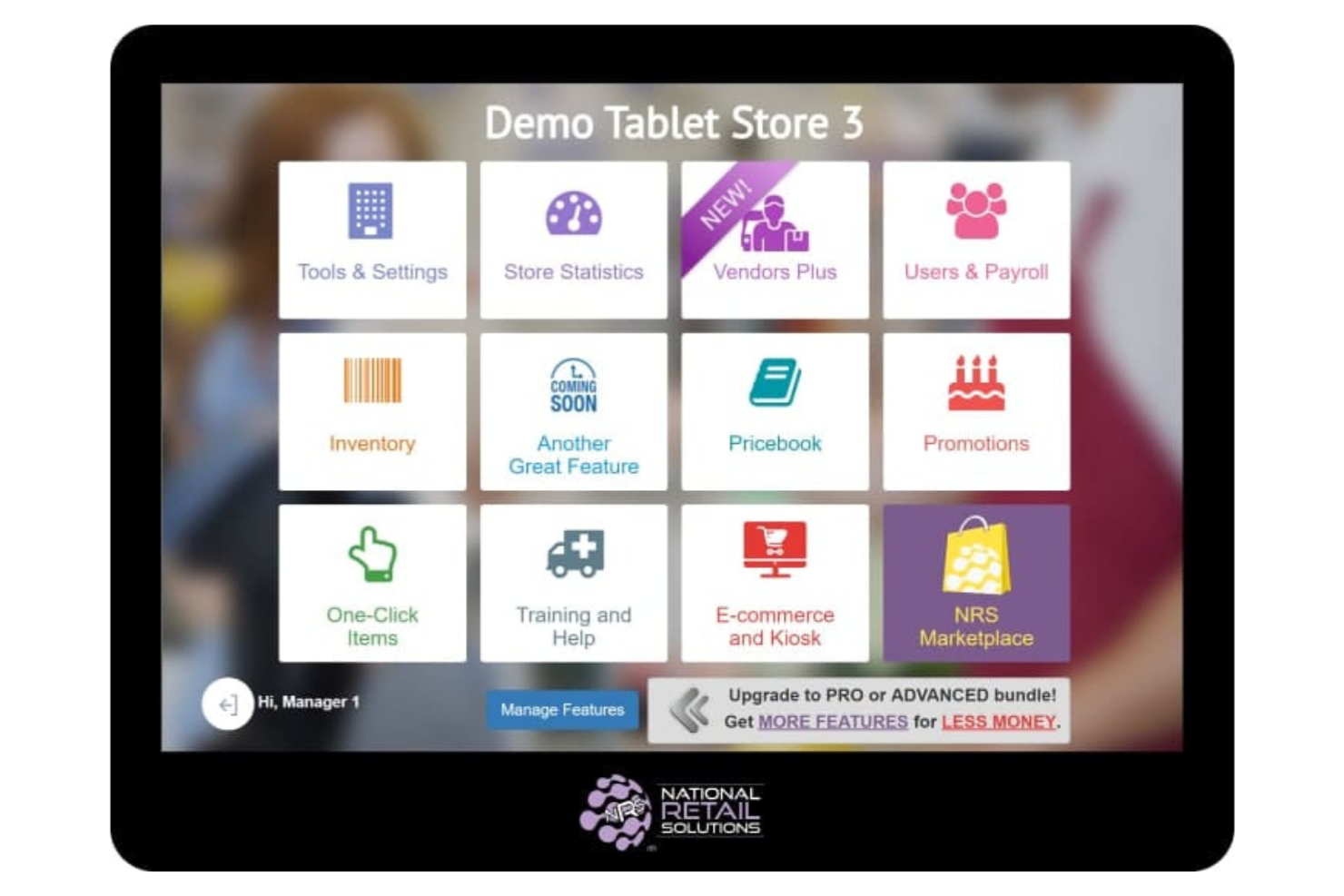
NRS is built specifically for independent convenience stores that need a POS system tailored to their daily operations. The platform offers features like age verification, lottery sales tracking, and EBT processing, which are essential for stores serving diverse communities. NRS helps owners manage compliance and inventory challenges unique to the convenience retail space.
Why I Picked NRS
What stands out about NRS is how it addresses the unique needs of independent convenience stores, which often have requirements that general POS systems overlook. The built-in age verification feature helps store owners comply with regulations for tobacco and alcohol sales, which is a daily necessity in this sector.
I also like that NRS supports EBT and lottery sales, making it easier for stores to serve a wider range of customers and manage specialized transactions. For convenience store operators, these targeted features make NRS a practical fit for running a compliant and efficient business.
NRS Key Features
In addition to its compliance-focused tools, NRS offers several other features designed for convenience store operations:
- Remote Back Office Portal: Access sales reports, inventory, and employee management tools from any internet-connected device.
- Digital Signage Integration: Display promotions and pricing updates on in-store screens directly from the POS.
- Integrated Security Camera Support: Link security cameras to the POS system for transaction-linked video review.
- Mobile App for Store Owners: Monitor sales, inventory, and alerts on the go using the NRS mobile app.
NRS Integrations
Integrations include DoorDash, Grubhub, NRS Pay, NRS eWIC, BOSS Local, Find My Biz, Manage My Reviews, LottoShield, Vendors+, and CCTV Systems.
Pros and Cons
Pros:
- Age verification at checkout
- EBT and eWIC payment support included
- Built for independent convenience store workflows
Cons:
- Hardware purchase required for full POS setup
- Ecommerce integrations are limited for omnichannel selling

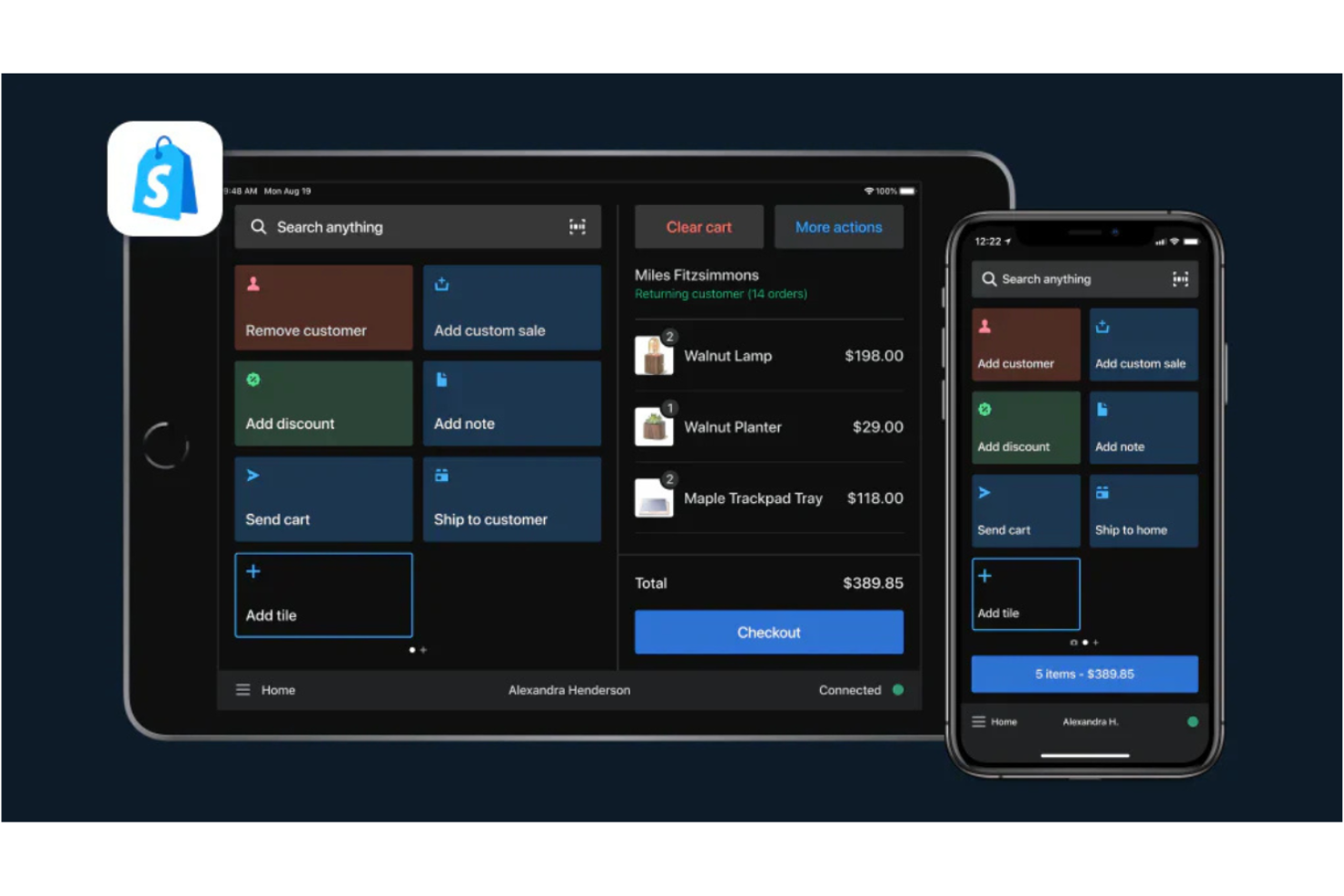
If you’re running an online store and want to unify your in-person and ecommerce sales, Shopify POS is designed for you. This platform connects your Shopify storefront with physical retail, letting you manage products, inventory, and customer data in one place. Shopify POS is a strong fit for retailers who want to sync sales, promotions, and inventory across all channels without manual work.
Why I Picked Shopify POS
Shopify POS stands out for retailers who want to bridge the gap between their online and in-person sales. The system automatically syncs inventory and order data between your Shopify store and your physical locations, so you always have an accurate view of stock.
I appreciate how Shopify POS lets you manage unified customer profiles, making it easy to track purchase history and offer personalized service across channels. These features make Shopify POS a strong choice for businesses focused on integrating ecommerce with brick-and-mortar operations.
Shopify POS Key Features
Some other features that make Shopify POS useful for retail teams include:
- Customizable Smart Grid: Organize your POS home screen with shortcuts to your most-used products, discounts, or apps.
- Integrated Payment Processing: Accept credit cards, contactless payments, and mobile wallets directly through the POS.
- Staff Permissions and Roles: Set custom permissions for each staff member to control access to sensitive data and functions.
- Mobile Checkout: Use iOS and Android devices to process sales anywhere in your store or at events.
Shopify POS Integrations
Integrations include Shopify Payments, Shop Pay, Shopify Fulfillment Network, Shopify Inbox, Shopify Email, Shopify Flow, Shopify Shipping, Facebook, Instagram, and Google.
Pros and Cons
Pros:
- Mobile checkout on iPhone and other devices
- Real-time inventory sync across sales channels
- Online and in-store sales in one system
Cons:
- Hardware compatibility restricted to Shopify devices
- Limited offline functionality for processing sales
Other Online POS Software
Here are some additional online POS software options that didn’t make it onto my shortlist, but are still worth checking out:
- Clover
For customizable hardware options
- Square
For mobile payment flexibility
- Hike POS
For integrated appointment scheduling
- Loyverse
For managing customer loyalty programs
- PayPal POS
For accepting PayPal payments in-store
- Stripe Terminal
For unified online and in-person payments
- Toshiba Commerce
For enterprise-grade hardware compatibility
- QuickBooks POS
For syncing with accounting software
- Salesforce Retail Cloud POS
For CRM-driven sales insights


Online POS Software Selection Criteria
When selecting the best online POS software to include in this list, I considered common buyer needs and pain points like managing real-time inventory and ensuring fast, reliable transaction processing. I also used the following framework to keep my evaluation structured and fair:
Core Functionality (25% of total score) To be considered for inclusion in this list, each solution had to fulfill these common use cases:
- Process in-person and online sales transactions
- Track and manage inventory levels
- Generate sales and transaction reports
- Support multiple payment methods
- Manage user roles and permissions
Additional Standout Features (25% of total score) To help further narrow down the competition, I also looked for unique features, such as:
- Real-time sales monitoring dashboards
- Integrated loyalty and rewards programs
- Offline transaction processing capability
- Customizable receipt and invoice templates
- Multi-location management from a single account
Usability (10% of total score) To get a sense of the usability of each system, I considered the following:
- Simple and intuitive user interface
- Fast transaction processing workflow
- Easy navigation between modules
- Responsive design for mobile and tablet
- Clear labeling and logical menu structure
Onboarding (10% of total score) To evaluate the onboarding experience for each platform, I considered the following:
- Availability of step-by-step setup guides
- Access to training videos and tutorials
- Interactive product tours for new users
- Pre-built templates for quick configuration
- Live chat or chatbot support during onboarding
Customer Support (10% of total score) To assess each software provider’s customer support services, I considered the following:
- 24/7 live chat or phone support availability
- Access to a searchable knowledge base
- Fast response times to support tickets
- Availability of onboarding webinars
- Community forums for peer-to-peer help
Value For Money (10% of total score) To evaluate the value for money of each platform, I considered the following:
- Transparent and competitive pricing structure
- Flexible plans for different business sizes
- No hidden fees or surprise charges
- Free trial or demo availability
- Features included at each pricing tier
Customer Reviews (10% of total score) To get a sense of overall customer satisfaction, I considered the following when reading customer reviews:
- Consistent positive feedback on reliability
- Reports of responsive customer support
- Comments on ease of setup and daily use
- Feedback on feature updates and improvements
- Mention of any recurring issues or limitations
How to Choose Online POS Software
It’s easy to get bogged down in long feature lists and complex pricing structures. To help you stay focused as you work through your unique software selection process, here’s a checklist of factors to keep in mind:
| Factor | What to Consider |
| Scalability | Will the system support your growth, such as adding new locations, registers, or users without major upgrades or extra costs? |
| Integrations | Does the POS connect natively to your accounting, ecommerce, or inventory management tools, or will you need workarounds or custom APIs? |
| Customizability | Can you tailor workflows, receipts, and user permissions to match your business processes and branding requirements? |
| Ease of use | Will your staff be able to learn and use the system quickly, even with high turnover or seasonal hiring? |
| Implementation and onboarding | How long will it take to get up and running, and what resources (training, migration, hardware setup) will you need to allocate? |
| Cost | Are all fees clear—including hardware, payment processing, and support—or are there hidden charges that could impact your margins? |
| Security safeguards | Does the POS offer end-to-end encryption, PCI compliance, and user access controls to protect customer and business data? |
| Support availability | Can you reach support during your business hours, and are there multiple channels (chat, phone, email) for urgent issues? |
What Is Online POS Software?
Online POS software is a cloud-based system that allows businesses to process sales transactions, manage inventory, and track customer activity using internet-connected devices. Many platforms operate through a POS app that can run on mobile devices such as tablets, iPhones, or traditional registers connected to POS hardware.
These systems allow retailers, restaurants, and other business types to monitor sales activity across physical and digital channels from one central platform. Because the software runs in the cloud, teams can view real-time data, manage operations remotely, and automate key administrative tasks.
Features
When selecting online POS software, keep an eye out for the following key features:
- Sales transaction processing: Handles in-person and online sales, calculates totals, applies discounts, and processes various payment types at checkout.
- Inventory management: Tracks stock levels in real time, updates quantities after each sale, and alerts you when items are running low or out of stock.
- Multi-location support: Allows you to manage sales, inventory, and staff across several stores or registers from a single dashboard.
- Customer management: Stores customer profiles, purchase history, and contact details to support loyalty programs and personalized service.
- Reporting and analytics: Generates detailed sales, inventory, and staff performance reports to help you make informed business decisions.
- Role-based access controls: Let you assign permissions and restrict access to sensitive data based on staff roles and responsibilities.
- Receipt customization: Enables you to design and print branded receipts with custom messages, logos, and required legal information.
- Offline transaction capability: Allows you to continue processing sales even if your internet connection drops, syncing data once you’re back online.
- Integrated payment processing: Supports a range of payment methods, including credit cards, mobile wallets, and contactless payments, all within the same system.
Benefits
Implementing online POS software provides several benefits for your team and your business. Here are a few you can look forward to:
- Centralized sales management: Access and manage all sales activity across locations and channels from a single, cloud-based dashboard.
- Real-time inventory visibility: Monitor stock levels instantly and reduce the risk of overselling or stockouts with automated inventory tracking.
- Flexible payment acceptance: Offer customers a variety of payment options, including cards and mobile wallets, through integrated payment processing.
- Improved data security: Protect sensitive business and customer information with built-in encryption, PCI compliance, and role-based access controls.
- Faster onboarding and training: Get new staff up to speed quickly with intuitive interfaces, guided product tours, and accessible training resources.
- Actionable business insights: Use built-in reporting and analytics tools to identify trends, track performance, and make informed decisions.
- Business continuity: Continue processing sales even during internet outages with offline transaction capabilities that sync data when reconnected.
Costs and Pricing
Selecting online POS software requires an understanding of the various pricing models and plans available. Costs vary based on features, team size, add-ons, and more. The table below summarizes common plans, their average prices, and typical features included in online POS software solutions:
Plan Comparison Table for Online POS Software
| Plan Type | Average Price | Common Features |
| Free Plan | $0 | Basic sales processing, limited inventory tracking, single-user access, and standard reporting. |
| Personal Plan | $10-$30/user/month | Multi-user support, expanded inventory management, basic customer profiles, and email support. |
| Business Plan | $40-$80/user/month | Multi-location management, advanced reporting, integrated payment processing, and role-based access. |
| Enterprise Plan | $100-$200+/ user/month | Custom integrations, dedicated account management, priority support, advanced security, and API access. |
Online POS Software FAQs
Here are some answers to common questions about online POS software:
Can online POS software work without an internet connection?
Yes, many online POS software solutions offer offline transaction capabilities. This means you can continue processing sales during internet outages, and the system will sync data automatically once the connection is restored.
How secure is online POS software for handling payments and customer data?
Online POS software typically uses encryption, PCI compliance, and role-based access controls to protect sensitive information. Always confirm that your chosen provider meets industry security standards and offers regular updates to address new threats.
What hardware is required to use online POS software?
Most online POS software works on standard computers, tablets, or smartphones. You may also need compatible receipt printers, barcode scanners, and payment terminals, depending on your business setup and the software’s supported devices.
Can I integrate online POS software with my existing ecommerce or accounting tools?
Yes, many online POS software platforms offer integrations with popular ecommerce, accounting, and inventory management systems. Check for native integrations or available APIs to ensure smooth data flow between your tools.
How long does it take to set up online POS software?
Setup time varies by provider and business complexity. Many solutions offer guided onboarding, training resources, and product tours to help you get started quickly—often within a few hours to a few days for most small to mid-sized businesses.
What’s Next:
If you're in the process of researching online POS software, connect with a SoftwareSelect advisor for free recommendations.
You fill out a form and have a quick chat where they get into the specifics of your needs. Then you'll get a shortlist of software to review. They'll even support you through the entire buying process, including price negotiations.