
14 Bar POS Software Picks for 2026

Bar POS Software Shortlist
Here’s my shortlist of bar POS software:


Bar POS software is a point-of-sale system designed specifically for bars to manage orders, payments, inventory, and staff activity in fast-paced environments. If you’re searching for the best bar POS software, you’re likely looking for tools that can handle high-volume transactions, track tabs, and keep your team moving during busy shifts.
The right system can help you avoid order mistakes, reduce wait times, and keep inventory accurate—challenges every bar manager knows well. In this guide, you’ll find a carefully selected list of bar POS solutions, each reviewed for features that matter most to bars, so you can confidently choose the right fit for your business.
Why Trust Our Software Reviews
Best Bar POS Software Summary
This comparison chart summarizes pricing details for my top bar POS software selections to help you find the best one for your budget and business needs.
| Tool | Best For | Trial Info | Price | ||
|---|---|---|---|---|---|
| 1 | Best for handheld order entry | Free demo + free plan available | From $69/month | Website | |
| 2 | Best with multi-location management | 14-day free trial + free demo available | Pricing upon request | Website | |
| 3 | Best for rapid staff training | Free demo available | Pricing upon request | Website | |
| 4 | Best for customizable workflows | Free demo available | Pricing upon request | Website | |
| 5 | Best for table-side service features | Free demo available | From $69/month | Website | |
| 6 | Best for real-time sales analytics | Optional add-ons start from $5/month | Free to use | Website | |
| 7 | Best with mobile device compatibility | Free demo available | Pricing upon request | Website | |
| 8 | Best for loyalty program integration | $0 for the first device | From $29.95/month | Website | |
| 9 | Best for integrated inventory tracking | Free demo + free trial available | From $99/month | Website | |
| 10 | Best with offline transaction support | Free demo available | From $150/month/1 station | Website |
Bar POS Software Reviews
Below are my detailed summaries of the bar POS software that made it onto my shortlist. My reviews offer a detailed look at the features, best use cases, and integrations of each system to help you find the best one for you.

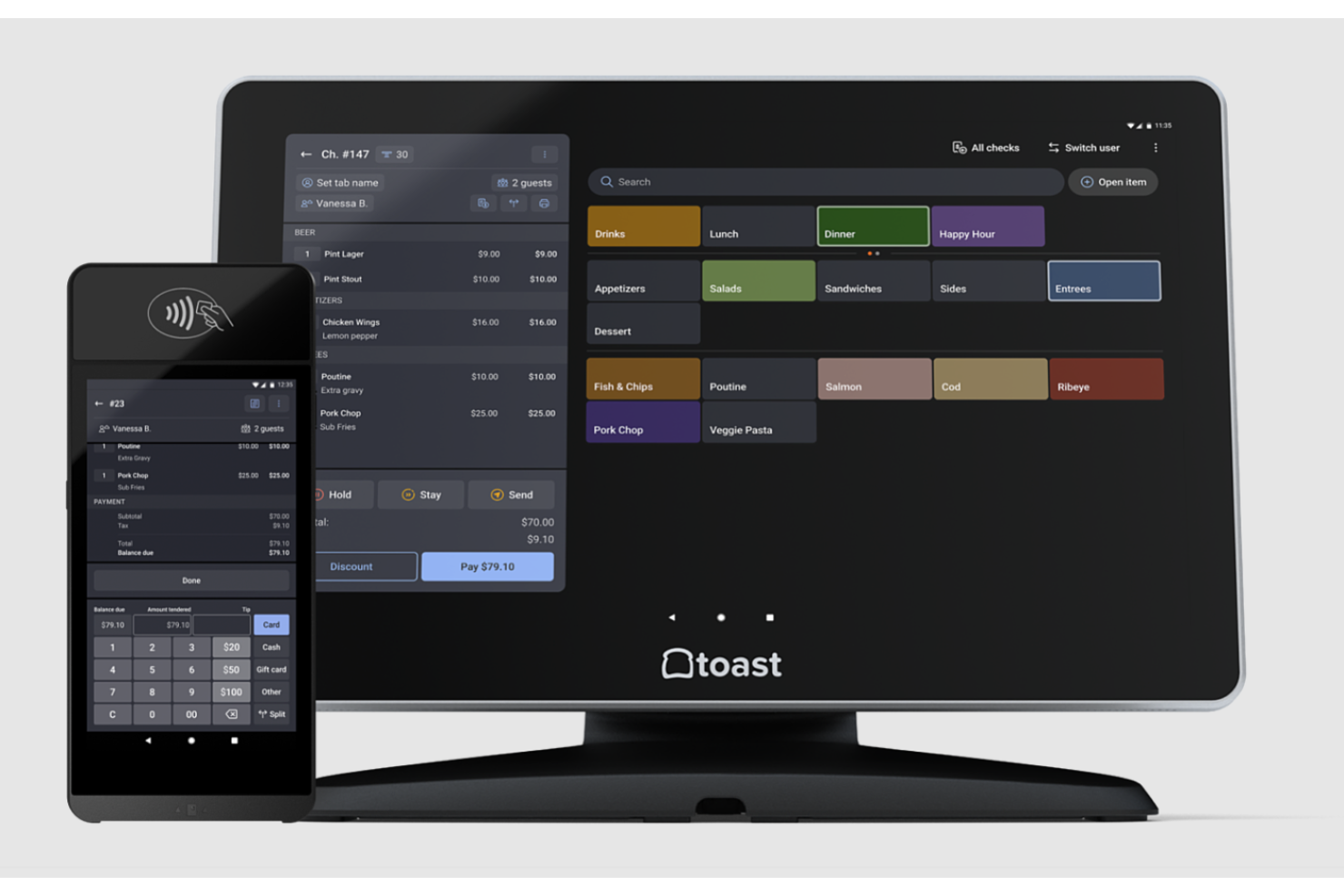
Toast offers a POS system built around handheld devices for bars that want to speed up service and keep orders accurate. The tool is a strong fit for busy bar teams that need to take and send orders from anywhere on the floor. It helps reduce wait times and keeps staff moving, especially during peak hours or crowded events.
Why I Picked Toast
What sets Toast apart for bar POS is its focus on handheld order entry, which is a game-changer for fast-paced bar environments. I picked Toast because its handheld devices let bartenders and servers take orders and process payments right at the table or bar, cutting down on wait times and order errors.
The system also supports real-time menu updates, so staff always have the latest drink specials and pricing at their fingertips. With Toast, you can keep service moving smoothly even during your busiest nights.
Toast Key Features
Some other features in Toast that are useful for bar operations include:
- Tip Pooling and Tip Distribution: Manage pooled tips and distribute them automatically among staff based on your rules.
- Inventory Countdown: Display real-time inventory counts on menu items to prevent overselling drinks or specials.
- Customer Tab Management: Open, track, and close customer tabs easily from any device in the system.
- Integrated Gift Card Processing: Sell and redeem digital or physical gift cards directly through the POS.
Toast Integrations
Integrations include 7shifts, ChowNow, Restaurant365, Resy, SevenRooms, Shogo, Sling, Tock, Uber Eats, and more.
Pros and Cons
Pros:
- Offline mode allows order entry and payments
- Real-time menu updates sync
- Built-in customer tab management
Cons:
- Difficult menu setup for complex drink recipes
- Hardware is proprietary

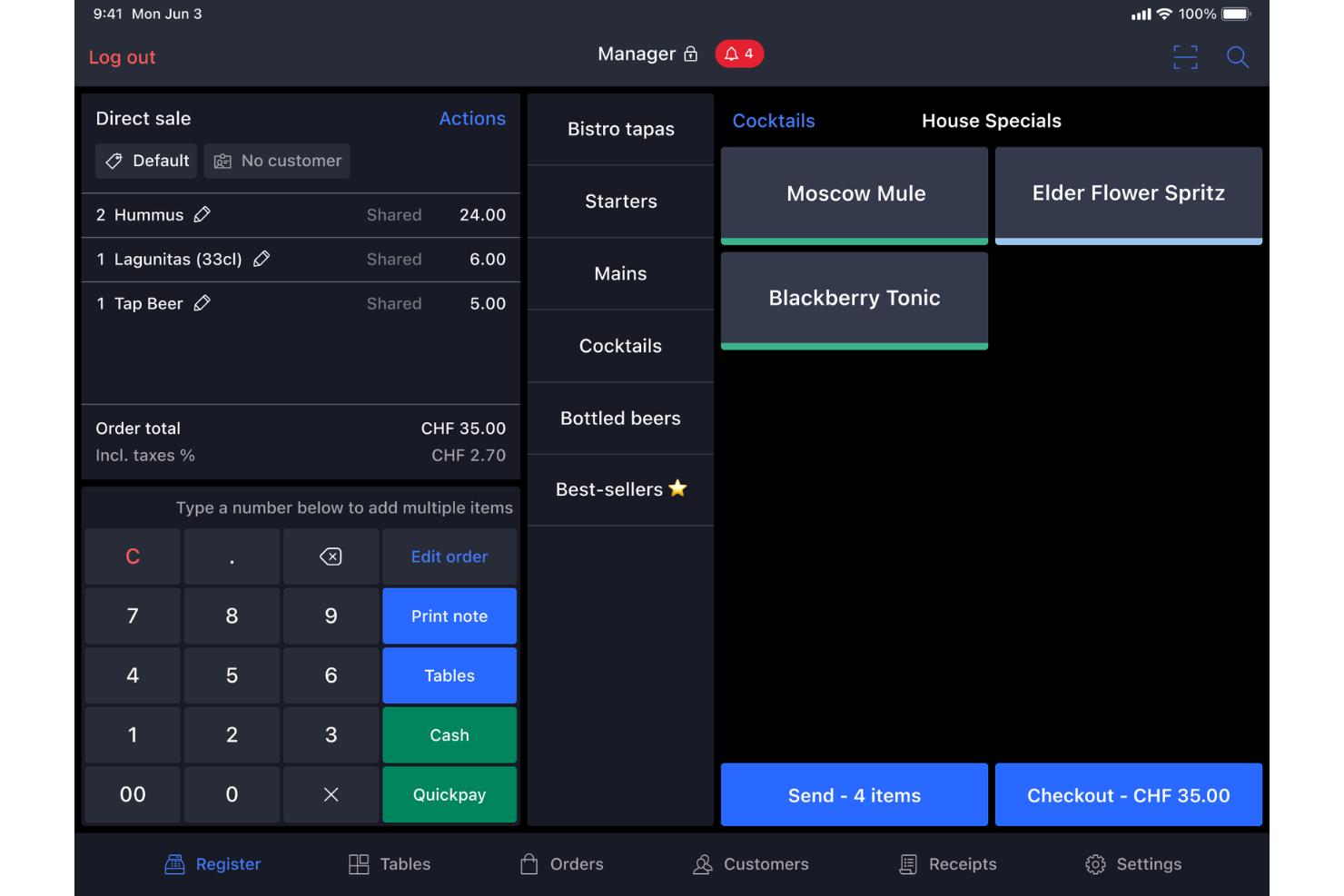
Lightspeed is built to help you keep everything connected if you manage multiple bar locations or plan to expand. This POS system is designed for bar owners and operators who need to track sales, inventory, and staff across several venues from one dashboard. It makes it easier to standardize menus, pricing, and reporting so you can run a multi-location bar operation with less hassle.
Why I Picked Lightspeed
Managing several bar locations can get complicated fast, and that’s where Lightspeed really shines. I picked Lightspeed because it lets you control menus, pricing, and promotions across all your bars from a single dashboard, which is a huge advantage for multi-location operators.
The centralized reporting tools help you compare sales and inventory performance between venues without juggling spreadsheets. With Lightspeed, you can also set user permissions by location, so each team only sees what they need to manage their bar.
Lightspeed Key Features
Some other features in Lightspeed that are useful for bar operations include:
- Ingredient-Level Inventory Management: Track liquor, mixers, and garnishes down to the ingredient level for more accurate stock control.
- Customizable Floor Plans: Design and update digital floor plans to match your bar’s layout and manage tables or sections.
- Happy Hour Pricing Rules: Set automated time-based pricing for drinks and menu items to support happy hour promotions.
- Offline Mode: Continue processing orders and payments even if your internet connection drops.
Lightspeed Integrations
Integrations include OpenTable, MarketMan, Xero, MYOB, QuickBooks, and more.
Pros and Cons
Pros:
- Automated happy hour pricing
- Ingredient-level inventory tracking
- Lets you manage multiple bar locations
Cons:
- Limited hardware compatibility
- Time-consuming menu setup and updates

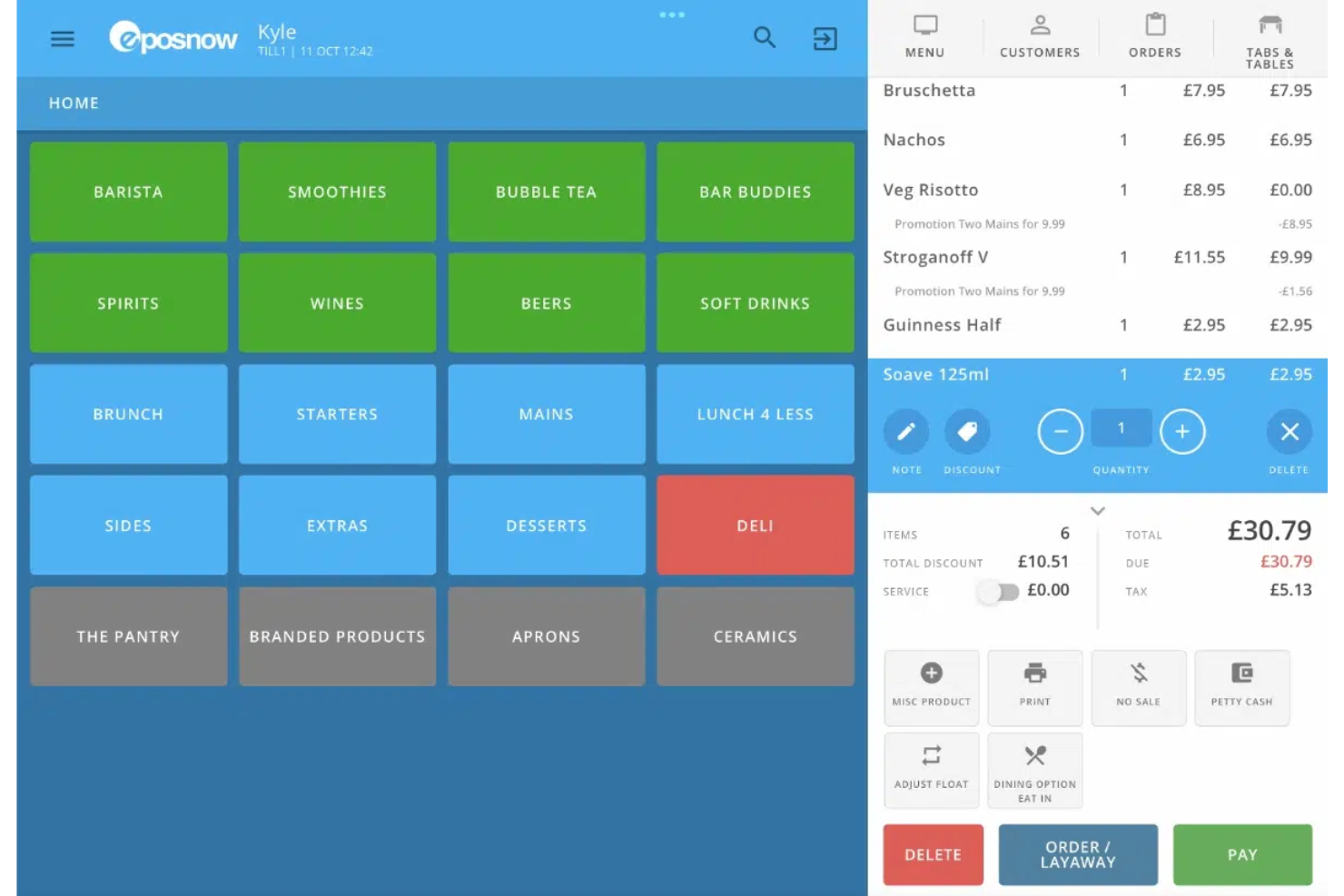
Epos Now is a bar POS system designed to help new staff get up to speed quickly. Its user-friendly interface supports fast onboarding, making it a strong fit for bars dealing with high staff turnover or seasonal hiring. By reducing training time, it helps teams maintain steady service even when employees rotate frequently.
Why I Picked Epos Now
For bars that need to train new staff quickly, Epos Now stands out with its guided onboarding and built-in training tools. I picked Epos Now because it offers a touchscreen interface with visual prompts that help new hires learn order entry and payment steps right at the terminal.
The system also includes role-based access controls, so you can tailor what each staff member sees as they learn. This focus on rapid training makes Epos Now a strong fit for bars with frequent staff changes or seasonal teams.
Epos Now Key Features
Some other features that make Epos Now useful for bars include:
- Real-Time Inventory Tracking: Monitor stock levels for drinks and ingredients as sales happen.
- Integrated Payment Processing: Accept card, contactless, and mobile payments directly through the POS.
- Customizable Menu Layouts: Adjust drink and food menus quickly to match specials or events.
- Reporting Dashboard: Access sales, product, and staff performance data from a central dashboard.
Epos Now Integrations
Integrations include QuickBooks, Shopify, WooCommerce, Xero, Workforce.com, Loyalzoo, and more.
Pros and Cons
Pros:
- Supports cloud-based reporting
- Provides touchscreen interface
- Guided staff training modules
Cons:
- No automated tip sharing
- Long-term contract requirements

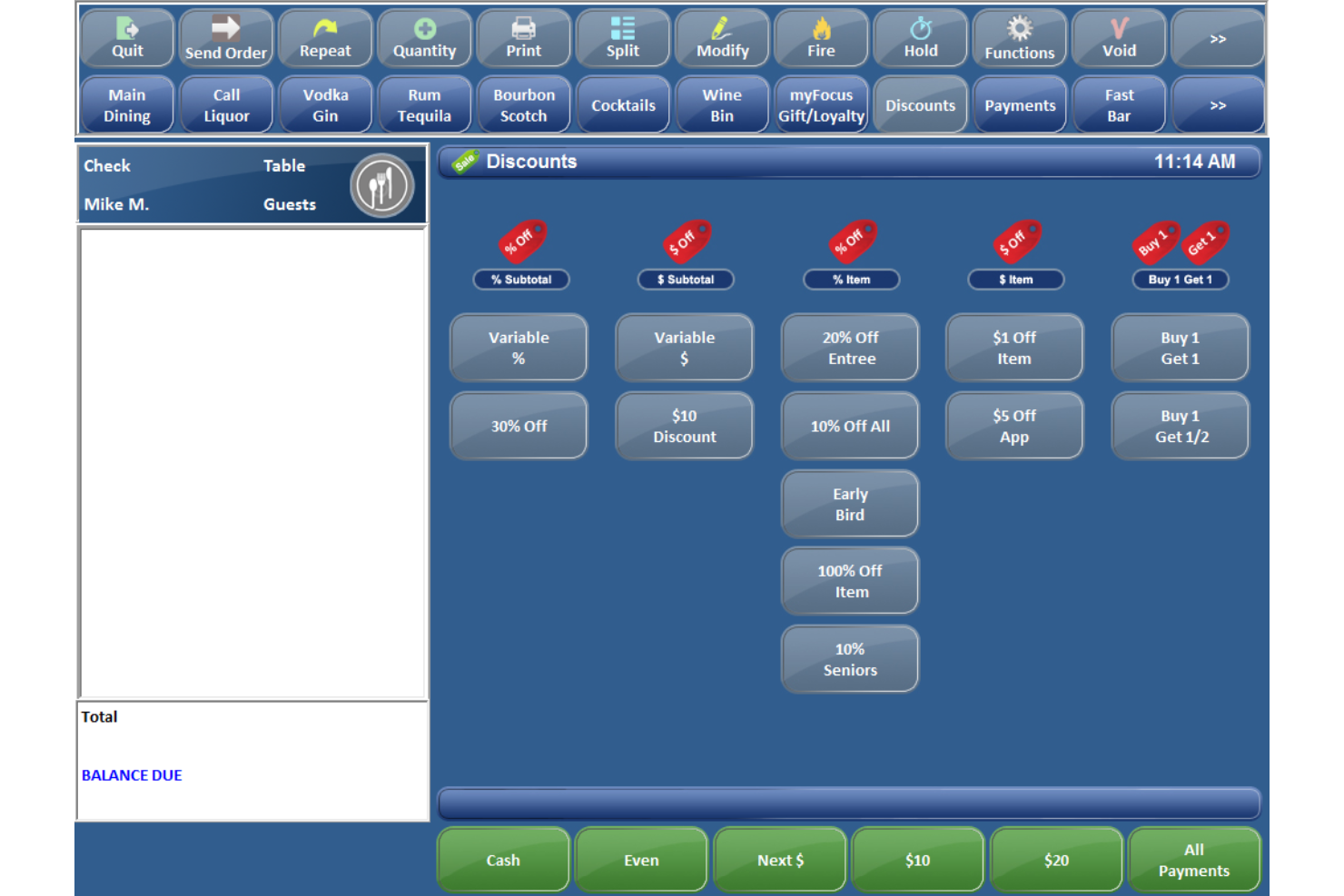
Focus POS is worth a look if your bar needs a system that adapts to your unique workflows. The tool is designed for bar owners and managers who want to customize order screens, permissions, and processes to match their service style. It helps you handle complex drink orders, split checks, and staff management, all tailored to your operation.
Why I Picked Focus POS
What drew me to Focus POS for bar environments is its deep support for customizable workflows. Bars often have unique service models, and Focus POS lets you tailor order entry screens, menu layouts, and staff permissions to match your exact needs.
I appreciate that you can set up custom modifiers for complex drink recipes and create workflow rules for things like happy hour pricing or split checks. This level of flexibility makes Focus POS a strong fit for bars that want their POS to adapt to their operation, not the other way around.
Focus POS Key Features
Some other features in Focus POS that are helpful for bar operations include:
- Age Verification Prompts: Automatically prompt staff to check IDs for age-restricted sales.
- Integrated Time Clock: Track employee hours and manage clock-ins and clock-outs directly in the POS.
- Table and Seat Management: Assign orders to specific tables or seats for accurate service and billing.
- Remote Printer Routing: Send drink orders directly to bar printers to speed up preparation.
Focus POS Integrations
Integrations include Uber Eats, DoorDash, HotSchedules, Mercury, QuickBooks, and more.
Pros and Cons
Pros:
- Integrated time clock tracks staff hours
- Built-in age verification prompts
- Supports unique bar service and menu setups
Cons:
- Basic reporting features
- Complex menu programming for specialty drinks

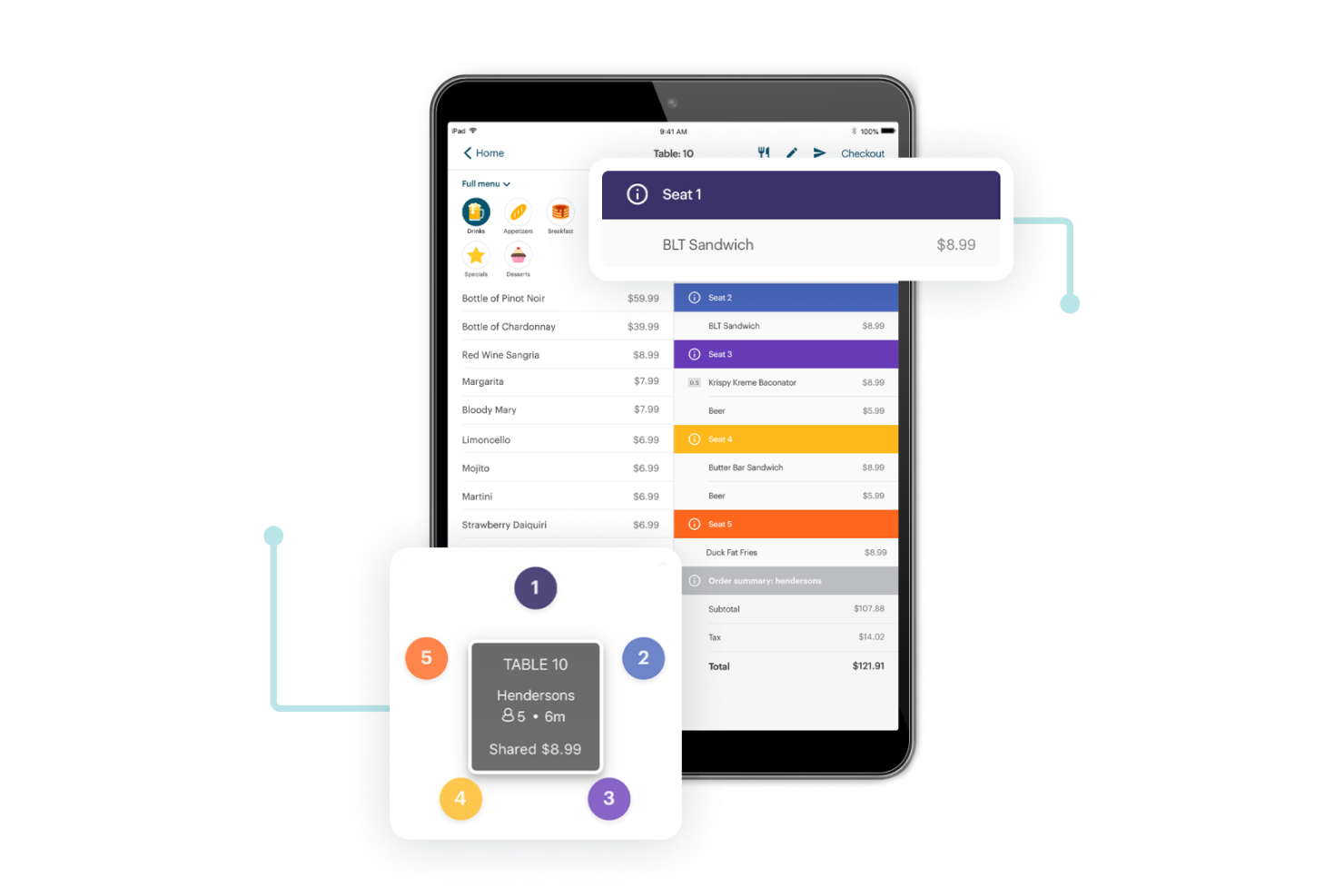
TouchBistro is designed for bars and restaurants that want to bring service directly to the table. With its mobile POS features, your staff can take orders, process payments, and manage tabs without leaving the guest’s side. This setup helps bars deliver faster, more personalized service during busy shifts.
Why I Picked TouchBistro
What drew me to TouchBistro as a bar point-of-sale system is its focus on table-side service, which is especially valuable in busy bar environments. The system lets staff take orders and process payments right at the table using iPads, so guests don’t have to wait at the bar or flag someone down.
I appreciate how TouchBistro supports managing open tabs and splitting bills directly from the handheld device. These features help bars deliver quick, attentive service and keep orders accurate, even during peak hours.
TouchBistro Key Features
Some other features that make TouchBistro a strong option for bars include:
- Inventory Management: Track liquor, mixers, and other bar stock in real time.
- Customizable Menu Creation: Build and update drink menus with modifiers and pricing options.
- Staff Scheduling Tools: Manage employee shifts and track hours directly within the POS.
- Detailed Sales Reporting: Access reports on sales trends, best-selling items, and staff performance.
TouchBistro Integrations
Integrations include DAVO by Avalara, Shogo, Avero, 7shifts, Deliverect, DoorDash, and QuickBooks.
Pros and Cons
Pros:
- Offline hybrid-server data reliability
- Visual drag-and-drop floor management
- Supports table-side ordering with iPads
Cons:
- No integrated ID age scanning
- Exclusive to Apple iOS hardware

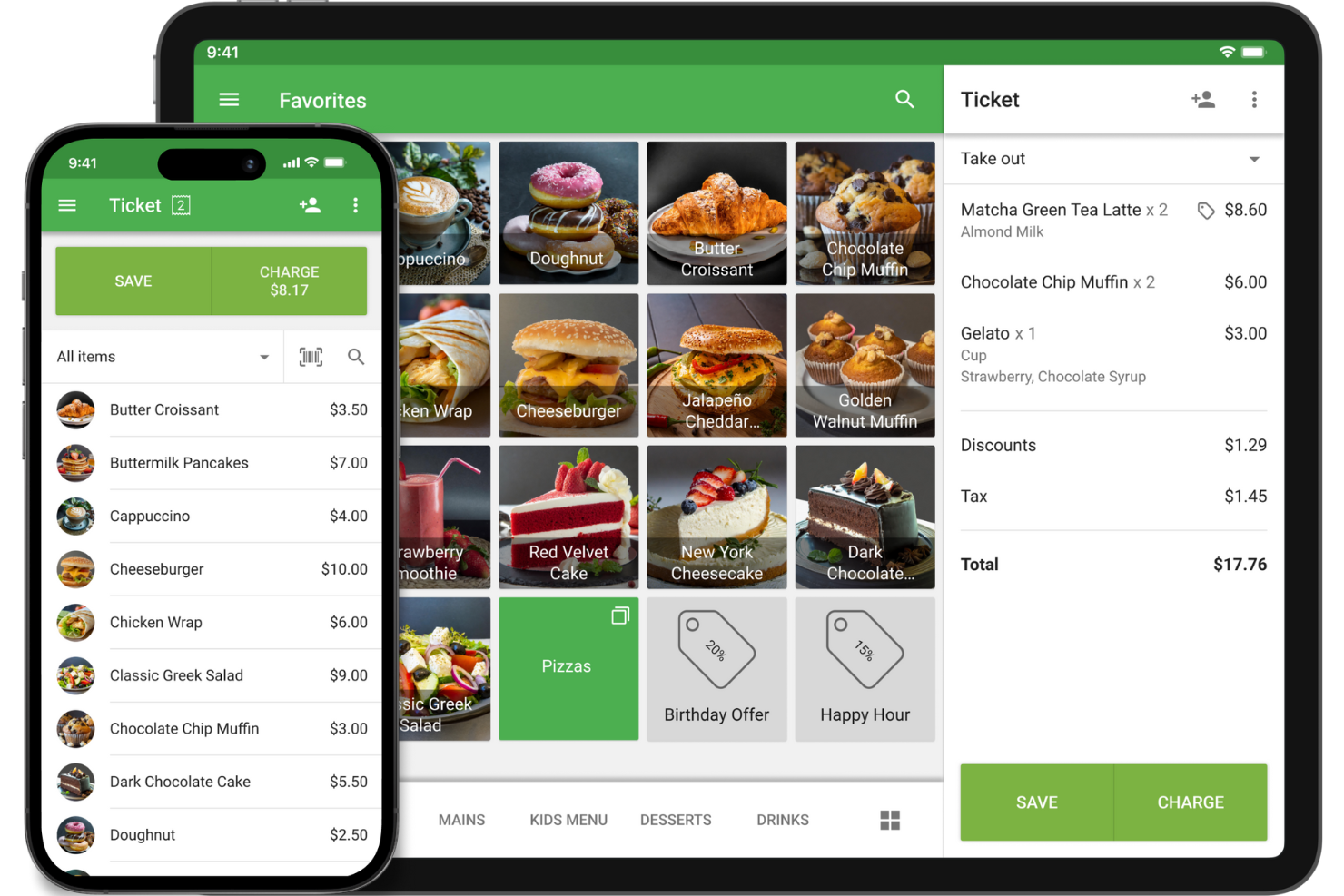
Loyverse is designed for bar owners and managers who want instant insight into sales performance as they work. With its real-time sales analytics, you can track revenue, monitor top-selling items, and spot trends as they happen. This makes it a strong choice for bars that need to make quick, data-driven decisions during busy shifts.
Why I Picked Loyverse
One thing that sets Loyverse apart for bar POS software is its focus on real-time sales analytics. I picked Loyverse because it lets you see up-to-the-minute sales data, so you can track which drinks or menu items are selling best during a shift.
The dashboard updates instantly, giving you a live view of revenue, sales trends, and staff performance. For bars that need to make quick decisions—like running a flash promotion or adjusting staffing—these analytics are especially valuable.
Loyverse Key Features
Some other features that make Loyverse useful for bars include:
- Inventory Management: Track stock levels and receive alerts when items run low.
- Employee Management: Set up staff accounts and monitor employee sales activity.
- Customer Loyalty Program: Create and manage digital loyalty cards for repeat guests.
- Kitchen Display System: Send orders directly to a kitchen or prep area display screen.
Loyverse Integrations
Integrations include QuickBooks Online, Xero, Zapier, Make, Zoho Flow, Dataddo, Shopify, and more.
Pros and Cons
Pros:
- Built-in customer loyalty program
- Native recipe-based ingredient tracking
- Zero-cost core software license
Cons:
- Restricted offline refund processing
- No integrated table mapping

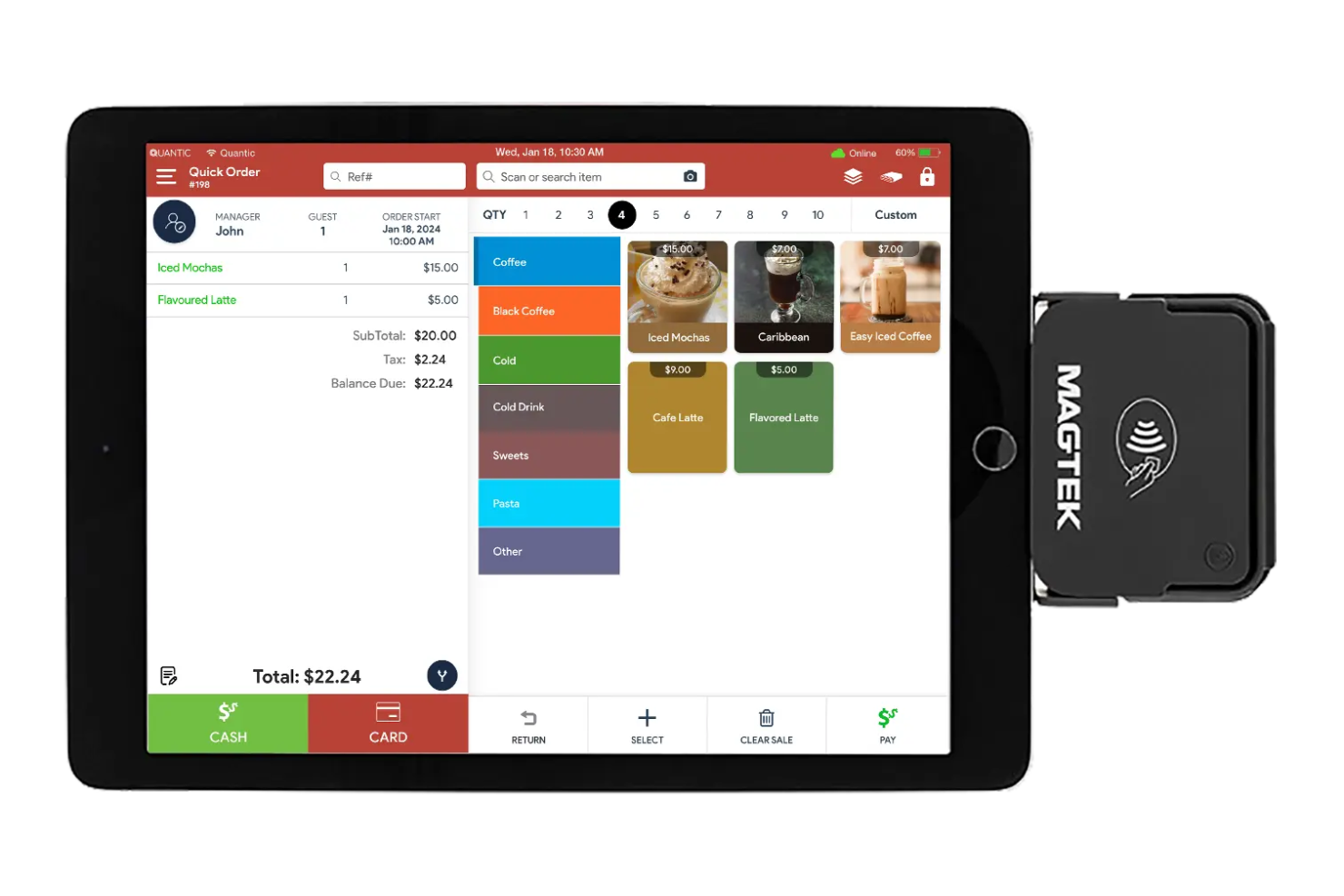
Quantic POS stands out for bars that want to run operations from any mobile device, not just a fixed terminal. This system is a fit for bar owners and managers who need flexibility to take orders, process payments, and manage bar tabs on the go. Its mobile-first approach helps teams serve guests anywhere in the venue, from the bar to the patio.
Why I Picked Quantic POS
What drew me to Quantic POS is its strong focus on mobile device compatibility, which is especially valuable for busy bar environments. With Quantic POS, you can run the entire system on iPads, Android tablets, or even smartphones, so staff aren’t tied to a stationary terminal.
I appreciate that this flexibility lets bartenders and servers take orders, open tabs, and process payments from anywhere in the venue. For bars with outdoor seating or high-traffic areas, this mobile-first setup helps teams stay responsive and keep service moving.
Quantic POS Key Features
Some other features that make Quantic POS appealing for bars include:
- Modifier Management: Customize drink and food orders with modifiers for upsells or special requests.
- Tip Pooling: Distribute tips among staff based on customizable rules.
- Inventory Tracking: Monitor ingredient and product levels in real time.
- Customer Profiles: Store guest preferences and order history for personalized service.
Quantic POS Integrations
Integrations include QuickBooks Online, Chowly, and more.
Pros and Cons
Pros:
- Hybrid cloud offline-first architecture
- Digital Pour tap integration
- Processor-agnostic payment flexibility
Cons:
- Manual dual-pricing configuration required
- Reported inconsistencies with tip syncing

Brilliant POS is built for bar owners and managers who want to put customer loyalty and repeat visits at the center of their operations. The system integrates loyalty programs directly into the point of sale, making it easy to track customer visits and reward regulars. With built-in tools for incentives and engagement, it helps bars encourage return business and strengthen customer relationships.
Why I Picked Brilliant POS
Brilliant POS caught my attention because it puts loyalty program integration at the core of its bar POS offering. For bars that want to reward regulars and encourage repeat business, this system includes built-in tools for tracking customer visits and managing rewards directly from the POS.
I like that you can set up custom loyalty incentives and monitor customer engagement without needing a separate platform. This approach helps bars create a more personalized experience and keep guests coming back.
Brilliant POS Key Features
In addition to its loyalty program tools, I also found these features worth noting:
- Integrated Payment Processing: Accept credit, debit, and contactless payments directly through the POS.
- Inventory Tracking: Monitor stock levels and receive alerts when items run low.
- Employee Management: Track staff hours, manage permissions, and handle scheduling.
- Customizable Receipts: Add your bar’s branding and personalized messages to printed or digital receipts.
Brilliant POS Integrations
Integration includes QuickBooks.
Pros and Cons
Pros:
- Allow branded and personalized receipts
- Supports real-time stock management
- Built-in loyalty program tools
Cons:
- Costly equipment leasing terms
- Steep multi-feature learning curve

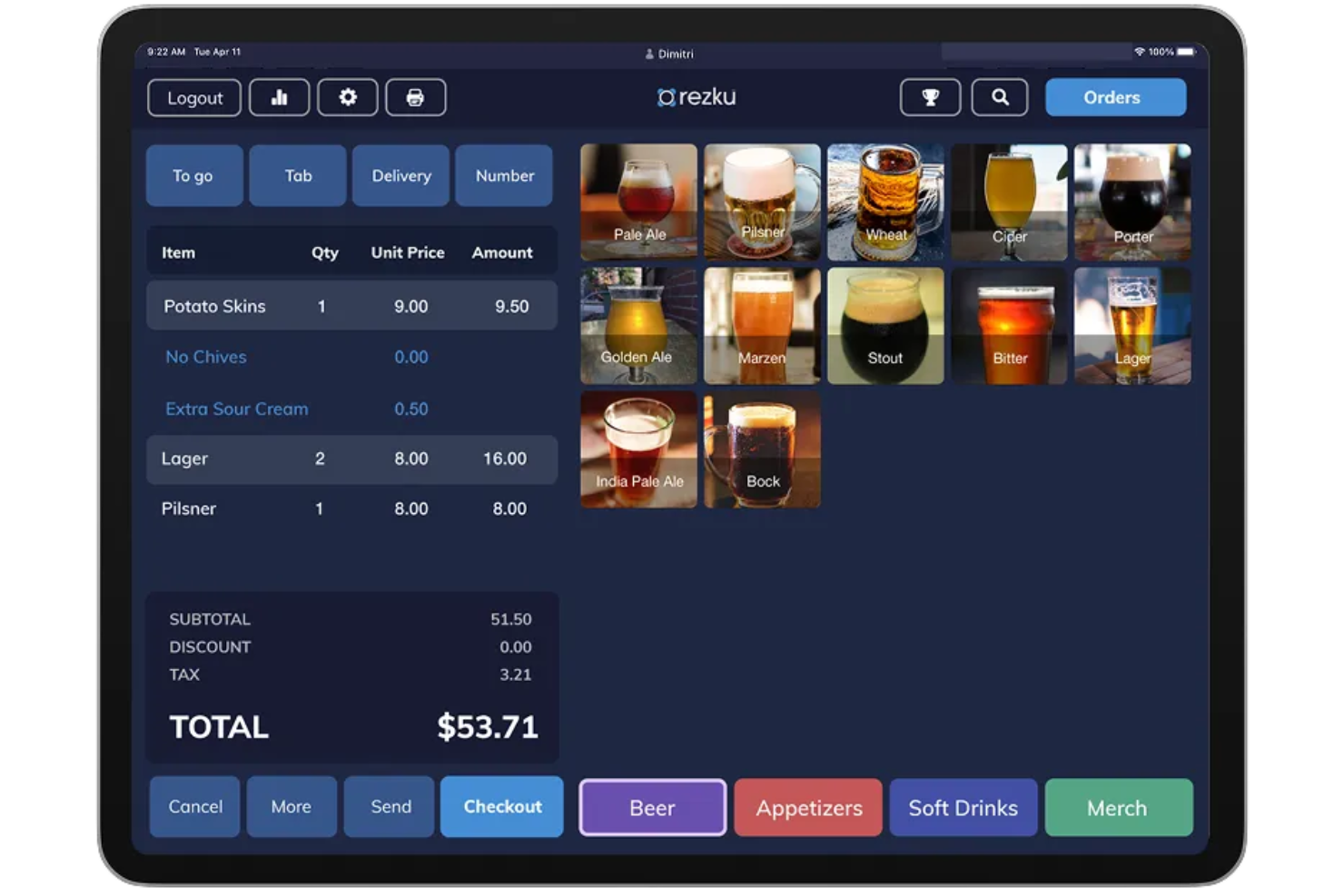
Rezku is worth a look if you’re searching for a bar POS that helps you keep a close eye on inventory. The system is designed for bars and nightclubs that want real-time inventory tracking built directly into their POS. It helps you reduce shrinkage and spot trends by connecting every sale to your stock levels automatically.
Why I Picked Rezku
What drew me to Rezku is how it puts inventory tracking at the center of its bar POS experience. For bars, keeping tabs on every pour and ingredient is essential, and Rezku’s real-time inventory management updates stock levels with every transaction.
I like that you can set up automatic alerts for low inventory, so you’re never caught off guard during a rush. The system also tracks usage patterns, helping you spot shrinkage or over-pouring before it becomes a bigger issue.
Rezku Key Features
Some other features that make Rezku appealing for bar operators include:
- Integrated Payment Processing: Accept credit cards, debit cards, and contactless payments directly through the POS.
- Customizable Floor Plans: Design digital layouts to match your bar’s seating and service areas.
- Age Verification Tools: Prompt staff to check IDs and log age verification for alcohol sales.
- Remote Management Dashboard: Access sales, labor, and performance data from any device with internet access.
Rezku Integrations
Integrations include Compeat, Ctuit, QuickBooks, QuickBooks, Xero, Sage, and more.
Pros and Cons
Pros:
- Integrated payment processing for contactless payments
- Provides remote dashboard access
- Customizable floor plans support unique bar layouts
Cons:
- Additional fees for gift cards
- No Android device compatibility

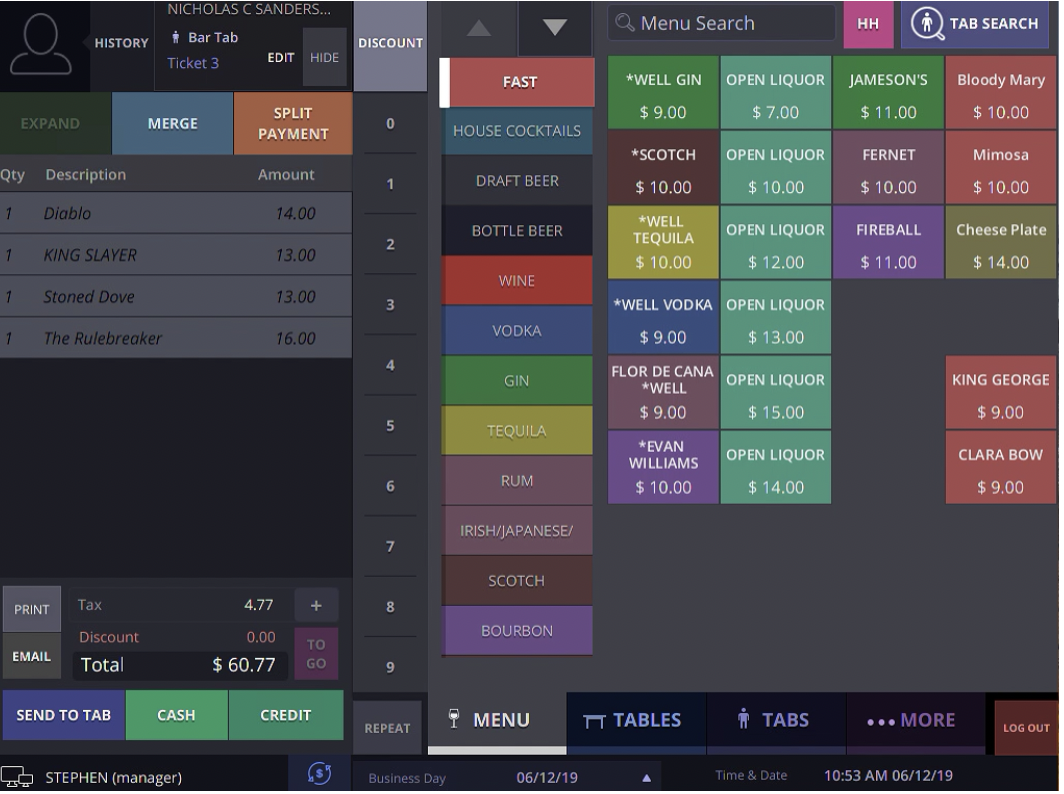
SmartTab is built for high-volume bars and nightclubs that can’t afford to lose sales when the internet drops. The system provides reliable offline transaction support, allowing service to continue without disruption. It helps teams process orders and payments even during network outages, so busy nights stay on track.
Why I Picked SmartTab
What stands out about SmartTab is its ability to keep transactions running smoothly even when your internet connection fails. For bars and nightclubs, losing connectivity during peak hours can mean lost revenue and frustrated customers, so I picked SmartTab for its strong offline transaction support.
The system stores orders and payment data locally, then syncs everything automatically once the network is restored. This approach helps bars avoid service interruptions and keeps the line moving, no matter what’s happening with your Wi-Fi.
SmartTab Key Features
In addition to its offline transaction capabilities, I also found these features worth noting:
- Tab Management: Open, track, and close customer tabs with flexible payment options.
- Integrated Credit Card Processing: Accept major credit cards directly through the POS system.
- Customizable Menu Layouts: Design menu screens to match your bar’s unique offerings and workflow.
- Employee Access Controls: Set permissions and track staff activity to help manage security and accountability.
SmartTab Integrations
Integrations are not publicly listed.
Pros and Cons
Pros:
- Integrated credit card processing
- Customizable menu layouts
- Offline transaction support
Cons:
- Limited third-party software integrations
- Proprietary server hardware required
Other Bar POS Software
Here are some additional bar POS software options that didn’t make it onto my shortlist, but are still worth checking out:
- Smart Payment Solutions
For payment hardware options
- Square
For quick-service drink ordering
- Clover
With third-party app integrations
- SkyTab POS
For free hardware placement


Bar POS Software Selection Criteria
When selecting the best bar POS software to include in this list, I considered common buyer needs and pain points like managing high-volume drink orders and tracking bar inventory in real time. I also used the following framework to keep my evaluation structured and fair:
Core Functionality (25% of total score)
To be considered for inclusion in this list, each solution had to fulfill these common use cases:
- Process drink and food orders
- Manage open tabs and split bills
- Track inventory levels for bar stock
- Handle multiple payment types
- Generate sales and shift reports
Additional Standout Features (25% of total score)
To help further narrow down the competition, I also looked for unique features, such as:
- Table-side ordering with handheld devices
- Built-in staff scheduling and time tracking
- Real-time menu updates and modifiers
- Offline mode for uninterrupted service
- Loyalty program management
Usability (10% of total score)
To get a sense of the usability of each system, I considered the following:
- Simple and intuitive interface design
- Fast order entry and checkout process
- Customizable menu layouts
- Easy access to key features during busy shifts
- Responsive system performance
Onboarding (10% of total score)
To evaluate the onboarding experience for each platform, I considered the following:
- Availability of step-by-step setup guides
- Access to training videos and tutorials
- Interactive product tours for new users
- Pre-built menu templates for quick setup
- Support for data migration from previous systems
Customer Support (10% of total score)
To assess each software provider’s customer support services, I considered the following:
- 24/7 support availability
- Multiple support channels like chat, phone, and email
- Access to a searchable help center or knowledge base
- Fast response times to urgent issues
- Availability of onboarding and setup assistance
Value For Money (10% of total score)
To evaluate the value for money of each platform, I considered the following:
- Transparent and predictable pricing structure
- No hidden fees for essential features
- Flexible plans for different bar sizes
- Hardware costs and compatibility
- Free trial or demo availability
Customer Reviews (10% of total score)
To get a sense of overall customer experience, I considered the following when reading customer reviews:
- Consistent positive feedback on reliability
- Reports of responsive customer support
- User comments on feature usefulness
- Feedback on system stability during peak hours
- Insights on ease of training new staff
How to Choose Bar POS Software
It’s easy to get bogged down in long feature lists and complex pricing structures. To help you stay focused as you work through your unique software selection process, here’s a checklist of factors to keep in mind:
| Factor | What to Consider |
|---|---|
| Scalability | Will the system handle your busiest nights and future growth, such as adding more terminals or locations? |
| Integrations | Does the POS connect natively to your accounting, inventory, or loyalty tools without extra middleware? |
| Customizability | Can you tailor menus, pricing, and workflows to match your bar’s unique service style and specials? |
| Ease of use | Will new staff pick up the system quickly, especially during high-volume shifts or staff turnover? |
| Implementation and onboarding | How long will it take to get up and running, and what support or training does the vendor provide during setup? |
| Cost | Are all hardware, software, and payment processing fees clear up front, and do they fit your budget? |
| Security safeguards | Does the POS offer end-to-end encryption, user permissions, and compliance with PCI DSS for payment data? |
| Support availability | Can you reach support during late-night or weekend hours when bars are busiest, and through your preferred channels? |
What Is Bar POS Software?
Bar POS software is a point-of-sale system designed specifically for bars to manage drink orders, process payments, and track inventory. These systems support open tabs, split bills, and quick menu updates to match the fast pace of bar service.
Bar POS software helps staff handle high-volume transactions, monitor stock levels, and generate sales reports, all while supporting efficient, accurate service during busy shifts.
Features
When selecting bar POS software, keep an eye out for the following key features:
- Order management: Lets staff quickly enter, modify, and track drink and food orders, supporting high-volume service and reducing errors.
- Tab management: Allows customers to open, add to, and close tabs easily, with options to split bills or transfer tabs between staff.
- Inventory tracking: Monitors liquor, mixers, and other supplies in real time, alerting you to low stock and helping prevent shrinkage.
- Menu customization: Enables you to update drink lists, prices, and modifiers on the fly, so your menu always matches your current offerings.
- Multiple payment options: Accepts cash, credit, debit, and contactless payments, and can process split payments or tips directly at the POS.
- Sales reporting: Generates detailed reports on sales trends, best-selling items, and staff performance to inform business decisions.
- Employee management: Tracks staff hours, manages shift schedules, and controls user permissions to help with labor oversight.
- Offline mode: Lets you continue taking orders and processing payments even if your internet connection goes down.
- Customer management: Stores customer profiles, tracks purchase history, and supports loyalty programs to encourage repeat business.
Benefits
Implementing bar POS software provides several benefits for your team and your business. Here are a few you can look forward to:
- Faster service: Table-side ordering and quick tab management help staff serve more customers in less time.
- Accurate inventory control: Real-time tracking of liquor and mixers reduces shrinkage and helps prevent stockouts.
- Simplified staff management: Built-in scheduling and time tracking features make it easier to manage shifts and monitor hours.
- Better sales insights: Detailed reporting tools provide visibility into sales trends, top-selling items, and staff performance.
- Improved payment flexibility: Support for multiple payment types and split bills creates a smoother checkout experience for guests.
- Reduced downtime: Offline mode ensures your team can keep taking orders and payments even if the internet goes down.
- Enhanced customer loyalty: Customer management and loyalty program features help you encourage repeat visits and reward regulars.
Costs and Pricing
Selecting the best bar POS system requires an understanding of the various pricing models and plans available. Costs vary based on features, team size, add-ons, and more. The table below summarizes common plans, their average prices, and typical features included in bar point-of-sale software solutions:
Plan Comparison Table for Bar POS Software
| Plan Type | Average Price | Common Features |
|---|---|---|
| Free Plan | $0 | Basic order entry, limited menu customization, basic reporting, and single device support. |
| Personal Plan | $30-$60/month | Menu management, tab tracking, inventory tracking, basic staff management, and email support. |
| Business Plan | $80-$150/month | Advanced reporting, multi-device support, staff scheduling, loyalty programs, and integrations. |
| Enterprise Plan | $200+/month | Custom workflows, dedicated account management, API access, advanced security, and priority support. |
Bar POS Software FAQs
Here are some answers to common questions about bar POS software:
Can bar POS software handle high-volume orders during peak hours?
Yes, most bar POS software is designed to process large numbers of orders quickly. Look for systems with fast order entry, intuitive workflows, and the ability to manage multiple open tabs to keep service moving during busy shifts.
How does bar POS software help with inventory management?
Bar POS software tracks inventory in real time as drinks and food are sold. This helps you monitor stock levels, set reorder alerts, and reduce shrinkage by identifying discrepancies between sales and inventory counts.
Is it possible to integrate bar POS software with accounting or payroll systems?
Yes, many bar POS solutions offer integrations with popular accounting and payroll platforms. This allows you to automate sales reporting, sync payroll data, and reduce manual data entry across your business systems.
What should I consider when choosing hardware for my bar POS software?
Check if the software is compatible with your preferred devices, such as iPads or Android tablets. Also, consider the durability of hardware in a bar environment, and whether you need accessories like receipt printers, cash drawers, or card readers.
Can I use bar POS software if my internet connection goes down?
Yes, many bar POS systems offer offline mode. This lets you continue taking orders and processing payments even if your internet connection is temporarily unavailable, syncing data once you’re back online.
What’s Next:
If you're in the process of researching bar POS software, connect with a SoftwareSelect advisor for free recommendations.
You fill out a form and have a quick chat where they get into the specifics of your needs. Then you'll get a shortlist of software to review. They'll even support you through the entire buying process, including price negotiations.