

10 B2B Payment Solutions for 2026

B2B Payment Solutions Shortlist


B2B payment solutions are digital platforms that help businesses send, receive, and manage business-to-business payments between companies. If you’re searching for the best B2B payment solutions, you’re likely looking to reduce manual work, improve payment accuracy, and keep up with the demands of modern commerce. With so many options—each offering different features for automation, global transactions, and workflow integration—it’s tough to know which platform fits your business. This list will help you compare leading B2B payment solutions for 2026, so you can make an informed decision and keep your operations running smoothly.
Why Trust Our Software Recommendations
Our team has been testing and reviewing software since 2012. As retail leaders ourselves, we know how difficult—and important—it is to choose the right software.
For this guide, we evaluated tools using hands-on testing and independent research, scoring tools using our selection criteria.
Our reviews reflect our independent judgment—not a sales pitch.
Best B2B Payment Solutions Summary
This comparison chart summarizes pricing details for my top B2B payment solutions selections to help you find the best one for your budget and business needs.
| Tool | Best For | Trial Info | Price | ||
|---|---|---|---|---|---|
| 1 | Best for global card payment acceptance | Not available | From $620/month | Website | |
| 2 | Best for mid-market payment automation | Free demo available | Pricing upon request | Website | |
| 3 | Best for accounts payable automation | Free demo available | Pricing upon request | Website | |
| 4 | Best for unified omnichannel transactions | Free demo available | Pricing upon request | Website | |
| 5 | Best for cross-border payment processing | Free demo available | Pricing upon request | Website | |
| 6 | Best for AI-powered cash application | Free demo available | Pricing upon request | Website | |
| 7 | Best with multi-currency settlement | Not available | Pricing upon request | Website | |
| 8 | Best for automated invoice workflows | Free plan + free demo available | From $49/user/month | Website | |
| 9 | Best for integrated procurement payments | Free demo available | Pricing upon request | Website | |
| 10 | Best for invoice approval workflows | Free demo available | Pricing upon request | Website |
B2B Payment Solutions Reviews
Below are my detailed summaries of the B2B payment solutions that made it onto my shortlist. My reviews offer a detailed look at the features, integrations, and best use cases of each platform to help you find the best one for your business.

Stripe
Best for global card payment acceptance
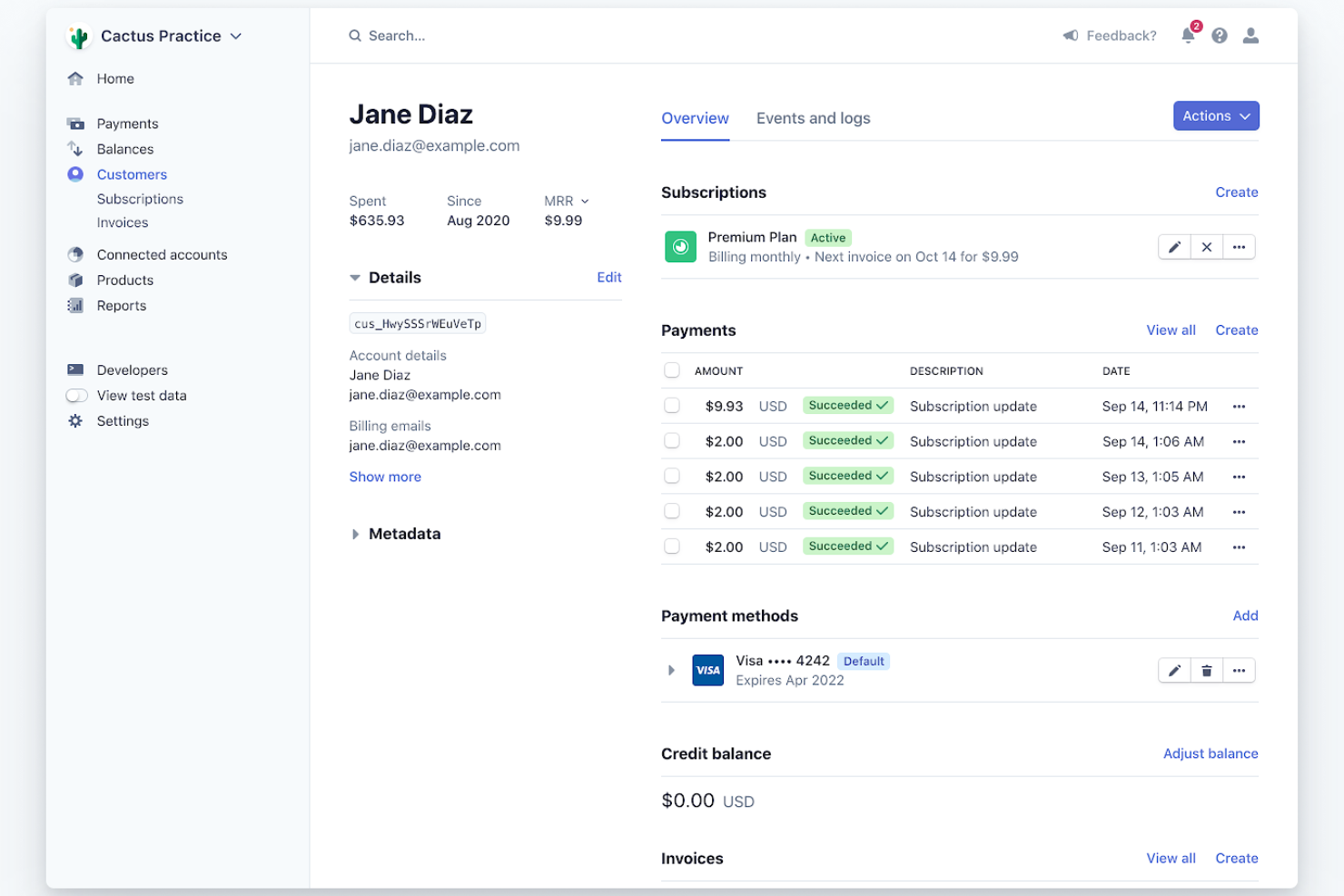
Stripe offers a flexible payment platform designed for businesses that need to accept card payments from customers around the world. It’s a strong fit for ecommerce brands, SaaS companies, and B2B marketplaces looking to manage complex payment flows and support multiple currencies. Stripe stands out for its developer-friendly APIs and wide range of integrations, making it easier to customize payment experiences and automate financial operations.
Why I Picked Stripe
For B2B businesses that need to accept secure payments from clients across different countries, Stripe’s global reach is hard to match. I picked Stripe because it supports over 135 currencies and offers built-in tools for handling international cards, recurring billing, and multi-party payments. Its advanced fraud detection and customizable checkout options help businesses manage risk and tailor payment flows to their needs. These features make Stripe a strong choice for companies prioritizing global card payment acceptance in their B2B transactions.
Stripe Key Features
Some other features in Stripe that are especially useful for B2B payment workflows include:
- Customizable invoicing tools: Generate, send, and manage branded invoices directly from the Stripe dashboard.
- Automated reconciliation: Match incoming payments to outstanding invoices and update records automatically.
- Payment links: Create secure, shareable payment links for one-time or recurring B2B transactions without coding.
- Role-based access controls: Assign permissions to team members based on their responsibilities within your organization.
Stripe Integrations
Integrations include Shopify, WooCommerce, Salesforce, Xero, QuickBooks, Oracle NetSuite, HubSpot, and BigCommerce.
Pros and Cons
Pros:
- Built-in fraud prevention tool
- Accepts 135+ global currencies
- Superb developer API and docs
Cons:
- Account holds can cause friction
- Complex custom billing needs dev

Best for mid-market payment automation
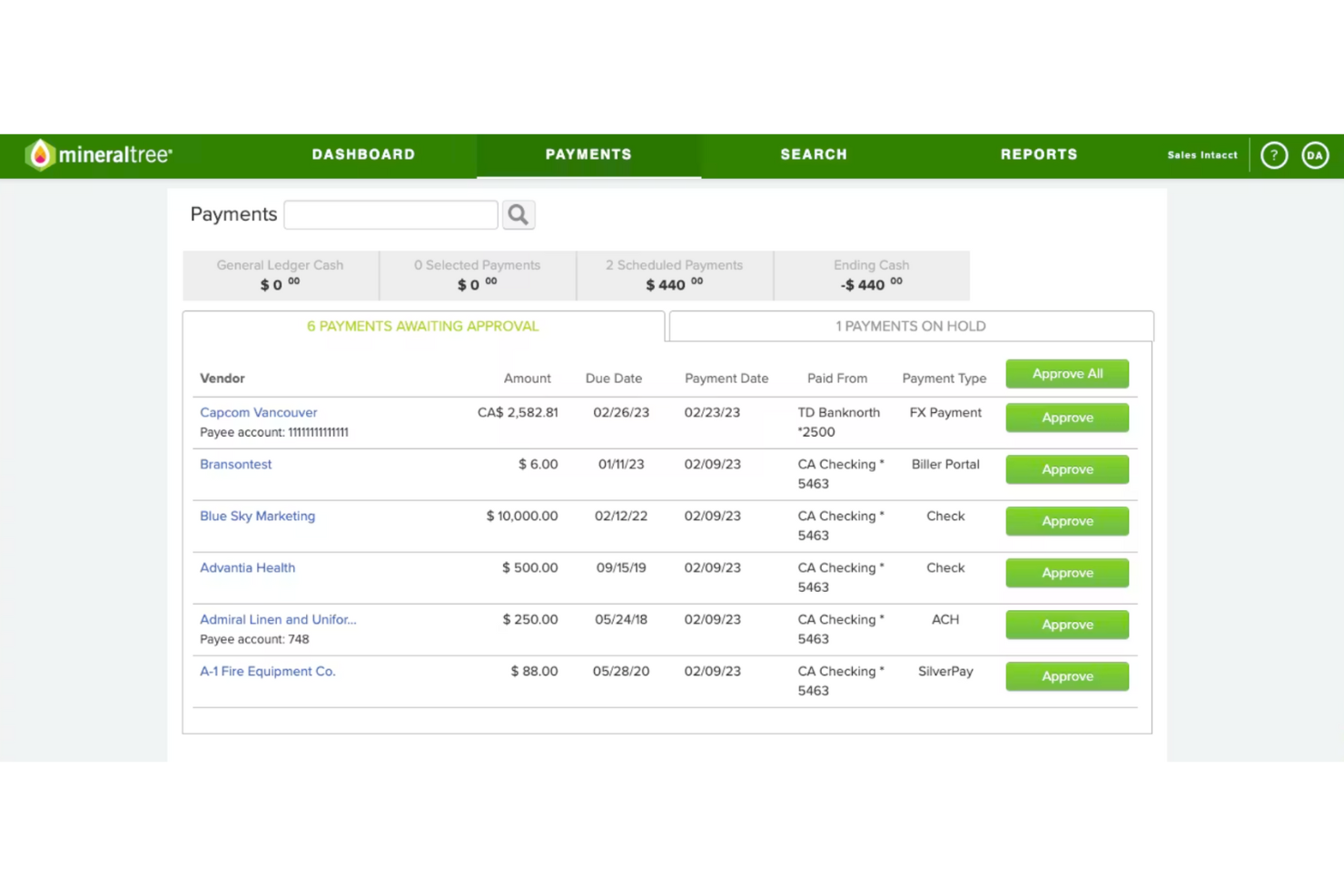
MineralTree is designed for mid-sized businesses that want to automate accounts payable without overhauling their existing systems. It’s a strong fit for finance teams looking to manage invoice capture, approval workflows, and payments in one place. MineralTree stands out for its ability to connect with popular ERPs and banks, helping you automate payments while maintaining control and visibility.
Why I Picked MineralTree
For mid-market companies that need to automate payment processes without the complexity of enterprise systems, MineralTree offers a focused solution. I picked MineralTree because it streamlines invoice capture, approval, and payment execution in a single workflow, which is especially valuable for finance teams managing growing transaction volumes. The platform’s ability to automate payment runs across ACH, virtual cards, and checks helps reduce manual work and payment errors. MineralTree’s controls and audit trails also support compliance needs, making it a practical choice for businesses that want automation with oversight.
MineralTree Key Features
Some other features that make MineralTree appealing for B2B payment automation include:
- Multi-entity support: Lets you manage payments and workflows across multiple business units or subsidiaries from a single platform.
- Vendor onboarding tools: Provides a secure portal for vendors to submit payment details and required documentation.
- Payment status tracking: Offers real-time visibility into payment progress and remittance delivery.
- Fraud detection controls: Includes configurable rules and alerts to help identify and prevent suspicious payment activity.
MineralTree Integrations
Integrations include QuickBooks, Oracle NetSuite, Sage Intacct, Microsoft Dynamics, and Oracle.
Pros and Cons
Pros:
- Simple, intuitive interface
- Robust payment security
- Two-way sync with ERP systems
Cons:
- Support can be slow to respond
- Sync errors happen occasionally

Best for accounts payable automation
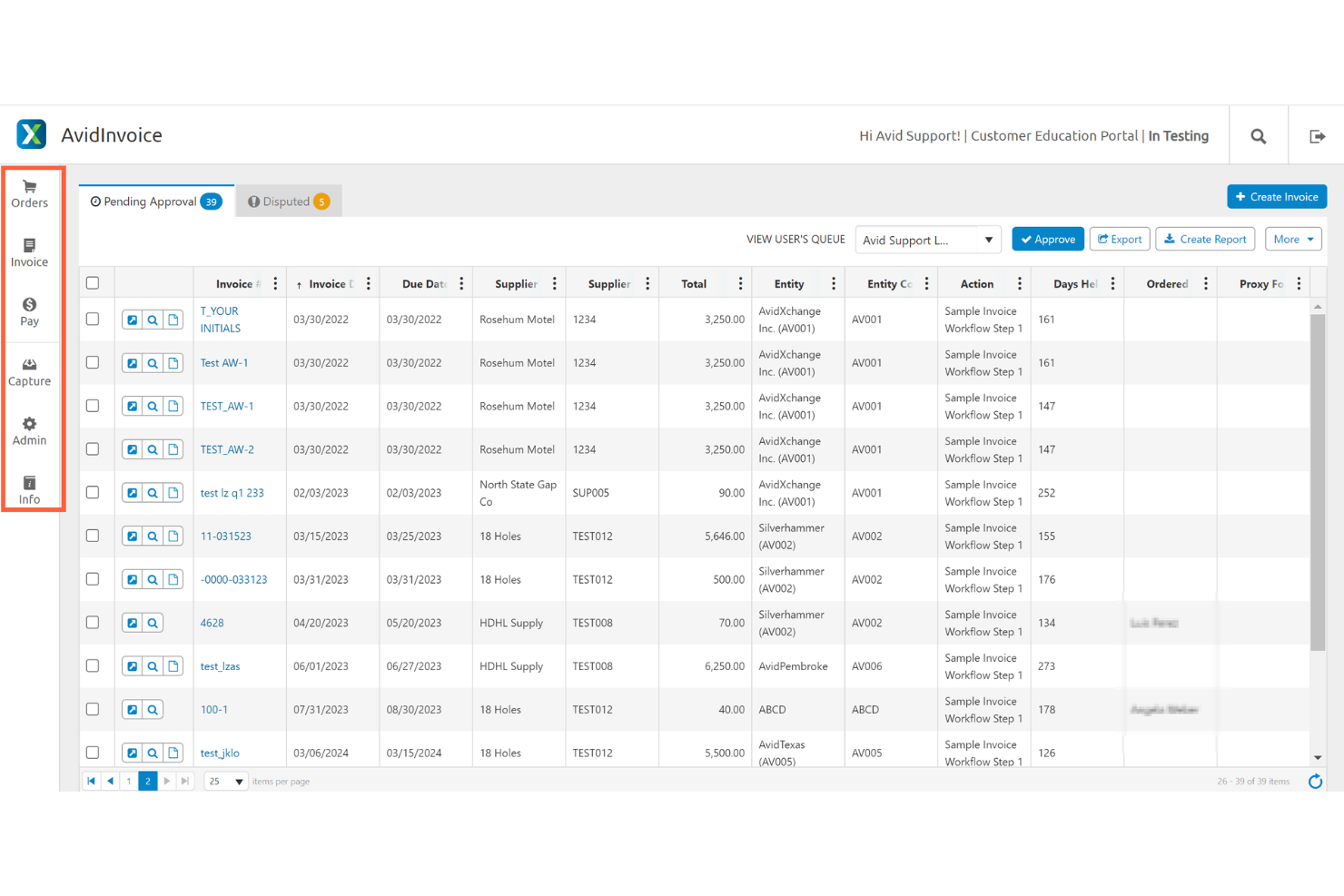
AvidXchange is built for businesses that want to automate accounts payable processes and reduce manual invoice handling. It’s especially useful for finance teams in industries like real estate, construction, and healthcare that manage high invoice volumes and complex approval workflows. With features for electronic invoice capture, automated approvals, and digital payments, AvidXchange helps you gain more control and visibility over your payables.
Why I Picked AvidXchange
What sets AvidXchange apart is its focus on automating the entire accounts payable process for businesses handling large volumes of invoices. The platform digitizes invoice capture and approval workflows, which helps reduce manual data entry and the risk of errors. I like that AvidXchange also supports electronic payments to suppliers, making it easier to manage and track outgoing payments. These features make it a strong fit for finance teams that want to modernize and control their B2B payment operations.
AvidXchange Key Features
Some other features that make AvidXchange valuable for B2B payment workflows include:
- Supplier management portal: Lets suppliers submit invoices, check payment status, and update their information online.
- Custom approval routing: Allows you to set up multi-level approval workflows based on your organization’s policies.
- Audit trail reporting: Tracks every action taken on invoices and payments for compliance and transparency.
- ERP system integrations: Connects with popular ERP and accounting platforms to sync financial data automatically.
AvidXchange Integrations
Integrations include QuickBooks, Sage, Oracle NetSuite, Microsoft Dynamics, Rent Manager, MRI Software, and Acumatica.
Pros and Cons
Pros:
- Strong real estate industry fit
- Eliminates physical paper checks
- Massive built-in vendor network
Cons:
- Transactional pricing model
- Custom reporting is limited
Adyen
Best for unified omnichannel transactions
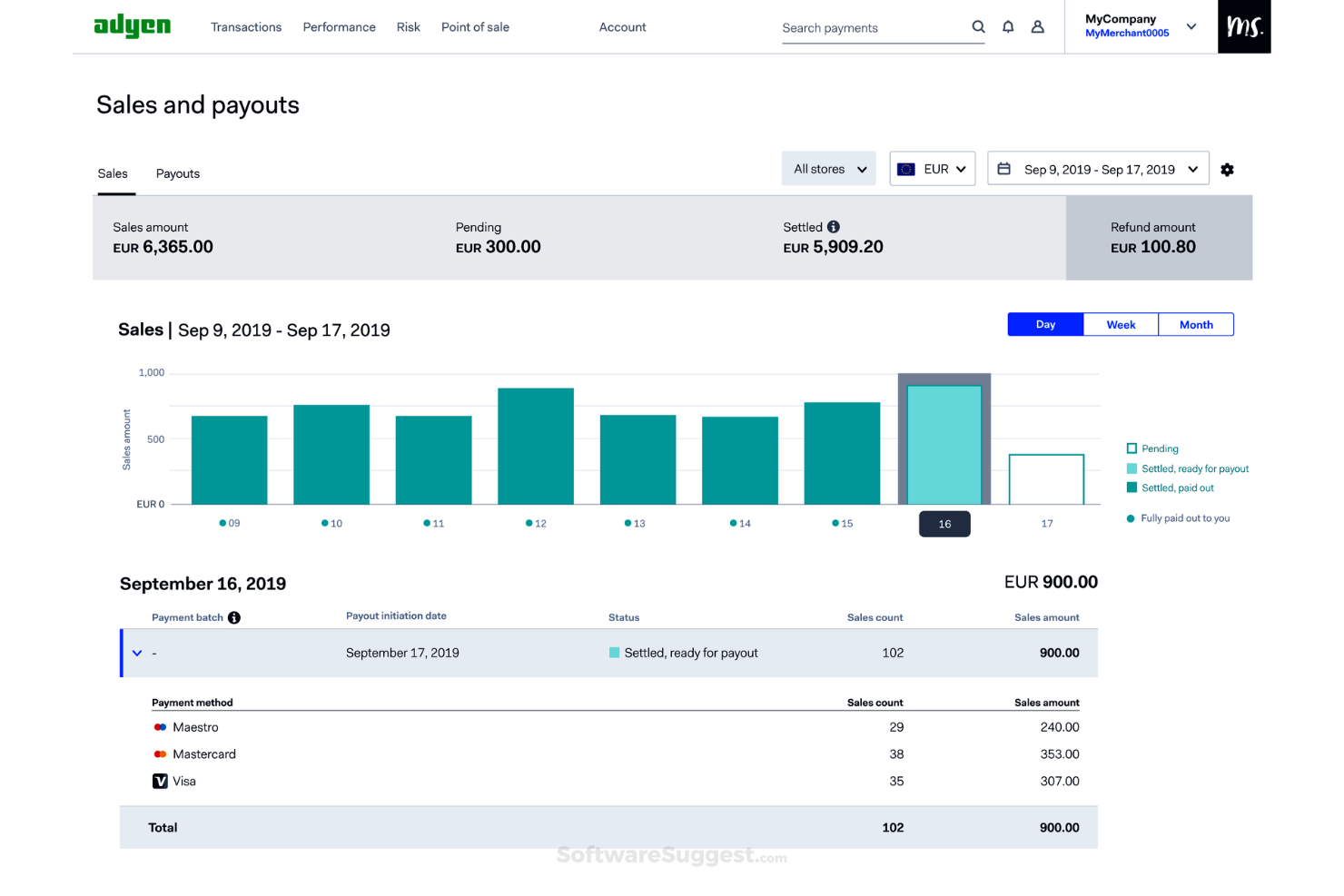
Adyen offers a unified payments platform that connects in-person, online, and mobile transactions for retailers and ecommerce businesses. It’s especially useful for companies that want to manage global payments, reduce reconciliation headaches, and deliver consistent customer experiences across every channel. Adyen’s single system approach helps businesses simplify settlement, reporting, and compliance for omnichannel commerce.
Why I Picked Adyen
What drew me to Adyen is its ability to unify payments across in-store, online, and mobile channels, which is essential for businesses managing omnichannel transactions. Adyen’s platform lets you process payments from multiple channels in a single system, so you can reconcile and report on all transactions without juggling separate tools. I appreciate that Adyen supports a wide range of payment methods and currencies, making it easier for global businesses to serve customers wherever they shop. For teams focused on delivering a consistent payment experience and simplifying back-office operations, Adyen offers a truly unified solution.
Adyen Key Features
Some other features that make Adyen valuable for B2B payment workflows include:
- Risk management engine: Uses machine learning to detect and block fraudulent transactions in real time.
- Customizable payment flows: Lets you tailor checkout and payment processes to match your business needs.
- Automated chargeback handling: Manages dispute processes and documentation directly within the platform.
- Detailed settlement reporting: Provides granular breakdowns of transactions, fees, and payouts for accounting teams.
Adyen Integrations
Integrations include Salesforce Commerce Cloud, Adobe Commerce, SAP Commerce Cloud, BigCommerce, Oracle, and Oracle.
Pros and Cons
Pros:
- Highly scalable platform
- Omnichannel POS capabilities
- Excellent authorization rates
Cons:
- High minimum transaction volume
- Strict application process

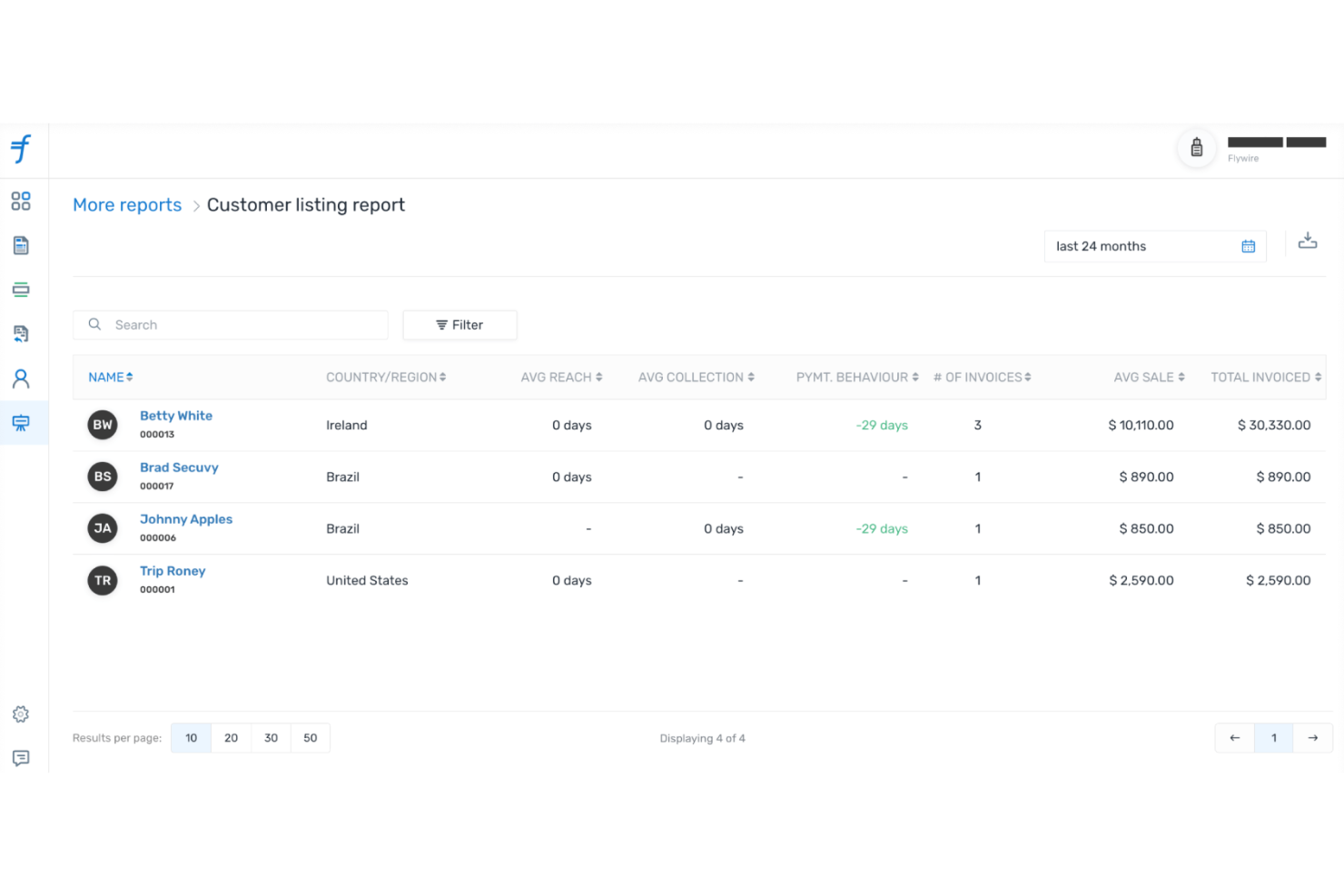
Flywire specializes in cross-border payment processing, making it a strong fit for businesses and institutions handling international transactions. It’s designed for organizations in sectors like education, healthcare, and travel that need to collect payments from clients or partners in multiple countries. Flywire helps you manage currency exchange, local payment methods, and regulatory compliance, reducing friction in global B2B payments.
Why I Picked Flywire
For businesses that need to process payments across borders, Flywire stands out for its ability to handle complex international transactions. The platform supports payments in multiple currencies and offers local payment options, which helps reduce barriers for global clients and partners. I appreciate that Flywire also manages compliance with international regulations and provides real-time tracking for both senders and receivers. These features make it a strong choice for organizations that want to simplify and secure their cross-border B2B payment workflows.
Flywire Key Features
Some other features that make Flywire useful for B2B payment workflows include:
- Automated invoice generation: Creates and sends invoices to clients directly from the platform.
- Payment plan management: Lets you set up and manage installment payment schedules for customers.
- Multi-language support: Offers payment interfaces and communications in several languages for global users.
- Custom branding options: Allows you to add your company’s logo and colors to payment pages and communications.
Flywire Integrations
Integrations include Workday, Oracle NetSuite, Ellucian, Epic, Cerner, and Destiny One.
Pros and Cons
Pros:
- Strong local bank networks
- Great payer user experience
- Transparent foreign exchange
Cons:
- Not a general AP/AR system
- Niche industry focus

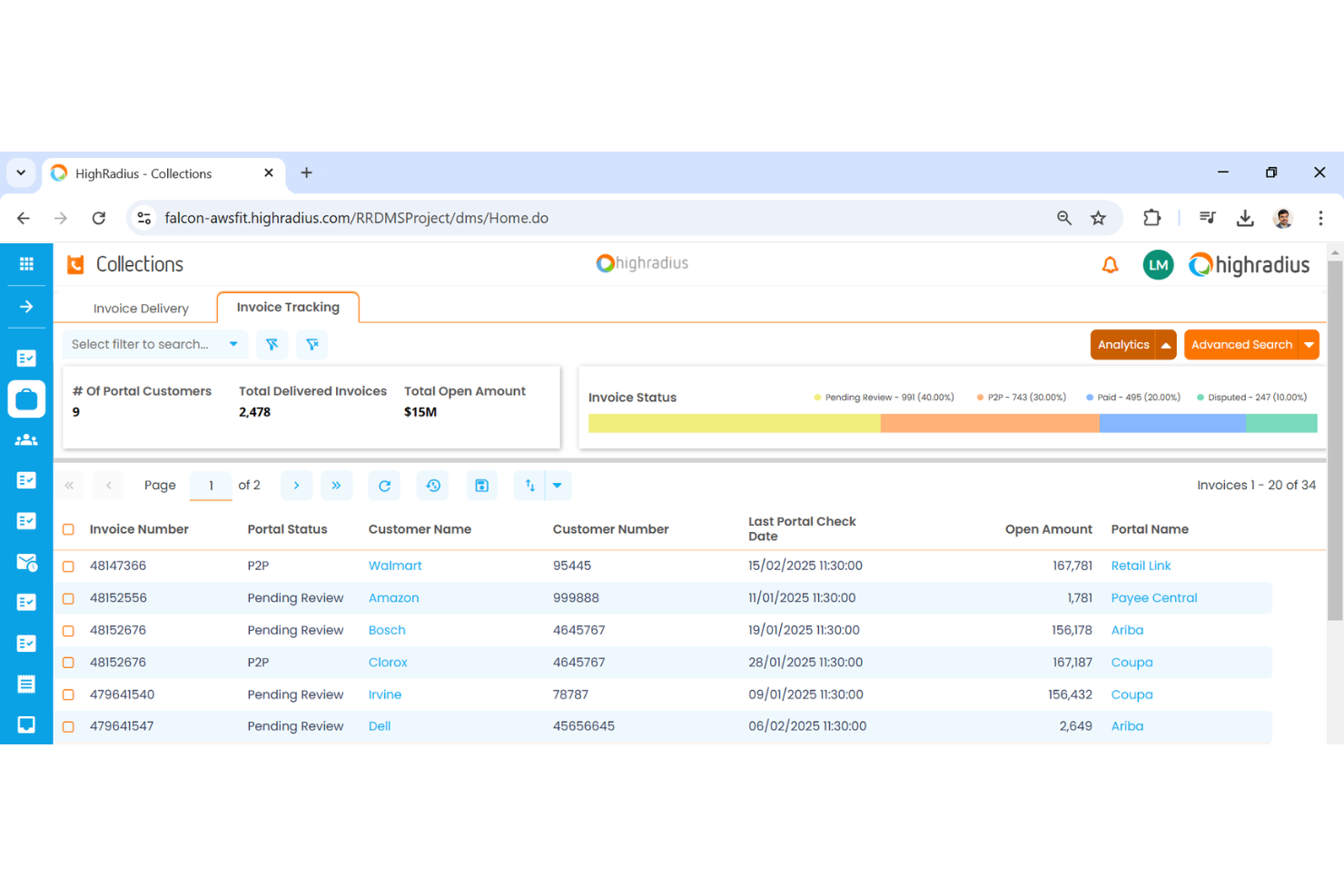
If your business needs to speed up cash application and reduce manual matching, HighRadius offers an AI-powered solution designed for finance and accounts receivable teams. It’s especially useful for companies dealing with high transaction volumes, complex remittance formats, and multiple payment channels. HighRadius uses machine learning to automate payment matching, helping you cut down on unapplied cash and improve reconciliation accuracy.
Why I Picked HighRadius
What drew me to HighRadius is its use of AI to automate the cash application process, which is a major challenge for many B2B finance teams. The platform uses machine learning to match payments with open invoices, even when remittance data comes in different formats or through multiple channels. I appreciate that HighRadius can also handle exceptions and short payments automatically, reducing the need for manual intervention. These capabilities make it a strong choice for businesses that want to accelerate cash flow and improve payment reconciliation accuracy.
HighRadius Key Features
Some other features that make HighRadius useful for B2B payment operations include:
- Automated bank statement aggregation: Collects and reconciles bank statement data from multiple accounts in one place.
- Customer self-service portal: Lets customers view invoices, make payments, and track their account status online.
- Real-time dashboard analytics: Provides visual insights into payment status, unapplied cash, and exception trends.
- ERP system integrations: Connects with major ERP platforms to sync payment and receivables data automatically.
HighRadius Integrations
Integrations include SAP, Oracle NetSuite, Microsoft Dynamics, Sage Intacct, and Workday.
Pros and Cons
Pros:
- Strong deduction management
- Deep SAP integrations
- Exceptional cash application
Cons:
- Overkill for mid-market
- Needs heavy IT support

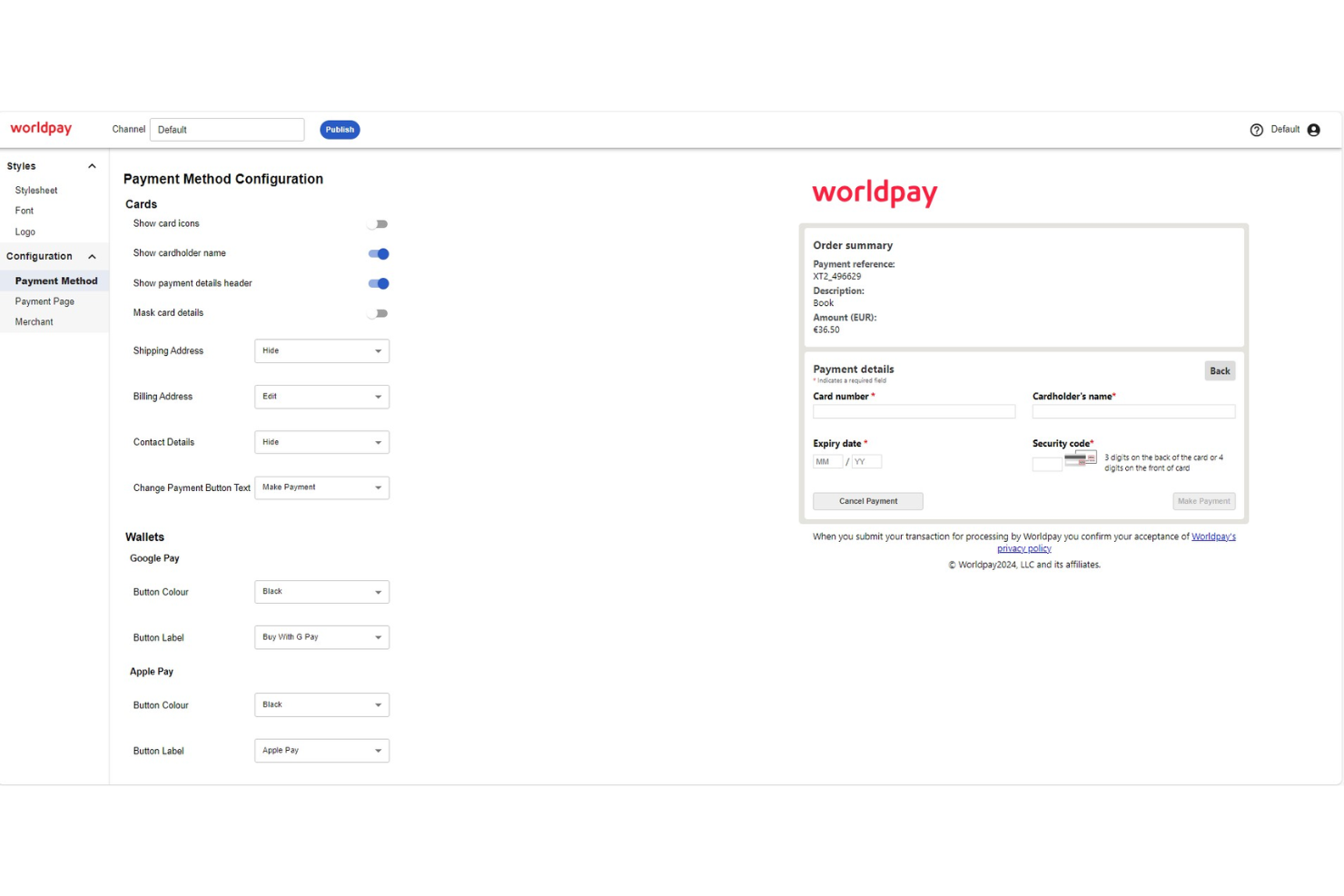
If your business handles payments across multiple countries and currencies, Worldpay is designed to help you manage complex settlements. It’s a strong fit for ecommerce retailers, global brands, and finance teams that need to accept, process, and settle payments in many currencies. Worldpay stands out for its ability to support multi-currency settlement, helping you reduce conversion costs and simplify reconciliation.
Why I Picked Worldpay
What makes Worldpay a strong choice for B2B payment solutions is its focus on multi-currency settlement, which is essential for businesses operating internationally. Worldpay lets you accept payments in a wide range of currencies and settle funds in your preferred currency, reducing the need for manual conversions and minimizing foreign exchange risk. I appreciate that the platform provides detailed reporting on cross-border transactions, making reconciliation and compliance easier for finance teams. For companies with global customers or suppliers, Worldpay’s multi-currency capabilities help simplify complex payment flows.
Worldpay Key Features
Some other features that make Worldpay appealing for B2B payment solutions include:
- Fraud detection tools: Uses machine learning and real-time monitoring to help identify and block suspicious transactions.
- Recurring billing support: Lets you set up and manage automated recurring payments for subscription-based services.
- Customizable payment pages: Allows you to design branded checkout experiences that match your business’s look and feel.
- Chargeback management: Provides tools to track, respond to, and resolve chargebacks directly within the platform.
Worldpay Integrations
Integrations include SAP Commerce Cloud, Oracle, WooCommerce, BigCommerce, QuickBooks, and Xero.
Pros and Cons
Pros:
- Strong fraud protection tools
- Good 24/7 customer support
- Wide variety of payment methods
Cons:
- Hard to negotiate rates
- Outdated backend dashboard

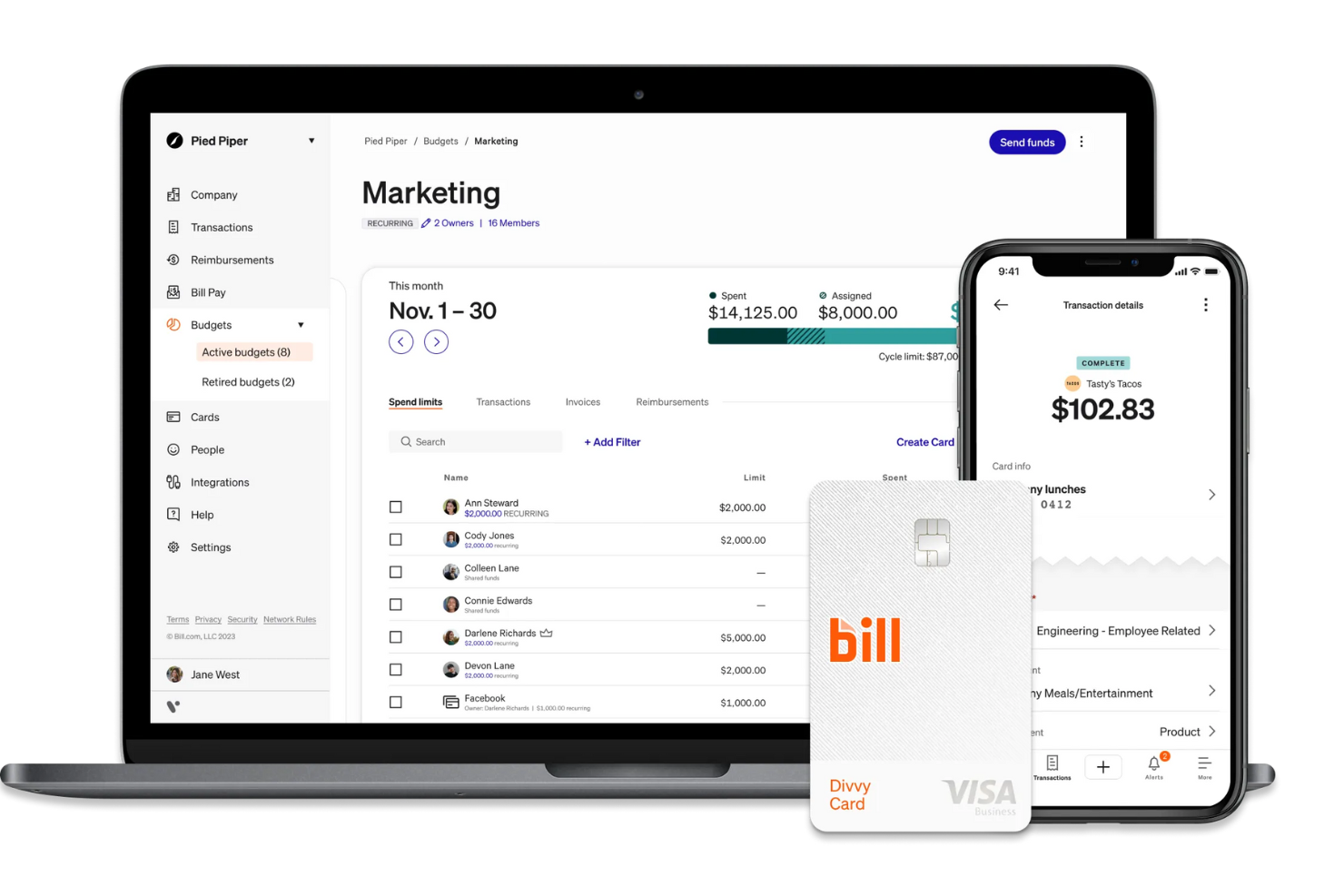
Bill.com is built for finance teams and business owners who want to automate and simplify their accounts payable and receivable processes. The platform is especially useful for companies managing high invoice volumes or complex approval workflows across multiple departments. Bill.com stands out for its ability to connect with popular accounting systems and automate invoice capture, routing, and payments, helping businesses reduce manual processes and payment errors.
Why I Picked Bill.com
Automating invoice workflows is a top priority for many B2B finance teams, and Bill.com is purpose-built for this need. I picked Bill.com because it uses AI-driven data capture to extract invoice details and route them for approval, reducing manual entry and errors. The platform also lets you set up custom approval chains, so invoices move through the right people before payment. These features make Bill.com a strong fit for businesses that want to control their invoice processing from end to end.
Bill.com Key Features
Some other features in Bill.com that are valuable for B2B payment operations include:
- Two-way sync with accounting software: Connects directly with platforms like QuickBooks, Xero, and NetSuite to keep financial data updated.
- International payments support: Sends payments to vendors in multiple countries and currencies.
- Audit trail tracking: Maintains a detailed log of all invoice and payment activities for compliance and transparency.
- Mobile app access: Lets users review, approve, and pay invoices from their mobile devices.
Bill.com Integrations
Integrations include QuickBooks, Xero, Oracle NetSuite, Sage Intacct, Microsoft Dynamics 365, and Intuit.
Pros and Cons
Pros:
- Easy vendor onboarding process
- Centralized document storage
- Replaces manual paper checks
Cons:
- Rigid approval customizations
- Sync glitches with some ERPs
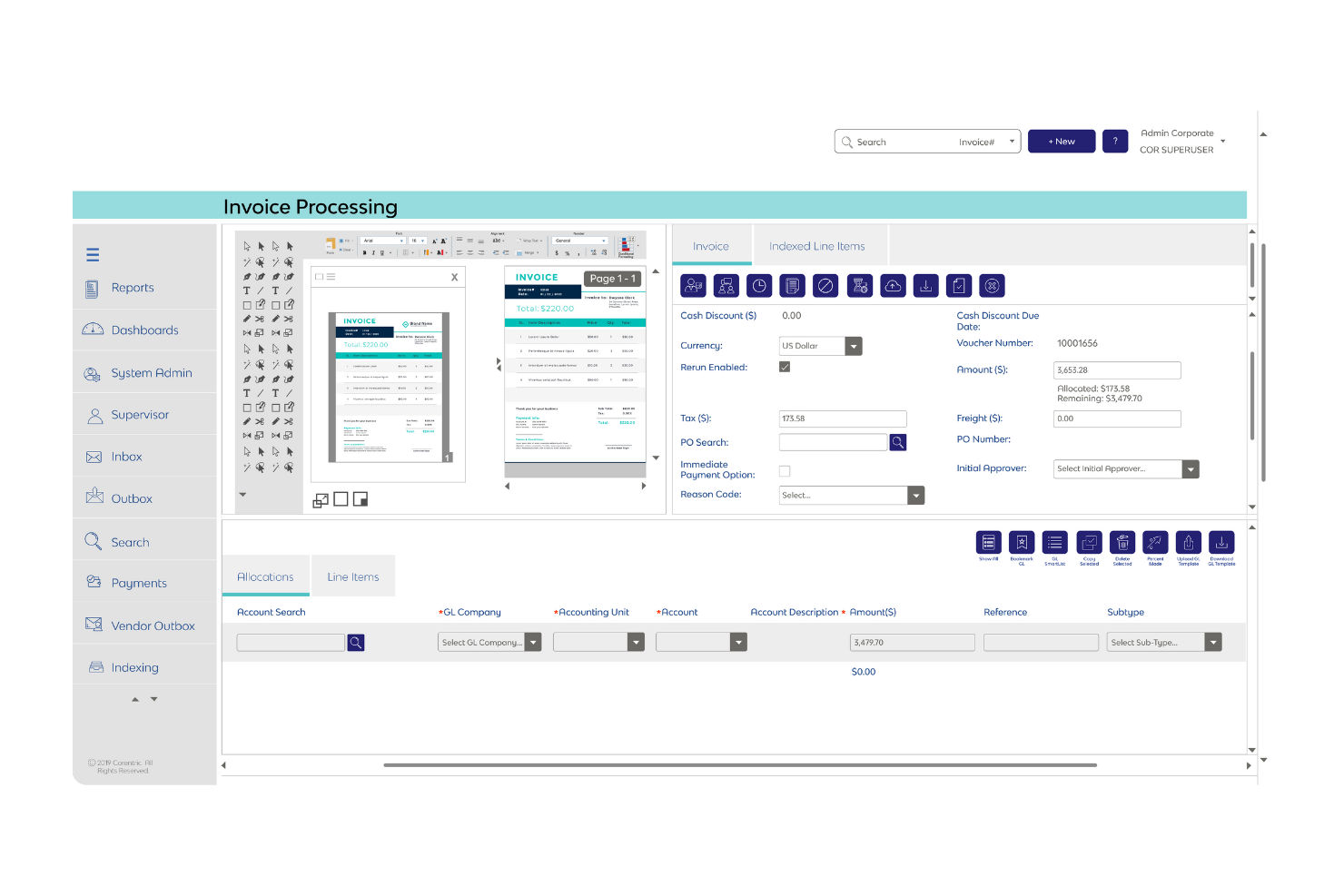
Corcentric brings together procurement and payment processes in a single platform designed for finance and procurement teams managing complex supplier networks. This solution is especially useful for organizations that want to automate supplier payments, improve spend visibility, and reduce manual reconciliation. Corcentric’s integrated approach helps businesses control costs and streamline the entire source-to-pay cycle.
Why I Picked Corcentric
Corcentric stands out for its ability to unify procurement and payment workflows, which is essential for businesses looking to manage supplier payments within a single system. I picked Corcentric because it automates invoice processing and payment execution, reducing manual intervention and the risk of errors. The platform also offers real-time spend analytics, giving finance and procurement teams better control over cash flow and supplier relationships. For organizations aiming to connect procurement and payment processes, Corcentric delivers a focused solution.
Corcentric Key Features
Some other features that make Corcentric appealing for B2B payment workflows include:
- Supplier onboarding tools: Streamlines the process of adding and verifying new suppliers.
- Custom approval workflows: Lets you configure multi-level approvals for payment and procurement actions.
- Document management: Centralizes contracts, invoices, and supporting documents for easy access.
- ERP integration capabilities: Connects with leading ERP systems to sync procurement and payment data.
Corcentric Integrations
Integrations include SAP, Oracle, Microsoft Dynamics, Oracle NetSuite, and Coupa.
Pros and Cons
Pros:
- Guaranteed business outcomes
- Strong spend visibility
- Excellent managed services
Cons:
- Overkill for basic AP needs
- Long implementation timeline

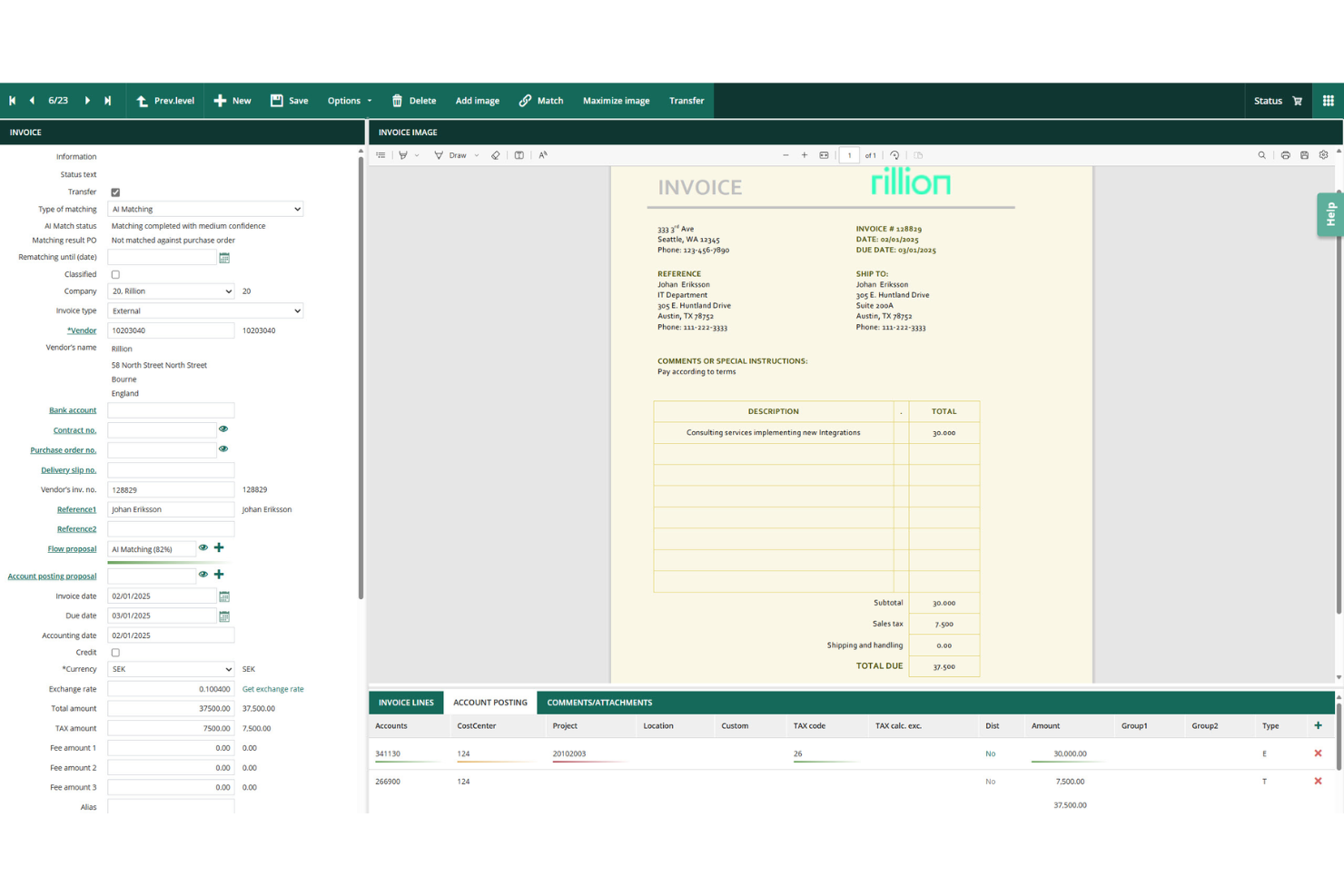
Rillion is built for businesses that need to simplify and control invoice approval workflows. It’s especially useful for accounts payable teams in organizations with complex approval chains or high invoice volumes. Rillion stands out by letting you automate routing, approvals, and exception handling, helping you reduce manual touchpoints and speed up payment cycles.
Why I Picked Rillion
What drew me to Rillion is its focus on automating and managing invoice approval workflows for accounts payable teams. Rillion lets you set up custom approval chains, so invoices are automatically routed to the right people based on your business rules. I appreciate how the platform handles exceptions and flags discrepancies, which helps reduce bottlenecks and errors. For businesses that need to keep tight control over invoice approvals before payments go out, Rillion offers a clear, auditable process.
Rillion Key Features
In addition to its approval workflow automation, I also found these features worth noting:
- Invoice data capture: Uses OCR and AI to extract key invoice details automatically.
- Purchase order matching: Matches invoices to purchase orders and receipts to help prevent overpayments.
- Audit trail: Maintains a detailed log of all actions taken on each invoice for compliance.
- Mobile approvals: Lets users review and approve invoices from mobile devices.
Rillion Integrations
Integrations include Microsoft Dynamics 365, Oracle NetSuite, Sage, SAP Business One, Visma, and Workday.
Pros and Cons
Pros:
- Multi-entity AP management
- Solid audit and compliance
- Strong AI-driven coding
Cons:
- Search function is difficult
- User interface needs updates
Other B2B Payment Solutions
Here are some additional B2B payment solutions options that didn’t make it onto my shortlist, but are still worth checking out:
- TreviPay
For extended payment terms management
- Versapay
For collaborative accounts receivable
- Stampli
For invoice communication tools
- Paddle
For SaaS subscription billing
- Braintree
With marketplace payment capabilities
- Plooto
For approval workflow customization
- Carat by Fiserv
For enterprise-grade payment orchestration
- PayTrace
For Level 2 and 3 data support
- Boost B2B
For virtual card transaction processing


How I Evaluate B2B Payment Solutions
I evaluate B2B payment tools in two layers: baseline criteria—AP automation, net terms, ERP sync—and differentiators like multi-entity support or virtual cards that matter for retail finance teams.
Core Functionality (Table Stakes For This List)
When I'm selecting tools for my list, I rank each one on a scale from 0 (does not offer the functionality) to 5 (excels in this area) for each core functionality listed below. Then, I calculate the tool's total score into a percentage. Each tool needs to achieve a minimum total score of 65% to be considered for inclusion.
- Multi-Rail Payment Processing: I check which payment rails each platform supports—ACH, wire, virtual card, check, and cross-border—since retailers sourcing inventory internationally need FX coverage alongside domestic options.
- AP/AR Automation: Every tool gets evaluated on how it handles the full invoice lifecycle, from OCR capture to approval routing to payment execution, especially for teams processing hundreds of supplier invoices monthly.
- Net Terms & Trade Credit: I look at whether the platform offers built-in Net 30/60/90 terms or trade credit, which matters when retail buyers need to align supplier payment cycles with seasonal cash flow patterns.
- ERP & Accounting Integration: Retail finance teams live in platforms like NetSuite, QuickBooks, and SAP, so I evaluate native connector depth and whether transaction data syncs bidirectionally for reconciliation.
- Vendor/Supplier Management: A good supplier portal should handle onboarding, tax form collection, and payment preference management—things that become especially painful when you're managing dozens or hundreds of vendors.
- Payment Security & Compliance: I evaluate each tool's certifications (PCI-DSS, SOC 2), fraud monitoring capabilities, and approval controls, particularly for multi-location retailers where high-value payments flow across several entities.
Once I have a list of tools that meet this criteria, I consider what sets each platform apart.
Differentiating Factors (What Sets Vendors Apart)
Here's how I compare and contrast different vendors:
Standout Features
Multi-entity support matters a lot for retailers running several store locations or subsidiaries. I look for platforms that let you manage payments across all entities from one dashboard without switching accounts. Virtual card issuance is another differentiator—teams can generate single-use cards per supplier, which tightens spend control and often earns cashback that offsets platform costs. Dynamic discounting also catches my attention, since it lets AP teams capture early-payment discounts from suppliers during periods when cash reserves are strong.
Beyond Features
Pricing transparency is something I evaluate closely—some platforms bury FX markups or wire fees that eat into retail margins at scale. Scalability also matters, especially whether a platform can handle seasonal payment spikes like holiday inventory buys without throttling or delays. I look at integration depth too, checking for native connectors to retail-specific systems like Shopify, NetSuite, or Lightspeed, plus open API access for custom procurement workflows. Implementation support rounds it out, particularly supplier enablement services that help migrate your existing vendor network onto the platform.
How to Choose B2B Payment Solutions
It’s easy to get bogged down in long feature lists and complex pricing structures. To help you stay focused as you work through your unique software selection process, here’s a checklist of factors to keep in mind:
| Factor | What to Consider |
|---|---|
| Scalability | Will the solution handle your transaction volume as your business grows, including peak periods and expansion into new markets? |
| Integrations | Does the tool connect natively with your ERP, payment gateway, accounting, ecommerce, and banking systems, or will you need custom development? |
| Customizability | Can you tailor workflows, approval processes, and user permissions to match your internal controls and compliance needs? |
| Ease of use | Will your team be able to navigate the interface and complete tasks with minimal training, or will adoption be a challenge? |
| Implementation and onboarding | How long will it take to get up and running, and what resources (IT, training, data migration) will you need to allocate internally? |
| Cost | Are all fees—transaction, monthly, credit card processing, setup, and cross-border—clearly disclosed, and do they fit your budget and expected transaction mix? |
| Security safeguards | Does the provider meet industry standards like PCI DSS, offer fraud monitoring, and support secure authentication for all users? |
| International capabilities | Can the solution support multiple currencies, languages, and local payment types for your global partners and customers? |
What Are B2B Payment Solutions?
B2B payment solutions are digital platforms or payment services that enable businesses to send, receive, and manage online payments between organizations. These tools support a range of payment methods like automated clearing house and Paypal, automate invoicing, and help track transactions for accounting and compliance. They’re designed to handle the complexity of business transactions, including multi-currency support, approval workflows, and integration with other financial payment systems.
Features
When selecting B2B payment solutions, keep an eye out for the following key features:
- Multi-currency support: Lets you send and receive payments in different currencies, helping you manage international transactions and reduce conversion hassles.
- Automated invoicing: Generates, sends, and tracks invoices automatically, reducing manual work and helping ensure timely payments.
- Payment approval workflows: Allows you to set up multi-step approval processes for outgoing payments, supporting internal controls and compliance.
- Integration with accounting systems: Connects directly to your accounting or ERP software, syncing payment data and reducing reconciliation errors.
- Recurring billing: Enables you to schedule and automate regular payments for subscriptions or ongoing services.
- Fraud detection and security tools: Monitors transactions for suspicious activity and enforces security protocols like encryption and two-factor authentication.
- Detailed transaction reporting: Provides real-time and historical reports on payment activity, helping with audits, forecasting, and financial analysis.
- User role management: Lets you assign permissions and access levels to different team members, supporting secure collaboration and oversight.
- Vendor and customer management: Stores and organizes information about your business partnerships, making it easier to manage contacts and payment histories.
Benefits
Implementing B2B payment solutions provides several benefits for your team and your business. Here are a few you can look forward to:
- Faster transaction processing: Automated invoicing and payment workflows help reduce delays and speed up processing times.
- Improved financial accuracy: Integration with accounting systems and detailed transaction reporting minimize manual errors and support reliable reconciliation.
- Enhanced security and compliance: Built-in fraud detection, user role management, and compliance tools help protect sensitive data and meet regulatory requirements.
- Greater scalability: Multi-currency support and flexible approval workflows allow your business to grow and adapt to new markets or higher transaction volumes.
- Better cash flow visibility: Real-time reporting and payment tracking give you a clear view of outstanding invoices and incoming payments.
- Streamlined vendor management: Centralized vendor and customer records make it easier to manage relationships and payment histories.
- Reduced administrative workload: Automation of routine payment tasks frees up your team to focus on higher-value activities to optimize your bottom line.
Costs & Pricing
Selecting B2B payment solutions requires an understanding of the various pricing models and plans available. Costs vary based on features, team size, add-ons, and more. The table below summarizes common plans, their average prices, and typical features included in B2B payment solutions solutions:
Plan Comparison Table for B2B Payment Solutions
| Plan Type | Average Price | Common Features |
|---|---|---|
| Free Plan | $0 | Basic payment processing, limited invoicing, standard reporting, and email support. |
| Personal Plan | $45-$55/user/month | Payment tracking, automated invoicing, basic integrations, and simple approval workflows. |
| Business Plan | $89-$100/user/month | Multi-currency support, advanced reporting, accounting integrations, user role management, and fraud detection. |
| Enterprise Plan | $1000+/month | Custom workflows, dedicated account management, API access, advanced security, and priority support. |
B2B Payment Solutions FAQs
Here are some answers to common questions about B2B payment solutions:
How do B2B payment solutions handle multi-currency transactions?
Most B2B payment solutions support multi-currency transactions by allowing you to send and receive payments in different currencies. They often provide real-time currency conversion and let you settle payments in your preferred currency, which helps simplify international business and reduce manual reconciliation.
Can B2B payment solutions integrate with my existing accounting software?
Yes, many B2B payment solutions offer direct integrations with popular accounting and ERP systems. This allows you to sync payment data automatically, reduce manual entry, and keep your financial records accurate and up to date.
What security measures should I look for in a B2B payment processing solution?
Look for solutions that offer PCI DSS compliance for credit card payments, data encryption, two-factor authentication, and fraud monitoring. These safeguards help protect sensitive payment information and reduce the risk of unauthorized transactions or data breaches.
How long does it take to implement a B2B payment solution?
Implementation time varies, but most cloud-based B2B payment methods can be set up in a few days to a few weeks. Factors like data migration, integration complexity, and user training can affect the timeline, so it’s important to plan for onboarding and support needs.
Are there transaction limits or volume requirements with B2B payment providers?
Yes, some providers set minimum or maximum transaction amounts or require a certain monthly payment volume. Always review the terms and pricing details to ensure the solution fits your business’s transaction patterns and growth plans.