

Reseña de Zoho Books: ventajas, desventajas, funciones y precios explicados
Analizo Zoho Books como una potente solución de contabilidad para comercio electrónico: descubre dónde destaca, dónde se queda corto y qué lo hace especialmente ágil para los vendedores en línea en 2026.

Revisamos las herramientas de forma independiente y las comisiones ayudan a financiar nuestras pruebas. Consulta nuestra política de transparencia, nuestra metodología o sugiere una herramienta.
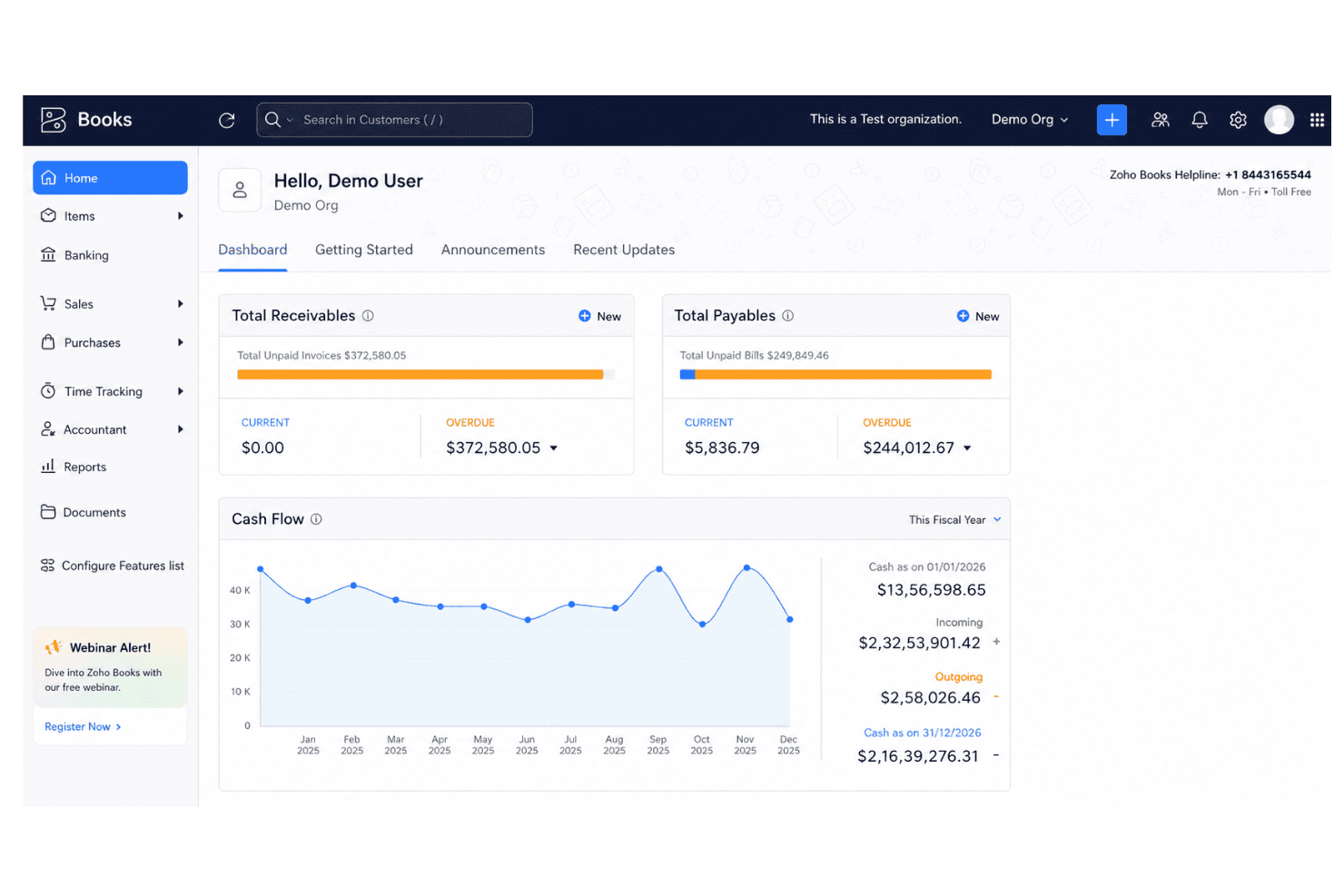
Zoho Books is an ecommerce accounting software built for small to mid-sized businesses that need invoicing, expense tracking, inventory management, and tax compliance in one platform. I'd consider it if your business already runs on other Zoho products—the native integration across the Zoho suite is tighter than what QuickBooks offers, and the pricing tiers are more accessible without sacrificing core accounting functionality.
Zoho Books Evaluation Summary
4.3/5
- From $15/month (billed annually)
- Free plan + free demo available
Por qué confiar en nuestras recomendaciones de software
6,700+
Reviews
20
Industry experts
16+
Evaluation factors
14
Years
Nuestro equipo lleva probando y evaluando software desde 2012. Como líderes del sector retail, sabemos lo difícil —y lo importante— que es elegir el software adecuado.
Para esta guía, evaluamos las herramientas mediante pruebas prácticas e investigación independiente, puntuando las herramientas según nuestros criterios de selección.
Nuestras reseñas reflejan nuestro criterio independiente, no un discurso de ventas.
Zoho Books Overview
I think Zoho Books strikes the best balance for ecommerce teams who want strong automation tools, smooth inventory tracking, and clear billing without a steep learning curve. Pricing is competitive, setup is quick, and the interface feels intuitive. Onboarding is a breeze even for small teams. While some integrations require extra steps or add-ons, I’d judge Zoho Books as the top choice for retailers on a budget or those scaling up, thanks to vendor portal features and workflow customization. If you run complex omnichannel operations, you might want deeper integrations, but for most, Zoho Books ticks the essential boxes.
Pros
- Automated invoice matching with order and payment data
- Multi-channel inventory management updates in real time
- Support for multiple tax rates and currencies
Cons
- Payroll tools are only available through integration
- Some ecommerce platform connections require manual setup
- Advanced reporting features are limited on lower plans
Is Zoho Books Right For Your Needs?
Who Would be a Good Fit for Zoho Books?
Zoho Books works best for SMBs, freelancers, and ecommerce brands that need real-time inventory, order, and invoice management in a single platform. Teams in retail, wholesale, and direct-to-consumer categories will appreciate the easy automation and multi-channel support. It's also a natural fit for businesses already using other Zoho apps, thanks to its seamless integrations across the Zoho ecosystem. It’s also a strong match for founders and finance leads who need to control costs, automate tax compliance, and handle transactions in multiple currencies without heavy IT lift.
- Small Ecommerce StoresZoho Books automates orders, tracks stock, and reduces the need for manual bookkeeping, ideal for lean teams.
- International RetailersBuilt-in multi-currency and automated tax tools make cross-border transactions and compliance much less stressful.
- Direct-to-Consumer BrandsIntegrated order, shipping, and payment tracking helps DTC brands centralize finances and avoid missed revenue.
- Inventory ManagersReal-time product and warehouse tracking prevent stock-outs and help keep accurate inventory across channels.
- Freelance AccountantsLow entry cost and cloud-based access make it easy for freelance accountants to advise multiple clients at once.
- Digital Goods SellersAutomated invoicing and instant reconciliation help sellers of digital downloads and online courses keep books clean.
Who Would be a Bad Fit for Zoho Books?
Zoho Books isn’t the best fit for very large companies with advanced accounting needs, complex regulatory requirements, or teams demanding deep finance customization. Fast-scaling enterprises and organizations with global subsidiaries may find the workflow and reporting too basic. It’s also not suited for companies requiring sector-specific accounting features or highly tailored workflows beyond what’s available from templates and automation.
- Large EnterprisesLacks highly customizable workflows and complex consolidation tools needed by large enterprise finance teams.
- Public CompaniesDoes not support the advanced audit controls, compliance features, or regulatory reporting required for publicly listed firms.
- Manufacturers With ERP NeedsInventory tools are limited compared to dedicated enterprise resource planning (ERP) systems, especially for complex production.
- Nonprofits With GrantsGrant management and sector-specific fund accounting features are missing for nonprofit organizations.
- Multi-Subsidiary GroupsZoho Books cannot consolidate books across many legal entities or manage intercompany accounting well.
- Project-Based AgenciesProject accounting and time tracking features are basic, making it less useful for creative or consulting agencies who bill by the hour.
Nuestra Metodología de Revisión
Cómo Probamos y Puntamos Herramientas
Hemos pasado años construyendo, perfeccionando y mejorando nuestro sistema de pruebas y puntuación de software. La rúbrica está diseñada para captar los matices de la selección de software y lo que hace que una herramienta sea eficaz, enfocándose en los aspectos críticos del proceso de toma de decisiones. A continuación, puedes ver exactamente cómo funcionan nuestras pruebas y puntuaciones en siete criterios. Esto nos permite brindar una evaluación imparcial del software según la funcionalidad principal, características destacadas, facilidad de uso, incorporación, soporte al cliente, integraciones, reseñas de usuarios y relación calidad-precio.
Funcionalidad Principal (25% de la puntuación final)
El punto de partida de nuestra evaluación siempre es la funcionalidad principal de la herramienta. ¿Cuenta con las características y funciones básicas que un usuario esperaría ver? ¿Alguna de esas funcionalidades está limitada a planes de precios superiores? En esencia, esperamos que una herramienta se compare favorablemente con las capacidades básicas de sus competidores.
Características Destacadas (25% de la puntuación final)
A continuación, evaluamos las características sobresalientes poco comunes que van más allá de la funcionalidad principal que normalmente se encuentra en herramientas similares. Una alta puntuación refleja funcionalidades especializadas o únicas que hacen que el producto sea más rápido, eficiente o aporte un valor extra al usuario. También evaluamos qué tan fácil es integrar la herramienta con otras comúnmente usadas en el entorno tecnológico para ampliar la funcionalidad y utilidad del software. Las herramientas que ofrecen numerosas integraciones nativas, conexiones de terceros y acceso a API para crear integraciones personalizadas obtienen la mejor puntuación.
Facilidad de Uso (10% de la puntuación final)
Consideramos qué tan rápido y fácil es realizar las tareas definidas en la funcionalidad principal usando la herramienta. El software de alta puntuación está bien diseñado, es intuitivo, ofrece aplicaciones móviles, proporciona plantillas y hace que tareas relativamente complejas parezcan simples.
Incorporación (10% de la puntuación final)
Sabemos lo importante que es que un equipo adopte rápidamente una nueva plataforma, así que evaluamos qué tan fácil es aprender y usar la herramienta con mínima capacitación. Analizamos cuánto tiempo tarda un miembro del equipo en prepararse y comenzar a usar la herramienta sin experiencia previa. Las soluciones con alta puntuación requieren poco o ningún soporte.
Soporte al Cliente (10% de la puntuación final)
Revisamos qué tan rápido y fácil es obtener ayuda por teléfono, chat en vivo o base de conocimientos. Las herramientas y empresas que ofrecen soporte en tiempo real obtienen la mejor puntuación, mientras que los chatbots obtienen la peor.
Reseñas de Clientes (10% de la puntuación final)
Además de nuestras pruebas y evaluaciones, consideramos el puntaje neto de promotores de clientes actuales y pasados. Revisamos la probabilidad de que elijan de nuevo la herramienta para la funcionalidad principal. Un software con alta puntuación refleja un alto NPS de clientes actuales o pasados.
Relación Calidad-Precio (10% de la puntuación final)
Por último, considerando todos los demás criterios, revisamos el precio promedio de los planes de nivel básico frente a las características principales y consideramos el valor de los otros criterios de evaluación. El software que ofrece más por menos, tendrá una puntuación más alta.
Core Features
Sales Order Management
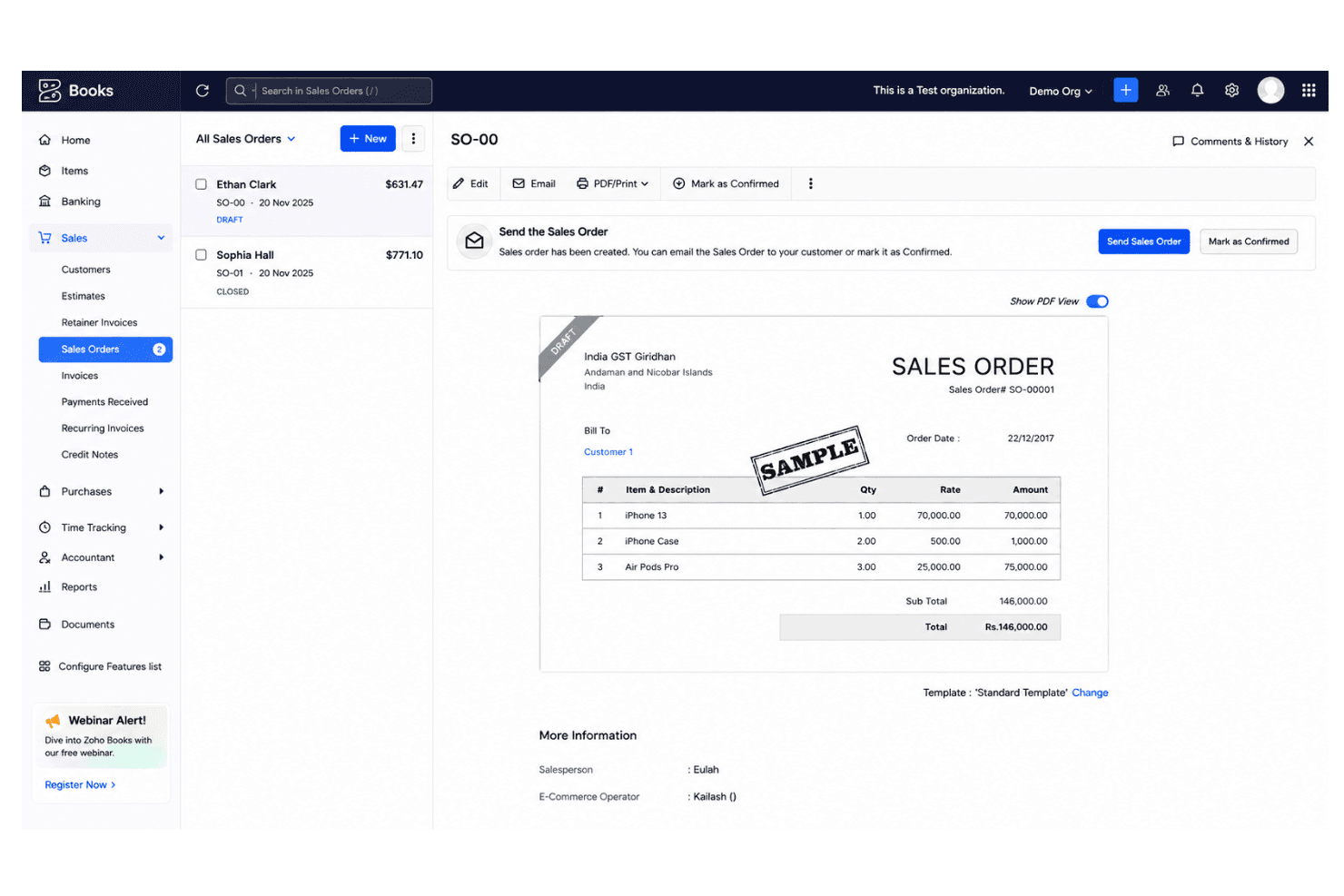
Create, approve, and track sales orders from quote to delivery. This helps prevent stock-outs and streamlines fulfillment across channels.
Inventory Tracking
Monitor product quantities, stock levels, and warehouse transfers in real time. Users can set reorder points to avoid overselling.
Automated Bank Reconciliation
Sync account transactions and match deposits automatically to online sales. This reduces errors and saves hours of manual work.
Multi-Currency Invoicing
Send invoices and accept payments in different currencies. Useful for ecommerce brands selling internationally.
Recurring Billing Automation
Schedule and send recurring invoices for subscription or repeat customers. Payment reminders can be set up to reduce missed payments.
Tax Calculation and Compliance
Apply country-specific tax rules to invoices and sales automatically. Zoho Books can generate tax reports for easy filing.
Ease of Use
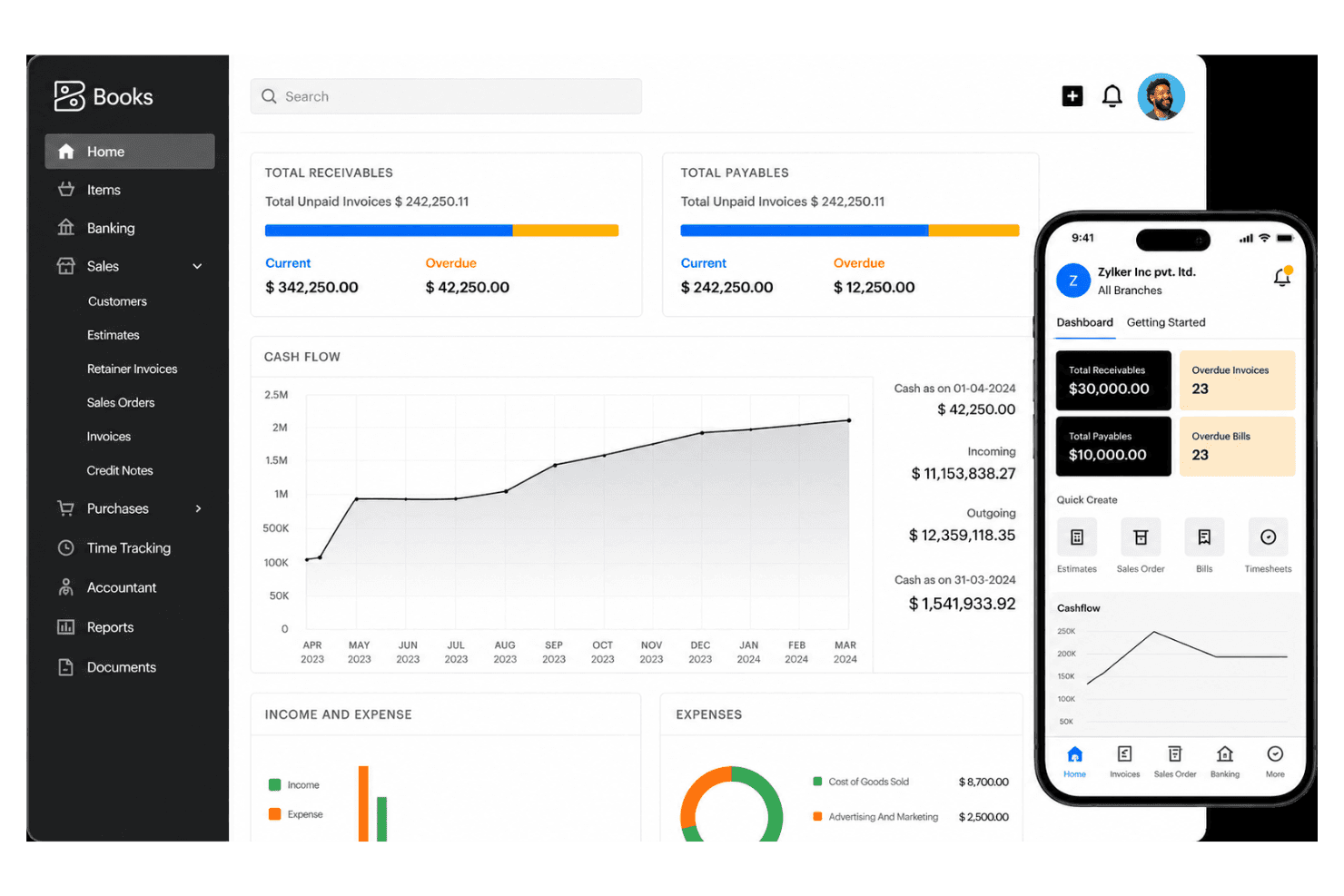
Zoho Books stands out for its clear navigation and fast onboarding, making ecommerce accounting accessible even for teams with no deep accounting background. I think users appreciate customizable dashboards, drag-and-drop invoice templates, and the ability to automate repetitive tasks, which really streamlines day-to-day work. Most reviews mention minimal training is needed for new staff.
Integrations
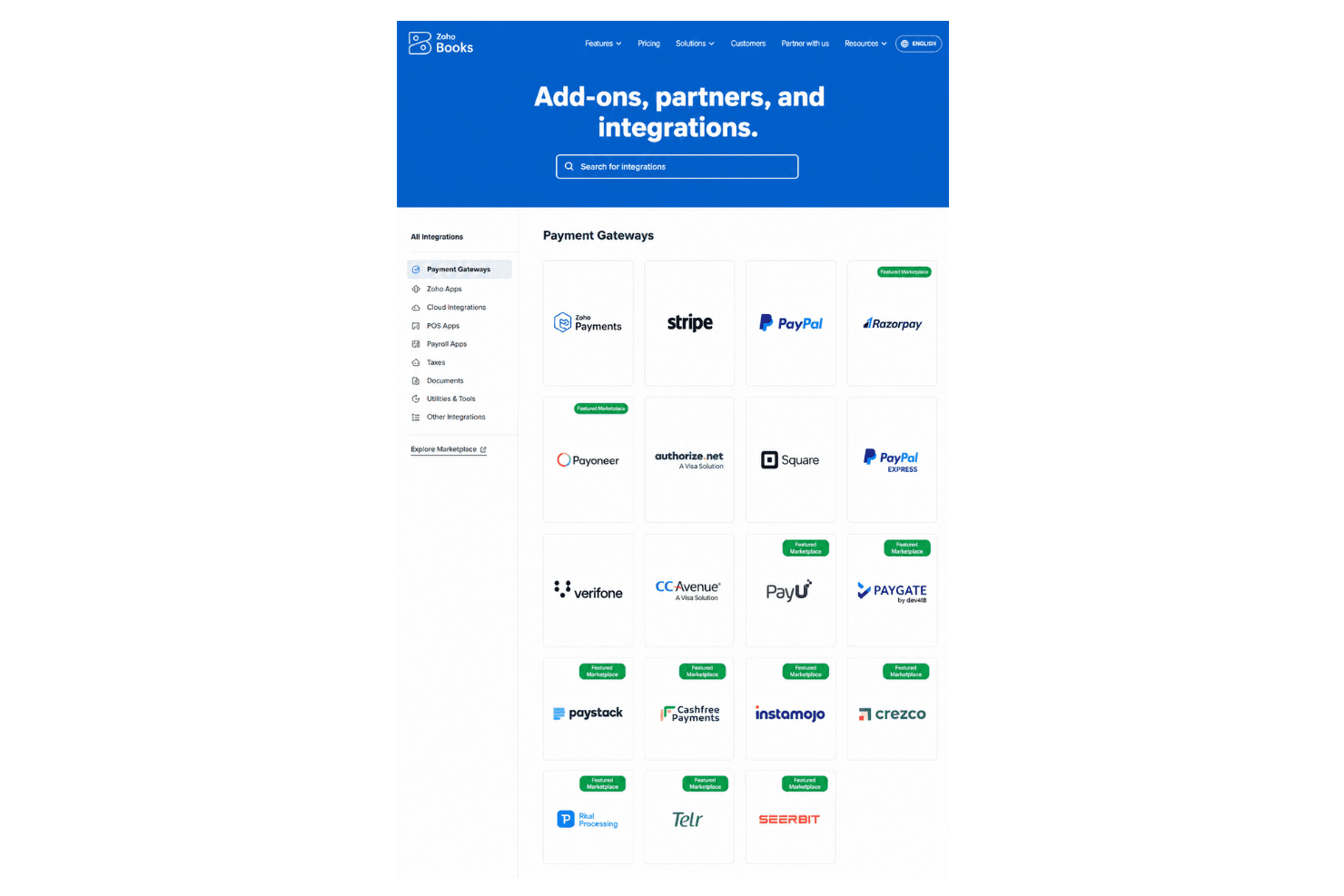
Zoho Books integrates with Shopify, WooCommerce, Amazon, PayPal, Stripe, Square, Zoho Inventory, Zoho CRM, Google Drive, Slack, and Office 365, among others.
Zoho Books also offers an open API and connects with third-party integration tools like Zapier.
Zoho Books Specs
- 2-Factor Authentication: Yes
- Accounts Payable: Yes
- Accounts Receivable: Yes
- API: Yes
- Balance Sheet: Yes
- Billing/Invoicing: Yes
- BitCoin: Yes
- Budgeting: Yes
- Calendar Management: Yes
- Contact Management: Yes
- CRM Integration: Yes
- Customer Management: Yes
- Dashboard: Yes
- Data Export: Yes
- Data Import: Yes
- Data Visualization: Yes
- Expense Tracking: Yes
- External Integrations: Yes
- Forecasting: Yes
- General Account Ledger: Yes
- Inventory Tracking: Yes
- Multi-Currency: Yes
- Multi-User: Yes
- Notifications: Yes
- P&L: Yes
- PayPal: Yes
- Payroll: Yes
- SAP Integration: Yes
- Stripe: Yes
- Supplier Management: Yes
- Tax Management: Yes


