
31 Best Warehouse Management Software for 2026

The Top Warehouse Management Systems, The Shortlist
Let’s see the leaderboard. These are the top WMS picks and what they’re great at.


Warehouse management software automates your picking, packing, and shipping, giving you real-time control over inventory from a single dock to a global network.
Backed by cloud-based scalability, AI-powered forecasts, IoT sensors, robotics, and voice-picking on mobile scanners, the right WMS cuts errors, speeds up throughput, and adapts to any industry.
After 10+ years running stockrooms, warehouses, and international logistics, I’ve scored each platform on automation, global reach, industry-specific modules, and future-proof features—so you can pick the one that actually works.
Ready to turn chaos into consistent growth? Let’s dive in.
Why Trust Our Software Reviews
We’ve been testing and reviewing retail and ecommerce software and services since 2021.
As retail experts ourselves, we know how critical and difficult it is to make the right decision when selecting software. We invest in deep research to help our audience make better software purchasing decisions.
We’ve tested more than 2,000 tools for different finance and accounting use cases and written over 1,000 comprehensive software reviews. Learn how we stay transparent and our review methodology.
Comparing the Best Warehouse Management Software Systems
Compare pricing and key features of these top WMS tools below to make your decision that much easier.
| Tool | Best For | Trial Info | Price | ||
|---|---|---|---|---|---|
| 1 | Best for multichannel stock forecasting | Free demo available | From $449/month (volume-based pricing) | Website | |
| 2 | Best for mobile warehouse operations | Not available | Pricing upon request | Website | |
| 3 | Best for AI-driven warehouse operations | Free demo available | Pricing upon request | Website | |
| 4 | Best for built-in ecommerce marketing tools | Free demo available | Pricing upon request | Website | |
| 5 | Best for streamlining and automating operations | Free demo available | Pricing upon request | Website | |
| 6 | Best for automated routing | Free demo available | Pricing upon request | Website | |
| 7 | Best for complete supply chain process audits | Free demo available | From $590/user/month (billed annually) | Website | |
| 8 | Best for AI-powered supply chain management | Free demo available | Pricing available upon request | Website | |
| 9 | Best for wholesalers and distributors | Free demo available | Pricing available upon request | Website | |
| 10 | Best for hands-off fulfillment & shipping rate comparisons | Free demo available | Pricing upon request | Website | |
| 11 | Best for managing complete order fulfillment lifecycle | Free demo available | Pricing upon request | Website | |
| 12 | Best open source warehouse management software | 15-day free trial | From $31/user/month | Website | |
| 13 | Best for real-time warehouse data tracking | Free demo available | Pricing upon request | Website | |
| 14 | Best for optimizing warehouse layout & picking routes | Free demo available | From $250/user/month | Website | |
| 15 | Best for warehouse automations | Not available | Pricing available upon request | Website | |
| 16 | Best for flexible deployment options | Free demo available | Pricing upon request | Website | |
| 17 | Best for configurable dashboards | Free Demo | Pricing available upon request | Website | |
| 18 | Best for streamlining ecommerce shipping | 30-day free trial | From $0/month | Website | |
| 19 | Best inventory and warehouse management in one | Free demo available | From $349/month | Website | |
| 20 | Best for warehouse inventory tracking | Free demo available | Pricing upon request | Website |
The Best Warehouse Management Software Systems, Reviewed
Now for the good stuff. Below, you’ll find brief reviews of our top WMS picks with why we picked them, top features, and screenshots of the tool in action.


For fast-growing multichannel retailers, Linnworks helps you keep stock levels “just right” across warehouses and sales channels—without living in spreadsheets.
It’s especially useful if you’re juggling marketplace orders, seasonal peaks, and tight warehouse space, and you need forecasting that actually ties to real warehouse workflows.
Why I Picked Linnworks
I picked Linnworks because it gives you SKU-level forecasting that’s tied directly to your real-time inventory and order data, so your replenishment decisions are based on what’s actually moving, not guesses.
You can forecast stock requirements using historical sales and seasonality, then turn those forecasts into purchase orders and transfer tasks inside the same system.
Your team gets one place to see stock across multiple warehouses and channels, with automatic updates every time an order is picked, packed, or shipped. I also like that you can build rules to route orders by channel, region, or warehouse, which keeps stock in the right place for the right customers.
For multichannel retailers trying to avoid both stockouts and dusty pallets, Linnworks gives you forecasting, routing, and warehouse control in one connected workflow.
Linnworks Key Features
In addition to its forecasting tools, Linnworks brings some very practical warehouse features to the table for retailers managing serious volume.
- Digital Picklists: Generate digital picklists that batch orders logically, helping pickers walk fewer miles while keeping error rates low.
- Barcode Scanning: Use barcode scanning at receiving, putaway, picking, and packing to keep inventory counts accurate and reduce mis-picks.
- Multi-Warehouse Transfers: Track inter-warehouse transfers so you can rebalance stock between locations based on demand rather than gut feel.
- Enhanced Warehouse Add-On: Layer in advanced bin, zone, and workflow configuration when you outgrow basic stock locations and need more granular control.
Linnworks Integrations
Integrations include Amazon, eBay, Shopify, BigCommerce, Walmart, TikTok Shop, WooCommerce, Magento, QuickBooks, and Gorgias.
Pros and Cons
Pros:
- Digital picklists and scanning reduce mis-picks in busy warehouse environments.
- Rules engine automates order routing by channel, warehouse, and region.
- Strong SKU-level forecasting helps dial in multichannel stock replenishment.
Cons:
- Advanced automation and warehouse features have a noticeable learning curve.
- Pricing is quote-based, so cost modeling takes extra upfront work.
New Product Updates from Linnworks
Linnworks Launches the Order Item Adder App
Linnworks adds the Order Item Adder App, introducing tools to add one or more items to existing orders. This update simplifies order adjustments for promotions, samples, and corrections while improving pricing and tax accuracy. For more information, visit Linnworks’ official site.
 .
.

Softengine WMS+ helps warehouse teams that live on forklifts and delivery trucks, not at desks.
It ties handheld barcode scanners, mobile route execution, and SAP Business One into one system, so you can receive, pick, deliver, and invoice without rekeying data or losing track of inventory in the field.
It’s a strong fit for distributors and manufacturers that run multi-warehouse operations and direct store delivery.
Why I Picked Softengine
I picked Softengine because it gives your team full inventory control from handheld devices, using GS1 barcode scanning and real-time updates so bin moves, picks, and transfers are always reflected in SAP Business One.
Your drivers can use the Direct Store Distribution (DSD) module to run routes, create orders, capture signatures, and accept payments from the truck, which keeps mobile inventory in sync with the warehouse.
You also get support for FEFO and FIFO rules, lot and batch tracking, and catch-weight management, so you can protect traceability in food, beverage, and other regulated categories. Multi-warehouse support means you can manage stock across depots, vehicles, and satellite locations without juggling spreadsheets.
I like that it’s built specifically for SAP Business One, so your warehouse execution lives directly on top of your finance and order data instead of in a disconnected point solution.
Softengine WMS+ Key Features
Beyond mobile operations, Softengine adds structured modules that keep daily warehouse work grounded in clear tasks and real-time data.
- Movement Operations Module: Manages internal transfers, replenishment tasks, staging for production, and instant bin updates so pickers always know where stock actually lives.
- Packing And Shipping: Builds license plates for pallets and containers, captures shipment weights, and prints barcode labels to keep outbound orders trackable at each handoff.
- Counting Operations: Supports scheduled and ad-hoc cycle counts with discrepancy reporting, helping you catch variances early instead of waiting for the annual physical.
- KPI And Performance Tracking: Surfaces metrics like inventory accuracy, order fulfillment time, warehouse utilization, and stock movement speed so you can measure—and fix—bottlenecks.
Softengine WMS+ Integrations
Integrations include SAP Business One (HANA and SQL), ShipStation, and EDI connections with trading partners.
Pros and Cons
Pros:
- FEFO, batch, and catch-weight controls suit food and regulated products.
- Direct store delivery module handles routes, payments, signatures in one workflow.
- Mobile-first handheld app supports barcode scanning across warehouse and trucks.
Cons:
- Best results require dedicated barcode devices and warehouse process redesign.
- Built for SAP Business One; not compatible with other ERPs.

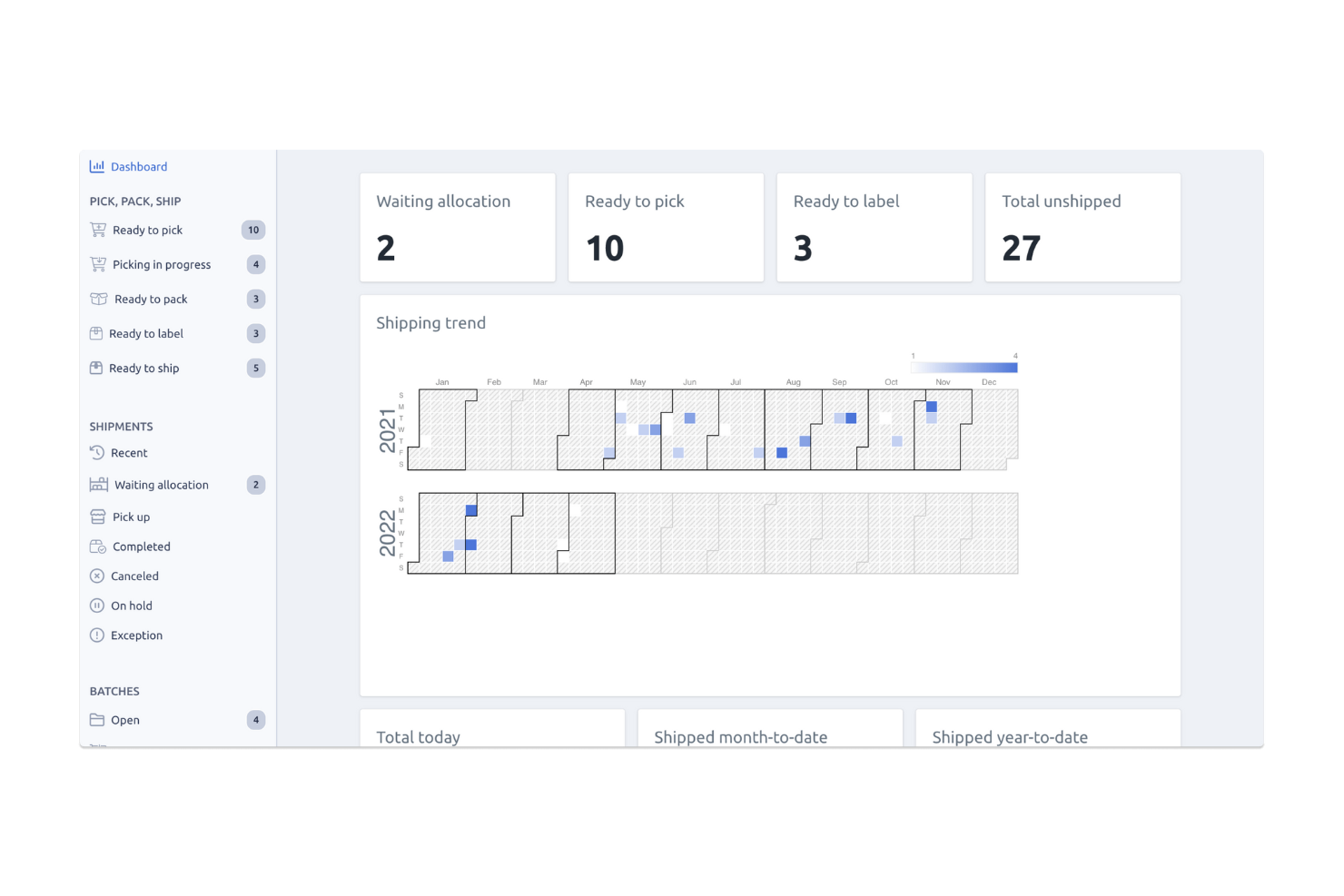
Fulfil is built for ecommerce and wholesale brands that have outgrown basic inventory apps and need real control over multi-warehouse operations.
You centralize orders, inventory, and fulfillment across in-house locations, 3PLs, and Amazon MCF, while keeping Shopify as your front end.
It’s a strong fit if you’re running high order volumes and want warehouse logic, not spreadsheets, deciding what happens next.
Why I Picked Fulfil
I picked Fulfil because it lets you run warehouse operations from a single brain instead of scattered tools—your orders, inventory, and fulfillment rules all live in one system.
You can set automation rules that route orders to the optimal warehouse or 3PL based on stock, destination, or service level, so your team spends less time making ad hoc decisions.
Smart shipping workflows let you compare carrier rates across FedEx, UPS, USPS, and DHL inside the pick/pack flow, so you protect margin without slowing the floor down.
I also like that Amazon Multi-Channel Fulfillment isn’t an afterthought—you can route non-Amazon orders to MCF and sync tracking back to every channel automatically.
For fast-growing Shopify Plus brands, the fixed-price, implementation-led approach helps you get ERP-grade warehouse control without an endless consulting project.
Fulfil Key Features
Beyond the automation you’ll rely on day to day, Fulfil adds planning and control features that keep complex warehouse environments from turning into guesswork.
- Inventory Planning And Replenishment: Use demand forecasting, inbound POs, and restock dates to keep high-velocity SKUs available across all locations.
- Shopify Scale Support: Bypass Shopify limits with unlimited variants, hundreds of locations, and complex bundles managed directly in the ERP.
- Manufacturing And Kitting: Tie BOM-based bundles, light manufacturing, and kitting work orders straight to on-hand stock and available-to-sell quantities.
- Revenue Recognition And Accounting: Apply ASC 606 rules, deferred revenue schedules, and payout reconciliation so your warehouse activity and books stay in sync.
Fulfil Integrations
Integrations include Shopify, Amazon, Amazon Multi-Channel Fulfillment, FedEx, UPS, USPS, DHL, Avalara, and Klarna.
Pros and Cons
Pros:
- Multi-warehouse and 3PL support unify in-house and outsourced fulfillment.
- Native Shopify integration supports large catalogs, many locations, and bundles.
- Warehouse automation rules cut manual routing and packing decisions at scale.
Cons:
- ERP-level implementation project; requires process changes and dedicated internal ownership.
- Best fit for Shopify-led brands; less compelling for non-Shopify stacks.

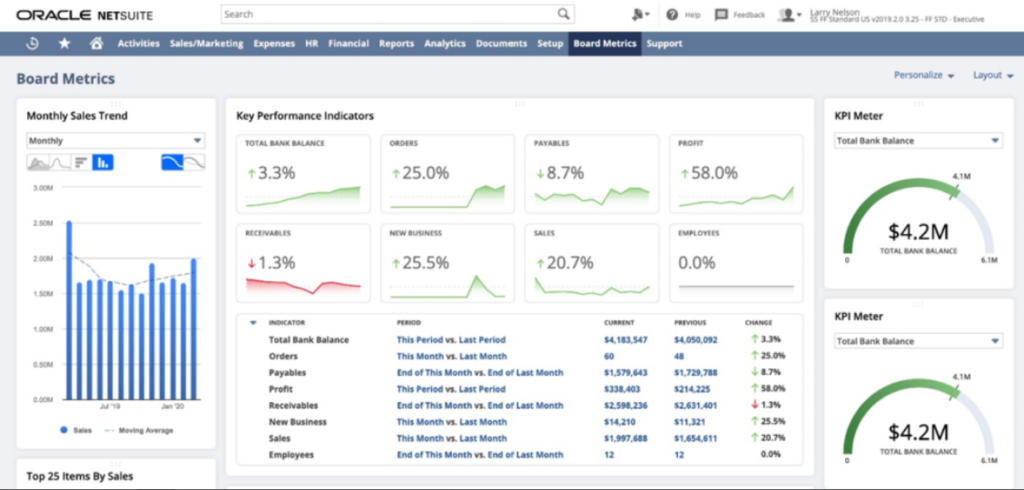
NetSuite WMS is built for retailers, distributors, and manufacturers already running on NetSuite who want warehouse execution to live in the same system as orders, inventory, and financials.
You get real-time visibility into stock, bins, and tasks, so your team isn’t chasing paper pick lists or updating spreadsheets after the fact.
Why I Picked NetSuite
I picked NetSuite because it runs as a native WMS module inside NetSuite ERP, so your warehouse team works off the same item, bin, and order data as finance and sales.
You get clearer inventory accuracy through features like RF barcode-powered receiving, bin transfers, and live replenishment updates tied directly to item records.
Your team can reduce mispicks and walking time using rules-based putaway and picking strategies that decide where to store and pull items for each order. Task management and cycle count plans give you a structured way to assign work, prioritize busy zones, and maintain accuracy without shutting down operations for full physical counts.
For growing operations, that combination of shared data and warehouse-specific workflows makes it a fit when you’ve outgrown light inventory tools but want to stay in the NetSuite ecosystem.
NetSuite Key Features
Beyond the tight ERP connection, NetSuite WMS includes warehouse-specific tools that help you handle higher order volumes and more complex layouts.
- Mobile Warehouse App: Guides users through receiving, putaway, picking, and packing on handheld devices for on-floor execution.
- Wave And Batch Picking: Groups orders into efficient waves so pickers can work zones instead of chasing single orders.
- Cartonization And Shipping Rules: Suggests packing configurations and connects to parcel systems to print accurate labels and documents.
- Bin And Location Management: Supports multi-bin locations, zone definitions, and replenishment rules to keep fast movers where staff can reach them quickly.
NetSuite Integrations
Integrations include NetSuite CRM, Oracle, JD Edwards EnterpriseOne, Sage Business Cloud, Affirm, Lightyear, ZoneBilling, Neuron ESB, and Pacejet.
Pros and Cons
Pros:
- Task, wave, and cycle count tools cut manual planning work.
- Mobile WMS app supports receiving, putaway, picking, packing on handhelds.
- Native to NetSuite ERP, sharing real-time item, bin, order data.
Cons:
- Configuration of bins, workflows, and mobile processes can be complex.
- Requires NetSuite ERP subscription, limiting fit for non-NetSuite users.


Acumatica’s warehouse management system gives growing distributors and omnichannel retailers barcode-driven control over receiving, put-away, picking, packing, and shipping from directly inside their ERP.
You get mobile scanning, directed pick paths, and role-based dashboards that help your team cut mis-picks, shorten fulfillment cycles, and keep inventory accurate across multiple locations.
Why I Picked Acumatica
I picked Acumatica because it lets your warehouse team work entirely from phones or rugged handhelds, using barcode scanning to drive every key transaction—from PO receiving through pick, pack, and ship.
You can guide workers with directed paperless picking, so they follow optimized routes and scan each item, which reduces over- and under-shipments while keeping pick accuracy high.
I like that warehouse data lives in the same cloud ERP as orders, inventory, and financials, so you don’t have to reconcile a separate WMS at the end of the day. Role-based dashboards for warehouse managers, receivers, and shippers give you live views into backlogs, exceptions, and inventory variances, instead of waiting for end-of-day reports.
For retailers and distributors already on Acumatica, this is a logical way to add serious warehouse automation without bolting on another standalone system.
Acumatica Key Features
Alongside the core mobile scanning and directed picking, here are a few warehouse tools that actually move the needle.
- Batch And Wave Picking: Group orders into efficient batches or waves so pickers handle more lines per trip while still scanning each item for accuracy.
- Lot And Serial Tracking: Capture and verify lot and serial numbers at pick and pack, supporting recalls, compliance, and detailed inventory traceability.
- Cycle Counting And Physical Counts: Run barcode-driven cycle counts during normal hours and full physical counts when needed, reducing shutdown time and count errors.
- Pack And Ship Automation: Generate packing slips, labels, and shipment confirmations from the same workflow, using scanned data instead of manual re-entry.
Acumatica Integrations
Integrations include Shopify, ShipStation, Avalara, HubSpot, Pacejet Shipping, EazyStock, Workforce Go, and Adobe Sign.
Pros and Cons
Pros:
- Native Shopify connector fits merchants syncing online orders with central fulfillment.
- Role-based dashboards surface bottlenecks and exceptions across multiple warehouses.
- Mobile app and scanners support fully barcode-driven pick, pack, and ship.
Cons:
- Full WMS feature set requires investment in Acumatica ERP and Distribution Edition.
- Advanced multi-warehouse setups often need a partner or consultant to configure.


Infoplus is built for 3PLs and high-volume ecommerce warehouses that need tighter control over routing, inventory, and client SLAs—not just basic bin locations.
You get warehouse logic that matches your real-world flows, from inbound to shipping, with tools for routing, stock controls, and client-by-client rules that help you avoid costly mis-picks and delays.
Why I Picked Infoplus
I picked Infoplus because you can design detailed routing rules that send picks through the most efficient paths, cutting wasted travel time in busy facilities.
You also get flexible inventory controls—like low stock alerts, reorder rules, and item-level status tracking—so your team can act before stockouts or overstock hit your margins.
Management-by-exception workflows let you flag only problematic orders or loads, so your supervisors aren’t stuck combing through every transaction. I like that you can bolt on light manufacturing and centralized operations modules, tying together WMS, finance, and accounting when you’re ready to scale.
For 3PLs, the ability to define separate rules, reports, and portals for each client makes it easier to keep everyone happy without building everything from scratch every time.
Infoplus Key Features
Building on those routing and control capabilities, Infoplus also includes tools that help you run day-to-day operations more efficiently.
- Mobile Floor Apps: Let staff receive, pick, pack, and move inventory using barcode scanners.
- Cycle Counting & Inventory Snapshot: Support ongoing counts and visibility into quantities, locations, and item receipts.
- Smart Filters & User Reports: Allow you to slice warehouse data, save custom views, and share user reports.
- 3PL Billing & Value-Add Tracking: Capture time, transactions, and value-add activities to generate itemized client invoices.
Infoplus Integrations
Integrations include Shopify, BigCommerce, WooCommerce, Magento, Amazon Seller Central, Etsy, Cratejoy, HSN, Walmart Marketplace, and ChannelAdvisor.
Pros and Cons
Pros:
- Mobile apps support barcode-driven receiving, picking, packing, and inventory moves.
- Client-specific rules and reports fit 3PLs with diverse customer needs.
- Automated routing rules reduce picker travel time in complex warehouses.
Cons:
- No public pricing tiers; you have to request a custom quote.
- Reporting and configuration depth may overwhelm teams without strong ops owners.


PULPO WMS is built for ecommerce and omnichannel retailers that need to see exactly what’s happening in every aisle, bin, and workflow—not just inventory counts.
You get real-time visibility into stock movements and process efficiency, so you can audit your entire fulfillment chain and fix bottlenecks with actual data instead of hunches.
Why I Picked PULPO WMS
I picked PULPO WMS because it gives you end-to-end visibility through a digital twin of your warehouse and a live control center that shows locations, tasks, and order status in one place.
That matters for audits, because you can trace every SKU and movement using location mapping and detailed activity histories instead of piecing together spreadsheets.
Your floor team works through a native Android app that combines barcode scanning, guided pick routes, and packing workflows, so your process audits are based on real operational data, not manual notes.
For ecommerce, I like that orders, inventory, and shipping data sync with platforms like Shopify, WooCommerce, Magento, and Sendcloud, so you can compare what’s promised online with what’s actually happening in the warehouse.
Reporting and analytics then close the loop by surfacing KPIs such as error rates, throughput, and stock accuracy, giving your leadership team a clean starting point for continuous improvement.
PULPO WMS Key Features
In addition to visibility and ecommerce connectivity, there are a few features that are especially helpful if you’re serious about auditing and improving warehouse performance.
- Returns Management: Handles returns with reason codes and real-time updates, so you can analyze why items come back and adjust processes upstream.
- Replenishment Rules: Lets you configure automatic replenishment tasks for pick faces and store locations, giving you traceable logic behind stock moves.
- Serial And Lot Tracking: Tracks serial numbers, batches, and expiration dates, which is critical when you’re auditing traceability or compliance.
- Warehouse Reports And Analytics: Provides warehouse-specific dashboards on productivity, errors, and order cycle times, making operational reviews much more data-driven.
PULPO WMS Integrations
Integrations include Shopify, Shopify Plus, WooCommerce, Magento, Sendcloud, SAP, Microsoft Dynamics 365, QuickBooks, and Odoo.
Pros and Cons
Pros:
- Strong ecommerce and shipping integrations keep stock and orders in sync.
- Android warehouse app plus barcode scanning lowers errors on the floor.
- Digital twin and control center give full traceability for process audits.
Cons:
- Mobile experience is focused on Android devices, not native iOS.
- Pricing is quote-based, so costs aren’t visible upfront.

Best for AI-powered supply chain management

Manhattan Active Order Management is built for enterprise retailers that need to coordinate high-volume, multi-node fulfillment without losing track of inventory or SLAs.
You get a cloud-native WMS layer that ties together labor, automation, and order orchestration so your warehouses can keep up with ecommerce peaks, store replenishment, and complex service-level promises.
Why I Picked Manhattan Active Order Management
I picked Manhattan Active Order Management because it gives you AI-driven order orchestration backed by a warehouse engine that understands both wave and waveless workflows, so you can prioritize the right orders instead of just pushing boxes.
Your team gets a single platform that combines WMS, labor management, slotting, and a warehouse execution system, which helps you coordinate people, robots, and conveyors from one place.
I also like that it’s cloud-native and “evergreen,” so you get continuous updates without painful replatforming projects and can still extend the system with your own logic.
The mobile-first UX and gamified labor tools help supervisors push productivity with targeted goals and real-time feedback, rather than generic labor standards. Overall, it’s a strong fit for large, complex networks that need scalable fulfillment logic more than a basic inventory tracker.
Manhattan Active Order Management Key Features
Beyond its orchestration engine, there are a few practical capabilities warehouse and supply chain leaders will actually lean on day to day.
- Slotting Optimization: Uses demand, velocity, and constraints to constantly re-slot inventory for faster picks and fewer travel miles.
- Embedded Labor Management: Tracks performance, incentives, and standards in the same system as tasks so you can align labor spend with actual workload.
- Warehouse Execution Orchestration: Coordinates automation, robotics, and manual tasks in one queue so each order flows to the best available resource.
- Real-Time Inventory Visibility: Maintains a single view of inventory across locations, enabling accurate promising and fewer split shipments.
Manhattan Active Order Management Integrations
Integrations include Manhattan Active Warehouse Management, Manhattan Active Transportation Management, Manhattan Active Omni, SAP S/4HANA, Shopify, ProShip, Takt, and major ERP systems.
Pros and Cons
Pros:
- Strong fit for omnichannel retailers needing sophisticated order routing logic.
- Evergreen, cloud-native architecture reduces upgrade projects and technical debt.
- Unifies WMS, labor, and WES to support high-throughput, complex sites.
Cons:
- Pricing is quote-based, with no transparent public tiers for evaluation.
- Enterprise-grade implementation effort and change management requirements.


Blue Link ERP gives wholesalers and distributors a single system for inventory, accounting, and warehouse operations, so you’re not babysitting spreadsheets or bolt-ons all day.
You get built-in warehouse tools plus an advanced WMS Lite option to handle scanning, picking, and shipping in more complex environments.
Why I Picked Blue Link ERP
I picked Blue Link ERP because it ties your warehouse, inventory, and accounting into one database, so every pick, pack, and shipment automatically rolls up into financials you can trust.
You get concrete warehouse benefits—like wireless handheld picking and barcode verification at packing stations—through mobile devices that cut mis-picks while speeding up floor operations.
Multiple warehouse location management and bin-level tracking mean you can route orders to the right site and guide staff to the right shelf instead of hunting for SKUs. Pack-to-container and master shipment tracking help your team handle larger, mixed shipments while keeping carton contents and shipping docs aligned.
I also like that implementation, training, and support are handled by the vendor’s in-house team, which gives you a single partner that understands wholesale distribution workflows instead of a random network of resellers.
Blue Link ERP Key Features
Beyond the core WMS tools, here are a few warehouse-focused features your ops team will actually use.
- Automated Reorder Management: Uses purchasing rules and demand signals to auto-build purchase orders so you restock high-velocity SKUs before they become backorders.
- Landed Cost Tracking: Allocates freight, duty, and other import charges to inventory so margin reports reflect true per-item costs, not guesses in a spreadsheet.
- Multi-Warehouse Inventory Management: Supports multiple locations, bins, and transfer workflows so you can balance stock across sites without losing visibility into what’s available to promise.
- Integrated Shipping And Receiving: Connects picking, packing, label printing, and shipment confirmation so staff move from pick slip to shipped order without retyping data into carrier tools.
Blue Link ERP Integrations
Integrations include Magento, Shopify, BigCommerce, XCart, Volusion, Shopatron, Amazon, eBay, FedEx, and Purolator.
Pros and Cons
Pros:
- Two-way ecommerce and marketplace sync keeps stock levels accurate across channels.
- Mobile barcode workflows cut picking mistakes in fast-moving wholesale environments.
- All-in-one ERP plus WMS reduces reliance on separate inventory tools.
Cons:
- Best suited to small and midsize distributors; may be overkill for micro sellers.
- Pricing is quote-based only, so you must engage sales for numbers.


ShipBob gives growing ecommerce brands a way to hand off day-to-day fulfillment while still keeping serious control over inventory, orders, and warehouse operations.
You can run your own facility on ShipBob’s WMS or plug into their global fulfillment network, then compare carrier options and locations to keep shipping fast and margins sane.
It’s a strong fit for multichannel brands that care about both customer delivery speed and the actual math behind their logistics costs.
Why I Picked ShipBob
I picked ShipBob because it lets your team manage inventory, orders, and warehouses in one place while also tapping into a large, distributed fulfillment network when you don’t want to run everything yourself.
You get real-time inventory and order syncing across your sales channels, backed by a WMS that tracks items down to bin locations and supports barcode-based picking to cut mispicks.
You can use ShipBob’s network of warehouses to place stock closer to customers, then compare service levels and carrier options so you’re not guessing about shipping trade-offs. I also like that the same platform supports brands running their own warehouse and those outsourcing to ShipBob, which makes it easier to grow from one setup to a hybrid model.
For warehouse teams, built-in task management and visibility tools make it easier to keep shifts efficient, instead of living in spreadsheets and hallway conversations.
ShipBob Key Features
Beyond the core WMS and fulfillment tools, there are a few features that are especially useful for warehouse-focused operators.
- MiniBob Mobile App: Gives floor staff a mobile interface for receiving, picking, and packing, so scans and updates happen on the spot instead of at a desktop.
- ToolBob Operations Console: Helps supervisors assign tasks, monitor performance, and manage daily workflows from a single dashboard rather than piecing together reports.
- Analytics & Reporting Tool: Surfaces order, inventory, and shipping reports so you can spot issues like aging stock, slow SKUs, or costly shipping lanes before they spiral.
- App Store & Open API: Offers prebuilt apps plus an API so you can extend the WMS, connect additional tools, or support edge cases in your warehouse processes.
ShipBob Integrations
Integrations include Shopify, Shopify Plus, BigCommerce, WooCommerce, Squarespace, Wix, Amazon, Walmart, eBay, and Square.
Pros and Cons
Pros:
- WMS option lets you run your own warehouse on the same tech stack.
- Real-time inventory sync reduces overselling across multiple ecommerce channels.
- Distributed warehouse network helps you offer faster, regionally optimized delivery.
Cons:
- Monthly minimum spend makes it less suitable for very low-volume brands.
- Custom, quote-based pricing and various add-on fees require careful cost analysis.


Hopstack helps 3PLs and fast-growing ecommerce brands keep complex, omnichannel fulfillment under control—without losing track of orders, SLAs, or inventory accuracy.
It’s built for teams that manage multiple clients, channels, and warehouses, and need tighter control over labor, space, and per-order profitability.
Why I Picked Hopstack
I picked Hopstack because it gives 3PLs and high-volume ecommerce teams the kind of control you normally only get from heavyweight enterprise WMS platforms—without the clunky overhead.
You get tighter accuracy thanks to features like rule-based task assignments and scanner-driven workflows that keep staff synced in real time. I also like that you can manage multiple clients, SLAs, and warehouses from one dashboard, which is a lifesaver for operators juggling multi-site fulfillment.
Its built-in 3PL billing engine turns every task—picks, puts, storage, value-added services—into trackable revenue, helping you charge clients accurately.
If you want stronger operational visibility and cleaner per-order margin tracking, Hopstack gives you the tools to run a more efficient and profitable warehouse.
Hopstack Key Features
Hopstack gives you the warehouse controls you’d expect from an enterprise WMS, with a focus on order-to-ship speed and accuracy for 3PLs and omnichannel brands.
- Distributed Order Routing: Automatically sends orders to the best warehouse based on inventory, proximity, and custom rules.
- Returns Management: Handles RMAs, inspections, and restocking rules so your team can process returns quickly and keep stock data clean.
- Billing and Contracts For 3PLs: Supports client-level billing events (like storage, picks, and value-added services) so you can charge accurately for work performed.
- Hardware Integrations: Connects to scanners, printers, and other warehouse devices to support fast, error-resistant picking and packing.
Hopstack Integrations
Integrations include Shopify, Amazon, eBay, Etsy, BigCommerce, DHL, FedEx, UPS, SAP, NetSuite, and Salesforce.
Pros and Cons
Pros:
- Real-time reporting highlights bottlenecks across receiving, storage, and outbound tasks.
- Intelligent picking and routing rules help reduce travel time and rework.
- Strong marketplace and carrier integrations for multi-client, omnichannel fulfillment.
Cons:
- May feel heavyweight for small, single-location merchants with simple workflows.
- No published pricing; you need to talk to sales for a quote.

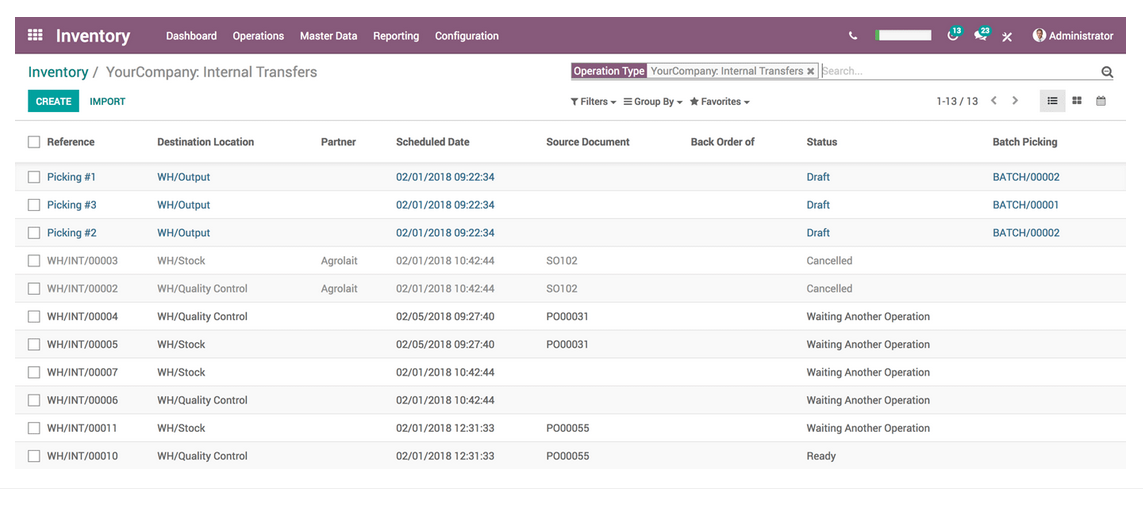
Odoo Inventory helps mid-sized retailers, wholesalers, and manufacturers get out of spreadsheet chaos by centralizing inventory, purchasing, and fulfillment in one open-source platform.
You get double-entry stock tracking, barcode-driven workflows, and multi-warehouse routing tied directly into the rest of your ERP, so you can cut stockouts and manual updates without committing to a monolithic legacy WMS.
Why I Picked Odoo Inventory
I picked Odoo Inventory because it gives you true double-entry inventory, so every move between bins, warehouses, or channels is tracked and auditable instead of disappearing into adjustment limbo.
You can set reordering rules and procurement routes that automate replenishment based on real demand, which helps your team avoid both stockouts and dusty dead stock.
The warehouse app and barcode tools let your staff receive, pick, pack, and count stock from mobile devices, reducing errors that creep in when everything happens at a desk. Multi-warehouse and multi-location support means you can balance inventory across DCs, stores, and dropship partners while still working from a single source of truth.
I also like that it’s part of the broader Odoo suite, so inventory is naturally synced with sales, purchasing, manufacturing, and accounting instead of being bolted on after the fact.
Odoo Inventory Key Features
Beyond the core stock controls, here are a few capabilities warehouse teams actually lean on day to day.
- Lot And Serial Tracking: Monitor batch numbers, serials, and expiration dates for regulated or perishable products.
- Advanced Routing And Cross-Docking: Configure putaway rules, cross-docking, and dropshipping routes to move goods through the warehouse with fewer touches.
- Shipping Carrier Connectors: Connect to major carriers to rate-shop, generate labels, and track parcels directly from your warehouse workflows.
- Inventory Reporting And Forecasting: Use live dashboards and reports to spot fast movers, slow movers, and coverage gaps before they hit service levels.
Odoo Inventory Integrations
Integrations include Odoo Sales, Odoo Purchase, Odoo Manufacturing, Odoo Accounting, Odoo Website & eCommerce, Odoo Point of Sale, Odoo Barcode, and shipping connectors for DHL, UPS, and FedEx.
Pros and Cons
Pros:
- Native ecommerce, sales, and accounting links keep inventory data in sync.
- Mobile barcode app lets staff process transfers directly from the floor.
- Real-time double-entry tracking reduces stock discrepancies across multiple locations.
Cons:
- Advanced features and connectors need paid Enterprise licensing and hosting.
- Initial setup and routing rules require careful configuration and testing.


Cadence WMS gives you live insight into what’s happening across your warehouses, so you’re not waiting on end-of-day reports to catch problems.
It’s best for 3PLs, distributors, and manufacturers that manage high-volume, multichannel fulfillment and need accurate, real-time data on inventory, orders, and shipments.
Why I Picked Cadence WMS
I picked Cadence WMS because it’s built for the chaos of real-world logistics—multiple clients, multiple warehouses, and multiple order sources all flowing through one system.
You can take orders from ERPs, ecommerce carts, EDI, and call centers, then manage them in a single order management hub that directs receiving, putaway, picking, packing, and shipping in real time.
Your team benefits from RF and barcode-driven workflows that cut manual data entry and keep inventory positions accurate down to the location. I also like that you can support complex requirements such as lot and serial tracking, temperature-sensitive goods, and rotation rules like FIFO or LIFO, so compliance-heavy verticals don’t need bolt-on tools.
For operators running multi-channel distribution—pallets to DCs, cases to stores, parcels to consumers—the system helps you match inventory to the right channel while keeping service levels and labor productivity in check.
Cadence WMS Key Features
In addition to the core warehouse workflows, here are a few features that matter most for data-driven operations teams.
- Wave Planning & Picking Optimization: Group and release work in waves so pickers follow efficient routes and hitting carrier cutoffs becomes a lot less stressful.
- Multi-Carrier Shipping Management: Rate shop and execute parcel, LTL, and truckload shipments from one place while generating labels and documentation directly in the system.
- Customer Web Portal: Give clients browser-based access to inventory, order status, and shipment tracking so your CS team spends less time answering “where is it?” emails.
- Labor & Activity Tracking: Capture task-level activity and time so you can measure productivity, validate 3PL billing, and spot where processes are slowing your team down.
Cadence WMS Integrations
Integrations include Microsoft Dynamics, QuickBooks, Sage, NetSuite, UPS, FedEx, DHL, regional LTL carriers, Shopify, Magento, and WooCommerce.
Pros and Cons
Pros:
- Web portal gives customers self-service visibility into orders and inventory.
- Real-time RF workflows and barcoding improve inventory accuracy and task execution.
- Handles complex multi-client, multi-warehouse, multichannel fulfillment in one platform.
Cons:
- Full benefits depend on investing in compatible mobile devices and scanners.
- Implementation effort and feature depth best fit mid-market and larger operations.


Mobe3 WMS is built for warehouses that care about layout, travel paths, and actually getting orders out the door on time.
It’s best for mid-market and enterprise operations that want iOS-native tools, real-time indoor location tracking, and guidance that tells pickers where to go next instead of leaving it to guesswork.
Why I Picked Mobe3 WMS
I picked mobe3 WMS because it treats warehouse layout and travel paths as a first-class problem, using indoor location data and visual maps to show where inventory, pallets, and workers actually are so you can redesign routes based on reality, not theory.
Your team gets system-directed picking and SmartBarcode scanning, which cut wandering and mis-picks by sending each worker down an optimized path and validating every scan as they go.
I also like that you can model layout or process changes in the system before you rearrange racking, so you can see the impact on travel time and throughput instead of moving steel on a hunch.
The iOS-native app means new hires are working in an interface that feels like the phone they already know, which speeds up training and lowers the odds they fall back to paper.
On top of that, the implementation approach includes structured onboarding and training, so your supervisors aren’t left translating warehouse reality into “IT speak” on their own.
Mobe3 WMS Key Features
Beyond layout and routing, mobe3 gives you day-to-day control over inventory and labor that warehouse leaders actually use.
- Real-Time Warehouse Maps: Visualize racks, bins, and worker locations so you can spot congestion, dead zones, and underused space at a glance.
- Cycle Counting And Replenishment: Run targeted cycle counts and trigger replenishment tasks automatically to keep forward pick locations stocked without full shutdowns.
- Lot, Batch, And Serial Tracking: Track regulated or high-value inventory by lot, batch, or serial number across receiving, storage, and shipping.
- Labor Productivity Dashboards: Monitor pick rates, travel time, and task completion so you can coach individual performance and justify labor or equipment changes with data.
Mobe3 WMS Integrations
Integrations include NetSuite, SAP Business One, SAP ERP, Microsoft Dynamics 365 Business Central, Microsoft Dynamics 365 Finance, Rayven, Slack, and Google Sheets.
Pros and Cons
Pros:
- Simulation tools preview process or layout changes before you move racking.
- Indoor location tracking helps redesign layout and routes using live data.
- iOS-native app drives faster picker adoption and less training overhead.
Cons:
- Cloud-only approach may not suit highly restricted, fully offline facilities.
- Best performance requires modern iOS devices; older hardware can struggle.


Körber (formerly HighJump) is built for warehouses that live and die by process control, automation, and tight SLAs.
You get a WMS that can handle multi-site operations, heavy SKU counts, and complex workflows, without forcing you into a rigid one-size-fits-all playbook.
Why I Picked Körber
I picked Körber because its process-based configuration lets you mirror your exact warehouse workflows, so you can automate repetitive tasks instead of working around canned settings.
You can run RF and barcode-driven tasks on mobile devices, which helps your team cut down on paper, mis-picks, and laggy data entry. The system ties into material handling equipment and robotics through Körber’s broader supply chain suite, so you can coordinate conveyors, sorters, and automated storage with what’s happening in the WMS.
Real-time inventory tracking across locations gives you better control over stock levels and service promises, backed by detailed task and movement history.
You can also deploy it on-premise or in the cloud, which means you can match the infrastructure model to your IT and uptime requirements.
Körber Key Features
Beyond the workflow engine, there are a few practical features teams actually lean on day to day.
- Labor Management: Track productivity by user, task, and shift to spot bottlenecks and rebalance work.
- Slotting Optimization: Recommend storage locations based on velocity and handling rules to cut travel time.
- Returns Management: Route inbound returns through defined inspection and disposition steps to recover value faster.
- Multi-Client 3PL Support: Separate rules, billing, and inventory for each client while running a shared facility.
Körber Integrations
Integrations include Acumatica, Microsoft Dynamics GP, Microsoft Dynamics AX, Microsoft Dynamics NAV, Microsoft Dynamics SL, NetSuite, Sage ERP, SAP Business One, SAP R/3, and Oracle ERP.
Pros and Cons
Pros:
- Deep ERP and shipping integrations connect warehouse activity to finance and orders.
- Mobile RF and barcode tools reduce manual entry and picking errors.
- Highly configurable workflows support complex, automation-heavy distribution environments.
Cons:
- Report customization and ad hoc analytics may require vendor or partner help.
- Configuration depth can extend implementation time for smaller warehouse teams.

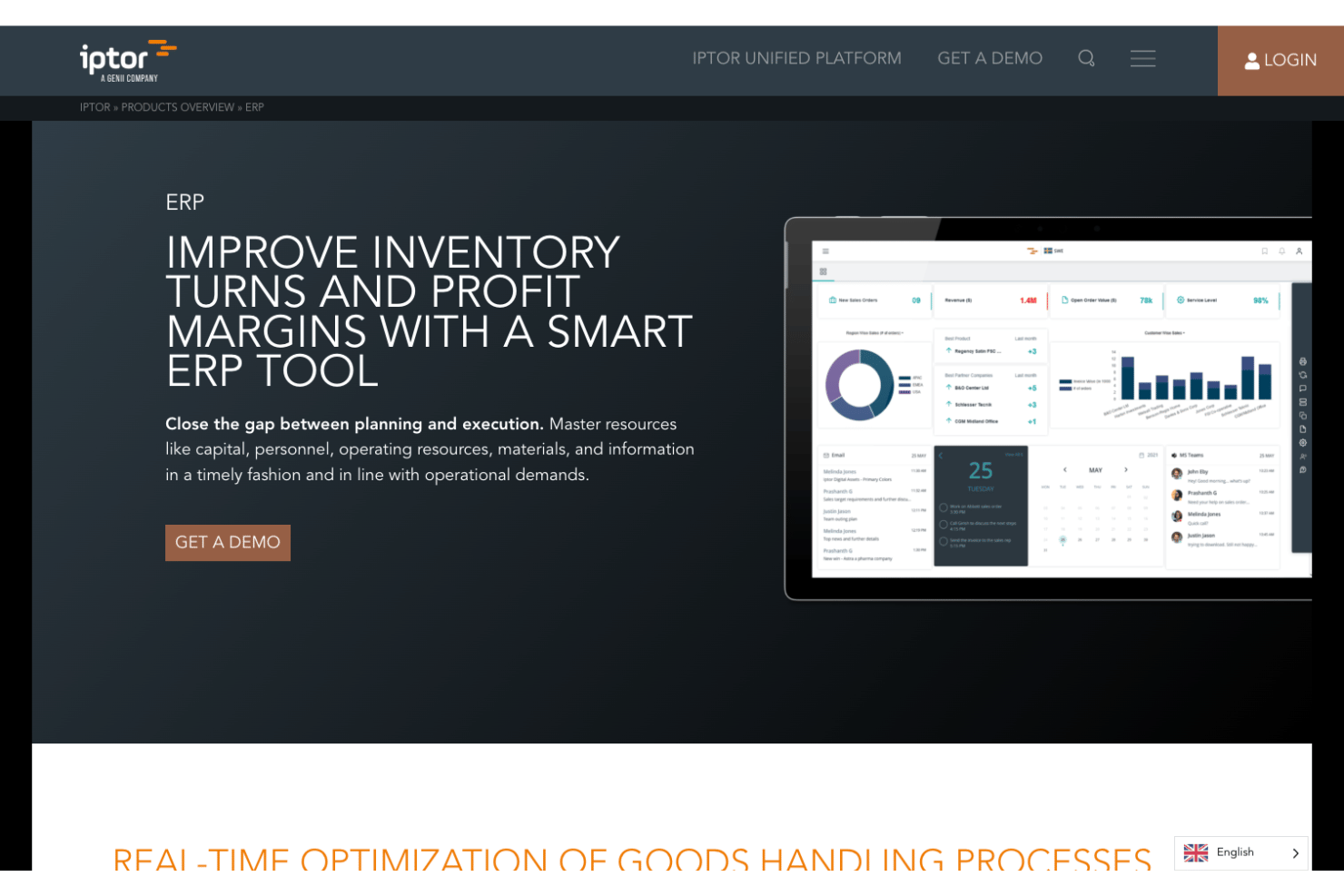
Iptor WM1 is built for mid-sized and enterprise distributors that juggle complex, multi-warehouse operations, tight service levels, and industry-specific regulations.
You get rules-driven control over receiving, put-away, and picking, plus real-time visibility into inventory and orders across sites.
It’s especially well-suited to pharma, food and beverage, automotive, 3PL, and wholesale environments where accuracy and traceability aren’t negotiable.
Why I Picked Iptor
I picked Iptor because its rules engine lets you hard-code your warehouse playbook—things like picking priorities, put-away strategies, and exception handling—so your team follows the same process every time.
That benefit is powered by configurable workflows and bin-level logic, which you can tune for temperature control, lot tracking, or customer-specific handling requirements.
Your team also gets real-time views of orders, tasks, and inventory through role-based dashboards, helping supervisors spot bottlenecks and reassign work before SLAs slip. I like that you can deploy it in the cloud, on-premise, or in a hybrid setup, so IT can align the WMS with existing ERP, security, and uptime standards.
Just know that the flexibility comes with some complexity—integrations and configuration usually need experienced partners, and the mobile UX is not as slick as some newer, mobile-first WMS tools.
Iptor Key Features
On top of the flexible deployment model, there are a few warehouse-specific capabilities your operations team will actually lean on daily.
- Rules-Based Workflows: Configure receiving, put-away, picking, and packing rules so your team follows consistent, auditable processes across every location.
- Real-Time Warehouse Dashboards: Give supervisors live views of tasks, labor, and inventory so they can rebalance work and protect order cut-off times.
- Advanced Lot and Batch Tracking: Track lots, expiry dates, and quality status to meet pharma, food, and other regulated industry requirements.
- Multi-Site and Multi-Client Support: Manage multiple warehouses, regions, or 3PL clients from a single system while keeping inventory, billing, and reporting separated.
Iptor Integrations
Integrations include Medius AP automation, Avalara, DataServ, Power BI (via certified connectors), and other systems connected through the Iptor Integrator layer.
Pros and Cons
Pros:
- Flexible deployment options fit stricter security, compliance, and IT infrastructure needs.
- Real-time dashboards highlight bottlenecks and task backlogs across multiple facilities.
- Rules engine supports complex, industry-specific warehouse workflows and constraints.
Cons:
- Mobile interface feels dated compared to newer, mobile-first warehouse management tools.
- Integration projects can be complex and often require specialist implementation partners.


Aptean irms|360 is built for warehouses that live and die on real-time visibility—you’re juggling SKUs, locations, labor, and SLAs across one or many sites and can’t afford to fly blind.
Its configurable dashboards, mobile workflows, and deep rule engine make it a good fit for 3PLs, distributors, and high-volume retailers that need to tailor WMS behavior to their own processes, not the other way around.
Why I Picked irms|360
I picked irms|360 because its configurable dashboards let you surface exactly the metrics your team cares about—like dock-to-stock time, pick performance, or storage utilization—through widgets, charts, and alerts tailored by role.
You get better control over inbound and outbound flows because features like automated data capture, ASN handling, and guided picking feed those dashboards with live operational data instead of stale reports.
Your IT team isn’t stuck managing proprietary hardware either, since mobile apps run on standard iOS and Android devices while the core platform sits on a secure, cloud-based infrastructure with high availability.
I also like how customizable business rules let you encode customer-specific requirements, cartonization logic, or routing preferences so your team doesn’t rely on tribal knowledge to ship orders correctly.
All of that makes irms|360 a solid option if you’re running multi-client, multi-site operations and need both oversight from the control tower and precision on the warehouse floor.
irms|360 Key Features
In addition to its configurable dashboards, irms|360 includes a few warehouse-first capabilities that teams actually lean on day to day.
- 360 Inbound Visibility: Tracks inventory from ASN through receiving so you can plan space, labor, and putaway before trucks hit the dock.
- Mobile Warehouse Apps: Uses smartphones and tablets for scanning, task prompts, and exception handling, cutting down on proprietary RF hardware.
- Custom Business Rules Engine: Lets you codify handling requirements, allocation logic, and routing steps so repeatable workflows replace one-off workarounds.
- Location Sequencing and Picking Optimization: Supports serpentine pick paths and location sequences to reduce travel time and improve picker productivity.
irms|360 Integrations
Integrations include Marketo, QuickBooks, Sage X3, Salesforce, and SAP.
Pros and Cons
Pros:
- Custom business rules adapt workflows to complex 3PL and multi-site operations.
- Mobile apps let staff use iOS and Android devices for scanning.
- Highly configurable dashboards give supervisors clear, real-time warehouse performance views.
Cons:
- Performance can slow when running very large, complex dashboard reports.
- Interface styling feels dated compared with newer, modern WMS platforms.


ShipStation is best for ecommerce brands that need to turn a steady stream of marketplace orders into packed, labeled boxes without standing up a heavyweight WMS.
You get discounted carrier rates, multi-channel order import, and internal inventory tools so your team can keep labels, stock counts, and tracking info aligned as orders move through the warehouse.
Why I Picked ShipStation
I picked ShipStation for merchants who live in their shipping screen all day but still need basic warehouse control without implementing a full-scale WMS.
It combines multichannel order import, internal inventory tracking, and label generation in a single interface, so your team isn’t bouncing between systems to get a shipment out the door.
You cut down on manual choices by using automation rules that set services, package types, and insurance based on order details like destination, tags, or weight. Your staff spends less time clicking and more time packing thanks to batch shipping, which lets them group similar orders and create labels in one run.
You also keep customers in the loop by using discounted USPS, UPS, FedEx, and DHL labels while automatically pushing tracking numbers and status updates back to every connected channel.
ShipStation Key Features
Once you’ve connected your selling channels, ShipStation adds warehouse-focused tools that help you keep stock and orders under control.
- Inventory Locations On Packing Slips: Show shelf or bin locations on packing slips so pickers can find items faster and reduce mis-picks.
- Lot Tracking: Track lots and expiration dates and allocate inventory using FIFO rules to protect product quality and compliance.
- Inventory Sync: Sync stock counts with select stores so available quantities stay aligned with what’s actually on your warehouse shelves.
- Reorder Thresholds: Trigger low-stock alerts when SKUs fall below custom minimums so you can reorder before you run out.
ShipStation Integrations
Integrations include Shopify, Amazon, eBay, Walmart, Squarespace, Etsy, WooCommerce, BigCommerce, Square, and QuickBooks Commerce.
Pros and Cons
Pros:
- Deep marketplace and carrier integrations centralize multichannel order fulfillment operations.
- Automation rules and batch shipping cut repetitive decisions for warehouse staff.
- Internal inventory tools support multi-warehouse stock tracking alongside shipping workflows.
Cons:
- Reporting and controls focus more on shipping activity than warehouse efficiency metrics.
- Lacks advanced WMS features like guided picking, receiving, and detailed bin mapping.

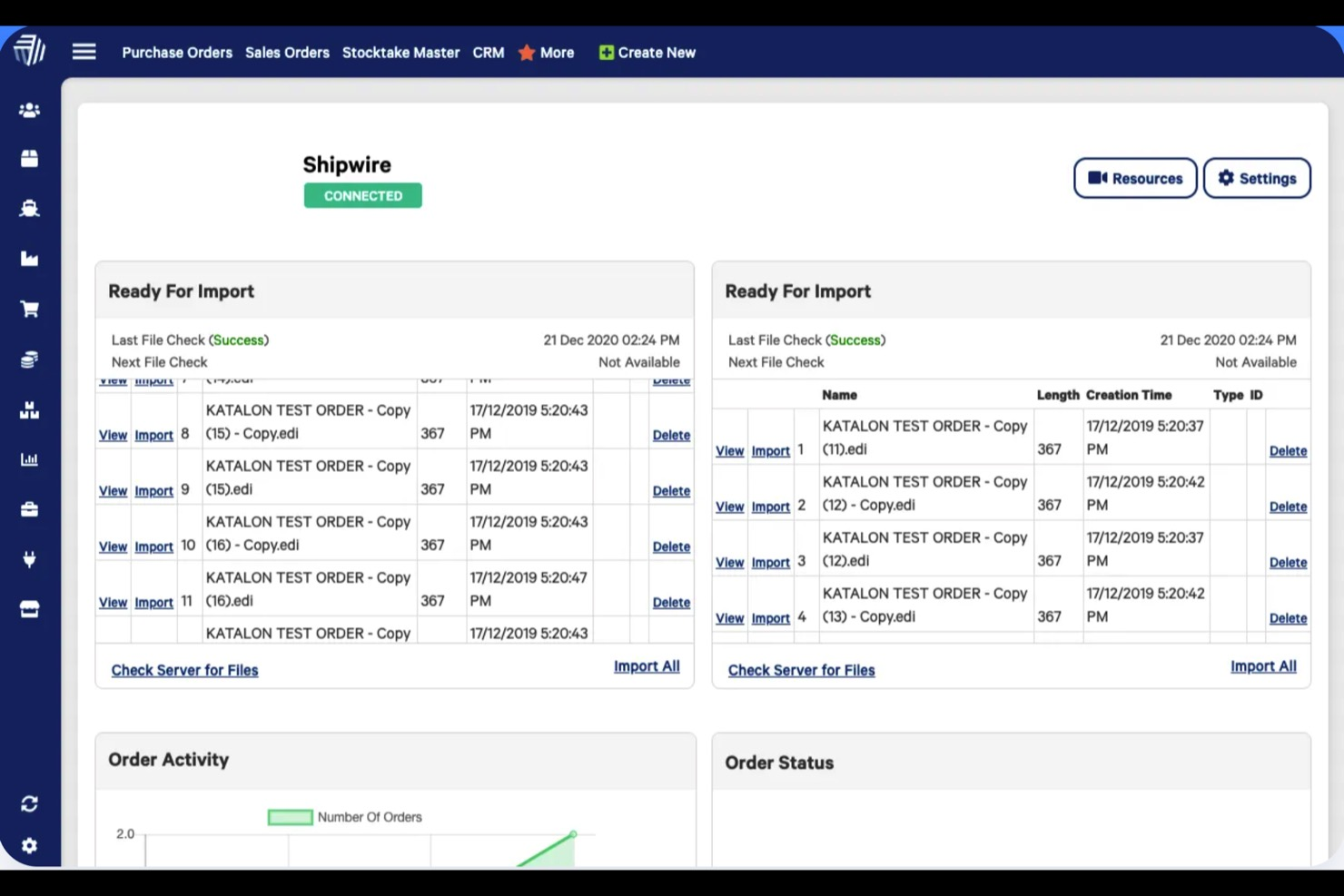
Cin7 Core is built for product-based businesses that want warehouse staff working off the same live data as finance, purchasing, and ecommerce.
It suits growing retailers, wholesalers, and light manufacturers that need barcode-driven picking, guided walk paths, and multi-location control without bolting a separate WMS onto their stack.
Why I Picked Cin7 Core
I picked Cin7 Core because its WMS mobile app connects directly to your core inventory, so pickers always work from real-time stock levels and bin locations.
You reduce mis-picks through barcode scanning and order validation, with the app verifying items and quantities as your team moves through the warehouse.
Guided walk paths and tote-based picking help your team follow efficient routes, backed by bin and zone configuration, so you can cut walking time while still honoring complex layouts. Directed put away uses bin rules to send staff to the right locations during receiving, pairing faster onboarding with clear on-screen instructions.
I also like that you can handle serial and lot tracking, kitting, and label printing inside the same WMS workflow, so your warehouse doesn’t have to juggle separate tools for specialty inventory.
Cin7 Core Key Features
In addition to the WMS app and guided picking tools, there are a few features that make day-to-day warehouse operations easier to control.
- Stocktake And Cycle Counts: Run full or location-specific counts from the WMS app so staff can scan items on the floor while inventory updates flow back into Cin7 Core.
- Stock Transfer And Bin Moves: Manage inter-warehouse transfers and bin-to-bin moves in-app, keeping location-level availability accurate for purchasing and sales.
- Receiving And Put Away Tasks: Create receiving tasks with directed put away steps so staff can log incoming goods, capture lot/serial data, and park items in the right bins in one flow.
- Time Tracking For Warehouse Tasks: Track time spent picking and packing from within the app so you can see which workflows or locations slow down fulfillment.
Cin7 Core Integrations
Integrations include Shopify, Amazon, eBay, WooCommerce, Etsy, QuickBooks Online, Xero, and ShipStation.
Pros and Cons
Pros:
- Supports serial and lot tracking for regulated or high-value inventory.
- Guided walk paths, zones, and bins help optimize routes in larger warehouses.
- Mobile WMS app with barcode scanning reduces picking and receiving errors.
Cons:
- Initial setup of bins, zones, and integrations can be time-intensive for new teams.
- Advanced WMS features require higher-tier Cin7 Core plans.


SphereWMS is built for 3PLs, distributors, and ecommerce retailers that live or die by accurate inventory and fast turns.
You get real-time control over inbound, storage, and outbound activity across multiple clients and locations, so you’re not piecing together stock visibility from spreadsheets and carrier portals.
Why I Picked SphereWMS
I picked SphereWMS because it gives you clear, real-time inventory visibility across multi-client and multi-warehouse operations through cloud access and mobile apps.
Your team can receive product the way your building actually runs using rules-based receiving, ARN/ASN handling, and guided put-away that reflect your dock and location logic.
For inventory control, barcode scanning, cycle counting, and inquiry tools help you catch discrepancies at the bin level instead of finding them during audits.
I also like that you can encode customer-specific picking and packing rules into the order management workflows, so high-volume clients get exactly what they require without manual checklists.
Between EDI, carrier, and ecommerce connectors, it works well for operators who sit between brands and end customers and need one source of truth for on-hand and in-transit stock.
SphereWMS Key Features
Here are a few warehouse-specific capabilities that matter once you’re past basic inventory tracking.
- 3PL Billing And Rating: Capture storage, handling, and activity-based charges directly from warehouse events so 3PL invoices actually match what happened on the floor.
- Replenishment And Tasks: Use location and min/max rules to generate directed replenishment tasks and keep pick faces stocked without constant supervisor intervention.
- Kitting And Light Assembly: Support bundled SKUs, pre-packs, and simple assembly work while keeping component and finished-goods inventory in sync.
- Dashboards And Alerts: Configure dashboards and exception alerts so supervisors can spot bottlenecks, aging orders, or low inventory in real time.
SphereWMS Integrations
Integrations include QuickBooks, NetSuite, SAP, JD Edwards, Shopify, Magento/Adobe Commerce, WooCommerce, UPS, FedEx, and Amazon FBA/Seller Central.
Pros and Cons
Pros:
- Multi-client, multi-warehouse structure fits 3PLs and complex networks.
- Rules-based receiving and put-away reduce dock-to-stock time.
- Mobile app supports barcode scanning for inventory, picking, and counts.
Cons:
- Customization for edge cases can require vendor or IT support.
- Interface feels dated compared to newer WMS options.
Other Warehouse Management Software
These are the rest of my selections for the best warehouse management software.
- Agiliron
For CRM integration
- TradeGecko
For QuickBooks inventory integration
- Zoho Inventory
For ease of use
- 3PL Warehouse Manager
For customer-specific charge tracking
- Infor
For product-centric enterprises
- Tecsys
For scalability
- Shipedge
For kitting and manufacturing
- Fishbowl Warehouse
For automated inventory purchasing
- Clear Spider
For vendor‑managed inventory visibility
- Channel Advisor
For product data management tools
- SnapFulfil
For 3PL functionality


Related Ecommerce Software Reviews
If you still haven't found what you're looking for here, check out these tools related to warehouse management software that we've tested and evaluated.
- Ecommerce Platforms
- Inventory Management Software
- Payment Processing Software
- Shopping Cart Solutions
- Order Management Systems
Our Selection Criteria for Warehouse Management Software
Selecting the right warehouse management system (WMS) is crucial for businesses aiming to enhance their warehouse operations' efficiency and accuracy.
Through hands-on trials and comprehensive research, we've crafted a set of criteria that align with the specific needs, pain points, and operational goals of businesses seeking to optimize their warehouse operations.
Core WMS functionality (25% of total weighting score)
To be considered for inclusion on my list of the best warehouse management software, the solution had to support the ability to fulfill common use cases:
- Real-time inventory tracking and management across multiple warehouse locations.
- Efficient processing of receiving, putaway, picking, and shipping operations.
- Seamless integration with barcode scanners and RFID technology for inventory accuracy.
- Comprehensive order management from receipt to fulfillment.
- Detailed reporting and analytics for actionable insights into warehouse operations.
Additional standout features (25% of total weighting score)
Identifying software that offers unique features not provided by the competition involved looking for:
- Advanced AI and machine learning capabilities for predictive analytics and demand forecasting.
- Robust support for complex warehouse operations such as cross-docking and wave picking.
- Integration with drones or automated guided vehicles (AGVs) for inventory counts and surveillance.
- Customizable dashboards and user interfaces tailored to various roles within the warehouse.
- Environmental sustainability features, such as optimized routes within the warehouse to reduce energy consumption.
Usability (10% of total weighting score)
When evaluating usability, key considerations included:
- An intuitive user interface that simplifies complex warehouse operations.
- Customizable workflows that can be tailored to match specific operational processes.
- Mobile compatibility, allowing staff to access the system from handheld devices on the warehouse floor.
Onboarding (10% of total weighting score)
For onboarding, essential aspects were:
- Comprehensive training materials, including videos, documentation, and live webinars.
- Interactive onboarding experiences, such as product tours that guide users through key features.
- Responsive support teams available to assist with setup and customization.
Customer support (10% of total weighting score)
Effective customer support was assessed by:
- Multi-channel support options, including phone, email, live chat, and a knowledge base.
- Availability of a dedicated account manager for personalized assistance.
- A community forum or user group for peer advice and best practices sharing.
Value for money (10% of total weighting score)
Assessing value for money involved looking at:
- Transparent pricing models that clearly outline the features and support included at each price point.
- Flexibility in pricing plans to accommodate businesses of different sizes and needs.
- The inclusion of critical features in the base price, minimizing the need for expensive add-ons.
Customer reviews (10% of total weighting score)
In evaluating customer reviews, focus was placed on:
- Positive feedback regarding the system's impact on warehouse efficiency and inventory accuracy.
- User testimonials highlighting the software's ease of use and customer support quality.
- Case studies demonstrating successful implementation and tangible benefits realized by users.
This criteria framework ensures that the selected warehouse management software not only covers the foundational needs for efficient warehouse operations but also stands out with innovative features that can significantly enhance operational efficiency, provide a superior user experience, and offer great value.
What is Warehouse Management Software?
Warehouse management software is a cloud-based system that orchestrates inventory, order fulfillment, and reporting across one site or an entire global network.
It leverages AI-powered forecasting, IoT sensors, robotics, and voice-picking on mobile scanners to automate receiving, picking, packing, and shipping with pinpoint accuracy.
Retailers, manufacturers, and 3PLs use modern warehouse order management systems to handle industry-specific workflows—whether cold-chain compliance, high-volume ecommerce, or custom batch production—so you scale efficiently without the manual headaches.
How to Choose Warehouse Management Software
Picking the right WMS doesn’t have to feel like blind dates with a dozen vendors. Nail down your must-haves, run the software through its paces, and make sure it fits your world—not the other way around.
Use this roadmap to turn your shopping trip into a smooth, no-BS decision.
| Step | What to evaluate | Pro tip |
|---|---|---|
| 1. Define your pain points | List your biggest headaches (stockouts, picking errors, slow growth, global SKUs) and rank them. | Be ruthless—if real-time visibility isn’t a blocker, don’t sweat features tied to it. |
| 2. Map your tech ecosystem | Check integrations with your ERP, ecommerce platform, TMS, CRM, plus voice-picking devices and IoT sensors. | A killer WMS with zero API hooks is just a pretty UI. Demand open-ended connectivity. |
| 3. Test voice-picking & mobile | Run through picking, cycle counts, and put-away on actual scanners or mobile apps. | If your pickers can’t talk back to the system hands-free, you’ll lose more time than you save. |
| 4. Assess cloud & global reach | Verify data-center locations, uptime SLAs, multi-site management, and local compliance (GDPR, CCPA, customs). | “Cloud” without geo-redundancy is just a fancy data hostage situation. |
| 5. Vet industry-specific modules | Look for features built for your niche—cold chain, batch tracking, kitting, pharma compliance, 3PL billing. | Generic ≠ good. Your vertical quirks deserve dedicated workflows. |
| 6. Future-proof vs future flop | Ask about AI/ML roadmaps, robotics integration, voice-picking updates, and IoT expansions. | If their “innovation pipeline” is radio silence for the past two years, move on. |
Next step: Use this chart as your vendor vetting cheat sheet—score each demo on these dimensions, then go with the system that ticks the most boxes (and still makes you smile).
Trends in Warehouse Management Software for 2025
Warehouse management is sprinting into the future, but not every shiny feature delivers the ROI it promises. Here’s what actually matters in 2025—and what you can call BS on:
- Smart automation—AI, robotics & IoT. Focus on AI-driven demand forecasts and IoT sensor alerts that actually cut stockouts and shrinkage, not just hype up your quarterly investor deck.
- Cloud-based SaaS & scalability. Demand geo-redundancy, elastic scaling for seasonal spikes, and predictable subscription pricing—because “cloud” in a single data center is just a fancy outage waiting to happen.
- Voice-picking & mobile-first ops. If your team still juggles clipboards and scanners, you’ve missed the point; voice-guided picking on rugged devices cuts errors by up to 35% and keeps hands—and throughput—free.
- Global reach & multi-site management. Your WMS should handle localized regs (GDPR, customs), multi-currency, and time-zone quirks—otherwise you’re building a Frankenstein stack of regional tools.
- Industry-specific modules. Cold-chain compliance, batch tracing for pharma, or 3PL billing engines: pick a platform built for your vertical, not one retrofitted to your nightmares.
- Predictive maintenance & ML roadmaps. Ask vendors for a 12-month feature calendar—predictive equipment alerts, machine-learning slotting, and voice-tech updates rolling out—not “maybe someday” vaporware.
Features of Warehouse Management Software
Here’s what modern WMS platforms bring to the table—no fluff, all must-haves:
- Real-time inventory tracking. Leverage barcodes, RFID, and IoT sensors to know exactly what’s on your shelves across all sites—no more “ghost stock.”
- Automated order fulfillment. From picking through packing and shipping, workflows fire off based on rules you set, cutting manual steps and mistakes.
- AI-driven forecasting. Machine-learning models analyze seasonality, sales velocity, and returns to predict demand—so you stock smarter, not harder.
- Voice-picking & mobile scans. Hands-free picking on rugged devices speeds up cycle counts and order assembly, freeing your team from clipboards and guesswork.
- Robotics integration. Plug in conveyor bots, AS/RS shuttles, or AMRs to handle repetitive hauls—your staff focuses on exception management, not pallet shuffles.
- Cloud scalability & redundancy. Geo-distributed SaaS keeps your data live worldwide, scales on demand during peak seasons, and slashes IT headaches.
- Global multi-site visibility. Manage warehouses in New York, London, or Tokyo from one pane—complete with multi-currency, customs, and GDPR compliance.
- Industry-specific workflows. Built-in modules for cold-chain, pharma batch tracking, food-grade compliance, or 3PL billing—so you don’t shoehorn generic features.
- Advanced reporting & analytics. Dashboards, customizable KPIs, and drill-downs surface bottlenecks—from picker performance to order-to-ship times—so you fix issues fast.
- Seamless integrations. Open APIs and prebuilt connectors sync with ERP, ecommerce, TMS, CRM, and voice systems—because a WMS that lives in a silo is dead on arrival.
Benefits of Warehouse Management Software
Here’s what you actually gain when you flip the switch on a modern WMS:
- Improved inventory accuracy. Real-time IoT and RFID tracking slashes stockouts and phantom stock—so you stop overordering and underdelivering.
- Faster order fulfillment. Automated pick/pack workflows, voice-guided picking, and robotics integration speed throughput and crush SLAs.
- Better space utilization. AI-driven slotting recommendations optimize storage layouts—fewer wasted aisles, more picks per square foot.
- Scalable global operations. Cloud-native SaaS with geo-redundancy and multi-site dashboards means you can launch in new regions without IT meltdowns.
- Industry-tailored compliance. From cold-chain temperature logs to pharma batch tracing and 3PL billing, built-in modules keep you audit-ready.
- Data-driven decision-making. Custom dashboards and ML-powered analytics surface hidden bottlenecks—letting you pivot before small issues snowball.
- Reduced labor costs. Voice-picking and mobile scans free hands and minds, cutting picker errors by up to 35% and trimming overtime.
- Future-proof flexibility. Regular cloud updates deliver new AI, voice, and robotics features—no forklift upgrades required.
Cost & Pricing of Warehouse Management Software
As with other ecommerce software, WMS providers offer a range of plans for the range of business sizes, needs, and budgets.
There are even free plans for many tools, which are great for brands just getting started or bigger brands wanting to try a WMS out.
As you move up the plan tiers, you get more advanced inventory and order management features, custom integrations, better customer support, automation and AI features, and powerful reporting capabilities.
In the below comparison table, you can see how features shake out for each general plan type and the types of businesses best served by each.
Plan comparison table for warehouse management software
| Plan Type | Average Price | Common Features Included | Best For |
|---|---|---|---|
| Free | $0 | - Basic inventory tracking - Limited orders per month - Community or forum support - Access to foundational features only | Small startups or hobbyists |
| Starter | $50 - $200/month | - Basic inventory tracking - Manual order entry - Basic reporting - Email support | Small to medium businesses |
| Professional | $200 - $800/month | - Advanced inventory management - Barcode scanning - Order management - Basic integrations (ecommerce platforms) - Phone and email support | Growing businesses |
| Enterprise | $800 - $2500+/month | - Comprehensive inventory and order management - Advanced reporting and analytics - Custom integrations (e.g., ERP, CRM) - Automation and AI capabilities - Dedicated account manager - 24/7 support | Large businesses and enterprises |
| Custom | Custom Pricing | - Tailored features based on business needs - Scalability options - Advanced automation and AI - High-level custom integrations - Premium support and consultancy | Enterprises with specific needs |
Whatever plan you choose, you'll want to be aware of the tiers above so you can accommodate future growth. You need a solution that scales with you.
Warehouse Management Software FAQs
Here are answers to some frequently asked questions about warehouse management, warehousing software, and the best practices of warehousing.
How long does it take to implement a WMS and what’s involved?
Most rollouts take six to sixteen weeks, give or take headaches, surprises, and how many spreadsheets you’ve been hoarding.
You’ll be planning, configuring, scrubbing ancient data, training your crew, and pressure-testing every barcode scanner in a real warehouse. Pick a vendor that brings actual onboarding muscle, not just a pretty PDF. Good ones cut the time—and the swearing—in half.
How do I know if my business is ready to upgrade from spreadsheets to a WMS?
If you’re hunting for inventory that should’ve arrived last week, drowning in manual counts, or losing sleep over misshipments, it’s time.
Once your mistakes are costing you more than the software would, or you’re managing more SKUs than your head (or team) can remember, move on. A WMS scales what works—and ditches what breaks—faster than a color-coded spreadsheet ever will.
What integrations should I prioritize when choosing warehouse management software?
Don’t get dazzled by bells and whistles. Focus on what keeps product and data moving: reliable ERP, ecommerce platform, shipping carrier, and accounting tool integrations.
Want to stay ahead of headaches? Get real about EDI, supplier links, and your POS—or you’ll be double-keying orders at 2 a.m. Make your WMS play nice with tech you use all day, not just what looks shiny in demo slides.
How secure and compliant are cloud-based WMS solutions?
Most top-shelf cloud WMS options are locked down with SOC 2 or ISO 27001 badges, robust regional data centers, and built-in tools for GDPR or CCPA compliance.
You get real security without babysitting servers. Still, don’t take their word for it—ask about uptime guarantees and where your data actually lives. Trust, but verify. You’ll sleep better.
How can a WMS help reduce picking and shipping errors?
Good WMS systems kill “I thought that went out” errors. They guide pickers with real-time instructions, barcode scans, and foolproof checks. No more guesswork and way fewer mispacks.
Plus, they track every move, so you know who grabbed what, when, and where. If mistakes happen, you fix them fast—and keep customers from calling you to fix your own mess.
What are common pitfalls during WMS implementation, and how do I avoid them?
Here’s how most teams blow it: They underestimate data cleanup, skip hands-on training, ignore integration quirks, and try to roll out everything at once. The fix? Be brutal about testing, get your crew in the system early, and keep scope tight. A phased launch runs smoother—and nobody quits in a huff.
Can one WMS handle warehouses in multiple countries?
Absolutely—but only if it’s built for it. A truly global system will manage multi-currency orders, local tax rules, customs documentation, and offer localized UIs or language packs. If your demo feels like a U.S. tool shoehorned into other markets, you’ll end up bolting on regional add-ons and overhead.
Additional Warehouse Software Reviews
There are different types of warehouse management software. Here are additional software reviews in case one of them better supports your niche.
- Open Source Warehouse Management Systems
- Best Fulfillment Services (to outsource warehousing)
- Inventory Management Systems
- Pick and Pack Software
Optimize Your Warehouse With Better Tools
You've seen how the right WMS—backed by cloud scalability, AI/IoT insights, voice-picking, global multi-site chops, and industry-specific modules—turns warehouse headaches into smooth, predictable growth.
Our comprehensive guide to cloud-based warehouse management systems can help you find the perfect solution. Now it’s time to put theory into action:
- Demo the top contenders. Book a walkthrough of the platforms that tick your critical boxes.
- Score them against your real-world workflows. Use our How-to-Choose cheatsheet to benchmark picking, reporting, and compliance.
- Talk costs and timelines. Get crystal-clear quotes on add-ons like mobile licenses, industry packs, and geo-redundant hosting.
Ready to dock your chaos and deliver consistent results? Scroll up to our Top 10 list, grab those demo links, and let’s get your warehouse running like clockwork.
Retail never stands still—and neither should you. Subscribe to our newsletter for the latest insights, strategies, and career resources from top retail leaders shaping the industry.