
13 Retail ERP Software for 2026

Retail ERP Software Shortlist
Here's my pick of the 10 best software from the 13 tools reviewed.


Retail ERP software is a type of business management platform that connects inventory, sales, purchasing, finance, and customer data across your retail business operations. If you’re searching for the best retail ERP software, you’re likely looking to improve inventory accuracy, unify your sales channels, increase operational efficiency, minimize repetitive tasks, and gain real-time visibility into your business processes. With so many options available, choosing the right system can make the difference between smooth growth and costly setbacks. This guide will help you compare top retail ERP solutions for 2026, so you can find the right fit for your team’s needs and your business goals.
Why Trust Our Software Reviews
Best Retail ERP Software Summary
This comparison chart summarizes pricing details for my top retail ERP software selections to help you find the best one for your budget and business needs.
| Tool | Best For | Trial Info | Price | ||
|---|---|---|---|---|---|
| 1 | Best for multi-location inventory management | Free demo available | Pricing upon request | Website | |
| 2 | Best for cloud-based retail scalability | Free demo available | Pricing upon request | Website | |
| 3 | Best for omnichannel retail operations | Free demo available | Pricing upon request | Website | |
| 4 | Best for fashion and apparel retailers | Free demo available | Pricing upon request | Website | |
| 5 | Best for specialty retail businesses | Free demo available | Pricing upon request | Website | |
| 6 | Best for rapid implementation timelines | Free demo available | Pricing upon request | Website | |
| 7 | Best with open-source customization options | Free demo available | Pricing upon request | Website | |
| 8 | Best for real-time analytics in retail | Free demo available | Pricing upon request | Website | |
| 9 | Best with Microsoft ecosystem integration | 30-day free trial available | From $65/user/month (billed annually) | Website | |
| 10 | Best for large-scale enterprise deployments | Free demo available | Pricing upon request | Website |
Retail ERP Software Reviews
Below are my detailed summaries of retail ERP software that made it onto my shortlist. My reviews offer a detailed look at the features, best use cases, and integrations of each platform to help you find the best one for you.
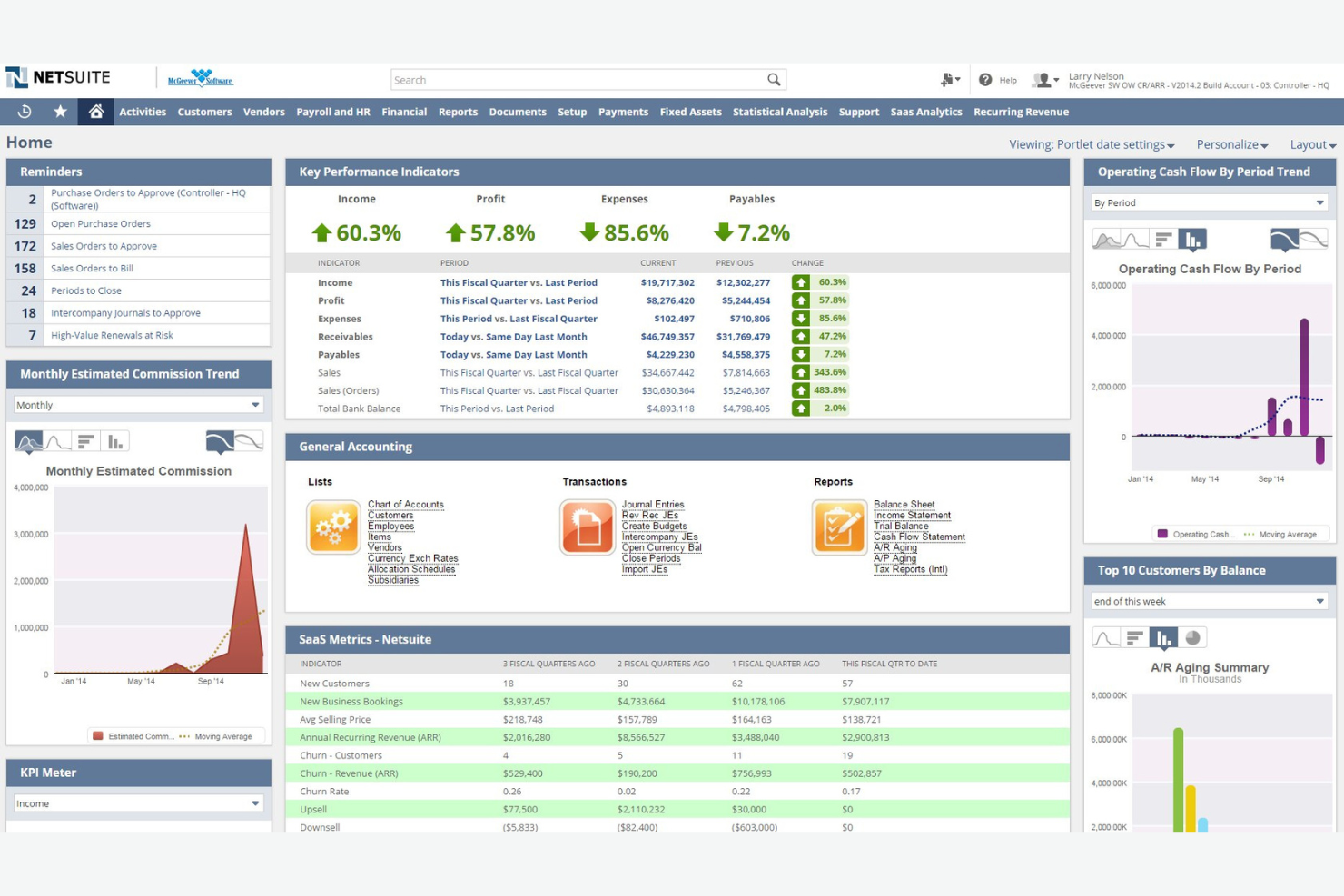
NetSuite is a cloud-based ERP platform designed for retailers managing inventory across multiple locations. It’s a strong fit for businesses that need real-time visibility into stock, sales, and fulfillment at scale. If you’re looking to unify your operations and reduce inventory discrepancies between stores and channels, NetSuite offers specialized tools for these challenges.
Why I Picked NetSuite
For retailers juggling inventory across several locations, NetSuite stands out for its advanced multi-location inventory management capabilities. I picked NetSuite because it lets you track stock levels, transfers, and reorder points in real time across warehouses, stores, and online channels. The platform’s automated replenishment and centralized inventory visibility help reduce stockouts and overstock situations. These features make NetSuite a strong choice for businesses that need to coordinate inventory efficiently as they scale.
NetSuite Key Features
Some other features in NetSuite that are useful for retail teams include:
- Point-of-sale (POS) integration: Connects in-store sales data directly to your ERP for unified reporting and inventory updates.
- Order management: Manages orders from multiple channels, including online, in-store, and phone, in a single system.
- Customer relationship management (CRM): Tracks customer interactions, purchase history, and preferences within the same platform.
- Financial management: Handles accounting, invoicing, and financial reporting alongside retail operations.
NetSuite Integrations
Integrations include Salesforce, Shopify, Jira, HubSpot, and Zendesk.
Pros and Cons
Pros:
- Native POS capabilities
- Highly scalable cloud
- Robust financial tools
Cons:
- Support can be slow
- Overkill for small biz

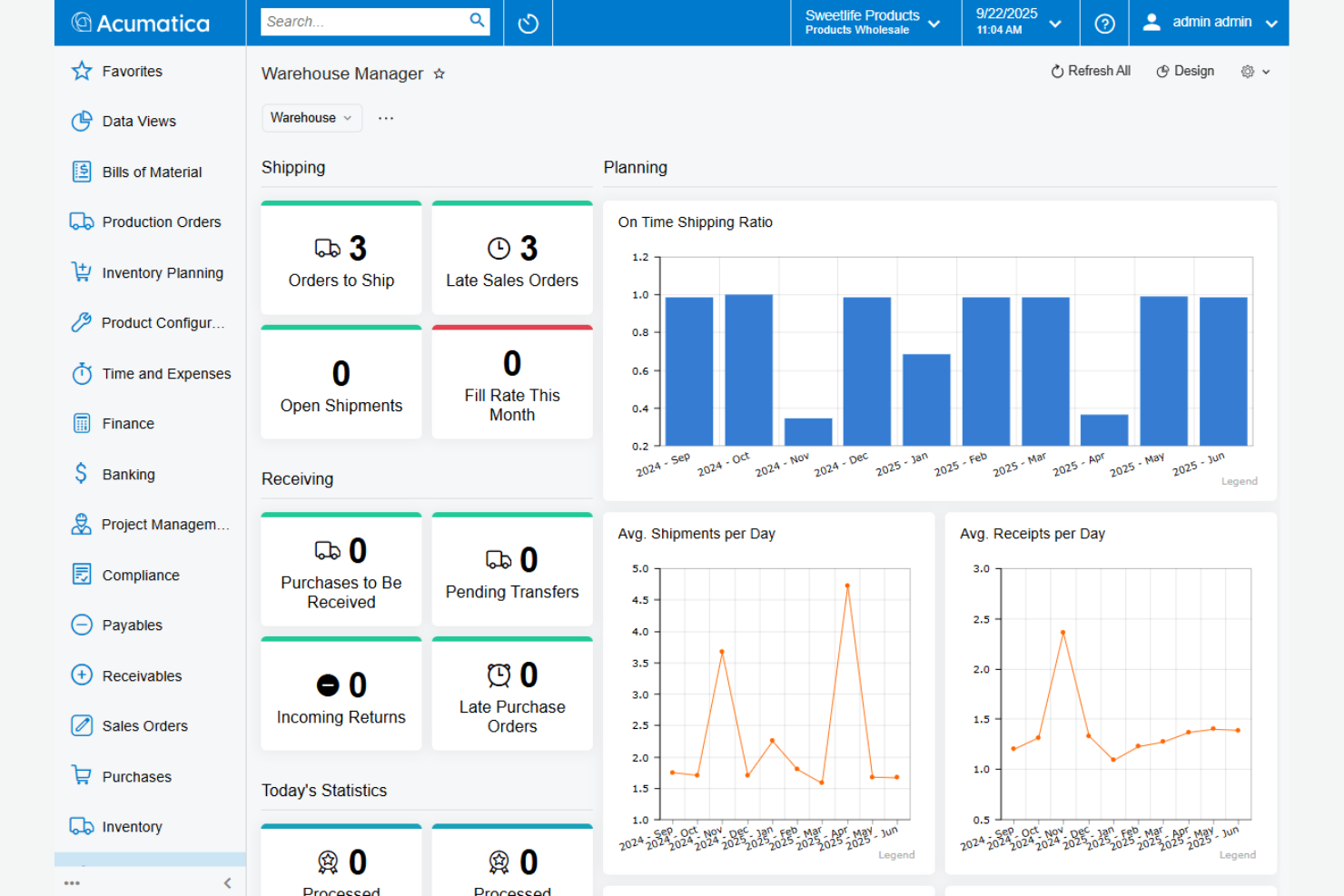
Acumatica offers a cloud-based ERP platform built for retailers who need to scale quickly and manage multiple channels. It’s especially useful for businesses with growing ecommerce, brick-and-mortar, and wholesale operations that want unified inventory and order management. With flexible deployment and real-time data access, Acumatica helps retail teams adapt to changing demand and sales patterns.
Why I Picked Acumatica
What sets Acumatica apart for retail ERP is its focus on cloud-based scalability, which is essential for retailers with fluctuating sales volumes and multiple sales channels. I picked Acumatica because it lets you manage inventory, orders, and customer data in real time across ecommerce, in-store, and wholesale operations. The platform’s flexible deployment options and resource-based pricing model make it easier for growing retailers to expand without major IT overhauls. If your business needs to quickly adapt to seasonal spikes or new sales channels, Acumatica’s cloud architecture is built to support that growth.
Acumatica Key Features
In addition to its scalability, there are several other features that retail teams may find valuable:
- Integrated point-of-sale (POS) system: Connects in-store transactions directly to your ERP for unified sales tracking.
- Automated purchasing workflows: Streamlines vendor management and purchase order approvals within the platform.
- Customer relationship management (CRM): Tracks customer interactions, sales history, and marketing activities in one place.
- Role-based dashboards: Provides tailored views and analytics for different team members, from store managers to finance leads.
Acumatica Integrations
Integrations include Shopify, BigCommerce, Salesforce, HubSpot, Power BI, and Adobe Sign.
Pros and Cons
Pros:
- Flexible cloud deploy
- Strong native e-commerce
- Usage-based pricing
Cons:
- Smaller global network
- Module costs add up

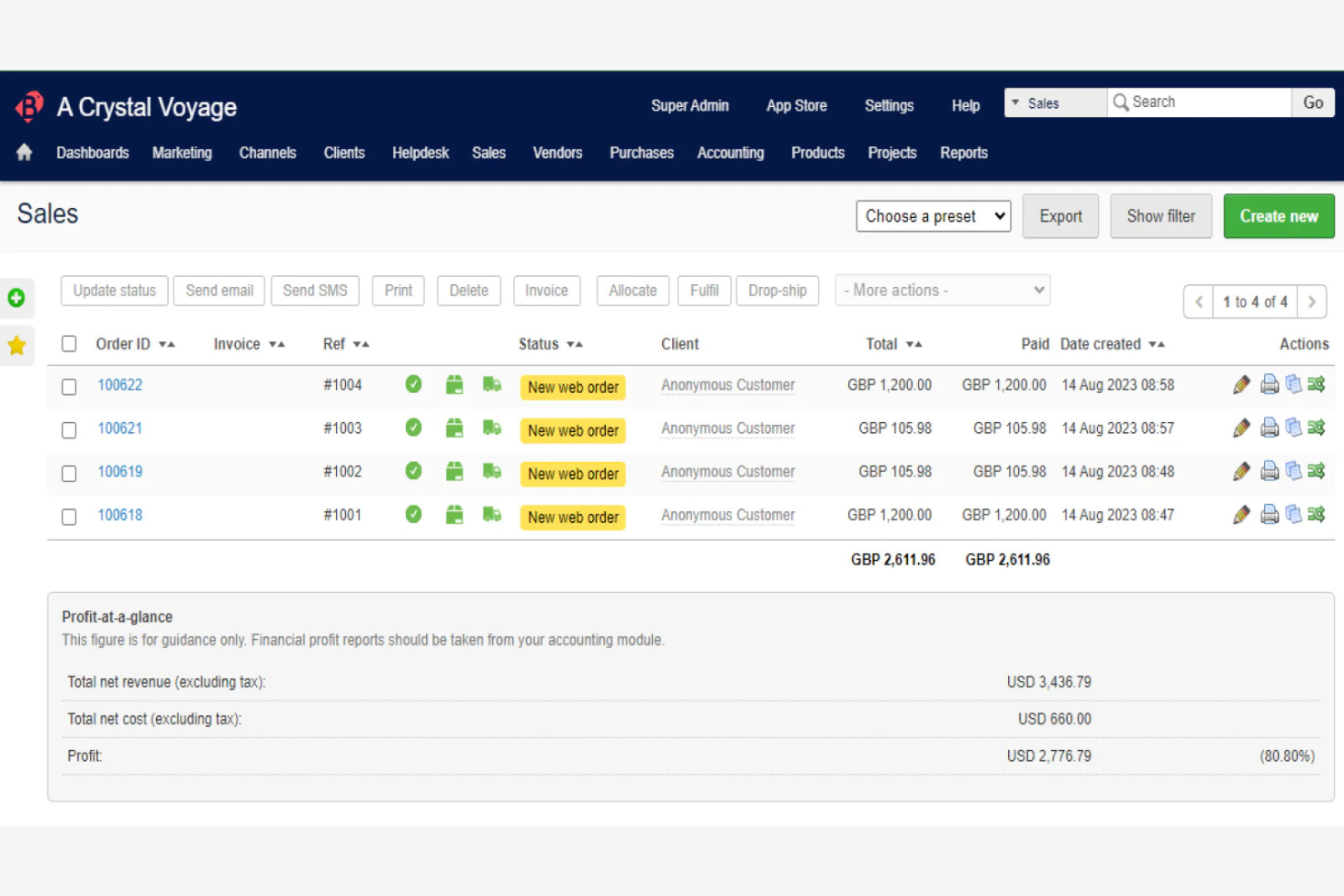
Brightpearl is purpose-built for retailers and wholesalers who need to manage sales, inventory, and fulfillment across multiple channels. It’s especially useful for businesses that want to automate workflows between their online stores, marketplaces, and physical locations. If you’re looking to centralize operations and keep up with the demands of omnichannel retail, Brightpearl offers tools designed for that complexity.
Why I Picked Brightpearl
What sets Brightpearl apart is its focus on supporting true omnichannel retail operations. I picked Brightpearl because it connects your sales, inventory, and fulfillment data across online stores, marketplaces, and brick-and-mortar locations in real time. The platform’s automated order routing and centralized inventory management help you avoid overselling and keep stock levels accurate everywhere you sell. For retailers who need to coordinate multiple channels without manual workarounds, Brightpearl’s features are built for that complexity.
Brightpearl Key Features
In addition to its omnichannel coordination, I also found these features worth noting:
- Integrated accounting: Handles financials, invoicing, and reporting within the same platform as your retail operations.
- Supplier management: Tracks purchase orders, supplier performance, and delivery timelines for better procurement control.
- Automated dropshipping workflows: Supports direct-to-customer shipping from suppliers without manual intervention.
- Real-time analytics dashboard: Provides up-to-date sales, inventory, and performance metrics in a single view.
Brightpearl Integrations
Integrations include Shopify, BigCommerce, Amazon, ShipStation, and Walmart.
Pros and Cons
Pros:
- Real-time stock counts
- Great automation rules
- Fast implementation time
Cons:
- Custom reporting is weak
- Not a full-scale ERP

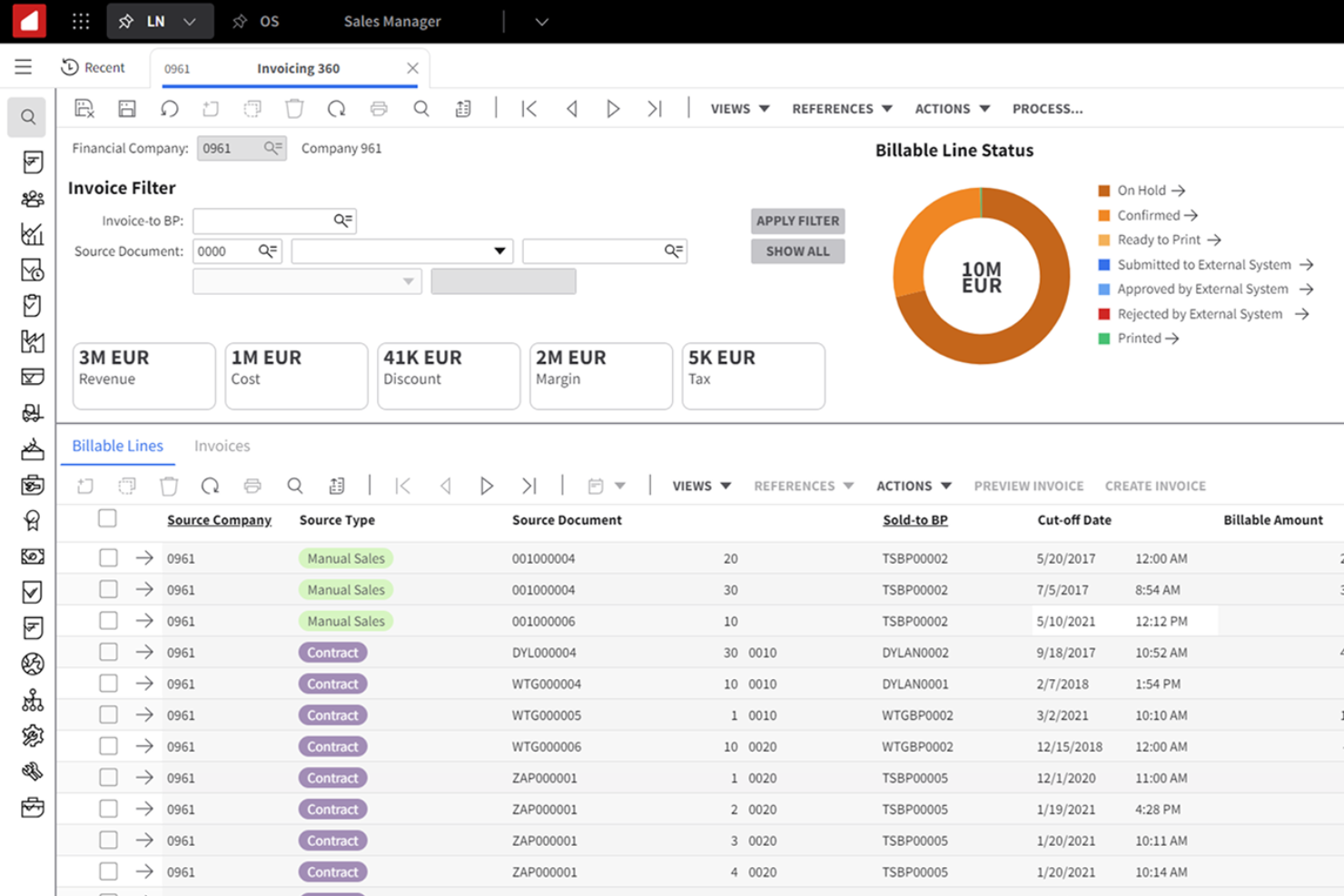
Infor offers a retail ERP platform tailored for fashion and apparel brands that need to manage fast-changing styles, seasonal collections, and global supply chains. It’s especially useful for retailers and wholesalers who juggle complex assortments, multiple sales channels, and rapid product lifecycles. Infor helps these businesses coordinate design, sourcing, inventory, and merchandising in one system built for the pace of fashion.
Why I Picked Infor
What sets Infor apart for fashion and apparel retailers is its focus on managing the fast pace and complexity of this industry. I picked Infor because it offers style and season management tools that help you track collections, colorways, and size runs across multiple channels. The platform also supports global sourcing and supply chain visibility, which is essential for brands working with international suppliers and fluctuating demand. For businesses that need to coordinate design, production, and merchandising in one place, Infor’s specialized features make it a strong choice.
Infor Key Features
I also found several other features that fashion and apparel retailers may find valuable:
- Assortment planning tools: Lets you build, visualize, and adjust product assortments by channel or region.
- Integrated POS system: Connects in-store sales with inventory and customer data in real time.
- Omnichannel order management: Manages orders and fulfillment across ecommerce, stores, and marketplaces.
- Vendor collaboration portal: Provides a shared workspace for communicating and managing orders with suppliers.
Infor Integrations
Integrations include Salesforce, Microsoft Dynamics, SAP, Oracle, AWS, and PayPal.
Pros and Cons
Pros:
- Advanced demand planning
- Deep fashion retail tech
- Beautiful user interface
Cons:
- High mid-market pricing
- Complex external syncs

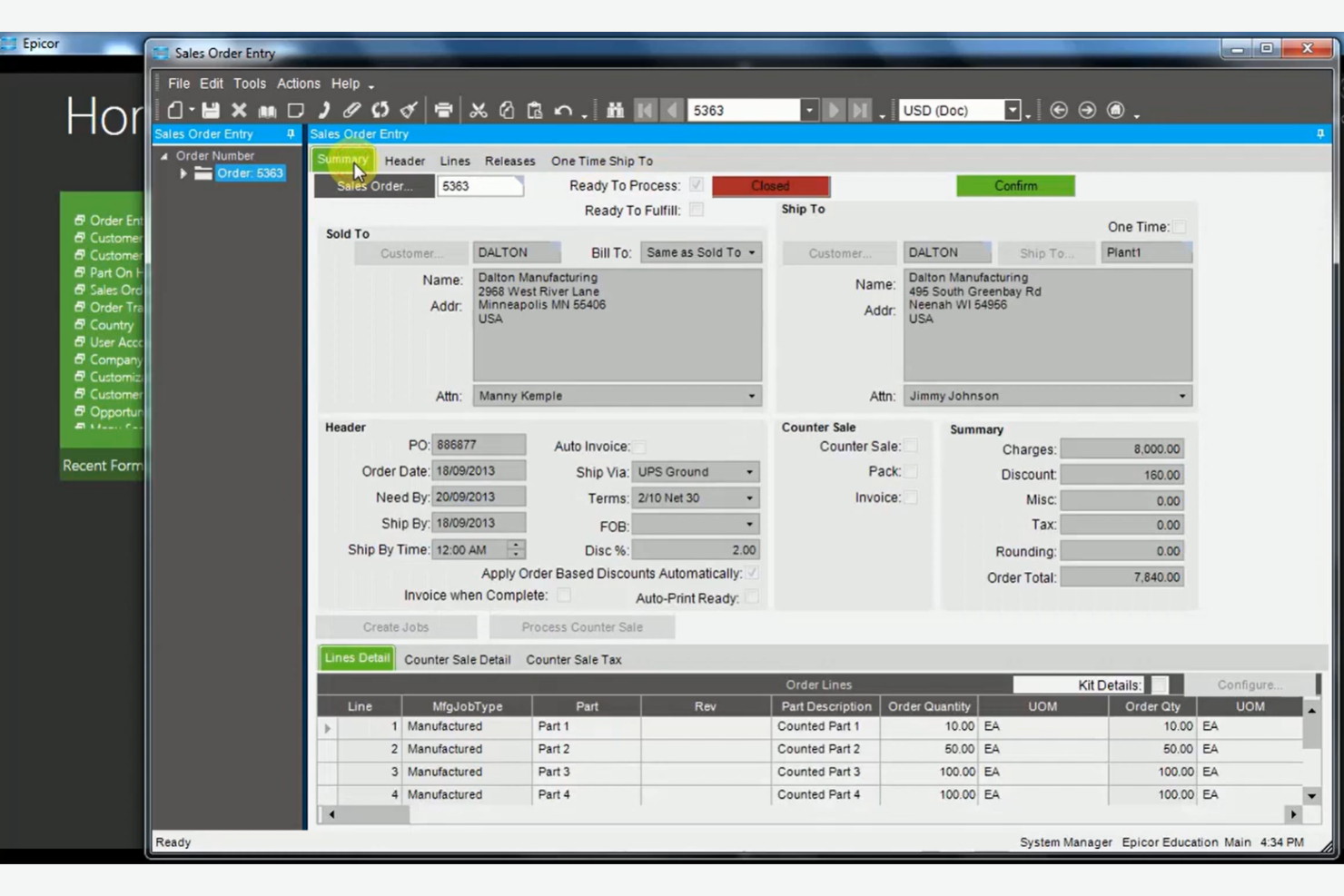
Epicor is designed for specialty retailers who need ERP software tailored to unique inventory, service, and customer requirements. It’s a strong fit for businesses like hardware stores, garden centers, and automotive retailers that manage complex product assortments and in-store services. Epicor helps these retailers handle specialized inventory, supplier relationships, and customer loyalty programs all in one system.
Why I Picked Epicor
Epicor stands out for specialty retail businesses because it’s built to handle the unique inventory and service needs these retailers face. I picked Epicor since it supports complex product catalogs, including serialized items and kits, which are common in hardware, garden, and automotive stores. The platform also offers built-in tools for managing in-store services, such as repairs or custom orders, alongside traditional retail operations. For retailers who need to track specialized inventory and deliver tailored customer experiences, Epicor’s industry-specific features make it a strong fit.
Epicor Key Features
Some other features that specialty retailers may find useful include:
- Advanced promotions engine: Lets you set up and manage complex discounts, coupons, and loyalty offers.
- Omnichannel order management: Coordinates orders across online, in-store, and mobile channels in one system.
- Supplier integration tools: Connects directly with suppliers for automated replenishment and purchase orders.
- Workforce management module: Schedules staff, tracks time, and manages labor costs within the ERP.
Epicor Integrations
Integrations include Salesforce, AutoCAD, SolidWorks, Microsoft Office, and Amazon Web Services.
Pros and Cons
Pros:
- Good warehouse control
- Built-in CRM features
- Excellent supply chain
Cons:
- Upgrades can be messy
- Better for manufacturing

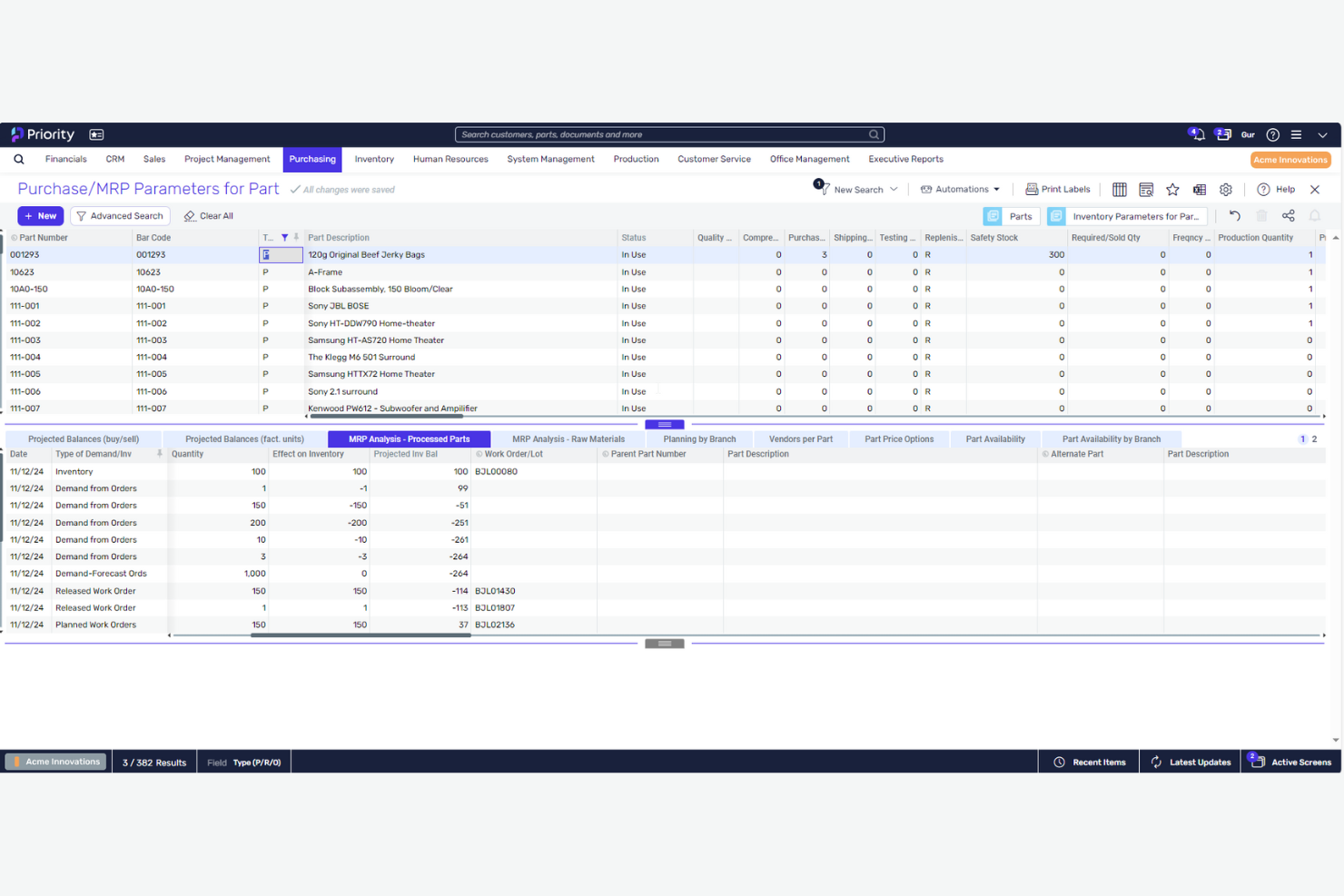
Priority is designed for retailers who need to get up and running with ERP software quickly, without long deployment cycles. It’s a good fit for businesses that want a modular system they can tailor to their operations, whether they run a single store or a multi-location chain. Priority helps teams centralize inventory, sales, and purchasing processes so they can move fast and adapt as they grow.
Why I Picked Priority
For retailers who need to move quickly, Priority stands out for its rapid implementation timelines and modular approach. I picked Priority because it offers pre-configured industry templates and guided onboarding, which help businesses get started without lengthy setup. The platform’s modular structure lets you activate only the features you need, so you can scale or adapt as your business changes. This makes Priority a strong choice for retailers who want to minimize downtime and start managing inventory, sales, and purchasing right away.
Priority Key Features
Some other features that retail teams may find useful include:
- Multi-location inventory management: Tracks stock levels and movements across multiple stores or warehouses.
- Integrated point-of-sale (POS) system: Connects in-store transactions directly to your ERP data.
- Automated purchasing workflows: Lets you set up rules for reordering and supplier management.
- Real-time financial reporting: Provides up-to-date insights into sales, expenses, and profitability.
Priority Integrations
Integrations include Salesforce, QuickBooks, Shopify, Salesforce, Microsoft Office, Outlook, and Slack.
Pros and Cons
Pros:
- Strong multi-currency
- Affordable for mid-size
- Good mobile POS options
Cons:
- UI is a bit dated
- Smaller app marketplace

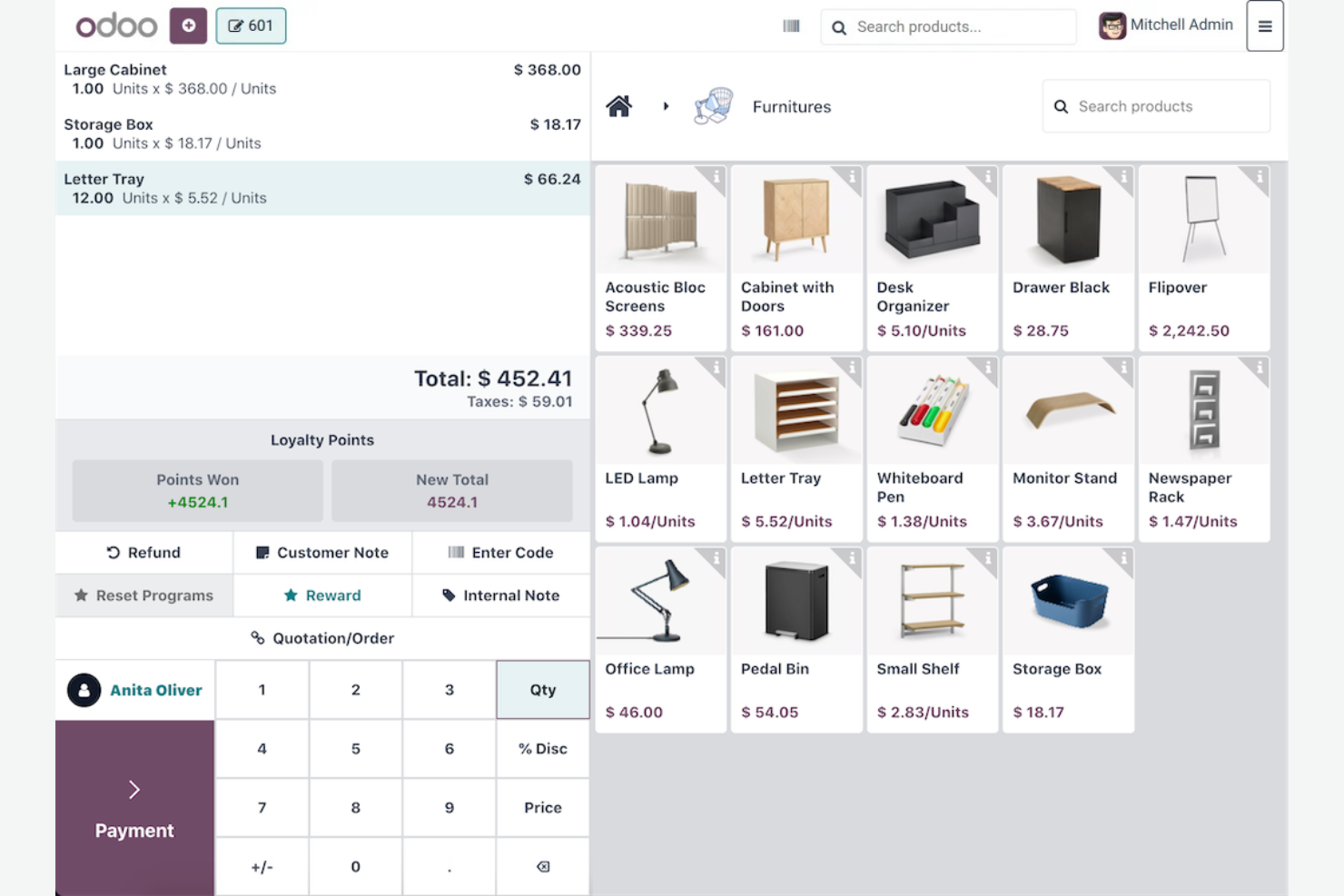
If you’re looking for a retail ERP that can be fully tailored to your business, Odoo offers open-source flexibility that’s hard to match. It’s a strong choice for retailers with in-house IT or development resources who want to customize workflows, modules, and integrations. Odoo helps teams unify sales, inventory, and ecommerce operations while giving them control over how every process works.
Why I Picked Odoo
What sets Odoo apart is its open-source framework, which gives retailers the freedom to customize nearly every aspect of their ERP environment. I picked Odoo because you can modify existing modules or build entirely new ones to match your unique retail workflows. The platform’s source code access and active developer community make it possible to adapt inventory, sales, and ecommerce features to fit specialized needs. This level of customization is especially valuable for retailers with complex processes or those who want to maintain full control over their technology stack.
Odoo Key Features
In addition to its customization capabilities, Odoo offers several features that support retail operations:
- Multi-store management: Lets you oversee inventory, sales, and operations across multiple retail locations from a single dashboard.
- Integrated ecommerce platform: Connects your online store with inventory, sales, and customer data in real time.
- Barcode scanning: Supports barcode-based inventory tracking and checkout processes.
- Loyalty program management: Allows you to set up and manage customer rewards and promotions directly within the system.
Odoo Integrations
Integrations include WhatsApp, Amazon, Shopify, Magento, Stripe, and Twilio.
Pros and Cons
Pros:
- Built-in retail POS app
- Very affordable pricing
- Highly modular design
Cons:
- Support can be lacking
- Customizing gets pricey
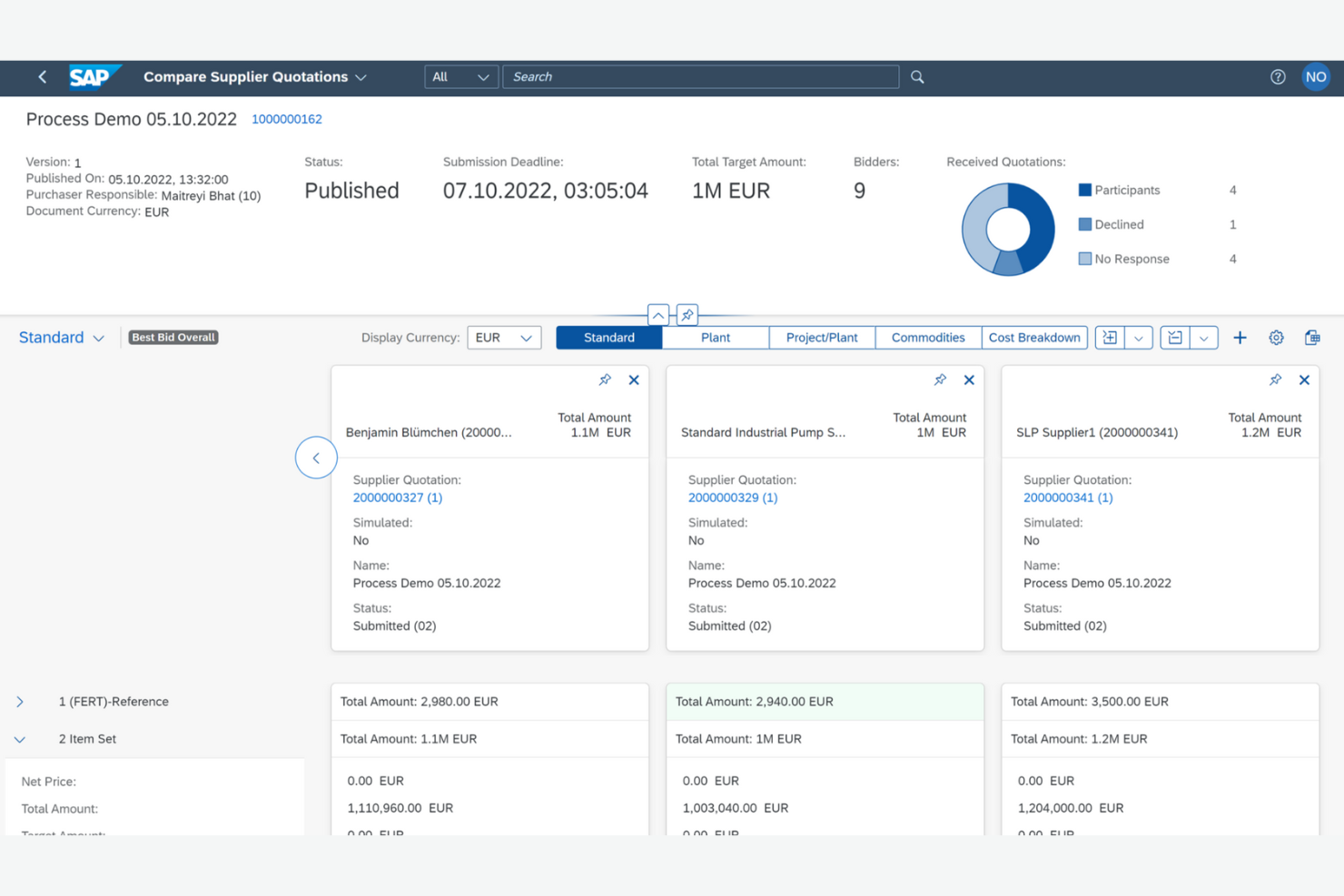
SAP S/4HANA is designed for retailers who need real-time analytics to manage complex operations and fast-changing inventory. It’s a strong fit for large retail organizations that want to connect sales, supply chain, and finance data in one place. With its in-memory database, SAP S/4HANA helps teams analyze trends and make decisions as transactions happen.
Why I Picked SAP S/4HANA
For retailers who need instant access to operational data, SAP S/4HANA stands out for its real-time analytics capabilities. I picked this tool because it uses an in-memory database to process transactions and analytics simultaneously, so you can monitor sales, inventory, and supply chain activity as it happens. The embedded analytics dashboards let retail teams visualize trends and spot issues without waiting for batch reports. If your business relies on fast, data-driven decisions, SAP S/4HANA is built to deliver that level of insight.
SAP S/4HANA Key Features
Some other features that retail teams may find useful include:
- Omnichannel order management: Coordinates orders across online, in-store, and mobile channels in one system.
- Automated replenishment planning: Calculates optimal stock levels and triggers purchase orders based on real-time demand.
- Centralized master data management: Maintains consistent product, supplier, and customer data across all business units.
- Integrated financial consolidation: Combines financial data from multiple entities for unified reporting and compliance.
SAP S/4HANA Integrations
Integrations include Ariba, SuccessFactors, Concur, Salesforce, MuleSoft, and SAP Concur.
Pros and Cons
Pros:
- Deep omnichannel tools
- Massive data capacity
- Global supply chain
Cons:
- Requires SAP experts
- Lengthy implementation
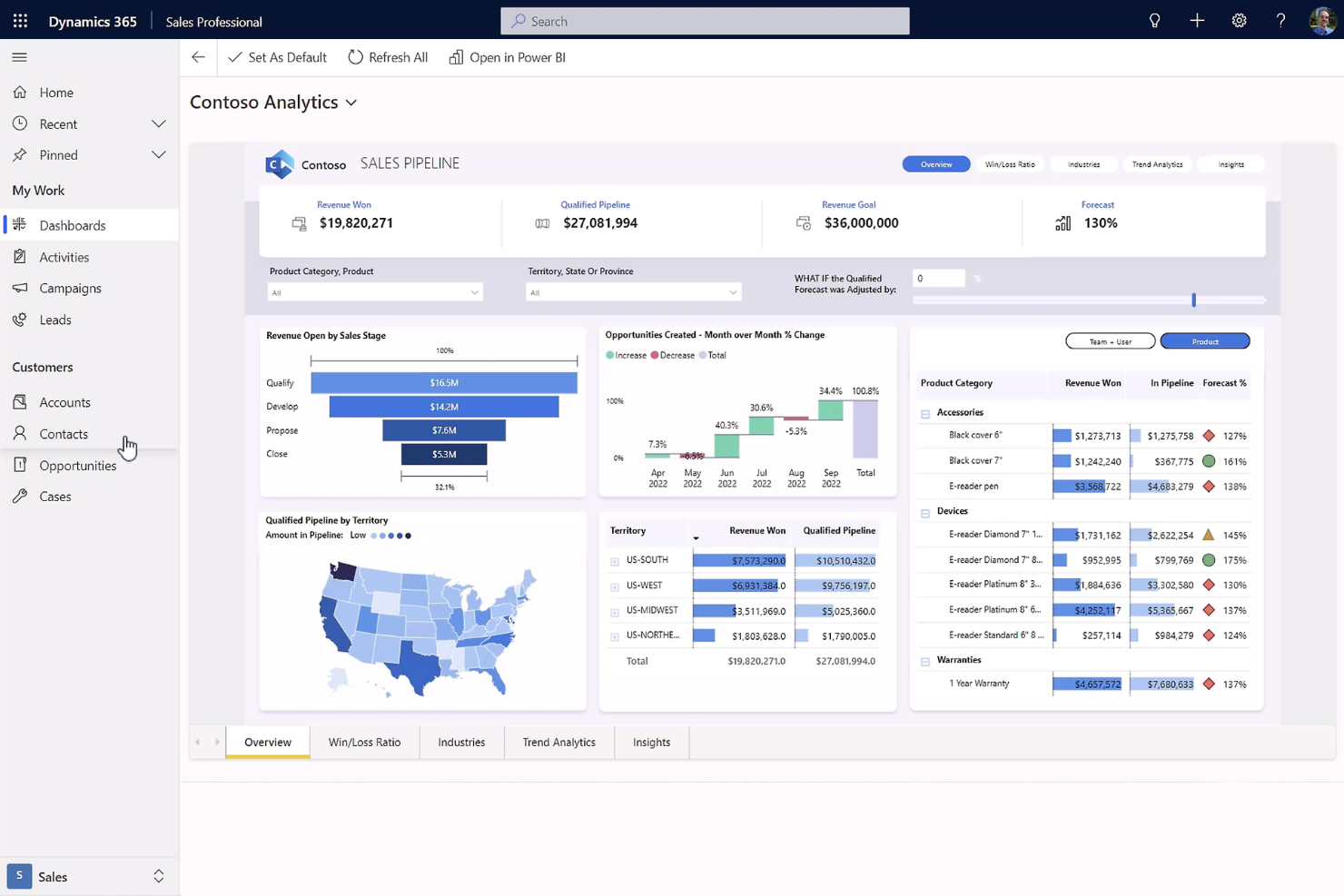
If your business already relies on Microsoft tools, Microsoft Dynamics 365 offers a retail ERP solution that fits naturally into your existing workflows. It’s especially useful for retailers who want to unify data, processes, and customer experiences across sales, finance, and operations within the Microsoft ecosystem. With its deep integration to Microsoft 365, Power BI, and Azure, Dynamics 365 helps teams connect retail operations with familiar productivity and analytics tools.
Why I Picked Microsoft Dynamics 365
What sets Microsoft Dynamics 365 apart is how deeply it connects with the broader Microsoft ecosystem, making it a strong choice for retailers already invested in Microsoft technologies. I picked Dynamics 365 because it lets you manage retail operations, finance, and customer data within a unified environment that syncs with Microsoft 365 and Power BI. The platform’s real-time analytics and reporting tools help retail teams make data-driven decisions using familiar interfaces. If your business values seamless collaboration and centralized data across Microsoft products, Dynamics 365 is purpose-built for that experience.
Microsoft Dynamics 365 Key Features
Some other features worth noting include:
- Automated inventory replenishment: Triggers purchase orders and stock transfers based on real-time inventory levels.
- Unified commerce platform: Connects point-of-sale, ecommerce, and call center operations in one system.
- Product information management: Centralizes product data, pricing, and descriptions for all channels.
- Integrated promotions engine: Allows you to set up and manage discounts, coupons, and special offers across channels.
Microsoft Dynamics 365 Integrations
Integrations include Microsoft Office 365, SharePoint, Power BI, LinkedIn, Outlook, and Adobe.
Pros and Cons
Pros:
- Deep customer insights
- Strong unified commerce
- Seamless Microsoft sync
Cons:
- Upgrades disrupt flows
- Requires dev expertise

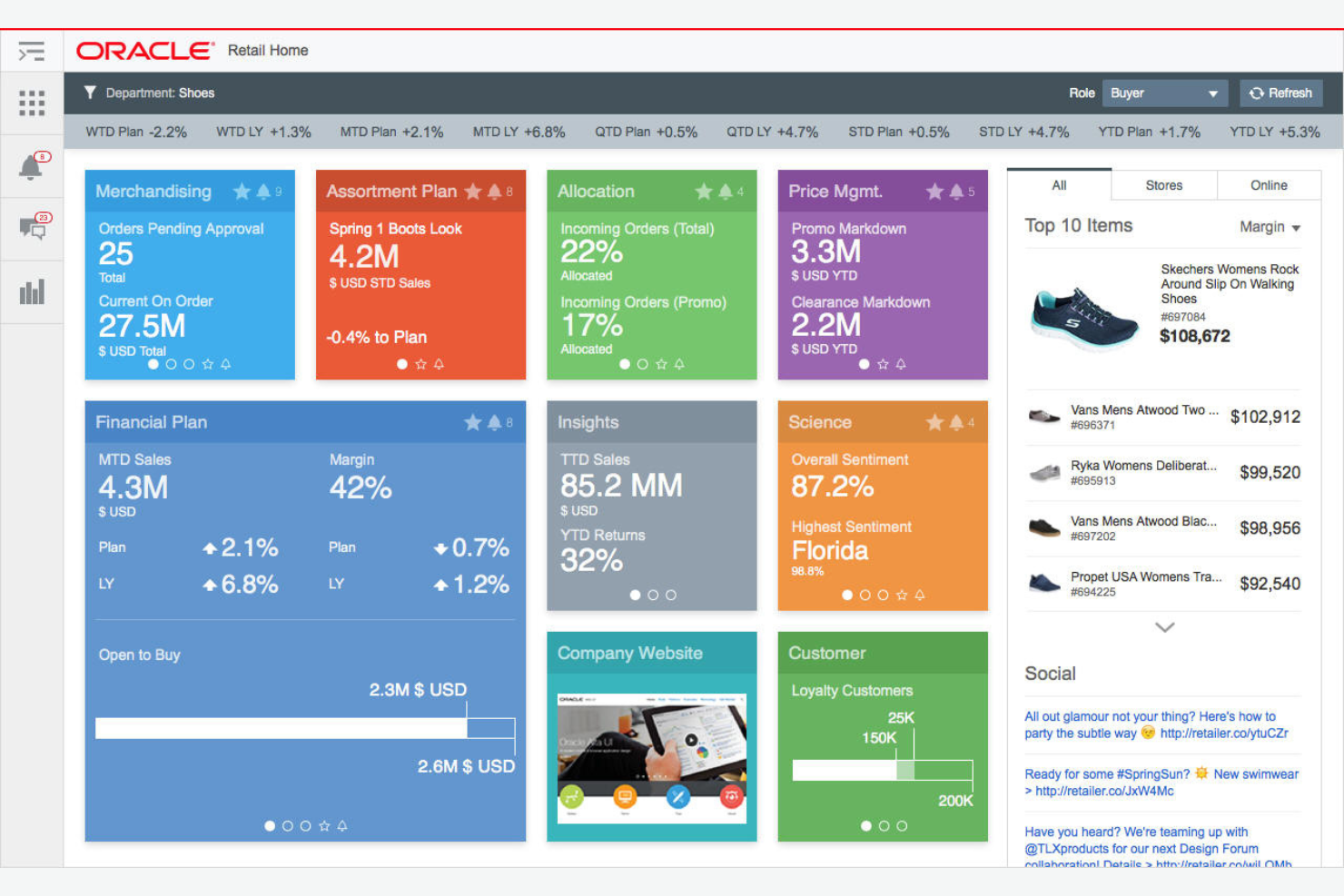
Oracle Retail is designed for enterprise resource planning. It manages complex, high-volume operations across global markets. It’s a strong fit for large organizations looking for advanced supply chain, merchandising, and financial controls within a single platform. If your business requires deep analytics, scalability, and support for multi-brand or multi-country operations, Oracle Retail brings the depth and flexibility to handle those demands.
Why I Picked Oracle Retail
For retailers operating at enterprise scale, Oracle Retail stands out for its ability to handle massive transaction volumes and complex organizational structures. I picked Oracle Retail because it offers advanced merchandising, supply chain, and financial management tools that support multi-brand, multi-country, and multi-channel operations. The platform’s demand forecasting and replenishment features help large businesses optimize inventory across global networks. If you need a retail ERP that can adapt to the demands of a large, distributed organization, Oracle Retail is purpose-built for that level of complexity.
Oracle Retail Key Features
Some other features that caught my attention include:
- Store inventory management: Tracks stock levels, transfers, and adjustments across all store locations.
- Customer loyalty program management: Supports the creation and management of complex loyalty and rewards programs.
- Workforce management tools: Schedules, tracks, and manages labor resources for retail operations.
- Omnichannel order fulfillment: Coordinates order processing and fulfillment across online and physical channels.
Oracle Retail Integrations
Integrations include SAP, Salesforce, IBM Sterling, Microsoft Dynamics, and Shopify.
Pros and Cons
Pros:
- Advanced AI forecasting
- Massive enterprise scale
- Top-tier merchandising
Cons:
- Slow deployment process
- Demands heavy IT support


Retail ERP Software Selection Criteria
When selecting the best retail erp software to include in this list, I considered common buyer needs and pain points like managing inventory accuracy and integrating online and in-store operations. I also used the following framework to keep my evaluation structured and fair:
Core Functionality (25% of total score)
To be considered for inclusion in this list, each solution had to fulfill these common use cases:
- Manage inventory across multiple locations
- Track sales and order fulfillment
- Integrate with ecommerce platforms
- Handle purchasing and supplier management
- Generate financial and operational reports
Additional Standout Features (25% of total score)
To help further narrow down the competition, I also looked for unique features, such as:
- Built-in loyalty and rewards programs
- Advanced demand forecasting tools
- Native mobile POS capabilities
- Open-source customization options
- Automated replenishment and stock alerts
Usability (10% of total score)
To get a sense of the usability of each system, I considered the following:
- Simple and intuitive navigation
- Customizable dashboards and views
- Responsive design for mobile and tablet
- Minimal clicks to complete core tasks
- Clear labeling and logical menu structure
Onboarding (10% of total score)
To evaluate the onboarding experience for each platform, I considered the following:
- Step-by-step setup wizards
- Availability of training videos and guides
- Access to interactive product tours
- Pre-built templates for retail workflows
- Live chat or onboarding webinars
Customer Support (10% of total score)
To assess each software provider’s customer support services, I considered the following:
- 24/7 support availability
- Access to a searchable knowledge base
- Dedicated account manager or onboarding specialist
- Fast response times for urgent issues
- Community forums or user groups
Value For Money (10% of total score)
To evaluate the value for money of each platform, I considered the following:
- Transparent and predictable pricing
- Flexible plans for different business sizes
- No hidden fees or surprise charges
- Features included at each pricing tier
- Free trial or demo availability
Customer Reviews (10% of total score)
To get a sense of overall customer satisfaction, I considered the following when reading customer reviews:
- Consistent positive feedback on reliability
- Reports of helpful and responsive support
- User comments on feature completeness
- Feedback on integration with other tools
- Insights on real-world performance and speed
How to Choose Retail ERP Software
It’s easy to get bogged down in long feature lists and complex pricing structures. To help you stay focused as you work through your unique software selection process, here’s a checklist of factors to keep in mind:
| Factor | What to Consider |
|---|---|
| Scalability | Will the software handle your growth in locations, SKUs, and sales channels over the next 3-5 years? Check for user, transaction, and data volume limits. |
| Integrations | Does the ERP connect natively to your ecommerce, POS, accounting, and shipping tools? List your must-have integrations and confirm support for each. |
| Customizability | Can you adapt workflows, fields, and reports to match your retail processes without heavy IT involvement? Ask about configuration vs. custom coding. |
| Ease of use | Will your team be able to learn and use the system quickly? Request a demo and have end users test common tasks before committing. |
| Implementation and onboarding | What resources, time, and expertise are required to get up and running? Ask about migration support, training, and typical go-live timelines. |
| Cost | What is the total cost of ownership, including licenses, add-ons, support, and upgrades? Watch for hidden fees and clarify contract terms. |
| Security safeguards | Does the software offer role-based access, data encryption, and audit trails? Confirm compliance with your industry’s data protection standards. |
| Support availability | What support channels are offered, and during what hours? Consider if you need 24/7 help, local language support, or a dedicated account manager. |
What Is Retail ERP Software?
Retail ERP software is a centralized system that manages core retail operations, including inventory, sales, purchasing, accounting, and customer data. These platforms help retailers coordinate processes across physical and digital channels, improve data accuracy, and support decision-making. Retail ERP software is used by store managers, ecommerce teams, finance staff, and operations leaders to unify workflows and maintain visibility across the entire retail business.
Features
When selecting retail ERP software, keep an eye out for the following key features:
- Inventory management: Tracks stock levels, movements, and locations across warehouses and stores, helping you avoid stockouts and overstock situations.
- Order management: Centralizes order processing from all sales channels, automates fulfillment steps, and updates order status in real time.
- Point of sale (POS) integration: Connects in-store sales with your ERP system, syncing transactions, inventory, and customer data instantly.
- Purchasing and supplier management: Manages purchase orders, supplier records, and procurement workflows to streamline restocking and vendor relationships.
- Customer relationship management (CRM): Stores customer profiles, purchase history, and preferences to support targeted marketing and personalized service.
- Financial management: Handles accounting, invoicing, payments, and financial reporting within the same platform for accurate, up-to-date records.
- Reporting and analytics: Provides dashboards and customizable reports on sales, inventory, and operations to support data-driven decisions.
- Multi-location support: Enables centralized management of inventory, sales, and staff across multiple stores or warehouses.
- Returns and refunds processing: Tracks product returns, manages refund workflows, and updates inventory and financial records automatically.
Common Retail ERP Software AI Features
Beyond the standard retail ERP software features listed above, many of these solutions are incorporating AI with features like:
- Demand forecasting: Uses AI algorithms to analyze sales trends, seasonality, and external factors to predict future inventory needs and reduce stockouts or overstock.
- Automated anomaly detection: Monitors transactions and operational data to flag unusual patterns, such as potential fraud, pricing errors, or inventory discrepancies.
- Dynamic pricing optimization: Adjusts product prices in real time based on demand, competitor pricing, and inventory levels to maximize revenue and margin.
- Personalized product recommendations: Analyzes customer behavior and purchase history to suggest relevant products, increasing cross-sell and upsell opportunities.
- Intelligent replenishment: Automatically generates purchase orders and restocking alerts by predicting when inventory will run low, factoring in lead times and sales velocity.
Benefits
Implementing retail ERP software provides several benefits for your team and your business. Here are a few you can look forward to:
- Centralized operations: Unifies inventory, sales, purchasing, and financial data in one platform, reducing manual work and data silos.
- Improved inventory accuracy: Real-time tracking and automated stock updates help prevent stockouts, overstock, and lost sales.
- Faster decision-making: Built-in analytics and reporting tools provide timely insights into sales, inventory, and operations.
- Enhanced customer experience: Integrated CRM and POS features enable personalized service and consistent engagement across channels.
- Streamlined order fulfillment: Automated order management and supplier workflows speed up processing and reduce errors.
- Scalable growth support: Multi-location and multi-channel capabilities make it easier to expand your business without losing control.
- Better cost control: Financial management and dynamic pricing features help monitor expenses and optimize margins.
Costs & Pricing
Selecting retail ERP software requires an understanding of the various pricing models and plans available. Costs vary based on features, team size, add-ons, and more. The table below summarizes common plans, their average prices, and typical features included in retail erp software solutions:
Plan Comparison Table for Retail ERP Software
| Plan Type | Average Price | Common Features |
|---|---|---|
| Free Plan | $0 | Basic inventory tracking, limited order management, single user access, and community support. |
| Personal Plan | $25-$150/user/month | Core inventory and sales management, basic reporting, email support, and limited integrations. |
| Business Plan | $150-$350/user/month | Multi-location support, advanced analytics, purchasing workflows, CRM features, and API access. |
| Enterprise Plan | $5000+/month | Custom workflows, dedicated account management, advanced security, priority support, and full integrations. |
Retail ERP Software FAQs
Here are some answers to common questions about retail erp software:
How long does it take to implement retail erp software?
Implementation timelines vary, but most retail erp software projects take between 2 and 6 months. The timeline depends on your data migration needs, number of integrations, and how much customization is required. Planning, training, and testing phases can also impact the overall schedule.
Can retail erp software integrate with my existing ecommerce platform?
Yes, most retail erp software solutions offer integrations with popular ecommerce platforms. Before choosing a system, confirm that it supports your specific ecommerce provider and check if the integration is native or requires third-party connectors.
What types of businesses benefit most from retail erp software?
Retail erp software is most valuable for businesses with multiple sales channels, locations, or complex inventory needs. It’s especially useful for retailers looking to unify in-store and online operations, improve inventory accuracy, and gain better visibility into business performance.
How do I know if my business is ready for retail erp software?
If you’re struggling with manual processes, data silos, or frequent inventory errors, it may be time to consider retail erp software. Businesses planning to scale, add new locations, or expand online often benefit from the structure and automation these systems provide.
What should I look for in a retail erp software demo?
Focus on how the system handles your core workflows, such as inventory management, order processing, and reporting. Ask to see integrations with your existing tools, and have end users test the interface to ensure it matches your team’s needs and skill levels.