

Ever tried finding a missing scanner that “left the warehouse on Friday” but somehow ended up in accounting? Welcome to the world of asset mismanagement—where spreadsheets go to die and equipment mysteriously teleports across departments.
Whether you’re running a point in a warehouse, keeping tabs on office tech, or juggling internal inventory across multiple locations, asset inventory management software can save you serious time (and headaches).
It tracks what you own, where it is, who’s using it, and when it needs attention—so nothing slips through the cracks.
We’ve reviewed thousands of ops tools, and we know which ones actually deliver for retail, ecommerce, and logistics teams. The tools in this list were picked for their ability to reduce downtime, prevent loss, and make audits way less painful.
If you’re ready to stop chasing barcode ghosts and start managing assets like a pro, you’re in the right place.
Why Trust Our Software Recommendations
6,700+
Reviews
20
Industry experts
16+
Evaluation factors
14
Years
Our team has been testing and reviewing software since 2012. As retail leaders ourselves, we know how difficult—and important—it is to choose the right software.
For this guide, we evaluated tools using hands-on testing and independent research, scoring tools using our selection criteria.
Our reviews reflect our independent judgment—not a sales pitch.
Asset Inventory Management Software Comparison Table
The table below compares pricing, standout features, and ideal use cases for my top asset inventory management software selections.
| Tool | Best For | Trial Info | Price | ||
|---|---|---|---|---|---|
| 1 | Best for scalable multi-site management | 30-day free trial + free demo available | Single plan at $35 per user/month (billed annually) | Website | |
| 2 | Best for compliance tracking | Free demo available | From $380/month | Website | |
| 3 | Best for facility management | Free demo available | Pricing upon request | Website | |
| 4 | Best for mobile access | 7-day free trial + free demo available | From $24/user/month | Website | |
| 5 | Best for predictive maintenance | Free plan + free demo available | From $45/user/month | Website | |
| 6 | Best for RFID tracking | 15-day free trial | From $63.55/month (billed annually) | Website | |
| 7 | Best for visual inventory | Free plan available and 14-day free trial | From $49/month | Website | |
| 8 | Best for customizable reporting | 7-day free trial + free demo available | Pricing upon request | Website | |
| 9 | Best for manufacturing needs | Free demo available | From $229/month (billed annually) | Website | |
| 10 | Best for IoT integration | Free demo available | Pricing upon request | Website |


The Best Asset Inventory Management Software, Reviewed
Now for the reviews! Each review below offers a detailed look at each tool’s key features, pros and cons, integrations, and ideal use cases to help you find the best asset inventory management solution for you.
 Best for scalable multi-site management
- 30-day free trial + free demo available
- Single plan at $35 per user/month (billed annually)
Visit WebsiteCustomer Rating:4.7/5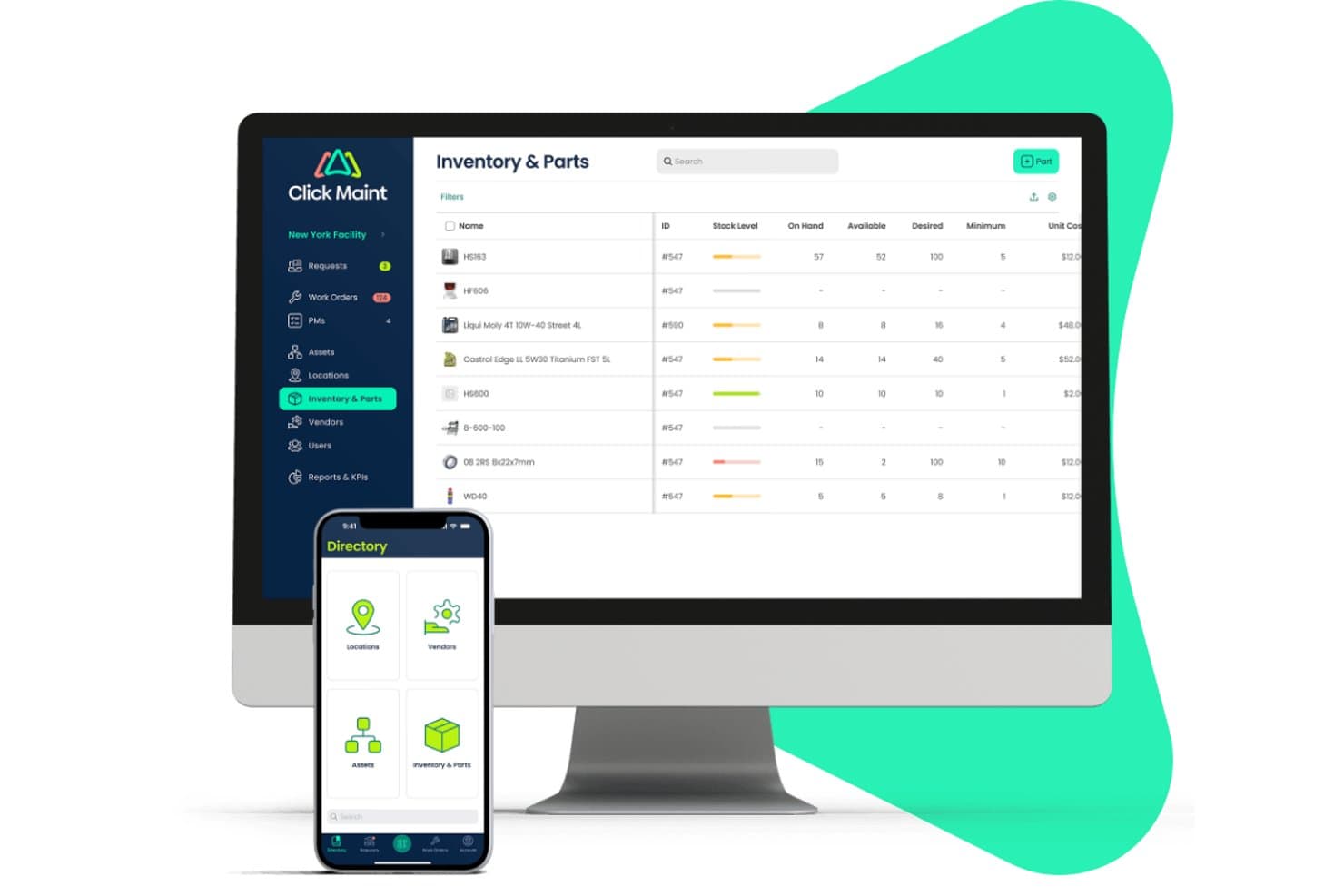
Click Maint CMMS offers a dedicated Inventory & Parts module displaying stock levels, on-hand quantities, availability, and minimum thresholds across parts, accessible on both desktop and mobile. Click Maint CMMS is a maintenance and asset management platform that combines work order management, preventive maintenance scheduling, parts inventory tracking, and multi-location asset monitoring with QR code scanning and mobile access.
Who Is Click Maint CMMS Best For?
It's a strong fit for small to mid-sized operations and facilities teams managing assets and maintenance across multiple physical locations.
Why I Picked Click Maint CMMS
I picked Click Maint CMMS as one of the best because its location hierarchy lets you mirror your actual site structure, assigning assets, work orders, and technicians to specific stores or facilities. I particularly like its QR code scanning, which makes it easy to pull up an asset's full history and status from the floor of any location. Its KPI dashboard tracks maintenance performance per site, so I can spot which location is generating the most unplanned downtime.
Click Maint CMMS Key Features
- Preventive maintenance scheduling: Set up flexible recurring maintenance intervals for assets or equipment.
- Parts and inventory management: Track stock levels, locations, vendors, and order parts using custom units of measurement.
- Mobile app access: Manage work orders, assets, and scan QR codes from any iOS or Android device.
- Audit logs and reporting: Export detailed logs and generate standard maintenance reports for compliance and record-keeping.
Click Maint CMMS Integrations
Click Maint CMMS offers integrations with SAP, Oracle, Microsoft Dynamics, QuickBooks, and Xero, and provides an API for custom integrations.
Pros and Cons
Pros:
- Mobile app supports maintenance and asset tasks
- QR code scanning for on-floor updates
- Real-time asset tracking across multiple sites
Cons:
- Lacks built-in loss prevention tools
- No asset depreciation tracking
Learn more about Click Maint CMMS:
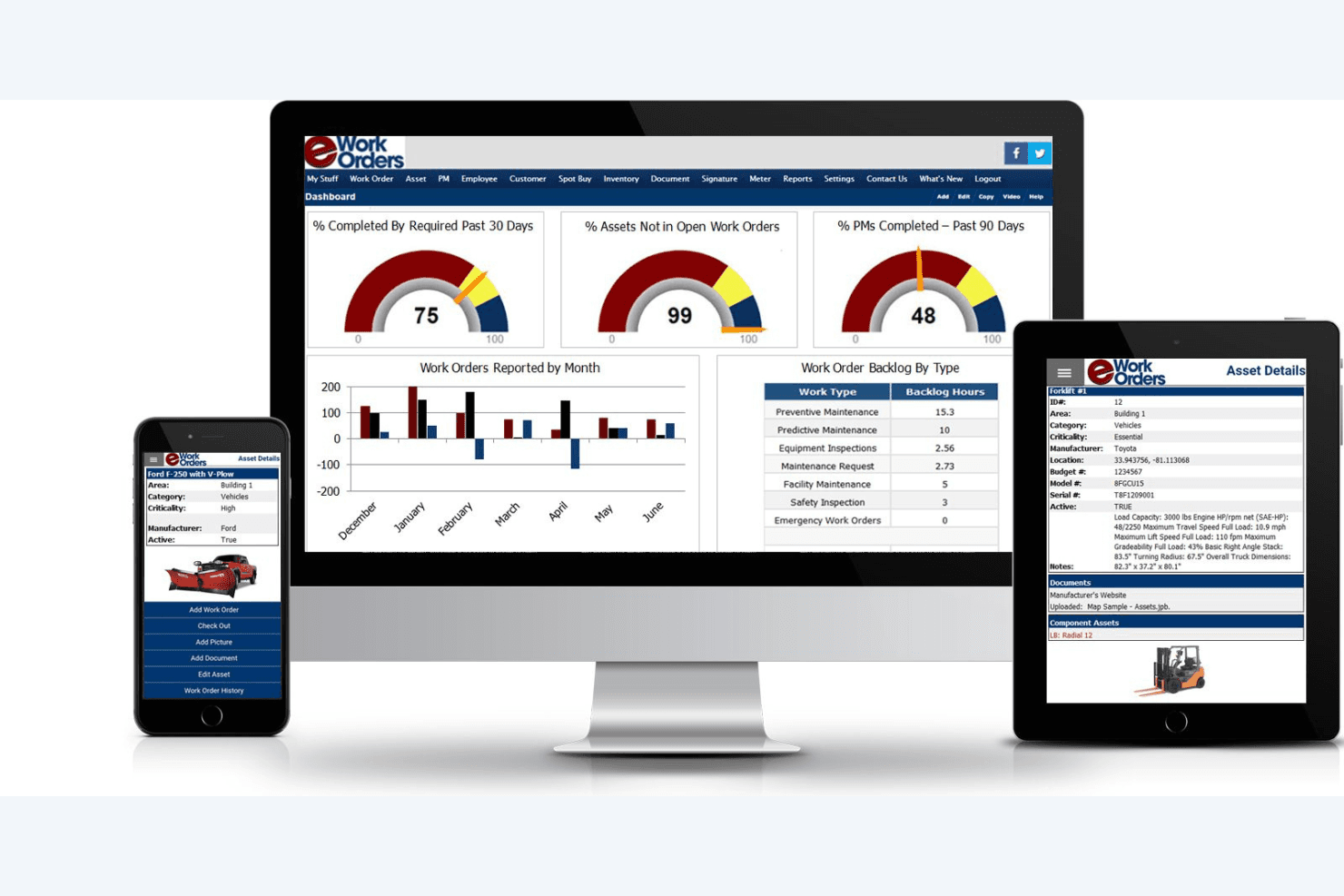
eWorkOrders covers KPIs, work order trends, and asset details across devices. eWorkOrders is a CMMS and asset management platform that covers preventive maintenance scheduling, full asset lifecycle tracking, multi-site location management, barcode scanning, IoT sensor integration, and compliance-focused audit logging.
Who Is eWorkOrders Best For?
eWorkOrders is a strong fit for facilities and maintenance teams in regulated industries that need airtight audit trails and inspection records across multiple sites.
Why I Picked eWorkOrders
I picked eWorkOrders as one of the best because its compliance tracking goes deeper than a simple activity log. Every action gets a permanent, timestamped audit trail, and the platform layers on top of that with inspection scheduling, certificate storage, and digital signature capture. That combination means when a Joint Commission or OSHA audit comes around, the records are already organized and ready to pull. I also like that condition-based PM triggers auto-generate work orders the moment an IoT sensor breach is detected, like a refrigeration unit crossing a temperature threshold.
eWorkOrders Key Features
- Asset lifecycle tracking: Records every asset from procurement through disposal, including purchase cost, depreciation, warranty status, and full service history.
- IoT-triggered work orders: Automatically generates work orders when sensor thresholds are breached, such as a refrigeration unit exceeding a set temperature.
- Preventive maintenance scheduling: Supports time-based, meter-based, and condition-based PM triggers with auto-assigned checklists and technician routing.
- GIS mapping and GPS tracking: Pins assets to an interactive map with real-time location updates for mobile assets across multiple sites.
eWorkOrders Integrations
eWorkOrders supports integrations with AssetWatch, SAP, Oracle, Microsoft Dynamics, QuickBooks, Sage, Power BI, Tableau, and Microsoft Active Directory. Enterprise plans include REST API access for custom integrations, plus Zapier.
Pros and Cons
Pros:
- Preventive maintenance triggers via IoT sensors
- Real-time GPS and GIS asset mapping
- Detailed compliance and audit trail tracking
Cons:
- Outdated, data-heavy interface frustrates users
- No support for RFID asset scanning
Learn more about eWorkOrders: Best for facility management
- Free demo available
- Pricing upon request
Visit WebsiteCustomer Rating:4.7/5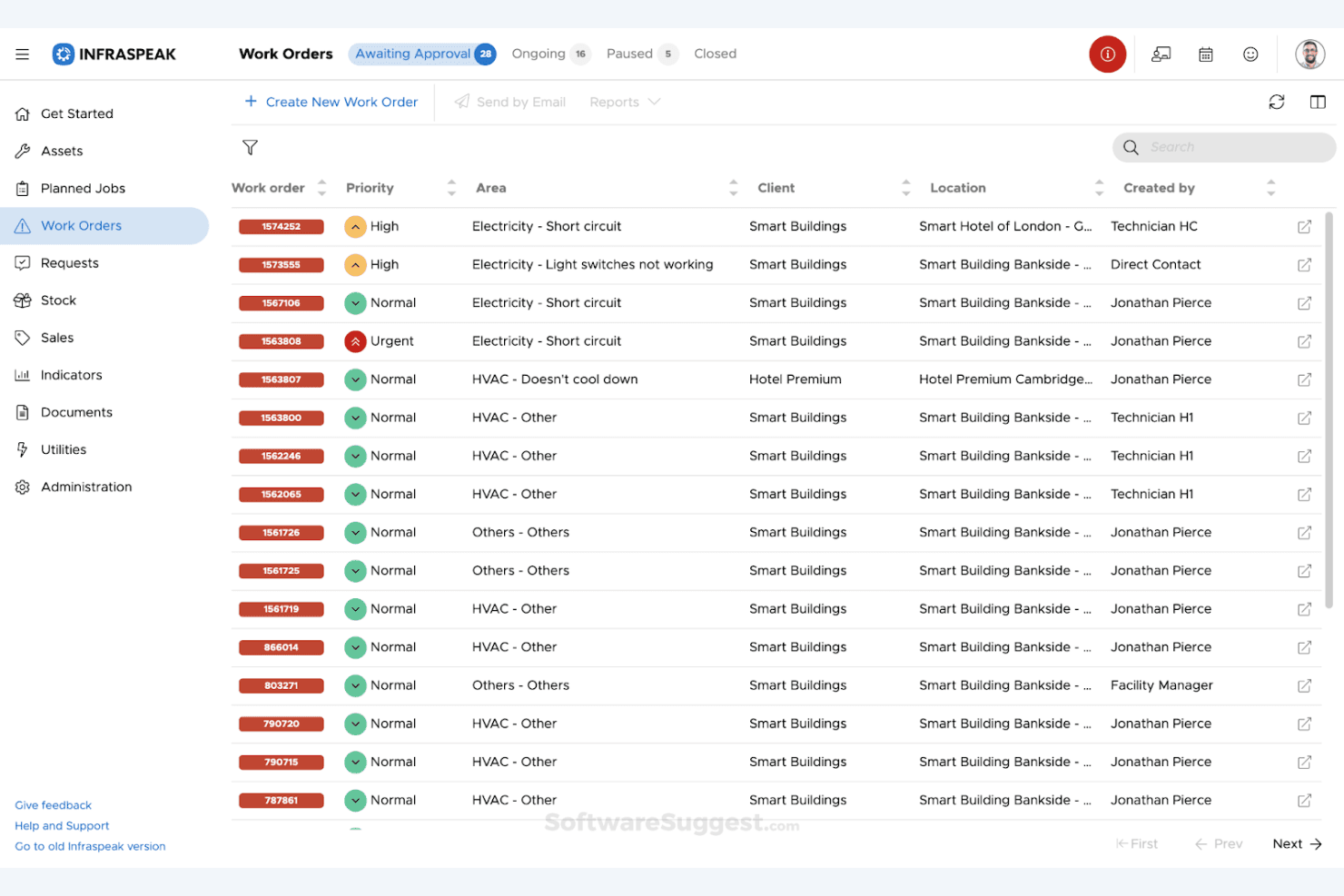
Infraspeak provides work order tracking with priority and status filters. Infraspeak is a facilities management and enterprise asset management platform that combines asset tracking, preventive and reactive maintenance scheduling, inventory management, IoT sensor integration, and multi-location oversight in one system.
Who Is Infraspeak Best For?
Infraspeak is a strong fit for facility and operations managers overseeing multi-site retail environments where equipment uptime, preventive maintenance, and compliance are top priorities.
Why I Picked Infraspeak
I've included Infraspeak in my top picks because it's the strongest facility management option on this list, particularly for retail teams running maintenance-heavy, multi-site operations. I love how its AI engine (Gear™) automatically calculates asset health scores and flags maintenance outliers before equipment like refrigeration units or HVAC systems fail. Its condition-based preventive maintenance scheduling ties directly to individual asset records, so your team isn't guessing when to act.
Infraspeak Key Features
- Infraspeak Network™: Connects your internal maintenance teams, field technicians, and external contractors in a shared workspace for coordinated work order management.
- IoT sensor integration: Monitors real-time conditions of critical equipment like refrigeration units, HVAC systems, and lighting directly through connected sensors.
- Modular Hub™ architecture: Lets you build a custom solution by selecting only the apps, integrations, and add-ons your operation actually needs.
- Compliance document management: Tracks document expiry dates and PPE checklists to keep your sites audit-ready and reduce the risk of regulatory fines.
Infraspeak Integrations
Infraspeak supports 100+ integrations, including SAP, Zoho, Primavera, Xero, QuickBooks, Sage, and Philips, plus API access through its Developer Portal and Zapier.
Pros and Cons
Pros:
- IoT sensor integration for live equipment monitoring
- Real-time multi-site asset and team tracking
- Preventive maintenance scheduling with AI-driven insights
Cons:
- Asset depreciation methods not transparently documented
- No loss prevention or shrinkage analytics
Learn more about Infraspeak: Best for mobile access
- 7-day free trial + free demo available
- From $24/user/month
Visit WebsiteCustomer Rating:4.6/5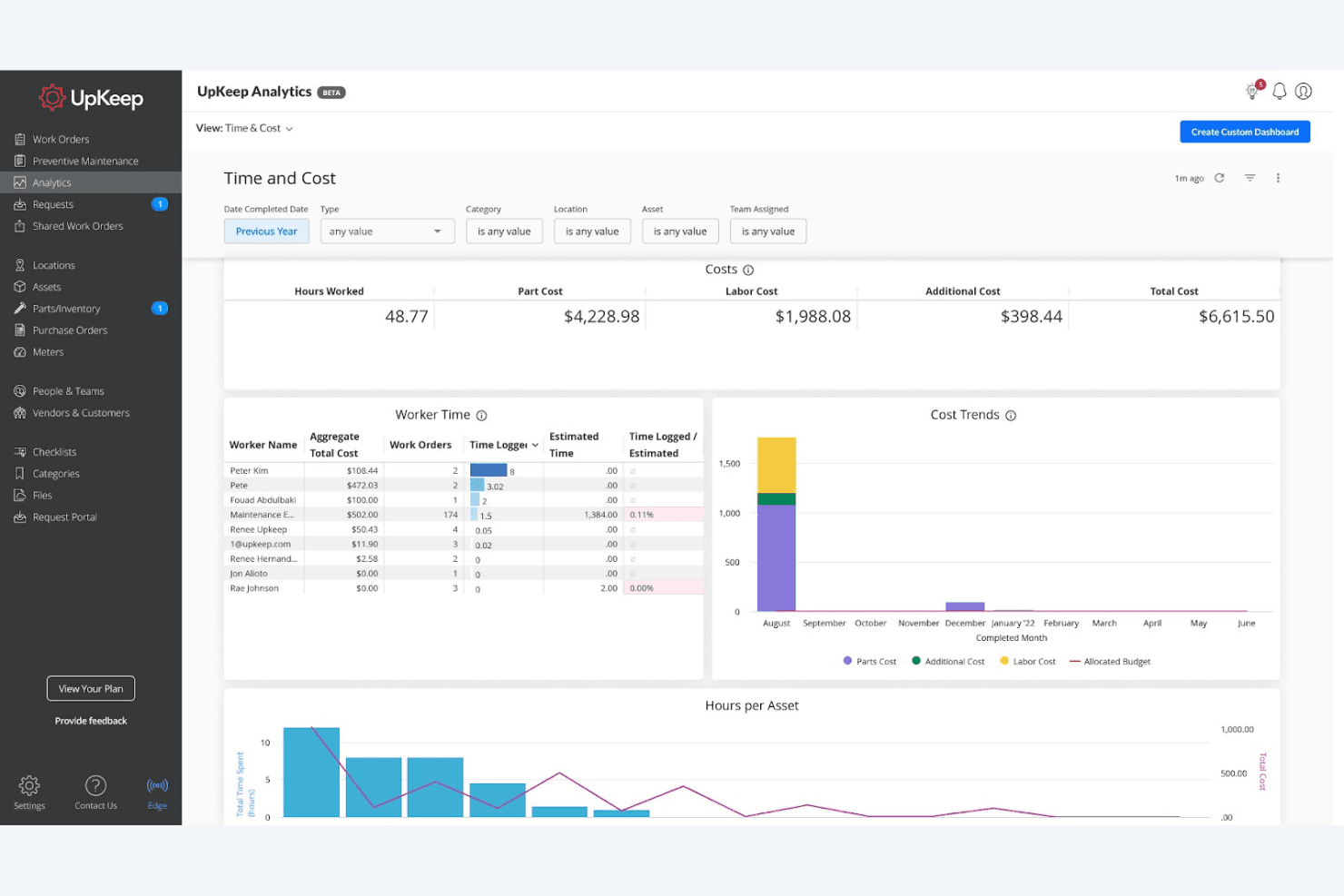
UpKeep tracks labor, parts, and total maintenance costs over time. UpKeep is a mobile-first CMMS and asset management platform that combines asset tracking, preventive maintenance scheduling, work order management, parts inventory, and IoT sensor integration.
Who Is UpKeep Best For?
UpKeep is a strong fit for operations and facilities teams managing equipment across multiple physical locations who need full asset and maintenance visibility from a mobile device.
Why I Picked UpKeep
UpKeep earns its spot on my shortlist because its mobile-first design is genuinely the best I've seen in this category. I love that technicians can scan a QR code on any asset, pull up its full maintenance history, and close out a work order entirely from their phone, even offline. UpKeep Edge sensors add another layer I find compelling: when a refrigeration unit spikes in temperature, the platform automatically opens a work order before anyone notices a problem.
UpKeep Key Features
- Asset lifecycle tracking: Logs every asset event from procurement to disposal, including depreciation calculations, warranty status, and accumulated maintenance costs versus replacement cost thresholds.
- Nova AI natural language queries: Lets you ask plain-language questions about your asset and maintenance data, such as which assets failed most last quarter, without building manual reports.
- Parts and inventory management: Tracks MRO parts quantities, costs, and vendors, with automatic stock count updates when parts are added to work orders via QR scan.
- Custom drag-and-drop dashboards: Builds live reporting views with KPIs like MTTR, MTBF, and PM compliance, with scheduled PDF delivery to stakeholders.
UpKeep Integrations
UpKeep offers documented integrations with SAP, Oracle, NetSuite, Microsoft Dynamics, QuickBooks Online, Xero, Infor, and Coupa. Enterprise plans add a REST API and webhooks for custom integrations, with Zapier also supported.
Pros and Cons
Pros:
- IoT sensors automate preventive maintenance scheduling
- AI-powered work order and asset queries
- Native mobile app with offline QR scanning
Cons:
- Key features only on higher-priced tiers
- No native RFID or POS system support
Learn more about UpKeep: 5Best for predictive maintenance
Fiix
- Free plan + free demo available
- From $45/user/month
Visit WebsiteCustomer Rating:4.5/5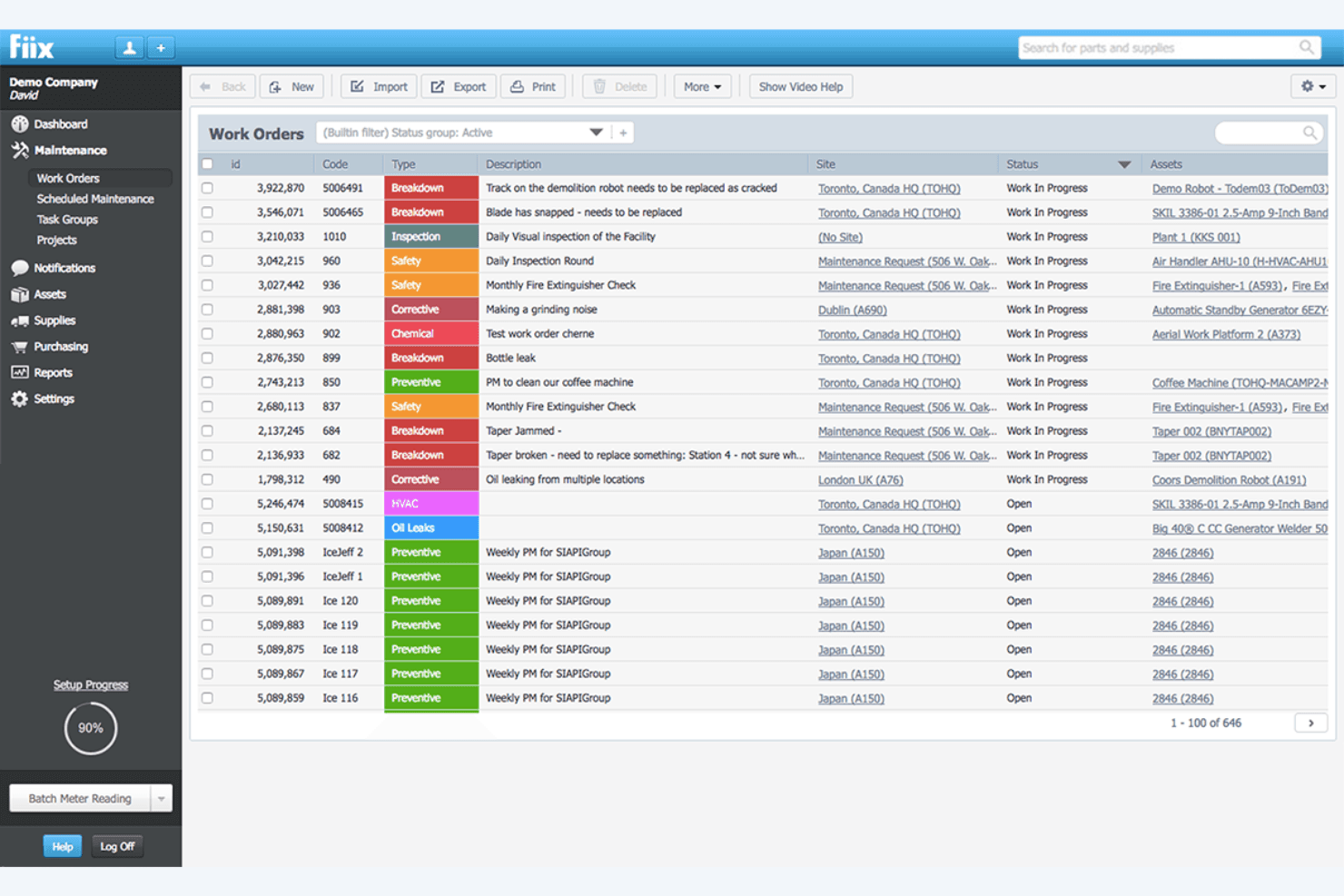
Fiix lets users manage and track all work orders in one view. Fiix is a CMMS and asset management platform that combines preventive maintenance scheduling, AI-powered predictive maintenance, multi-site asset tracking, and parts inventory management.
Who Is Fiix Best For?
Fiix is a strong fit for operations and facilities teams managing high-value equipment like refrigeration, HVAC, or store fixtures across multiple locations.
Why I Picked Fiix
Fiix earns its spot on my shortlist because its AI-driven predictive maintenance capabilities are genuinely ahead of the curve. I'm particularly impressed by Fiix Foresight, which detects asset performance anomalies before failures occur, and Fiix Asset Health, which uses Augury-powered wireless sensors to flag equipment issues with 99.9%+ failure detection accuracy. For retailers managing refrigeration units or HVAC systems across locations, that kind of early warning is hard to overstate.
Fiix Key Features
- Multi-site asset tracking: Manage assets, inventory, and maintenance workflows across unlimited locations from a single dashboard, with roll-up reporting and per-site KPIs.
- QR and barcode scanning: Scan asset and parts labels via iOS or Android to instantly pull up records, log work orders, or update inventory—even without an internet connection.
- Parts inventory management: Track spare parts stock levels, set reorder points, link parts to work orders, and forecast stockouts using AI-driven parts forecasting.
- Custom asset records: Build detailed asset profiles with custom fields, parent-child hierarchies, warranty info, repair history, and file attachments for any equipment type.
Fiix Integrations
Fiix offers integrations with Oracle NetSuite, SAP, Microsoft Dynamics AX, Sage, Infor, Power BI, Tableau, and Looker Studio through its Integration Hub and marketplace. An open API supports custom integrations, with advanced connectivity available on Enterprise.
Pros and Cons
Pros:
- Mobile app enables offline barcode scanning
- Multi-site dashboard supports large retail chains
- Predictive maintenance alerts prevent unexpected failures
Cons:
- No retail POS or shrinkage analytics
- Lacks RFID asset tracking support
Learn more about Fiix: 6Best for RFID tracking
Ezo
- 15-day free trial
- From $63.55/month (billed annually)
Visit WebsiteCustomer Rating:4.6/5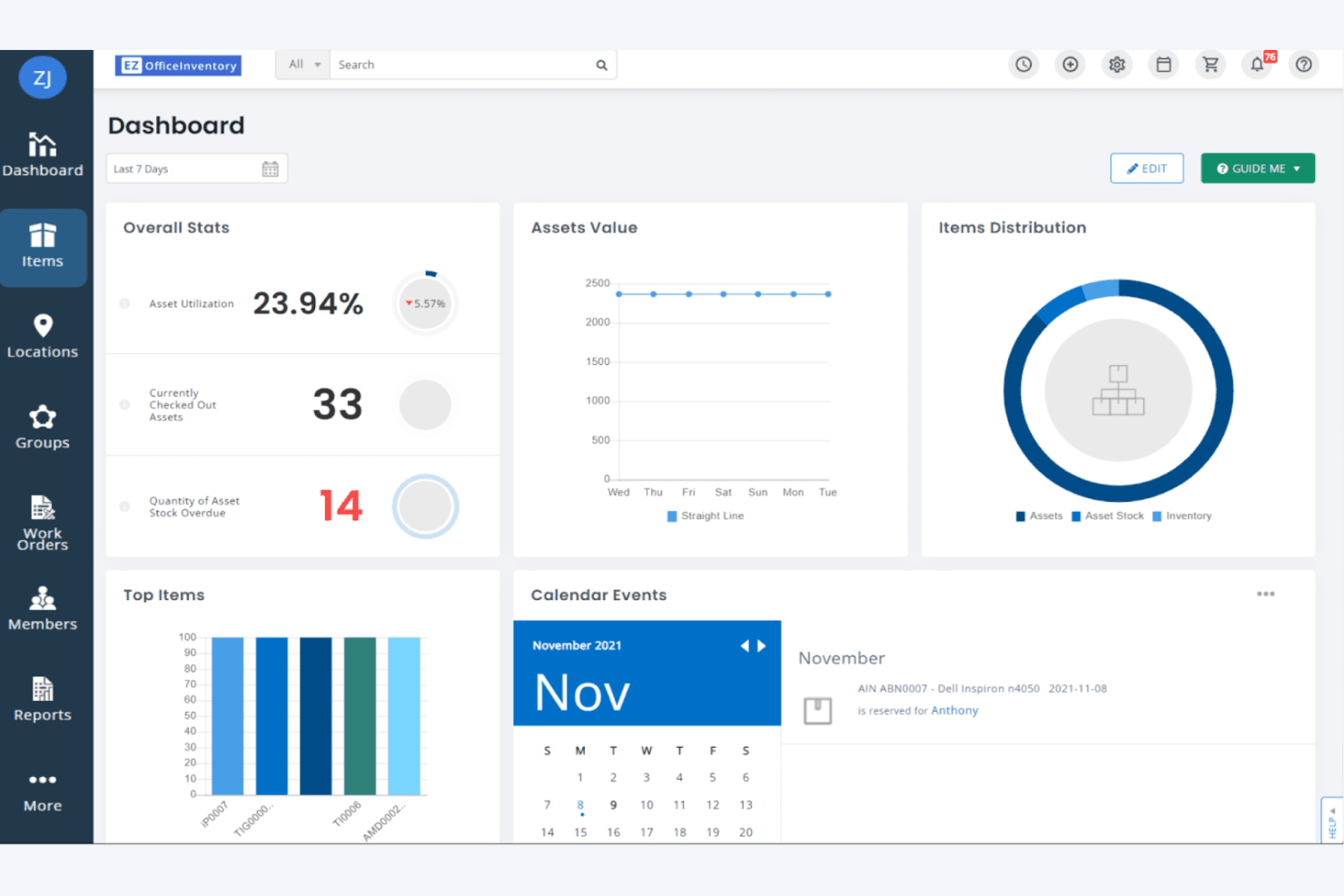
EZOfficeInventory gives users a real-time asset management dashboard. Ezo is an asset inventory management platform that combines barcode, QR, and RFID scanning with multi-location tracking, asset lifecycle management, maintenance scheduling, and audit reporting.
Who Is Ezo Best For?
Ezo is a strong fit for operations and facilities teams managing assets across multiple physical locations who need bulk RFID scanning to run faster, more accurate audits.
Why I Picked Ezo
I picked Ezo as one of the best because its RFID tracking goes well beyond basic scanning. Using an external RFID reader paired with the iOS app, my team can bulk-scan entire rooms of assets in seconds, which makes large-scale inventory audits far less painful. Custody chain records and location-based permissions mean every asset is accountable at every transfer point, across unlimited locations.
Ezo Key Features
- Asset lifecycle management: Tracks each asset from procurement through disposal, including depreciation, warranty alerts, calibration schedules, and vendor records linked directly to individual asset profiles.
- Custody audit workflows: Custodians acknowledge asset ownership via mobile app or desktop, creating a timestamped chain-of-custody record for every transfer and status change.
- Custom report builder: Drag-and-drop report creation tool lets you build, schedule, and auto-export tailored reports covering depreciation, maintenance compliance, and asset utilization.
- Self-service asset request portal: Staff can submit, track, and receive approval for asset requests through a dedicated portal without involving an admin for each transaction.
Ezo Integrations
Ezo offers documented integrations with Zendesk, Jira Service Management, Okta, Azure AD, Dropbox, OneDrive, Samsara, and Trackunit. It also provides a RESTful API for custom connections and supports Zapier.
Pros and Cons
Pros:
- Customizable workflows for multi-site operations
- Unlimited-location tracking with custody transfers
- Bulk RFID scanning for rapid audits
Cons:
- Full maintenance features require paid add-on
- No native POS or ERP integrations
Learn more about Ezo: Best for visual inventory
- Free plan available and 14-day free trial
- From $49/month
Visit WebsiteCustomer Rating:4.4/5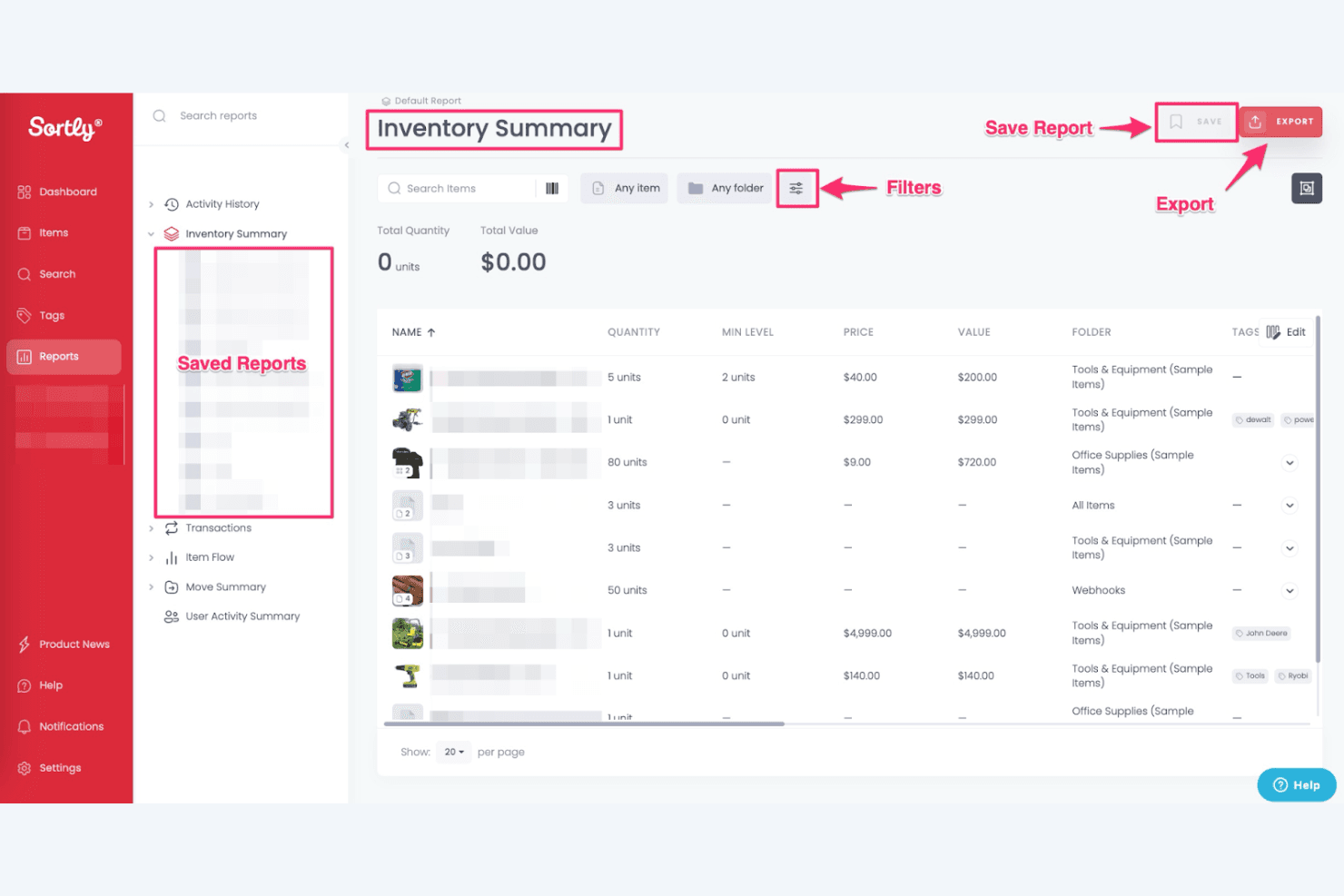
Sortly lets users view, filter, and export inventory summary reports. Sortly is a cloud-based asset inventory management platform that organizes items through a visual, photo-first folder hierarchy with barcode and QR code scanning, multi-location tracking, and mobile-first stock count workflows.
Who Is Sortly Best For?
Sortly is a great fit for small-to-mid-sized retail and operations teams that need a mobile-first, photo-driven way to track assets across multiple locations without enterprise-level complexity.
Why I Picked Sortly
Sortly earns its spot on my shortlist because no other tool in this category makes visual asset identification as central to the workflow. Each item record holds up to 8 high-resolution photos, so my team can confirm asset condition and verify the right item at a glance, without relying on text descriptions alone. I also like how the folder-based location hierarchy mirrors real physical spaces, making it easy to organize assets by store, room, or department and move items between locations with a full audit trail.
Sortly Key Features
- Custom tags: Apply searchable tags to any item to group and filter assets across folders and locations without restructuring your hierarchy.
- Stock count workflows: Create and assign guided physical inventory counts that walk team members through each item step by step.
- Low stock alerts: Set quantity thresholds on any item so you get notified by email or in-app when stock drops below your minimum.
- Check-in/check-out tracking: Log who took an item, when, and from where using a mobile scan, creating a clear accountability trail for every asset movement.
Sortly Integrations
Sortly offers four documented native integrations: QuickBooks Online, Amazon Business US, Slack, and Microsoft Teams. Enterprise plans also include API access and webhooks for custom integrations.
Pros and Cons
Pros:
- Photo-first folder hierarchy mimics real locations
- Mobile app offers offline stock tracking
- Visual inventory with up to 8 photos
Cons:
- Lacks depreciation or asset disposal features
- No RFID or GPS location tracking
Learn more about Sortly: Best for customizable reporting
- 7-day free trial + free demo available
- Pricing upon request
Visit WebsiteCustomer Rating:4.2/5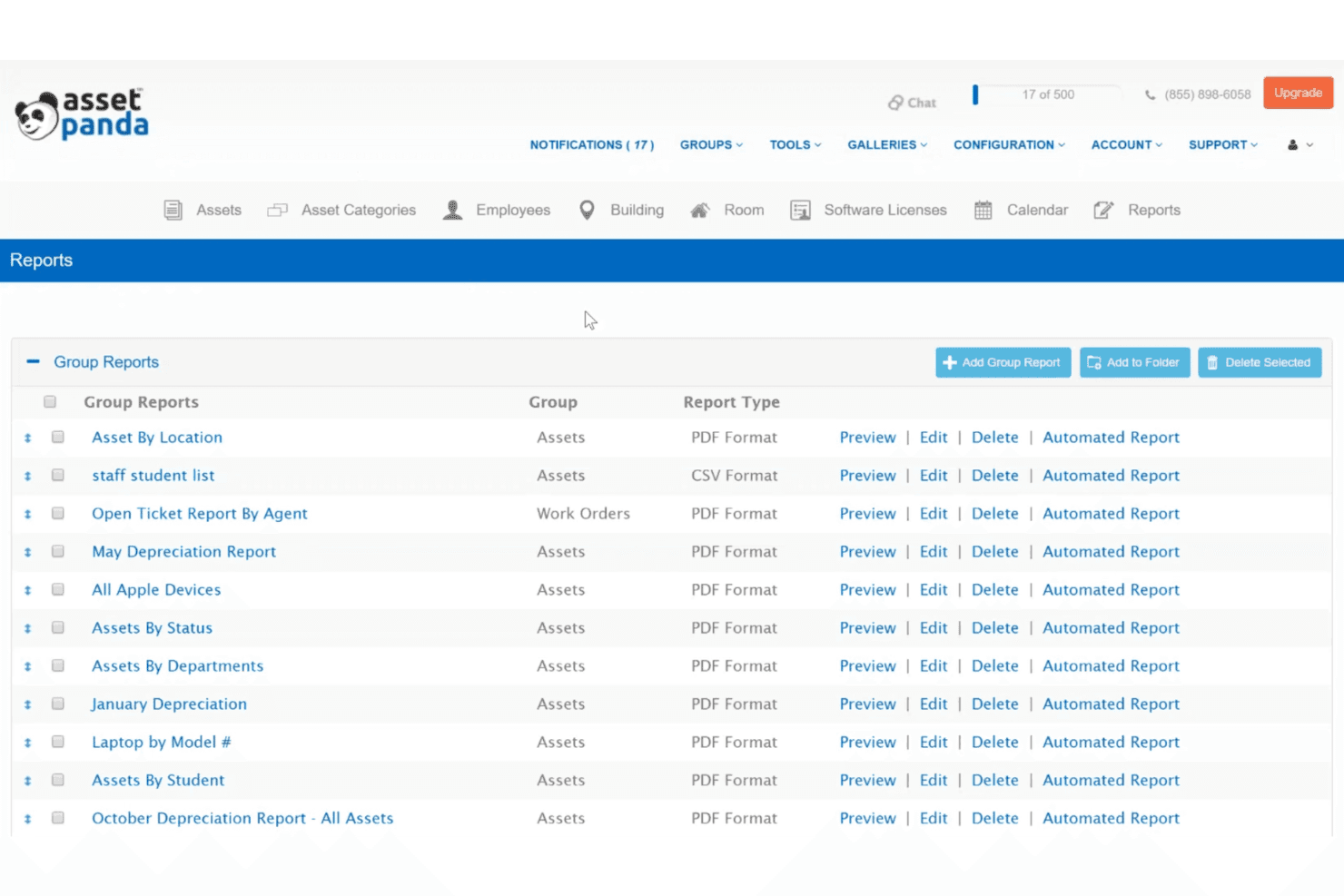
Asset Panda lets users generate and manage custom group reports. Asset Panda is a cloud-based asset inventory management platform that centralizes asset tracking, lifecycle management, barcode scanning, maintenance scheduling, and audit reporting across multiple locations.
Who Is Asset Panda Best For?
Asset Panda is a strong fit for multi-location operations and IT teams that need deep customization in how they track, report on, and audit assets across dozens or hundreds of sites.
Why I Picked Asset Panda
Asset Panda earns its spot on my shortlist because its custom report builder is genuinely one of the most flexible I've seen in this category. I can drag and drop any data field into a report, filter by location, asset type, or lifecycle stage, and schedule automated exports in CSV, XLS, or PDF. The immutable audit trail logs every field change with before/after values and timestamps, which makes compliance documentation far less painful than piecing together records manually.
Asset Panda Key Features
- Multi-location asset assignment: Assign assets to both a fixed location and a specific user simultaneously, supporting parallel tracking across 150+ sites.
- Preventive maintenance scheduling: Set work order triggers by time interval, meter reading, or usage, then assign tasks to technicians with calendar and Gantt chart views.
- Check-in/check-out with signature capture: Record asset custody transfers with electronic signatures, integrated directly with DocuSign for accountability documentation.
- Asset kitting: Bundle multiple assets into a group for batch check-out and bulk updates in a single scan session.
Asset Panda Integrations
Asset Panda offers 30+ native integrations, including QuickBooks Online, Xero, NetSuite, Microsoft Entra ID, Okta, Jamf Pro, Microsoft Intune, ServiceNow, Jira ITSM, and DocuSign. It also supports an open API, webhooks, and Zapier for custom connectivity.
Pros and Cons
Pros:
- Immutable audit trails for compliance
- Unlimited custom fields for asset records
- Drag-and-drop custom report builder
Cons:
- No shrinkage or loss anomaly analytics
- No real-time GPS or RFID tracking
Learn more about Asset Panda: Best for manufacturing needs
- Free demo available
- From $229/month (billed annually)
Visit WebsiteCustomer Rating:4/5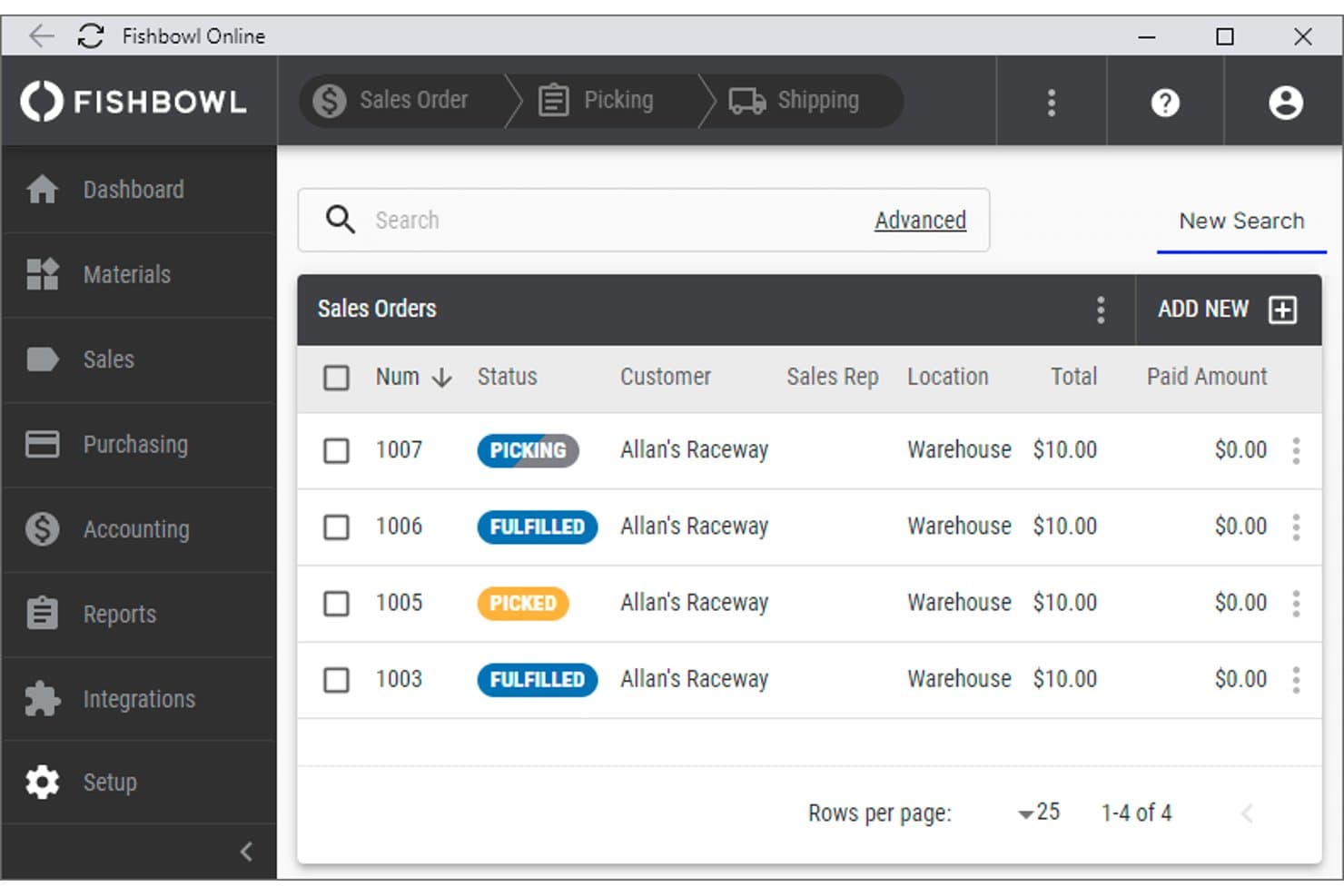
Fishbowl Inventory tracks sales orders with status, customer, and payment details. Fishbowl Inventory is an inventory and asset tracking platform built for manufacturing and distribution operations, offering multi-location management, barcode scanning, serial and lot tracking, and deep QuickBooks and Xero integration.
Who Is Fishbowl Inventory Best For?
Fishbowl Inventory is a strong fit for manufacturers and distributors who need inventory and asset tracking tightly connected to QuickBooks or Xero.
Why I Picked Fishbowl Inventory
Fishbowl Inventory earns its spot on my shortlist because it's purpose-built for manufacturers who need asset and inventory tracking to work as one system. I like that its Parts & Asset Tracking module handles serial number tracking, lot traceability, and full stock history across unlimited warehouses in real time. The Fishbowl GO mobile app makes barcode scanning on the warehouse floor genuinely fast, with hardware support for Zebra and Motorola scanners built in.
Fishbowl Inventory Key Features
- Lot and serial number traceability: Tracks individual items through their full history using lot numbers, serial numbers, and expiration dates across all locations.
- AI-powered demand forecasting: Fishbowl AI Insights™ analyzes inventory data to flag shortages, automate purchase orders, and generate replenishment recommendations.
- 200+ report types: Generates exportable reports in PDF, CSV, or email format, with GAAP-compliant audit trails available on higher-tier plans.
- 3PL inventory tracking: Monitors inventory held at third-party logistics locations, tracking ownership and movement across remote warehouse sites.
Fishbowl Inventory Integrations
Fishbowl Inventory integrates with QuickBooks, Xero, Square, Shopify, Amazon, eBay, WooCommerce, Magento, BigCommerce, and Salesforce. Its Advanced plans include an open API for custom integrations.
Pros and Cons
Pros:
- Native mobile app for barcode scanning
- Deep QuickBooks and Xero financial integration
- Real-time stock tracking across unlimited locations
Cons:
- Asset depreciation tied to accounting software
- No preventive maintenance scheduling module
Learn more about Fishbowl Inventory:
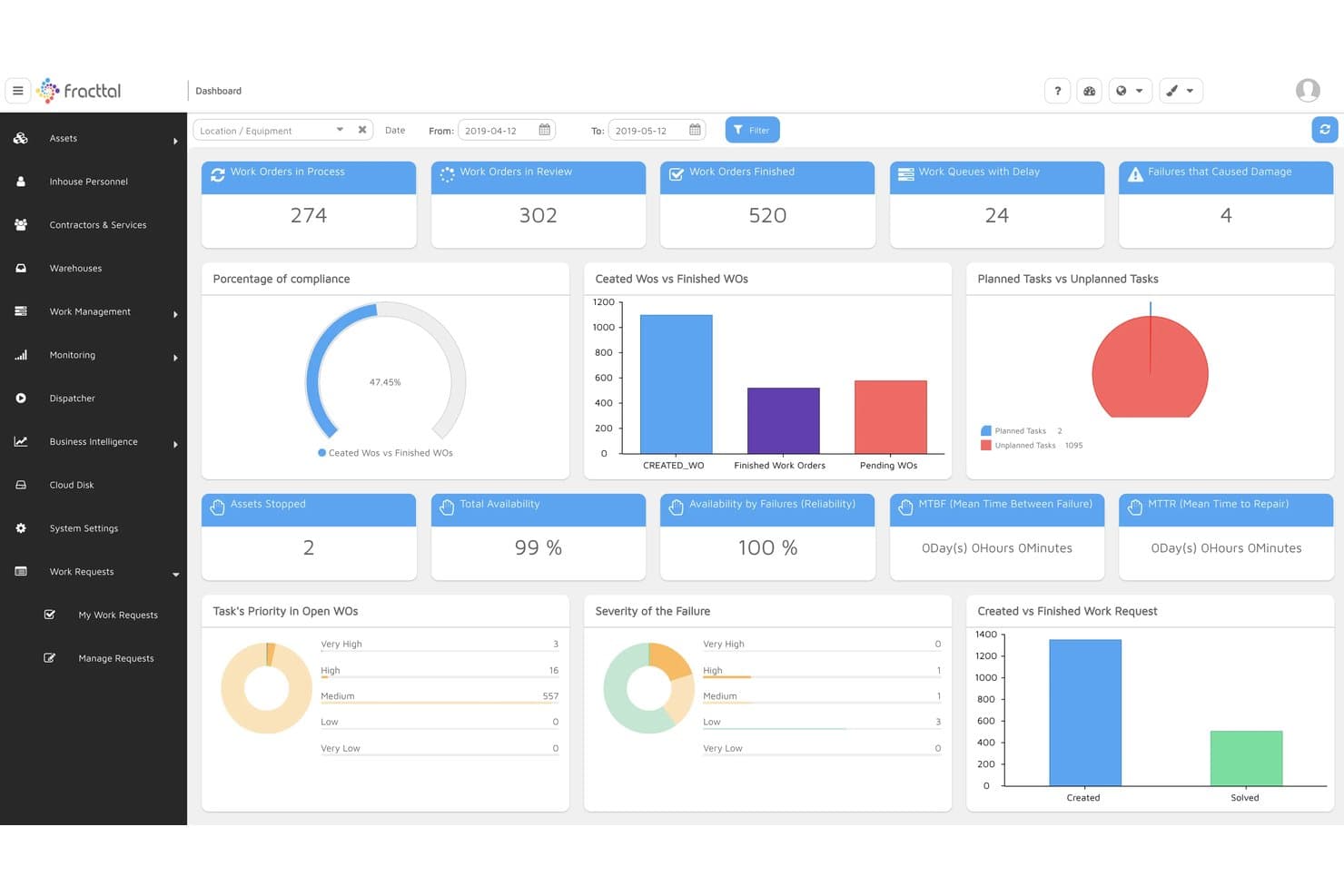
Fracttal provides KPIs for work orders, asset availability, and maintenance performance. Fracttal is a CMMS and EAM platform that combines asset tracking, IoT sensor monitoring, preventive and predictive maintenance scheduling, and multi-location inventory management for physical equipment.
Who Is Fracttal Best For?
Fracttal is a strong fit for operations and facilities teams managing equipment-heavy environments where IoT sensor monitoring and preventive maintenance are central to daily work.
Why I Picked Fracttal
I picked Fracttal because its native IoT capabilities go further than what most asset management tools offer out of the box. Fracttal Sense connects directly to sensors monitoring temperature, vibration, and energy consumption, then automatically triggers work orders when thresholds are breached—something I find invaluable for managing refrigeration units or HVAC systems across multiple sites. The predictive maintenance layer uses AI to flag potential failures before they happen, so you're responding to data rather than breakdowns.
Fracttal Key Features
- Hierarchical asset tree view: Organizes assets, components, and subcomponents in a customizable structure so you can see how equipment relates across your locations.
- QR code scanning via mobile app: Field technicians can scan asset tags on iOS or Android to pull up asset records, log data, and close work orders on the spot.
- Automated spare parts reordering: Sets reorder points for maintenance parts inventory across multiple locations and triggers restocking alerts when stock dips below threshold.
- Vendor and warranty management: Centralizes service contracts, warranty records, and third-party access so your team has the full supplier picture alongside each asset.
Fracttal Integrations
Fracttal offers 49+ documented integrations, including SAP, Oracle, Microsoft Dynamics, Microsoft Power BI, Microsoft SQL Server, Google Sheets, and Salesforce Service Cloud. It supports MQTT, OPC, PLC, and SCADA connectivity, plus an open REST API for custom integrations.
Pros and Cons
Pros:
- Predictive AI maintenance reduces asset downtime
- Mobile app offers offline QR scanning
- IoT sensor alerts for real-time monitoring
Cons:
- Lacks depreciation scheduling without ERP integration
- No native shrinkage or loss analytics
Learn more about Fracttal:
Other Asset Inventory Management Software
Here are some additional asset inventory management software options that didn’t make it onto my shortlist, but are still worth checking out:
- 11AssetTigerBest for free access
- 12Asset InfinityBest for cloud-based storage
- 13FlowtracBest for barcode scanning
- 14FreshserviceBest for IT service management
- 15LansweeperBest for network discovery
- 16LimbleBest for maintenance teams
- 17GLPIBest for open-source customization
- 18InvGate Asset ManagementBest for user-friendly interface
- 19SyncroBest for managed service providers
- 20WorkwizeBest for remote work solutions
- 21PreyBest for device recovery
- 22SetylBest for subscription management
- 23IBM MaximoBest for enterprise asset management
- 24GoCodesBest for QR code tracking
- 25ServiceNow ITAMBest for workflow automation
- 26ManageEngine Asset ExplorerBest for IT asset management
How I Evaluate Asset Inventory Management Software
I evaluate these tools in two layers: core capabilities every platform must have—like asset tagging and multi-store audit tools—and differentiators that matter most to retail teams.
Core Functionality (Table Stakes For This List)
When I'm selecting tools for my list, I rank each one on a scale from 0 (does not offer the functionality) to 5 (excels in this area) for each core functionality listed below. Then, I calculate the tool's total score into a percentage. Each tool needs to achieve a minimum total score of 65% to be considered for inclusion.
- Asset Tagging & Identification: I check whether a platform supports barcode, QR, or RFID scanning natively or only through third-party apps—especially for tagging fixtures and POS hardware across stores.
- Centralized Asset Database: Every tool I evaluate needs a unified asset register that tracks location, condition, and assignment across multiple retail sites in real time.
- Check-In/Check-Out Tracking: I look for full transfer logging when assets move between stores, employees, or warehouses—like reassigning a handheld scanner from one location to another.
- Audit & Cycle Count Tools: Scheduled audits and mobile cycle counts matter here, particularly for loss prevention teams reconciling what's on the floor versus what's in the system.
- Depreciation & Lifecycle Management: I evaluate how each tool handles depreciation methods, warranty expiration alerts, and end-of-life disposal tracking for equipment like self-checkout kiosks.
- Reporting & Analytics: The reporting engine needs to support filtered views by location, asset type, or status—useful for generating compliance reports or reviewing utilization trends.
Once I have a list of tools that meet this criteria, I consider what sets each platform apart.
Differentiating Factors (What Sets Vendors Apart)
Here's how I compare and contrast different vendors:
Standout Features
Mobile app quality matters here—I look for apps that let store associates scan assets and run cycle counts from the sales floor. Offline mode pairs with this, since backrooms and warehouses often lack reliable connectivity, and missed scans during an audit defeat the purpose. Maintenance workflow automation is another differentiator, because teams managing refrigeration units or POS terminals benefit from automated work orders instead of manual ticketing. I also check for vendor and contract management, which gives equipment managers one place to track lease terms and warranty renewals.
Beyond Features
Integrations with your retail tech stack are a big deal—I check whether a platform connects to POS systems and accounting tools like QuickBooks or NetSuite so depreciation data flows into your general ledger without manual entry. Compliance and audit readiness also factor in, especially for loss prevention teams who need immutable audit trails that hold up with external auditors. Total cost of ownership deserves attention too, since hardware like RFID readers and label printers can add up fast on top of per-asset or per-location licensing fees.
How to Choose Asset Inventory Management Software
It’s easy to get caught in a feature factory rabbit hole. Instead, focus on what actually moves the needle for your business.
Use this checklist to cut through the noise and find a platform that works for your real-world workflows.
| Factor | What to look for |
|---|---|
| FactorScalability | What to look forDon’t just buy for today—plan for growth. Choose software that can handle more assets, users, and locations as your business scales. Bonus points for flexible pricing tiers. |
| FactorIntegrations | What to look forMake sure it plays nice with your stack. Look for native integrations with your ERP, accounting tools, help desk, or warehouse management systems to keep data flowing without extra effort. |
| FactorCustomizability | What to look forOne-size-fits-none. The best tools let you tailor fields, reports, alerts, and dashboards, so the platform works the way your team does—not the other way around. |
| FactorEase of use | What to look forYou shouldn’t need a manual to log a maintenance request. Look for clean interfaces, minimal clicks, and workflows that make sense out of the box. |
| FactorBudget fit | What to look forMatch features to your budget, not the other way around. Avoid platforms that nickel-and-dime with extra fees for things like users, scans, or API access. |
| FactorSecurity | What to look forYou’re storing sensitive asset data—treat it that way. Look for encryption, user access controls, and regular security updates. Compliance certifications are a bonus. |
| FactorMobile access | What to look forIf your team works across warehouses, job sites, or remote offices, mobile functionality is a must. Check for full-feature mobile apps—not just clunky web versions. |
| FactorReporting power | What to look forData is only helpful if you can use it. Look for reporting tools that let you slice, dice, and export the metrics you care about, from usage trends to asset depreciation. |
Trends in Asset Inventory Management Software
Asset management isn’t just about spreadsheets and check-in logs anymore. From automation to sustainability, here’s what’s changing the game this year—and what to look for in your next asset management platform.
- AI and machine learning are powering smarter decisions. Asset management systems are tapping into AI to analyze usage patterns, predict failures, and recommend workflows—helping teams cut costs and reduce downtime without second-guessing.
- IoT is bringing real-time visibility. Connected sensors now feed continuous asset data into your dashboards. This enables real-time tracking of physical assets like hardware, vehicles, and mobile devices, improving lifecycle management and maintenance scheduling.
- Sustainability metrics are becoming a must-have. Businesses are looking beyond asset tracking and toward energy efficiency and environmental impact. Modern tools now help track resource usage and equipment depreciation to support ESG reporting.
- IT asset management (ITAM) and SAM are converging. Organizations are ditching siloed systems in favor of all-in-one platforms that track both hardware assets and software licenses. That means better asset lifecycle visibility and smarter procurement decisions.
- Cybersecurity is no longer optional. With sensitive asset information moving through the cloud, asset management solutions now include encryption, user access controls, and audit trails to keep your data locked down and compliant.
- Mobile-first platforms are leading the charge. Whether you’re working from iOS, Android, or a rugged warehouse scanner, a mobile app with full functionality is now table stakes. Teams need access to asset information, notifications, and work orders from anywhere.
- APIs and integrations are expected, not extra. Seamless connections with tools like Microsoft Dynamics, ServiceNow, and configuration management databases (CMDBs) help teams streamline workflows and centralize asset data across the organization.
What is Asset Inventory Management Software?
Asset inventory management software helps you keep track of your physical stuff—everything from laptops in the office to forklifts in the warehouse.
It logs where assets are, who’s using them, when they need maintenance, and how long they’ve been in play. It’s a central hub for managing the lifecycle of everything your business owns.
These tools are built for ops managers, IT teams, facility leads, and anyone tired of chasing down spreadsheets or wondering where the missing label printer went.
Many platforms now offer mobile apps, predictive maintenance tools, IoT integrations, and audit-friendly reporting to keep you ahead of both breakdowns and compliance headaches.
Whether you’re dealing with IT gear, industrial equipment, or anything in between, asset inventory software helps you stop guessing and start managing with data.
Features of Asset Inventory Management Software
If a tool can’t do the basics, it’s not making the list. But beyond core functionality, the best asset management platforms offer the flexibility, automation, and integrations that modern teams need.
Here are the features that actually move the needle:
- Asset tracking. Know what you have, where it is, and who’s using it—whether it’s laptops, forklifts, or mobile devices.
- Barcode and RFID support. Scan assets in seconds with built-in barcode and RFID capabilities for fast, error-free updates across locations.
- Customizable dashboards and reports. Build views that surface what matters: asset lifecycle status, depreciation, warranty info, and more.
- Mobile app access. Manage assets from iOS or Android in real time—ideal for field teams, warehouses, and anyone not glued to a desk.
- Maintenance and work order management. Schedule preventive maintenance, assign work orders, and track service history to keep things running.
- Integrations and APIs. Sync your asset tracking software with tools like Microsoft, ServiceNow, or your help desk to streamline workflows and data sharing.
- Compliance and audit features. Generate audit trails, track warranties, and maintain documentation to satisfy regulators and procurement teams.
- Custom fields and flexible categorization. Tailor the system to your workflows—not the other way around—with fields that match your asset types and use cases.
- Security and access controls. Set user roles, restrict sensitive asset data, and ensure your IT team has visibility without compromising security.
- Cloud-based accessibility. Access your asset management system anywhere, anytime, without the limits of on-premise solutions.
Benefits of Asset Inventory Management Software
Managing assets manually is a fast track to lost time, missing gear, and mystery depreciation. Here’s what you actually gain when you switch to a modern asset management solution:
- Fewer headaches, more automation. Say goodbye to spreadsheets and manual tracking. Automated workflows reduce human error and free up your team to focus on higher-impact work.
- Smarter decision-making. With real-time asset data and detailed reports, you can make informed calls on upgrades, procurement, and lifecycle planning—no guesswork required.
- Stronger accountability. Know who checked out what, when it’s due back, and whether it’s been serviced. That clarity cuts down on asset loss and makes audits a breeze.
- Longer asset lifespan. Preventive maintenance tools and warranty tracking help extend the life of your equipment and reduce costly downtime.
- Improved compliance. Whether it’s IT asset management (ITAM) or hardware audits, built-in documentation, and configuration management features keep you audit-ready.
- Anywhere access. Cloud-based platforms and mobile apps give your team full visibility and control—whether they’re in the office, in the warehouse, or on the move.
- Tighter integration with your stack. With robust API options and native integrations, your asset management tool can plug into service desks, inventory tracking tools, procurement systems, and more.
Costs and Pricing of Asset Inventory Management Software
Pricing for asset inventory software can be all over the place—especially once you factor in users, features, and whether you're managing a handful of laptops or thousands of hardware assets across multiple sites.
To help you budget smarter, here's a quick look at what typical plans include and what to watch out for.
| Plan Type | Average Price | Common Features | Best For |
|---|---|---|---|
| Plan TypeFree Plan | Average Price$0 | Common FeaturesBasic asset tracking, limited users, simple dashboards, and basic reporting | Best ForStartups or small teams with light tracking needs |
| Plan TypePersonal Plan | Average Price$5–$25/user/month | Common FeaturesAsset tagging, mobile app access, custom fields, maintenance alerts | Best ForIndividual departments or IT teams |
| Plan TypeBusiness Plan | Average Price$25–$50/user/month | Common FeaturesBarcode/RFID support, cloud-based access, detailed reports, real-time notifications | Best ForSMBs with growing asset inventories |
| Plan TypeEnterprise Plan | Average Price$50–$100+/user/month | Common FeaturesFull API access, workflow automation, integrations with ERP/ITAM tools, security controls | Best ForLarge orgs with complex asset ecosystems |
Additional cost considerations
- Per-asset or per-scan pricing. Some tools charge based on how many assets you track or how often you scan them—watch for usage-based fees.
- Add-ons and premium features. Advanced reporting, API integrations, and ITAM modules may not be included in base pricing.
- Implementation costs. Enterprise-level platforms often come with onboarding or configuration fees, especially for on-premise setups.
- Support tiers. 24/7 live support or dedicated success managers may cost extra—check what’s actually included in your plan.
Asset Inventory Management Software FAQs
Still got a few questions? Here are the ones that actually matter now that you know what these tools can do—and what to look for.
What’s the difference between asset inventory software and IT asset management (ITAM)?
ITAM is a specific flavor of asset management focused on tracking digital assets like laptops, software licenses, and mobile devices. Asset inventory software is broader—it can track everything from tools to trucks. Some platforms handle both, but make sure the one you choose has features that match your assets and workflows.
Can asset inventory tools help with compliance audits?
Absolutely. The best asset management systems log usage history, warranty info, service records, and user checkouts—all of which make audits less painful. If you’re in a regulated industry, look for tools with strong reporting, role-based access, and audit-ready logs.
How customizable are asset management tools, really?
Some tools give you total control—custom fields, custom reports, workflow automation, even branded dashboards. Others? Not so much. If your asset tracking needs are unique (and let’s be honest, they usually are), make sure you can tailor the platform to your processes without duct-taping together workarounds.
Do I need a dedicated admin to run asset inventory management software?
Not always, but complexity scales with usage. If you’re managing thousands of physical assets or tying in API workflows across departments, you might want someone owning it. Smaller teams can usually handle things in-house—as long as the tool is user-friendly and has good support.
What if I already have asset data in spreadsheets?
Most platforms support CSV imports to make migration less painful. Some even offer setup wizards or concierge onboarding to help you pull your existing asset data out of Excel and into something actually built for tracking. Just don’t expect it to be magic—garbage in, garbage out.
Is it better to go cloud-based or on-premise for asset management?
Unless you have strict security requirements or zero internet access, go cloud-based. You’ll get faster updates, mobile access, and fewer IT headaches. On-premise still has its place, but it’s usually overkill for all but the largest, most locked-down orgs.