


Sortly Review: Pros, Cons, Features, and Pricing



Sortly is a visual inventory management software for teams that need to track physical items, assets, and supplies across multiple locations. I'd consider it if you want something your whole team can pick up quickly without a lengthy implementation. It's a stronger fit than Fishbowl for businesses that don't need deep manufacturing or accounting workflows—Sortly's photo-based item tracking and folder-style organization make it more approachable for smaller operations and teams managing non-warehouse inventory like supplies, equipment, or field assets.
Sortly Evaluation Summary
- From $49/month
- Free plan available and 14-day free trial
Why Trust Our Software Recommendations
Our team has been testing and reviewing software since 2012. As retail leaders ourselves, we know how difficult—and important—it is to choose the right software.
For this guide, we evaluated tools using hands-on testing and independent research, scoring tools using our selection criteria.
Our reviews reflect our independent judgment—not a sales pitch.
Sortly Overview
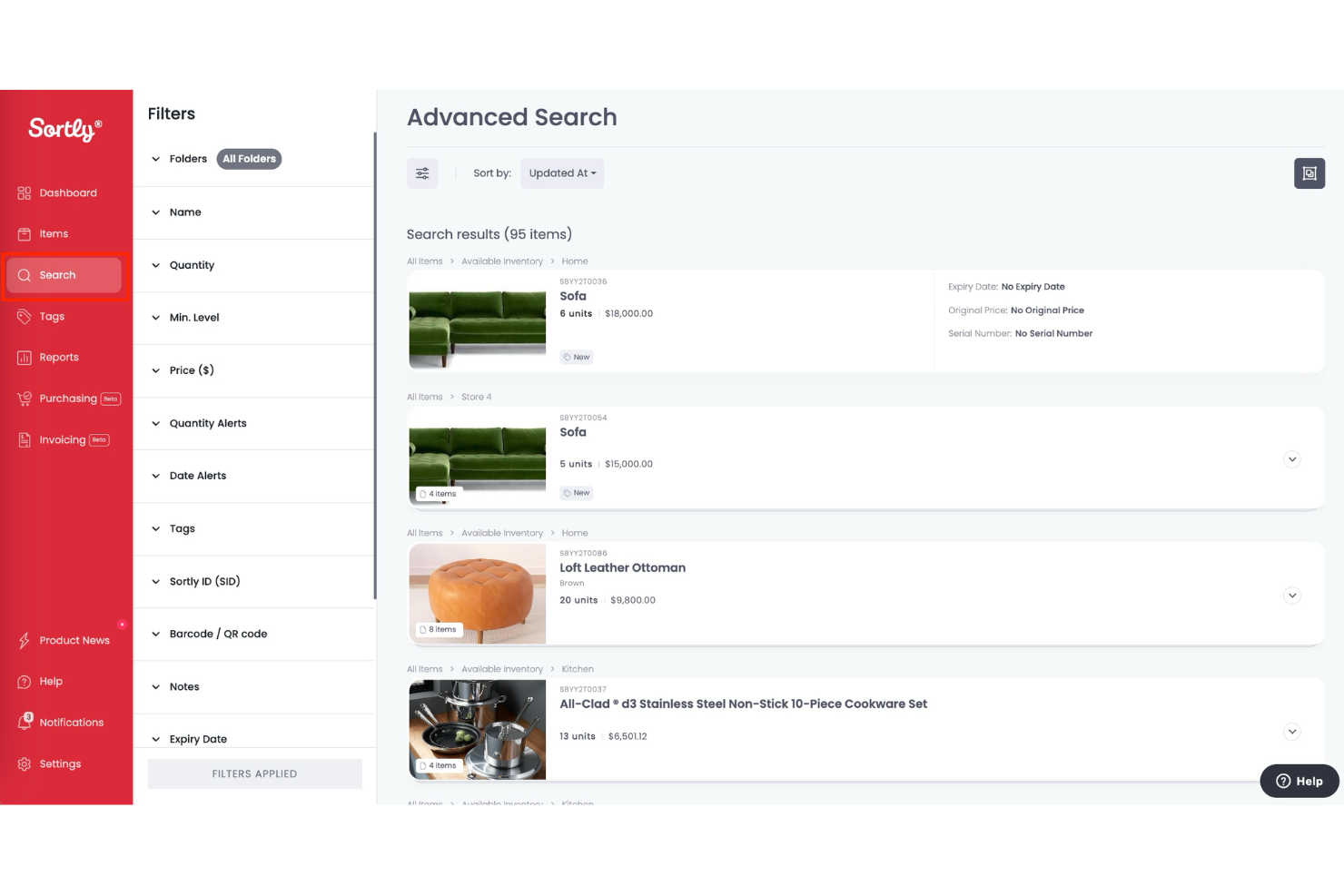
If you’re judging inventory management software on ease of use, Sortly is one of the most approachable options out there. Its visual interface and mobile app make onboarding quick, even for teams with little tech experience. Sortly’s photo-based tracking and customizable fields set it apart for small retailers or field teams who need simple, flexible inventory control.
However, if you’re comparing advanced reporting, integrations, or automation, Sortly can fall short for larger or more complex operations. For straightforward inventory needs, though, it’s a top pick.
pros
-
Custom fields and folders for flexible organization.
-
Mobile app works offline for field or warehouse use.
-
Photo-based item tracking for visual inventory management.
cons
-
Few automation features for complex inventory workflows.
-
Pricing increases sharply with higher SKU counts.
-
Limited advanced reporting and analytics options.
Is Sortly Right For Your Needs?
Who Would be a Good Fit for Sortly?
Sortly is a strong choice for small to midsize businesses, field teams, and organizations that need visual, mobile-first inventory tracking without complex integrations or automation. Its photo-based item management, offline mobile app, and customizable folders make it especially useful for teams that manage physical assets in multiple locations or need to track inventory on the go.
If your business values simplicity and flexibility over deep analytics or automation, Sortly is likely to fit your needs.
-
Field Service Teams
Offline access and mobile-first design support inventory in remote locations.
-
Small Retail Stores
Photo-based inventory and simple reporting work well for small SKU counts.
-
Nonprofits
Easy setup and flexible organization suit teams with limited IT resources.
-
Medical Clinics
Custom fields and barcode scanning simplify tracking medical supplies.
-
Event Planners
Visual folders and item images make tracking event assets straightforward.
-
Construction Contractors
Sortly’s mobile app and photo tracking help manage tools and materials across job sites.
Who Would be a Bad Fit for Sortly?
Sortly isn’t the best choice for large enterprises, businesses with complex supply chains, or teams that need deep integrations and automation. Its limited reporting, automation, and integration options can be a drawback for organizations that require advanced analytics, multi-channel syncing, or high-volume inventory management.
If your operations depend on real-time data sharing or sophisticated workflows, you’ll likely find Sortly lacking.
-
Wholesale Distributors
Not designed for bulk order processing or complex supply chains.
-
IT Asset Managers
Lacks integrations with IT management or procurement systems.
-
Multi-Location Chains
No centralized controls or advanced permissions for large teams.
-
Manufacturing Plants
Limited workflow automation and reporting for production inventory needs.
-
Ecommerce Marketplaces
No real-time integrations with online sales channels or order systems.
-
Large Enterprises
Sortly lacks advanced analytics and automation for high-volume operations.
Our Review Methodology
How We Test & Score Tools
We’ve spent years building, refining, and improving our software testing and scoring system. The rubric is designed to capture the nuances of software selection and what makes a tool effective, focusing on critical aspects of the decision-making process.
Below, you can see exactly how our testing and scoring works across seven criteria. It allows us to provide an unbiased evaluation of the software based on core functionality, standout features, ease of use, onboarding, customer support, integrations, customer reviews, and value for money.
Core Functionality (25% of final scoring)
The starting point of our evaluation is always the core functionality of the tool. Does it have the basic features and functions that a user would expect to see? Are any of those core features locked to higher-tiered pricing plans? At its core, we expect a tool to stand up against the baseline capabilities of its competitors.
Standout Features (25% of final scoring)
Next, we evaluate uncommon standout features that go above and beyond the core functionality typically found in tools of its kind. A high score reflects specialized or unique features that make the product faster, more efficient, or offer additional value to the user.
We also evaluate how easy it is to integrate with other tools typically found in the tech stack to expand the functionality and utility of the software. Tools offering plentiful native integrations, 3rd party connections, and API access to build custom integrations score best.
Ease of Use (10% of final scoring)
We consider how quick and easy it is to execute the tasks defined in the core functionality using the tool. High scoring software is well designed, intuitive to use, offers mobile apps, provides templates, and makes relatively complex tasks seem simple.
Onboarding (10% of final scoring)
We know how important rapid team adoption is for a new platform, so we evaluate how easy it is to learn and use a tool with minimal training. We evaluate how quickly a team member can get set up and start using the tool with no experience. High scoring solutions indicate little or no support is required.
Customer Support (10% of final scoring)
We review how quick and easy it is to get unstuck and find help by phone, live chat, or knowledge base. Tools and companies that provide real-time support score best, while chatbots score worst.
Customer Reviews (10% of final scoring)
Beyond our own testing and evaluation, we consider the net promoter score from current and past customers. We review their likelihood, given the option, to choose the tool again for the core functionality. A high scoring software reflects a high net promoter score from current or past customers.
Value for Money (10% of final scoring)
Lastly, in consideration of all the other criteria, we review the average price of entry level plans against the core features and consider the value of the other evaluation criteria. Software that delivers more, for less, will score higher.
Core Features
Mobile App
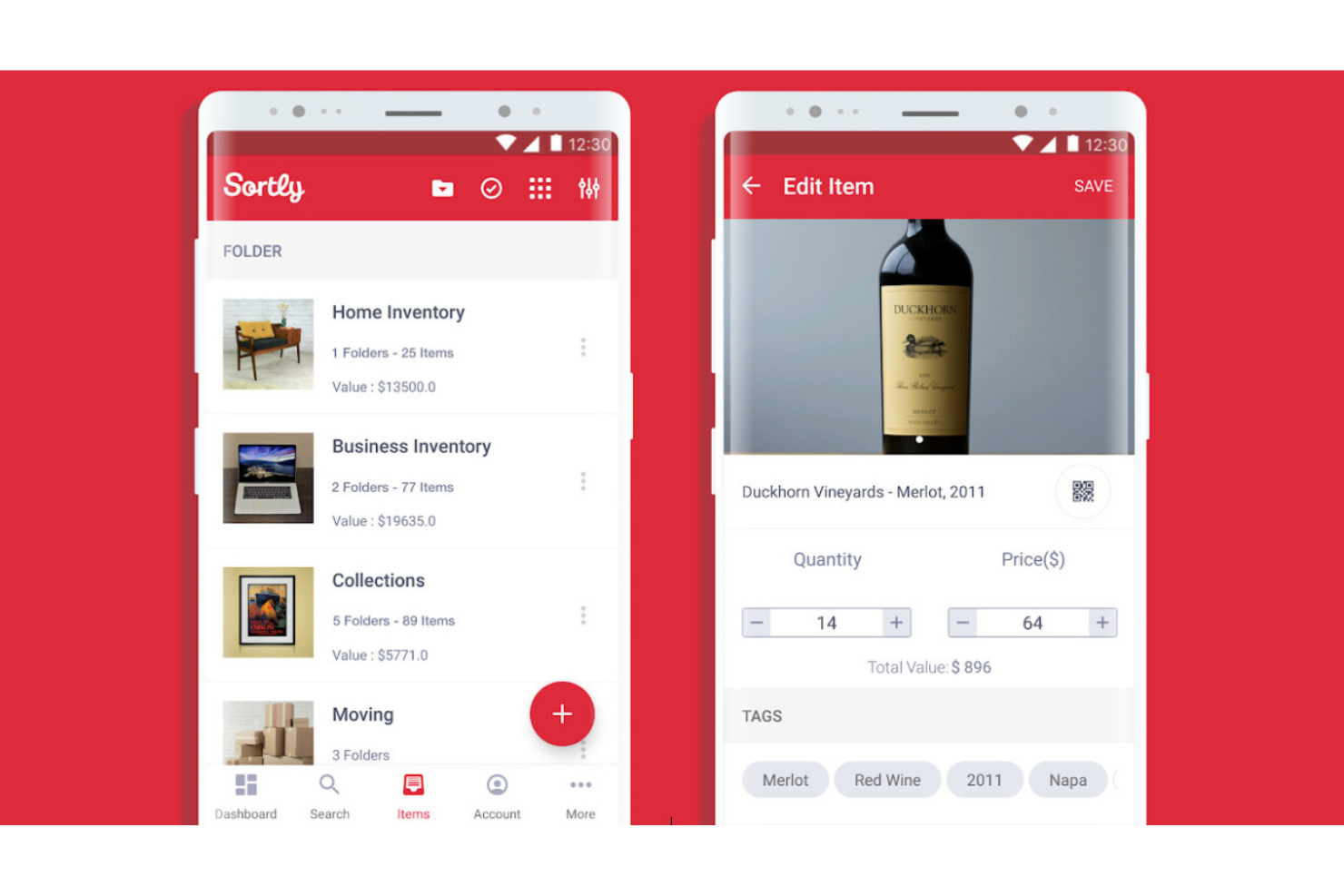
Track and update inventory from any device, anywhere, even offline. The app syncs automatically once reconnected, ensuring data stays consistent across teams.
Photo-Based Item Tracking
Attach high-resolution photos to items for visual identification and easier audits. This reduces confusion and speeds up item verification during stock checks.
Barcode and QR Code Scanning
Scan and generate barcodes or QR codes in-app to speed up inventory counts. It minimizes manual entry errors and improves overall tracking accuracy.
Custom Fields and Folders
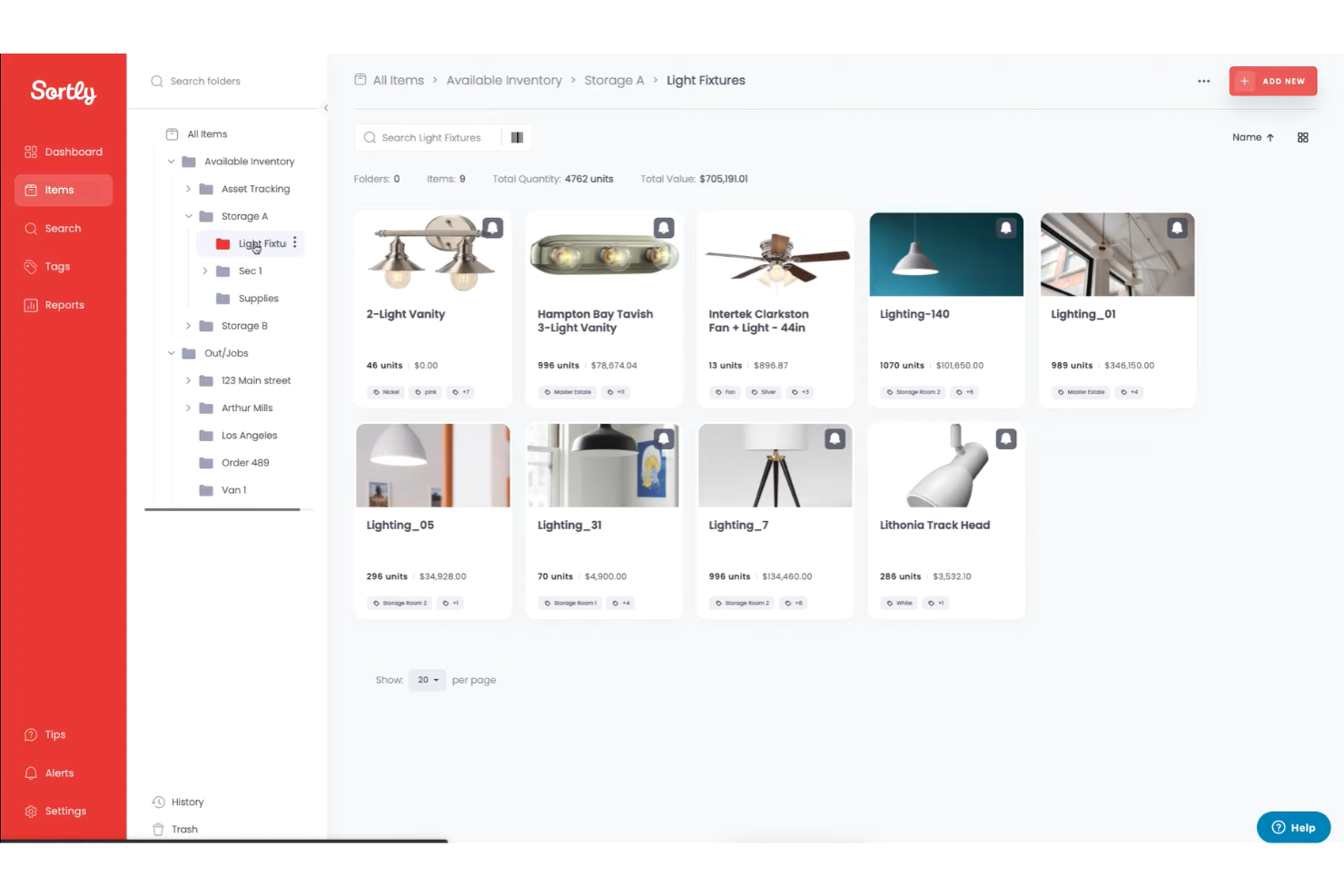
Organize inventory by location, type, or any custom attribute your team needs. This flexibility makes it easy to tailor the system to different workflows.
Low Stock and Date-Based Alerts
Get automatic notifications when items run low or reach important dates. This helps prevent stockouts and keeps operations running smoothly.
Real-Time Reporting
Generate and export custom reports for audits, budgeting, and forecasting. Reports update instantly, giving teams accurate insights for faster decisions.
Standout Features
Visual Inventory Hierarchy
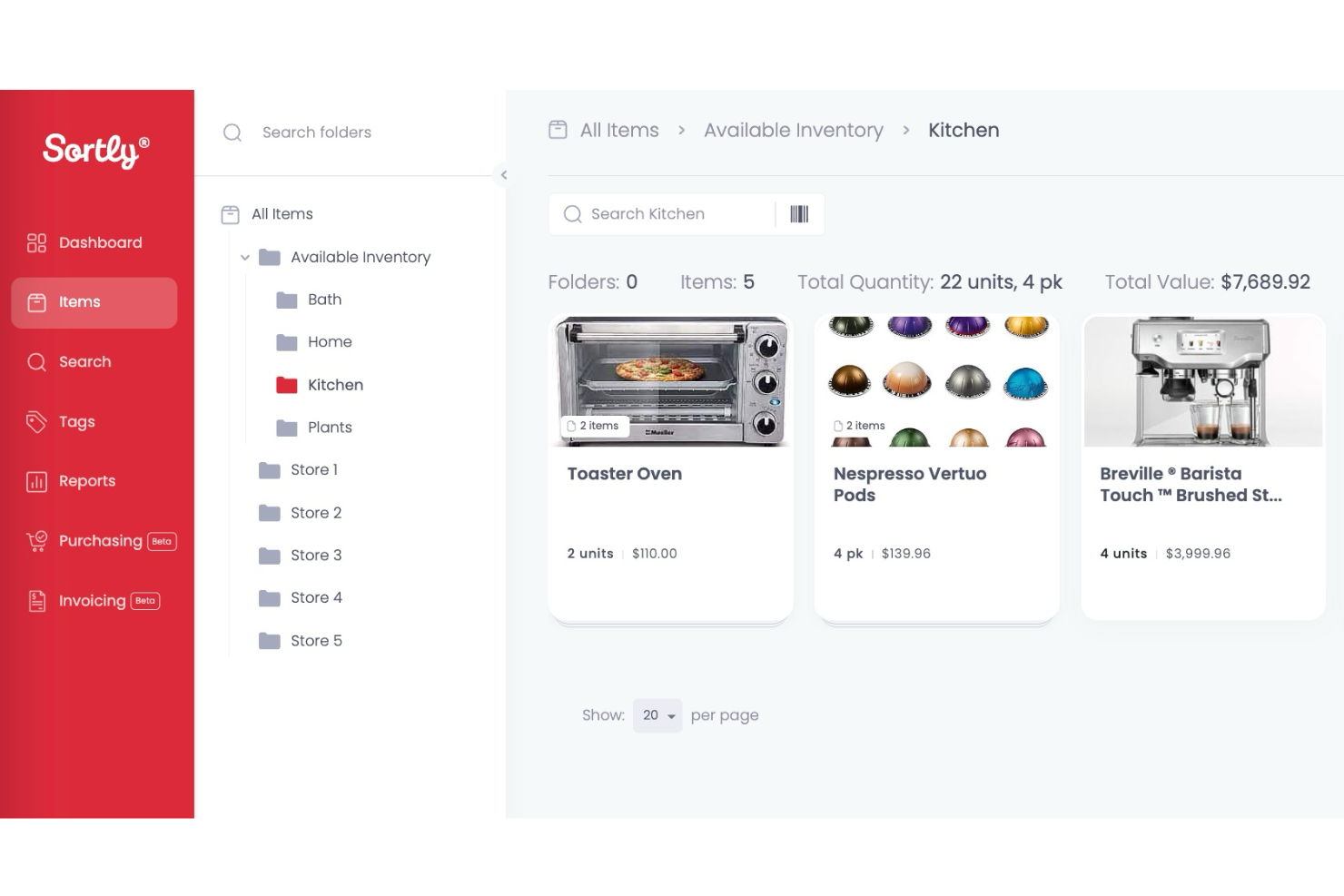
Sortly lets you create nested folders with images, so you can mirror your physical storage layout and visually drill down into categories, locations, or projects. This makes it easy to find items quickly and keep your digital inventory organized just like your shelves or bins.
Bulk Import and Update
You can import large inventories or update item details in bulk using spreadsheets, saving hours on manual entry. This is especially helpful for onboarding new locations or making mass changes to product data.
Ease of Use
Sortly is one of the most approachable inventory management tools I’ve used, with a clean interface and intuitive navigation that makes setup fast for any team. Users often mention how quickly they can add items, upload photos, and organize folders without training.
The mobile app’s offline mode and simple barcode scanning make it easy for staff in warehouses or the field to update inventory on the go, reducing errors and saving time.
Onboarding
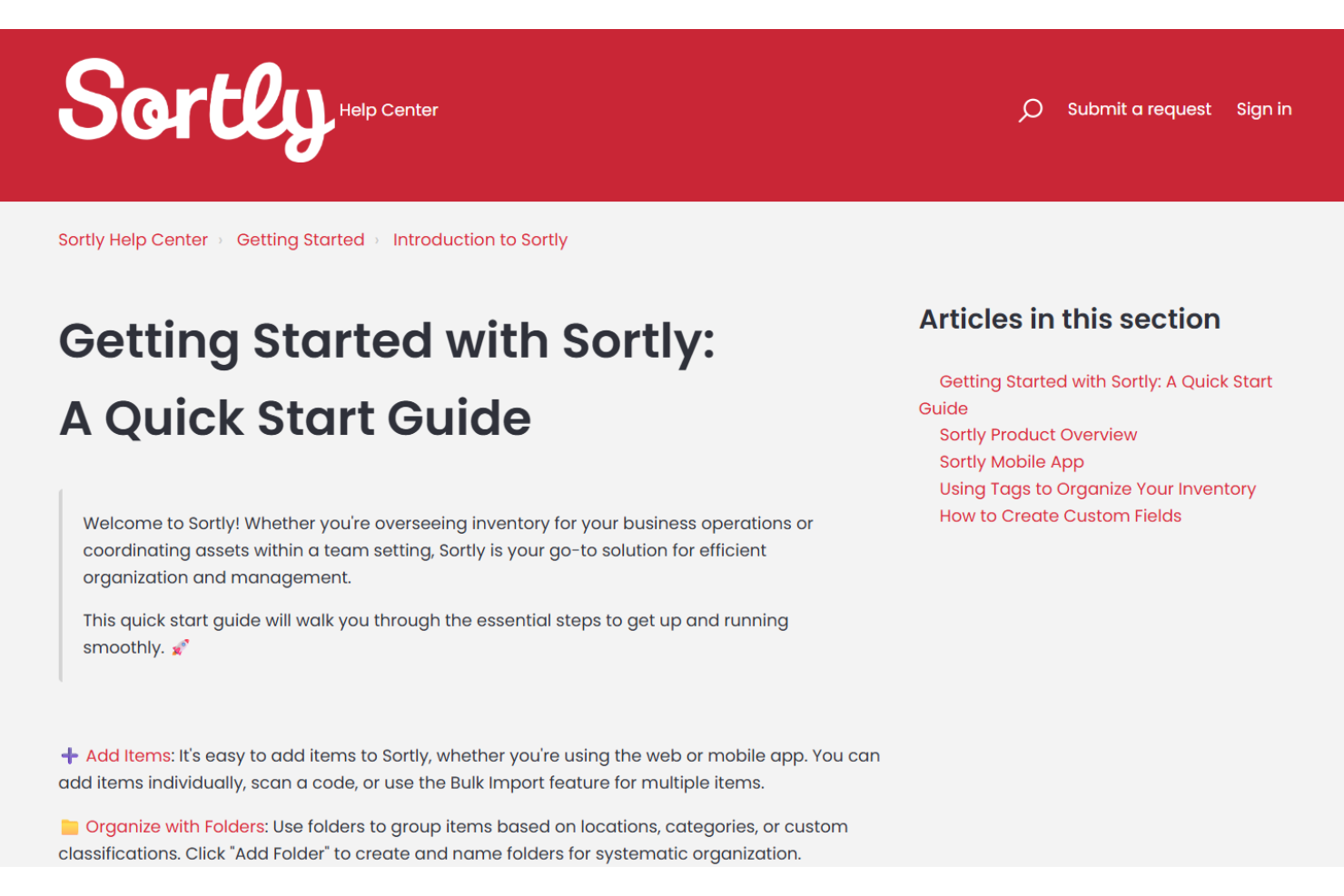
Sortly’s onboarding is quick and straightforward, with most users able to get started in under an hour thanks to guided setup, sample data, and clear in-app prompts. The help center offers step-by-step articles and video tutorials, and live chat support is available for troubleshooting.
Many users say they appreciate the minimal setup required and the responsive support team, which helps new users see value from the software almost immediately.
Customer Support
Sortly offers responsive customer support through live chat, email, and a detailed help center, which users often describe as fast and helpful. Many reviewers highlight the team’s willingness to walk through issues step by step and resolve questions quickly.
The availability of video tutorials and clear documentation makes it easy for users to troubleshoot on their own, while direct support is accessible when more complex problems arise.

Integrations
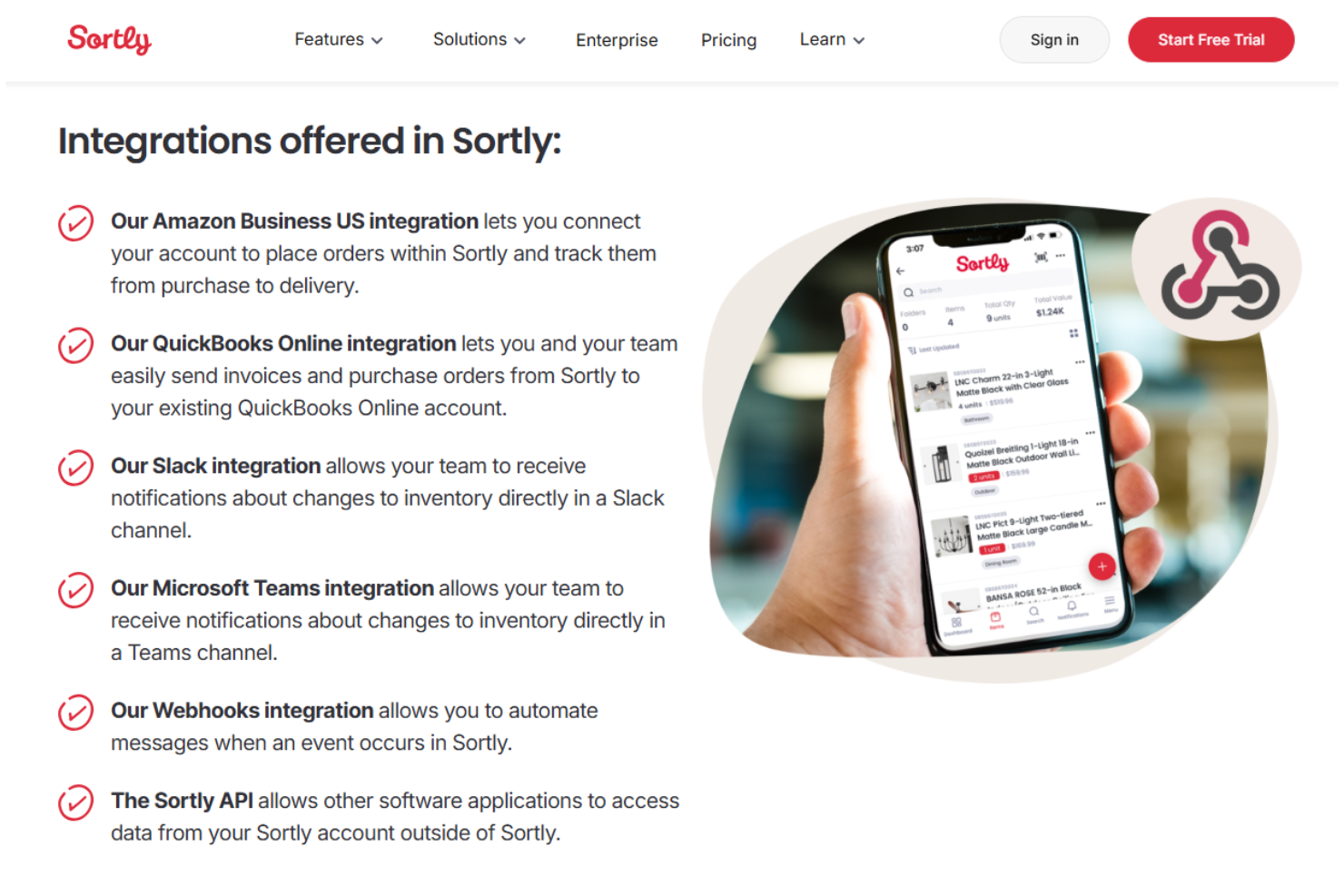
Sortly integrates with Amazon Business US, QuickBooks Online, Slack, Microsoft Teams, and Webhooks.
Sortly also offers an API for custom integrations and automation with other software applications.
Value for Money
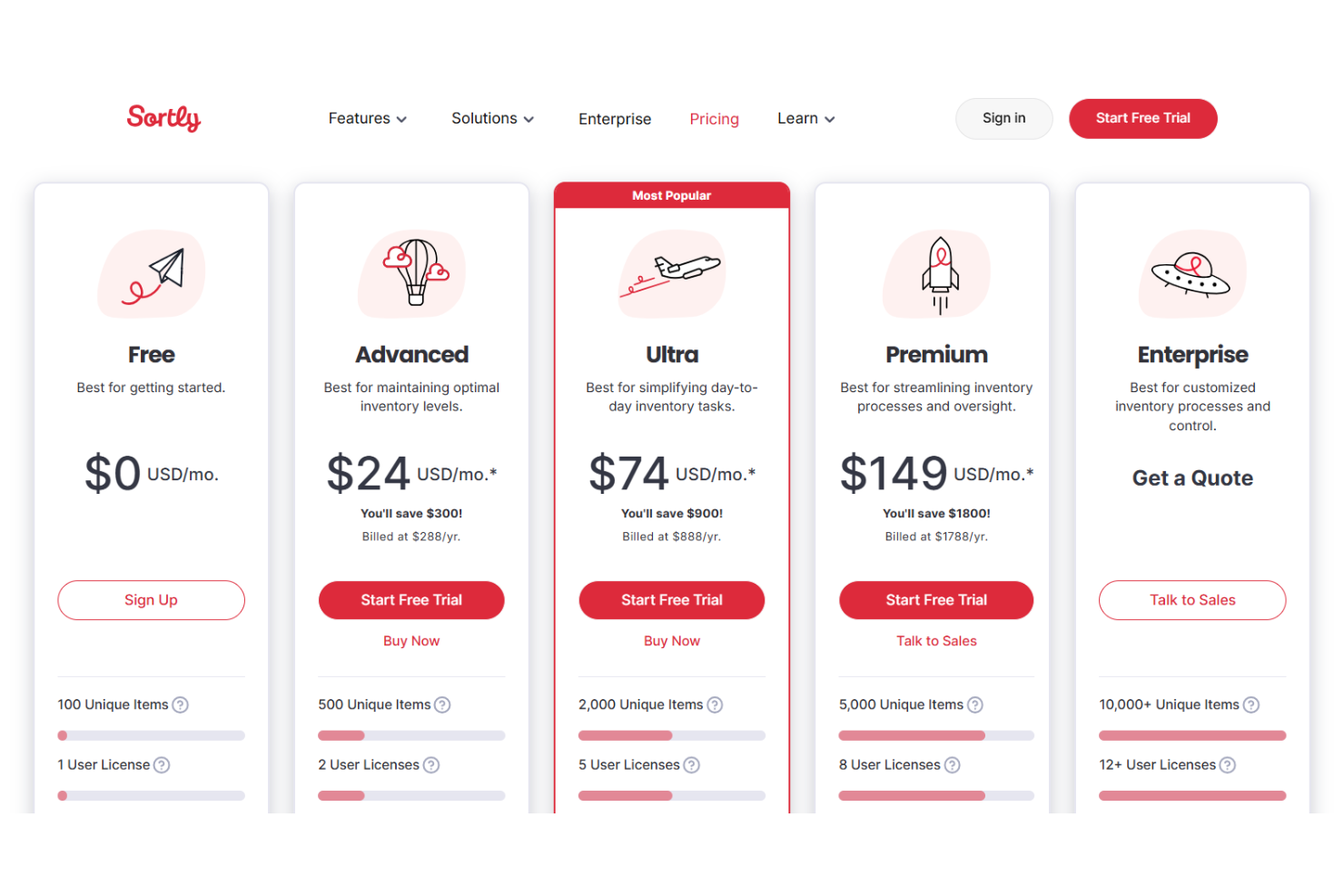
Sortly is affordable for small and midsize teams, with flexible plans that scale as your inventory grows. Users appreciate the transparent pricing and the ability to start with essential features, but some mention that costs rise quickly for larger inventories or advanced needs.
- Free: Basic inventory tracking for individuals with limited items and one user.
- Advanced: Adds more items, users, and tools like barcode scanning and alerts.
- Ultra: Expands capacity with purchase orders and advanced labeling.
- Premium: Includes higher limits, user roles, and integrations for control.
- Enterprise: Custom plan with unlimited scale, advanced integrations, and support.
Sortly Specs
- API
- Barcode Scanning
- Budgeting
- Calendar Management
- Customer Management
- Dashboard
- Data Export
- Data Import
- Data Visualization
- External Integrations
- Forecasting
- Inventory Tracking
- Multi-User
- Notifications
- Order Management
- POS Integration
- Product Catalog
- Purchase Orders
- Reorder Automation
- SAP Integration
- Scheduling
- Shipping Management
- Status Notifications
- Stock Level Monitoring
- Supplier Management
- Third-Party Plugins/Add-Ons
- Warehouse Management
Sortly FAQs
Can I use Sortly to track inventory across multiple locations?
Does Sortly support barcode and QR code scanning?
How easy is it to import my existing inventory data into Sortly?
What happens if I lose internet access while using Sortly?
Can I set user permissions for my team in Sortly?
How does Sortly handle data security and compliance?
What kind of customer support does Sortly offer?
Can I generate inventory reports and export data from Sortly?
Sortly Company Overview & History
Sortly is a US-based company specializing in simple, visual inventory management software for small businesses and teams. Headquartered in the United States, Sortly serves over 15,000 businesses across industries like construction, medical, education, and design.
The company is known for its user-friendly mobile and web apps and for making inventory tracking accessible to non-technical users. Sortly operates independently and does not list affiliations with other products or parent companies.
Sortly Major Milestones
- 2013: Sortly founded and begins developing its inventory management platform.
- 2014: Sortly launches its first mobile app for inventory tracking.
- 2023: Surpasses 15,000 business customers using the platform.
- 2024: Featured in case studies with notable clients like TCM Enterprises and Lemoine.