
14 Retail Execution Software Solutions for 2026

Retail Execution Software Shortlist
Here’s my shortlist of retail execution software:


Retail execution software is retail management software that helps your team plan, track, and manage in-store activities, field operations, and merchandising tasks across retail locations. A modern retail execution platform supports promotion execution, store audits, and workforce management, helping brands maintain consistency and operational excellence across every location. If you’re searching for the best retail execution software, you’re likely aiming to improve store compliance, boost sales, and gain real-time visibility into what’s happening on the ground. Many platforms also support retail execution strategies by centralizing reporting, task management, and field team coordination. With so many options available, it’s tough to know which platform fits your business, field team, and integration needs. This list will help you quickly compare top solutions for 2026, so you can choose the right tools to support your retail operations and drive results.
Why Trust Our Software Reviews
Best Retail Execution Software Summary
This comparison chart summarizes pricing details for my top retail execution software selections to help you find the best one for your budget and business needs.
| Tool | Best For | Trial Info | Price | ||
|---|---|---|---|---|---|
| 1 | Best for field team activity tracking | Free demo available | Pricing upon request | Website | |
| 2 | Best for frontline employee training | Not available | Pricing upon request | Website | |
| 3 | Best for B2B sales process integration | Free demo available | From $500/month | Website | |
| 4 | Best for real-time task assignment | Free demo available | Pricing upon request | Website | |
| 5 | Best for merchandising event coordination | Not available | Pricing upon request | Website | |
| 6 | Best with enterprise CRM integration | Free plan available | From $25/user/month (billed annually) | Website | |
| 7 | Best for distributor-focused order management | 30-day free trial + free demo available | Pricing upon request | Website | |
| 8 | Best for customizable mobile workflows | Free demo available | From $40/user/month | Website | |
| 9 | Best for third-party retail service providers | Not available | Pricing upon request | Website | |
| 10 | Best for in-store compliance monitoring | Free demo available | Pricing upon request | Website | |
| 11 | Best for visual store audit automation | Free demo available | Pricing upon request | Website | |
| 12 | Best for AI-powered shelf analytics | Free demo available | Pricing upon request | Website |
Retail Execution Software Reviews
Below are my detailed summaries of retail execution software that made it onto my shortlist. My reviews offer a detailed look at the features, best use cases, and integrations of each platform to help you find the best one for your business.

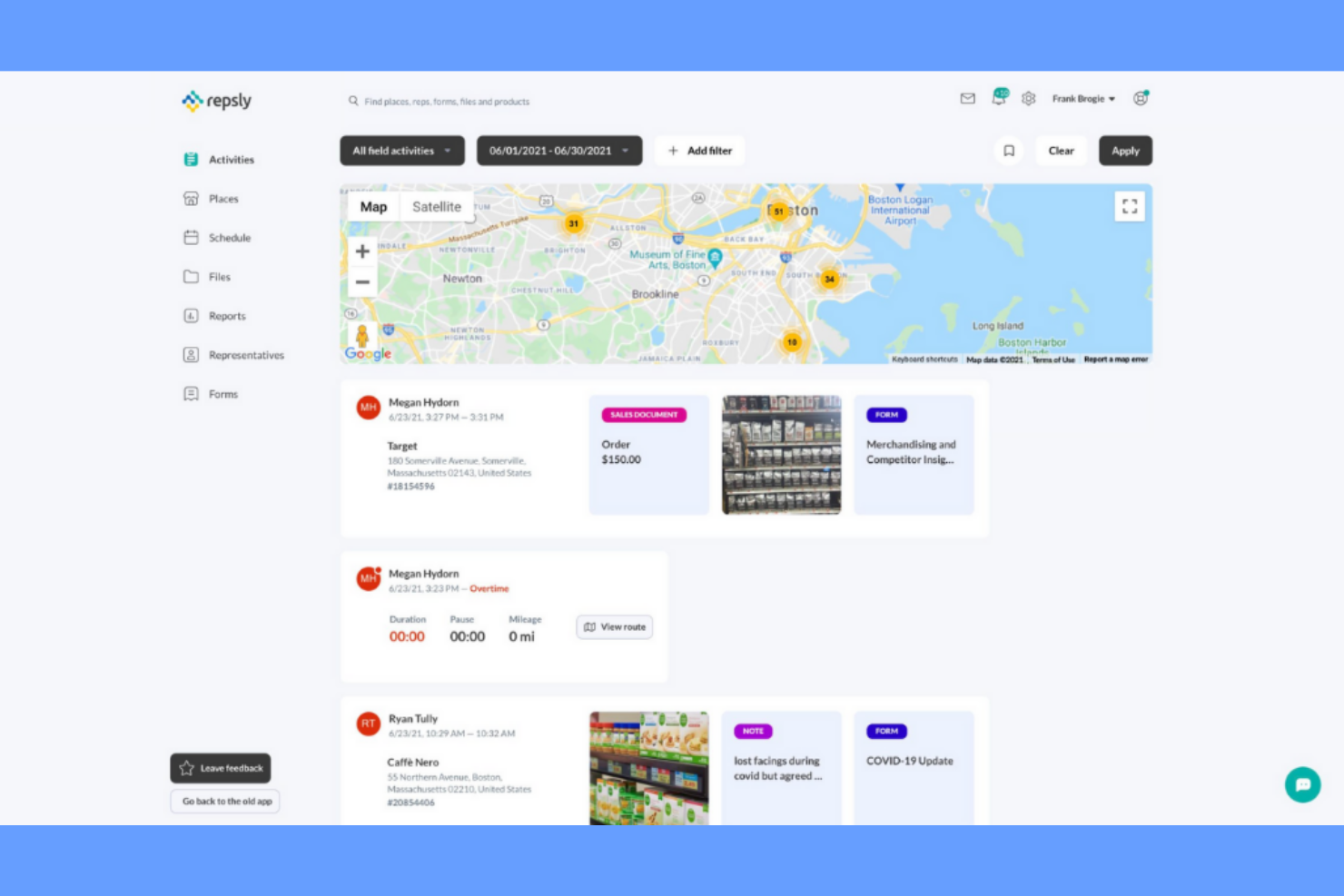
Repsly gives retail and consumer goods teams a way to track and manage field team activities in real time. The platform is built for businesses that need visibility into field rep performance, store visits, and in-store execution. If you’re looking to improve accountability and coordination for your field teams, Repsly offers tools designed specifically for these challenges.
Why I Picked Repsly
What sets Repsly apart is its focus on tracking field team activity with precision and detail. The platform lets you monitor store visits, track time and location, and document in-store actions as they happen. I appreciate how Repsly gives managers real-time visibility into field rep performance, making it easier to spot gaps and ensure accountability. For businesses that rely on distributed teams to execute retail strategies, these tracking features are essential for keeping operations on target.
Repsly Key Features
Some other features in Repsly help retail teams manage execution and data collection more effectively:
- Photo capture: Field reps can take and upload photos to document merchandising, displays, and compliance.
- Custom forms: Build and deploy custom forms for collecting structured data during store visits.
- Order entry: Reps can submit orders directly from the field, connecting sales activity to store visits.
- Promotions tracking: Track and record promotional activities and in-store campaigns for better visibility and reporting.
Repsly Integrations
Integrations include Salesforce, HubSpot, Oracle, and more.
Pros and Cons
Pros:
- Field order entry connects sales
- Photo capture documents store execution
- GPS tracking verifies field rep visits
Cons:
- Limited planogram compliance features
- Reporting lacks advanced analytics tools

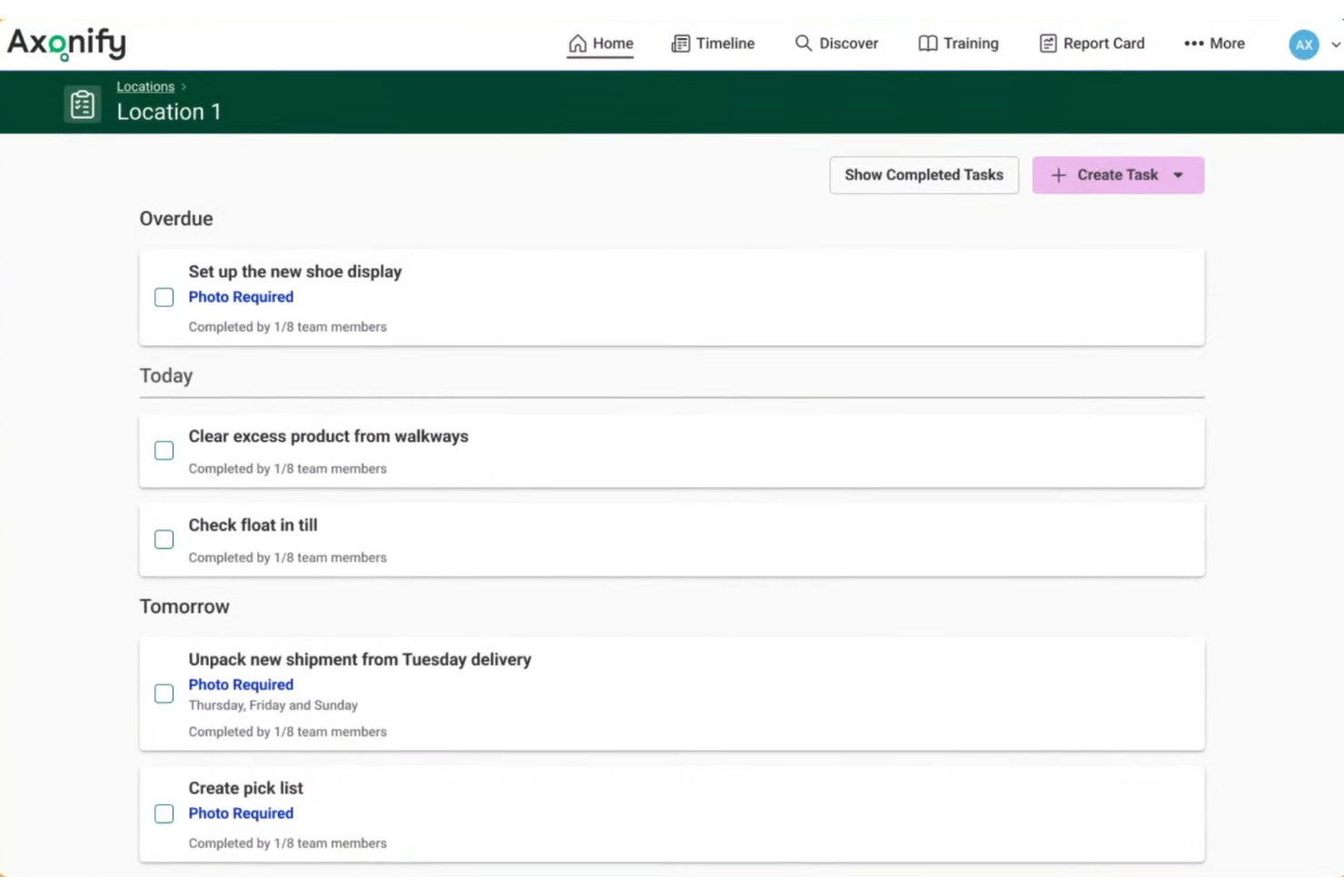
Axonify delivers a frontline employee training platform built for retailers and brands that need to keep store teams engaged and up to date. The system uses personalized, bite-sized learning and reinforcement to help staff quickly master new products, promotions, and safety protocols. If you’re looking to drive consistent execution and knowledge retention across distributed retail teams, Axonify offers a focused approach.
Why I Picked Axonify
What sets Axonify apart is its focus on frontline employee training, which is a key challenge for many retailers aiming for consistent execution across locations. The platform delivers daily, personalized microlearning sessions that help store associates retain critical information about products, promotions, and safety procedures. I like that Axonify uses gamification and real-time knowledge checks to keep engagement high and track learning progress. For retail teams that need to quickly onboard new hires and reinforce best practices, Axonify offers a targeted solution.
Axonify Key Features
Some other features that make Axonify useful for retail teams include:
- Content authoring tool: Create and customize training modules directly within the platform.
- Mobile app access: Employees can complete training on their smartphones or tablets.
- Manager dashboards: Supervisors can monitor team progress and identify knowledge gaps.
- Automated reminders: The system sends notifications to prompt employees to complete assigned training.
Axonify Integrations
Native integrations are not currently listed.
Pros and Cons
Pros:
- Personalized training adapts to skill gaps
- Gamification increases frontline engagement
- Microlearning improves knowledge retention
Cons:
- Content setup requires time for modules
- Retail system integrations not publicly listed

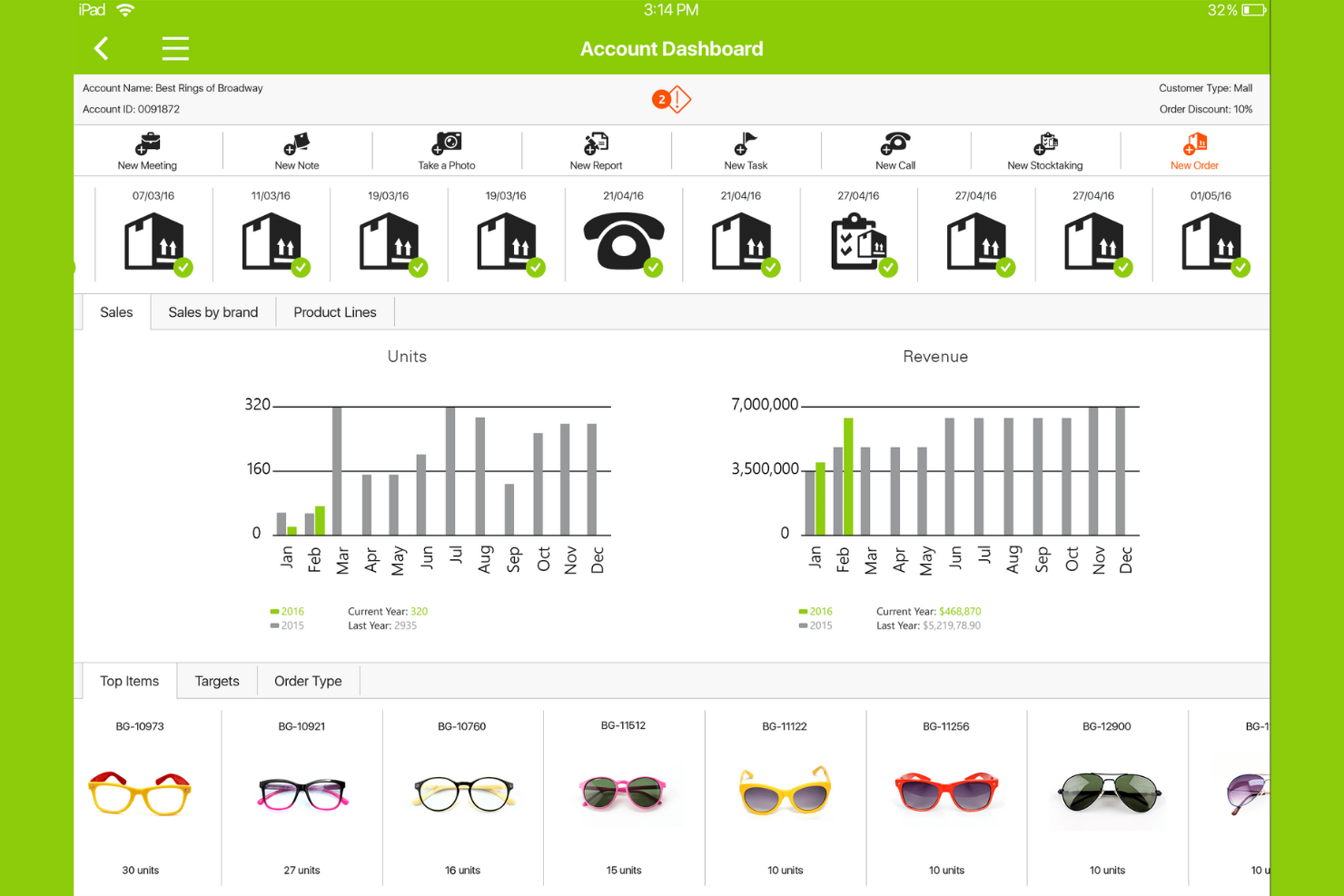
Pepperi is designed for wholesale distributors and consumer goods brands that need to connect retail execution with B2B sales processes. The platform brings together order management, merchandising, and field sales activities in one place, making it easier to coordinate complex workflows across teams. If your business relies on both in-store execution and direct sales to retailers, Pepperi helps bridge the gap between field operations and back-office systems.
Why I Picked Pepperi
What sets Pepperi apart is its focus on integrating retail execution with the full B2B sales process. I picked Pepperi because it lets you manage field sales, merchandising, and order capture in a single platform, which is especially valuable for brands and distributors selling directly to retailers. The tool supports real-time catalog updates and in-app order processing, so field reps can handle both execution tasks and sales transactions during store visits. This tight integration helps teams avoid data silos and ensures that sales and execution activities stay aligned.
Pepperi Key Features
In addition to its B2B sales process integration, Pepperi offers several other features that support retail execution teams:
- Mobile merchandising app: Field reps can access planograms, capture shelf data, and complete store audits from their mobile devices.
- Customizable digital forms: Teams can build and deploy branded forms for surveys, compliance checks, and visit reports.
- Route and visit planning: The platform helps schedule and optimize store visits based on territory, priority, and workload.
- Photo capture and annotation: Users can take photos in-store and add notes or markups directly within the app.
Pepperi Integrations
Native integrations are not currently listed.
Pros and Cons
Pros:
- Real-time catalog updates keep products current
- Mobile app supports in-store orders
- B2B sales and retail workflows unified
Cons:
- Large data sets may sync slowly
- ERP and CRM integrations not listed

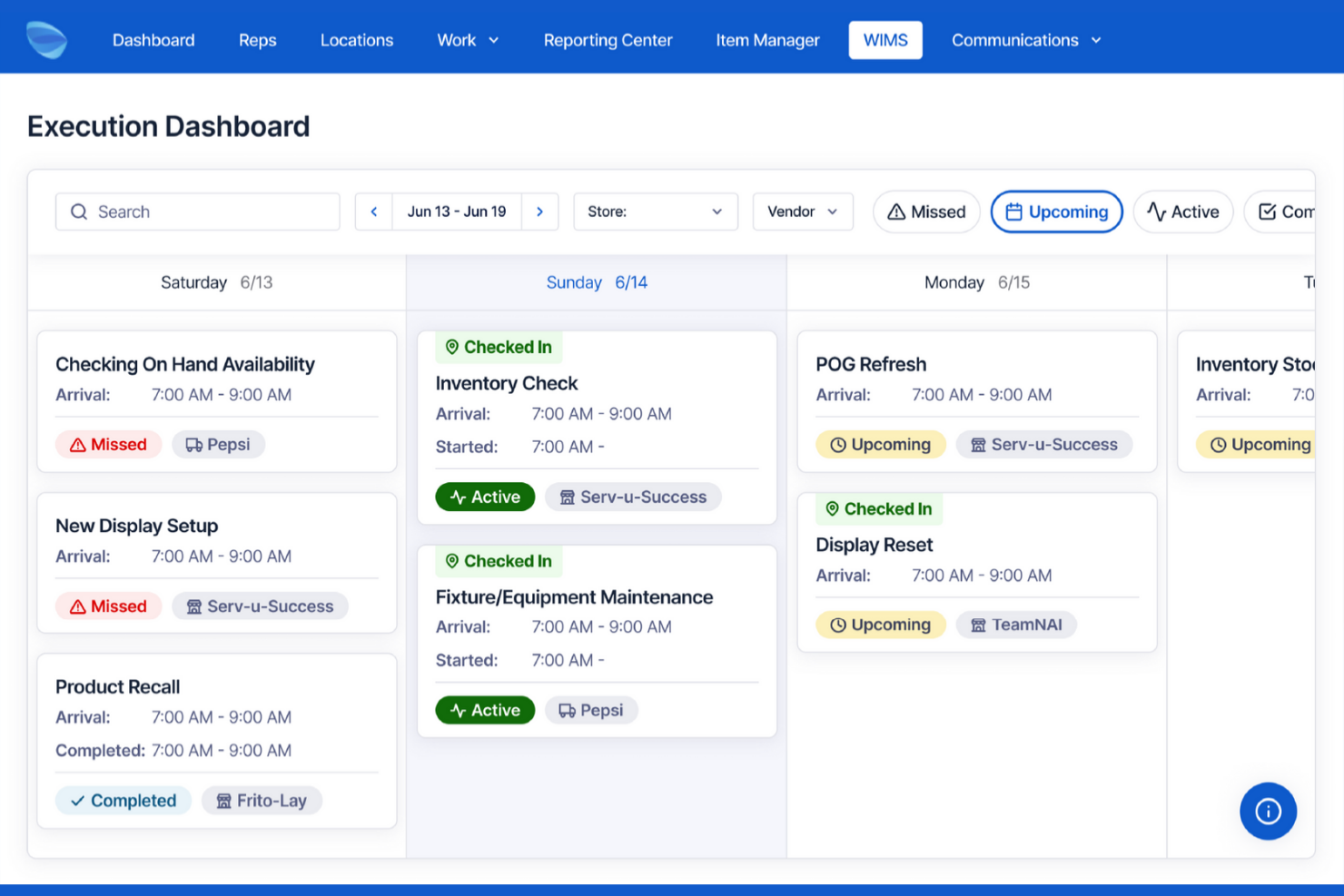
Movista is designed for retail operations teams that need to assign and track tasks in real time across multiple locations. The platform is especially useful for businesses managing distributed workforces, such as field merchandisers and store associates. If your team needs instant visibility into task progress and the ability to adjust priorities on the fly, Movista brings these capabilities together in one place.
Why I Picked Movista
What stands out about Movista is its focus on real-time task assignment for retail teams. The platform lets managers assign, update, and monitor tasks instantly, so field teams always know what needs attention. I like that Movista includes live progress tracking and mobile notifications, which help keep everyone aligned as priorities shift throughout the day. For businesses that need to coordinate activities across many locations, these features make it easier to respond quickly and keep execution on track.
Movista Key Features
Some other features that make Movista valuable for retail execution teams include:
- Photo verification: Field teams can upload photos to confirm task completion and display compliance.
- GPS check-In: The platform tracks location data to verify on-site presence during store visits.
- Document sharing: Users can upload and access planograms, training materials, and other resources directly in the app.
- Customizable forms: Teams can create and deploy digital forms for audits, surveys, and compliance checks.
Movista Integrations
Native integrations are not currently listed.
Pros and Cons
Pros:
- Mobile notifications alert field teams
- Custom forms support audits and surveys
- GPS check-ins verify store visits
Cons:
- Custom report building can require manual configuration
- Limited planogram compliance tools

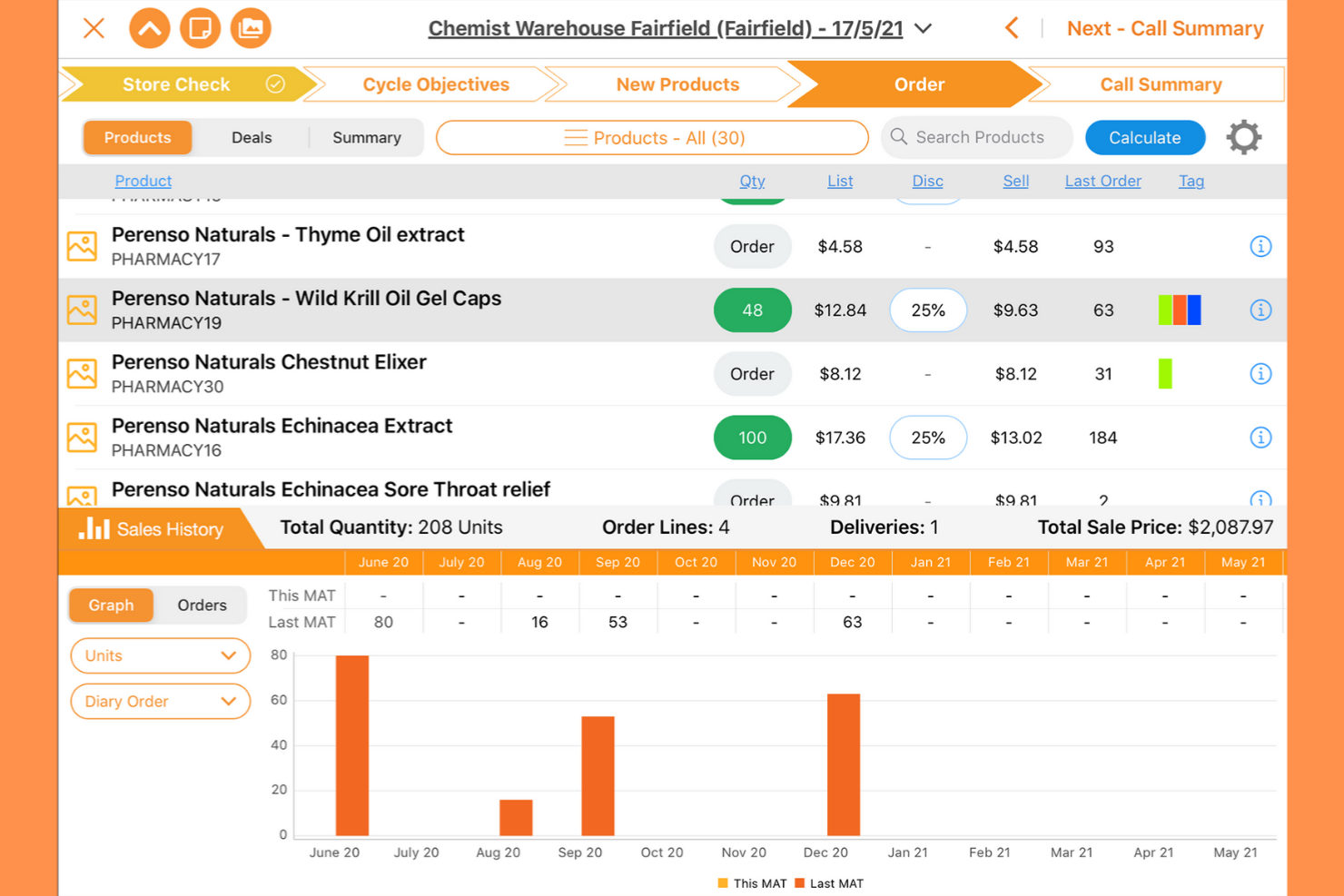
Perenso stands out for merchandisers and field teams who need to coordinate complex retail events and in-store activities. The platform is built to help consumer goods brands and distributors manage everything from event planning to execution, all in one place. If your team handles frequent product launches, seasonal resets, or large-scale promotions, Perenso offers tools to keep every detail organized and on track.
Why I Picked Perenso
What drew me to Perenso is its focus on helping teams coordinate merchandising events from start to finish. The platform offers event scheduling tools that let you assign tasks, track progress, and manage resources for each event. I appreciate how Perenso supports real-time communication and updates, so everyone involved stays aligned as plans change. For businesses that run frequent in-store promotions or product launches, these features help keep merchandising activities organized and on schedule.
Perenso Key Features
Some other features that make Perenso useful for retail execution teams include:
- Photo capture and upload: Field teams can document in-store conditions and share images directly through the platform.
- Customizable digital forms: Users can create branded forms for audits, compliance checks, and surveys.
- Inventory tracking: The tool lets you monitor stock levels and product placement during store visits.
- Reporting dashboard: Managers can view real-time data and generate reports on event performance and field activities.
Perenso Integrations
Native integrations are not currently listed.
Pros and Cons
Pros:
- Offline mode supports field operations
- Real-time dashboards track field activity
- Event tools manage merchandising schedules
Cons:
- Event and trade show logistics harder to manage
- Order entry workflows can feel unintuitive

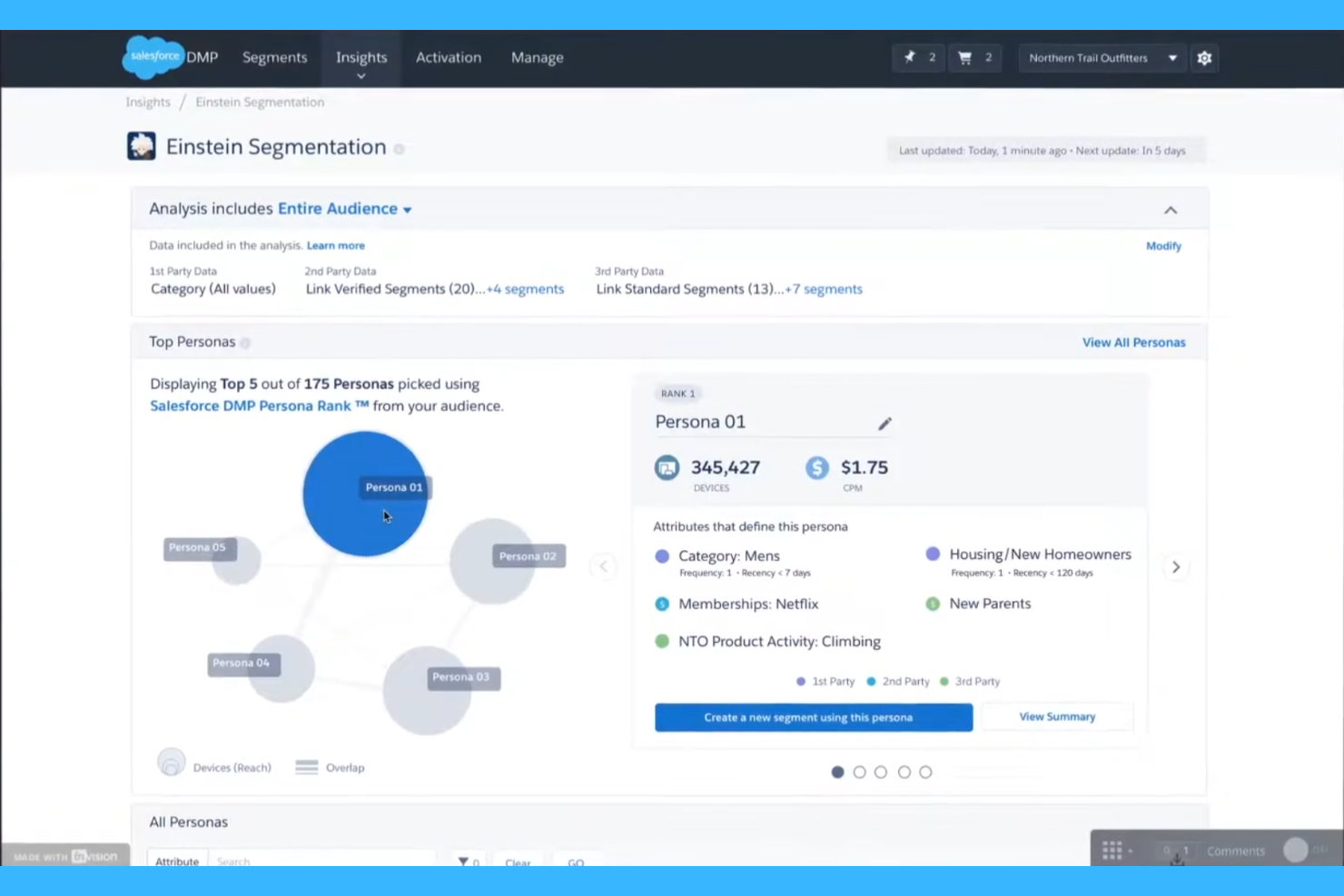
Salesforce brings enterprise-grade CRM capabilities to retail execution, making it a strong fit for large retailers and brands managing complex customer relationships. The platform is especially useful for teams that need to connect field activities, sales data, and customer insights in one place. If your business relies on deep CRM integration to drive store performance and personalized engagement, Salesforce offers a unified approach that’s hard to match.
Why I Picked Salesforce
For retailers that need deep CRM integration as part of their execution strategy, Salesforce stands out for its ability to unify customer data with field operations. The platform connects sales, service, and marketing activities, so teams can see customer history and preferences alongside store-level execution tasks. I appreciate how Salesforce lets you automate workflows based on real-time customer insights, which helps drive more targeted in-store actions. This level of integration is especially valuable for enterprise retailers looking to personalize experiences and improve performance across every location.
Salesforce Key Features
Some other features that make Salesforce useful for retail execution teams include:
- Mobile app for field teams: Field reps can access tasks, update records, and capture data directly from their mobile devices.
- Task and visit scheduling: Managers can assign store visits, set priorities, and track completion in real time.
- Customizable Dashboards: Users can build dashboards to visualize store performance, compliance, and sales metrics.
- Document management: Teams can upload, share, and access planograms, training guides, and promotional materials within the platform.
Salesforce Integrations
Native integrations are not currently listed.
Pros and Cons
Pros:
- Custom dashboards visualize performance data
- Mobile app updates tasks on-site
- Unified CRM and retail execution data
Cons:
- Legacy system integrations require customization
- Inconsistent support response times

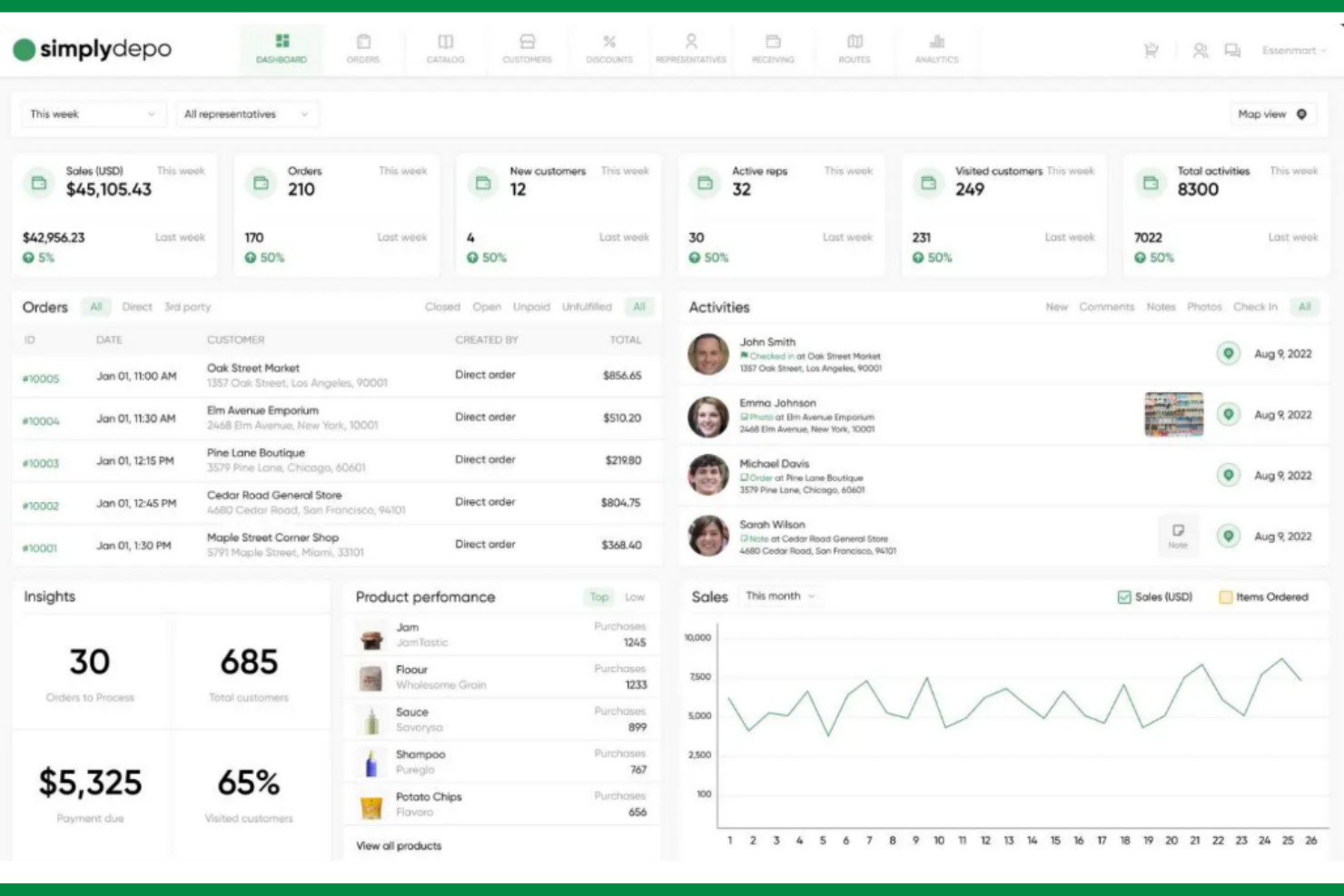
SimplyDepo is designed for distributors and wholesalers who need to manage complex order and delivery processes across retail locations. The platform brings together order management, retail execution, and field sales tracking in one place. If your business relies on coordinating distributor teams and simplifying orders with retail partners, SimplyDepo addresses those specific challenges.
Why I Picked SimplyDepo
I chose SimplyDepo because it’s built specifically for distributor-focused order management, which is a unique need in retail execution. The platform lets you create, track, and manage orders from the field, so distributor reps can handle complex retail partner requirements on the go. I like that it combines retail execution tasks—such as store visits and inventory checks—with order processing in a single workflow. This focus on distributor operations makes SimplyDepo a strong fit for businesses that need to coordinate between field teams and retail locations.
SimplyDepo Key Features
Some other features in SimplyDepo help distributor teams manage retail execution more efficiently:
- Route planning: Plan and optimize field rep routes to maximize store coverage and reduce travel time.
- Photo capture: Capture and upload in-store photos to document merchandising, displays, and compliance.
- Custom forms: Build and deploy custom forms for data collection during store visits, such as surveys or inventory checks.
- Task assignment: Assign specific tasks to field reps and track completion status in real time.
SimplyDepo Integrations
Native integrations are not currently listed.
Pros and Cons
Pros:
- Photo capture proves merchandising compliance
- Field reps submit orders in-store
- Order management built for distributors
Cons:
- Lacks advanced retail audit features
- Limited visibility into reporting features

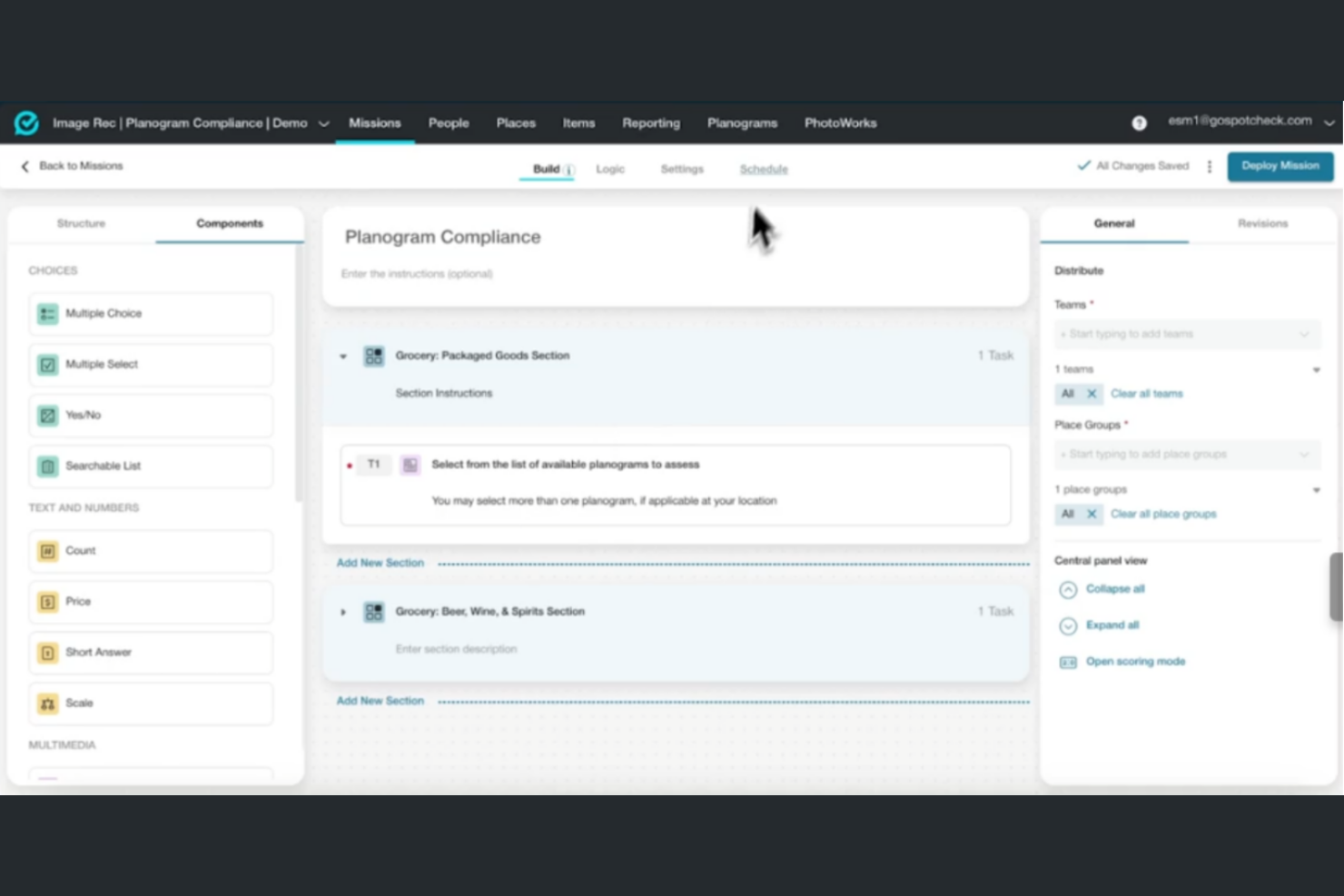
FORM stands out for retail teams that need highly customizable mobile workflows and data collection tools. The platform is built for businesses with complex field operations, offering flexible forms and process automation suited to unique retail requirements. If your team needs to adapt inspections, audits, or task management to specific store or brand standards, FORM gives you the control to design and deploy exactly what you need.
Why I Picked FORM
For retail teams that need to tailor every step of their field processes, FORM offers unmatched flexibility in building mobile workflows. I picked FORM because it lets you design custom forms, task lists, and approval processes that match your exact retail execution requirements. The platform supports conditional logic and advanced workflow automation, so you can adapt inspections, audits, and compliance checks to different store formats or brand standards. This level of customization is especially valuable for businesses with complex or evolving field operations.
FORM Key Features
Some other features in FORM help retail teams manage field operations and data collection more efficiently:
- Mobile offline access: Field teams can complete forms and tasks without an internet connection, syncing data when back online.
- Photo and file attachments: Users can capture and attach photos or documents directly to forms for richer data collection.
- Automated notifications: The system sends alerts and reminders to keep teams on track with assigned tasks and deadlines.
- Role-based permissions: Administrators can control access to forms, data, and workflows based on user roles and responsibilities.
FORM Integrations
Native integrations are not currently listed.
Pros and Cons
Pros:
- Workflow logic adapts to processes
- Photo attachments document store activity
- Automated tasks coordinate field teams
Cons:
- Setup requires time and technical input
- Reporting lacks advanced dashboards
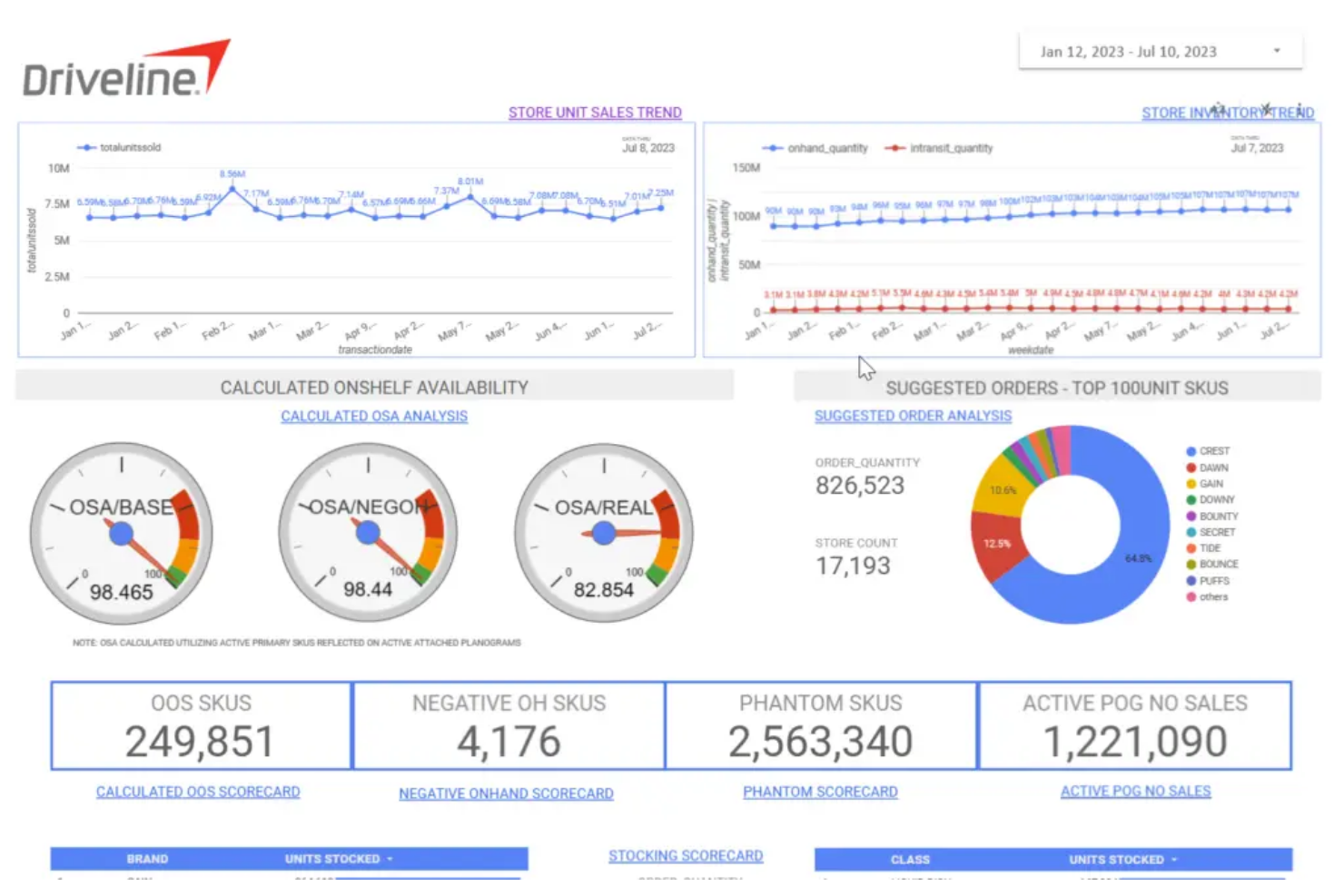
Driveline Retail is purpose-built for third-party retail service providers managing large-scale in-store projects. The platform is designed to help merchandising agencies, field marketing teams, and service organizations coordinate field reps, track project progress, and ensure compliance across multiple retail locations. If your business handles complex retail execution for multiple clients or banners, Driveline Retail offers tools to manage distributed teams and deliver consistent results.
Why I Picked Driveline Retail
What sets Driveline Retail apart is its focus on the needs of third-party retail service providers. The platform supports project management for large, distributed field teams, making it easier to coordinate merchandising resets, audits, and promotional campaigns across many locations. I like that Driveline Retail offers real-time tracking and reporting tools, so service providers can monitor project status and compliance for multiple clients at once. This makes it a strong fit for agencies and organizations that need to deliver consistent execution and visibility across a wide retail footprint.
Driveline Retail Key Features
I also found several other features that support retail execution teams:
- Photo capture and upload: Field reps can document completed work and compliance with in-app photo uploads.
- Customizable forms: Teams can create and deploy tailored checklists or surveys for different projects or clients.
- Geo-tracking: Managers can verify rep location and visit completion using built-in GPS tracking.
- Automated notifications: The system sends alerts and reminders to field teams about upcoming tasks or schedule changes.
Driveline Retail Integrations
Native integrations are not currently listed.
Pros and Cons
Pros:
- Central dashboard shows project status
- Automated notifications update field teams
- Geo-tracking confirms field rep locations
Cons:
- Limited onboarding for new teams
- Field team communication can be inconsistent
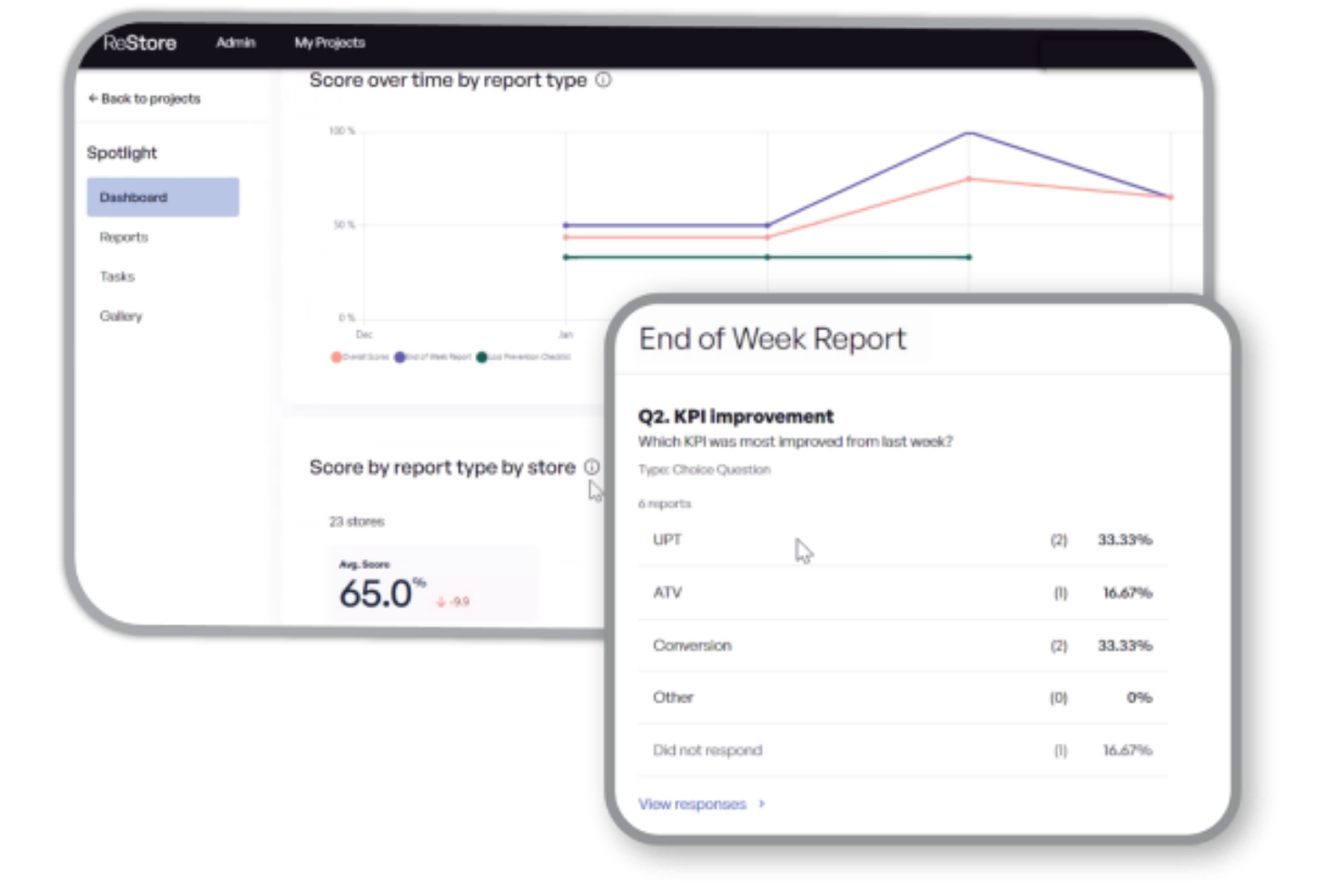
ReStore for Retail is designed for retailers and store operations teams who need to monitor in-store compliance with precision. The platform specializes in capturing, tracking, and analyzing compliance data from physical locations, helping you spot issues and enforce standards quickly. If your business relies on consistent execution of planograms, promotions, or brand guidelines, ReStore for Retail offers targeted tools to keep every store on track.
Why I Picked ReStore for Retail
For teams focused on in-store compliance, ReStore for Retail stands out with its specialized monitoring and reporting capabilities. The platform lets you capture real-time data on planogram execution, promotional displays, and store conditions, making it easier to identify and address compliance gaps. I appreciate how ReStore for Retail provides visual evidence and audit trails, so you can verify standards are met across every location. This targeted approach makes it a strong choice for retailers who need to enforce brand consistency and operational standards at scale.
ReStore for Retail Key Features
Some other features that help retail teams manage execution include:
- Mobile app access: Field teams can complete compliance checks and upload data directly from their smartphones.
- Task assignment: Managers can assign specific compliance tasks to individual stores or team members.
- Automated scheduling: The platform supports recurring compliance audits with automated scheduling tools.
- Custom reporting: Users can generate tailored reports to analyze compliance trends and performance across locations.
ReStore for Retail Integrations
Native integrations are not currently listed.
Pros and Cons
Pros:
- Automated scheduling supports recurring audits
- Task assignments coordinate field teams
- Mobile app supports real-time compliance checks
Cons:
- No advanced analytics or AI insights
- Platform focused mainly on compliance

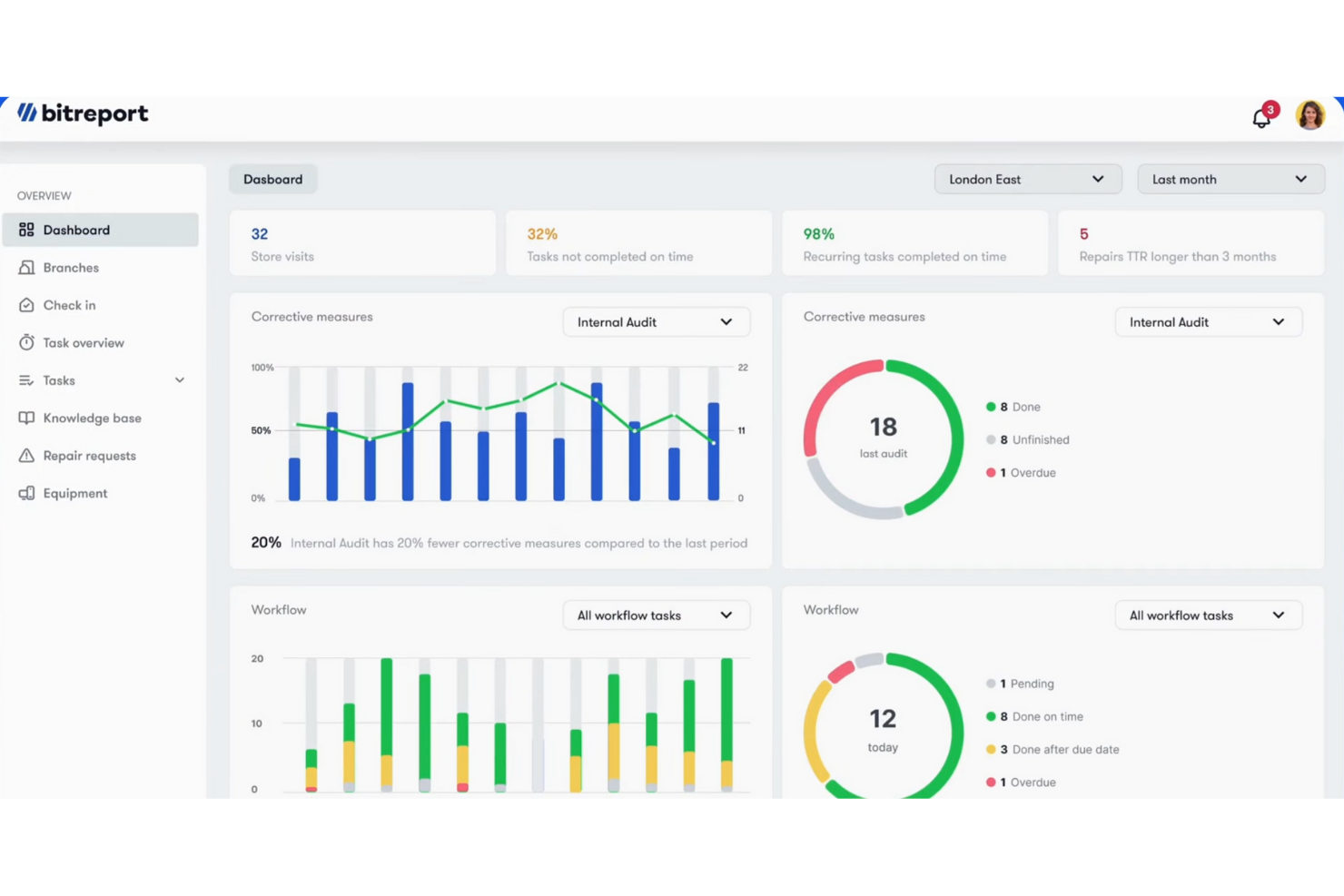
Bitreport offers a visual store audit automation platform designed for retailers and brands that want to modernize in-store compliance checks. The tool uses image capture and AI to help field teams quickly document, analyze, and report on store conditions. If you need to replace manual audits with fast, visual data collection and automated reporting, Bitreport brings a focused solution to retail execution.
Why I Picked Bitreport
Bitreport stands out for its focus on visual store audit automation, which is especially valuable for retail teams looking to simplify compliance and merchandising checks. The platform lets users capture in-store images and automatically analyzes them for planogram compliance, display execution, and stock levels. I appreciate how Bitreport turns these images into structured, actionable reports, reducing the need for manual data entry and subjective assessments. For businesses that want to modernize their audit process and get objective, visual proof of store conditions, Bitreport offers a targeted solution.
Bitreport Key Features
In addition to its visual audit automation, Bitreport offers several other features worth noting:
- Customizable audit templates: Teams can create and modify audit forms to match specific store requirements.
- Real-time dashboard: Users get instant visibility into audit progress and results across locations.
- Task assignment: Managers can assign follow-up actions to team members directly from the platform.
- Photo tagging: Field teams can tag images with notes or categories for easier review and analysis.
Bitreport Integrations
Native integrations are not currently listed.
Pros and Cons
Pros:
- Task assignments coordinate follow-ups
- Real-time dashboards track field activity
- Custom templates adapt to retail formats
Cons:
- No mention of offline field functionality
- Platform focused mainly on audits

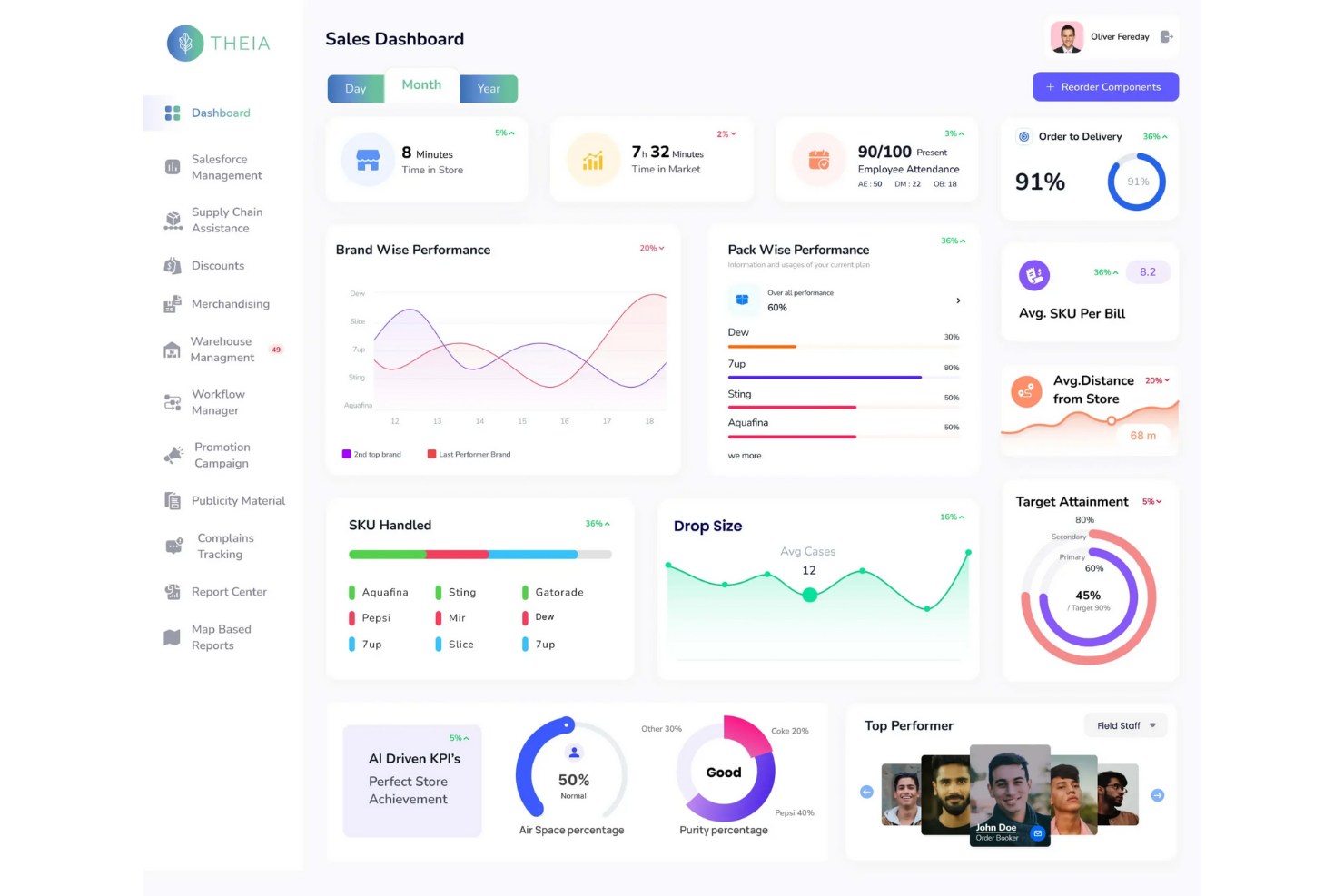
THEIA brings AI-powered shelf analytics to retailers and brands looking to optimize in-store execution. Its real-time image recognition and data capture help category managers and merchandising teams identify out-of-stocks, planogram compliance, and share-of-shelf issues as they happen. If you need actionable shelf-level insights to drive sales and reduce missed opportunities, THEIA offers a focused solution built for modern retail environments.
Why I Picked THEIA
What sets THEIA apart is its focus on AI-powered shelf analytics, which is a major advantage for retail teams that need real-time, actionable data from the sales floor. THEIA uses advanced image recognition to automatically detect out-of-stocks, pricing errors, and planogram compliance issues as soon as they occur. I like that the platform delivers instant shelf insights, so you can respond quickly to problems and optimize product availability. For businesses that want to move beyond manual audits and get precise, data-driven shelf intelligence, THEIA offers a specialized solution.
THEIA Key Features
Some other features that make THEIA useful for retail teams include:
- Mobile data capture: Field teams can use smartphones or tablets to capture shelf images directly in-store.
- Automated report generation: The platform creates detailed reports on shelf conditions and compliance without manual input.
- Role-based access controls: Admins can set permissions and access levels for different team members.
- Historical data comparison: Users can track changes in shelf performance over time to identify trends and recurring issues.
THEIA Integrations
Native integrations are not currently listed.
Pros and Cons
Pros:
- Historical data identifies recurring issues
- Mobile capture supports in-store execution
- Image recognition reduces manual audits
Cons:
- Focused mainly on shelf analytics
- Analytics accuracy depends on image quality
Other Retail Execution Software
Here are some additional retail execution software options that didn’t make it onto my shortlist, but are still worth checking out:
- Square for Retail
With integrated POS and inventory management
- VisitBasis
For customizable field data collection


Retail Execution Software Selection Criteria
When selecting the best retail execution software to include in this list, I considered common buyer needs and pain points like managing distributed store teams and ensuring consistent execution of in-store promotions. I also used the following framework to keep my evaluation structured and fair:
Core Functionality (25% of total score)
To be considered for inclusion in this list, each solution had to fulfill these common use cases:
- Assign tasks to store or field teams
- Track completion of retail execution activities
- Capture and report on in-store data
- Schedule and manage store visits or audits
- Provide real-time visibility into field operations
Additional Standout Features (25% of total score)
To help further narrow down the competition, I also looked for unique features, such as:
- AI-driven insights or recommendations
- Integrated image recognition for shelf audits
- Gamification elements for team engagement
- Offline mobile access for field reps
- Customizable reporting dashboards
Usability (10% of total score)
To get a sense of the usability of each system, I considered the following:
- Simple and intuitive user interface
- Clear navigation and labeling of features
- Minimal steps to complete core tasks
- Responsive design for mobile and desktop
- Customizable views or layouts
Onboarding (10% of total score)
To evaluate the onboarding experience for each platform, I considered the following:
- Availability of step-by-step product tours
- Access to training videos and documentation
- Pre-built templates for common workflows
- Live or on-demand webinars for new users
- In-app chatbots or guided setup tools
Customer Support (10% of total score)
To assess each software provider’s customer support services, I considered the following:
- Multiple support channels like chat, email, and phone
- Fast response times to support requests
- Access to a searchable help center or knowledge base
- Availability of dedicated account managers
- Community forums or user groups
Value For Money (10% of total score)
To evaluate the value for money of each platform, I considered the following:
- Transparent and competitive pricing
- Flexible plans for different team sizes
- No hidden fees or surprise charges
- Features included at each pricing tier
- Free trial or demo availability
Customer Reviews (10% of total score)
To get a sense of overall customer satisfaction, I considered the following when reading customer reviews:
- Consistent positive feedback on core features
- Reports of reliable system performance
- Praise for customer support quality
- Noted improvements in retail execution outcomes
- Constructive feedback on areas for improvement
How to Choose Retail Execution Software
It’s easy to get bogged down in long feature lists and complex pricing structures. To help you stay focused as you work through your unique software selection process, here’s a checklist of factors to keep in mind:
| Factor | What to Consider |
|---|---|
| Scalability | Will the software support your current and future store or team count without major upgrades? |
| Integrations | Does it connect natively to your POS, inventory, HR, or analytics systems, or will you need workarounds? |
| Customizability | Can you tailor workflows, forms, and reporting to match your retail processes and terminology? |
| Ease of use | Will store teams and managers adopt the tool quickly, or will it require extensive training? |
| Implementation and onboarding | How long does setup take, and what resources or support does the vendor provide during rollout? |
| Cost | Are pricing tiers clear, and do they align with your usage patterns and budget constraints? |
| Security safeguards | Does the platform offer data encryption, user permissions, and compliance with industry standards? |
| Support availability | Is help available when you need it—especially during peak retail hours or critical campaigns? |
What Is Retail Execution Software?
Retail execution software is a digital platform that helps retailers and brands manage, monitor, and optimize in-store operations and field activities. These tools support task assignment, store audits, data collection, and real-time reporting to ensure consistent execution of merchandising, promotions, and compliance standards across locations. Retail execution software is used by operations, merchandising, and field teams to drive accountability and improve store performance.
Features of Retail Execution Software
When selecting retail execution software, keep an eye out for the following key features:
- Task management: Assign, schedule, and track completion of in-store activities and field tasks for distributed teams.
- Store audit tools: Enable teams to conduct structured store visits, capture compliance data, and document merchandising standards.
- Photo capture and annotation: Allow users to take, upload, and mark up photos to document displays, planogram compliance, or issues in the field.
- Mobile access: Provide field teams and store staff with full platform functionality on smartphones and tablets, both online and offline.
- Custom forms and checklists: Build and deploy tailored forms for data collection, surveys, or compliance checks specific to your retail processes.
- Real-time reporting: Generate up-to-date dashboards and reports that visualize task progress, audit results, and field data for quick decision-making.
- User permissions: Control access to sensitive data and features by setting role-based permissions for different team members.
- Notifications and reminders: Send automated alerts to prompt users about upcoming tasks, overdue activities, or important updates.
- Integration capabilities: Connect with other business systems like POS, inventory, or HR platforms to centralize data and workflows.
Common Retail Execution Software AI Features
Beyond the standard retail execution software features listed above, many of these solutions are incorporating AI with features like:
- Image recognition for shelf audits: AI analyzes photos of store shelves to automatically detect out-of-stocks, planogram compliance, and pricing errors, reducing manual review time and increasing accuracy.
- Predictive task prioritization: AI reviews historical data and current trends to suggest which store tasks or audits should be prioritized for maximum impact on sales and compliance.
- Automated anomaly detection: AI monitors incoming field data to flag unusual patterns or potential issues, such as sudden drops in product availability or unexpected sales trends.
- Natural language processing for feedback: AI processes open-ended feedback from field teams or customers, categorizing comments and surfacing actionable insights for managers.
- Dynamic route optimization: AI calculates the most efficient routes for field reps based on real-time traffic, store priorities, and visit frequency, helping teams cover more locations in less time.
Benefits of Retail Execution Software
Implementing retail execution software provides several benefits for your team and your business. Here are a few you can look forward to:
- Consistent in-store execution: Standardized task management and audit tools help ensure every location follows brand guidelines and promotional plans.
- Faster issue resolution: Real-time reporting and automated alerts enable teams to identify and address problems quickly, minimizing disruptions.
- Improved team accountability: Task tracking, photo documentation, and user permissions make it clear who is responsible for each activity and its completion.
- Data-driven decision making: Centralized data collection and customizable dashboards provide actionable insights for optimizing store operations and merchandising.
- Greater operational efficiency: Mobile access, route optimization, and integration capabilities reduce manual work and streamline field and store workflows.
- Improved employee engagement: Gamification elements and personalized training paths can boost motivation and knowledge retention among frontline staff.
- Better visibility for managers: Manager dashboards and real-time progress tracking give leaders a clear view of field activities and store performance across locations.
Costs and Pricing of Retail Execution Software
Selecting retail execution software requires an understanding of the various pricing models and plans available. Costs vary based on features, team size, add-ons, and more. The table below summarizes common plans, their average prices, and typical features included in retail execution software solutions:
Plan Comparison Table for Retail Execution Software
| Plan Type | Average Price | Common Features |
|---|---|---|
| Free Plan | $0 | Basic task management, limited users, simple reporting, and mobile access. |
| Personal Plan | $5-$25/user/month | Task assignment, photo capture, store audit tools, and basic support. |
| Business Plan | $25-$60/user/month | Advanced reporting, custom forms, integrations, user permissions, and real-time notifications. |
| Enterprise Plan | $60-$120/user/month | Custom workflows, dedicated account management, advanced security, API access, and priority support. |
Retail Execution Software FAQs
Here are some answers to common questions about retail execution software:
How does retail execution software support omnichannel operations?
Retail execution software helps teams coordinate in-store and online activities by centralizing task management, data collection, and reporting. This makes it easier to align promotions, inventory checks, and compliance efforts across physical and digital channels, supporting a consistent customer experience.
Can retail execution software integrate with my existing POS or inventory systems?
Yes, most retail execution software platforms offer integration capabilities with popular POS, inventory, and analytics systems. Before choosing a solution, check for native integrations or available APIs to ensure smooth data flow and avoid manual data entry.
What types of businesses benefit most from retail execution software?
Multi-location retailers, brands with field teams, and organizations managing distributed store operations benefit most. These tools are especially valuable for businesses that need to enforce brand standards, track promotions, and monitor compliance across many locations.
How long does it take to implement retail execution software?
Implementation timelines vary, but most cloud-based solutions can be set up in a few days to a few weeks. Factors like data migration, integration needs, and team training can affect the timeline, so plan for a pilot phase before full rollout.
Is retail execution software secure for sensitive business data?
Yes, reputable retail execution software providers use encryption, user permissions, and compliance with industry standards to protect sensitive data. Always review a vendor’s security documentation and ask about certifications relevant to your business needs.