

10 Best Restaurant POS Software For 2026

The Top 10 Restaurant POS Software You Should Be Using


Restaurant POS software handles orders, payments, inventory, and front-back sync in real time.
You’re still wrestling menus that take days to update, terminals so slow they double as coffee breaks (and not the fun kind), and “one-click” integrations that spit out error logs. Manual reports show yesterday’s mess—not today’s.
I’ve spent over a decade in retail and ecommerce ops and reviewed many dozens of POS platforms—so I know which systems actually deliver.
In this guide, I rank the best restaurant POS systems—covering real-time dashboards, payment processing, integrations, onboarding, and transparent pricing—so you can swap chaos for a workflow that runs like clockwork.
Why Trust Our Software Recommendations
Our team has been testing and reviewing software since 2012. As retail leaders ourselves, we know how difficult—and important—it is to choose the right software.
For this guide, we evaluated tools using hands-on testing and independent research, scoring tools using our selection criteria.
Our reviews reflect our independent judgment—not a sales pitch.
Restaurant POS Software Comparison Table
The table below compares pricing, trial availability, and ideal use cases for my top restaurant POS software selections.
| Tool | Best For | Trial Info | Price | ||
|---|---|---|---|---|---|
| 1 | Best for cloud storage | Not available | Website | ||
| 2 | Best for UK market | 30-day free trial | From $39/month | Website | |
| 3 | Best for Indian restaurants | Free demo available | From $65/month | Website | |
| 4 | Best for data security | Free demo available | From $89/month for one station | Website | |
| 5 | Best for ease of use | Free demo available | From 3.25% plus $0.15 per transaction | Website | |
| 6 | Best for small businesses | Not available | From $65/month per station + one-time setup fee | Website | |
| 7 | Best for quick setup | Free plan available | From $35/month + transaction fees | Website | |
| 8 | Best for payment flexibility | Free demo available | Pricing available upon request | Website | |
| 9 | Best for large chains | Free demo available | Pricing upon request | Website | |
| 10 | Best for free starter plan | 14-day free trial | From $5/month | Website |
The 10 Best Restaurant POS Software, Reviewed
Below are my top picks for restaurant POS systems, with straight-talk breakdowns on setup, payment processing, inventory control, integrations, and pricing—everything you need to pick your next POS without the guesswork.

Best for cloud storage

Restroworks is a cloud-based POS software designed for restaurants of all sizes, focusing on scalability and efficiency in both front and back-of-house operations. It offers comprehensive tools for order management, inventory control, and customer engagement, making it ideal for dynamic restaurant environments.
Why I picked Restroworks: Restroworks excels in providing cloud storage solutions that ensure your data is accessible and secure. The tool’s centralized management of menus and inventory helps streamline operations across multiple locations.
With real-time analytics, you can make informed decisions to improve service and profitability. Its ability to integrate with various digital ordering platforms enhances your reach and service capabilities.
Standout features & integrations:
Features include a user-friendly interface that simplifies order processing and reduces wait times. The inventory management feature helps you track stock levels and minimize waste. Restroworks also provides tools for creating and managing promotions to boost customer engagement.
Integrations include Zomato, Swiggy, Uber Eats, Paytm, Razorpay, Dunzo, Amazon Pay, PhonePe, Justdial, and DotPe.
Pros and Cons
Pros:
- Real-time analytics available
- Centralized menu management
- Extensive cloud storage capabilities
Cons:
- Limited offline functionality
- Pricing details not transparent

Epos Now
Best for UK market

Epos Now is a versatile restaurant POS system tailored for cafes, bars, and restaurants, focusing on managing multichannel sales, including in-house, takeaway, and delivery. It offers tools for payment processing, inventory management, and real-time analytics to support food businesses.
Why I picked Epos Now: Epos Now serves the UK market with features like integration with popular accounting platforms and support for various payment methods. The system's real-time data analytics help you optimize menu performance and reduce food waste.
The platform's ability to manage multiple locations with its Multi-Site Manager feature is a significant advantage. The promotional pricing makes it an affordable choice for businesses looking to enhance their operations.
Standout features & integrations:
Features include real-time reporting, which helps you track sales and inventory levels efficiently. The system also provides tools for customer loyalty programs to enhance engagement. Epos Now's self-service kiosks can improve customer experience by reducing wait times.
Integrations include QuickBooks, Xero, Sage, Mailchimp, Tyro, Deputy, Shopify, WooCommerce, Zapier, and PayPal.
Pros and Cons
Pros:
- Multi-location management
- Real-time data analytics
- Suitable for UK market
Cons:
- Integration setup can be complex
- May require internet connection

Petpooja
Best for Indian restaurants

Petpooja is a restaurant POS system tailored for Indian eateries, providing tools for billing, inventory management, and customer engagement. It serves a wide range of food businesses, from small cafes to large dining establishments, offering features that streamline operations.
Why I picked Petpooja: Petpooja caters specifically to the Indian market with multilingual capabilities and support for regional payment methods. Its offline mode ensures that your team can continue operations without internet connectivity.
The software’s analytics tools also provide insights into sales trends, helping you make informed business decisions. With its easy-to-use interface, it simplifies the management of day-to-day tasks.
Standout features & integrations:
Features include a customizable menu that allows you to modify items and prices quickly. The system offers detailed reports that help you track sales and inventory efficiently. Petpooja also supports digital receipts, reducing paper waste and enhancing customer convenience.
Integrations include Zomato, Swiggy, Uber Eats, Paytm, Razorpay, Dunzo, Amazon Pay, PhonePe, Justdial, and DotPe.
Pros and Cons
Pros:
- Supports regional payment methods
- Offline mode available
- Multilingual support for Indian languages
Cons:
- Integration setup can be challenging
- Regional focus may not suit all

Best for data security

Heartland is a comprehensive POS system tailored for restaurants, focusing on secure payment processing and efficient operations. It serves a variety of dining establishments, providing tools for order management, inventory control, and customer engagement.
Why I picked Heartland: Heartland excels in data security, offering encrypted transactions and secure payment gateways. With features like end-to-end encryption and tokenization, you can protect your customers' payment information.
Heartland's real-time reporting helps you keep track of sales and inventory efficiently. The system's ability to support multiple payment types adds flexibility to your operations.
Standout features & integrations:
Features include customizable reporting that allows you to tailor insights to your business needs. Heartland offers a loyalty program feature to help you retain customers and boost repeat business. The system also provides mobile POS capabilities, allowing you to take orders and process payments on the go.
Integrations include QuickBooks, Xero, GrubHub, DoorDash, Uber Eats, OpenTable, Resy, Chowly, 7shifts, and MarketMan.
Pros and Cons
Pros:
- Mobile POS capabilities
- Supports multiple payment types
- Strong data security measures
Cons:
- Complex system configuration
- Limited offline functionality

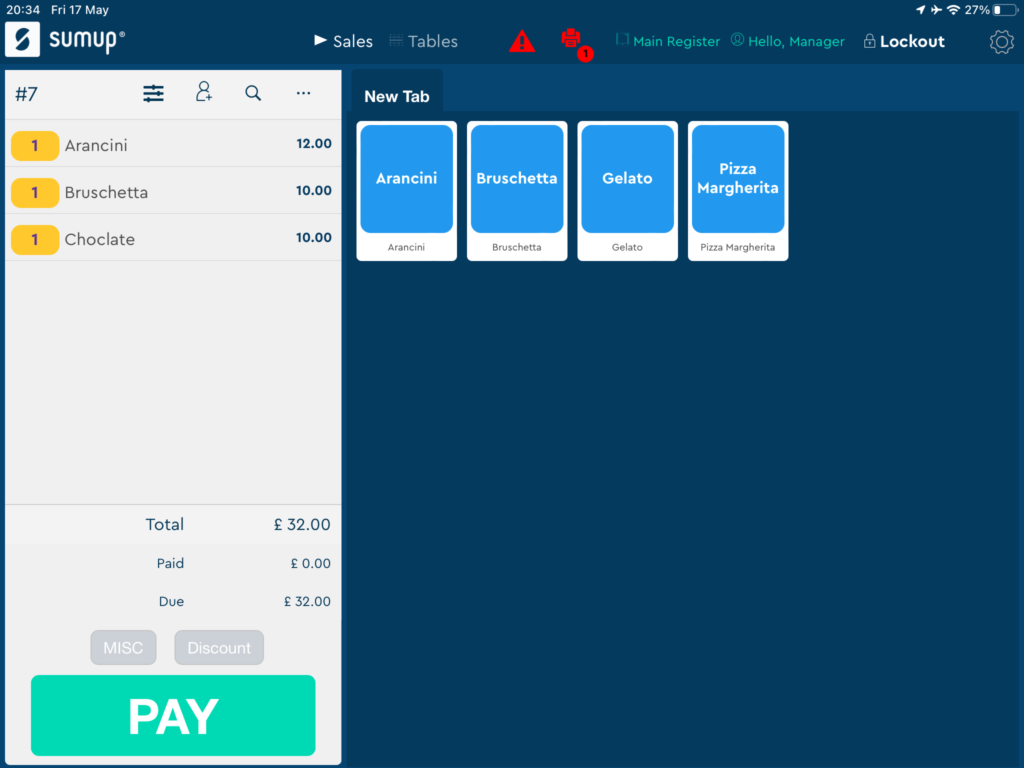
SumUp is a POS solution designed for small businesses and entrepreneurs, offering simple payment processing and sales tracking. It provides tools for managing transactions and accepting various payment methods, making it ideal for those seeking straightforward functionality.
Why I picked SumUp: SumUp offers an intuitive setup and operation, perfect for businesses without a dedicated IT staff. The card reader is portable, allowing you to accept payments anywhere.
SumUp's dashboard provides clear insights into sales, helping you make informed decisions. With its focus on simplicity, you can quickly train your team to use it effectively.
Standout features & integrations:
Features include a virtual terminal that lets you process payments without a card reader. SumUp provides detailed sales reports to help you understand your business performance. The invoicing feature allows you to create and send professional invoices directly from the app.
Integrations include Shopify, WooCommerce, PrestaShop, BigCommerce, Magento, OpenCart, QuickBooks, Xero, Vend, and PayPal.
Pros and Cons
Pros:
- Quick team training
- Portable card reader
- Easy setup process
Cons:
- No dedicated customer support line
- Limited advanced features

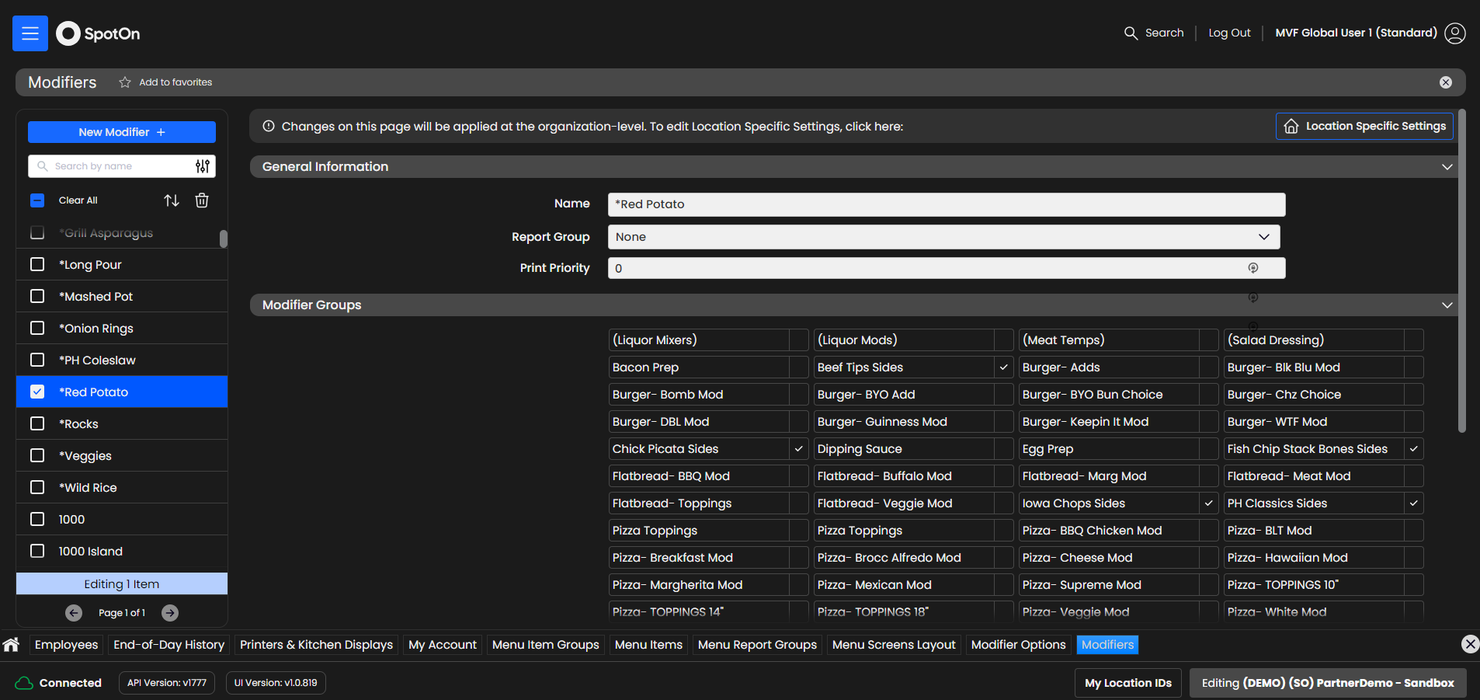
SpotOn is a restaurant POS system that caters to casual dining, quick service, and fine dining establishments. It offers customizable point-of-sale solutions, labor management, and online ordering to enhance restaurant operations.
Why I picked SpotOn: SpotOn provides an affordable option for small businesses with features like handheld devices and scheduling tools. Its flexible interface allows you to manage menus easily, while cellular backup ensures operations continue during internet outages.
SpotOn's multi-unit management also helps you oversee multiple locations effectively, supporting your growth and expansion.
Standout features & integrations:
Features include curated reports, at-a-glance data visualization, and alerts for cost and sales thresholds. You can collect guest data for marketing purposes, enhancing your customer engagement. The system also supports payroll integration to help manage costs efficiently.
Integrations include MarginEdge, Craftable, Gusto, ADP, DoorDash, QuickBooks, Square, Constant Contact, and Mailchimp.
Pros and Cons
Pros:
- Supports multi-unit management
- Cellular backup for outages
- Customizable for small businesses
Cons:
- Integration setup can be complex
- Limited advanced features


Square for Restaurants is a POS platform designed for dining establishments of all sizes, offering solutions for order management and payment processing. It caters to restaurants, cafes, and bars, providing tools that simplify operations and enhance service delivery.
As Janice Kuz, Owner at The Nines Emporium with 20+ years in hospitality, puts it: “After switching to Square, our average order time dropped from 4.2 to 2.8 minutes. The game-changer was Square’s menu modification system—everything’s built in with preset modifiers—so we went from 3–4 order mistakes on a busy Saturday to maybe 1. When you’re slinging 200+ coffees, those seconds add up.”
Why I picked Square for Restaurants: Square for Restaurants offers a quick setup process, making it ideal for businesses that need to get up and running fast. The intuitive interface means your team can learn the system with minimal training.
It includes features like customizable menus and table management that cater to various dining formats. With integrated payment processing, you can handle transactions efficiently and securely.
Standout features & integrations:
Features include a floor plan management tool that lets you optimize seating arrangements for better service flow. The system also offers a detailed reporting suite that provides insights into sales and performance metrics. Additionally, Square for Restaurants supports mobile POS, enabling your team to take orders and process payments from anywhere in the restaurant.
Integrations include QuickBooks, Xero, 7shifts, MarketMan, Resy, OpenTable, Deliverect, Uber Eats, DoorDash, and GrubHub.
Pros and Cons
Pros:
- Supports mobile POS operations
- Integrated payment processing
- Quick setup process
Cons:
- Basic reporting capabilities
- Limited advanced features


Shift4 is a restaurant POS software that caters to the needs of restaurants and bars by handling mobile ordering, payments, and online ordering. It's designed to support both front-of-house and back-of-house operations, providing tools that enhance efficiency and customer service.
Why I picked Shift4: Shift4 offers unique flexibility in payment options, allowing you to manage transactions smoothly. Features like mobile and QR code payments make it easy for you to adapt to customer preferences.
The software supports various payment methods, ensuring your team can handle any payment scenario. The added marketing and loyalty tools help you engage with customers effectively.
Standout features & integrations:
Features include mobile ordering, QR code solutions, and marketing tools. You can easily manage orders and payments through its integrated online ordering system. The reporting and analytics feature gives you insights into your restaurant's performance.
Integrations include QuickBooks, Xero, Sage, Heartland, Micros, Aloha, Toast, Square, Upserve, and Clover.
Pros and Cons
Pros:
- Marketing and loyalty tools
- Mobile ordering capability
- Flexible payment options
Cons:
- Potential learning curve
- Pricing details not transparent


NCR Voyix is a cloud-based POS system tailored for large restaurant chains, focusing on streamlining operations and enhancing customer experiences. It provides comprehensive tools for order management, payment processing, and real-time analytics, catering to high-volume businesses.
Why I picked NCR Voyix: NCR Voyix offers scalability and robust infrastructure to handle the demands of large chain operations. Features like centralized menu management and enterprise reporting make it easier for you to oversee multiple locations.
The cloud-based system ensures that updates are seamless, reducing downtime for your team. With its focus on efficiency, you can maintain consistent service across all your outlets.
Standout features & integrations:
Features include an intuitive order management system that helps your team reduce errors and improve service speed. The system also supports mobile ordering, allowing for more flexible service options. NCR Voyix provides advanced reporting tools that give you insights into sales trends and operational efficiency.
Integrations include Oracle, PayPal, GrubHub, DoorDash, Uber Eats, Postmates, Punchh, Avero, MarketMan, and Fourth.
Pros and Cons
Pros:
- Cloud-based for easy updates
- Offers enterprise-level reporting
- Centralized menu management
Cons:
- Potential for additional costs
- Complex setup process


Loyverse is a POS system designed for small to medium-sized businesses, offering features that facilitate sales management and customer loyalty. It caters to cafes, restaurants, and retail stores, helping you manage inventory, track sales, and engage with customers.
Why I picked Loyverse: Loyverse provides a free starter plan, making it accessible for businesses with budget constraints. Its loyalty program feature helps you build customer relationships without extra costs.
Loyverse's inventory management tools allow you to keep track of stock levels effortlessly. The system's sales analytics offer insights to help you make informed business decisions.
Standout features & integrations:
Features include a customizable dashboard that lets you organize information according to your needs. The employee management feature helps you track staff performance and manage schedules. Loyverse also offers a sales history feature that provides a detailed view of past transactions for better business insights.
Integrations include QuickBooks, Xero, SumUp, Worldpay, PayPal, Tyro, Zettle, Square, WooCommerce, and Shopify.
Pros and Cons
Pros:
- Supports inventory management
- Detailed sales analytics
- Free starter plan available
Cons:
- Limited offline functionality
- Limited advanced features
Other Restaurant POS Software
Here are some additional restaurant POS software options that didn’t make it onto my shortlist, but are still worth checking out:
- 3S POS
For custom solutions
- Toast
For US market adaptability
- GOFRUGAL
For budget-friendly options
- LimeTray Restaurant POS
For online ordering
- Lavu
For iPad compatibility
- TouchBistro
For tableside ordering
- Clover
For quick setup
- Quantic POS
For mobile-first approach
- Rezku
For fine dining
- GoTab
For contactless payments
- POSbistro
For food truck operations


How I Evaluate Restaurant POS Software
I split my evaluation into two layers: the core capabilities every restaurant POS must have, like KDS routing and check splitting, and the differentiators that set vendors apart.
Core Functionality (Table Stakes For This List)
When I'm selecting tools for my list, I rank each one on a scale from 0 (does not offer the functionality) to 5 (excels in this area) for each core functionality listed below. Then, I calculate the tool's total score into a percentage. Each tool needs to achieve a minimum total score of 65% to be considered for inclusion.
- Order & Menu Management: I check whether the system handles modifiers, courses, and separate workflows for dine-in, takeout, and delivery—not just a flat item list.
- Table & Floor Management: Visual floor plans, seat-level ordering, and server section assignments matter here, especially for full-service dinner rushes.
- Payment Processing & Check Splitting: I look at how flexibly the POS splits checks—by seat, item, or custom amount—and whether it supports tipping and contactless pay.
- Kitchen Display & Printer Integration: Station-based routing is key. A grill order should hit the grill screen, not the bar printer, with course firing support.
- Restaurant Inventory & Reporting: I evaluate whether the system tracks at the ingredient level with recipe costing, not just item counts and basic sales totals.
- Online Ordering & Delivery Integration: Orders from DoorDash, Uber Eats, or a branded site should flow into the same ticket queue as dine-in orders.
Once I have a list of tools that meet this criteria, I consider what sets each platform apart.
Differentiating Factors (What Sets Vendors Apart)
Here's how I compare and contrast different vendors:
Standout Features
Handheld POS devices are a major differentiator for full-service restaurants. I evaluate whether servers can take orders and close checks tableside without walking back to a fixed terminal. Offline mode matters just as much—if the internet drops during a dinner rush, the system should still accept orders and payments, then sync automatically once connectivity returns. I also look at built-in labor and scheduling tools, since tying labor costs to real-time sales data helps managers make smarter staffing calls during slow shifts and peak hours.
Beyond Features
Hardware compatibility is one of the first things I check. Some vendors require proprietary terminals, while others let you bring your own iPads or Android tablets—a big deal when you've already invested in equipment. Pricing structure also matters. I look at whether payment processing is locked to a built-in processor or if you can use a third-party provider. Integration depth rounds out the picture, especially connections to accounting tools like QuickBooks or Xero and reservation systems like OpenTable that keep front-of-house and back-office data aligned.
What is Restaurant POS Software?
Restaurant POS software is a cloud-based all-in-one platform that manages order entry, payment processing, and inventory tracking.
It helps restaurant owners, managers, servers, and kitchen staff coordinate service in real time.
By syncing tableside ordering, credit card processing, and stock levels, it prevents ticket errors, eliminates manual inventory checks, and ensures your menus and pricing stay accurate across front and back of house.
How to Choose Restaurant POS Software
Picking a restaurant POS system demands clarity on your workflows, integrations, and pricing.
Use this action-oriented checklist to zero in on point-of-sale functionality, online ordering integrations, restaurant management features, and support that keep your front-of-house and back office running smoothly.
| Step | What to consider | Action tip |
|---|---|---|
| Define your workflows | Map front-of-house order flow, kitchen display system needs, and inventory management | Sketch your current process end-to-end to spot gaps |
| Verify integrations | Confirm compatibility with your accounting software, online ordering platforms, loyalty programs, and labor tools | List existing platforms and test data sync in a demo |
| Test usability | Ensure the interface fits tableside, mobile POS, and cloud-based dashboards | Run a seven-day trial with your staff on real shifts |
| Compare pricing | Account for subscription tiers, transaction fees, hardware costs, and add-ons | Build a year-one cost model to compare total spend |
| Evaluate onboarding and support | Check training resources, live product tours, and customer support SLAs | Request an onboarding roadmap and support response times |
Features of Restaurant POS Software
A solid restaurant POS system packs tools that tackle every stage of service and back-office work. These features streamline operations, improve order accuracy, and tie your front of house to your inventory, integrations, and reporting in real time.
- Real-time dashboard. View sales, labor costs, and inventory levels as they update—so you spot issues before they hit your bottom line.
- Kitchen display system (KDS) integration. Send orders directly to screens in back of house, eliminating paper tickets and cutting prep errors.
- Mobile POS and tableside ordering. Take orders and payments from any tablet or mobile device to speed checkout and boost guest experience.
- Cloud-based menu management. Push price or menu changes instantly across iPads, kiosks, and online ordering channels without manual uploads.
- Built-in loyalty programs. Launch points-based rewards or gift cards in the same platform—no third-party workarounds or extra fees required.
- Contactless and kiosk support. Offer self-service ordering via QR codes or unattended kiosks to reduce lines and labor costs.
- Advanced reporting and analytics. Drill into data by shift, server, or promotion and export to your accounting software for seamless back office.
- Third-party integrations. Connect to payment processors, online ordering services, accounting packages, and labor tools for an all-in-one POS solution.
Benefits of Restaurant POS Software
Choosing the right restaurant management software means cutting manual work, minimizing errors, and boosting profitability.
These benefits show up across the front of house, back office, and in your guest experience.
- Faster checkouts and higher throughput. Integrated payment processing with credit-card and debit-card support keeps lines moving and revenue growing.
- Fewer stockouts and waste. Automated inventory tracking flags low-stock items in real time and triggers reorder alerts—saving you from surprise menu sell-outs.
- Data-driven decisions. Real-time sales and labor reports help you optimize staffing, menu pricing, and promotions for peak profitability.
- Improved guest experience. Mobile POS and tableside payments cut wait times while loyalty programs keep customers coming back.
- Reduced training time. Intuitive interfaces and interactive onboarding tools mean new staff learn the system in hours, not days.
- Centralized control for multiple locations. Manage menus, pricing, and reporting across all your sites from one cloud-based back office.
- Secure, compliant transactions. End-to-end encryption and tokenization protect customer data and reduce your PCI-compliance burden.
- Scalable growth. Whether you’re a quick-service restaurant or full-service chain, your POS solution scales with add-ons like kiosks, kitchen displays, and advanced reporting modules.
Costs and Pricing of Restaurant POS Software
Restaurant POS plans range from free entry-level offerings up to enterprise subscriptions north of $400 per month. Most small and midsize restaurants pay between $20 and $100 monthly for the core software, with hardware and setup typically costing $500–$1,500 up front. Transaction fees usually run 2.6–3.5% plus $0.10–$0.30 per sale. Your actual spend will hinge on how many terminals you deploy, which add-ons you choose, and whether you lock into an annual deal.
| Plan type | Average price | Common features | Best for |
|---|---|---|---|
| Free plan | $0/month | Basic order entry, limited payment processing, simple reports | pop-up cafés and food trucks |
| Personal plan | $20–$50/user/month | Order management, inventory tracking, basic analytics | solo operators and small cafés |
| Business plan | $50–$100/user/month | Advanced reporting, loyalty programs, multi-device support | busy full-service and quick-service restaurants |
| Enterprise plan | $100–$400+/user/month | Multi-location management, API access, dedicated support | large chains and multi-site groups |
Additional cost considerations
- Hardware and installation fees. POS terminals, tablets, printers, network setup, and card readers can add $500–$1,500 up front.
- Payment processing rates. Typically 2.6–3.5% + $0.10–$0.30 per transaction, varying by plan and provider.
- Modules and add-ons. KDS screens, self-service kiosks, tableside payment, and advanced reporting modules often carry extra monthly charges.
- Training and onboarding. Premium support packages include guided setup and live training, while basic plans rely on self-serve resources.
- Contract commitments. Month-to-month plans offer flexibility, while annual contracts may secure discounts but reduce your ability to switch.
Restaurant POS Software FAQs
Here are some answers to common questions about restaurant POS software:
What hardware do I need to run a modern restaurant POS system?
You’ll usually need a tablet or touchscreen terminal, a receipt printer, a cash drawer, and maybe a kitchen display. Some systems play nice with whatever gear you’ve already got—most work best with hardware they’ve vetted.
Double-check compatibility before you drop cash. Your Wi-Fi router matters too. If your POS is “cloud-based,” keep a backup hotspot just in case.
Can a restaurant POS system work when the internet goes down?
Yes, most top POS systems have offline mode—provided you’ve set it up. You can keep punching in orders even if your Wi-Fi tanks faster than a Saturday lunch rush. However, online-only features like updates and credit card processing may stall. The trick: always clarify what works offline before things go dark.
How long does it take to train staff on a new POS?
If your POS needs hours of training, it’s probably made for museums, not restaurants. Most well-designed systems should have your crew rang up and running in under a shift. Plan for about a day if you’ve got a big team or run complex service. The faster your team can pick it up, the sooner you get back to slinging plates, not watching tutorials.
What integrations should I prioritize for smoother restaurant operations?
Start with payroll and accounting platforms—they save hours and headaches. Next: delivery and online ordering integrations, or you’ll be copying tickets by hand. Inventory and scheduling integrations matter, but only if you’ll actually use them. Always check real-world reviews—marketing claims often gloss over painful limitations.
How do I migrate data from my old POS to a new system?
Data migration isn’t magic, but it’s not open-heart surgery either. Most vendors offer imports for menu items and customer lists—just make sure your old system actually exports data first.
Back everything up in spreadsheets, and ask your new provider for help. If they groan or shrug, find another vendor. Migration support is a loyalty test.
Can I use my own hardware with restaurant POS software?
Yes, but check the fine print. Some software welcomes existing iPads or printers; others force you into pricey “exclusive” hardware. Compatibility issues can kill your budget, so ask before you buy.
Sometimes, biting the bullet for the vendor’s hardware saves you hours of troubleshooting and calls to “Steve from IT.”
How does restaurant POS software handle multiple locations?
The short answer: good systems let you see sales, staff hours, and inventory across every spot from one dashboard. Some even do centralized menu updates, so you’re not updating prices in ten places at midnight. Beware setup fees for each new location—vendors love to hide these in the paperwork.