
18 Best Florist POS Systems Reviewed in 2026

10 Best Florist POS Systems Shortlist
Here's my pick of the 10 best software from the 18 tools reviewed.


Running a flower shop comes with its own set of challenges. You need to manage inventory, handle customer orders, and ensure timely deliveries. That's where florist POS systems come in. They help you keep track of everything, making your job a bit easier.
I’ve spent time testing and reviewing these systems, so you can trust my recommendations. I know the retail management industry well, and I’m here to share unbiased reviews of the top florist POS options.
In this listicle, I’ll guide you through the best systems on the market. Whether you're looking to improve efficiency or enhance customer service, I'm here to help you find the right fit for your team.
Why Trust Our Software Reviews
Best Florist POS Systems Summary
This comparison chart summarizes pricing details for my top florist POS systems selections to help you find the best one for your budget and business needs.
| Tool | Best For | Trial Info | Price | ||
|---|---|---|---|---|---|
| 1 | Best for independent florists | Free demo available | From $149/25 active users/month | Website | |
| 2 | Best for UK florists | Free demo available | Pricing upon request | Website | |
| 3 | Best for subscription flowers | Free plan available | Pricing upon request | Website | |
| 4 | Best for omnichannel floral businesses selling in-store and online | Free trial available | From $69/month | Website | |
| 5 | Best for bouquet customization | 30-day free trial | Pricing upon request | Website | |
| 6 | Best for multi-location shops | Free demo available | From $149/1-4 computers/month (billed annually) | Website | |
| 7 | Best for network integration | Free demo available | From $1099 | Website | |
| 8 | Best for floral delivery management | 30-day free trial | Pricing upon request | Website | |
| 9 | Best for international florists | Free demo available | Pricing upon request | Website | |
| 10 | Best for large floral events | 14-day free trial | From $79/month (billed annually) | Website |
Best Florist POS System Reviews
Below are my detailed summaries of the best florist POS systems that made it onto my shortlist. My reviews offer a detailed look at the key features, pros & cons, integrations, and ideal use cases of each tool to help you find the best one for you.

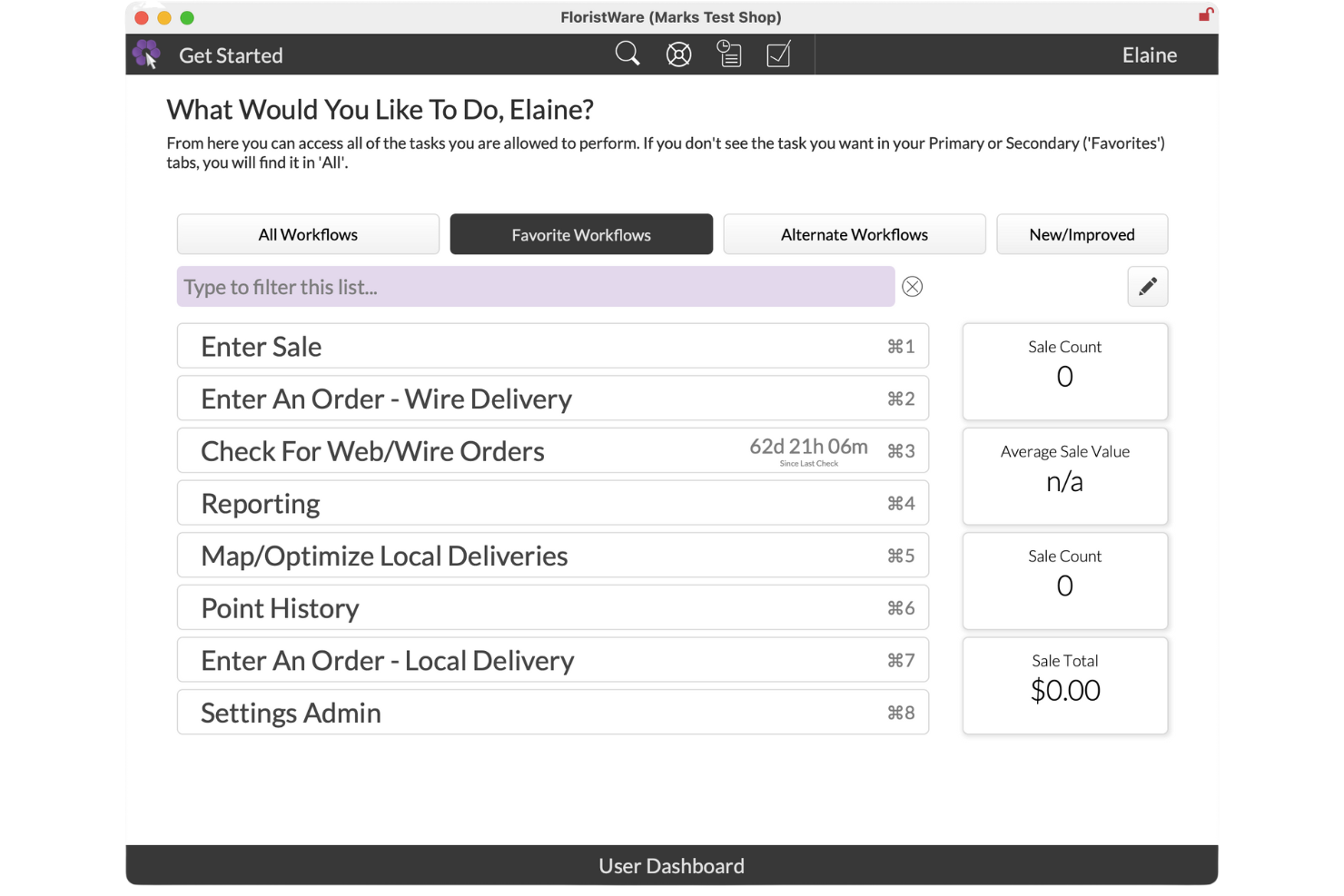
FloristWare is a point-of-sale and shop management system built for flower shops to handle sales, orders, deliveries, and customer information in one place. It supports day-to-day retail operations with tools that reflect how floral businesses actually work. The software runs on both Windows and macOS and is designed for in-store and delivery-focused workflows.
Why I picked FloristWare:
I picked FloristWare because it’s designed around how independent flower shops operate day to day. You can handle multiple orders in a single sale and split payments without workarounds. Delivery tools let you plan routes, send jobs to drivers, and capture signatures on delivery. Online orders flow directly into the system, so your team doesn’t need to re-enter them. Extras like staff time tracking, discount tools, and customer loyalty points support how small floral teams actually work.
Standout features & integrations
Features include inventory tracking to help you monitor stock and pricing, employee time clocks so you can track hours worked, and loyalty points to reward repeat customers. Delivery routing tools help you organize daily drop-offs and reduce missed stops. Reporting tools give you visibility into sales, orders, and staff activity.
Integrations include Shopify, Twilio, Onfleet, Global Payments Integrated, Apple Pay, Google Pay, Mailchimp, Flower Shop Network, and GravityFree.
Pros and Cons
Pros:
- Supports mixed in-store and delivery sales
- Delivery tools fit small teams
- Handles complex multi-order sales
Cons:
- Best suited to smaller operations
- Manual setup for some order types

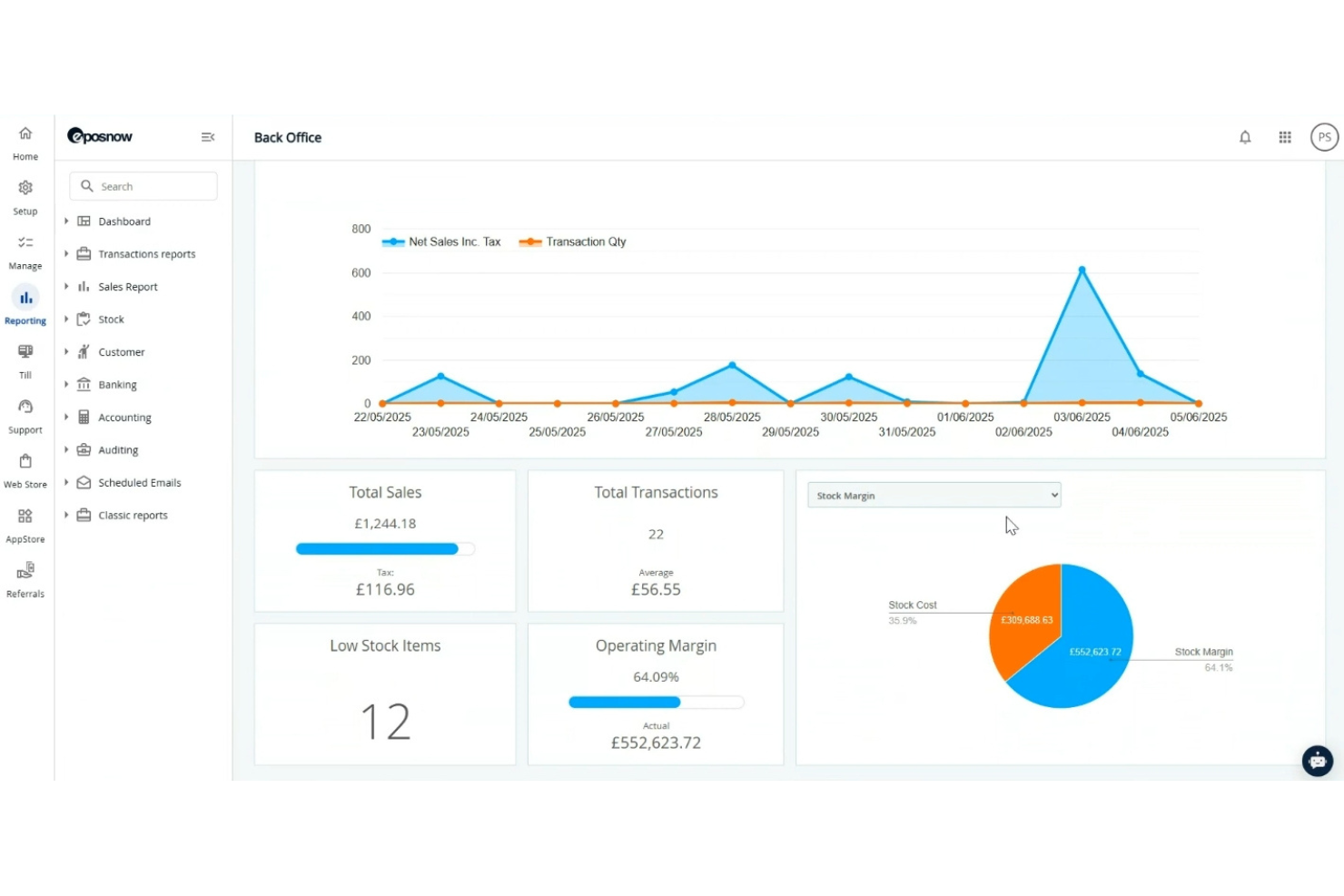
Epos Now is a point-of-sale system designed for retail businesses, including florists, with a strong presence in the UK. It helps you manage sales, track inventory, and enhance customer engagement, offering a comprehensive solution for your flower shop.
Why I picked Epos Now: This tool is particularly beneficial for UK florists due to its local support and compliance with regional regulations. Its real-time inventory tracking ensures you always know what's in stock. The customizable dashboard allows you to tailor the system to your specific needs, making it versatile for various shop sizes. In my experience, the detailed sales reports provide valuable insights to help you grow your business.
Standout features & integrations:
Features include real-time inventory tracking, which helps you manage stock efficiently. The customizable dashboard allows you to set up your workspace according to your preferences. Detailed sales reports give you insights into your business performance, helping you make informed decisions.
Integrations include QuickBooks, Xero, Sage, Mailchimp, Shopify, BigCommerce, WooCommerce, Zapier, PayPal, and Authorize.Net.
Pros and Cons
Pros:
- Customizable dashboard
- Compliance with UK regulations
- Local UK support
Cons:
- Requires training for new users
- Limited to UK Businesses

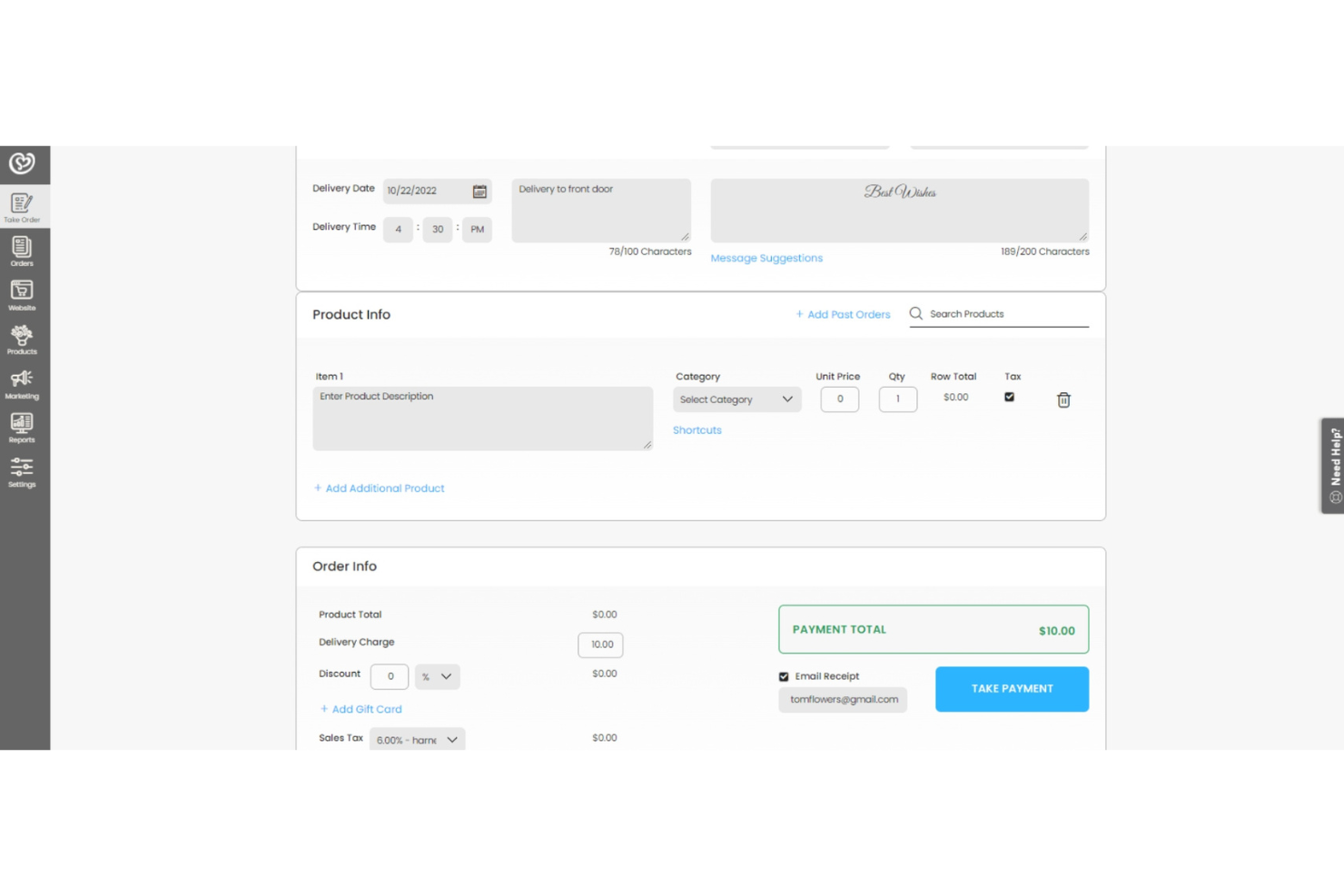
Floranext is a floral POS system designed for florists who want customizable websites and efficient order management. It serves florists by providing tools for inventory control and wedding event management, enhancing business operations.
Why I picked Floranext: This tool is ideal for subscription flowers due to its customizable florist websites and flexible pay-as-you-go pricing model. The Wedding & Event Manager allows for professional proposal creation and contract management. Its efficient order management ensures you can handle subscriptions seamlessly. Advanced reporting helps you track sales and inventory effectively.
Standout features & integrations:
Features include efficient order management that helps you process sales quickly. Advanced reporting provides insights into your business performance. The Wedding & Event Manager allows you to manage contracts and proposals with ease.
Integrations include QuickBooks, Shopify, Square, Stripe, Authorize.Net, PayPal, WooCommerce, and Google Calendar.
Pros and Cons
Pros:
- Advanced reporting tools
- Customizable florist websites
- Flexible pay-as-you-go pricing
Cons:
- No mobile app available
- Requires technical knowledge

Best for omnichannel floral businesses selling in-store and online
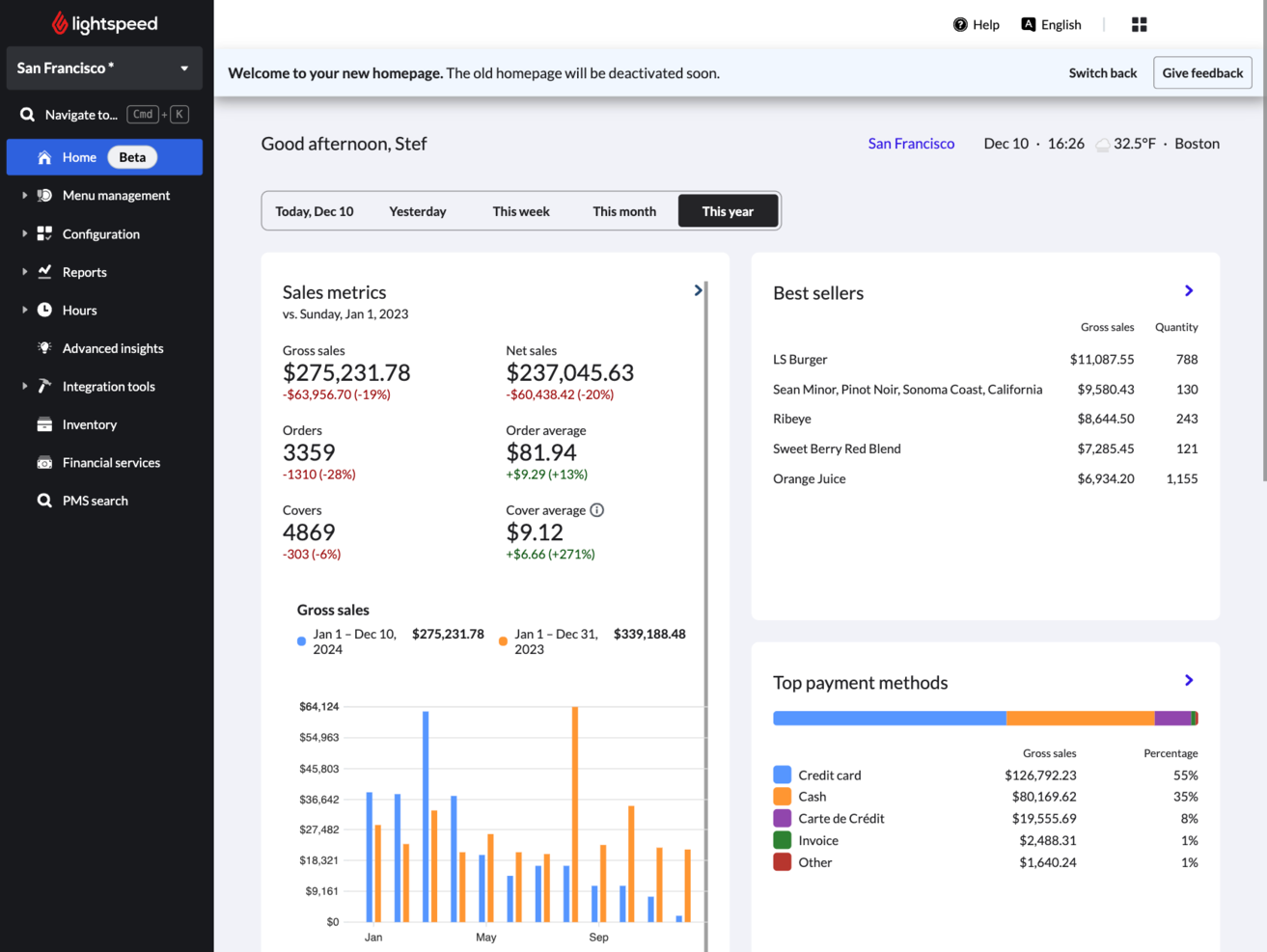
Lightspeed Retail is a POS system built for retailers, including florists who operate storefronts or sell both in-store and online. While it isn’t a florist-specific POS with stem-level inventory or production tracking tools, it delivers powerful retail capabilities that can support growing flower shops focused on sales performance, customer management, and omnichannel operations.
Why I picked Lightspeed Retail: Lightspeed stands out for its advanced retail infrastructure. Although it doesn’t include specialized floral workflows like arrangement production tracking or delivery routing, it offers stronger reporting, customer insights, and omnichannel sales tools than many florist-native systems. You can connect in-store and online sales in one platform, analyze purchasing trends, and track customer lifetime value. The built-in CRM features help you manage repeat buyers and seasonal promotions, and mobile access allows you to oversee operations even when you’re away from the shop.
Standout features & integrations:
Features include unified in-store and eCommerce sales tracking, customizable reporting dashboards, integrated payment processing, and detailed customer profiles that store purchase history and preferences. The platform also offers multi-location management and mobile access, giving retail-focused florists more visibility and operational control than many niche floral POS systems.
Integrations include QuickBooks, Xero, Mailchimp, Shopify, BigCommerce, WooCommerce, Sage, Authorize.Net, PayPal, and Stripe.
Pros and Cons
Pros:
- Advanced retail reporting and customer insights for data-driven decision-making
- Scalable infrastructure with multi-location support and integrated payments
- Strong omnichannel capabilities that unify in-store and online sales in one system
Cons:
- Inventory system does not handle product freshness, stem counts, or waste tracking efficiently
- Limited floristry-specific features as core functionality is built for general retail

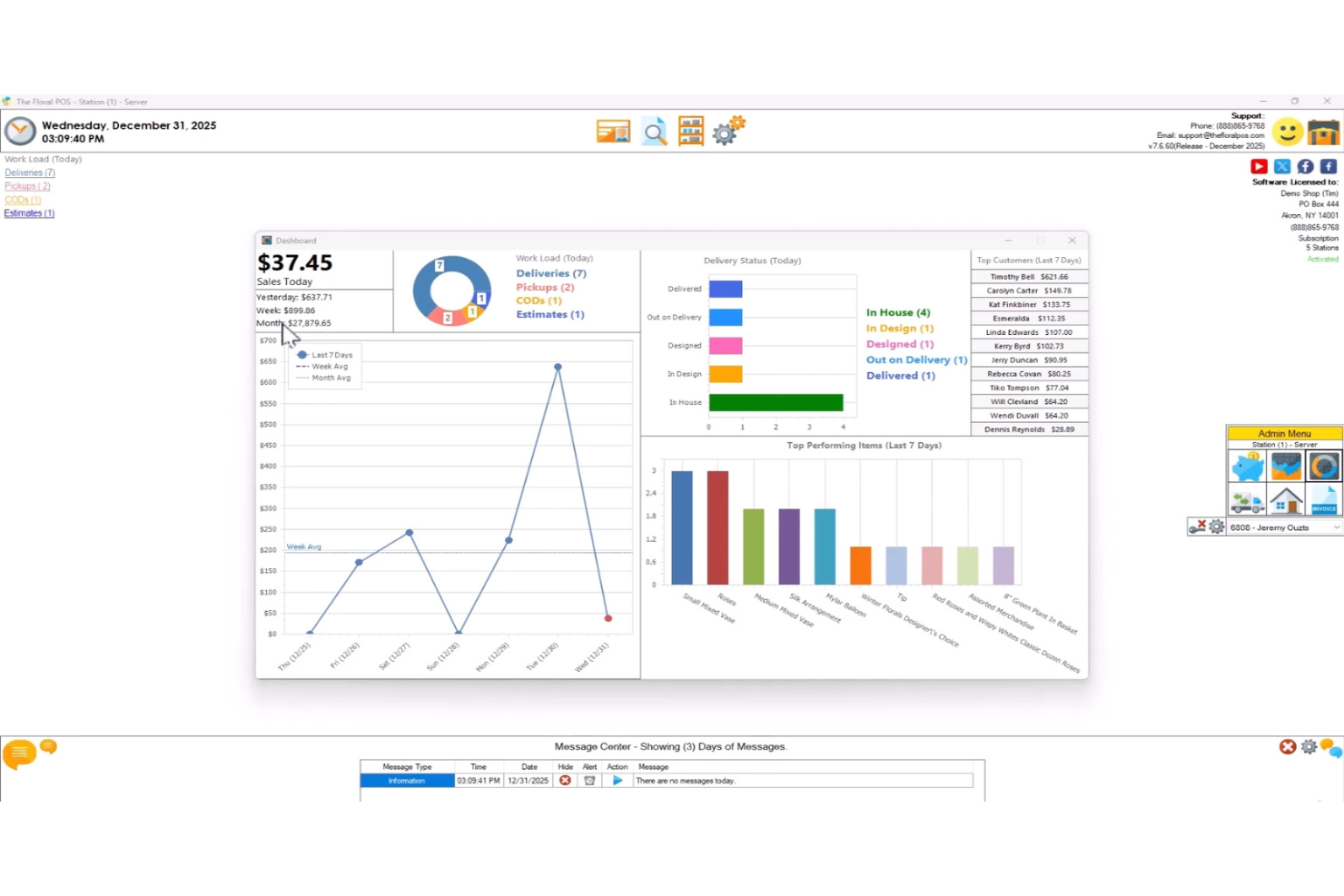
The Floral POS is a point-of-sale system designed specifically for florists. It primarily serves florists who need to manage custom bouquet orders efficiently, offering features that cater to their specific needs. The software supports order processing and inventory management, providing value through its specialized functions.
Why I picked The Floral POS: This tool excels in bouquet customization with its one-screen order system, allowing you to manage orders quickly and accurately. It integrates seamlessly with various payment processors, making transactions easier during busy times. The software's compatibility with all John Henry Paper options ensures you don't need to purchase different paper types. Additionally, its technical support is highly regarded, making it a reliable choice for florists.
Standout features & integrations:
Features include a one-screen order system that simplifies the order process, making it easier for your team to handle multiple orders. Its compatibility with John Henry Paper options means you won't need to stock different paper types. The system also supports all credit card processors, ensuring smooth payment transactions.
Integrations include BoostFloral, Flower Shop Network, BloomNation, and 1-800-Flowers.
Pros and Cons
Pros:
- Compatible with John Henry Paper
- Supports all credit card processors
- Easy bouquet customization
Cons:
- Initial setup can be complex
- Limited to Windows compatibility

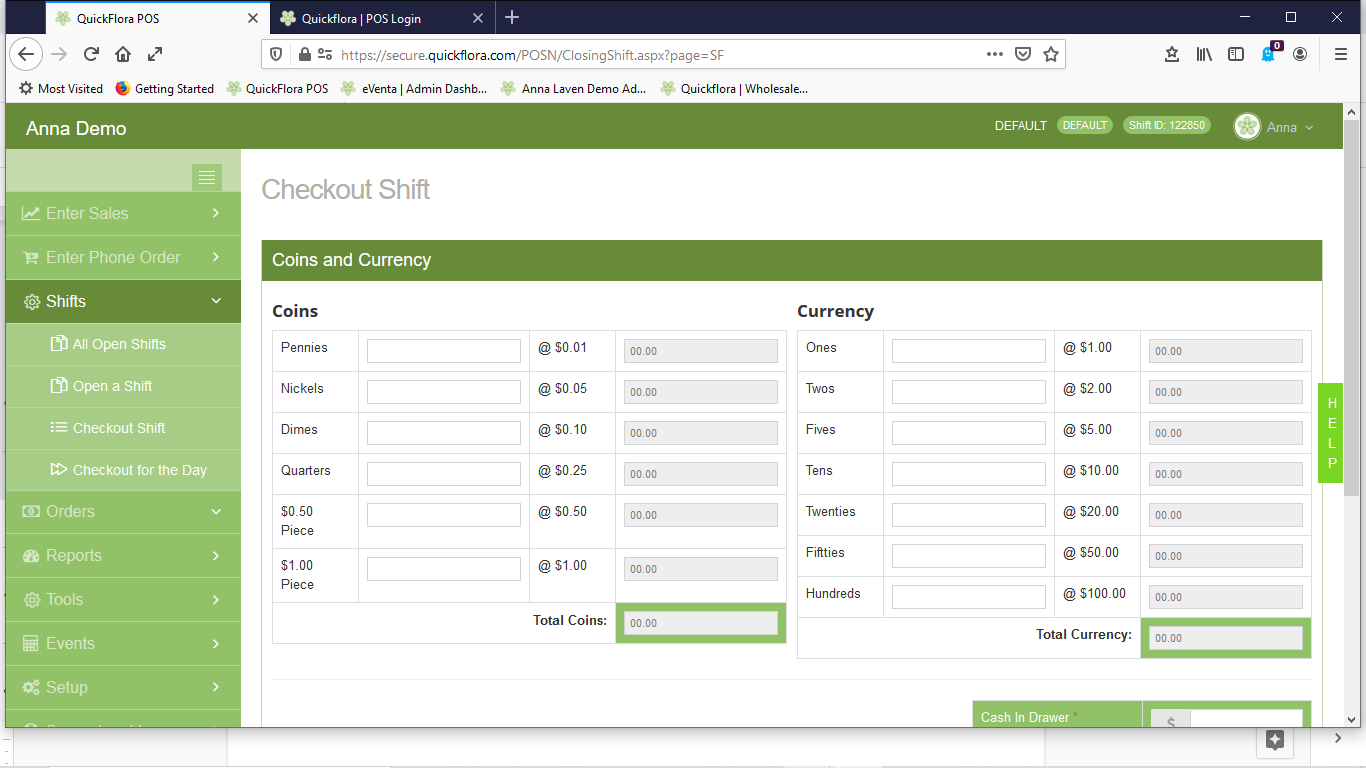
QuickFlora is a florist POS system designed for multi-location flower shops. It helps you manage inventory, track sales, and coordinate deliveries across different locations, providing centralized control.
Why I picked QuickFlora: This tool is tailored for multi-location shops with its centralized inventory management and delivery tracking features. You can efficiently manage sales and inventory from a single dashboard, reducing the complexity of operating across multiple locations. The system offers real-time reporting, allowing you to monitor each shop's performance. Its delivery tracking ensures timely deliveries, which is crucial for maintaining customer satisfaction.
Standout features & integrations:
Features include centralized inventory management, which helps you keep track of stock across all locations. Real-time reporting gives you insights into each store's performance. Delivery tracking ensures that your team can monitor and coordinate deliveries effectively.
Integrations include Teleflora, BloomNet, FTD, Flower Shop Network, Google Maps, QuickBooks, Sage 50, Authorize.Net, and PayPal.
Pros and Cons
Pros:
- Effective delivery tracking
- Real-time reporting capabilities
- Centralized inventory management
Cons:
- Requires training for new users
- Initial setup can be time-consuming

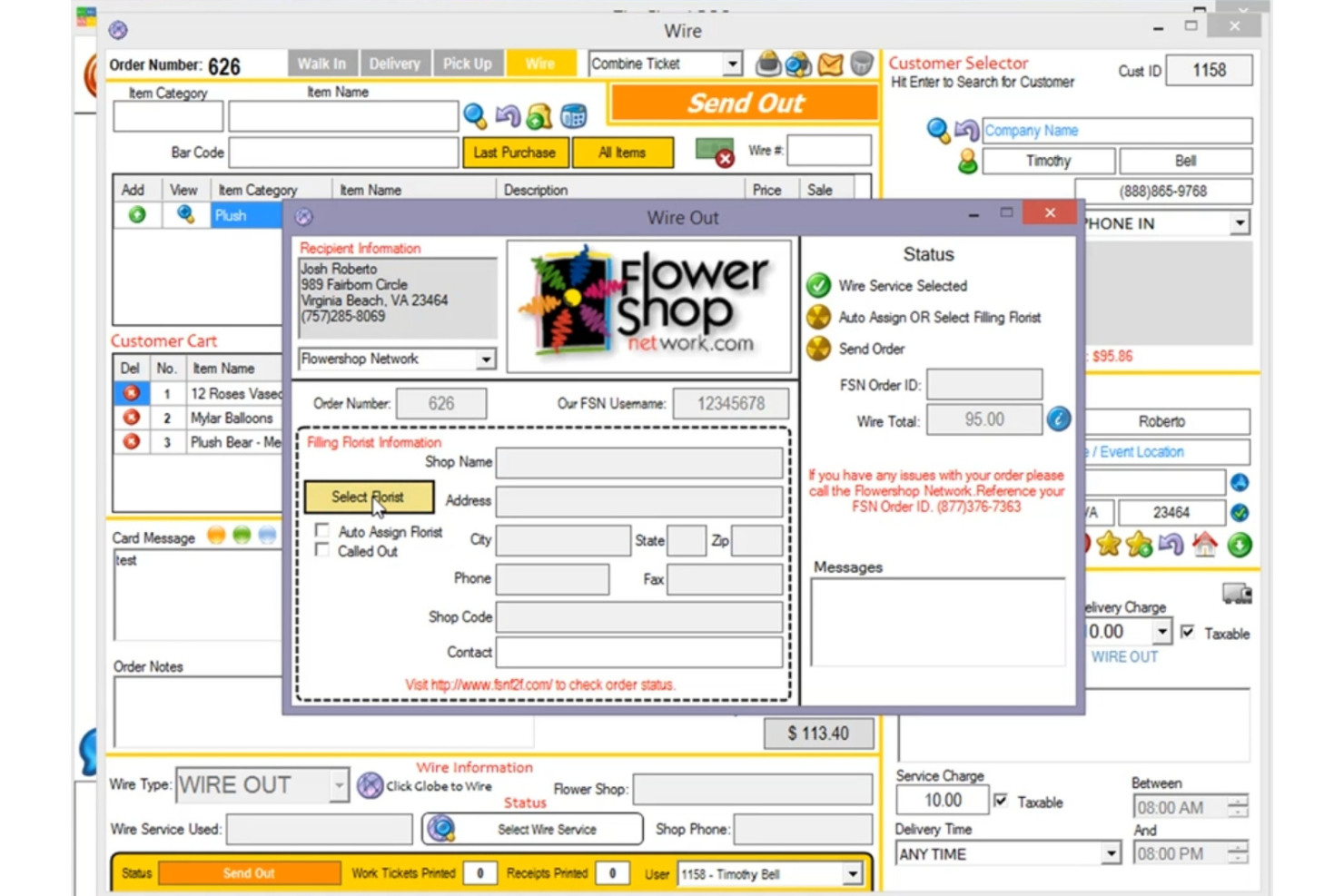
Flower Shop Network is a florist POS system that caters to florists looking to integrate their operations within a larger network. It supports florists by managing orders, inventory, and customer relationships, providing tools for efficient business management.
Why I picked Flower Shop Network: This tool excels in network integration, offering florists the ability to connect with a broader network of flower shops. The system facilitates order exchanges between connected florists, enhancing your business reach. Its customer relationship management features help you maintain strong connections with clients. In my experience, the automated order processing streamlines daily operations, making it a practical choice for florists who want to expand their network.
Standout features & integrations:
Features include automated order processing, which helps you handle customer requests efficiently. The customer relationship management tools allow you to keep track of client interactions and preferences. Inventory management ensures you always have the right products in stock to meet demand.
Integrations include QuickBooks, Google Calendar, Shopify, Square, Authorize.Net, PayPal, Stripe, Teleflora, BloomNet, and FTD.
Pros and Cons
Pros:
- Effective customer relationship tools
- Automated order processing
- Strong network integration
Cons:
- Can be complex to set up
- May not suit small florists

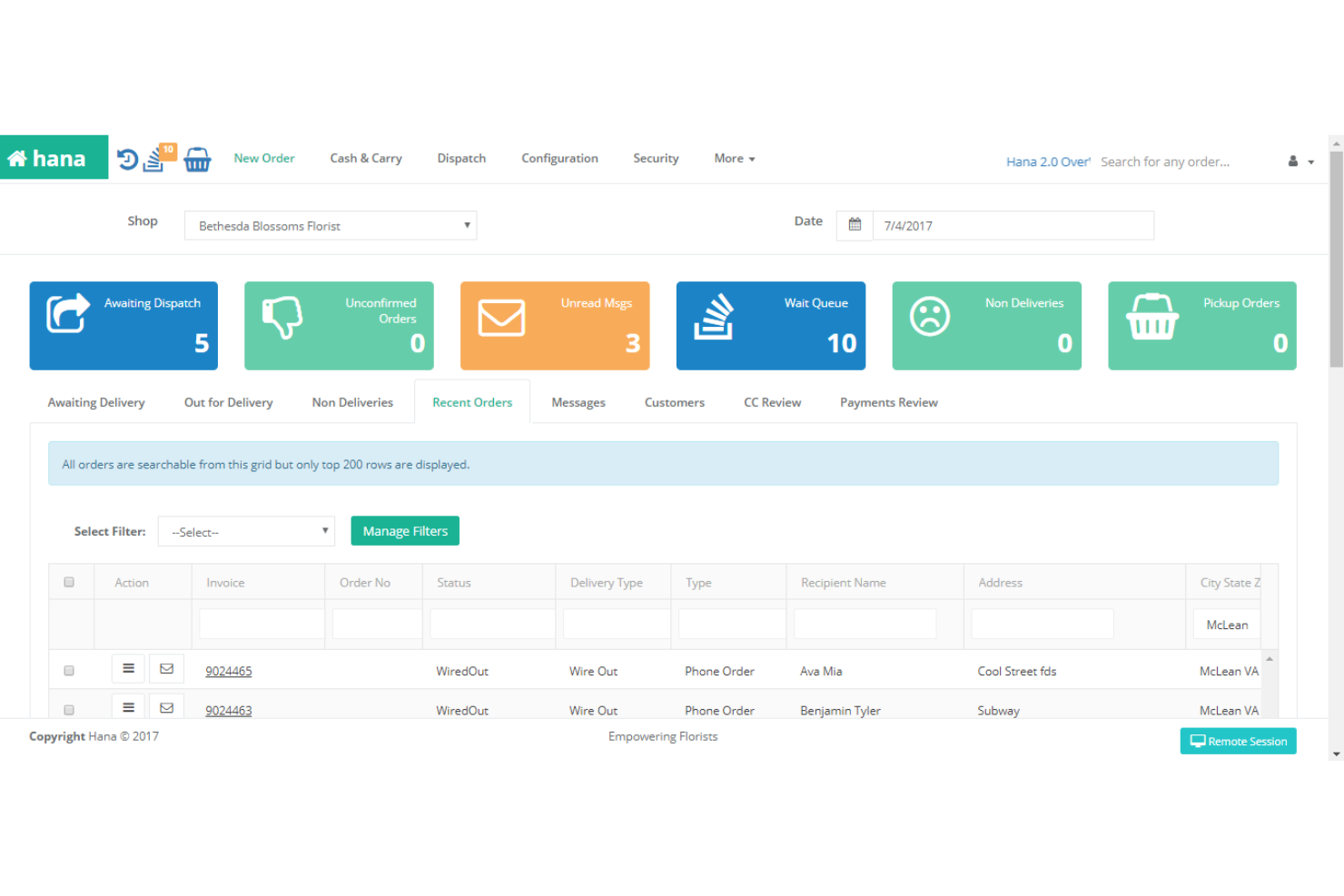
Hana POS is a cloud-based point-of-sale system specifically designed for florists, including local shops, wedding/event planners, and multi-location businesses. It helps manage orders, inventory, deliveries, and customer relationships, providing a detailed solution for the floral industry.
Why I picked Hana POS: This tool excels in floral delivery management with features like live delivery tracking and GPS delivery optimization. You can efficiently manage your deliveries, ensuring timely and accurate service to your customers. The real-time inventory alerts keep you updated on stock levels, reducing the risk of running out of essential items. In my experience, the e-commerce integration allows you to sell flowers online while maintaining control over your profits.
Standout features & integrations:
Features include live delivery tracking that helps you monitor delivery progress. Real-time inventory alerts keep you informed about stock levels, preventing shortages. The e-commerce integration supports online sales, expanding your business reach.
Integrations include QuickBooks, Shopify, WooCommerce, Google Workspace, Square, Authorize.Net, Stripe, PayPal, Xero, and Mailchimp.
Pros and Cons
Pros:
- E-commerce integration
- Real-time inventory alerts
- Live delivery tracking
Cons:
- Poor Inventory fit for perishables
- Lacks built-in workflows for floral needs

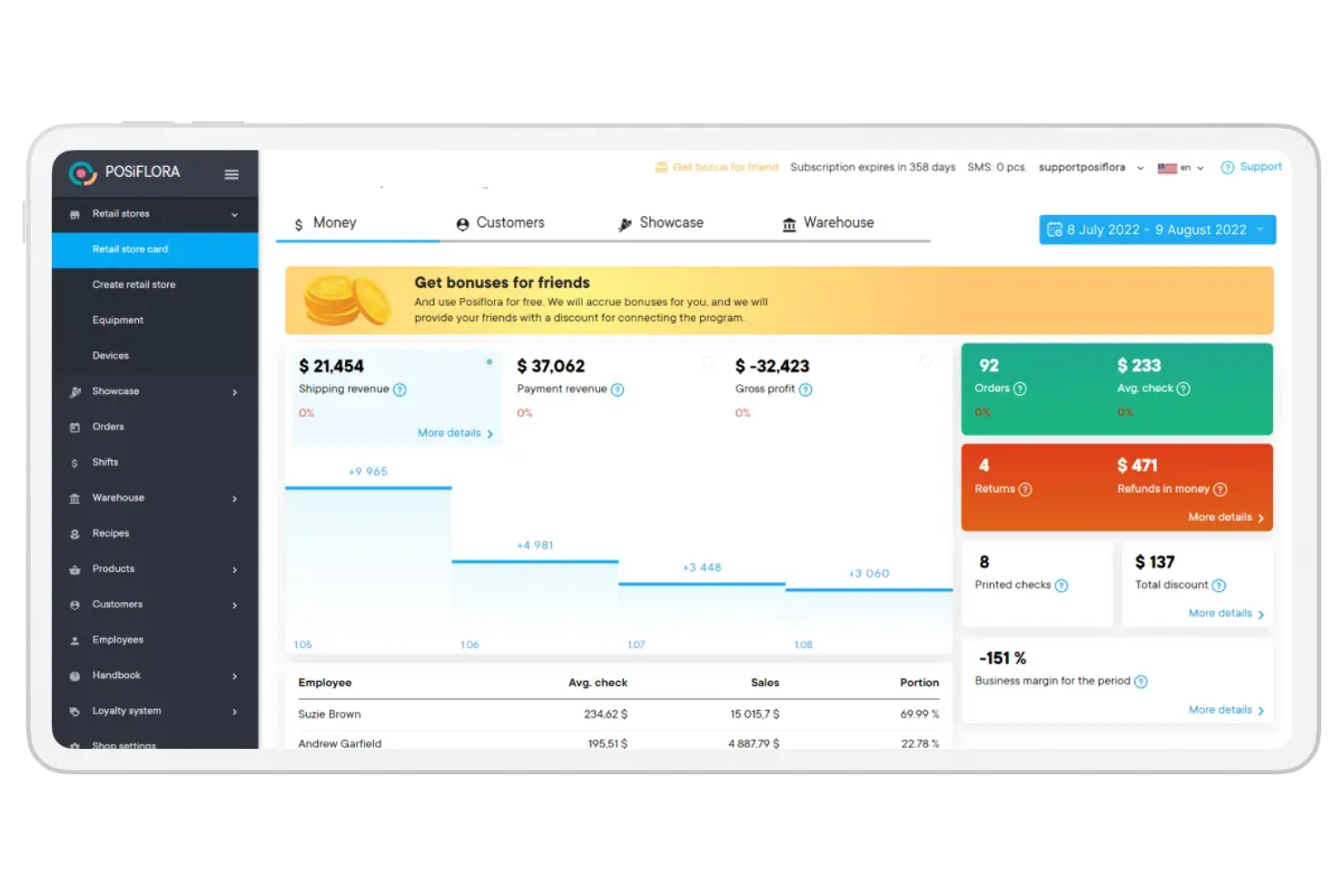
POSiFlora is a cloud-based POS system tailored for florists operating in various countries, offering tools for managing orders, inventory, and customer relations. It serves florists by providing multilingual support and currency conversion, making it suitable for international businesses.
Why I picked POSiFlora: This tool is ideal for international florists due to its multilingual support and ability to handle multiple currencies. The system's order management feature allows you to process orders efficiently across borders. Real-time inventory tracking helps you maintain stock levels, ensuring you meet customer demand. In my experience, the customizable reporting provides insights into sales performance, aiding in strategic decision-making.
Standout features & integrations:
Features include real-time inventory tracking that helps you monitor stock levels effectively. The customizable reporting provides valuable insights into your sales performance. The multilingual support ensures you can cater to customers from various regions.
Integrations include QuickBooks, Xero, Shopify, WooCommerce, PayPal, Stripe, Authorize.Net, Google Calendar, Mailchimp, and Zapier.
Pros and Cons
Pros:
- Customizable reporting
- Real-time inventory tracking
- Multilingual support
Cons:
- Larger floral businesses with multiple locations or high seasonal spikes could encounter limitations
- Floral-specific analytics might be shallow without third-party tools

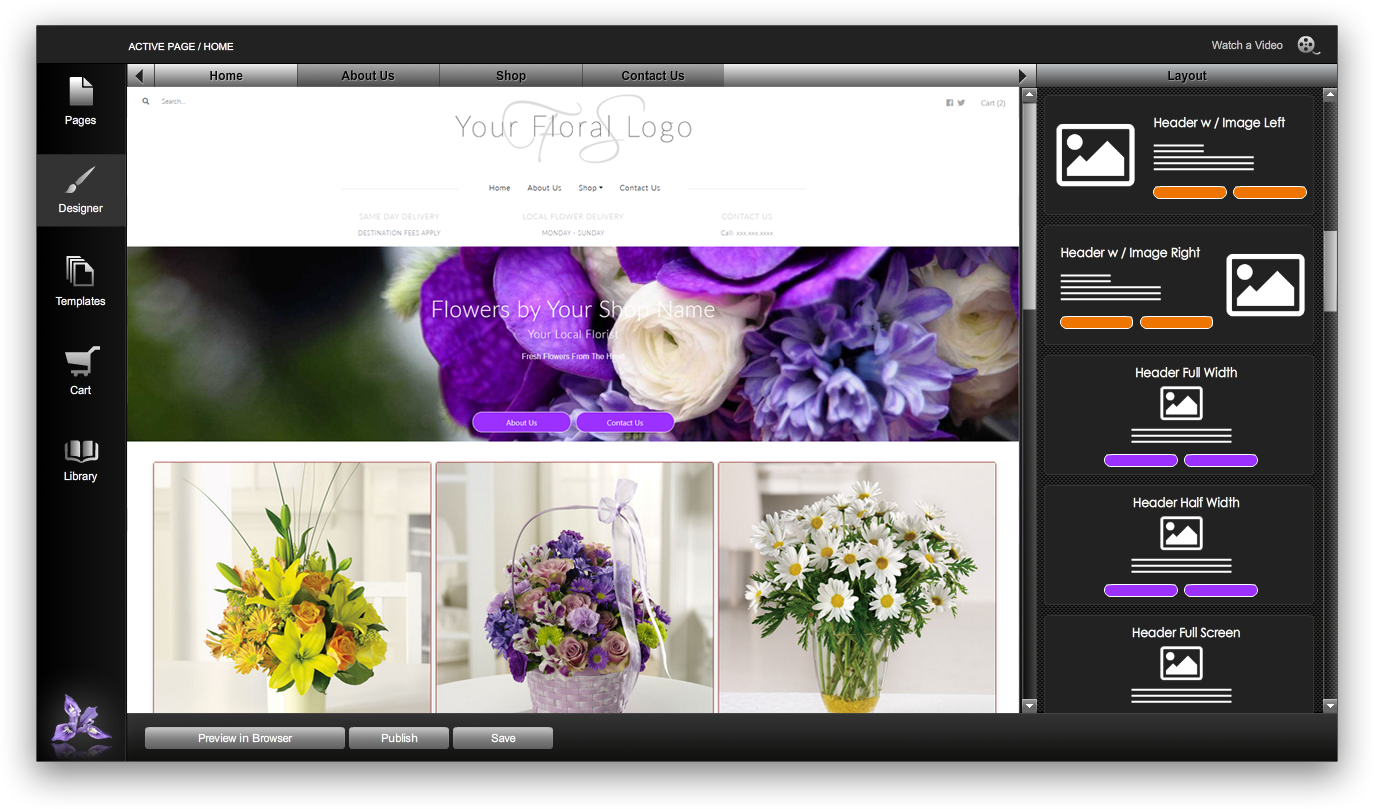
IRIS is a floral point-of-sale (POS) software tailored for florists. It serves florists who manage large-scale events, offering features like customizable order entry and inventory management. The software supports both online and offline operations, ensuring sales continuity.
Why I picked IRIS: This software caters to large floral events with its GPS delivery routing and multiple payment options, making it ideal for complex logistics. The customizable order entry allows you to tailor orders to specific events. IRIS Insight Reporting provides real-time access to sales data, helping you manage large volumes efficiently. Additionally, its EMV certification ensures secure transactions, which is crucial for handling large payments.
Standout features & integrations:
Features include customizable order entry, which ensures you can tailor orders to specific client needs. GPS delivery routing helps manage deliveries efficiently. Inventory management keeps track of stock, preventing shortages during busy periods.
Integrations include QuickBooks, Teleflora, FloralPro, Microsoft Outlook, and Google Calendar.
Pros and Cons
Pros:
- GPS delivery routing
- Supports delivery, walk-in, pickup, wire-in / out orders
- Supports most payment methods, including split payments
Cons:
- Requires internet for full features
- Limited customization options
Other Florist POS Systems
Here are some additional florist POS systems options that didn’t make it onto my shortlist, but are still worth checking out:
- Clover
For mobile payments
- Rain POS
For cloud-based floral shops
- POS Nation
For custom hardware options
- GoFrugal Florist POS
For integration with e-commerce
- RapidGarden
For garden center florists
- FloralFrog
For UK-based florists
- Heartland Retail
For detailed sales analytics
- BloomNation
For online floral marketplaces


Florist POS System Selection Criteria
When selecting the best florist POS systems to include in this list, I considered common buyer needs and pain points like managing seasonal inventory and ensuring timely deliveries. I also used the following framework to keep my evaluation structured and fair:
Core Functionality (25% of total score)
To be considered for inclusion in this list, each solution had to fulfill these common use cases:
- Process sales transactions
- Manage inventory levels
- Track customer orders
- Generate sales reports
- Handle multiple payment methods
Additional Standout Features (25% of total score)
To help further narrow down the competition, I also looked for unique features, such as:
- GPS delivery tracking
- Customizable floral catalogs
- Subscription management
- Multi-location support
- E-commerce integration
Usability (10% of total score)
To get a sense of the usability of each system, I considered the following:
- Intuitive interface design
- Simple navigation
- Ease of learning for new users
- Flexibility in customization
- Speed of accessing features
Onboarding (10% of total score)
To evaluate the onboarding experience for each platform, I considered the following:
- Availability of training videos
- Access to interactive product tours
- Presence of chatbots for assistance
- Use of webinars for live training
- Availability of setup templates
Customer Support (10% of total score)
To assess each software provider’s customer support services, I considered the following:
- 24/7 support availability
- Multiple contact channels
- Responsiveness to inquiries
- Quality of help documentation
- Access to a dedicated support team
Value For Money (10% of total score)
To evaluate the value for money of each platform, I considered the following:
- Competitive pricing
- Range of features offered
- Flexibility in pricing plans
- Comparison with similar tools
- Transparency in pricing structure
Customer Reviews (10% of total score)
To get a sense of overall customer satisfaction, I considered the following when reading customer reviews:
- Frequency of positive feedback
- Mention of reliable performance
- Feedback on ease of use
- Reports on customer service experiences
- Comments on feature satisfaction
How to Choose a Florist POS System
It’s easy to get bogged down in long feature lists and complex pricing structures. To help you stay focused as you work through your unique software selection process, here’s a checklist of factors to keep in mind:
| Factor | What to Consider |
| Scalability | Will the system grow with your business? Check if it can handle more locations, users, and transactions as you expand. Avoid systems that limit growth or charge excessively for scaling. |
| Integrations | Does it work with your existing tools? Ensure it connects easily with accounting, e-commerce, and marketing platforms you already use. Compatibility saves time and reduces errors. |
| Customizability | Can you tailor it to your needs? Look for systems that allow adjustments in workflows and user interfaces to match your processes. Avoid rigid setups that hinder efficiency. |
| Ease of use | How quickly can your team learn it? Intuitive interfaces and straightforward navigation help minimize training time. Test demos to gauge user-friendliness. |
| Implementation and onboarding | What support is available during setup? Consider systems offering tutorials, tech support, and step-by-step guides. A smooth start avoids disruptions and boosts confidence. |
| Cost | Is it within your budget? Compare upfront costs and ongoing fees. Be wary of hidden charges and ensure the pricing aligns with the value provided. |
| Security safeguards | How does it protect your data? Verify encryption standards, data backup options, and compliance with regulations. Security lapses can lead to costly breaches. |
| Support availability | When can you reach help? Check for 24/7 support options and multiple contact methods. Reliable support minimizes downtime and resolves issues swiftly. |
What Are Florist POS Systems?
Florist POS systems are specialized point-of-sale solutions designed for flower shops to manage sales, inventory, and customer relationships. Florists and shop managers use these tools to efficiently handle daily operations and improve customer service. Inventory management, order processing, and customer tracking features help with keeping stock levels in check, processing transactions smoothly, and maintaining customer records. Overall, these tools provide value by simplifying shop management and enhancing the customer experience.
Features
When selecting a florist POS system, keep an eye out for the following key features:
- Inventory management: Tracks stock levels in real-time, helping you avoid shortages and overstocking.
- Order processing: Manages customer orders efficiently, ensuring timely fulfillment and accurate records.
- Customer relationship management: Maintains detailed customer records, improving personalized service and loyalty.
- Mobile access: Allows you to manage your shop remotely, offering flexibility in operations.
- Multi-location support: Facilitates management of multiple store locations from a single platform, streamlining operations.
- Delivery tracking: Provides real-time updates on delivery status, ensuring timely and accurate service to customers.
- Customizable reporting: Offers insights into sales trends and performance, aiding in strategic decision-making.
- E-commerce integration: Connects with online sales platforms, expanding your business reach and sales channels.
- Payment processing: Supports multiple payment methods, accommodating customer preferences and enhancing convenience.
- Training and support: Includes resources like tutorials and support teams to assist with setup and ongoing use.
Benefits
Implementing a florist POS system provides several benefits for your team and your business. Here are a few you can look forward to:
- Improved efficiency: Automates tasks like order processing and inventory management, saving time and reducing errors.
- Enhanced customer service: Tracks customer preferences and purchase history, allowing for personalized interactions and better service.
- Increased sales opportunities: Integrates with e-commerce platforms, expanding your market reach and sales channels.
- Better inventory control: Provides real-time stock tracking, helping you maintain optimal inventory levels and avoid shortages.
- Convenient remote management: Offers mobile access, enabling you to oversee operations from anywhere and respond quickly to business needs.
- Informed decision-making: Delivers customizable reports on sales and performance, guiding strategic planning and growth.
- Streamlined payment processing: Supports various payment methods, making transactions easier and more convenient for customers.
Costs and Pricing
Selecting a florist POS system requires an understanding of the various pricing models and plans available. Costs vary based on features, team size, add-ons, and more. The table below summarizes common plans, their average prices, and typical features included in florist POS systems solutions:
Plan Comparison Table for Florist POS Systems
| Plan Type | Average Price | Common Features |
| Free Plan | $0 | Basic inventory management, limited order processing, and essential reporting. |
| Personal Plan | $25-$50/user/month | Inventory management, customer tracking, basic reporting, and mobile access. |
| Business Plan | $50-$100/user/month | Advanced inventory tracking, order processing, customer relationship management, and e-commerce integration. |
| Enterprise Plan | $100-$200/user/month | Customizable reporting, multi-location support, delivery tracking, and dedicated support. |
Florist POS Systems FAQs
Here are some answers to common questions about florist POS systems:
How do florist POS systems handle seasonal fluctuations?
Florist POS systems manage seasonal fluctuations by allowing you to adjust inventory levels and order quantities based on historical data. They provide insights into past sales trends, helping you anticipate demand during peak seasons like Valentine’s Day and Mother’s Day. You can set up alerts for low stock levels and automate reordering processes to ensure you have enough inventory on hand. This flexibility helps your team stay prepared for busy periods without overstocking.
Can florist POS systems integrate with my existing e-commerce platform?
Yes, many florist POS systems offer integrations with popular e-commerce platforms like Shopify and WooCommerce. This allows you to sync your online and in-store sales, manage inventory across channels, and offer a seamless shopping experience to your customers. When choosing a POS system, check for compatibility with your existing platform and consider how easily the integration can be set up. This integration can save time and reduce errors in managing your business.
Are florist POS systems suitable for small shops?
Yes, florist POS systems can be tailored to fit the needs of small shops. Many systems offer scalable plans that start with basic features suitable for smaller operations. These systems provide essential tools like sales tracking, customer management, and inventory control without overwhelming you with unnecessary features. As your business grows, you can upgrade to plans with more advanced capabilities. This scalability ensures that even small shops can benefit from using a POS system.
What hardware do I need for a florist POS system?
To run a florist POS system, you’ll typically need a computer or tablet, a receipt printer, a barcode scanner, and a cash drawer. Some systems also support mobile devices for on-the-go sales. Ensure your hardware is compatible with the POS software you choose. Consider the space available in your shop and the mobility you need when selecting your hardware. Some vendors offer complete hardware packages, making it easier to set up your system.
What’s Next:
If you're in the process of researching florist POS systems, connect with a SoftwareSelect advisor for free recommendations.
You fill out a form and have a quick chat where they get into the specifics of your needs. Then you'll get a shortlist of software to review. They'll even support you through the entire buying process, including price negotiations.