
13 E-commerce Warehouse Management Systems for 2026

10 E-commerce Warehouse Management System Shortlist
Here's my pick of the 10 best software from the 13 tools reviewed.


An e-commerce warehouse management system (WMS) is warehouse management software that helps your business track inventory, manage orders, and coordinate the fulfillment process across online and offline channels. If you’re searching for the best WMS or the best e-commerce warehouse management system, you’re likely facing challenges with inventory accuracy, order speed, or scaling your operations as sales grow. Modern WMS software supports warehousing, supply chain coordination, and omnichannel commerce, often through cloud-based platforms designed to simplify ecommerce fulfillment. The right system can help you avoid costly stockouts, reduce fulfillment errors, and keep your customers happy—no matter how complex your sales channels or warehouse setup. In this guide, you’ll find a curated list of top solutions for 2026, with clear details on what each one does best so you can make an informed decision for your business.
Why Trust Our Software Reviews
E-commerce Warehouse Management System Summary
| Tool | Best For | Trial Info | Price | ||
|---|---|---|---|---|---|
| 1 | Best for small business inventory tracking | 14-day free trial + free demo available | From $129/month (billed annually) | Website | |
| 2 | Best for 3PL and fulfillment providers | Free demo available | Pricing upon request | Website | |
| 3 | Best for mobile warehouse operations | Free demo available | From $590/user/month (billed annually) | Website | |
| 4 | Best for QuickBooks integration | Free demo available | From $229/month (billed annually) | Website | |
| 5 | Best for AI-driven warehouse automation | Free demo available | Pricing upon request | Website | |
| 6 | Best for all-in-one business management | Free demo + 14-day free trial available | From €14.50 /month | Website | |
| 7 | Best for direct-to-consumer fulfillment | Free demo available | From $499/month/account | Website | |
| 8 | Best for modular workflow customization | Free-forever plan available | Free to use | Website | |
| 9 | Best for high-volume order processing | Free demo available | Pricing upon request | Website | |
| 10 | Best for multi-location inventory visibility | Free demo available | Pricing upon request | Website |
E-commerce Warehouse Management System Reviews
Below are my detailed summaries of the e-commerce warehouse management systems that made it onto my shortlist. My reviews offer a detailed look at the features, best use cases, and integrations of each system to help you find the best one for your business.

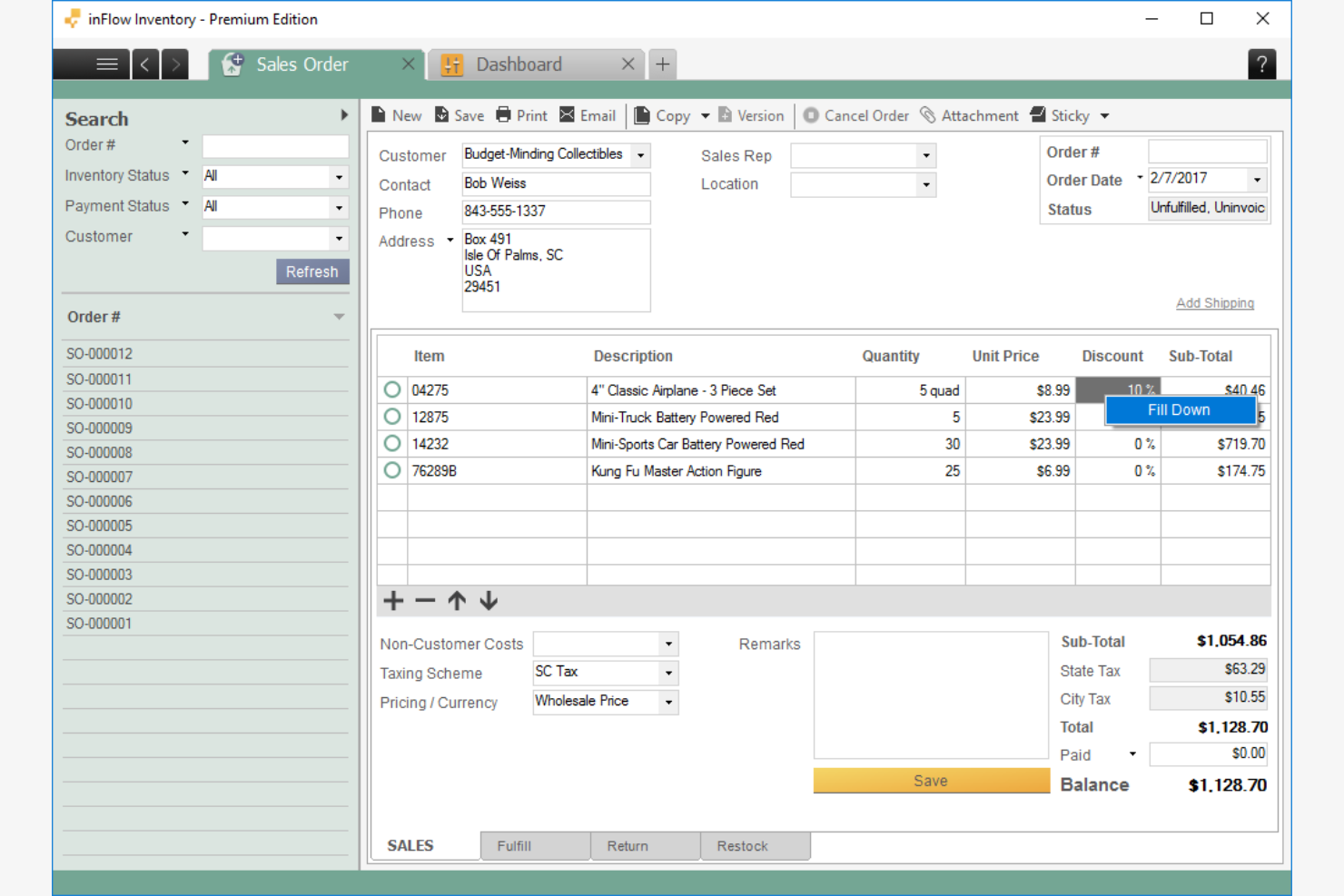
If you’re running a small e-commerce business and need to keep a close eye on inventory, inFlow Inventory offers a focused solution for tracking stock, orders, and shipments. This tool is designed for retailers and wholesalers who want to manage inventory across multiple locations without the complexity of enterprise systems. inFlow Inventory stands out for its barcode support and built-in order management, helping small teams stay organized as they grow.
Why I Picked inFlow Inventory
For small businesses that need reliable inventory tracking without extra complexity, inFlow Inventory is purpose-built for that need. I picked inFlow Inventory because it offers barcode scanning and real-time stock updates, which are essential for managing inventory efficiently in a growing e-commerce operation. The tool also supports order and shipment tracking, so you can follow products from purchase to delivery. If you want a warehouse management system that’s tailored to small business workflows, inFlow Inventory fits that role well.
inFlow Inventory Key Features
Some other features in inFlow Inventory that support e-commerce warehouse management include:
- Multi-location inventory tracking: Monitor stock levels across several warehouses or retail locations from a single dashboard.
- Product bundling and kitting: Group multiple items together to sell as a single product or kit.
- Customizable reporting: Generate inventory, sales, and purchasing reports tailored to your business needs.
- User permissions management: Set different access levels for team members to control who can view or edit inventory data.
inFlow Inventory Integrations
Integrations include Etsy, Amazon, BigCommerce, eBay, Faire, FedEx, QuickBooks Online, Shopify, WooCommerce, Squarespace, Xero, Zapier, and more.
Pros and Cons
Pros:
- Product bundling supports e-commerce kits
- Built-in orders simplify purchase workflows
- Multi-location tracking manages warehouse inventory
Cons:
- No advanced warehouse picking features
- No built-in shipping carrier connections

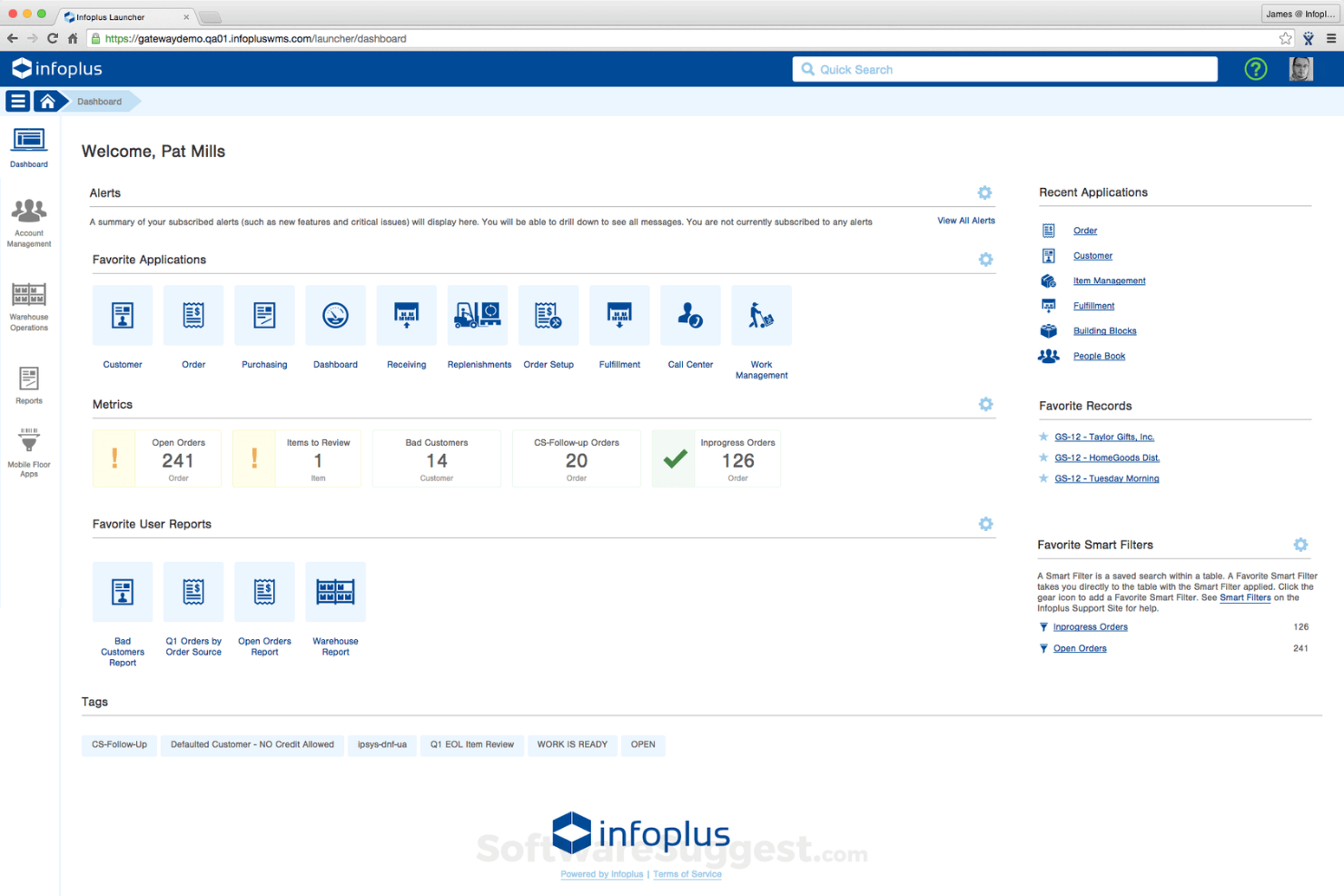
Infoplus is designed for 3PLs and fulfillment providers that need to manage complex, high-volume warehouse operations. The platform offers advanced automation and customizable workflows to handle multiple clients, channels, and inventory types. If you’re looking to centralize fulfillment for diverse e-commerce brands, Infoplus gives you granular control over every step of the process.
Why I Picked Infoplus
For fulfillment providers and 3PLs managing multiple clients, Infoplus offers the flexibility and control needed to handle complex operations. The platform supports multi-warehouse and multi-client management, letting you segment inventory, orders, and workflows for each customer. I appreciate how Infoplus enables custom automation rules, so you can tailor processes to each client’s requirements. If your business needs to juggle diverse fulfillment needs under one system, Infoplus is built to support that level of complexity.
Infoplus Key Features
Some other features that stand out to me include:
- Barcode scanning support: Use barcode scanning to track inventory movement and reduce manual entry errors.
- Order routing engine: Automatically assign orders to the best warehouse or shipping method based on custom rules.
- Custom reporting tools: Build and schedule detailed reports on inventory, orders, and warehouse activity.
- EDI integration: Connect with trading partners and automate data exchange using built-in EDI capabilities.
Infoplus Integrations
Integrations include Magento, WooCommerce, BigCommerce, Shopify, Pipe17, eBay, PayPal, Salesforce, NetSuite, PrestaShop, Etsy, and more.
Pros and Cons
Pros:
- EDI integration automates partner data exchange
- Barcode scanning reduces inventory errors
- Custom automation tailors client workflows
Cons:
- Documentation is difficult for new users
- Interface updates disrupt warehouse workflows

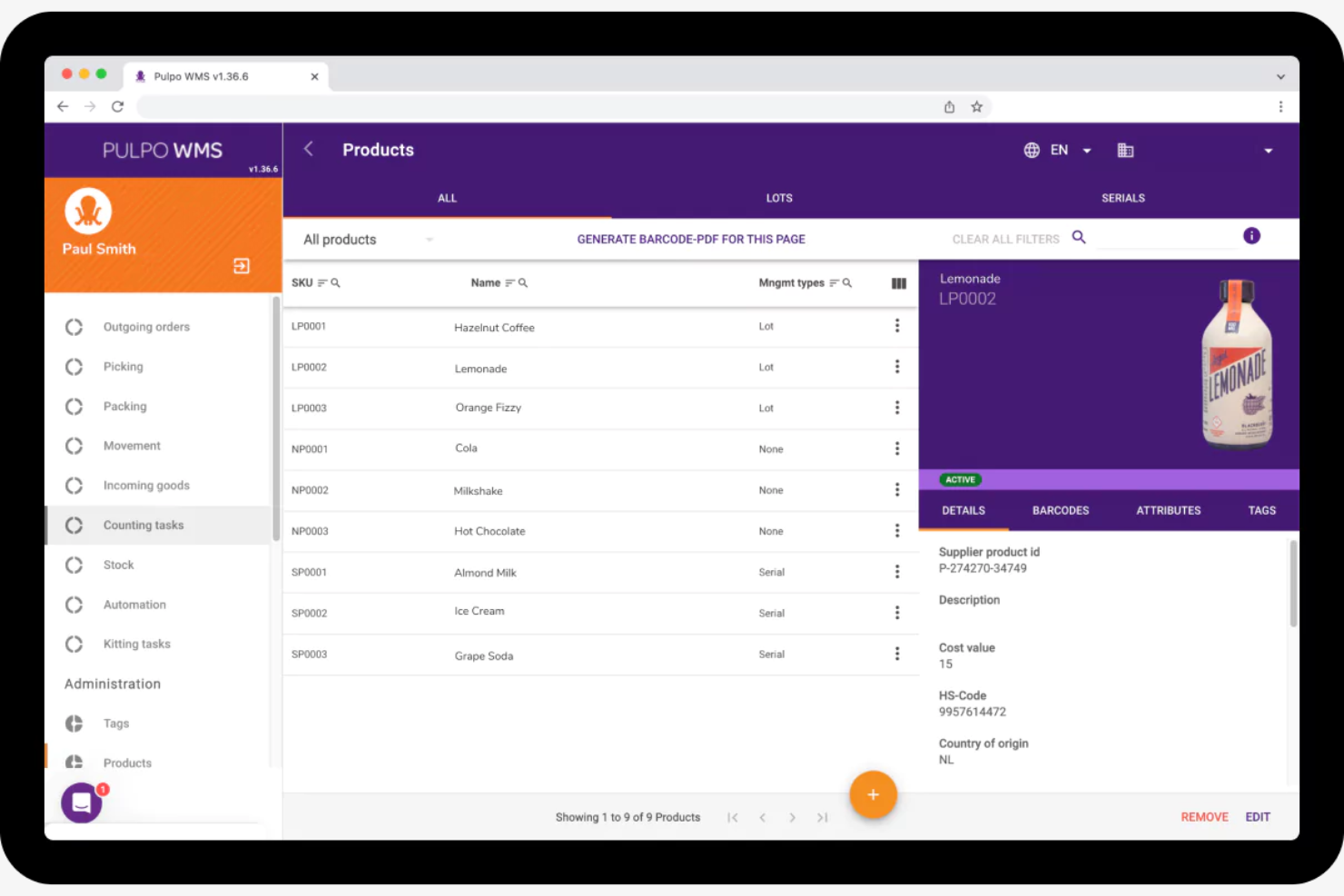
If your warehouse team relies on mobile devices for daily operations, PULPO WMS is designed with you in mind. This platform is built for e-commerce businesses that need real-time inventory control and task management on the warehouse floor. PULPO WMS helps you digitize picking, receiving, and inventory movements directly from smartphones or tablets, reducing errors and boosting efficiency.
Why I Picked PULPO WMS
What sets PULPO WMS apart is its focus on mobile-first warehouse operations, which is especially valuable for e-commerce businesses with dynamic, fast-paced environments. I picked PULPO WMS because it lets warehouse staff manage picking, receiving, and inventory adjustments directly from their smartphones or tablets. The mobile app supports barcode scanning and real-time task updates, so teams can stay connected and accurate on the warehouse floor. For businesses that want to digitize and mobilize their warehouse processes, PULPO WMS offers a practical, hands-on solution.
PULPO WMS Key Features
Some other features in PULPO WMS that support e-commerce warehouse management include:
- Multi-warehouse management: Oversee inventory and operations across several warehouse locations from a single platform.
- Role-based access controls: Assign permissions and restrict access based on user roles within your team.
- Automated replenishment notifications: Receive alerts when stock levels fall below predefined thresholds.
- Integration with e-commerce platforms: Connect directly to popular e-commerce systems for synchronized order and inventory data.
PULPO WMS Integrations
Integrations include Shopify, Shopify POS, Magento, PrestaShop, WooCommerce, Salesforce, Odoo, Shipcloud, ShipStation, and more.
Pros and Cons
Pros:
- Automated stock alerts prevent shortages
- Multi-warehouse management oversees locations
- Task assignments coordinate warehouse staff
Cons:
- Implementation requires vendor setup support
- Reporting lacks advanced analytics options

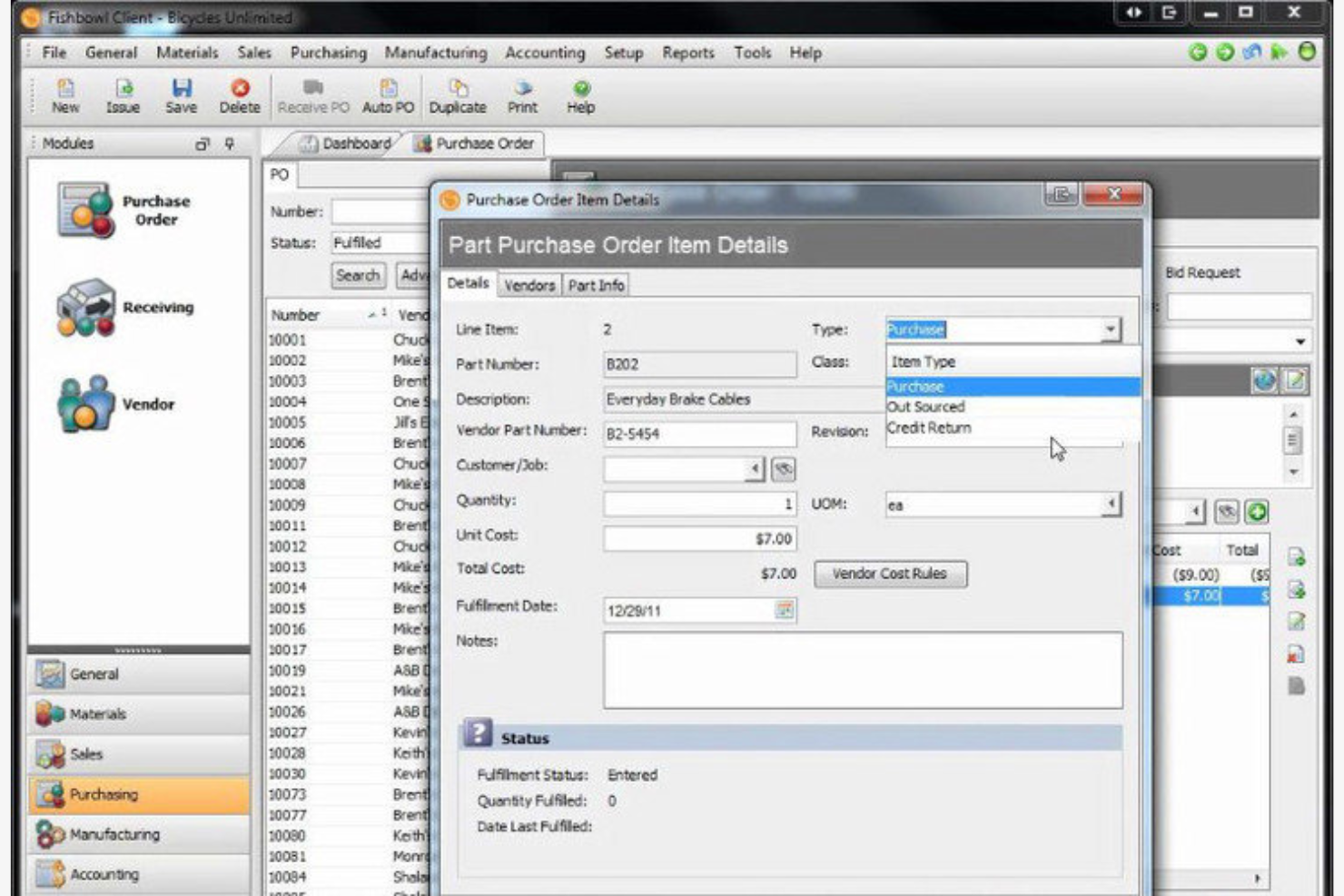
Fishbowl Inventory is a warehouse management system designed for businesses that need tight integration with QuickBooks. It’s a strong fit for e-commerce retailers and wholesalers who want to automate inventory tracking and order management without leaving their accounting platform. As an ecommerce WMS software solution, it helps reduce operational costs and minimize inefficiencies by syncing inventory and financial data in one place. If syncing inventory and financials is a top priority for your team, Fishbowl Inventory addresses that challenge directly.
Why I Picked Fishbowl Inventory
Fishbowl Inventory stands out for e-commerce businesses that rely on QuickBooks for accounting and need a warehouse management system that syncs smoothly. I picked Fishbowl Inventory because it offers real-time inventory updates and automatic order syncing directly with QuickBooks, which helps prevent data discrepancies between your warehouse and financial records. The system also supports multi-location inventory tracking, making it easier to manage stock across several warehouses or sales channels. For teams that want to keep accounting and warehouse operations tightly connected, Fishbowl Inventory’s direct integration addresses a common pain point in e-commerce workflows.
Fishbowl Inventory Key Features
Some other features in Fishbowl Inventory that support e-commerce warehouse management include:
- Barcode scanning: Use barcode scanning to speed up receiving, picking, and inventory counts throughout your warehouse.
- Automated reorder points: Set custom reorder points for each SKU so the system can trigger purchase orders when stock runs low.
- Shipping integrations: Connect with major shipping carriers to generate labels and track shipments directly from the platform.
- User permissions: Assign specific roles and access levels to team members to control who can view or edit inventory and order data.
Fishbowl Inventory Integrations
Integrations include QuickBooks, Salesforce, Shopify, Amazon, eBay, WooCommerce, Magento, BigCommerce, and Xero. Fishbowl Inventory also offers an API for custom integrations.
Pros and Cons
Pros:
- Automated reorder points prevent stockouts
- Barcode scanning speeds order picking
- Multi-location tracking manages distributed warehouses
Cons:
- Setup is time-consuming for new users
- Advanced features require additional modules

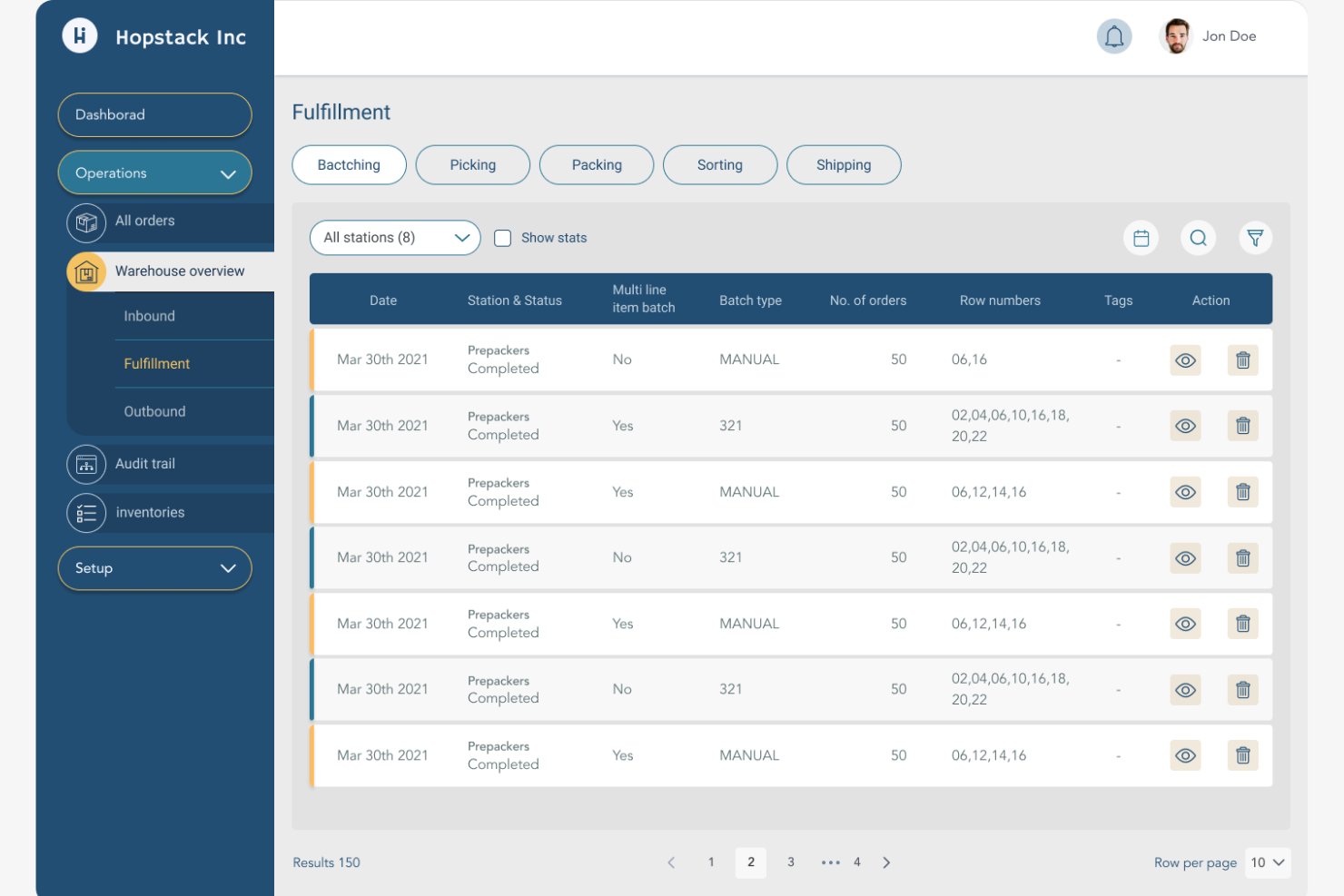
Hopstack brings AI-driven automation to e-commerce warehouse management, making it a strong fit for businesses aiming to optimize fulfillment with advanced technology. The platform appeals to operations leaders and warehouse teams looking to automate picking, packing, and inventory control. If you need real-time insights and intelligent task orchestration to handle high order volumes, Hopstack offers a modern approach to warehouse efficiency.
Why I Picked Hopstack
What sets Hopstack apart is its focus on AI-driven warehouse automation, which is especially valuable for e-commerce businesses handling large order volumes. The platform uses AI to optimize picking routes and automate task assignments, helping teams move faster and reduce manual errors. I picked Hopstack because its real-time analytics and intelligent orchestration engine give warehouse managers the ability to adapt quickly to changing demand. If you’re looking for a system that brings advanced automation and data-driven decision-making to your warehouse, Hopstack is built for that purpose.
Hopstack Key Features
Some other features that stand out to me include:
- Automated replenishment workflows: Set rules to trigger inventory restocking based on real-time stock levels.
- Multi-channel order management: Manage orders from multiple e-commerce platforms within a single dashboard.
- Customizable dashboards: Tailor dashboards to display the most relevant warehouse KPIs and metrics.
- Mobile app support: Access warehouse operations and manage tasks directly from a mobile device.
Hopstack Integrations
Integrations include Amazon, Shopify, FedEx, Airtable, DHL, Magento, SAP, Delhivery, UPS, Honeywell, Etsy, eBay, Salesforce, Xero, Zoho Invoice, and more.
Pros and Cons
Pros:
- Multi-channel orders centralize fulfillment
- Automated replenishment reduces stock management
- AI task orchestration optimizes labor allocation
Cons:
- Smaller community for peer support
- Advanced automation requires onboarding support

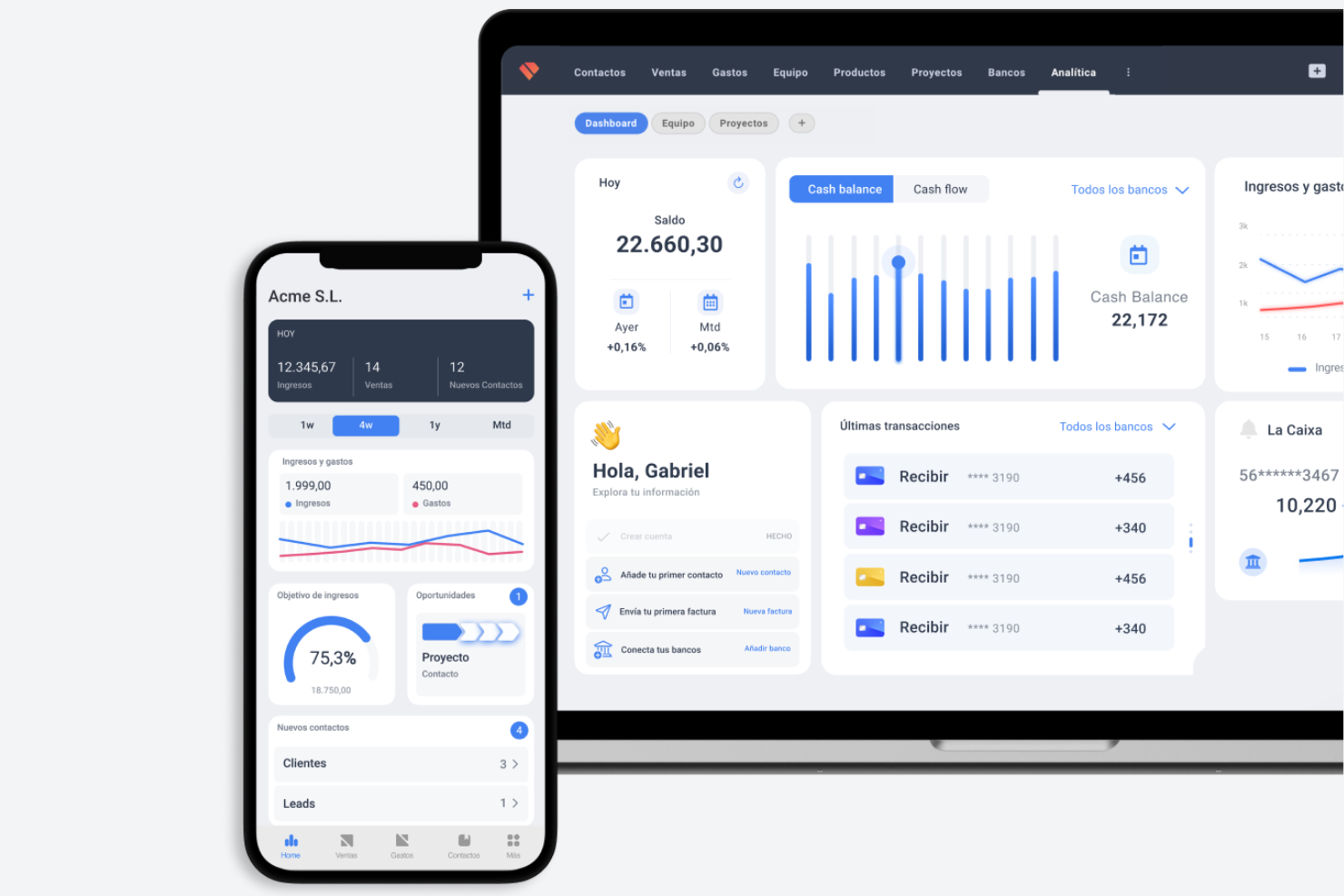
Holded brings together inventory, sales, accounting, and CRM in a single platform, making it appealing to e-commerce businesses that want to manage everything from one place. Retailers and wholesalers looking to unify warehouse operations with invoicing and customer management may find Holded’s all-in-one approach especially useful. If you’re seeking to reduce tool sprawl and centralize your business processes, Holded addresses that need directly.
Why I Picked Holded
What sets Holded apart is its ability to combine inventory, sales, accounting, and CRM in one unified platform. I picked Holded for teams that want to manage warehouse operations alongside invoicing and customer data without switching between multiple tools. The platform’s inventory management module connects directly with sales and purchasing, so you can track stock levels and order status in real time. For e-commerce businesses that value having all business functions under one roof, Holded’s all-in-one approach is a strong fit.
Holded Key Features
Some other features in Holded that support e-commerce warehouse management include:
- Batch and serial number tracking: Track products by batch or serial number for better traceability and compliance.
- Customizable document templates: Create and edit invoices, packing slips, and delivery notes to match your brand and workflow.
- Automated tax calculations: Apply country-specific tax rules automatically to sales and purchase transactions.
- Supplier management: Store supplier details, track purchase orders, and manage supplier invoices from a single dashboard.
Holded Integrations
Native integrations are not currently listed.
Pros and Cons
Pros:
- Supplier tools track orders and invoices
- Custom templates fit e-commerce workflows
- Automated taxes streamline compliance
Cons:
- Multi-warehouse support is less detailed
- No advanced warehouse picking features

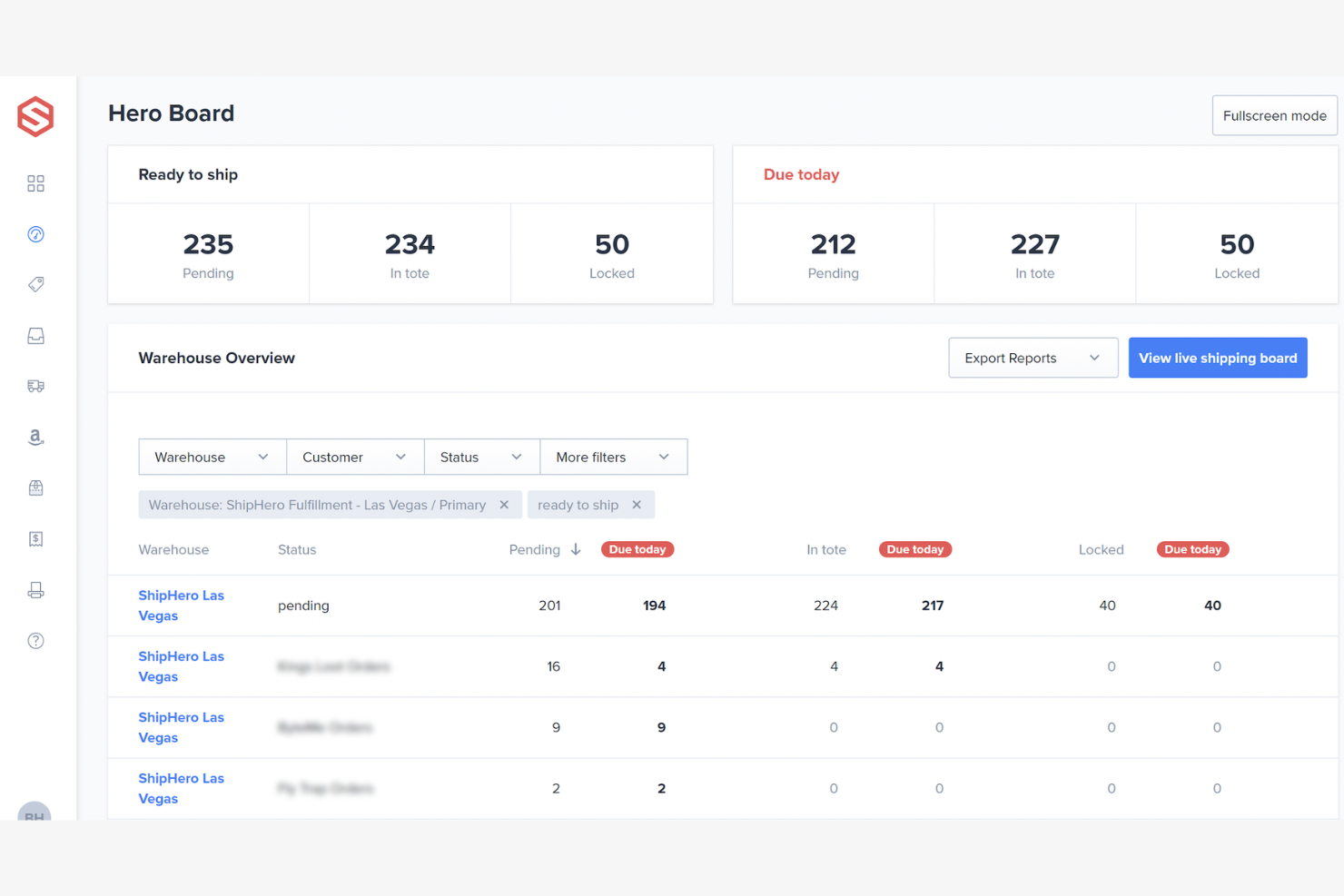
ShipHero stands out for e-commerce brands and retailers looking to optimize direct-to-consumer fulfillment. The platform is built for businesses that need fast, accurate order processing and nationwide shipping coverage. ShipHero’s distributed warehouse network and real-time inventory tracking help you deliver on customer expectations for speed and reliability.
Why I Picked ShipHero
What makes ShipHero a strong choice for e-commerce warehouse management is its focus on direct-to-consumer fulfillment. The platform operates its own network of fulfillment centers, letting you store inventory closer to your customers for faster shipping. I like that ShipHero offers real-time order tracking and automated shipping label generation, which helps reduce errors and speed up delivery. If your business needs to scale DTC operations and maintain high order accuracy, ShipHero is built to support those demands.
ShipHero Key Features
Some other features that caught my attention include:
- Batch picking workflows: Group multiple orders for efficient picking and packing in the warehouse.
- Returns portal: Allow customers to initiate and track returns directly online.
- Carrier rate shopping: Automatically compare shipping rates across multiple carriers before label creation.
- Inventory aging reports: Monitor how long products have been in storage to inform restocking and promotions.
ShipHero Integrations
Integrations include BigCommerce, eBay, eShip, FedEx, Etsy, Google Shopping, Make, Shopify, WooCommerce, WebShipper, Zonos, and more.
Pros and Cons
Pros:
- Returns portal enables self-service
- Automated batch picking speeds processing
- Real-time inventory prevents overselling
Cons:
- Advanced reporting requires extra setup
- Limited visibility into fulfillment operations

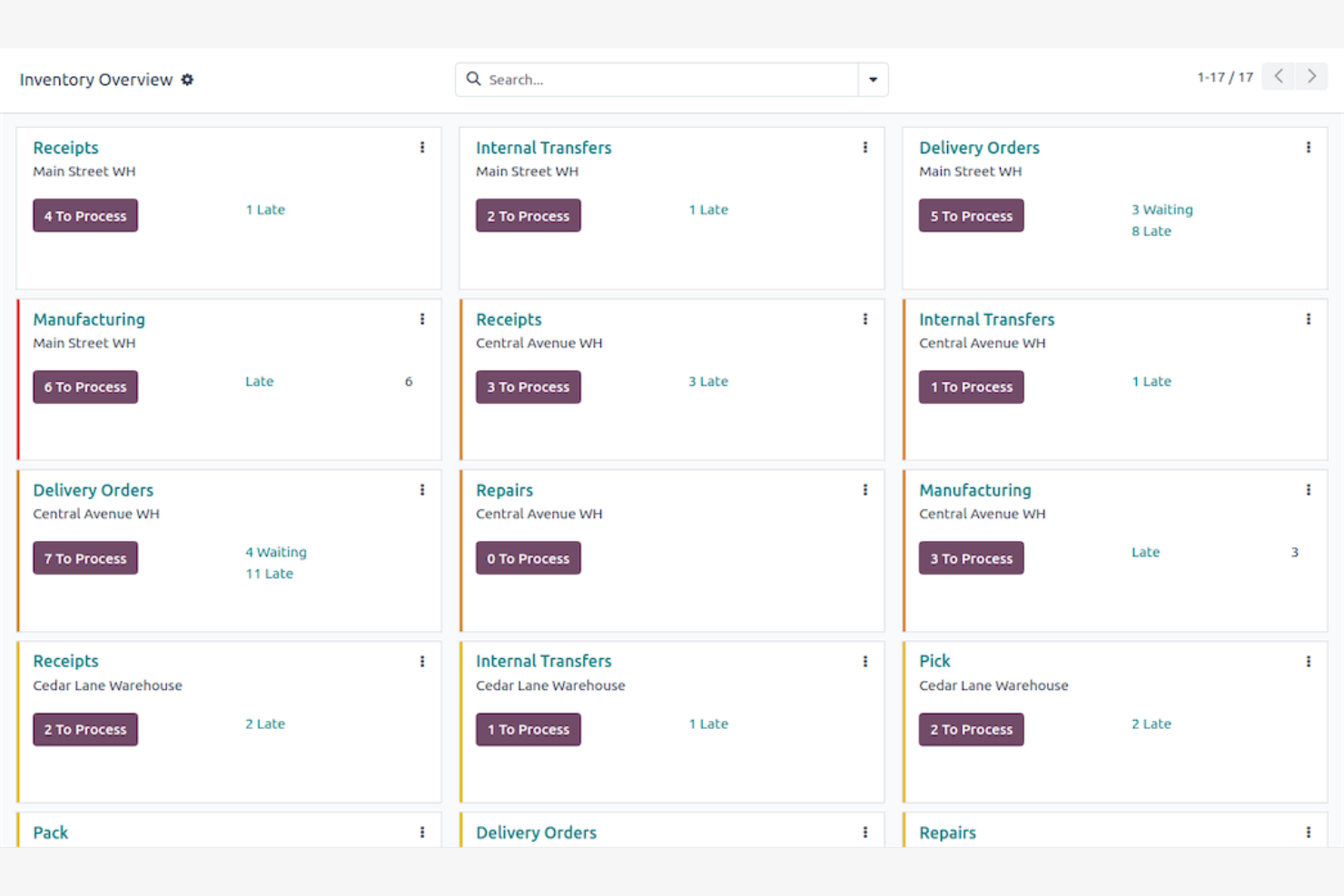
Odoo stands out for e-commerce teams that want to tailor every step of their warehouse management process. Its modular design lets you add or remove features as your business grows or changes. If you need a system that adapts to unique workflows and integrates with other business functions, Odoo offers a flexible approach.
Why I Picked Odoo
Odoo’s modular workflow customization is a strong match for e-commerce businesses with unique or evolving warehouse processes. I picked Odoo because you can configure its warehouse management module to fit your exact needs, whether that means custom picking strategies or specialized inventory rules. The platform lets you add, remove, or adjust modules for purchasing, sales, and inventory, so your system grows with your business. For teams that want to avoid one-size-fits-all solutions, Odoo’s flexibility stands out.
Odoo Key Features
Some other features in Odoo that support e-commerce warehouse management include:
- Batch picking workflows: Group multiple orders for picking in a single run to optimize warehouse movement.
- Barcode scanning support: Use barcode scanners for receiving, picking, and inventory adjustments.
- Automated replenishment rules: Set up rules to trigger purchase orders or stock transfers when inventory drops below set levels.
- Returns management module: Track, process, and restock returned items directly within the system.
Odoo Integrations
Native integrations are not currently listed.
Pros and Cons
Pros:
- Replenishment rules maintain stock levels
- Returns management built into module
- Barcode scanning supports inventory processing
Cons:
- Support response varies by plan
- Advanced reporting needs extra configuration
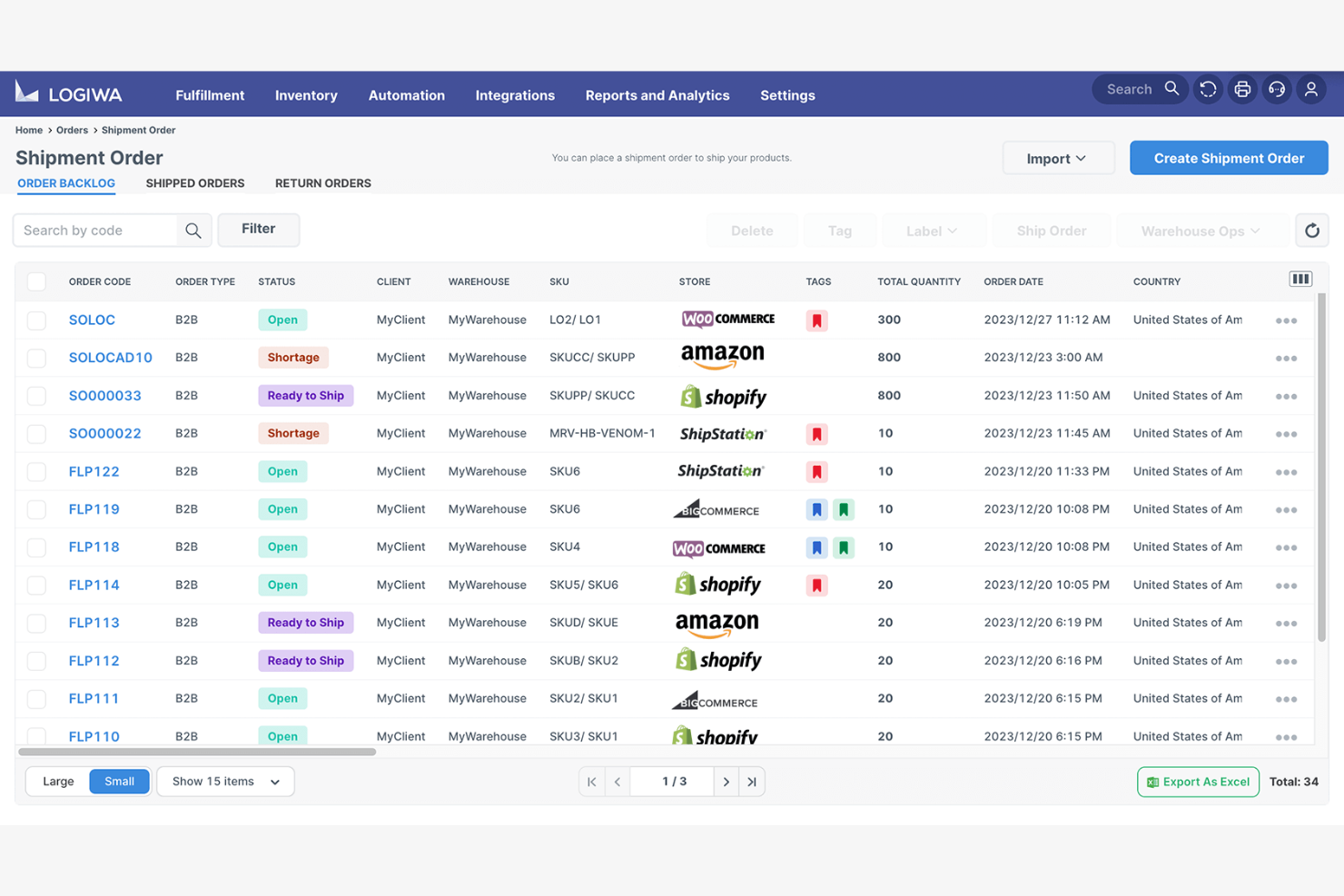
Logiwa is built for e-commerce businesses and 3PLs that need to handle a high volume of orders with speed and accuracy. This platform is especially useful for operations teams managing multiple sales channels and complex fulfillment requirements. With advanced automation and real-time inventory visibility, Logiwa helps online retailers optimize warehouse space, improve profitability, and improve the overall customer experience while keeping pace with fast-moving e-commerce environments.
Why I Picked Logiwa
When high-volume order processing is a top priority, Logiwa stands out for its ability to automate and optimize fulfillment workflows. I picked Logiwa because it supports batch picking and wave picking, which help teams process large numbers of orders quickly and accurately. The platform also offers real-time inventory tracking across multiple channels, so you can avoid overselling and keep stock levels accurate. For e-commerce businesses that need to scale order processing without sacrificing control, Logiwa delivers the specialized tools to make that possible.
Logiwa Key Features
Some other features in Logiwa that support e-commerce warehouse management include:
- Returns management workflows: Handle product returns and restocking with built-in process controls.
- Carrier rate shopping: Compare shipping rates from multiple carriers directly within the platform.
- Automated replenishment rules: Set triggers for low-stock items to automate purchase orders.
- Customizable picking strategies: Configure picking methods to match your warehouse layout and order profiles.
Logiwa Integrations
Integrations include Shopify, Amazon, eBay, Walmart, BigCommerce, Magento, WooCommerce, Etsy, QuickBooks, and ShipStation.
Pros and Cons
Pros:
- Replenishment rules prevent stockouts
- Carrier rate shopping compares shipping costs
- Returns workflows simplify reverse logistics
Cons:
- Reporting customization is limited for analytics
- Implementation is lengthy for complex operations

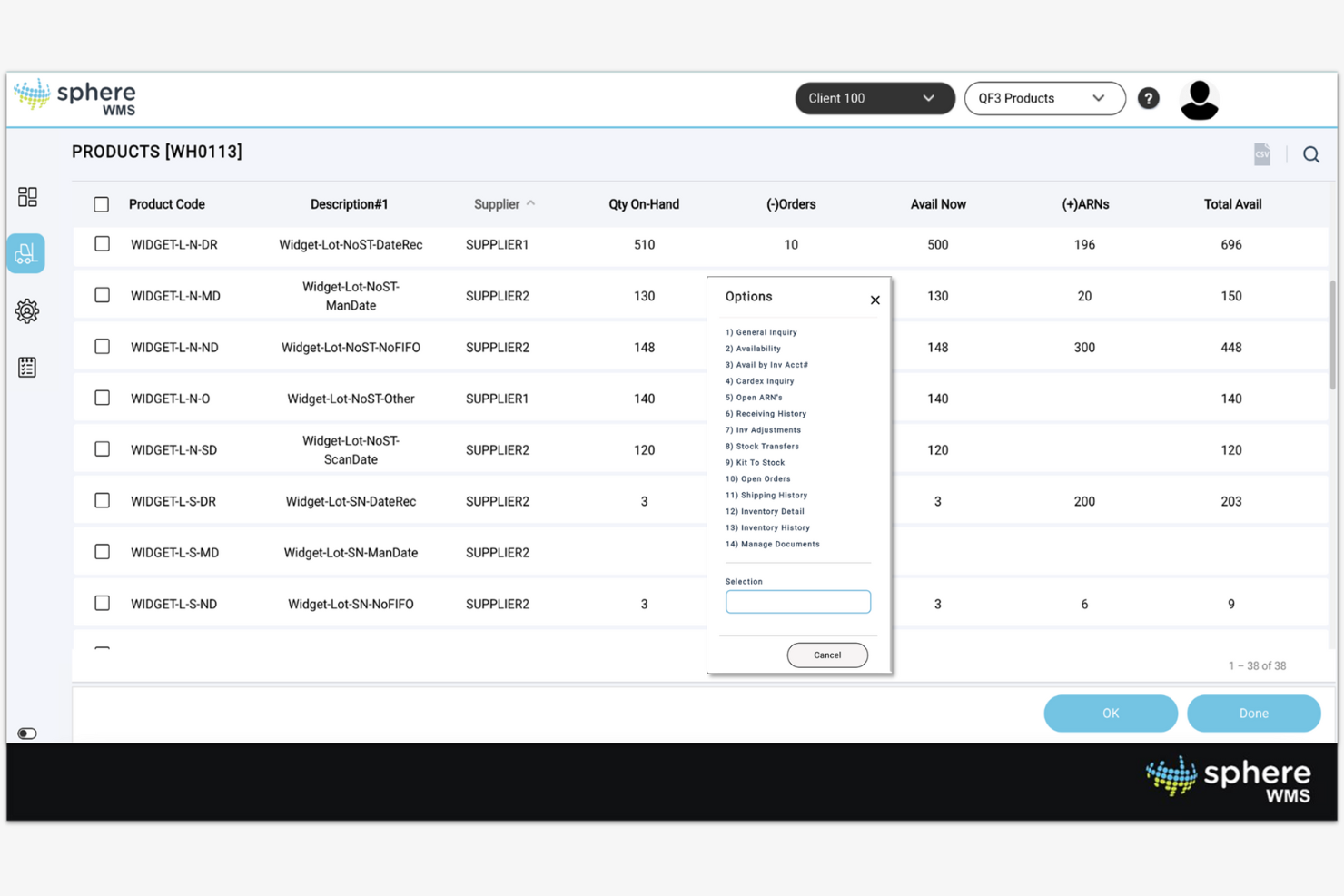
If your e-commerce business manages inventory across multiple warehouses or locations, SphereWMS is designed to give you real-time visibility and control. It’s a strong fit for operations teams and inventory managers who need to track stock levels, transfers, and order fulfillment across a distributed network. SphereWMS helps you reduce stockouts and overstock by centralizing inventory data from every site.
Why I Picked SphereWMS
What drew me to SphereWMS is its focus on giving e-commerce teams clear, real-time visibility across multiple inventory locations. For businesses juggling stock in several warehouses or retail outlets, SphereWMS offers centralized dashboards that show inventory levels, order status, and transfers at a glance. I appreciate how the system supports location-based tracking and reporting, which helps prevent costly stock discrepancies. If you need to coordinate fulfillment and replenishment across a distributed network, SphereWMS is built to handle that complexity.
SphereWMS Key Features
In addition to its multi-location inventory visibility, I also found these features worth noting:
- Mobile warehouse app: Access inventory data, process orders, and manage tasks from mobile devices.
- Automated receiving workflows: Simplify inbound shipments with barcode scanning and automated data capture.
- Customizable reporting tools: Generate detailed reports on inventory, orders, and warehouse activity.
- Returns management functionality: Track and process product returns directly within the system.
SphereWMS Integrations
Integrations include SAP, QuickBooks, NetSuite, Shopify, Magento, WooCommerce, UPS, FedEx, JDE, and more.
Pros and Cons
Pros:
- Custom reports provide warehouse analytics
- Automated receiving reduces data errors
- Mobile app supports warehouse operations
Cons:
- Some users report slow support responses
- Limited documentation for self-service setup
Other E-commerce Warehouse Management System
Here are some additional e-commerce warehouse management system options that didn’t make it onto my shortlist, but are still worth checking out:
- Finale Inventory
For barcode-based stock control
- Zoho Inventory
For multi-channel sales management
- Blue Yonder
For advanced demand forecasting


E-commerce Warehouse Management System Selection Criteria
When selecting the best e-commerce warehouse management system to include in this list, I considered common buyer needs and pain points like real-time inventory accuracy and multi-channel order fulfillment. I also used the following framework to keep my evaluation structured and fair:
Core Functionality (25% of total score)
To be considered for inclusion in this list, each solution had to fulfill these common use cases:
- Track inventory levels across multiple locations
- Manage order picking and packing workflows
- Support barcode scanning for inventory movement
- Handle returns and restocking processes
- Generate inventory and order reports
Additional Standout Features (25% of total score)
To help further narrow down the competition, I also looked for unique features, such as:
- AI-driven task automation and optimization
- Real-time analytics dashboards with custom KPIs
- Automated replenishment and stock alerts
- Mobile app for warehouse floor operations
- Multi-channel integration with e-commerce platforms
Usability (10% of total score)
To get a sense of the usability of each system, I considered the following:
- Simple and intuitive user interface design
- Logical navigation between core modules
- Customizable dashboards and views
- Minimal clicks to complete common tasks
- Responsive design for desktop and mobile
Onboarding (10% of total score)
To evaluate the onboarding experience for each platform, I considered the following:
- Availability of step-by-step product tours
- Access to training videos and documentation
- Pre-built templates for common workflows
- Live chat or chatbot support during setup
- Scheduled onboarding webinars or sessions
Customer Support (10% of total score)
To assess each software provider’s customer support services, I considered the following:
- 24/7 support availability via multiple channels
- Fast response times to support requests
- Access to a searchable knowledge base
- Dedicated account manager or onboarding specialist
- Community forums or user groups
Value For Money (10% of total score)
To evaluate the value for money of each platform, I considered the following:
- Transparent and predictable pricing structure
- Range of features included in base plans
- Flexible contract terms and cancellation policies
- Discounts for annual or volume commitments
- No hidden fees for integrations or add-ons
Customer Reviews (10% of total score)
To get a sense of overall customer satisfaction, I considered the following when reading customer reviews:
- Positive feedback on reliability and uptime
- Reports of responsive and helpful support
- Comments on ease of implementation and use
- User satisfaction with feature updates and improvements
- Value perception compared to similar tools
How to Choose E-commerce Warehouse Management System
It’s easy to get bogged down in long feature lists and complex pricing structures. To help you stay focused as you work through your unique software selection process, here’s a checklist of factors to keep in mind:
| Factor | What to Consider |
| Scalability | Will the system handle your current and projected order volumes, SKUs, and warehouse locations as your business grows? Ask about user or transaction limits. |
| Integrations | Does the tool natively connect with your e-commerce platforms, shipping carriers, ERPs, and accounting software? Check for gaps that could require manual work. |
| Customizability | Can you adapt workflows, fields, and reports to match your unique processes? Consider whether rigid templates will slow your team down. |
| Ease of use | Will warehouse staff and managers quickly learn the system? Look for clear navigation, mobile access, and minimal training requirements. |
| Implementation and onboarding | How long will it take to get up and running? Ask about migration support, data import tools, and the availability of onboarding specialists or resources. |
| Cost | Are all costs transparent, including setup, users, integrations, and support? Compare the total cost of ownership, not just the monthly fees. |
| Security safeguards | Does the system offer role-based access, audit logs, and data encryption? Make sure it meets your company’s security and compliance standards. |
| Support availability | What support channels are offered, and during what hours? Consider if you need 24/7 help, dedicated account management, or self-service resources. |
What is E-commerce Warehouse Management System?
An e-commerce warehouse management system is software that helps businesses track, organize, and control inventory, orders, and warehouse operations for online sales. These systems automate tasks like picking, packing, shipping, and restocking, while providing real-time visibility into stock levels and order status. By centralizing warehouse processes, they support accurate fulfillment, reduce manual errors, and help retailers manage multiple sales channels from a single platform.
Features of E-commerce Warehouse Management System
When selecting an e-commerce warehouse management system, keep an eye out for the following key features:
- Inventory tracking: Monitors stock levels in real time across multiple warehouse locations, helping prevent stockouts and overstock situations.
- Order management: Centralizes the processing, picking, packing, and shipping of orders from various sales channels in one system.
- Barcode scanning: Uses barcode technology to speed up receiving, picking, and inventory movement while reducing manual entry errors.
- Returns management: Handles the intake, inspection, and restocking of returned items, ensuring accurate inventory updates and efficient reverse logistics.
- Multi-location support: Manages inventory and order fulfillment across several warehouses or distribution centers, allowing for flexible shipping and storage.
- Shipping integration: Connects directly with major carriers to generate shipping labels, track shipments, and automate rate shopping.
- Reporting and analytics: Provides dashboards and reports on inventory turnover, order accuracy, and warehouse performance to support data-driven decisions.
- User permissions: Allows administrators to set role-based access controls, ensuring team members only see and manage the information relevant to their responsibilities.
Benefits of E-commerce Warehouse Management System
Implementing an e-commerce warehouse management system provides several benefits for your team and your business. Here are a few you can look forward to:
- Accurate inventory control: Real-time tracking and automated updates help reduce stock discrepancies and prevent costly stockouts or overstocking.
- Faster order fulfillment: Centralized order management and barcode scanning speed up picking, packing, and shipping processes for quicker delivery.
- Improved multi-channel coordination: Integration with multiple sales channels and warehouses ensures consistent inventory and order data across your business.
- Reduced manual errors: Automated workflows and barcode scanning minimize data entry mistakes and improve order accuracy.
- Simplified returns processing: Built-in returns management features simplify the intake and restocking of returned items, keeping inventory records up to date.
- Actionable insights: Reporting and analytics tools provide visibility into warehouse performance, helping you identify trends and optimize operations.
- Improved security and control: User permissions and role-based access keep sensitive data protected and ensure team members only access what they need.
Costs and Pricing of E-commerce Warehouse Management System
Selecting an e-commerce warehouse management system requires an understanding of the various pricing models and plans available. Costs vary based on features, team size, add-ons, and more. The table below summarizes common plans, their average prices, and typical features included in e-commerce warehouse management system solutions:
Plan Comparison Table for E-commerce Warehouse Management System
| Plan Type | Average Price | Common Features |
| Free Plan | $0 | Basic inventory tracking, limited order management, single warehouse support, and basic reporting. |
| Personal Plan | $50-$150/month | Multi-channel order management, barcode scanning, returns processing, and standard support. |
| Business Plan | $200-$600/month | Multi-location support, advanced reporting, shipping integrations, user permissions, and API access. |
| Enterprise Plan | $1,000-$3,000/month | Custom workflows, dedicated account management, advanced security, priority support, and custom integrations. |
E-commerce Warehouse Management System FAQs
Here are some answers to common questions about the e-commerce warehouse management system:
How does an e-commerce warehouse management system support multi-channel sales?
An e-commerce warehouse management system centralizes inventory and order data from all your sales channels. This lets you track stock, fulfill orders, and process returns from marketplaces, your own website, and retail locations in one place, reducing overselling and manual reconciliation.
Can I use an e-commerce warehouse management system with my existing e-commerce platform?
Yes, most e-commerce warehouse management systems offer integrations with popular e-commerce platforms. Before choosing a system, check if it supports direct connections to your current sales channels, or if you’ll need middleware or custom development for full compatibility.
What are the main challenges when implementing an e-commerce warehouse management system?
Common challenges include data migration, staff training, and integrating with existing systems. Plan for a phased rollout, allocate time for onboarding, and ensure you have support from your vendor to address technical or process issues during the transition.
How do I know if my business is ready for an e-commerce warehouse management system?
If you’re struggling with inventory accuracy, order errors, or managing multiple sales channels, it may be time to invest. Businesses with growing order volumes or plans to expand to new channels or locations often benefit most from these systems.
What security features should I look for in an e-commerce warehouse management system?
Look for role-based access controls, data encryption, audit logs, and compliance with industry standards. These features help protect sensitive business and customer data and ensure only authorized users can access critical information.