
15 Best Ecommerce SEO Tools for 2026

Ecommerce SEO Tools Shortlist
Here’s my shortlist of ecommerce SEO tools:


Ecommerce SEO tools act as an essential toolkit or full seo platform that helps your team analyze, execute seo optimization, and improve your ecommerce websites’ visibility in search engine results. If you’re searching for ways to drive more qualified traffic, track competitors, and keep your high-quality web pages ranking high, the right ecommerce SEO tools can make a measurable difference. This list will help you compare top solutions for keyword research, site health, ppc and organic tracking, and website performance analytics—so you can choose the best fit for your business goals in 2026.
Why Trust Our Software Reviews
We’ve been testing and reviewing retail and ecommerce software and services since 2021.
As retail experts ourselves, we know how critical and difficult it is to make the right decision when selecting software. We invest in deep research to help our audience make better software purchasing decisions.
We’ve tested more than 2,000 tools for different finance and accounting use cases and written over 1,000 comprehensive software reviews. Learn how we stay transparent and our review methodology.
Best Ecommerce SEO Tools Summary
This comparison chart summarizes pricing details for my top ecommerce SEO tools selections to help you find the best one for your budget and business needs.
| Tool | Best For | Trial Info | Price | ||
|---|---|---|---|---|---|
| 1 | Best for all-in-one rank monitoring | 14-day free trial + free demo available | From $103.20/month (billed annually) | Website | |
| 2 | Best for price monitoring integration | 14-day free trial | From $99/month | Website | |
| 3 | Best for backlink analysis capabilities | Free limited access to Site Explorer and Site Audit | From $108/month (billed annually) | Website | |
| 4 | Best for traffic and conversion analysis | Free plan available | Free | Website | |
| 5 | Best for on-page optimization tools | 30-day free trial available | From $99/month | Website | |
| 6 | Best for beginner-friendly keyword research | Free plan + 7-day free trial available | From $12/month | Website | |
| 7 | Best for site indexing diagnostics | Free plan available | Free | Website | |
| 8 | Best for paid search keyword discovery | Free plan available | Free | Website | |
| 9 | Best for technical site health insights | Free demo available | Pricing upon request | Website | |
| 10 | Best for Etsy shop performance tracking | Free plan available | From $5.50/month (billed annually) | Website |
Ecommerce SEO Tools Reviews
Below are my detailed summaries of the ecommerce SEO tools that made it onto my shortlist. My reviews offer a detailed look at the features, best use cases, and integrations of each tool to help you find the best one for your needs.
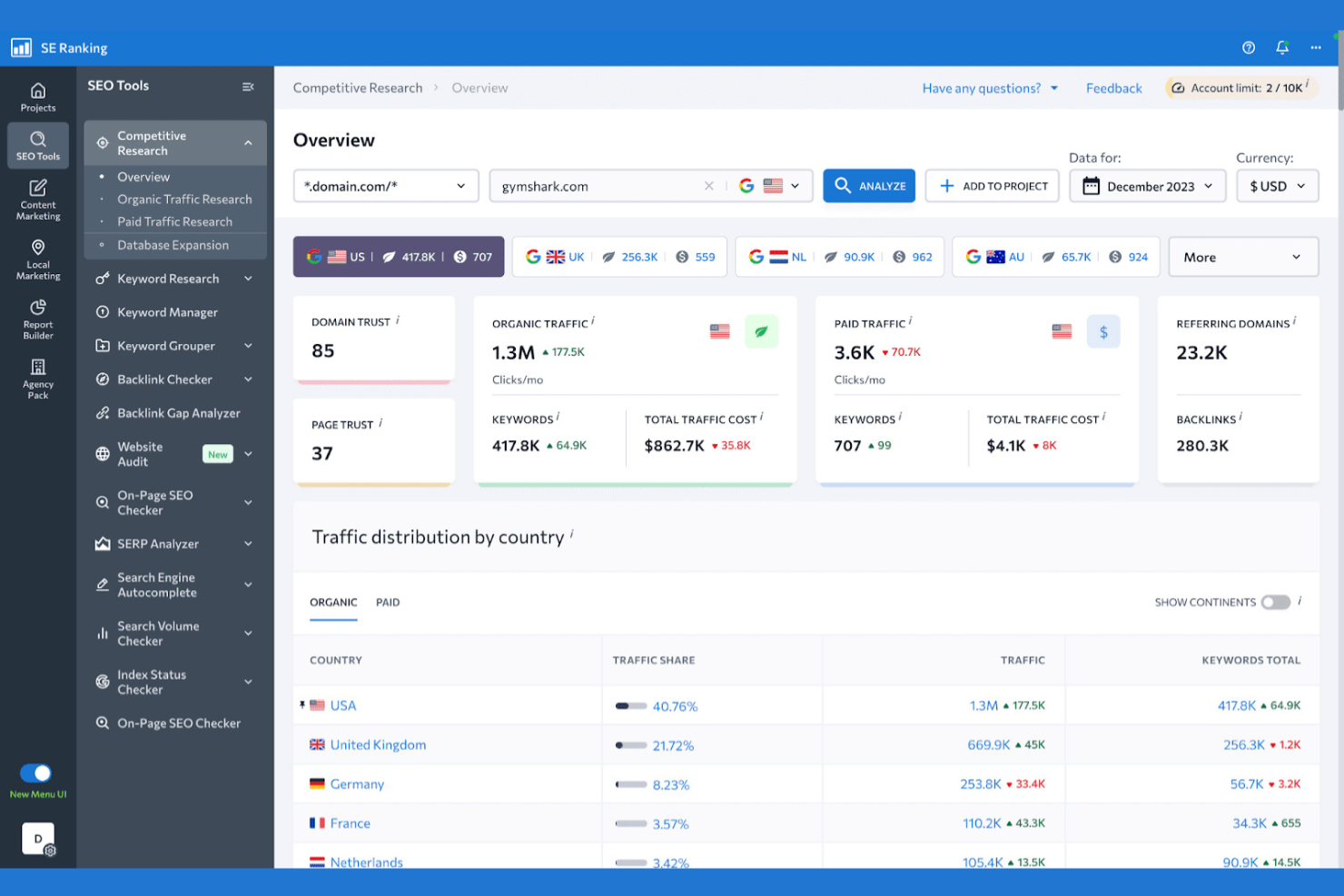
If you need a single platform to monitor keyword rankings across all your ecommerce sites, SE Ranking brings everything together in one place. This tool is designed for ecommerce managers and digital marketers who want to track rankings, audit sites, and analyze competitors without juggling multiple dashboards. SE Ranking helps you keep a close eye on your SEO performance and spot ranking changes quickly across different search engines and locations.
Why I Picked SE Ranking
SE Ranking caught my attention because it brings all the essential rank monitoring tools together in one platform, which is especially useful for ecommerce teams managing multiple product lines or domains. I picked SE Ranking for its ability to track keyword positions across different search engines, devices, and locations, giving you a complete view of your SEO performance. The platform also includes automated site audits and competitor tracking, so you can quickly spot issues and benchmark your store against others. For ecommerce businesses that need a centralized solution for monitoring rankings and staying agile, SE Ranking covers the bases.
SE Ranking Key Features
Some other features in SE Ranking that ecommerce teams may find helpful include:
- On-Page SEO Checker: Analyze individual pages for SEO issues and receive actionable recommendations.
- Backlink Monitoring: Track new, lost, and toxic backlinks to your site.
- Marketing Plan Tool: Access a step-by-step SEO checklist tailored to your site’s needs.
- Social Media Management: Schedule and manage posts across multiple social media platforms directly from the dashboard.
SE Ranking Integrations
Integrations include Google Analytics, Google Search Console, Google Looker Studio, and Bitrix24.
Pros and Cons
Pros:
- White-label reporting options
- Good website audit tool
- Tracks local store rankings
Cons:
- Basic competitor analysis
- UI feels slightly dated

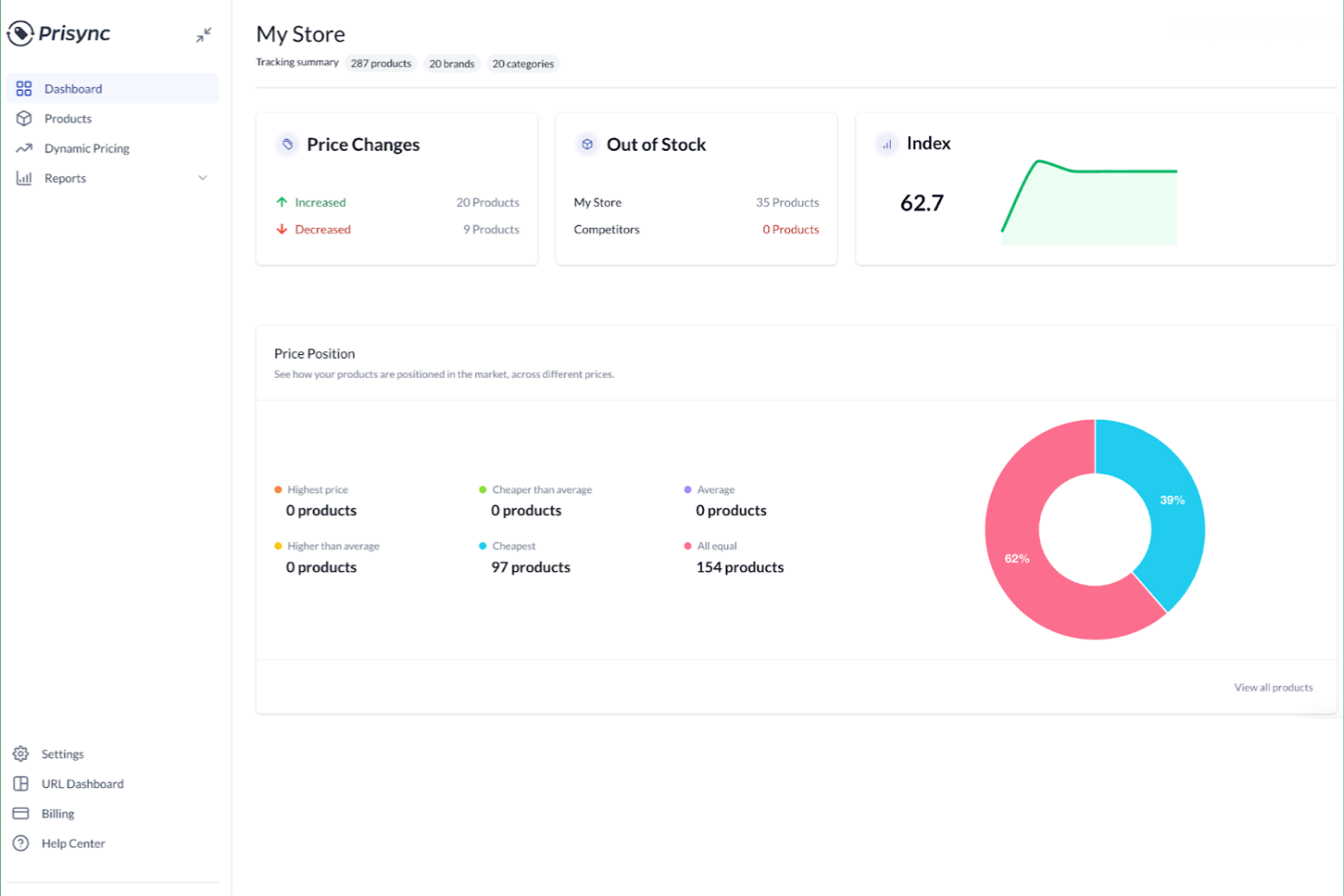
Prisync gives ecommerce teams a way to automate competitor price tracking and dynamic pricing updates across multiple sales channels. It’s especially useful for retailers and brands that need to monitor market prices and adjust their own pricing strategies in real time. With Prisync, you can integrate price monitoring directly into your ecommerce stack, helping you react quickly to market changes and protect your margins.
Why I Picked Prisync
Unlike most ecommerce SEO tools, Prisync focuses on integrating price monitoring directly into your workflow, which is essential for businesses competing in dynamic online markets. Its automated price tracking feature lets you monitor competitor prices across multiple channels and update your own prices in response. I picked Prisync because its dynamic pricing engine helps you stay competitive without manual intervention. For ecommerce teams that need to align pricing strategy with SEO and product visibility, Prisync’s integration capabilities make it a strong choice.
Prisync Key Features
Some other features that make Prisync valuable for ecommerce teams include:
- MAP Monitoring: Track minimum advertised price violations across your product catalog.
- Stock Availability Tracking: Monitor competitor stock levels alongside pricing data.
- Bulk Product Import: Upload and manage large product lists using CSV files.
- Customizable Price Reports: Generate scheduled or on-demand reports tailored to your pricing analysis needs.
Prisync Integrations
Integrations include Shopify, WooCommerce, Google Shopping, and Amazon.
Pros and Cons
Pros:
- Improves conversion rates
- Integrates with Shopify
- Automates price matching
Cons:
- No backlink or audit tools
- Setup requires mapping URLs

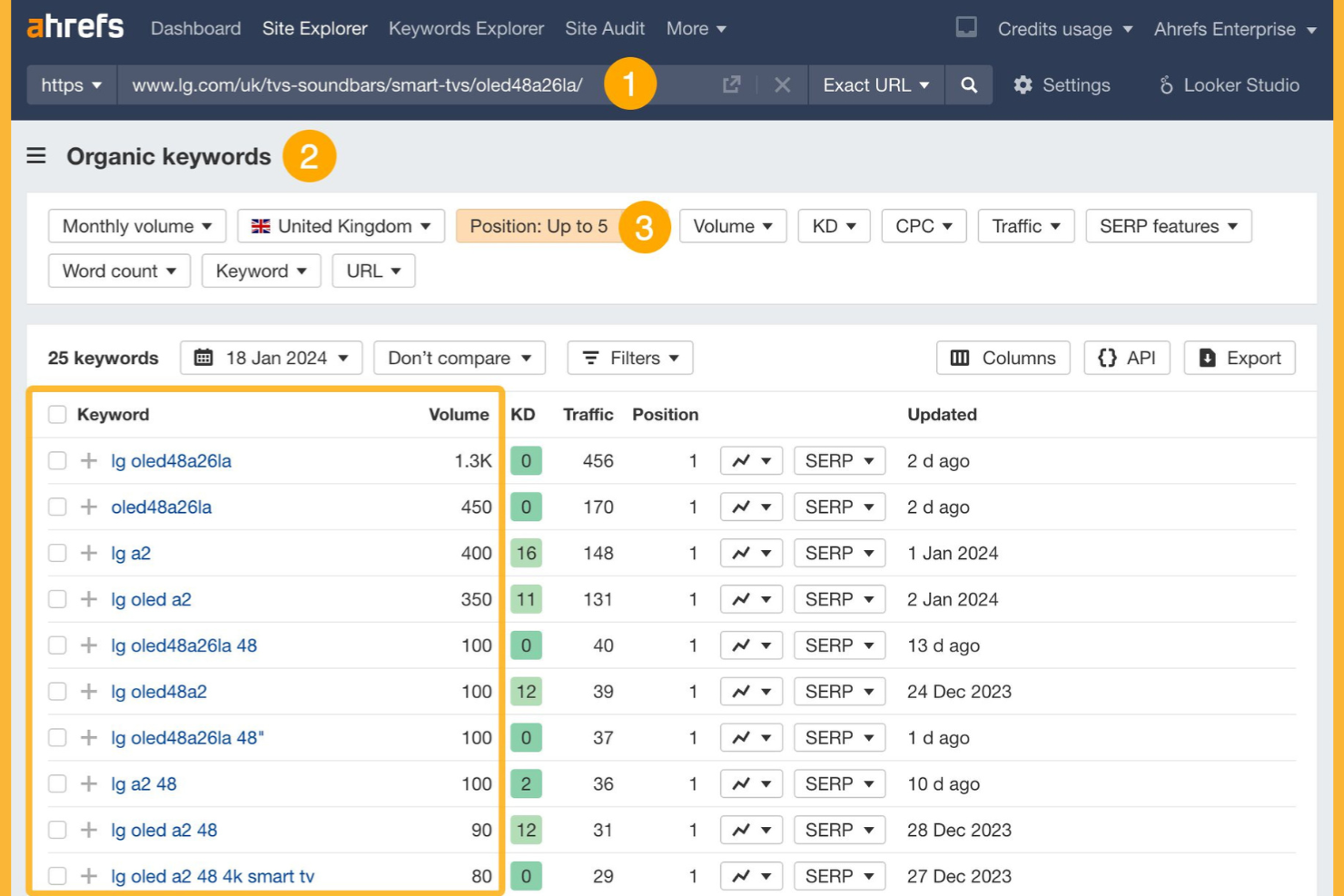
If you need to understand your ecommerce site’s backlink profile and spot new link-building opportunities, Ahrefs is built for the job. The platform is especially useful for digital marketers and SEO specialists who want to analyze competitors, monitor referring domains, and track lost or broken links. Ahrefs helps you identify which backlinks drive authority and where your store may be missing out on valuable referral traffic.
Why I Picked Ahrefs
Ahrefs offers some of the most advanced backlink analysis capabilities available, which is essential for ecommerce businesses competing for search visibility. I picked Ahrefs because its backlink database is one of the largest and most frequently updated, letting you track new, lost, and broken links in near real time. The platform’s detailed referring domain reports and anchor text analysis help you understand the quality and context of your inbound links. For ecommerce teams focused on building authority and monitoring competitors’ link strategies, these features make Ahrefs a strong choice.
Ahrefs Key Features
Some other features in Ahrefs that ecommerce teams may find valuable include:
- Site Audit Tool: Scan your entire website for technical SEO issues and receive prioritized recommendations.
- Keyword Explorer: Research keyword ideas and analyze their ranking difficulty and search volume.
- Content Explorer: Discover top-performing content in your niche and analyze what’s driving engagement.
- Rank Tracker: Monitor your site’s keyword rankings across multiple search engines and locations.
Ahrefs Integrations
Integrations include Google Search Console, Google Looker Studio, RankerFox, and AgencyAnalytics.
Pros and Cons
Pros:
- Audit tool checks site health
- Great e-commerce keyword data
- Finds broken product links
Cons:
- Rank tracker updates slowly
- Traffic estimates vary widely
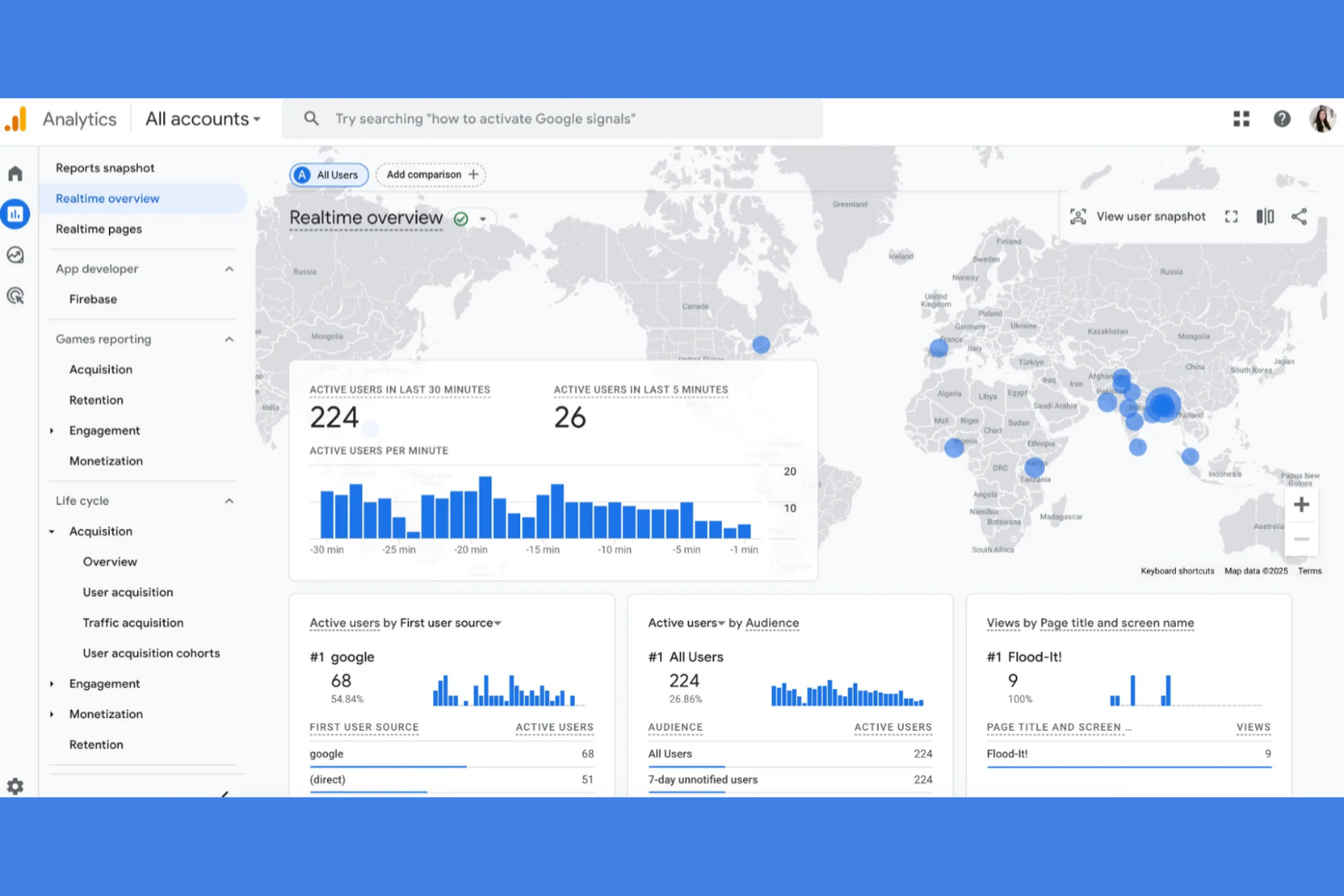
For ecommerce teams focused on understanding how shoppers find and interact with their site, Google Analytics offers deep insights into traffic sources and conversion behavior. It’s especially useful for digital marketers and ecommerce managers who need to track campaign performance, segment audiences, and analyze sales funnels. With its granular event tracking and customizable reporting, you can pinpoint where users drop off and which channels drive the most revenue.
Why I Picked Google Analytics
Understanding exactly how visitors move through your ecommerce site is essential for optimizing both traffic and conversions. I picked Google Analytics because it gives you detailed reports on user acquisition, on-site behavior, and conversion events, all in one place. The platform’s funnel visualization and goal tracking features let you see where shoppers drop off and which marketing channels drive the most sales. For ecommerce teams looking to connect SEO efforts to real business outcomes, these analytics are key to making informed decisions.
Google Analytics Key Features
Some other features that make Google Analytics valuable for ecommerce SEO include:
- Custom Event Tracking: Set up and monitor specific user actions like product clicks, add-to-cart events, and checkout starts.
- Audience Segmentation: Create and analyze custom segments based on user demographics, behavior, or traffic source.
- Real-Time Reporting: View live data on current site visitors, including their location, device, and active pages.
- Attribution Modeling: Compare different attribution models to understand how marketing channels contribute to conversions.
Google Analytics Integrations
Integrations include Google Ads, Google Search Console, Salesforce, Shopify, and Google Cloud BigQuery.
Pros and Cons
Pros:
- Custom conversion tracking
- Integrates with Google Ads
- Tracks customer journey
Cons:
- Setup can be very complex
- No keyword ranking data
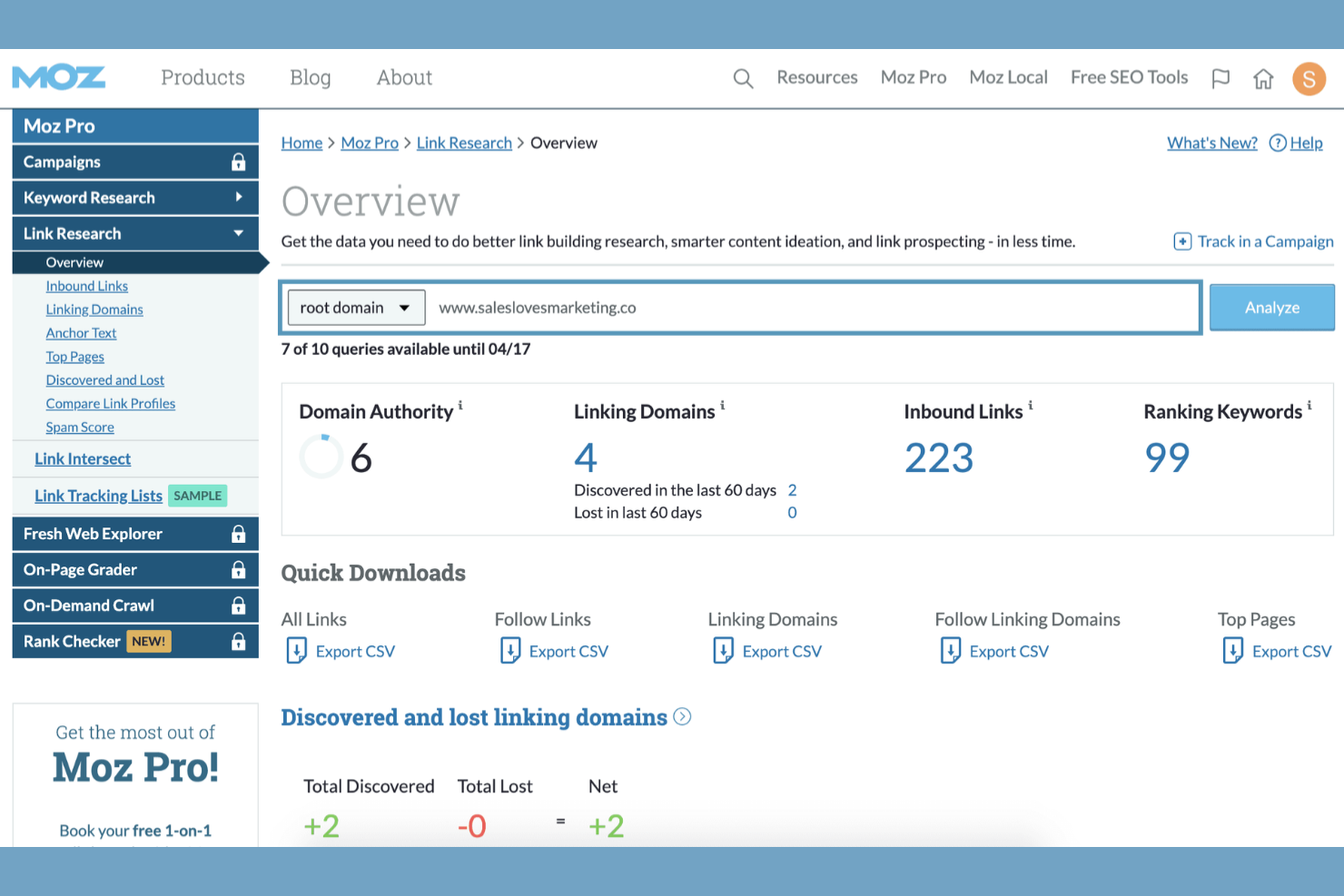
MoZ Pro gives ecommerce teams a suite of on-page optimization tools designed to improve site visibility and search rankings. It’s especially useful for digital marketers and SEO specialists who need in-depth recommendations for optimizing product pages and category content. MoZ Pro helps you identify technical issues, track keyword performance, and uncover opportunities to strengthen your site’s authority.
Why I Picked MoZ Pro
When I need to focus on on-page optimization for ecommerce sites, MoZ Pro offers some of the most targeted tools available. Its on-page grader analyzes individual product and category pages, providing actionable recommendations for improving keyword usage, meta tags, and content structure. I also like that MoZ Pro’s site crawl feature highlights technical SEO issues that can impact rankings, such as duplicate content or missing alt text. For ecommerce teams aiming to fine-tune their on-page elements and boost organic visibility, MoZ Pro delivers focused insights that are easy to act on.
MoZ Pro Key Features
Some other features that make MoZ Pro valuable for ecommerce SEO include:
- Keyword Explorer: Research keyword opportunities and analyze search volume, difficulty, and potential.
- Link Explorer: Audit your backlink profile and compare it to competitors to identify link-building opportunities.
- Rank Tracking: Monitor keyword rankings for your site and competitors across multiple search engines.
- Custom Reports: Build and schedule branded SEO reports with data visualizations for stakeholders.
MoZ Pro Integrations
Integrations include Google Analytics, Google Search Console, and various reporting tools like AgencyAnalytics.
Pros and Cons
Pros:
- Solid custom reporting
- Tracks local store listings
- Helpful SEO community
Cons:
- Interface feels outdated
- High price for features

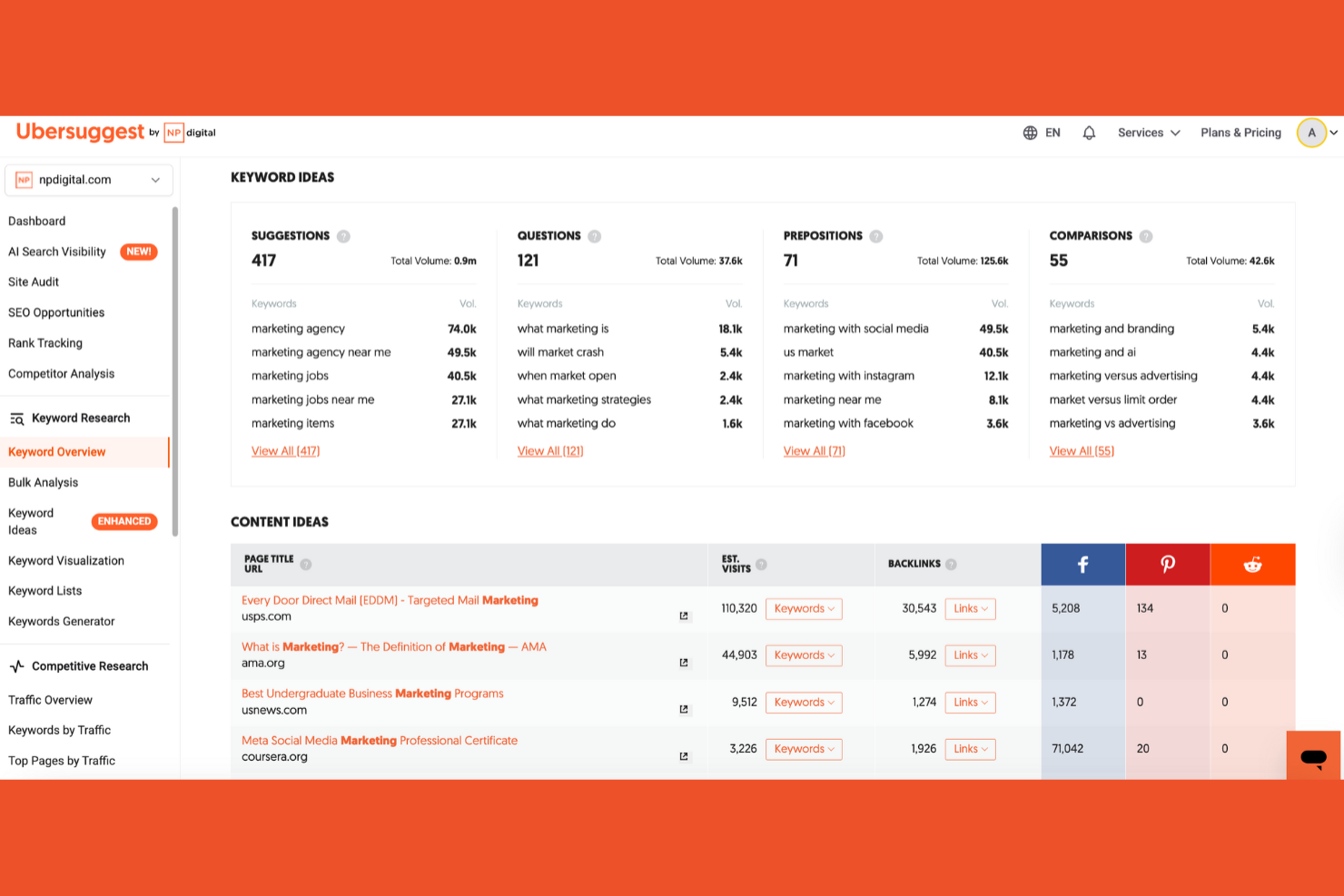
If you’re looking for a straightforward way to find keywords for your ecommerce store, Ubersuggest is built with beginners in mind. This tool is a good fit for small business owners, solo marketers, or anyone new to SEO who wants clear keyword suggestions and simple site audit tools. Ubersuggest helps you uncover keyword opportunities and content ideas without overwhelming you with complex data or advanced settings.
Why I Picked Ubersuggest
For ecommerce teams just starting out with SEO, Ubersuggest stands out for its beginner-friendly approach to keyword research. I picked Ubersuggest because it offers clear keyword suggestions, search volume data, and SEO difficulty scores that are easy to interpret, even if you’re new to the field. The tool also provides basic site audit features and content ideas, helping you identify quick wins for your product pages and blog. If you want to build your SEO strategy without getting lost in technical details, Ubersuggest keeps things simple and actionable.
Ubersuggest Key Features
Some other features that make Ubersuggest useful for ecommerce SEO include:
- Backlink Data: View referring domains and backlink profiles for your site and competitors.
- Traffic Analyzer: See estimated monthly traffic and top-performing pages for any domain.
- Rank Tracking: Monitor keyword rankings over time for your chosen keywords.
- Chrome Extension: Access keyword and SEO data directly in your browser while you search.
Ubersuggest Integrations
Integrations include Google Search Console, Google Analytics, and various web browsers via browser extensions.
Pros and Cons
Pros:
- Easy site audit for stores
- Helpful Chrome extension
- Good basic keyword ideas
Cons:
- Not for enterprise stores
- Slow project loading times

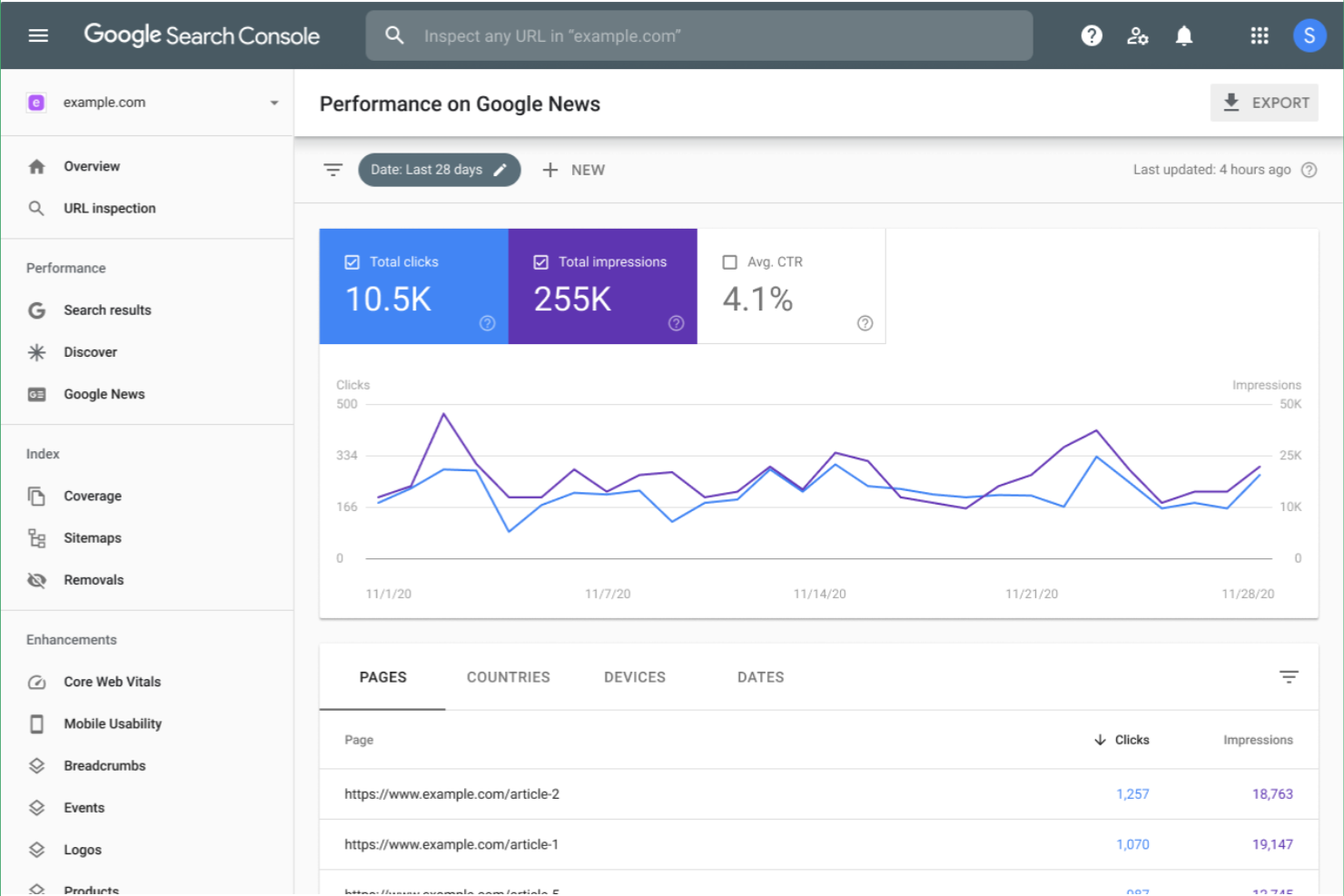
Google Search Console gives ecommerce teams direct insight into how Google indexes and crawls their sites. It’s especially valuable for digital marketers and technical SEO specialists who need to diagnose indexing issues and monitor site health. With its real-time indexing diagnostics and search performance data, you can quickly identify and resolve problems that impact your store’s visibility in Google search results.
Why I Picked Google Search Console
When it comes to diagnosing site indexing issues, Google Search Console offers direct access to the data and tools that matter most for ecommerce SEO. I picked this tool because it lets you see exactly how Google crawls and indexes your product and category pages, helping you spot and fix problems that could keep your listings out of search results. The Index Coverage report and URL Inspection tool are especially useful for identifying crawl errors, blocked resources, or pages excluded from the index. For ecommerce teams focused on maximizing organic visibility, these diagnostics are essential for keeping your site healthy and discoverable.
Google Search Console Key Features
Some other features that make Google Search Console valuable for ecommerce teams include:
- Search Performance Reporting: Track clicks, impressions, and average position for your site’s keywords.
- Sitemap Submission: Submit XML sitemaps directly to Google for faster discovery of new or updated pages.
- Mobile Usability Testing: Identify and address mobile-specific issues that could impact search rankings.
- Manual Action Alerts: Receive notifications if your site is penalized for violating Google’s webmaster guidelines.
Google Search Console Integrations
Integrations include Google Analytics, Google Ads, Google Looker Studio, and BigQuery.
Pros and Cons
Pros:
- Finds core web vital issues
- Submits product sitemaps
- Checks indexation status
Cons:
- Cannot track backlinks well
- UI lacks advanced filters
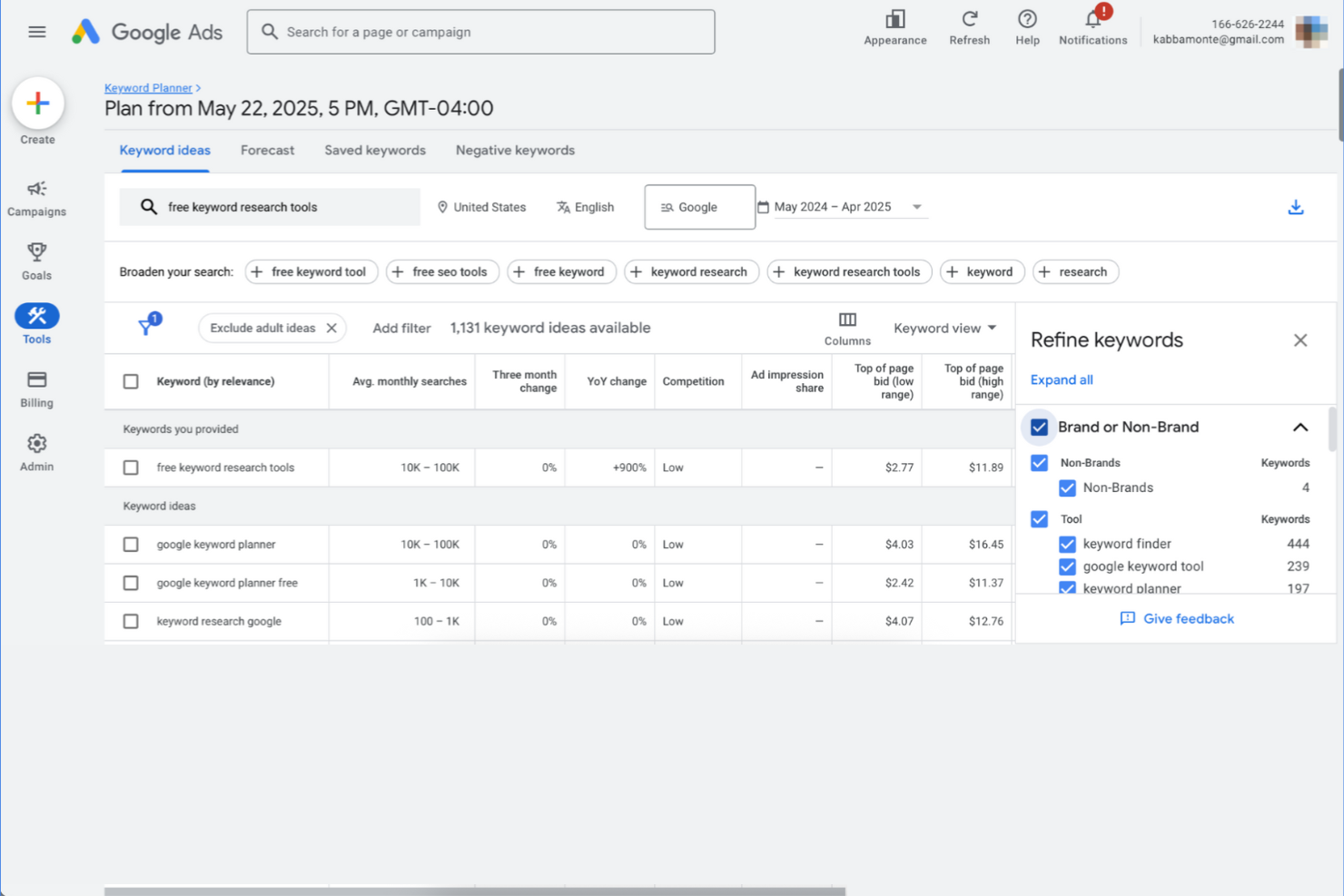
If you’re running paid search campaigns for your ecommerce store, Google Keyword Planner helps you uncover high-value keywords and estimate their search volume. This tool is especially useful for digital marketers and ecommerce managers who want to align their ad spend with real customer search intent. By surfacing keyword ideas and forecasting competition, it supports smarter bidding and campaign planning.
Why I Picked Google Keyword Planner
For ecommerce teams focused on paid search, discovering the right keywords can make or break campaign performance. I picked Google Keyword Planner because it specializes in surfacing keyword ideas and search volume data tailored for Google Ads campaigns. The tool’s ability to forecast keyword competition and suggest bid estimates helps you prioritize which terms to target for maximum ROI. If you’re looking to connect your SEO and paid search strategies, these features make it a practical choice for ecommerce keyword planning.
Google Keyword Planner Key Features
Some other features that make Google Keyword Planner useful for ecommerce SEO include:
- Location Targeting: Filter keyword data by specific countries, regions, or cities to refine your campaigns.
- Device Breakdown: View keyword performance estimates by device type, such as mobile, desktop, or tablet.
- Historical Metrics: Access historical search volume trends to spot seasonal patterns and shifts in demand.
- Keyword Grouping: Organize keyword ideas into ad groups for easier campaign structuring and management.
Google Keyword Planner Integrations
Integrations include Google Ads, Google Sheets, and the Google Ads API.
Pros and Cons
Pros:
- Excellent local search data
- Free with Google Ads setup
- Shows commercial intent
Cons:
- Lacks competitor analysis
- Ignores long-tail queries

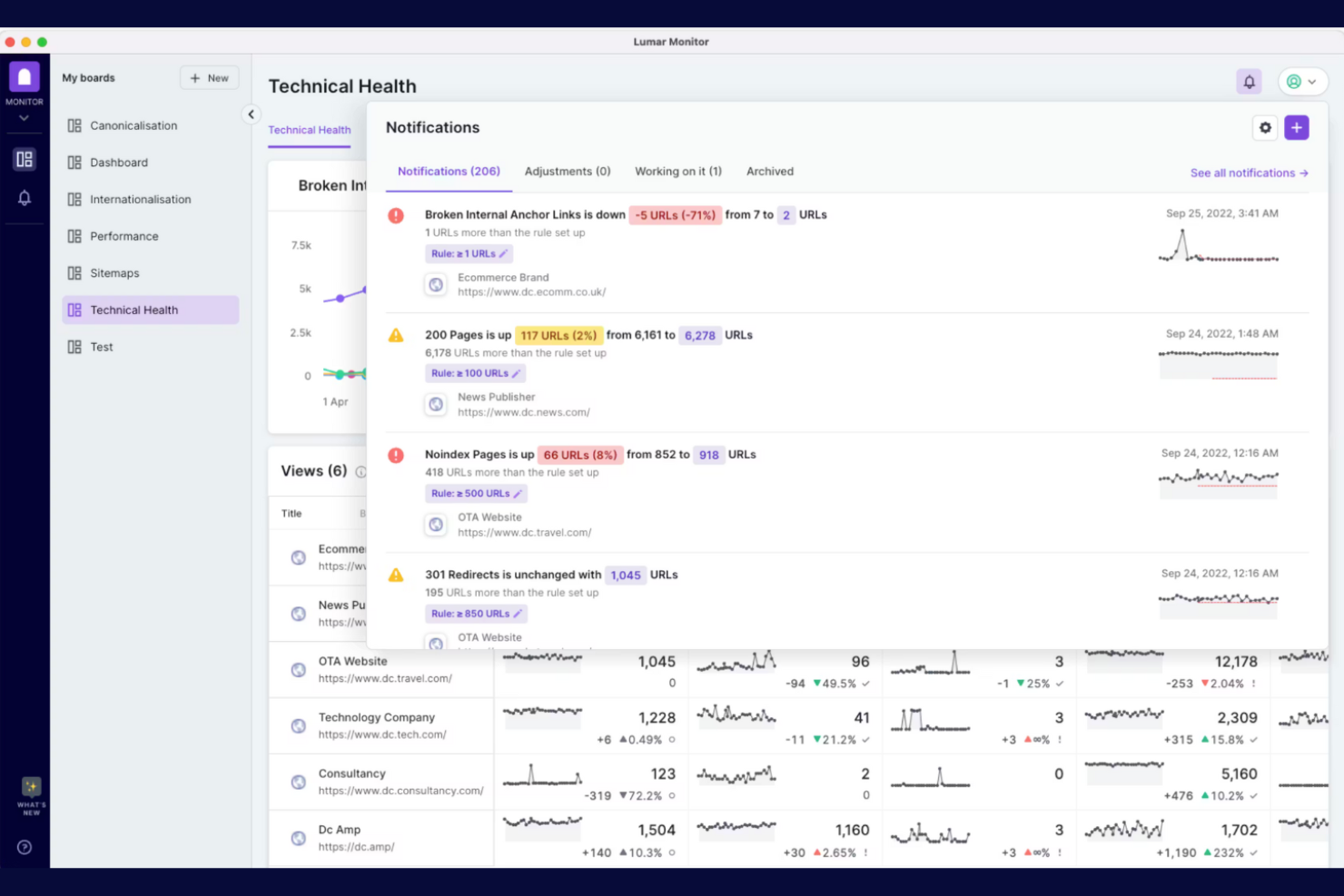
Lumar offers deep technical SEO insights for ecommerce teams that need to monitor and improve site health at scale. It’s designed for businesses that want to identify crawl issues, optimize site architecture, and maintain fast, accessible online stores. If you’re looking to catch technical problems before they impact rankings or conversions, Lumar provides targeted diagnostics and reporting.
Why I Picked Lumar
Lumar stands out for its ability to deliver technical site health insights that ecommerce teams can act on quickly. I picked Lumar because it offers advanced crawling and auditing tools that help you uncover issues like broken links, duplicate content, and slow-loading pages—problems that can directly impact your store’s search rankings and user experience. The platform’s structured reporting makes it easy to prioritize fixes and monitor improvements over time. For ecommerce businesses managing large catalogs and frequent site updates, these technical diagnostics are essential for maintaining strong SEO performance.
Lumar Key Features
Some other features in Lumar that ecommerce teams may find useful include:
- Custom Crawl Configuration: Set up crawls to focus on specific site sections, product categories, or custom URL patterns.
- Automated Issue Alerts: Receive notifications when new technical issues are detected during scheduled site audits.
- JavaScript Rendering Analysis: Evaluate how your site’s dynamic content is indexed and displayed by search engines.
- Accessibility Auditing: Identify and address accessibility barriers that could impact both SEO and user experience.
Lumar Integrations
Integrations include Google Search Console, Google Analytics, Adobe Analytics, Majestic, and Looker Studio.
Pros and Cons
Pros:
- Great for enterprise stores
- Monitors site speed issues
- Spots duplicate product pages
Cons:
- Requires SEO knowledge
- No backlink analysis

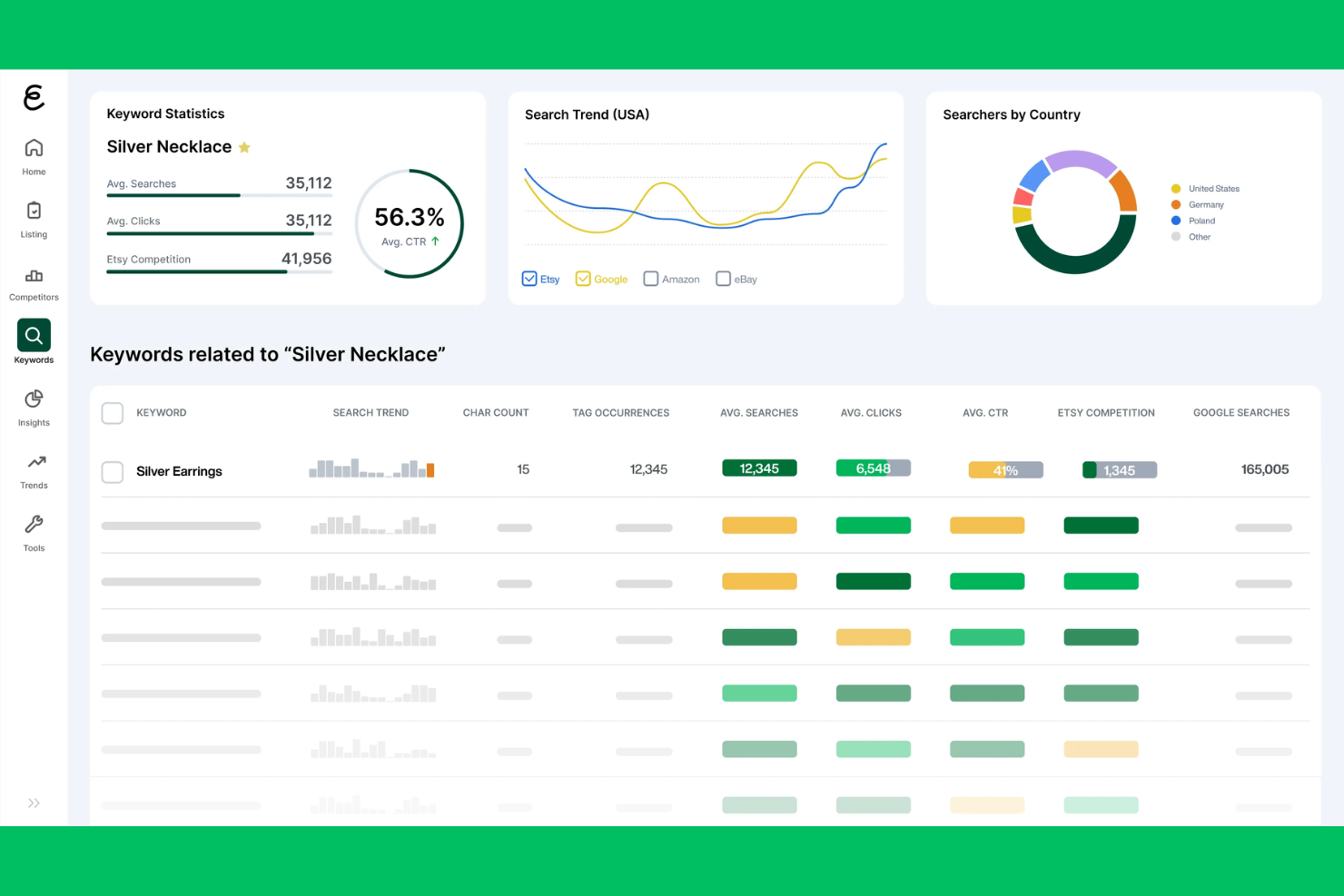
eRank is built specifically for Etsy sellers who want to track shop performance and optimize their listings for search. It’s a strong fit for small business owners and ecommerce marketers focused on Etsy, offering keyword research, competition analysis, and listing audit tools tailored to the platform. With eRank, you can uncover trending keywords, monitor your shop’s SEO health, and benchmark against other Etsy shops.
Why I Picked eRank
For Etsy-focused ecommerce teams, eRank stands out by offering performance tracking tools built specifically for the platform’s unique SEO needs. Its shop dashboard gives you a real-time overview of your shop’s visibility, keyword rankings, and listing performance, all tailored to Etsy’s search algorithm. I appreciate how eRank’s listing audit feature highlights SEO issues and suggests improvements based on Etsy’s best practices. If you’re looking to monitor and improve your Etsy shop’s search performance, eRank provides targeted insights you won’t find in more general ecommerce SEO tools.
eRank Key Features
Some other features that make eRank useful for Etsy sellers include:
- Keyword Tool: Discover high-traffic keywords and analyze their competition within the Etsy marketplace.
- Trend Buzz: Track trending products and search terms to help you spot new opportunities.
- Tag Report: Review and optimize the tags used across your listings for better search visibility.
- Competitor Tracking: Monitor other Etsy shops to compare performance and keyword strategies.
eRank Integrations
Integrations include Etsy, Amazon, eBay, Shopify, and Pinterest.
Pros and Cons
Pros:
- Audits Etsy product listings
- Very affordable pricing
- Finds trending Etsy tags
Cons:
- Data delays during peak times
- UI can be overwhelming
Other Ecommerce SEO Tools
Here are some additional ecommerce SEO tools options that didn’t make it onto my shortlist, but are still worth checking out:
- LowFruits
For low-competition keyword targeting
- Semrush
For competitor keyword tracking
- Screaming Frog
For technical SEO site crawling
- Bing Webmaster Tools
For Bing search performance insights
- Verbolia
For automated landing page creation


Ecommerce SEO Tools Selection Criteria
When selecting the best ecommerce SEO tools to include in this list, I considered common buyer needs and pain points like identifying high-impact keywords for product pages and managing technical SEO across large catalogs. I also used the following framework to keep my evaluation structured and fair:
Core Functionality (25% of total score)
To be considered for inclusion in this list, each solution had to fulfill these common use cases:
- Conduct keyword research
- Track keyword rankings
- Audit on-page SEO elements
- Analyze competitor SEO strategies
- Generate SEO performance reports
Additional Standout Features (25% of total score)
To help further narrow down the competition, I also looked for unique features, such as:
- Automated landing page creation
- AI-powered keyword suggestions
- SERP snapshot exports
- Search intent detection
- Bulk keyword import
Usability (10% of total score)
To get a sense of the usability of each system, I considered the following:
- Simple and intuitive navigation
- Clear data visualization
- Customizable dashboards
- Fast loading times
- Minimal manual data entry
Onboarding (10% of total score)
To evaluate the onboarding experience for each platform, I considered the following:
- Availability of training videos
- Access to setup templates
- Interactive product tours
- In-app chatbots for guidance
- Live or recorded webinars
Customer Support (10% of total score)
To assess each software provider’s customer support services, I considered the following:
- Responsive live chat or email support
- Detailed help documentation
- Access to a user community or forum
- Availability of onboarding specialists
- Regular product updates and announcements
Value For Money (10% of total score)
To evaluate the value for money of each platform, I considered the following:
- Transparent pricing structure
- Flexible subscription options
- Features included in base plans
- Free trial or free plan availability
- Cost compared to similar tools
Customer Reviews (10% of total score)
To get a sense of overall customer satisfaction, I considered the following when reading customer reviews:
- Reported impact on SEO performance
- Feedback on feature reliability
- Comments on customer support quality
- Ease of integration with other tools
- Overall satisfaction and likelihood to recommend
How to Choose Ecommerce SEO Tools
It’s easy to get bogged down in long feature lists and complex pricing structures. To help you stay focused as you work through your unique software selection process, here’s a checklist of factors to keep in mind:
| Factor | What to Consider |
|---|---|
| Scalability | Will the tool handle your current and future product catalog size, traffic volume, and team growth? |
| Integrations | Does the tool connect natively with your ecommerce platform, analytics, and marketing systems? |
| Customizability | Can you tailor dashboards, reports, and workflows to match your team’s processes and KPIs? |
| Ease of use | Will your team be able to adopt the tool quickly, or will it require extensive training? |
| Implementation and onboarding | How long will the setup take, and what resources or support does the vendor provide for migration? |
| Cost | Are there hidden fees, usage limits, or pricing tiers that could impact your budget as you scale? |
| Security safeguards | Does the tool offer data encryption, user permissions, and compliance with privacy regulations? |
| Support availability | What support channels are offered, and are they available during your business hours or globally? |
What Are Ecommerce SEO Tools?
Ecommerce SEO tools are user-friendly platforms, ranging from a premium suite to a basic free tool or an seo plugin like Yoast SEO, that help online retailers optimize their websites for search engines. These systems support everything from utilizing a keyword research tool to conducting a technical seo audit, executing content optimization, and performing competitor analysis tailored to ecommerce needs. By using ecommerce SEO tools, teams can implement structured data, improve product visibility, drive organic traffic, and monitor search performance across large catalogs and multiple channels.
Features of Ecommerce SEO Tools
When selecting ecommerce SEO tools, keep an eye out for the following key features:
- Keyword research: Uncovers relevant search terms and phrases that potential customers use, helping you target the right queries for your product pages and categories.
- Site audit: Scans your website for technical SEO issues like broken links, duplicate content, and crawl errors, providing actionable recommendations for improvement.
- On-page optimization: Analyzes and suggests improvements for elements like meta titles, descriptions, headers, and image alt text to boost page relevance and ranking.
- Competitor analysis: Tracks and compares your SEO performance against competitors, revealing gaps and opportunities in keyword targeting and backlink profiles.
- Rank tracking: Monitors your website’s search engine rankings for selected keywords over time, allowing you to measure the impact of your SEO efforts.
- Backlink analysis: Evaluates the quality and quantity of inbound links to your site, helping you identify valuable link-building opportunities and monitor for toxic links.
- Content analysis: Reviews your site’s content for SEO best practices, keyword usage, and readability, ensuring your pages are optimized for both users and search engines.
- Reporting and dashboards: Provides customizable reports and visual dashboards that summarize SEO performance metrics, making it easier to share insights with your team.
- Integration with ecommerce platforms: Connects directly to your ecommerce system to sync product data, automate SEO tasks, and streamline workflow across tools.
Benefits of Ecommerce SEO Tools
Implementing ecommerce SEO tools provides several benefits for your team and your business. Here are a few you can look forward to:
- Increased product visibility: Optimize product pages and categories with targeted keywords and on-page improvements to appear higher in search results.
- Improved organic traffic: Attract more qualified visitors by addressing technical SEO issues and aligning content with what shoppers are searching for.
- Faster issue detection: Identify and resolve site errors, broken links, and duplicate content quickly through automated site audits and alerts.
- Competitive insights: Benchmark your SEO performance against competitors and uncover new keyword or backlink opportunities to stay ahead in your market.
- Data-driven decision making: Use customizable dashboards and reporting to track SEO metrics, measure progress, and inform your strategy with real-time data.
- Streamlined workflows: Integrate with ecommerce platforms and automate routine SEO tasks, reducing manual work and freeing up your team’s time.
- Better ROI from content: Analyze and refine your content for SEO best practices, ensuring your investment in product descriptions and landing pages delivers measurable results.
Costs and Pricing of Ecommerce SEO Tools
Selecting ecommerce SEO tools requires an understanding of the various pricing models and plans available. Costs vary based on features, team size, add-ons, and more. The table below summarizes common plans, their average prices, and typical features included in ecommerce SEO tools solutions:
Plan Comparison Table for Ecommerce SEO Tools
| Plan Type | Average Price | Common Features |
|---|---|---|
| Free Plan | $0 | Basic keyword research, limited site audits, restricted rank tracking, and community support. |
| Personal Plan | $10-$130/month | Expanded keyword research, on-page optimization tools, basic competitor analysis, and email support. |
| Business Plan | $49-$500/month | Advanced site audits, rank tracking for multiple sites, integration with ecommerce platforms, and reporting dashboards. |
| Enterprise Plan | $500+/month | Custom integrations, API access, dedicated account management, advanced security, and priority support. |
Ecommerce SEO Tools FAQs
Here are some answers to common questions about ecommerce SEO tools:
How do ecommerce SEO tools differ from general SEO tools?
Ecommerce SEO tools focus on features tailored to online stores, such as optimizing product pages, handling large catalogs, and integrating with ecommerce platforms. General SEO tools may lack these ecommerce-specific capabilities and workflows.
Can ecommerce SEO tools help with international SEO?
Yes, many ecommerce SEO tools support international SEO by tracking rankings in multiple countries, analyzing hreflang tags, and providing insights for localizing content and keywords for different markets.
What integrations should I look for in ecommerce SEO tools?
Look for integrations with your ecommerce platform, analytics tools, and marketing systems. Direct connections to platforms like Shopify, Magento, or WooCommerce can automate data syncing and streamline SEO workflows.
How often should I run site audits with ecommerce SEO tools?
Run site audits at least monthly, or more frequently if you update your catalog often. Regular audits help you catch technical issues, broken links, and duplicate content before they impact search rankings.
Are there risks to using automated SEO recommendations?
Yes, automated recommendations may not always align with your brand voice or business goals. Always review suggestions before implementing changes, especially for product descriptions and metadata.