
38 Best Payment Processing Software For 2026

The Best Payment Processing Software to Consider
You gotta have a handy shortlist for any roundup, so while we feature many payment processing services total, here are the ones we are liking most for ecommerce payment processing.


Payment processing software lets you accept payments, fight fraud, and deliver smooth, fast checkouts—all while cutting down on fees, chargebacks, and manual hassles.
The right tool integrates easily with your tech stack, automates things like refunds and subscriptions, and keeps your cash flow protected without extra headaches.
With over a decade in retail and ecommerce, I know checkout friction kills sales. In this article, I’ll help you find payment processing software that makes selling (and getting paid) simple.
Why Trust Our Software Reviews
We’ve been testing and reviewing retail and ecommerce software and services since 2021.
As retail experts ourselves, we know how critical and difficult it is to make the right decision when selecting software. We invest in deep research to help our audience make better software purchasing decisions.
We’ve tested more than 2,000 tools for different finance and accounting use cases and written over 1,000 comprehensive software reviews. Learn how we stay transparent and our review methodology.
Comparing the Best Ecommerce Payment Processing Software
Before we get into the reviews themselves, here’s a comparison of these top payment processing companies in a convenient table so you can compare them side by side.
| Tool | Best For | Trial Info | Price | ||
|---|---|---|---|---|---|
| 1 | Best for automated bill coding | 21-day free trial available | From $99/month | Website | |
| 2 | Best for reducing late payments | Free quote available | From $99/month | Website | |
| 3 | Best for high-volume transactions | 3-month free trial | From $79/month | Website | |
| 4 | Best for flexible payment acceptance | Free plan available (only pay when you take a payment) + 30-day free trial | From $49/per location/month | Website | |
| 5 | Best for omnichannel transactions | 3-day free trial | From $29/month (billed annually) | Website | |
| 6 | Best for automated compliance | Not available | From $29/month | Website | |
| 7 | Best for tailored payment solutions | Free consultation available | From $50/hr | Website | |
| 8 | Best for fast invoice payments | 30-day free trial | From $30/user/month | Website | |
| 9 | Best for easy ecommerce setup | Free demo available | From Interchange + 0.40% + 8¢ (varies by volume) | Website | |
| 10 | Best for customizable POS systems | Free demo available | From $135/month | Website | |
| 11 | Best for versatile point of sale systems | Free quote available | Pricing upon request | Website | |
| 12 | Best for fraud prevention | Free demo available | From $15/month | Website | |
| 13 | Best for seamless payment gateway integration | Free trial available | From $7,188/year | Website | |
| 14 | Best for global payment methods | 30-day free trial available | From 2.9% + 30¢ per transaction | Website | |
| 15 | Best for multi-currency accounts | Free plan available | From $12 per user/month | Website | |
| 16 | Best for secure transactions | Not available | Pricing upon request | Website | |
| 17 | Best for integrated payment solutions | Free test account available | From $0.13 processing fee + payment method fee | Website | |
| 18 | Best for versatile payment management | Free demo available | From $10/month | Website | |
| 19 | Best for customized reporting | Free demo available | From 2.60% + 10¢ per transaction | Website | |
| 20 | Best for automated subscription billing | Free account; just pay for processing fees | From 1.74% +10¢ per transaction | Website |
The Best Ecommerce Payment Processing Software, Reviewed
Here’s the part you’ve been waiting for. Below, you’ll find brief reviews for each payment processing company, highlighting why we picked it, its top features, integrations, and screenshots of the tools in action.

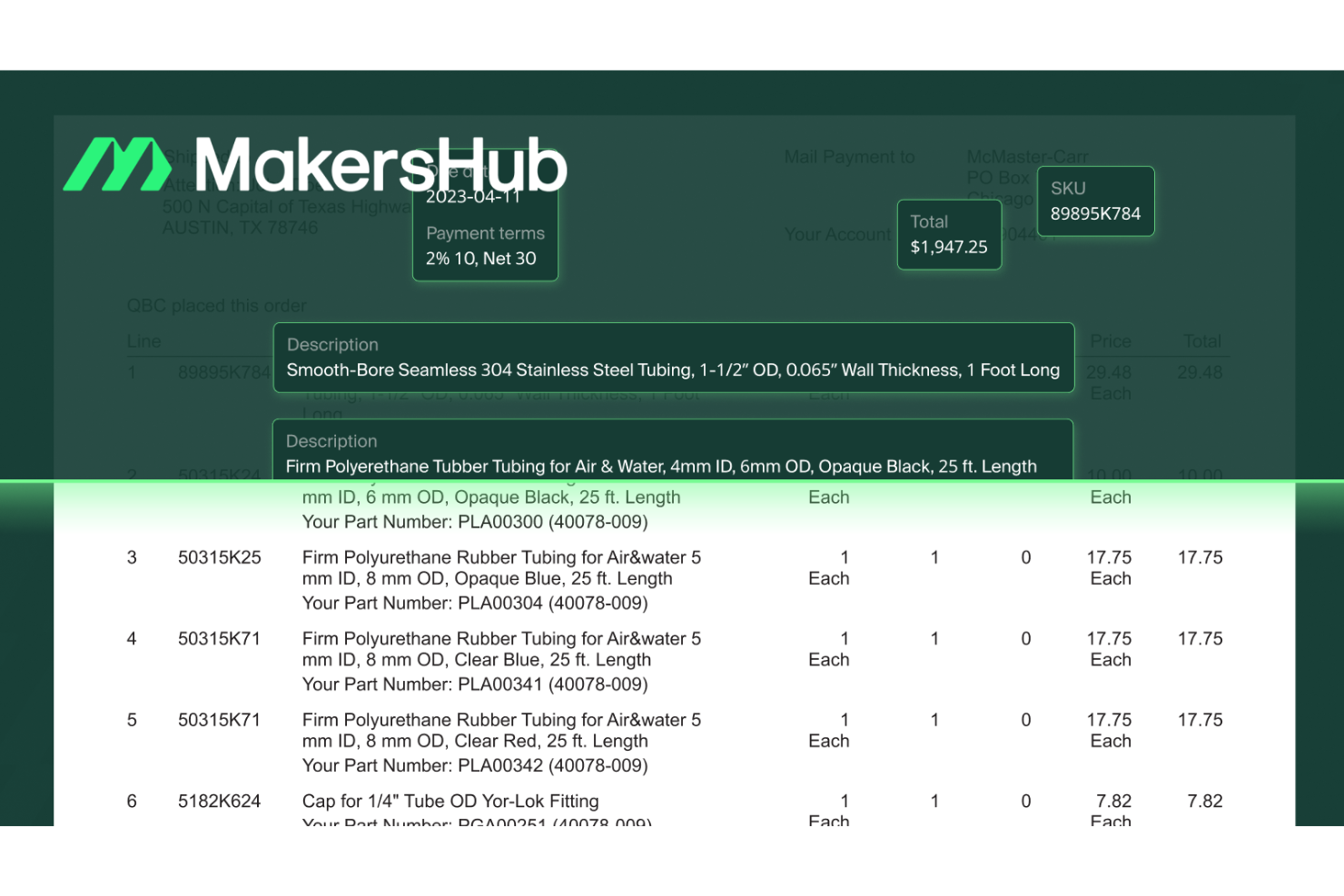
If you're searching for a way to simplify and enhance your payment processing, MakersHub might be the solution for you. Tailored for industries like construction, manufacturing, and industrial contracting, it eliminates manual data entry and offers real-time invoice visibility.
By integrating with accounting software such as QuickBooks, MakersHub automates accounts payable tasks, reducing processing time and enhancing accuracy and control.
Why I Picked MakersHub
I picked MakersHub for its ability to automate and simplify payment processing, which is crucial for businesses aiming to improve their financial operations. Its customizable authorization flows ensure that payments are approved according to your specific criteria, like vendor or amount, enhancing control over spending.
The real-time payment status tracking feature provides you and your vendors with immediate updates, reducing the uncertainty around payment timelines. Additionally, its integration with QuickBooks simplifies reconciliation by automatically creating accounting records that align with your bank statements, saving you time and reducing errors.
MakersHub Key Features
In addition to the features I highlighted earlier, MakersHub offers several other functionalities that can enhance your payment processing experience.
- Vendor Management: Streamline your vendor interactions by centralizing contact information and transaction history in one accessible location.
- Automated Invoice Matching: Automatically match invoices with purchase orders and delivery receipts to ensure consistency and accuracy in your records.
- Custom Reporting: Generate reports tailored to your specific needs, providing insights into spending patterns and financial performance.
- Mobile Access: Manage your payment processing tasks on-the-go with a user-friendly mobile interface, ensuring you stay connected and in control wherever you are.
MakersHub Integrations
Integrations include Sage Intacct and QuickBooks.
Pros and Cons
Pros:
- Offers customizable approval workflows to fit business needs.
- Automates accounts payable processes, reducing manual workload.
- Users report significant time savings, typically 38 hours monthly.
Cons:
- Potential learning curve for those unfamiliar with automation tools.
- Limited native integrations beyond QuickBooks and Sage Intacct.


For businesses seeking to simplify their payment processes, Stax Pay offers a tailored solution to enhance efficiency and profitability.
Designed to cater to businesses of all sizes, from small enterprises to expansive software platforms, Stax Pay simplifies payment processing with a focus on transparent pricing and dedicated support. By leveraging this tool, you can save valuable time, reduce the occurrence of payment failures, and ultimately improve your bottom line.
Why I Picked Stax Pay
I picked Stax Pay because it excels in providing an all-in-one platform that simplifies payment processes for businesses. With its seamless integration of various payment methods, including mobile and online payments, Stax Pay ensures flexibility and convenience for your customers.
Additionally, its transparent pricing model and real-time data analytics offer you the insights needed to optimize financial management and decision-making. By focusing on these features, Stax Pay addresses common challenges businesses face in payment processing, making it an ideal choice for enhancing operational efficiency.
Stax Pay Key Features
In addition to the features that initially caught my attention, Stax Pay offers several other key functionalities that enhance its value as a payment processing solution.
- Digital Invoicing: You can utilize SMS/Text2Pay options and set up recurring billing, making it easier to manage subscriptions and payment reminders.
- Centralized Dashboard: This feature allows you to track sales, manage customer data, and generate real-time reports, providing a comprehensive view of your business operations.
- Hardware Compatibility: Stax Pay works seamlessly with various third-party devices, allowing you to reprogram existing equipment and avoid additional hardware costs.
- Security Compliance: As a PCI Level 1 Service Provider, Stax Pay ensures that your transactions meet high data security standards, giving you peace of mind in safeguarding customer information.
Stax Pay Integrations
Native integrations are not currently listed by Stax Pay.
Pros and Cons
Pros:
- Reprogramming equipment feature lets you use existing payment devices at no cost.
- Next-day funding ensures quick transaction funding, with same-day options available.
- Diverse payment options support in-store, ecommerce, and mobile payments.
Cons:
- Same-day funding incurs additional costs, which may not suit all businesses.
- Complex fee structure makes it challenging for users to fully understand and compare.
New Product Updates from Stax Pay
Stax Processing: New End-to-End Payments Platform
Stax Payments introduces Stax Processing, an end-to-end payments platform offering an integrated transaction lifecycle and direct card network access. For more information, visit Stax Pay's official site.
 .
.
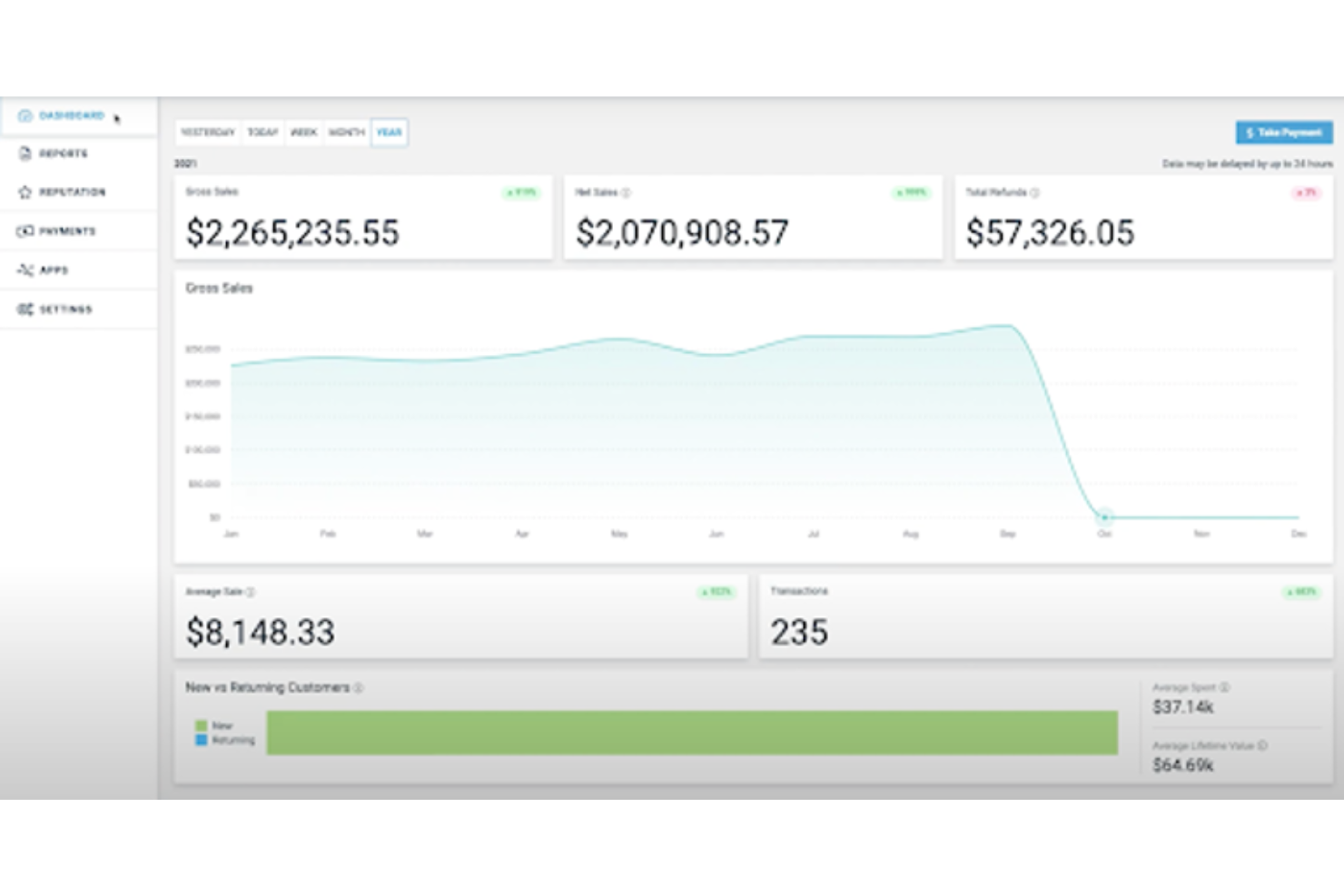
For businesses seeking a payment processing solution that aligns with their financial strategies, Payment Depot offers a compelling option. This software is particularly advantageous for small to mid-sized businesses with substantial transaction volumes, providing transparent and predictable pricing through its membership model.
By eliminating hidden fees and offering a straightforward onboarding process, it addresses common frustrations associated with traditional processing services, enabling businesses to focus on growth rather than administrative burdens.
Why I Picked Payment Depot
I picked Payment Depot for its unique approach to payment processing that aligns well with high-volume transaction businesses. One standout feature is its transparent membership-based pricing model, which eliminates hidden fees and offers businesses predictable monthly costs. This approach, combined with the interchange-plus pricing, allows you to access true wholesale rates, making it a cost-effective choice for your business.
Additionally, the integration with third-party POS systems and the availability of a virtual terminal for phone payments enhance its functionality, ensuring you have a versatile and reliable payment processing solution.
Payment Depot Key Features
In addition to its transparent pricing model, Payment Depot offers several features that cater to diverse business needs.
- Variety of Payment Options: The platform supports multiple payment methods, including credit cards and mobile payments, catering to diverse customer preferences.
- Virtual Terminal and POS Tools: Payment Depot provides a virtual terminal for phone payments and partners with third-party POS systems like Clover and Vital Select for comprehensive sales management.
- Mobile Payment Options: Through the SwipeSimple app, you can enable mobile payments and manage products on the go.
- Dedicated Customer Support: Each user benefits from a dedicated account representative, along with 24/7 phone support, ensuring assistance is readily available whenever needed.
Payment Depot Integrations
Native integrations are not currently listed by Payment Depot.
Pros and Cons
Pros:
- Provides dedicated account representatives for personalized support.
- Includes a free virtual terminal for phone payments.
- Transparent fee structure eliminates hidden charges.
Cons:
- Unexpected fees have been reported by some users.
- Limited to US-based merchants, excluding international businesses.

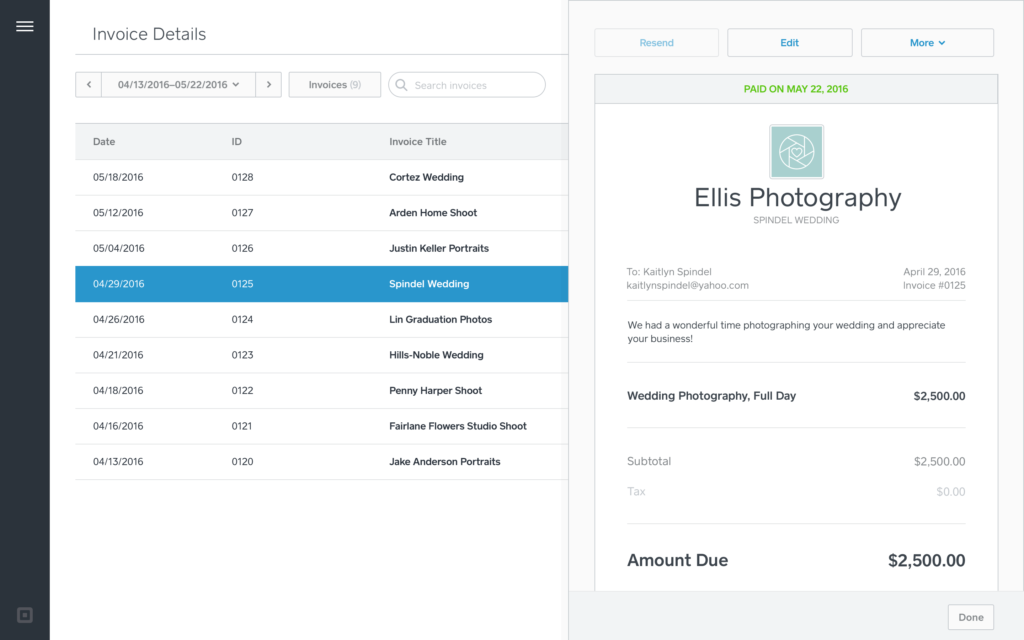
For businesses seeking a versatile solution to manage transactions, Square offers a comprehensive payment processing tool. Whether you're running a cozy café or a bustling retail chain, Square provides user-friendly hardware and software that cater to various industries, including retail, food and beverage, and services.
It empowers you to accept payments online, in-store, or on-the-go, while also providing essential tools for order management and inventory tracking, enhancing your cash flow and customer loyalty.
Why I Picked Square
I picked Square because it excels at providing versatile payment processing solutions that cater to both online and in-person transactions. With features like offline payment processing and fast fund transfers, your business can continue to operate smoothly even without internet access and gain quick access to sales revenue.
I appreciate Square's built-in security features, including fraud protection and PCI compliance, which ensure that transactions are safe and secure. Additionally, Square's comprehensive range of hardware options, from handheld devices to kiosks, enhances the checkout experience, making it a top choice for businesses looking to streamline their payment processes.
Square Key Features
In addition to its versatile payment solutions, Square offers several other features that can enhance your business operations:
- Virtual Terminal: This feature allows you to accept payments from your computer, making it convenient for phone orders or remote billing.
- Customer Directory: With this feature, you can store and manage customer information, helping you build relationships and tailor marketing efforts.
- Digital Receipts: Automatically send digital receipts to your customers via email or SMS, providing a seamless and eco-friendly way to confirm transactions.
- Customizable Point of Sale (POS) System: Tailor the POS interface to fit your specific business needs, whether you run a restaurant, retail shop, or service-based business.
Square Integrations
Integrations include QuickBooks, Xero, WooCommerce, Wix, BigCommerce, Mailchimp, Google Calendar, Acuity Scheduling, IFTTT, and Zapier. Square also offers an API for custom integrations.
Pros and Cons
Pros:
- Offers a range of hardware options to suit different transaction needs.
- Comprehensive reporting tools help track sales and growth efficiently.
- Versatile features cater to various business types, like retail and food services.
Cons:
- Occasional technical issues can disrupt payment processing.
- Some users experience delays in fund transfers, affecting cash flow.
New Product Updates from Square
Square Introduces Neighborhoods on Cash App
Square launches Neighborhoods on Cash App, offering businesses access to over 57 million active accounts, direct marketing, neighborhood rewards, and a 1% processing fee. For more information, visit Square's official site.
 .
.
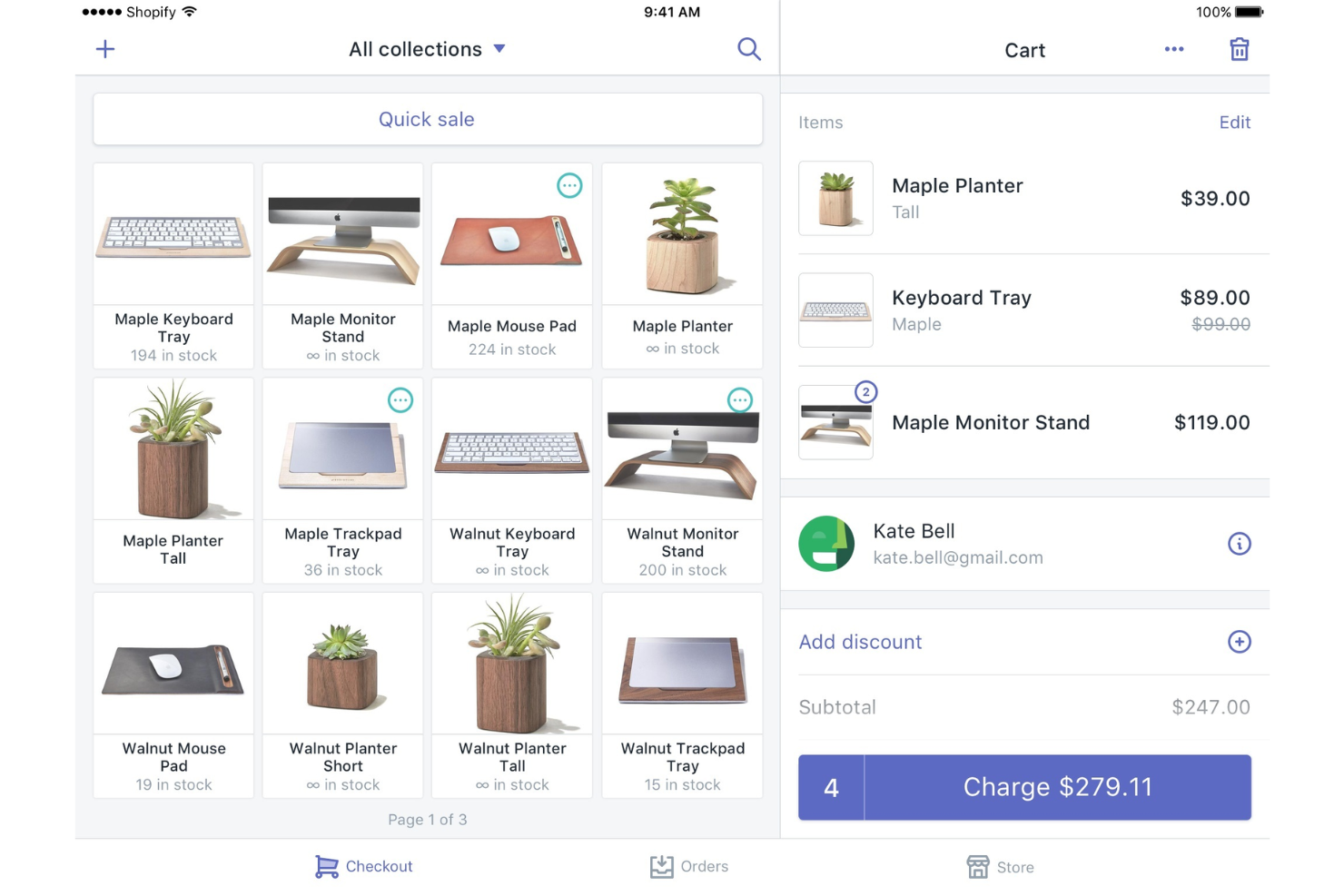
For those seeking a payment processing solution that integrates both online and in-store transactions, Shopify POS stands out as a compelling choice. This tool is particularly appealing to retail businesses of all sizes, offering the convenience of accepting diverse payment methods such as tap, chip, and swipe.
With its transparent pricing and features like flexible payment options and real-time financial reporting, Shopify POS addresses the need for streamlined payment processes while enhancing overall sales management.
Why I Picked Shopify POS
I picked Shopify POS because it excels in providing a unified payment processing experience, allowing you to manage both in-store and online sales seamlessly. With its diverse payment acceptance capabilities, including tap, chip, swipe, and contactless digital wallets, your transactions become faster and more flexible.
Additionally, the real-time financial monitoring feature ensures you can track transactions and payouts instantly, aiding in efficient cash flow management. These features, along with transparent pricing and comprehensive reporting, make Shopify POS an ideal choice for businesses looking to enhance their payment processing operations.
Shopify POS Key Features
In addition to its payment processing capabilities, Shopify POS offers several other features that can enhance your business operations:
- Inventory Management: Keep track of your stock levels in real-time, ensuring you never run out of your best-selling items.
- Customer Profiles: Build a comprehensive database of your customers, allowing you to personalize marketing efforts and improve customer service.
- Multichannel Selling: Seamlessly sell products across various platforms, including your online store, social media, and physical locations, without missing a beat.
- Customizable Receipts: Offer personalized receipts that can include your branding, promotional messages, or return policies, providing a cohesive customer experience.
Shopify POS Integrations
Integrations include QuickBooks, Xero, Mailchimp, Google Sheets, HubSpot, Facebook, Instagram, Pinterest, Amazon, and eBay.
Pros and Cons
Pros:
- Offers a unified platform for online and in-store sales.
- Supports diverse payment methods, including tap, chip, and swipe.
- Seamless integration with Shopify's ecommerce platform enhances inventory management.
Cons:
- Some advanced features may initially be confusing to use.
- Limited scalability might restrict growing brands.


For businesses looking to manage payment processing, CardX by Stax offers a compelling solution that helps you retain the full value of your credit card sales while managing transaction costs.
This platform is ideal for industries where surcharging compliance is essential, ensuring automated adherence to all relevant regulations. By offering customers the choice between credit transactions with a surcharge and no-fee debit options, CardX by Stax supports a transparent and customer-friendly payment experience.
Why I Picked CardX by Stax
I picked CardX by Stax because it excels in surcharging compliance, enabling you to eliminate credit card processing fees, thereby keeping the full value of your sales. The platform's zero-cost credit transaction feature ensures that you only pay for debit transactions, offering a cost-effective solution for your business.
With automated adherence to all relevant regulations, CardX by Stax reduces the compliance burden on your team. Additionally, it allows your customers to choose no-fee debit options, enhancing their payment experience.
CardX by Stax Key Features
In addition to the surcharging and compliance features, there are several other aspects of CardX by Stax that make it an excellent choice for payment processing.
- Payment Flexibility: The platform supports various payment methods, including online, keyed, and swiped transactions, all with PCI Level 1 compliance, ensuring secure and versatile payment options.
- Transparent Pricing: CardX by Stax clearly communicates fees to customers at the time of purchase, providing options for fee-free payment methods which enhance customer trust and satisfaction.
- Advanced Integrations: Seamless connections with e-commerce platforms and POS systems allow you to integrate the payment solution effortlessly into your existing infrastructure.
- Dedicated Support: With a commitment to customer satisfaction, CardX by Stax offers expert guidance and support to ensure smooth operations and address any challenges you may encounter.
CardX by Stax Integrations
Native integrations are not currently listed by CardX by Stax.
Pros and Cons
Pros:
- Significant savings on merchant fees for high-volume businesses.
- User-friendly online software with extensive reporting features.
- Supports multiple payment methods, including mobile.
Cons:
- Occasional disconnect between account management and support teams.
- Limited point-of-sale (POS) capabilities compared to competitors.


For businesses dealing with the complexities of payment processing, Swipesum provides a customized solution that aligns with your specific needs in ecommerce, retail, and B2B sectors.
By honing in on optimizing payment systems, Swipesum assists in enhancing efficiency and boosting customer satisfaction. Their proprietary software audits merchant services to help you avoid unnecessary fees, making Swipesum a dependable partner in simplifying payment processes and reducing costs.
Why I Picked Swipesum
I picked Swipesum because it offers specialized payment processing solutions tailored to the unique needs of industries like ecommerce, SaaS, and retail. Their proprietary software, Staitment, performs detailed audits of merchant statements to uncover unnecessary fees, helping you optimize your payment processing and reduce costs.
Additionally, Swipesum's integrated payment systems enhance transaction efficiency and accuracy, ensuring smoother customer experiences and improved data reliability. With a network of over 70 payment providers, Swipesum provides competitive pricing options designed to save you money while aligning with your business objectives.
Swipesum Key Features
In addition to the tailored solutions and cost-saving audits that I appreciate, Swipesum offers several other key features that enhance its utility for payment processing.
- ACH Payment Processing: This feature enables you to accept electronic bank-to-bank transfers using the Automated Clearing House (ACH) network, facilitating smoother and more secure transactions.
- Cryptocurrency Processing: With the ability to accept and process cryptocurrency transactions like Bitcoin, Swipesum keeps your business at the forefront of modern payment technologies, catering to a broader customer base.
- Chargeback Management: Swipesum provides tools to manage and mitigate chargebacks, protecting your business from potential financial losses arising from disputed transactions.
- Vendor Evaluation: By assisting in evaluating and selecting the optimal credit card processing providers, Swipesum ensures you receive the best service and pricing tailored to your business needs.
Swipesum Integrations
Native integrations are not currently listed by Swipesum.
Pros and Cons
Pros:
- The platform offers personalized consulting for payment processing.
- ACH payment processing is available for secure bank-to-bank transfers.
- Users benefit from detailed statement audits to identify savings.
Cons:
- Follow-up communication post-consultation is reportedly lacking.
- Users may find the platform's fee structure unclear at times.


For those seeking a reliable payment processing solution, QuickBooks Online offers a comprehensive suite of features tailored to small businesses and entrepreneurs. By enabling you to accept payments through various channels such as credit cards, ACH, and mobile wallets like Apple Pay and PayPal, it simplifies the payment landscape, allowing you to focus on growing your business.
Its automatic payment recording and real-time tracking mean you spend less time on bookkeeping and more on strategic activities, while its competitive rates and absence of hidden fees ensure transparency in financial management.
Why I Picked Quickbooks Online
I picked QuickBooks Online for its versatile payment processing capabilities that cater to a wide range of business needs. With the ability to accept payments through credit cards, ACH, Apple Pay, PayPal, and Venmo, it provides flexibility and convenience for both you and your customers. The automatic recording of transactions directly into your accounting system simplifies bookkeeping and ensures accuracy in financial records.
Additionally, features like real-time payment tracking and chargeback protection enhance financial transparency and security, making it an optimal choice for businesses looking to streamline their payment processes while maintaining control and oversight.
Quickbooks Online Key Features
In addition to the flexible payment options and real-time tracking that make QuickBooks Online a standout choice for payment processing, there are several other features that enhance its functionality for your business needs.
- Recurring Payments: Set up automated recurring sales receipts, allowing you to collect payments without having to remind customers, thereby ensuring a steady cash flow.
- Mobile Payments: Accept payments on-the-go using QuickBooks' mobile app, which is ideal for businesses that operate outside of a traditional office setting.
- Automated Bookkeeping: When you process transactions, payment information is automatically entered into your QuickBooks Online company file, saving you time on manual data entry.
- Chargeback Protection: QuickBooks Online provides tools to help manage and protect against chargebacks, offering peace of mind when it comes to payment disputes.
Quickbooks Online Integrations
Integrations include Amazon Business Purchases, PayPal Connector by QuickBooks, Square Connector by QuickBooks, Etsy Connector by QuickBooks, Amazon Seller Connector by QuickBooks, eBay Connector by QuickBooks, Shopify Connector by QuickBooks, SOS Inventory, QuickBooks Time, and Gusto.
Pros and Cons
Pros:
- Customizable invoicing and extensive reporting options enhance user control.
- Real-time payment tracking improves financial transparency.
- Supports integration with over 750 apps, offering flexibility.
Cons:
- Inadequate customer support reported by users.
- Complicated user interface may lead to navigation challenges.

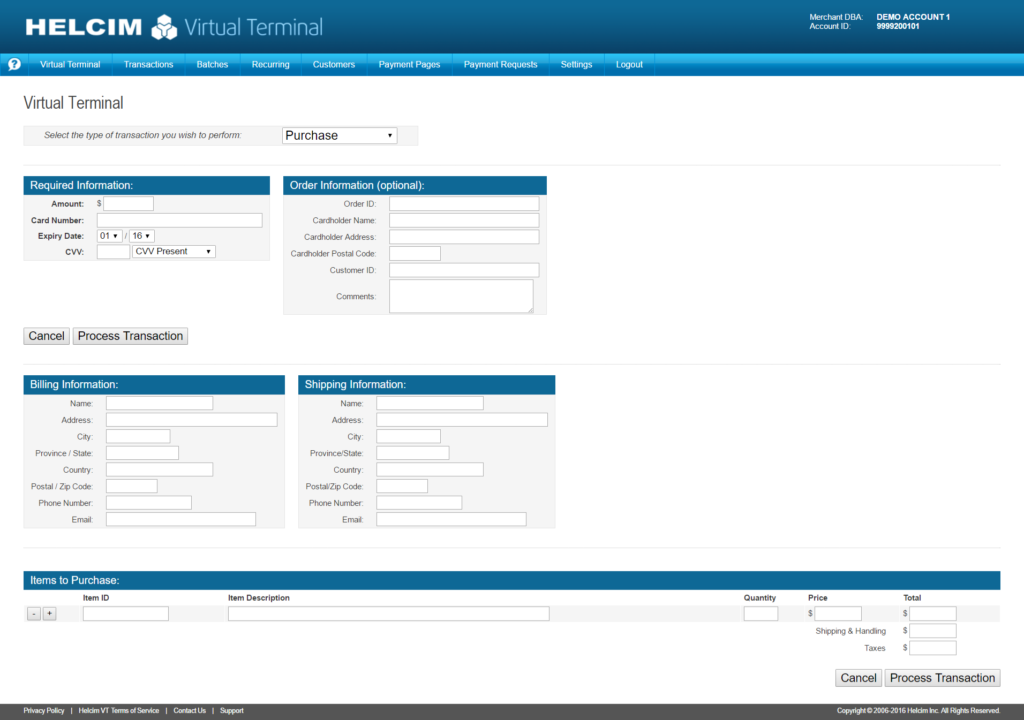
Helcim offers a transparent and user-friendly payment processing solution tailored for small businesses that value affordability and simplicity. With its no monthly fees and clear pricing model, you can manage your transactions without worrying about hidden costs.
Whether you need online payments, invoicing, or point-of-sale capabilities, Helcim provides versatile tools to support your business's financial operations effectively.
Why I Picked Helcim
I picked Helcim for its unique ability to offer a transparent and versatile payment processing solution that caters to small to medium-sized businesses. Helcim’s interchange-plus pricing model ensures you benefit from fair transaction fees without monthly charges, making it easier to manage costs.
Additionally, the Helcim Smart Terminal provides a robust point-of-sale experience, allowing you to handle various payment methods and manage inventory seamlessly. With its user-friendly mobile and desktop apps, Helcim empowers you to process payments and manage customer relationships efficiently, aligning well with businesses that value comprehensive yet straightforward financial tools.
Helcim Key Features
In addition to its transparent pricing and robust point-of-sale capabilities, Helcim offers several other features that enhance its payment processing software.
- ACH Processing: You can handle bank transfers seamlessly, allowing for direct payments between accounts without the need for credit cards.
- Virtual Terminal: This feature lets you securely take credit card payments online using any device with an internet connection, ideal for remote transactions.
- Fraud Protection: Helcim provides tools to safeguard your transactions, helping to protect your business from potential fraudulent activities.
- Integrated ecommerce Solutions: With integration capabilities, Helcim supports online store operations, enabling you to manage sales and payments effortlessly through your website.
Helcim Integrations
Integrations include QuickBooks Online, Xero, WooCommerce, and Helcim provides an API for custom integrations.
Pros and Cons
Pros:
- Strong customer support enhances user experience and satisfaction.
- Volume discounts benefit high-volume businesses looking to save costs.
- Strong customer support enhances user experience and satisfaction.
Cons:
- Limited features for larger businesses needing advanced POS capabilities.
- Lacks free hardware, requiring additional purchases from third-party vendors.

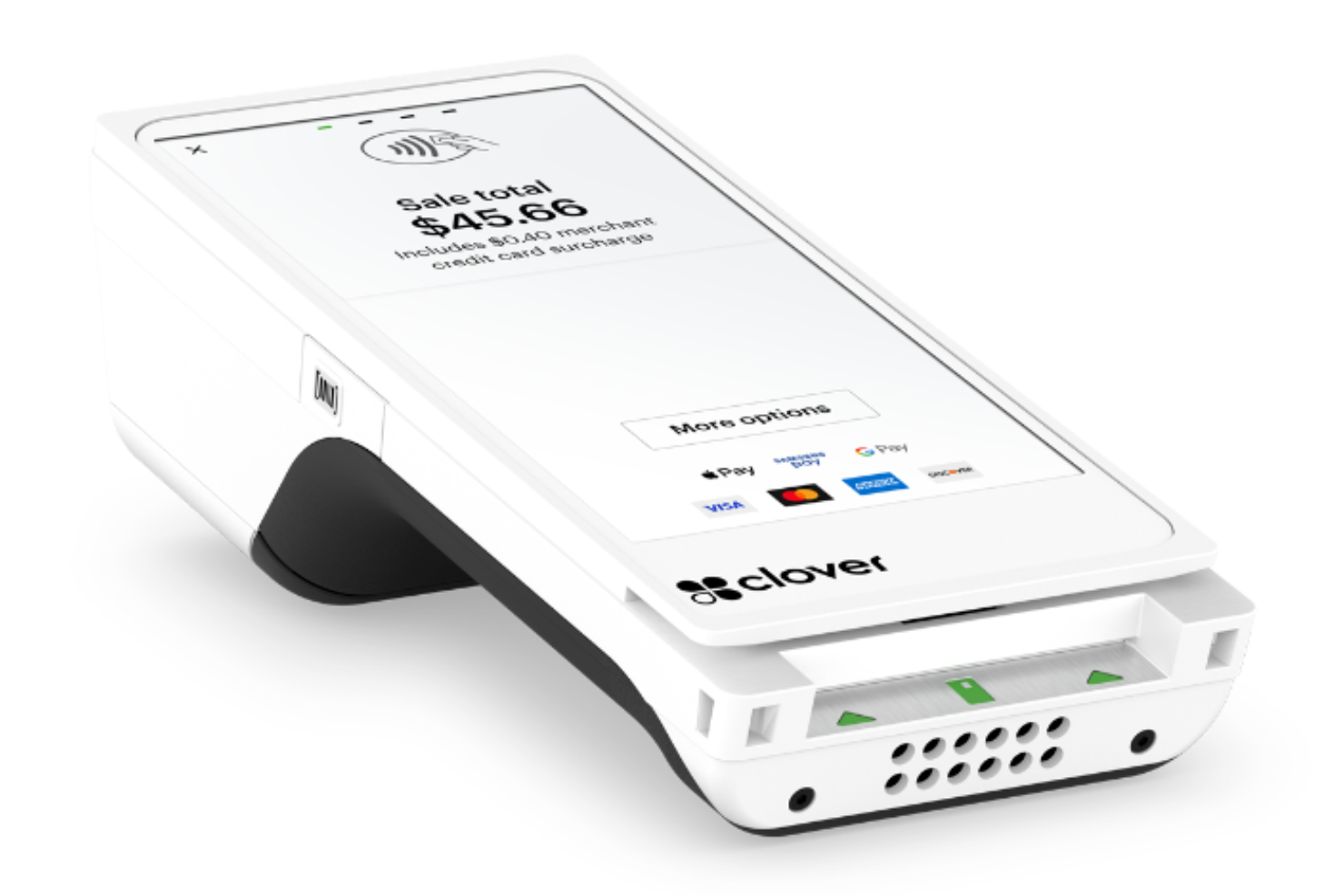
Clover offers a versatile solution for small businesses in retail and dining, integrating payment processing with inventory management and customer engagement tools.
Its all-in-one point-of-sale system helps you manage transactions and enhance customer experiences with ease. The user-friendly interface and flexible pricing make Clover an attractive choice for those seeking a comprehensive and reliable payment solution.
Why I Picked Clover
I picked Clover for its ability to process transactions swiftly, providing a smooth experience for both you and your customers. Its PCI-certified system ensures strong encryption and fraud protection, making it a reliable choice for safeguarding sensitive payment information.
I also appreciate Clover's capability to process payments offline, which means you can continue operations even without a stable WiFi connection. These features collectively address the need for secure, uninterrupted payment processing, making Clover a valuable asset for any business.
Clover Key Features
In addition to its robust security and offline capabilities, Clover offers a range of features that enhance its appeal as a payment processing solution:
- Inventory Management: Clover allows you to track stock levels in real-time, helping you maintain optimal inventory and streamline order fulfillment.
- Customizable Receipts: You can personalize receipts with your logo and custom messages, enhancing your brand's visibility and customer engagement.
- Multi-Location Management: If you operate across multiple sites, Clover enables centralized management, making it easier to oversee operations from one platform.
- Employee Management: With features like scheduling and time tracking, Clover helps you efficiently manage your team’s shifts and productivity.
Clover Integrations
Integrations include QuickBooks, Xero, Shopify, WooCommerce, BigCommerce, Ecwid, Mailchimp, eHopper, Homebase, and Gusto.
Pros and Cons
Pros:
- Offers a variety of hardware options suitable for different business needs.
- Includes a comprehensive sales platform with essential POS features.
- Supports multiple payment types including NFC, EMV, and magstripe.
Cons:
- Difficulties reported in canceling services and resolving billing issues.
- Requires a First Data merchant account, complicating initial setup.


Merchant One provides payment processing solutions designed for diverse businesses, from retail to ecommerce and hospitality. By cutting out intermediaries, it allows for direct and transparent transactions, catering to the need for secure and efficient payment handling.
With advanced technology and customizable point-of-sale systems, Merchant One suits businesses that seek reliable, quick, and adaptable payment solutions, enhancing operations and customer experiences.
Why I Picked Merchant One
I picked Merchant One for its direct and transparent payment processing solution, which eliminates the need for brokers or middlemen. The platform offers high-speed processing with state-of-the-art terminal systems, ensuring quick and reliable transactions. Additionally, the mobile processing capability allows you to accept payments anywhere via smartphone or tablet, offering flexibility for businesses on the go.
These features address the need for secure, adaptable, and efficient payment solutions, making Merchant One a compelling choice for businesses seeking to manage their payment processes.
Merchant One Key Features
In addition to the unique benefits that initially drew me to Merchant One, there are several other key features worth noting:
- Gift and Loyalty Card Programs: These programs enable your business to offer customized gift cards and loyalty rewards, enhancing customer engagement and retention.
- Text Message Marketing Campaigns: This feature allows you to reach out to your customers directly through SMS, promoting new offers or updates, and driving repeat business.
- Customer Management Database: With this tool, you can efficiently manage customer information and transaction history, supporting personalized service and targeted marketing.
- 24/7 Support: Merchant One provides round-the-clock customer support to ensure that any issues or questions are promptly addressed, ensuring smooth operations.
Merchant One Integrations
Integrations include Authorize.net, Payeezy Gateway, Payflow Pro, Paytrace Gateway, USAePay, Aloha, Micros, Maitre’D, and various shopping carts.
Pros and Cons
Pros:
- Integrates with popular software like QuickBooks and Salesforce.
- High approval rate for businesses, including high-risk industries.
- Provides excellent customer service with 24/7 support.
Cons:
- Some users report hidden fees in billing statements.
- Does not offer proprietary POS hardware, limiting options.

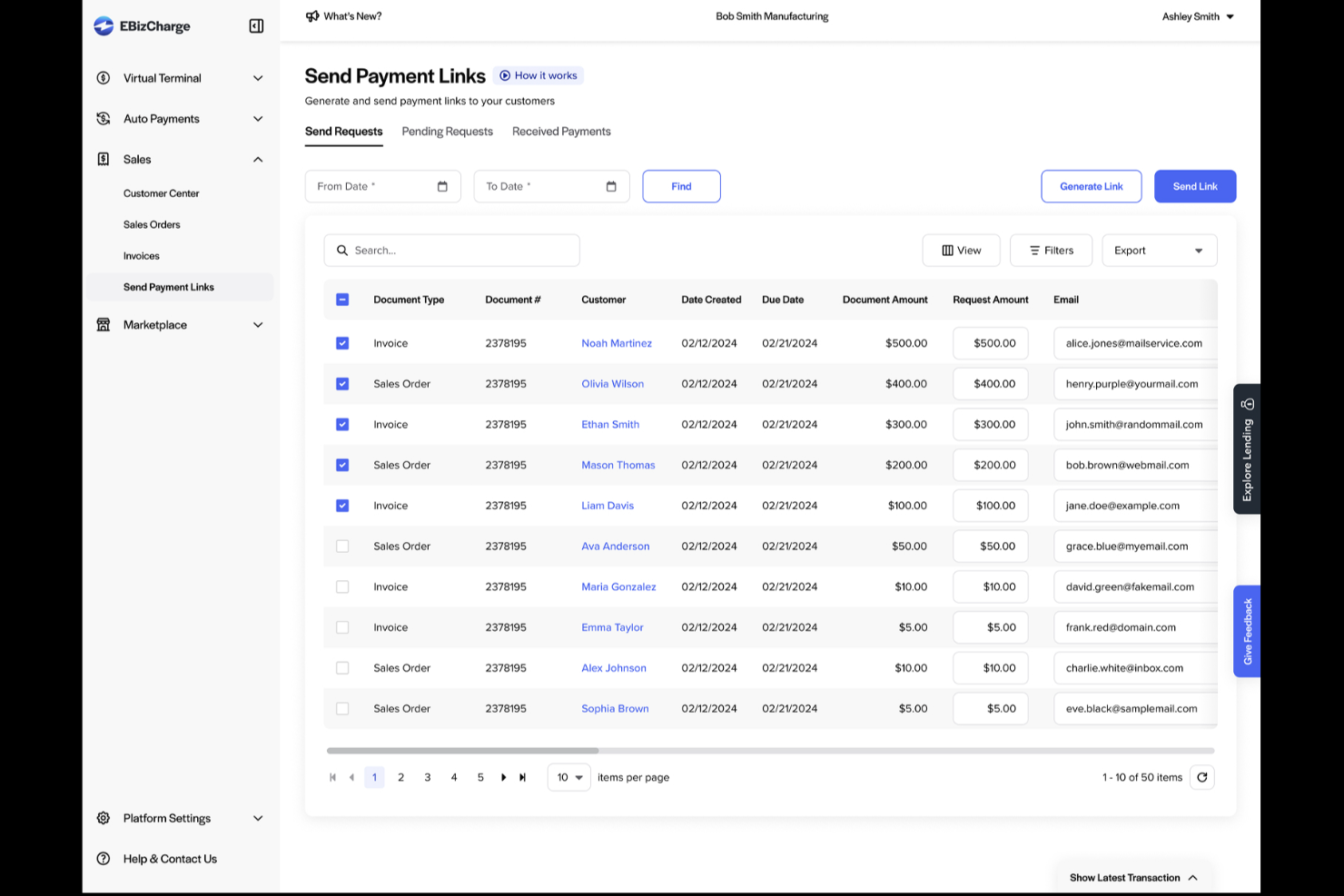
If you're on the lookout for a payment processing solution that integrates effortlessly with your existing systems, EBizCharge could be your go-to.
It caters to businesses across various industries like retail and services, helping to expedite transactions and bolster security. With features like credit card and eCheck processing, it addresses challenges in payment collection, ensuring a smoother, cost-effective operation for your team.
Why I Picked EBizCharge
In selecting EBizCharge for payment processing, I was particularly impressed by its seamless integration capabilities with over 100 ERP, CRM, and ecommerce systems, which eliminates the need for third-party applications.
This feature, combined with its robust security measures like EMV terminals and PCI compliance, ensures that your transactions are not only efficient but also secure. Additionally, EBizCharge offers automated payment features such as auto payments and recurring billing, which significantly reduce the time your team spends on manual billing processes.
These functionalities make it a compelling choice for businesses looking to streamline their payment operations while maintaining high security standards.
EBizCharge Key Features
In addition to its impressive integration capabilities and security features, EBizCharge provides a range of other functionalities that can enhance your payment processing experience.
- Customizable Payment Portal: This feature allows you to tailor the payment portal to align with your brand, providing your customers with a seamless and branded payment experience.
- Comprehensive Reporting Tools: You can access detailed reports on your transactions and payment activities, helping you make informed decisions and track financial performance with ease.
- Mobile Payment Solutions: With mobile payment options, your team can accept payments on-the-go, providing flexibility and convenience for both your business and your customers.
- Level III Processing: This feature reduces interchange fees for B2B transactions by providing additional transaction data, helping your business save on processing costs.
EBizCharge Integrations
Integrations include Acumatica, BigCommerce, Epicor 10, Microsoft Dynamics GP, NetSuite, QuickBooks Desktop, Sage 100, Salesforce, SAP Business One, and WooCommerce.
Pros and Cons
Pros:
- Offers comprehensive fraud prevention tools to enhance security.
- Provides detailed reporting and analytics for better decision-making.
- Highly rated for its customer support and responsiveness.
Cons:
- Some users report unexpected fee increases over time.
- Issues with the "pay now" button not functioning correctly.


Chargebee offers a versatile billing solution tailored for B2B SaaS, ecommerce, and media businesses, addressing the complexities of subscription management and invoicing. By integrating with existing CRM and accounting systems and supporting over 30 payment gateways, it allows you to navigate recurring billing and tax compliance with ease.
This automation frees your team to focus on growth, making Chargebee a compelling choice for those seeking a streamlined payment processing experience.
Why I Picked Chargebee
I picked Chargebee for its ability to cater to subscription-based businesses with its comprehensive payment processing features.
Chargebee's support for multiple payment methods, such as digital wallets and credit cards, combined with its integration with over 30 payment gateways like Stripe and PayPal, offers your business flexibility in handling transactions. The Smart Routing feature ensures optimal gateway selection based on payment method and currency, enhancing transaction efficiency.
Additionally, Chargebee’s advanced dunning management and fraud prevention tools help improve revenue recovery and customer retention, making it a compelling choice for businesses looking to manage their payment processes.
Chargebee Key Features
In addition to the features that initially drew me to Chargebee, there are several other functionalities that enhance its appeal as a payment processing software.
- Customizable Billing Cycles: Tailor billing cycles beyond traditional monthly or yearly options, allowing for more flexibility in how you charge your customers.
- Comprehensive Reporting: Access over 150 subscription metrics and role-specific dashboards to gain better financial insights and shareable reports.
- Fraud Detection: Receive alerts for suspicious transactions and utilize email verification to prevent fraud, ensuring secure transactions.
- Automated Collections: Streamline accounts receivables and dunning management to recover lost revenue and minimize churn, maintaining steady cash flow.
Chargebee Integrations
Integrations include Salesforce, HubSpot, Xero, QuickBooks, Sage Intacct, DATEV by MIDbridge, ShipStation, Zendesk, Freshdesk, and Klaviyo.
Pros and Cons
Pros:
- Supports multiple payment gateways and flexible integrations.
- Provides advanced dunning management to improve revenue recovery.
- Simplifies recurring billing with extensive automation features.
Cons:
- Integration with some third-party tools can be challenging.
- Limited customization options for certain features.

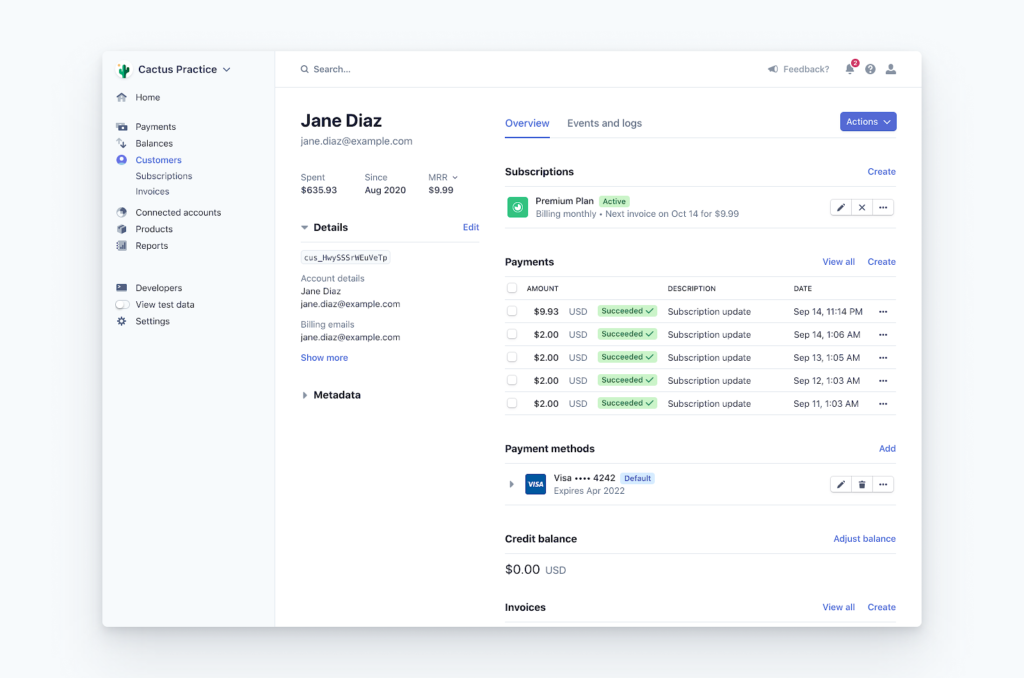
For businesses seeking a versatile payment processing solution, Stripe offers a comprehensive array of tools tailored for diverse needs, from e-commerce to in-person transactions. With global reach across 195 countries and support for over 100 currencies, Stripe is designed to help you expand internationally while managing multicurrency transactions.
The platform's developer-friendly integrations and AI-driven fraud prevention tools ensure that you can offer secure, customizable payment experiences to your customers.
Why I Picked Stripe
I picked Stripe because of its remarkable versatility and comprehensive support for global payment processing. With access to over 100 payment methods and support for transactions in 195 countries, it caters to businesses aiming to expand their reach and enhance customer convenience.
Stripe's AI-driven fraud prevention tools, like Stripe Radar, help secure transactions and reduce fraudulent activities, addressing a critical concern for businesses. Additionally, its developer-friendly platform, with extensive documentation and integration options, ensures that you can easily customize and implement payment solutions tailored to your specific needs.
Stripe Key Features
In addition to its global reach and security features, Stripe offers several other capabilities that can enhance your payment processing experience.
- Customizable Invoicing: Stripe allows you to create and send professional invoices with ease, helping streamline your billing process and improve cash flow.
- Subscription Management: With Stripe's subscription tools, you can manage recurring billing and offer flexible pricing plans, catering to businesses with subscription-based models.
- Real-time Insights: Stripe provides detailed analytics and reporting tools, giving you valuable insights into your transactions and helping you make informed business decisions.
- Instant Payouts: With the option for instant payouts, Stripe enables faster access to your funds, which can be crucial for maintaining liquidity in your business operations.
Stripe Integrations
Integrations include Salesforce, BigCommerce, Snowflake, Oracle Hospitality, Constant Contact, Amazon Web Services, Shopify, WooCommerce, NetSuite, and Xero.
Pros and Cons
Pros:
- Global reach, facilitating international transactions in 46+ countries.
- Easy integration with various platforms using robust APIs.
- Supports multiple payment methods, enhancing customer convenience.
Cons:
- Limited in-person payment options compared to other platforms.
- Customer support can be slow or unresponsive during urgent issues.

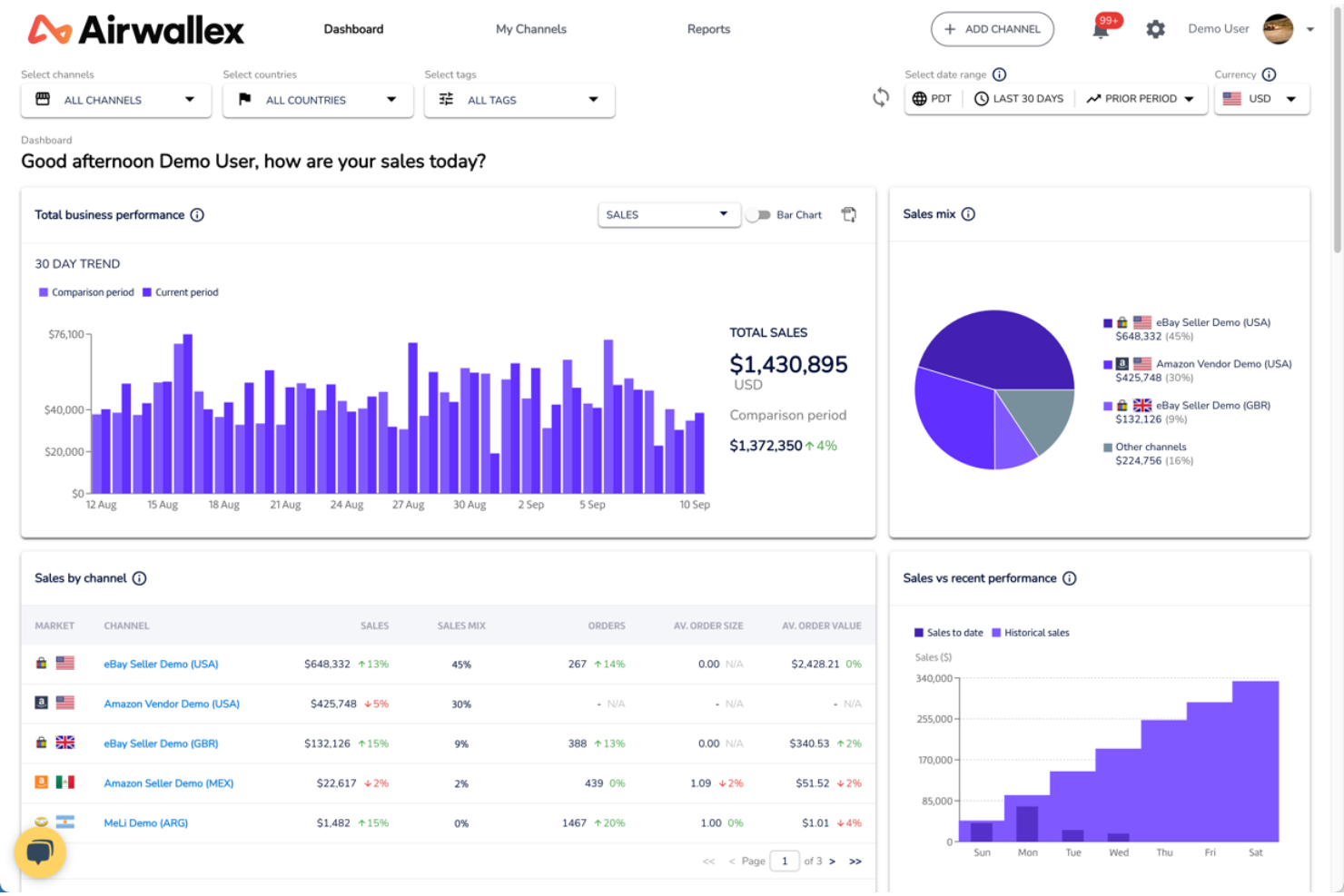
For those seeking a sophisticated approach to global transactions, Airwallex offers a financial platform designed for seamless payment processing and financial management. With services like multi-currency accounts and rapid international transfers, it caters to ecommerce, travel, and fintech industries.
By eliminating international transaction fees and enhancing transaction speeds, Airwallex allows you to focus on growth and customer experience, while efficiently managing cross-border finances.
Why I Picked Airwallex
I picked Airwallex because it excels in handling global transactions, a crucial need for businesses today. With Airwallex, your team can manage funds in multiple currencies through its multi-currency accounts, essential for international operations. The platform's high-speed transfers ensure that transactions are fast and cost-effective, aiding in maintaining cash flow efficiency.
Additionally, with over 160 payment options like digital wallets and major card networks, Airwallex caters to the diverse needs of your international customers. These features make Airwallex a strategic choice for enhancing your global payment processing capabilities.
Airwallex Key Features
In addition to the compelling reasons I initially chose Airwallex, I discovered several other features that underscore its robust capabilities as a payment processing software. These additional features are designed to cater to your business's needs, enhancing efficiency and global reach.
- Multi-Currency Accounts: Airwallex offers business accounts that allow you to receive and manage funds in multiple currencies, facilitating seamless international transactions.
- Fraud Prevention: The platform includes built-in fraud detection and dispute management tools to reduce chargebacks and protect your business from fraudulent activities.
- No-Code Integrations: Airwallex provides simple plug-and-play options for platforms like Shopify, WooCommerce, and Magento, enabling quick and easy payment processing setup without extensive coding.
- Conversion Optimization: Leveraging machine learning, Airwallex optimizes acceptance rates and transaction success, ensuring your business maximizes its revenue potential.
Airwallex Integrations
Integrations include Shopify, Xero, NetSuite, WooCommerce, Magento, Apple Pay, Google Pay, Visa, Mastercard, and American Express.
Pros and Cons
Pros:
- Airwallex supports a wide range of currencies for global transactions.
- No foreign transaction fees when using Airwallex cards abroad.
- It offers multi-currency wallets for efficient global fund management.
Cons:
- Cards are only shipped to seven onboarding countries, limiting accessibility.
- Limited customer support options, lacking live chat and extensive phone support.
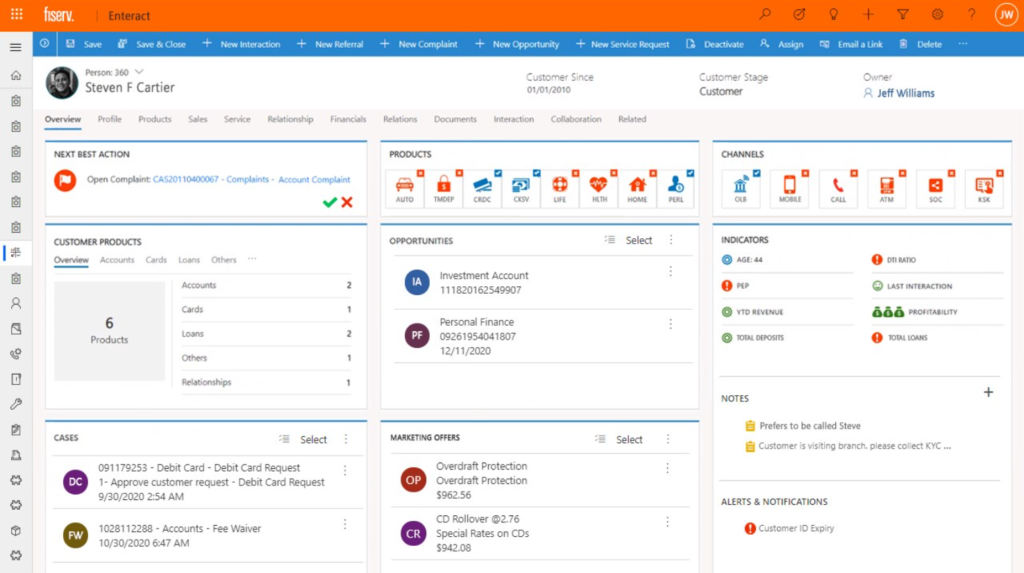
For businesses seeking to enhance transaction management and customer experience, Fiserv provides tailored payment solutions that integrate across multiple channels and payment types. This centralized platform offers speed, security, and reliability, making it ideal for those aiming to optimize existing systems or expand globally.
With Fiserv, your team can confidently navigate the complexities of payment processing, ensuring compliance with major infrastructures like Visa and Mastercard.
Why I Picked Fiserv
I picked Fiserv for its centralized platform that processes payments across multiple channels and types, which is crucial for businesses managing diverse payment streams. Its modular architecture and API support enable integration with existing systems, allowing adaptation to market changes without disruption.
Additionally, Fiserv's focus on compliance and risk management, including real-time monitoring and fraud prevention, safeguards your transactions and builds trust with customers. This ensures that Fiserv meets current payment processing needs while supporting growth and innovation strategies.
Fiserv Key Features
In addition to its modular architecture and compliance focus, Fiserv offers a range of features that enhance its utility as a payment processing solution.
- Advanced Digital Tools: The platform provides tools for financial crime management, real-time alerts, and analytics, helping your team mitigate risks and improve decision-making.
- Global Payment Solutions: Fiserv supports payments in over 150 currencies and integrates with major infrastructures like Visa and Mastercard, making it a versatile choice for businesses operating internationally.
- Omnichannel Experience: This feature ensures a seamless payment experience across various channels, enhancing customer satisfaction and loyalty by providing consistent service.
- Regulatory Compliance Support: Fiserv assists in navigating operational changes and maintaining adherence to regulations, reducing the burden on your compliance team and ensuring peace of mind.
Fiserv Integrations
Native integrations are not currently listed by Fiserv.
Pros and Cons
Pros:
- Offers flexible ecommerce solutions with dynamic currency conversion.
- Provides robust fraud protection and risk management tools.
- Supports multiple currencies, ideal for global businesses.
Cons:
- Primarily caters to larger corporate clients, not small businesses.
- Customer service often criticized for long wait times.
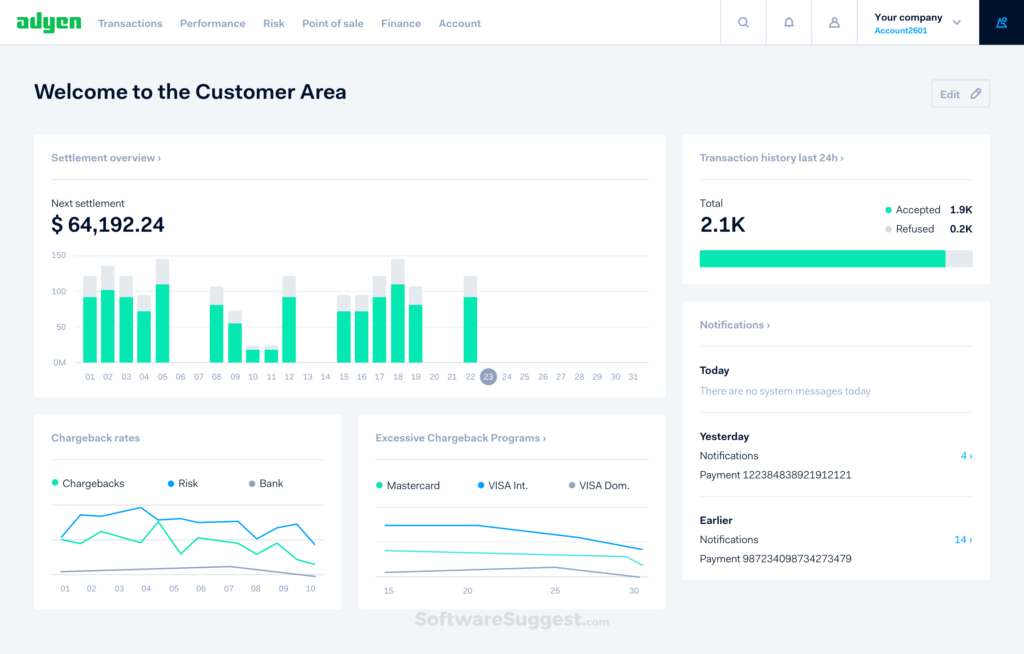
For businesses aiming to improve their payment processes and enhance customer interactions, Adyen provides a dynamic solution tailored to your needs. Whether you're a digital platform or an omnichannel retailer, Adyen's payment processing software integrates online and offline transactions, offering a unified experience that supports expansion into new markets.
By leveraging data insights and machine learning, Adyen ensures secure transactions, addressing key challenges in today's competitive landscape.
Why I Picked Adyen
I chose Adyen for its ability to unify online and in-person payment processing, offering a cohesive experience for businesses looking to manage their payment operations. With its unique integration of a payment gateway, processor, and acquiring bank, Adyen enhances authorization rates and reduces transaction fees, making it an attractive option for businesses focused on cost efficiency and transaction success.
Furthermore, Adyen's robust fraud protection and data insights powered by machine learning help businesses securely manage transactions while gaining valuable customer behavior insights. These features collectively address the crucial challenge of managing diverse payment methods and ensuring security, making Adyen a compelling choice for payment processing needs.
Adyen Key Features
In addition to its unique integration of payment gateway, processor, and acquiring bank, Adyen offers several other features that enhance its appeal.
- Global Acquiring Capabilities: This feature allows you to process payments from customers worldwide, ensuring your business can grow without geographical limitations.
- Revenue Optimization Tools: Adyen provides tools that help you maximize your revenue by improving authorization rates and reducing declined transactions.
- In-Person Payment Devices: These devices support seamless transactions in physical stores, providing a unified payment experience across all channels.
- Tokenization: This security feature replaces sensitive card details with a unique identifier, safeguarding customer data and minimizing the risk of fraud.
Adyen Integrations
Integrations include Shopify, Magento, WooCommerce, BigCommerce, Salesforce Commerce Cloud, SAP Commerce Cloud, PrestaShop, VTEX, Demandware, and Oracle Commerce Cloud.
Pros and Cons
Pros:
- Adyen supports a wide range of payment methods globally.
- Provides comprehensive data analytics for better decision-making.
- High level of security with advanced fraud prevention tools.
Cons:
- Limited support for small businesses and startups.
- Customer support can be slow and unresponsive at times.

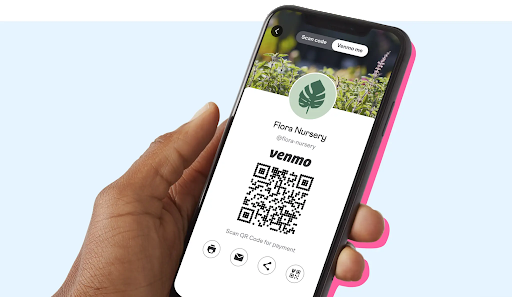
For businesses aiming to connect with a tech-savvy audience, Venmo for Business presents a compelling payment processing solution.
It allows you to accept payments from over 83 million users, integrating smoothly with both in-person and online transactions. By incorporating Venmo, you can enhance your checkout experience and foster deeper connections with customers through its social features.
Why I Picked Venmo for Business
I picked Venmo for Business because it uniquely taps into a vast user base, allowing you to connect with millions of potential customers who are already familiar with the app.
The ability to accept payments through QR codes and digital wallets directly through Venmo makes it particularly appealing for businesses engaging with tech-savvy consumers. Additionally, its integration into apps or websites facilitates a smooth transaction experience, enhancing customer satisfaction.
This combination of features enables your business to provide a convenient and trusted payment option, increasing customer engagement and loyalty.
Venmo for Business Key Features
In addition to its broad user base and integration capabilities, there are several other features that make Venmo for Business a noteworthy contender in the payment processing arena.
- Social Payments: This feature allows your customers to share their purchases on their Venmo feed, providing organic marketing and increased visibility for your business.
- Transaction Notifications: You can receive instant notifications for every transaction, helping you to monitor sales and keep track of your business activities in real time.
- Split Purchases: This allows your customers to split payments among friends directly through the app, which can enhance their shopping experience and encourage group purchases.
- Business Profiles: You can create a dedicated business profile within the app, offering a professional appearance and making it easier for customers to find and interact with your business.
Venmo for Business Integrations
Integrations include Abercrombie & Fitch and delivery.com. Pros:
Pros and Cons
Pros:
- Improves mobile checkout completion with a familiar wallet customers already use.
- Covers stores with QR and Tap to Pay, reducing the need for dedicated hardware.
- Consolidates settlement and disputes through PayPal/Braintree for cleaner ops.
Cons:
- US-only availability limits international rollout plans.
- Requires PayPal/Braintree pathways for ecommerce, adding platform dependency.

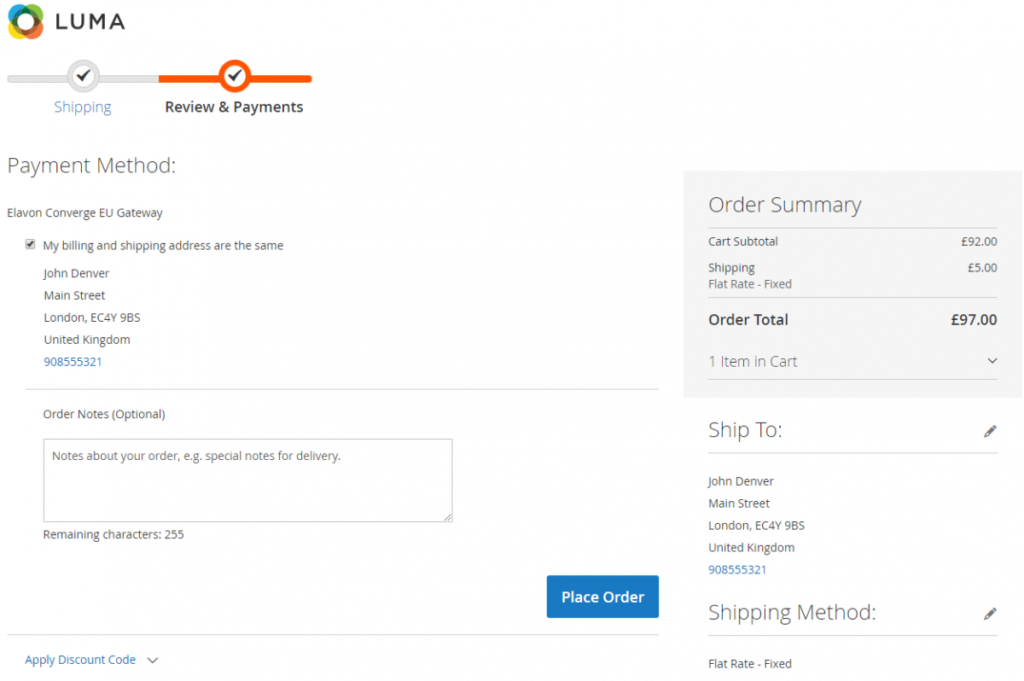
For those seeking a dependable payment processing solution that meets a wide range of business requirements, Elavon could be a suitable choice. It serves industries like hospitality, automotive, and manufacturing, offering flexibility and security through advanced payment gateways such as Converge, Fusebox, and CenPOS.
Elavon focuses on improving payment management and reducing costs, addressing challenges like transaction security and integration, which can be crucial for businesses looking to enhance their operations.
Why I Picked Elavon
I picked Elavon for its integration of omnichannel payment capabilities, which can enhance your business's operational efficiency. With Elavon's cloud-based Payment Gateway, you can process payments in-store, online, and via mobile on a single global platform, providing a unified experience for both merchants and consumers.
The platform's advanced security measures, including AI-powered fraud management, ensure that your transactions are protected from potential threats. Elavon's commitment to innovation and its ability to provide data-driven insights help you better understand customer needs and optimize revenues, making it a compelling choice for businesses looking to improve their payment processes.
Elavon Key Features
In addition to its omnichannel payment capabilities, Elavon provides several features that can enhance your payment processing experience:
- In-Person and Contactless Payments: Accepts all major cards and mobile wallets, enabling quick and contactless transactions for your customers.
- Online Payment Support: Facilitates seamless online transactions, making it ideal for e-commerce platforms and new online ventures.
- Payment Optimization: Focuses on reducing credit card processing costs and improving fraud management to help you protect your bottom line.
- Reporting and Management Tools: Provides enhanced tools for reporting and account reconciliation, helping you keep track of your financials with ease.
Elavon Integrations
Integrations include eThor, Oracle NetSuite, Benji Pays, CastlesPay, Littlepay, Authvia, Authorize.net, Rectangle Health, Cybersource, and PayConex.
Pros and Cons
Pros:
- Supports a wide range of payment methods, including mobile wallets.
- Rapid funding options available, including weekends and holidays.
- Provides advanced security measures to protect transaction data.
Cons:
- Customer service experiences can be inconsistent and frustrating.
- Complexity of offerings can overwhelm smaller businesses.

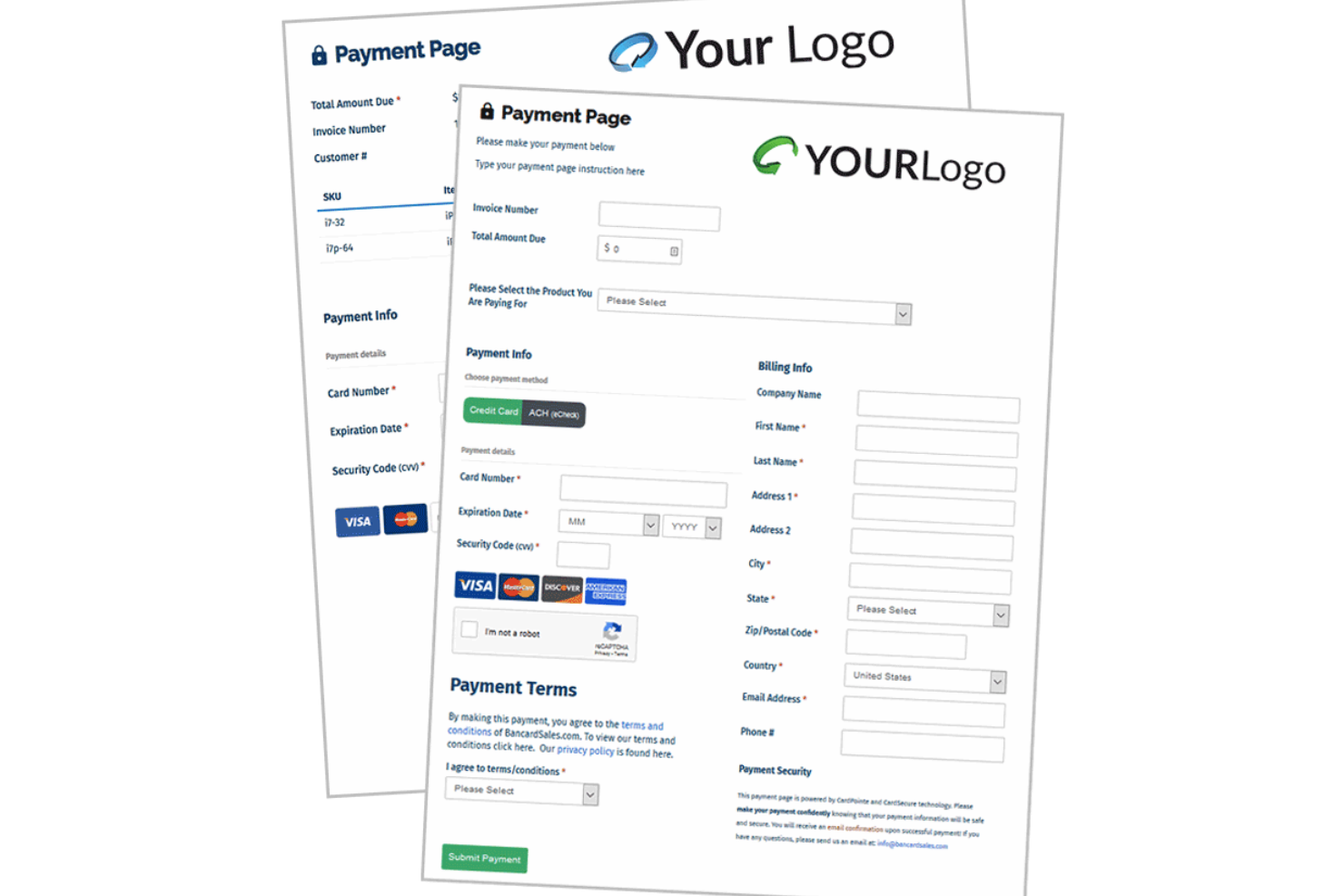
For businesses seeking a reliable payment processing solution, Payline Data offers a versatile platform designed to manage transactions for both online and in-person environments. It caters to diverse industries, including retail, hospitality, and high-risk sectors, by providing secure ecommerce processing, subscription billing, and mobile payment options.
By focusing on transparency and user-friendly technology, Payline Data addresses challenges like managing financial transactions and ensuring efficient payment processing, making it an appealing choice for businesses looking to enhance their payment capabilities.
Why I Picked Payline Data
I chose Payline Data for its robust security measures and diverse payment acceptance capabilities, which are crucial for any business looking to process payments securely and efficiently. With end-to-end encryption and PCI compliance, you can rest assured that your transactions are protected, minimizing the risk of fraud.
Additionally, Payline Data's flexibility in accepting various payment methods, such as credit/debit cards, digital wallets, and ACH transfers, makes it adaptable to your customers' preferences. The seamless integration with accounting software and e-commerce platforms further streamlines your operations, making Payline Data an ideal choice for businesses aiming to simplify their payment processes.
Payline Data Key Features
In addition to its strong security measures and diverse payment acceptance capabilities, Payline Data offers several other features that enhance its appeal.
- Recurring Billing: This feature allows you to set up automatic billing for subscription services, reducing the administrative burden of manual invoicing and ensuring timely payments.
- Mobile Payments: With mobile card reader support, you can accept payments on-the-go, making it ideal for businesses that operate outside traditional retail spaces.
- Virtual Terminal: This feature enables you to process payments without a physical card reader, allowing for flexibility in handling phone orders or mail payments.
- ACH Payment Processing: By supporting ACH transactions, Payline Data provides a cost-effective alternative to credit card payments, which can help lower transaction fees for your business.
Payline Data Integrations
Native integrations are not currently listed by Payline Data. However, they offer an open-faced API for custom integrations, allowing you to connect with various software platforms according to your specific business needs.
Pros and Cons
Pros:
- Provides various ecommerce integrations including hosted payment pages.
- Offers point-of-sale terminals enhancing sales through inventory tracking.
- Strong customer support and resources for merchants.
Cons:
- Reports of hidden charges and billing issues leading to frustration.
- Some users report issues with account setup and processing delays.
Other Payment Processing Software
Here are a few more that didn’t make the top list, but are still worth looking into if you need more options.
- Hopscotch
For instant payments
- FTNI
For real-time oversight and reporting
- KIS Payments
For flexible payment options
- Recurly
Payment processing system for subscription-based businesses
- Tipalti
Payment processing software for PO matching
- Plate IQ
Accounts payable life cycle management software
- Podium
Text-to-pay software
- HoneyBook
Invoice customization app
- Fivestars
Payment processing tool for local businesses
- Plooto
Payment processing app for cash monitoring
- Amazon Pay
Payment gateway for large enterprises
- Worldpay
Payment processing software for fraud detection
- GoCardless
Payment processor with pre-built payment flows
- Paypal Enterprise
Payment processor for checkout optimization
- eBiz Facts
Email-integrated payment processing software
- Unity Payments
Payment processor for fundraising
- PayIt
Payment processing software for public sector
- First Data
Merchant service for invoice and payment automation


Related Ecommerce Software Reviews
If you still haven't found what you're looking for here, check out these tools related to ecommerce that we've tested and evaluated.
- Ecommerce Platforms
- Inventory Management Software
- Shopping Cart Solutions
- Open Source Payment Processors
- Order Management Systems
- Credit Card Processing Software
Our Selection Criteria for Payment Processing Software
Selecting the right payment processing software is a pivotal decision for ecommerce merchants, directly impacting their ability to efficiently process online payments, enhance customer experience, and secure transaction data.
These criteria are designed to meet the specific needs, pain points, and functionalities most important to users in this space. Here’s what to look for:
Core functionality (25% of total weighting score)
These are the must-have features every payment processing software should include.
- Acceptance of multiple payment methods. Supports credit/debit cards, bank transfers, and digital wallets to cater to all your customers’ preferences.
- Secure transaction processing. Uses encryption and complies with PCI DSS standards to keep data safe and secure.
- Real-time processing. Offers instant authorization and confirmation for transactions, making the customer experience smoother.
- Integration capabilities. Works seamlessly with your ecommerce platform, accounting software, and other tools for streamlined operations.
- Comprehensive reporting and analytics. Provides detailed insights into transactions, refunds, and customer behavior to help you make informed decisions.
Additional standout features (25% of total weighting score)
Extra features that provide added value beyond the basics.
- Advanced fraud detection and prevention. Utilizes AI and machine learning to reduce risk and spot fraudulent activities.
- Customizable checkout experiences. Lets you tailor the checkout process to match your branding and design needs.
- Support for global payments. Handles multi-currency transactions and offers language options for international customers.
- Mobile payment capabilities. Enhances the shopping experience for customers using smartphones and tablets.
- Subscription and recurring billing. Automates payments for memberships and services, ensuring timely billing.
Usability (10% of total weighting score)
How easy is the software to use?
- User interface (UI). Features a clean, intuitive design that’s easy for everyone to navigate.
- Customization ease. Offers drag-and-drop functionality to customize payment forms and checkout pages without needing coding skills.
- Documentation and tutorials. Provides clear, accessible resources to help users get the most out of the software.
Onboarding (10% of total weighting score)
How quickly can you get started?
- Setup process. Easy to set up, so you can start accepting payments right away.
- Training resources. Includes training videos, interactive tours, and templates to help you get up to speed.
- Onboarding support. Offers responsive customer support to answer any setup questions or concerns.
Customer support (10% of total weighting score)
How good is the support?
- 24/7 availability. Support is available around the clock via live chat, email, and phone.
- Knowledgeable team. The support team is quick to provide effective solutions.
- Community resources. Access to forums or knowledge bases for peer support and shared learning.
Value for money (10% of total weighting score)
Is the software worth the investment?
- Competitive pricing. Pricing reflects the features and capabilities offered.
- Transparent pricing structures. No hidden fees or unexpected charges.
- Flexible plans. Offers scalable plans that grow with your business.
Customer reviews (10% of total weighting score)
What do users say about it?
- User satisfaction. Positive feedback on ease of use and support.
- Reliability and uptime. High ratings for consistent performance.
- Impact on sales. Testimonials highlighting improvements in sales and customer satisfaction.
In choosing payment processing software, it's essential to weigh these criteria based on your business's unique needs and objectives.
Remember, the right software should offer a seamless blend of security, usability, and value, empowering your business to thrive in the digital marketplace.
What is Payment Processing Software?
Payment processing software is what lets ecommerce and retail businesses accept, route, and secure electronic payments—credit cards, ACH, digital wallets, and whatever comes next.
It connects your store to banks and payment networks, keeping money moving safely and quickly so you actually get paid.
The right platform takes care of everything behind the scenes: securing customer data, stopping fraud before it hits, handling refunds, automating reports, and making sure your checkout experience is seamless.
No more manual reconciliation, no more customer confusion—just sales, settled.
If you want fast payments, fewer headaches, and a smoother operation, payment processing software is non-negotiable.
How to Choose Payment Processing Software
Picking payment processing software can feel like yet another headache in a business full of them. But the right choice means fewer dropped checkouts, less busywork, and a smoother day for you and your team.
Here’s how operators who’ve been around the block size up their options.
| What to nail down | Why it matters | What to watch for |
|---|---|---|
| Clarify your needs | Pinpoint your biggest payment pains—slow checkouts, high fees, clunky reports? | Look for tools that directly address those problems, not just pile on extras. |
| User-friendliness | If your team can’t figure it out, you’ll waste time and money on training (and complaints). | Simple interfaces, quick onboarding, clear workflows. |
| Back-office power | Streamline the grunt work—automated reconciliation, logging, and permissions matter more than you think. | Features that genuinely reduce admin chaos, not just look pretty in a demo. |
| Seamless integrations | Payments should flow with your existing stack, not fight it every step of the way. | Pre-built connections, solid APIs, and minimal IT headaches. |
| Scalability | The last thing you need is to switch providers when sales take off or you expand globally. | Multi-currency, subscriptions, advanced fraud tools—make sure it can keep up. |
| Security & compliance | If you can’t promise secure payments, you risk losing sales and trust. | PCI DSS, encryption, real fraud protection, plus visible ongoing updates. |
| Support you can reach | Payment problems love to hit at 2 a.m.—make sure help is actually available. | Fast, human support by chat, phone, or email—no black hole tickets. |
| Transparent pricing | Sneaky fees add up fast and kill margins. | Upfront pricing, clear per-transaction rates, and no hidden “gotchas.” |
Trends in Payment Processing Software
Things are constantly changing in the payment world, with new fancy ways to pay all the time. People are paying with their watches! We're in the future!
Staying current is essential to stay competitive, and understanding emerging payment methods like buy now, pay later options is crucial for what's hot in 2025:
- Contactless and mobile payments. NFC and mobile wallets are now the norm as consumers increasingly choose contactless payment options for their convenience and speed.
- Blockchain and cryptocurrency. Blockchain offers secure, transparent transactions, and crypto is becoming more mainstream, offering low fees and fast global payments.
- Enhanced security. With rising cyber threats, payment processors are stepping up security with tokenization, biometric verification, and AI-powered fraud detection.
- Real-time payments. Instant fund transfers are on the rise, allowing businesses quicker access to revenue and streamlining cash flow.
- AI and machine learning. AI optimizes fraud detection, automates tasks, and personalizes customer experiences, enhancing accuracy and efficiency.
- Open banking. By using APIs to share financial data, open banking enables innovative, connected financial products and services.
- Buy Now, Pay Later (BNPL). BNPL is booming, especially for younger shoppers, increasing flexibility and boosting sales on ecommerce platforms.
- Social commerce payments. Integrated payments on social media apps like Instagram and TikTok are turning these platforms into shopping hubs, simplifying the purchase process.
- Biometric payments. Payments through fingerprints or facial recognition are gaining traction, adding security and eliminating the need for traditional PINs or passwords.
Keeping up with these trends ensures your payment processing solutions remain cutting-edge and adaptable, ready to meet evolving customer expectations and tech advancements.
Key Features of Payment Processing Solutions
Modern payment processing software is a powerful toolkit for keeping cash flow smooth and secure, with features designed to streamline transactions, safeguard data, and simplify subscription billing management.
Here’s a breakdown of the key capabilities to keep on your radar:
- Multiple payment method support. A robust payment processor should cover all the bases—credit cards, debit cards, digital wallets, ACH transfers, and even crypto. ACH is especially handy for recurring payments like payroll or subscription services, offering lower fees than credit card transactions.
- Advanced security and fraud prevention. Top platforms bring serious defense: think end-to-end encryption, tokenization, and PCI DSS compliance. Tools like AI-powered fraud detection keep watch for suspicious activity, while 2FA adds an extra layer of security, reducing chargeback risks.
- Efficient transaction processing. From authorizing and capturing to settling payments, your software should make these steps seamless and quick. Nothing derails a sale faster than a lagging transaction!
- Back-office features for smoother operations. With integrated activity logs, team permissions, and automated reconciliation, these tools reduce admin headaches and keep your team focused on growth.
- Payment gateway integration. Look for software that plays well with a variety of payment gateways and financial institutions. This flexibility means you can choose your preferred providers without worrying about compatibility issues.
- Mobile payments. Mobile compatibility is a must in today’s commerce world, whether for on-the-go sales or just catering to customers who love to pay by phone.
- Recurring billing and subscriptions. Automate your recurring payments, memberships, or subscription fees, freeing up time and ensuring reliable revenue flow.
- Multi-currency and international payments. If you’re thinking global, you need multi-currency support to accept international transactions easily. No more roadblocks for your international customers!
- Reporting and analytics. Comprehensive insights on transaction volume, sales trends, and customer behavior turn data into strategy. These tools help you make smart, data-driven decisions—without needing a PhD in analytics.
- User-friendly interface. The best payment software doesn’t require a tech degree. A clear, intuitive platform makes managing transactions, refunds, and customer data simple for everyone.
- Customer management. Streamline customer interactions by organizing payment preferences, transaction history, and other essential info, helping you build long-term relationships.
For ecommerce platforms serving nonprofits, these nonprofit payment processors integrate seamlessly to support your mission.
Top Benefits of Payment Processing Software
Whether you’re running an online store, a physical location, or both, payment processing software brings a world of benefits that can transform your business operations. Here are six top perks:
- Streamlined transaction management. Payment processing software takes the hassle out of transactions by automating each step—from initiation to settlement—saving you time and cutting down on manual errors. Whether it’s credit cards, mobile wallets, or ACH transfers, it handles payments smoothly, so you don’t have to.
- Enhanced security and fraud prevention. Security is non-negotiable, and payment software brings advanced encryption, real-time fraud detection, and PCI DSS compliance to keep sensitive data safe. This is crucial for earning customer trust and minimizing financial risk.
- Greater payment flexibility. Offering various payment options, from credit and debit cards to digital wallets and ACH transfers, makes transactions convenient for customers. For recurring payment systems, ACH is a reliable, low-cost option that businesses can use without high fees cutting into profits.
- Access to real-time analytics. Built-in reporting tools provide valuable insights into transaction volumes, sales trends, and customer behavior. Armed with this data, you can make informed, strategic decisions that fine-tune your approach and drive growth.
- Global market accessibility. With multi-currency support and global payment capabilities, expanding internationally is a breeze. Whether you’re selling online or managing cross-border transactions, you’ll be able to serve customers anywhere without limitations.
- Improved customer experience. A smooth checkout experience keeps customers happy and coming back. Flexible payment options, fast processing times, and reliable transactions ensure your customers enjoy a seamless shopping experience every time.
Choosing the right payment processing software goes beyond handling transactions; it’s a strategic investment in your growth, helping you build trust with customers and equipping your business to thrive in today’s digital-first economy.
Cost & Pricing for Payment Processing Software
Understanding the various pricing structures and features of payment processing software is crucial for selecting a solution that aligns with your business objectives and budget.
Below is a comprehensive breakdown of common plan options, their average prices, features included, and the types of businesses they best serve.
Plan comparison table for payment processing software
| Plan type | Average price | Common features included | Best for |
|---|---|---|---|
| Free | $0 | Basic transaction processing, standard security features, major credit card support, basic reporting, limited monthly transaction volume, community support. | Startups, hobbyists & very small businesses |
| Starter | $15 - $30/month | All Free features, enhanced security measures, basic multi-currency support, mobile payments, email support, basic inventory management. | Small businesses & new online stores |
| Small Business | $50 - $100/month | All Starter features, advanced reporting, full multi-currency support, integration with popular ecommerce platforms, 24/7 customer support, subscription billing, customizable checkout. | Growing SMBs & established online retailers |
| Professional | $100 - $200/month | All Small Business features, advanced analytics, API access, fraud protection tools, multiple user accounts, advanced inventory management, marketplace integrations. | Large businesses & multichannel retailers |
| Enterprise | Custom pricing | All Professional features, dedicated account manager, custom reporting and analytics, advanced security protocols, white-label solutions, custom integrations, priority support. | High-volume merchants & multinational corporations |
When selecting a payment processing software plan, consider not only your current needs but also anticipate future growth and potential expansion.
Key factors to evaluate include:
- Transaction volume: Ensure the plan can handle your expected number of transactions without incurring excessive fees.
- Payment types: Verify that the plan supports all payment methods your customers use, including emerging options like digital wallets or cryptocurrencies.
- Integration capabilities: Check if the software integrates seamlessly with your existing systems (e.g., accounting software, CRM, inventory management).
- Scalability: Look for plans that offer easy upgrades as your business grows.
- International capabilities: If you plan to sell globally, ensure the plan supports multiple currencies and complies with international regulations.
- Support level: Consider the level of customer support you'll need, especially during critical sales periods.
- Security features: Evaluate the security measures provided, ensuring they meet industry standards and your business requirements.
By carefully assessing these factors and comparing them against the features and pricing of available plans, you can select from the best credit card processing companies a solution that not only meets your current needs but also supports your business as it evolves and expands.
For many options, you can start off with a free payment processing plan and scale as you need.
Payment Processing Software FAQs
To make this list of the best payment processing software for ecommerce businesses even more comprehensive, I wanted to cover some of the most frequently asked questions on the topic.
Which payment processors integrate best with Shopify, WooCommerce, or BigCommerce?
The best payment processors for major ecommerce platforms like Shopify, WooCommerce, and BigCommerce are those with native integrations and fast onboarding, such as Stripe, PayPal, and Authorize.net.
These providers offer direct plugins or built-in settings, saving you time on setup and maintenance. For most ecommerce sites, choosing a processor recommended by your platform ensures the smoothest checkout experience for your customers.
How quickly can I access funds after a transaction with a payment processor?
Most payment processors deposit funds to your account within one to three business days, but timing can vary. Stripe and PayPal usually offer quick payouts, sometimes even the next day, while others may take longer for new accounts or international sales.
To speed up access, confirm your account details early and check for options like instant or same-day transfers, which some processors offer for a small fee.
Can I offer Buy Now, Pay Later (BNPL) options through my payment processor?
Yes, many leading payment processors, including Stripe, PayPal, and Square, let you offer Buy Now, Pay Later to your customers. You usually enable BNPL through your checkout settings or by adding a supported app or integration.
BNPL can boost conversions and appeal to shoppers who want more flexible payment options, making it a smart feature for most ecommerce stores.
What security measures do payment processors have?
Most payment processors use PCI DSS compliance, end-to-end encryption, and tokenization to protect your customers’ payment data. This helps prevent fraud and reduces your risk as an ecommerce operator.
Make sure your provider offers two-factor authentication, real-time monitoring, and regular security updates as part of its service.
Can you switch payment processors easily if needed?
Yes, switching payment processors is possible, though it requires some planning. Back up your transaction data, review contract terms for exit fees, and test your new provider’s integration in a sandbox before going live.
Notify your customers if checkout flows will change. Switching is easiest if you use widely supported ecommerce platforms and popular payment gateways.
How do payment processor platforms handle chargebacks?
Payment processors help manage chargebacks by notifying you quickly, providing dispute resolution tools, and sometimes representing you in claims.
You’ll need to submit evidence like tracking numbers or order confirmations. Many ecommerce-focused processors also offer automated fraud detection that flags risky orders to help you avoid chargebacks before they happen.
Can payment processors handle multiple currencies for international sales?
Yes, most leading payment processors let you accept payments in different currencies and handle automatic conversions. This feature helps you sell globally and provides a localized experience for international shoppers. Double-check fees and exchange rates so there are no surprises for you or your customers.
How do payment processors support recurring billing for subscriptions?
The best payment processors have built-in tools for recurring billing, letting you automate subscription charges and send customers reminders about upcoming payments.
Stripe, Recurly, and PayPal all support flexible subscription plans, free trials, and automatic invoicing—making ongoing revenue management straightforward for your store.
Find The Best Tools, Get Paid
Getting paid for your stuff is easy, but it's how you get paid that matters. All the little things add up. That can go in your favor or doom you to angry shoppers and high fees taking out your revenue numbers.
Hopefully this list pushes you to find the best payment processor for your needs. Then you can focus on growing other parts of your business.
Retail never stands still—and neither should you. Subscribe to our newsletter for the latest insights, strategies, and career resources from top retail leaders shaping the industry.