
14 Best Barcode Software Solutions for 2026

Barcode Software Shortlist


Why Trust Our Software Reviews
Best Barcode Software Summary
This comparison chart summarizes pricing details for my top barcode software selections to help you find the best one for your budget and business needs.
| Tool | Best For | Trial Info | Price | ||
|---|---|---|---|---|---|
| 1 | Best for inventory tracking in small retail stores | Free demo available | Pricing upon request | Website | |
| 2 | Best with hardware integration for retail environments | Not available | Pricing upon request | Website | |
| 3 | Best for multi-location retail management | Free demo available | Pricing upon request | Website | |
| 4 | Best for quick label creation with templates | Not available | Pricing upon request | Website | |
| 5 | Best for compliance in pharmacy labeling | Free demo available | Pricing upon request | Website | |
| 6 | Best for Mac-based retail operations | Free trial demo available | From $55.99 (VAT included) | Website | |
| 7 | Best for advanced automation in label printing | 30-day free trial available | From $199/user (billed annually) | Website | |
| 8 | Best with cloud-based label design tools | 30-day free trial available | From $32.5/month | Website | |
| 9 | Best for integration with ERP systems | 30-day free trial available | Pricing upon request | Website | |
| 10 | Best for sourcing software and hardware together | Not available | Pricing upon request | Website |
Barcode Software Reviews
Below are my detailed summaries of barcode software that made it onto my shortlist. My reviews offer a detailed look at the features, best use cases, and integrations of each software to help you find the best one for you.
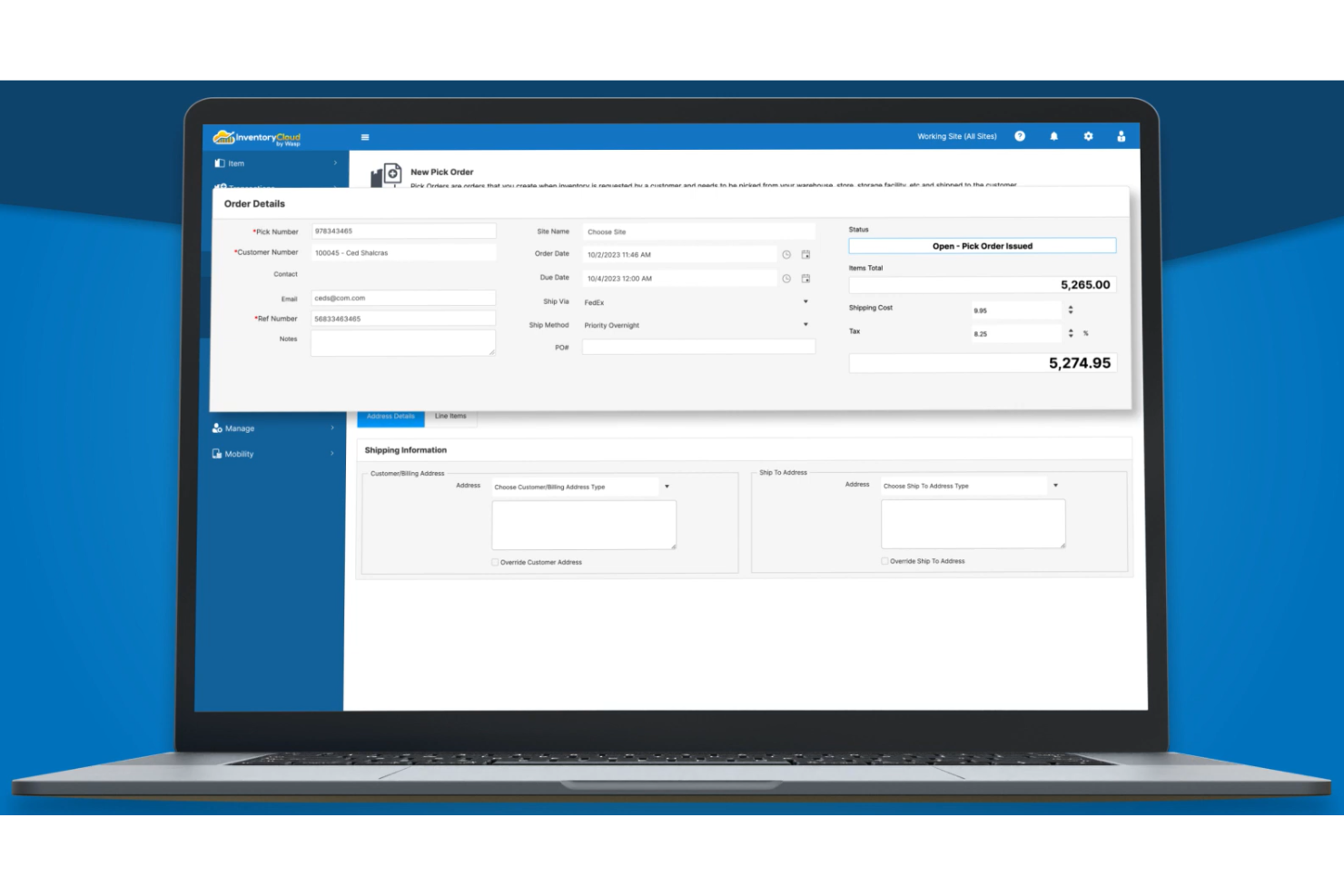
Wasp Barcode Technologies offers barcode software designed for small retail stores that need reliable inventory tracking. This tool stands out for its focus on simplifying stock management and reducing manual errors for retailers with limited resources. If you’re looking for a solution that helps you keep shelves organized and inventory counts accurate, Wasp Barcode Technologies is built for your needs.
Why I Picked Wasp Barcode Technologies
I chose Wasp Barcode Technologies because it’s purpose-built for small retail stores that need accurate inventory tracking. The software includes features like real-time barcode scanning and automated stock level updates, which help retailers avoid manual errors and out-of-stock situations. I also like that it supports batch label printing, making it easier to tag new inventory quickly. These capabilities make Wasp Barcode Technologies a strong fit for small businesses that want to keep inventory organized without adding complexity.
Wasp Barcode Technologies Key Features
Some other features that make Wasp Barcode Technologies useful for retail inventory management include:
- Custom Barcode Generation: Create barcodes in multiple formats to match your store’s labeling requirements.
- Mobile Device Compatibility: Use smartphones or tablets as barcode scanners for added flexibility on the sales floor.
- Audit Trail Reporting: Track inventory movement and changes with detailed audit logs for accountability.
- Supplier Management: Store and manage supplier information directly within the software to simplify reordering.
Wasp Barcode Technologies Integrations
Integrations include QuickBooks, Microsoft Dynamics, SAP, Great Plains, PeopleSoft, and more.
Pros and Cons
Pros:
- Includes audit trail for inventory changes
- Offers mobile device barcode scanning
- Supports batch printing of barcode labels
Cons:
- Lacks support for high-volume enterprise needs
- No cloud-based version available

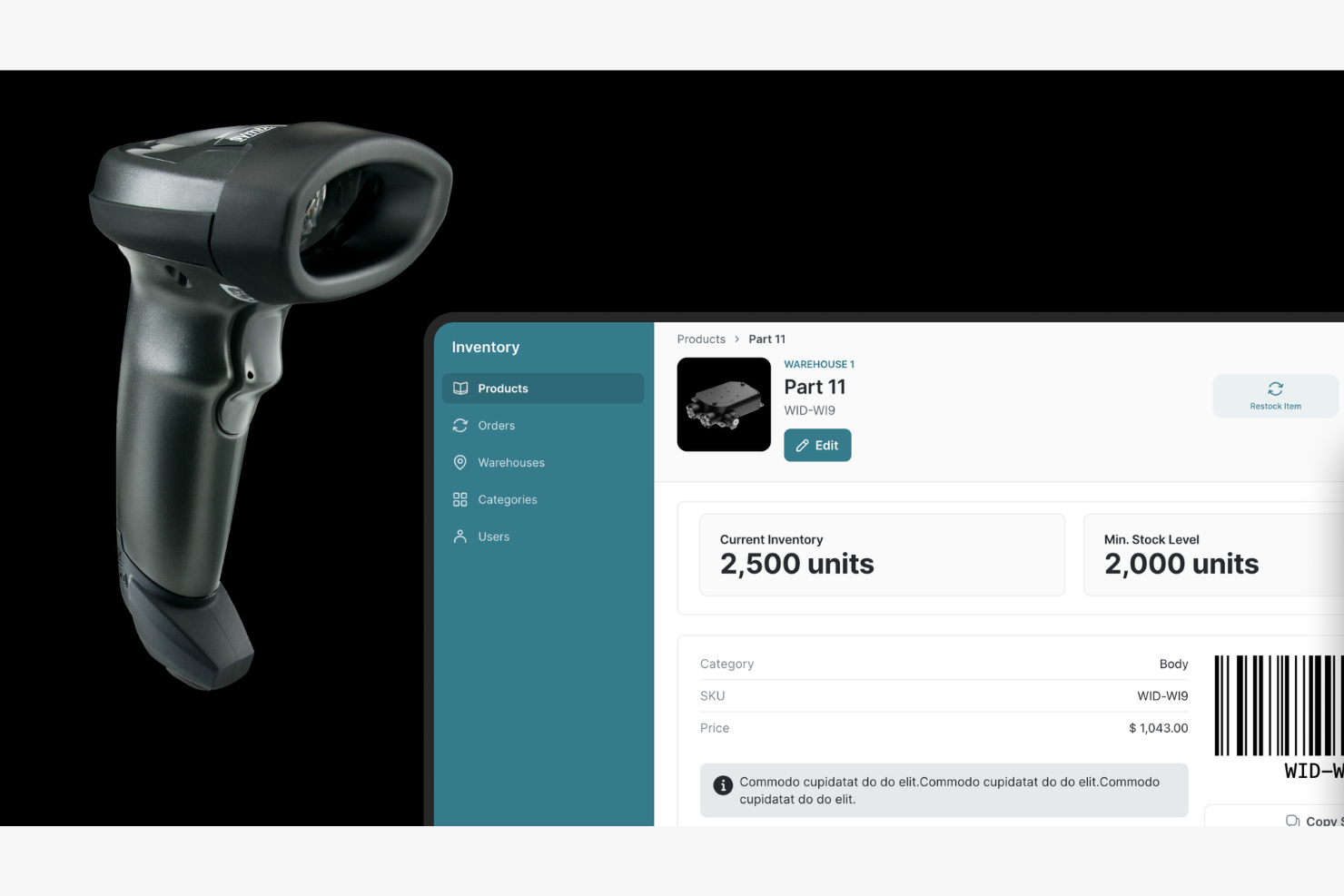
If your retail operation relies on dedicated barcode hardware, Zebra Barcode Software offers barcode software designed for smooth device integration. This solution is a strong fit for retailers who need to connect scanners, printers, and mobile computers directly with their inventory systems. Zebra Barcode Software stands out for its ability to unify hardware and software, helping you manage barcodes across multiple touchpoints in your store.
Why I Picked Zebra Barcode Software
What sets Zebra Barcode Software apart is its deep focus on hardware integration for retail environments. The software is designed to work directly with Zebra Barcode Software’s own barcode scanners, printers, and mobile computers, which helps retailers create a unified system for tracking and labeling inventory. I appreciate that Zebra Barcode Software supports device management and remote configuration, so you can control hardware settings and updates from a central dashboard. This level of integration is especially valuable for retail teams that depend on reliable, connected devices to keep inventory operations running smoothly.
Zebra Barcode Software Key Features
Some other features that make Zebra Barcode Software useful for retail teams include:
- Label Design Tools: Create and customize barcode labels with templates and drag-and-drop editing.
- Batch Printing Support: Print large volumes of barcode labels in a single job.
- Barcode Format Compatibility: Generate and read a wide range of barcode symbologies, including 1D and 2D codes.
- Data Import Capabilities: Import product and inventory data from spreadsheets or databases for quick barcode generation.
Zebra Barcode Software Integrations
Integrations include SAP, Oracle, and more.
Pros and Cons
Pros:
- Offers label design and batch printing
- Supports both 1D and 2D barcode formats
- Direct integration with Zebra barcode hardware
Cons:
- Documentation can be fragmented across product lines
- Requires Zebra hardware for full feature access
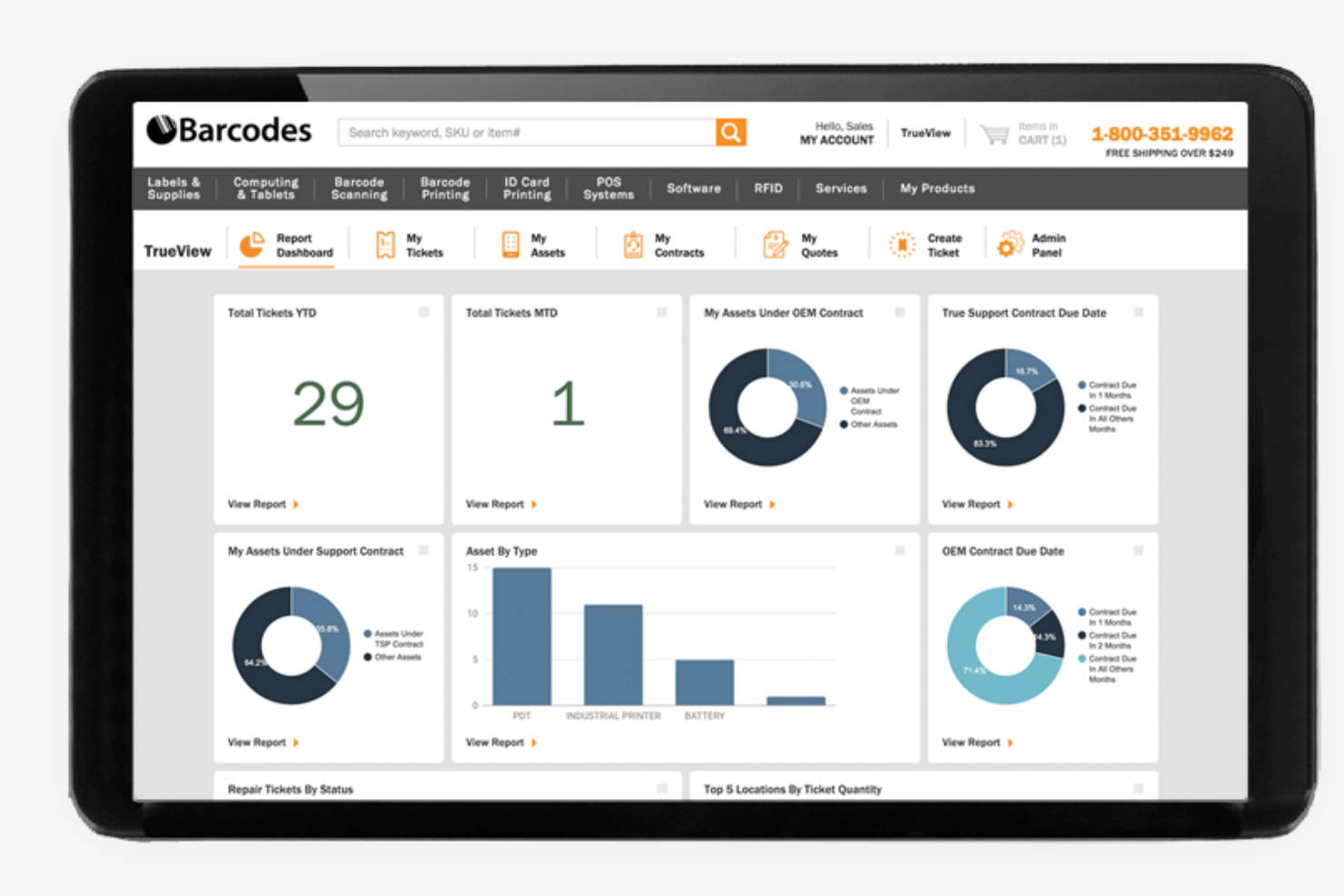
Barcodes, Inc. offers barcode software options tailored for retailers managing inventory across multiple locations. This platform is especially useful for businesses that need to coordinate stock, pricing, and labeling between several stores or warehouses. With a focus on centralized control and flexible deployment, Barcodes, Inc. helps retail teams keep inventory data consistent and accessible no matter where they operate.
Why I Picked Barcodes, Inc.
Barcodes, Inc. stands out for retailers who need to manage inventory and labeling across several locations. The platform offers barcode software that supports centralized inventory tracking, so you can monitor stock levels and product movement from a single dashboard. I like that it provides tools for batch label printing and multi-site asset management, which helps keep operations consistent between stores or warehouses. These features make Barcodes, Inc. a strong choice for retail teams looking to simplify multi-location inventory control.
Barcodes, Inc. Key Features
Some other features that make Barcodes, Inc. barcode software appealing for retail teams include:
- Barcode Generator Tools: Create custom barcodes for products, assets, or shipments.
- Label Template Library: Access a range of pre-built label templates for different retail needs.
- Mobile Barcode Scanning Support: Use mobile devices to scan and update inventory on the go.
- Integration With Barcode Hardware: Connect directly with printers and scanners from leading brands.
Barcodes, Inc. Integrations
Native integrations are not currently listed.
Pros and Cons
Pros:
- Includes barcode generator for custom formats
- Provides mobile barcode scanning capabilities
- Compatible with major barcode printer brands
Cons:
- Some advanced features require additional purchases
- Limited information on cloud-based features
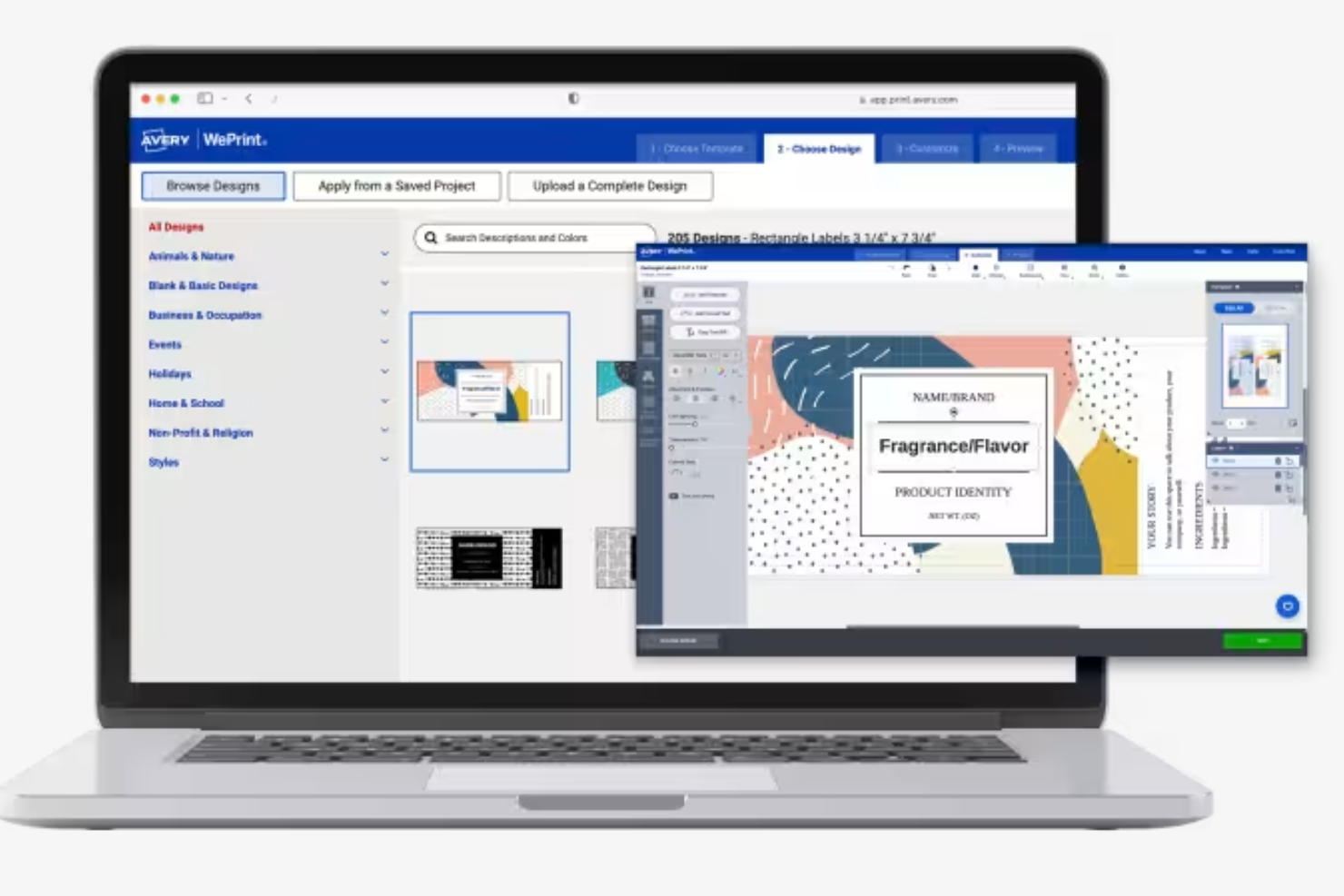
If you need to create barcode labels quickly using pre-designed templates, Avery’s barcode generator is worth a look. This tool is especially useful for retail teams, event organizers, or small businesses that want to print barcodes without complex setup or design work. Avery stands out for its extensive template library and direct compatibility with Avery label products, making it easy to go from design to print in minutes.
Why I Picked Avery
Avery’s barcode generator is a strong fit for anyone who needs to create barcode labels quickly using ready-made templates. The platform offers a large library of professionally designed label templates, so you can generate barcodes and print them without starting from scratch. I appreciate that Avery’s tool is optimized for use with its own label products, which helps ensure that your printed barcodes align perfectly with the physical labels you use. This focus on quick, template-driven label creation makes Avery especially useful for retail teams and small businesses with frequent labeling needs.
Avery Key Features
Some other features that make Avery’s barcode generator useful for retail and business users include:
- Online Barcode Generator: Create barcodes directly in your web browser without installing software.
- Support for Multiple Barcode Types: Generate a variety of barcode formats, including Code 39, Code 128, and QR codes.
- Import Data From Spreadsheets: Upload product or inventory data in bulk to generate multiple barcodes at once.
- Direct Printing to Avery Labels: Print barcodes directly onto compatible Avery label sheets for consistent results.
Avery Integrations
Native integrations are not currently listed.
Pros and Cons
Pros:
- Online barcode generator requires no installation
- Direct printing support for Avery label sheets
- Extensive library of pre-designed label templates
Cons:
- No mobile app for barcode creation
- Requires Avery products for best print results

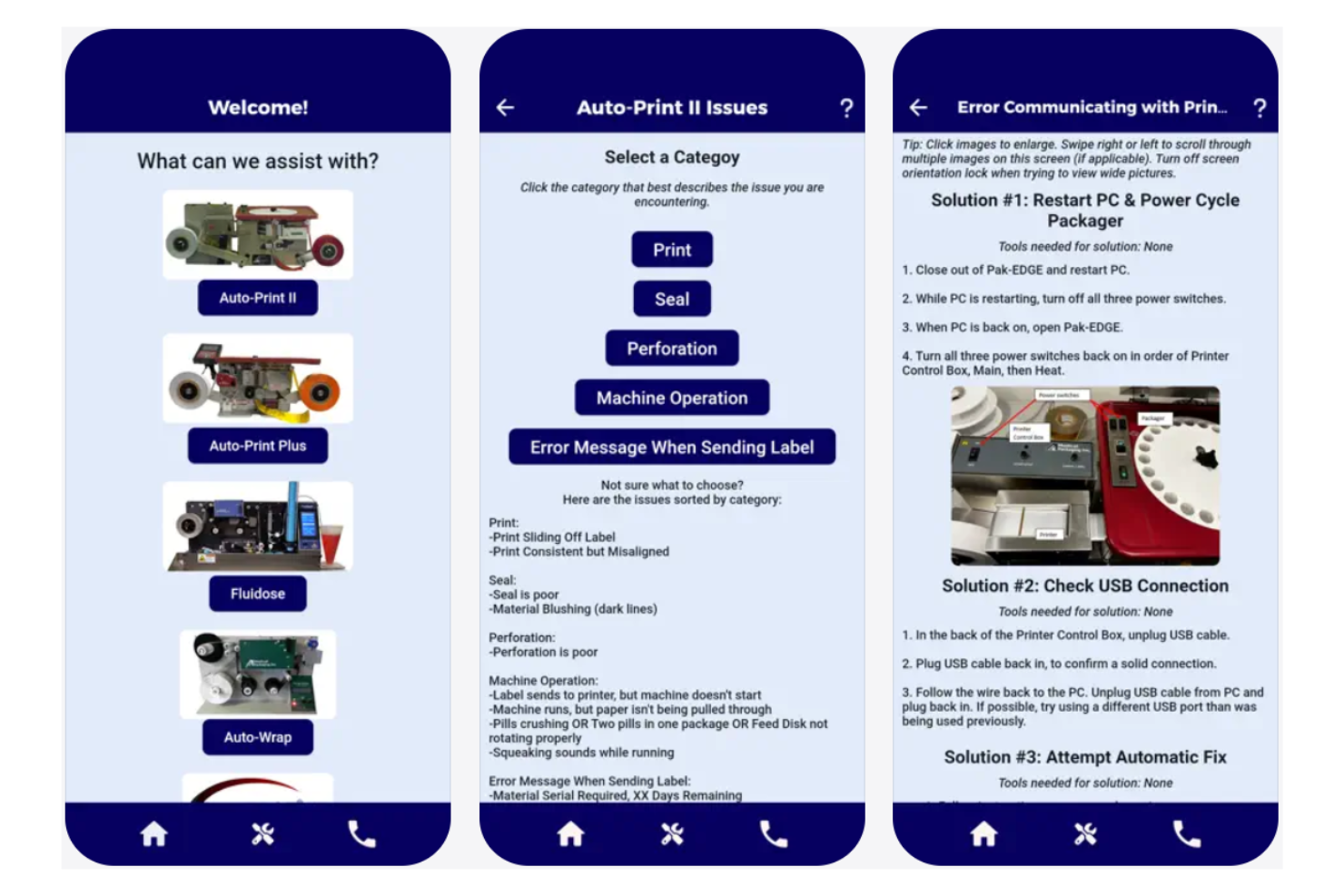
Pharmacies and healthcare providers looking to meet strict labeling regulations may find Medical Packaging Inc., LLC (MPI)’s barcode labeling software especially relevant. This solution is designed for environments where compliance, medication safety, and traceability are top priorities. Its focus on pharmacy-specific workflows and regulatory standards helps users reduce labeling errors and maintain audit-ready records.
Why I Picked Medical Packaging Inc., LLC (MPI)
When compliance is a top concern in pharmacy labeling, Medical Packaging Inc., LLC (MPI) stands out for its specialized approach. The software is built to support barcode labeling that aligns with pharmacy regulations, including medication identification and traceability requirements. I picked this tool because it offers features like customizable label formats for unit dose and multi-dose packaging, as well as audit trails that help maintain regulatory documentation. These capabilities make it a strong choice for pharmacies and healthcare facilities that need to ensure every label meets industry standards.
Medical Packaging Inc., LLC (MPI) Key Features
Some other features that make Medical Packaging Inc., LLC (MPI) useful for pharmacy and healthcare teams include:
- Automated Barcode Generation: Generate barcodes automatically for each medication package to support accurate dispensing.
- Integration With Packaging Equipment: Connect directly with compatible medical packaging machines for simplified label application.
- Support for Multiple Barcode Symbologies: Create labels using various barcode types, including linear and 2D formats.
- User Access Controls: Set permissions and roles to manage who can create, edit, or print barcode labels.
Medical Packaging Inc., LLC (MPI) Integrations
Native integrations are not currently listed.
Pros and Cons
Pros:
- Offers audit trails for regulatory documentation
- Integrates with medical packaging equipment
- Supports both linear and 2D barcode formats
Cons:
- Updates and support details are not transparent
- Limited to healthcare and pharmacy environments
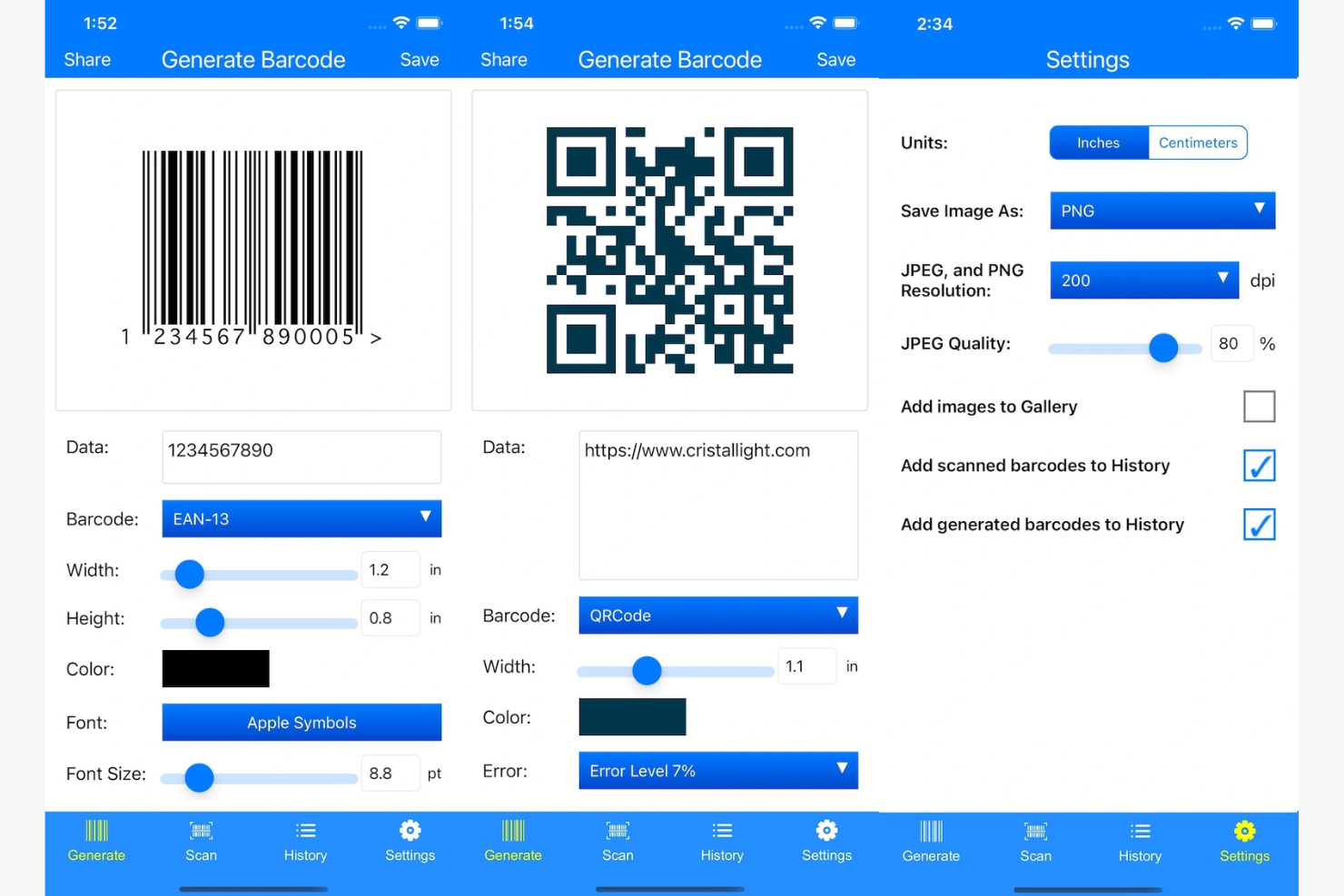
If your retail team relies on Mac devices, iBarcoder offers a barcode software solution built specifically for macOS environments. This tool is well-suited for small businesses and retailers who need to design and print custom barcodes without switching platforms. Its focus on Mac compatibility and direct label printing helps address the unique needs of Apple-based retail operations.
Why I Picked iBarcoder
For retail teams that work exclusively on Mac, iBarcoder fills a gap that many barcode software options overlook. The software is designed specifically for macOS, so you can create, edit, and print barcodes directly from your Apple devices without compatibility issues. I picked iBarcoder because it supports a wide range of barcode symbologies and offers built-in label design tools tailored for Mac workflows. This makes it a practical choice for retailers who want barcode software that fits smoothly into their existing Apple-based operations.
iBarcoder Key Features
Some other features that make iBarcoder useful for Mac-based retail teams include:
- Batch Barcode Generation: Create multiple barcodes at once from imported data files.
- Custom Text and Image Insertion: Add logos, product names, or other custom text and images to barcode labels.
- Export to Multiple File Formats: Save barcodes in formats like PDF, TIFF, EPS, and JPEG for flexible use.
- Printer Compatibility Options: Print labels using a wide range of supported printers, including label and desktop printers.
iBarcoder Integrations
Native integrations are not currently listed. iBarcoder offers an API for custom integrations.
Pros and Cons
Pros:
- Exports barcodes in multiple image formats
- Allows batch barcode creation from spreadsheets
- Built specifically for macOS environments
Cons:
- Limited support for GS1 DataBar formats
- No Windows or cloud-based version available
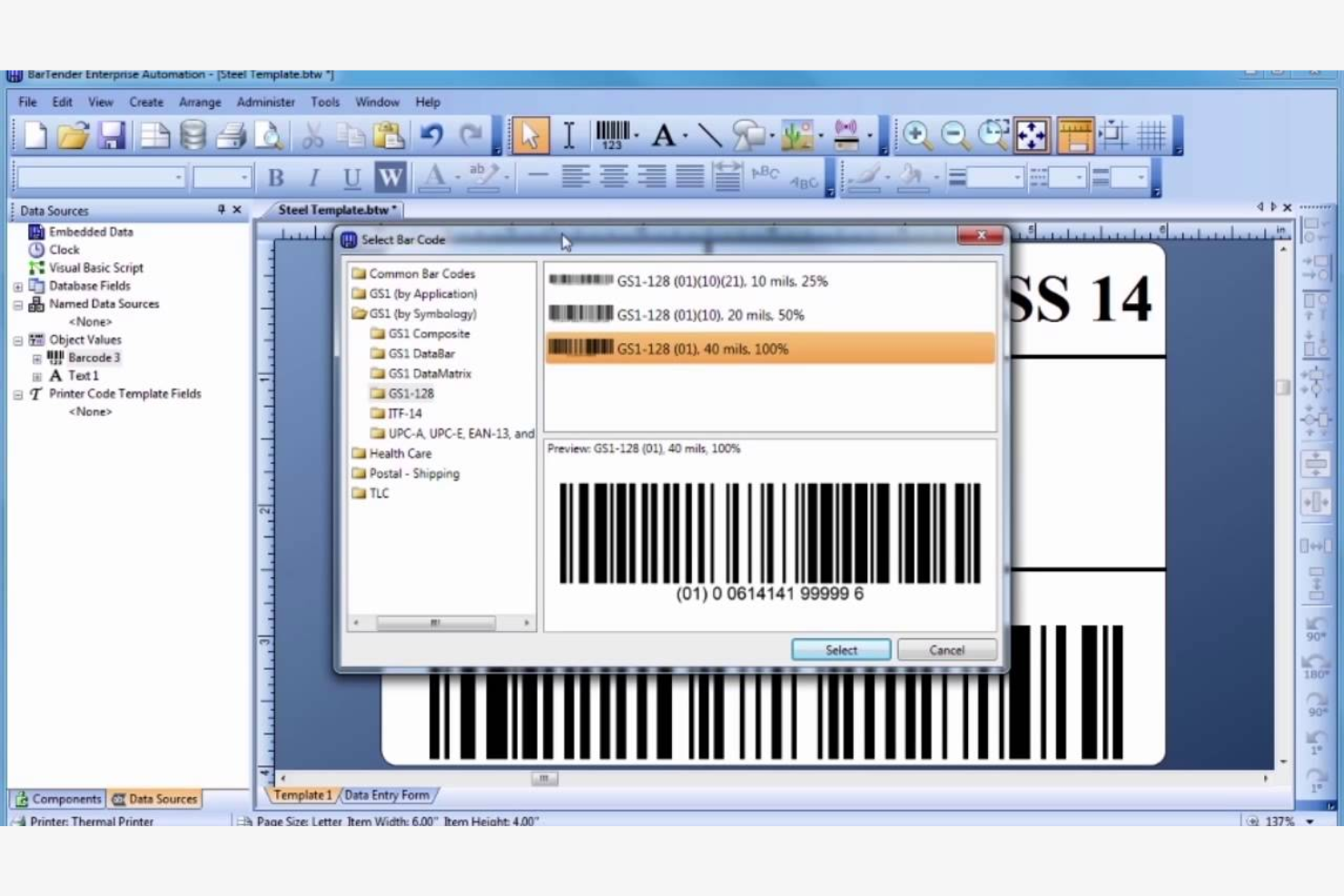
BarTender is designed for businesses that need advanced automation and control in their label printing processes. It’s a strong fit for operations teams in manufacturing, warehousing, and regulated industries that require complex workflows and integration with other business systems. With its automation features, BarTender helps you manage high-volume, multi-location label printing with precision and consistency.
Why I Picked BarTender
When advanced automation is a top priority for label printing, BarTender stands out for its ability to handle complex, high-volume environments. I picked BarTender because it offers automated print workflows and conditional printing logic, which let you set up rules and triggers for label production across multiple locations. The software also supports centralized management of templates and print jobs, so you can maintain consistency and control at scale. These features make BarTender a strong choice for businesses that need to automate and standardize their barcode and label printing processes.
BarTender Key Features
Some other features that make BarTender valuable for retail and operations teams include:
- GS1 and Industry Standard Compliance: Generate barcodes and labels that meet GS1 and other regulatory standards.
- Database Connectivity: Connect directly to databases like SQL Server, Oracle, and Excel for dynamic data-driven label printing.
- Role-Based Access Control: Set user permissions and roles to manage who can design, approve, or print labels.
- Print History and Audit Trails: Track every print job with detailed logs for traceability and compliance.
BarTender Integrations
Integrations include Oracle NetSuite, Microsoft Dynamics, and more.
Pros and Cons
Pros:
- Provides detailed print history and audit logs
- Complies with GS1 and industry standards
- Offers centralized template and print management
Cons:
- Lacks built-in mobile barcode scanning tools
- Requires Windows Server for full functionality
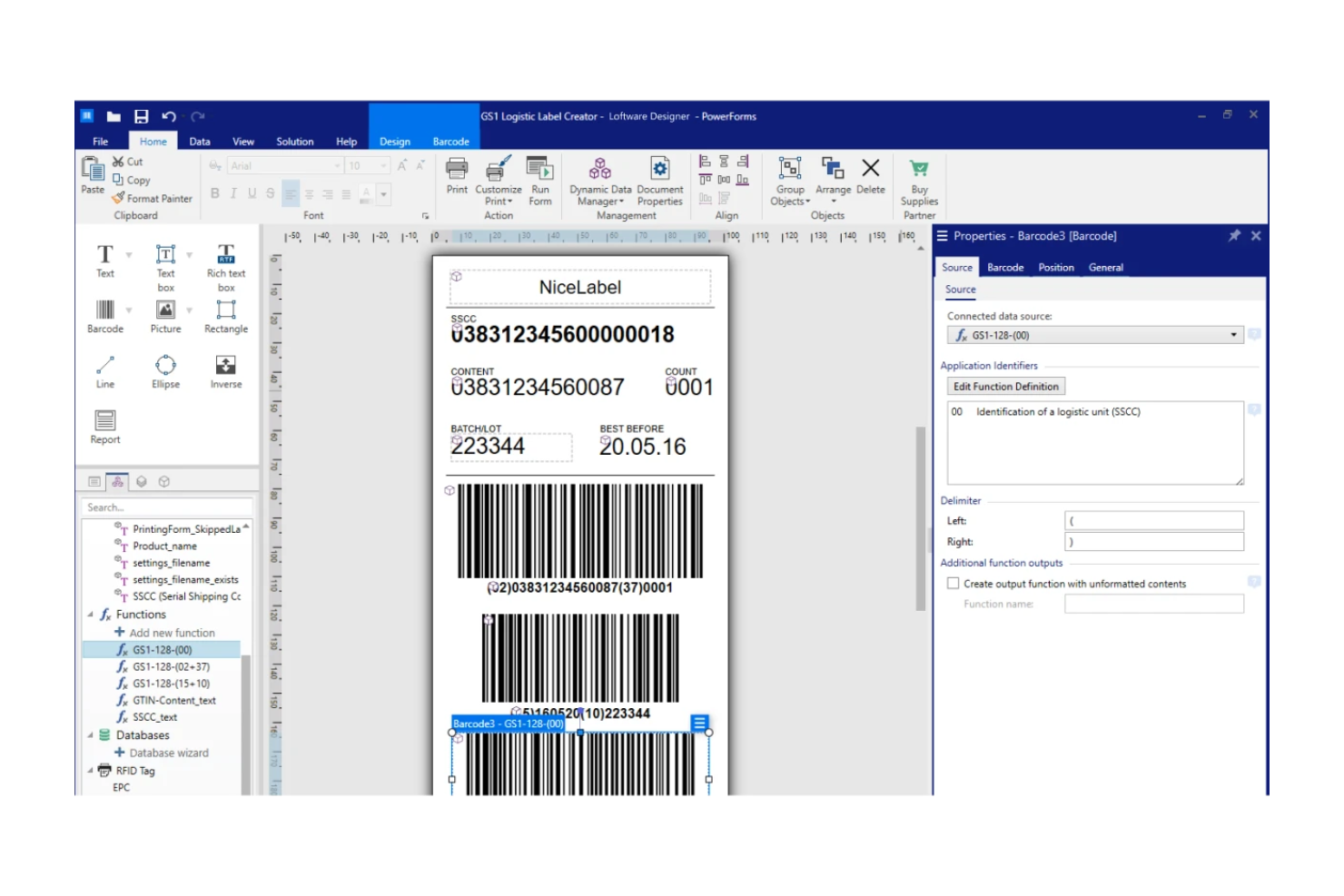
Loftware offers a browser-based platform for designing and generating barcodes and labels from anywhere. It’s especially useful for distributed teams or businesses that need to manage label creation across multiple locations without installing desktop software. With its cloud-first approach, Loftware helps you centralize label design and ensure consistency, even when your team is remote or on the move.
Why I Picked Loftware
For teams that need flexible, cloud-based label design, Loftware offers a unique solution in the barcode software space. I picked Loftware because it lets you create, edit, and print barcode labels directly from a web browser, so you don’t have to rely on local installations or specific devices. The platform also supports centralized template management, which helps maintain brand and regulatory consistency across distributed teams. These features make Loftware a strong fit for businesses with remote operations or multiple locations that need to standardize their label creation process.
Loftware Key Features
Some other features that make Loftware appealing for barcode and label management include:
- Support for Multiple Barcode Types: Generate a wide range of barcode formats, including QR codes, Data Matrix, and Code 128.
- Template Version Control: Track changes and maintain version history for all label templates.
- User Access Management: Assign roles and permissions to control who can view, edit, or print labels.
- Cloud-Based Printing: Print labels directly from the cloud to networked or local printers without needing local software.
Loftware Integrations
Integrations include Microsoft Dynamics 365, SAP, Oracle, Workday, and more.
Pros and Cons
Pros:
- Enables remote collaboration on label design
- Offers template version control for compliance
- Supports multiple barcode symbologies and formats
Cons:
- No built-in mobile barcode scanning app
- Advanced print automation features not included
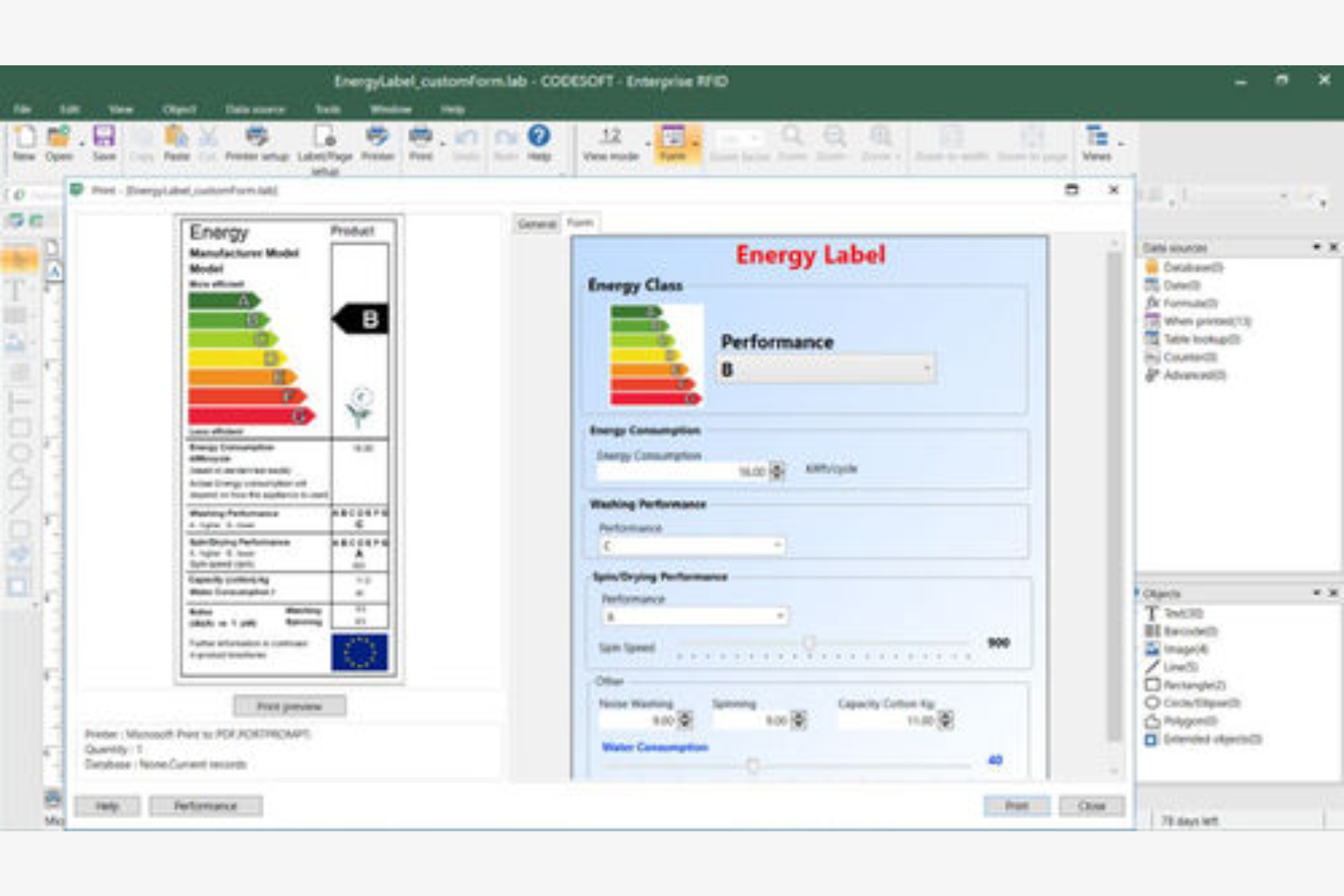
TEKLYNX CODESOFT is designed for businesses that need advanced barcode label design tightly integrated with their ERP or business systems. Manufacturers, distributors, and enterprises with complex data environments often choose CODESOFT to automate label generation and ensure data accuracy. Its deep integration capabilities help teams connect labeling workflows directly to live business data, reducing manual entry and labeling errors.
Why I Picked TEKLYNX CODESOFT
When you need barcode software that connects directly to your ERP system, TEKLYNX CODESOFT stands out for its integration depth. I picked CODESOFT because it supports direct database connections, letting you pull live data from ERP, WMS, or other business systems right into your label templates. The software also offers advanced variable data handling, so you can automate label content based on real-time business information. This makes CODESOFT a strong choice for organizations that need to reduce manual data entry and ensure labeling accuracy across complex operations.
TEKLYNX CODESOFT Key Features
Some other features that make CODESOFT valuable for barcode labeling include:
- Support for Over 100 Barcode Symbologies: Create labels using a wide range of 1D and 2D barcode formats.
- WYSIWYG Label Designer: Design labels visually with drag-and-drop tools and real-time previews.
- Multi-Language Interface: Switch the software interface between several languages to support global teams.
- GS1 Barcode Wizard: Generate GS1-compliant barcodes with step-by-step guidance.
TEKLYNX CODESOFT Integrations
Native integrations are not currently listed.
Pros and Cons
Pros:
- Includes GS1 barcode creation wizard
- Handles complex variable data for automation
- Supports direct database connections for labels
Cons:
- Limited cloud-based features for remote teams
- Requires local installation on Windows systems
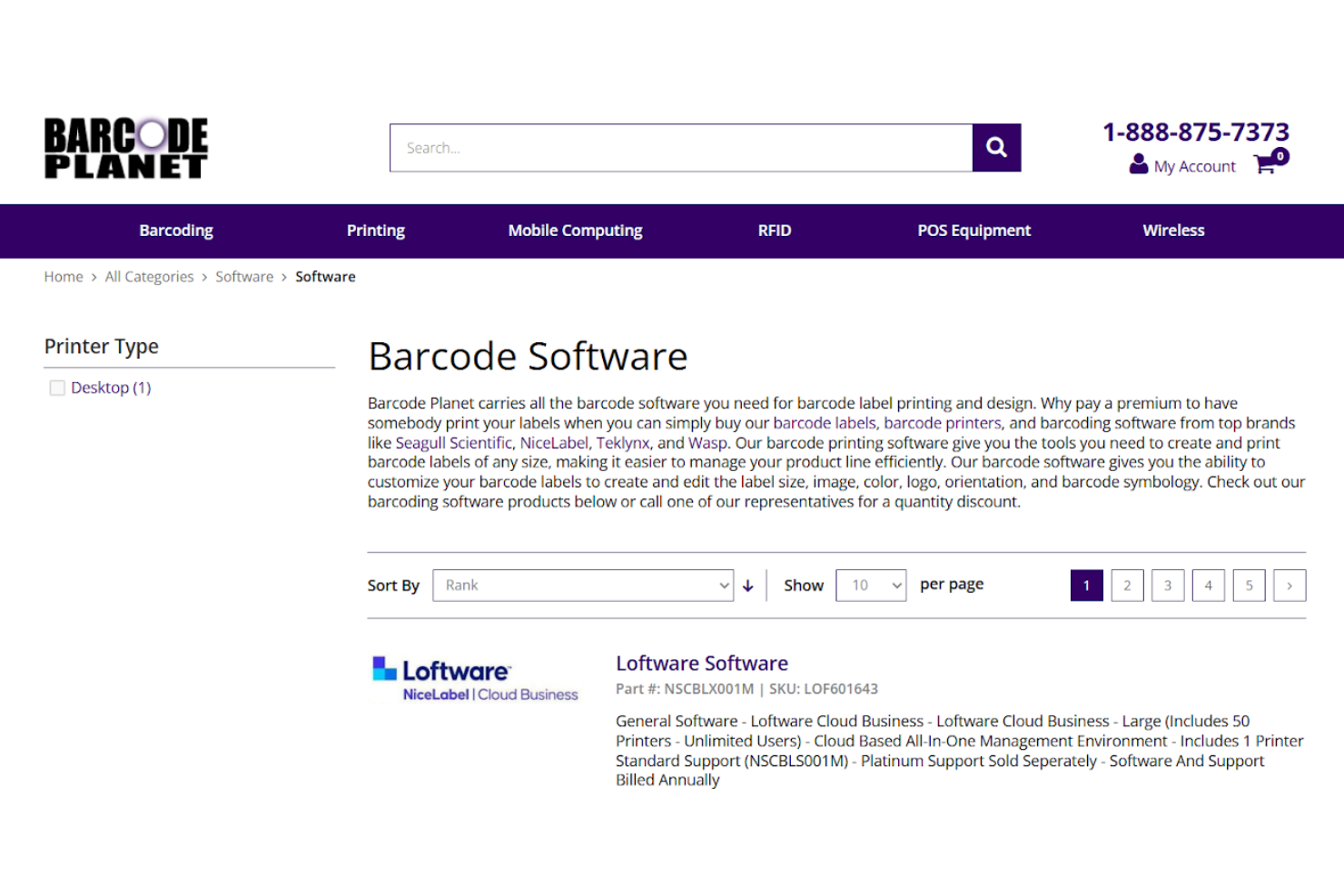
Barcode Planet offers a one-stop shop for businesses that want to source both barcode software and compatible hardware in a single place. Retailers, warehouses, and operations teams can browse a curated selection of software alongside scanners, printers, and mobile computers. This approach helps you match the right tools for your environment and streamline procurement for barcode-driven workflows.
Why I Picked Barcode Planet
Unlike most barcode software providers, Barcode Planet lets you source both the software and the hardware you need from a single site. I picked Barcode Planet because you can compare barcode software options side-by-side with compatible scanners, printers, and mobile devices. This makes it easier to ensure that your software will work smoothly with your chosen hardware. For teams setting up or upgrading barcode systems, this all-in-one approach helps reduce compatibility issues and simplifies the buying process.
Barcode Planet Key Features
Some other features that make Barcode Planet useful for barcode software buyers include:
- Product Comparison Tool: Quickly compare barcode software options side-by-side based on features and compatibility.
- Industry-Specific Software Listings: Browse software categorized for retail, warehouse, healthcare, and other industries.
- Live Chat Support: Connect with product specialists for real-time advice on software and hardware selection.
- Accessory Bundling Options: Add compatible accessories like label rolls, cables, and batteries directly to your order.
Barcode Planet Integrations
Native integrations are not currently listed.
Pros and Cons
Pros:
- Features a product comparison tool
- Provides live chat with barcode specialists
- Offers bundled software and hardware packages
Cons:
- Limited information on software support policies
- Does not develop its own barcode software
Other Barcode Software
Here are some additional barcode software options that didn’t make it onto my shortlist, but are still worth checking out:
- BarcodeTools
For custom barcode generation options
- Easy Barcode Tech
For simple batch label printing
- Sortly
For inventory tracking with visual organization
- OnBarcode
For developers needing SDK integration


Barcode Software Selection Criteria
When selecting the best barcode software to include in this list, I considered common buyer needs and pain points like generating barcode labels in bulk and ensuring compatibility with existing printers. I also used the following framework to keep my evaluation structured and fair:
Core Functionality (25% of total score)
To be considered for inclusion in this list, each solution had to fulfill these common use cases:
- Generate barcodes in multiple formats
- Print barcode labels
- Import data from spreadsheets
- Export barcode images
- Support batch processing
Additional Standout Features (25% of total score)
To help further narrow down the competition, I also looked for unique features, such as:
- Cloud-based label design and printing
- Mobile barcode scanning and printing
- Integration with inventory or POS systems
- Customizable label templates
- Automated data synchronization
Usability (10% of total score)
To get a sense of the usability of each system, I considered the following:
- Simple and intuitive interface
- Clear navigation and menu structure
- Minimal steps to print a label
- Responsive design for different devices
- Accessible help and tooltips
Onboarding (10% of total score)
To evaluate the onboarding experience for each platform, I considered the following:
- Availability of training videos
- Step-by-step setup guides
- Pre-built label templates
- Interactive product tours
- Access to onboarding webinars
Customer Support (10% of total score)
To assess each software provider’s customer support services, I considered the following:
- Live chat or phone support availability
- Email response times
- Access to a searchable knowledge base
- Community forums or user groups
- Availability of troubleshooting guides
Value For Money (10% of total score)
To evaluate the value for money of each platform, I considered the following:
- Transparent pricing information
- Flexible subscription options
- Free trial or demo availability
- Features included in base plan
- Cost compared to similar tools
Customer Reviews (10% of total score)
To get a sense of overall customer satisfaction, I considered the following when reading customer reviews:
- Consistency of positive feedback
- Reports of technical issues
- Quality of customer support
- Frequency of feature updates
- Ease of adoption and use
How to Choose Barcode Software
It’s easy to get bogged down in long feature lists and complex pricing structures. To help you stay focused as you work through your unique software selection process, here’s a checklist of factors to keep in mind:
| Factor | What to Consider |
|---|---|
| Scalability | Will the software handle your current and future label volumes? Consider seasonal spikes and business growth. |
| Integrations | Does it connect natively to your inventory, POS, or ERP systems? Check for compatibility with your existing tech stack. |
| Customizability | Can you tailor label layouts, data fields, and barcode types to your business needs? Avoid tools that lock you into rigid templates. |
| Ease of use | How quickly can staff learn and operate the system? Look for clear workflows and minimal training requirements. |
| Implementation and onboarding | What resources are needed to get started? Assess the time, technical skills, and support required for setup and migration. |
| Cost | Are pricing tiers transparent and predictable? Watch for hidden fees, per-label charges, or costly add-ons. |
| Security safeguards | How does the tool protect sensitive product and customer data? Look for encryption, user permissions, and audit trails. |
| Support availability | What support channels are offered and during what hours? Consider if you need 24/7 help or local language support. |
What Is Barcode Software?
Barcode software is a digital tool that generates, designs, and prints barcodes for labeling products, inventory, or assets. It allows you to create barcodes in various formats, customize label layouts, and manage batch printing. Many barcode software solutions also support importing data from spreadsheets and exporting barcode images for use across retail, warehouse, and logistics operations.
Features of Barcode Software
When selecting barcode software, keep an eye out for the following key features:
- Barcode generation: Create barcodes in multiple formats such as Code 39, Code 128, UPC, and QR codes to match your product or industry requirements.
- Label design tools: Customize label layouts with text, images, and branding elements, allowing you to create professional and compliant labels for different use cases.
- Batch printing: Print large quantities of barcode labels at once by importing data from spreadsheets or databases, saving time on repetitive tasks.
- Data import/export: Bring in product or inventory data from external sources and export barcode images or label files for use in other systems.
- Print preview: Review the appearance and layout of your labels before printing to catch errors and ensure accuracy.
- Template library: Access pre-built label templates for common label sizes and formats, making it easier to get started and maintain consistency.
- Multiple printer support: Print to a variety of devices, including thermal, laser, and inkjet printers, to fit your existing hardware setup.
- Barcode verification: Check that generated barcodes meet industry standards and are scannable, reducing the risk of scanning errors in your workflow.
- Custom text fields: Add product names, SKUs, prices, or other relevant information alongside barcodes on each label for better identification and tracking.
Benefits of Barcode Software
Implementing barcode software provides several benefits for your team and your business. Here are a few you can look forward to:
- Faster label creation: Generate and print barcode labels in bulk, reducing manual entry and saving time on repetitive tasks.
- Improved inventory accuracy: Use barcode scanning and batch processing to minimize errors in inventory tracking and product identification.
- Consistent label quality: Rely on template libraries and print preview features to ensure every label meets your brand and compliance standards.
- Flexible data management: Import and export product or inventory data easily, supporting smooth integration with other business systems.
- Scalability for growth: Handle increasing label volumes and adapt to new barcode formats as your business expands.
- Enhanced traceability: Add custom text fields and barcode verification to improve product tracking and reduce the risk of mislabeling.
- Hardware compatibility: Print to a wide range of printers, allowing you to use existing devices without additional investment.
Costs and Pricing of Barcode Software
Selecting barcode software requires an understanding of the various pricing models and plans available. Costs vary based on features, team size, add-ons, and more. The table below summarizes common plans, their average prices, and typical features included in barcode software solutions:
Plan Comparison Table for Barcode Software
| Plan Type | Average Price | Common Features |
|---|---|---|
| Free Plan | $0 | Basic barcode generation, limited label templates, single-user access, and basic print functionality. |
| Personal Plan | $5-$25/user/month | Multiple barcode formats, custom label design, data import/export, and basic support. |
| Business Plan | $30-$75/user/month | Batch printing, integration with inventory systems, template libraries, user management, and reporting tools. |
| Enterprise Plan | $100-$250+/month | Advanced security, custom integrations, priority support, onboarding assistance, and compliance features. |
Barcode Software FAQs
Here are some answers to common questions about barcode software:
Can barcode software integrate with my existing inventory or POS system?
Yes, many barcode software solutions offer integrations with popular inventory management and POS systems. Before choosing a tool, check for native connectors or API access to ensure smooth data flow between your barcode software and other business platforms.
Do I need special printers or hardware to use barcode software?
No, most barcode software works with standard thermal, laser, or inkjet printers. However, for high-volume or industrial use, you may want to invest in dedicated label printers for better speed and durability. Always confirm printer compatibility before purchasing.
How secure is barcode software for handling sensitive product or customer data?
Barcode software often includes security features like user permissions, data encryption, and audit trails. When evaluating options, look for tools that meet your organization’s data protection standards and offer clear documentation on how your information is stored and accessed.
Can I create custom barcode labels for different products or departments?
Yes, most barcode software allows you to design custom labels with unique layouts, text fields, and branding. You can often save templates for different product lines or departments, making it easier to maintain consistency and meet specific labeling requirements.
What support options are available if I run into issues?
Support options vary by vendor but commonly include live chat, email, phone support, and searchable knowledge bases. Some providers also offer onboarding webinars, training videos, and community forums to help you troubleshoot and get the most out of your software.