
21 Best AI E-Commerce Website Builders Reviewed in 2026

10 Best AI E-Commerce Website Builders Shortlist
Here's my pick of the 10 best software from the 21 tools reviewed.


Building an e-commerce site involves design decisions, product setup, content creation, and technical configuration. AI e-commerce website builders reduce manual work in these steps by generating layouts, producing draft content, and handling core setup tasks within a single system. These tools give teams a direct way to launch and maintain stores without relying on separate design or development processes.
In this guide, I review AI website builders that support e-commerce needs and compare how each platform handles store setup, management, and ongoing updates. The goal is to give you a clear view of which tools match your workflow and which ones simplify the areas that matter most for your store operations.
Why Trust Our Software Reviews
Best AI E-commerce Website Builders Summary
This comparison chart summarizes pricing details for my top AI e-commerce website builder selections to help you find the best one for your budget and business needs.
| Tool | Best For | Trial Info | Price | ||
|---|---|---|---|---|---|
| 1 | Best for agency-focused AI solutions | Free 14-day trial available | From $19/month (billed annually) | Website | |
| 2 | Best for small business AI tools | 3-day free trial available | From $29/month (billed annually) | Website | |
| 3 | Best for creative AI design templates | 14-day free trial | From $18/project/month (billed annually) | Website | |
| 4 | Best for AI-enhanced design flexibility | Free 14-day trial available | From $590/month (billed annually) | Website | |
| 5 | Best for AI-powered performance insights | 7-day free trial | From $10/month (billed annually) | Website | |
| 6 | Best for offline AI website building | Free trial available | From $149 | Website | |
| 7 | Best for AI-driven design customization | Free plan available | From $7/page/month (billed annually) | Website | |
| 8 | Best for AI-based site personalization | Free plan available | From $12/month (billed annually) | Website | |
| 9 | Best for AI-driven code generation | Free plan available | From $29/site/monthly (billed annually) | Website | |
| 10 | Best for free AI e-commerce tools | Free plan available | From €15/month | Website |
Best AI E-commerce Website Builder Reviews
Below are my detailed summaries of the best AI e-commerce website builders on my shortlist. My reviews look at each tool’s key features, pros & cons, integrations, and ideal use cases to help you find the best one.


Duda is a web design platform for agencies and web professionals who need to build responsive websites efficiently. It offers AI tools to automate design processes and enhance collaboration, making it a preferred choice for teams managing multiple client projects.
Why I picked Duda: Duda's structure aligns with agency workflows that require predictable output across many client sites. The platform supports teams that manage recurring production cycles and need a consistent system to reduce variation across projects. This format fits organizations that operate with defined processes and prefer centralized control over site deployment.
Standout features & integrations:
Features include a drag-and-drop editor that simplifies site creation and customization. Duda offers client management tools for communication and approvals. The platform also provides white-label solutions, enabling agencies to brand it as their own.
Integrations include Google Analytics, Facebook Pixel, Mailchimp, Zapier, PayPal, YouTube, Vimeo, Unsplash, OpenTable, and Disqus.
Pros and Cons
Pros:
- Client management features
- White-label options for agencies
- AI tools for design automation
Cons:
- Complex export process
- Limited plugin/app marketplace

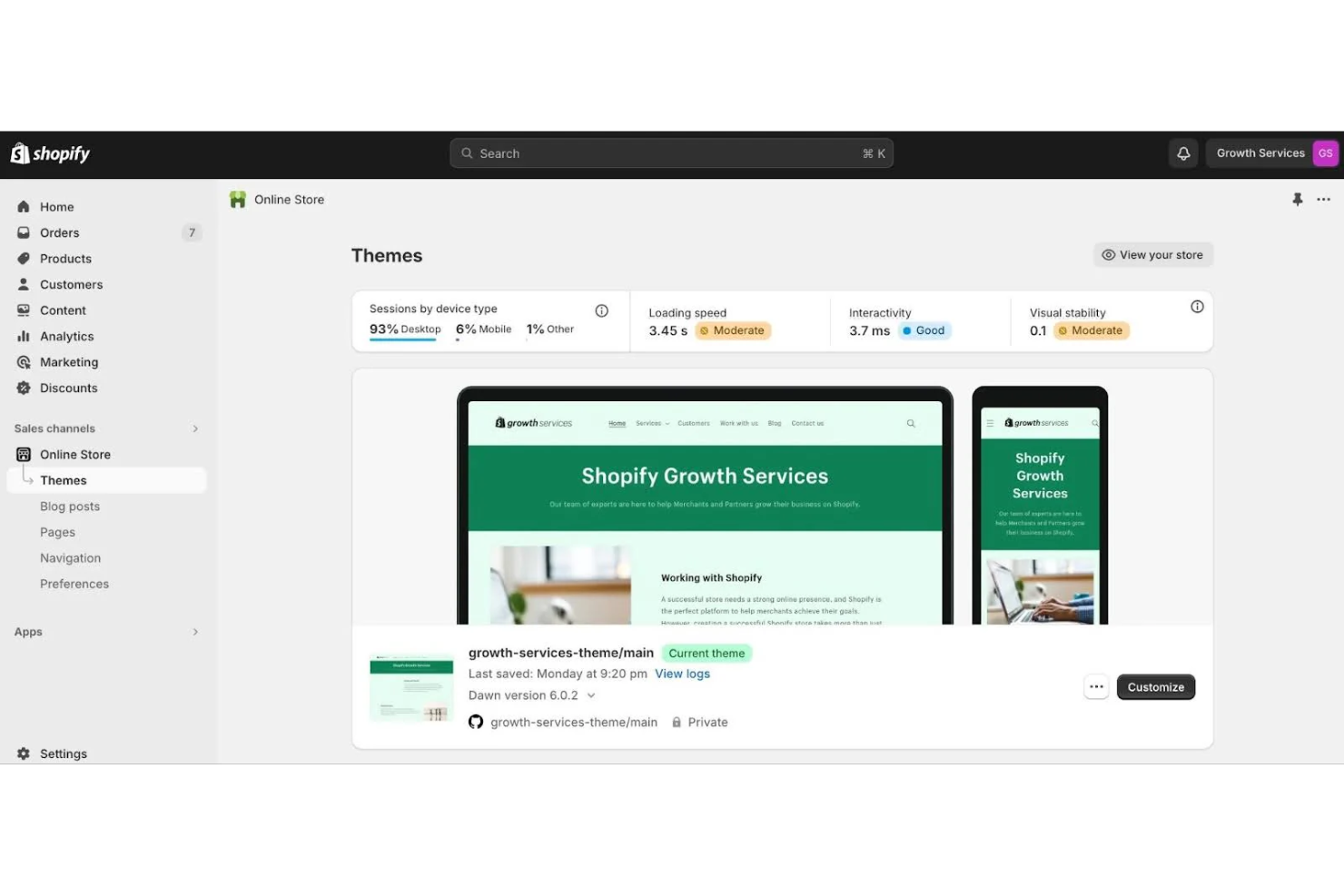
Shopify is a commerce platform for businesses to sell products both online and in person. It caters to small businesses with AI capabilities that automate tasks and provide valuable customer insights.
Why I picked Shopify: It provides small businesses with an AI-supported e-commerce foundation that helps launch and manage stores without needing technical expertise. Its AI tools reduce time spent on content creation and daily operational tasks, while its unified backend makes it easier to run online and in-person sales. For teams seeking an efficient, scalable platform, Shopify offers a practical balance of automation, usability, and flexibility.
Standout features & integrations:
Features include a mobile app for on-the-go management, Shopify Capital for financial support, and an extensive app store for customization. You can manage both online and in-person sales with its platform, and the AI tools enhance decision-making by providing actionable insights.
Integrations include Amazon, Facebook, Instagram, Google, eBay, Pinterest, Walmart, TikTok, Mailchimp, and QuickBooks.
Pros and Cons
Pros:
- Flexible pricing for small businesses
- Easy integration with sales channels
- AI tools for content generation
Cons:
- Fixed URL structure
- Restricted checkout customisation

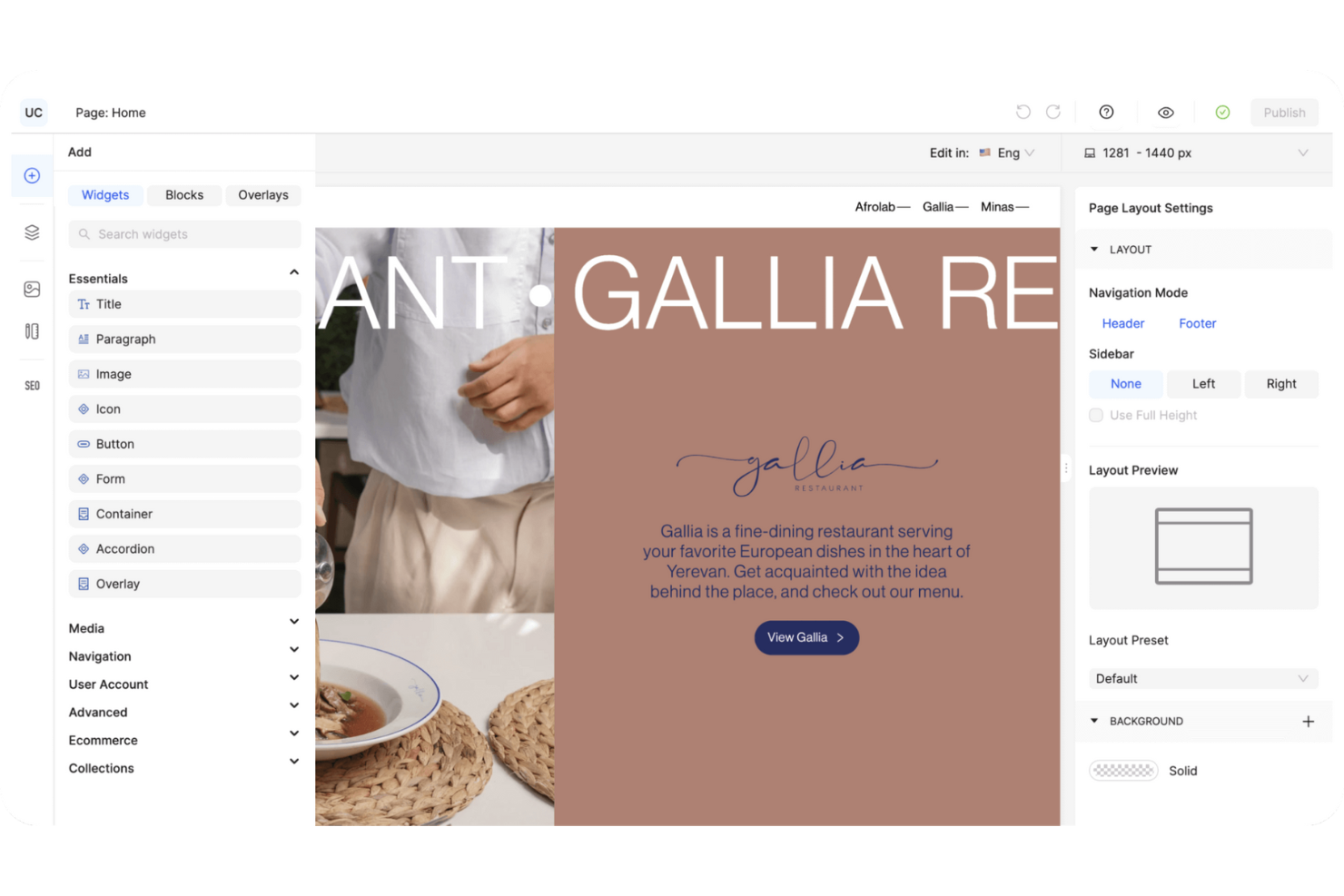
Ucraft is a no-code website builder for creating high-conversion websites and online stores. It caters to businesses looking for customizable templates and AI-assisted content creation, enhancing the creative process.
Why I picked Ucraft: It’s a straightforward way to build distinctive e-commerce sites without needing design expertise. Its AI-assisted tools speed up the creative process, and the platform’s flexible template system supports brands that want more style variety than typical website builders offer. Ucraft is helpful for teams who prioritize aesthetics, high quality, and fast setup over technical customization.
Standout features & integrations:
Features include customizable templates that cater to various industries, allowing you to tailor your site to your brand's needs. Real-time inventory management helps you keep track of stock easily. Ucraft also provides marketing and analytics tools to boost your store's performance.
Integrations include Google Analytics, Facebook, Instagram, Mailchimp, HubSpot, Zapier, PayPal, Stripe, Square, and Google Ads.
Pros and Cons
Pros:
- AI-assisted content creation
- Supports over 100 payment methods
- Customizable templates for unique designs
Cons:
- Limited built-in analytics
- Fewer deep design controls

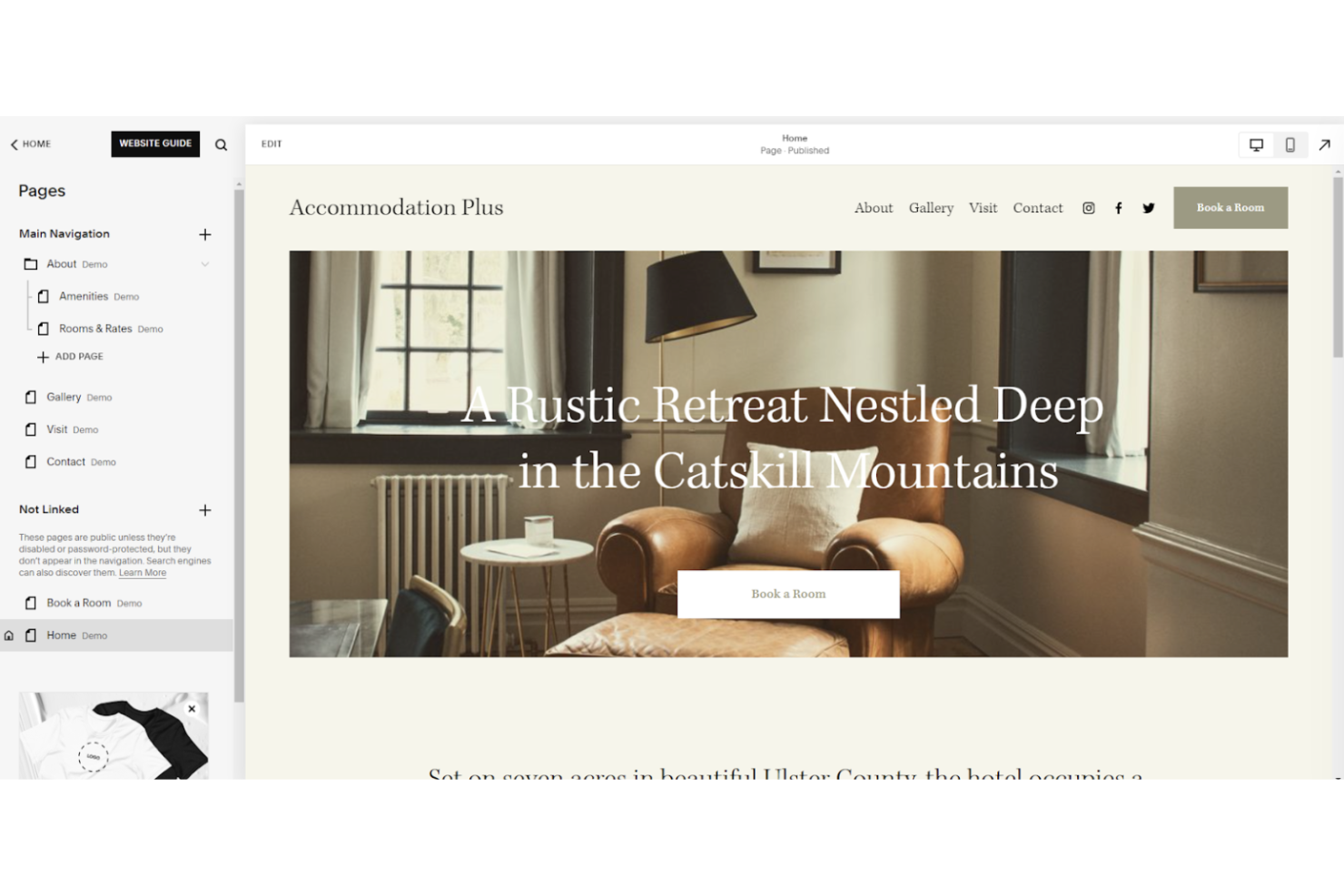
Squarespace is a website-building platform for creative professionals and small businesses looking to establish a polished online presence. It provides AI tools that enhance design flexibility, enabling users to create appealing websites with ease.
Why I picked Squarespace: Squarespace supports teams that manage brand presentation in-house and need consistent visual output across pages. The platform offers a unified workflow for e-commerce setup, content production, and site management without requiring external design systems. This approach fits stores that prioritize visual consistency and want predictable guardrails for site updates.
Standout features & integrations:
Features include a variety of templates that cater to different industries, giving you a head start on design. Squarespace provides built-in analytics to help you understand your site's performance. The platform also offers marketing tools to promote your business effectively.
Integrations include PayPal, Stripe, Google Analytics, Mailchimp, Instagram, Facebook, Twitter, Pinterest, Zapier, and Unsplash.
Pros and Cons
Pros:
- Built-in analytics for performance tracking
- Flexible template options available
- AI tools for design suggestions
Cons:
- Learning curve for advanced customization
- Limited e-commerce features
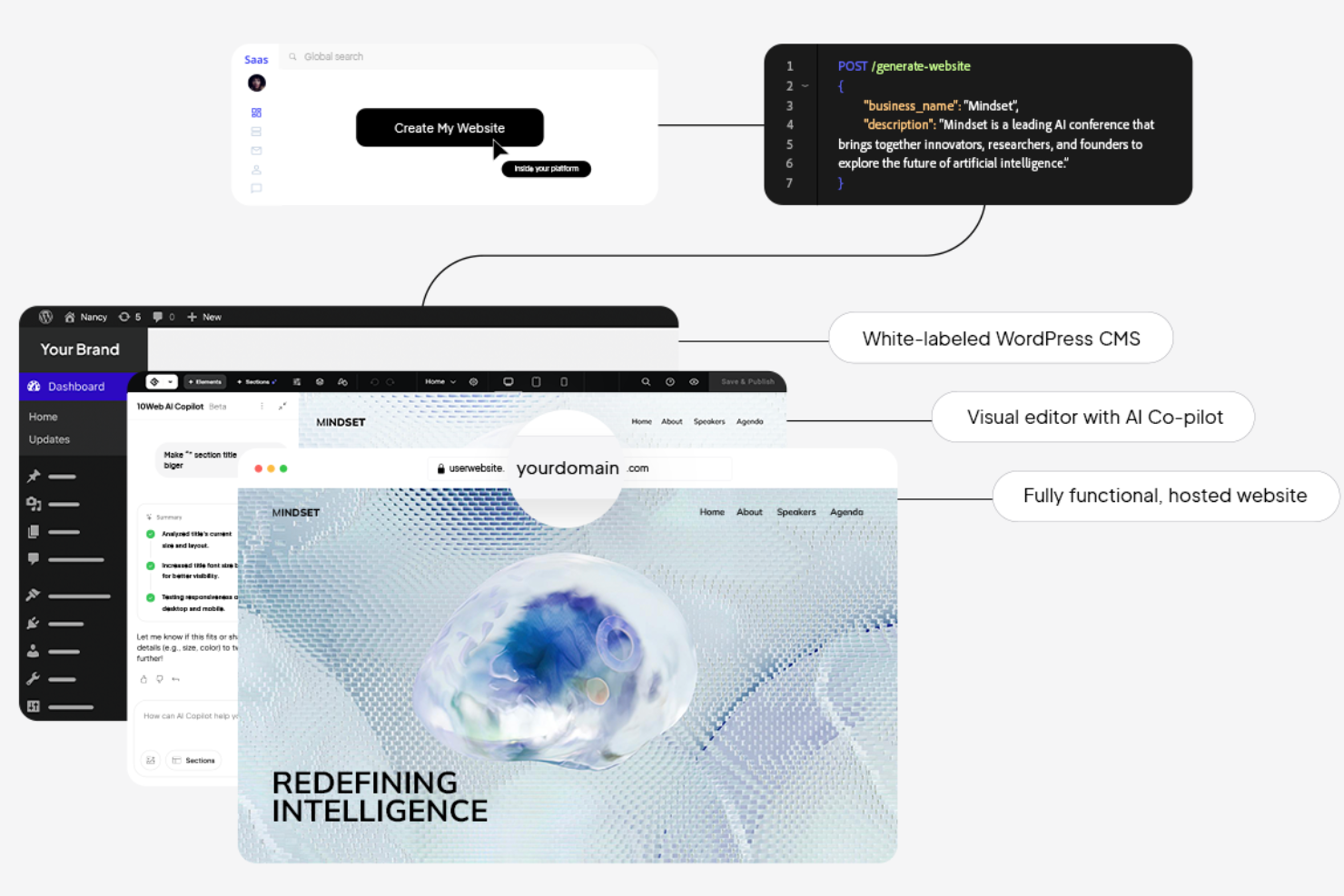
10Web is an AI-driven platform that automates website creation and management for small to medium-sized businesses. It offers AI tools that enhance site performance and provide insights to improve user experience and engagement.
Why I picked 10Web: 10Web reduces the manual oversight required for site upkeep, supporting a more predictable workflow for WordPress-based stores. The platform centralizes hosting, site creation, and optimization in a single environment, giving teams a single operational structure rather than managing separate tools. This setup suits stores that need consistent performance management without adding technical overhead.
Standout features & integrations:
Features include a drag-and-drop website builder that simplifies design. The platform offers automated WordPress hosting, ensuring your site is always up to date. 10Web also provides a page speed booster to improve page load times.
Integrations include WordPress, WooCommerce, Google Analytics, Facebook Pixel, Mailchimp, Stripe, PayPal, Slack, Zapier, and HubSpot.
Pros and Cons
Pros:
- Automated WordPress hosting
- Page speed optimization tools
- AI-driven performance recommendations
Cons:
- Requires technical knowledge
- WordPress-only hosting dependency

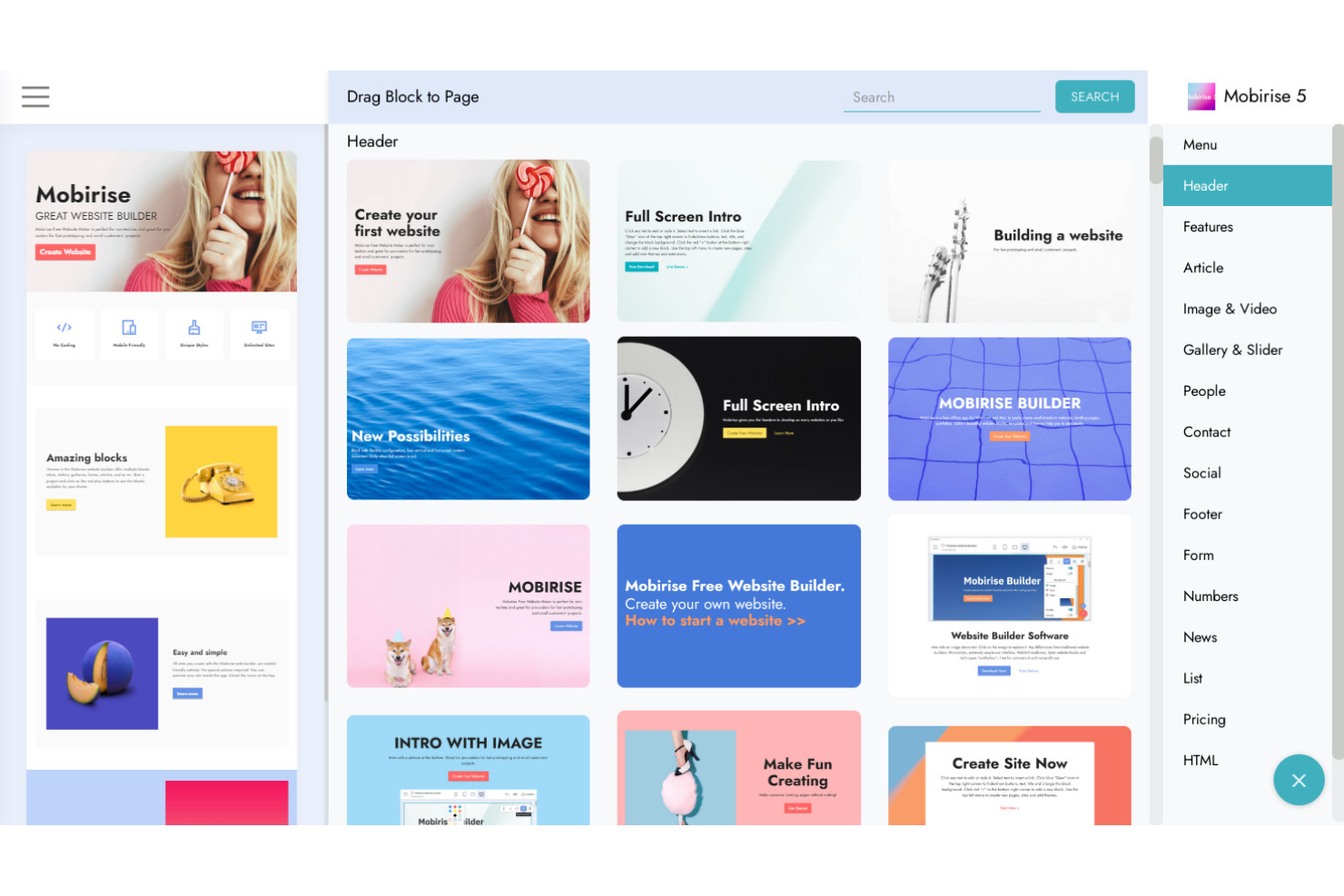
Mobirise is a website builder for users who prefer to build and manage their sites offline. It targets small businesses and individuals looking for an easy-to-use platform with AI features that simplify web design and management.
Why I picked Mobirise: Mobirise’s offline structure fits teams that maintain websites in controlled environments where browser-based builders are not preferred. The platform allows users to manage site files, aligning with workflows that rely on local editing and external hosting. This format suits e-commerce stores that follow strict deployment rules or keep production assets outside cloud systems.
Standout features & integrations:
Features include a drag-and-drop editor that simplifies the design process, allowing you to customize your site with ease. Mobirise offers a wide range of pre-designed blocks for various industries. The platform also provides free hosting, making it accessible to those on a budget.
Integrations include PayPal, Stripe, Google Maps, Twitter, YouTube, Vimeo, SoundCloud, Facebook, Instagram, and Google Analytics.
Pros and Cons
Pros:
- Wide range of pre-designed blocks
- AI-driven design suggestions
- Offline design capabilities
Cons:
- Limited online collaboration features
- Basic SEO tools only


WebWave is a website builder that offers a design-focused platform for freelancers and small businesses. It emphasizes AI-driven design customization, enabling users to create personalized websites without coding.
Why I picked WebWave: WebWave’s AI reduces the manual effort required for visual design. The platform gives users direct control over layouts without coding, enabling teams to manage site visuals rather than relying on developers. Its structure supports designers who need precise placement control, which aligns with workflows where layout accuracy matters more than preset templates.
Standout features & integrations:
Features include responsive design capabilities that ensure your site looks great on any device. WebWave provides white-label options, allowing you to brand the platform as your own. The site also offers built-in SEO tools to help improve your site's visibility.
Integrations include Google Analytics, Facebook Pixel, Mailchimp, Hotjar, HubSpot, Zapier, PayPal, Stripe, Disqus, and Google Maps.
Pros and Cons
Pros:
- Built-in SEO tools
- White-label options for branding
- Automated layout recommendations
Cons:
- Learning curve for design tools
- Limited advanced coding flexibility


Pineapple Builder is a website creation tool for small businesses and individuals looking to personalize their websites with AI-driven features. It provides tools that enhance the user experience through tailored content and design.
Why I picked Pineapple Builder: Pineapple Builder’s structure supports teams that launch sites in rapid cycles and rely on consistent page-creation patterns. The platform gives users a direct way to produce unified layouts without relying on external design tools. This approach fits stores that manage frequent updates and want predictable results across each new page.
Standout features & integrations:
Features include a drag-and-drop interface that simplifies website building. Pineapple Builder offers a range of customizable templates to suit various industries. The platform also provides analytics tools to help you understand your site's performance.
Integrations include Google Analytics, Mailchimp, PayPal, Stripe, Facebook, Instagram, Twitter, YouTube, LinkedIn, and Pinterest.
Pros and Cons
Pros:
- Analytics tools for performance insights
- Customizable templates for unique designs
- AI-driven personalization features
Cons:
- Limited template selection
- Limited layout flexibility

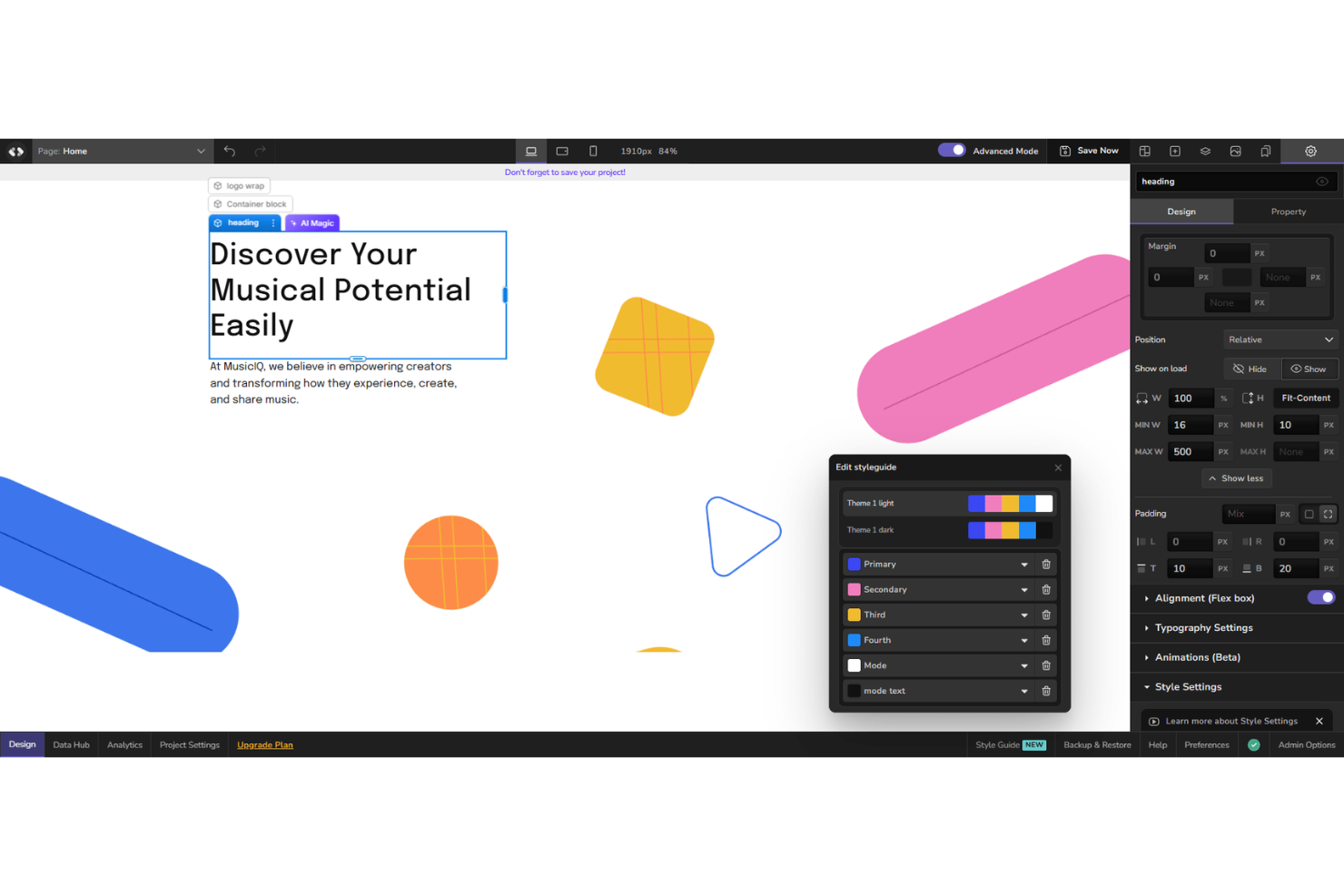
CodeDesign.ai is a platform for developers and businesses that need to automate coding. It serves tech-savvy users looking to improve efficiency with AI-driven code-generation and optimization tools.
Why I picked CodeDesign.ai: CodeDesign.ai supports teams with constrained development resources and a direct way to produce site structures without coding. The platform aligns with workflows that prioritize speed in initial deployment and consistent format across pages. This setup fits stores that build and revise pages in short cycles and require predictable results each time.
Standout features & integrations:
Features include an intuitive interface that simplifies code management and editing. The platform provides automated testing tools to ensure code quality. CodeDesign.ai also offers real-time collaboration, enabling teams to work together.
Integrations include Google Analytics, Facebook Pixel, Mailchimp, Stripe, PayPal, HubSpot, Zapier, Google Tag Manager, and other marketing and data tools.
Pros and Cons
Pros:
- Real-time collaboration capabilities
- Automated testing tools for quality assurance
- AI-driven code generation features
Cons:
- Limited support for non-developers
- Requires technical knowledge to use effectively

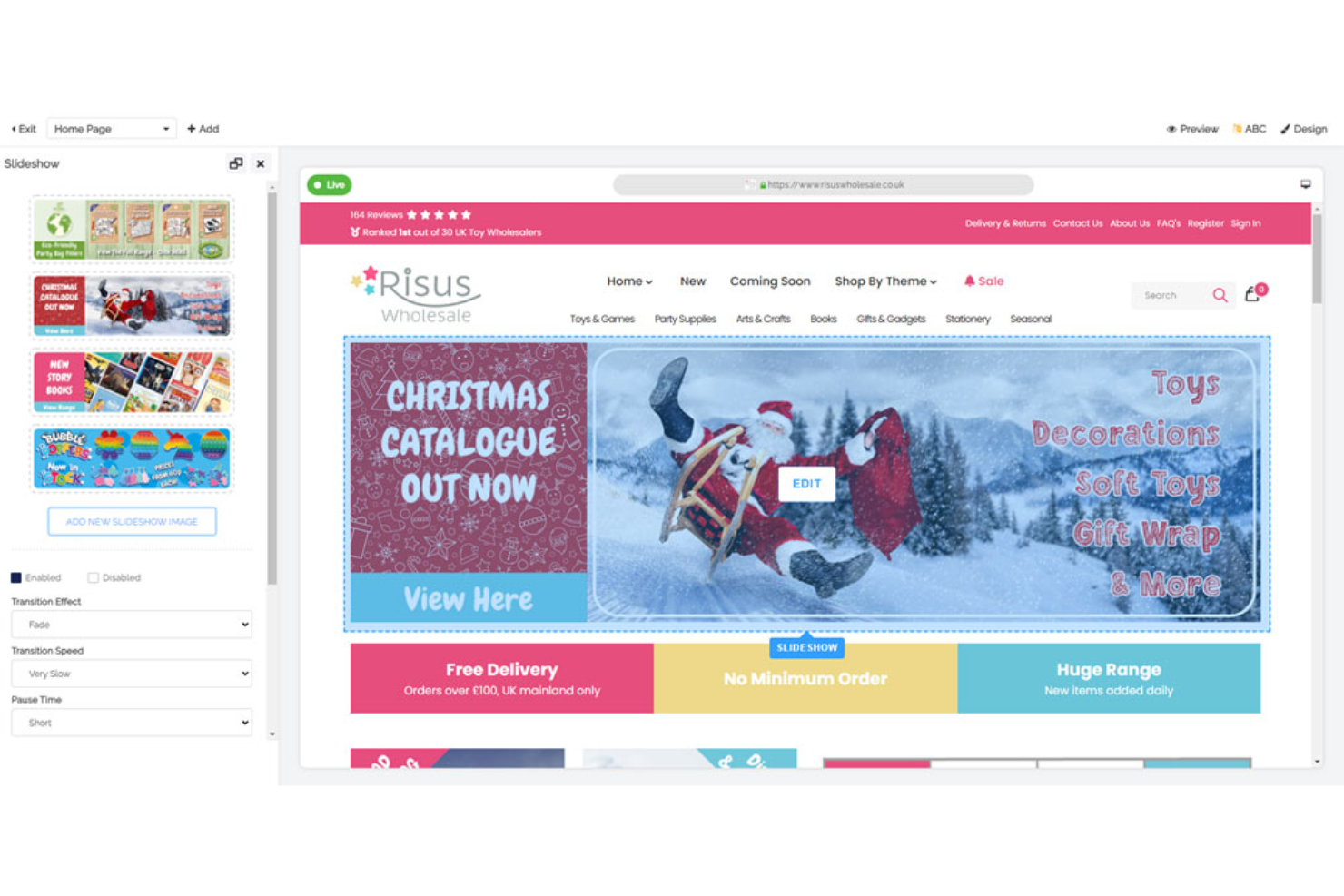
Freewebstore is an e-commerce platform for small businesses and entrepreneurs looking to establish an online presence without upfront costs. It offers AI tools to automate store management and enhance the customer shopping experience.
Why I picked Freewebstore: Freewebstore removes the cost barrier for teams that need a storefront but do not want to commit to subscription fees. The platform gives users a direct way to set up a functional store without relying on external tools or hosting arrangements. This model supports early-stage sellers who want to test product demand before investing in a larger e-commerce stack.
Standout features & integrations:
Features include a responsive design that ensures your store looks good on any device. Freewebstore offers customizable templates that let you align your store with your brand. The platform also provides built-in SEO tools to improve your site's visibility.
Integrations include PayPal, Stripe, Google Analytics, Mailchimp, Facebook, Instagram, Twitter, YouTube, Pinterest, and eBay.
Pros and Cons
Pros:
- Automated product suggestions
- Easy setup and customization
- Free AI tools for store management
Cons:
- Customization options can be restrictive
- Limited advanced features
Other AI E-commerce Website Builders
Here are some additional AI e-commerce website builder options that didn’t make it onto my shortlist, but are still worth checking out:
- Wix
For user-friendly AI setup
- Hostinger
For affordable AI features
- Dorik
For simple landing page creation
- GoDaddy
For domain name integration
- Network Solutions
For secure e-commerce hosting
- AI Store Builder
For fast AI site creation
- PagePilot
For AI-enhanced marketing tools
- Tooltester
For AI feature reviews
- BuildYourStore.ai
For AI-driven store setup
- Tech.co
For AI builder comparisons
- Instant
For quick site deployment


AI E-commerce Website Builder Selection Criteria
When selecting the best AI e-commerce website builder for this list, I considered common buyer needs and pain points, such as ease of use and AI-driven customization. I also used the following framework to keep my evaluation structured and fair:
Core Functionality (25% of total score)
To be considered for inclusion in this list, each solution had to fulfill these common use cases:
- Create and customize online stores
- Manage product inventory
- Process payments securely
- Offer customer support tools
- Provide analytics and reporting
Additional Standout Features (25% of total score)
To help further narrow down the competition, I also looked for unique features, such as:
- AI-driven product recommendations
- Automated SEO optimization
- Multi-language support
- Integration with social media platforms
- Advanced data analytics
Usability (10% of total score)
To get a sense of the usability of each system, I considered the following:
- Intuitive user interface
- Drag-and-drop functionality
- Mobile responsiveness
- Customization flexibility
- Speed of page loading
Onboarding (10% of total score)
To evaluate the onboarding experience for each platform, I considered the following:
- Availability of training videos
- Access to interactive product tours
- Comprehensive onboarding templates
- Responsive chatbots for assistance
- Webinars for in-depth learning
Customer Support (10% of total score)
To assess each software provider’s customer support services, I considered the following:
- 24/7 support availability
- Multiple support channels
- Response time to inquiries
- Availability of a knowledge base
- Quality of support documentation
Value For Money (10% of total score)
To evaluate the value for money of each platform, I considered the following:
- Competitive pricing structure
- Features included in base plans
- Availability of free trials or demos
- Flexibility in pricing plans
- Discounts for annual subscriptions
Customer Reviews (10% of total score)
To get a sense of overall customer satisfaction, I considered the following when reading customer reviews:
- Overall satisfaction ratings
- Frequency of positive feedback
- Commonly mentioned drawbacks
- Feedback on customer support
- User recommendations for improvements
How to Choose an AI E-Commerce Website Builder
It’s easy to get bogged down in long feature lists and complex pricing structures. To help you stay focused as you work through your unique software selection process, here’s a checklist of factors to keep in mind:
| Factor | What to Consider |
|---|---|
| Scalability | Will the tool grow with your business? Consider if it can handle increased traffic and a larger product catalog as your store expands. |
| Integrations | Does it connect with your existing systems? Check for compatibility with your CRM, payment gateways, and marketing tools to ensure seamless operations. |
| Customizability | Can you tailor it to your brand? Look for flexible design options that allow you to create a unique online store that reflects your brand identity. |
| Ease of use | Is it user-friendly for your team? Consider the learning curve and whether your team can navigate and manage the platform without extensive training. |
| Implementation and onboarding | How quickly can you get started? Evaluate the resources required for setup and the availability of onboarding support to ensure a smooth transition. |
| Cost | Does it fit your budget? Compare pricing plans and consider any hidden fees or long-term contracts that could impact your financial planning. |
| Security safeguards | Are your transactions secure? Ensure the platform offers robust security features like SSL certificates and compliance with data protection regulations to protect your customers' information. |
| Support availability | Is help available when needed? Check for 24/7 support options and the quality of customer service to ensure you're covered in case of any issues or questions. |
What Is an AI E-Commerce Website Builder?
An AI e-commerce website builder is a tool that uses artificial intelligence to help users create and manage online stores with minimal effort. These tools are used by small business owners, entrepreneurs, and e-commerce managers seeking efficient ways to launch and maintain their online presence.
Features like automated design suggestions, AI-driven product recommendations, and inventory management help optimize store operations and enhance customer experiences. Overall, these tools provide a user-friendly way to build a professional e-commerce site that meets business needs.
Features
When selecting an AI e-commerce website builder, keep an eye out for the following key features:
- AI-driven design suggestions: Provides automatic design recommendations to help you create appealing and cohesive online stores.
- Automated product recommendations: Uses AI to suggest products to customers based on browsing behavior, increasing potential sales.
- Inventory management automation: Simplifies the process of tracking and managing stock levels, reducing manual efforts and errors.
- AI-powered SEO optimization: Enhances search engine visibility by automatically optimizing site content for better ranking.
- Personalized shopping experiences: Tailors the user experience to individual customer preferences, improving engagement and satisfaction.
- Multi-language support: Allows you to create websites in multiple languages, broadening your reach to international customers.
- Performance analytics: Provides insights into site performance and user behavior, enabling data-driven improvements.
- Drag-and-drop editor: Simplifies site customization with an easy-to-use interface, making it accessible for users without coding skills.
- Security features: Provides essential safeguards, such as SSL certificates, to protect customer data and transactions.
- Integration capabilities: Ensures compatibility with various third-party tools, enhancing the functionality of your e-commerce site.
Benefits
Implementing an AI e-commerce website builder provides several benefits for your team and your business. Here are a few you can look forward to:
- Shorter launch cycles: Teams can move from planning to a live storefront without extended development timelines.
- Consistent presentation across pages: Predefined structures reduce variation and support brand alignment as new pages are added.
- Lower operational overhead: Centralized management of hosting, updates, and publishing decreases the number of tools required for site upkeep.
- More predictable workflows: Defined processes reduce uncertainty during site edits, content updates, and product changes.
- Better support for scaling: Stores can add products, pages, and traffic capacity without reworking the underlying system.
- Stable performance standards: Built-in systems handle technical requirements that would otherwise require developer oversight.
Costs & Pricing
Selecting an AI e-commerce website builder requires an understanding of the various pricing models and plans available. Costs vary based on features, team size, add-ons, and more. The table below summarizes common plans, their average prices, and typical features included in AI e-commerce website builder solutions:
Plan Comparison Table for AI E-Commerce Website Builders
| Plan Type | Average Price | Common Features |
|---|---|---|
| Free Plan | $0 | Basic store setup, limited product listings, and essential customer support. |
| Personal Plan | $10–$30/month | Custom domain support, basic AI design tools, and standard analytics. |
| Business Plan | $30–$299/month | Advanced product recommendations, enhanced SEO features, and priority customer support. |
| Enterprise Plan | Custom pricing | Full AI personalization, dedicated account management, and custom integration options. |
AI E-Commerce Website Builder FAQs
Here are some answers to common questions about the AI e-commerce website builder:
Can I integrate my existing CRM with an AI e-commerce website builder?
Yes, most AI e-commerce website builders offer integration capabilities with popular CRM systems, whether you’re using an AI site builder or a more advanced AI-powered website platform. Check the integration options available on the tool and ensure they are compatible with your current CRM. This supports e-commerce functionality by syncing customer data and automating email marketing tasks.
If integration isn’t available out of the box, consider third-party options like Zapier to create custom connections.
How do AI tools help with SEO in e-commerce platforms?
AI tools improve SEO by analyzing data and producing keyword suggestions and content adjustments through generative AI workflows. They can automate meta tags, optimize AI image assets, and provide insights into search trends. These functions maintain website design consistency and boost your e-commerce platform’s visibility. Review AI-generated suggestions and implement changes to maintain a competitive edge in search rankings.
Is it possible to customize AI-driven product recommendations?
Yes, you can customize AI-driven product recommendations based on customer behavior and your store’s product descriptions. Many platforms support rules for upselling or cross-selling, algorithmic adjustments, and targeted suggestions for specific customer segments. This type of personalization works across both AI website builder systems and more advanced AI-powered tools. Experiment with different configurations to see what aligns best with your audience.
How secure are transactions on AI e-commerce website builders?
Transactions on AI e-commerce website builders are secure, with encryption and regulatory compliance built into most platforms. Look for SSL certificates and data protection standards when choosing the best AI website builder for your store. Update your security settings and monitor activity to maintain protection if your store uses editing tools or integrated systems that move customer data between channels.
Can I use AI e-commerce website builders for international sales?
Yes, many AI e-commerce website builders support international sales with multi-currency handling, translation options, and global shipping tools. This applies whether the platform uses Wix AI, ChatGPT-driven assistants, or AI assistant features to create an AI-generated website. Verify that the platform can manage taxes, languages, and localization requirements, including fonts and other design features for different regions. This helps expand your reach while keeping your business name consistent across markets.
What’s Next:
If you're in the process of researching an AI e-commerce website builder, connect with a SoftwareSelect advisor for free recommendations.
You fill out a form and have a quick chat where they get into the specifics of your needs. Then you'll get a shortlist of software to review. They'll even support you through the entire buying process, including price negotiations.