


The type of point-of-sale (POS) system you choose shapes how your business runs day to day, from checkout speed to inventory visibility to customer experience. With so many options available, picking the wrong one can create real operational headaches.
Cloud-based and mobile POS systems have changed what's possible for retailers of all sizes. This guide breaks down each type, what it does well, and where it falls short, so you can make a confident, informed decision.
What Is a POS System?
A POS system is the hardware and software combination that processes sales transactions at the point of purchase. It handles payment processing, receipt generation, and often inventory updates in real time.
Most modern POS systems go well beyond basic checkout—they track sales data, manage customer records, and integrate with other business tools. The different types of POS systems available determine how flexible, scalable, and connected your operations can be.
7 Key Types of POS Systems
Each type of POS system brings its own strengths, from mobility and self-service to multichannel integration. Here’s what you need to know about the benefits of each POS option, its features, and where they fit best:
1. Traditional Countertop POS Systems
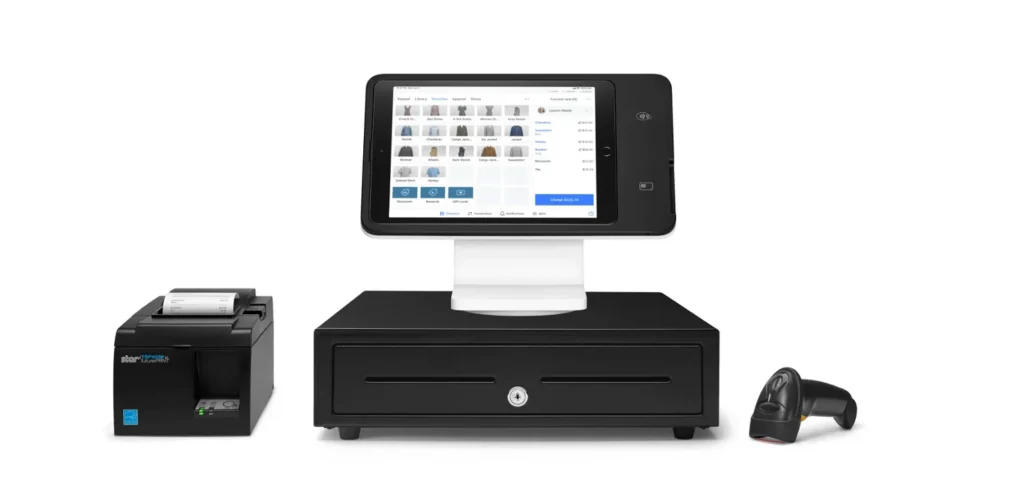
These fixed, hardware-heavy POS systems for convenience stores are also common in grocery stores, big-box retailers, and restaurants. This point-of-sale system is like a modern day cash register (and they've come a long way throughout the history of POS systems). It has a dedicated terminal, cash drawer, barcode scanner, and receipt printer all wired together at a checkout station. In my experience, they're the most reliable option for high-volume environments where speed and durability matter more than flexibility.
Benefits
The biggest advantage I've seen with traditional POS solutions is their stability—they don't rely on a tablet battery or a Wi-Fi signal to keep checkout moving. Vendors like Square and Clover offer countertop terminals with dedicated hardware that handles heavy transaction volumes without skipping a beat. You also get a more structured checkout experience, which works well when you need staff to follow a consistent process at every register.
Features
Here are the core POS system features I’ve relied on when using traditional countertop POS systems in busy retail and restaurant settings:
- Dedicated Hardware: Includes a terminal POS, cash drawer, barcode scanner, and receipt printer for fast, reliable transactions.
- Integrated Card Reader: Accepts chip, swipe, and contactless payments from credit cards and debit cards.
- Inventory Management: Tracks stock levels in real time, often syncing with back-office systems.
- Employee Management: Lets you set permissions, track hours, and monitor sales by staff member.
- Receipt Printing: Instantly prints paper receipts for every transaction.
- Secure Cash Handling: Built-in cash drawers keep money safe and organized.
- Vendor Support: Providers like Square and Clover offer ongoing hardware and software support.
Have an account? Log In
2. Mobile POS Systems
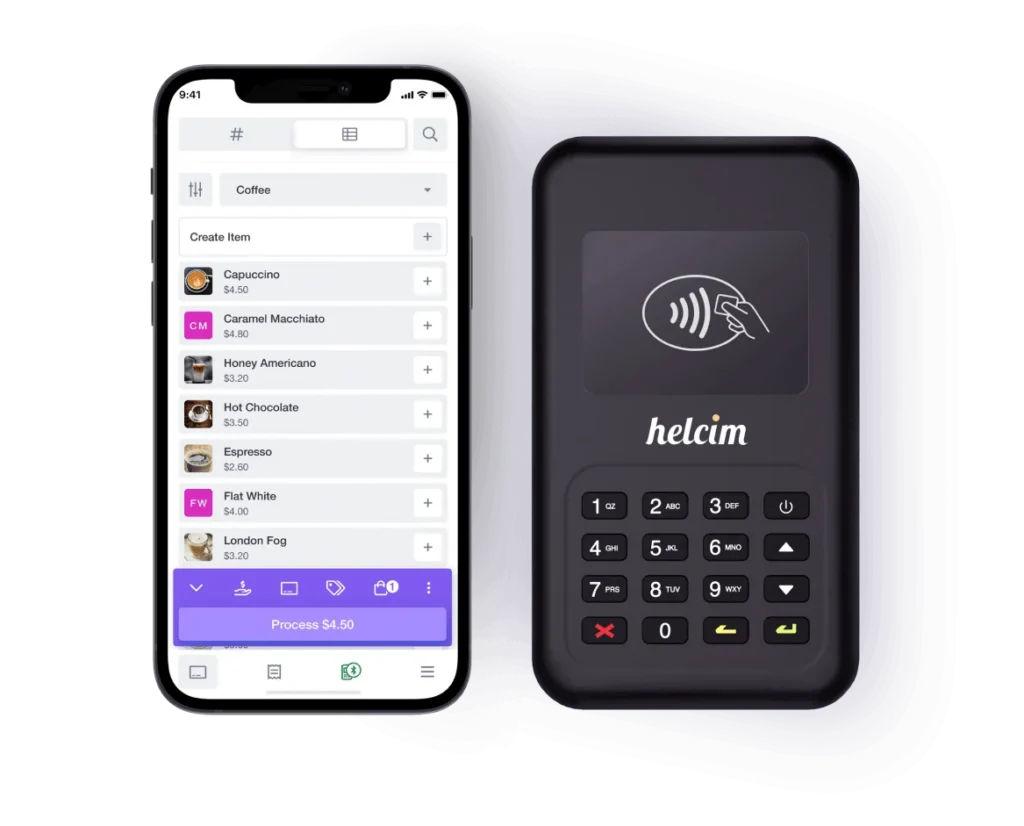
A mobile POS system runs on a smartphone or tablet, sometimes paired with a portable credit card reader (or with an app that enables credit card payments via iPhone or Android), letting you process transactions anywhere. These are great when you’re on the sales floor, at a market stall, or curbside. I've found these especially valuable for small businesses and pop-up vendors who need a low-cost, flexible setup without committing to fixed hardware.
Benefits
The freedom to take payments anywhere is the most obvious win with mobile POS systems, but the real value I've seen is in how they reduce checkout lines by bringing the register to the customer. Square and PayPal Zettle are two vendors I'd point to for mobile setups that are genuinely easy to get running with minimal upfront cost. For small teams or seasonal retail businesses, that low barrier to entry makes a real difference.
Features
Here are the features I’ve found most useful when working with mobile POS systems in retail and event settings:
- Portable Card Reader: Connects to mobile devices and tablets for on-the-go payments.
- Contactless Payments: Accepts tap-to-pay, Apple Pay, and Google Pay.
- Digital Receipts: Sends receipts via email or text, cutting down on paper.
- Inventory Lookup: Lets you check stock levels from anywhere on the floor.
- Sales Tracking: Monitors transactions and sales performance in real time.
- Quick Setup: Vendors like Square and PayPal Zettle make it easy to get started in minutes.
- Lightweight Hardware: No bulky terminals—just a phone, tablet, and compact reader.
My Top Mobile POS Picks
Here’s my list of the top 10 mobile POS systems you should check out:
3. Tablet-Based POS Systems
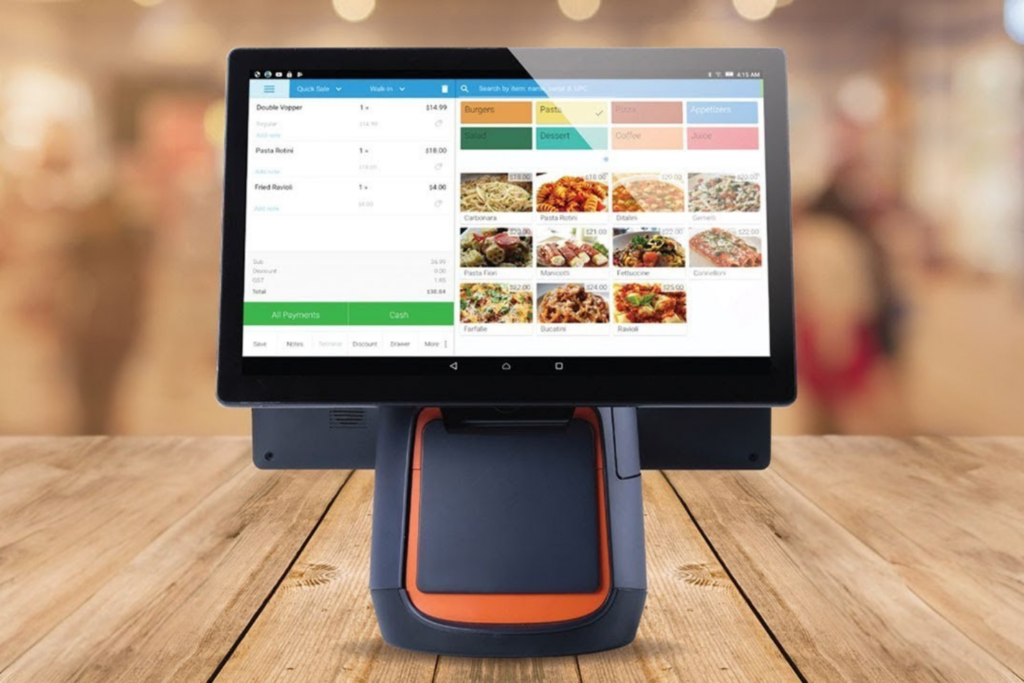
Running POS software on an iPad or Android tablet, these systems strike a balance between the portability of mobile setups and the structured experience of a countertop terminal. I think they're the sweet spot for restaurants, boutiques, and service businesses like salons that want a clean, modern checkout interface without the bulk of traditional hardware.
Benefits
What I appreciate most about tablet POS systems is how user-friendly they are—the touchscreen interface feels familiar, which cuts down on training time significantly. Vendors like Toast and Lightspeed have built tablet-based systems specifically for restaurants and retail, with interfaces that are clean and easy to navigate under pressure. You also get the flexibility to mount the tablet at a counter or carry it around, depending on what the moment calls for.
Features
Here are the features I’ve found most valuable when using tablet-based POS systems in retail and hospitality settings:
- Touchscreen Interface: Easy for staff to use, with quick access to menus and products.
- Flexible Mounting: Use the tablet on a stand at the counter or carry it to the customer.
- Integrated Payments: Accepts chip, swipe, and contactless payments through connected card readers.
- Customizable Layouts: Vendors like Toast and Lightspeed let you tailor the interface to your workflow.
- Order Management: Tracks orders, tabs, and modifiers—especially useful in restaurants and cafes.
- Cloud Syncing: Updates sales and inventory data in real time across all devices.
- Customer Engagement: Collects emails, loyalty info, and feedback right at checkout.
4. Self-Service Kiosk POS Systems
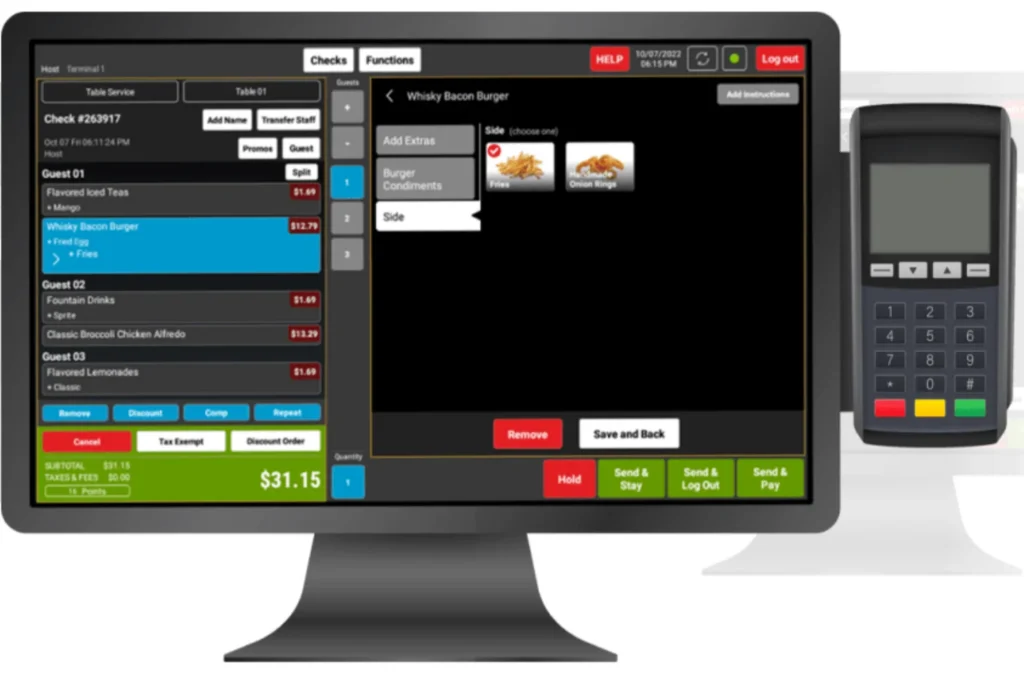
These systems put the checkout process directly in the customer's hands through a touchscreen terminal, reducing the need for dedicated cashier staff. I've seen them work particularly well in fast food, quick-service restaurants, and high-traffic retail stores where speed and order accuracy are the top priorities.
Benefits
The biggest operational win I've seen with self-service kiosk POS systems is the reduction in wait times during peak hours. Customers move through checkout faster when they're in control of the process. Order accuracy also tends to improve because customers input their own selections, which cuts down on miscommunication between staff and guests. Vendors like Toast and KORONA POS offer kiosk-ready solutions that integrate directly with kitchen display systems and inventory tracking.
Features
Here are the features I’ve found most impactful when setting up self-service kiosk POS systems in busy retail and food service environments:
- Touchscreen Ordering: Customers browse menus and place orders directly on the kiosk.
- Integrated Payments: Accepts card, contactless, and mobile wallet payments right at the terminal.
- Customizable Interface: POS providers like Toast and KORONA POS let you tailor the look and flow to match your brand.
- Upsell Prompts: Suggests add-ons or combos during the ordering process to boost average ticket size.
- Order Confirmation: Displays a summary for customers to review before submitting, which helps reduce mistakes.
- Queue Management: Prints order tickets or sends orders straight to the kitchen or prep area.
- Accessibility Options: Offers language selection and adjustable text sizes for a wider range of users.
5. Cloud-Based POS Systems
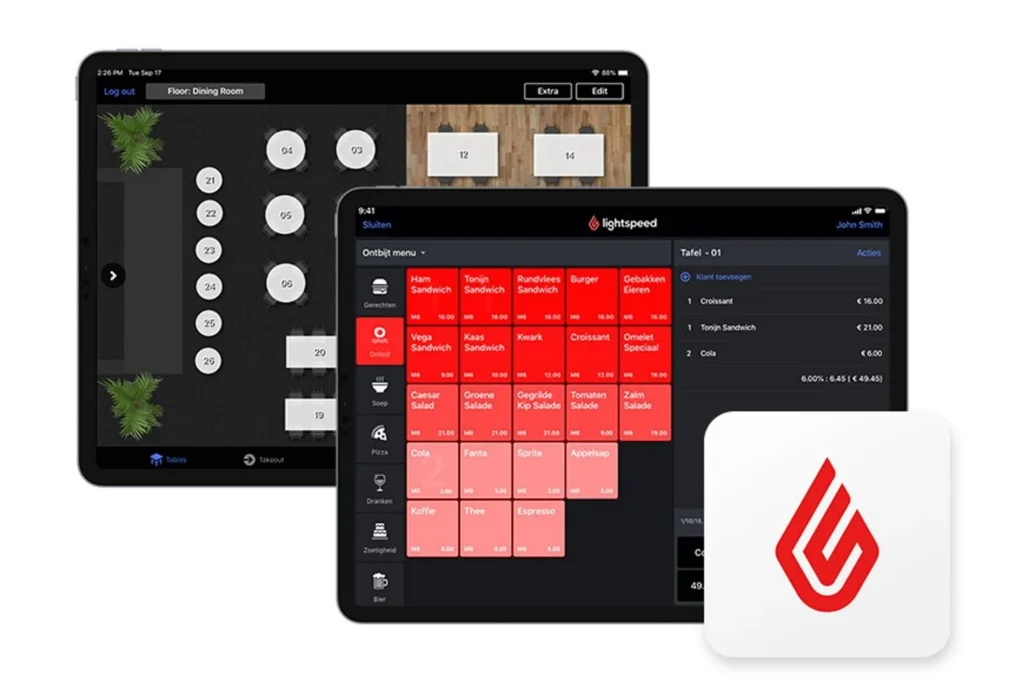
Rather than storing data locally on a single device, cloud-based POS systems process and store data on remote servers you can access from any internet-connected device. I think they're the most practical choice for multi-location retailers and growing businesses that need real-time visibility into sales, inventory, and reporting across every location from a single dashboard.
Benefits
What I find most valuable about cloud-based POS systems is the ability to access your data from anywhere. Whether you're on the floor, in the back office, or off-site entirely, you have the same access. Vendors like Shopify POS and Lightspeed are good examples of cloud-native systems that give multi-location retailers a single view of inventory, sales, and customer data across every store.
Features
Here are the features I rely on most when working with cloud-based POS systems in retail and ecommerce environments:
- Remote Access: Log in from any device with an internet connection to view sales and manage operations.
- Automatic Updates: Vendors like Shopify POS and Lightspeed push new features and security patches without downtime.
- Real-Time Inventory: Instantly syncs stock levels across all locations and online channels.
- Centralized Reporting: Consolidates sales, inventory, and customer data into a single dashboard.
- Multi-Location Support: Manage pricing, promotions, loyalty programs, and staff across several stores from one account.
- Third-Party Integrations: Connects with ecommerce platforms, accounting tools, and marketing apps.
- Data Security: Stores information off-site with encryption and regular backups for peace of mind.
My Top Cloud POS Picks
Here’s my list of the top 10 cloud-based POS systems you should check out:
6. All-in-One POS Terminals
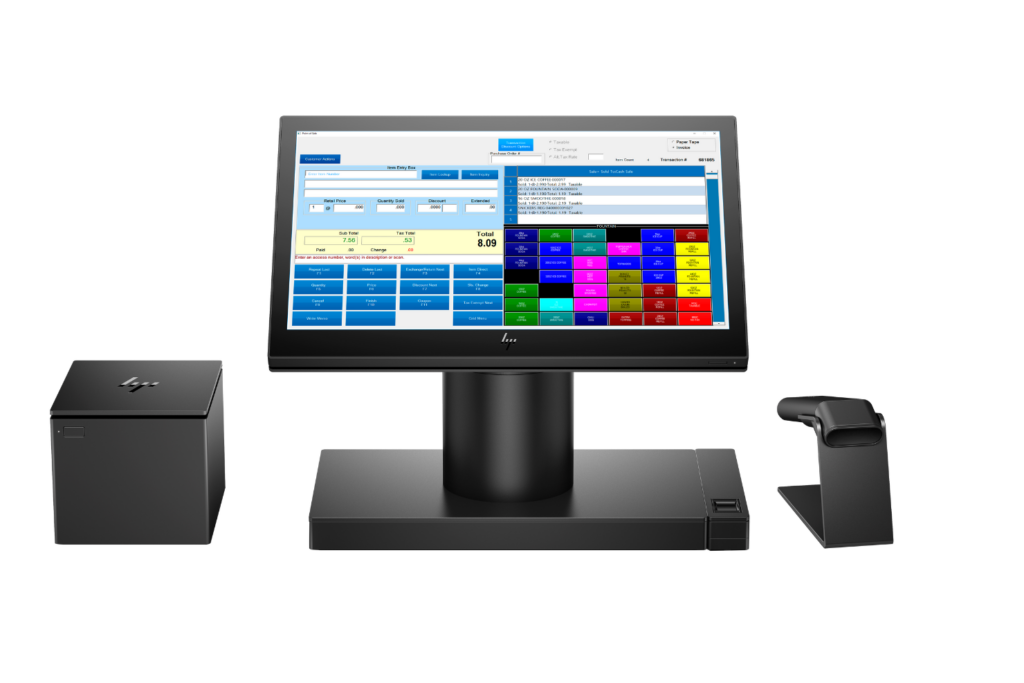
These are dedicated hardware units that combine a touchscreen display, payment processing, receipt printer, and sometimes a cash drawer into a single device. I’d say they're the best fit for brick-and-mortar retailers and restaurants that want a fixed, on-premise, reliable checkout station without the hassle of sourcing and connecting multiple separate components.
Benefits
The biggest advantage I've found with all-in-one POS terminals is how much they simplify setup. Everything you need is in a single unit, so there's far less time spent on POS hardware configuration and troubleshooting compatibility issues. They also tend to deliver a more consistent checkout experience because all components are designed to work together. Vendors like Clover and Toast offer all-in-one terminals built specifically for retail and restaurant environments, with integrated payment processing and customer-facing displays included out of the box.
Features
Here are the features I’ve found most useful when working with all-in-one POS terminals in retail and restaurant settings:
- Integrated Hardware: Combines touchscreen, payment terminal, receipt printer, and cash drawer in one device.
- Plug-and-Play Setup: Vendors like Clover and Toast make installation quick with minimal technical know-how required.
- Customer-Facing Display: Lets shoppers review purchases and complete payments directly on the terminal.
- Built-In Payment Processing: Accepts cards, contactless, and mobile wallets without extra hardware.
- Durable Design: Built to handle high-traffic environments and frequent use.
- Onboard Software: Runs POS software natively, so you don’t need a separate computer.
- Peripheral Support: Connects to barcode scanners or scales for added functionality.
My Top All-in-One POS Picks
Here’s my list of the top 10 all-in-one POS systems you should check out:
More Articles
7. Multichannel POS Systems
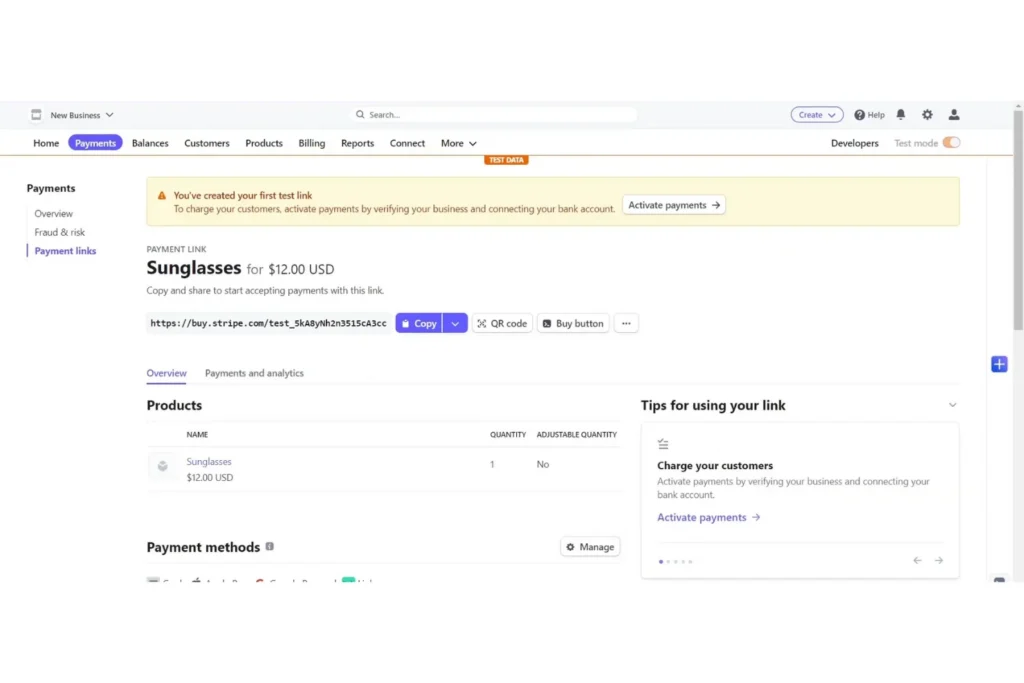
These systems connect your in-store, online, and mobile sales channels so that inventory, customer data, and order history stay in sync across every touchpoint. In my experience, they're the go-to solution for retailers who sell across multiple channels and need a single source of truth to avoid overselling, fragmented customer records, and inconsistent pricing.
Benefits
What I appreciate most about multichannel POS systems is that they eliminate the inventory discrepancies that come from managing separate systems for each sales channel. Online ordering and in-store returns are reconciled automatically and reflected everywhere (this is also one of many benefits of online ordering systems). Vendors like Shopify POS and Lightspeed handle this particularly well, giving retailers unified customer profiles, order histories, and inventory counts whether they're selling in-store, online, or through a marketplace.
Features
Here are the features I rely on most when using multichannel or omnichannel POS systems to unify retail operations:
- Unified Inventory Management: Syncs stock levels across online, in-store, and marketplace channels in real time.
- Centralized Customer Profiles: Combines purchase history and contact info from every channel into a single record for simplified customer relationship management.
- Order Routing: Lets you fulfill orders from any location or channel, including buy online, pick up in store (BOPIS).
- Consistent Pricing and Promotions: Applies discounts and loyalty rewards across all sales channels automatically.
- Integrated Reporting: Consolidates sales, returns, and performance data from every channel into one dashboard.
- Channel-Specific Settings: Vendors like Shopify POS and Lightspeed let you customize workflows and product availability by channel.
- Seamless Returns and Exchanges: Handles cross-channel returns and exchanges without manual adjustments.
My Top Omnichannel POS Picks
Here’s my list of the top 10 omnichannel POS systems you should check out:
Choosing the Right POS System for Your Business—and Your Budget
Once you know which type of POS system fits your business, understanding what you'll actually pay is the next step—get a full breakdown of POS system costs , from base pricing and hardware to the hidden fees that catch most buyers off guard.


