

Le soluzioni di pagamento B2B sono piattaforme digitali che aiutano le aziende a inviare, ricevere e gestire i pagamenti tra imprese. Se stai cercando le migliori soluzioni di pagamento B2B, probabilmente vuoi ridurre il lavoro manuale, migliorare l’accuratezza dei pagamenti e stare al passo con le esigenze del commercio moderno. Con così tante opzioni, ognuna con funzionalità diverse per l’automazione, le transazioni internazionali e l’integrazione nei flussi di lavoro, è difficile capire quale piattaforma sia più adatta alla tua azienda. Questo elenco ti aiuterà a confrontare le principali soluzioni di pagamento B2B per il 2026, così potrai prendere una decisione consapevole e mantenere le tue attività operative senza intoppi.
Perché fidarsi dei nostri consigli sui software
6,700+
Reviews
20
Industry experts
16+
Evaluation factors
14
Years
Il nostro team testa e recensisce software dal 2012. In quanto leader del retail noi stessi, sappiamo quanto sia difficile — e importante — scegliere il software giusto.
Per questa guida, abbiamo valutato gli strumenti attraverso test pratici e ricerche indipendenti, assegnando un punteggio agli strumenti in base ai nostri criteri di selezione.
Le nostre recensioni riflettono il nostro giudizio indipendente, non un discorso di vendita.
Riepilogo delle migliori soluzioni di pagamento B2B
\u003cspan style=\u0022font-weight: 400\u0022\u003eQuesto grafico di confronto riassume i dettagli dei prezzi delle mie migliori soluzioni di pagamento B2B, per aiutarti a trovare quella più adatta al tuo budget e alle esigenze della tua azienda.\u003c/span\u003e
| Tool | Best For | Trial Info | Price | ||
|---|---|---|---|---|---|
| 1 | Ideale per la riscossione dei pagamenti in entrata collegata alla contabilità clienti | Piano gratuito + demo gratuita disponibile | Prezzi su richiesta | Website | |
| 2 | Ideale per l’accettazione di pagamenti con carta a livello globale | Non disponibile | Da 2,9% + 30¢/transazione | Website | |
| 3 | Ideale per l'automazione dei pagamenti di medie aziende | Demo gratuita disponibile | Prezzo su richiesta | Website | |
| 4 | Ideale per l'automazione del ciclo passivo | Demo gratuita disponibile | Prezzo su richiesta | Website | |
| 5 | Ideale per transazioni omnicanale unificate | Non disponibile | A partire da $0,13 di commissione di elaborazione + commissione metodo di pagamento | Website | |
| 6 | Ideale per l'elaborazione di pagamenti transfrontalieri | Demo gratuita disponibile | Prezzi su richiesta | Website | |
| 7 | Ideale per l’applicazione incassi alimentata da IA | Demo gratuita disponibile | Prezzo su richiesta | Website | |
| 8 | Migliore per regolazione multivaluta | Non disponibile | Prezzi su richiesta | Website | |
| 9 | Ideale per workflow di fatturazione automatizzati | Piano gratuito + demo gratuita disponibile | Da $49/utente/mese | Website | |
| 10 | Ideale per pagamenti integrati nel procurement | Demo gratuita disponibile | Prezzo su richiesta | Website |


Recensioni delle soluzioni di pagamento B2B
\u003cspan style=\u0022font-weight: 400\u0022\u003eDi seguito trovi i miei riepiloghi dettagliati delle soluzioni di pagamento B2B incluse nella mia selezione. Le mie recensioni offrono uno sguardo approfondito alle funzionalità, alle integrazioni e ai casi d’uso migliori di ogni piattaforma, per aiutarti a trovare quella più adatta alla tua azienda.\u003c/span\u003e
 Ideale per la riscossione dei pagamenti in entrata collegata alla contabilità clienti
- Piano gratuito + demo gratuita disponibile
- Prezzi su richiesta
Visit WebsiteCustomer Rating:4.5/5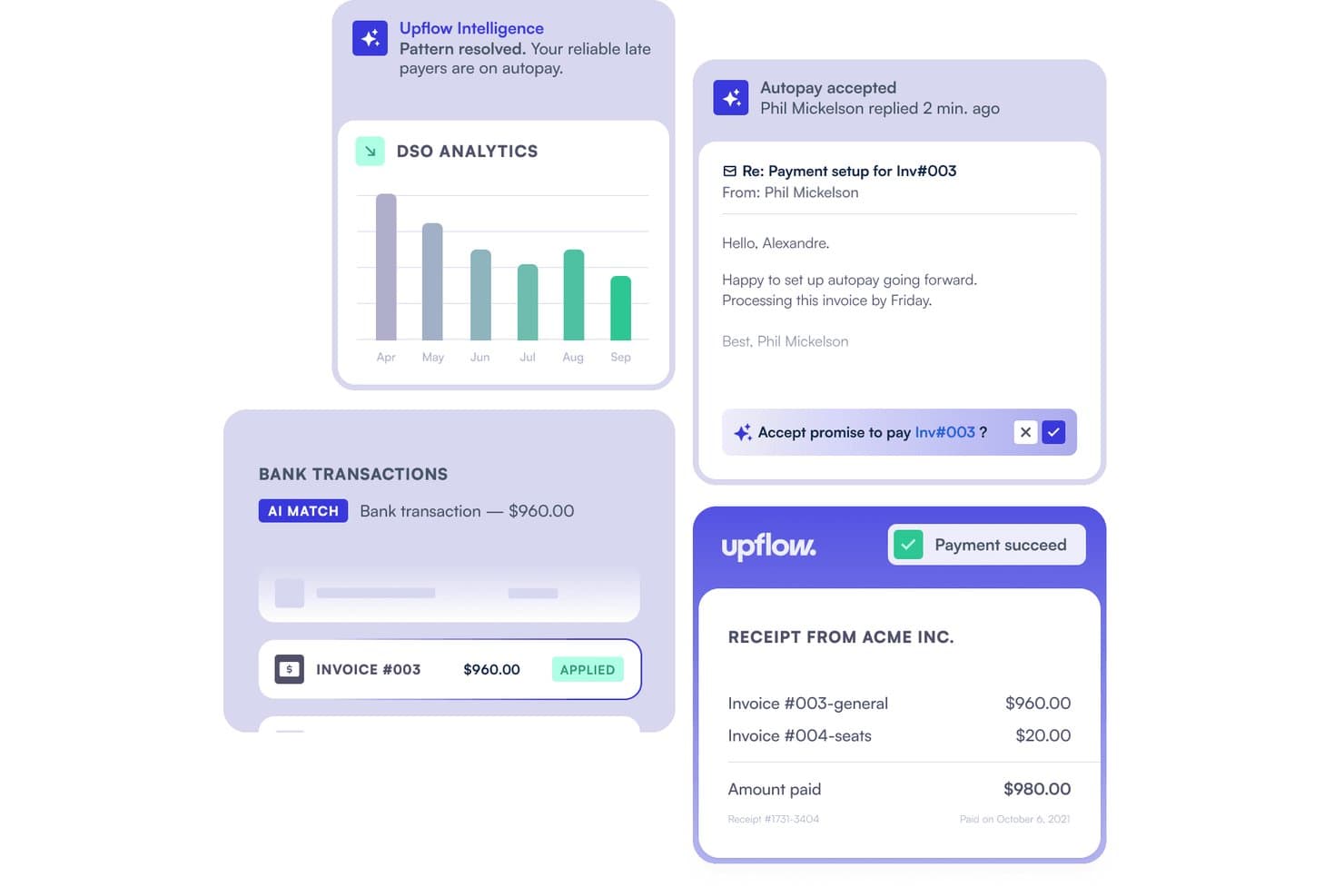
Upflow automatizza l'allocazione degli incassi associando le transazioni bancarie alle fatture. Upflow è una piattaforma di automazione della contabilità clienti che offre alle aziende B2B un portale di pagamento personalizzato per riscuotere i pagamenti dei clienti tramite carte, ACH, SEPA, BACS e bonifici bancari, con sincronizzazione in tempo reale integrata con ERP e sistemi di contabilità.
Per chi è più adatto Upflow?
Upflow è particolarmente adatto ai team finanziari B2B che devono riscuotere i pagamenti dei clienti e riconciliarli automaticamente con le fatture nel proprio sistema ERP o di contabilità.
Perché ho scelto Upflow
Ho scelto Upflow come uno dei migliori strumenti perché è l'unico della lista progettato specificamente per riscuotere i pagamenti B2B in entrata, anziché inviarli. Il suo portale di pagamento personalizzato consente ai clienti di pagare tramite carte, ACH, SEPA, BACS o bonifico bancario, mentre Autopay gestisce gli addebiti programmati alle scadenze delle fatture senza alcun sollecito manuale. Trovo particolarmente utile la registrazione in tempo reale su NetSuite, Sage Intacct e Xero, che contabilizza i pagamenti direttamente sulle fatture corrispondenti non appena arrivano.
Funzionalità principali di Upflow
- Portale di pagamento personalizzato: Un portale con marchio personalizzato consente ai clienti di pagare le fatture insolute tramite carte, ACH, SEPA, BACS o bonifico bancario direttamente sul tuo dominio.
- Attivazione dei pagamenti senza codice: I team finanziari possono abilitare i metodi di pagamento, configurare i limiti delle transazioni e impostare supplementi sulle carte senza scrivere alcun codice.
- Controlli degli accessi basati sui ruoli: I ruoli Proprietario, Amministratore e Membro stabiliscono chi può gestire gli utenti, configurare le impostazioni e visualizzare i dati sui pagamenti dei clienti all'interno dell'organizzazione.
- Gestione delle contestazioni di pagamento: Upflow avvisa delle contestazioni relative alle carte e consente di presentare prove contrarie, segnalando invece le contestazioni ACH e SEPA come definitive per consentire un'azione immediata.
Integrazioni di Upflow
Upflow offre integrazioni native con NetSuite, Sage Intacct, QuickBooks Online, Xero, Salesforce e Slack. Fornisce inoltre un'API REST pubblica per integrazioni personalizzate e connessioni a portali di pagamento integrati.
Pros and Cons
Pros:
- Centralizza i saldi dei clienti e le tempistiche dei pagamenti
- I solleciti automatici riducono il lavoro ordinario di riscossione
- I metodi di pagamento salvati supportano Autopay per le fatture
Cons:
- Le note di credito e i pagamenti parziali potrebbero scomparire
- I trasferimenti raggruppati possono complicare l'associazione alle fatture
Learn more about Upflow: Ideale per l’accettazione di pagamenti con carta a livello globale
- Non disponibile
- Da 2,9% + 30¢/transazione
Visit WebsiteCustomer Rating:4.6/5
Stripe consente pagamenti globali online e di persona tra valute e aree geografiche. Stripe offre una piattaforma di pagamento flessibile progettata per le aziende che devono accettare pagamenti con carta da clienti in tutto il mondo. È una soluzione ideale per marchi ecommerce, aziende SaaS e marketplace B2B che desiderano gestire flussi di pagamento complessi e supportare più valute. Stripe si distingue per le sue API progettate per gli sviluppatori e l’ampia gamma di integrazioni, rendendo più semplice la personalizzazione delle esperienze di pagamento e l’automatizzazione delle operazioni finanziarie.
Perché ho scelto Stripe
Per le aziende B2B che devono accettare pagamenti sicuri da clienti in diversi paesi, la presenza globale di Stripe è difficile da eguagliare. Ho scelto Stripe perché supporta oltre 135 valute e offre strumenti integrati per la gestione di carte internazionali, fatturazione ricorrente e pagamenti multiparte. Le sue avanzate soluzioni di rilevamento delle frodi e le opzioni di checkout personalizzabili aiutano le aziende a gestire i rischi e adattare i flussi di pagamento alle proprie esigenze. Queste funzionalità fanno di Stripe una scelta solida per le aziende che danno priorità all’accettazione di pagamenti con carta a livello globale nelle loro operazioni B2B.
Funzionalità principali di Stripe
Altre funzionalità di Stripe particolarmente utili per i flussi di pagamento B2B includono:
- Strumenti di fatturazione personalizzabili: Genera, invia e gestisci fatture personalizzate direttamente dalla dashboard di Stripe.
- Riconciliazione automatizzata: Associa automaticamente i pagamenti in entrata alle fatture in sospeso e aggiorna i registri.
- Link di pagamento: Crea link di pagamento sicuri e condivisibili, per transazioni B2B una tantum o ricorrenti, senza bisogno di codice.
- Controlli di accesso basati sui ruoli: Assegna permessi ai membri del team in base alle loro responsabilità all’interno dell’organizzazione.
Integrazioni Stripe
Integrazioni includono Shopify, WooCommerce, Salesforce, Xero, QuickBooks, Oracle NetSuite, HubSpot e BigCommerce.
Pros and Cons
Pros:
- API e documentazione per sviluppatori eccezionali
- Accetta oltre 135 valute globali
- Strumento integrato di prevenzione delle frodi
Cons:
- Per esigenze di fatturazione complesse serve sviluppo dedicato
- Il blocco degli account può causare problemi
 Ideale per l'automazione dei pagamenti di medie aziende
- Demo gratuita disponibile
- Prezzo su richiesta
Visit WebsiteCustomer Rating:4.6/5
MineralTree automatizza i flussi di lavoro dei conti da pagare per aziende di piccole e medie dimensioni. MineralTree è progettato per le aziende di medie dimensioni che desiderano automatizzare i conti da pagare senza stravolgere i sistemi esistenti. È una soluzione ideale per i team finanziari che vogliono gestire l'acquisizione delle fatture, i flussi di approvazione e i pagamenti in un unico luogo. MineralTree si distingue per la capacità di collegarsi ai più diffusi ERP e banche, aiutando ad automatizzare i pagamenti pur mantenendo controllo e visibilità.
Perché ho scelto MineralTree
Per le aziende di fascia media che devono automatizzare i processi di pagamento senza le complessità dei sistemi enterprise, MineralTree offre una soluzione mirata. Ho scelto MineralTree perché semplifica la cattura delle fatture, l'approvazione e l'esecuzione dei pagamenti in un unico flusso di lavoro, particolarmente prezioso per i team finanziari che gestiscono volumi di transazioni in crescita. La piattaforma consente di automatizzare i pagamenti tramite ACH, carte virtuali e assegni, riducendo il lavoro manuale e gli errori di pagamento. I controlli e i registri di auditing di MineralTree supportano anche le esigenze di conformità, rendendolo una scelta pratica per le aziende che desiderano automazione sotto controllo.
Caratteristiche principali di MineralTree
Altre funzionalità che rendono MineralTree interessante per l'automazione dei pagamenti B2B includono:
- Supporto multi-ente: Consente di gestire pagamenti e flussi di lavoro per più unità aziendali o consociate da un'unica piattaforma.
- Strumenti per l'onboarding dei fornitori: Fornisce un portale sicuro per consentire ai fornitori di inviare i dati di pagamento e la documentazione richiesta.
- Monitoraggio dello stato dei pagamenti: Offre visibilità in tempo reale sull'avanzamento dei pagamenti e sulla consegna delle rimesse.
- Controlli di rilevamento frodi: Include regole configurabili e avvisi per aiutare a identificare e prevenire attività di pagamento sospette.
Integrazioni di MineralTree
Le integrazioni includono QuickBooks, Oracle NetSuite, Sage Intacct, Microsoft Dynamics e Oracle.
Pros and Cons
Pros:
- Sincronizzazione bidirezionale con i sistemi ERP
- Elevata sicurezza nei pagamenti
- Interfaccia semplice e intuitiva
Cons:
- Occasionalmente si verificano errori di sincronizzazione
- Il supporto può essere lento a rispondere
Learn more about MineralTree: Ideale per l'automazione del ciclo passivo
- Demo gratuita disponibile
- Prezzo su richiesta
Visit WebsiteCustomer Rating:4.4/5
AvidXchange automatizza la gestione contabilità fornitori e delle fatture per aziende di medie dimensioni. AvidXchange è pensato per le aziende che desiderano automatizzare i processi di contabilità fornitori e ridurre la gestione manuale delle fatture. È particolarmente utile per i team finanziari in settori come immobiliare, costruzioni e sanità che gestiscono grandi volumi di fatture e flussi di approvazione complessi. Con funzionalità per l'acquisizione elettronica delle fatture, approvazioni automatizzate e pagamenti digitali, AvidXchange ti aiuta ad avere maggiore controllo e visibilità sui pagamenti in uscita.
Perché ho scelto AvidXchange
Ciò che distingue AvidXchange è la sua attenzione all'automazione dell'intero processo di contabilità fornitori per le aziende che gestiscono un gran numero di fatture. La piattaforma digitalizza la cattura delle fatture e i flussi di approvazione, riducendo l'inserimento manuale dei dati e il rischio di errori. Mi piace che AvidXchange supporta anche i pagamenti elettronici ai fornitori, facilitando la gestione e il monitoraggio dei pagamenti in uscita. Queste caratteristiche lo rendono particolarmente adatto ai team finanziari che desiderano modernizzare e controllare le operazioni di pagamento B2B.
Caratteristiche principali di AvidXchange
Altre funzionalità che rendono AvidXchange prezioso per i flussi di lavoro di pagamento B2B includono:
- Portale di gestione fornitori: Permette ai fornitori di inviare fatture, verificare lo stato dei pagamenti e aggiornare le loro informazioni online.
- Instradamento delle approvazioni personalizzato: Consente di configurare flussi di approvazione multilivello secondo le politiche della tua organizzazione.
- Reportistica della traccia di audit: Tiene traccia di ogni azione svolta sulle fatture e sui pagamenti per conformità e trasparenza.
- Integrazioni con sistemi ERP: Si collega ai più diffusi sistemi ERP e piattaforme contabili per sincronizzare automaticamente i dati finanziari.
Integrazioni di AvidXchange
Le integrazioni includono QuickBooks, Sage, Oracle NetSuite, Microsoft Dynamics, Rent Manager, MRI Software e Acumatica.
Pros and Cons
Pros:
- Ampio network di fornitori integrato
- Elimina l'uso di assegni cartacei
- Adatto al settore immobiliare
Cons:
- Reportistica personalizzata limitata
- Modello di prezzo per transazione
Learn more about AvidXchange: Ideale per transazioni omnicanale unificate
- Non disponibile
- A partire da $0,13 di commissione di elaborazione + commissione metodo di pagamento
Visit WebsiteCustomer Rating:3.8/5
Adyen gestisce pagamenti in negozio, online e da mobile su diversi canali di vendita. Adyen offre una piattaforma di pagamenti unificata che collega le transazioni in presenza, online e da mobile per rivenditori e aziende di e-commerce. È particolarmente utile per le aziende che desiderano gestire pagamenti globali, ridurre le difficoltà di riconciliazione e offrire esperienze cliente coerenti su ogni canale. L'approccio a sistema unico di Adyen aiuta le aziende a semplificare la liquidazione, i report e la conformità per il commercio omnicanale.
Perché ho scelto Adyen
Ciò che mi ha attratto di Adyen è la sua capacità di unificare i pagamenti tra canali fisici, online e mobili, caratteristica essenziale per le aziende che gestiscono transazioni omnicanale. La piattaforma Adyen consente di elaborare pagamenti da più canali in un unico sistema, così puoi riconciliare e fare report di tutte le transazioni senza dover gestire strumenti separati. Apprezzo il fatto che Adyen supporti un'ampia gamma di metodi di pagamento e valute, rendendo più facile per le aziende globali servire i clienti ovunque facciano acquisti. Per i team focalizzati sul fornire un'esperienza di pagamento coerente e semplificare le operazioni di back office, Adyen offre una soluzione veramente unificata.
Caratteristiche principali di Adyen
Altre funzionalità che rendono Adyen preziosa per i flussi di lavoro di pagamento B2B includono:
- Motore di gestione del rischio: Utilizza il machine learning per rilevare e bloccare transazioni fraudolente in tempo reale.
- Flussi di pagamento personalizzabili: Permette di adattare i processi di checkout e pagamento alle esigenze del tuo business.
- Gestione automatica dei chargeback: Gestisce i processi di contestazione e la documentazione direttamente all'interno della piattaforma.
- Report dettagliati sulle liquidazioni: Fornisce suddivisioni dettagliate di transazioni, commissioni e pagamenti per i team contabili.
Integrazioni Adyen
Integrazioni includono Salesforce Commerce Cloud, Adobe Commerce, SAP Commerce Cloud, BigCommerce, Oracle e Oracle.
Pros and Cons
Pros:
- Eccellenti tassi di autorizzazione
- Capacità POS omnicanale
- Piattaforma altamente scalabile
Cons:
- Processo di candidatura rigoroso
- Volume minimo di transazioni elevato
Learn more about Adyen: Ideale per l'elaborazione di pagamenti transfrontalieri
- Demo gratuita disponibile
- Prezzi su richiesta

Flywire semplifica i pagamenti sicuri delle tasse scolastiche internazionali per le scuole. Flywire è specializzata nell'elaborazione dei pagamenti transfrontalieri, rendendola una scelta ideale per aziende e istituzioni che gestiscono transazioni internazionali. È progettata per organizzazioni nei settori come istruzione, sanità e viaggi che necessitano di ricevere pagamenti da clienti o partner in diversi paesi. Flywire ti aiuta a gestire il cambio valuta, i metodi di pagamento locali e la conformità normativa, riducendo le complicazioni nei pagamenti B2B globali.
Perché ho scelto Flywire
Per le aziende che devono elaborare pagamenti oltre confine, Flywire si distingue per la sua capacità di gestire complesse transazioni internazionali. La piattaforma supporta i pagamenti in più valute e offre opzioni di pagamento locali, il che aiuta a ridurre le barriere per clienti e partner globali. Apprezzo anche il fatto che Flywire si occupi della conformità alle normative internazionali e fornisca il monitoraggio in tempo reale sia per i mittenti che per i destinatari. Queste caratteristiche lo rendono una scelta solida per le organizzazioni che desiderano semplificare e rendere sicuri i cicli di pagamento B2B internazionali.
Caratteristiche principali di Flywire
Altre funzionalità che rendono Flywire utile per i flussi di lavoro nei pagamenti B2B includono:
- Generazione automatica di fatture: Crea e invia fatture ai clienti direttamente dalla piattaforma.
- Gestione di piani di pagamento: Consente di impostare e gestire calendari di pagamenti rateali per i clienti.
- Supporto multilingue: Offre interfacce di pagamento e comunicazioni in diverse lingue per utenti globali.
- Opzioni di personalizzazione del marchio: Permette di aggiungere il logo e i colori della tua azienda alle pagine di pagamento e alle comunicazioni.
Integrazioni di Flywire
Integrazioni includono Workday, Oracle NetSuite, Ellucian, Epic, Cerner e Destiny One.
Pros and Cons
Pros:
- Cambio valuta trasparente
- Ottima esperienza utente per i pagatori
- Solide reti di banche locali
Cons:
- Focalizzazione su settori di nicchia
- Non è un sistema AP/AR generale
Learn more about Flywire: Ideale per l’applicazione incassi alimentata da IA
- Demo gratuita disponibile
- Prezzo su richiesta

HighRadius automatizza la contabilità clienti e la tesoreria per migliorare il flusso di cassa. Se la tua azienda ha bisogno di velocizzare la registrazione degli incassi e ridurre l'abbinamento manuale, HighRadius offre una soluzione alimentata dall’IA progettata per i team finanziari e di contabilità clienti. È particolarmente utile per le aziende che gestiscono elevati volumi di transazioni, formati di rimessa complessi e molteplici canali di pagamento. HighRadius utilizza il machine learning per automatizzare l’abbinamento dei pagamenti, aiutandoti a ridurre gli incassi non attribuiti e a migliorare la precisione delle riconciliazioni.
Perché ho scelto HighRadius
Ciò che mi ha colpito di HighRadius è l’uso dell’IA per automatizzare il processo di incasso, una delle sfide principali per molti team finanziari B2B. La piattaforma sfrutta il machine learning per abbinare i pagamenti alle fatture aperte, anche quando i dati di rimessa arrivano in diversi formati o tramite vari canali. Apprezzo anche che HighRadius gestisca automaticamente eccezioni e pagamenti parziali, riducendo la necessità di interventi manuali. Queste capacità lo rendono una scelta solida per le aziende che vogliono accelerare il flusso di cassa e migliorare la precisione delle riconciliazioni dei pagamenti.
Caratteristiche principali di HighRadius
Altre funzionalità che rendono HighRadius utile per le operazioni di pagamento B2B includono:
- Aggregazione automatica degli estratti conto bancari: Raccoglie e riconcilia i dati degli estratti conto di più conti in un unico posto.
- Portale self-service clienti: Consente ai clienti di visualizzare le fatture, effettuare pagamenti e monitorare online lo stato del proprio conto.
- Analisi dashboard in tempo reale: Fornisce visualizzazioni intuitive su stato dei pagamenti, incassi non attribuiti e tendenze delle eccezioni.
- Integrazioni con sistemi ERP: Si connette con le principali piattaforme ERP per sincronizzare automaticamente dati di pagamenti e crediti.
Integrazioni di HighRadius
Le integrazioni includono SAP, Oracle NetSuite, Microsoft Dynamics, Sage Intacct e Workday.
Pros and Cons
Pros:
- Applicazione incassi eccezionale
- Integrazione approfondita con SAP
- Gestione efficace delle deduzioni
Cons:
- Richiede notevole supporto IT
- Eccessivo per le aziende di fascia media
Learn more about HighRadius:

Worldpay consente pagamenti sicuri online, in negozio e su dispositivi mobili a livello globale. Se la tua azienda gestisce pagamenti in diversi paesi e valute, Worldpay è progettato per aiutarti a gestire regolamenti complessi. È una soluzione ideale per rivenditori ecommerce, marchi globali e team finanziari che devono accettare, elaborare e regolare pagamenti in molte valute. Worldpay si distingue per la sua capacità di supportare la regolazione multivaluta, aiutandoti a ridurre i costi di conversione e semplificare la riconciliazione.
Perché ho scelto Worldpay
Ciò che rende Worldpay una scelta valida per le soluzioni di pagamento B2B è il suo focus sulla regolazione multivaluta, fondamentale per le aziende che operano a livello internazionale. Worldpay ti permette di accettare pagamenti in un'ampia gamma di valute e regolare i fondi nella valuta di tua preferenza, riducendo la necessità di conversioni manuali e minimizzando il rischio di cambio. Apprezzo che la piattaforma offra report dettagliati sulle transazioni transfrontaliere, rendendo più semplice la riconciliazione e la conformità per i team finanziari. Per le aziende con clienti o fornitori internazionali, le funzionalità multivaluta di Worldpay aiutano a semplificare flussi di pagamento complessi.
Caratteristiche principali di Worldpay
Altre funzionalità che rendono Worldpay interessante per le soluzioni di pagamento B2B includono:
- Strumenti di rilevamento delle frodi: Utilizza machine learning e monitoraggio in tempo reale per aiutare a identificare e bloccare transazioni sospette.
- Supporto alla fatturazione ricorrente: Consente di impostare e gestire pagamenti ricorrenti automatizzati per servizi in abbonamento.
- Pagine di pagamento personalizzabili: Permette di progettare esperienze di pagamento brandizzate che rispecchiano l'immagine della tua azienda.
- Gestione dei chargeback: Fornisce strumenti per tracciare, rispondere e risolvere i chargeback direttamente sulla piattaforma.
Integrazioni Worldpay
Integrazioni includono SAP Commerce Cloud, Oracle, WooCommerce, BigCommerce, QuickBooks e Xero.
Pros and Cons
Pros:
- Ampia varietà di metodi di pagamento
- Ottimo supporto clienti 24/7
- Robusti strumenti di protezione antifrode
Cons:
- Dashboard di backend obsoleta
- Difficile negoziare le tariffe
Learn more about Worldpay: 9Ideale per workflow di fatturazione automatizzati
BILL
- Piano gratuito + demo gratuita disponibile
- Da $49/utente/mese

Bill.com automatizza i workflow di contabilità fornitori e clienti per le piccole imprese. Bill.com è pensato per i team finanziari e i titolari d’azienda che desiderano automatizzare e semplificare i processi di contabilità fornitori e clienti. La piattaforma è particolarmente utile per le aziende che gestiscono volumi elevati di fatture o flussi di approvazione complessi attraverso diversi reparti. Bill.com si distingue per la sua capacità di connettersi con i più diffusi sistemi di contabilità e automatizzare la cattura, l’instradamento e il pagamento delle fatture, aiutando le aziende a ridurre i processi manuali e gli errori di pagamento.
Perché ho scelto Bill.com
L’automazione dei flussi di lavoro relativi alle fatture è una priorità per molti team finanziari B2B, e Bill.com è progettato specificamente per questa esigenza. Ho scelto Bill.com perché utilizza l’acquisizione dei dati basata su intelligenza artificiale per estrarre i dettagli delle fatture e instradarli per l’approvazione, riducendo l’inserimento manuale e gli errori. La piattaforma permette anche di impostare catene di approvazione personalizzate, così le fatture vengono elaborate dalle persone giuste prima del pagamento. Queste funzionalità rendono Bill.com molto adatto alle aziende che vogliono controllare a 360 gradi la gestione delle fatture.
Caratteristiche principali di Bill.com
Altre funzionalità di Bill.com utili per le operazioni di pagamento B2B includono:
- Sincronizzazione bidirezionale con i software di contabilità: Si collega direttamente con piattaforme come QuickBooks, Xero e NetSuite per mantenere aggiornati i dati finanziari.
- Supporto per pagamenti internazionali: Invia pagamenti a fornitori in diversi paesi e valute.
- Tracciamento audit trail: Mantiene un registro dettagliato di tutte le attività di fatturazione e pagamento per conformità e trasparenza.
- Accesso tramite app mobile: Permette agli utenti di visualizzare, approvare e pagare le fatture dai propri dispositivi mobili.
Integrazioni Bill.com
Le integrazioni includono QuickBooks, Xero, Oracle NetSuite, Sage Intacct, Microsoft Dynamics 365 e Intuit.
Pros and Cons
Pros:
- Sostituisce gli assegni cartacei manuali
- Archivio documenti centralizzato
- Onboarding dei fornitori semplice
Cons:
- Problemi di sincronizzazione con alcuni ERP
- Personalizzazione delle approvazioni rigida
Learn more about BILL: Ideale per pagamenti integrati nel procurement
- Demo gratuita disponibile
- Prezzo su richiesta

Corcentric automatizza i processi source-to-pay per procurement e pagamenti aziendali. Corcentric riunisce i processi di approvvigionamento e pagamento in un'unica piattaforma progettata per i team finanziari e di procurement che gestiscono reti complesse di fornitori. Questa soluzione è particolarmente utile per le organizzazioni che desiderano automatizzare i pagamenti ai fornitori, migliorare la visibilità della spesa e ridurre la riconciliazione manuale. L'approccio integrato di Corcentric aiuta le aziende a controllare i costi e ottimizzare l'intero ciclo source-to-pay.
Perché ho scelto Corcentric
Corcentric si distingue per la sua capacità di unificare i flussi di lavoro di approvvigionamento e pagamento, caratteristica fondamentale per le aziende che desiderano gestire i pagamenti ai fornitori all'interno di un unico sistema. Ho scelto Corcentric perché automatizza l'elaborazione delle fatture e l'esecuzione dei pagamenti, riducendo l'intervento manuale e il rischio di errori. La piattaforma offre anche analisi della spesa in tempo reale, dando ai team finanziari e di procurement un maggiore controllo sul flusso di cassa e sulle relazioni con i fornitori. Per le organizzazioni che puntano a collegare i processi di approvvigionamento e pagamento, Corcentric offre una soluzione mirata.
Caratteristiche principali di Corcentric
Altre funzionalità che rendono Corcentric interessante per i flussi di pagamento B2B includono:
- Strumenti di onboarding fornitori: Semplificano il processo di aggiunta e verifica di nuovi fornitori.
- Flussi di approvazione personalizzati: Consente di configurare approvazioni multilivello per le azioni di pagamento e approvvigionamento.
- Gestione documentale: Centralizza contratti, fatture e documenti di supporto per un accesso immediato.
- Capacità di integrazione ERP: Si collega ai principali sistemi ERP per sincronizzare dati di approvvigionamento e pagamento.
Integrazioni di Corcentric
Integrazioni includono SAP, Oracle, Microsoft Dynamics, Oracle NetSuite e Coupa.
Pros and Cons
Pros:
- Eccellenti servizi gestiti
- Forte visibilità della spesa
- Risultati di business garantiti
Cons:
- Tempistiche di implementazione lunghe
- Eccessivo per esigenze AP di base
Learn more about Corcentric:
Altre soluzioni di pagamento B2B
\u003cspan style=\u0022font-weight: 400\u0022\u003eEcco alcune ulteriori soluzioni di pagamento B2B che non sono state incluse nella mia selezione, ma che vale comunque la pena valutare:\u003c/span\u003e
Come Valuto le Soluzioni di Pagamento B2B
Valuto gli strumenti di pagamento B2B su due livelli: criteri di base—automazione della contabilità fornitori, termini di pagamento, sincronizzazione con l’ERP—e fattori differenzianti, come il supporto multi-entità o le carte virtuali, rilevanti per i team finanziari nel settore retail.
Funzionalità Core (Requisiti Minimi per Questa Lista)
Quando seleziono gli strumenti per la mia lista, valuto ciascuno su una scala da 0 (la funzionalità non è presente) a 5 (eccelle in quest’area) per ogni funzionalità principale riportata di seguito. Poi, calcolo il punteggio totale dello strumento come percentuale. Ogni strumento deve raggiungere un punteggio totale minimo del 65% per essere incluso.
- Elaborazione Pagamenti Multi-Rail: Verifico quali canali di pagamento supporta ciascuna piattaforma—ACH, bonifico, carta virtuale, assegno e pagamenti internazionali—dato che i retailer che acquistano a livello globale necessitano di copertura FX oltre alle opzioni nazionali.
- Automazione AP/AR: Ogni strumento viene valutato su come gestisce l’intero ciclo delle fatture, dall’acquisizione OCR, all’approvazione, fino all’esecuzione del pagamento, soprattutto per team che processano centinaia di fatture fornitori ogni mese.
- Termini di Pagamento e Credito Commerciale: Verifico se la piattaforma offre termini di pagamento integrati Net 30/60/90 o credito commerciale, fondamentali quando gli acquirenti retail devono allineare i pagamenti ai fornitori con i flussi di cassa stagionali.
- Integrazione con ERP e Contabilità: I team finanziari retail utilizzano piattaforme come NetSuite, QuickBooks e SAP: quindi valuto la profondità dei connettori nativi e se i dati delle transazioni si sincronizzano in modo bidirezionale per la riconciliazione.
- Gestione Fornitori: Un buon portale fornitori deve gestire onboarding, raccolta dei documenti fiscali e gestione delle preferenze di pagamento—operazioni complicate quando si gestiscono decine o centinaia di fornitori.
- Sicurezza dei Pagamenti e Compliance: Valuto le certificazioni di ciascuno strumento (PCI-DSS, SOC 2), le capacità di monitoraggio antifrode e i controlli di approvazione, soprattutto per retailer multi-sede dove i pagamenti di alto valore coinvolgono più entità.
Una volta selezionati gli strumenti che soddisfano questi criteri, considero cosa distingue ciascuna piattaforma.
Fattori Differenzianti (Cosa Distingue i Fornitori)
Ecco come confronto e metto a paragone i diversi fornitori:
Caratteristiche Distintive
Il supporto multi-entità è fondamentale per i retailer che gestiscono più punti vendita o filiali. Cerco piattaforme che consentano di gestire i pagamenti di tutte le entità da un’unica dashboard senza cambi di account. L’emissione di carte virtuali è un’altra caratteristica distintiva: i team possono generare carte monouso per ciascun fornitore, aumentando il controllo sulla spesa e spesso ottenendo cashback che compensa i costi della piattaforma. Anche il dynamic discounting mi colpisce perché consente ai team AP di ottenere sconti per pagamento anticipato nei periodi in cui la liquidità aziendale è solida.
Oltre le Caratteristiche
Valuto con attenzione la trasparenza dei prezzi: alcune piattaforme nascondono margini FX o commissioni su bonifici che possono ridurre i margini retail su larga scala. È importante anche la scalabilità, cioè la capacità di gestire picchi stagionali come gli acquisti natalizi senza rallentamenti o ritardi. Analizzo la profondità delle integrazioni, verificando connettori nativi a sistemi specifici per il retail come Shopify, NetSuite o Lightspeed, e la disponibilità di API aperte per flussi di lavoro di procurement personalizzati. Per concludere considero il supporto all’implementazione, in particolare i servizi di onboarding dei fornitori che aiutano a migrare l’attuale rete di vendor sulla piattaforma.
Come scegliere le soluzioni di pagamento B2B
È facile perdersi tra lunghi elenchi di funzionalità e strutture tariffarie complesse. Per aiutarti a rimanere concentrato mentre affronti il tuo specifico processo di selezione del software, ecco una lista di fattori da tenere presenti:
| Fattore | Elementi da considerare |
|---|---|
| FattoreScalabilità | Elementi da considerareLa soluzione sarà in grado di gestire il volume delle transazioni man mano che la tua azienda cresce, inclusi i periodi di punta e l'espansione in nuovi mercati? |
| FattoreIntegrazioni | Elementi da considerareLo strumento si connette nativamente al tuo ERP, gateway di pagamento, sistemi contabili, di ecommerce e bancari, oppure sarà necessario uno sviluppo personalizzato? |
| FattorePersonalizzazione | Elementi da considerarePuoi adattare i flussi di lavoro, i processi di approvazione e le autorizzazioni degli utenti in modo che corrispondano ai tuoi controlli interni e alle tue esigenze di conformità? |
| FattoreSemplicità d'uso | Elementi da considerareIl tuo team sarà in grado di navigare nell'interfaccia e completare le attività con una formazione minima, oppure l'adozione rappresenterà una difficoltà? |
| FattoreImplementazione e onboarding | Elementi da considerareQuanto tempo sarà necessario per diventare operativi e quali risorse (IT, formazione, migrazione dei dati) dovrai destinare internamente? |
| FattoreCosti | Elementi da considerareTutte le commissioni—per transazione, mensili, per l'elaborazione delle carte di credito, di configurazione e transfrontaliere—sono indicate chiaramente e rientrano nel tuo budget e nel mix di transazioni previsto? |
| FattoreMisure di sicurezza | Elementi da considerareIl fornitore soddisfa standard di settore come PCI DSS, offre il monitoraggio delle frodi e supporta l'autenticazione sicura per tutti gli utenti? |
| FattoreFunzionalità internazionali | Elementi da considerareLa soluzione supporta più valute, lingue e metodi di pagamento locali per i tuoi partner e clienti internazionali? |
Cosa sono le soluzioni di pagamento B2B?
Le soluzioni di pagamento B2B sono piattaforme digitali o servizi di pagamento che consentono alle aziende di inviare, ricevere e gestire pagamenti online tra organizzazioni. Questi strumenti supportano vari metodi di pagamento, come la stanza di compensazione automatizzata e PayPal, automatizzano la fatturazione e aiutano a monitorare le transazioni ai fini contabili e di conformità. Sono progettati per gestire la complessità delle transazioni aziendali, incluso il supporto multivaluta, i flussi di approvazione e l'integrazione con altri sistemi finanziari di pagamento.
Caratteristiche
Quando selezioni soluzioni di pagamento B2B, presta attenzione alle seguenti caratteristiche principali:
- Supporto multivaluta: Ti consente di inviare e ricevere pagamenti in valute diverse, aiutandoti a gestire le transazioni internazionali e a ridurre le difficoltà legate alla conversione.
- Fatturazione automatizzata: Genera, invia e monitora automaticamente le fatture, riducendo il lavoro manuale e contribuendo a garantire pagamenti puntuali.
- Flussi di approvazione dei pagamenti: Ti consente di configurare processi di approvazione in più fasi per i pagamenti in uscita, supportando i controlli interni e la conformità.
- Integrazione con i sistemi contabili: Si collega direttamente al tuo software contabile o ERP, sincronizzando i dati dei pagamenti e riducendo gli errori di riconciliazione.
- Fatturazione ricorrente: Ti consente di programmare e automatizzare i pagamenti periodici per abbonamenti o servizi continuativi.
- Strumenti di rilevamento delle frodi e sicurezza: Monitora le transazioni alla ricerca di attività sospette e applica protocolli di sicurezza come la crittografia e l'autenticazione a due fattori.
- Report dettagliati sulle transazioni: Fornisce report in tempo reale e storici sull'attività dei pagamenti, aiutando nelle verifiche, nelle previsioni e nelle analisi finanziarie.
- Gestione dei ruoli degli utenti: Ti consente di assegnare autorizzazioni e livelli di accesso a diversi membri del team, favorendo una collaborazione e una supervisione sicure.
- Gestione di fornitori e clienti: Archivia e organizza le informazioni sulle tue relazioni commerciali, semplificando la gestione dei contatti e della cronologia dei pagamenti.
Vantaggi
L'implementazione di soluzioni di pagamento B2B offre diversi vantaggi al tuo team e alla tua azienda. Ecco alcuni dei benefici che puoi aspettarti:
- Elaborazione più rapida delle transazioni: La fatturazione automatizzata e i flussi di pagamento contribuiscono a ridurre i ritardi e ad accelerare i tempi di elaborazione.
- Maggiore accuratezza finanziaria: L'integrazione con i sistemi contabili e i report dettagliati sulle transazioni riducono al minimo gli errori manuali e supportano una riconciliazione affidabile.
- Maggiore sicurezza e conformità: Il rilevamento integrato delle frodi, la gestione dei ruoli degli utenti e gli strumenti di conformità contribuiscono a proteggere i dati sensibili e a soddisfare i requisiti normativi.
- Maggiore scalabilità: Il supporto multivaluta e i flussi di approvazione flessibili consentono alla tua azienda di crescere e adattarsi a nuovi mercati o a volumi di transazioni più elevati.
- Migliore visibilità del flusso di cassa: I report in tempo reale e il monitoraggio dei pagamenti offrono una visione chiara delle fatture insolute e dei pagamenti in entrata.
- Gestione semplificata dei fornitori: I dati centralizzati di fornitori e clienti facilitano la gestione delle relazioni e della cronologia dei pagamenti.
- Riduzione del carico di lavoro amministrativo: L'automazione delle attività di pagamento ordinarie libera il tuo team, consentendogli di concentrarsi su attività di maggior valore per ottimizzare i risultati economici.
Costi e prezzi
La selezione delle soluzioni di pagamento B2B richiede la comprensione dei vari modelli di prezzo e dei piani disponibili. I costi variano in base alle funzionalità, alle dimensioni del team, ai componenti aggiuntivi e ad altri fattori. La tabella seguente riassume i piani più comuni, i relativi prezzi medi e le funzionalità tipicamente incluse nelle soluzioni di pagamento B2B:
Tabella comparativa dei piani per le soluzioni di pagamento B2B
| Tipo di piano | Prezzo medio | Funzionalità comuni |
|---|---|---|
| Tipo di pianoPiano gratuito | Prezzo medio$0 | Funzionalità comuniElaborazione di base dei pagamenti, fatturazione limitata, report standard e assistenza via e-mail. |
| Tipo di pianoPiano personale | Prezzo medio$45-$55/utente/mese | Funzionalità comuniMonitoraggio dei pagamenti, fatturazione automatizzata, integrazioni di base e semplici flussi di approvazione. |
| Tipo di pianoPiano aziendale | Prezzo medio$89-$100/utente/mese | Funzionalità comuniSupporto multivaluta, report avanzati, integrazioni contabili, gestione dei ruoli degli utenti e rilevamento delle frodi. |
| Tipo di pianoPiano aziendale | Prezzo medio$1000+/mese | Funzionalità comuniFlussi di lavoro personalizzati, gestione dedicata dell'account, accesso API, sicurezza avanzata e assistenza prioritaria. |
Domande frequenti sulle soluzioni di pagamento B2B
Ecco alcune risposte alle domande comuni sulle soluzioni di pagamento B2B:
In che modo le soluzioni di pagamento B2B gestiscono le transazioni multivaluta?
La maggior parte delle soluzioni di pagamento B2B supporta le transazioni multivaluta consentendo di inviare e ricevere pagamenti in valute diverse. Spesso offrono la conversione valutaria in tempo reale e permettono di regolare i pagamenti nella valuta preferita, semplificando così le attività commerciali internazionali e riducendo le riconciliazioni manuali.
Le soluzioni di pagamento B2B possono integrarsi con il mio software di contabilità esistente?
Sì, molte soluzioni di pagamento B2B offrono integrazioni dirette con i sistemi contabili e ERP più diffusi. Ciò consente di sincronizzare automaticamente i dati dei pagamenti, ridurre l’inserimento manuale e mantenere i registri finanziari accurati e aggiornati.
Quali misure di sicurezza devo cercare in una soluzione di elaborazione dei pagamenti B2B?
Cerca soluzioni conformi allo standard PCI DSS per i pagamenti con carta di credito, con crittografia dei dati, autenticazione a due fattori e monitoraggio delle frodi. Queste misure di sicurezza contribuiscono a proteggere le informazioni sensibili sui pagamenti e a ridurre il rischio di transazioni non autorizzate o violazioni dei dati.
Quanto tempo richiede l'implementazione di una soluzione di pagamento B2B?
I tempi di implementazione variano, ma la maggior parte dei metodi di pagamento B2B basati sul cloud può essere configurata in pochi giorni o nell’arco di alcune settimane. Fattori come la migrazione dei dati, la complessità dell’integrazione e la formazione degli utenti possono influire sulle tempistiche, quindi è importante pianificare le esigenze di onboarding e assistenza.
Esistono limiti alle transazioni o requisiti di volume con i fornitori di pagamenti B2B?
Sì, alcuni fornitori stabiliscono importi minimi o massimi per le transazioni oppure richiedono un determinato volume mensile di pagamenti. Esamina sempre i termini e i dettagli dei prezzi per assicurarti che la soluzione sia adatta ai modelli di transazione e ai piani di crescita della tua azienda.