
Adyen Review 2026: Pros, Cons, Features, and Pricing
Adyen stands out for global scalability and unified payments but may be best suited for larger businesses seeking advanced features over simple, entry-level solutions.

We review tools independently, and commissions help fund our testing. See our transparency policy, our methodology, or suggest a tool.
Adyen is an ecommerce payment processing built for merchants who need to accept payments across online, in-store, and mobile channels from a single platform. It's a strong fit if you're operating at scale across multiple geographies and need unified reporting, local payment methods, and acquiring all in one place. I'd consider it over Stripe if your team is less developer-dependent and you want a platform designed from the ground up for enterprise volume rather than one you'd need to heavily customize to get there.
Adyen Evaluation Summary
3.8/5
- Pricing upon request
- Free demo available
Why Trust Our Software Recommendations
6,700+
Reviews
20
Industry experts
16+
Evaluation factors
14
Years
Our team has been testing and reviewing software since 2012. As retail leaders ourselves, we know how difficult—and important—it is to choose the right software.
For this guide, we evaluated tools using hands-on testing and independent research, scoring tools using our selection criteria.
Our reviews reflect our independent judgment—not a sales pitch.
Adyen Overview
If you’re judging payment processing software on global reach, unified commerce, and advanced reporting, Adyen is a top contender. I think its transparent pricing, strong omnichannel support, and wide integration options make it a smart pick for enterprise retailers or fast-growing brands. The interface is modern, but onboarding can feel technical for smaller teams
Compared to others, Adyen’s real-time insights and fraud tools stand out, though support response times can lag. If you’re selecting a platform for complex, multi-market operations, Adyen is going to meet most of your needs.
Pros
- Real-time reporting and unified commerce dashboard.
- Advanced fraud protection and risk management tools.
- Supports global payments and multiple currencies.
Cons
- Onboarding process can be complex for smaller teams.
- Pricing transparency varies by region and volume.
- Support response times can be slow.
Is Adyen Right For Your Needs?
Who Would be a Good Fit for Adyen?
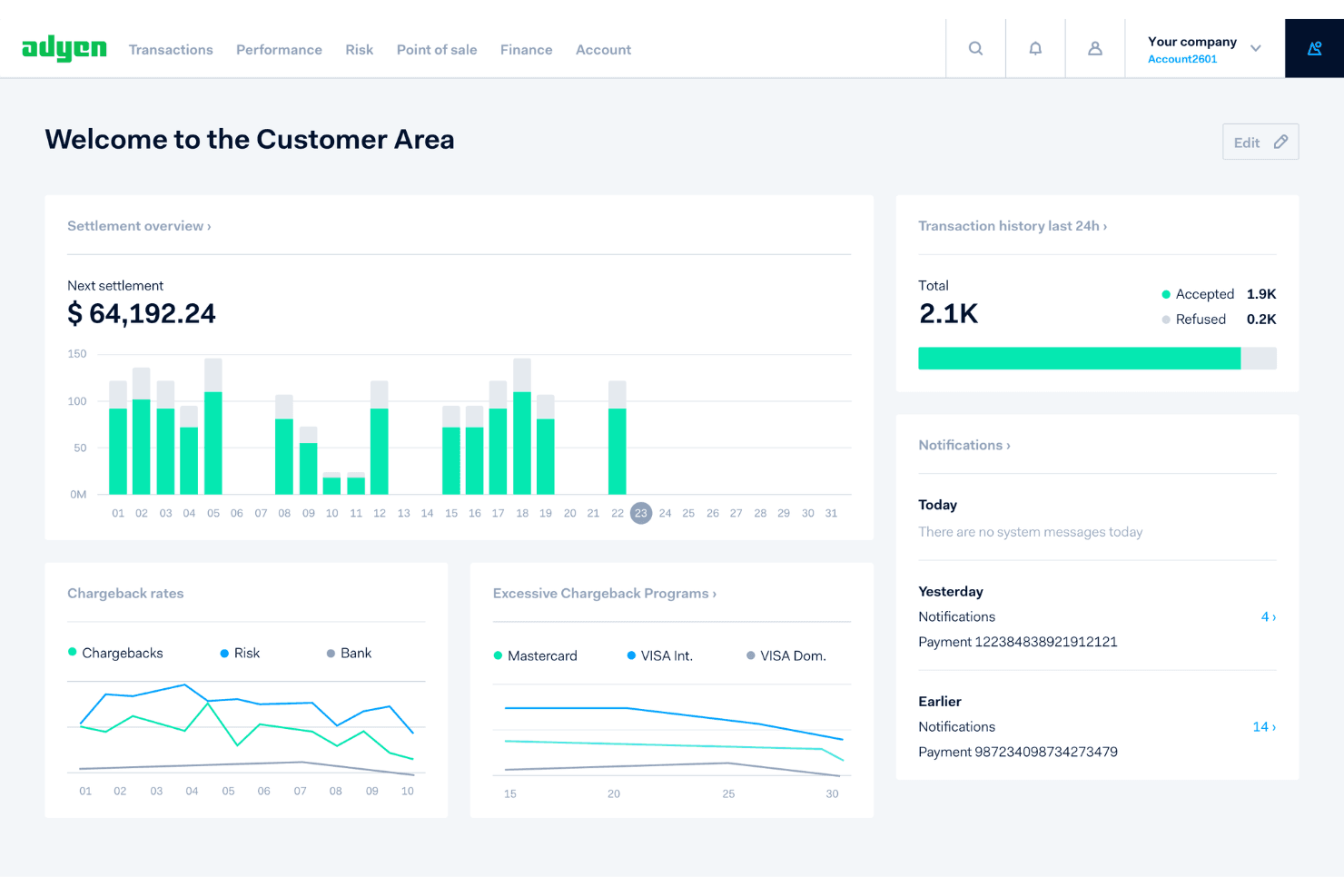
Adyen is a strong choice for businesses with complex payment needs, high transaction volumes, or global operations. Its unified commerce platform, advanced fraud tools, and support for multiple currencies make it ideal for enterprise retailers, hospitality groups, and ecommerce brands expanding internationally. Teams that need real-time reporting and centralized payment management will find Adyen’s dashboard and analytics especially valuable.
- Finance DepartmentsProvides real-time insights and detailed reconciliation for complex operations.
- Marketplace PlatformsManages split payments and compliance for multi-vendor environments.
- Subscription ServicesOffers recurring billing and advanced fraud prevention for memberships.
- Hospitality ChainsCentralizes payments across locations and channels with unified reporting.
- Global EcommerceSupports multiple currencies and local payment methods for cross-border sales.
- Enterprise RetailAdyen handles high transaction volumes and omnichannel payments seamlessly.
Who Would be a Bad Fit for Adyen?
Adyen may not be the best fit for small businesses, startups, or teams with limited technical resources. Its onboarding process, pricing structure, and advanced features can be overwhelming for those with simple payment needs or low transaction volumes. Businesses looking for plug-and-play solutions or minimal setup may find Adyen’s platform more than they require.
- Event OrganizersNo built-in ticketing or event-specific payment tools.
- NonprofitsDoesn’t offer specialized rates or donation-focused features.
- Micro StartupsOnboarding and technical requirements can slow early-stage teams.
- FreelancersToo advanced and costly for basic invoicing or payments.
- Local RestaurantsLacks simple, out-of-the-box POS for single locations.
- Small RetailersSetup complexity and minimums may not suit low-volume stores.
Our Review Methodology
How We Test & Score Tools
We’ve spent years building, refining, and improving our software testing and scoring system. The rubric is designed to capture the nuances of software selection and what makes a tool effective, focusing on critical aspects of the decision-making process.
Below, you can see exactly how our testing and scoring works across seven criteria. It allows us to provide an unbiased evaluation of the software based on core functionality, standout features, ease of use, onboarding, customer support, integrations, customer reviews, and value for money.
Core Functionality (25% of final scoring)
The starting point of our evaluation is always the core functionality of the tool. Does it have the basic features and functions that a user would expect to see? Are any of those core features locked to higher-tiered pricing plans? At its core, we expect a tool to stand up against the baseline capabilities of its competitors.
Standout Features (25% of final scoring)
Next, we evaluate uncommon standout features that go above and beyond the core functionality typically found in tools of its kind. A high score reflects specialized or unique features that make the product faster, more efficient, or offer additional value to the user.
We also evaluate how easy it is to integrate with other tools typically found in the tech stack to expand the functionality and utility of the software. Tools offering plentiful native integrations, 3rd party connections, and API access to build custom integrations score best.
Ease of Use (10% of final scoring)
We consider how quick and easy it is to execute the tasks defined in the core functionality using the tool. High scoring software is well designed, intuitive to use, offers mobile apps, provides templates, and makes relatively complex tasks seem simple.
Onboarding (10% of final scoring)
We know how important rapid team adoption is for a new platform, so we evaluate how easy it is to learn and use a tool with minimal training. We evaluate how quickly a team member can get set up and start using the tool with no experience. High scoring solutions indicate little or no support is required.
Customer Support (10% of final scoring)
We review how quick and easy it is to get unstuck and find help by phone, live chat, or knowledge base. Tools and companies that provide real-time support score best, while chatbots score worst.
Customer Reviews (10% of final scoring)
Beyond our own testing and evaluation, we consider the net promoter score from current and past customers. We review their likelihood, given the option, to choose the tool again for the core functionality. A high scoring software reflects a high net promoter score from current or past customers.
Value for Money (10% of final scoring)
Lastly, in consideration of all the other criteria, we review the average price of entry level plans against the core features and consider the value of the other evaluation criteria. Software that delivers more, for less, will score higher.
Core Features
Unified Commerce Platform
Manage in-store, online, and mobile payments from a single dashboard. This gives you a real-time view of all transactions across channels.
Global Payment Acceptance
Accept payments in over 150 currencies and local methods. This helps you reach international customers without extra setup.
Advanced Fraud Protection
Leverage machine learning and customizable rules to detect and block fraud. The system adapts to new threats and reduces chargebacks.
Real-Time Reporting
Access detailed analytics and transaction data instantly. You can monitor sales, spot trends, and reconcile payments quickly.
Recurring Billing
Automate subscription payments and manage renewals with flexible billing cycles. This is ideal for membership or SaaS models.
Risk Management Tools
Set custom risk profiles and monitor suspicious activity. You can adjust controls to match your business’s risk tolerance.
Standout Features
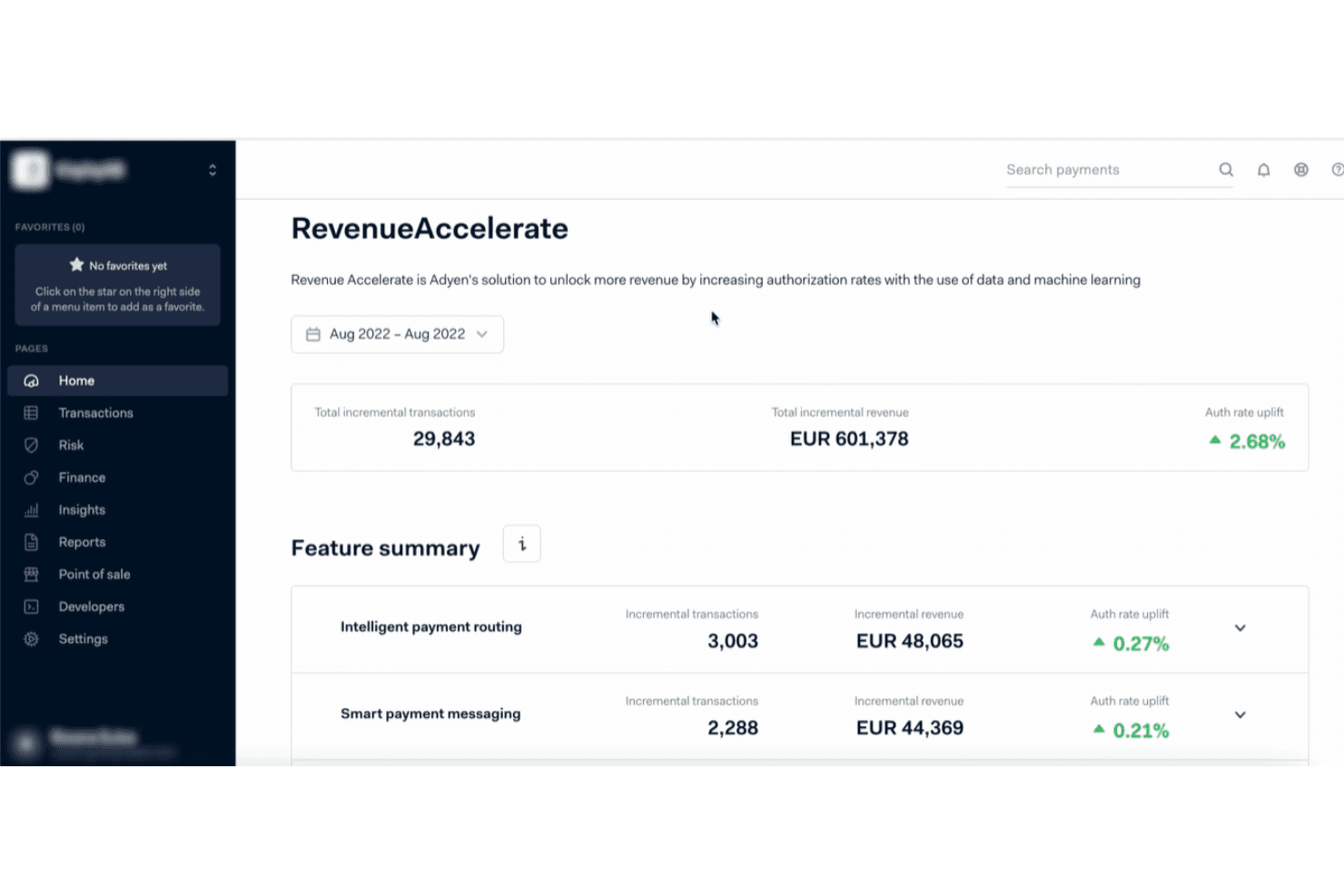
Revenue Accelerate
Revenue Accelerate uses AI to optimize payment routing and increase authorization rates. This feature helps businesses recover lost sales by reducing false declines and improving transaction success.
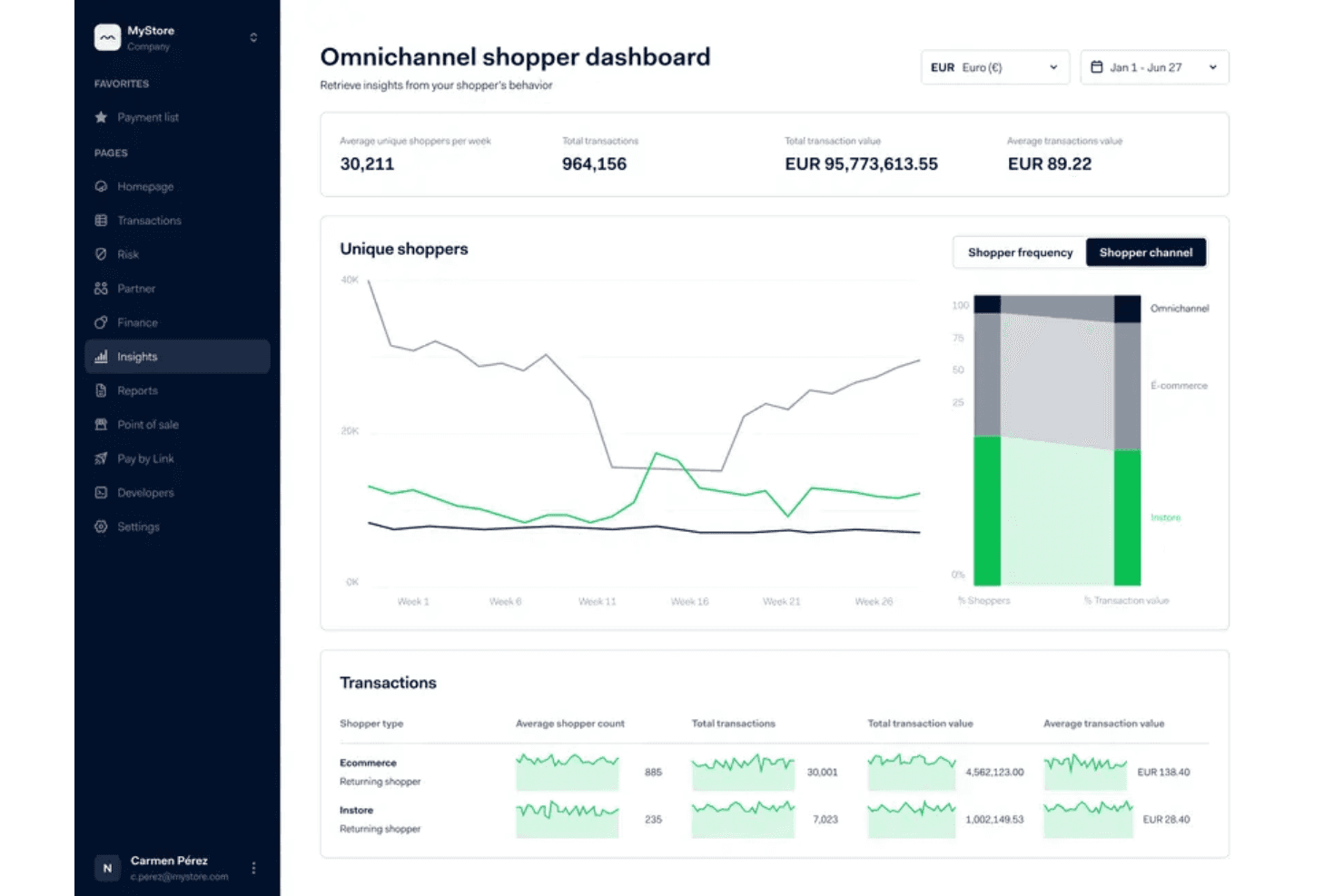
Shopper Insights
Shopper Insights provides detailed analytics on customer behavior and payment preferences. You can use this data to personalize offers and improve the checkout experience across channels.
Ease of Use
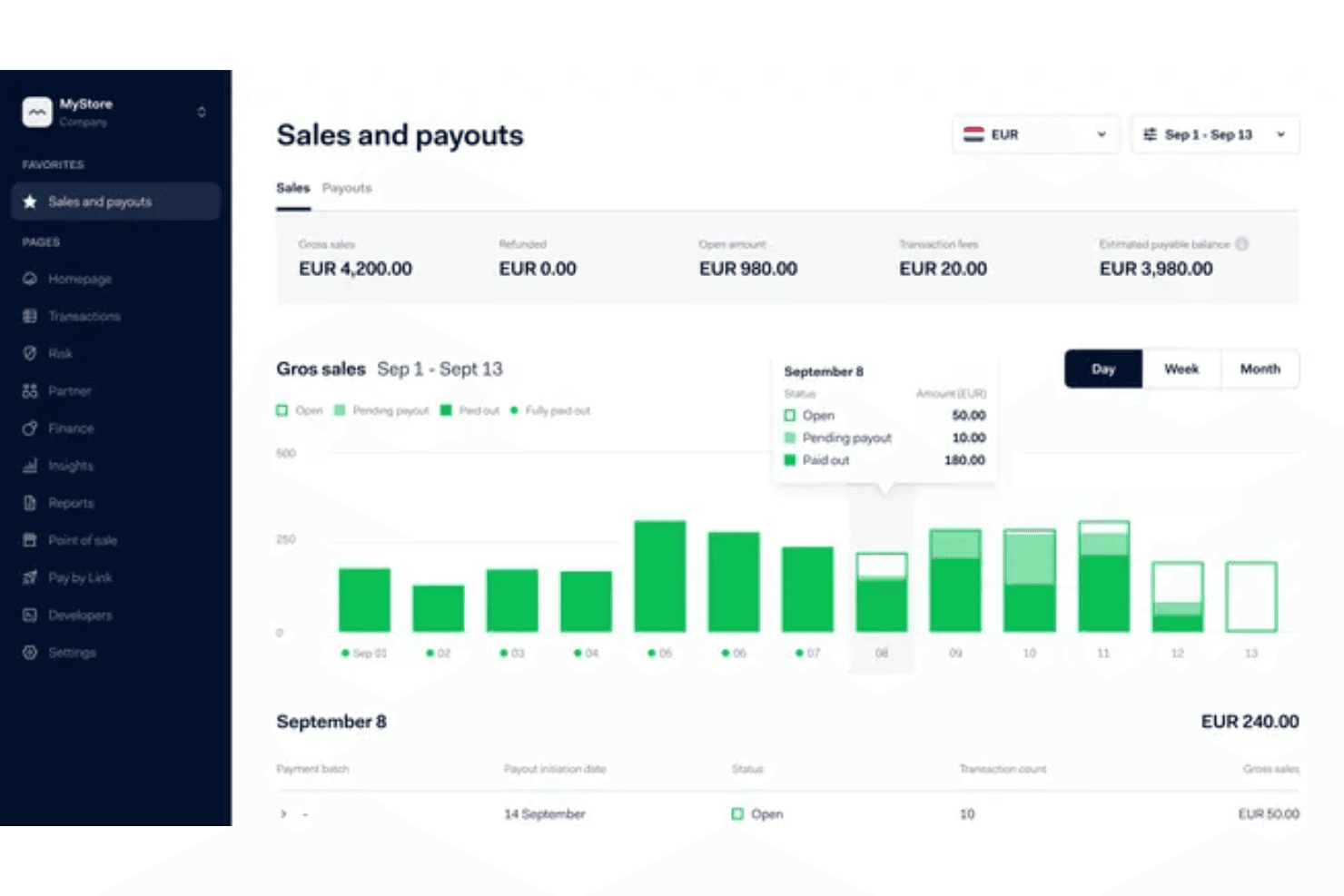
Adyen’s interface is modern and intuitive, but setup and configuration can feel technical, especially for smaller teams or those without dedicated IT support. Many users appreciate the detailed reporting and centralized dashboard, but some mention that navigating advanced features requires training.
I think Adyen is best suited for businesses with in-house expertise or those willing to invest time in onboarding, as its powerful tools come with a steeper learning curve than simpler payment solutions.
Onboarding
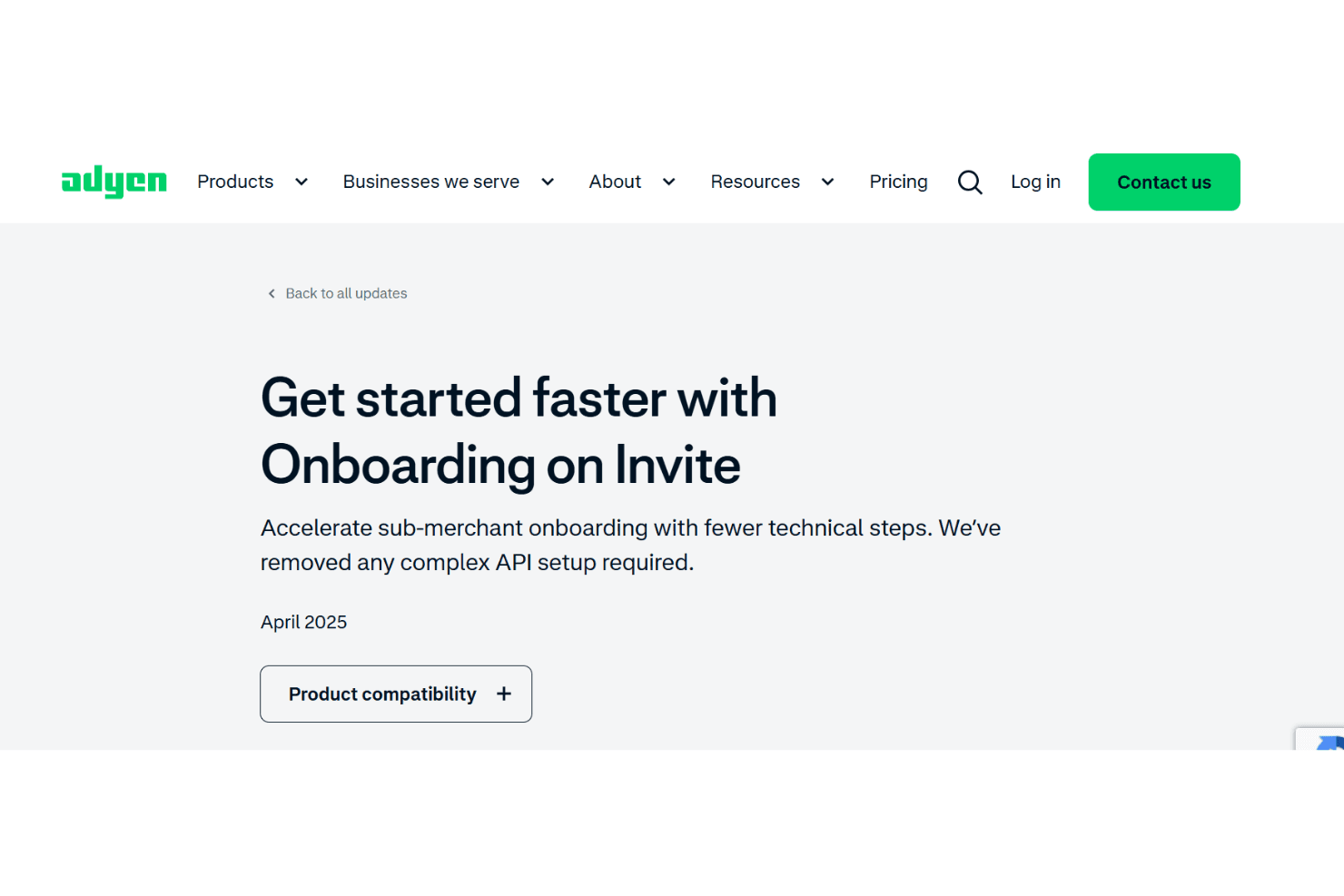
Adyen’s onboarding process is thorough but can be time-consuming, especially for smaller businesses or those new to payment processing. Users often mention the need for technical expertise to complete setup and integration. While Adyen offers detailed documentation, developer resources, and dedicated account managers, some teams find the process complex and wish for more step-by-step guidance. I think businesses with IT support will get up to speed faster and benefit most from Adyen’s onboarding resources.
Customer Support
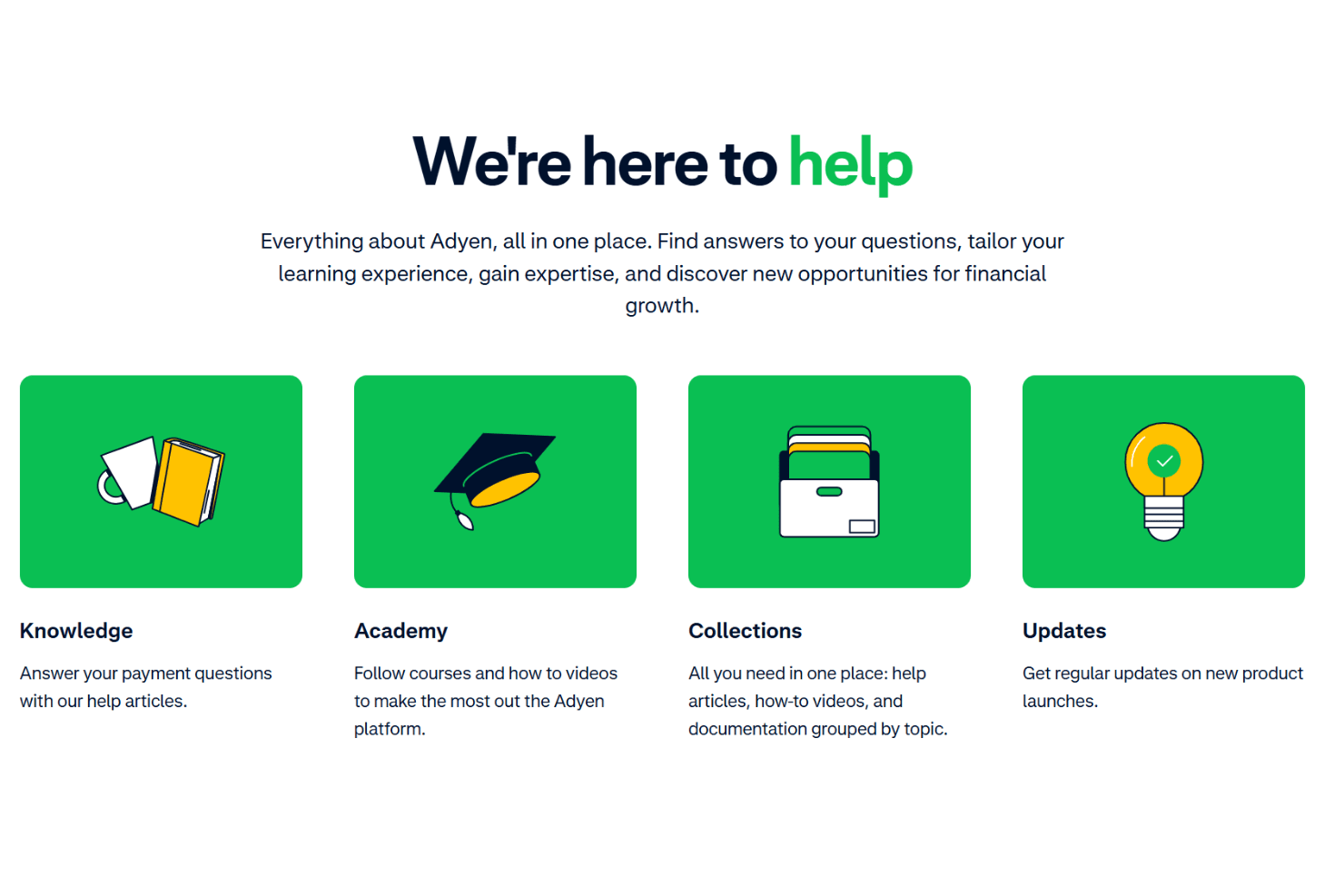
Adyen offers multiple support channels, including email, phone, and a detailed help center, but users often report slow response times for non-enterprise accounts. While dedicated account managers are available for larger clients, smaller businesses sometimes feel overlooked.
I think the quality of support is strong once engaged, but the initial wait and prioritization of larger clients can be frustrating for teams needing quick resolutions or more personalized assistance.
Integrations
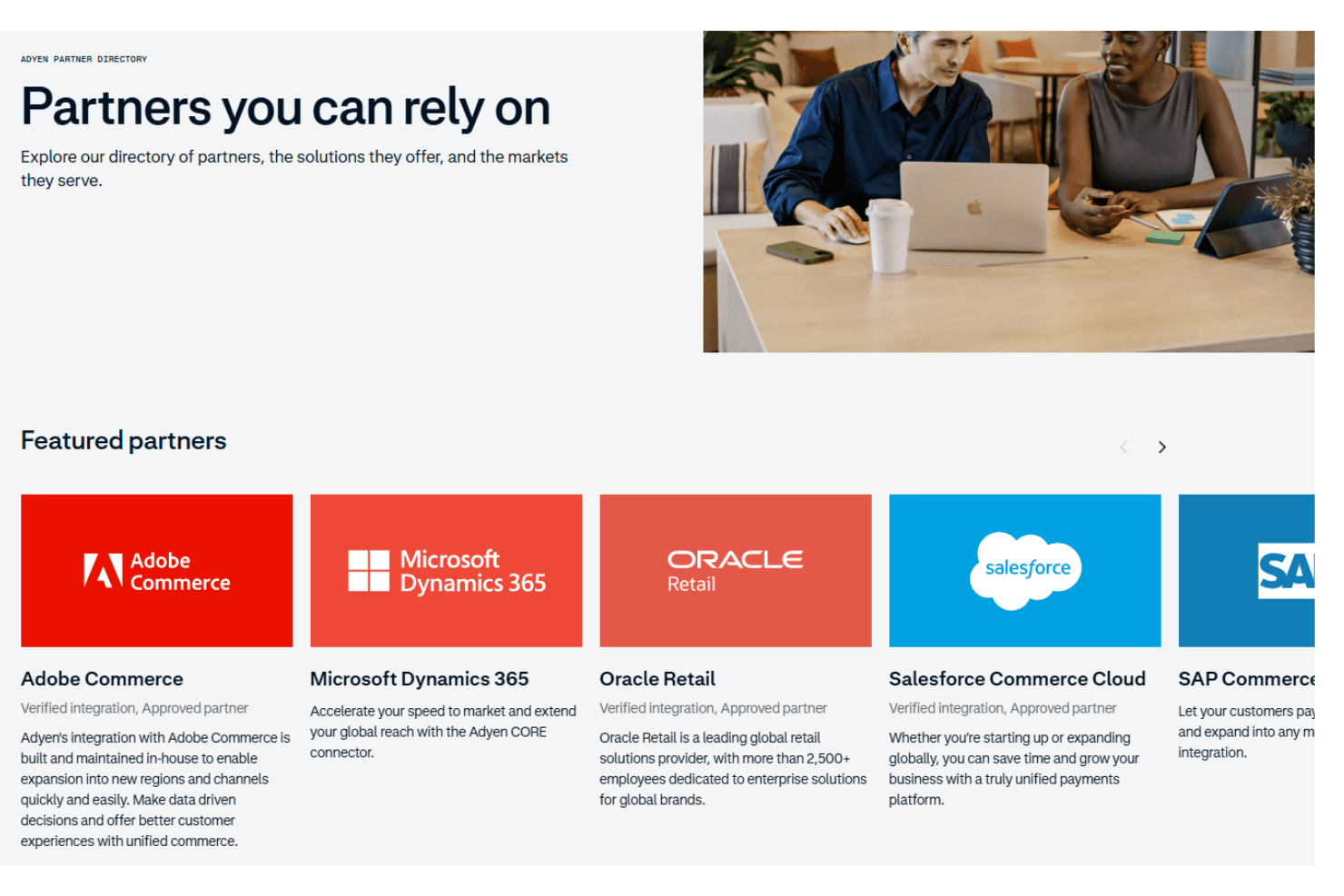
Adyen integrates with Adobe Commerce, Microsoft Dynamics 365, Oracle Retail, Salesforce Commerce Cloud, SAP Commerce, Cegid, Shopify, Magento, WooCommerce, and BigCommerce, among others.
Adyen also offers a robust API and supports connections with third-party integration tools.
Value for Money
Adyen’s pricing is transparent and competitive for high-volume businesses, but smaller teams may find the minimums and fee structure less appealing. Users value the advanced features and global reach, though some mention that the cost is justified only if you fully use the platform’s capabilities.
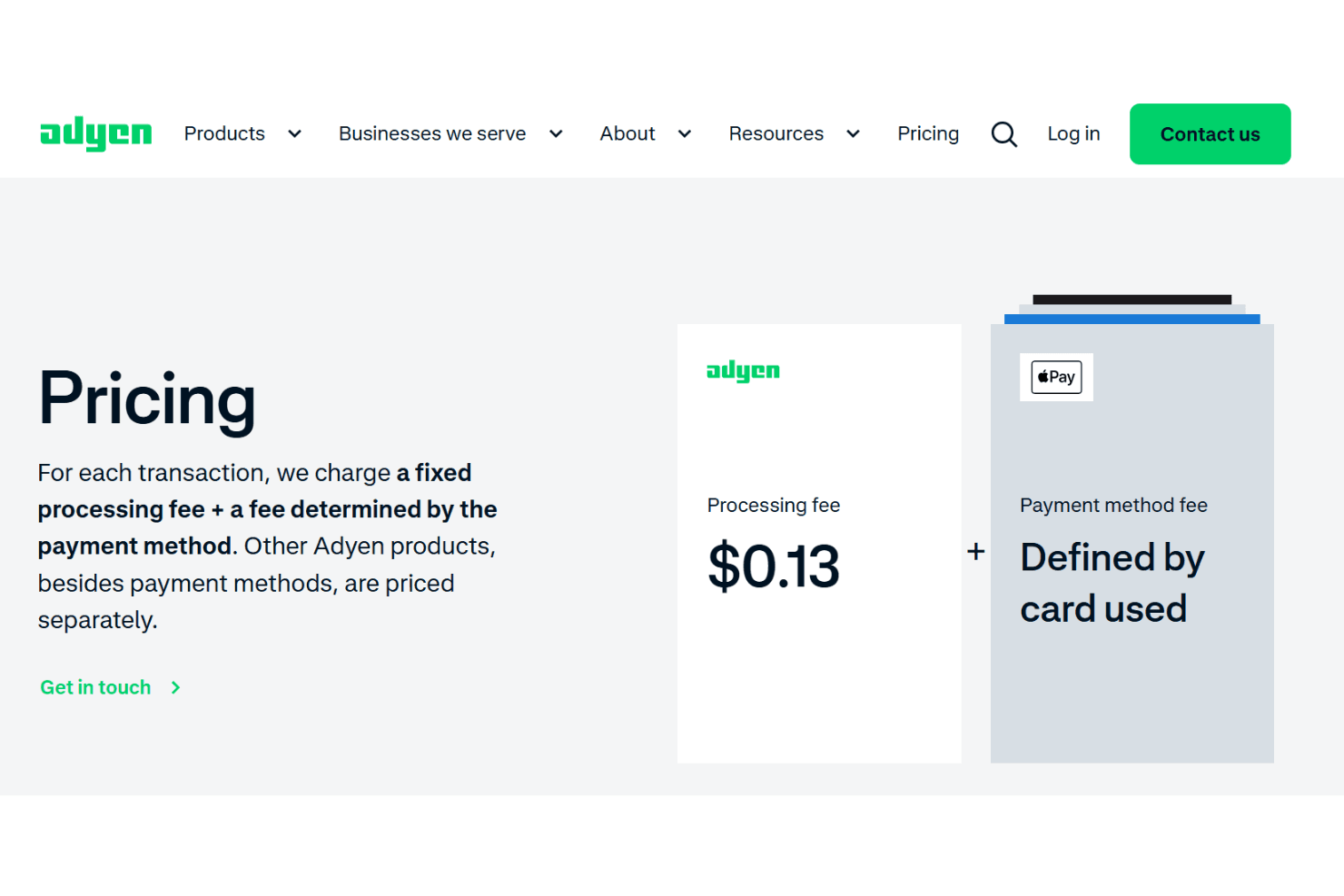
- Interchange++ Pricing: Pass-through model with transparent fees per transaction.
- Enterprise Custom Pricing: Tailored rates and services for large or complex businesses.
- No Monthly Fees: Pay only for transactions processed, with no setup or monthly charges.
Adyen Specs
- 2-Factor Authentication: Yes
- A/B Testing: No
- Analytics: Yes
- API: Yes
- BitCoin: No
- Conversion Tracking: No
- Dashboard: Yes
- Data Export: Yes
- Data Import: Yes
- Data Visualization: Yes
- Design Templates: No
- External Integrations: Yes
- Inventory Tracking: No
- Keyword Tracking: No
- Marketing Automation: No
- Multi-User: Yes
- Notifications: Yes
- Order Management: No
- Payment Gateway Integration: Yes
- Payment Processor: Yes
- PayPal: Yes
- Product Catalog: No
- Review Monitoring: No
- SAP Integration: Yes
- Scheduling: No
- Stripe: No
- Third-Party Plugins/Add-Ons: Yes
Adyen FAQs
Adyen Company Overview & History
Adyen is a global fintech company headquartered in Amsterdam, Netherlands, with 29 offices worldwide. The company employs thousands and serves some of the world’s largest brands, including Adobe, Prada Group, Meta, L’Occitane, and Vagaro. Adyen is known for its unified commerce platform, high reliability (99.999% uptime), and strong compliance credentials, holding US, UK, and EU banking licenses. The platform processes over €1.4 trillion annually and is publicly traded.
Adyen Major Milestones
- 2006: Founded in Amsterdam, Netherlands.
- 2012: Achieved significant growth and global expansion.
- 2018: Listed on Euronext Amsterdam stock exchange.
- 2022: Surpassed €1 trillion in annual processed volume.
- 2023: Expanded banking licenses to the US, UK, and EU.