


Stripe vs. Clover: Detailed Comparison and Expert Reviews for 2026

We review tools independently, and commissions help fund our testing. See our transparency policy, our methodology, or suggest a tool.
Choosing the right payment processing software can feel overwhelming when you’re trying to balance costs, flexibility, and how you actually run your business. You might be wondering whether you need a full point-of-sale setup like Clover or a more customizable payments platform like Stripe. While both handle payments, they differ in how they support in-person vs. online sales, pricing models, and scalability.
This guide breaks down what sets Stripe and Clover apart, so you can confidently pick the right fit for your business goals.
Stripe
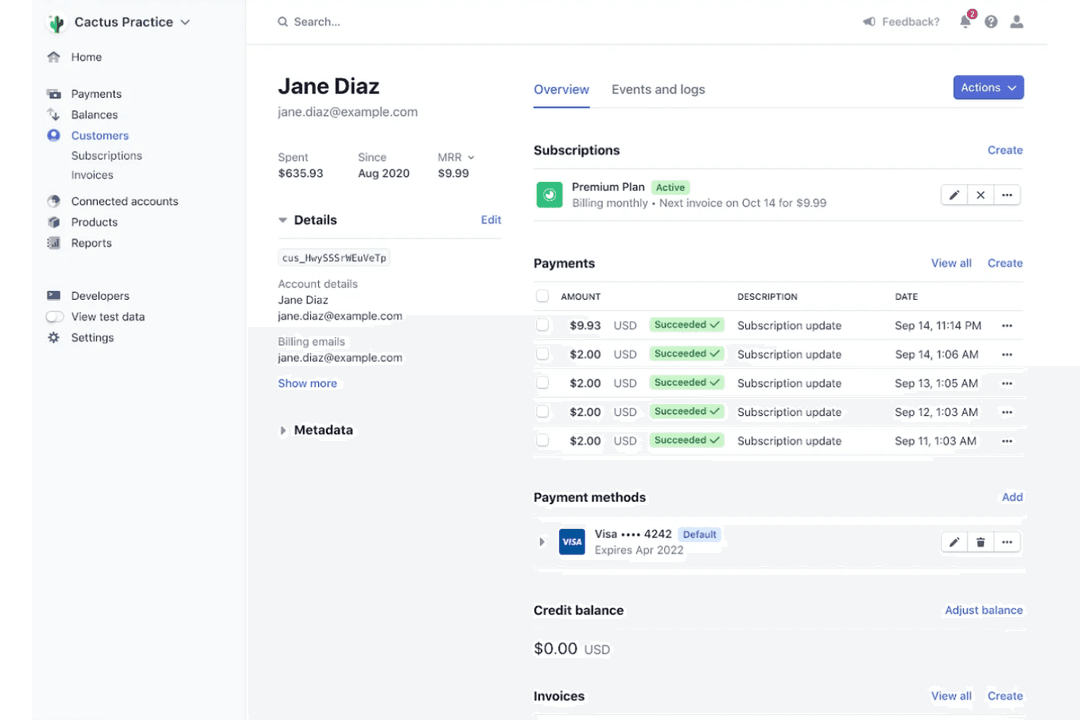
4.6/5
- Not available
- From $620/month
Clover
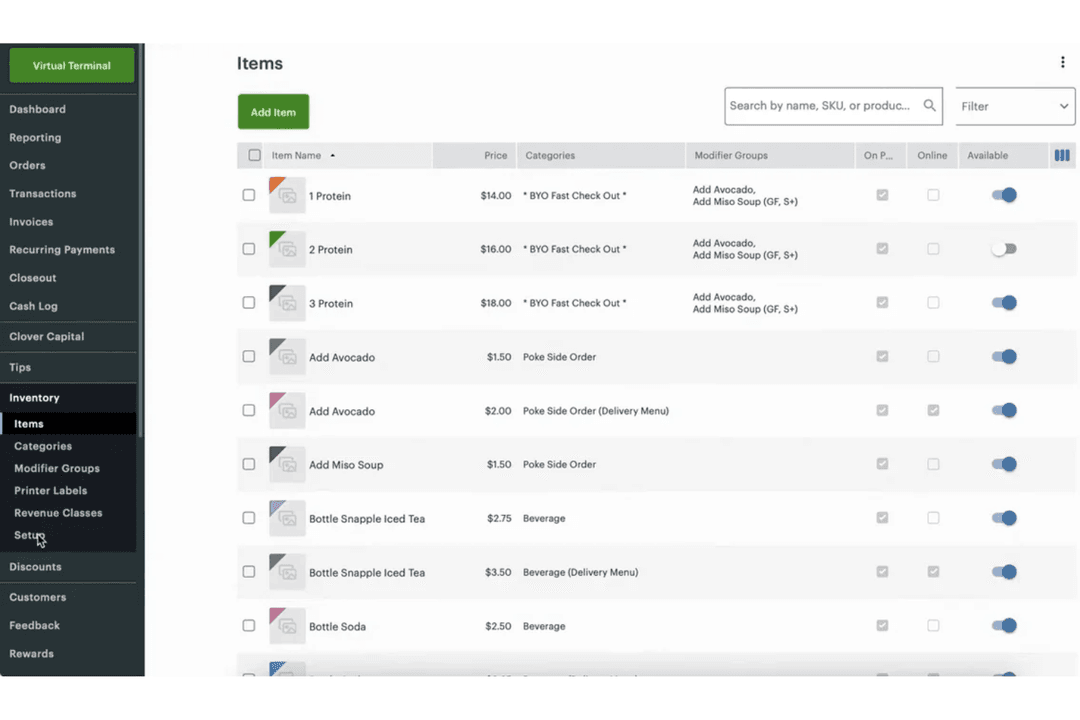
3.9/5
- 90-day free trial
- From $16/month
Why Trust Our Software Recommendations
6,700+
Reviews
20
Industry experts
16+
Evaluation factors
14
Years
Our team has been testing and reviewing software since 2012. As retail leaders ourselves, we know how difficult—and important—it is to choose the right software.
For this guide, we evaluated tools using hands-on testing and independent research, scoring tools using our selection criteria.
Our reviews reflect our independent judgment—not a sales pitch.
| Stripe | Clover | |
|---|---|---|
| Free Trial | Not available | 90-day free trial |
| Pricing | From $620/month | From $16/month |
Stripe vs. Clover Pricing & Hidden Costs
Stripe uses a pay-as-you-go model, charging a flat fee per transaction with no setup fees, monthly fees, or long-term contracts for its core payments offering. While pricing is generally transparent, additional costs can come into play for things like international cards, currency conversion, disputes, or optional add-ons like billing, tax automation, or advanced fraud tools.
Clover, on the other hand, typically bundles hardware, software, and payment processing into a more customized pricing structure. You may pay monthly for an all-in-one POS setup or purchase hardware upfront, with transaction fees tailored to your business. While Clover emphasizes transparent pricing with no hidden fees like PCI charges or batch fees, additional costs can still arise depending on your hardware, apps, or add-ons.
To choose the right pricing model, look beyond the headline rates and map out your actual transaction volume, sales channels, and hardware needs. Take time to review each provider’s full fee structure—including refunds, chargebacks, and optional features—and consider how your setup might evolve as your business grows. This approach helps you avoid surprises and choose a solution that scales with your business needs.
Both Stripe and Clover cover the key features you need to run high-volume payments smoothly across your business. They support multiple payment methods (credit cards, debit cards, digital wallets, online and in-person payments), offer built-in security and fraud protection, and include tools like reporting, invoicing, and basic customer management to help you track transactions and performance. In other words, no matter which you choose, you’ll get a reliable payment processing and checkout experience that can handle everyday transactions and keep your operations running efficiently.
Where they really diverge is in what they’re built for. Stripe stands out for its developer-first flexibility, offering powerful APIs, subscription billing, and highly customizable payment experiences—making it ideal if you need to tailor workflows or run an online-first business.
Clover, on the other hand, differentiates itself with its all-in-one POS ecosystem, including dedicated hardware, built-in inventory and employee management, and an app marketplace designed specifically for in-person businesses like retail and restaurants.
| Stripe | Clover | |
|---|---|---|
| 2-Factor Authentication | Yes | Yes |
| API | Yes | Yes |
| BitCoin | No | No |
| Dashboard | Yes | Yes |
| Data Export | Yes | Yes |
| Data Import | Yes | Yes |
| Data Visualization | Yes | Yes |
| External Integrations | Yes | Yes |
| Inventory Tracking | No | Yes |
| Multi-User | Yes | Yes |
| Notifications | Yes | Yes |
| Payment Gateway Integration | Yes | Yes |
| Payment Processor | Yes | Yes |
| PayPal | No | Yes |
| SAP Integration | No | No |
| Scheduling | No | Yes |
| Stripe | No | No |
| Integration | Stripe | Clover |
| Shopify | ✅ | ✅ |
| WooCommerce | ✅ | ✅ |
| QuickBooks | ✅ | ✅ |
| Xero | ✅ | ❌ |
| Squarespace | ✅ | ❌ |
| Mailchimp | ✅ | ❌ |
| Gusto | ✅ | ❌ |
| Homebase | ❌ | ✅ |
| Yelp | ❌ | ✅ |
| Grubhub | ❌ | ✅ |
| API | ✅ | ✅ |
| Zapier | ✅ | ✅ |
Stripe offers a broader range of ecommerce and accounting integrations, while Clover focuses on in-person retail, restaurant, and scheduling tools. Both support API and Zapier connections, so you can usually connect your favorite platforms, but Stripe’s integration library is more extensive for online-first businesses.
| Factor | Stripe | Clover |
| PCI Compliance | PCI DSS Level 1 certified (the highest level) and helps automate parts of compliance, but merchants still share responsibility depending on integration. | PCI-compliant platform with tools to help you meet requirements, but compliance is not automatic—you’re still responsible for maintaining it. |
| Data Encryption | Uses strong encryption (TLS) and tokenization to protect payment data in transit and storage. | Uses end-to-end encryption and tokenization at the device and during processing. |
| Fraud Prevention | Advanced machine-learning fraud detection (Stripe Radar) with customizable rules and global data signals. | Built-in fraud protections and monitoring, but generally less advanced/customizable than Stripe’s AI-driven tools. |
| Uptime & Reliability | Highly reliable global infrastructure, but no formal public uptime guarantee is stated. | Reliable POS performance with offline capabilities and local processing for in-person transactions. |
| Regulatory Support | Strong global compliance support (e.g., GDPR, PSD2, international data frameworks). | Primarily focused on U.S. compliance and in-person payment standards (e.g., EMV), with a more limited global scope. |
Stripe leads in global compliance, customization, and advanced fraud prevention, making it ideal for online and international businesses. Clover’s strength lies in secure, reliable in-person transactions, with encrypted POS hardware and offline capabilities that keep payments running smoothly in-store.
| Factor | Stripe | Clover |
| User Interface | Offers a clean, developer-friendly dashboard with customizable reporting. | Features a touchscreen POS interface designed for quick, intuitive in-person sales. |
| Onboarding | Provides detailed guides and API documentation for a smooth setup. | Delivers step-by-step onboarding with in-person hardware installation support. |
| Setup Process | Requires some technical know-how for full customization and integration. | Plug-and-play hardware and guided software setup make getting started fast. |
| Customer Support | 24/7 online support and a robust knowledge base for troubleshooting. | Live phone support and on-site assistance for hardware and software issues. |
| Training Resources | Extensive online tutorials and developer resources for self-paced learning. | Offers in-person training and video tutorials for staff and managers. |
Clover is easier for teams who want a straightforward, in-person setup, while Stripe’s interface is best for those comfortable with digital tools and customization. Stripe stands out for its flexible, developer-focused experience, while Clover wins points for hands-on onboarding and user-friendly POS hardware.
Stripe
- Supports 135+ currencies and global payment methods.
- Clear and detailed billing statements for easy expense tracking.
- Flexible APIs for custom checkout and billing flows.
- Customer support can be slow or unhelpful.
- Requires technical expertise for advanced setup.
- Higher transaction fees for some international payments.
Clover
- Built-in payment processing with fast deposits.
- Wide range of hardware options for different business types.
- Strong reporting and inventory management features.
- Some third-party apps require extra fees or subscriptions.
- Customer support response times can be inconsistent.
- Monthly costs increase with add-ons and advanced features.
Stripe
- SaaS StartupsStripe’s subscription billing and API tools support rapid product iteration.
- Global EcommerceMulti-currency support and local payment methods help reach international customers.
- Marketplaces StripeConnect enables split payments and onboarding for multiple sellers.
- Digital AgenciesCustomizable payment flows and invoicing fit client-specific needs.
- NonprofitsDonation tools and recurring giving options are built in.
- Mobile App DevelopersStripe’s SDKs make in-app payments and subscriptions easy to implement.
Clover
- Boutique Fitness StudiosRecurring billing and class scheduling features support membership-based businesses.
- Pop-Up ShopsPortable devices and easy setup work well for temporary locations.
- Salons and SpasAppointment scheduling and customer profiles help manage repeat business.
- Food TrucksMobile hardware and offline payment support suit on-the-go sales.
- Quick-Service RestaurantsOrder management and kitchen display integrations support fast-paced food service.
- Small Retail StoresClover’s inventory tracking and barcode scanning make daily sales simple.
Who Should Use Stripe, And Who Should Use Clover?
Stripe is best suited for business owners who operate primarily online or need flexibility to build custom payment experiences. If you’re running an eCommerce store, SaaS platform, or marketplace—or you want to handle subscriptions, global payments, or complex integrations—Stripe gives you the tools and functionality to scale and customize as you grow. It’s especially valuable if you have technical resources (or plan to) and want full control over how payments fit into your product or workflow.
Clover is a better fit for businesses that rely on in-person transactions and want an all-in-one, ready-to-use system. If you run a retail shop, restaurant, or local small businesses, Clover’s POS hardware, inventory tracking, and employee management tools make day-to-day operations simpler without requiring much technical setup. In short, choose Clover if you want a straightforward, hardware-based solution for physical sales—and Stripe if you need a flexible, software-driven platform for online or hybrid growth.
| Stripe | Clover | |
|---|---|---|
| Automation | Stripe Advanced automation for billing, subscriptions, and fraud detection. | Clover Basic automation, mainly for inventory and sales reporting. |
| Customization | Stripe Highly customizable with developer tools and an open API. | Clover Limited customization, focused on out-of-the-box usability. |
| Pricing Model | Stripe Pay-as-you-go, transaction-based fees with optional add-ons. | Clover Monthly software fees are bundled with hardware and optional add-ons. |
| Sales Channel Focus | Stripe Built for online payments and ecommerce integrations. | Clover Designed for in-person sales with POS hardware options and retail features. |
| User Interface | Stripe Digital dashboard tailored for developers and online businesses. | Clover Touchscreen POS system optimized for quick, in-person transactions. |
| Fraud Protection | Both include built-in fraud detection and chargeback tools, with Stripe stronger for online fraud and Clover focused on in-person protections. |
|---|---|
| Integration Options | Each offers a wide range of integrations with ecommerce, accounting, and business tools, plus API and Zapier support for custom connections. |
| Mobile Payments | Both enable mobile payment acceptance via mobile app (iOS and Android) or mobile-compatible hardware. |
| Reporting & Analytics | Stripe and Clover provide real-time sales reporting and analytics dashboards, helping you track revenue and spot trends quickly. |
| Secure Transactions | Both platforms use encryption, tokenization, and support PCI compliance (though merchants still share responsibility). |