

Le migliori società di elaborazione dei pagamenti con carta di credito ti aiutano ad accettare i pagamenti senza problemi, a mantenere trasparenti le commissioni e a ricevere rapidamente il denaro, integrandosi facilmente con i sistemi che già utilizzi.
Scegli il fornitore giusto e potrai evitare costose sorprese, problemi di sicurezza e difficoltà tecniche.
Da anni analizziamo i processori, ci occupiamo dell'assistenza e confrontiamo i costi, così non dovrai farlo tu. In questa guida ti indicherò le migliori società di elaborazione dei pagamenti con carta di credito per le piccole imprese, per rendere la tua scelta rapida e senza stress.
Perché fidarsi dei nostri consigli sui software
6,700+
Reviews
20
Industry experts
16+
Evaluation factors
14
Years
Il nostro team testa e recensisce software dal 2012. In quanto leader del retail noi stessi, sappiamo quanto sia difficile — e importante — scegliere il software giusto.
Per questa guida, abbiamo valutato gli strumenti attraverso test pratici e ricerche indipendenti, assegnando un punteggio agli strumenti in base ai nostri criteri di selezione.
Le nostre recensioni riflettono il nostro giudizio indipendente, non un discorso di vendita.
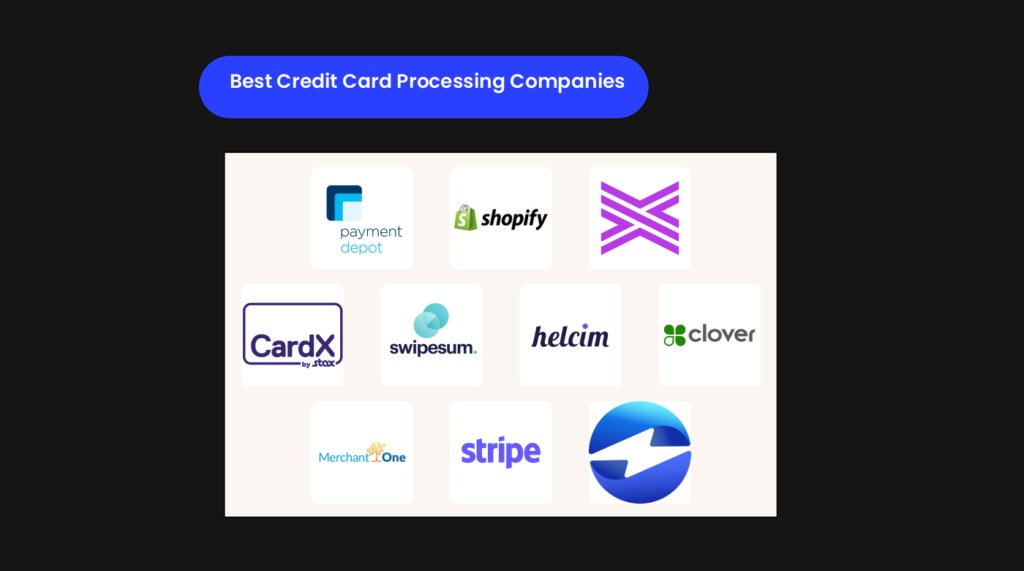
Confronto diretto tra le migliori società di elaborazione dei pagamenti con carta di credito
Bene, abbiamo preparato una pratica tabella che confronta ciascuna delle migliori società di elaborazione dei pagamenti con carta di credito in base ai prezzi, ai dettagli della prova e a ciò in cui eccellono.
| Tool | Best For | Trial Info | Price | ||
|---|---|---|---|---|---|
| 1 | Ideale per bassi costi di elaborazione carte di credito | Prova gratuita di 3 mesi | Da $79 | Website | |
| 2 | Ideale per le vendite al dettaglio omnicanale | Prova gratuita di 3 giorni | Da $29/mese (fatturazione annuale) | Website | |
| 3 | Ideale per trasparenza sui prezzi e supporto interno | Preventivo gratuito disponibile | Prezzi su richiesta | Website | |
| 4 | Ideale per l'elaborazione di carte di credito a costo 0% | Da $29/mese | Website | ||
| 5 | Ideale per accedere a più processori di pagamento | Consulenza gratuita disponibile | Da $50/ora | Website | |
| 6 | Ideale per la versatilità, con POS incluso | Demo gratuita disponibile | Da 1.86% + $0.08 | Website | |
| 7 | Miglior combinazione di punto vendita e sistemi di pagamento | Prova gratuita di 30 giorni | Da $15/mese e 2,3% + 10¢ | Website | |
| 8 | Ideale per il finanziamento il giorno successivo | Preventivo gratuito disponibile | Prezzo su richiesta | Website | |
| 9 | Ideale per chi vende online a livello globale | Non disponibile | Da 2,9% + 30¢ | Website | |
| 10 | Ideale per aziende B2B | Demo gratuita disponibile | Da $15/mese | Website |


Le migliori società di elaborazione dei pagamenti con carta di credito, analizzate
Ed eccoci all’evento principale. Le recensioni seguenti illustrano le caratteristiche principali, i punti di forza, i punti deboli e i prezzi, così potrai trovare quella più adatta al tuo marchio.
 Ideale per bassi costi di elaborazione carte di credito
- Prova gratuita di 3 mesi
- Da $79
Visit WebsiteCustomer Rating:4.7/5
I moduli sul dashboard di Payment Depot sono cliccabili e portano ad analisi dettagliate. Per i rivenditori di medie dimensioni con un volume significativo, il modello di abbonamento di Payment Depot sostituisce i ricarichi percentuali con una tariffa mensile prevedibile—ottimo quando il valore medio delle vendite è elevato.
Ottieni l'elaborazione interchange-plus, un terminale virtuale per vendite telefoniche o inserite a mano e opzioni mobili per servizio sul marciapiede o eventi. È ideale per commercianti statunitensi che dispongono già di un POS o di una piattaforma ecommerce e desiderano costi di elaborazione più bassi e stabili.
Perché ho scelto Payment Depot
Ho scelto Payment Depot perché permette di controllare i costi delle carte tramite un abbonamento mensile fisso abbinato a tariffe interchange-plus—il risparmio deriva dall’eliminazione dei ricarichi gonfiati.
Offre anche strumenti pratici di vendita: un terminale virtuale per inserire manualmente le carte e inviare fatture, oltre ai pagamenti mobili tramite lettori compatibili per il checkout in movimento. Per la vendita in negozio, puoi utilizzare opzioni hardware largamente supportate, evitando di vincolare il team a dispositivi di nicchia.
I termini mensili riducono i rischi, consentendoti di verificare il risparmio senza un contratto a lungo termine. Se hai già investito in sistemi retail o ecommerce, si integra con gateway e piattaforme familiari per mantenere intatto il tuo flusso di lavoro.
Caratteristiche principali di Payment Depot
Oltre al modello di prezzo, ecco opzioni utili pensate per team di vendita impegnati.
- Terminale virtuale: Inserisci carte, gestisci ordini telefonici o per posta e invia fatture email da un browser.
- Pagamenti mobili: Accetta pagamenti contactless e con chip tramite lettori compatibili per eventi o servizio sul marciapiede.
- Diversi percorsi hardware: Utilizza configurazioni retail comuni (ad es. basate su Clover) per supportare corsie e back office.
- Accettazione di portafogli digitali: Permetti ai clienti di pagare con Apple Pay e Google Pay per un checkout più rapido.
Integrazioni di Payment Depot
Le integrazioni includono Authorize.Net, Shopify, WooCommerce, BigCommerce, Magento, QuickBooks, OpenCart e Zen Cart.
Pros and Cons
Pros:
- Supporta hardware retail comune per flessibilità in negozio.
- Il modello di abbonamento riduce le tariffe effettive a volumi elevati.
- Include un terminale virtuale per pagamenti inseriti manualmente e telefonici.
Cons:
- La tariffa mensile può superare i risparmi per chi vende a basso volume.
- Solo per account commerciante USA; onboarding internazionale non disponibile.
Learn more about Payment Depot: Ideale per le vendite al dettaglio omnicanale
- Prova gratuita di 3 giorni
- Da $29/mese (fatturazione annuale)
Visit WebsiteCustomer Rating:4.4/5
Shopify POS ti aiuta a unire le vendite online e di persona in un unico luogo Per i rivenditori omnicanale, Shopify POS collega il checkout in negozio con il catalogo online, l'inventario e i dati dei clienti—così il tuo team non dovrà riconciliare i sistemi a mezzanotte.
Ottieni inoltre l'accettazione delle carte integrata (Shopify Payments) oltre a Tap to Pay su iPhone e Android, che riduce i costi dell'hardware per banchi più piccoli o pop-up. È ideale per i commercianti già su Shopify che vogliono inventario unificato, BOPIS (acquista online, ritira in negozio) e flussi di lavoro semplici per il personale.
Perché ho scelto Shopify POS
Ho scelto Shopify POS perché offre un inventario unificato tra online e vendita al dettaglio: il tuo personale può vendere dallo stock di qualsiasi sede ed evitare sovravendite grazie al tracciamento delle quantità in tempo reale.
Puoi offrire l'opzione acquista online, ritira in negozio tramite POS Pro, così i clienti prenotano online e il tuo team gestisce l'ordine direttamente dalla schermata POS. Tap to Pay su iPhone e Android permette di accettare carte e portafogli contactless senza hardware aggiuntivo, ottimo per eventi o per velocizzare le file.
La schermata principale smart grid velocizza il checkout posizionando prodotti, sconti e app più utilizzati su riquadri che il team può selezionare all'istante. Infine, Shopify Payments integrato significa che depositi, commissioni e report sui pagamenti sono disponibili sulla stessa dashboard già utilizzata dal vostro team finanziario.
Funzionalità principali di Shopify POS
Ecco alcuni strumenti pratici direttamente correlati ai motivi sopra elencati.
- Modelli Smart Grid: Crea e assegna layout di riquadri per ogni sede per accelerare i flussi di lavoro alla cassa.
- Acquista in negozio, spedizione al cliente: Effettua una vendita in uno store e spedisci da un'altra sede con disponibilità di stock.
- Report su inventario e finanze: Monitora vendite, tasse e pagamenti dalla stessa area amministrativa utilizzata quotidianamente dal tuo team.
- Ruoli e permessi dello staff: Limita sconti, rimborsi e visualizzazioni sensibili grazie a controlli di accesso basati sul ruolo.
Integrazioni di Shopify POS
Le integrazioni includono QuickBooks Online, Mailchimp, Klaviyo, LoyaltyLion, Yotpo, ShipStation, UPS, DHL Express e Canada Post.
Pros and Cons
Pros:
- BOPIS e resi in negozio sono integrati nel flusso di lavoro POS.
- Tap to Pay su iPhone/Android riduce i costi dell'hardware per i lettori di carte.
- L'inventario unificato online e in negozio riduce le sovravendite e le mancanze di stock.
Cons:
- La disponibilità di Shopify Payments limita la piena funzionalità in alcuni paesi.
- Si applicano costi aggiuntivi quando si utilizzano gateway di pagamento esterni.
Learn more about Shopify POS: 3Ideale per trasparenza sui prezzi e supporto interno
Stax
- Preventivo gratuito disponibile
- Prezzi su richiesta
Visit WebsiteCustomer Rating:4.2/5
Visualizza tutte le transazioni e i pagamenti elaborati dalla dashboard principale. Per i commercianti statunitensi ad alto volume stanchi dei rincari nascosti, il modello di abbonamento di Stax Pay può rendere i costi di elaborazione più prevedibili—soprattutto se il valore medio delle transazioni è elevato.
Include anche il sovrapprezzo automatico tramite CardX per compensare le commissioni delle carte di credito dove consentito dalla legge, oltre a finanziamento il giorno successivo e un terminale virtuale per pagamenti telefonici o tramite fattura.
È ideale per commercianti già affermati e venditori B2B che apprezzano costi prevedibili e necessitano sia di accettazione in presenza sia online.
Perché ho scelto Stax Pay
Ho scelto Stax Pay perché il canone mensile fisso più lo schema interchange offre costi prevedibili su larga scala—i risparmi provengono da commissioni che puoi realmente pianificare.
Puoi inoltre proteggere i margini grazie al sovrapprezzo conforme con CardX, con strumenti di trasparenza e calcoli automatici che ti mantengono in linea con le regole dei circuiti delle carte. Per l’operatività quotidiana, il tuo team dispone di un terminale virtuale per pagamenti digitati e fatturazione, insieme a finanziamento il giorno successivo per migliorare la liquidità.
L’hardware è flessibile—puoi abbinare terminali compatibili per bancone, mobile o ritiro al volo senza vincolarti a un unico produttore. Apprezzo inoltre che sia disponibile ACH come opzione a costi inferiori per le fatture B2B di importo elevato.
Caratteristiche principali di Stax Pay
- Modello di prezzo ad abbonamento: Paga un canone mensile fisso più lo schema interchange per avere costi più prevedibili.
- Sovrapprezzo conforme (CardX): Applica un sovrapprezzo dove consentito con servizi di trasparenza e reportistica inclusi.
- Terminale virtuale e fatturazione: Inserisci manualmente le carte in sicurezza, invia fatture e ricevi pagamenti senza un POS.
- Finanziamento il giorno successivo: Accelera gli accrediti sulle transazioni idonee per fare girare le scorte.
Integrazioni Stax Pay
Le integrazioni includono QuickBooks Online, QuickBooks Desktop, WooCommerce e Magento (Adobe Commerce).
Pros and Cons
Pros:
- Finanziamento il giorno successivo disponibile per accesso più rapido ai fondi regolati.
- Il sovrapprezzo CardX aiuta a compensare i costi delle carte dove consentito dalla legge.
- Il prezzo ad abbonamento favorisce i volumi mensili elevati e transazioni di importo maggiore.
Cons:
- Supporta principalmente commercianti statunitensi; disponibilità globale limitata.
- Il canone mensile può superare i risparmi per le attività a basso volume.
Learn more about Stax:

Gestisci le transazioni dei clienti a costo zero con facilità. Per i rivenditori che desiderano compensare l'aumento delle commissioni di interscambio senza dover inseguire regole statali variabili, CardX by Stax consente di trasferire le commissioni ammissibili delle carte di credito ai clienti—bloccando automaticamente i supplementi sulle carte di debito.
È una soluzione intelligente per i commercianti statunitensi con vendite in negozio o online che vogliono proteggere i margini e garantire la conformità senza doverla gestire costantemente.
Perché ho scelto CardX by Stax
Ho scelto CardX by Stax perché abbina la protezione dei margini a una reale tecnologia di conformità—consente il rilevamento automatico del tipo di carta, applicando le commissioni solo alle carte di credito e non alle carte di debito, così da rispettare le regole delle reti di carte e dei singoli stati.
Il tuo team riceve subito scontrini e avvisi conformi alle normative, il che significa meno problemi in caso di audit e meno contestazioni al banco.
Per configurazioni omnicanale, puoi accettare pagamenti online, in ufficio o di persona utilizzando la stessa logica dei supplementi, così le politiche restano coerenti su tutti i canali. La disponibilità copre la maggior parte degli Stati Uniti e gli obiettivi di uptime pubblicati sono di livello enterprise, quindi non rischi interruzioni nei fine settimana più impegnativi.
In sintesi: tieni più margine da ogni vendita con carta di credito idonea, supportato da strumenti che fanno rispettare realmente la politica, non solo la promettono.
Caratteristiche principali di CardX by Stax
Oltre alla conformità sui supplementi, ecco strumenti pratici che i rivenditori useranno davvero.
- Rilevamento automatico della debito: Identifica le carte di debito all’inserimento e rimuove automaticamente i supplementi.
- Scontrini e segnaletica conformi: Genera le segnalazioni delle commissioni riga per riga e gli avvisi richiesti per gli audit.
- Accettazione omnicanale: Applica le stesse regole sui supplementi a vendite online, in ufficio e di persona.
- Reportistica e riconciliazione: Monitora il risparmio sulle commissioni, i depositi e le tendenze da una singola dashboard.
Integrazioni di CardX by Stax
Le integrazioni includono Stax Pay, Stax Connect, Stax Bill e Stax Processing.
Pros and Cons
Pros:
- Aiuta a proteggere i margini sulle transazioni con carta di credito idonee su larga scala.
- Le informative sugli scontrini riducono il rischio di non conformità al punto vendita.
- La logica automatica dei supplementi applica le regole su solo credito su tutti i canali.
Cons:
- Le transazioni con carta di debito comportano comunque costi di elaborazione per il commerciante.
- Non disponibile per commercianti in Connecticut o Massachusetts.
Learn more about CardX by Stax: Ideale per accedere a più processori di pagamento
- Consulenza gratuita disponibile
- Da $50/ora
Visit WebsiteCustomer Rating:4.8/5
Swipesum offre servizi di consulenza e una piattaforma indipendente dal back-end che ti dà accesso ai principali processori di pagamento. Per i rivenditori che desiderano avere leva sui processori—non essere vincolati—Swipesum abbina competenze sulle commissioni a una piattaforma indipendente dal processore.
Riceverai assistenza nell'auditing delle rendicontazioni, nella scelta del processore giusto e nella gestione delle controversie—ideale per team con più sedi, B2B e omnicanale che si preoccupano del costo totale, non solo di una tariffa promozionale.
Perché ho scelto Swipesum
Ho scelto Swipesum perché ti permette di mantenere il controllo—il suo approccio indipendente dal back-end consente di scegliere tra i principali processori senza dover rivoluzionare la tua infrastruttura. Riduci davvero il tuo tasso effettivo tramite audit delle rendicontazioni e controlli periodici sulle tariffe, non con promesse vaghe.
Gestori di account dedicati si occupano delle parti più complesse—negoziazioni, rinnovi e cambi di fornitore—così il tuo team non deve decifrare tabelle di sovrapprezzo alle 22 di sera. Quando superi un provider, puoi cambiarlo restando sempre attraverso il layer Swipesum, riducendo i rischi operativi.
Mi piace anche che supportino ambienti complessi, dal retail + ecommerce alla fatturazione B2B.
Caratteristiche principali di Swipesum
Ecco gli strumenti pratici che assicurano questa flessibilità.
- Monitoraggio delle Commissioni: Usa l'analisi automatica delle rendicontazioni per individuare commissioni gonfiate e variazioni di tariffa prima che aumentino troppo.
- Assistenza nella Gestione dei Chargeback: Offre supporto concreto per identificare le cause, inviare prove e migliorare i tassi di vittoria.
- Configurazione Gateway Gratuita: Imposta un gateway di pagamento per i nuovi utenti, riducendo il tempo prima della prima transazione.
- Supporto Tecnico: Aiuta con integrazioni personalizzate e casi complessi su POS, ERP ed ecommerce.
Integrazioni Swipesum
Le integrazioni includono Shopify, BigCommerce, WooCommerce, Magento, Stripe, Square, Clover, Lightspeed, NetSuite e QuickBooks.
Pros and Cons
Pros:
- Il modello agnostico rispetto ai processori consente di scegliere e cambiare fornitore.
- Gli audit automatici delle rendicontazioni individuano costi nascosti e variazioni delle tariffe.
- Il supporto diretto per i chargeback riduce le perdite e il tempo impiegato dal personale.
Cons:
- Non è indicato se desideri un sistema completamente self-service.
- Le soluzioni personalizzate possono richiedere più tempo per essere implementate.
Learn more about Swipesum: Ideale per la versatilità, con POS incluso
- Demo gratuita disponibile
- Da 1.86% + $0.08
Visit WebsiteCustomer Rating:4.4/5
Helcim offre un'ampia gamma di funzionalità, ma l'interfaccia di pagamento è semplice. Per i rivenditori che desiderano tariffe interchange-plus trasparenti senza costi mensili, Helcim offre pagamenti in negozio, online e tramite fattura in un unico posto.
Avrai un terminale virtuale gratuito, un POS integrato con gestione di base dell'inventario, ACH/EFT per pagamenti bancari a costi inferiori e la possibilità opzionale di applicare un sovrapprezzo per proteggere i margini: la soluzione ideale per gli esercenti negli Stati Uniti e in Canada che apprezzano la chiarezza dei costi e gli strumenti pratici.
Perché ho scelto Helcim
Ho scelto Helcim perché offre una tariffazione interchange-plus con margini basati sui volumi, quindi il tasso effettivo può diminuire all'aumentare delle transazioni. Puoi accettare pagamenti digitati manualmente, con carta presente e ACH tramite il terminale virtuale gratuito, utile per gli ordini telefonici e per i clienti con pagamenti a credito.
Per le vendite di persona, lo Smart Terminal include un'app POS e la stampa delle ricevute, così il tuo team può registrare le vendite senza software aggiuntivo. Se devi proteggere i margini sulle carte di credito, Fee Saver di Helcim ti consente di attivare un sovrapprezzo conforme alle normative sulle transazioni idonee.
Mi piace anche il fatto che i profili dei clienti — carte memorizzate, dati ACH salvati e fatture precedenti — siano archiviati in un CRM integrato, così i pagamenti ricorrenti sono più rapidi.
Caratteristiche principali di Helcim
Oltre ai prezzi e ai terminali indicati sopra, ecco alcune funzionalità di pagamento che i team utilizzano davvero ogni giorno.
- Pagine e link di pagamento: Crea rapidamente pagine di pagamento o link ospitati per ricevere pagamenti senza sviluppo personalizzato.
- Fatturazione ricorrente e fatture: Pianifica gli abbonamenti, invia fatture e riscuoti automaticamente tramite carta o ACH.
- Gestione clienti (memorizzazione sicura): Archivia in modo sicuro le carte e i conti bancari per velocizzare gli addebiti ricorrenti.
- Report e riconciliazione dei pagamenti: Monitora commissioni, accrediti ed estratti conto per mantenere ordinata la contabilità.
Integrazioni di Helcim
Le integrazioni includono QuickBooks Online, Xero, WooCommerce, Magento 2, Foxy.io, WHMCS e Drupal.
Pros and Cons
Pros:
- L'accettazione di ACH/EFT riduce i costi per le transazioni B2B, i servizi e gli ordini di importo elevato.
- Lo Smart Terminal include un'app POS e la stampa delle ricevute per le vendite al banco.
- La tariffazione interchange-plus con sconti basati sui volumi riduce i tassi effettivi nel tempo.
Cons:
- L'interchange-plus può essere più costoso per le transazioni di piccolo importo rispetto ad alcune opzioni a tariffa fissa.
- Non è disponibile per molti settori ad alto rischio; la valutazione è prudente.
Learn more about Helcim: Miglior combinazione di punto vendita e sistemi di pagamento
- Prova gratuita di 30 giorni
- Da $15/mese e 2,3% + 10¢
Visit WebsiteCustomer Rating:3.9/5
Clover è un altro processore di pagamenti che ti permette di accettare pagamenti dal computer. Per i rivenditori in crescita che desiderano punto vendita e pagamenti in un unico luogo, Clover abbina hardware da banco a strumenti web realmente utili—terminali virtuali, soluzione mobile e controlli per più sedi.
È l'ideale per negozi piccoli e medi e punti di ristorazione veloce che hanno bisogno di elaborazioni affidabili di persona oggi, oltre a semplici soluzioni per il checkout online e la contabilità domani.
Perché ho scelto Clover
Ho scelto Clover perché permette di gestire le vendite quotidiane—con chip, contactless, inserimento manuale e fatture—mentre il tuo team vede le vendite serali sincronizzate in contabilità, così la riconciliazione non ti ruba le mattine.
Hai a disposizione un terminale virtuale via browser per ordini telefonici, supportato dall’archiviazione tokenizzata delle carte per velocizzare i clienti abituali. L’app mobile ti permette di effettuare vendite e visualizzare i depositi ovunque, utile quando il personale è ridotto.
Per i rivenditori con più sedi, una dashboard centrale invia aggiornamenti su menu, prezzi e tasse a tutti i dispositivi, così i cambiamenti avvengono una sola volta—invece che negozio per negozio. Termini e prezzi sono trasparenti sul sito, e hai supporto telefonico 24/7 quando qualcosa va storto cinque minuti prima della chiusura.
Funzionalità principali di Clover
Oltre a quanto già detto, ecco alcuni strumenti pratici a cui i rivenditori spesso fanno affidamento.
- Terminale Virtuale: Inserisci i pagamenti da qualsiasi browser per ordini telefonici e via posta.
- Depositi Rapidi: Accedi anticipatamente ai fondi idonei, per una piccola commissione, quando la liquidità scarseggia.
- Controlli Multi-Sede: Aggiorna articoli, prezzi e tasse in tutti i negozi da una sola dashboard.
- Gestione delle Dispute: Monitora i chargeback e rispondi con i documenti richiesti dal tuo portale merchant.
Integrazioni di Clover
Le integrazioni includono QuickBooks, Xero, Homebase, Gusto, Shopify, BigCommerce, WooCommerce e Yelp.
Pros and Cons
Pros:
- L'App Market estende il punto vendita a payroll, pianificazione turni e strumenti fiscali.
- Gli aggiornamenti centralizzati su più sedi fanno risparmiare tempo e prevengono incongruenze nei prezzi.
- Il terminale virtuale gestisce gli ordini telefonici senza hardware aggiuntivo.
Cons:
- Prezzi e opzioni dei piani possono risultare complessi per chi acquista per la prima volta.
- Le tariffe per le transazioni online sono più alte rispetto a quelle in presenza.
Learn more about Clover: Ideale per il finanziamento il giorno successivo
- Preventivo gratuito disponibile
- Prezzo su richiesta
Visit WebsiteCustomer Rating:5/5
Merchant One offre sistemi e dispositivi POS per supportare gli ambienti di vendita fisici. Per i rivenditori che danno importanza al flusso di cassa, Merchant One dà priorità ai depositi rapidi—finanziamento il giorno successivo per i conti idonei—e offre modi pratici per accettare carte in negozio, online e in mobilità.
È adatto ai commercianti statunitensi che desiderano le opzioni hardware Clover, un terminale virtuale con fatturazione ricorrente e accettazione mobile senza dover ricostruire il proprio POS o stack ecommerce.
Perché ho scelto Merchant One
Ho scelto Merchant One perché consente di proteggere il flusso di cassa tramite finanziamento il giorno successivo, supportato da bonifici batch a livello di processore (verificare scadenze ed eleggibilità).
Include anche un terminale virtuale per pagamenti inseriti manualmente e transazioni card-not-present, compresa la fatturazione ricorrente e la memorizzazione delle carte—utile per abbonamenti o fatturazione. Se hai bisogno di mobilità, puoi accettare pagamenti EMV e contactless tramite lettori supportati come Clover Go o Swift B250.
Per i punti vendita fisici, le opzioni POS di Clover e i terminali da banco coprono chip, contactless e banda magnetica con strumenti dedicati alla sicurezza PCI. L’installazione dedicata e l’assistenza 24/7 aiutano i team meno tecnici a iniziare velocemente senza bisogno di sviluppo personalizzato.
Caratteristiche principali di Merchant One
In aggiunta alla velocità dei fondi e alle opzioni hardware, ecco strumenti che utilizzerai davvero ogni giorno.
- Terminale virtuale e fatturazione ricorrente: Inserisci manualmente i pagamenti e imposta addebiti automatici da un browser sicuro.
- Customer Vault: Conserva le carte dei clienti in sicurezza per acquirenti abituali e checkout più veloci.
- Generatore di fatture e pulsanti Acquista Ora: Invia fatture o aggiungi link di pagamento ospitati senza plugin aggiuntivi.
- Plugin QuickBooks: Sincronizza i depositi e riduci il lavoro manuale di riconciliazione.
Integrazioni di Merchant One
Le integrazioni includono Authorize.net, Payeezy Gateway, Payflow Pro, Paytrace Gateway, USAePay, Aloha, Micros e Maitre’D.
Pros and Cons
Pros:
- Terminale virtuale con fatturazione ricorrente, fatturazione e plugin QuickBooks.
- Opzioni Clover POS più lettori EMV da banco e mobili.
- Finanziamento il giorno successivo disponibile per commercianti idonei per depositi più rapidi.
Cons:
- Prezzi a livelli e commissioni possono risultare poco trasparenti senza tabelle dettagliate.
- Contratti pluriennali e penali di recesso anticipato segnalate dagli utenti.
Learn more about Merchant One: Ideale per chi vende online a livello globale
- Non disponibile
- Da 2,9% + 30¢
Visit WebsiteCustomer Rating:4.6/5
Gli utenti di Stripe possono visualizzare sia le singole transazioni che le tendenze generali delle vendite dalla dashboard. Per i rivenditori orientati al globale, Stripe elimina le complicazioni dell'accettazione delle carte a livello internazionale: prezzi in multivaluta, alte percentuali di autorizzazione e robusti strumenti antifrode.
È la soluzione ideale per i team che vendono principalmente online e desiderano fatturazione ricorrente, gestione delle fatture e la possibilità di aggiungere pagamenti in presenza senza cambiare processore.
Perché ho scelto Stripe
Ho scelto Stripe perché garantisce alte percentuali di accettazione grazie a funzionalità come Adaptive Acceptance, che ritenta automaticamente le transazioni rifiutate utilizzando segnali informati dall’emittente: trattieni più vendite già concluse.
Puoi avviare nuovi canali rapidamente con Payment Links e Checkout, così il tuo team accetta carte senza dover scrivere codice. Se vendi in negozio, Terminal e Tap to Pay su iPhone rendono i pagamenti in presenza facilmente integrabili, senza bisogno di nuovo gateway o conto commerciante.
La vendita globale è davvero praticabile qui: puoi impostare prezzi in più di 135 valute e ricevere pagamenti nella tua valuta locale, evitando complicazioni di riconciliazione dovute all’accettazione di carte internazionali.
Funzionalità principali di Stripe
Oltre a quanto sopra, ecco alcune funzionalità operative di pagamento che i rivenditori utilizzano realmente.
- Radar Rilevamento Frodi: Valutazione dei rischi basata su ML e regole personalizzabili per bloccare attività fraudolente con le carte.
- Protezione contro i chargeback: Componente aggiuntivo opzionale che copre automaticamente le controversie ammesse sulle carte, limitando le perdite.
- Token di rete e aggiornamento carta: Mantieni aggiornati i dati delle carte e riduci i rifiuti con aggiornamenti automatici delle credenziali.
- Rendicontazione finanziaria e pagamenti: Report unificati, riconciliazione dei depositi e pianificazione dei pagamenti configurabile.
Integrazioni di Stripe
Le integrazioni includono WooCommerce, Squarespace, Wix, BigCommerce, Salesforce, NetSuite, Xero, DocuSign e Mailchimp.
Pros and Cons
Pros:
- Aggiungi le vendite in presenza tramite Terminal e Tap to Pay senza cambiare gateway.
- Adaptive Acceptance e i token di rete migliorano i tassi di autorizzazione delle carte.
- Accettazione di carte a livello globale con oltre 135 valute e metodi locali.
Cons:
- Il prezzo a tariffa fissa può risultare costoso per i rivenditori con alti volumi e vendita in presenza.
- Non disponibile per i commercianti in alcuni paesi (es. Cina).


EBizCharge permette alle aziende di generare e inviare link di pagamento personalizzati per fatture e ordini di vendita. Per i team B2B che lavorano all'interno di un ERP, EBizCharge elimina le attività ripetitive legate ai pagamenti: il personale può gestire carte e bonifici ACH direttamente dove emette le fatture, e i pagamenti vengono contabilizzati automaticamente.
È ideale per aziende statunitensi e canadesi che desiderano strumenti di gestione crediti come link di pagamento e un portale clienti collegati direttamente alla contabilità, con risparmi Level 2/3 per carte aziendali.
Perché ho scelto EBizCharge
Ho scelto EBizCharge perché consente di accettare carte e ACH direttamente in sistemi come NetSuite, Acumatica, QuickBooks, Sage e Dynamics: i pagamenti vengono applicati alle fatture e aggiornano i crediti senza esportazioni manuali.
Ricevi inoltre strumenti pratici per l'AR: collegamenti di pagamento via email, un portale clienti personalizzato e pagine di checkout ospitate che ti permettono di incassare più velocemente senza sviluppo su misura. Per il B2B, supporta dati Level 2/3 così le transazioni qualificanti hanno costi di interscambio minori, aspetto importante per importi elevati.
La sicurezza è gestita tramite tokenizzazione e 3D Secure, così puoi memorizzare le carte riducendo il rischio. Se serve tutelare il margine, il modulo di surcharging integrato rileva i pagamenti con carta di debito e applica commissioni solo alle transazioni di credito idonee.
EBizCharge: Caratteristiche principali
Ecco alcune funzionalità extra che si integrano perfettamente al flusso di lavoro nativo ERP.
- Checkout ospitati: Lancia pagine di pagamento personalizzate e conformi PCI per ricevere pagamenti online senza programmare.
- Terminale virtuale: Inserisci ordini telefonici e postali dal browser, collegati a fatture e ordini di vendita.
- Report avanzati: Cerca ed esporta dati delle transazioni per riconciliare gli incassi e monitorare i chargeback.
- Programma di Surcharge: Applica automaticamente commissioni di carta di credito conformi e blocca quelle di debito dal sovrapprezzo.
Integrazioni EBizCharge
Le integrazioni includono Acumatica, NetSuite, QuickBooks Desktop, QuickBooks Online, Microsoft Dynamics 365 Business Central, Sage 100, SAP Business One, Salesforce, Magento e BigCommerce.
Pros and Cons
Pros:
- Il supporto Level 2/3 riduce le commissioni di interscambio sulle transazioni B2B idonee.
- Il portale clienti con carte memorizzate accelera l'incasso e riduce il DSO.
- Registra automaticamente i pagamenti nell'A/R dell'ERP — meno lavoro di riconciliazione.
Cons:
- Il surcharging si applica solo al credito; le transazioni di debito restano soggette a commissioni.
- Prezzo su preventivo — nessuna tariffa pubblica per un confronto rapido.
Learn more about EBizCharge:
Altre società di elaborazione dei pagamenti con carta di credito
Ecco alcune società aggiuntive di elaborazione dei pagamenti con carta di credito che non sono entrate nella mia lista ristretta, ma che vale comunque la pena prendere in considerazione:
- 11PayPalIdeale per criptovalute e transazioni internazionali
- 12PodiumIdeale per le imprese artigiane locali
- 13ProMerchantIdeale per la protezione antifrode avanzata
- 14Square OnlineIdeale per l'elaborazione dei pagamenti ecommerce
- 15Payline DataIdeale per accordi mensili
- 16Dharma Merchant ServicesLa scelta migliore per la flessibilità POS
- 17ChaseMigliore soluzione finanziaria tutto-in-uno
- 18Flagship Merchant ServicesIdeale per piccoli rivenditori
- 19STAXIdeale per venditori ad alto volume
- 20QuickBooks OnlineIdeale per utenti QuickBooks
I nostri criteri di selezione delle società di elaborazione dei pagamenti con carta di credito
Quando si tratta di classificare le migliori società di elaborazione dei pagamenti con carta di credito, applico gli stessi standard che mi aspetterei per le mie attività. Ecco nel dettaglio come ho valutato ciascun fornitore:
Servizi fondamentali (25% del punteggio totale)
Ogni processore presente in questo elenco doveva eccellere nelle attività di base, senza eccezioni.
- Deve offrire un gateway di pagamento affidabile per transazioni online sicure.
- Fornire solidi sistemi per punti vendita (POS) per i pagamenti di persona.
- Configurare account esercente senza problemi o ritardi.
- Includere una solida protezione dalle frodi come requisito imprescindibile.
- Offrire strumenti di reportistica e analisi utili per garantire la trasparenza.
Servizi aggiuntivi distintivi (25% del punteggio totale)
Per distinguere i servizi validi da quelli davvero eccellenti, ho cercato fornitori capaci di andare oltre le funzionalità di base.
- Offrire soluzioni di pagamento mobile per le vendite in movimento.
- Supportare l'elaborazione dei pagamenti internazionali per gestire attività transfrontaliere.
- Fornire una sicurezza dei dati avanzata, superiore ai requisiti minimi del settore.
- Consentire soluzioni di pagamento personalizzabili per soddisfare esigenze aziendali specifiche.
- Integrarsi perfettamente con piattaforme e strumenti di e-commerce.
Esperienza nel settore (10% del punteggio totale)
Vuoi un partner affidabile e duraturo, non una soluzione passeggera.
- Gli anni di attività dimostrano una stabilità comprovata.
- Un'ampia base di clienti indica una vasta adozione.
- Il possesso di certificazioni di settore rafforza la fiducia.
- Partnership solide con istituti finanziari sono indice di credibilità.
- Un percorso costante di innovazione.
Configurazione iniziale (10% del punteggio totale)
Una configurazione iniziale fluida può determinare il successo o il fallimento dei primi mesi con un fornitore.
- La configurazione dell'account dovrebbe essere rapida e intuitiva.
- Le risorse formative devono essere disponibili e utili.
- Un supporto pratico dovrebbe guidare i nuovi clienti.
- È fondamentale raggiungere rapidamente la prima transazione.
- Un'interfaccia intuitiva riduce gli ostacoli.
Assistenza clienti (10% del punteggio totale)
L'assistenza è la tua rete di sicurezza: ecco cosa conta di più.
- La disponibilità 24 ore su 24, 7 giorni su 7 garantisce aiuto quando serve.
- È importante poter contattare l'assistenza in diversi modi (telefono, chat, email).
- Tempi di risposta rapidi prevengono i periodi di inattività.
- Personale con competenze tecniche, non semplici operatori che leggono script.
- Recensioni costantemente positive sul servizio clienti.
Rapporto qualità-prezzo (10% del punteggio totale)
Mi interessa il ROI, e dovrebbe interessare anche a te.
- Prezzi trasparenti e comunicati in anticipo, senza sorprese.
- Commissioni competitive che non erodono i margini.
- Nessun costo nascosto celato nelle clausole scritte in piccolo.
- Sconti sui volumi per le aziende che elaborano grandi quantità di transazioni.
- Un ritorno sull'investimento chiaro.
Recensioni dei clienti (10% del punteggio totale)
Nulla è più prezioso dei feedback degli utenti reali.
- Le valutazioni della soddisfazione complessiva raccontano la realtà.
- I commenti sull'affidabilità e sulla disponibilità del servizio sono fondamentali.
- Un feedback sincero sull'assistenza è importante.
- Resoconti sull'usabilità nel mondo reale.
- Valore percepito rispetto al prezzo.
Cosa sono le società di elaborazione delle carte di credito?
Le società di elaborazione delle carte di credito sono fornitori che gestiscono i pagamenti elettronici per le aziende, consentendo transazioni sicure e in tempo reale con carte di credito e di debito.
Le loro piattaforme gestiscono tutto, dall'accettazione dei pagamenti in negozio e online alla protezione dalle frodi e alla conformità agli standard di sicurezza.
La maggior parte delle aziende si affida a queste società per semplificare il pagamento, ridurre al minimo gli errori manuali e offrire ai clienti un'esperienza di pagamento senza ostacoli. I casi d'uso più comuni includono i negozi al dettaglio che necessitano di solide soluzioni POS, le aziende di commercio elettronico alla ricerca di semplici integrazioni dei gateway di pagamento e i fornitori di servizi che desiderano strumenti per la fatturazione ricorrente.
Collaborando con l'elaboratore giusto, le aziende possono aumentare la soddisfazione dei clienti, ridurre i rischi legati ai pagamenti e ricevere i pagamenti più rapidamente, mantenendo al contempo la conformità ai requisiti di settore.
Come scegliere le società di elaborazione delle carte di credito
È facile perdersi nel confronto tra funzionalità e commissioni. Ecco una tabella di riferimento rapida per aiutarti a concentrarti su ciò che conta davvero mentre restringi la tua selezione:
| Azione | Cosa fare/valutare |
|---|---|
| AzioneIndividuare le esigenze aziendali | Cosa fare/valutareElencare le funzionalità necessarie, come POS, pagamenti mobili e fatturazione ricorrente |
| AzioneEsaminare le strutture tariffarie | Cosa fare/valutareApprofondire tutte le commissioni, i termini contrattuali e gli sconti sui volumi |
| AzioneConfermare l'integrazione | Cosa fare/valutareAssicurarsi della compatibilità con piattaforme di commercio elettronico, contabilità o POS |
| AzioneVerificare gli standard di sicurezza | Cosa fare/valutareCercare la conformità PCI e una solida protezione dalle frodi |
| AzioneValutare l'assistenza clienti | Cosa fare/valutareTestare i tempi di risposta e le competenze attraverso interazioni reali |
| AzioneControllare i feedback dei clienti | Cosa fare/valutareDare priorità ai fornitori con elevati livelli di affidabilità e soddisfazione |
Consiglio utile: prima di impegnarti, richiedi un preventivo personalizzato e chiedi al fornitore di illustrarti l'intero contratto, voce per voce.
Servizi principali delle società di elaborazione delle carte di credito
Ogni elaboratore di alto livello dovrebbe offrire questi servizi essenziali, indipendentemente dalle dimensioni o dal settore della tua azienda:
- Integrazione del gateway di pagamento. Collega il tuo sito web o la tua app alle reti di pagamento per vendite online fluide.
- Rilevamento e prevenzione delle frodi. Utilizza il monitoraggio in tempo reale per individuare e bloccare le transazioni sospette prima che ti causino perdite.
- Elaborazione dei pagamenti mobili. Ti consente di accettare pagamenti da smartphone e tablet, ovunque concludi una vendita.
- Soluzioni per punti vendita (POS). Fornisce hardware e software per gestire i pagamenti in negozio e amministrare le vendite sul posto.
- Fatturazione ricorrente ed emissione delle fatture. Automatizza i pagamenti regolari e gli addebiti degli abbonamenti per mantenere costanti le tue entrate.
- Elaborazione multivaluta. Accetta pagamenti da clienti internazionali nella loro valuta locale, senza complicazioni.
- Assistenza clienti. Ti offre accesso diretto all'assistenza e alla risoluzione dei problemi quando qualcosa non funziona.
- Analisi e reportistica dei dati. Analizza i dati sulle vendite e sui clienti, così puoi capire cosa funziona e cosa no.
- Gestione degli storni. Ti aiuta a monitorare, contestare e risolvere gli storni per proteggere le tue entrate.
- Strumenti per la conformità alla sicurezza. Mantiene la tua attività in linea con lo standard PCI DSS e le normative del settore, riducendo i rischi.
Vantaggi delle società di elaborazione delle carte di credito
Ecco cosa fa davvero la differenza quando utilizzi il gestore di pagamenti giusto:
- Aumento delle vendite. Accettare le carte significa raggiungere i clienti che non vogliono usare contanti o assegni.
- Flusso di cassa più rapido. Ricevi i pagamenti velocemente, di solito entro uno o due giorni, invece di inseguire le fatture per settimane.
- Clienti più soddisfatti. Più opzioni di pagamento al momento del checkout significano meno carrelli abbandonati e meno clienti frustrati.
- Minore rischio di frode. I gestori di pagamenti seri offrono strumenti di sicurezza efficaci che tengono lontani i truffatori e riducono gli storni.
- Decisioni aziendali più intelligenti. Ottieni dati sulle transazioni e report che ti aiutano davvero a pianificare, invece di limitarti a fissare fogli di calcolo.
- Assistenza affidabile. Quando qualcosa non funziona, e succederà, hai un team pronto a risolvere il problema, senza dover ascoltare interminabili musiche d'attesa.
Costi e strutture tariffarie delle società di elaborazione delle carte di credito
Nessun gestore di pagamenti applica le stesse tariffe e, se sostiene il contrario, probabilmente ti sfugge qualcosa nelle clausole scritte in piccolo. Ecco come si confrontano i principali modelli tariffari:
| Struttura tariffaria | Come funziona |
|---|---|
| Struttura tariffariaTariffa fissa | Come funzionaPaghi una singola percentuale fissa per ogni transazione: semplice e prevedibile |
| Struttura tariffariaTariffazione a fasce | Come funzionaLe tariffe variano in base al tipo di transazione; paghi commissioni diverse per le carte qualificate e non qualificate |
| Struttura tariffariaInterscambio più maggiorazione | Come funzionaPaghi la commissione della rete della carta più una maggiorazione trasparente applicata dal gestore |
| Struttura tariffariaTariffazione in abbonamento | Come funzionaUna quota mensile più piccoli costi per transazione, spesso più conveniente per le attività con volumi elevati |
| Struttura tariffariaTariffazione combinata | Come funzionaCombina elementi di più modelli per adattarsi a esigenze di vendita complesse o diversificate |
Fattori chiave che influenzano le tariffe
La tua fattura mensile comprende più della semplice tariffa. Ecco cos'altro può incidere sui costi:
- I costi di hardware e software si sommano. I sistemi POS o le integrazioni speciali comportano solitamente costi aggiuntivi.
- Il volume delle transazioni influisce sulle tariffe. Più transazioni elabori, maggiore sarà il tuo potere negoziale per ottenere commissioni più basse.
- Il livello di rischio del settore può aumentare i costi. Le attività ad alto rischio, come quelle di viaggi, cannabis e intrattenimento per adulti, di solito pagano di più.
- Il tipo di carta fa la differenza. Le carte fedeltà e aziendali comportano generalmente commissioni di interscambio più elevate rispetto alle carte di debito.
- I metodi di pagamento hanno prezzi diversi. Le transazioni online sono spesso più rischiose e costose rispetto ai pagamenti effettuati di persona tramite strisciata o avvicinamento.
- La durata del contratto può bloccare le tariffe o intrappolarti. Gli accordi a lungo termine a volte prevedono tariffe più basse, ma fai attenzione alle penali di uscita.
- La cronologia degli storni influisce sulla tua reputazione. Storni frequenti possono aumentare le tue commissioni o portare alla chiusura del tuo account.
Domande frequenti sulle aziende di elaborazione delle carte di credito
Stai ancora cercando di capire come funziona l’elaborazione delle carte di credito? Ecco le risposte ad alcune delle domande più comuni.
A quanto ammonta una commissione tipica per l'elaborazione delle carte di credito?
Prevedi di pagare l’1%–4% per ogni pagamento con carta. Questa cifra copre l’elaborazione, l’interscambio, la valutazione e talvolta una commissione per ogni transazione (circa 5–50 centesimi). Le vendite online spesso costano più dei pagamenti con chip e PIN. Se riscontri tariffe al di fuori di questo intervallo, dovresti prendere in considerazione una trattativa o persino il cambio di gestore.
Come posso ridurre le commissioni per l'elaborazione delle carte di credito nel mio negozio al dettaglio?
Inizia comprendendo il tuo estratto conto. Poi chiedi al tuo gestore se hai diritto a tariffe più basse o a commissioni di interscambio ridotte, soprattutto se l’importo medio delle transazioni o il volume delle vendite è elevato. Le carte di debito di solito costano meno di quelle di credito.
Gli aggiornamenti delle apparecchiature possono ripagarsi da soli se spingono più clienti a usare carte con chip o pagamenti contactless, che spesso comportano commissioni più basse. In alcuni Stati puoi anche trasferire le commissioni ai clienti, ma verifica prima le norme.
Di quali apparecchiature ho bisogno per i pagamenti con carta di credito in negozio?
Ti serve un terminale di pagamento conforme allo standard PCI, in grado di leggere i chip, effettuare transazioni con banda magnetica e, idealmente, accettare pagamenti contactless (Apple Pay, Google Pay). La maggior parte dei rivenditori lo abbina a un sistema POS che comunica con il gestore dei pagamenti.
Se gestisci un’attività temporanea o mobile, puoi cavartela con uno smartphone e un buon lettore di carte, ma non risparmiare sulle apparecchiature. Un’interruzione nel bel mezzo di un momento di punta non vale i pochi centesimi risparmiati.
Che cos'è un fornitore di servizi di pagamento e ha senso per il commercio al dettaglio?
Considera i fornitori di servizi di pagamento come l’opzione pronta all’uso: ti registri e sei operativo in poche ore, condividendo un unico grande conto esercente con migliaia di altri rivenditori.
Nomi che conosci: Square, PayPal, Stripe. Configurazione rapida, tariffe fisse e meno pratiche burocratiche. Lo svantaggio? Bloccano i conti al minimo sospetto, impongono limiti al volume mensile e pagherai un sovrapprezzo per ogni transazione rispetto a quanto pagheresti negoziando un contratto autonomo.
Posso usare il mio attuale sistema POS con un nuovo gestore dei pagamenti?
A volte. Molti sistemi POS sono vincolati a un unico gestore, soprattutto quelli offerti gratuitamente in un “pacchetto”, ma alcuni funzionano con numerosi gestori. Prima di cambiare, chiedi sia al fornitore del POS sia al nuovo gestore informazioni sull’integrazione. Un aggiornamento potrebbe essere costoso, ma restare vincolati per anni a un accordo svantaggioso lo è ancora di più.
Quanto tempo occorre per ricevere i fondi sul mio conto?
La maggior parte delle aziende accredita il tuo lotto di transazioni entro 1–3 giorni lavorativi. Alcune offrono depositi nello stesso giorno, ma pagherai per questo privilegio, come se ti stessero prestando il tuo stesso denaro.
Chiedi quali sono gli orari limite per l’accredito: perdere un lotto per cinque minuti può significare aspettare un giorno in più. Sappi quando devi pagare l’affitto. Organizzati di conseguenza.
In che modo la conformità PCI influisce sulla mia attività al dettaglio?
La conformità PCI non è solo un problema tecnico: impedisce che i dati delle carte dei tuoi clienti finiscano nella rete oscura. Se elabori pagamenti con carta, ne sei responsabile, senza eccezioni.
La maggior parte dei terminali e dei sistemi POS moderni integra i requisiti di base, ma devi comunque compilare la documentazione annuale e risolvere qualsiasi problema segnalato dal tuo fornitore. Ignorare questo obbligo significa essere esposti a multe, cause legali e danni alla reputazione. Non è affascinante, ma è essenziale.
Scegli il miglior gestore
Trovare il gestore giusto per le carte di credito non è un'impresa impossibile, ma può sembrare un appuntamento al buio: tante opzioni, molte clausole scritte in piccolo e solo poche che meritano un secondo incontro.
Scegli con attenzione e semplificherai i pagamenti, conserverai una parte maggiore del denaro guadagnato con fatica e renderai più semplice la vita al tuo team e ai tuoi clienti. Tagliare gli angoli o accontentarsi di qualcosa di “abbastanza buono” ti farà passare più tempo a combattere contro le commissioni e a risolvere problemi invece di far crescere davvero la tua attività.
Il commercio al dettaglio non si ferma mai, e nemmeno tu dovresti farlo. Iscriviti alla nostra newsletter per ricevere le ultime analisi, strategie e risorse per la tua carriera dai principali leader del commercio al dettaglio che stanno plasmando il settore.