



WooCommerce vs. Squarespace: Detailed Comparison and Expert Reviews for 2026


If you’re weighing WooCommerce vs. Squarespace, you’re likely searching for the right ecommerce website builder for unique store features against the desire for easy setup and beautiful design. WooCommerce gives you full control and flexibility as an ecommerce website builder, while Squarespace offers a streamlined, all-in-one approach, so choosing between them depends on whether you want deep customization or effortless simplicity. Your decision shapes everything from how quickly you launch to how much you can tailor your customer experience.
In this guide, you’ll get a side-by-side look at both platforms, expert insights, and practical advice to help you pick the ecommerce website builder that fits your goals, resources, and growth plans.
WooCommerce vs. Squarespace: An Overview
WooCommerce
Squarespace




Why Trust Our Software Reviews
We’ve been testing and reviewing retail and ecommerce software and services since 2021.
As retail experts ourselves, we know how critical and difficult it is to make the right decision when selecting software. We invest in deep research to help our audience make better software purchasing decisions.
We’ve tested more than 2,000 tools for different finance and accounting use cases and written over 1,000 comprehensive software reviews. Learn how we stay transparent and our review methodology.
WooCommerce vs. Squarespace Pricing Comparison
| WooCommerce | Squarespace | |
|---|---|---|
| Free Trial | Free access available | Free trial available |
| Pricing | Pricing upon request | From $16/month (billed annually) |
WooCommerce vs. Squarespace Pricing & Hidden Costs
WooCommerce uses a modular pricing model; you’ll pay for hosting, domain registration, and any premium plugins or themes you add. While the core plugin is free, costs can add up as you customize your store or add advanced features. Squarespace, on the other hand, offers tiered subscription plans that bundle hosting, security, and basic ecommerce features into a single monthly fee. However, you may still encounter extra charges for certain integrations, transaction fees, or premium extensions.
To choose the right pricing model, map out your must-have features and estimate the total cost of ownership over time, including add-ons, payment processing, and potential upgrades. Consider how much flexibility you need, how often you expect to scale or change your store, and whether you prefer predictable monthly billing or the freedom to pay only for what you use.
WooCommerce vs. Squarespace Feature Comparison
WooCommerce is an open-source ecommerce platform designed for your WordPress site. It gives you granular control over product variations, inventory, and checkout customization, making it a favorite for users who want to fine-tune every aspect of their store. Squarespace stands out for its all-in-one approach to website building and hosting. It has an intuitive drag-and-drop editor and built-in design templates, helping users quickly launch visually polished storefronts without technical hassle.
| WooCommerce | Squarespace | |
|---|---|---|
| A/B Testing | ||
| API | ||
| Data Export | ||
| Data Import | ||
| External Integrations | ||
| Multi-User | ||
| Third-Party Plugins/Add-Ons |
WooCommerce vs. Squarespace Integrations
| Integration | WooCommerce | Squarespace |
|---|---|---|
| Mailchimp | ✅ | ✅ |
| Stripe | ✅ | ✅ |
| PayPal | ✅ | ✅ |
| QuickBooks | ✅ | ❌ |
| ShipStation | ✅ | ✅ |
| Google Analytics | ✅ | ✅ |
| Shopify | ❌ | ❌ |
| Printful | ✅ | ✅ |
| API | ✅ | ✅ |
| Zapier | ✅ | ✅ |
WooCommerce offers a wider range of direct integrations, especially with accounting and advanced marketing tools, while Squarespace covers the essentials but has fewer options for specialized workflows. Both platforms offer API and Zapier connections, so you can extend functionality, but WooCommerce’s broader integration library gives you more flexibility out of the box as your business and ecommerce site grows.
WooCommerce vs. Squarespace Security, Compliance & Reliability
| Factor | WooCommerce | Squarespace |
|---|---|---|
| SSL Encryption | Requires SSL to be enabled through your hosting provider or hosting control panel. Many hosts provide free SSL (e.g., Let’s Encrypt), but configuration is your responsibility. | SSL is included automatically for all domains and enabled by default on every Squarespace site. |
| PCI Compliance | WooCommerce itself is not PCI compliant by default. Compliance depends on your hosting environment, site configuration, and payment gateway (e.g., Stripe, PayPal). Store owners share responsibility for meeting PCI requirements. | Squarespace simplifies PCI compliance because payment data is handled by integrated payment processors. Built-in payment integrations are PCI-DSS compliant and sensitive credit card data is not stored on Squarespace servers. |
| Data Privacy | Store owners control data storage and must ensure compliance with regulations like GDPR or other privacy laws through plugins, policies, and hosting practices. | Squarespace provides built-in privacy tools (e.g., cookie banners) and infrastructure designed to support compliance with global privacy regulations such as GDPR, though site owners still must configure policies appropriately. |
| Uptime & Backups | Uptime and backups depend on your hosting provider and chosen plugins. | Squarespace manages uptime and automatic backups for all sites. |
| Security Updates | You must manually update WooCommerce and plugins to stay secure. | Squarespace handles all security updates and patches automatically. |
Squarespace provides a more hands-off approach to security and infrastructure because it is a fully hosted platform that manages SSL certificates, infrastructure security, and system updates automatically.
WooCommerce, by contrast, follows a shared-responsibility model: the platform itself is secure, but the site owner must manage hosting security, updates, backups, and compliance requirements. This makes WooCommerce highly flexible and customizable for businesses that want control over their security stack, while Squarespace is often preferred by users who want a simpler, managed solution with fewer technical responsibilities.
WooCommerce vs. Squarespace Ease of Use
| Factor | WooCommerce | Squarespace |
|---|---|---|
| Initial Setup | Requires installing WordPress, configuring plugins, and choosing hosting. | Offers a guided setup with built-in hosting and ready-made templates. |
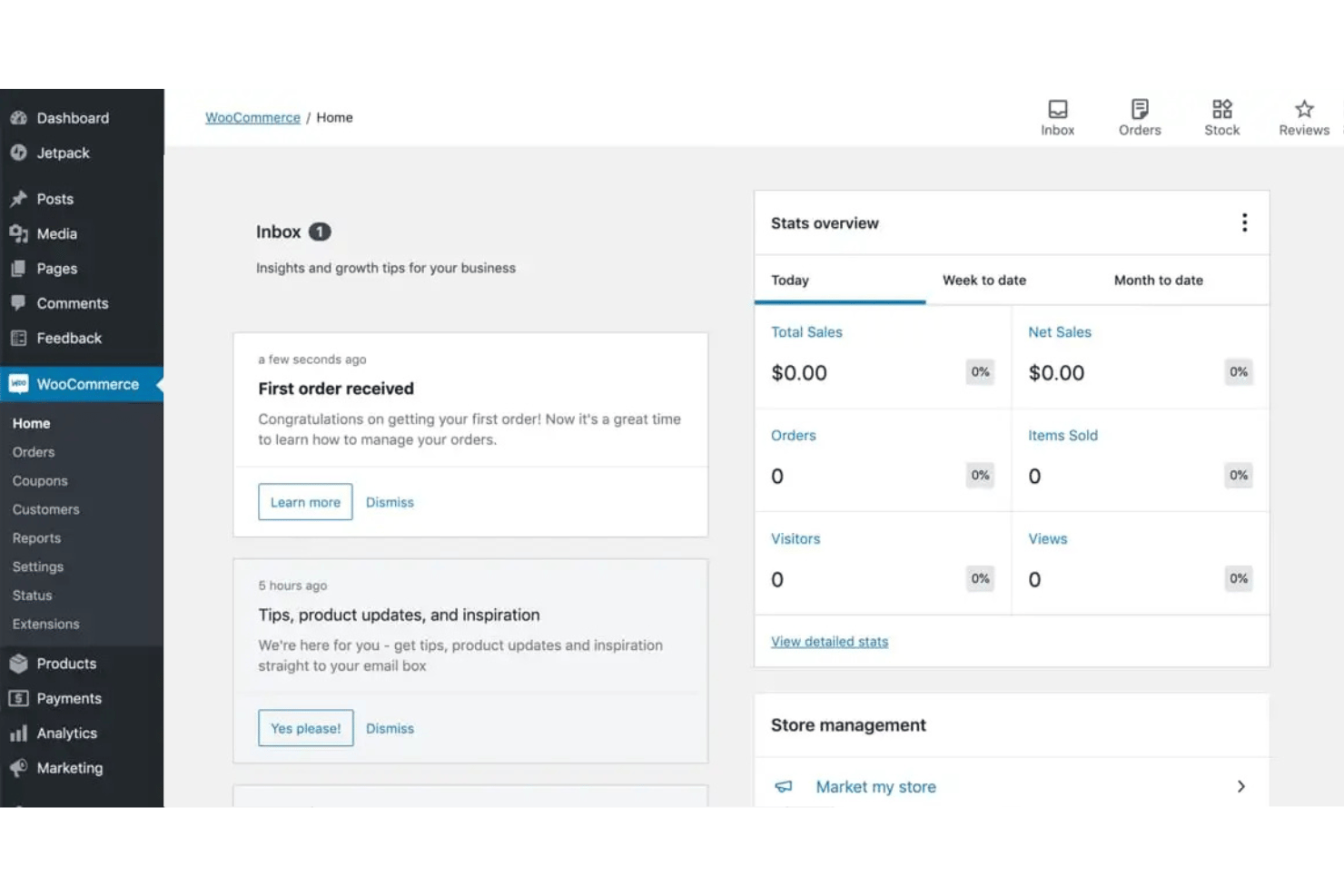
| User Interface | Dashboard is powerful but can feel cluttered and technical for beginners. | Clean, intuitive interface with drag-and-drop editing for easy changes. |
| Onboarding | Minimal onboarding; relies on community guides and documentation. | Step-by-step tutorials walk you through building your store. |
| Ongoing Updates | Manual updates needed for plugins and themes. | Automatic updates keep your site current without extra effort. |
| Customer Support | Support varies by plugin and hosting provider; community forums are active. | Centralized support team and live chat available for all users. |
Squarespace is user-friendly for beginners and busy teams, while WooCommerce rewards users who want to invest time in customization and control. WooCommerce shines for those who enjoy tinkering and building unique workflows, but Squarespace’s streamlined experience makes launching and managing a store feel effortless.
WooCommerce vs Squarespace: Pros & Cons
WooCommerce
- WooCommerce provides extensive customization capabilities.
- The platform allows for a rich variety of plugins.
- WooCommerce benefits from strong community support and resources.
- Technical knowledge is needed for setup and customization.
- Extensive plugins and high traffic can affect site speed and performance.
- There's a lack of advanced SEO features.
Squarespace
- You can create stunning websites with its beautiful design templates.
- It's easy to use, even if you're not tech-savvy.
- The drag-and-drop interface makes site customization simple.
- Your site customization options are limited compared to some competitors.
- The customer support can be slow and less responsive.
- You might find the onboarding process a bit challenging if you're new to ecommerce.
Best Use Cases for WooCommerce and Squarespace
WooCommerce
- In-House Developers Open-source codebase allows developers to build custom features and workflows.
- International Sellers Multi-currency and multilingual plugins help reach global customers.
- Nonprofits Custom donation and fundraising plugins make WooCommerce a fit for nonprofits.
- Content Creators Seamless WordPress integration lets bloggers and publishers sell products directly.
- Subscription Box Brands Built-in and third-party plugins support recurring billing and membership models.
- Small Retailers WooCommerce’s low upfront costs and flexibility suit small shops with limited budgets.
Squarespace
- Creative professionals Show portfolios with visually appealing templates.
- Small business owners Set up an online store quickly with user-friendly tools.
- Photographers Present work beautifully using built-in gallery options.
- Artists Create a sleek online gallery to sell artwork.
- Designers Build a professional site with modern, clean aesthetics.
- Bloggers Easily craft and manage content with built-in blogging features.
Who Should Use WooCommerce, and Who Should Use Squarespace?
WooCommerce is best for teams with an online business that want total control, advanced customization, and the ability to scale or integrate with specialized tools. Think: established retailers, tech-savvy entrepreneurs, or businesses with unique workflows. Squarespace is ideal for small businesses, creative professionals, or anyone who values beautiful design and a quick, hassle-free launch over deep customization. If you want to experiment, tweak, and build a store that’s truly your own, WooCommerce is your playground. If you want to get online fast with minimal fuss and reliable support, Squarespace is the clear winner.
Differences Between WooCommerce and Squarespace
| WooCommerce | Squarespace | |
|---|---|---|
| Automation Options | Supports advanced automation via plugins and integrations. | Basic automation is built in, fewer options for complex workflows. |
| Customization Level | More customization options with plugins, themes, and code access. | Limited customization in comparison, focused on preset templates and settings. |
| Hosting & Security | You choose and manage your own hosting and security. | Hosting and security are fully managed by Squarespace. |
| Pricing Plans | Modular costs for hosting, plugins, and add-ons. | All-in-one monthly subscription with bundled features. |
| User Interface | Technical dashboard with many options and settings. | Simple, visual editor with drag-and-drop functionality. |
| Read WooCommerce ReviewOpens new window | Read Squarespace ReviewOpens new window |
Similarities Between WooCommerce and Squarespace
| Analytics Access | Both platforms offer sales analytics and reporting dashboards to help you track performance and trends. |
|---|---|
| Ecommerce Functionality | Both let you sell physical and digital products, handle inventory management, and process payments securely. |
| Marketing Tools | Both provide built-in marketing features like discount codes, email marketing integrations, social media marketing extensions, and SEO features. |
| Mobile Responsiveness | Both offer mobile-friendly storefronts and admin dashboards, so you can manage your store on the go. |
| Third-Party Integrations | Both support integrations with popular tools like Mailchimp, Stripe, and Zapier for extended functionality. |
| Read WooCommerce ReviewOpens new window Read Squarespace ReviewOpens new window | |